Category Focus/categories/automation
Automation AI Tools
Discover and compare the best automation AI tools and software. Browse 637+ curated tools with reviews and rankings.
Projects tracked
637
Sort mode
RECENT
Page
13
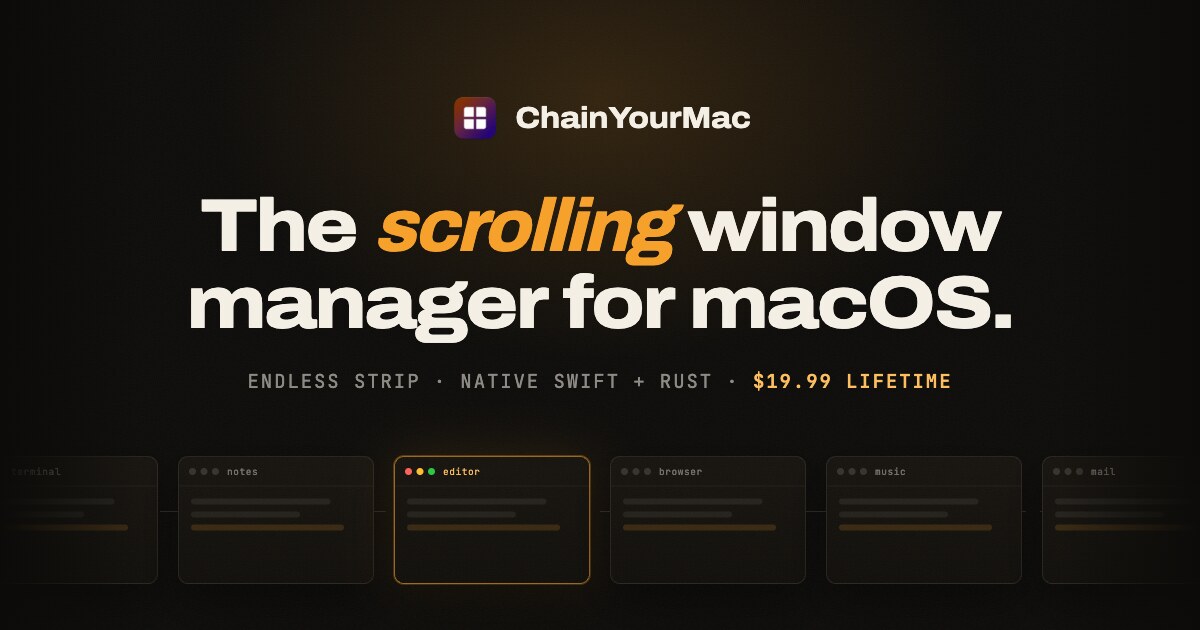
ChainYourMac is a native scrolling window manager for macOS that places every window as a column on a horizontal strip running past the edges of your display, instead of forcing windows into a fixed grid. It is built for Mac users who want the automation of a tiling window manager without the constant shrinking and reflowing of their workspace. New windows open right next to the one you are using, and every existing window keeps the width you gave it. The problem it addresses is familiar to anyone who has used a grid tiler such as yabai, Amethyst or AeroSpace. Those tools split the screen again every time an app opens, so everything keeps getting smaller. With three windows open, a grid gives each one roughly a third of the screen; ChainYourMac instead makes the strip longer, so each window is still half. Window snappers such as Rectangle and Magnet do not maintain a layout at all, because you invoke them window by window. ChainYourMac maintains a layout without the grid, giving you the automation of a tiling manager with the calm of never having your workspace reflow underneath you. The scrolling model was made beloved on Linux by PaperWM (GNOME) and Niri (Wayland), and ChainYourMac brings the same idea to macOS as a polished native app: a settings window instead of a config file, a trackpad swipe that follows your fingers, and no SIP changes. The core of the product is the strip itself. When you launch an app, its window slots in right next to the focused one, so nothing overlaps and nothing gets lost behind another window, because every window has its own place on the strip. The strip follows your focus: move focus from the keyboard or swipe the trackpad, and the strip scrolls just far enough to bring the window into view, on a spring animation that starts the moment you press the key. A trackpad swipe with three or four fingers moves the strip one-to-one with your fingers, then settles on the nearest column. Windows keep a width you choose: you can cycle a window through preset widths such as 25, 33, 50, 66 and 75 percent, nudge it wider or narrower, or set full width or centred with a single key each. Gaps between windows and at the screen edges are configurable down to zero, and windows size themselves around the Dock so nothing ends up underneath it. Stacks and tabbed columns let several windows share one column on the strip. You can stack a window into the column on its left or right, pop it back out, reorder inside the stack, and make any window taller or shorter. When each window in a stack deserves the full height, one shortcut flips the column between stacked and tabbed, turning the stack into tabs. Around the strip, several visual and layout controls are available: an optional focus border around the focused window and optional dimming for everything else, both of which stay off until you want them; centre modes that keep the focused column centred never, only when the strip overflows, or always; a strip minimap that appears while you navigate, shows where you are, then fades out; and drag-to-reorder, where dragging a window onto another column makes the strip rearrange around it. Multi-monitor and Spaces are handled per display. Every display has its own strip with its own focus and scroll position, windows never spill onto the screen next door, and one shortcut sends the focused window to the next display. Each macOS Space keeps a separate strip layout, so work and chat never get shuffled together. Per-app window rules let you float the apps that should not tile, or give an app a fixed slot on the strip. Session restore brings column order, widths and stacks back after a restart, and the app can launch at login so it begins tiling automatically. Native fullscreen is left alone: put a window into macOS fullscreen and ChainYourMac stays out of its way. Keyboard shortcuts cover every move, and new installs start with Option-based defaults on Vim keys or the arrows. You can move focus, move the focused window, send it to the next display, cycle width, set full width, centre the column, make a window taller or shorter, equalize heights, stack into the left or right column, pop out to either side, toggle a tabbed column, and float or unfloat. Every shortcut is rebindable, one action can have more than one binding, and the recorder works on AZERTY, QWERTZ and Dvorak layouts. Upgrading from an earlier version keeps your shortcuts exactly as they were, and actions that are new in version 2.0 stay unbound until you assign them. Automation is available through a chainyourmac:// URL scheme, Raycast script commands and a command-line tool, while new versions arrive through Sparkle, the standard Mac updater. Under the hood, ChainYourMac is a real Mac app: SwiftUI on top, Rust underneath. The window engine is written in Rust and runs as a small background process that sits idle until a window changes or you press a shortcut. Animation is a vsync-locked spring that starts the instant you press the key, and shortcuts are handled by the engine directly, so moving around the strip feels immediate. The app you see is native SwiftUI — a menu bar item and a settings window where every option has a control. There is no Electron, no web view and no config file to learn. It needs one permission, Accessibility, because that is how macOS lets any window manager move windows. Everything happens locally on your Mac; the app does not read your screen contents or send data anywhere. There is no account and no telemetry in the app. If the engine ever stops, the app restarts it, and the engine log shows what happened. The benefit is a workspace that stays predictable. Instead of your layout reflowing every time an app opens, the strip simply gets longer and each window keeps the size you gave it. Focus changes scroll the strip just far enough to bring the right window into view, and the spring animation starts the moment you press a key, so navigation feels immediate rather than abrupt. Settings apply instantly — change a gap, a width or a key and see it on screen straight away, with no Save button and no restart. Because column order, widths and stacks come back after a restart, and every display and every Space keeps a strip of its own, your work is still where you left it tomorrow. Concrete workflows show up throughout the app. In a development session you might keep Terminal, Code, a browser and logs side by side as columns; when another tool launches, it opens next to the focused window rather than resizing your editor. When you need to compare documents, you can stack several windows into one column or flip that column into tabs so each window gets the full height, and drag a window onto another column to rearrange the strip around it. At a desk with a MacBook and an external display, each screen keeps an independent strip, and a keystroke sends the focused window to the next display. Keyboard-first users can run the whole day on the Option-based defaults, on Vim keys or the arrows, and rebind anything that does not fit their layout. ChainYourMac requires macOS 13 Ventura or later and runs on Apple silicon (M1 or newer); Intel Macs are not supported. It is notarized by Apple and signed with a Developer ID, with no kernel extensions, no system modifications and no need to disable SIP, and it asks for the Accessibility permission only. Licensing is a one-time purchase with no subscription and no account: a lifetime license for 1 Mac at a launch price of $9.99, half off the regular $19.99, with free updates forever, plus 3-Mac ($24.99 launch), 5-Mac ($39.99 launch) and 20-Mac ($149.99 launch) lifetime licenses for teams. Checkout is on Gumroad, and you immediately receive a .dmg download and a license key by email. You can move your license to a new Mac whenever you like by deactivating it in the app first, and email support comes from the developer who built it. ChainYourMac takes the scrolling window model proven by PaperWM and Niri and delivers it as a native Mac app — windows on an endless strip, a trackpad swipe that follows your fingers, stacks and tabbed columns, per-display and per-Space layouts, and no SIP changes. It is, in its own words, about one simple shift: stop rearranging windows, start scrolling.
Creads is a team of AI agents that runs a brand's marketing on its own. According to the site, it is built to run your Meta ads, your Instagram, your growth on X, your TikTok and your LinkedIn, with agents that already know your brand. Those agents create the content, publish it and learn what works, so the user gets the outcome rather than the workflow. Creads is positioned as a full marketing team that runs itself, aimed at founders and marketing teams who want the function handled without assembling it themselves. The site frames the problem in terms of the work that fills a marketer's day. Running paid and organic across many platforms means writing copy, shooting and editing video, scheduling posts, launching campaigns and then reading the numbers. Creads describes an alternative to writing prompts and learning editing timelines: the closing message claims that competitors using AI video ads spend about 90 minutes, while a Creads user spends five. The site also argues that every other AI tool starts from zero, which motivates a system built to keep everything it learns on the way round. Setup is described as taking about five minutes from a link. You paste your URL and Creads reads your site, learning your brand: brand colours, typeface, tone of voice and the products found in your catalogue. This produces a Business DNA that every employee works from, and the FAQ notes that any correction you make in chat sticks, so the profile gets sharper the more you use it. You then hire the employees you need. The agents listed on the page are Il Direttore (Orchestrator), Marco (Ads), Gaia (Social), Elena (Intelligence), Luca (Copy) and Sofia (Video). After you connect your accounts, it runs. The first step of the loop is described as 'Ask, and it creates.' You tell Creads what you want in plain words — the site says no prompts and no brief are needed. It shoots the photos, writes the script and edits the UGC video in your brand's voice. The page shows a chat where the user asks to 'shoot my new drop' and the agent explains what it pulled from the brand, which angles it shot and why, then returns a set of generated product shots. The FAQ adds that no prompt writing or editing knowledge is required: you talk to it like a teammate — 'make it funnier', 'try a younger actor', 'three more variants' — and it redoes that piece while keeping the rest, with cuts, captions, music and export handled for you. Creads also lists content formats it can automate: UGC SAAS, Product Reveal, Instant Ad, Static Ad, UGC Unboxing, Styled Flat Lay and UGC Ad. The second step is 'It publishes itself.' The site states that Marco launches the ads and Gaia schedules the posts straight to Meta, TikTok and every platform you connect. Connections shown on the page include Instagram, Facebook, TikTok, LinkedIn, X, YouTube, Pinterest, Threads, Reddit, Google Business, Meta Ads, Google Ads and Shopify. Everything queued or shipped appears on a scheduled calendar, where the user can cancel anything before it goes live. The FAQ confirms that Creads does more than produce files: it schedules to Instagram, TikTok, LinkedIn, YouTube and the rest, and takes campaigns live on Meta and Google Ads. The third step is 'It learns and reports back.' Performance flows back into what the site calls the brand brain, so every next batch is sharper than the last. A Social Insights screen shows reach, impressions, engagements and video views across every connected account, with a comparison against the previous period, described as a check on whether the current numbers are better than last time. The FAQ describes individual agent memory: each employee keeps its own memory, so the one running your ads is not starting from zero every week. Creads is described as running the whole loop — creating, publishing and reading the results — and keeping everything it learns along the way. The fourth step is 'Then it runs itself, daily.' Any flow can be saved as an automation that repeats the whole loop every day on its own. The site lists two modes, set per automation: ask-first, where Creads prepares the work and waits for your yes, and autopilot, where it ships and tells you afterwards. Example automations shown on the page include a Best-performer recap, a Daily UGC reveal ad, a Meta CPC guardrail that runs every 15 minutes, Weekly carousel drafts, a Midnight reflection and a Competitor scan. An automations screen shows counts of running, auto and paused flows, along with their schedules and next run times. Creads describes its approach as running one continuous loop rather than producing isolated outputs. Because the same system creates, publishes and reads the results, the brand memory keeps accumulating: the site says every other AI tool starts from zero, while Creads keeps everything it learns on the way round and gets sharper every lap. The division of responsibility is explicit — Il Direttore orchestrates, Marco handles paid, Gaia handles organic, Elena reads the numbers, Sofia makes the video and Luca handles copy. Each agent does one job and works from the same Business DNA, so the output stays on brand. For outcomes, the site reports averages across accounts running Creads on autopilot, measured against their own 60 days before, with a note that individual results vary. The published figures are a 41% lower cost per acquisition in the first 60 days, 3.2x blended ROAS across the accounts it runs, and 8x more creative shipped every month. A 'Conversions by creative' table illustrates the reporting style, breaking results down by asset — for example a reel with a 'fluo' hook at 38 conversions for €412, an unboxing reel at 24 conversions for €287, and a static flat lay at 4 conversions for €96. The site presents three teams using Creads. Luca R., founder of a DTC skincare brand, launched his first ads without ever having run one: he pasted his domain and went to bed, and the ads agent read the brand, wrote four creatives, launched at €40 a day and paused the two that never got going. Sara M., head of content at a fashion label, and Andrea C., founder of a creative agency, are listed alongside him. The FAQ adds that agencies running several brands get separate employees, memory and voice per brand, plus one morning summary per brand instead of logging into eight dashboards. Creads targets founders and marketing teams — including agencies and multi-brand operators — who want marketing handled without hiring a full team or learning production tools. Integrations mentioned on the page span Instagram, Facebook, TikTok, LinkedIn, X, YouTube, Pinterest, Threads, Reddit, Google Business, Meta Ads, Google Ads and Shopify. On pricing, the FAQ describes a monthly plan with a credit allowance included, where generating, editing, publishing and launching all draw from the same balance; top-up packs never expire and stay yours even if you cancel, and new accounts start with free credits so you can run the whole loop before paying anything. The core promise, in the words of the site, is to stop writing prompts and start making ads: Creads gives a brand a team of AI agents that learns the brand from its own website, makes the content, publishes and launches it across connected platforms, learns from the results and can repeat the whole cycle daily. The value is framed as outcome over workflow — you get the finished ads and posts, not another tool to operate.
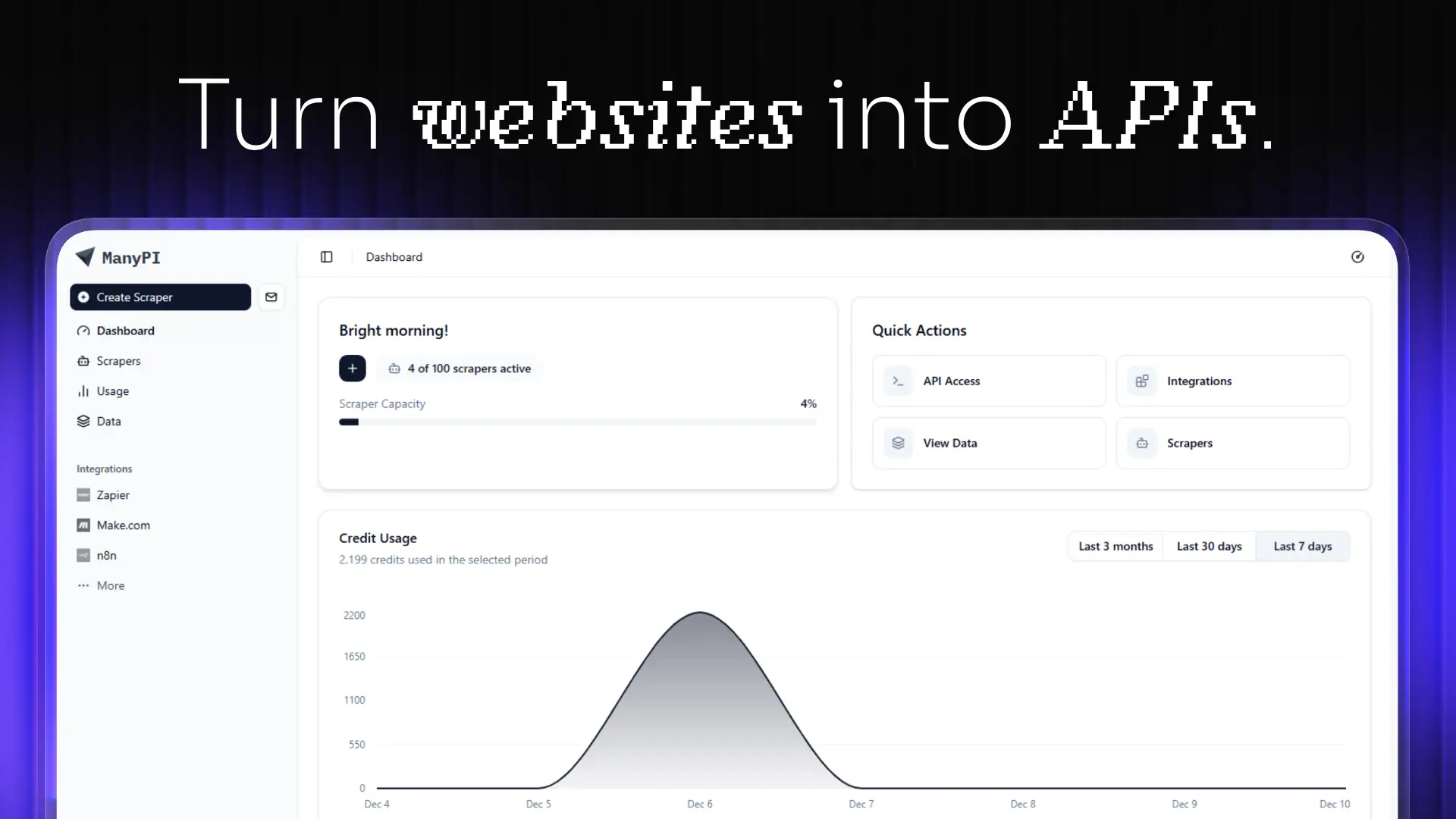
ManyPI is an AI sales agent for lead generation and cold email outreach. It is aimed at teams and founders who need a steady stream of new customers, and it works from a single sentence: you describe your ideal customer, and ManyPI finds matching companies and the people who sign on the live web. From there it verifies every email address, validates pain points and emotional buying triggers, and sends hyper-personalized outreach that turns those signals into sales. The product bundles the whole outbound workflow — lead generation, email verification, cold email campaigns, workflow automation, a CRM and pipeline, a unified inbox, an AI agent, web scraping, data analysis, and API access — into a single subscription rather than a stack of separate tools. Outbound sales is usually a chain of disconnected steps. A list gets built in one place, verified somewhere else, sequenced in a third tool, and then tracked manually in a spreadsheet or inbox. The ManyPI homepage frames the pain with the simple question "Up late, want more customers?", alongside three starting actions: find new leads, enrich a lead list, and send outreach. The problems this creates are familiar: unverified addresses bounce, duplicates creep in, and bounces can burn a sending domain. Replies scatter across inboxes, and the logic of what happens after a reply lives in someone's head. ManyPI's stated purpose is to close those gaps by running the whole flow — find, verify, validate, reach out, and follow up — inside one product, so that the signal from a prospect turns into a sales conversation instead of being lost between tools. Lead generation in ManyPI starts with a plain-language description of your ideal customer. The example shown on the site is "Marketing agencies in Berlin with 10–50 employees", and the product returns matching companies along with the people who sign. The site illustrates this with 1,284 companies matching a query and named results such as Northwind Studio in Berlin and Kranz & Partner in Hamburg. Email verification is the second step: every address is checked before you send, so that there are no bounces, no duplicates and no burned domain. Addresses come back verified and scored, for example Northwind Studio at 92 and Kranz & Partner at 87, while a low-scoring record such as Wide Net GmbH at 34 is dropped from the list. Verification therefore acts as a filter that protects deliverability and keeps the list clean before any message is sent. Cold email outreach is handled with multi-step campaigns sent from your own inboxes, with warmup running in the background and replies collected in one place. The site illustrates a three-touch sequence: an intro on day 0 marked as sent, a follow-up on day 3 also sent, and a last touch on day 7 queued — with a reply from Northwind Studio arriving two hours earlier. Workflow automation then picks up where sending stops. When a lead replies, ManyPI tags it and starts the next step, and the site notes there is no wiring to maintain. In practice this means the sequence, the tagging and the transition to the next action happen automatically once a reply lands, instead of someone manually moving a record and remembering what comes next. ManyPI also includes the surrounding infrastructure. CRM and pipeline, a unified inbox for replies, an AI agent, web scraping, data analysis, and API plus webhooks are all described as available in every plan. The unified inbox matters because replies from multi-step campaigns would otherwise be scattered across multiple sending accounts; the CRM and pipeline give those replies a place to live and move through; the AI agent is the component that does the finding, verifying and outreach work; web scraping and data analysis support the live-web research that produces the leads; and the API and webhooks let the rest of your stack react to what happens inside ManyPI. Integrations push verified leads straight into the CRM your team already runs on, with HubSpot and Salesforce listed alongside Claude and OpenAI. ManyPI also exposes its lead generation through an MCP server, which the site notes is now live. The endpoint is mcp.manypi.com/mcp, and it lets you ask for leads from Claude, ChatGPT, Gemini or any MCP client. The distinction the site makes is that the list lands in your table, not in the transcript, so results arrive as structured data rather than as chat text you would have to copy out. Taken together, the product works as one pipeline: describe your ideal customer, receive matched companies and the people who sign, have every address verified and scored, run multi-step cold email from your own inboxes, and let automation tag replies and trigger the next step, with results flowing into a CRM through built-in integrations, the API, or an MCP client. The stated benefits are revenue growth through better lead finding, cleaner sending through verification that prevents bounces and duplicates, outreach that is more relevant because it is based on validated pain points and emotional buying triggers, and less operational overhead because campaigns, replies, tagging and follow-up steps live in one place. The site positions the product as a single subscription that covers tools which would otherwise be bought separately, and it presents its lead-finding step as the reason teams are no longer searching manually for their next customer. It also states that more than 1,700 growing companies have joined. Concrete workflows appear throughout the site. A team can start by finding new leads, describing a customer profile such as marketing agencies in Berlin with 10–50 employees and receiving matched companies. Another team can enrich an existing lead list, sending it through verification and scoring so weak records are dropped before sending. A third workflow is sending outreach: building multi-step campaigns from your own inboxes, with warmup, and watching replies arrive in the unified inbox. A fourth is automation, where a reply triggers a tag and the next step without any wiring to maintain. Beyond that, verified leads can be pushed into HubSpot or Salesforce through integrations, and teams working inside Claude, ChatGPT, Gemini or another MCP client can request leads and have the list land in their table. ManyPI is aimed at organizations that need customers: sales teams, marketing and lead generation agencies, and founders or growing companies. The site displays logos of organizations using it, including Berkeley, Cornell University, Supercent, Codeway, Valsoft and others, and says 1,700+ growing companies have joined. Product Hunt topics associated with it are Sales, Email Marketing and Marketing. It is a web product accessed through app.manypi.com, with an API and webhooks as well as an MCP endpoint for programmatic and agent-driven access. Pricing starts with a free plan and paid plans from $25 per month, and the core toolkit — CRM and pipeline, unified inbox, AI agent, web scraping, data analysis, and API and webhooks — is stated to be included in every plan. The summary takeaway is straightforward: ManyPI is a single AI sales agent that replaces a fragmented outbound stack. It finds leads from a sentence, verifies and scores every address, validates buying signals, sends multi-step cold email from your own inboxes, and automates what happens after a reply — then pushes the results into the CRM your team already uses or into an AI client through its MCP server.
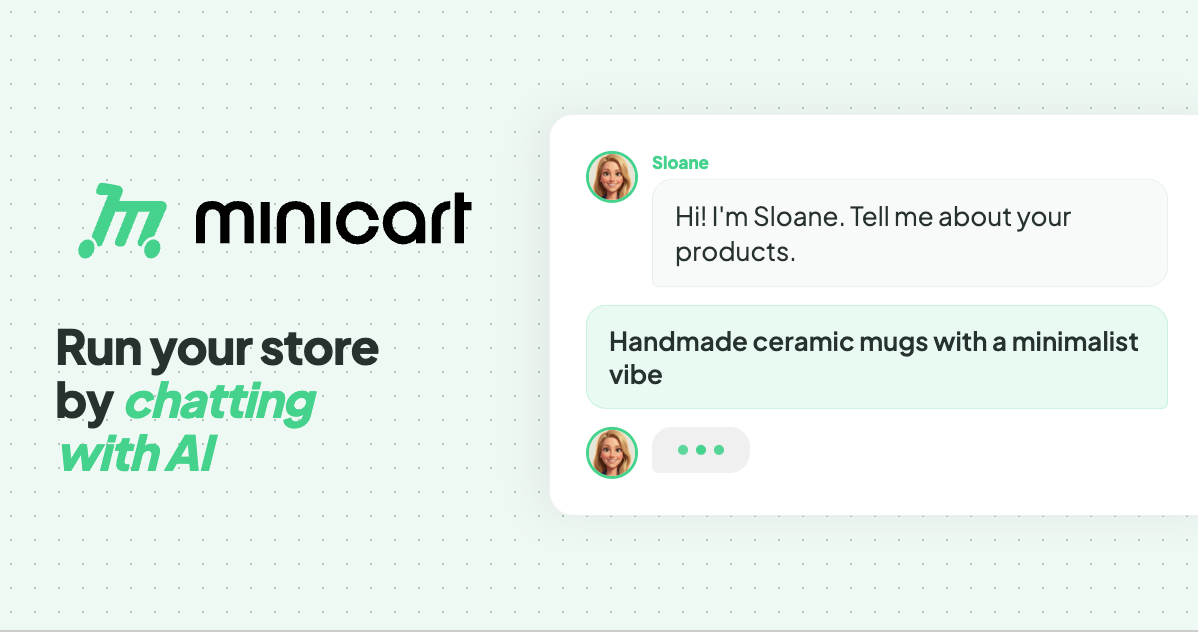
Minicart is a platform that lets makers, creators and resellers launch and run an online store by chatting with AI. Its central promise is simple: take a photo of what you make, answer a few quick questions, and Minicart builds a real website that you own, complete with a polished product listing, a pricing suggestion and a full storefront. From there, a team of AI teammates runs the store day to day. The product is aimed at people who want to sell online without learning ecommerce software — the site puts it as "if you can text, you can run a store." Everything is managed through a simple chat interface, with no code, no design work and nothing to configure, and the site stresses that nothing goes out without your say-so. Traditional ecommerce platforms ask a lot of a first-time seller. Building a store means choosing themes, writing listings, configuring payments, learning dashboards and app stacks, and often paying monthly fees plus listing fees on top. Marketplace sellers face a different problem: their storefront is a booth inside someone else's feed, so the brand, the domain and the customer relationship all belong to the platform. Minicart frames its purpose around both frustrations. The site describes its store as "a store that's actually yours" — your brand, your domain, your customers — rather than "a booth in someone else's marketplace." It also states that there are no listing fees, ever, and that Minicart only charges a small card fee when you actually make a sale, and that it only earns when you earn. The first capability is photo-to-store creation. You snap a picture of what you make and answer a few quick questions, and Minicart turns that photo into a polished product listing — title, description and pricing suggestion — and a full website, automatically. The site says one photo is enough to get started and that a store can be live in under 10 minutes. In the example shown on the page, the assistant takes a single candle photo and reports that it built four product photos from it and launched the store. The workflow is described as three steps: snap a photo, we build your store, then go live and sell. Your own domain and brand come with it, and the page repeats that there are no listing fees, ever. Second, Minicart handles sellers who are already selling elsewhere with one-click imports. You paste your Etsy shop link, your Shopify store link, or your eBay store or seller link, and Minicart pulls in your listings — titles, prices, photos and variations — and rebuilds them on a site you own. The site says a full catalog is imported in minutes, with no exporting, no copy-paste and no re-uploading photos. Crucially, the connection is described as read-only: Minicart states it never touches or pauses your existing store, so you can keep selling on the marketplace while you build. For Etsy users it highlights keeping the shop open and running while finally owning the customer list; for Shopify users it highlights being live in 10 minutes rather than weeks, dropping the monthly fees and app stack, and letting three AI teammates run the busywork; for eBay users it highlights importing listings in minutes while continuing to sell on eBay and owning the customer, not just the sale. Third, and at the heart of the product, are the three AI teammates who work 24/7. Sloane, the storefront teammate, builds your site, takes payments, tracks your sales and keeps your listings current. Milo, the marketing teammate, drafts lifestyle photos, social posts and discount codes that bring people in. Logan, the logistics teammate, ships orders, tracks inventory, handles refunds and drafts your customer replies. The page shows a day in the life: Sloane turning your photos into three products, Milo drafting Instagram posts for those three new products, Logan prepping a shipping label for an order and writing your reply to a customer question, and Sloane processing the day's payments and sending your payout. Each item is marked done or ready, reinforcing that the owner remains in control of everything the team produces. Fourth, everything is operated through chat, including bulk changes. The site describes the interface as "if you can text, you can run a store": you manage inventory, draft social posts and talk to customers by sending plain-language messages. A dedicated bulk editor lets you update everything at once — for example, "increase price of all red necklaces by $5" — and your team lines up the changes, figures out what is affected and shows you a list to review. Nothing changes until you confirm: you can check or uncheck anything you want to skip and then approve. The same pattern applies to inventory updates, such as reporting that you have made five new blue butterfly bracelets and 12 ruby necklaces and confirming the new stock numbers. The site states plainly that you are always in control and nothing goes out without your say-so. Fifth, Minicart emphasizes ownership and economics. The store lives on your own domain under your brand — the FAQ notes it runs on your own Minicart domain, for example yourstore.minicart.com, and that you can connect a custom domain you own. You can bring your own domain or grab a new one, and the store carries your name, colors and style from day one. Your customer list is yours to keep and grow rather than locked inside a marketplace, which the site ties to building repeat customers and a brand you can grow for years. There are no listing fees — list as much as you want — and Minicart says it only charges a small card fee when you actually make a sale. Taken together, the approach is to replace ecommerce software with a chat-driven AI team. Instead of learning a dashboard, you describe what you need in plain language, and the AI teammates figure out what is affected, do the work and present it for your review. Launch can start from a single photo or from an imported catalog, and operations continue as a running dialogue: turn photos into products, draft an Instagram post, create a promo code, prep a shipping label, write a customer reply, process payments and send a payout. The site summarizes this as "see it in action — watch how your simple text commands trigger a complex chain of storefront updates." The stated control model is consistent throughout: the team proposes, you approve. The promised outcomes are speed, control and ownership. Speed: a store live in 10 minutes, a full catalog imported in minutes, and 24/7 AI teammates rather than hiring help. Control: every action is reviewed and confirmed before it goes out, with a checklist you can edit before approving. Ownership: your own website, your own domain, your own brand and your customer emails. The site also stresses economics — no listing fees, ever, and paid plans that lower card rates. Real stores built with Minicart are showcased on the page: Butterfly Boutique, Fame City Card Co, Trammell's What The Flip, Treasured Tees and Things and Diecast Car Culture, described as selling trading cards, sneakers, boutique gifts and more, with owners who launched fast and run their business by chatting with their AI teammates. Concrete scenarios appear throughout the page. A maker photographs what they create and Minicart turns it into a listing and a live store, with one example showing a candle photo producing four product photos. A bracelet maker tells the team to create a 20% summer promo code for all bracelets and gets confirmation that all bracelets are now 20% off with code SUMMER20. A seller asks for an Instagram post for a blue butterfly bracelet. An owner says to increase the price of all red necklaces by $5 and reviews five affected items with their old and new prices. A seller reports new inventory — five blue butterfly bracelets and 12 ruby necklaces — and confirms the updated numbers. And existing marketplace sellers paste an Etsy, Shopify or eBay link and get their catalog rebuilt on a site they own. Minicart is built for makers, creators and resellers — including craft sellers, trading card and sneaker resellers, boutique gift shops and apparel sellers — who want to sell online without learning ecommerce software or managing a booth inside a marketplace. The FAQ emphasizes that no tech or design skills are required, that there is nothing to code, design or configure, and that the AI teammates handle the setup and the day-to-day. On pricing, the site states there is a generous free plan where there are no monthly fees to start selling, that paid plans lower Minicart's card rates, and that no credit card is required to start. A current promotion offers 45% off the Assistant plan plus a free custom domain. Minicart's core value proposition is to let anyone turn what they make into a store they own and then hand the busywork to AI. A photo or an imported catalog becomes a live website in minutes; Sloane, Milo and Logan keep it running around the clock; and every change is confirmed by you before it ships. For sellers tired of marketplace dependence and complicated ecommerce software, Minicart offers a simpler path: take a photo, review your team's work, and keep building your business.
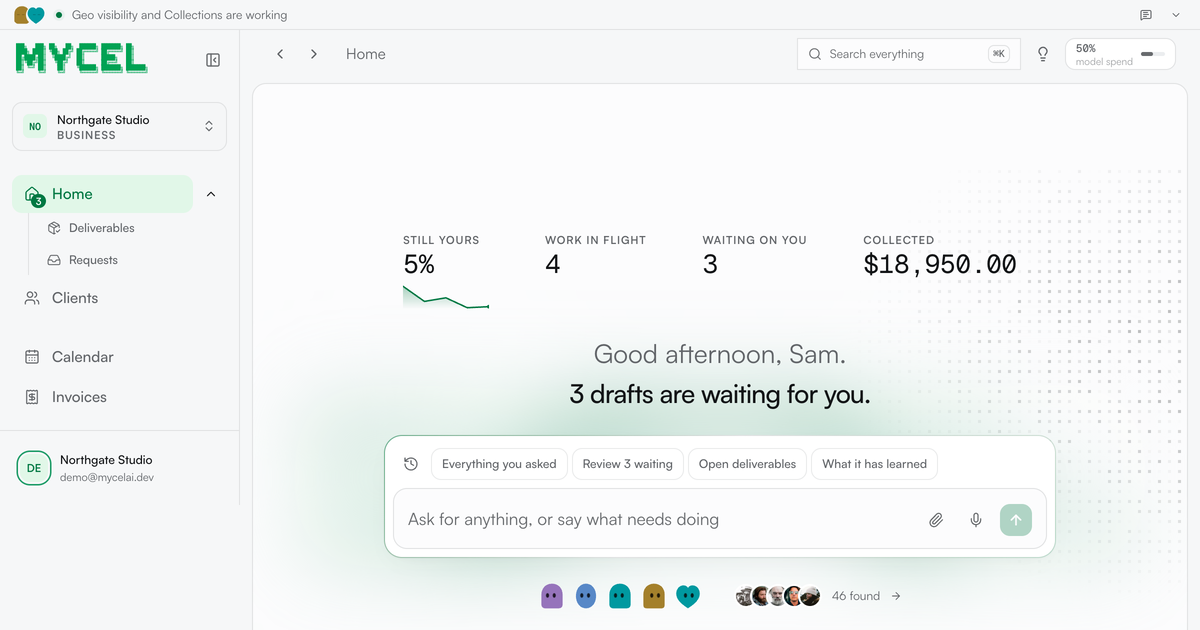
Mycel is an AI platform that runs the work a service business sells — its clients, its deliverables, its approvals and its invoices. You bring one past deliverable, anything you have already sent a client: a close, a proposal, a report or a shortlist. Mycel learns how your firm does it and drafts every future one, waiting for your approval before anything ships. It is built for service businesses whose work still crosses one desk — the agencies, bookkeepers, recruiters, GEO and web studios and contract desks where every draft waits on the same person. The framing Mycel uses is blunt: you are the last pair of eyes on everything, and that is what caps you. Every deliverable goes through you, every client asks for you by name, and every draft waits for a free afternoon that never comes. The alternatives the company prices against are telling. It compares its own Starter plan — twelve months, two businesses, three seats, nothing to negotiate, listed at $3,588 for a year — with an offshore contractor at roughly $1,200 a month, or about $14,400 a year, where the work still returns to your review every time, so the correction you made in March is one you make again in May. Hiring, it notes, costs $80,000 a year and six weeks of ramp, and the person hired still asks the questions you were trying to stop answering. Mycel's stated position is that it does not replace you; it makes you the only person who needs to look at the draft. Setup is described as an afternoon. You describe the service, upload one past deliverable and give it this week's work; from there the loop is fixed: it drafts, you approve, you send. The product types named on the site are ordinary service-business artifacts — a close, a proposal, a report, a shortlist — and the company's claim is that it learns how your firm does it rather than producing generic text. Early customers quoted on the site describe exactly that shift. Mailwarm (YC S20) says Mycel 'drafted a client report I would have lost an afternoon to. I changed maybe a fifth of it and sent it.' figr.so says 'the second draft is the part that got me. It came back written closer to how I actually write.' An SEO agency says it stopped rewriting the opening paragraph somewhere around the third draft. Nothing leaves the business without passing through the approval queue. Before approving you can edit the wording, and that edit becomes training — the correction is kept, which is why the company frames the system as compounding rather than static. Sending rules are configurable: on the demo business, a status update and a document reminder were allowed to go out without stopping for approval, while anything involving money, a commitment or a first approach still had to wait. The payoff is measured on a chart of how much of the work no longer needs you: the share of each draft rewritten by week ran at 94% on 11 August, 28% on 18 August, 44% on 25 August, 0% on 1 September and 5% in the latest week, with one week needing no changes at all. The headline the site draws from that is that drafts need 90% less editing than when you started. Feature-wise, Mycel groups its work into desks. GEO monitor answers 'when buyers ask ChatGPT' by reporting what the assistants tell your client's buyers, with Claude and Gemini shown as the assistants in play. Invoice chaser handles accounts receivable 'when it is late,' described as money in without you asking twice, and lists Gmail among its connections. Books keeper closes the month with a pack to send. GTM operator works the pipeline daily, generating new conversations with people who fit. Recruiting desk delivers a longlist screened in writing per search, using Gmail and Slack. Contract desk produces a redline ready for your signature per contract, using Notion and Gmail. The company's point is that bookkeeping, recruiting, GEO, legal, web, ops and contract desks all run the same loop across different trades — the judgment stays yours. Underneath sits a back-office surface covering clients, open engagements, deliverables in flight, invoices and requests. It shows what is owed, what has landed, what clients have signed off and what is overdue: on the demo data, 1,701 jobs run with 96 that did not finish and every one of them on the timeline, $29,150 owed with $18,950 landed in the last eight weeks, and nine deliverables accepted by clients in the same period. A 'worth doing next' list turns that data into specific, explainable prompts — an invoice 37 days overdue with $8,750 outstanding that has never been chased, with seven more overdue and unchased invoices worth $20,400 behind it; a client with four open requests that has never been given a way to see them, where the fix is to open their page, copy the portal link and send it; two engagements the client accepted but which were never invoiced; and an engagement that cannot start because the service declares no job that produces a deliverable. There is an audit view for who changed what, and scheduled runs such as opening engagements for clients that have none, starting ready engagements and a weekly GEO probe. The methodology is deliberately narrow at the front door. You bring one file, and Mycel drafts everything downstream of it. Each job runs in a disposable sandbox that never holds a credential, and nothing reaches a client until you approve it — a job here means one piece of work done: a message answered, a sync run, a document produced. The dashboard even names what the system will not do: on the demo business, Mycel does not build or maintain the clients' Webflow sites beyond the recommended commercial pages from the visibility work. When something cannot proceed, it says so rather than stalling silently. The benefits the site claims are framed as things you stop doing. Starter is sold as the point where you stop being the one who keeps it running; Growth as the point where you stop turning the next client away; Scale as the point where you stop waiting weeks for a procurement review. Across all of them the outcome is the same: you remain the only person who needs to look at the draft, the share of each draft you rewrite keeps falling, and the approvals, invoices and client requests that used to live in your head are held somewhere that tells you what is worth doing next. Concrete uses visible in the product include recurring client reporting — visibility reports on geo visibility and weekly reports on search presence — plus the collection work that follows: raising invoices, chasing collections and closing the books monthly. Client work in flight on the demo business includes a pricing page copy and query job, a four-practice listing audit, a competitor sweep, a reviews summary and local SEO positions across three towns. The pipeline desk runs outbound conversations daily, the recruiting desk screens candidates per search, and the contract desk returns a redline per contract ready for signature. Integration marks on the site include Gmail, Slack, Notion, Claude and Gemini, and setup steps include connecting LinkedIn to send, giving the work an address to send from and connecting a mailbox for the portal. Plans start with a 7-day free trial; during the Product Hunt launch, Starter is $149.50/month for three months and then $299/month, Growth is $449.50/month for three months and then $899/month, and Scale is quoted on request with no limit on businesses, people or jobs, AI capacity set to your volume and the option to run inside your own private cloud. Starter covers 2 businesses, 3 people and 2,000 jobs a month; Growth covers 10 businesses, 10 people and 10,000 jobs a month, works several inboxes at once, keeps every client's logins apart and adds priority support. Self-hosting is free forever under Apache-2.0 with nothing metered, run on your own servers with your own model key and installed with a single curl command on macOS, Linux or Windows. Mycel's value proposition reduces to one idea: bring one past deliverable, and every future one arrives drafted, corrected once, and held for your signature. The judgment stays with you; the repetition does not. If you are the bottleneck on recurring client work that still crosses one desk, Mycel is built to make you the only person who has to look.
Mise is a free meal planner from Robot Recipes that puts an entire meal on one timeline. You start with a recipe, build the rest of the menu, and tell Mise what time you want to eat, and it back-schedules every dish so the whole meal lands on the table hot at once. It is built for home cooks who prepare meals with more than one dish — a breakfast spread, a multi-course dinner, or a holiday table — and who want a single start time and one running order instead of juggling several recipes at once. Mise runs in the browser with no login and no app, and it includes a merged shopping list, a tools list, and a cooking mode you can leave open on the counter. Recipes are written to help you cook one dish, but meals are made of multiple dishes. That gap is the problem Mise is built around. If a main course, a side, and a dessert each have their own instructions and their own timing, the cook has to hold the whole schedule in their head: when to start each one, which steps need hands, which steps can run unattended in the oven or on a simmer, and how long something needs to rest. Getting every dish ready at the same moment is the hard part, and it is the part a single recipe page cannot help with. Mise exists so that the timing work happens before you start cooking rather than in the middle of it. Building the meal begins with a single dish. You search any recipe on Robot Recipes and that dish anchors the meal. From there, Mise's robots fill in the menu, suggesting dishes that go with your starting recipe. The same robots read each recipe's steps to work out how long each dish takes and which parts need your hands. This matters because the hands-on steps are what compete for your attention. By reading the recipes, Mise knows not only the total time a dish requires but also the shape of that time — how much of it is active work at the stove or counter and how much of it is unattended. That reading is what makes a combined schedule possible at all. Once the menu is set, you say when you want to eat. Mise takes that minute as the target and schedules every dish backwards from it, so each dish has a start time that reflects how long it needs and where it needs to land. Dishes are then nudged earlier so that two hands-on steps never collide. This is the core of the product: not a list of recipes, but a running order. The interface lets you set how many people you are serving and pick a serving time, offering suggested times based on your local time or letting you choose another time. When you change the serving count, every dish and the shopping list scale with it. The plan itself is displayed as a timeline that separates hands-on work from hands-free time, with hands-free categories labelled as oven, simmer, and rest. That distinction is what makes the schedule readable at a glance: you can see when you will be actively cooking and when you are free to do something else while a dish bakes, simmers, or rests. Mise also produces a list of the tools for the meal and shows what the timing depends on, so you know which piece of equipment a dish's schedule is built around. Separately, a combined shopping list is merged across every dish and scaled for your serving count, and you can tap items to check them off as you shop. When it is time to cook, Mise has a cooking mode built for the counter. It shows only what to do right now, so you are not scrolling through whole recipes while something is on the stove, and it lists what is up next. Cooking mode needs no connection once the page has loaded, keeps the screen awake where the browser allows it, and beeps when a step comes due. The page also reflects the current state of the meal, including dishes that are resting, in the oven, or simmering. Steps can be skipped or marked done with a what's-next control, and the instruction to the cook is simple: leave it open on the counter. Because a meal plan is only as useful as its shopping trip, Mise merges the ingredients for every dish into one shopping list and scales the quantities to the number of servings you selected. You can check items off as you go, which turns the list into a usable shopping workflow rather than a static page. The serving count is a single control that propagates through the whole plan, so if the number of people at the table changes, the dishes and the shopping list change with it. A tools section lists the equipment the meal's timing depends on, which helps you confirm you have what you need before you start. Under the hood, Mise follows a clear four-step approach. Start from one recipe, let the robots suggest dishes that go with it and read each recipe's steps, say when you want to eat so every dish can be scheduled backwards from that minute, and then cook from the timeline. The product is deliberately lightweight: no login, no app, and no ads in the way. A finished plan can be printed or saved as a PDF, and it can be shared with a copy link — anyone with that link can open the plan, and the plan is not listed anywhere. Mise is also candid that the timing is machine-generated: a disclaimer states that the meal plan and its timing were not created by humans and that cooking times vary with your oven, cookware, and ingredients, with reminders to check meat is cooked to a safe temperature and to watch for allergens. For users, the benefit is that the mental arithmetic of a multi-dish meal moves off your shoulders and into a schedule you can follow. Instead of asking whether the roast will be ready before the sides, you work from one prep list that includes ingredients, instructions, and reminders, with one start time and one running order. Concrete situations include getting a full breakfast on the table all at once, timing a dinner with a main and several sides, coordinating a holiday meal such as Thanksgiving, cooking for a specific number of servings, and running the whole thing from a phone or tablet left open on the counter. Sharing the copy link also makes it easy to hand the plan to whoever is cooking with you. Mise is a free tool on the web from Robot Recipes, with no login required and no app to install. It draws on the Robot Recipes recipe library, which is organised by course — main course, snack, appetizer, dessert, breakfast, side dish, lunch, dinner, soup, beverage, condiment, salad, vegetarian, seafood, brunch, sauce, bread, vegan, dip, charcuterie, sandwich, and gluten-free — and by cuisine, covering dozens of traditions from Indian and Vietnamese to Mexican, Italian, Korean, and beyond. The site also notes that it is an Amazon Associate and may earn commission from affiliate product links. The takeaway is straightforward: Mise is a meal planner and timing engine, not a recipe box. It answers the question recipes leave open — when do I start everything? — by back-scheduling each dish from the moment you want to eat so the whole meal is ready at once.
Ruby UTCP is the Ruby implementation of UTCP 1.1, the Universal Tool Calling Protocol. It gives Ruby applications and AI agents a standard way to discover and call tools over native protocols, so a single library can connect to whatever interface a tool already exposes. Developers describe the tools they want in a simple JSON manifest and call those native APIs directly instead of standing up an intermediary wrapper server. The project is open source and MIT licensed, and it is built specifically for the Ruby ecosystem, which makes it relevant to Ruby developers who are creating AI agents and tool-powered applications and who want one consistent, standard approach to tool calling rather than a new integration pattern for every service. UTCP positions itself as a lightweight alternative to MCP, the protocol many teams reach for by default when connecting language models to external tools. The stated problem with the MCP route is its reliance on a heavy client and server architecture: for Ruby developers it usually means running a separate server process before anything can be called. UTCP describes this overhead as a "wrapper tax", an extra layer that adds latency and integration work on top of the tool itself. Ruby UTCP removes that layer by using a simple JSON manifest to connect to native APIs, so the call travels to the transport the tool already speaks rather than through an added wrapper. The project's broader pitch is that tool calling should be direct, scalable and secure from the start, rather than something that requires extra infrastructure to be stood up first. The most visible capability of Ruby UTCP is its transport coverage: it supports 12 native transports in a single open-source library, including HTTP, CLI, WebSocket, gRPC, GraphQL, MCP and WebRTC. That breadth matters because tool calling in practice is rarely uniform; one tool may be a REST endpoint, another a command-line program, another a GraphQL service, and another an existing MCP server. Supporting them all inside one Ruby library means teams do not have to write separate glue code for each protocol they want to reach. Keeping twelve transports consistent in one library is a large surface area, and community feedback notes that the documentation covers each transport well individually. Alongside transports, Ruby UTCP covers the mechanics that tool calling requires in production. It provides tool discovery so applications and agents can find out what tools are available and how to call them. It supports authentication, so protected tools can be called with credentials in place. It supports OpenAPI discovery, which lets tools described by OpenAPI specifications be discovered for use. Streaming is supported as well, so the library is not limited to simple request-and-response patterns on transports that stream. Together these capabilities mean the library handles discovery, access and data delivery rather than leaving each of them to be rebuilt for every integration a team wants to add. CodeMode is the piece of Ruby UTCP aimed at orchestration: it enables programmable multi-tool workflows written as compact Ruby code rather than long chains of individual calls. Instead of wiring tools together through repeated manual steps, developers can express a workflow in Ruby and have the tools invoked as part of it. The maker of Ruby UTCP specifically asked the community for feedback on the API and on CodeMode, which suggests these are the areas where the project is actively looking to learn from real usage. An earlier UTCP launch, Code Mode, framed the same idea around reducing token usage, with the stated goal of slashing MCP token usage by 68%. CodeMode in Ruby UTCP is therefore presented as the way to move from single tool calls to coordinated, multi-tool behaviour. How Ruby UTCP works overall is defined by the manifest-first approach that UTCP introduced. Rather than deploying a wrapper server that translates a protocol into an API, the developer describes tools in a single JSON manifest and the library calls the native protocols directly. The protocol itself has been through iterations: UTCP 1.0.0 brought a lean core, protocol plugins and a cleaner configuration so teams could scale tool usage without wrestling with glue code, and Ruby UTCP brings the newer UTCP 1.1 to Ruby with those ideas carried forward. In the 1.0.0 framing, the protocol itself is a plug-in protocol that lets apps call tools the same way whether they are HTTP APIs, CLIs or other transports. Ruby UTCP follows that model, keeping the standard consistent while individual transports are connected through the implementation. The benefits that follow from this approach are the ones the project itself emphasises. Removing the wrapper server means lower latency, because calls are not routed through an additional translating layer. It also means less infrastructure to run: a reviewer comparing the two approaches noted that in Ruby, MCP usually means running a separate server process, while UTCP's manifest-based approach skips that layer and calls the native transport directly, which felt lighter for a simple integration. A single library that spans twelve transports reduces the glue code a team has to maintain and keeps tool usage consistent across different kinds of services, so teams can scale how their apps and agents use tools rather than rebuilding the same plumbing repeatedly. Concrete scenarios follow from those capabilities. A Ruby developer building an AI agent can give it a manifest of tools and let it discover and call them, whether those tools are HTTP APIs, CLIs, WebSocket services or others among the twelve supported transports. A team that wants a simple integration without standing up a wrapper server can use one JSON manifest and call the native API directly. Developers orchestrating several tools in sequence can use CodeMode to express that workflow in compact Ruby code. Teams evaluating tool-calling options for Ruby can compare Ruby UTCP with the MCP approach and pick the one that avoids running a separate server process for simple integrations. The wider UTCP ecosystem also shows the pattern in practice: a project called Hexis announced that it uses UTCP behind the scenes for tool calling, providing Git-backed AI skills, tools and knowledge that any agent can use. Ruby UTCP is aimed at Ruby developers creating AI agents and tool-powered applications, and at teams deciding between UTCP and MCP for their tool-calling layer. It is open source under the MIT licence and is listed as free, with the code on GitHub and documentation on the project site. The transports it supports are the integration surface: HTTP, CLI, WebSocket, gRPC, GraphQL, MCP and WebRTC among the twelve, plus OpenAPI discovery for tools described by OpenAPI specifications. Ruby UTCP is the fourth launch from UTCP, following the original UTCP protocol, UTCP Agent for building tool-calling agents in four lines of code, and Code Mode. Community feedback asks for a single decision guide to help newcomers pick the right transport for their use case when evaluating UTCP against MCP. Summary: Ruby UTCP brings the UTCP 1.1 standard to Ruby as an open-source, MIT-licensed library that lets apps and AI agents discover and call tools directly over twelve native transports. By replacing wrapper servers with a JSON manifest, it removes the wrapper tax, lowers latency and reduces glue code, while streaming, authentication, OpenAPI discovery and CodeMode cover the rest of the tool-calling workflow. For Ruby teams building agents and tool-powered applications, it offers a lighter, standard-based route to tool calling.
Sierra's multimodal agents are AI agents built for customer conversations that bring voice, text, and visuals into the same interaction. Instead of forcing a customer to choose a single medium, the agent automatically shifts between modes as the conversation requires. Voice is used when a customer wants to explain what they need, a visual when it helps to compare options side by side, and text when someone wants to reference something later. Sierra frames the result as an interface that morphs with the conversation, so customers get the best of each medium without having to pick just one. The agents are intended for companies that handle customer interactions and want those interactions to feel continuous rather than fragmented. The problem these agents address is familiar to anyone who has tried to complete a purchase or a change over the phone. Sierra uses the example of upgrading a mobile plan: a representative talks through models, colors, storage sizes, and monthly rates, and the customer is left comparing all of it in their head and picking a phone they cannot picture. The call is genuinely good for parts of the task, because it is easier to say what you actually need and to ask questions than it is over text. But the customer cannot see the thing they are about to buy, and that gap makes the decision harder and slower than it needs to be. Sierra's multimodal agents are described as closing that gap by bringing voice, text, and visuals into the same conversation. Connecting multiple channels is not, in Sierra's framing, the difficult part. The real trick is knowing which modality to use when: voice to explain what you need, a visual to compare options side by side, or text when you want to reference something later. Agents built on Sierra anticipate what is needed for each conversation and automatically shift between modes. Crucially, that switching happens without making the customer start over or repeat themselves, which is what usually happens when an interaction moves between a phone call, a chat window, and a self-service screen. The interface is meant to follow the conversation rather than the other way around, so the customer never has to re-explain context that the agent already has. Concrete examples show how that plays out in practice. If a flight is disrupted and a customer calls the airline to get a new flight, instead of a representative reading alternate options off one by one, the options appear laid out with departure times, layovers, and pricing right in the conversation. The customer picks one, and the agent keeps going from there. Choosing a seat works the same way: the customer sees the seat map and taps the seat they want. And for times when it is easier to talk than to type, the customer can switch to voice and explain exactly what they need, with the agent capturing those details instead of asking the person to type a paragraph into a text box. Multimodal agents also follow Sierra's approach of one agent for every surface. You can build your agent once and deploy it across all channels, and the same is true of multimodal components: once you build a visual component, your agent can use it everywhere it lives. That approach extends to Sierra's MCP UI integration, which lets you bring interactive components such as product cards, comparison tables, calendars, and forms directly into the conversation. Your team designs and hosts those components, so you decide how they look, what they show, and when they change. When you make an update, it is automatically reflected everywhere without needing to redeploy or maintain different versions for each platform. When something needs more room, a component can expand to full screen to show calendars, long comparison tables, multi-step forms, and more. This matters because the interface can scale with the complexity of a task without the customer ever leaving the conversation. The underlying idea is that the conversation is the interface: the customer says what they need and the agent figures out the rest, using whichever mode of communication fits the moment. Multimodality is the mechanism that lets that principle hold true across tasks that involve talking, reading, comparing, and tapping to confirm. For customers, the outcome is that they do not have to choose. On a single call, a customer can talk through what they need, glance at a screen to compare their options, and tap to confirm, without ever pausing the conversation to switch tools. That continuity removes the repetition and dead ends that usually come with moving between a phone call and a screen. For the businesses deploying these agents, the stated benefit is that multimodal experiences are as easy to build and deploy as they are for customers to use, thanks to the build-once, deploy-everywhere model and components that are owned and updated centrally. Use cases described in the content include telecommunications journeys such as upgrading a mobile plan, where the customer talks through models, colors, storage sizes, and monthly rates while seeing the options rather than holding them in their head. Travel is another: rebooking a disrupted flight while alternate options with departure times, layovers, and pricing appear in the conversation, and selecting a seat by tapping a seat map. Forms, calendars, product cards, and comparison tables can all be embedded where a conversation needs them, including multi-step forms that can expand to full screen. The agents are aimed at organizations that run customer interactions and want to design the experience themselves. Sierra emphasizes that your team designs and hosts the components used in the conversation, which gives you control over how they look, what they show, and when they change. Deployment is described as building the agent once and running it across all channels, with updates flowing everywhere without redeployment or platform-specific versions. The MCP UI integration is the specific integration named in the content for bringing interactive components such as product cards, comparison tables, calendars, and forms directly into the conversation. The takeaway is that Sierra's multimodal agents treat the conversation itself as the interface and let the medium change as the moment demands. Voice handles explanation, visuals handle comparison, and text handles referencing, all within one continuous interaction that customers never have to restart. Built once and deployable everywhere, with components your team owns and updates centrally, the agents aim to make multimodal customer experiences as straightforward to build as they are to use.
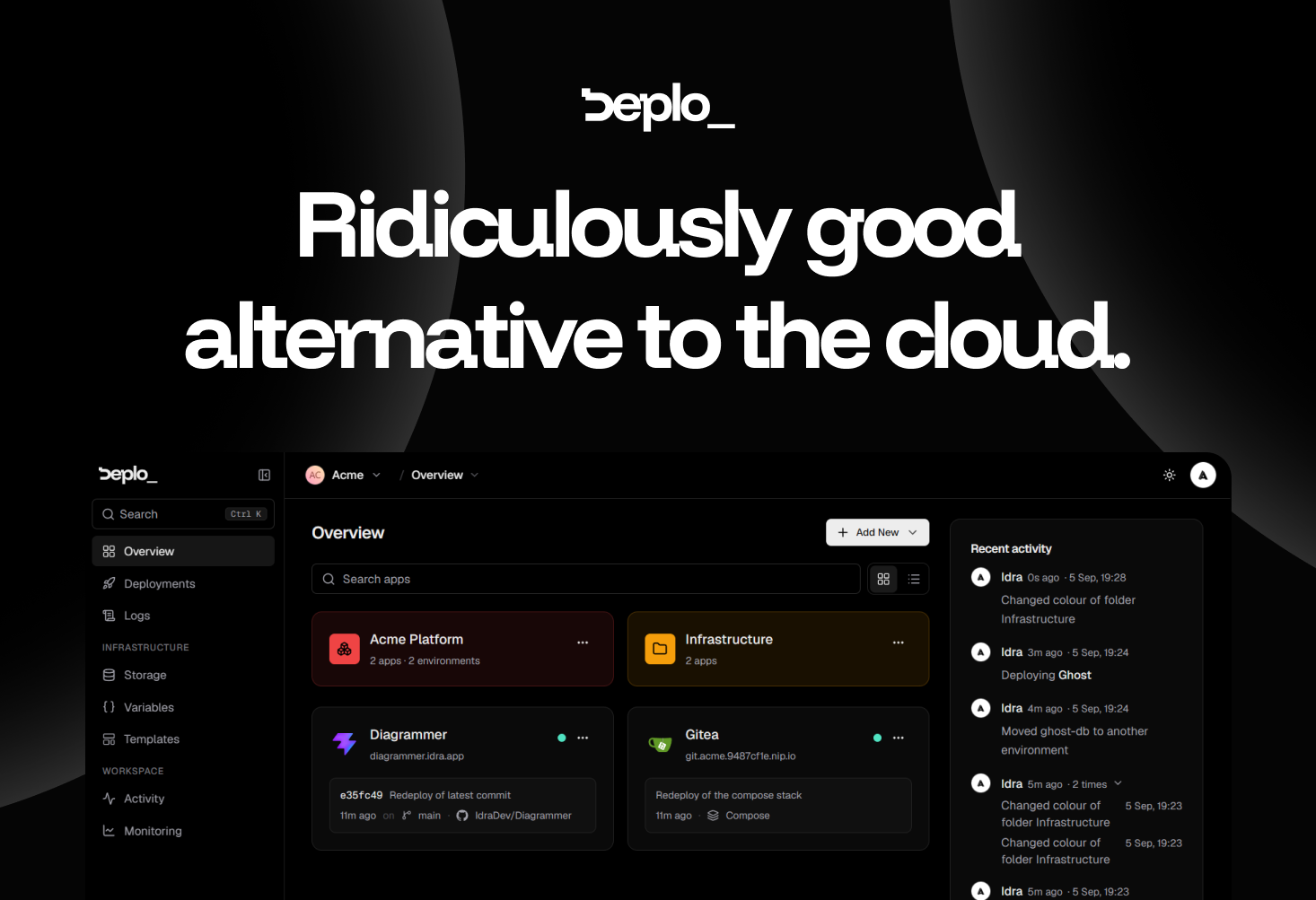
Deplo is an open-source, self-hosted alternative to cloud deployment providers. It keeps the push-to-deploy workflow developers already know — connect a repository, push code, and the application goes live — but it runs on a machine you already pay for instead of on someone else's cloud infrastructure. Installation is a single command executed on your own server. The product's homepage states the value proposition plainly: same push-to-deploy you already know, running on a machine you already pay for, with no Docker, no SSH and no invoice. Deplo is built for developers, small teams and operators who want the convenience of a modern deployment platform without giving up control of their hardware, their network and their data. Its stated purpose is to be a ridiculously good alternative to the cloud, delivering the boring operational parts already handled so that you only have to pick what to deploy. The problem Deplo addresses is the cloud bill and everything attached to it. Cloud platforms bundle deployment, TLS, backups, logs and metrics into metered services, and teams end up paying per-seat, for bandwidth, and for every additional environment. The site is candid about the psychology involved: nobody moves off a cloud bill this happily without looking for one, and it lists the six questions such a move usually raises. Deplo's answer is that you get the same push-to-deploy experience on a machine that is yours. It argues the result is usually faster, because resources are dedicated instead of shared and metered; more flexible, because anything that runs in a container runs; and cheaper, because you pay the server and nobody in between. There is also nothing proprietary to unpick the day you move it somewhere else. Deplo says that what you get on day one is deploys, backups, logs, metrics and TLS, already switched on, with nothing to buy on top and nothing to hunt down. Those are the operational basics that normally require assembling a monitoring stack, a certificate renewal process and a backup routine by hand. Deplo puts them in place as part of the platform, so a freshly installed instance is immediately useful rather than a bare server waiting to be configured. The interface supports this approach: simple by design, with a clean, intuitive UI that helps you understand what is happening without wasting time. The company frames the question of whether Deplo is another tool you have to learn as exactly what it is trying to avoid, describing the product as built to be intuitive from the start so you can understand what is happening without spending hours on another complicated interface. Two of the core workflows are shipping on every push and hosting a web application. For shipping, you connect GitHub, GitLab, Bitbucket or Gitea once. Every push to your production branch goes live, every pull request gets its own preview URL that disappears when it closes, and a bad release rolls back to the exact image that worked. The claim is that there is no CI pipeline to own, which removes a whole category of configuration and maintenance work. For hosting, you connect the repository and get a live URL with HTTPS on it; Deplo works out the framework and builds it for you, so there is no Dockerfile to write, no SSH, and nothing to hand-edit. Postgres or Redis sits next to your application in two clicks. The site notes it is the same stack you ran on the cloud — only the bill changed. Deplo is AI ready in a specific, documented way: it ships a native MCP server. You point Claude, Cursor or any MCP client at your instance, and that agent can deploy, read logs and roll back in plain language, under a token you mint and revoke. Your coding agent gets the same access a teammate gets, and the same permission checks that apply in the dashboard apply to the agent, so an agent can never do what you cannot. The capability is off by default, so it is opt-in rather than something you have to switch off after the fact. Deplo is built for a team rather than for one operator with root. It defines 46 fine-grained Capabilities, which let you express rules such as can deploy, cannot delete, and per-folder grants let you hand a member exactly one corner of the fleet. The activity trail answers who did what and when, directly in the UI, so nobody has to look in a database to find out. The site's shorthand for this is the question who did that — Deplo knows. Every action carries a name and a time on it, and you decide who is allowed to do what in the first place. Underneath, Deplo runs Docker, and the platform handles the container part for you: you deploy from a repository or a template rather than writing container configuration. There is a terminal and a compose escape hatch if you want one, and it stays out of your way if you do not — so a user really can avoid touching Docker, as the FAQ confirms. Anything that ships as a Docker image runs on Deplo, and every one of the hundred-plus templates is deployed and checked first, on the principle that a hundred that work beat a thousand that might. Templates include WordPress, Supabase, OpenClaw, Home Assistant, GitLab, Gitea, Nextcloud, Forgejo and Grafana. Deplo is open source under AGPLv3 and brings your own server: your hardware, your network, your data, with no lock-in and no pricing page to keep an eye on. The outcomes Deplo claims are straightforward. Setup is fast — ten minutes from now it is deployed, since install takes one command on a server you already pay for. The bill collapses to a single line: you pay your server provider and that is the whole cost, with no per-seat pricing, no bandwidth surprises and no charge for the tenth environment. Performance is usually better because resources are dedicated rather than shared and metered. Flexibility comes from the fact that anything that runs in a container runs. And exits are clean: your apps are standard Docker containers on a server you own, so leaving means moving containers rather than rebuilding on someone else's proprietary primitives, and because Deplo is AGPLv3 nobody can take it away or reprice it. Deplo's own use-case pages demonstrate how it is used. One is letting AI interact with your infrastructure: pointing an MCP client at your instance so an agent can deploy, read logs and roll back under a revocable token with the same permission checks as the dashboard. Another is shipping on every push, where pushes to a production branch go live and pull requests get preview URLs that disappear when they close, without owning a CI pipeline. A third is controlling who can do what on a shared fleet, using capabilities, per-folder grants and the activity trail. A fourth is hosting a web application from a repo with a generated HTTPS URL and a Postgres or Redis instance alongside it. Deplo also documents taking over an existing VPS and migrating from Coolify or Dokploy, and its template library covers services such as WordPress, Supabase, Nextcloud or Grafana. The audience is developers, small teams and operators who run their own servers or want to, and who want team-grade deployment without cloud pricing: Deplo is built for a team, not for one operator with root. Integrations explicitly named include GitHub, GitLab, Bitbucket and Gitea for repository connections, Claude and Cursor as MCP clients, and Docker as the underlying container technology. Templates cover services such as WordPress, Supabase, GitLab, Gitea, Forgejo, Nextcloud, Grafana, Home Assistant and OpenClaw. Pricing is free and open source under AGPLv3, and the only bill is whatever you pay your server provider. The product is currently in beta, with a stable release targeted for Q4 2026, and people are already using it for real workloads today. Deplo's takeaway is a single trade: keep the push-to-deploy experience you already like, move it onto hardware you already own, and stop paying a metered bill in between. With deploys, backups, logs, metrics and TLS on from day one, an MCP server for agent-driven operations, per-push shipping with preview URLs, fine-grained team permissions and an AGPLv3 open-source core, it positions itself as a simple-to-use alternative to cloud deployment that leaves your apps as standard Docker containers on a server that stays yours.
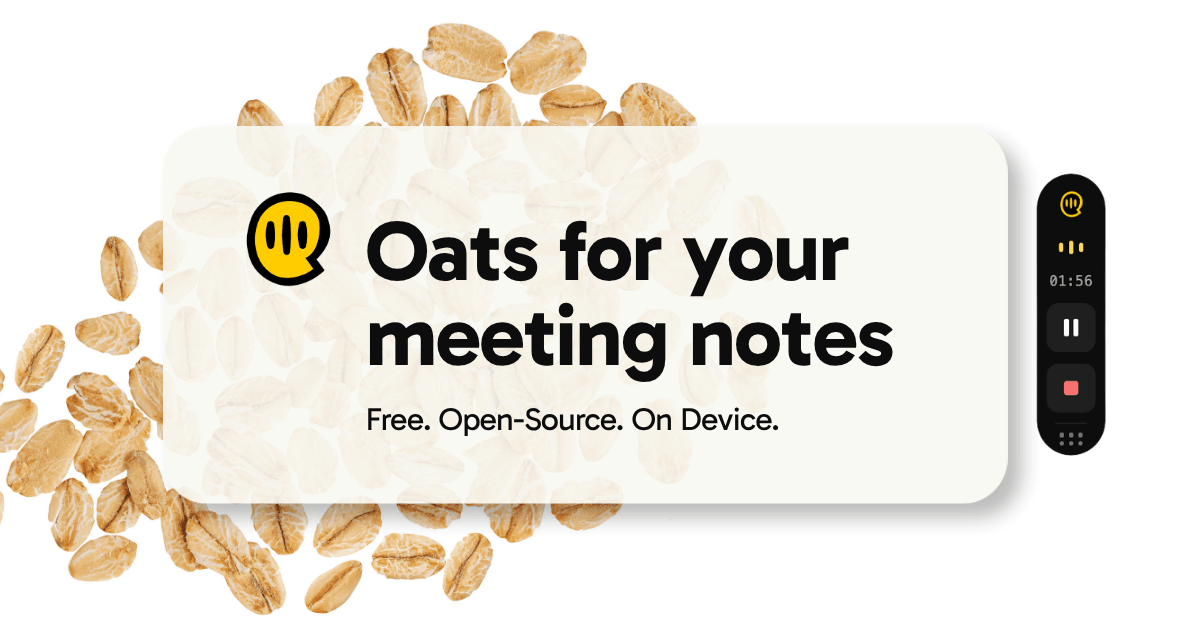
Oats is a free, open-source meeting notetaker that records your meetings right on your Mac. Instead of sending a bot into the call, Oats listens to audio your Mac can already hear, and when the meeting ends it hands you a clean summary and a todo list you can actually work through. The product is designed to not get in the way of your meetings, and its stated premise is that notes are where a meeting's work starts, not where it ends. It is aimed at people who spend their days in calls and want those calls turned into structured, actionable notes without involving a third-party cloud. Most meeting note-takers follow the same model: a bot joins the call, or a browser extension captures the audio, and the recordings are stored in the vendor's cloud behind a subscription. Oats positions itself as the open alternative to that approach. The website states that most note-takers want your recordings in their cloud, while Oats records locally, runs AI locally, and never forces your audio off-device. It also removes the usual commercial friction — no seats, no trial timer, and no paywall waiting at meeting six — and it keeps bots out of the call entirely. That combination of privacy, price, and unobtrusiveness is the problem the product was built to solve, and it is what the tagline describes as an open, free, on-device meeting notetaker. The core capability is on-device recording. Oats records directly from your Mac's audio, which means there is no browser extension, no bot, and no third-party server touching the audio stream. Because it works with any audio the machine can hear, Oats is not limited to one conferencing platform: the site lists Zoom, Meet, Teams, a phone call, and even a hallway chat as situations where Oats can turn sound into notes. The workflow is deliberately simple — hit record when the meeting starts, let Oats listen, and get notes instantly when the meeting ends. This matters because it means the user does not have to change tools, invite a participant, or change how the meeting is run in order to capture it. After each meeting Oats writes the notes for you. It produces a quick digest, a full summary, action items per person, and a quality score derived from the conversation itself. The example shown on the site is a weekly sync where the quick digest reads that the roadmap is at risk of slipping and that the team aligned on a ship date and locked pricing, while the action items are listed per owner. The quality score, shown as a "Productive" rating alongside the meeting length, gives a signal about how the conversation went. Because the notes are generated from what was actually said, they reflect the conversation rather than someone's memory of it, and the per-person action items make ownership explicit instead of leaving follow-ups buried in a document. Oats does not stop at producing text. Action items from every meeting collect in a Todos tab, and ticking one off in the notes closes it, so follow-ups actually get followed up. On the local backend, notes are stored as plain Markdown and action items as Obsidian Tasks inside a vault you choose — you can open that vault in Obsidian, sync it, or move it anywhere. Recent releases added one-click download and export, so a meeting's recording and its notes can be saved wherever you want them. Version 0.23 also added sign in with Microsoft, so a work Microsoft account can be used alongside Google from onboarding, Settings, or the menu bar. The product ships every week, with the full changelog published on GitHub. Oats can run entirely on your machine or with extra cloud capability. With a local model, recording and AI notes run on-device and zero data leaves your Mac, which keeps audio fully private. Connecting an Ariso account unlocks richer AI features, including enhanced transcription, multi-language support, speaker recognition, assessment, and coaching, plus auto-tracking of follow-ups. Speaker tagging is one of those cloud-side features: it matches each voice in a recording to the person who said it, so notes attribute statements to a name rather than "Speaker 2." The distinction is presented as a choice — keep everything local and private, or opt into the cloud backend when you want more from the AI. Oats is truly open source. Every line is public on GitHub, and the project invites users to read it, fork it, self-host it, or ship their own features on top. The site frames this as "open by design" and "inspect every line," the point being that you can audit what the software does rather than trusting a marketing page. Combined with local Markdown notes, this also removes lock-in: export anything, owe nothing, and leave whenever you want. Free forever, with no seats, no trial timer, and no paywall, is the other half of the same promise, and it is reinforced by the fact that running locally requires no subscription at all. The outcomes Oats promises follow directly from those design choices. Because recording happens on the machine, users get privacy without extra work — no bot appears in the participant list and no audio goes to a third-party server. Because action items are extracted per person and collected in a Todos tab, what was agreed in a meeting is more likely to be done, and items can be closed from the notes or from Obsidian. Because notes are searchable, a user can ask questions across their whole history — the example given is asking what was decided about pricing. And because the app is free and open source, there is no cost barrier to trying it or to keeping it. Concrete scenarios appear throughout the site. A weekly sync is shown in detail, with a quick digest noting a slipping roadmap, a locked pricing decision, and action items owned by named teammates. Standups are represented by the #standup tag on that meeting. Beyond scheduled calls, Oats handles any audio the Mac can hear: Zoom, Meet and Teams meetings, a phone call, or a hallway chat. The searchable library turns past meetings into a knowledge base you can question, and the Obsidian integration fits meeting notes into an existing note-taking and task workflow rather than creating a separate silo. Oats ships as a desktop application: a download for macOS and a Windows beta, with the code available on GitHub. Pricing is free — the app is free forever, and the site notes that no subscription is needed when running locally with an on-device LLM. Accounts are optional and only relevant if you want the Ariso cloud backend; sign-in supports Google and Microsoft, the latter added in v0.23 for work accounts. The integration surface is deliberately flat: local Markdown files, Obsidian vaults and Obsidian Tasks, and one-click export and download. The product is published by Ariso and developed in public. Taken together, Oats is a meeting notetaker built around a simple reversal: instead of pulling your meetings into a vendor's cloud, it keeps the recording and, if you choose, the AI on your own machine. Free, open source, no bot in the call, notes in plain Markdown you own, and a todo list that closes when you tick it off. For Mac users who want their meetings summarized and their follow-ups tracked without a subscription or a third party listening in, that is the whole value proposition — and it is available today, recording on your Mac in a minute.