Category Focus/categories/audio
Audio AI Tools
Discover and compare the best audio AI tools and software. Browse 80+ curated tools with reviews and rankings.
Projects tracked
80
Sort mode
RECENT
Page
1
Discover and compare the best audio AI tools and software. Browse 80+ curated tools with reviews and rankings.
Projects tracked
80
Sort mode
RECENT
Page
1
Chathonk is a web-based chat platform built for connecting with friends in a fun and engaging way. The product describes itself as "a fun and engaging chat platform that lets you connect with friends, search for users by email or username, and spice up your conversations with emojis and GIFs," and its tagline extends the offer beyond text: "Instant chat, web games, and audio calls with friends." That combination means Chathonk is not only a place to send messages, but a place where conversation, casual browser games, and voice calls sit side by side behind a single login. It is aimed at people who want a lightweight, playful way to stay in touch with friends online, and it is delivered entirely through the web at chathonk.base44.app, so users reach it through a browser rather than through an installed desktop application. Entry is handled through a login screen that offers several ways in, including a guest option for people who just want to look around before committing to an account. The way Chathonk presents itself points to a common friction in online socializing. Its description leads with the words "fun and engaging," and its tagline lists three activities on one line: instant chat, web games, and audio calls. Read together, that grouping suggests the platform is designed to hold the whole of a casual hangout rather than just its text layer. In many setups, entertainment and voice live in separate places from the conversation, so a session with friends drifts between a chat window, a game tab, and a call link. Chathonk brings those three activities under one roof and one login. The description also singles out discovery, through searching for users by email or username, and expression, through emojis and GIFs, as core parts of the experience rather than afterthoughts, which indicates that finding the right person and keeping the conversation lively are treated as first-class concerns. The first capability Chathonk's description calls out is connecting with friends, with the specific mechanism being user search by email or username. Rather than depending solely on invitation links, a person on Chathonk can look up another user using an identifier they already know. Having both routes matters in practice: an email address is useful when you know someone's contact details but not the handle they picked, while a username is useful when you would rather share a handle than an email address. Together they give two paths to the same person, and they make the platform usable for reaching people you already know offline, since you bring the identifier and Chathonk resolves the match. The description presents this search capability as a central part of the platform's purpose, listed alongside chatting itself rather than buried as a secondary setting. The second capability the description highlights is expression: Chathonk lets users "spice up your conversations with emojis and GIFs." Emojis and GIFs are woven into the messaging experience rather than treated as an add-on, and the phrasing frames them as the way conversations are made more animated. This matters for the kind of casual, friend-to-friend communication the product is built around, where tone is often carried by reaction and humor rather than by long blocks of text. A quick emoji can replace a whole sentence of acknowledgment, and a GIF can land a joke that plain typing would flatten. By naming these two formats explicitly in its description, Chathonk signals that its messaging is meant to feel light and expressive, and that users do not need to leave the conversation to find something fun to send. The tagline adds two more capabilities to the chat layer: web games and audio calls, both with friends. Web games means the games run in the browser as part of the platform rather than requiring a separate download or a trip to another site, so play can happen inside the same place where the conversation is happening. Audio calls mean voice conversation is available alongside the text chat, giving friends a way to talk directly when typing is not enough. Because both are described as things you do "with friends," they are positioned as shared, social activities rather than solo features. The practical effect is that a group can move between messaging, playing something together, and speaking to one another without changing tools or re-establishing who is in the room. Access to Chathonk is handled through a dedicated login screen titled "Welcome back," which is built around getting people into their conversations quickly. The screen offers a "Continue with Google" button for signing in with a Google account, alongside a standard email-and-password form for those who prefer it. A "Forgot password?" link sits next to the password field so that a lost password can be recovered without abandoning the account, and a "Create one" link points people without an account toward registration. For anyone who is not ready to sign up, a "Continue as guest" option is offered under the phrasing "Just looking?", which lets a visitor step inside without committing to an account first. Supporting details on the site describe it as a mobile web app capable of running in a mobile browser with a full-screen, viewport-fit layout, and the footer notes that the site can be edited with Base44. Taken together, the benefits Chathonk promises follow directly from how it is described. Friends get one destination for messaging, emojis and GIFs, browser games, and voice calls, instead of stitching those activities together from separate services. The dual search by email or username lowers the effort of finding the people you want to talk to. Guest access lowers the effort of trying the platform at all, since a curious visitor can look around before creating an account, and Google sign-in removes the need to set up and remember another password for those who use it. The overall result is a chat experience oriented around fun and engagement, with the surrounding features present to keep a conversation going rather than to add complexity. Concrete scenarios follow the same lines. A person who wants to chat with a friend can search for them by email or username, connect, and start an instant conversation spiced with emojis and GIFs. A group of friends looking for something to do together can stay in the same platform and play web games rather than leaving for a separate gaming site. When typing becomes tedious, they can switch to an audio call and speak to each other directly. Someone who has been invited but is unsure about signing up can choose "Continue as guest" to look around first and register later. And a returning user who has forgotten their password can use the recovery link on the login screen to get back into their account and their conversations. Chathonk is intended for friends who want a casual, entertaining place to spend time together online, and for anyone who prefers a browser-based tool over installing software. Its login screen accommodates several kinds of visitors at once: Google account holders, people who prefer email and password, and guests who simply want to look. The site is built and can be edited with Base44, and its metadata marks it as a mobile web app, so it is designed to work in a mobile browser as well as on a desktop. No pricing or plan information is stated in the available content. The primary value proposition is simple and consistent throughout the product's own description: Chathonk is a fun and engaging chat platform where friends can message each other, find one another by email or username, express themselves with emojis and GIFs, play web games, and talk over audio calls, all reached through a single web login with the option to join as a guest.
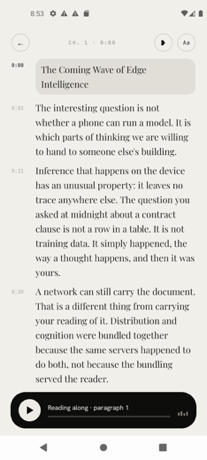
Fluence is an Android app that turns the PDFs, ebooks, reports and saved articles you already have into something you can listen to, follow along with, and ask questions about. It is built for people who want their reading to move with them, and for people who care about where their documents go. Everything Fluence does happens on the phone in your hand: reading the file, making the speech, and answering your questions. Whether you are working through a long report, listening to a novel, or catching up on articles you saved weeks ago, Fluence reads the document aloud while you follow the text, and it can answer questions using the document's own passages. Most people already have a reading pile they never get through: PDFs, ebooks, reports and saved web articles that sit unread because there is simply no time to sit down with them. Listening is one way to get through that pile, turning otherwise idle moments into reading time. The usual options for listening to text, however, involve sending your documents to a server, creating an account, and paying a recurring subscription. Fluence takes a different approach by keeping the entire job on the device: the reading, the speech, and the question answering all run on the phone, and there is nothing to upload before the app can start working. The reading experience is designed around following along. The sentence being spoken lights up as you listen, so your eye can track the text while your ears hear it, which helps you keep your place and stay oriented inside a long document. Beyond simply moving through the text, Fluence lets you bookmark a line or write a note beside it, so the passages and thoughts that matter to you stay attached to the document itself rather than living in a separate place. Because your library and your notes stay on your phone, the record of what you read and what you thought about it stays with you. The voice that reads to you arrives with the app. There is no voice pack to pick and nothing to download first, and the built-in voice reads 31 languages. That means you can start listening immediately after installing the app, without waiting for a download or choosing between different packs. If the built-in voice is not what you want, Fluence also lets you use your own voice, made from a short recording you speak yourself. The voices live on your phone along with everything else, which is consistent with the app's on-device approach to reading and speech. Fluence also lets you ask about what you read. You can put a question to the document and get an answer drawn from the document itself, with the app showing you the passages the answer came from. Because the answer is grounded in the source text and the source passages are shown, you can check the answer against the document rather than taking it on trust. This turns a long PDF or ebook into something you can interrogate, not just listen to. One of Fluence's more distinctive capabilities is turning any book or document into a single audio file. Fluence prepares the audio for the whole document ahead of time while you do something else, and tells you when it is ready. What you get is one file to keep, to play in the car, or to send to another app. Preparing the audio is free; saving it out is part of the full version of the app. This makes it possible to build your own audiobooks from material that was never available as an audiobook in the first place. Privacy is central to how Fluence works. The app does all the work on the device in your hand: reading the file, making the speech, answering your questions. There is no account, no server and no subscription, and the app works offline. Your library, your notes and your recorded voice stay with you. For anyone who has hesitated to send contracts, reports, medical documents or personal reading to a cloud service simply to hear them read aloud, this on-device design removes that step entirely. Fluence opens what you already read. It supports PDF, EPUB, Word, OpenDocument, Rich Text, Slides, Text, Markdown and web articles, and it presents books and documents side by side in one library. That format coverage means you do not have to convert files before using them, and you can keep the ebooks you bought alongside the reports you were sent without splitting them across different apps. Fluence is sold as a one-time purchase rather than a subscription. It costs €14.99, and buying once means it stays yours, on every phone you sign into with the same Google account. Ten documents are free, so you can see how it feels before paying. The app is available on Google Play for Android, and because nothing leaves your phone, it keeps working offline for good. The benefits follow directly from how Fluence is built. You get a reading app that works wherever you are, including without a connection, because the speech is generated on the device. You get through more of the material you have already collected by listening to it rather than only reading it. You keep control of sensitive documents, since they are never uploaded. You avoid a recurring bill, since the app is a single payment. And you end up with audio you can keep, because any document can be prepared as a single audio file you can save, play in the car, or send to another app. In practice, Fluence fits a range of everyday situations. A commuter can load a PDF report or an EPUB novel and listen with the text lighting up sentence by sentence, keeping their place even if they look away. A driver can prepare a document's audio ahead of time and play the resulting single file in the car. A student or researcher can bookmark lines, write notes beside them, and then ask the document questions, checking the answers against the passages the app shows. Someone who reads in more than one language can listen in any of the 31 languages the built-in voice supports, or record a short sample to hear the text in their own voice. And anyone handling confidential material can keep the whole workflow on the phone, with the library, notes and recorded voice never leaving the device. Fluence's core promise is simple and specific: your books and documents, read aloud by a voice you choose, with everything happening on your phone. It combines reading-along highlighting, bookmarks and notes, an on-device voice covering 31 languages, the option of your own recorded voice, document-grounded question answering, and single-file audiobook export, then wraps all of it in a one-time purchase with no account, no server and no subscription. Ten documents are free to try, and for anyone who wants to listen to their own documents without handing them over, that combination is the point.
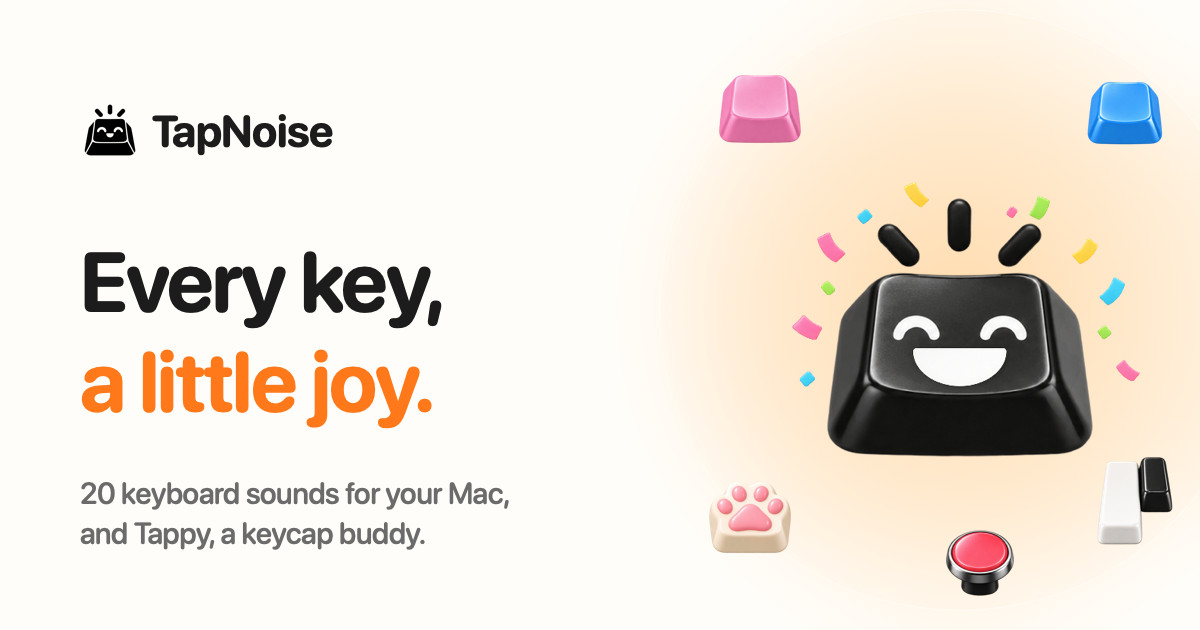
TapNoise is a Mac app that gives your keyboard the sound of a dream keyboard. It ships with 20 keyboard sounds, from a deep thock to tiny paws, and it adds Tappy, a little keycap character that lives on your desktop and reacts to everything you do. TapNoise plays its sounds under every key and in every app on your Mac, and it also tells you when your AI coding agent is done or needs you. It is built for Mac users who want typing to sound and feel better, and for developers who look away from the terminal while an agent works. You can try everything free for three days with no card, and then pay once for one Mac or two. Most keyboards on modern MacBooks are quiet, flat and identical, which is why so much of the appeal of a custom mechanical board comes down to how it sounds and feels under your fingers. TapNoise exists to bring that tactile pleasure back to the Mac you already own, without buying new hardware. It also addresses a very specific modern annoyance: while an AI coding agent runs, you either stare at the terminal waiting for it or you look away and lose time checking back. Rather than being only a novelty sound toy, TapNoise uses the same sensors that make the sounds to do practical work, so the app is fun first and surprisingly handy second. The heart of the app is its library of 20 keyboard sounds. Ten are grouped as Keyboards: Thock, Creamy, Clicky, Silky, Hushed, Bumpy, Pillowy, Clunky, Chunky and Retro. Ten more are grouped as Fun: Typewriter, 8-bit, Bubble, Piano, Rain, Paws, Kalimba, Woody, Marbles and Laser. Thock is described as deep and heavy, like a custom board, while Paws is a tiny-paw sound and Rain brings a soft patter. These are the app's own sounds and they play under every key, in every app. From the menu bar you can turn TapNoise on or off, set the volume and switch sounds with one click, and Tappy, Clean Mode and Guard Mode live there too, so you never have to dig through a settings window just to change what you hear. TapNoise takes keyboard realism further than playing one sample for every press. Most keyboard sound apps play every key the same; TapNoise feels how hard you press through the MacBook's motion sensor, so every key plays as loud as you hit it. Type softly and it whispers, hit hard and it clacks. Every key also gets a take of its own, so fast typing never sounds like a machine gun, and Space, Return and Delete sound like the bigger keys they are. The stereo image follows the key from left to right, which means the sound tracks your hands across the board. On top of raw typing, the app adds sound for the rest of the MacBook: slap it and it says ouch, the lid creaks like an old door and creaks faster the faster you move it, and the charger and USB plugs each get their own little sounds. Tappy is the companion that turns typing into something you can watch. Tappy sits in a corner of your screen, can be dragged anywhere, presses along with every key, and shows your words per minute underneath. Tappy has moods: Happy while typing along with you, Sweating when you are typing fast, On fire when you are really fast, Dizzy when someone slaps the Mac, Snacking when the charger goes in, Ears covered when Caps Lock is on, Sleepy when it is late, Asleep when you have been away, Party when you level up, and Bye when the lid is closing. Every tap is XP, so you type, level up, unlock hats for Tappy, keep a daily streak going, watch your typing speed, and get a card of your week to share. Hats unlock at levels: the party hat at level 2, sunglasses at level 4, headphones at level 6, a beanie at level 8, a chef's hat at level 10 and a crown at level 15. The tools section is where the app earns its keep beyond sound. Knock commands let you knock twice on your MacBook to pause the music, mute your mic in a call, or answer a waiting AI agent, while three knocks lock the screen. Guard Mode is designed for leaving your MacBook at a café table: if someone lifts it or pulls the charger, it sounds a loud alarm, and turning it off takes your Touch ID or password. Clean Mode holds the keyboard and trackpad still so you can wipe them without typing nonsense or clicking anything, shows a countdown so you know when it is done, and lets you hold Esc to stop early. A shortcut cheat sheet appears when you hold Command for a second, showing every shortcut in the app you are using, and disappears when you let go. Break buddy reminds you to stretch after a long stretch of work and nudges you when you start hammering the keys. Song Mode lets Piano, Kalimba or 8-bit play the next note of a song on every key, so you can type an email and hear Für Elise. Typing speed appears live under Tappy with your best today and your best ever, and Quiet in calls makes TapNoise go silent while any app is using your microphone, so nobody in the meeting hears your thock. For developers, TapNoise acts as an audio notification layer for AI coding agents. If you are coding with Claude Code, Codex or Cursor, you can look away while the agent works and TapNoise will chime when your agent is done or needs you, so you stop checking the terminal. A rising little chime plays and Tappy throws a party when the agent is done; two quick taps play and Tappy sweats until you answer when it needs you; a falling note plays and Tappy covers its ears on an error. When an agent is waiting, you can knock twice on your MacBook and its window jumps to the front, or you can simply click Tappy. Connection is done in one click from Settings, Agents, Connect: TapNoise backs up your settings first, adds one small hook, and Remove takes it out again. It works with Claude Code for done, needs you and errors, Cursor for done and errors, and the Codex CLI for done. The cues are made from the keyboard sound you picked, so they sound like part of your Mac rather than another alert, and they stay quiet in calls and follow your volume. TapNoise is private by design, and the app states this plainly: it hears keys, never words. Instead of reading characters, TapNoise learns which key position went down, like the third key on the second row, so it can play the right sound. It never sees what you type, keeps only counts such as taps today, and has no analytics. There is no account to sign up for and no tracking in the app, and your stats, levels and hats stay on your Mac. Network calls are kept to a minimum: TapNoise goes online to activate and check your license key with Dodo Payments, and once a day to look for an update. Nothing about your typing is sent. From AI agents it hears only done, needs you or error, never your code or prompts, and the hook it adds to each agent's settings file is backed up first so it can be removed cleanly. The app is also built to be light: on a MacBook Air, typing at full speed uses about 4% of one CPU core and around 30 MB of memory, and the motion sensor slows down when you are not typing and turns off with the features that use it. The outcomes TapNoise aims for are straightforward. Typing becomes more satisfying because every keypress has weight, texture and direction instead of a single flat click. Fast typing stays clean and natural rather than turning into a machine-gun rattle. Your MacBook itself becomes expressive, reacting to slaps, lid movement and plugs. Tappy turns ordinary typing into light progression with levels, hats, streaks and a weekly card. Developers regain attention: instead of watching a terminal, they get a chime and a knock-to-answer shortcut that brings the agent's window back to the front. And the practical tools quietly cover small daily problems such as wiping a keyboard, protecting a laptop at a café table, muting your keyboard during calls, and remembering shortcuts or taking a stretch break. Concrete scenarios show how this plays out. A developer runs Claude Code or Cursor in the background, looks away to read documentation, hears the chime when the agent finishes, and knocks twice on the MacBook to jump back to the terminal. A writer at a café enables Guard Mode so that anyone lifting the laptop or unplugging the charger triggers a loud alarm, and later uses Clean Mode to wipe the keys without triggering a flood of accidental typing. Someone on a Zoom or FaceTime call keeps the satisfying thock on their desk while TapNoise automatically goes quiet because the microphone is in use. A typist picks Song Mode with Piano, Kalimba or 8-bit and types an email note by note, then checks the live words-per-minute figure under Tappy and keeps a daily streak going. Someone learning an unfamiliar app holds Command for a second to see every shortcut, and Break buddy nudges them to stretch after a long session. TapNoise is aimed at Mac users generally, and most specifically at MacBook owners who care about how their keyboard feels and sounds, plus developers using AI coding agents. It requires macOS 14 or later. Any Mac with macOS 14 or later plays the key, click, charger and USB sounds, with the built-in keyboard or any keyboard you plug in, and Guard Mode sounds its charger alarm. The motion-based features, which include harder press meaning louder sound, slaps, knocks and Guard Mode's lift alarm, need a MacBook with a motion sensor: MacBook Pro with M1 Pro or M1 Max and later, and MacBook Air with M2 and later. Lid sounds need a lid angle sensor, which covers the same models plus the 2019 16-inch MacBook Pro. Sounds start within a few milliseconds of the key; with AirPods or other Bluetooth headphones, Bluetooth itself adds delay, so TapNoise can play its sounds through the MacBook speakers instead. Pricing is a one-time purchase: a three-day free trial with no key and no card, then Solo at US$9.99 for one Mac or Duo at US$14.99 for two Macs, plus tax, with launch prices of US$4.99 and US$7.99 while launch licenses last. Checkout is by Dodo Payments, every update is included, there is no subscription, and there is a 14-day money-back guarantee. TapNoise is made independently by Rudra Satani, who also makes NotchMind. In short, TapNoise gives your keys a voice: 20 keyboard sounds, a pressure-sensitive feel, a small desktop companion called Tappy, and a set of genuinely useful tools built on the same sensors. It turns an ordinary Mac keyboard into something satisfying to type on, and it keeps developers in the loop with their AI agents without staring at a terminal.
Onepin is an AI voice production agent that turns any script into voice that is ready to ship: model-matched, validated and auto-fixed. Rather than replacing the text-to-speech engines a team already relies on, Onepin works on top of them, connecting more than thirty providers — including ElevenLabs, OpenAI, Google, Microsoft, AWS, Rime, Inworld, Fish Audio, MiniMax, Deepgram, Naver Clova, Cartesia and Murf AI — behind a single account. It is built for teams shipping AI voiceover in several languages, such as product videos, dubbing and courses, and its stated promise is straightforward: human voice, right words, every language, so you do not have to listen to every line twice. The problem Onepin addresses is not voice quality. As the site puts it, AI voices sound human now, but they still guess names from the spelling, and nobody has time to listen to every line. Addresses, prices, dates and abbreviations make every TTS model stumble — "St." can mean Saint or Street, "NW" can mean NorthWest or North West — and mispronouncing a brand, a drug or a name makes the whole line unusable. That risk multiplies when a team ships in several languages at once, because the definition of correct has to stay the same in US English, Spanish, Japanese, Korean and German. Onepin exists to remove that listening burden and the manual re-rendering that follows it. The first step Onepin takes with a script is to clean the text. A normalizer expands and disambiguates the material that trips models up: addresses, prices, dates and abbreviations are fixed before synthesis, in every language. The site's own examples show "3042" rendered as "thirty forty-two", "St." resolved as either "Saint" or "Street", and "NW" expanded to "NorthWest". Onepin describes this as the most common cause of misreads, and states that because it happens before synthesis rather than after, roughly half of voice errors are gone. The value is easy to see in practice: the model never has to interpret raw, ambiguous text, so it reads the line the way it was meant to be read in the first place. The second step is pronunciation. Onepin checks names against a four-million-word pronunciation dictionary that teaches the system how to say the hard words right, in any language. The dictionary covers brand and product names — the site lists AbbVie, Versace, Sade, Siobhán, Måneskin, Hermès, Givenchy, Björk, Saoirse, Stromae, Balenciaga, Rammstein, Röyksopp, Moët, Ng, Xóchitl and Hoegaarden — as well as complex medical and scientific terms such as semaglutide, esomeprazole, hydroxychloroquine, esophagogastroduodenoscopy and electroencephalography. Onepin frames this as the first thing generic TTS gets wrong: one mispronounced brand, drug or name and the entire line is unusable, no matter how natural the surrounding audio sounds. Once voice is generated, every line comes back scored. Onepin validates four dimensions on every line — naturalness, word accuracy, clarity and pronunciation — and it scores against your bar, not its own, applying one bar across every language. The site illustrates the step with a single sentence, "Your order has shipped", rendered in US English, Spanish, Japanese, Korean and German, each version queued for scoring. The point of the validation stage is that quality becomes measurable rather than a matter of taste: a team decides what passes, and Onepin holds each line and each language to that same standard instead of asking someone to judge by ear. The fourth step is repair. When a line misses — the site's example is "Siobhan" misread in "Hold the gate, Siobhan" — Onepin either regenerates the line or fixes just the word that missed, using the same model with new settings. Fixes run themselves, and the stated outcome is that you always get the best take. This matters because re-rendering a whole take for one bad word is exactly the kind of manual work that makes multi-language voiceover expensive and slow; targeting the single missed word keeps the rest of the performance intact while still correcting the error. Behind those four steps sits a routing layer that puts every top TTS model in one place. A script flows into more than thirty models behind one account and is routed line by line. Onepin also benchmarks so customers do not have to: the company measures quality continuously and picks per run, on the stated premise that no model wins every language. Onepin presents this as the answer to shipping at scale, and it doubles as protection against vendor risk — if a provider hikes prices, deprecates a model or shuts down entirely, the pipeline does not move. A team keeps the same workflow while the engines underneath it change. Onepin also addresses the commercial side of voice production. Every output is assigned to you and cleared for commercial use, and the Enterprise tier adds a negotiated IP indemnity, which the site frames as what shipping at scale, and answering to legal, actually requires. Billing is pooled rather than fragmented: you buy one credit volume, allocate it across workspaces and reallocate it anytime, and seats are free. That structure means one organization can fund several teams' voice production from a single purchase instead of negotiating separate subscriptions for each group, with the flexibility to move budget between workspaces as priorities change. The use cases Onepin highlights are the workflows where a wrong word is most costly. Its examples span gaming ("Slough off the poison before it spreads"), audiobooks ("He read the minute inscription above Hawthorne's tomb, then wept quietly"), advertising ("Book your stay in Yosemite before the summer rush"), e-learning ("Today we'll cover the reign of Louis XIV") and film ("Subtlety was never his forte") — lines that hinge on words generic text-to-speech reads incorrectly. The product's entry point invites visitors to type a script of up to 100 characters and see results across categories including Product, L&D, Healthcare, Support, Travel and Sports, which are the verticals where brand names, medical terms, dates and prices appear routinely. Onepin is aimed at teams producing AI voiceover in several languages — product videos, dubbing and courses — and says it is trusted by teams shipping voice at scale, naming HeyGen, Hyundai Motor Group, Sierra, Bland and Johns Hopkins University. It is free to start with no credit card required, with a Pro plan for teams that are already shipping, and the site directs teams to start free or contact the company. The takeaway is that Onepin is not trying to be another voice model: it is the production agent that sits between your script and the many models that can read it, cleaning the text, fixing the pronunciations, scoring every line and repairing the misses automatically — so what ships is voice you do not have to listen to twice.
Phonable is a smarter voicemail app for iPhone that replaces your carrier's voicemail. When you cannot pick up a call, Phonable handles both sides of that missed call: your caller hears your greeting and then gets a short text back explaining why you could not answer, while you receive the voicemail as a recording, a full transcript and a one-line AI summary. It is designed for iPhone users who miss calls because they are in a meeting, on the road, at the gym or away for the weekend, and who want callers to know what happened without changing anything about their phone number. Phonable keeps your own number, your SIM and your phone, and only steps in for the calls you do not answer. Carrier voicemail has not changed in decades. You get a beep, a message you never quite get round to listening to, and a caller left wondering whether you received their call at all. As Phonable puts it, a missed call leaves both sides hanging. The caller does not know why you did not pick up or when you will get back to them, and you have to dial in, press 1 and sit through messages to find out what mattered. Phonable treats the missed call as a two-sided problem and fixes both ends of it: the person calling gets an immediate, polite explanation by text, and you get the substance of any voicemail delivered in seconds rather than minutes. The first half of the fix is the automatic text back. The moment you miss a call, Phonable sends a short text on your behalf, even if the caller hangs up without leaving a voicemail. That closes the loop for people who would otherwise never know their call landed. Phonable ships with templates for every moment — starting points such as "In a meeting", "Driving" or "Back on Monday" — and you can write your own wording if you prefer. Messages are considerate by default: each caller receives at most one text per hour, so someone who tries twice is not flooded with replies. Because each mode carries its own text, what callers read always matches where you are — driving, at the gym or away for the weekend. Texts use the SMS credits in your plan and are not sent to landlines or unsupported countries. The second half is visual voicemail with transcription and AI summarisation. Instead of dialling in and pressing 1, every voicemail appears in the app with the recording, a full transcript and a one-line AI summary, so you know what a message is about in seconds. The AI summary arrives as a notification, before you have even opened the app. From there you can read it or play it: skim the transcript quickly, or listen to the recording at whatever speed you like. If the message needs a response, you can reply in one tap, either calling back or sending a message straight from the voicemail screen. A voicemail stops being a chore you postpone and becomes something you can absorb at a glance. Greetings are the third piece. If you are not a fan of recording yourself, you can type what you would like to say, pick a voice and a tone, and Phonable speaks it naturally. The available voices are Sarah (soft and reassuring, American), George (warm and trustworthy, British), Laura (bright and upbeat, American), Lily (clear and polished, British), Brian (deep and composed, American) and Charlie (casual and friendly, Australian), and each can be delivered in a professional, friendly, calm or energetic tone. If you would rather sound like yourself, you can record your own greeting in seconds. Either way, callers hear something that fits the moment rather than a default carrier message. Modes, introduced in version 2.0, tie the greeting and the text reply together into a single switchable state. A mode pairs what callers hear with the text they get back, so you can move from Workday to Driving in one tap. Modes can be kept on for a while — an hour, three hours or until tomorrow morning — or set on a schedule by choosing the days and hours, after which Phonable switches automatically. The built-in examples show how specific they get. In Workday's "In a meeting" mode callers are told: "Sorry I missed your call. I'm in a meeting and will call you back within the hour." Driving's "On the road" mode says: "I'm driving right now and can't pick up. I'll get back to you as soon as I've parked." Gym's "Mid-workout" mode says: "Mid-workout, can't pick up! I'll call you back within the hour." And Weekend's "Away for the weekend" mode says: "Thanks for calling! I'm away until Monday. For anything urgent, send me an email." Phonable works through conditional call forwarding, a standard feature of mobile networks. After you sign up, the app shows you exactly what to dial and walks you through three quick steps to turn forwarding on with your carrier — a process that takes about a minute — and you can switch it back at any time, at which point missed calls return to your carrier's voicemail. Forwarding is conditional, so Phonable only takes over in the situations where you cannot answer: when a call rings out while you are busy, when you are already on a call or tap decline, or when you are unreachable because of flight mode, a flat battery or no signal. If you do pick up, nothing changes at all; the call connects as it always has and Phonable is not involved. Beyond the core loop, Phonable adds a set of thoughtful details. Every call and voicemail sits in one timeline organised by name, and if someone hung up without leaving a message you can still see that they received your text. Callers show up with the name from your contacts rather than a bare number. Privacy is handled deliberately: your contacts stay on your iPhone and are never uploaded, and the company states that it never sells your data. Pro subscribers can upgrade to a dedicated Phonable line that only handles their calls, rather than sharing a community line. The app also follows your iPhone's light and dark mode with a calm design. The overall benefit is simple: callers are never left guessing, and you never have to dial in and press 1 to find out what a voicemail said. The use cases follow the modes. If you are in a meeting, Workday mode tells callers you will call back within the hour instead of leaving them with silence. If you are driving, Driving mode explains that you cannot pick up and will respond once you have parked — without you touching the phone. If you are mid-workout, Gym mode does the same in a lighter tone. If you are away for the weekend, Weekend mode redirects urgent matters to email until Monday. Someone who simply misses a call while out of signal still benefits, because the caller gets a text and any message left is transcribed and summarised for later. Anyone who screens calls, works across time zones or is frequently in situations where answering is impossible can let a mode handle the explanation while they stay present. Phonable is an iPhone app available on the App Store, and it is aimed at anyone who misses calls regularly and wants callers treated well without switching numbers. Pricing starts free with Test Drive, which includes greetings, voicemail and text backs, a monthly allowance of voicemails and texts, up to two modes and a shared community line. Basic, billed monthly or yearly, adds more voicemails and texts every month, up to five modes and modes that switch on a schedule. Pro, also monthly or yearly, is described as everything Phonable does with room to spare: the most voicemails and texts, unlimited modes on a schedule, AI voice greetings and a dedicated line that is only yours. Prices are shown in the App Store in your local currency, yearly billing saves 20%, and you can cancel anytime in your App Store settings. Phonable's value proposition is that a missed call stops being a small failure on both sides. Callers get an immediate text explaining why you could not pick up and when to expect you back, and you get every voicemail transcribed and summarised by AI, delivered as a notification you can read in seconds. Nothing changes about your number, your SIM or your phone, forwarding takes about a minute to set up and can be turned off whenever you like, and you can start free before deciding whether Basic or Pro fits how many calls you miss. For iPhone users who cannot always answer, Phonable turns the calls you miss into handled, explained moments.
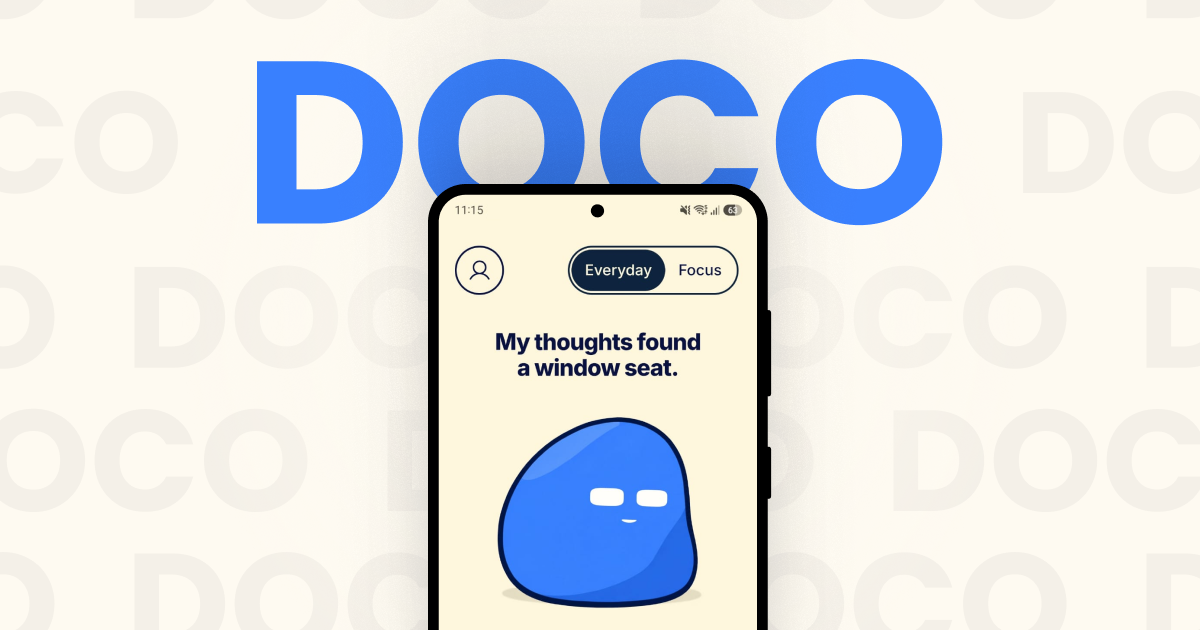
Doco is an expressive companion for focus, music and everyday moments, available as an Android app with an optional Windows desktop client that lets Doco visit your computer. Described by its makers as "a little company for your day", Doco is not a conventional productivity timer or a bare music player: it is a small animated character that keeps you company while you work, listen or step away. It arrives fully animated with zero setup, so there is nothing to configure before it starts sitting beside your day. Doco switches between a playful, warm Everyday mode and a calmer Focus mode, and its music plays through a Spotify connection so that the soundtrack fits the moment rather than fighting it. The context for Doco is the texture of ordinary days: endless scrolling, tasks that compete for attention, slow mornings that need an easier start, and long stretches where a little company goes a long way. The website presents these moments directly, pairing scenarios such as "One task. A little less scrolling." with "A little company goes a long way." Focus mode is framed as the setting that cuts the noise, bringing "a little less distraction—and a little more friendly sarcasm", while Everyday mode stays playful and warm. Instead of another dashboard of metrics to check, Doco responds with tone, expression and music, which is what makes it a companion rather than a tracker. It is built for people who want something friendly in the room while they get on with their day, not another system demanding input. The heart of the product is its two modes. Everyday mode is the lighter, warmer register: Doco is playful, animated and companionable, offering small prompts and expressions that feel like a friendly presence nearby. Focus mode is deliberately quieter — less distraction, fewer interruptions, and a slightly sharper, friendly sarcasm that acknowledges the seriousness of getting something done. The layout supports both portrait and landscape, and the interface is built around character animation, including a thought cloud and small interactive moments such as the "Make a leap" prompt and the line "My thoughts found a window seat." A rotating quote appears as part of the experience — the site shows one from Epicurus about friendship — reinforcing the idea that Doco is there for company as much as for utility. Music is the second pillar. You connect Spotify to play music inside Doco, and song selection "stays close to your listening history, with room for something new." That balance matters: the app leans on the taste it already knows you have, but deliberately leaves space for discovery rather than looping the same familiar tracks forever. The player is presented as part of the companion experience rather than a separate utility, showing cover art, track and artist (the site's example is "God's Plan" by Drake), a progress bar with elapsed and remaining time, and straightforward skip back, play and skip forward controls. The "Music time" scenario sums the intent up: "Familiar favourites. Something new." Doco describes itself as a BYOK — bring your own key — powered companion, and that is because its more advanced expressive behaviours are optional and opt-in. The FAQ is explicit: you do not need a Gemini key, because "Doco has expressions and prompts without one." Adding your own Gemini API key unlocks two additional capabilities: camera-based reactions and AI captions. Because the key is your own, the generative layer is something you choose to switch on rather than a mandatory part of the experience, and the base companion works fully without it. This keeps the core product simple for people who just want the animated companion, while giving people who want more expressive, generative behaviour a way to enable it on their own terms. Doco can also travel. An optional Windows desktop client lets the companion visit your computer. The setup described is simple and account-based: install the Windows client, sign in with the same Google account, and enable visits on both devices. Once that is done, the companion can appear on your desktop as well as your phone, so the same character and the same company follow you between the places you spend your day. The desktop client is framed as a "visitor" rather than a replacement for the mobile experience, which fits the product's overall tone of lightweight, voluntary presence. Taken together, Doco's approach is to keep everything in one small, animated presence. There is no lengthy onboarding — the app is "fully animated right out of the box with zero setup" — and no requirement to configure AI or music before using it. You pick a mode that matches your moment, optionally connect Spotify so the music matches your taste, optionally add a Gemini key if you want camera-based reactions and AI captions, and optionally let Doco visit your Windows machine. Doco is pre-launch; the site currently offers an email waitlist, and joining means agreeing to receive Doco launch updates. A short FAQ on the site answers the practical questions about what Doco is, whether a Gemini key is needed, what changes in Focus mode, how the music works and whether Doco can visit your computer. The promised benefits are deliberately modest and human. Focus mode gives you fewer distractions and a little more room to concentrate on one task. Everyday mode gives you warmth — something friendly sitting with you rather than another notification. The Spotify connection means your soundtrack adapts to the moment instead of being an unrelated background app, and the selection logic keeps familiar favourites close while leaving room for something new. The desktop visit extends that company to the computer where many people do their longest stretches of work. And the BYOK design keeps the AI layer optional, so nobody has to hand over a key to get the core experience. The site names five situations Doco is made for. Deep work is framed as "One task. A little less scrolling." Slow mornings are about easing in and finding your rhythm. Music time is for familiar favourites and something new. Long days are the moments where "a little company goes a long way." Screen breaks are the prompt to "Stretch. Sip. Come back." Together these describe a single companion used across the whole shape of a day rather than a tool you open for one narrow task. In terms of audience and setup, Doco is aimed at people who want a light, expressive presence during focus sessions, music listening and everyday moments, and who prefer something animated and friendly over a clinical productivity dashboard. The explicitly stated integrations are Spotify for music, an optional Gemini API key for camera-based reactions and AI captions, and Google account sign-in for connecting the Android app with the Windows desktop client. The product runs as an Android companion with an optional Windows desktop visitor. No pricing details are published; Doco is pre-launch and access is currently through the email waitlist on the website. Doco's takeaway is simple: it is a companion first. It blends two moods — playful Everyday and focused calm — with Spotify-powered music that fits, optional Gemini-powered reactions and captions, and cross-device visits, all delivered as a fully animated character with zero setup. For anyone who wants a little company during deep work, slow mornings, long days or screen breaks, Doco's promise is that good company and music that fits can make an ordinary day feel less solitary.
iLand is a macOS menu-bar app that turns the empty space around your Mac's notch into a living hub for everyday tools. Instead of leaving that strip of screen unused, iLand fills it with the things you check all day: music, AirPods battery, weather, calendar and a drag-and-drop file tray. It is built for Mac users who want quick, glanceable access to everyday information without opening separate apps or breaking their focus. The app comes from CodeM Labs, described as an independent group of developers crafting lightweight, privacy-first apps for Apple platforms. Most of the information people check constantly on a Mac is scattered across multiple apps and menu-bar icons. Album art, accessory battery levels, the next meeting, local weather, a file you need to send to a nearby device, a quick screenshot — each of these normally requires its own app, window or menu. iLand's premise is that these small, frequent tasks should live in one calm place. Its own framing is "one quiet hub for the things you check all day," positioned against the clutter of jumping between windows and menu items. The notch, an area of the screen that currently does nothing on many Macs, becomes the natural home for that hub, and the site's closing line sums the idea up simply: give your notch a job. Music control is handled directly inside the notch. Users can control playback, scrub and skip right from the notch area, and album art spills into view the moment a track starts, so the currently playing song is visible without switching to a music app. Weather shows local conditions, including highs and lows, and updates quietly in the corner of the screen rather than demanding attention. Live Translation is built for quick language checks: you type on one side, read the result on the other, and swap the direction with a tap — aimed at the everyday situation where you know a word, but only in the wrong language. The battery widget keeps track of every device at a glance, showing real-time battery levels for your AirPods and accessories, so you can see what needs charging before you head out. The file tray is a shelf built into the notch: you drop files in, AirDrop them to nearby devices, convert formats on the fly, and then drag them anywhere. A built-in media converter is listed as part of both paid plans, which means format conversion happens inside iLand rather than through a separate utility. The AirDrop integration makes the tray practical for moving a file to another Apple device without hunting through Finder windows. Calendar and events keep your next meeting one hover away, with a join button that appears when it is time to connect. Widgets can be switched between, covering your calendar, weather, timers and more, so the notch can be shaped around what you actually check. iLand also includes a built-in screenshot and recorder tool for capturing screenshots and recording your screen, and both the monthly and lifetime plans list these features explicitly. Together, these widgets replace a set of small utilities that would otherwise each need their own slot in the menu bar and their own set of interruptions. iLand's approach is deliberately unobtrusive. It is hover-aware: the app stays out of the way until your cursor approaches, at which point it unfolds and reveals its widgets. That means the hub is available the moment you reach for it and invisible when you do not need it. Under the hood it is described as a tiny, signed menu-bar app built natively — no Electron, no bloat and negligible battery impact. Users can shape it themselves by reordering widgets, picking what shows, and choosing a liquid glass or dark appearance. The layout is described as customizable so everything stays within reach, and widgets can be switched with gesture controls. The stated benefit is speed and calm: instead of opening apps and windows, you hover, glance, and get back to work — the site's own formula is "Hover to expand. Glance to know. Get back to work." Because the data shown is glanceable rather than buried inside a workflow, iLand is positioned as a low-friction way to stay informed during the day. The native, lightweight build also means the utility itself does not become another resource drain on the machine, which matters for a tool that is meant to be always available. Everything is one glance away, and that is the core promise of the product. Concrete scenarios follow from its widgets. While working in a full-screen app, you hover the notch to see what is playing and skip a track without breaking focus. You glance at the weather widget to check today's local conditions and highs and lows before heading out. You drop a file into the tray to AirDrop it to a nearby device, or convert its format on the fly before dragging it wherever it is needed. You check real-time battery levels for AirPods and accessories. When a meeting is about to start, the calendar widget shows the next event on hover with a join button ready to use. You use the built-in screenshot and recorder to capture your screen, and Live Translation to look up a word in another language by typing it into one side and reading the result on the other. iLand is aimed at Mac users — the Product Hunt topics list Mac, Productivity and Menu Bar Apps — and the site targets macOS 13 and later, on both Apple Silicon and Intel Macs, with a download of approximately 30 MB. Pricing is simple and has no surprises: a free 7-day trial, then either a monthly plan at $1.99 per month offering full access, all iLand features, all future updates, the built-in media converter and the built-in screenshot and recorder, with a 1 device license; or a one-time lifetime purchase at $14.99 once, which keeps the app yours forever and raises the license to up to 3 devices. A FAQ section covers questions including whether a MacBook with a notch is required, which macOS versions are supported, whether it will slow a Mac down, how the free trial works, and whether data is private. iLand's value proposition is straightforward: give the notch a job. It gathers the small, frequently checked pieces of daily Mac use — music, weather, batteries, calendar, files, screenshots, translation and timers — into a single hover-aware hub that stays hidden until you need it, built natively so it remains fast, light and out of the way.
CamCue is a desktop AI interview and meeting assistant for Mac and Windows. It drafts answers to spoken questions and tasks on your screen using your CV, job description, and documents. Use it for interview practice, coding questions, client conversations, and team calls.Listen recognizes complete questions from your computer's audio and drafts answers as the conversation unfolds. Capture analyzes your entire screen, while Select focuses on the area you choose. You can ask about a question, a paragraph, a coding problem, or another task without copying it into a separate app.Add your CV, the role you're applying for, or project documents to give the assistant useful background. Choose Interview, Coding Interview, Quiz/Test, or Call mode, then set the response language and length. Save context presets for different conversations.Focus Mode puts answers in a compact, movable window with adjustable transparency. Global shortcuts control Listen, Capture, Select, and the window. Try the built-in Listen demo before a call and revisit questions and answers in local session history.Speech recognition runs on your computer. Raw Listen audio is not saved or uploaded; recognized text and relevant screen or document context are sent for AI processing. CamCue requires an internet connection and an account. Stealth requests screen-capture exclusion where supported; compatibility depends on your operating system and capture app.Start with the Free plan's limited AI credits. PRO includes unlimited AI credits for Listen, Capture, and Select at US$9 every 3 days, US$19 per week, or US$69 per month. Subscriptions renew until canceled; technical rate and session limits apply. Mac requires Apple Silicon and macOS 14.2 or later. Windows requires x64 and Windows 10 version 2004 or later, or Windows 11.Website: https://camcue.app/Contact: support@camcue.app
Eleven v4 and Eleven v4 Turbo are the latest text to speech models from ElevenLabs. Eleven v4 is described as the company's most emotive model yet, built on an entirely new architecture that reads a script the way a voice actor would, understanding who is speaking, what just happened, and how every line should land. Eleven v4 Turbo is the fastest real-time speech model with the expressive range of Eleven v4, designed for voice agents and live conversations. Both models are available in the ElevenLabs apps, through the Eleven API, and through ElevenAgents. The core problem these models address is the difficulty of creating synthetic speech that sounds genuinely human and emotionally expressive rather than flat or robotic. Traditional text to speech often struggles with consistent speaker identity, natural pacing across long scripts, and conveying emotion or context. Eleven v4 tackles these issues by using a new architecture that interprets the script like an actor, following direction tags for emotions and sound effects, maintaining speaker stability across regenerations, and using context stitching to keep pacing steady across long-form content like audiobooks. For real-time applications, latency has been a major barrier; Eleven v4 Turbo directly addresses this with a median inference latency of approximately 100 milliseconds and a median time to first speech of approximately 150 milliseconds. Eleven v4 includes several key features. Write direction into the script functionality allows users to add tags like [laughs], [whispers], and [door slams] directly into the text, and the model follows these tag sequences more reliably than the previous v3 model, including sound effects. Context stitching keeps pacing and delivery consistent across any script length, so a full audiobook sounds like a single take from the first page to the last. Regenerate without vocal drift ensures that redoing a line once or fifty times still results in the same person speaking, with speaker stability holding across dialogue, narration, and everything in between. Professional Voice Clones, which were not supported in v3, are back in Eleven v4 and perform with the model's full emotional range across every language they speak. Eleven v4 Turbo is optimized for live conversation and real-time use cases. Stream in, stream out functionality lets text be pushed as an LLM generates it, with audio starting to come back before the sentence is finished, using bidirectional streaming built for agent loops. The model carries the full expressive range of Eleven v4, so confirmations, escalations, and holds land differently from one another instead of reading identically. Professional Voice Clones work identically across both v4 and v4 Turbo, keeping a single brand voice consistent from the first turn of a call to the last. The Turbo model also handles multilingual speech fluently, such as Japanese, Spanish, or Portuguese, with a native accent. Both models also benefit from the broader ElevenLabs voice ecosystem. Users can cast from over 17,500 voices in the voice library, organized into categories such as Narration, Conversational, Social media, Character, Educational, Advertisement, Entertainment, and Multilingual voices. Each voice category is designed for a specific purpose, from warm and authoritative narration voices to energetic short-form social media voices and trustworthy educational voices. This gives creators a wide range of choices to match the tone and context of their content. The products include voice customization options. Voice Cloning allows cloning a voice from ten seconds of audio, or training a Professional Voice Clone for a near-perfect match. Voice Design lets users describe a voice in a sentence and generate it without needing a recording session or casting call. The Pronunciation Dictionary allows defining how names, acronyms, and technical terms are pronounced, with phonetic settings applied to every generation, such as OAuth as oh-auth, Hülkenberg as hool-ken-berg, and Reykjavik as rayk-yah-veek. Eleven v4 outputs to the same audio formats as every ElevenLabs model, including MP3 for podcasts, YouTube, and general listening; WAV or PCM for studio work, dubbing, and post-production; and µ-law optimized for telephony and call-center integrations. Sample rate and bitrate are set via the API, allowing audio to be tuned for quality or bandwidth depending on the destination. A single generation supports up to 10,000 characters, with context stitching supporting longer content. The benefits for users include highly expressive and controllable synthetic speech, reduced latency for real-time interactions, consistent speaker identity across long projects, and support for 90+ languages. The models are available on every plan including a free tier with 10,000 credits per month (roughly 10 minutes of audio), and premium plans starting at $6 per month that include 30,000+ credits, professional voice cloning, and higher limits. Enterprise plans offer custom pricing, higher volume, custom SSO, and priority support. Use cases explicitly described in the content include audiobook narration that sounds like a single take, real-time voice agents for customer-facing calls, voice experiences in games through companies like Rosebud, publishing journalism to audio with higher engagement and longer listening times, conversational dialogue and podcasts that feel unscripted, short-form social media content for platforms like TikTok and Reels, characters for games and animations, educational courses and training simulations, and advertisement reads for digital ads or TV and radio. The target users include podcasters, audiobook creators, game developers, educators, marketers, advertisers, social media creators, publishers, and developers building voice agents or real-time applications. The API supports REST endpoints, streaming endpoints, and TypeScript and Python SDKs. The models are trusted by enterprise customers and are SOC 2 Type II certified, ISO 27001 certified, PCI DSS Level 1 certified, GDPR compliant, and support HIPAA-eligible workflows for healthcare. Eleven v4 and Eleven v4 Turbo represent a significant step forward in text to speech technology, combining high emotional expressiveness with low-latency performance for real-time use. Whether the goal is producing polished long-form content or powering live voice agents, these models aim to deliver natural, controllable, and consistent speech across languages and use cases.
Lofi Cities is a free web app that pairs animated pixel-art city nights with endless lofi music generated live in your browser. Pick a city and let it run: every scene is a 480×270 pixel animation that loops seamlessly every four minutes, with its own weather, landmarks and city sounds, while new lofi tracks are composed on the fly. There is nothing to install, no account and no pop-ups, and it works on computers, phones and tablets. The site says it makes a calm background for studying, working or winding down, and that is exactly who it is for: anyone who wants ambient music and a moving scene without managing playlists, downloads or sign-ins. Most background music comes from fixed playlists, streams or downloaded files, which eventually repeat or run out, and often require an account, a subscription and a connection. Lofi Cities takes a different route. Every track is composed on the spot with the Web Audio API — a chord progression, a drum groove, a bass line and often a melody — and everything is synthesized in real time with no samples or recordings, so the stream never runs out. The same live approach shapes the visuals: each city is pixel art animated in the browser, and after a first visit while online the whole experience, every city and the music included, keeps working without a connection. There are no cookies and no sign-in; your settings, such as the last city, volumes and vibe, stay in your browser's local storage. At the heart of the app are sixteen animated pixel-art cities: Paris, Tokyo, New York, London, Rio de Janeiro, Istanbul, Hong Kong, Sydney, San Francisco, Hamburg, Amsterdam, Dubai, Madrid, Rome, Prague and Munich. Each one is a drawn scene with its own landmarks, weather and mood — rain on an attic window under the zinc roofs of Paris with the Eiffel Tower sparkling far off, neon rain by Tokyo Tower with cherry blossoms and a train crossing the viaduct, snow over the Brooklyn Bridge, fog on the Thames, a Copacabana summer night, a Bosphorus rooftop tea garden, Victoria Harbour after dark, a jacaranda night on Sydney harbour, fog pouring through the Golden Gate, harbour lights on the Elbe, canal bridge lights in Amsterdam, a fountain night at the Burj, a summer night on Gran Vía, a night by the Colosseum, lamps on Charles Bridge and a Christmas market in the snow on Marienplatz. The city picker lists every city with its local time and how many people are in it right now, featuring the city with the most people in a wide card above the others. A Tour chip (C) can move on to the next city every 5, 10, 15 or 30 minutes, or follow the night, showing whichever city is closest to 1 am local time, moving west from Sydney to San Francisco as the hours pass, with cities on the same clock taking turns. Music is shaped through the Vibe panel. Nine styles can be selected: jazzhop (the default, a Rhodes with jazzy chords and a swung boom-bap beat at 68 to 88 BPM), piano (a sleepy felt piano with soft drums), ambient (slow warm pads with barely a beat, for sleep and deep focus), bossa (nylon guitar over a bossa nova groove), synth (80s city-pop synths), house (lofi deep house on a soft four-on-the-floor kick), guitar (a clean electric guitar fingerpicked over a lazy beat), sad (slow minor chords and a lonely muted trumpet) and medieval (a lute and a recorder over hand drums). A new style starts with the next track. The same panel sets the mood — chill for slower and darker, upbeat for faster and brighter — and chooses whether the full band, no drums, or the chords only play. Track titles are inspired by the city on screen. An Up next list shows the coming tracks so you can pick one to play right away, and you can skip forward with the N key. A separate ambience layer mixes each city's own sounds under the music, and the city sounds mixer gives a slider for every sound of the city — turn the rain up, the traffic off or the bells down — with the setting carrying over to every city that shares that sound. Music and city sounds each have their own volume slider. The Weather chip (W) brings rain, snow, autumn leaves or a clear night to any city, or returns to the weather the city was drawn with, such as winter snow in New York, autumn in London and Hamburg, and spring blossom in Tokyo and Sydney; the city sounds and track titles follow it, so rain brings the sound of rain in and snow a hush of wind, and your pick stays for the next visit. Two timers support sessions: the focus timer runs 25 minutes of focus and 5 of break (or 50 and 10) on repeat with a soft chime at each break and a bell to call you back, while the sleep timer fades the music and city sounds out after 15 to 90 minutes and then pauses. Lofi Cities also has a light social layer. The glowing pill under the city name shows a live count, for example '23 here now · 5 in Tokyo · 480 today · 12,345 all time' — people with the app open right now, how many are on your city, browsers that came by today since midnight where you are, and every browser since launch; when nobody else is on it shows the rest. The Together button (G) lets you pick a heart, note, star or moon and tap the scene to float it up from that spot on everyone's screen in that city, or release a paper lantern (L) that rises over the city for about a minute, in the same place for everyone, including people who arrive while it is in the air. The Chat button (Enter) opens short messages from the last hour, up to 80 characters and without links, under a random two-word name such as 'sleepy fox' that stays the same for your browser; a smiley button adds emoji, and typing a colon and a name such as :coffee: lists matching emoji as you type. There are no accounts: a random id in local storage, not a cookie, makes your tabs count as one person, the server forgets it about 25 hours after your last visit, and other people only ever see your two-word name. The all-time count is a single number with no list of who, and you can hide anyone's messages; when a few people hide the same person, their messages go for everyone and they cannot chat for an hour. The overall approach is to keep everything live and local. The music is composed in the browser while you listen, with chords, drums, bass and melody synthesized through the Web Audio API and finished with tape wobble and vinyl crackle — no samples and no recordings, so the music never runs out. The visual side uses pixel-art animations that loop seamlessly every four minutes at 480×270. Browsers block sound until you interact with a page, so clicking, tapping or pressing any key starts the music, and the play button pauses and resumes it. Because everything is generated client-side, the site works offline after a first visit and can be installed as an app through the browser's Install or Add to Home Screen option. Anonymous usage statistics such as which cities are viewed are collected without cookies, and browsers that send Do Not Track are left out of them. Because the music is generated rather than played back, listeners never hit the end of a playlist, and because it is composed on the fly every track is new. The scenes give the eye something to rest on as well: weather, landmarks and city ambience change the mood without any input, and the controls fade out on their own when you stop moving the mouse, so nothing distracts from the screen. For people who need to concentrate, the focus timer chimes at each break and calls you back, and for winding down, the sleep timer fades the music and the city out. Because it runs in the browser with no install and no account, it opens on a laptop, a phone or a tablet in seconds, and it keeps working offline. Concrete uses fall out of the design. As a study or work background, you can press F for fullscreen and H to hide the interface, or P for the mini player, a picture-in-picture window that keeps the scene floating over your other apps in browsers that support it. Streamers can add a Browser source set to 1920×1080 with a city page's address followed by ?obs — for example https://loficities.com/tokyo/?obs — which hides the interface and starts the music on its own, letting them switch city with the arrow keys, skip with N or change the weather with W, or add &weather=snow to the address. Anyone who wants a still image can save the current frame as a 1080p PNG with S, and the 16-city video collection on Gumroad provides four-minute 1920×1080 MP4 loops at 60 fps without audio for video or livestream backgrounds. In portrait orientation on a phone, the landmark and billboard stay in view, you can drag the scene sideways to look around it, and swiping past its end switches city. Lofi Cities is free and runs entirely in your browser — no download, no account and no pop-ups — which makes it usable on any modern computer, phone or tablet, and it can be installed as an app through the browser's Install or Add to Home Screen option. Anonymous usage statistics, such as which cities are viewed, are collected without cookies, and browsers that send Do Not Track are left out of them. The music and city sounds are built on the Web Audio API and generated client-side, so the site works offline after a first visit. It is made by Safa Elmali, can be supported on Buy Me a Coffee, and takes new city requests on X, with Hong Kong, Sydney, San Francisco, Hamburg and Amsterdam joining the first six, followed by Dubai, Madrid, Rome, Prague and Munich. Every city also has a billboard for rent, where a café, shop, studio or brand can be drawn in pixel art and glowing in the scene. In short, Lofi Cities turns a browser tab into an endless pixel-art night: sixteen animated city scenes, weather and city sounds you can shape, nine lofi styles composed live rather than streamed, and timers, reactions, lanterns and a quiet chat for company. It is free, needs no account, works offline after the first visit, and is built to be left running in the background while you study, work or fall asleep.