Category Focus/categories/automation
Automation AI Tools
Discover and compare the best automation AI tools and software. Browse 592+ curated tools with reviews and rankings.
Projects tracked
592
Sort mode
RECENT
Page
1
Discover and compare the best automation AI tools and software. Browse 592+ curated tools with reviews and rankings.
Projects tracked
592
Sort mode
RECENT
Page
1
Phonable is a smarter voicemail app for iPhone that replaces your carrier's voicemail. When you cannot pick up a call, Phonable handles both sides of that missed call: your caller hears your greeting and then gets a short text back explaining why you could not answer, while you receive the voicemail as a recording, a full transcript and a one-line AI summary. It is designed for iPhone users who miss calls because they are in a meeting, on the road, at the gym or away for the weekend, and who want callers to know what happened without changing anything about their phone number. Phonable keeps your own number, your SIM and your phone, and only steps in for the calls you do not answer. Carrier voicemail has not changed in decades. You get a beep, a message you never quite get round to listening to, and a caller left wondering whether you received their call at all. As Phonable puts it, a missed call leaves both sides hanging. The caller does not know why you did not pick up or when you will get back to them, and you have to dial in, press 1 and sit through messages to find out what mattered. Phonable treats the missed call as a two-sided problem and fixes both ends of it: the person calling gets an immediate, polite explanation by text, and you get the substance of any voicemail delivered in seconds rather than minutes. The first half of the fix is the automatic text back. The moment you miss a call, Phonable sends a short text on your behalf, even if the caller hangs up without leaving a voicemail. That closes the loop for people who would otherwise never know their call landed. Phonable ships with templates for every moment — starting points such as "In a meeting", "Driving" or "Back on Monday" — and you can write your own wording if you prefer. Messages are considerate by default: each caller receives at most one text per hour, so someone who tries twice is not flooded with replies. Because each mode carries its own text, what callers read always matches where you are — driving, at the gym or away for the weekend. Texts use the SMS credits in your plan and are not sent to landlines or unsupported countries. The second half is visual voicemail with transcription and AI summarisation. Instead of dialling in and pressing 1, every voicemail appears in the app with the recording, a full transcript and a one-line AI summary, so you know what a message is about in seconds. The AI summary arrives as a notification, before you have even opened the app. From there you can read it or play it: skim the transcript quickly, or listen to the recording at whatever speed you like. If the message needs a response, you can reply in one tap, either calling back or sending a message straight from the voicemail screen. A voicemail stops being a chore you postpone and becomes something you can absorb at a glance. Greetings are the third piece. If you are not a fan of recording yourself, you can type what you would like to say, pick a voice and a tone, and Phonable speaks it naturally. The available voices are Sarah (soft and reassuring, American), George (warm and trustworthy, British), Laura (bright and upbeat, American), Lily (clear and polished, British), Brian (deep and composed, American) and Charlie (casual and friendly, Australian), and each can be delivered in a professional, friendly, calm or energetic tone. If you would rather sound like yourself, you can record your own greeting in seconds. Either way, callers hear something that fits the moment rather than a default carrier message. Modes, introduced in version 2.0, tie the greeting and the text reply together into a single switchable state. A mode pairs what callers hear with the text they get back, so you can move from Workday to Driving in one tap. Modes can be kept on for a while — an hour, three hours or until tomorrow morning — or set on a schedule by choosing the days and hours, after which Phonable switches automatically. The built-in examples show how specific they get. In Workday's "In a meeting" mode callers are told: "Sorry I missed your call. I'm in a meeting and will call you back within the hour." Driving's "On the road" mode says: "I'm driving right now and can't pick up. I'll get back to you as soon as I've parked." Gym's "Mid-workout" mode says: "Mid-workout, can't pick up! I'll call you back within the hour." And Weekend's "Away for the weekend" mode says: "Thanks for calling! I'm away until Monday. For anything urgent, send me an email." Phonable works through conditional call forwarding, a standard feature of mobile networks. After you sign up, the app shows you exactly what to dial and walks you through three quick steps to turn forwarding on with your carrier — a process that takes about a minute — and you can switch it back at any time, at which point missed calls return to your carrier's voicemail. Forwarding is conditional, so Phonable only takes over in the situations where you cannot answer: when a call rings out while you are busy, when you are already on a call or tap decline, or when you are unreachable because of flight mode, a flat battery or no signal. If you do pick up, nothing changes at all; the call connects as it always has and Phonable is not involved. Beyond the core loop, Phonable adds a set of thoughtful details. Every call and voicemail sits in one timeline organised by name, and if someone hung up without leaving a message you can still see that they received your text. Callers show up with the name from your contacts rather than a bare number. Privacy is handled deliberately: your contacts stay on your iPhone and are never uploaded, and the company states that it never sells your data. Pro subscribers can upgrade to a dedicated Phonable line that only handles their calls, rather than sharing a community line. The app also follows your iPhone's light and dark mode with a calm design. The overall benefit is simple: callers are never left guessing, and you never have to dial in and press 1 to find out what a voicemail said. The use cases follow the modes. If you are in a meeting, Workday mode tells callers you will call back within the hour instead of leaving them with silence. If you are driving, Driving mode explains that you cannot pick up and will respond once you have parked — without you touching the phone. If you are mid-workout, Gym mode does the same in a lighter tone. If you are away for the weekend, Weekend mode redirects urgent matters to email until Monday. Someone who simply misses a call while out of signal still benefits, because the caller gets a text and any message left is transcribed and summarised for later. Anyone who screens calls, works across time zones or is frequently in situations where answering is impossible can let a mode handle the explanation while they stay present. Phonable is an iPhone app available on the App Store, and it is aimed at anyone who misses calls regularly and wants callers treated well without switching numbers. Pricing starts free with Test Drive, which includes greetings, voicemail and text backs, a monthly allowance of voicemails and texts, up to two modes and a shared community line. Basic, billed monthly or yearly, adds more voicemails and texts every month, up to five modes and modes that switch on a schedule. Pro, also monthly or yearly, is described as everything Phonable does with room to spare: the most voicemails and texts, unlimited modes on a schedule, AI voice greetings and a dedicated line that is only yours. Prices are shown in the App Store in your local currency, yearly billing saves 20%, and you can cancel anytime in your App Store settings. Phonable's value proposition is that a missed call stops being a small failure on both sides. Callers get an immediate text explaining why you could not pick up and when to expect you back, and you get every voicemail transcribed and summarised by AI, delivered as a notification you can read in seconds. Nothing changes about your number, your SIM or your phone, forwarding takes about a minute to set up and can be turned off whenever you like, and you can start free before deciding whether Basic or Pro fits how many calls you miss. For iPhone users who cannot always answer, Phonable turns the calls you miss into handled, explained moments.
Opposable is computer use for phones. It gives Claude Code, Codex, Cursor, any MCP client, or the agent built into the app the ability to use a real Android phone the way a person does: reading the screen, tapping, typing, swiping and opening apps in every app you are signed into. The Android app is out now as a 43 MB APK and needs Android 11 or later. It is built for people who already drive an agent such as Claude Code or Codex and want that agent to reach the parts of their life that only exist on a handset — messaging, banking, rides, delivery, shopping, calendars and the constant stream of two-factor codes. The product's purpose is stated plainly on its own site: give your AI thumbs. Most of your life runs through phone apps, and none of them have an API. Banking, rides, delivery, messaging, and the two-factor prompt sitting in the middle of every workflow all live behind app interfaces designed for human thumbs rather than for software. An agent can write code, search the web or summarise a document, but it cannot open a banking app, check an amount and stop before paying. Reval Labs describes Opposable as the layer that lets agents use those apps, on the phone you own and on phones the company runs for you. Computer use is coming to phones, and Opposable is building the hands. At the centre of Opposable is an agent that runs on the phone itself. Where most phone agents send your screen to a model in a data centre, Opposable's own agent runs on the device it operates, so it keeps working with the laptop closed or with no signal at all, and your screen never leaves the phone. It is small enough to download once over Wi-Fi, and it gets faster with every release. Three levels of intelligence are described on the site. With no model at all it handles about 40 everyday tasks — alarms, reminders, calendar, calls and texts, camera, settings, volume, maps and conversions — in 0 to 15 seconds, checking its own result on the screen. A 1.4 GB screen model looks at the screen and taps like you in any app, and picks from the screen's labels in under a second when it can. A 0.7 GB answer model replies to questions from web results. On recent Snapdragon phones the screen model's vision step runs on the phone's NPU; on a Galaxy S25 the company measured it at about a quarter of a second, roughly 16 times faster than on a laptop CPU. Opposable does not replace your agent; it gives it hands. Anything that speaks MCP can drive the phone. For Claude Code it is a single claude mcp add --transport http command, and Codex takes a few lines in its config file; Cursor works the same way through MCP. The app shows its address and a token, and the phone becomes a tool in your next session. There is also a Claude and ChatGPT connector: paste the URL https://getopposable.com/mcp into a custom connector in Claude's settings, or turn on Developer mode in ChatGPT and add it there with OAuth sign-in. Either way you land on Opposable's page, sign in, pick your phone and allow access. The connector is free for 14 days per phone and then part of Pro. Opposable is model-neutral: Claude, Codex, OpenAI-compatible endpoints and the company's own on-device agent all drive the same surface. Two capabilities make the phone usable as a tool. It sees: Opposable returns a screenshot plus the screen as a list of labelled elements with their positions — text views, switches and their coordinates — which is cheap enough to read on every step. It acts: taps, swipes, typing in any language, system keys, opening apps and links, and every call reports what it actually did. The action surface is small and explicit — tap_element, swipe, type_text, launch_app, press_key — so an agent can chain a handful of calls into a finished task. Tasks can also be handed over whole: a REST call to the phone's /api/do endpoint with a task string returns a status, a result and the number of seconds it took, so the phone does the work locally and only the result comes back. Connectivity is deliberately boring. The phone can be reached over USB, over the same Wi-Fi network, or from anywhere through Opposable's hosted relay; the phone keeps one outbound connection, so there is no port to forward. If you have no spare phone, you can rent a private virtual Android phone in the cloud, sign into your apps once through a browser viewer and connect your agent to its private HTTPS endpoint with one command. Cloud phones start at $19 a month. If you are on an iPhone, Opposable for Mac pairs with the iPhone as a Bluetooth keyboard and pointer and sees its screen over a cable or AirPlay, so the agent can tap and type in every app with no jailbreak and nothing installed on the phone; on Windows or Linux a small Opposable Stick does the Bluetooth part. The benefits are practical rather than abstract. Your agent stops at the edge of the phone and starts working inside it, in the apps you are already signed into, with the sessions, the accounts and the history you already have. Because the agent runs on the phone, tasks keep running when the laptop is closed or the signal drops, and the screen never leaves the device for a data centre. Common tasks are handled without any model at all, which makes them fast and free. Payments and purchases always stop and wait for your Approve tap on every plan: the agent does the twenty taps, you make the one that matters. And because a task Claude does once can be saved as a recipe, the phone can replay it on its own in seconds the next time. The site describes a set of concrete scenarios. Messages: Opposable reads a 2FA text the moment it lands and types the code where it is needed — its own example shows the code 482 913 being copied from Messages and used to sign in to a bank, before the same phone replies to a chat and books a ride. Bank: it opens your banking app, checks the amount and stops for your OK before paying. Chat: it replies in your chat apps in your voice, with the whole thread in mind. Rides: it books the ride, picks the pickup point and sends you the driver's ETA. Shop: it finds last week's grocery order and puts it back in the basket. Inbox: it archives, replies and moves invites into your calendar. Recorded runs on the site show an agent turning on dark mode and setting a five-minute timer in 50 seconds and 17 tool calls, and looking up Apollo 11's launch date and crew through Chrome in 118 seconds for $0.44. Opposable is free to use; you pay for what is annoying to host yourself. The Free tier includes the phone app, its MCP server and REST API, the model-free common tasks, unlimited tasks and recipe replays over USB or the same Wi-Fi, and iPhone support through Opposable for Mac in beta. Pro costs $8 a month ($79 a year, with founding members at $5 a month for life) and adds the hosted relay so Claude Code can reach your phone on mobile data or any Wi-Fi, scheduled tasks and webhooks while your laptop is closed, payment approvals from the phone's notification, an audit log, and recipes backed up and shared across up to three phones. Power is $29 a month for up to 10 phones. Cloud phones run from $19 a month for a sleeping starter phone, $49 for an always-on phone and $149 for three always-on phones. The audience is developers and power users already running Claude Code, Codex or another MCP agent who want those agents to reach phone-only apps, plus teams that need several phones for parallel agents or separate accounts. Opposable's pitch is short: give your AI thumbs. It takes the computer-use idea that has been applied to browsers and desktops and points it at the device that actually holds your accounts, using an on-device agent, an MCP server, a relay for remote reach and cloud phones when there is no handset to spare. The agent does the endless tapping; you keep the one tap that matters.
Pine Computer is a cloud computer built for AI to use. Rather than pointing an AI agent at an ordinary desktop, you hand Pine Computer a job — research, forms, spreadsheets, or portals that have no API — and the finished work comes back to your product. It exists so that software products can complete real work on the web rather than merely describe it. A single SDK lets you spin up a computer per customer, you can bring your own model or use Pine's, and a person can take over whenever a sign-in or approval is required. Pine Computer is invite-only while in beta. The starting point is that today's agents are usually run on computers built for humans. A human looking at a screen sees pixels; a human has to keep checking that screen for change; and a human works on one or two screens at a time. An AI agent driving that same machine inherits every one of those constraints, which makes long, real-world tasks across many apps slow and expensive. Pine Computer also targets a specific and widespread gap: the many portals, seller sites, city systems and insurer forms that have no API at all, so the only way to get work done on them is to actually use them. On the same long, real-world tasks across apps, Pine reports that its preliminary tests ran 2–5× faster than AI agents on ordinary computers, at 1/25 the model API cost. Two of Pine Computer's core ideas are reading structure and sensing change. Because humans see pixels but AI can read what each thing on a screen is and what it can do, Pine's AI works from the structure of an app rather than from images. In the examples shown on the site, that structure looks like a heading called Invoices, a field labelled Email that is empty, a field for PO number, a Submit button that can be clicked, a table with 12 rows and 3 columns, or a link that downloads a PDF. Working from that structure means the agent does not have to guess at coordinates or recognise pictures of buttons — it knows what a control is and what it can do with it. The second idea is sense: humans keep checking the screen, while Pine's AI is told what changed the moment it does. Notifications such as a completed download, or a window gaining focus, arrive as events rather than requiring the agent to poll and re-inspect the page. The third idea is seeing: humans work on one or two screens, but Pine's AI gets many screens, rendered in memory and only when it needs to look. That is what allows an agent to fill a basket at three shops at the same moment, or to renew permits on three different city portals at once, without needing physical displays to exist the whole time. The fourth idea is access: the computer is sealed off on its own and reached through your code, and your keys stay with you. Together these four ideas — read, sense, see, access — describe how Pine Computer differs from running an agent on a machine designed for a person. Pine Computer is designed to be embedded in your product. You spin up a computer per customer through one SDK, so each customer's work runs on its own machine rather than sharing a queue. You can bring your own model or use Pine's, which lets teams keep the model relationships, credentials and evaluation setups they already have. And a person can take over for sign-ins or approvals: where a portal asks for a login that only the account owner can provide, the human signs in on the live screen and hands the computer back to the AI. The site shows this in several examples — a property owner signing into a city portal for a permit, an analyst signing into a subscription research source, a shop owner signing into a marketplace, and a shopper approving a purchase before anything is spent. The developer experience starts with code. The Ruby example on the site creates a computer with a location and an ephemeral flag, opens a browser session on it, and then runs a job written in plain language: pull last month's invoices from the supplier portals into the ledger. From the outside, Pine Computer behaves like a machine your product can hand a job to: the product submits the task, the AI drives the apps it needs, and the finished work comes back. Because each computer is sealed off and reached through your code, the integration boundary stays inside your own system rather than in a shared browsing environment, and because each customer gets their own computer, work can run in parallel instead of one task waiting behind another. The stated benefits are speed and cost. In Pine's preliminary tests, on the same long, real-world tasks across apps, Pine Computer ran 2–5× faster than an ordinary computer driven by AI agents, and used 1/25 of the model API cost — model API cost only, with results varying by task. Beyond the headline numbers, the four design ideas produce practical outcomes: reading structure instead of pixels reduces the guessing that makes agents brittle; being told what changed removes the constant re-checking that burns time and tokens; virtual screens let one job fan out across several apps at once; and the sealed, code-reached design keeps access limited to you and your code. The site lists 26 use cases, grouped into sites with no API, research, documents, assistants, sales and marketing, and engineering. Six are shown in detail. Renew permits: a customer clicks Renew once, and every permit due this quarter is renewed on its own city's portal, with each city's receipt returning to its permit's row as a PDF. Research a market: an analyst names a market and gets a report in which every figure carries the number of its source, including both figures where two sources size the market differently. Fill PDF forms: each client's row on a broker's sheet becomes a filled copy of the insurer's current PDF form, read back field by field, and nothing goes to the insurer until the broker has read each copy. Compare and buy: an assistant checks three shops at once, fills a basket in each, stops before payment, returns a comparison with delivery included in every total, and only places the order once the person approves. Update marketplace listings: a spring range is updated on Larkspur Market, Harbour Lane and Ferrow in turn, with each change recorded once the live listing reads back right. Test a web app: users write test steps in plain English, and each run follows them in a real browser on a fresh computer and screenshots every step. Pine Computer is built for teams that are putting AI to work inside their own products — the examples describe property software, research software, broker software, an assistant, commerce software and a testing platform handing jobs to Pine. Access is currently invite-only while in beta; interested teams leave an email address, join the last step of an application, and request access. The site documents an SDK with a Ruby example, plus developer docs, and a create-computer call that takes a location such as country US and an ephemeral flag. There is no published pricing on the page, and no list of third-party integrations beyond the choice to bring your own model or use Pine's. The takeaway is that Pine Computer turns the hard, human-shaped parts of web work into something your product can delegate. Read structure, sense change, see many virtual screens, and stay sealed off behind your own code — you hand it a job, and the finished work comes back, 2–5× faster and at 1/25 the model cost in Pine's preliminary tests.
OpenVids is an open-source, agent-first video editor for macOS and Windows. Its premise is simple: you direct, and agents edit. Instead of building an edit by hand, you describe the film you want, and AI agents build the chapters, cut the timeline, add motion and sound, and review the render. OpenVids is built for people who want to start from a description of the story rather than from an empty timeline, while keeping the result editable. Every change an agent makes lands on a timeline you can take over yourself at any point. The problem OpenVids was built around is that the timeline grows faster than the story. Every project starts with a story, but as footage accumulates the edit becomes a list of clips to manage rather than a story to tell. The creators of OpenVids describe losing the thread somewhere around clip two hundred. They wanted the story to stay visible the whole way through, so that the narrative — not the clip count — remains the organising principle of the project. That framing shapes the whole product: the editor is designed around chapters and a story structure rather than an undifferentiated sequence of clips. At the centre of OpenVids are its agents. You describe the film, and the agents work on your behalf: building the chapters, cutting the timeline, adding motion and sound, and reviewing the render. This is why OpenVids describes itself as an agent-first editor rather than an AI-assisted one — the agents are the primary way edits get made, and you direct them in plain language. The Product Hunt listing summarises the same idea as an open-source video editor you run by chatting with AI agents. The workflow is a conversation about the film rather than a series of manual trimming operations. OpenVids organises a project through named workspaces — Agents, Media, Story Graph, Edit, Motion, Sound, Render and Licenses — which the site presents as one continuous workflow rather than separate tools. The Story Graph is where the story structure lives: on the site's own demo project the chapters are listed as Cold open, The problem, Meet OpenVids, Feature tour, In the field and Outro, each with a timecode. The Media workspace tracks the assets in the project — the example shown lists 23 assets with 1 missing — so you can see what the edit depends on and what still needs to be supplied. The Edit, Motion and Sound workspaces cover the craft layers of the edit. The example project shows media assets such as an A-roll clip, B-roll footage and a motion asset, indicating that the editor works with different kinds of material — camera footage, supporting shots and motion pieces — inside the same project. Motion assets carry their own durations, and sound is handled as its own workspace, so an agent can add motion and sound to the cut as it builds. The Render workspace is where the finished edit is produced, and the agents also review the render, closing the loop between the description you gave and the video that comes out. The unique approach is the combination of agent-driven editing with a fully inspectable timeline. Agents do the work — cutting, adding motion and sound, and reviewing the render — but nothing is hidden: every change lands on a timeline you can take over. That means you can start with a description, let the agents assemble a first cut around a story structure of chapters, and then step in and edit directly when you want to. OpenVids is also free and open source, with the code available on GitHub and downloadable builds published as releases, so the editing engine is something you can inspect and run yourself. The payoff for users is that the story stays visible from the first line of your description to the final render. Rather than losing the thread in a growing pile of clips, you keep a chaptered structure that reflects what you are trying to say. Because agents handle the repetitive work of cutting the timeline and adding motion and sound, the first version of an edit arrives without a long manual pass. And because the result is a real timeline rather than a black box, you keep control: you can take over at any point instead of accepting whatever the agents produced. Concrete scenarios follow the demo project on the site. A creator describes a short film and the agents turn it into a chaptered edit with a cold open, a problem section, a product introduction, a feature tour, an in-the-field section and an outro. Editors working with mixed material can bring in A-roll and B-roll footage alongside motion assets such as a title reveal, and let the agents place motion and sound around them. Projects that depend on many assets benefit from the Media workspace view, which surfaces the full asset list and flags anything missing before render. Finally, anyone who wants to check the result can review the render with the agents, then open the timeline and make their own changes. OpenVids runs on macOS and Windows. The site offers a download for macOS on Apple Silicon and a download for Windows, both at version 0.5.4, and points to the source on GitHub. It is free and open source, and the site's own demo work references open movies from the Blender Foundation under CC BY, along with a Licenses workspace — so projects can track the provenance of the material they use. The Product Hunt entry categorises it under Design Tools, GitHub, YouTube and Video. It suits directors, editors and creators who work on macOS or Windows and want to direct an edit with agents while retaining a timeline they can take over. OpenVids' value proposition is straightforward: you direct, agents edit. By describing the film you want and letting agents build chapters, cut the timeline, add motion and sound, and review the render — all onto a timeline you can take over — OpenVids keeps the story, not the clip count, at the centre of the edit. It is free, open source, and available for macOS and Windows.
OpenPilot is an open-source desktop AI agent that runs locally and works with any large language model you choose. Instead of shipping a fixed, hosted model or forcing you through a vendor login, OpenPilot acts as a harness: you point it at any OpenAI-compatible API endpoint, add an API key, and the agent can then create files, scaffold projects, run real terminal commands, search the live web, and ship complete projects. It is built for people who want the agent itself—not the platform tax that usually comes with it—and who refuse to be locked into a single model provider. It is designed to be an agent that actually does the work, wiring filesystem tools, a live shell, web research, MCP, skills, and memory to the model you chose. The problem OpenPilot addresses is vendor lock-in. Most AI agents today tie you to one provider's account, one set of models, and one billing relationship, which means swapping models or moving to a local server requires rewriting your workflow. OpenPilot's answer is a harness, not a hosted model marketplace. There is no OpenPilot account and no vendor login required. You bring an OpenAI-compatible endpoint and API key—whether that is OpenAI, OpenRouter, a local server such as Ollama or LM Studio, or your own custom gateway—and your usage stays local to your keys. That makes the tool portable across the models you already pay for and keeps you in control of where your data and your spend go. The agent's filesystem tools are the foundation of its work. OpenPilot reads, writes, edits, greps, and globs across your workspace, so the agent can inspect a repository, understand its structure, and modify files in place. You can ask for a full project and watch the file tree fill in—for example package.json, src/index.ts, and src/routes/users.ts—and then refine the result with follow-up edits rather than starting over. Alongside file tools, the shell is a first-class capability. OpenPilot runs real terminal commands such as installing dependencies, starting servers, and running tests, streaming stdout back into the chat so you can see exactly what happened. This is not a pretend snippet; it is an actual shell connected to your machine, and you approve sensitive actions before they run. Because you explicitly open a workspace by pointing at a folder, the filesystem and shell access the agent receives is scoped to that workspace. When the answers you need live outside the repository, OpenPilot performs live web research. Using TinyFish, the agent searches and fetches pages in real time—for example looking up documentation, an API reference, or a specific error message—and then grounds its answer in what it actually read, returning a cited answer alongside the fix. The agent also supports skills and long-term memory. You can drop reusable playbooks into the workspace as skills, and persist preferences in a file such as AGENTS.md, including instructions like preferring TypeScript strict mode, using pnpm in a particular repository, or never committing .env files. OpenPilot loads these into context automatically and can update its memory when you ask, so preferences carry across sessions instead of being retyped every time you start working. For teams that need more than the built-in tools, OpenPilot connects to Model Context Protocol (MCP) servers, which can be flipped on per chat. MCP lets you extend the agent with the systems you already run—databases, browsers, or internal APIs—configured through an mcp.json file and enabled only when a conversation needs them. On the model side, configuration is deliberately simple: paste a base URL, an API key, and a model id, and you are connected. Each model can have its own custom base URL and key, so you can swap providers without rewriting your workflow. OpenPilot also shows session and lifetime token usage in-app, giving you visibility into consumption across the endpoints you use, both cloud APIs and local OpenAI-compatible servers. OpenPilot's overall approach is a three-step workflow. First, add a model by pasting your base URL, API key, and model id—no account with OpenPilot is required. Second, open a workspace by pointing the app at a folder; the agent then receives filesystem and shell access there. Third, describe the outcome you want: ask it to build, fix, research, or automate something, and then review the tool trail as it works. That tool trail is central to how OpenPilot operates. Rather than presenting an answer as a black box, the agent surfaces the sequence of tool calls it makes—file writes, edits, commands, searches—so you can follow along and intervene where needed. The benefits follow directly from that design. Because the agent runs locally as a desktop application and uses your own keys, there is no vendor login and no locked-in models; you keep usage local to your keys and stay portable across providers. Swapping models does not require rewriting your workflow, so the same working habits carry across a cloud API, a local server, or a custom gateway. Token tracking in-app makes spend visible at both the session and lifetime level. Skills and memory reduce repetition by carrying your preferences and playbooks into context automatically, and MCP support means the agent can reach the systems you already rely on. For developers who want an AI agent that works on real files and real terminals, OpenPilot delivers that capability without the platform tax. Concrete scenarios described in the content include scaffolding an entire project from a prompt and then iterating in place with follow-ups; installing dependencies, starting servers, and running a test suite such as npm test with the results streamed back into the chat; researching documentation, APIs, or errors that live outside the repo and receiving a cited answer plus a fix; and automating build, fix, or research tasks by simply describing the desired outcome. Users running local models through Ollama or LM Studio can keep everything on their own machine, while those using OpenAI, OpenRouter, or a custom gateway can move between cloud providers as needed. MCP connections extend these same workflows to databases, browsers, and internal APIs when extra tools are required. OpenPilot is aimed at developers and builders—people who want the agent rather than the platform tax and who refuse vendor lock-in. It ships as a local Electron desktop application under the MIT license, and pricing is free. Windows is available now with a 64-bit installer and a portable executable, requiring Windows 10 or later (x64); macOS builds for Apple silicon and Intel are releasing soon. The model layer is bring-your-own, using any OpenAI-compatible endpoint, including OpenAI, OpenRouter, local Ollama or LM Studio servers, or a custom base URL gateway. In short, OpenPilot is an open-source desktop AI agent that puts you in control of the model, the keys, and the machine. Own the harness, bring the model, and let the agent do the work—without vendor lock-in.
AgentSDR is an open-source, self-hosted AI SDR workspace for outbound sales teams. It runs email sequences, LinkedIn campaigns and WhatsApp calls from one place, and pairs them with an AI CRM that reads every reply, classifies it and drafts the answer. The product is described as the open-source AI SDR that replaces Clay, Smartlead, HubSpot and many more, and it is designed to run on your own server with your own model key. Its stated promise is to reach, reply and close from a single workspace: sequences on each channel, AI triage on every reply, and measurement of replies, meetings and customers in one view. It is built for teams that want to own their outbound stack instead of renting a hosted service. Outbound today is spread across a long list of separate tools. The AgentSDR landing page shows logos for Smartlead, Clay, Instantly, HubSpot, HeyReach, Attio, lemlist, Salesforce, Apollo.io, Pipedrive, Expandi, Close, Outreach, Lusha, Salesloft, Hunter, Waalaxy and folk, making the fragmentation of the modern sales stack visible. AgentSDR's answer is to collapse that stack into one self-hosted workspace where email, LinkedIn and WhatsApp run side by side and every reply lands in a single AI CRM. Because it is self-hosted, your leads, conversations and call recordings live in your own Postgres database and your own storage bucket, and there is no hosted AgentSDR service in the middle. Provider keys are encrypted at rest with AES-256-GCM, and the data and sending reputation stay yours. Email is the first channel. AgentSDR sends multi-step sequences from your own Google Workspace mailboxes, connected through a service account with domain-wide delegation. Any CSV or XLSX column can be used as a merge field, and the system supports {A|B} spin text. Each mailbox has its own daily cap — 30 by default — plus its own sending window and signature, and campaigns can share the same pool of mailboxes, which are assigned round-robin. The list tools include one-click unsubscribe and automatic bounce suppression. The email analytics view shows emails sent, leads contacted, replies, reply rate, bounced and unsubscribed, and it is explicit that opens and clicks are not recorded, so reply rate is the engagement metric to watch. A campaign table breaks those numbers down per campaign, and mailbox health is shown with near-limit warnings and connected versus failing accounts. LinkedIn campaigns run across several accounts through Unipile. A sequence consists of an invite, an accept message and three follow-ups. Safe pacing keeps the accounts inside LinkedIn's limits: 30 invites a day on premium accounts and 5 on free accounts, a randomised 30–60 second gap between invites, and sending only inside each account's working hours; an account that hits LinkedIn's own limit pauses for the day. Search batches can bring up to 400 leads a day per account into campaigns, and every LinkedIn reply appears in one thread view with an AI draft ready. WhatsApp adds calling and messaging. A Chrome extension, the AgentSDR Call Recorder, dials inside WhatsApp Web when you call a lead from AgentSDR, records both sides to your Cloudflare R2 bucket, and your chosen model writes the transcript; it relies on WhatsApp Web's English interface. Unanswered leads can be retried after 1, 2 and 4 days, and messages sync with a 24-hour warm-up for new numbers and a limit of 25 new chats a day per number. At the centre is the AI CRM and inbox. Every reply is classified as Interested, Customer, Not interested or Other, using your own stages. Grounded drafts are written from your knowledge base — pricing, FAQs, case studies and objections — and held for approval rather than sent automatically; reply sequences also have every follow-up step drafted for review. The analytics show how many drafts were sent, how many replies the AI classified, and the override rate for labels a person changed. In the sample data, 71% of sent drafts went out unedited (151 of 214). The inbox is keyboard-first: J and K move, Enter opens, and ⌘K jumps anywhere. An Action required queue centralises conversations waiting on you, follow-ups that are due, and drafts to review, alongside warnings such as failing mailboxes or disconnected LinkedIn accounts. Under every channel is one database of people and companies. You import CSV or XLSX, add your own columns of text, number, date or select, and duplicates match on email or LinkedIn. Enrichment tables let a column call an API, run a formula, ask your model or pull from Apollo, and a table can then become a campaign. The AI layer is bring-your-own-model: every AI call runs on your OpenRouter key, pinned to the provider you chose with fallbacks turned off, so your data only goes where you decided. Classification, reply drafts, transcription and AI table columns all run this way. Optional lead enrichment integrations for emails, phones and company data include Hunter, Lusha, RocketReach, Snov, FullEnrich, LeadMagic, Findymail, ZeroBounce and Apollo, plus six more. The overall method is expressed in three words: Reach, Triage and Measure. Reach covers sequences on email, LinkedIn and WhatsApp inside each channel's limits. Triage means every reply is classified by AI with the answer already drafted. Measure means replies, meetings and customers are tracked by channel in one view. Deployment follows the same self-hosted logic: clone the repository, copy the example environment file and set the database, auth and encryption secrets, then run docker compose up; the app is ready at localhost and each channel is connected from inside the interface. Guardrails apply everywhere: daily caps, sending windows, warm-up for new numbers, and Do Not Contact honoured on every channel. The AI proposes and a person approves — a confident classification can move a lead forward in the pipeline, but a backward move, a low-confidence call and every new Customer are held for a person. The benefit is ownership and control. You send from your own accounts, so sending reputation and data stay yours; you pay for your server and your own AI usage rather than seats, tiers or per-contact fees. Analytics turn conversations into a clear view of meetings and customers by channel. In the sample workspace, 512 replies produced 104 positive replies (27% of people who replied), 37 meetings and 6 customers, with a median first response of 38 minutes; channel reply rates were 4.1% for email, 9% for LinkedIn and 18% for WhatsApp. Because drafts wait for approval, the human stays in charge of what goes out, while low-confidence classifications are held for review. Concrete workflows run through the workspace daily. A team imports a list, builds an enrichment table, and creates a campaign from it. Email sequences pace themselves across a pool of Google Workspace mailboxes, respecting caps and windows. LinkedIn accounts send invites and follow-ups within their limits, and replies arrive in a thread with a draft ready. WhatsApp calls are dialled from AgentSDR, recorded, transcribed and retried if unanswered. Reps then work the triage queue: approving or editing AI drafts, clearing follow-ups that are due, and moving leads through stages such as Information Requested, Demo Requested, Meeting Requested, Meeting Done and Trial User. Analytics closes the loop by showing which channel brought the replies, meetings and customers, and a single deployment can hold several organisations with separate leads, inboxes and connected accounts. AgentSDR is built for sales teams, founders and agencies that run outbound and want a self-hosted alternative to a stack of subscriptions; the product explicitly supports whole teams, with owners, admins and members, and multiple organisations in one deployment. What you connect is your own accounts: Google Workspace mailboxes for email sequences, Unipile for LinkedIn and WhatsApp, OpenRouter for every AI step, and Cloudflare R2 for call recordings, with optional enrichment providers for table data. The stack is a TypeScript Next.js 16 application using React 19, Postgres, Drizzle, Tailwind 4, Bun and Docker, and it needs a machine that runs Docker plus PostgreSQL 16 or newer. Pricing is free: the project is open source, with no seats or per-contact fees, so the only costs are your server, your connected accounts and your AI usage. AgentSDR's core proposition is simple: one open-source, self-hosted workspace where email sequences, LinkedIn campaigns and WhatsApp calls sit beside an AI CRM that triages every reply and prepares the answer, with your data, your model key and your sending reputation kept on your own infrastructure. Teams reach, reply and close from a single place, with guardrails on every channel and a human approving the drafts.
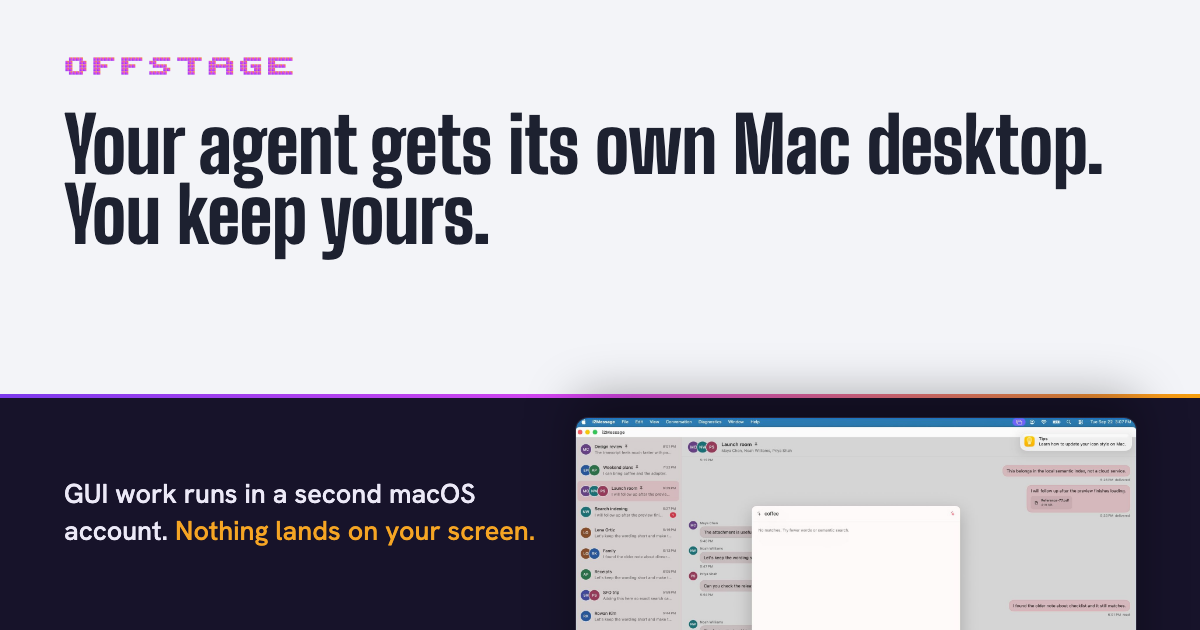
offstage is a free, open-source tool that gives a computer-use coding agent its own Mac desktop instead of your screen. It works with Claude Code, Codex and opencode, and it exists for one purpose: any command an agent runs that could open a window or take focus on your Mac is sent to a second, logged-in macOS account instead. Simulators, Xcode UI tests, osascript calls and the app your agent just built all open on that helper account's desktop, which sits behind yours. Your windows, keyboard and mouse stay yours the whole time. offstage ships as an MCP server and a CLI, is MIT licensed, and runs on Apple Silicon Macs with Node 20 or newer. The problem it addresses is the collision between coding agents and your own computer. Agents increasingly do GUI work: they launch simulators, run Xcode UI tests, drive browsers and open the apps they just compiled. On a normal Mac all of that lands on the one screen you are using, taking focus, moving the mouse and covering your windows. offstage's answer is not to hide the GUI work but to give it a different desktop. Because the helper account is a real macOS account with its own desktop, window server and input, the agent can screenshot, decide and click in a place that never overlaps with what you are doing. The site states plainly why that second macOS account is the whole point: it has its own desktop, window server and input, and that is why offstage exists. The core of the product is the helper account. One setup command creates an ordinary account called computeruse and builds a small Swift daemon for it. If the terminal has Full Disk Access, that daemon is granted Screen Recording and Accessibility automatically; if not, offstage tells you which two toggles to flip. It prints the entire root script before running it. After a single login through the menu bar user menu, the account stays logged in behind yours until the Mac restarts. offstage session status reports where things stand and exits 0 when the session is ready. Nothing here is a virtual machine: it is a second user account on the Mac you already have, with no guest OS and nothing to boot. The trade-off is that both accounts share the Mac's CPU, memory and disk. Storage is where the difference is stark, because the helper account takes about 3 GB of disk, where the macOS VM image the team measured was a 68.8 GB download. offstage also decides where each command should go. The site describes it as reading every command before it runs and sending it to the cheapest place that keeps it off your display, and it defines four lanes. Commands such as xcodebuild test, xcrun simctl, XCUITests, open -a, osascript and a built .app run in the second macOS account. Commands that force a real browser window, including --headed, headless: false, cypress open, WebGL and GPU flags, run in a Linux container with a virtual display if Docker is installed; it is a real display, just not yours. Headless work such as npm test, vitest, headless Playwright and Puppeteer runs right where it is, because those never open a window and wrapping them would only cost time. Finally, installers, .pkg, .dmg and hdiutil are refused outright: both accounts share one machine, so offstage will not run them and no flag overrides that. Agents connect through MCP. The site provides copy-paste configuration for Claude Code (claude mcp add offstage -- npx -y --package=@viraatdas/offstage@latest offstage-mcp), for Codex in ~/.codex/config.toml, and for opencode in opencode.json. Claude Code can also use offstage as a plugin. The MCP surface includes offstage_route, which tells the agent which lane a command gets, and offstage_run, which runs it there, alongside session tools: offstage_session_launch, which waits until the app registers and returns its pid, offstage_session_screenshot, offstage_session_input and offstage_session_quit. The documented GUI loop is launch, screenshot, decide, input, then screenshot again to confirm. Coordinates are points, not pixels, so a pixel coordinate has to be divided by the screenshot's scale. For anything that cannot use MCP, the CLI runs the same code path through offstage route -- and offstage run -- . The reason offstage can promise your screen stays yours is the daemon. It posts input to its own session only, never to the global input stream that feeds your screen, and if its session is ever the one on the console it refuses to send input at all. In testing, the window server's own log showed every synthetic event landing in the helper session and none reaching the console. The site is equally explicit about files: the helper account is an ordinary second user, so it cannot write to your files, and it can read only what macOS lets any other local account read. If a run fails because the helper account cannot read your repository, offstage session share grants read-only access to one folder at a time, and unshare takes it back. Each run writes its output to its own artifacts folder. To make the behaviour stick, you paste a block of instructions into your agent, or into your project's AGENTS.md or CLAUDE.md, and the agent connects offstage itself so GUI work stays off your screen from then on. Two things only the user can do, and the site's rules tell the agent to ask rather than work around them: sharing a repository folder with the helper account, and running offstage session setup --create, which needs sudo. The agent is also told to never re-run a skipped or refused command outside offstage to get past it, because that would put it back on your screen. The practical outcome is that you can keep using your Mac while an agent runs an entire GUI test suite somewhere else. Nothing boots, nothing is virtualised, and the agent's windows, cursor and focus live on a desktop that is not yours. A skipped status means nothing ran anywhere, and refused means the command will not run on any lane. Concrete scenarios appear throughout the site. In one real pair of captures taken on a single Mac on 2026-09-22, Claude Code checks that the helper account is logged in, off your screen, with Screen Recording and Accessibility granted; a second Claude Code session is then testing a messaging app called i2Message on the computeruse desktop, with a search for the word coffee typed in through offstage_session_input. None of it appears on the console user's screen, and the console user was watching a video in a browser the whole time. Other workflows are the lanes themselves: running Xcode UI tests and simulators off-screen, driving a headed browser in a Docker container with a virtual display, leaving npm test or headless Playwright in place because they never open a window, and refusing installers so they never land on either account. offstage is aimed at developers on Apple Silicon Macs who run coding agents and want their own machine left alone during GUI-heavy work: Xcode and simulator workflows, UI tests, browser automation, and any project where an agent builds an app that then needs to be clicked. The agents it supports explicitly are Claude Code, Codex and opencode, through MCP, with Claude Code also usable as a plugin; anything else that can run a shell command can use the offstage CLI, which runs the same code. Requirements are an Apple Silicon Mac and Node 20 or newer, with Docker optional for the container lane. Pricing is free: the project is MIT licensed and open source on GitHub. The takeaway is that offstage solves a very specific, very annoying problem, an agent that needs a screen taking over the one you are using, by giving that agent a second, logged-in macOS account with its own desktop, window server and input. It routes each command to the cheapest place that keeps it off your display, refuses the commands that could touch the whole machine, and costs nothing but a folder share and one sudo command. Your agent gets its Mac desktop; you keep yours.
Hark Pro is a personal AI built to take things off your plate rather than add another chatbot to your day. The company describes it as a new kind of system for getting things done: whatever you need, let Hark handle it. Hark remembers what matters, thinks ahead about what you might need, and uses its own cloud computer to get things done across the web, covering everything from managing calendars and email to shopping, travel, bills, and everyday errands. Hark Pro is available as an app on browser, iOS, and Android. The product is positioned against the usual pattern of AI tools, which the company frames as adding another chatbot to your day rather than removing work from it. The tasks Hark takes on are the ones that quietly pile up: remembering that you put off getting home insurance quotes, comparing equivalent coverage, ordering from your usual pizza place, sorting email, submitting expenses from receipts, or finding a spot for an annual physical. Each of these normally means opening a browser, logging in somewhere, comparing options, filling in forms, and often making a payment. Hark's premise is that you should be able to state the outcome you want and let the AI carry out the steps. The core of the everyday experience is a single chat thread. Chat with Hark in a single thread for whatever you need, whether that is booking a table for a birthday dinner, submitting expenses from email receipts, or doing quick research. Hark has persistent memory, so it tailors responses to actually be useful to you rather than treating every request as a fresh start. That memory is what allows it to act on personal specifics, such as your usual order or the coverage you already have. For larger efforts, Projects keep bigger undertakings organized; the company names job searches and trip planning as examples of the kind of work that benefits from being grouped rather than scattered across messages. Hark's computer use agent is called Handoff. It can use the internet just like you would, and it can build websites, do research, place orders, and make slides, among other things. Crucially, it does this from its own secure computer with a full browser that is individual to you, rather than simply returning text suggestions. That means tasks which require navigating real websites, clicking through flows, and completing transactions can be carried out from start to finish instead of being described back to you. Because Hark asks you to connect accounts, save logins, and make payments, the company treats security as a first-class part of the product under the name Secured by Hark. It uses end-to-end encryption so your data stays safe, and describes the arrangement as a vault that absolutely no person has access to. Hark also checks in with you before doing something that requires your approval. The company states that your sensitive credentials stay encrypted, that Hark never sells your data or shares it with advertisers, and that you can watch it work. Action Buttons are Hark's answer to the to-do list. Hark suggests and prioritizes these actions based on what it knows you have on your plate, so the list is generated for you rather than written by you. All you have to do is click on one, and Hark will perform that action from start to finish. This turns the assistant into something closer to a queue of delegated work than a conversation you have to keep driving. Panels are customizable views you create to stay on top of whatever you like. You describe what you want and Hark builds mini-apps completely tailored to you. You can also ask your Panels questions to dig deeper into their data, unlocking even more from services you already use; Strava, Spotify, and Venmo are the examples named on the site. Where Action Buttons handle discrete tasks, Panels are about ongoing visibility into the things you care about, built on the fly from your own description. Taken together, Hark's approach is to combine a conversational front end, persistent memory, a proactive task layer, and an agent that can actually operate the web. Rather than a chat window that only produces answers, Hark pairs the conversation with Handoff's own secure browser, with end-to-end encryption protecting the accounts and payment details you connect, and with approval checkpoints before sensitive actions. Meanwhile Action Buttons and Panels let the assistant surface what it thinks you should do and give you customized views of your own data. The result is a single system that spans talking to an assistant, delegating to it, and monitoring what it has done. The stated benefits are practical. Hark is designed to take things off your plate, remember what matters, and think ahead about what you might need. It can handle calendars and email, shopping, travel, bills, and everyday errands on your behalf, and you can watch it work. With persistent memory, responses are tailored rather than generic; with Handoff, work that would otherwise require your own browsing can be completed end to end; with Action Buttons, you get a prioritized to-do list you can clear with a click; and with Panels, you can dig deeper into data from services you already use. The site illustrates the scope with example requests. Hark can be asked to book a trip to Mexico City next weekend, find the cheapest flights, and locate a nice hotel in Polanco, or to find the cheapest flight from SFO to JFK this weekend and book it. It can order a Margherita from your usual pizza place, or find a nice dinner for two in your neighborhood this Friday. It can find competitive home insurance quotes with equivalent coverage, show a comparison, and make the switch, or audit what you are spending the most on and help you save money. It can find a dentist who takes your insurance and book a checkup, or find a spot for an annual physical. It can help manage and sort your email, submit expenses from email receipts, and do quick research. And through Handoff it can build websites, do research, place orders, and make slides. Hark Pro is aimed at people who want their everyday logistics handled without adopting another tool to manage. The examples span travel, dining, insurance, spending, health appointments, and email, the kind of personal admin that any busy individual faces. It is offered through the Hark Pro app on browser, iOS, and Android, and sign-up is through Google or Apple, or by continuing directly; by continuing you agree to the Terms of Service and acknowledge that your data will be processed in accordance with the Privacy Policy. The company frames the product around building the most personal, human-like intelligence in the world, and points to enterprise-level security as part of that promise. In short, Hark Pro sets out to be the personal AI that handles life before you have to. It combines a persistent-memory chat, Projects for bigger goals, Handoff's secure browser-based agent, approval-gated encryption, Action Buttons, and custom Panels into one system, built to take things off your plate rather than add another chatbot to your day.
OpenSwarm is a free AI desktop for Mac where many agents work at once. Rather than giving you one assistant in one chat window, it puts a desktop in front of you on which a swarm of agents runs in parallel, each agent with its own browser, apps and tools. The stated goal is straightforward: anything you do on your computer, a swarm can do for you. You tell OpenSwarm what you want, the agents work with you at the helm, and you can watch the whole swarm on one canvas, step in when you want, and pick up the finished work. Most AI tools still give you one agent in one chat. It works on a single task while you wait, and anything bigger than that ends up back on your plate. That limitation is the problem OpenSwarm sets out to remove. When a job involves dozens of small steps - searching many pages, checking several sources, drafting a message for every name on a list - a single conversational agent cannot keep up, so the human becomes the bottleneck and the coordination work lands back on them. OpenSwarm reframes the work as orchestration instead of execution: you describe the outcome, and a swarm of agents carries out the parallel steps while you stay in control of the direction. One of the clearest demonstrations of the swarm model is parallel browsing. A single ask - the site's own example is "Best food in Berkeley" - opens six browsers at once, and each agent reads its own set of pages. Instead of one agent walking through search results one after another while you wait, six lines of research run simultaneously and their findings come back together. Agents also use your browser, your apps and connected tools, which means they can carry a task through to the end rather than stopping at advice. The site frames this as unlimited capability: whatever you would normally do on your computer, the swarm can do it for you, and it finishes the whole task instead of telling you how to do it. OpenSwarm also builds software on request. In the example shown on the site, you type "Make me an app for my daily brief" and an agent builds the tool for you; it then sits in your launcher next to the rest of your apps. That behaviour matters because it removes the gap between having an idea for a small utility and actually having it. You do not need to know how the app is put together or where it lives - you describe the tool you want in plain language, and it appears as a finished app in the same place as everything else you use. This is the sense in which the product describes apps creating themselves: the desktop grows to fit the work you ask for. On top of the desktop itself, OpenSwarm offers an agent marketplace - a set of apps that your agents use inside OpenSwarm to find leads, validate problems and more. Lead Finder is described as an app for finding your next customers with five agents. Problem Validator takes a description of a problem and sends agents to search Reddit, X, Hacker News and review sites for real people who have it, using six agents. Post Harvester asks you to paste a profile, after which three agents harvest the posts and turn them into a knowledge base you can talk to. Social Footprint Finder takes a name or a handle, and six agents find public profiles across the web. More apps are listed as coming soon: Text Agents, Call Agents and Verbal Hotkeys. The pattern behind all of these apps is the same: a big job is split so that every source or every unit of work gets its own agent. Problem Validator is the clearest illustration - it gives every source its own agent so that Reddit, X and Hacker News are searched at the same time rather than one after another. You then supervise the swarm on a single canvas, watch what each agent is doing, intervene where your judgement is needed, and collect the results when the work is finished. OpenSwarm describes itself as an AI-first operating system where agents run the whole machine - apps create themselves, browsers control themselves, and swarms of agents work together - turning your operating system into an infinite canvas and your work from doing one task at a time into orchestrating dozens in parallel. The benefits follow directly from that structure. Work that used to be serial becomes parallel, so waiting time shrinks and more of a task can be handed over instead of just the easy part. Because the agents use your browser, apps and connected tools, they can finish the whole job rather than leaving you to complete it. At the same time, you are never out of the loop: the swarm is visible on one canvas, you can step in when you want, and you pick up the finished work when it is ready. OpenSwarm summarises the outcome as being at the helm - you are no longer the person doing one task at a time, but the person orchestrating dozens. The site positions OpenSwarm as one desktop for every team and lists sales and outreach, operations, recruiting and research as the areas it is built for. The sales example is spelled out in detail: a user can ask OpenSwarm to find 50 Series A fintech startups in New York and draft a first email to each founder. The swarm finds the right people, learns what they care about, and has a first email ready for each one, with progress shown against a running total of leads. Research workflows appear in the same way - the Berkeley food question, or validating a problem across many sources at once - while recruiting and operations teams are named as the other functions that can hand repetitive, multi-step work to a swarm. OpenSwarm is a free AI desktop for Mac. The site describes it as a 100% free AI desktop, and access is being handled through a waitlist: at the time of writing the page showed 10,672 people on the waitlist, and joining requires only an email address, with early-access updates sent by email and unsubscribe available at any time. The workflows shown reference LinkedIn, Crunchbase, HubSpot and Gmail as the tools involved in the outreach example, alongside the apps agents use inside OpenSwarm. The page carries a "Backed by" link to joinef.com. Beyond the Mac desktop itself, the marketplace apps - Lead Finder, Problem Validator, Post Harvester and Social Footprint Finder - each come with a stated number of agents, and Text Agents, Call Agents and Verbal Hotkeys are marked as coming soon. OpenSwarm's proposition is easy to state and hard to do: instead of an assistant that answers in a chat while the real work stays with you, it offers a desktop where a swarm of agents works at once, each with its own browser and tools, all visible on one canvas. You keep the helm; the swarm keeps the pace. Whether you are researching a market, validating an idea, harvesting posts, finding leads or drafting outreach, the product turns a queue of small tasks into parallel work that can be finished and handed back to you - and it is free for Mac users who join the waitlist.
Maisters TalentIQ™ is an AI-powered recruitment platform designed for government agencies and public-sector organizations that need to modernize hiring without sacrificing transparency, fairness, or compliance.The platform automates time-consuming recruitment activities including candidate screening, qualification checks, structured first-round interviews, candidate scoring, interview documentation, and compliance recordkeeping. AI-powered structured interviews give every candidate consistent questions and evaluate responses against agency-defined competencies and scoring rubrics.TalentIQ™ is designed with government hiring requirements in mind. It provides explainable candidate scoring, bias monitoring, veteran preference handling, compliance documentation, configurable records retention, and complete audit trails that help HR teams prepare for reviews, public-records requests, and internal oversight.Hiring managers receive ranked candidate shortlists supported by interview transcripts, scoring details, evaluation criteria, and decision evidence. Human staff retain final hiring authority throughout the process.The platform also provides workforce analytics for monitoring time-to-fill, candidate sources, hiring patterns, pipeline diversity, and recruitment performance. It can integrate with existing applicant tracking systems, HRIS platforms, background screening providers, credential verification services, identity providers, and agency-specific workflows through APIs.Maisters TalentIQ™ helps public-sector HR teams reduce administrative workload, accelerate recruitment, improve consistency in candidate evaluation, and maintain documented, audit-ready hiring processes.