Category Focus/categories/no-code
No-Code AI Tools
Discover and compare the best no-code AI tools and software. Browse 101+ curated tools with reviews and rankings.
Projects tracked
101
Sort mode
RECENT
Page
1
Discover and compare the best no-code AI tools and software. Browse 101+ curated tools with reviews and rankings.
Projects tracked
101
Sort mode
RECENT
Page
1
Macaly Cloud is an infrastructure and skills layer for your own AI agent. Add it to Claude, ChatGPT or Grok Bot — the product also works in Claude Code, Codex and Grok Bot — and you can build apps and websites with a database, hosting, a domain and 70+ other skills without leaving the chat or terminal you already use. It is made for people who already pay for an AI subscription and want the code their agent writes to become something real and live on the internet, instead of managing a stack of separate services themselves. Anyone who has tried vibe coding outside a single tool runs into the same wall. Tools such as Lovable and Base44 charge AI credits for every message, so when you already have Claude, ChatGPT or Grok Bot, paying for a second AI subscription makes no sense. The do-it-yourself route is no cheaper: hosting at around $20 a month, a database at around $25 a month, a domain at $15 a year, plus a Saturday spent on CI/CD and a Sunday on environment variables. That adds up to two bills, two AI agents, two subscriptions, charged twice — and the project still needs a database, user accounts, SEO metadata and API keys before it can go live. Macaly Cloud exists to remove that collection of separate purchases and configuration work, packaging the parts a project needs into the agent workflow you are already using. The database is one of the clearest examples. Normally it is a separate service with its own subscription; with Macaly Cloud it is created the moment the code needs it, and it is tested by your agent first. The result is a managed Postgres database sitting behind the app, without the database bill that usually comes with it. Hosting, previews and a live address work the same way. Elsewhere you would buy a hosting plan and spend a weekend configuring it; here every change produces a preview link, and one message puts it live on your own macaly.app address at no cost. A custom domain is described as the one thing nobody can hand out for free: you can buy one through Macaly or connect one you already own, and Macaly handles the records and the certificate. User accounts are provided out of the box, without you having to build authentication — described on the site as the thing every platform charges for and every DIY builder gets wrong. Google sign-in, email or one-time codes are available without extra development work, which means a project that needs real users does not stall on login screens and password resets. SEO is included in every build as well: metadata, server-side rendering and favicons, indexable from day one, with no plugin sold as an upsell. That matters because sites built inside chat tools or vibe coding platforms often ship without the technical foundations search engines need, and fixing that afterwards is tedious. AI features can also become features of your own app without API keys. Chatbots, summaries, image and video generation, even voice, all of them are part of your project with nothing to sign up for and no separate bill. On top of that, Macaly Cloud ships 70+ skills your agent can pick up mid-conversation, including email, analytics, payments, voice, plus connections to the tools you already use. Because the agent picks skills up as the conversation continues, the project can grow in scope — from a page to a signup flow to a paid product — without you leaving the chat to wire up another vendor. The workflow itself is deliberately short and is described in three steps. First you connect: one click and a sign-in is the whole setup. Then you ask: you say what you want and your agent builds it. Then you publish: you say publish and it is on the internet. Macaly Cloud is not a replacement for the model writing the code — Claude, ChatGPT or Grok Bot writes the code, while Macaly Cloud provides everything needed to make the project real. You keep working in the chat or the terminal you already use, describing what you want to build, and the agent builds the app, wires up the database and puts it online. Because the infrastructure and the skills arrive as one service, users keep the AI subscription they already pay for instead of adding a second one. On the comparison the site draws, message credits, coding, database, hosting, domain, previews, publishing, debugging and agent skills are all listed at $0.00 within Macaly Cloud, leaving only the bill you already pay. The source code and all of the data remain yours, and you can export them at any time. Everything is hosted on European infrastructure, in Frankfurt and Ireland, and Macaly states that it is GDPR compliant and never uses your content to train AI models. Concrete scenarios follow directly from those capabilities. A landing page can be described in the chat and published to a macaly.app address in the same conversation. A signup form can be built together with user accounts, using Google sign-in, email or one-time codes, without building authentication from scratch. An app that needs to store data gets a managed Postgres database created when the code needs it. A tool that summarises or generates content can include chatbots, summaries, image and video generation or voice as features of the app itself, without API keys. A site that needs to be found can ship with metadata, server-side rendering and favicons from the first build. And when something needs to change — put it back how it was, or rebuild a page — that happens through another message in the same chat. Macaly Cloud is aimed at anyone who already has a Claude, ChatGPT or Grok Bot subscription and wants to turn what the agent writes into a live project. That includes individual builders, teams and agencies; the site notes that teams, agencies and anything bigger than the standard plan are handled by a person rather than a form, reachable at hi@macaly.com for a custom plan. The tech stack is handled for you: your agent builds on a modern web stack with React and Next.js on the front end and a managed Postgres database behind it, and you never have to pick, install or configure any of it. Pricing is free until October 1st, including a database with a free base allowance, hosting, previews, a macaly.app address, SEO, analytics and 70+ other skills, with some skills possibly still using Macaly AI credits. From October 1st, Macaly Cloud becomes a standalone plan at $10 a month, which covers the infrastructure. In short, Macaly Cloud turns the AI subscription you already pay for into a build-and-publish platform. Claude, ChatGPT or Grok Bot writes the code; Macaly Cloud supplies the database, hosting, previews, domain, user accounts, SEO, AI features and 70+ skills that make the project real, and it does so inside the chat you are already using — for free until October 1st, then $10 a month.
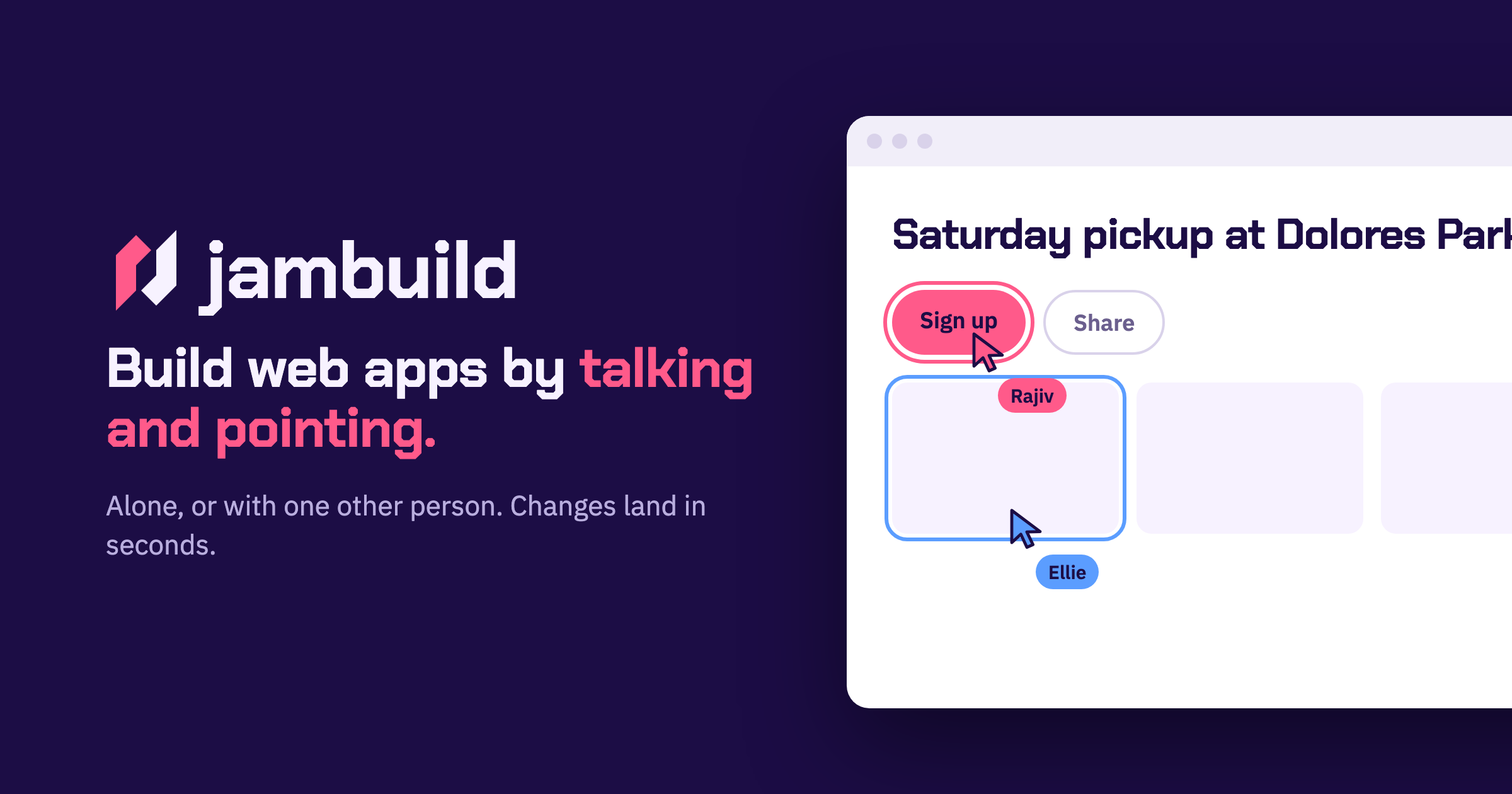
jambuild is a tool for building web apps in real time by talking and pointing. Rather than typing code or writing out long specifications, you describe what you want out loud and point at the part of the page you are talking about. The website promises that changes land in less than ten seconds and that you keep talking while they land, so the conversation with the page never really stops. You can build alone, or you can send a link and build with one other person, with both of you talking, pointing and clicking on the same page. The Product Hunt listing describes jambuild as a "multiplayer vibecoding tool where you talk and point with your mouse, and every change lands in seconds," and adds that it has limited credits to try it out, with the option to bring your own API keys to unlock more usage. The traditional path from an idea to a working web app usually runs through a keyboard. You open an editor, set up a project, and translate what you can see in your head into syntax a machine will accept. jambuild removes that translation step by making the microphone the keyboard. The stated promise is simple: describe a page and a first version appears in seconds. That speed matters because it keeps you in the idea rather than in the implementation. Because changes land in less than ten seconds, you can correct course immediately instead of waiting for a build, a refresh or a manual edit. The second problem jambuild addresses is collaboration. Building is rarely a solo activity, but screen sharing, passing a laptop back and forth, or describing a change over a call are all clumsy. jambuild instead puts two people and two cursors on one page. The first way to work in jambuild is by talking. The site frames it directly: your microphone is the keyboard. You describe a page out loud and a first version appears in seconds. In the example shown on the website, Maya describes a sign-up page out loud; her words appear in the prompt box and the window is outlined in pink while she is being heard. That pink outline is the interface telling you it is listening, so you know when your speech is being captured and turned into instructions. Because the description is spoken rather than typed, you can talk in the same loose, conversational way you would when explaining an idea to a colleague, which is exactly the kind of description jambuild is designed to turn into a working page. Talking alone is not always precise enough, so jambuild adds pointing. As you move your mouse over the page, whatever you are hovering over lights up, and it lights up for both people in the room, not just for you. That shared highlight means the other person can see exactly which element you mean before you say a word about it. Once the element is highlighted, you say what it should become. In the website's example, Sam moves over the roster, the roster lights up in his colour, and he asks for it to be split into three teams. Pointing solves the ambiguity problem in spoken instructions: instead of describing where something is on the page, you simply put your cursor on it. The third interaction is clicking. You click anything on the page and say what should happen to it, and the change lands in seconds. Clicking differs from pointing in that it selects a specific element for a specific instruction rather than simply indicating an area. The site's illustration is Maya clicking the Sign up button and asking for it to be bigger and orange. Because the click carries the target and the speech carries the intent, you can make that kind of adjustment without opening a design tool, finding the component in a codebase, or editing a style rule. The result appears and lands within seconds, which keeps the session moving. The fourth piece is the multiplayer part, and the site names it simply "Together." You send a link, and the person you invite joins you on the same page. You both talk, you both point, and it remains one page rather than two copies that need merging. The website shows Maya and Sam both talking at once, with both requests building and both changes landing. Because each participant's highlighting appears in their own colour, you can tell at a glance who is indicating what. Changes land in seconds for both of you, so neither person is working from a stale view of the page. The site's social image also describes two cursors, Rajiv and Ellie, on the same page, illustrating two people active on one page at the same time. Getting started is deliberately lightweight. You sign in with Google to start a room, and the person you invite does not need an account. That asymmetry matters for collaborative sessions: one person can create the room, share the link, and the other participant can join and contribute without going through a sign-up flow first. Once you are in, the loop is consistent — talk, point, click, watch the change land in less than ten seconds, and keep talking. jambuild holds a session to two people at a time, so it is explicitly designed for a pair rather than a crowd. Usage runs on credits: there are limited credits available to try the tool out, and you can bring your own API keys to unlock more usage beyond that. The obvious benefit is speed of iteration. Changes landing in less than ten seconds means the distance between saying something and seeing it is short enough that you never leave the flow of the conversation. The second benefit is accessibility of the building process. If your microphone is the keyboard, you do not need to recall syntax, hunt for the right file, or know where a particular style is defined — you describe what you want and the page responds. The third benefit is tighter collaboration. Two cursors on one page, both lighting up elements in their own colours, both able to speak and be heard at the same time, removes the usual back-and-forth of explaining changes to someone who cannot see your screen. The examples shown on the website suggest concrete ways to use it. A designer or product person can describe a sign-up page out loud and get a first version in seconds, which is useful when you want to react to something visible rather than a written spec. Someone working with structured layouts, like a roster, can point at the roster and ask for it to be split into three teams, reshaping structure by indicating the element rather than editing markup. For visual tweaks, clicking the Sign up button and asking for it to be bigger and orange shows how small styling requests are handled in conversation. And for pair work, two people can open the same room, both talk and point at once, and watch both sets of changes land. jambuild is aimed at people who want to build web apps without working through a code editor: it is described on Product Hunt under the topics Prototyping, Artificial Intelligence and Vibe coding, which places it with tools used for rapid prototyping and AI-assisted building. The entry point is a Google sign-in to start a room, and collaborators join through a link without needing an account of their own. Rooms hold two people, so the intended unit is a pair — a builder and a collaborator, or two people shaping a page together. On pricing, the Product Hunt listing notes limited credits to try it out, with the option to bring your own API keys to unlock more usage. No specific plan tiers or prices are stated on the website. jambuild's value proposition is easy to state because the product states it so plainly: build web apps in real time by talking and pointing. Your microphone replaces the keyboard, your cursor identifies what you mean, a click targets it, and changes land in less than ten seconds. Add one other person through a link and the same speed applies to both of you on a single shared page. For anyone whose bottleneck is the gap between an idea and a first working version, jambuild closes that gap in conversation.
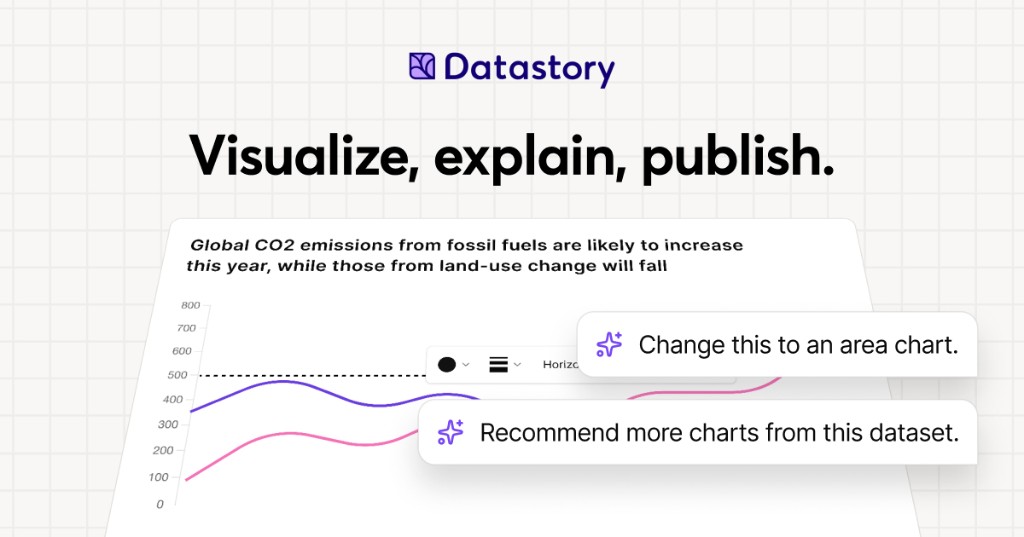
Datastory is a no-code platform for data storytellers. It is built for people who want to turn the world's data into stories worth sharing, whether that data comes from their own spreadsheets or from a curated catalog of open datasets. With Datastory you can upload your own data or search the catalog, let AI suggest the charts, and publish in minutes. The platform brings together a visualization Studio, a CMS, AI assistance, and access to more than 2,000 open datasets, so that interactive charts, websites, and reports can be created in one place. Its stated purpose is to take users from raw, messy data all the way to a published narrative, producing charts that tell a story instead of just showing stats. Datastory positions itself against the limits of conventional charting tools. Its website states that most tools stop at the visual, while Datastory does not, describing itself as the only platform that takes you from raw, messy data all the way to a published narrative. That framing reflects a common workflow problem for anyone working with data: finding trustworthy source material, understanding what the columns in a table actually represent, choosing a chart type that fits the shape of the data, writing accurate captions with sources attached, and then distributing the result in a format that works across channels. Datastory addresses each of these steps inside a single no-code environment, rather than asking users to stitch together a spreadsheet, a charting library, a design tool, and a CMS. For organizations that publish statistics, the platform is intended to close the gap between having data and communicating it clearly to an audience. The visualization layer is built around a diverse gallery of chart types with interactivity and responsive design out of the box. Datastory lists bars, lines, areas, beeswarms, slopes, treemaps, scatter plots and more, describing them as every common data visualization, ready to use. Users can switch chart types without re-binding data, so a single table can be expressed as one chart and then re-expressed as another without rebuilding the underlying dataset. The chart picker is smart: it looks at the columns in your data and proposes the right encoding, whether the data is categorical, temporal, geographic, or hierarchical, and chart-type suggestions are driven by the shape of the data itself. The stated goal is to go from table to polished data visualization in minutes: pick a table, pick a chart, ship it, or start from one of the editorial templates and tweak. Every chart is responsive and can be embedded anywhere, and users can add inline annotations, sources, and methodology, then customize to their own brand or pick from journalism presets. Datastory AI is presented as AI that actually understands your data. You can ask AI to recommend interesting angles or come with a specific question and get an answer grounded in your tables, with a chart to match. The AI ships with your CSV file, linked data, or Datastory's Open Data Catalog as context: it reads your tables, understands your dimensions, picks the right chart, and writes the caption with sources attached, while the user stays in the driver's seat. The platform emphasizes that auto-captions come as editable drafts and that AI can only provide insights grounded in data that exists in your workspace, so there are no data hallucinations and never a hallucinated stat. Compose with AI lets users build whole stories from a prompt, such as visualizing Swedish housing prices by region since 2010, and the insight finder surfaces anomalies, trend changes, and correlations across thousands of rows in seconds. More broadly, AI-powered insights are described as revealing hidden patterns, unexpected correlations, and key drivers within datasets, turning raw information into actionable intelligence. The Open Data catalog lets users find, explain, and visualize statistics from quality data sources, browsing datasets from vetted sources such as the OECD, WHO, and Eurostat. Powerful browsing by topic, source, or trending helps users find exactly what they need, and a country filter makes it easy to find data that their own country has reported on. The catalog is intended to help users quickly find reliable data for a project or to enrich an organization's own data by adding a global perspective that nuances local or industry-specific figures. Examples highlighted on the site include Women in parliament worldwide and Population trends in Europe, both from the World Bank, plus sample CSVs such as the world's largest cities ranked from Wikidata and Sweden's most common surnames from SCB. Users can also supercharge an analysis by connecting their own data with open data sources to tell a more complete story. The Datastory workflow is described as a four-step path from connection to publication. Step one is Connect data: pull data from spreadsheets, your own linked data, or quality metrics from the Open Data Catalog. Step two is Shape your story: collaborate with AI to identify the most interesting insights and the best way to visualize them. Step three is Refine details: edit captions, add annotations, and tweak colors to make the story pop, either by asking AI or by tweaking manually. Step four is Publish: release the result as a standalone link, embed it in websites, or export it as a high-quality image, ready for any channel. This sequence is the core of the platform's differentiation, since it deliberately extends past visualization into narrative creation and distribution. Publishing and distribution are handled through an anywhere-embed approach. Users can drop a chart into Notion, Webflow, a newsletter, or a CMS, using a responsive iframe with shareable URLs and OG previews baked in. Charts are responsive and can be embedded anywhere, and the final output can also be published as a standalone link or exported as a high-quality image. Because the same chart can be embedded in multiple destinations while keeping shareable URLs and preview metadata, the platform is designed for teams that need their visuals to travel across websites, documentation, and social channels without rework. The outcome Datastory emphasizes is the ability to inform, engage, and drive action with compelling visualizations. Organizations that use it describe making their work more accessible and more effective. Tax Justice Network says Datastory has more than lived up to its expectations and that the team was a delight to work with, adding that it is thrilled about the Policy Tracker Datastory developed and looks forward to sharing it publicly. AI Sweden describes Datastory as knowledgeable, flexible, and fast as a supplier, and values the creative dialogue and the ideas that made the end result better than hoped for. Swedish House of Finance says that with Datastory's help it was able to make its research accessible to a much wider audience, crediting enthusiasm for research communication and knowledgeable staff for a very successful collaboration. Concrete use cases on the site include visualizing municipality data, where Datastory built an interactive map application for AI Sweden using its advanced charting library and data management system, producing the Kommunkartan map of AI initiatives across Swedish municipalities with bar charts, filters, and zoom controls. Other described scenarios include building a policy tracker for an advocacy organization, making academic research legible to a wider audience, embedding a chart into a Notion page, Webflow site, newsletter, or CMS, and enriching an organization's internal data with open datasets to add a global perspective. The platform's sample content, such as GDP per capita rankings and population trends, illustrates how published charts are meant to be shared directly with readers. Datastory is aimed at data journalists, researchers, and analysts, a group the site names explicitly while inviting them to create compelling visualizations that inform, engage, and drive action. It is also used by larger organizations; the site lists United Nations Department of Economic and Social Affairs, AI Sweden, Tax Justice Network, the International Federation of Red Cross and Red Crescent Societies, Swedish House of Finance, Swedish Television, Dagens Nyheter, and Internet Foundation in Sweden among the organizations that trust it. Beyond the self-serve platform, Datastory Enterprise offers to design and build impactful data products with Datastory's award-winning team, covering strategy, custom applications, data integration, and training, all powered by the Datastory platform, with an invitation to contact the team for details. The summary takeaway is straightforward: Datastory is a no-code environment where open data, your own data, and grounded AI come together to produce interactive charts, websites, and reports that can be published and embedded in minutes. Its distinguishing claim is that it carries a project the full distance from messy raw data to a shareable, sourced narrative, rather than stopping at the chart.
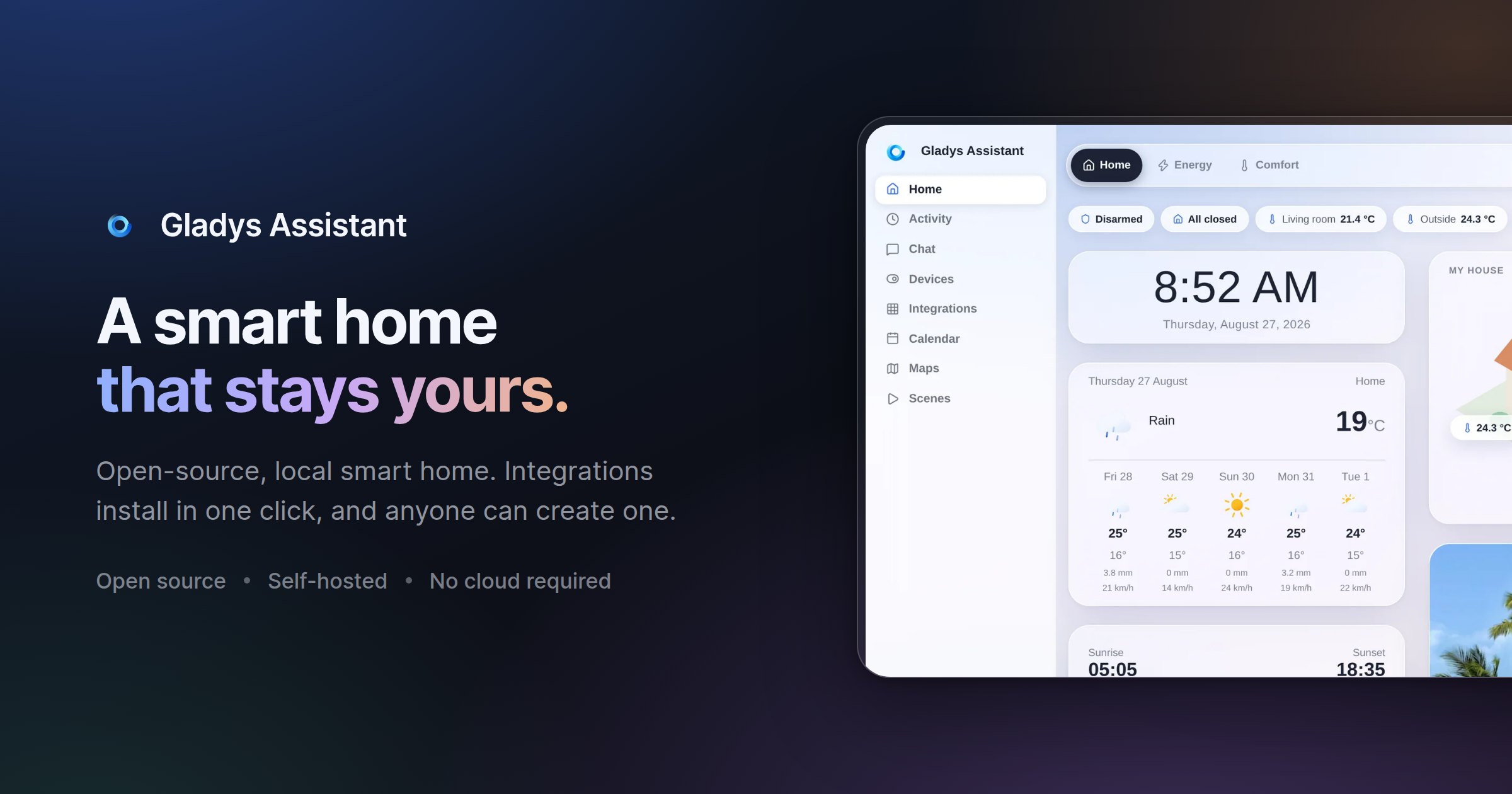
Gladys Assistant 5 is a free, open-source smart home platform that runs on your own hardware, including a mini-PC, a Synology NAS, a Raspberry Pi, a server, or even an old computer. Its purpose is to let you monitor and automate a home from a single interface: temperature, security cameras and presence all appear on one dashboard, scenes automate everyday routines such as coffee brewing, lights turning on and music playing, an energy view follows electricity, solar production and home battery usage, and a built-in voice assistant responds to spoken commands like asking Gladys to turn on the kitchen light, or to messages sent from your phone. It is designed for people who want local control of their smart home, with data staying on their own machine rather than in a mandatory cloud. Many smart home setups force a trade-off between convenience and control. Configuration can mean wrestling with YAML files, the hub may depend on a vendor cloud, and when the internet connection goes down the house can stop responding. Gladys Assistant 5 is presented as a simpler alternative: free, open-source smart home software that runs on your own hardware and keeps working even offline. Because it is self-hosted, smart home data such as sensors, scenes and history stays on your local network, with no mandatory cloud, no tracking and no data selling. The project also stresses ease of use, noting that no terminal is required for day-to-day operation and that scenes can be built without a single line of code, a key consideration for households that want automation without maintaining a technical stack. At the centre of the experience is the dashboard. The website describes it as a single place to see everything at a glance, covering temperature, security cameras and presence, with a layout the team says is phone-first and designed pixel by pixel. The interface supports light and dark appearance: Gladys can follow your system preference or stay on the theme you pick, and you can switch between the two in one click. The same glass and layout are used in both modes, so the product feels consistent whether you are on a large screen or a phone. Alongside the visual dashboard, a built-in voice assistant lets you control the home by speaking, for example asking it to turn on the kitchen light, and Gladys also responds to commands sent as a message from your phone, so control is not limited to voice or to a single device. Automation is handled through scenes. The scene editor is described as a way to automate the entire day: coffee brewing, lights turning on and music playing, all automatic and with no coding required. This is the no-code promise of Gladys Assistant 5, and the Product Hunt tagline summarizes it as a private, self-hosted smart home with no YAML required. Because scenes are built in a visual editor rather than in configuration files, a household member who is not a developer can still assemble multi-step routines and adjust them later. The FAQ reinforces this by stating that day-to-day use does not require a terminal, only a clear interface to control the home. Energy monitoring is built in as well. The energy dashboard follows electricity consumption, solar production and home battery in real time, with the stated goal of helping you cut the bill where it matters. On the compatibility side, Gladys works with what the site calls open protocols, native integrations and community external integrations for everything else. Listed protocols and integrations include Zigbee through Zigbee2MQTT, Matter, Z-Wave, MQTT, Tuya, Netatmo, Sonos, Zendure and RTSP cameras, plus brands such as Philips Hue, SmartThings, TP-Link Kasa and Tapo, Shelly, Sonos, Reolink cameras and LG ThinQ. The product describes support for thousands of devices. If a device is not listed, external integrations, which are community-built and installable in one click, extend coverage, and developers can build their own integration in the language of their choice or ask for help on the community forum. Underneath the interface, Gladys is self-hosted software. Installation is guided via Docker: the documentation describes starting Gladys with a single Docker command, and the FAQ notes that any Linux machine will do, since if Docker runs on it, Gladys runs on it. The project is transparent that installation takes some technical steps, but it walks users through them with screenshots and videos. Once running, the platform handles new features and bug fixes through automatic upgrades, described as zero hassle, so the installation stays current without manual maintenance. Data such as sensors, scenes and history remains on the local network, and optional services are kept separate from the core. The stated design principles explain the intended benefits: privacy through self-hosting, ease of use with no terminal in daily operation, a clean UI built by designing first and coding second, stability described as built to last decades, speed with an interface the team calls lightning-fast, and automatic upgrades. Community testimonials on the site describe the results in practice. One long-time user mentions alerts when a room is too hot, which saves on heating, an alert if the fridge stays open, a living room lamp triggered by movement in the morning only when waking up, water leak detection, and Gladys acting as a security box during vacations. Another writes that scenes make it possible to build scenarios that simplify daily life and secure the home. Others highlight easy setup, an active community, constant stability and scalability, and the fact that Gladys can do everything without a single line of code. Concrete use cases appear throughout the site and in user testimonials. Temperature management is a recurring theme: monitoring bedrooms and bathrooms, receiving alerts when a room gets too hot, and controlling openings. Vacation security is another, with users describing remote access to the whole installation and intrusion alerts while away. Scenes cover daily routines such as opening and closing a gate, controlling lights in the evening from the couch, and interacting with household appliances. The energy dashboard is used to follow electricity consumption, solar production and a home battery in real time. Garden automation is described too, including programming a pool pump according to water temperature and running drip irrigation. Water leak detection and fridge-door alerts show the platform being used for safety and prevention rather than only comfort. Gladys Assistant 5 targets technically comfortable households, people willing to run a Linux machine and install software via Docker, who want a smart home that stays private and local. The core remains free and open-source, with no subscription, no limitations and no credit card needed. Those who want access from outside the home can choose between an optional subscription called Gladys Plus and, for experts, their own VPN or reverse proxy. Gladys Plus adds encrypted remote access, Google Home and Alexa, backups and AI, works as an app on iOS and Android, starts at $7.99 per month in the US and Canada and €6.99 per month in Europe, includes a one-month free trial without a credit card, and can be cancelled anytime. A live demo is available for anyone who wants to explore the dashboard before installing. In summary, Gladys Assistant 5 combines a free, open-source, self-hosted smart home platform with a no-code scene editor, a unified dashboard, real-time energy monitoring, a built-in voice assistant and broad protocol support including Zigbee, Z-Wave, Matter and MQTT. It is built for people who want convenience without giving up privacy or depending on a mandatory cloud, and it keeps running even when the internet goes down.
Floot MCP is a connector that turns Claude, ChatGPT, or Cursor into an app-building environment. You add Floot to your AI, describe the product you want, and Floot builds the whole thing — backend, database, and hosting included. According to the website, you go from chat to a live app in minutes, with no git, no terminal, and no build credits required. Floot describes itself as a way to turn ideas into products without coding, all on one platform, and it gives your AI a ready-to-use workspace complete with a database, user logins, hosting, and a live URL, with nothing to install or configure. Most AI app builders come with hidden costs and hidden complexity. The website's comparison table contrasts Floot with "others" on four fronts: token cost, ease of use, all-in-one platform, and hosting. Floot uses flat plans rather than per-token pricing, while other tools are described on the page as pay-per-token, which "adds up fast." Floot says no technical background is needed, whereas others are described as a "headache for non-coders." It positions itself as an all-in-one platform with everything built-in, in contrast to tools that require many external services, and it claims hosting that "scales with you" versus limited hosting elsewhere. Because your existing Claude or ChatGPT subscription does the thinking, Floot does not charge based on AI usage. Credits apply only to the optional Floot agent and AI image generation. Step one is connecting Floot to Claude, ChatGPT, or Cursor as a connector. Once connected, you prompt your AI with what you want, and Floot handles the technical layer: git, terminals, and build credits never enter the picture. The product listing states there is nothing to install or configure, and the connector can also be added to Cursor and other tools. The site headline frames the promise directly: "Build apps in Claude. ChatGPT. Cursor. Get it live in minutes." This matters because the AI you already use does the reasoning and code generation, while Floot supplies the workspace that makes the output actually run — so the barrier to shipping is a conversation rather than a development environment. Floot includes the backend essentials by default. Your app can save information in a database, let users create accounts, and run recurring tasks automatically. The website's illustration shows a database with 1,204 records saved, 32 users signed up, and a recurring task running daily at 9:00 — each marked as set up, with the note that Floot handles all of this for you. Hosting is built in as well: the app is live at its own link, such as orderbook.app, and the platform says hosting scales with you. Because the database, authentication, and hosting arrive pre-wired rather than as separate services to buy and connect, you spend your time on the product instead of the plumbing. Publishing is one click. Your project goes live on the web and in the app stores, with the site showing a web address alongside App Store and Google Play. Emails and notifications are built in too — you can send emails, receipts, updates, and notifications from your app without setting up extra tools, and the on-page example shows a receipt being sent to a customer. Floot also makes apps easy for search engines like Google to understand and discover, with SEO essentials built in automatically; the site illustrates this with a bakery order tracker appearing as a top result for the query. Finally, Floot integrates your tools: Stripe payments, Google login, Zapier, and thousands of other services, with the platform guiding you through setup step by step. The workflow is deliberately linear, and the site lays it out in four steps. First, connect Floot to Claude, ChatGPT, or Cursor as a connector. Second, prompt your AI to build your project — the walkthrough uses an order book app live at orderbook.app with an "Order now" action. Third, keep refining until it is exactly what you want; the example shows a follow-up instruction as simple as "Make the headline bigger." Fourth, publish on both web and mobile. The published walkthrough is titled "How to use Floot MCP: a walkthrough of building and publishing a real app from a chat," and the section is headed "From chat to live app," promising "One conversation with your AI. A real app with a database, live at its own link." Updates keep coming from the same conversation, so shipping a change is a matter of describing it to the AI you already use rather than switching tools or redeploying by hand. The stated benefits follow from that design: a flat, predictable price instead of per-token billing that "adds up fast"; a workflow that needs no technical background; one platform instead of a stack of external services; and hosting that scales as your product grows. You get a real app with a database, live at its own link, and you can publish the same project to the web, iOS, and Android before continuing to iterate. Keeping updates in the same conversation means the gap between an idea and a change in production stays short. The company's own video content frames the result as "vibe coding has never been more efficient." Concrete scenarios appear throughout the site. A bakery builds an order tracker — the on-page example shows orderbook.app with the tagline "Fresh bread, daily," an order book where customers click "Order now," and a customer receiving a receipt by email. The same flow covers a storefront published to a web address and then to the App Store and Google Play. Recurring tasks suit anything that needs to run on a schedule, such as a job that runs daily at 9:00, while accounts and a database cover products where users sign up and data accumulates. Payment-driven apps connect Stripe, sign-in can use Google login, and automation can extend through Zapier. Each of these starts the same way: a prompt inside the AI. Floot is offered on flat plans rather than per-token charges, and credits apply only to the optional Floot agent and AI image generation. A launch promotion offered 30% off your first month on the Product Hunt launch page. Floot is backed by Y Combinator. Product Hunt lists it under Developer Tools, Artificial Intelligence, and No-Code, and the connector works with Claude, ChatGPT, and Cursor as well as other tools. Integration options named on the site include Stripe payments, Google login, and Zapier, along with thousands of other services. The takeaway is straightforward: Floot MCP lets you build and ship full-stack web and mobile apps from inside the AI chat you already use, with the database, logins, hosting, and live URL supplied for you. No git, no terminal, no build credits — just describe the app, refine it in conversation, and publish it to the web, iOS, and Android.
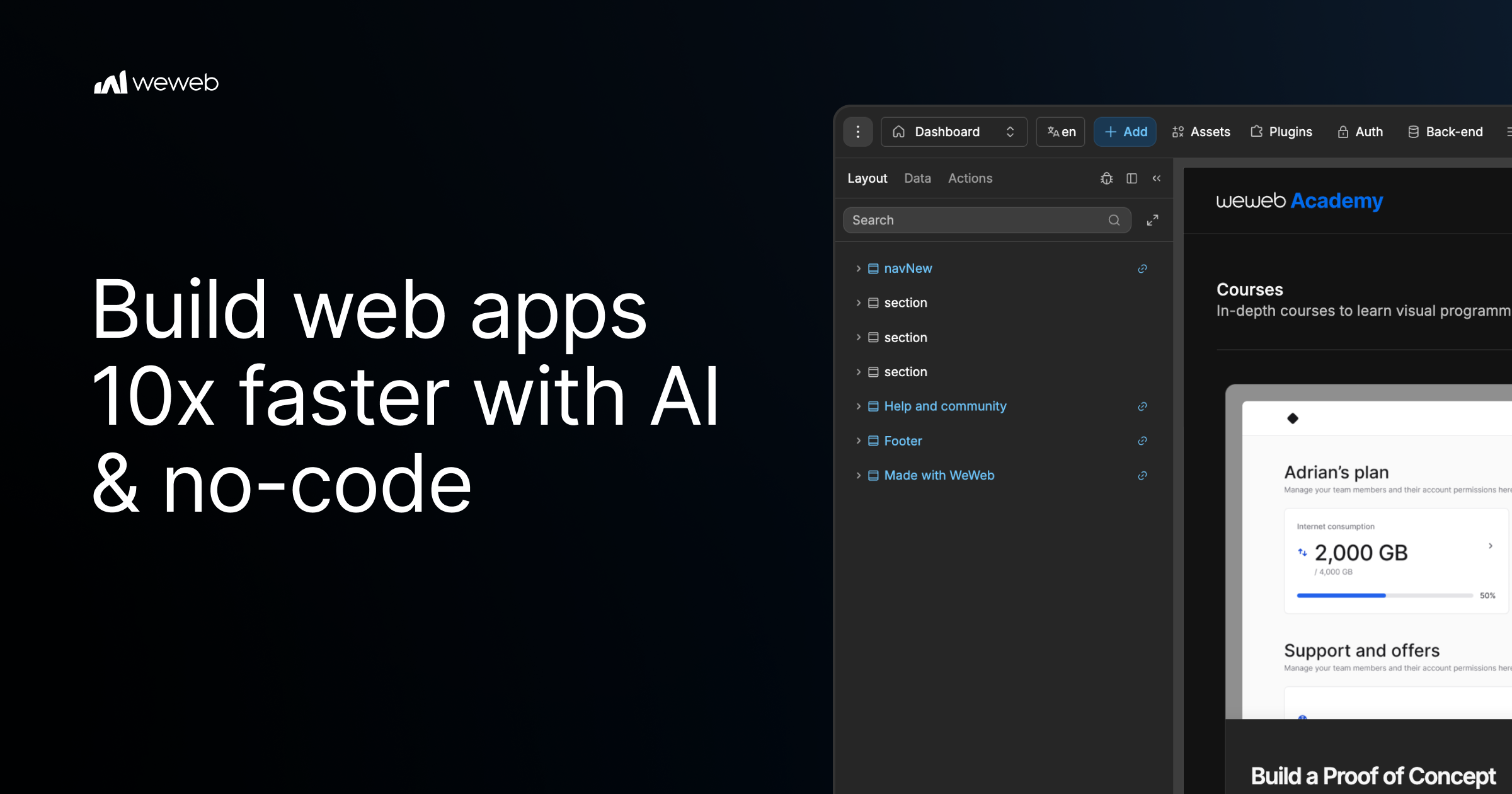
WeWeb MCP is a Model Context Protocol integration that connects the AI agent you already use to WeWeb, a visual no-code app builder. Point Claude Code, Cursor, Codex, Antigravity, ChatGPT, or any MCP-compatible agent at WeWeb and it builds the pages, workflows, data models, tables, auth, and integrations for a real WeWeb project. It is designed for teams and builders who want AI speed while staying in control: the agent runs on your account, your model, and your tokens, and every change it makes lands in a visual editor you can review and edit yourself. The tool turns briefs, designs, and app logic into a working project, and it uses no WeWeb credits. Agentic development, often described as vibe coding, can produce applications quickly, but it frequently leaves builders unsure about what actually changed inside their app. WeWeb MCP is positioned against that black-box experience. The product page promises the speed of vibe coding without the mystery of what changed, and it argues that moving fast should not create maintenance debt for a team or for your future self. Instead of generating an opaque codebase, the agent writes into a structured WeWeb project where every page, workflow, data model, and integration stays visible in a visual editor. That combination of AI generation and visual review is the core problem the product addresses. Any MCP-compatible agent can be connected, and the product page highlights several specific clients. Claude Code can plan and build in WeWeb using Claude's reasoning. Codex turns GPT-powered build plans into WeWeb apps. Antigravity builds with Gemini and Google models inside WeWeb, while Cursor lets you use Cursor's agent and your model of choice. ChatGPT is also listed as a supported agent. Because the integration runs on your account, your model, and your tokens, you are not locked into a vendor-supplied model, and the documentation link provided on the page covers installation of WeWeb MCP. The AI client section presents these agents side by side, emphasizing that you connect the agent you already use rather than adopting a new one. Getting started follows three documented steps. First, you add the server configuration to your MCP client settings, pasting a small JSON block that defines a weweb-ai server and runs it through npx with mcp-remote pointing at the WeWeb MCP endpoint. Second, you sign in to WeWeb and authorize access so the agent can call tools on your project. Third, you pick your project and build: you ask your agent to list workspaces and projects, switch to the right one, and then describe what you want. The page gives an example prompt asking the agent to list WeWeb workspaces, switch to a project, and help build a dashboard page. Control is a first-class part of the product. You decide how much of the app the AI can touch, letting the agent work across the full project or keeping it focused on one specific page, workflow, database, or design-system task. You also control what happens next: you review the agent's output inside WeWeb and then either keep prompting or edit the result yourself in the visual editor. This scoping means an agent can be granted broad access for large build-outs or narrow access when you only want a single change, and the review step keeps a human in the loop before changes are accepted. To avoid the generic AI look, including what the page calls purple gradients, WeWeb MCP lets you give the agent your visual rules before it builds. You can import the design rules that define your brand's design DNA from Figma, Google Stitch, Claude Design, or design.md into WeWeb. From there, you create a component system using shadcn, React references, or custom coded components to build reusable blocks with no-code properties. Starting from a brand design system means generated screens inherit your existing palette, components, and conventions rather than default styling, which reduces rework after generation and keeps output consistent with what your team already ships. The PRD to app workflow shows how product intent becomes a structured application. The agent reads a brief and moves from user journeys to screens, creating the pages, forms, states, and flows users need. It then moves from data to backend structure, mapping the database, fields, relationships, auth, storage, and backend workflows behind the app. Finally, it moves from business rules to integrations, where Slack alerts, email triggers, CRM updates, API calls, and approval flows become part of how the app works. Crucially, the first version is not the final word: you can keep working with your agent or open the visual editor to inspect, adjust, and shape the app yourself after generation. WeWeb MCP also works across a broader MCP stack. You can pair WeWeb with a backend MCP such as Xano, Supabase, or Airtable MCP, or with any APIs, to build the WeWeb frontend in context or bring data into the WeWeb backend. Product context can be turned into screens using docs, transcripts, websites, Figma files, or media assets to create onboarding, dashboards, and forms. A separate refactor workflow helps teams move fast without maintenance debt: the agent can find unused variables, outdated workflows, test components, and leftover build artifacts, and it can standardize naming across pages, components, workflows, API requests, tables, and fields. When the app is ready, WeWeb MCP supports going live on your terms. You can deploy in one click and launch on your custom domain while WeWeb handles hosting and infrastructure, or you can export the code and self-host it on your own infrastructure when you need full control. The product is free to start, and the page offers both a sign-up to start for free and a way to request a demo. It is marketed as agentic development for teams that want AI speed and visual control, and the page notes it is trusted by Fortune 500 companies such as PwC, La Poste, L'Oreal, JLL, Qonto, Decathlon, Carrefour, and Biwaki by BNP Paribas. Users report benefits that extend beyond speed. A digital project manager at PwC says adopting WeWeb revolutionized how the organization approaches application development, empowering teams to deliver more innovative, secure, and compliant solutions faster and more effectively. The CEO of Shunpo notes that no-code does not mean low-performance and that WeWeb makes it possible to build bigger things that were not possible with other tools. A CEO of ALOE Digital Solutions describes the platform as powerful, versatile, and intuitive after trying many no and low-code app builders. Together these outcomes point to AI-assisted building that remains maintainable, reviewable, and owned by the team that created it. The primary value proposition of WeWeb MCP is straightforward: your AI agent builds the app while you stay in control. You bring the agent, the model, and the tokens; WeWeb provides the project structure and the visual editor where every generated page, workflow, data model, and integration can be reviewed and changed. Design system import, PRD-to-app generation, backend MCP pairing, refactoring, and flexible deployment make the workflow useful from first prototype through launch. Because nothing is a black box, teams can adopt agentic development without giving up visibility, editability, or ownership of the applications they ship.
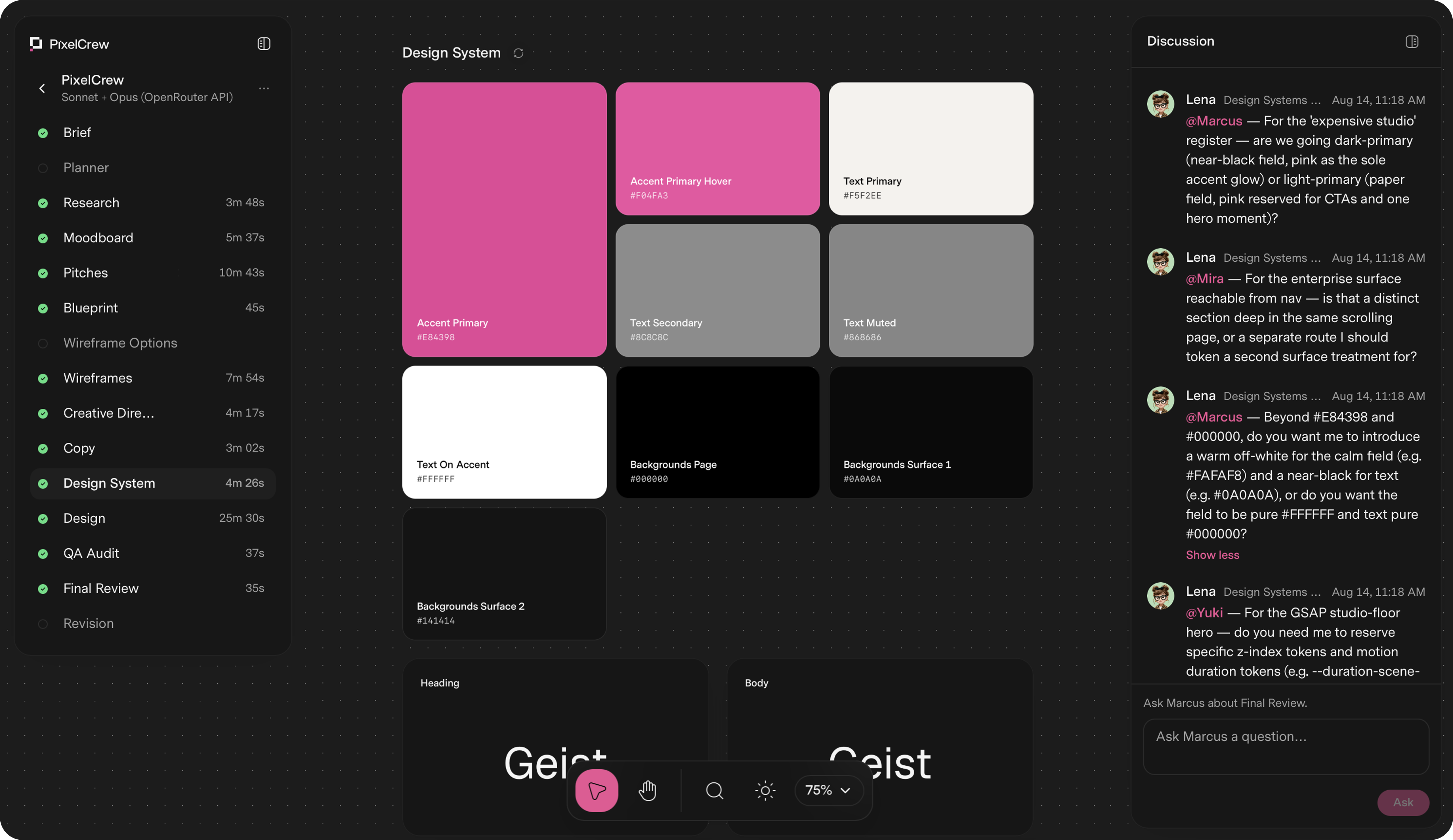
PixelCrew is a design platform built around a crew of specialized AI agents. You write a brief in free text — a landing page, a product dashboard, a design system, or a pitch deck — and the crew coordinates on it to ship production-quality design. Each agent has a named specialization, a defined scope, and a clear handoff, and together they work sequentially and with context, the way a real team does. What comes back is production-ready HTML and Tailwind, a complete design system, and the documentation your engineering team needs to ship or hand to any developer. The average delivery is 25–45 minutes. Most teams face the same trade-off: generic templates that look like everyone else's product, or bespoke design that takes weeks of studio time. PixelCrew's stated bigger picture is an internet where nothing feels generic, because bespoke costs minutes instead of weeks. Instead of prompting a single model for a one-shot page, a structured crew runs structured discovery, makes creative decisions, and builds the deliverable in a defined sequence. That means design decisions are grounded in research rather than assumptions, and every screen and edge case is resolved before anything reaches you. The crew is made up of named specialists. Elena is the Researcher and Strategy agent, and she is the first to run: she reads your brief and executes structured discovery, producing audience personas, a competitive analysis and gap mapping, jobs-to-be-done mapping, and an information architecture recommendation. She hands Marcus a validated research foundation, not assumptions, in the form of a research-brief output file. Marcus is the Director for Art Direction and runs second. He takes Elena's research and makes creative decisions about visual direction, brand language, and layout approach. He writes three distinct visual pitches, selects the strongest, and produces a full creative brief with palette, typography, layout direction, and section-by-section composition guidance, delivered as a creative brief document and moodboard. Mira is the Designer for UX Architecture and runs third. She takes Marcus's creative brief and builds the blueprint: wireframes, user flows, information architecture, and a section-by-section spec, output as wireframes.html, ux-flow.json, and a nav-spec. Every screen and every edge case is resolved, with all states resolved, and the build crew then turns that blueprint into production HTML. Because the handoffs are explicit and each agent works from the previous agent's document, the brief carries context forward instead of being reinterpreted at every step. After Mira, the build crew takes over. Copy and the design system take shape together: the crew writes the copy and assembles the design system — tokens, type scale, color, and components — so that design happens inside the system, not around it. Then every screen goes through a QA audit and a final review pass; issues get flagged, revised, and rechecked before anything reaches you. The documented final outputs include landing-page.html, design-system.json, tokens, components, and docs, alongside the research, creative brief, wireframe, copy, and QA report files generated along the way. PixelCrew's approach is best understood as a pipeline with a visible cast of agents: brief in, deliverable out. The crew runs in sequence, you provide context, the agents coordinate, and you receive production-quality output you can ship or hand to a developer. While it runs, you can watch the agents discuss decisions. The workflow is documented as seven steps: submit your brief, Elena maps the research, Marcus sets creative direction, Mira builds the wireframe, copy and the design system take shape, QA audit and final review, and finally you receive production output. That structure is what separates it from a single prompt-to-page tool: research, art direction, UX architecture, copy, design system, and QA are handled as distinct, connected stages. The benefits follow from that structure. You do not need to know how to prompt a model step by step, and you do not need a template — you describe what you need in free text and the agents read your intent. The outputs are files engineers can use directly, such as landing-page.html, design-system.json, tokens, components, and documentation, so the work can be shipped as-is or handed to any developer. Because research and creative decisions are validated and documented, and because a QA audit and review pass happen before delivery, you receive production-quality design rather than a rough draft. Concrete scenarios where PixelCrew is used come from the demonstration projects produced from written briefs. After Dark is a neighborhood coffee shop site for a business with no marketing team, briefed to feel like the room — dark, warm, unhurried — with menu, hours, and atmosphere shipped as production HTML. Modena Coupé is a luxury automotive landing page in an editorial register with full-bleed photography, serif display type, performance stats, and a request-information flow. MicroProject is a working task manager UI for small teams with list views, a project sidebar, shared lists, and overdue states, built on directly by the team. Geisha Porto is a coffee roastery and jazz listening lounge site with a product catalog including harvest data, a vinyl audio archive, and a rooftop terrace section in a Swiss editorial layout. The site notes that the business names and brands shown are illustrative and are not clients or endorsements. The stated brief types are landing pages, product dashboards, design systems, and pitch decks. PixelCrew is free while in alpha. You bring your own key: you create a key at openrouter.ai, paste it into PixelCrew once, and set your own spend limit. OpenRouter is the recommended path, and Anthropic and Google Gemini keys work too. A typical brief costs a few dollars in model usage, billed by your key provider rather than by PixelCrew, with no subscription, no markup, and no card on file. The alpha plan includes the full agent crew, unlimited briefs during alpha, HTML and Tailwind output, and support for landing pages, dashboards, and design systems. A Pro plan is coming soon with hosted keys, zero setup, no API key required, model costs included in one bill, a priority processing queue, brief history and versioning, and team seats. An Enterprise tier for teams that ship at scale is described with custom agent configuration, your design system baked in, SSO and security review, and invoice billing. PixelCrew's core value proposition is that a written brief becomes a production-quality deliverable in minutes, produced by a crew of specialized agents that research, decide, build, and review in sequence. You get production-ready HTML and Tailwind, a complete design system, and documentation you can hand to any developer, without templates, without a subscription during alpha, and without paying a markup on model usage.
WZRD is an AI workspace built for teams and creators who work with documents, slides, forms and sheets. Its central promise is that these everyday business artifacts should not be static files that people simply read, scroll through or fill in; instead, WZRD turns them into interactive, conversational experiences that talk back. The platform lets a user upload existing work or generate new material from a prompt, and then reshapes that material into an AI experience that end users can engage with directly. WZRD is described as an AI-native workspace that produces AI presentations in minutes, smart form flows, smart sheets with structured generation, and AI-crafted smart documents. In short, it is a single AI workspace where the documents a business already relies on become responsive, voice-enabled assets. Most business communication still runs on static formats. A slide deck is presented once and then sits inert as a file. A form is a passive set of fields that a respondent has to interpret and manually complete. A spreadsheet holds numbers that rarely explain themselves. A document is read, not conversed with. WZRD addresses this gap by making the output conversational and responsive rather than fixed. The problem it targets is the distance between the information a team has produced and the ability of an audience to engage with that information. By converting documents, slides, forms and sheets into AI experiences, WZRD aims to keep the audience involved instead of leaving them as passive readers or viewers. That shift matters for teams and creators who need their work — pitches, reports, intake forms, analyses — to be understood and used, not just delivered. On the presentation side, WZRD generates AI presentations in minutes and brands them as slides that talk back. The idea is to give slides a voice that walks people through the story, so instead of a silent deck the audience is guided through the narrative. Users can drop a file to start or browse their documents, and WZRD will work from existing material rather than requiring everything to be built from scratch. For documents, WZRD produces AI-crafted smart documents — written artifacts that, like the rest of the output, remain conversational and engage every user rather than being one-directional text. Both formats are generated with AI and can originate either from an uploaded file or from a prompt, which means the same workspace can be used to refresh existing content or to create something entirely new. WZRD also covers the data-collection and data-explanation sides of business work. Its forms are described as smart form flows that collect answers by speaking or typing, so a respondent is not limited to typing into fields — they can answer out loud, and the output stays conversational and responsive. Sheets, meanwhile, are smart sheets with structured generation, and they explain numbers out loud. Rather than leaving a reader to interpret a grid of figures, a WZRD sheet can narrate what the numbers mean. These two capabilities extend the same underlying principle — that business artifacts should be able to communicate — into the workflows of gathering information and understanding quantitative results. Voice is a first-class part of the product. The site invites users to tap to talk, and the product is positioned around talking to your business with AI voice agents. That means the experiences WZRD produces are not limited to text on a page: a person can speak to the material and receive a spoken or conversational response. Combined with the description that the output stays conversational and responsive, this points to an approach where the finished artifact behaves more like an interface than a file. Whether the artifact is a form gathering spoken answers, a sheet explaining figures out loud, or slides walking someone through a story, the common thread is a two-way interaction rather than a one-way read. WZRD's overall method is deliberately simple to start. A user begins by answering the question of what they are building today, then either drops a file or clicks to browse their documents. The supported starting formats listed on the site are XLS, CSV, PPT, PDF and DOCS, which means spreadsheets, presentations, PDFs and word-processor documents can all serve as the raw material. From there, the user can generate with AI, producing slides, forms, sheets or docs as needed. Alternatively, material can be created from a prompt without an existing file. The result is then turned into an AI experience that users can engage with — an experience that stays conversational and responsive. This workflow keeps the entry point familiar (upload what you already have) while changing the destination (an interactive AI artifact instead of a static file). The benefit WZRD claims for its users is a more engaged audience and less friction in producing polished business material. AI presentations arrive in minutes rather than requiring hours of manual formatting. Forms gather answers by voice or by typing, which can make responding easier. Sheets articulate their own numbers. Documents engage every user instead of sitting unread. For teams and creators, that combination means the work they publish continues to communicate after it is sent, and the people on the other end have a way to interact with it. The output remaining conversational and responsive is the through-line: the same material that used to be inert now responds. Concrete scenarios follow directly from the four formats. A team preparing a pitch or internal briefing can turn an existing PPT or PDF into slides that talk back, walking the audience through the story rather than leaving them to read the deck alone. A business collecting information can build smart form flows that accept spoken or typed answers, which suits intake, feedback or discovery processes. An analyst or operator can use smart sheets with structured generation so that a spreadsheet explains its numbers out loud instead of requiring the reader to decode them. A writer or team lead can produce AI-crafted smart documents that engage readers conversationally. And because users can upload existing work, all of these scenarios can start from material a team has already created and then be reshaped into an AI experience. WZRD states its audience plainly: it is for teams and creators working with documents, slides, forms and sheets. The site does not detail specific integrations, a public technology stack, or pricing plans, so those remain unspecified here. What is stated about getting started is the supported input formats — XLS, CSV, PPT, PDF and DOCS — along with two creation paths, uploading a file or generating from a prompt. The product was also launched on Product Hunt, which is referenced on the site as a live launch page. WZRD's core value proposition is straightforward: an AI workspace where the documents, slides, forms and sheets a team already works with are regenerated as AI experiences that talk back. By combining generation from a prompt or an uploaded file with voice-enabled, conversational output across four common business formats, WZRD aims to move everyday material from static delivery to responsive engagement.
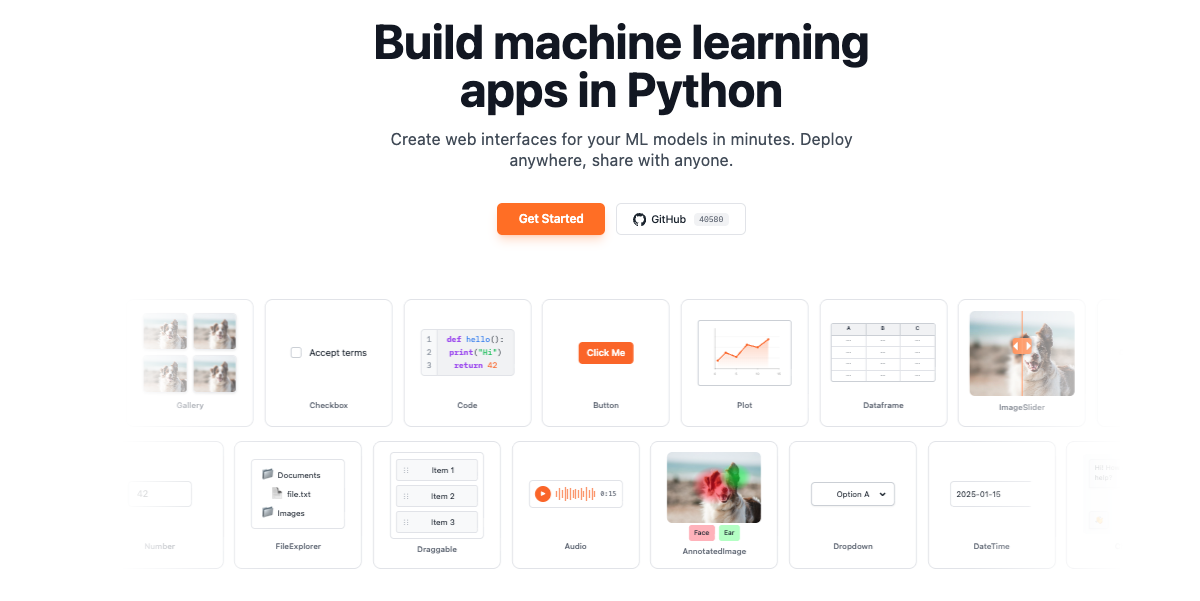
gr.Workflow is a visual, node-based AI pipeline builder built into Gradio. It lets you chain together Hugging Face Spaces, models, datasets, and your own Python functions on a drag-and-drop canvas. The simplest possible Workflow app is a single line of code: gr.Workflow().launch(). You then open the app, drag Spaces, models, and datasets from the sidebar onto the canvas, connect their ports, and hit Run. The guide describes gr.Workflow as already being a complete Gradio app that must be created at the top level and cannot be nested inside a gr.Blocks context. It is designed for people who want to assemble multi-step AI pipelines visually while keeping their own Python code available as callable nodes on the same canvas. Building an AI pipeline has traditionally meant writing glue code to move data between models and services, downloading weights, and rebuilding the entire pipeline whenever a better model appears. Gradio Workflow is presented as a way around that: pipelines are assembled from nodes on a visual canvas, intermediate inputs and outputs can be inspected, and better models can be swapped in without rebuilding the workflow. Because the nodes call hosted Spaces, models, and datasets, nothing has to be downloaded. The finished pipeline is not locked inside a private session either. It can be shared with a URL or run via a REST API, and its topology is stored in a portable workflow.json file that a coding agent can write or edit, which means workflows can also be created programmatically. On the canvas, a workflow is organized into three node collections, which the guide defines precisely. References are the inputs: uploaded files, editable text, and literal values. Operators are the processing steps: Spaces, models, datasets, and Python functions. Subjects are the outputs, the results being created. As you add, remove, or change nodes and edges, a workflow.json file is automatically created next to the Python script that created the Workflow; you can pass graph= if you want to save it somewhere else. That autosave behavior means the canvas and the file stay in sync without manual export. Node geometry is optional too: include x and y on every node to control how the graph is arranged the first time someone opens it, or leave them out and the canvas auto-arranges the layout instead. Your own Python code becomes part of the pipeline through bind=. Functions passed via bind= appear as callable nodes on the canvas, and Gradio inspects the function signature to auto-generate input and output ports. The guide gives the example of a summarize function that takes a string and returns a string; using a dictionary, for example bind={"My Summarizer": summarize}, gives the node an explicit name. Signature inference is intentionally simple. Parameters annotated as int or float become number ports, bool becomes boolean, and strings, unannotated parameters, and other annotations default to text. Gradio initially generates one output port for each bound function, and any media ports or multiple outputs must be defined explicitly in the workflow JSON. Bound functions can also be wired together in code with edges, a list of (from_fn, to_fn) tuples referring to functions in bind=, using fn_name.port_label to target a specific port when a node has multiple inputs or outputs. The guide notes that edges= only connects bound Python functions while generating a new workflow: it cannot create edges to Space, model, or dataset nodes, it is ignored when the workflow file already exists, and the file must be deleted to regenerate the initial topology. Workflows can also be loaded from disk. Passing a graph= path such as graph="workflow.json" loads a saved workflow topology; the canvas reads from that file on each page load and autosaves back to it whenever nodes or edges change, and if the file does not exist yet it is created on the first authorized edit. The guide is explicit that bind= does not automatically add or wire functions into an existing graph: to combine an existing graph with bound functions you either add the functions from the canvas Functions menu, or include an operator with "kind": "fn" whose "fn" value exactly matches a key passed through bind=. Layout remains flexible for viewers: the file's arrangement is only a starting point, each visitor is free to drag and resize cards, that arrangement is saved in the visitor's own browser rather than in the file, and workflow.json is never rewritten with it. Height is measured from the rendered card, and width is the default every viewer starts from, with a writer's resize becoming the new default the next time an edit is saved. Under the hood, the workflow JSON defines a schema_version, a name, the three node collections, and a list of edges that connect node IDs and port IDs with a stated type. Operators come in four kinds. A space node calls a Gradio Space on the Hub via gradio_client, configured with space_id and endpoint. A model node calls a Hugging Face model via InferenceClient, configured with model_id and a supported endpoint such as text_to_image, while pipeline_tag is also stored for discovery and compatibility with older graphs. A dataset node pulls one row from a Hub dataset per run, selected by the row_index input, configured with dataset_id, dataset_config, and dataset_split. An fn node calls a Python function whose fn value matches a key passed via bind=. Ports are typed so the canvas can validate connections, with support for image, audio, video, text, number, boolean, gallery, file, json, model3d, and any; any is a compatibility fallback that can connect to every port type, and file and any usually come from API schema inference rather than being offered as reference or subject templates in the canvas picker. Pipelines can also fan out: one reference can feed multiple operators simultaneously, and when you run the workflow in the interactive canvas, operators at the same dependency depth run in parallel. The guide adds that when the same workflow is invoked through its generated Gradio API, the server currently executes those branches sequentially. The benefits described in the guide follow directly from this design. Because nodes are wired on a canvas rather than buried in code, intermediate inputs and outputs can be inspected while a pipeline runs, which makes multi-step AI systems easier to debug and reason about. Because each operator is a separate node, a better model can be swapped in without rebuilding the workflow. Nothing needs to be downloaded, since the operators call hosted Spaces, models, and datasets. Shipping is flexible: share links and the ordinary local URL are run-only, while launch() also prints a private write-access URL for editing and saving the workflow, which the guide advises keeping private because edits affect the workflow seen by every visitor. Finally, the workflow.json file is both an autosave artifact and a programmable surface, so the same topology can be authored by hand, by a coding agent, or by bind= and edges= declarations in Python. The guide's fan-out example is a concrete, described workflow: a single product photo reference is fed into four FLUX Kontext branches, showing how one input can drive multiple image transforms at once. Text pipelines are demonstrated in the edges example, where a clean function that strips and lowercases text is wired into a tag function that prefixes the processed text. Model nodes such as black-forest-labs/FLUX.1-schnell with the text_to_image endpoint illustrate text-to-image generation inside a workflow, while dataset nodes make it possible to run a pipeline over a specific row of a Hub dataset, controlled by row_index. Because the same app can be shared with a URL or invoked through a generated Gradio API, the guide frames Workflows both as an interactive canvas for building and inspecting a pipeline and as a deployable app that others can run without editing it. The product is aimed at people building AI pipelines in Python: the guide's code samples are Python throughout, and the canvas is an extension of the Gradio app that the function nodes live in. Integrations called out in the content are the Hugging Face ecosystem, including Spaces on the Hub through gradio_client, models through InferenceClient, and Hub datasets, together with your own Python functions and the generated Gradio API. The relevant technology stack therefore includes Python, Gradio itself, gradio_client, InferenceClient, and REST access to the running app. The guide positions gr.Workflow as part of Gradio's Additional Features, sitting alongside the library's other tutorials and guides, and it must be created at the top level as its own app. No pricing or plan details are stated in the material reviewed here. In short, gr.Workflow brings a visual, node-based editing experience to AI pipelines without taking developers out of Python. You drag Spaces, models, datasets, and your own functions onto a canvas, connect typed ports, and run the result as a Gradio app that can be shared with a URL or called through a REST API. The topology is portable in workflow.json, editable by hand or by a coding agent, and free of downloads because the heavy lifting happens on hosted Hugging Face resources. The primary value proposition is straightforward: build, inspect, and iterate on multi-step AI pipelines visually, and swap in better models without rebuilding the workflow.
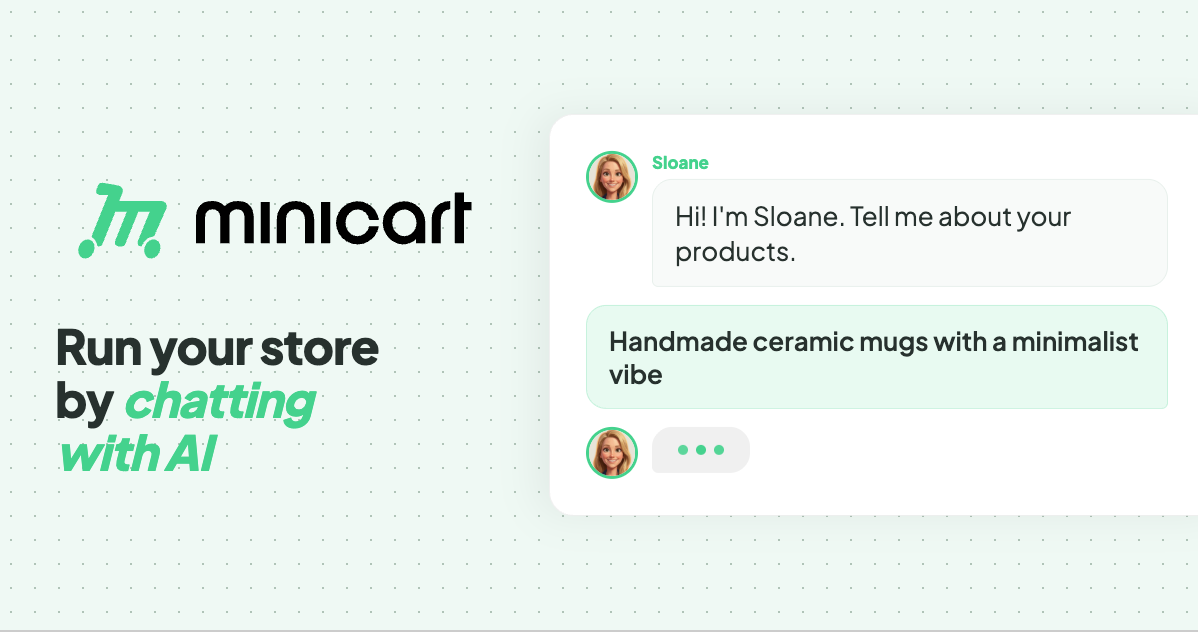
Minicart is a platform that lets makers, creators and resellers launch and run an online store by chatting with AI. Its central promise is simple: take a photo of what you make, answer a few quick questions, and Minicart builds a real website that you own, complete with a polished product listing, a pricing suggestion and a full storefront. From there, a team of AI teammates runs the store day to day. The product is aimed at people who want to sell online without learning ecommerce software — the site puts it as "if you can text, you can run a store." Everything is managed through a simple chat interface, with no code, no design work and nothing to configure, and the site stresses that nothing goes out without your say-so. Traditional ecommerce platforms ask a lot of a first-time seller. Building a store means choosing themes, writing listings, configuring payments, learning dashboards and app stacks, and often paying monthly fees plus listing fees on top. Marketplace sellers face a different problem: their storefront is a booth inside someone else's feed, so the brand, the domain and the customer relationship all belong to the platform. Minicart frames its purpose around both frustrations. The site describes its store as "a store that's actually yours" — your brand, your domain, your customers — rather than "a booth in someone else's marketplace." It also states that there are no listing fees, ever, and that Minicart only charges a small card fee when you actually make a sale, and that it only earns when you earn. The first capability is photo-to-store creation. You snap a picture of what you make and answer a few quick questions, and Minicart turns that photo into a polished product listing — title, description and pricing suggestion — and a full website, automatically. The site says one photo is enough to get started and that a store can be live in under 10 minutes. In the example shown on the page, the assistant takes a single candle photo and reports that it built four product photos from it and launched the store. The workflow is described as three steps: snap a photo, we build your store, then go live and sell. Your own domain and brand come with it, and the page repeats that there are no listing fees, ever. Second, Minicart handles sellers who are already selling elsewhere with one-click imports. You paste your Etsy shop link, your Shopify store link, or your eBay store or seller link, and Minicart pulls in your listings — titles, prices, photos and variations — and rebuilds them on a site you own. The site says a full catalog is imported in minutes, with no exporting, no copy-paste and no re-uploading photos. Crucially, the connection is described as read-only: Minicart states it never touches or pauses your existing store, so you can keep selling on the marketplace while you build. For Etsy users it highlights keeping the shop open and running while finally owning the customer list; for Shopify users it highlights being live in 10 minutes rather than weeks, dropping the monthly fees and app stack, and letting three AI teammates run the busywork; for eBay users it highlights importing listings in minutes while continuing to sell on eBay and owning the customer, not just the sale. Third, and at the heart of the product, are the three AI teammates who work 24/7. Sloane, the storefront teammate, builds your site, takes payments, tracks your sales and keeps your listings current. Milo, the marketing teammate, drafts lifestyle photos, social posts and discount codes that bring people in. Logan, the logistics teammate, ships orders, tracks inventory, handles refunds and drafts your customer replies. The page shows a day in the life: Sloane turning your photos into three products, Milo drafting Instagram posts for those three new products, Logan prepping a shipping label for an order and writing your reply to a customer question, and Sloane processing the day's payments and sending your payout. Each item is marked done or ready, reinforcing that the owner remains in control of everything the team produces. Fourth, everything is operated through chat, including bulk changes. The site describes the interface as "if you can text, you can run a store": you manage inventory, draft social posts and talk to customers by sending plain-language messages. A dedicated bulk editor lets you update everything at once — for example, "increase price of all red necklaces by $5" — and your team lines up the changes, figures out what is affected and shows you a list to review. Nothing changes until you confirm: you can check or uncheck anything you want to skip and then approve. The same pattern applies to inventory updates, such as reporting that you have made five new blue butterfly bracelets and 12 ruby necklaces and confirming the new stock numbers. The site states plainly that you are always in control and nothing goes out without your say-so. Fifth, Minicart emphasizes ownership and economics. The store lives on your own domain under your brand — the FAQ notes it runs on your own Minicart domain, for example yourstore.minicart.com, and that you can connect a custom domain you own. You can bring your own domain or grab a new one, and the store carries your name, colors and style from day one. Your customer list is yours to keep and grow rather than locked inside a marketplace, which the site ties to building repeat customers and a brand you can grow for years. There are no listing fees — list as much as you want — and Minicart says it only charges a small card fee when you actually make a sale. Taken together, the approach is to replace ecommerce software with a chat-driven AI team. Instead of learning a dashboard, you describe what you need in plain language, and the AI teammates figure out what is affected, do the work and present it for your review. Launch can start from a single photo or from an imported catalog, and operations continue as a running dialogue: turn photos into products, draft an Instagram post, create a promo code, prep a shipping label, write a customer reply, process payments and send a payout. The site summarizes this as "see it in action — watch how your simple text commands trigger a complex chain of storefront updates." The stated control model is consistent throughout: the team proposes, you approve. The promised outcomes are speed, control and ownership. Speed: a store live in 10 minutes, a full catalog imported in minutes, and 24/7 AI teammates rather than hiring help. Control: every action is reviewed and confirmed before it goes out, with a checklist you can edit before approving. Ownership: your own website, your own domain, your own brand and your customer emails. The site also stresses economics — no listing fees, ever, and paid plans that lower card rates. Real stores built with Minicart are showcased on the page: Butterfly Boutique, Fame City Card Co, Trammell's What The Flip, Treasured Tees and Things and Diecast Car Culture, described as selling trading cards, sneakers, boutique gifts and more, with owners who launched fast and run their business by chatting with their AI teammates. Concrete scenarios appear throughout the page. A maker photographs what they create and Minicart turns it into a listing and a live store, with one example showing a candle photo producing four product photos. A bracelet maker tells the team to create a 20% summer promo code for all bracelets and gets confirmation that all bracelets are now 20% off with code SUMMER20. A seller asks for an Instagram post for a blue butterfly bracelet. An owner says to increase the price of all red necklaces by $5 and reviews five affected items with their old and new prices. A seller reports new inventory — five blue butterfly bracelets and 12 ruby necklaces — and confirms the updated numbers. And existing marketplace sellers paste an Etsy, Shopify or eBay link and get their catalog rebuilt on a site they own. Minicart is built for makers, creators and resellers — including craft sellers, trading card and sneaker resellers, boutique gift shops and apparel sellers — who want to sell online without learning ecommerce software or managing a booth inside a marketplace. The FAQ emphasizes that no tech or design skills are required, that there is nothing to code, design or configure, and that the AI teammates handle the setup and the day-to-day. On pricing, the site states there is a generous free plan where there are no monthly fees to start selling, that paid plans lower Minicart's card rates, and that no credit card is required to start. A current promotion offers 45% off the Assistant plan plus a free custom domain. Minicart's core value proposition is to let anyone turn what they make into a store they own and then hand the busywork to AI. A photo or an imported catalog becomes a live website in minutes; Sloane, Milo and Logan keep it running around the clock; and every change is confirmed by you before it ships. For sellers tired of marketplace dependence and complicated ecommerce software, Minicart offers a simpler path: take a photo, review your team's work, and keep building your business.