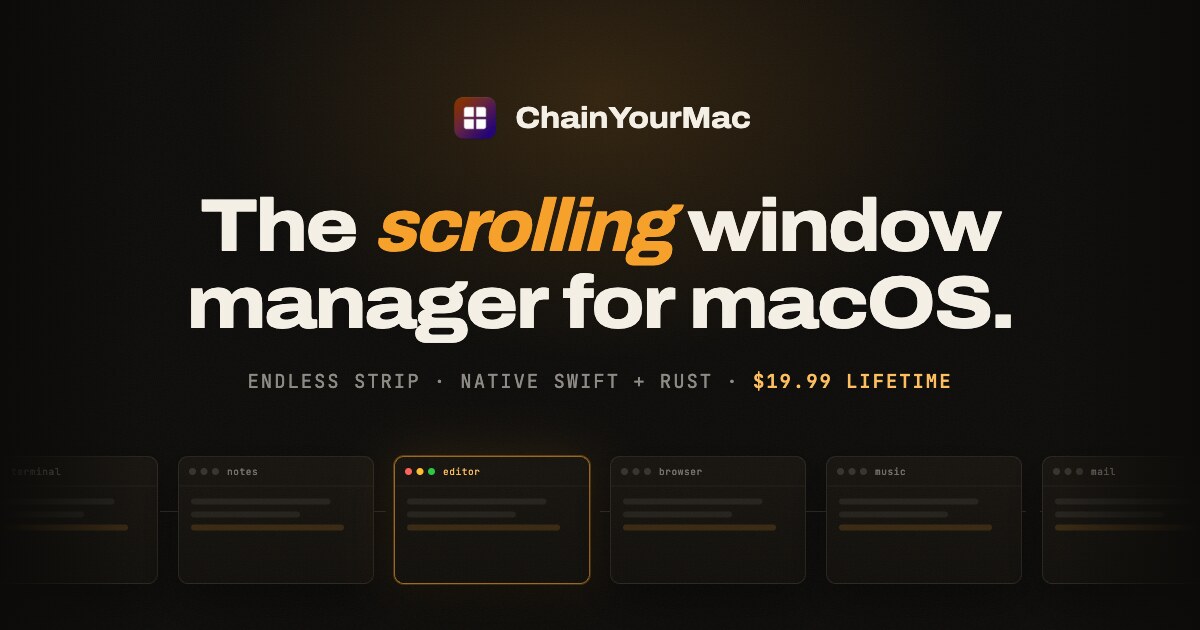
ChainYourMac is a native scrolling window manager for macOS that places every window as a column on a horizontal strip running past the edges of your display, instead of forcing windows into a fixed grid. It is built for Mac users who want the automation of a tiling window manager without the constant shrinking and reflowing of their workspace. New windows open right next to the one you are using, and every existing window keeps the width you gave it.
The problem it addresses is familiar to anyone who has used a grid tiler such as yabai, Amethyst or AeroSpace. Those tools split the screen again every time an app opens, so everything keeps getting smaller. With three windows open, a grid gives each one roughly a third of the screen; ChainYourMac instead makes the strip longer, so each window is still half. Window snappers such as Rectangle and Magnet do not maintain a layout at all, because you invoke them window by window. ChainYourMac maintains a layout without the grid, giving you the automation of a tiling manager with the calm of never having your workspace reflow underneath you. The scrolling model was made beloved on Linux by PaperWM (GNOME) and Niri (Wayland), and ChainYourMac brings the same idea to macOS as a polished native app: a settings window instead of a config file, a trackpad swipe that follows your fingers, and no SIP changes.
The core of the product is the strip itself. When you launch an app, its window slots in right next to the focused one, so nothing overlaps and nothing gets lost behind another window, because every window has its own place on the strip. The strip follows your focus: move focus from the keyboard or swipe the trackpad, and the strip scrolls just far enough to bring the window into view, on a spring animation that starts the moment you press the key. A trackpad swipe with three or four fingers moves the strip one-to-one with your fingers, then settles on the nearest column. Windows keep a width you choose: you can cycle a window through preset widths such as 25, 33, 50, 66 and 75 percent, nudge it wider or narrower, or set full width or centred with a single key each. Gaps between windows and at the screen edges are configurable down to zero, and windows size themselves around the Dock so nothing ends up underneath it.
Stacks and tabbed columns let several windows share one column on the strip. You can stack a window into the column on its left or right, pop it back out, reorder inside the stack, and make any window taller or shorter. When each window in a stack deserves the full height, one shortcut flips the column between stacked and tabbed, turning the stack into tabs. Around the strip, several visual and layout controls are available: an optional focus border around the focused window and optional dimming for everything else, both of which stay off until you want them; centre modes that keep the focused column centred never, only when the strip overflows, or always; a strip minimap that appears while you navigate, shows where you are, then fades out; and drag-to-reorder, where dragging a window onto another column makes the strip rearrange around it.
Multi-monitor and Spaces are handled per display. Every display has its own strip with its own focus and scroll position, windows never spill onto the screen next door, and one shortcut sends the focused window to the next display. Each macOS Space keeps a separate strip layout, so work and chat never get shuffled together. Per-app window rules let you float the apps that should not tile, or give an app a fixed slot on the strip. Session restore brings column order, widths and stacks back after a restart, and the app can launch at login so it begins tiling automatically. Native fullscreen is left alone: put a window into macOS fullscreen and ChainYourMac stays out of its way.
Keyboard shortcuts cover every move, and new installs start with Option-based defaults on Vim keys or the arrows. You can move focus, move the focused window, send it to the next display, cycle width, set full width, centre the column, make a window taller or shorter, equalize heights, stack into the left or right column, pop out to either side, toggle a tabbed column, and float or unfloat. Every shortcut is rebindable, one action can have more than one binding, and the recorder works on AZERTY, QWERTZ and Dvorak layouts. Upgrading from an earlier version keeps your shortcuts exactly as they were, and actions that are new in version 2.0 stay unbound until you assign them. Automation is available through a chainyourmac:// URL scheme, Raycast script commands and a command-line tool, while new versions arrive through Sparkle, the standard Mac updater.
Under the hood, ChainYourMac is a real Mac app: SwiftUI on top, Rust underneath. The window engine is written in Rust and runs as a small background process that sits idle until a window changes or you press a shortcut. Animation is a vsync-locked spring that starts the instant you press the key, and shortcuts are handled by the engine directly, so moving around the strip feels immediate. The app you see is native SwiftUI — a menu bar item and a settings window where every option has a control. There is no Electron, no web view and no config file to learn. It needs one permission, Accessibility, because that is how macOS lets any window manager move windows. Everything happens locally on your Mac; the app does not read your screen contents or send data anywhere. There is no account and no telemetry in the app. If the engine ever stops, the app restarts it, and the engine log shows what happened.
The benefit is a workspace that stays predictable. Instead of your layout reflowing every time an app opens, the strip simply gets longer and each window keeps the size you gave it. Focus changes scroll the strip just far enough to bring the right window into view, and the spring animation starts the moment you press a key, so navigation feels immediate rather than abrupt. Settings apply instantly — change a gap, a width or a key and see it on screen straight away, with no Save button and no restart. Because column order, widths and stacks come back after a restart, and every display and every Space keeps a strip of its own, your work is still where you left it tomorrow.
Concrete workflows show up throughout the app. In a development session you might keep Terminal, Code, a browser and logs side by side as columns; when another tool launches, it opens next to the focused window rather than resizing your editor. When you need to compare documents, you can stack several windows into one column or flip that column into tabs so each window gets the full height, and drag a window onto another column to rearrange the strip around it. At a desk with a MacBook and an external display, each screen keeps an independent strip, and a keystroke sends the focused window to the next display. Keyboard-first users can run the whole day on the Option-based defaults, on Vim keys or the arrows, and rebind anything that does not fit their layout.
ChainYourMac requires macOS 13 Ventura or later and runs on Apple silicon (M1 or newer); Intel Macs are not supported. It is notarized by Apple and signed with a Developer ID, with no kernel extensions, no system modifications and no need to disable SIP, and it asks for the Accessibility permission only. Licensing is a one-time purchase with no subscription and no account: a lifetime license for 1 Mac at a launch price of $9.99, half off the regular $19.99, with free updates forever, plus 3-Mac ($24.99 launch), 5-Mac ($39.99 launch) and 20-Mac ($149.99 launch) lifetime licenses for teams. Checkout is on Gumroad, and you immediately receive a .dmg download and a license key by email. You can move your license to a new Mac whenever you like by deactivating it in the app first, and email support comes from the developer who built it.
ChainYourMac takes the scrolling window model proven by PaperWM and Niri and delivers it as a native Mac app — windows on an endless strip, a trackpad swipe that follows your fingers, stacks and tabbed columns, per-display and per-Space layouts, and no SIP changes. It is, in its own words, about one simple shift: stop rearranging windows, start scrolling.
Publisher
A
admin
Launch Date2026-09-21
Platformdesktop
Pricingpaid
Tech Stack
#SwiftUI#Rust#Sparkle