Category Focus/categories/chatbot
Chatbot AI Tools
Discover and compare the best chatbot AI tools and software. Browse 49+ curated tools with reviews and rankings.
Projects tracked
49
Sort mode
RECENT
Page
1
Discover and compare the best chatbot AI tools and software. Browse 49+ curated tools with reviews and rankings.
Projects tracked
49
Sort mode
RECENT
Page
1
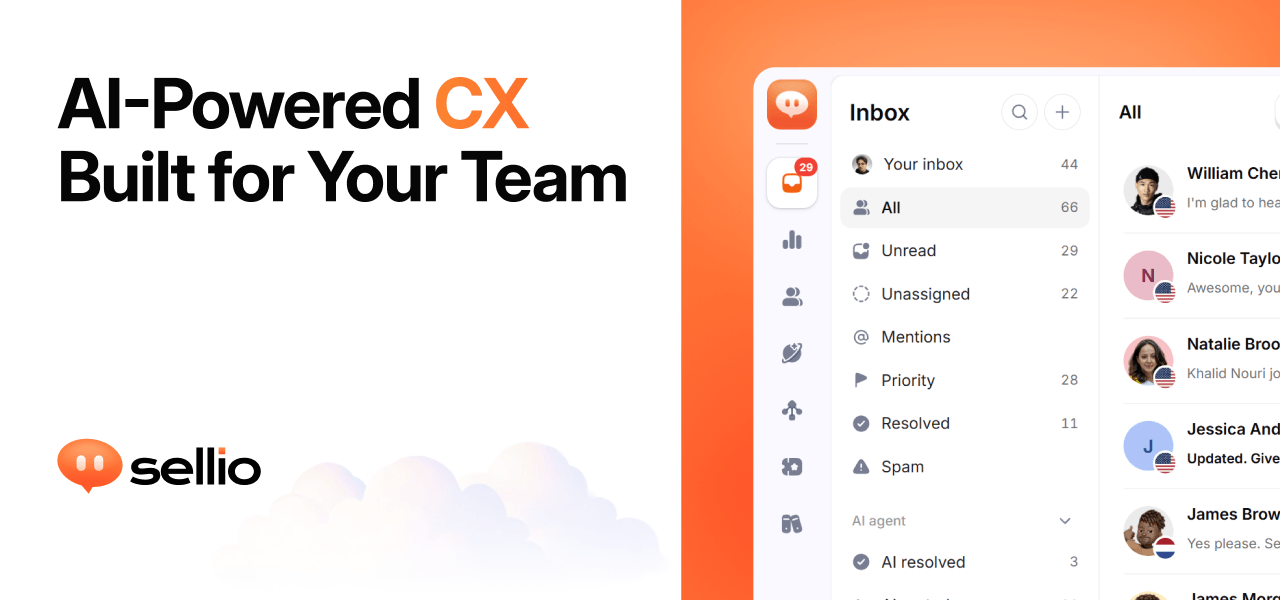
Sellio is an AI customer support platform that puts every customer conversation into one shared inbox. Website chat, WhatsApp, Instagram, Telegram, and email all land in the same place, so a support team works from a single thread rather than switching between tools. On top of the inbox, Sellio adds tickets for work that continues after a chat, an AI agent that can be switched on when a team is ready, and analytics that show how each conversation ended and how it felt. It is aimed at the kinds of teams that answer customers all day: stores and ecommerce businesses, hotels, SaaS companies, local businesses, help desk teams, and agencies. The website describes the product simply as AI customer support in one inbox, with one line added to your site to get started. Support conversations rarely stay in one place. A customer asks something through a website chat widget, follows up on Instagram, sends a complaint by email, and messages on WhatsApp, and each of those threads normally lives in a different tool with its own history. When a conversation is split like that, handoffs lose context, customers repeat themselves, and replies get missed. Sellio frames this as a problem that looks the same in every industry: missed replies look the same whether you run a store, a hotel, or a SaaS product. The shared inbox is the response, one place where every channel lands, every reply and note stays with the thread, and the next step is always clear to whoever picks it up. The core of Sellio is the shared inbox. It is built around clear threads with next steps: every reply, internal note, and handoff stays attached to the same conversation, so anyone on the team can see what was said and what should happen next. Teams work the inbox together rather than forwarding messages around, and because every channel is in one place, an agent does not have to remember which app a customer used. When a conversation turns into work that continues beyond the chat, Sellio lets the team raise a ticket from the thread, assign it, and keep the full history attached, so context survives the move from chat to task. The AI agent is optional and separate from the free chat and inbox. Sellio emphasises that you add it when you decide you are ready: you point the agent at your site, docs, and FAQs so its answers stay grounded in what you actually ship, rather than in whatever a general model happens to know. The agent's first job is the first reply on website chat, which is where many conversations begin. Where the AI cannot finish, it hands off to a person without losing context, so the human sees the same thread the AI saw. The website also highlights staying in control of cost as part of how the agent is positioned, and its FAQ addresses both how the AI learns about your product and whether a person can take over from the AI. Analytics in Sellio are meant to show what to fix next. The product follows every conversation through to how it ended and how it felt, and places automation, resolution, and CX rates beside each other in one funnel, so a team can see performance and customer experience together instead of in separate reports. Topics are drawn from real chats, which surfaces what customers actually ask about rather than what a team assumes they ask about. Sellio also presents response time that improves and CSAT that explains itself as part of the same picture, connecting speed, satisfaction, and outcomes in one view. Getting started is deliberately light. Sellio is installed by adding one line or one script tag to a site, which produces an on-brand chat widget; the site notes that website chat and the shared inbox are free, and that no credit card is required to start. AI is only switched on when a team chooses to switch it on, so a business can run a human support inbox first and layer automation on later. New conversations can be mirrored into Slack, Discord, and Microsoft Teams, so teammates who do not sit in the inbox still see what is happening. The overall approach is staged: inbox and chat first, other channels and AI as the team needs them. The stated benefit is fewer missed replies. Because every channel lands in one inbox and every thread keeps its history, handoffs happen without losing context and customers do not have to repeat themselves. Teams get a clear next step on each conversation, an AI agent that answers from their own documentation, and a funnel that shows how conversations ended and how customers felt. Cost stays controllable: the free plan covers web chat and the shared inbox with no trial clock and no credit card, and paid plans are only needed for more seats, channels, AI agents, and AI credits. Sellio lists the industries and situations it fits. Ecommerce teams can run live chat on Shopify in the same inbox as WhatsApp, Instagram, and email. Hospitality businesses such as hotels can put WhatsApp, Instagram, and website chat in one inbox for front desk and operations. SaaS companies can start with website chat and place every other channel beside it for the whole team. Local businesses can add a live chat bubble to their site along with the channels their neighbourhood already uses. Help desk teams can raise work from a conversation, assign it, and keep the full history, and agencies can run a shared inbox that several people assign, note, and resolve together. On channels and integrations, the website says website chat, WhatsApp, Instagram, Telegram, and email land in one inbox, while Slack, Discord, and Microsoft Teams can mirror new conversations for the team. Logos shown on the page include Stripe, ClickUp, Zoom, Salesforce, Discord, Telegram, Trello, GitLab, WhatsApp, Messenger, Jira, Linear, Shopify, Notion, Microsoft Teams, Zapier, Instagram, Asana, Slack, HubSpot, and GitHub, with the note that six integrations are available now and the rest are on the way. Pricing is straightforward: website chat and the shared inbox are free, while email and messaging channels start on Mini. The Free plan includes two seats, one channel, and one API key, with one AI agent and five AI conversations, and nothing expires; more seats, channels, AI agents, and AI credits come from the paid plans. Sellio's proposition is that support does not have to be scattered or complicated to set up. One inbox holds the conversations, one script tag puts chat on the site, tickets carry work forward, an optional AI agent answers from your own docs and hands off when a person is needed, and analytics show what happened and how it felt. Teams can start on the free plan without a credit card and stay there, adding channels, agents, and AI credits only when the workload grows.
Chat.sh is a help center that answers the question instead of handing back a list of titles. You type your question in your own words, and the AI search reads it, retrieves the relevant passages, writes the answer, and shows the pages it used. It is built for teams that need a public help center for their product and want it served on their own domain — either as a custom domain such as help.yoursite.com, or in a folder on the site they already run, such as yoursite.com/help. The product exists because its maker was a longtime Intercom customer until Intercom's help center search broke. The fix did not come fast enough, so he built his own. The frustration he describes is familiar to anyone who has run support documentation: most help centers give you a subdomain, a keyword search, and a monthly bill, and the old stack hands every team the same URLs, the same search, and the same page with a different logo on it. When a keyword index is handed the word "domain", it returns five titles that all contain that word rather than the one page that answers the question. Chat.sh is a deliberate response to that fixed format. The centrepiece is search that reads the question. A model retrieves the relevant passages from the knowledge base and writes an answer, then displays the pages it used, so the reader can verify where the answer came from. Answers come from published articles only, which keeps the output grounded in documentation the team has actually written and approved. The result is closer to a colleague answering than a search box listing: instead of a list of titles the reader must open one by one, they get the answer directly, with its sources attached. Underneath sits one knowledge base that feeds three ways of answering. Content goes in once as articles, web links, files, or TXT and markdown, and the help center, the messenger, and the markdown you hand to an AI assistant all come from that same source. The help center is a public site that answers rather than handing back a list of titles, reachable at yoursite.com/help, help.yoursite.com, or your-team.chat.sh. The chat messenger, shipping next, puts the same answers in a widget on your app so a stuck customer never has to leave the page they are stuck on; each AI reply in it uses one credit from the monthly allowance. The AI agent side lets you copy any page as markdown, view it as plain text, open it directly in ChatGPT or Claude to ask questions about it, or copy every published article at once for pasting into AI tools, and an agent can also start from llms.txt. Presentation is treated as part of the product. You can name a folder — /guide, /help, or whatever you call it — and the help center is served from there on the domain you already run, keeping the same domain and the same analytics with no subdomain to explain. If you prefer, you can point a domain you own at the help center instead. Article addresses are written for people: there is no numeric id wedged into the path, and the slug is the title and is yours to change. Each page draws its own preview card, so a link dropped in Slack arrives as the article rather than as your logo, and theming lets you pick the accent and the mark. Every page follows that choice and stays readable, because the colour is darkened until it is. Put together, the product's approach is to treat support content as a single source that is published to several surfaces rather than as a website bolted onto a subscription tool. You maintain one knowledge base; Chat.sh answers from it in a help center on your own domain or in a folder on your existing site, will answer from it inside an app widget, and exports it as markdown for assistants such as ChatGPT and Claude. Nothing is duplicated per channel, and the answer always cites the pages it drew on. The benefits follow from those choices. Readers get answers instead of search results, with the sources shown so they can check them. The help center lives on a domain the team already owns, so it inherits existing analytics and needs no new subdomain to explain to anyone. Documentation becomes usable inside AI tools through markdown export and llms.txt. And commercially, the product is bought once rather than rented: your own domain is $399 once, never a subscription, and the price rises by $100 each time a new capability ships, so buying early costs the least. Concrete uses follow the same shape. A team that wants docs at yoursite.com/guide names the folder and publishes there, keeping the help center alongside the rest of the site. A team that prefers a dedicated address points a custom domain at it. A support lead drops an article link into Slack and the preview card carries the article itself. A developer copies a page as markdown and opens it in ChatGPT or Claude to ask follow-up questions, or copies the whole help center into an AI tool. Live examples cited in the content are testimonial.to/guide and chat.sh/help. Chat.sh is free for 50 pages and 100 AI answers a month with no card required. Every price tier includes the help center, 1,000 pages and 1,000 AI credits a month per workspace; one credit is one answer, here or in the messenger, and when the month's credits are gone, 1,000 more cost $20 as a one-time purchase. Page counting is defined rather than vague: a link counts as one page for every 2,500 characters of its text, an article you write counts as one page, and a PDF counts as one page per page of the file. The lifetime deal adds your own domain, bigger ceilings, and your agents. The chat messenger is shipping next and the inbox is shipping after it; the inbox lets teammates take over a conversation, with three people per workspace and each person after that at $10 a month, and human replies do not use AI credits. Launch-day buyers get $200 off any lifetime deal with the code PHLAUNCH, taking $399 to $199 and $799 to $599, until October 2 at 12 AM PT. Chat.sh's value proposition is narrow and clear: a help center whose search answers the question and cites its sources, hosted on your own domain or in a folder on the site you already run, with the same knowledge base exported as markdown for AI assistants — and paid for once rather than every month.
Yedric.ai is an embeddable AI agent that turns a SaaS application into an AI-native product. Rather than adding a chatbot that only answers questions and points users at a help document, Yedric lets users describe what they want in plain language and then carries the request through to completion using the product's own documentation, APIs, and existing tools. It is aimed at SaaS and Shopify app developers who want their users to control the product conversationally, and at the end users themselves, who should not have to learn where every feature lives. According to the Product Hunt listing, developers can make an existing product AI-native in under 30 minutes instead of building and maintaining their own agent experience. The problem Yedric addresses is a familiar one in software: features exist, but users cannot find them or do not know how to combine them. Most AI chat widgets stop at answering a question, which leaves the user to read a guide and perform the steps themselves. Yedric is built on tool calling instead. The product's own team decides which actions the assistant is allowed to take, and the assistant takes them rather than describing them. The site frames this as turning intent into action: users ask for outcomes, and Yedric gets them there. That difference matters because support conversations and onboarding flows often fail not when the answer is missing, but when the user still has to act on it themselves after the answer arrives. The core capability is action, not conversation. Yedric connects to a product's APIs so it can execute real operations inside the application. A demonstration on the site shows a user asking Yedric to create a 20% discount for customers who bought a product in the last 30 days. Yedric reports that it is finding those customers and creating the code, then shows the results: 214 matching customers found and a discount code named SAVE20 created. From that result the user can continue the same conversation, for example by asking Yedric to notify those customers or to extend the offer to 60 days. This illustrates the pattern Yedric is designed around: a natural-language request is resolved into a sequence of concrete actions inside the app, and the user stays in control of what happens next. Yedric is supplied with the product knowledge it needs to understand the application. The site states that you can give Yedric documentation, PDFs, files, and URLs so it knows how the app works. On top of that knowledge, the assistant is context-aware page by page: it understands where users are and what they are doing. The examples given are a user on the new-order screen asking to create a draft order, a user on the products screen asking for a bulk price update, and a user on the billing settings screen asking why they were charged. Matching the assistant's understanding to the page the user is already on means the request does not have to be re-explained and the executed action is relevant to the screen in front of them. Because Yedric can take real actions in a production app, the platform includes several safeguards. The site describes secure-by-default authentication through JWT, API keys, signed sessions, and Shopify-specific flows, and states that secure mode binds sessions to users so no credentials leak to the client. Observability is built in as well: teams can see what users ask, what Yedric does, and where things go wrong. On the model side, Yedric supports bringing your own API keys for OpenAI, Anthropic, Gemini, and any compatible model, with providers paid directly and no platform markup. Together these pieces are intended to make it safe to allow an assistant to operate inside a live application while still giving the owning team visibility and control. The overall method is summarised by the site as intent in, action out. You connect Yedric to your APIs so it can act rather than only explain how. The illustrated flow shows a user asking Yedric to set up a birthday discount, which the assistant resolves into a chain of tool calls: create a discount code, tag the customer's birthday, and trigger a flow through MCP, in this case klaviyo.trigger_flow. This shows how a single sentence can be mapped onto several capabilities the product already has, including third-party tools exposed through MCP. The knowledge sources, the page context, and the permitted tools all feed into that resolution, so the assistant works with your docs, your APIs, and your app's own tools. The site presents two main outcome areas. The first is onboarding: teams using Yedric see users complete setup instead of abandoning it halfway, without support tickets or lost activations. A dashboard figure shown on the page reports 2,430 conversations in a month, up 66% versus the prior month. The second is support: Yedric answers the question and, if there is an action to take, performs it, giving users a 24/7 guru without having to read a guide and do it themselves. The page reports 281 hours 52 minutes saved for a team, with the figure trending from 3 hours in a prior month. Beneath both outcomes is the idea stated in the page headline: better UX for users, better products for you. Concrete use cases appear throughout the site as example user requests. Users have asked Yedric to put something into a spreadsheet, to fix a disconnected integration, to recommend the best billing plan for their usage, to turn off email notifications, to check whether all products are configured correctly, and to change a logo color to a specific hex value. In each case the request is an outcome rather than a navigation instruction. The page-context examples add more: creating a draft order from the new-order screen, performing bulk price updates from the products screen, and answering billing questions from the billing settings screen. The Shopify discount example shows a longer workflow that includes finding matching customers, generating a code, and optionally notifying those customers or extending the offer. Yedric targets SaaS and app developers, particularly those building on Shopify. The site displays logos of Shopify apps already using it: MESA, Infinite Options, Smile, Tracktor, and Uploadery. Integration points described in the content include your APIs and your app's own tools, MCP for third-party flows such as Klaviyo, documentation, PDFs, files and URLs as knowledge sources, and the model providers OpenAI, Anthropic, and Gemini through your own API keys. Security integrations include JWT, API keys, signed sessions, and Shopify-specific flows. Pricing is stated simply on the site: 100% free, with no credit card required to get started. Yedric.ai's value proposition is that it converts a product's existing capabilities into something a user can simply ask for. By combining tool calling against your APIs with your own documentation, page-level context, secure session handling, observability, and bring-your-own-model keys, it lets an app take real actions from a natural-language request instead of stopping at an explanation. For development teams, that means an AI-native experience can be added to an existing product quickly rather than built and maintained from scratch, while users get an assistant that understands what they want and helps them get it done.
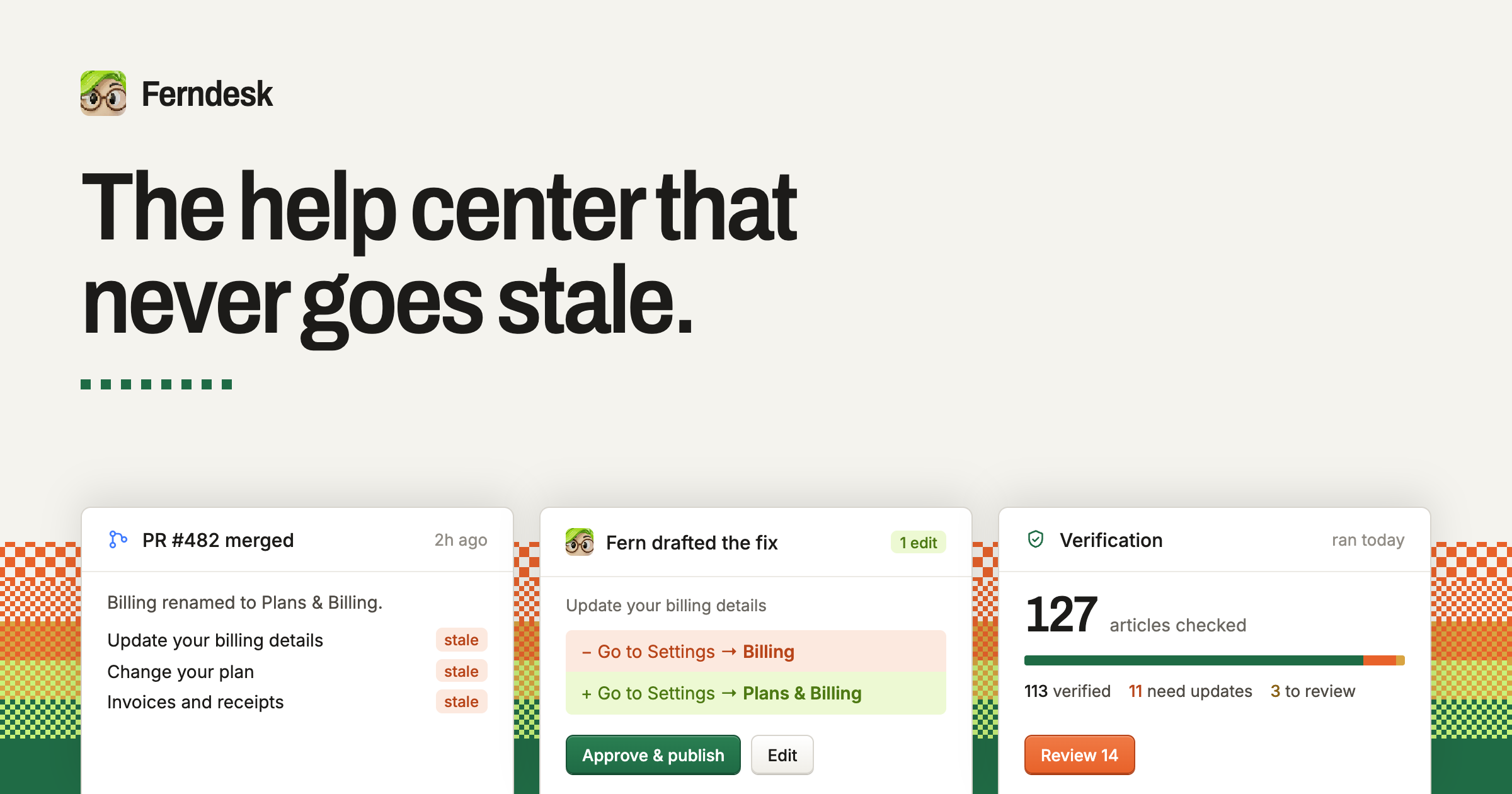
Ferndesk is a complete help center built around an agent named Fern that checks every article against your product, catches what changed, and drafts the fixes for you. It is a single place for a public help portal, AI answers, an in-app widget, API documentation, private docs, translations and analytics. The purpose stated on the site is to keep help content accurate while a team keeps shipping, and to give customers everything they need to help themselves so fewer of them need support. Docs can also be managed from Claude Code, Cursor or ChatGPT. Ferndesk exists because documentation goes stale the moment a team keeps shipping. The site describes the situation plainly: this month you changed a default, and yet your docs were last updated three months ago. It lists the everyday changes that quietly invalidate help content — renaming a plan, killing a feature, moving the export button, adding a plan, changing the pricing page, breaking a link, shipping a new flow, renaming a button, changing a setting — and points out that it is not the team's fault, because keeping docs true while shipping every week is tough. Customers echo the same pain: Brennan Dunn, Founder of RightMessage, says that before Ferndesk the process for updating documentation was basically hoping they would remember to do it, while Tristan Roth, Founder of ISMS Copilot, says his team ships features every week and that updating docs is hell. Fed, Founder of GummySearch, notes that he used to write articles once and they went stale right from day one, and Laura Elizabeth of Client Portal says writing documentation was something she never did and it showed in her help docs. Ferndesk's process is presented in three steps. The first is to connect your tools: your codebase, your live product and your support inbox. The site says this takes ten minutes, after which Fern can see what your customers see. Named integrations shown on the homepage include GitHub, Intercom, Linear, Zendesk, Slack, Help Scout and Discord, alongside an example live product such as app.acme.com. The second step is verification: Fern checks every article, and each claim is checked against the code and the product. Anything that is wrong comes back as a change you can approve, together with the reason it was flagged. The homepage illustrates this with a claim marked as no longer true — an article telling readers to update billing details at Settings → Billing when the product now uses Settings → Plans & Billing — presented as a proposed edit with Review and Approve & publish actions. The third step is that new releases document themselves. When a pull request merges, Fern writes the article before the release goes out. The example shown is PR #530, 'Add image editing to Fern', after which Fern drafted documentation for a new capability, 'Editing images in articles', marked NEW, plus an UPDATED article about automating screenshots in your docs. The four capabilities highlighted at the top of the site are verification, the help center itself, automatic updates and AI conversations. Beyond maintaining articles, Ferndesk is a full help center that a team can run, described as built to bring tickets down. The public help center can live on your own domain or at /help, is fast and searchable, and is indexed by Google and by AI search engines. AI conversations let customers ask in plain language and receive answers drawn from your verified docs rather than a guess. The in-app widget requires a single script tag and puts search, articles and AI chat inside your product, exactly where people get stuck. When the widget cannot answer a question, escalation hands the conversation off to Intercom, Zendesk or Help Scout, so customers still reach a human channel. The remaining help center capabilities cover technical and internal documentation. API documentation provides an OpenAPI reference with a try-it playground sitting next to your customer docs. Private docs can be protected with magic link, OIDC or JWT, and are intended for customers, partners or your own team — an internal knowledge base use case. Translations provide a multilingual help center with a glossary and language-prefixed routes; Metricool, for example, has seven languages live on Ferndesk. Analytics reports searches, missed searches, failed answers and feedback, so you can see what to write next. The site also describes a compounding benefit it calls smarter AI: the docs Fern keeps current are the same docs your support AI trains on, which is how Metricool uses Ferndesk to train its AI support agents. The unique approach is the combination of verification, drafting and human approval. Rather than asking a team to remember to update documentation, Ferndesk reads the codebase, the live product and the support inbox, checks every claim in every article, and returns a concrete change with the reason it is needed. Nothing publishes without you: you review and approve, and Ferndesk publishes from then on. The site frames the shift as moving from hoping your docs are right to knowing they are right, and describes the workflow as connecting your tools, letting Fern check every article against what your product actually does, fixing what is wrong, and writing the docs for what ships next. Migration is another explicit part of the product. The site argues that the migration teams keep putting off takes ten minutes, because moving help centers normally means broken links, lost rankings and a week of copy-paste. Ferndesk says it brings every article, image and URL over intact, with one click, every URL preserved and redirects created. Importantly, your support tool does not have to change: your inbox, chat and ticketing stay where they are, and Ferndesk keeps reading tickets from it. Imports are listed from Intercom, Zendesk, Crisp, Help Scout, HubSpot, GitBook, Document360 and every other help center. One customer, Juan, Founder of Duplika, describes migrating from Zendesk Guide as feeling like an upgrade — faster, with no paid add-ons, and the knowledge base living at a subfolder of their domain. The outcomes customers report are concrete. Founders say they save 20 hours a month on docs; Tristan Roth of ISMS Copilot says he does in five minutes what used to take an hour and that Ferndesk makes it easy to ship more and scale. Laura Elizabeth of Client Portal says her support requests have dropped significantly, and that simply being able to see what customers search for and cannot find answers to was huge on its own. SEO Gets reports a measurable drop in churn within three months of launch and even organic clicks to queries they did not expect to rank for. Metricool's Chief Customer Officer, Jose Julio, says they would be miles away from getting this into a working product, after having scoped a custom build on the Crisp API. The site summarises the impact for founders who used to dread updating docs: they now ship features every week while Fern keeps every help article accurate. Typical scenarios described on the site include a team shipping a weekly release and needing the help article to exist before the release goes out; a founder renaming a plan or changing a setting and needing every affected article corrected; a support team that wants customers to answer their own questions through search, articles and AI chat before opening a ticket; a company moving off an existing help center such as Zendesk Guide, Intercom or GitBook without losing URLs or rankings; a company serving customers in several languages from one knowledge base; and a product team publishing an OpenAPI reference and private or internal documentation alongside its public docs. In each case, the same verified article set serves the portal, the widget, the AI answers and the support AI. Ferndesk states that it is trusted by more than 100 software teams, and the customers named include Metricool, Zeffy, Andri, PixelFlow, SEO Gets, RightMessage, ISMS Copilot, GummySearch, Client Portal and Duplika — largely SaaS founders, customer success and support leaders, and documentation owners. The site also lists a set of pre-switch questions it answers, covering whether Fern can maintain docs where they already live (no — Ferndesk verifies and updates articles that live in Ferndesk, while your support tool stays where it is and Fern keeps reading tickets from it), what verified means, how often verification runs, what happens if Fern gets something wrong, whether URLs break on import, codebase safety, working without GitHub, custom domains, free trials and what happens if you leave. The signup flow offers a 7-day free trial with no card required. In short, Ferndesk pairs a complete, self-service help center with an agent that keeps it honest. Import your existing content, connect your codebase, product and support inbox, and from then on every article is checked, every fix is drafted, and nothing publishes without your approval — a help center that does not go stale, and support teams that answer fewer repetitive questions.
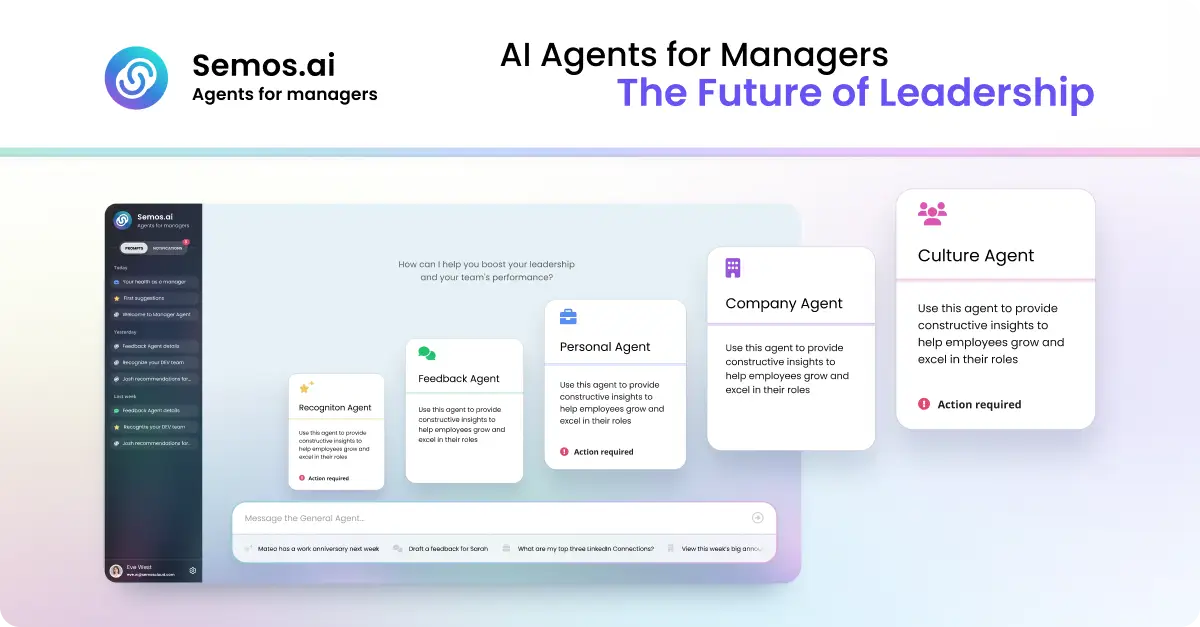
Semos.ai Manager Agents are AI agents purpose-built for managers. Described as your key to 10x leadership impact, the product builds context from your meetings and backs it with behavioral science, so you can handle difficult conversations, develop your people, and grow as a leader. It is aimed squarely at people managers rather than at HR departments or general users: the job it takes on is the daily work of leading a team. Instead of waiting passively for a question, the agents learn from the meetings you have and then point you to what needs your attention next — the feedback that is overdue, the recognition you missed, the conflict you are avoiding, and the growth talk that keeps slipping. You can ask questions in plain language or start from quick prompts such as Recognize someone, Give feedback, Help me prepare for 1-on-1s, Check team engagement, and Review PTO balance. The problem the product sets out to solve is described concretely on the site: notes from six different 1:1s scattered across three places, and a review due Friday you haven't opened. Managing people generates a continuous stream of context, and the moments that matter most — a difficult conversation, a piece of specific recognition, a career conversation — are the ones most easily postponed until it is too late to handle them well. Manager Agents are designed to surface those moments before you think to ask. The site frames the value in terms of access: the support that used to sit behind a budget line, such as an HR business partner, an executive coach, or management training, is now available directly to the manager, including at 10pm before a conversation you have been dreading. Manager Agents are organised as a set of named agents, each covering a different part of the manager's job. The Meeting Agent is described as the foundation: it builds context from every meeting you have and feeds that context to every other agent, which is what allows the rest of the system to know what has actually been happening with your team. The Feedback Agent covers difficult conversations, helping you say the hard thing clearly before it's too late to say it well. The Recognition Agent helps you give recognition that is specific, timely, and fair — the three qualities the site highlights as what makes recognition land rather than feel generic. The HRBP Agent addresses people challenges by structuring the conversation and the documentation before you have it, so that you walk into a sensitive discussion with a shape and a record rather than improvising. The Culture Agent focuses on team health, surfacing shifts in sentiment and participation before they show up in a survey — an early-warning view of how the team is doing. The Career Agent supports career conversations and growth plans for your team, helping managers hold the development conversations that otherwise slip quarter after quarter. The Company Agent provides sector awareness, keeping you current on what's happening in your market in minutes a week. The site notes that more agents are available in Enterprise mode. The product's workflow is described in four steps. The first is proactive: Manager Agents don't wait for you to ask. A missed recognition, a quiet direct report, or a hard conversation coming up is surfaced before you think to ask about it. The second is draft: instead of leaving you staring at a blank box, the agents give you a start — a message, a talking point, a structure for the conversation — grounded in what's actually been happening on your team. The third is send, or built for action: the output is concrete, whether that is a message, a plan, or a next step, designed to be acted on right away rather than filed away. The fourth is learn: every suggestion comes with the reason behind it, so that over time the judgment becomes yours and you start seeing the pattern yourself. Underpinning all of this is what the site calls the science behind the product — proven, precise, verified. Every output draws on real behavioral science: Stanford's 4Is feedback framework, Big Five personality traits, and Hofstede's cultural dimensions. The stated intent is to use frameworks built for how people actually change, not just what sounds right. The unique approach compared with generic AI is continuity of context. As the site puts it, generic AI starts from zero every time: no memory of your team, no sense of your history with them, so you have to explain the whole situation before you get an answer, and the answer is the same one anyone else would get. Manager Agents carry your context forward, drawing from the same pool of meetings, team, and patterns, so every conversation adds to what they know about how you lead and the guidance gets sharper over time. The benefits are stated with specific figures. According to the site, managers capture three times more recognition, feedback, and coaching moments each week. 85% of feedback recipients say guidance is clearer and more actionable. And there is an average improvement of 23% in engagement scores during the first week. Beyond the numbers, the positioning is that Manager Agents don't just help you lead — they make you great at it — and that the judgment behind each suggestion gradually transfers to the manager. Compared with alternatives listed on the page, an HRBP is bundled into overhead at roughly one per 200 people and available only in business hours across dozens of managers; an executive coach costs $300 to $500 per session and is scheduled weeks apart; management training costs $2,000 to $8,000 as a one-off week. Semos.ai is described as self-serve and monthly, available whenever you need it, and built for you rather than for HR — getting sharper over time. The examples on the site show how managers actually use the product. One manager asks for help preparing for their first underperformance conversation tomorrow. Another asks the system to turn notes from the last quarter into a review for a team member named Marcus. A third asks who on the team hasn't been recognized in the last month, while another asks for help planning a development conversation for someone ready for more. Other examples include drafting feedback for someone who's been missing deadlines, writing a message recognizing the work someone put in this sprint, structuring a conversation about a conflict between two people on the team, asking what's changed in the sector this week that the team should know, checking whether anyone has gone quiet in the last few 1:1s, figuring out how to bring up a promotion case with one's own manager, and asking, after someone hands in their notice, what was missed. There is also a prompt for working out what to do next when a 1:1 didn't go how you wanted. The target user is the people manager — the individual responsible for running 1:1s, giving feedback, recognizing work, and developing a team. The product is accessed on the web: the site directs visitors to Get started or Try it yourself at app.semos.ai/auth/login, and the marketing pages invite visitors to join the waitlist. On cost, the comparison table lists Semos.ai as self-serve and monthly, distinguishing it from the bundled overhead of an HRBP, the per-session pricing of an executive coach, and the one-off cost of management training. The Product Hunt listing categorises the product under Meetings, Artificial Intelligence, and Human Resources. Taken together, Manager Agents position themselves as a manager's own support system: a set of AI agents that carry your context forward, surface what needs your attention, draft something concrete to act on, and explain the reasoning so the judgment becomes yours. The promise is straightforward — lead smarter, handle the hard conversations well, and get measurably better at leading your people.
ReadyHermes is a hosted platform for the open-source Hermes Agent by Nous Research, offering an AI that remembers, learns skills, schedules tasks, and connects to apps.What it does: ReadyHermes provides a private, always-on AI agent that runs on a dedicated Linux machine, featuring long-term memory, reusable skill automation, built-in web search, and real browser interaction for complex workflows. Chat from Telegram, WhatsApp, Discord, WeChat, Feishu/Lark or the browser.Pricing: 30-minute free trial with no card required. Lite is $5/month and Pro is $10/month.
Microsoft Copilot is an AI assistant built for work. According to Microsoft, Copilot connects with your work content and the apps you already use, bringing together the latest AI models to help you create finished work, not just answers. It is described as a place to think, create, and move work forward, and it is offered in versions for individuals, business, and enterprise. Microsoft frames the new Copilot as connecting the tools people rely on with the next generation of capabilities they will need to build, customize, and scale AI across work. Rather than functioning as a standalone chatbot, Copilot is positioned as an assistant that lives inside the everyday tools of a working day, including Word, Excel, PowerPoint, Outlook, and Teams, while also appearing as its own app across desktop, mobile, and web. Much of the friction in modern work comes from moving between tools and from AI experiences that answer questions without producing anything usable. Microsoft's framing of the problem is direct: people want finished work, not just answers. Copilot is presented as a response to that gap, connecting the tools people rely on with the next generation of capabilities they need to build, customize, and scale AI across work. Because Copilot is grounded in work content and lives in the apps where work already happens, it aims to shorten the distance between asking for help and getting a completed artifact. The introduction of Work IQ, alongside the ability to hand off multi-step work to Cowork, signals a shift from simple question answering toward AI that participates in real workflows. The new Copilot app introduces Home as your starting point, bringing Chat and Cowork together in one place. From Home you can review recent activity, discover suggested actions, pick up where you left off, or start something new. Chat is described as the place for answers grounded in your work, while Cowork lets you hand off complex, multi-step work across your apps, data, and workflows. This combination is useful because it separates two very different modes of working with AI: quick, grounded questions that need a reliable answer, and longer tasks that span multiple steps and multiple tools. Keeping both in one Home view means users do not have to decide in advance which mode they need. Microsoft notes that Home view is available in Microsoft Frontier. Copilot extends beyond conversation into building and background execution. Copilot Code is described as requiring no coding experience: you describe the dashboard, tracker, or app you want, and Copilot builds it with the power of code. Copilot Code is available in Microsoft Frontier. Copilot Autopilot is positioned as an always-on personal agent with its own identity, memory, and access to tools. It is cloud-hosted and keeps work moving in the background, using Microsoft 365 and Work IQ to take action within the guardrails you and your organization set. Autopilot is available in Private Preview. Together, these features show how Copilot is meant to move from answering prompts to producing working artifacts and carrying out ongoing work. Copilot is integrated into Word, Excel, PowerPoint, Outlook, and Teams, the apps where work already happens, so assistance appears in context rather than in a separate destination. Work IQ grounds Copilot in your company, your team's roles, and the context behind your projects, which is what makes responses relevant to a specific organization rather than generic. Copilot also brings together leading AI models with Work IQ so users can benefit from the distinct strengths of each in a single experience, instead of managing multiple AI tools separately. Auto addresses model choice: it weighs accuracy, speed, and cost for each request to help determine the right model and effort for the task at hand. Microsoft says that looking ahead, Copilot will also help orchestrate work across Chat, Cowork, and Code. You can build your own agents with Copilot. Agent Builder lets you turn your expertise into personalized, work-grounded agents in minutes using natural language, and you can extend and manage those agents with Copilot Studio when you are ready to scale. This matters because it gives teams a way to capture specialized knowledge and repeatable processes without deep technical work. Copilot is also described as one Copilot across your devices: you can work with it across desktop, mobile, and web using voice, keyboard, or pen. Security is a core theme as well. Copilot is designed to be secure and private, built on the trusted Microsoft 365 foundation your organization already uses. Enterprise-grade controls protect your data, people, and business, while keeping work and personal accounts separate. The stated benefit of Copilot is that it helps you create finished work, not just answers. Because it connects with your work content and the apps you already use, it can operate with the context of your company, your team's roles, and the background of your projects. Agent Builder lets individuals and teams turn expertise into reusable agents in minutes, and Copilot Studio provides a path to scale those agents when needed. Auto removes the burden of choosing a model by weighing accuracy, speed, and cost for each request. Autopilot keeps work moving in the background within organizational guardrails. Across devices and input methods, Copilot aims to stay available wherever and however people work, while enterprise-grade controls are intended to protect data and keep work and personal accounts separate. Several concrete scenarios are described on the Copilot page. In the Copilot app, a user can open Home to review recent activity, follow a suggested action, resume unfinished work, or start something new. A user with a question can use Chat to get answers grounded in their work. A user facing complex, multi-step work can hand it off to Cowork to be carried out across apps, data, and workflows. Someone who needs a dashboard, tracker, or app can describe it and let Copilot Code build it without coding experience. Teams can create personalized, work-grounded agents with Agent Builder and manage them at scale in Copilot Studio. Autopilot can take action in the background using Microsoft 365 and Work IQ within the guardrails an organization sets. Security scenarios include keeping work and personal accounts separate while applying enterprise-grade controls. Copilot is offered for three audiences. Copilot for Individuals simplifies everyday work in the apps you use, from creating to managing your email and calendar, so you can stay focused on what matters. Copilot for Business helps a business work smarter with AI built into the apps the team uses every day, so everyone can move from ideas to impact. Copilot for Enterprise empowers an organization with secure AI grounded in your business and built into the apps teams use every day. Plan details listed on the page start at $9.99 per month for individuals, $23.50 user/month paid yearly for business, and $30.00 user/month paid yearly for enterprise, the last including Copilot Studio and enterprise-grade security. Availability varies by market, and some experiences such as Home view and Copilot Code are noted as available in Microsoft Frontier, while Autopilot is in Private Preview. Microsoft Copilot is presented as AI built for work: an assistant that knows your work, lives in the apps you already use, and brings together leading AI models in one place. Its core promise is to help people and organizations create finished work rather than merely receive answers, by grounding responses in work context through Work IQ, integrating with Word, Excel, PowerPoint, Outlook, and Teams, and offering pathways to build agents, generate apps with code, and delegate background work to an always-on agent. With plans for individuals, business, and enterprise, and a foundation of enterprise-grade security and privacy on Microsoft 365, Copilot is positioned as a single, scalable AI experience across desktop, mobile, and web.
IntellAgents.io is a single AI agent platform for customer communication. It answers inbound calls, places outbound calls, and handles conversations across WhatsApp, Instagram, Facebook, Telegram, and a website widget — all live 24/7, in over 36 languages, drawing from one knowledge base that a business sets up once. The system is built for companies that want every customer request answered promptly without staffing a round-the-clock support desk, and it covers both AI agents and human operators in the same system. The product is positioned around a specific, common failure: missed calls and slow replies. As the site puts it, most businesses juggle a different tool for every channel — one for phone support, another for WhatsApp, another for the website chatbot. That fragmentation means leads wait, messages sit unanswered overnight, and context is scattered across tools. IntellAgents replaces all of it with one AI agent that covers the phone line, the social inboxes, and the website at the same time, so a customer writing in French at 1:30 AM gets the same quality of answer as someone calling during business hours. The stated goal is simple: stop losing customers to missed calls and slow replies. Call handling is the core of the platform. The Inbound Call Handling capability means the AI answers every customer call instantly, 24/7 — no queue and no missed calls. Phone numbers and SIP support make it a complete voice agent for your line: it answers every inbound call and can place outbound ones too. A 24/7 hour availability promise means agents handle every inquiry around the clock, across every time zone, without fatigue. Language coverage spans over 36 languages, so the AI communicates fluently with customers without needing a translator; the platform's plans offer three languages on Starter, up to five on Pro, and unlimited languages on Business. Beyond voice, IntellAgents connects the messaging channels where customers already are. Facebook Messenger conversations are handled without anyone watching the inbox. Instagram DMs are answered the moment they arrive, day or night. Telegram is supported through your own Telegram bot, connected in a couple of clicks. WhatsApp Business gets two-way conversations answered automatically. On the website, a single snippet drops in a widget where visitors can either type to the agent or start a live voice call with it without leaving the page. Connecting a channel takes a couple of clicks — no developer and no separate bot to train for each one. A unified knowledge base sits behind all of it. All conversations — calls, DMs, comments — feed into a single unified source, and updating once reflects everywhere. Chat Summaries are generated instantly after every interaction, giving a clear and concise record so your team always knows exactly what happened. Escalation Workflows detect when a human touch is needed and route the conversation to the right person instantly with full context. Every escalation, follow-up, complaint, or callback can be logged as a ticket mid-call on a Requests board, where tickets move across New, Triage, In Progress, and Resolved and are tagged with the channel they arrived on. It works the same whether the request came in on phone, chat, or email, so nothing falls through the cracks. The platform's defining approach is unification. IntellAgents unifies AI agents, human operators, customer history, and escalation workflows into one system. AI resolves requests instantly, and when a human is needed, the conversation hands off with full context so the team never starts from zero. Rather than deploying a separate bot per channel, businesses configure the agent once against a single knowledge base and let it operate everywhere their customers are — from the first phone call to the last DM. The stated outcome is straightforward: cut support costs and never miss a lead. One AI system handles calls, messages, and follow-ups across every channel automatically, reducing support costs, responding instantly, and freeing the team to focus on what matters most. The AI agent service can answer common questions, qualify leads, book appointments, and support customers 24/7, and it can transfer the customer to a real person when needed. Plan descriptions frame the value in terms of headcount: Starter handles up to 60% of repetitive calls automatically, Pro is positioned as replacing one to two support agents on repeat queries across all channels, and Business as replacing three to five support agents with full call and chat automation at scale. The site lists industry starting points that suggest where the product is applied: Restaurant, Dental Clinic, Orders & E-commerce, Salon & Spa, Auto Service, Call Center, Bank, IT Company, and Telecom, plus a Custom Board option. A typical scenario is an overnight social inbox: a customer asks in Spanish at 11:42 PM whether the business is open tomorrow and gets an answer; a question in Russian at 4:07 AM about consultation pricing is answered too; an Instagram DM at 2:15 AM about north-side delivery is handled; a Facebook question in French at 1:30 AM about weekend delivery is answered. During a call, an agent can log an escalation, follow-up, complaint, or callback as a ticket without leaving the conversation. Pricing is published in monthly and annual terms, with annual saving 20%. A social-channels-only option is listed at $20/mo with approximately 3,000 AI replies included per month. The Starter plan is $45/mo with 200 minutes per month, $0.12/min after that, and 7,500 AI replies per month, including inbound calls 24/7, basic FAQ responses, call summaries, one knowledge base, three languages, and basic human handoff. Pro is $149/mo with 700 minutes, 25,000 AI replies, inbound and outbound calls, Instagram, Facebook, WhatsApp and Telegram, a unified knowledge base, human handoff and escalation, up to five languages, and follow-up workflows. Business is $449/mo with 2,000 minutes, 75,000 AI replies, task creation and CRM sync, advanced call routing, unlimited languages, priority support, and advanced analytics. Enterprise offers a custom setup with unlimited minutes, multi-agent setup, custom workflows, branded voice, CRM/API integrations, advanced routing, and dedicated support. Extra minutes are billed at $0.12/min on all plans, and no credit card is required to start. In short, IntellAgents.io brings the phone line, the social inboxes, and the website widget under one AI agent driven by a single knowledge base. By answering every call and every message 24/7 in the customer's own language, escalating to people only when it matters, and logging every request on one board, it lets a business respond instantly across every channel without adding headcount.
Fez is a desktop app for Mac where several AI agents work together as members of one workspace, and the room itself does the managing. Each agent is its own member with its own identity, model and skills, and rather than switching between separate assistants you talk in a channel. The room decides who takes a message, whether the work is done, and whether you need to read the reply at all. It is an early-stage app for macOS on Apple silicon, MIT licensed, built on nostr and on Jev, a judgment model created by TypeSafe. Fez is aimed at people who want a team of agents to behave like teammates in a shared room rather than like tools waiting to be dispatched. Most agent apps give you one assistant. Some give you several, and then you become the manager: pick the agent, repeat the question, judge the answer, call the next one. That management work — routing, checking, and deciding whether a message even deserves a response — is exactly the overhead that makes multi-agent setups tiring. Fez takes that job away from the user and hands it to the room. Instead of you choosing which agent should respond, the room reads the message and picks the agent, or nobody. Instead of you checking whether the answer is complete, the room checks it against what you asked. Instead of you deciding whether a thanks needs a full reply, the room decides, and a thanks gets a reaction rather than a paragraph, with no turn and no cost. The routing engine is a judgment model called Jev, built by TypeSafe. Every message in a Fez channel goes to Jev. It does not write; it decides. For each message it produces a calibrated probability in under a second and at a fraction of a cent, which means chat models only run when there is real work to do. The app's own demo surfaces three sequential judgments: who takes it (a probability of 0.95 in the example, with the room picking the agent or nobody), is it done (0.94, where the answer is checked against what you asked and signed off silently), and does it need a reply (0.08, where a small acknowledgement is enough). Fez published routing results from one pass with three agents against frozen fixtures: 96 of 97 routed to the right agent, a 184 ms median decision, and $0.002 for the whole run — figures the app explicitly notes are not a universal guarantee. The roster is where the agents live. Fez ships with @fez, the guide, described as docile and helpful: it knows its way around, and when you mention @fez in a channel it brings in the teammate the work belongs to. The published roster also lists @drift and @quill. Each agent is its own member with its own identity, its own model, and its own skills, so a channel can hold several agents at once without them collapsing into one voice. The recorded demo follows two agents, two models, two keys and one thread over seven minutes. Because each agent is a member with a distinct identity rather than an option in a dropdown, the conversation reads like a room with participants who have their own lanes. Identity in Fez is not an account. On first launch the app generates a keypair, and every agent has one too. Every message is signed by the key that posted it, and because nobody issued the keys, nobody can suspend them. Everything lives on a nostr relay rather than inside the app: you can run one on your laptop or on a server, and Fez is simply a window onto it. The relay, not the client, keeps the record — the app sums up the interaction model as mentioning an agent with @, pressing Enter to have it answer, and pressing Esc while the relay remembers. Fez's approach is to make the room, not the user, the manager. A message arrives, Jev judges it, and based on that judgment the room either assigns it to an agent, marks it done, downgrades it to a reaction, or lets it pass. Chat models are invoked only when the judgment says there is work worth doing, which keeps cost and latency down. The app frames this as three questions asked in sequence: who takes it, is it done, and does it need a reply. The guide agent @fez sits at the front door, so a question can be asked of @fez and the work is handed to whichever teammate owns it. Underneath, keys and signed messages keep authorship clear, and the nostr relay keeps the record outside the app. For users, the benefit is that multi-agent work stops requiring a human dispatcher. You no longer have to pick the agent, repeat the question, judge the answer and call the next one, because the room handles routing, verification and the decision about whether a reply is warranted. Serving the judgment from Jev keeps decisions under a second and at a fraction of a cent, so lightweight messages don't need to spin up a chat model. And because identity is a self-generated keypair stored against a relay you can host yourself, there is no account to create and no central party who can suspend your identity. Concrete use cases follow the app's own framing. You ask a question in a channel and let the room decide which agent, if any, should take it. You mention @fez and it brings in the right teammate for the work. You run several agents with different models in one thread, as in the recorded demo of two agents, two models and two keys in seven minutes. You send a low-stakes message such as a thank-you, and the room answers with a reaction instead of spending a turn. You self-host a nostr relay on a laptop or a server and use Fez as the window onto that shared conversation record. Fez is a Mac app for Apple silicon, downloaded as fez-macos-arm64.dmg from its GitHub releases. It is released under the MIT license with all code on GitHub, and the project tags itself as Mac, open source and artificial intelligence, built on nostr and Jev. Updates are distributed as new releases with notes on what changed. There is no stated pricing beyond the free download of an MIT-licensed app, and no account system — the only setup is a keypair generated on first launch and a nostr relay to point at. The audience the content speaks to is people who want to keep their agent conversations in a shared room on infrastructure they control rather than on a hosted account. Fez's core idea is simple and specific: agents belong in a room, and the room should do the managing. By routing messages through a fast, cheap judgment model, checking whether work is done, and deciding whether a reply is even needed, it removes the dispatcher role from the user. With keypair identities, signed messages and nostr relay storage, the whole conversation stays legible and portable — a chat room where a team of agents works, and the room does the managing.
Sierra's multimodal agents are AI agents built for customer conversations that bring voice, text, and visuals into the same interaction. Instead of forcing a customer to choose a single medium, the agent automatically shifts between modes as the conversation requires. Voice is used when a customer wants to explain what they need, a visual when it helps to compare options side by side, and text when someone wants to reference something later. Sierra frames the result as an interface that morphs with the conversation, so customers get the best of each medium without having to pick just one. The agents are intended for companies that handle customer interactions and want those interactions to feel continuous rather than fragmented. The problem these agents address is familiar to anyone who has tried to complete a purchase or a change over the phone. Sierra uses the example of upgrading a mobile plan: a representative talks through models, colors, storage sizes, and monthly rates, and the customer is left comparing all of it in their head and picking a phone they cannot picture. The call is genuinely good for parts of the task, because it is easier to say what you actually need and to ask questions than it is over text. But the customer cannot see the thing they are about to buy, and that gap makes the decision harder and slower than it needs to be. Sierra's multimodal agents are described as closing that gap by bringing voice, text, and visuals into the same conversation. Connecting multiple channels is not, in Sierra's framing, the difficult part. The real trick is knowing which modality to use when: voice to explain what you need, a visual to compare options side by side, or text when you want to reference something later. Agents built on Sierra anticipate what is needed for each conversation and automatically shift between modes. Crucially, that switching happens without making the customer start over or repeat themselves, which is what usually happens when an interaction moves between a phone call, a chat window, and a self-service screen. The interface is meant to follow the conversation rather than the other way around, so the customer never has to re-explain context that the agent already has. Concrete examples show how that plays out in practice. If a flight is disrupted and a customer calls the airline to get a new flight, instead of a representative reading alternate options off one by one, the options appear laid out with departure times, layovers, and pricing right in the conversation. The customer picks one, and the agent keeps going from there. Choosing a seat works the same way: the customer sees the seat map and taps the seat they want. And for times when it is easier to talk than to type, the customer can switch to voice and explain exactly what they need, with the agent capturing those details instead of asking the person to type a paragraph into a text box. Multimodal agents also follow Sierra's approach of one agent for every surface. You can build your agent once and deploy it across all channels, and the same is true of multimodal components: once you build a visual component, your agent can use it everywhere it lives. That approach extends to Sierra's MCP UI integration, which lets you bring interactive components such as product cards, comparison tables, calendars, and forms directly into the conversation. Your team designs and hosts those components, so you decide how they look, what they show, and when they change. When you make an update, it is automatically reflected everywhere without needing to redeploy or maintain different versions for each platform. When something needs more room, a component can expand to full screen to show calendars, long comparison tables, multi-step forms, and more. This matters because the interface can scale with the complexity of a task without the customer ever leaving the conversation. The underlying idea is that the conversation is the interface: the customer says what they need and the agent figures out the rest, using whichever mode of communication fits the moment. Multimodality is the mechanism that lets that principle hold true across tasks that involve talking, reading, comparing, and tapping to confirm. For customers, the outcome is that they do not have to choose. On a single call, a customer can talk through what they need, glance at a screen to compare their options, and tap to confirm, without ever pausing the conversation to switch tools. That continuity removes the repetition and dead ends that usually come with moving between a phone call and a screen. For the businesses deploying these agents, the stated benefit is that multimodal experiences are as easy to build and deploy as they are for customers to use, thanks to the build-once, deploy-everywhere model and components that are owned and updated centrally. Use cases described in the content include telecommunications journeys such as upgrading a mobile plan, where the customer talks through models, colors, storage sizes, and monthly rates while seeing the options rather than holding them in their head. Travel is another: rebooking a disrupted flight while alternate options with departure times, layovers, and pricing appear in the conversation, and selecting a seat by tapping a seat map. Forms, calendars, product cards, and comparison tables can all be embedded where a conversation needs them, including multi-step forms that can expand to full screen. The agents are aimed at organizations that run customer interactions and want to design the experience themselves. Sierra emphasizes that your team designs and hosts the components used in the conversation, which gives you control over how they look, what they show, and when they change. Deployment is described as building the agent once and running it across all channels, with updates flowing everywhere without redeployment or platform-specific versions. The MCP UI integration is the specific integration named in the content for bringing interactive components such as product cards, comparison tables, calendars, and forms directly into the conversation. The takeaway is that Sierra's multimodal agents treat the conversation itself as the interface and let the medium change as the moment demands. Voice handles explanation, visuals handle comparison, and text handles referencing, all within one continuous interaction that customers never have to restart. Built once and deployable everywhere, with components your team owns and updates centrally, the agents aim to make multimodal customer experiences as straightforward to build as they are to use.