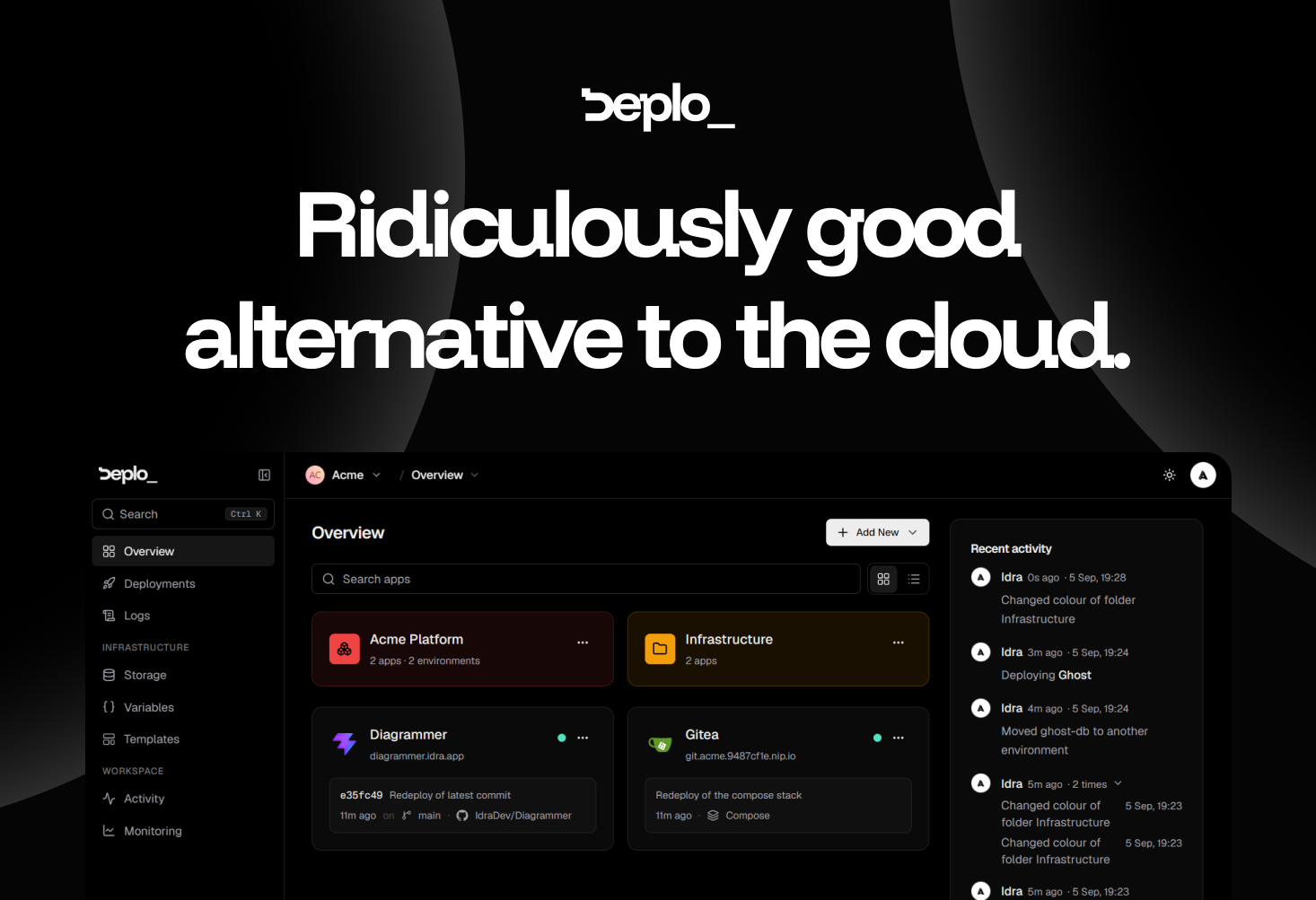
Deplo is an open-source, self-hosted alternative to cloud deployment providers. It keeps the push-to-deploy workflow developers already know — connect a repository, push code, and the application goes live — but it runs on a machine you already pay for instead of on someone else's cloud infrastructure. Installation is a single command executed on your own server. The product's homepage states the value proposition plainly: same push-to-deploy you already know, running on a machine you already pay for, with no Docker, no SSH and no invoice. Deplo is built for developers, small teams and operators who want the convenience of a modern deployment platform without giving up control of their hardware, their network and their data. Its stated purpose is to be a ridiculously good alternative to the cloud, delivering the boring operational parts already handled so that you only have to pick what to deploy.
The problem Deplo addresses is the cloud bill and everything attached to it. Cloud platforms bundle deployment, TLS, backups, logs and metrics into metered services, and teams end up paying per-seat, for bandwidth, and for every additional environment. The site is candid about the psychology involved: nobody moves off a cloud bill this happily without looking for one, and it lists the six questions such a move usually raises. Deplo's answer is that you get the same push-to-deploy experience on a machine that is yours. It argues the result is usually faster, because resources are dedicated instead of shared and metered; more flexible, because anything that runs in a container runs; and cheaper, because you pay the server and nobody in between. There is also nothing proprietary to unpick the day you move it somewhere else.
Deplo says that what you get on day one is deploys, backups, logs, metrics and TLS, already switched on, with nothing to buy on top and nothing to hunt down. Those are the operational basics that normally require assembling a monitoring stack, a certificate renewal process and a backup routine by hand. Deplo puts them in place as part of the platform, so a freshly installed instance is immediately useful rather than a bare server waiting to be configured. The interface supports this approach: simple by design, with a clean, intuitive UI that helps you understand what is happening without wasting time. The company frames the question of whether Deplo is another tool you have to learn as exactly what it is trying to avoid, describing the product as built to be intuitive from the start so you can understand what is happening without spending hours on another complicated interface.
Two of the core workflows are shipping on every push and hosting a web application. For shipping, you connect GitHub, GitLab, Bitbucket or Gitea once. Every push to your production branch goes live, every pull request gets its own preview URL that disappears when it closes, and a bad release rolls back to the exact image that worked. The claim is that there is no CI pipeline to own, which removes a whole category of configuration and maintenance work. For hosting, you connect the repository and get a live URL with HTTPS on it; Deplo works out the framework and builds it for you, so there is no Dockerfile to write, no SSH, and nothing to hand-edit. Postgres or Redis sits next to your application in two clicks. The site notes it is the same stack you ran on the cloud — only the bill changed.
Deplo is AI ready in a specific, documented way: it ships a native MCP server. You point Claude, Cursor or any MCP client at your instance, and that agent can deploy, read logs and roll back in plain language, under a token you mint and revoke. Your coding agent gets the same access a teammate gets, and the same permission checks that apply in the dashboard apply to the agent, so an agent can never do what you cannot. The capability is off by default, so it is opt-in rather than something you have to switch off after the fact.
Deplo is built for a team rather than for one operator with root. It defines 46 fine-grained Capabilities, which let you express rules such as can deploy, cannot delete, and per-folder grants let you hand a member exactly one corner of the fleet. The activity trail answers who did what and when, directly in the UI, so nobody has to look in a database to find out. The site's shorthand for this is the question who did that — Deplo knows. Every action carries a name and a time on it, and you decide who is allowed to do what in the first place.
Underneath, Deplo runs Docker, and the platform handles the container part for you: you deploy from a repository or a template rather than writing container configuration. There is a terminal and a compose escape hatch if you want one, and it stays out of your way if you do not — so a user really can avoid touching Docker, as the FAQ confirms. Anything that ships as a Docker image runs on Deplo, and every one of the hundred-plus templates is deployed and checked first, on the principle that a hundred that work beat a thousand that might. Templates include WordPress, Supabase, OpenClaw, Home Assistant, GitLab, Gitea, Nextcloud, Forgejo and Grafana. Deplo is open source under AGPLv3 and brings your own server: your hardware, your network, your data, with no lock-in and no pricing page to keep an eye on.
The outcomes Deplo claims are straightforward. Setup is fast — ten minutes from now it is deployed, since install takes one command on a server you already pay for. The bill collapses to a single line: you pay your server provider and that is the whole cost, with no per-seat pricing, no bandwidth surprises and no charge for the tenth environment. Performance is usually better because resources are dedicated rather than shared and metered. Flexibility comes from the fact that anything that runs in a container runs. And exits are clean: your apps are standard Docker containers on a server you own, so leaving means moving containers rather than rebuilding on someone else's proprietary primitives, and because Deplo is AGPLv3 nobody can take it away or reprice it.
Deplo's own use-case pages demonstrate how it is used. One is letting AI interact with your infrastructure: pointing an MCP client at your instance so an agent can deploy, read logs and roll back under a revocable token with the same permission checks as the dashboard. Another is shipping on every push, where pushes to a production branch go live and pull requests get preview URLs that disappear when they close, without owning a CI pipeline. A third is controlling who can do what on a shared fleet, using capabilities, per-folder grants and the activity trail. A fourth is hosting a web application from a repo with a generated HTTPS URL and a Postgres or Redis instance alongside it. Deplo also documents taking over an existing VPS and migrating from Coolify or Dokploy, and its template library covers services such as WordPress, Supabase, Nextcloud or Grafana.
The audience is developers, small teams and operators who run their own servers or want to, and who want team-grade deployment without cloud pricing: Deplo is built for a team, not for one operator with root. Integrations explicitly named include GitHub, GitLab, Bitbucket and Gitea for repository connections, Claude and Cursor as MCP clients, and Docker as the underlying container technology. Templates cover services such as WordPress, Supabase, GitLab, Gitea, Forgejo, Nextcloud, Grafana, Home Assistant and OpenClaw. Pricing is free and open source under AGPLv3, and the only bill is whatever you pay your server provider. The product is currently in beta, with a stable release targeted for Q4 2026, and people are already using it for real workloads today.
Deplo's takeaway is a single trade: keep the push-to-deploy experience you already like, move it onto hardware you already own, and stop paying a metered bill in between. With deploys, backups, logs, metrics and TLS on from day one, an MCP server for agent-driven operations, per-push shipping with preview URLs, fine-grained team permissions and an AGPLv3 open-source core, it positions itself as a simple-to-use alternative to cloud deployment that leaves your apps as standard Docker containers on a server that stays yours.
Publisher
A
admin
Launch Date2026-09-15
Platformweb
Pricingfree
Tech Stack
#Docker#MCP (Model Context Protocol)