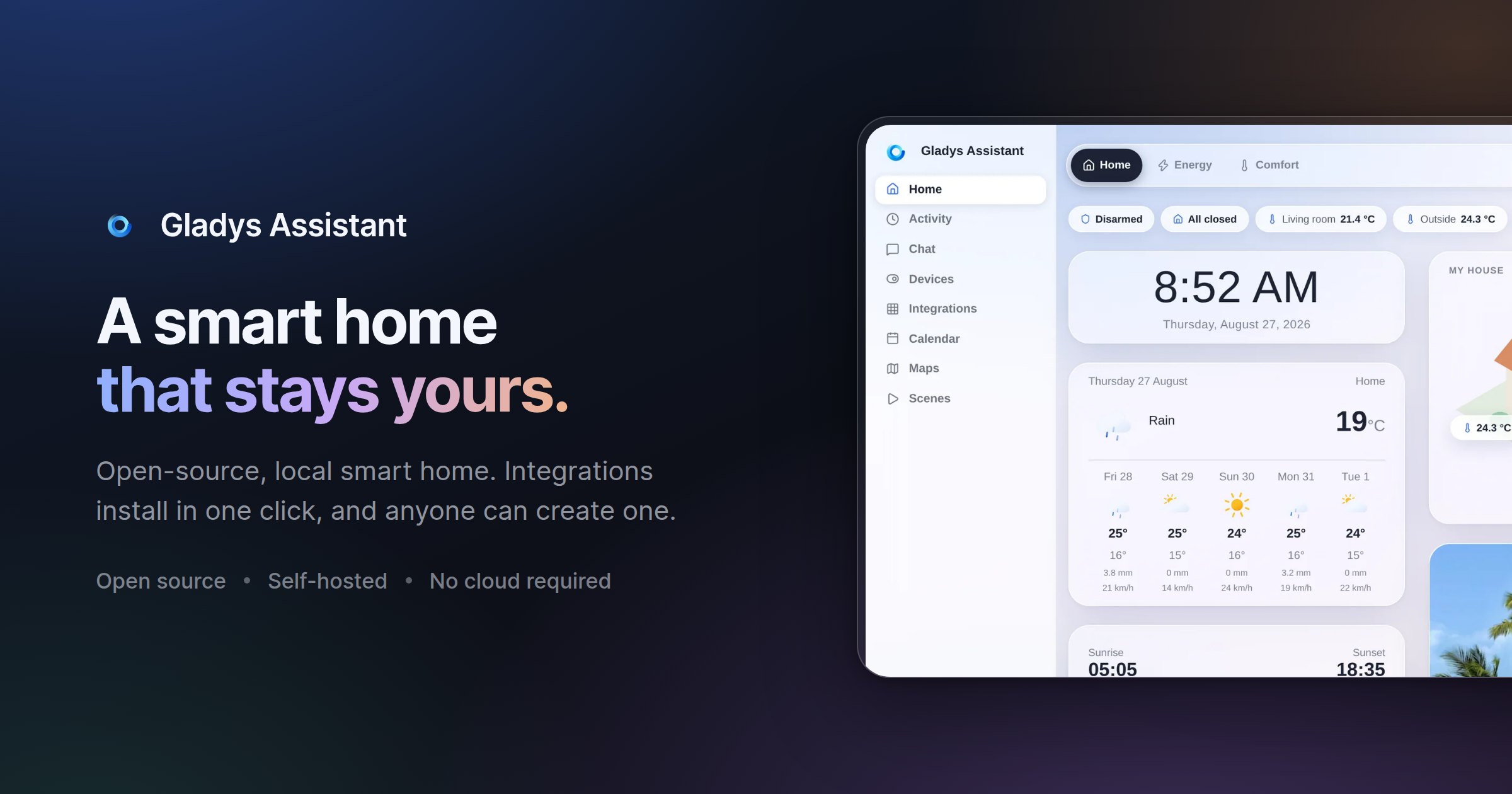
Gladys Assistant 5 is a free, open-source smart home platform that runs on your own hardware, including a mini-PC, a Synology NAS, a Raspberry Pi, a server, or even an old computer. Its purpose is to let you monitor and automate a home from a single interface: temperature, security cameras and presence all appear on one dashboard, scenes automate everyday routines such as coffee brewing, lights turning on and music playing, an energy view follows electricity, solar production and home battery usage, and a built-in voice assistant responds to spoken commands like asking Gladys to turn on the kitchen light, or to messages sent from your phone. It is designed for people who want local control of their smart home, with data staying on their own machine rather than in a mandatory cloud.
Many smart home setups force a trade-off between convenience and control. Configuration can mean wrestling with YAML files, the hub may depend on a vendor cloud, and when the internet connection goes down the house can stop responding. Gladys Assistant 5 is presented as a simpler alternative: free, open-source smart home software that runs on your own hardware and keeps working even offline. Because it is self-hosted, smart home data such as sensors, scenes and history stays on your local network, with no mandatory cloud, no tracking and no data selling. The project also stresses ease of use, noting that no terminal is required for day-to-day operation and that scenes can be built without a single line of code, a key consideration for households that want automation without maintaining a technical stack.
At the centre of the experience is the dashboard. The website describes it as a single place to see everything at a glance, covering temperature, security cameras and presence, with a layout the team says is phone-first and designed pixel by pixel. The interface supports light and dark appearance: Gladys can follow your system preference or stay on the theme you pick, and you can switch between the two in one click. The same glass and layout are used in both modes, so the product feels consistent whether you are on a large screen or a phone. Alongside the visual dashboard, a built-in voice assistant lets you control the home by speaking, for example asking it to turn on the kitchen light, and Gladys also responds to commands sent as a message from your phone, so control is not limited to voice or to a single device.
Automation is handled through scenes. The scene editor is described as a way to automate the entire day: coffee brewing, lights turning on and music playing, all automatic and with no coding required. This is the no-code promise of Gladys Assistant 5, and the Product Hunt tagline summarizes it as a private, self-hosted smart home with no YAML required. Because scenes are built in a visual editor rather than in configuration files, a household member who is not a developer can still assemble multi-step routines and adjust them later. The FAQ reinforces this by stating that day-to-day use does not require a terminal, only a clear interface to control the home.
Energy monitoring is built in as well. The energy dashboard follows electricity consumption, solar production and home battery in real time, with the stated goal of helping you cut the bill where it matters. On the compatibility side, Gladys works with what the site calls open protocols, native integrations and community external integrations for everything else. Listed protocols and integrations include Zigbee through Zigbee2MQTT, Matter, Z-Wave, MQTT, Tuya, Netatmo, Sonos, Zendure and RTSP cameras, plus brands such as Philips Hue, SmartThings, TP-Link Kasa and Tapo, Shelly, Sonos, Reolink cameras and LG ThinQ. The product describes support for thousands of devices. If a device is not listed, external integrations, which are community-built and installable in one click, extend coverage, and developers can build their own integration in the language of their choice or ask for help on the community forum.
Underneath the interface, Gladys is self-hosted software. Installation is guided via Docker: the documentation describes starting Gladys with a single Docker command, and the FAQ notes that any Linux machine will do, since if Docker runs on it, Gladys runs on it. The project is transparent that installation takes some technical steps, but it walks users through them with screenshots and videos. Once running, the platform handles new features and bug fixes through automatic upgrades, described as zero hassle, so the installation stays current without manual maintenance. Data such as sensors, scenes and history remains on the local network, and optional services are kept separate from the core.
The stated design principles explain the intended benefits: privacy through self-hosting, ease of use with no terminal in daily operation, a clean UI built by designing first and coding second, stability described as built to last decades, speed with an interface the team calls lightning-fast, and automatic upgrades. Community testimonials on the site describe the results in practice. One long-time user mentions alerts when a room is too hot, which saves on heating, an alert if the fridge stays open, a living room lamp triggered by movement in the morning only when waking up, water leak detection, and Gladys acting as a security box during vacations. Another writes that scenes make it possible to build scenarios that simplify daily life and secure the home. Others highlight easy setup, an active community, constant stability and scalability, and the fact that Gladys can do everything without a single line of code.
Concrete use cases appear throughout the site and in user testimonials. Temperature management is a recurring theme: monitoring bedrooms and bathrooms, receiving alerts when a room gets too hot, and controlling openings. Vacation security is another, with users describing remote access to the whole installation and intrusion alerts while away. Scenes cover daily routines such as opening and closing a gate, controlling lights in the evening from the couch, and interacting with household appliances. The energy dashboard is used to follow electricity consumption, solar production and a home battery in real time. Garden automation is described too, including programming a pool pump according to water temperature and running drip irrigation. Water leak detection and fridge-door alerts show the platform being used for safety and prevention rather than only comfort.
Gladys Assistant 5 targets technically comfortable households, people willing to run a Linux machine and install software via Docker, who want a smart home that stays private and local. The core remains free and open-source, with no subscription, no limitations and no credit card needed. Those who want access from outside the home can choose between an optional subscription called Gladys Plus and, for experts, their own VPN or reverse proxy. Gladys Plus adds encrypted remote access, Google Home and Alexa, backups and AI, works as an app on iOS and Android, starts at $7.99 per month in the US and Canada and €6.99 per month in Europe, includes a one-month free trial without a credit card, and can be cancelled anytime. A live demo is available for anyone who wants to explore the dashboard before installing.
In summary, Gladys Assistant 5 combines a free, open-source, self-hosted smart home platform with a no-code scene editor, a unified dashboard, real-time energy monitoring, a built-in voice assistant and broad protocol support including Zigbee, Z-Wave, Matter and MQTT. It is built for people who want convenience without giving up privacy or depending on a mandatory cloud, and it keeps running even when the internet goes down.
Publisher
A
admin
Launch Date2026-09-30
Platformweb
Pricingfreemium
Tech Stack
#Docker#Linux#Zigbee2MQTT#Matter#MQTT