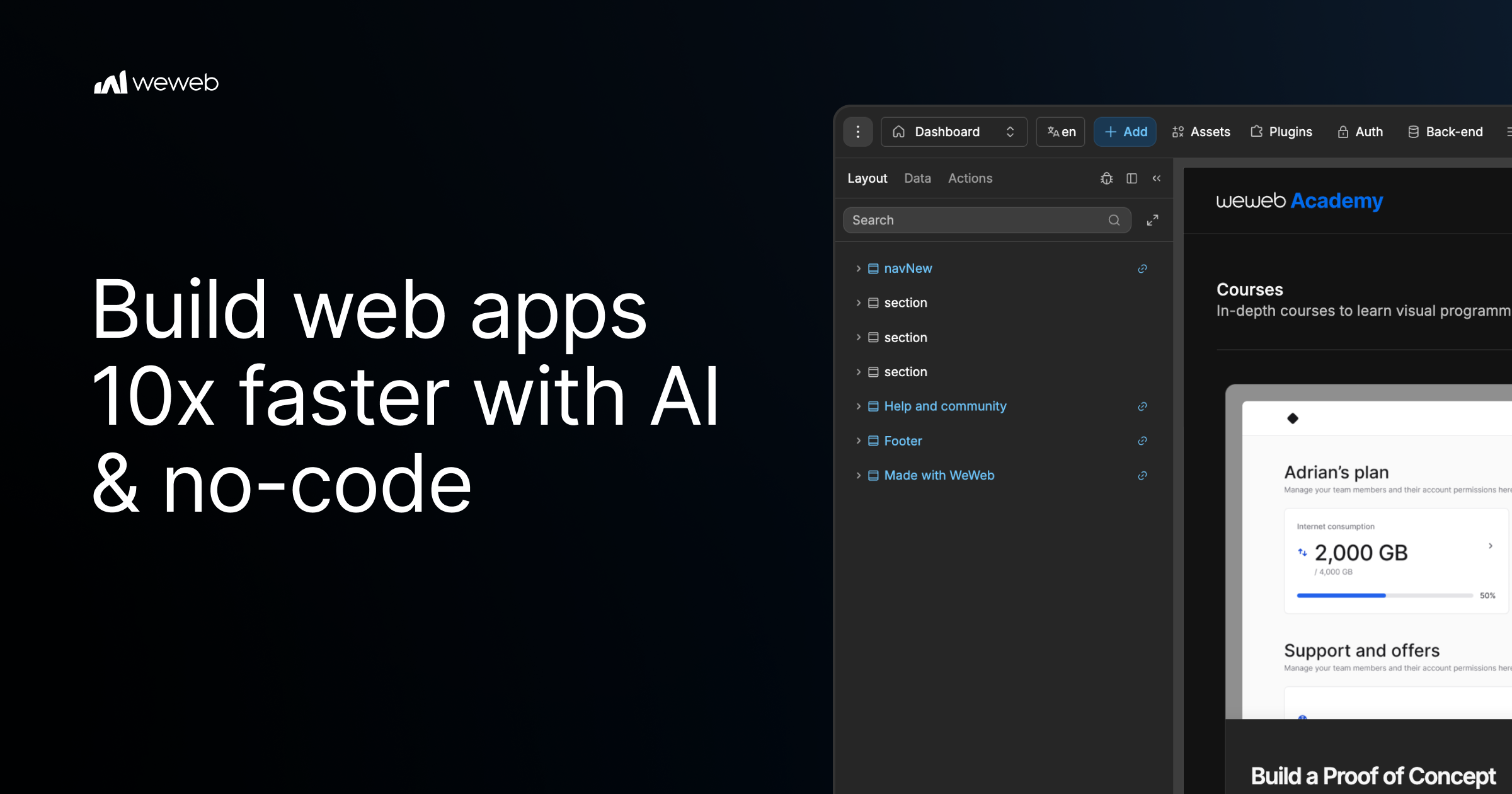
WeWeb MCP is a Model Context Protocol integration that connects the AI agent you already use to WeWeb, a visual no-code app builder. Point Claude Code, Cursor, Codex, Antigravity, ChatGPT, or any MCP-compatible agent at WeWeb and it builds the pages, workflows, data models, tables, auth, and integrations for a real WeWeb project. It is designed for teams and builders who want AI speed while staying in control: the agent runs on your account, your model, and your tokens, and every change it makes lands in a visual editor you can review and edit yourself. The tool turns briefs, designs, and app logic into a working project, and it uses no WeWeb credits.
Agentic development, often described as vibe coding, can produce applications quickly, but it frequently leaves builders unsure about what actually changed inside their app. WeWeb MCP is positioned against that black-box experience. The product page promises the speed of vibe coding without the mystery of what changed, and it argues that moving fast should not create maintenance debt for a team or for your future self. Instead of generating an opaque codebase, the agent writes into a structured WeWeb project where every page, workflow, data model, and integration stays visible in a visual editor. That combination of AI generation and visual review is the core problem the product addresses.
Any MCP-compatible agent can be connected, and the product page highlights several specific clients. Claude Code can plan and build in WeWeb using Claude's reasoning. Codex turns GPT-powered build plans into WeWeb apps. Antigravity builds with Gemini and Google models inside WeWeb, while Cursor lets you use Cursor's agent and your model of choice. ChatGPT is also listed as a supported agent. Because the integration runs on your account, your model, and your tokens, you are not locked into a vendor-supplied model, and the documentation link provided on the page covers installation of WeWeb MCP. The AI client section presents these agents side by side, emphasizing that you connect the agent you already use rather than adopting a new one.
Getting started follows three documented steps. First, you add the server configuration to your MCP client settings, pasting a small JSON block that defines a weweb-ai server and runs it through npx with mcp-remote pointing at the WeWeb MCP endpoint. Second, you sign in to WeWeb and authorize access so the agent can call tools on your project. Third, you pick your project and build: you ask your agent to list workspaces and projects, switch to the right one, and then describe what you want. The page gives an example prompt asking the agent to list WeWeb workspaces, switch to a project, and help build a dashboard page.
Control is a first-class part of the product. You decide how much of the app the AI can touch, letting the agent work across the full project or keeping it focused on one specific page, workflow, database, or design-system task. You also control what happens next: you review the agent's output inside WeWeb and then either keep prompting or edit the result yourself in the visual editor. This scoping means an agent can be granted broad access for large build-outs or narrow access when you only want a single change, and the review step keeps a human in the loop before changes are accepted.
To avoid the generic AI look, including what the page calls purple gradients, WeWeb MCP lets you give the agent your visual rules before it builds. You can import the design rules that define your brand's design DNA from Figma, Google Stitch, Claude Design, or design.md into WeWeb. From there, you create a component system using shadcn, React references, or custom coded components to build reusable blocks with no-code properties. Starting from a brand design system means generated screens inherit your existing palette, components, and conventions rather than default styling, which reduces rework after generation and keeps output consistent with what your team already ships.
The PRD to app workflow shows how product intent becomes a structured application. The agent reads a brief and moves from user journeys to screens, creating the pages, forms, states, and flows users need. It then moves from data to backend structure, mapping the database, fields, relationships, auth, storage, and backend workflows behind the app. Finally, it moves from business rules to integrations, where Slack alerts, email triggers, CRM updates, API calls, and approval flows become part of how the app works. Crucially, the first version is not the final word: you can keep working with your agent or open the visual editor to inspect, adjust, and shape the app yourself after generation.
WeWeb MCP also works across a broader MCP stack. You can pair WeWeb with a backend MCP such as Xano, Supabase, or Airtable MCP, or with any APIs, to build the WeWeb frontend in context or bring data into the WeWeb backend. Product context can be turned into screens using docs, transcripts, websites, Figma files, or media assets to create onboarding, dashboards, and forms. A separate refactor workflow helps teams move fast without maintenance debt: the agent can find unused variables, outdated workflows, test components, and leftover build artifacts, and it can standardize naming across pages, components, workflows, API requests, tables, and fields.
When the app is ready, WeWeb MCP supports going live on your terms. You can deploy in one click and launch on your custom domain while WeWeb handles hosting and infrastructure, or you can export the code and self-host it on your own infrastructure when you need full control. The product is free to start, and the page offers both a sign-up to start for free and a way to request a demo. It is marketed as agentic development for teams that want AI speed and visual control, and the page notes it is trusted by Fortune 500 companies such as PwC, La Poste, L'Oreal, JLL, Qonto, Decathlon, Carrefour, and Biwaki by BNP Paribas.
Users report benefits that extend beyond speed. A digital project manager at PwC says adopting WeWeb revolutionized how the organization approaches application development, empowering teams to deliver more innovative, secure, and compliant solutions faster and more effectively. The CEO of Shunpo notes that no-code does not mean low-performance and that WeWeb makes it possible to build bigger things that were not possible with other tools. A CEO of ALOE Digital Solutions describes the platform as powerful, versatile, and intuitive after trying many no and low-code app builders. Together these outcomes point to AI-assisted building that remains maintainable, reviewable, and owned by the team that created it.
The primary value proposition of WeWeb MCP is straightforward: your AI agent builds the app while you stay in control. You bring the agent, the model, and the tokens; WeWeb provides the project structure and the visual editor where every generated page, workflow, data model, and integration can be reviewed and changed. Design system import, PRD-to-app generation, backend MCP pairing, refactoring, and flexible deployment make the workflow useful from first prototype through launch. Because nothing is a black box, teams can adopt agentic development without giving up visibility, editability, or ownership of the applications they ship.
Publisher
A
admin
Launch Date2026-09-23
Platformweb
Pricingfreemium
Tech Stack
#MCP#npx#React#shadcn
Traffic Insights
Month2026-09
Estimated Visits35.3K
MoM Visits GrowthN/A
Avg Time on Site-
MoM Time GrowthN/A