Category Focus/categories/sales
Sales AI Tools
Discover and compare the best sales AI tools and software. Browse 75+ curated tools with reviews and rankings.
Projects tracked
75
Sort mode
RECENT
Page
1
Discover and compare the best sales AI tools and software. Browse 75+ curated tools with reviews and rankings.
Projects tracked
75
Sort mode
RECENT
Page
1
Cedric AI for Meetings is an AI meeting assistant that works before, during, and after a call. It joins meetings on Google Meet, Zoom, and Microsoft Teams, where it can take notes, answer live questions, share its screen and present a deck or page slide by slide, or attend on your behalf when you cannot be there. The product is built for teams whose work happens in conversations: the site lists sales, recruiting, marketing, user research, engineering, finance, healthcare, media and podcasting, and venture capital. Its purpose is to carry the meeting and the work around it — notes, minutes, decisions, action items, and follow-ups — so you review and approve output instead of producing it from scratch. Most meeting tools record. Cedric is positioned as a meeting AI assistant rather than only an AI meeting note taker: it actively participates in the conversation and handles the work around it. The problem it addresses will be familiar to anyone who runs client calls, pipeline reviews, or internal check-ins. People join late and miss context. People cannot attend at all and send nobody. Someone has to write the recap, update the CRM, file the notes, and chase the next step. And decisions made out loud are easily lost once the call ends. Cedric is designed so the call produces the record and the follow-up work in the same pass, with the approvals left in human hands. Cedric can take the presentation. Inside a live call he shares his screen and presents a deck or a page, slide by slide. Participants can ask for a specific slide — the page shows someone saying “Cedric, show the pricing slide” — or ask him to move to the next slide, and he can take questions at the end. Pages he builds in the workspace can be loaded straight into a call, connecting preparation and presentation. During the call he can also answer questions using your workspace, connected tools, or the web. He says what he is checking while he works and gives the answer out loud, so the room hears the sourcing rather than a silent lookup. Someone who joins late can ask what they missed and be brought up to speed on the conversation so far. Before a booked meeting Cedric asks what matters: goals, topics to watch for, and what not to say. You prepare the agenda and review attendees and open commitments with him, and behavior profiles let him adapt how he participates in each person's calls. When he joins, you choose his role. As Assistant, the default, he takes notes, keeps the meeting on its agenda, and does what you ask during the call. As Note-taker only he stays silent for the whole call and you get the notes and action items afterwards. As Attend for me, he joins in your place, asks your questions, answers from what he knows, and briefs you after. Listener and Moderator (beta) roles are also described, with the moderator able to moderate the discussion. Several Cedrics can join the same call. The team's Listener can stay in the meeting while a Stand-in represents an absent colleague, or two absent people can each send their own. Tiles carry distinct labels such as “Cedric for Ana” or “Cedric (moderator)” so it is clear who each one represents. Saying “Cedric” addresses the Listener, and everyone's notes draw from one shared meeting record. In the example shown on the page, a single record for a weekly pipeline call at 11:00 serves the whole group rather than splitting the conversation into separate copies. Cedric is also an AI meeting note taker. Every call ends with AI meeting notes and AI meeting minutes: a searchable transcript, a clear summary, the decisions, and the action items, ready to review and share. Decisions are separated from open questions, and action items carry owners and deadlines where they were agreed. In the sample record on the page, a 31-minute, four-person check-in yields a summary line about a confirmed two-week pilot, a decision that the pilot sits on the standard plan, action items assigned to Lucia and Ana with days attached, and an open question about who joins from the client's IT team. Meeting knowledge stays connected to the people, decisions, and preferences remembered across the workspace. Each meeting has a dedicated page in the dashboard with Notes, Transcript, and Follow-ups, and you can search that record or ask Cedric about earlier conversations — who owns a next step, or what a client requested. The page shows the pattern: a teammate asks @Cedric who owns the Meridian onboarding plan and gets the owner, the deadline, and the meeting where it was agreed. Nothing has to be reconstructed by hand from a recording. After the call, Cedric drafts the work in your tools. On the page, a single call produces six drafts: a recap email in Gmail, a deal moved to pilot in HubSpot, call notes on the account in Zoho CRM, a pilot plan page in Notion, a Google Ads campaign, and a LinkedIn post. You review each one, and nothing goes out until you approve it. The FAQ adds that he can create tasks in connected project management tools, add meeting information to CRM records, book follow-up meetings, and run reminders and multi-day follow-ups, with available capabilities determined by the tools you have connected. The overall approach is one loop with a human checkpoint. Invite Cedric to the call and choose his role, brief him on what matters, then ask questions or let him present while he works from your workspace, connected apps, and the web. Afterwards, review the transcript, summary, decisions, and action items, then approve the follow-up work across your connected tools. The same meeting record sits underneath all of it, so preparation, participation, notes, and follow-ups refer back to one source. Cedric works with Google Meet, Zoom, and Microsoft Teams; you reach him through the browser, Slack, Microsoft Teams, Discord, or Telegram; and he connects to Google Calendar, Gmail, HubSpot, Notion, Outlook, Salesforce, Slack, and, per the FAQ, 3,200+ other tools. The stated benefit is that the call stops being the end of the work and the start of a second job. If you join late, Cedric catches you up. If you cannot join, he represents you within a brief and brings back the decisions and next steps. Commitments get captured with owners and deadlines instead of evaporating. Follow-up work arrives as drafts you approve, so speed does not come at the cost of control. And because his shared memory ties conversations to people and preferences, you can ask questions across meetings rather than digging through recordings. Sales is the case the page develops in most detail: a deal recap summarizing customer goals, objections, requirements, and agreed next steps; a follow-up email drafted from what the buyer actually discussed; and proposed CRM call notes and task updates in the connected CRM. The same mechanics carry into the other functions the page names — recruiting, marketing, user research, engineering, finance, healthcare, media and podcasting, and venture capital. Concrete scenarios shown or described include presenting a pricing deck to a client and taking questions at the end, sending a Stand-in when a colleague is absent, asking who owns an onboarding plan agreed in a previous check-in, and telling Cedric to send a revised quote after the call so he drafts it and checks before it sends. The page does not publish a conventional price list. It offers a free start, plus a welcome gift of $100 free and $50 more with the code PRODUCTHUNT2026. Figures that appear inside the demos on the page include a standard plan at 12 seats for $108/mo, or $1,296 per year, and a seat price of nine francs a month for twelve weeks. Live joining, recording imports, and other capabilities depend on the meeting platform and the connected integration, and the browser dashboard and chat integrations are places to work with Cedric rather than identical conferencing surfaces. Cedric's proposition is narrow and concrete: an AI meeting assistant that presents, answers, notes, and attends, then turns the conversation into drafts you approve. For teams whose commitments are made on calls, that closes the gap between what was said and what gets done.
Vaani Voice is a voice AI harness for building, running, and improving AI phone agents. It is aimed at teams that want a voice agent which sounds and behaves human without writing a single line of code: you describe the call you want in plain language, and the platform assembles the prompt, voice, language mix, and tools. From there you connect your tools and knowledge base and go live on a real phone number. Vaani frames every call as something that should produce a useful outcome, and states that every call ends with clean, structured data. The platform describes itself as built on millions of calls and presents itself as one connected platform for building agents, running calls, and improving every conversation. Phone conversations are still how many businesses qualify leads, handle order questions, and onboard customers, but Vaani frames the hard part as the quality of the call itself. It lists what it says every other platform still cannot get right: metallic voices, dead air, and awkward pauses. Its answer is a set of call-experience capabilities, including agents that make small talk so there is no silence, agents that pause when turn taking is relevant, automatic switching to the caller's language and dialect, realistic voices with emotional tags, and low latency. The second stated problem is build friction: a nuanced agent is tough to build, agents break on questions nobody thought to ask, stitching voice, language, and tools together takes time, and a single prompt tweak can quietly break a live agent. Vaani's Teacher AI and prompt-diff review flow are presented as the response to those problems. The first capability group is the build experience driven by Teacher AI. Instead of prompt engineering or flowcharts, you tell Teacher AI who to call, what to say, and what counts as success, in plain language. Vaani states that one sentence is enough to start. Teacher AI then asks clarifying questions about what is missing, covering languages, objections, qualifying criteria, and handoffs, and each answer tightens the agent before it ever makes a call. The platform then builds live in seconds, assembling the prompt, voice, language mix, and tools together with a readiness score as it goes, so what you get is described as a deployment-ready agent rather than a draft to finish. The second capability group is change control and ongoing refinement. When a prompt change is proposed, Vaani shows the prompt diff before anything is saved, together with recommended settings for latency, voice, and turn-taking, and nothing is saved until you approve it. Refinement does not restart the build: you can ask Teacher AI by chat to change the tone, add a language, or handle a new objection on an existing agent, and it updates the same way with a diff to review. This is framed as protection against the common failure where one prompt tweak quietly breaks a live agent. The third capability group is the conversation quality layer. Zero dead air means agents make small talk, illustrated by a caller asking where their order is and the agent answering that it will check. Turn taking means agents pause when it is relevant, such as pausing to listen when a caller says "hmm" or asks to change a date. Effective communication means automatic switching to the caller's language and dialect, illustrated by a request to move a visit to tomorrow at 10 AM. Ultra realistic voice means realistic voices with emotional tags, illustrated by a warm response to a worried caller. Lowest latency is described as a best-in-class P-90 latency of roughly 450 milliseconds. The site also references a sub-500ms multilingual engine and response accuracy on noisy telephony audio. The fourth capability group covers memory and call handling. Memories keeps every past call with a caller retained and stored, and context can be shared by a different agent. A custom context filter lets you choose how many past calls to use and which ones, and the agent receives cumulated context containing only what that call needs, such as an order number, a refund approval, a language preference, and a channel preference. The stated outcome is that the agent picks up where the last call left off, so customers do not repeat themselves and are less frustrated. Call screening keeps screened calls connected: Vaani answers the screening prompt and stays on the line while the customer decides whether to pick up. When asked who is calling, Vaani shares the agent's name, your company, and the reason for reaching out, then introduces itself again and explains the purpose of the call once the customer answers. Vaani states that about 98% of screening calls are handled in under 15 seconds. Overall, Vaani organizes its platform around four verbs shown across the site: Build, Humanise, Connect, Run, and Improve, summarized on the page as build agents, run calls, and improve every conversation in one connected platform. An agent management view lists all AI agents with agent name, ID, deployment status, deployed-on status, and last edited time, alongside the ability to archive or create a new agent. The promise of the flow is: describe the call, hear the agent, then let it dial only inside the window, with a live call demo available to listen to before deploying. The stated benefits are concentrated on call quality and operational focus. Because agents avoid dead air and handle turn taking, and because they switch languages and carry emotional tone, Vaani positions the resulting conversations as realistic rather than metallic. Because memories carry context across calls and across agents, customers do not repeat themselves. Because qualifying and handling happens on the agent side, human teams continue from informed, qualified conversations with context instead of raw records. And because every call ends with clean, structured data, calls produce outcomes rather than transcripts. Concrete use cases are documented as case studies. IndiaFilings used Vaani for automated first contact, qualifying founders in need of compliance services and passing them to an expert callback, with founders hearing the offer in their language and choosing how to continue. Prateek Group used Vaani for automated broker outreach, introducing the partner program, checking broker interest, and earning permission for a callback before relationship managers follow up. Sat Kartar Life used Vaani for inbound sales, answering product questions and confirming buying intent before transferring ready-to-buy customers to closers, with a callback path for customers who need more time. Memories is illustrated with an order support scenario covering a delayed order, a UPI refund, Hindi preference, and WhatsApp updates. An example agent named KYC - Onboarding also appears in the agent list. The platform is accessed through the web, with a start-free signup, documentation, a contact page, and a live call demo. Vaani also offers enterprise-grade solutions for AI phone calls, where you work with a dedicated Vaani engineer to implement custom agents, analytics, and automation. Customers and companies shown on the site include Uber, Accenture, Randstad, SBI Life, Bajaj Finserv, Mphasis, Krafton, Hero FinCorp, InCred, IndiaFilings, Prateek Group, and Sat Kartar Life. Vaani states it is backed by Google AI Accelerator, VentureCatalysts, nasscom ai, INDIAai, and kotak BizLabs. In short, Vaani's value proposition is a single harness for voice AI: describe the agent you want, let Teacher AI build and refine it, ship it on a real phone number, and let calls end with clean, structured data and qualified next conversations.
Strawberry is a desktop browser with built-in AI companions: AI teammates that work alongside you inside the accounts you are already signed into. Rather than opening a separate chatbot, you browse as usual while a companion researches, drafts, transcribes and clicks through repetitive work on your behalf. You can hire one of Strawberry's official companions or create your own, teach it your preferences and workflows, and share it with your whole team. The product is aimed at fast-growing companies and at people in sales, recruiting, marketing, consulting, executive and founder roles who want hours of browser work compressed into minutes. Most AI tools stall at the edge of real work. Strawberry's site points to three common frustrations: assistants that struggle to work in your tabs, tools that are limited to app connectors, and workflows where everyone works in isolation. A chatbot can answer a question about something you paste into it, but it cannot see the page you are on or take the next step in the tool you are already using. Because Strawberry is a browser, it has access to far more context than a chatbot. It understands what you are looking at and working on, which is what allows it to give better answers and, more importantly, to take actions on your behalf. The FAQ states it plainly: any work that can be done in a browser can be done with Strawberry. The core unit of Strawberry is the Companion. In Strawberry you can hire or create AI Companions; companions learn your preferences and workflows and can start working for you 24/7. Official companions ship with a defined job to be done. Sales Sally gets 100 qualified leads with outreach written in your voice and ready to send. Talent Theo returns 10 strong candidates, each researched and scored against what your team needs. Executive Ellis delivers a brief every morning, replies drafted in your voice and follow-ups that do not slip. Marketing Martin finds what worked for you, then produces posts in your voice for every channel. Consulting Cora turns every client call into a proposal and starts every kickoff with the research already done. If none of those fit, you can create a teammate with its own look, built around your process and schedule. Research is where the browser foundation pays off most visibly. Because a companion can use the web the way you do, Strawberry notes that there are 1.8 billion websites and that it can use them all, so companions can research hundreds of leads in parallel, source profiles on LinkedIn and pull results into the tools you already use. The site shows a companion filling a Google Sheet with a company shortlist and a fit rating while the user watches. Workflows illustrated on the site span Gmail, Slack, Google Calendar, Linear, HubSpot, Notion, LinkedIn and Google Sheets: a companion can add a lead to HubSpot, create a task in Linear, save meeting notes in Notion or queue a follow-up. The same capability covers sourcing candidates, updating CRMs and pulling data into sheets. Strawberry also covers the work that surrounds a meeting. Bring Strawberry with you into meetings and it takes notes, summarizes the transcript and extracts action items and follow-up tasks. It works with all video conferencing tools and does not require adding a meeting bot to the call. Separately, companions can create branded slide decks, posters, infographics and dashboards based on any source on the web, including sources behind login walls. Two further features make the companionship persistent rather than one-off. Work on Autopilot lets you set up recurring tasks, so if something can be done in a browser it can be automated. Superhuman Memory means Strawberry memorizes details, habits, people and projects so that every chat has full context, and useful knowledge and preferences carry into the next task so work builds on what came before. Strawberry describes its foundation as five layers coming together in one place. The Browser is where your everyday browser becomes the place to work with AI, use your tools and access your team's shared workspace. Tools connect the apps your work runs on so companions can help across them. Context brings project files, notes and reference material together so companions work from the right information. Memory carries knowledge and preferences into the next task. Team lets teammates and AI companions share work so everyone can contribute and build on what is already done. Getting started is designed to be quick: install the desktop app for free, bring your bookmarks, passwords and Chrome extensions over from your old browser, and meet your companion, exploring personalized use cases together. The outcome Strawberry sells is time. The Product Hunt listing frames it as an AI browser that saves your team more than 100 hours a week, doing hours of work in minutes. Users quoted on the site report easily 10+ hours saved, 270+ leads sourced with no manual work, and profiles that were 90% spot on. Beyond raw speed, the pitch is about momentum: research, outreach and data pulls are described as the work that used to kill momentum, and companions run in the background while you do other things. Because a companion can be shared with the whole team, the benefit compounds across people rather than staying with one power user. Concrete scenarios named on the site include sourcing very niche roles, where a recruiter at Zapier described using Strawberry for sourcing and called the Ashby connection the cherry on top. They include finding potential customers on LinkedIn and adding them to a Google Sheet, transcribing meetings and turning notes into tasks in Linear or records in HubSpot, producing channel-ready marketing posts in your voice, converting client calls into proposals for consulting engagements, and running routine browser work on a recurring schedule. The FAQ summarizes the range: it can research companies, source leads on LinkedIn, update CRMs, transcribe meetings, create slide decks, pull data into sheets, draft emails and run routine browser work. Strawberry is positioned for teams, with hundreds of teams already using it, including Lovable, Tandem Health and ElevenLabs, as well as for individuals in sales, marketing, recruiting, consulting and founder roles. It runs as a desktop app for macOS and Windows and lets you choose among the best search engines in the world, with Google Search as the default. Pricing is freemium. The free plan includes 500 credits per month, the Intern plan includes 6,000 credits at $20/month, Part-time includes 25,000 credits at $85/month and Full-time includes 75,000 credits at $250/month, with top-ups at $10 per 1,000 credits. Regular browsing does not use any credits; credits are used when chatting with companions or when companions are taking actions. On security, you choose per app and per action what companions may do without asking. Passwords, history and cookies are stored locally and encrypted on your device, and passwords are never exposed to Strawberry or LLM providers. Strawberry states that it meets SOC 2 requirements and GDPR, and that your data is not sold to advertisers, data brokers or anyone else. In short, Strawberry treats the browser as the place where AI can finally do real work: companions that live in your tabs, learn your context, act inside the accounts you are already signed into, and can be hired, created and shared across a team. The value proposition is straightforward: hours of research, outreach, note-taking and admin compressed into minutes, with you in the driver's seat on what runs automatically.
MyLens is an AI workspace built for live, one-on-one presentations at scale. Rather than presenting a single deck to a group, you add your raw sources, say what matters, and invite your audience list; MyLens AI then gives every person a private, live presentation, answers the questions they ask, and tells you how each session went. Its stated purpose is to let every person feel presented to, with each individual getting their own live walkthrough instead of a shared slide deck. The product is positioned for anyone who has to explain the same thing to many people, from sales and customer success teams to HR, founders, educators and leaders. The problem MyLens addresses is stated plainly on its site: no one has time to present 1-1 to everyone. Presenting one on one is described as the best way to share something important, with tailored slides, a live walkthrough, and answers to each person's questions, but it takes hours per person and is impossible to scale by hand. The site makes the arithmetic explicit: presenting to 24 people at 30 minutes each works out to 12 hours, while with MyLens it takes about 20 minutes to set it up once, after which every person in the audience gets their own private, personal presentation. The gap between the value of one-on-one communication and the human cost of delivering it repeatedly is the core problem the product claims to close. Setup begins with the material you already have. MyLens accepts raw sources in many forms, including PDFs, long text, Word documents, slides, YouTube videos, websites, Markdown, audio, images, spreadsheets, Google Drive files and ChatGPT output, and turns them into a clear, visual presentation. The site emphasizes that no deck is needed and you can start with what you have, such as a pricing memo becoming a presentation for each person. Alongside sources, you define the knowledge layer: your goal and tone, an audience overview, and, in the product's own words, what never to say. In the example on the site, the goal is to get new hires productive in their first 30 days and the audience is new engineers and their managers, keeping it practical. From those inputs, MyLens AI creates the presentation, meaning visual slides built from your sources, which the site shows being generated for you. You then choose what the AI may do during a live session, from a set that includes creating a new slide, drilling down, and citing sources. These permissions are the control surface for the presenter: they define the boundaries of what the AI presenter can improvise while it is in front of an audience member. You also manage the audience itself from the same setup, where people are shown as presented, opened, or invited, with a running total of time presented. The presentation itself is delivered live and one-to-one. Everyone opens a private link and MyLens presents to them whenever they are ready; the site shows a private presentation titled 'Onboarding at Acme' that asks the viewer to enter a six-digit code from their invite before beginning. The AI presenter explains each visual, gives every person a private session at the same time, and builds new layers of understanding as needed in real time. When someone is curious, they stop and ask anything, in their own words, right on the slide. MyLens answers from your sources, and when words are not enough it creates a new visual or layer, with the site showing a drill-down infographic about contributor access created for one specific question. After the session, MyLens reports back on how each one went. You can review each audience session individually, seeing time spent, questions asked, and who needs a follow-up, for every person. The dashboard on the site lists invitees with their role, status, session date, duration and session code, alongside totals such as invited, opened, presented and total time. The stated goal is to let you see who is doing well, who is stuck, and what to do next, turning a one-way presentation into a signal about each individual's engagement. The overall workflow is summarized in six steps on the site: add your sources, teach your AI, let the AI create your presentation, choose what the AI may do, invite your audience, and go live. The site describes this as setting it up once and letting the AI presenter do the rest. The framing is that a single setup is reused across the whole audience: from one person to a thousand, each one gets their own personalized presentation, privately. The AI presenter acts as the delivery mechanism, giving every person a private session at the same time, explaining each visual, answering questions live, and building new layers as needed. MyLens frames trust as a core design principle under the heading 'It only says what you'd say.' Every answer comes from the files you added; if the answer isn't there, the AI says so and flags it for you. Every session is private: one person, one code, one conversation. On data, the site states that what you bring stays yours, that it is never used to train AI models, that it is private by default so only your workspace can open your files, and that you can delete it whenever you want. The footer repeats that your data stays yours, private, encrypted, and yours to delete. The promised outcomes follow from that: every person gets a personal, live walkthrough without the presenter repeating it manually, questions get answered in the moment from approved material rather than guessed at, and the presenter ends with a per-person record of who engaged, who asked what, and who needs a follow-up. Because the AI is restricted to your sources and flags what it cannot answer, the presenter keeps control over the message. And because setup is done once, the marginal effort of adding another person to the audience is presented as minimal, with the site's headline promise being to go from one person to a thousand while each one still feels presented to. The site lists six groups it is built for. Sales teams give every prospect a personal walkthrough of their offer. Customer success teams explain renewals and updates to each account, one by one. People and HR teams welcome every new hire with the same careful onboarding. Founders send each investor a private update they can question. Educators and trainers run lessons that answer back, at each learner's own pace. Leaders explain a big change to every person, privately. MyLens is designed to work with the AI tools people already use. The site says you can do the research in ChatGPT, Claude, Cursor, or your own agents and send it to MyLens over MCP, where it becomes a presentation each person gets one on one; MCP servers are listed alongside those tools. Delivery happens through a private link that the audience opens in the browser when they are ready. Pricing details are not published in the extracted page content, which instead offers 'Get started' and 'Request a demo' calls to action and says a first presentation is ready in minutes. In short, MyLens takes the raw material you already have, turns it into a visual presentation, and lets an AI presenter deliver it live to each person privately, answering their questions from your sources, generating new visuals when needed, and reporting back on every session. Its value proposition is one-on-one communication at group scale, with the AI bounded by your sources and by the permissions you choose.
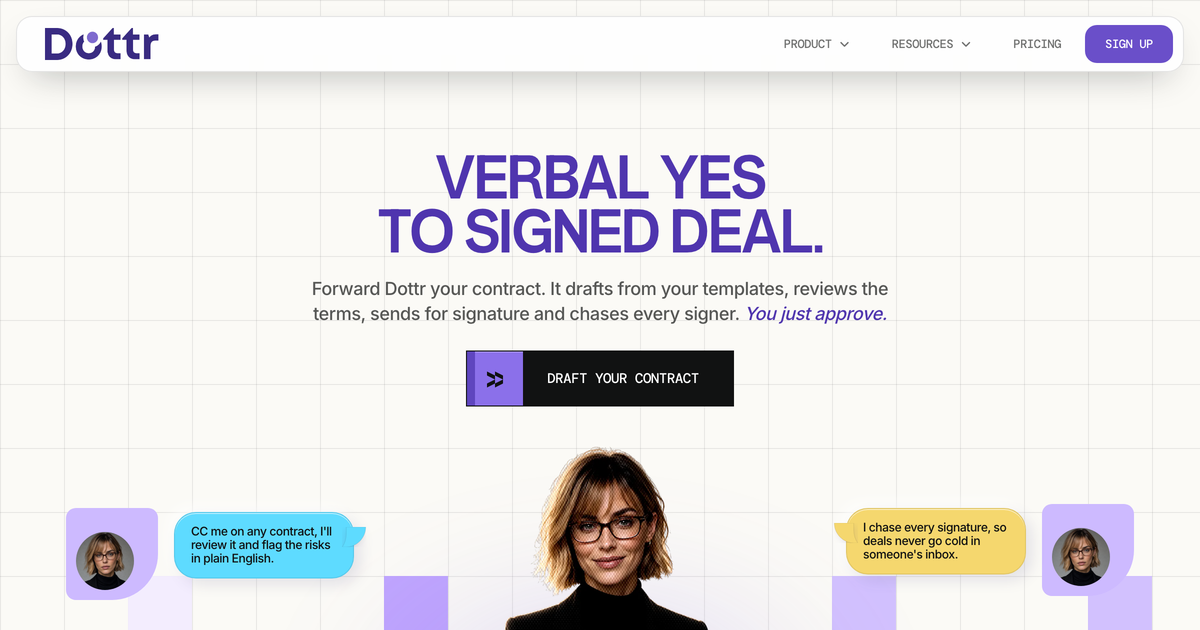
Dottr is an AI teammate for contracts that lives in email. Teams can CC Dottr on any contract thread, forward it a contract, or ask it to draft one, and it works through the contract from draft to signed. According to the site, Dottr drafts from templates, reviews the terms, sends the agreement for signature, and chases every signer while the user simply approves. It is built for teams that handle deals and paperwork in their inbox, including sales, legal, finance, operations, and procurement roles shown across the site. The main purpose is to take a verbal yes to a signed deal without the delay that normally sits between the two. The site frames the problem around a simple idea: a yes has a shelf life. The day the other side agrees, the clock starts, and while the contract is being prepared, a new stakeholder can appear, the budget can get a second look, or a competitor can call back. Nobody has turned the deal down, but the contract took a week, and the yes did not last that long. The site says time kills deals and that contracts are where the time delay happens. It also describes a hidden bill: outside counsel invoices the review, while drafting, re-sent versions, and a week of follow-ups are paid for in hours nobody logs. Dottr presents its one-dollar contract as the alternative to that bill and to the nine-day cycle described on the site. The drafting workflow starts from the conversation. A user can CC Dottr on the contract thread, forward the thread, drop in the call, or paste notes, and Dottr pulls out what was agreed and writes the contract in the company's language. The site says there is no new tool to open and nothing to re-type because Dottr reads the thread where the deal actually happened. A user can also tell Dottr the deal in a sentence, or let it take the deal from the thread, and the contract comes back in the company's language. Templates extend this: users can save a contract they like, and the next one drafts itself from it with clauses that are already approved. The site lists examples such as a standard MSA, a mutual NDA, a statement of work, and an offer letter, each shown with a template usage count. Review is handled clause by clause. Dottr reads every line and flags every risk in plain English, whether the contract is on the user's paper or the other side's paper, and the user approves. The site shows the kind of flags Dottr produces: an uncapped indemnity marked critical, with an explanation that the user would cover the client's losses with no ceiling and that a single third-party claim could exceed the whole deal value; an auto-renewal trap marked high, with an explanation that the contract renews for another 12 months unless cancelled 60 days in advance; and deliverables not defined marked medium, because deliverables to be mutually agreed leave scope open-ended. Each flag includes a suggestion, such as capping indemnity at fees paid in the preceding 12 months, cutting the renewal notice period to 30 days, or listing what ships and when in a schedule tied to milestones. Users can accept a fix, reject it, or say what to change, and the redline appears as a tracked edit. Legal and finance can comment directly on the clause, so feedback stays with the contract instead of a separate email chain. Dottr also compares every version so users can see exactly what moved between drafts before signing. Signing is part of the same flow. Dottr sends the contract for signature, tracks every open, and nudges each signer until it is signed. Signers need no account, so nothing stalls on a login. The site shows a signing view with an owner, signers awaiting signature, signers who have signed, and a note that Dottr follows up until the contract is signed. It also shows events such as a signing link opened and a reminder scheduled. When the process is complete, the signed copy is filed and sent to everyone. The site presents this step as signature moving from three weeks to minutes and as verbal yes to signature without chasing. After signing, Dottr keeps every contract and remembers it. The site describes a memory layer for contracts: Dottr remembers the terms, dates, and redlines and answers questions in plain English across every contract the team has ever sent. Examples include asking which contracts auto-renew this quarter, what Acme's payment terms are, whether there are any uncapped liability clauses, or who still has not signed. The site says the more you sign, the sharper it gets. It also watches renewal dates, knows when each contract renews or expires, and tells the user before the notice window shuts, not after. The examples show a Globex MSA with 60 days' notice and a reminder set for 15 November, a Hooli vendor agreement with 90 days' notice and a reminder set for 2 December, and an Acme NDA that expires 30 June with no renewal and nothing to do. Workflow steps can be chained. The site says Dottr runs the steps a team always runs, such as review against the playbook, approval from the CEO, sending a copy to finance, and returning the signed copy to the PA. A team can set the chain once, and Dottr walks every contract through it. The site shows a plan for a new vendor contract with steps for review against the playbook, approval from Alex (CEO), a notify step to send a copy to finance, and a notify step to return the signed copy to the PA. This turns repeated internal process into a consistent path that each contract follows. The overall approach is to act as one teammate across the whole contract rather than as a point tool for drafting, review, or signatures. Dottr lives in email, reads the conversation where the deal happened, drafts from that context and from approved templates, flags risks in plain English, produces tracked redlines, sends the contract, chases signers who need no login, files the signed copy, and later answers questions about what was agreed. The site describes this as replacing duct tape with a teammate and as one teammate who does the whole contract, draft to signed, so the yes never has time to go cold. The user remains the approver at the key points: the draft comes back for approval, and the risk review is approved by the user. The stated outcomes are speed, less chasing, and fewer surprises. Moving from verbal yes to signed deal in the same flow keeps the deal from losing momentum while a contract sits in a queue. Automatic chasing removes the manual follow-up that the site says is never logged but still costs the team hours. Renewal watching aims at zero surprise renewals, and contract memory turns a question about terms into a straight answer instead of a folder search. The site also frames the economics with an example comparison: drafting, legal review, versions, and follow-ups are shown at a total of $920 and nine days on the old path, versus $1 and instant with Dottr, for a stated saving of $919 and nine days per contract. The site says every contract has a bill, and Dottr does the same contract for one dollar. Target users are the people who touch contracts in the course of a deal. The site shows operations, finance, legal, procurement, and sales roles in its examples, along with signers from the counterparty. The product is email-first, and the site also shows attachment of files and attachment from Google Drive. Signers do not need an account, which makes it easier to include people outside the company. Pricing details on the site include a launch offer of two months free, or two years if a user refers two people, a free sign-up, a free plan mentioned in the data section, and a stated one-dollar cost per contract. The site also says Dottr does not use uploaded contracts to train AI models, including contracts on the free plan, and that it processes a contract only to provide the drafting, review, and signing requested. Dottr's value proposition is a single email-based teammate that carries a contract from a verbal yes through drafting, review, signature, filing, and later questions. It is designed for teams that want to close deals faster, reduce manual chasing, and keep the terms and dates of every agreement within reach.
AgentSDR is an open-source, self-hosted AI SDR workspace for outbound sales teams. It runs email sequences, LinkedIn campaigns and WhatsApp calls from one place, and pairs them with an AI CRM that reads every reply, classifies it and drafts the answer. The product is described as the open-source AI SDR that replaces Clay, Smartlead, HubSpot and many more, and it is designed to run on your own server with your own model key. Its stated promise is to reach, reply and close from a single workspace: sequences on each channel, AI triage on every reply, and measurement of replies, meetings and customers in one view. It is built for teams that want to own their outbound stack instead of renting a hosted service. Outbound today is spread across a long list of separate tools. The AgentSDR landing page shows logos for Smartlead, Clay, Instantly, HubSpot, HeyReach, Attio, lemlist, Salesforce, Apollo.io, Pipedrive, Expandi, Close, Outreach, Lusha, Salesloft, Hunter, Waalaxy and folk, making the fragmentation of the modern sales stack visible. AgentSDR's answer is to collapse that stack into one self-hosted workspace where email, LinkedIn and WhatsApp run side by side and every reply lands in a single AI CRM. Because it is self-hosted, your leads, conversations and call recordings live in your own Postgres database and your own storage bucket, and there is no hosted AgentSDR service in the middle. Provider keys are encrypted at rest with AES-256-GCM, and the data and sending reputation stay yours. Email is the first channel. AgentSDR sends multi-step sequences from your own Google Workspace mailboxes, connected through a service account with domain-wide delegation. Any CSV or XLSX column can be used as a merge field, and the system supports {A|B} spin text. Each mailbox has its own daily cap — 30 by default — plus its own sending window and signature, and campaigns can share the same pool of mailboxes, which are assigned round-robin. The list tools include one-click unsubscribe and automatic bounce suppression. The email analytics view shows emails sent, leads contacted, replies, reply rate, bounced and unsubscribed, and it is explicit that opens and clicks are not recorded, so reply rate is the engagement metric to watch. A campaign table breaks those numbers down per campaign, and mailbox health is shown with near-limit warnings and connected versus failing accounts. LinkedIn campaigns run across several accounts through Unipile. A sequence consists of an invite, an accept message and three follow-ups. Safe pacing keeps the accounts inside LinkedIn's limits: 30 invites a day on premium accounts and 5 on free accounts, a randomised 30–60 second gap between invites, and sending only inside each account's working hours; an account that hits LinkedIn's own limit pauses for the day. Search batches can bring up to 400 leads a day per account into campaigns, and every LinkedIn reply appears in one thread view with an AI draft ready. WhatsApp adds calling and messaging. A Chrome extension, the AgentSDR Call Recorder, dials inside WhatsApp Web when you call a lead from AgentSDR, records both sides to your Cloudflare R2 bucket, and your chosen model writes the transcript; it relies on WhatsApp Web's English interface. Unanswered leads can be retried after 1, 2 and 4 days, and messages sync with a 24-hour warm-up for new numbers and a limit of 25 new chats a day per number. At the centre is the AI CRM and inbox. Every reply is classified as Interested, Customer, Not interested or Other, using your own stages. Grounded drafts are written from your knowledge base — pricing, FAQs, case studies and objections — and held for approval rather than sent automatically; reply sequences also have every follow-up step drafted for review. The analytics show how many drafts were sent, how many replies the AI classified, and the override rate for labels a person changed. In the sample data, 71% of sent drafts went out unedited (151 of 214). The inbox is keyboard-first: J and K move, Enter opens, and ⌘K jumps anywhere. An Action required queue centralises conversations waiting on you, follow-ups that are due, and drafts to review, alongside warnings such as failing mailboxes or disconnected LinkedIn accounts. Under every channel is one database of people and companies. You import CSV or XLSX, add your own columns of text, number, date or select, and duplicates match on email or LinkedIn. Enrichment tables let a column call an API, run a formula, ask your model or pull from Apollo, and a table can then become a campaign. The AI layer is bring-your-own-model: every AI call runs on your OpenRouter key, pinned to the provider you chose with fallbacks turned off, so your data only goes where you decided. Classification, reply drafts, transcription and AI table columns all run this way. Optional lead enrichment integrations for emails, phones and company data include Hunter, Lusha, RocketReach, Snov, FullEnrich, LeadMagic, Findymail, ZeroBounce and Apollo, plus six more. The overall method is expressed in three words: Reach, Triage and Measure. Reach covers sequences on email, LinkedIn and WhatsApp inside each channel's limits. Triage means every reply is classified by AI with the answer already drafted. Measure means replies, meetings and customers are tracked by channel in one view. Deployment follows the same self-hosted logic: clone the repository, copy the example environment file and set the database, auth and encryption secrets, then run docker compose up; the app is ready at localhost and each channel is connected from inside the interface. Guardrails apply everywhere: daily caps, sending windows, warm-up for new numbers, and Do Not Contact honoured on every channel. The AI proposes and a person approves — a confident classification can move a lead forward in the pipeline, but a backward move, a low-confidence call and every new Customer are held for a person. The benefit is ownership and control. You send from your own accounts, so sending reputation and data stay yours; you pay for your server and your own AI usage rather than seats, tiers or per-contact fees. Analytics turn conversations into a clear view of meetings and customers by channel. In the sample workspace, 512 replies produced 104 positive replies (27% of people who replied), 37 meetings and 6 customers, with a median first response of 38 minutes; channel reply rates were 4.1% for email, 9% for LinkedIn and 18% for WhatsApp. Because drafts wait for approval, the human stays in charge of what goes out, while low-confidence classifications are held for review. Concrete workflows run through the workspace daily. A team imports a list, builds an enrichment table, and creates a campaign from it. Email sequences pace themselves across a pool of Google Workspace mailboxes, respecting caps and windows. LinkedIn accounts send invites and follow-ups within their limits, and replies arrive in a thread with a draft ready. WhatsApp calls are dialled from AgentSDR, recorded, transcribed and retried if unanswered. Reps then work the triage queue: approving or editing AI drafts, clearing follow-ups that are due, and moving leads through stages such as Information Requested, Demo Requested, Meeting Requested, Meeting Done and Trial User. Analytics closes the loop by showing which channel brought the replies, meetings and customers, and a single deployment can hold several organisations with separate leads, inboxes and connected accounts. AgentSDR is built for sales teams, founders and agencies that run outbound and want a self-hosted alternative to a stack of subscriptions; the product explicitly supports whole teams, with owners, admins and members, and multiple organisations in one deployment. What you connect is your own accounts: Google Workspace mailboxes for email sequences, Unipile for LinkedIn and WhatsApp, OpenRouter for every AI step, and Cloudflare R2 for call recordings, with optional enrichment providers for table data. The stack is a TypeScript Next.js 16 application using React 19, Postgres, Drizzle, Tailwind 4, Bun and Docker, and it needs a machine that runs Docker plus PostgreSQL 16 or newer. Pricing is free: the project is open source, with no seats or per-contact fees, so the only costs are your server, your connected accounts and your AI usage. AgentSDR's core proposition is simple: one open-source, self-hosted workspace where email sequences, LinkedIn campaigns and WhatsApp calls sit beside an AI CRM that triages every reply and prepares the answer, with your data, your model key and your sending reputation kept on your own infrastructure. Teams reach, reply and close from a single place, with guardrails on every channel and a human approving the drafts.
Ana by Vertice is an autonomous negotiation agent built specifically for software purchases. Ana runs software negotiations on your behalf: it reads your requirements, builds the strategy, drafts every email and tracks every round, updating the plan the moment a vendor responds. It is built for procurement buyers and sourcing teams who want negotiation expertise applied to every purchase rather than only to the largest or most strategic deals. Ana is trained on what Vertice describes as the world's largest procurement intelligence dataset and has negotiated $500 million in spend over more than 4,000 negotiations. Ana is built by Vertice. Most teams overpay on SaaS renewals because they go into the negotiation without knowing what a competitive price actually looks like. The negotiation itself is also a chore: rounds of back-and-forth email, spreadsheets and vendor pressure that consume hours of skilled procurement time and rarely leave a clear record of why a deal was struck. As one customer quoted on the page puts it, Ana "replaces chore, not core - it's scalable, takes away the non-value-add back and forth, and frees up time to tap into commercial value you wouldn't otherwise have had time for." The product is built to deliver negotiations at scale and specializes in long tail spend, giving hours back on every renewal. Ana's core advantage is data. It is trained on the world's largest software pricing dataset, built from thousands of comparable live negotiations, with 32,000+ vendors benchmarked across every category, 2M+ vendor price points powering every negotiation, and $75bn+ of real vendor spend analysed and applied. Because it has been trained on thousands of comparable live negotiations, Ana knows how vendors price, when they concede, and what it takes to secure the best terms. Every insight Ana produces is backed by data rather than instinct. That intelligence is what allows a buyer without deep negotiating experience to benchmark a deal accurately and to know which requests are realistic. Working from that intelligence, Ana starts by analysing your deal and benchmarking it against thousands of comparable contracts across 32,000+ vendors and 2M+ price points. It then builds a negotiation strategy specific to your vendor and your requirements, drafts the outbound emails with the reasoning explained, and adapts its approach as your vendor responds. In practice this means you always know what to ask for and how to ask for it, rather than guessing. Users comment on the quality of the writing: one Global IT Sourcing Manager at a global security services company said the AI wording is very natural, and that it looks professional but also like a human wrote it. Control sits with the buyer. Ana is explicitly designed as a co-pilot, not an autopilot: it drafts every email, includes the reasoning behind it, and waits for your approval before anything is sent, and tone settings and constraints are configured upfront so Ana operates within boundaries you define. You can review, edit or ignore any recommendation before it goes anywhere, and tone, timing and escalation decisions always remain yours. Ana also tracks every round and updates the plan the moment a vendor responds. Its deal overview and analysis lets you go back and see the evidence for why a purchase was approved, which one customer described as important from an audit trail perspective. Ana's overall approach combines an aggregate procurement dataset with a human-in-the-loop workflow. It handles the data-heavy parts of negotiation - analysing the deal, benchmarking it, building the strategy and drafting the emails - while leaving judgement calls to the procurement team. Vertice states that Ana is trained on its aggregate dataset, built from years of vendor negotiations across thousands of contracts, and that your individual contract data is not shared with other customers or used to train against your interests. One customer highlighted that everything lives on the same page, rather than a tab for Gmail, another for an AI assistant and another for an Excel comparison. The reported outcomes are concrete. Procurement buyers using Ana achieve 18% savings on average, and 15 days cut from renewal cycles. Beyond headline savings, the product gives procurement teams hours back on every renewal by removing repetitive vendor back-and-forth and replacing it with a structured, evidence-backed process. Because every recommendation arrives with its reasoning attached and every step is approved by your team, those savings are achieved without giving up control of vendor relationships or the audit trail that procurement functions are expected to maintain. Ana is used wherever software is bought or renewed. Typical scenarios include negotiating a SaaS renewal where the team does not know what a competitive price looks like; benchmarking a contract against comparable deals across 32,000+ vendors and 2M+ price points before going back to a vendor; handling long tail spend, the many smaller agreements that would otherwise receive little or no negotiation attention; running multi-round negotiations in which the vendor responds and the strategy must adapt; and keeping a record of the analysis and evidence behind an approved purchase for audit purposes. Ana is aimed at procurement buyers, sourcing teams and procurement experts responsible for vendor negotiations. Named users quoted on the site include a Procurement Lead at Baringa, the APAC & EMEA Head of Strategic Sourcing at Bloomberg, a Procurement Expert at Lenqi and a Global IT Sourcing Manager at a global security services company; customer logos displayed on the page include Santander, BlackBerry, ARM, ClearScore and Factorial. The page does not publish pricing or plan details - the primary calls to action are to book a demo or get started with Ana. Ana is accessed through Vertice's website at vertice.one, where the product is described as the #1 AI agent for vendor negotiations. Ana by Vertice brings negotiation expertise to every software purchase by combining the world's largest procurement intelligence dataset with a co-pilot workflow that keeps procurement teams firmly in control. It analyses and benchmarks your deal, builds and adapts the strategy, drafts and tracks every email, and leaves approval and escalation decisions with you - delivering 18% average savings, 15 days cut from renewal cycles and hours back on every renewal.
Ownfeed is a tool that builds a daily social feed of posts from people who appear to need your product. You paste your product's URL, and Ownfeed reads that page to learn what the product does and who it is for. From there, it searches public posts across Reddit, X, Bluesky and Hacker News and uses AI to keep only the posts where your product helps. The result is a personal timeline of relevant posts, refreshed every day, that you scroll for about five minutes and reply to yourself. It is built for indie makers. The problem Ownfeed addresses is stated plainly on its own site: you built it, you shipped it, nobody came. Launch posts get removed by moderators. Searching for people to talk to eats your whole day. A good product exists, but no one who needs it can see it. The site shows real examples of the frustration: a maker asking how to find the first 10 users without spamming, another spending three hours on Reddit looking for people who might need their app, and another wishing for a tool that tells them when someone asks for something like their product because they keep finding those threads a week too late. Ownfeed's core observation is that the people who need your product are writing about their problem today, you just cannot see them. The product exists to close that visibility gap without keyword setup, alert inboxes or automation. Setup is deliberately minimal. You paste your product's URL, and that is the whole setup. Ownfeed reads your page to learn what the product does and who it is for, then writes about 30 search terms to find your people. Your first feed is ready in a few minutes, with posts from the last 24 hours. The site's own working view shows the process for a sample product: reading the product page and generating 30 search terms, then searching four sources at once. Discovery across sources is the second core capability. Ownfeed searches Reddit, X, Bluesky and Hacker News, and the sample feed shows example result counts per source — 9 posts from Hacker News, 11 from Bluesky, 42 from Reddit and 18 from X in that illustration. AI then picks the posts that matter, keeping only the ones where your product helps. The feed can be filtered between 'Today' and 'All relevant.' The example posts shown include freelancers asking how to chase unpaid invoices, a solo designer looking for a dead-simple invoicing app, a Bluesky post about third reminder emails, an Ask HN thread about late payments, a mention of a specific invoicing tool, and a Reddit request for an invoicing app that sends polite reminders automatically. These illustrate the kinds of posts Ownfeed surfaces and are labeled as pain points, tool requests and mentions. Reading and replying is the third step, and it is intentionally manual. You spend five minutes in your feed each morning and reply to the people you want to talk to. Ownfeed states there is no alert inbox and no keywords to set up, and that you write the replies, not an AI — which is why they land. The FAQ reinforces this: Ownfeed never posts or replies automatically, and it never touches your social accounts. You reply in your own words, as usual. Ownfeed's approach differs from keyword alerts and monitoring inboxes in a few ways the site makes explicit. Instead of you defining keywords, Ownfeed derives roughly 30 search terms automatically from your product page. Instead of delivering an inbox of alerts to triage, it delivers a daily timeline you scroll. Instead of automating outreach, it deliberately leaves the writing to you, on the stated reasoning that human-written replies are the ones that land. The whole workflow is framed as three steps — add your product, AI finds your people, scroll and reply — and as a five-minute-a-day habit. For users, the stated outcome is time saved and better-targeted conversations. Instead of spending hours hunting Reddit for people who might need your app, you get a ready feed of posts where your product helps, drawn from the last 24 hours. Instead of finding relevant threads a week too late, you see people writing about their problem the day they write it. And because you write the replies yourself, there is no automated spam risk to your account and the replies are more likely to land. The concrete use cases shown on the site are indie makers shipping a product and looking for the first users, freelancers and solo operators searching for tools, and makers replying to pain-point threads, tool recommendation requests and mentions of their product. In the sample feed, the product being monitored is an invoicing tool, and the relevant posts are freelancers with late invoices, solo designers wanting a simple invoicing app, an Etsy seller needing automatic polite reminders, and a Bluesky user mentioning they switched invoicing to that tool for automatic reminders. In general terms, Ownfeed suits anyone who wants to find and reply to public conversations where their product is the answer. Pricing starts with a $1 one-day trial that shows a day of your feed before you decide; $1 today, then $39/month starting the next day unless you cancel before then. The monthly plan is $39/month, renewing monthly and cancellable anytime from Billing in Settings. The 3-month plan is $89 every 3 months. Every plan includes one product and a daily timeline, and the 3-month plan additionally includes beta sources: LinkedIn, Threads, TikTok, Instagram, YouTube and Product Hunt, delivered in small daily amounts with no guarantees while in beta. Every option renews automatically until cancelled; prices are in USD and tax may be added at checkout. The trial, monthly and 3-month options all include Reddit, X, Bluesky and Hacker News. Ownfeed is a web product accessed through the browser. In short, Ownfeed's value proposition is visibility without automation: paste your product URL, get a daily feed of posts from people who need what you built, and spend five minutes replying in your own words.
Supademo's AI Demo Agent is an always-on agent that runs product demos for prospective buyers. According to Supademo, you deploy self-improving AI agents that run discovery, answer questions, handle objections, and showcase interactive content to drive warmer leads from day one. Rather than filling out a demo form and waiting for a sales representative, a buyer meets the agent, is asked about their role, goals, pain points, and what brought them there, and then receives a tailored experience assembled from the vendor's own interactive demos, videos, decks, pricing, case studies, and documentation. The agent is aimed at revenue teams — sales and SDR teams, solutions engineers and presales, and PLG and growth teams — that need to qualify and educate buyers at scale. It runs 24/7 across time zones and supports voice and text in more than fifty languages, so buyers can interact however they prefer, whenever they arrive. Supademo frames the problem bluntly: your demo process is losing you deals. Buyers want to see the product before they talk to sales, but today they have to fill out a form, wait for a rep, and hope the timing works — and most don't bother. A prospect who lands at 11pm sees a "Book a demo" button, and by morning has shortlisted a competitor that let them explore instantly. Meanwhile, reps repeat the same pricing, integration, and security questions every week instead of spending that time closing. Static assets such as decks, one-pagers, and case studies get skimmed and, without guided context, even great content fails to prove value. And demos are limited by capacity: the team has limited hours, but buyers have questions 24/7 across every time zone, meaning prospects slip through the cracks. Supademo positions the AI Demo Agent as the replacement for dead-end demo forms — an always-on experience that answers questions, shows the product, and guides each buyer to the next step based on what matters most to them. The experience begins with smart discovery. Supademo states that every demo starts by understanding who is on the other side: the agent asks about the buyer's role, goals, pain points, and what brought them there, then uses that context to shape the entire experience. From there, personalization happens in real time. Based on what each buyer shares, agents surface the most relevant demos, videos, decks, content, and use cases for that specific person. Supademo explicitly contrasts this with generic walkthroughs, noting that no two demo sessions are exactly the same. Crucially, the buyer is not passively watching a screen: they click through real interactive demos hands-on, take any path, jump back, skip ahead, or have the agent guide them step by step. The agent listens, answers the actual question asked, and surfaces the right proof — by voice or by text — rather than continuing a scripted monologue. Agents then score, summarize, and route buyers to the right next step. Supademo says agents identify high-intent visitors, recommend next steps, and give the sales team a full session summary with key takeaways and action items. The example summary shown on the site includes the topics discussed (team size and structure, SOC 2 and GDPR compliance needs, integration with an existing CRM, pricing for a 50-seat team, and implementation timeline), key takeaways (the buyer is evaluating two other vendors, security and compliance is the top concern, and CRM integration is needed before trial), the assets viewed (a security demo, an SOC 2 case study, a pricing page, and a CRM integration guide), and the outcome, such as a meeting booked and sent to a rep. Instead of a rep starting cold with a name and email from a form, the handoff carries a conversation summary, topics discussed, a fit score, and the assets the buyer actually viewed. Control and grounding are central to how the agent behaves. Guardrails govern how the agent handles pricing, competitors, escalation, and sensitive topics. In the configuration example on the site, Supademo shows three guardrail types: off-limits topics as a hard rule (for example, competitor pricing and internal roadmap), escalation triggers as a hard rule (enterprise security and custom contracts), and approved responses as a soft rule (pricing tiers, integrations, and compliance). The agent is trained on approved sources you choose — interactive demos, decks, pricing, case studies, and docs — and stays grounded in that content with no hallucination and no off-brand answers, evolving automatically as you add or update sources. Interaction happens through both voice and text: voice mode handles natural back-and-forth including clarifying questions, follow-ups, and objections while still surfacing interactive demos and visual proof in real time, and both modes use the same approved sources and guardrails so the experience stays consistent. The agent can also generate tailored proof experiences and lightweight visuals based on buyer context, and it can route a buyer who says they would rather talk to a human to a team member. Getting live is deliberately lightweight. Supademo describes a four-step setup: add interactive demos, decks, pricing, and case studies; guide buyers with conversation, interactive demos, and approved assets; qualify and route buyers to the right actions around the clock; and learn from every conversation automatically. The site states most teams go live in days, not weeks, and that the agent improves from real conversations rather than manual retraining. Every buyer interaction generates signal — which demos resonate, what questions come up most, where buyers drop off, and what content drives conversion — and the agent uses these patterns to surface better answers and assets over time. Supademo calls this self-improving expertise and compounding value: every interaction sharpens qualification, surfaces better proof, and improves conversion without adding headcount. A sample agent performance dashboard tracks conversations, demos surfaced, CTA conversion, and top topics such as pricing and plans, security and compliance, and integration support. The outcomes Supademo claims for buyers and sellers follow directly from that workflow. Buyers get answers and see the product instantly instead of waiting for a callback. Interactive demos are surfaced based on what the buyer actually asks, rather than being gated behind a scheduled call or a generic recording. Availability is no longer limited to rep working hours: the agent runs 24/7 across every timezone in 50+ languages. Qualification happens in real time, before the call, instead of being done manually on a 30-minute call. Content delivery is personalized — the agent surfaces the most relevant asset for that buyer's use case rather than a generic PDF or a follow-up email. On the rep side, handoff stops being a cold start: sellers receive a conversation summary, topics discussed, fit score, and assets viewed, plus a concise summary instead of a blank form fill. And intelligence is no longer trapped in individual rep notes: every conversation generates structured data covering top questions, feature interest, and conversion patterns. Supademo presents the ROI for teams that need to qualify and educate at scale in terms of fewer unqualified sales calls, a short average setup time to go live, and more buyers arriving at the "aha" moment. Concrete use cases map to three stated audiences. Sales and SDR teams use the agent to qualify inbound buyers faster and move the right accounts to a meeting or next step without waiting on rep availability. Solutions engineers and presales use it to offload repetitive technical walkthroughs while keeping the live demo focused on high-value discussion. PLG and growth teams use it to give high-intent prospects a self-serve path to understand fit and experience the product before they talk to sales. In session, the agent can run structured discovery around role, use case, and urgency; pull up the most relevant Supademos, docs, pricing, or case studies in real time; let buyers explore multiple demos in a learn-by-doing way or guide them step by step; answer pricing, integration, and security questions; and hand qualified buyers to a rep with full context attached. Supademo is explicit that the agent does not replace the sales team — it replaces the dead space before and after the sales conversation. AI SDRs chase and schedule meetings, while the AI Demo Agent qualifies and educates buyers through real product experiences, so reps spend less time on basics like pricing and integrations and more time on deal strategy and relationships. On target users and commercial details, Supademo says the product is trusted by 200,000+ top operators and 3,000+ paying organizations across companies such as Beehiiv, Lightspeed, Khan Academy, Jotform, Bullhorn, Typeform, NetApp, Turo, Siemens, and others, with quoted users in sales enablement, presales, product enablement, customer education, and instructional design roles. AI Demo Agents are a usage-based add-on available on all paid plans (Scale and up); Enterprise customers enable it through their account team. Every workspace starts with 1,500 free credits (roughly 75 demo calls) and credits never expire. On security, agents run within Supademo's SOC 2 Type II framework with AES-256 encryption at rest and TLS in transit; customer data is never used to train AI models, and third-party AI providers the agent calls don't retain or train on your data either. The Enterprise plan adds workspace governance, role-based access control, audit logs of every conversation, and approved-source grounding. The takeaway Supademo reinforces is simple: stop losing deals to slow follow-ups and gated demos. The AI Demo Agent lets buyers experience your product and self-qualify on their own terms, 24/7 and in 50+ languages, with guardrails your team controls and every conversation feeding back into a demo experience that compounds in value the longer it runs.
lurk is a free, open-source monitoring tool that watches Reddit and X for people asking for a product like yours, scores each post and comment with a one-line reason, and delivers new leads to wherever you work. It is built for founders, marketers and sales teams who want to find customers in public conversations, get cited by AI assistants such as ChatGPT, Claude, Perplexity, Gemini and Google AI Overviews, and rank on Google. The product combines lead monitoring, Reddit SEO, competitor tracking and pain-point analysis in a single dashboard, and it never posts or sends DMs on your behalf. Most social monitoring tools stop at keyword matching. A keyword alert fires every time a phrase appears, which means you get a flood of matches you have to read yourself, no sense of whether the person is actually shopping, and no idea whether the community you would reply in even allows promotion. lurk states the difference directly: unlike a keyword alert, lurk reads the whole post and the community rules before it calls something a lead. That matters because the valuable moments on Reddit and X are specific - someone asking for an alternative to a tool you sell, someone whose licence just ran out, or someone who built their own version because nothing on the market fit. Those are the conversations where a careful, useful reply can win a customer. The core of lurk is lead monitoring. Every post and comment it finds is scored, and each one carries a written reason plus the exact phrase that matched. For each lead you can see who asked, why it matched and what the community allows, so you decide whether to join the conversation. Leads are grouped by intent: asking for what you sell, meaning someone wants a tool like yours and says what it has to do; leaving a competitor, where a licence ran out or the price went up and they are asking what to use instead; and building their own, where they built or vibe coded their own solution and big posts are ranked by reach, so a reply gets seen. lurk also keeps conversations together. One thread can contain more than one person asking, and lurk saves that conversation, marking each participant as a post, comment, comparing or solution-seeking, so you can see the whole opportunity at once. Reddit SEO is the second major surface. lurk finds the threads Google already ranks for your keywords and filters them down to the Reddit discussions that get search traffic, so a single reply keeps working long after it is posted. Each ranked thread shows its Google position, when it was posted, and how many comments it has, saved at the time it was observed so you can see which threads are still alive. lurk also flags when a competitor is named in a thread, because a thread that already compares tools is where a careful answer is welcome. In the example shown in the product, keywords such as "free form builder" and "typeform alternatives" surface r/Entrepreneur and r/marketing threads sitting at positions #1, #2, #4 and #5. Competitor tracking shows who gets recommended in the threads your leads sit in, over the last 30 days, and how each mention was meant. In the sample data, Jotform, Typeform and Google Forms each appear seven times, giving 21 mentions read with one negative. Because lurk reads the surrounding text, it can label a mention as positive, negative or simply named in a comparison. Alongside mention counts, lurk surfaces pain themes that keep coming up across your saved leads, such as "Simpler Alternative To Jotform" or "Repetitive Training Feedback Forms", so you can see which complaints are recurring rather than treating every lead as an isolated event. A distinguishing part of the workflow is that lurk puts the community's promotion policy next to the lead. Each community's rules are read from its sidebar and shown with the post, so before you reply you can see what that subreddit expects. In the example, r/nocode states "No blatant self-promotion without giving value back" and "No blatant self-promotion; contribute value". lurk's own promise is that it never posts or DMs: it is a listening and reading tool, and the decision to join a conversation stays with you. Leads arrive as a digest. New leads are sent to Slack, Discord, email or a webhook, each with the score, the reason and a link. Under the hosted free plan, scans run daily at the hour you pick, SEO data refreshes every seven days, and you get daily alerts to Slack and Discord plus one custom webhook. Saved examples are kept for 30 days and can be filtered by community. Each project supports up to 25 keywords and 10 communities, and there is an allowance of 1,000 API reads per day. You can start on a house wallet within the hosted free limits. lurk is open source under the MIT licence, and it is designed to run on your own key with your own model. Self-hosting takes one command: Docker starts the app and Postgres together, and the scoring instructions are a file in src/lib/prompts.ts rather than a hidden secret, so you can read and change exactly how leads are judged. There is a read-only API and an MCP server so your own tools and agents can read projects, leads and SEO rows; there is deliberately no tool for posting or sending a DM. An API schema is published at /openapi.json and an agent guide at /agent-guide.md. The data layer is powered by AnyAPI, which provides one key for every platform - Reddit, TikTok, Instagram and YouTube among them - with no scraper to run, no proxies to rent and no developer account on each site. Pricing is simple: lurk itself is free. The comparison table in the product shows F5Bot as another free option that only emails keyword matches, with no dashboard, no AI scoring, no competitor tracking and no SEO, while ReplyGuy starts at $10 per month, LeadsRover at $13.99 per month and GummySearch at $29 per month on their entry plans with monthly billing. Self-hosting is free as well, and the hosted plan asks for no card. AnyAPI, the data provider behind lurk, is pay per request with no subscription and failed calls costing nothing; example prices run from $0.38 per 1,000 requests for reddit.search, $0.70 for tiktok.video_comments, $1.00 for amazon.product, $1.20 for instagram.profile, $3.50 for maps.reviews and $4.00 for linkedin.profile. New users get about 150 requests on the house, no card required. Concrete scenarios from the product: a founder selling a scheduling tool watches X for people asking for a Calendly alternative with round-robin scheduling and finds both buyers and the moment a competitor's customer starts building their own. A no-code form tool watches r/nocode for people looking for a simpler Jotform alternative, and sees two people in the same thread asking for the same thing. A marketer searches "typeform alternatives" and finds the exact Reddit threads ranking on Google, writes one reply and keeps collecting traffic. Someone working on AI visibility watches the terms that appear in ChatGPT, Claude, Perplexity, Gemini and Google AI Overviews. A self-hoster runs lurk on their own infrastructure with their own model. lurk is aimed at founders and small go-to-market teams who sell software and need to find buyers in public conversations: sales and marketing people doing outbound by hand, growth marketers pursuing Reddit SEO, and developers who want an open-source alternative they can audit and self-host. Because the API and MCP are read-only, it also fits teams who want their own agents and tools to query lead and SEO data without any risk of the tool posting or messaging on their behalf. lurk turns the noise of Reddit and X into a short, reasoned list of people who are actually asking for what you sell, shows you who else is getting recommended in those threads, and points at the Reddit discussions that already rank on Google so one good reply keeps paying off. It is free, MIT-licensed, self-hostable in one command, and it never posts or DMs - it just helps you find the ask and bring something useful.