Category Focus/categories/productivity
Productivity AI Tools
Discover and compare the best productivity AI tools and software. Browse 910+ curated tools with reviews and rankings.
Projects tracked
910
Sort mode
RECENT
Page
1
Discover and compare the best productivity AI tools and software. Browse 910+ curated tools with reviews and rankings.
Projects tracked
910
Sort mode
RECENT
Page
1
Cedric AI for Meetings is an AI meeting assistant that works before, during, and after a call. It joins meetings on Google Meet, Zoom, and Microsoft Teams, where it can take notes, answer live questions, share its screen and present a deck or page slide by slide, or attend on your behalf when you cannot be there. The product is built for teams whose work happens in conversations: the site lists sales, recruiting, marketing, user research, engineering, finance, healthcare, media and podcasting, and venture capital. Its purpose is to carry the meeting and the work around it — notes, minutes, decisions, action items, and follow-ups — so you review and approve output instead of producing it from scratch. Most meeting tools record. Cedric is positioned as a meeting AI assistant rather than only an AI meeting note taker: it actively participates in the conversation and handles the work around it. The problem it addresses will be familiar to anyone who runs client calls, pipeline reviews, or internal check-ins. People join late and miss context. People cannot attend at all and send nobody. Someone has to write the recap, update the CRM, file the notes, and chase the next step. And decisions made out loud are easily lost once the call ends. Cedric is designed so the call produces the record and the follow-up work in the same pass, with the approvals left in human hands. Cedric can take the presentation. Inside a live call he shares his screen and presents a deck or a page, slide by slide. Participants can ask for a specific slide — the page shows someone saying “Cedric, show the pricing slide” — or ask him to move to the next slide, and he can take questions at the end. Pages he builds in the workspace can be loaded straight into a call, connecting preparation and presentation. During the call he can also answer questions using your workspace, connected tools, or the web. He says what he is checking while he works and gives the answer out loud, so the room hears the sourcing rather than a silent lookup. Someone who joins late can ask what they missed and be brought up to speed on the conversation so far. Before a booked meeting Cedric asks what matters: goals, topics to watch for, and what not to say. You prepare the agenda and review attendees and open commitments with him, and behavior profiles let him adapt how he participates in each person's calls. When he joins, you choose his role. As Assistant, the default, he takes notes, keeps the meeting on its agenda, and does what you ask during the call. As Note-taker only he stays silent for the whole call and you get the notes and action items afterwards. As Attend for me, he joins in your place, asks your questions, answers from what he knows, and briefs you after. Listener and Moderator (beta) roles are also described, with the moderator able to moderate the discussion. Several Cedrics can join the same call. The team's Listener can stay in the meeting while a Stand-in represents an absent colleague, or two absent people can each send their own. Tiles carry distinct labels such as “Cedric for Ana” or “Cedric (moderator)” so it is clear who each one represents. Saying “Cedric” addresses the Listener, and everyone's notes draw from one shared meeting record. In the example shown on the page, a single record for a weekly pipeline call at 11:00 serves the whole group rather than splitting the conversation into separate copies. Cedric is also an AI meeting note taker. Every call ends with AI meeting notes and AI meeting minutes: a searchable transcript, a clear summary, the decisions, and the action items, ready to review and share. Decisions are separated from open questions, and action items carry owners and deadlines where they were agreed. In the sample record on the page, a 31-minute, four-person check-in yields a summary line about a confirmed two-week pilot, a decision that the pilot sits on the standard plan, action items assigned to Lucia and Ana with days attached, and an open question about who joins from the client's IT team. Meeting knowledge stays connected to the people, decisions, and preferences remembered across the workspace. Each meeting has a dedicated page in the dashboard with Notes, Transcript, and Follow-ups, and you can search that record or ask Cedric about earlier conversations — who owns a next step, or what a client requested. The page shows the pattern: a teammate asks @Cedric who owns the Meridian onboarding plan and gets the owner, the deadline, and the meeting where it was agreed. Nothing has to be reconstructed by hand from a recording. After the call, Cedric drafts the work in your tools. On the page, a single call produces six drafts: a recap email in Gmail, a deal moved to pilot in HubSpot, call notes on the account in Zoho CRM, a pilot plan page in Notion, a Google Ads campaign, and a LinkedIn post. You review each one, and nothing goes out until you approve it. The FAQ adds that he can create tasks in connected project management tools, add meeting information to CRM records, book follow-up meetings, and run reminders and multi-day follow-ups, with available capabilities determined by the tools you have connected. The overall approach is one loop with a human checkpoint. Invite Cedric to the call and choose his role, brief him on what matters, then ask questions or let him present while he works from your workspace, connected apps, and the web. Afterwards, review the transcript, summary, decisions, and action items, then approve the follow-up work across your connected tools. The same meeting record sits underneath all of it, so preparation, participation, notes, and follow-ups refer back to one source. Cedric works with Google Meet, Zoom, and Microsoft Teams; you reach him through the browser, Slack, Microsoft Teams, Discord, or Telegram; and he connects to Google Calendar, Gmail, HubSpot, Notion, Outlook, Salesforce, Slack, and, per the FAQ, 3,200+ other tools. The stated benefit is that the call stops being the end of the work and the start of a second job. If you join late, Cedric catches you up. If you cannot join, he represents you within a brief and brings back the decisions and next steps. Commitments get captured with owners and deadlines instead of evaporating. Follow-up work arrives as drafts you approve, so speed does not come at the cost of control. And because his shared memory ties conversations to people and preferences, you can ask questions across meetings rather than digging through recordings. Sales is the case the page develops in most detail: a deal recap summarizing customer goals, objections, requirements, and agreed next steps; a follow-up email drafted from what the buyer actually discussed; and proposed CRM call notes and task updates in the connected CRM. The same mechanics carry into the other functions the page names — recruiting, marketing, user research, engineering, finance, healthcare, media and podcasting, and venture capital. Concrete scenarios shown or described include presenting a pricing deck to a client and taking questions at the end, sending a Stand-in when a colleague is absent, asking who owns an onboarding plan agreed in a previous check-in, and telling Cedric to send a revised quote after the call so he drafts it and checks before it sends. The page does not publish a conventional price list. It offers a free start, plus a welcome gift of $100 free and $50 more with the code PRODUCTHUNT2026. Figures that appear inside the demos on the page include a standard plan at 12 seats for $108/mo, or $1,296 per year, and a seat price of nine francs a month for twelve weeks. Live joining, recording imports, and other capabilities depend on the meeting platform and the connected integration, and the browser dashboard and chat integrations are places to work with Cedric rather than identical conferencing surfaces. Cedric's proposition is narrow and concrete: an AI meeting assistant that presents, answers, notes, and attends, then turns the conversation into drafts you approve. For teams whose commitments are made on calls, that closes the gap between what was said and what gets done.
magpie is a visual library app that brings everything you save into one place. Its own summary is direct: everything you've saved, in one visual library. Rather than leaving references scattered across apps, magpie gathers your saves from Instagram, X, TikTok, Reddit, Pinterest, Cosmos, Are.na, GitHub and your browser's bookmarks, and presents them as a single browsable collection of images, video saves and links. Each save is tagged by AI, so the library can be searched by what is actually in it, or by colour, rather than by the caption someone wrote or the account that posted it. The stated purpose is simple: give people who collect visual references a permanent, searchable home for them. It is built for anyone who saves things they intend to use later — designers, art directors, studios and other creatives working with visual references — rather than for people who save casually and never come back. The problem magpie addresses is familiar to anyone who collects references: your saves live in many different places. A poster might be saved on Instagram, a type treatment on Cosmos, a photograph on Are.na, a video on TikTok, and a repository on GitHub, with the rest arriving through browser bookmarks. Each of those platforms has its own way of organising and finding things, and none of them knows about the others. The content also has a habit of disappearing — posts get deleted, accounts go away, and the thing you saved is no longer there when you need it. magpie's answer is to keep everything you have saved, even when the post is gone, and to make the whole collection findable from one place instead of five. Capture is built around the places you already save from. The product lists Instagram, X, TikTok, Reddit, Pinterest, Cosmos, Are.na, GitHub and your browser's bookmarks as sources, and its browser support covers Chrome, Safari and Firefox. The site also describes being able to paste a link anywhere, so a reference can be added without first navigating back to the app. Everything you save lands in the same library. In the sample library shown on the site, that library holds 265 saves — a mixed set of brand identities, packaging, editorial photography, motion work, film stills and travel imagery, each shown with the domain it came from, such as instagram.com or cosmos.so. The AI layer is what makes that mixed collection searchable. Because saves are tagged by AI based on what is in them, you can search by meaning instead of by the words attached to a post — the site's example is a search for somewhere by the sea, which surfaces images of coastlines, beaches and water without relying on captions. The same tagging supports searching by colour, so you can pull together the saves that are mostly one particular blue. Combined with the promise that saves are kept even when the post is gone, the tagging is what turns a pile of bookmarks into a reference library you can actually query later. Search is presented as a single bar that doubles as an input for requests. It reads find, or ask, and is available from a keyboard shortcut (⌘K) as well as on screen. The asking side goes beyond retrieval: in the sample shown on the site, the request references for a calm hardware launch returns saves that magpie has picked, each with a reason attached, and then makes a project of them. So the same bar can either find a specific thing you remember saving or assemble a reasoned starting point for something you are about to work on. Browsing the library is flexible. The interface supports rows and cells as layout options, with grid and canvas views alongside them, plus simple zoom controls for moving between an overview of many saves and a closer look at a few. Saves can be grouped into collections — the site shows an Instagram collection of posters and prints — and video saves open and play directly inside magpie rather than sending you back to the source. Between the search bar, the AI projects and the collection views, the library can be read at several levels: everything at once, a themed subset, or a set assembled for a particular brief. The outcome magpie is built around is continuity. Because your saves are kept even when the post is gone, a reference you found two years ago is still there when a project needs it, which is not true of a bookmark pointing at a deleted account. Because everything lands in one library instead of several, you search once rather than repeating the same search across Instagram, Pinterest, Are.na and your bookmarks. And because the AI tags by content and colour, you can search for what a save looks like rather than for what you remembered typing when you saved it. Concrete uses appear throughout the product's own material. One example is finding a reference by mood: a search for somewhere by the sea, or browsing the saves that are mostly one of a particular blue. Another is assembling references for a brief by asking for them — references for a calm hardware launch — and receiving a set of saves with a stated reason for each, organised as a project. Another is reviewing a themed collection, such as posters and prints saved from Instagram, or opening a video save and letting it play in place. Another is adding to the library while browsing, either by saving from a supported platform or by pasting a link wherever you happen to be. magpie is presented as an app you download for Mac, with a free way to start, and it works alongside the browsers its users already save from — Chrome, Safari and Firefox. Its natural audience is people whose work depends on visual reference: designers collecting identities, packaging and typography; art directors gathering campaign and editorial imagery; studios building mood and direction; and anyone who treats saves as raw material for future projects rather than as a private archive to scroll once. Taken together, magpie's value proposition is that the things you save should be treated as a library, not as a feed. One visual library collects them, AI tagging makes them searchable by meaning and colour, and the saves are kept even when the original post is gone — so the references you gathered stay usable long after you saved them.
Screen Studio is a screen recorder built for macOS that handles the hard parts of screen recording for you: zooms, motion, sound, and framing. Instead of handing you a raw capture and leaving the polish to you, it produces recordings where every demo and tutorial comes out looking finished, with the promise of beautiful screen recordings in minutes. The app is downloaded directly for Mac, and the site recommends macOS 13.1 or later. Before you even have the app on the machine you are recording on, you can ask Screen Studio to email you a link that you open once you are back on your Mac, so getting started does not depend on remembering a URL. Raw screen recordings are rarely good enough to publish as they are. The moment you capture a workflow, the interesting detail is usually too small to read, the pointer jumps around, the frame is awkward, and the audio and framing need work before anyone would want to watch it. Those are the tasks most recorders leave to a separate video editor. Screen Studio is positioned around the idea that the recorder itself should handle zooms, motion, sound, and framing, so the output is polished without a second tool or a second pass. Focus and zoom is framed on the site as the answer to detail that stays too small to read: you pick the parts worth a closer look, and Screen Studio animates every zoom and lays out the frame for you. Zoom is the core of the product. The Focus and Zoom section leads with the promise that nothing stays too small to read, and the workflow is to pick the parts of the recording worth a closer look while Screen Studio animates every zoom and lays out the frame automatically. There are two zoom styles to choose from, Classic zoom and Loupe zoom, and every animation is created automatically rather than keyframed by hand, so each zoom is balanced for you. Screen Studio 4.0 introduces Glass Loupe, described as a zoom that magnifies one detail, so a specific field, a line of code, or a small control can fill the frame. The 4.0 release also delivers sharper zooms, which matters because a zoom that magnifies a small region depends entirely on how clean the source pixels are. Screen Studio 4.0 adds a set of editing and privacy capabilities. Edit by transcript lets you edit your video the way you edit text, turning the transcript into the editing surface instead of a timeline. Split screen is available, including for vertical video, so two views can share the frame rather than a single full-screen capture. Camera cutout places you in the video without your background, so a presenter can appear over the recording. Privacy is handled by hiding sensitive data and faces automatically, which removes the manual step of blurring or covering information before a recording is shared. These features sit alongside the existing animation and framing work rather than replacing it. Capture and output are covered by the capabilities the site lists around the recorder: recording iOS devices such as iPhone and iPad on a Mac over USB, recording the webcam on Mac, and recording system audio on Mac. Presentation details are also part of the toolset. You can show keyboard shortcuts, increase cursor size, apply cursor motion blur, hide the static mouse cursor, loop the cursor position, and create loopable screen recordings. Framing and background details include hiding desktop icons, changing the screen recording wallpaper, and adding iPhone or iPad frames. On the output side, the site mentions vertical video and social media video formats, exporting video to GIF, transcript generation, ProRes, and exports that are up to 4x faster in version 4.0. Overall the product works as a single path from capture to finished video. You record the screen on a Mac, the recorder captures the motion and the sound, and the editor turns the raw take into something watchable: zooms are added where detail needs to be legible and animated automatically, the frame is laid out for you, the cursor is smoothed and styled, and the video is edited through the transcript or through split screen and camera arrangements. Export options then determine how the finished piece is delivered, from ProRes for quality to GIF for quick sharing. The through-line is that the decisions people usually make manually, frame by frame, are made for them. The stated benefit is time and consistency. Recordings come out polished, and they come out in minutes rather than after a long editing session. Sharper zooms and faster exports in 4.0 shorten the loop between recording and publishing, while automatic hiding of sensitive data and faces reduces the risk of publishing something that should not be public. Because zoom, motion, sound, and framing are handled, the person recording does not need video editing skills to produce a demo or a tutorial that looks deliberate. Automatic animation of every zoom also means the result stays consistent from one recording to the next. Screen Studio lists product demos, courses, tutorials, and social posts as the things people make with it. For product demos, it means walking through a feature and zooming into the interface detail viewers need to see. For courses and tutorials, it means recording lessons, showing keyboard shortcuts, and framing the capture so the material is readable. For social posts, it means vertical video and social media video for platforms such as TikTok, YouTube, and Instagram, which the site references as tutorial destinations. The showcase collects published posts from companies including Stripe, Notion, GitHub, Shopify, Framer, Supabase, Sentry, and Webflow, showing recordings being used in public product and developer communication. Screen Studio is made for macOS users who publish screen recordings: product marketers, developer advocates, educators, designers, and founders creating demos and tutorials. The site says thousands of people use it for product demos, courses, tutorials, and social posts, and it displays the logos of companies where it is used, including Salesforce, Amazon, Adobe, Vercel, Google, Figma, Microsoft, Shopify, Stripe, GitHub, Notion, and many others. The product is distributed as a Mac download with macOS 13.1 or later recommended, and the site positions it as an alternative to other recording tools such as Loom and Tella. In short, Screen Studio is a macOS screen recorder whose value proposition is that the hard parts of screen recording, namely zooms, motion, sound, and framing, are handled for you. Version 4.0 builds on that with Glass Loupe, split screen for vertical video, edit by transcript, camera cutout, automatic hiding of sensitive data and faces, sharper zooms, ProRes, and up to 4x faster exports, so a single recording pass can become a finished demo, lesson, or social video.
Secret Key is an open-source, self-hosted emergency-access system for a password database. The product describes itself as a multi-layer password-database protection system: in a crisis, designated people reconstruct the master password and download the owner's password database, while access stays protected for as long as the owner is alive. The owner prepares the system once, and loved ones use it only in an emergency. It is built for people who store dozens of credentials — email, cloud photos, banks, subscriptions, crypto wallets — and who want a procedure that works where the law cannot help. The password database file stays on the owner's own server and is released only once the configured conditions are met. Secret Key does not replace a will or the inheritance process; the site states explicitly that it is not a legal tool and complements formal inheritance where access to accounts and 2FA codes would otherwise be lost. The problem Secret Key addresses is stated plainly on its website: each of us stores dozens of passwords for email, cloud photos, banks, subscriptions and crypto wallets, and it is unclear what happens to them after we die. The family gets cut off from email, photos, 2FA codes and cryptocurrency, and where the law cannot help there is no procedure at all. A will or an inheritance process can deal with money in a bank account, but it does not open an inbox, a photo library or a crypto wallet held on a personal key. Keeping every credential in one place with one person, or writing the master password on a note next to an encrypted USB stick, concentrates risk: the single holder may lose it, misuse it, or simply be unavailable when the family needs it most. Secret Key approaches this by making access a collective act that requires several people to appear together, with their own credentials, at the same time. The core mechanism is Shamir Secret Sharing. The master password of the password database is split cryptographically into shares, and the shares are handed to designated, trusted people. The website explains the mathematics: the secret is the constant term of a polynomial over the field GF(2⁸), and every share is a point on its graph; the required number of points can be reconstructed unambiguously by Lagrange interpolation. Fewer shares than the required threshold give no information about the secret — described as information-theoretic security — regardless of the attacker's computing power, and 1024-bit padding protects small secrets. Typical setups are 2 of 3, 3 of 5 and 4 of 7, with 3 of 5 recommended; the higher the threshold, the harder collusion becomes, but the harder it is to gather people in a crisis. The shares use the format of the secrets.js library, the same as iancoleman.io/shamir, so the reconstruction can be independently verified outside Secret Key. Even when the required number of people recover the password, the files stay locked for 48 hours. Secret Key calls this "we lock the file, not the password": Shamir's math stays untouched, and the password database file remains locked for the duration of the security window. After the first successful reconstruction the owner receives an e-mail telling them who did it, when, and from which IP address. That e-mail contains a Panic Button link that works without logging in — it is authorised by a random 256-bit token tied to that specific lock — so the owner can react from any device. If the reconstruction was not intended, one click blocks the files permanently; if it was planned, the files unlock on their own after 48 hours. This is the system's answer to trustees who collude and reconstruct the password without the owner's consent. The site lists nine independent protection layers, each working autonomously so that compromising one does not grant access to the system. Passwords are hashed with bcrypt at cost 10, with comparison resistant to timing attacks. Every state-changing endpoint carries a CSRF token of 64 hex characters. Attempt lockout allows 3 attempts per 15 minutes per IP and per account, with counters stored in a file rather than in cookies. SMS 2FA uses 6 digits valid for 10 minutes, with 60 seconds between sends. Trusted devices last 7 days using a SHA-256 token in an HttpOnly cookie. Sessions auto-log out after 30 minutes and the session ID is regenerated after verification. Interface protection includes developer-tools detection, DOM removal and a log entry with a REF# number. Downloads are gated: files live outside public_html and are served only by download.php. Finally, the 48-hour time-lock adds a download lock and a Panic Button with an e-mail alert. Overall the product follows a two-phase workflow. In setup, the owner configures the system in a dashboard that runs locally without the internet, adding people, downloadable files such as a KeePass database and instructions, with passwords hashed by bcrypt in the browser. The owner then splits the master password into Shamir shares (for example 3 of 5), uploads the app/ folder to public_html and the configuration to /private/ outside the public directory, and uses the generator to create cards as a PDF, testing login before handing them out. In an emergency, the required number of card holders meet; each logs in with their card details and confirms identity with an SMS code; everyone types their code or scans the QR code with a phone and pastes it into the panel, and the password is rebuilt locally in the browser. The files then wait out the 48-hour window while the owner is alerted, after which the password database and the app can be downloaded and the reconstructed master password opens the database in a password manager. Shares can be handed over in any format — a printed sheet, a PDF file, or a custom plastic card — as long as every carrier contains the same four elements: unique login credentials for each designated person with a phone number assigned for 2FA, the hex Shamir share fragment, an optional QR code encoding the same share, and the address of the owner's own Secret Key instance. The QR code removes manual-transcription errors when a code is scanned and pasted into the panel. Because the threshold design includes redundancy, one or two people being unavailable does not block the procedure as long as the remaining holders can reach the minimum number of shares, and a lost card is limited in risk because logging in also requires access to the phone assigned to that account. The architecture keeps data on the owner's own hosting: the dashboard runs offline on the owner's computer for setup and card generation, the server runs PHP 8+ with plain files, zero SQL and zero cloud, and the only external service is the SMS gateway SMSPlanet, which receives only the phone number and the text of the SMS with the verification code. In a crisis, loved ones' browsers handle login and password reconstruction using the card, SMS and Shamir shares; the server can verify the password if SECRET_HASH is set, otherwise the password never leaves the browser. The site also states the limits: physical access to the server, social-engineering attacks on card holders and a faulty web-server configuration on the user's side are outside the scope of the system, and Secret Key does not decrypt email or messengers — it only splits the master password of a password database such as KeePass or Bitwarden. Concrete scenarios follow directly from the site. A family needs access to the owner's accounts after a death: three of five card holders meet, log in with their cards and SMS codes, enter their shares, wait out the 48-hour window and download the database, which they open in KeePassXC using the reconstructed password plus the required hardware key. A trustee group tries to reconstruct the password without consent and the owner cancels the download with the Panic Button link from the e-mail. An owner prepares a separate emergency database containing only the accounts meant for the family, so private correspondence is not exposed. And redundancy covers the case where one designated person dies or becomes unavailable — the remaining holders can still reach the threshold. The system is aimed at technically comfortable owners who can run their own hosting and follow the offline dashboard and documentation, while their loved ones only receive cards and instructions. Setup is explicitly described as technical, with the dashboard and documentation simplifying it. The project is open source under the MIT license (version 3.1.3 on the site), links to GitHub and documentation, and accepts support through a project support page; the site presents no commercial plans, and KeePassXC is offered as the companion program to open the downloaded database file. The product's primary value is a protected, reversible emergency plan: the password stays split and useless piece by piece, access demands a quorum plus SMS confirmation, and the owner keeps a one-click way to stop it.
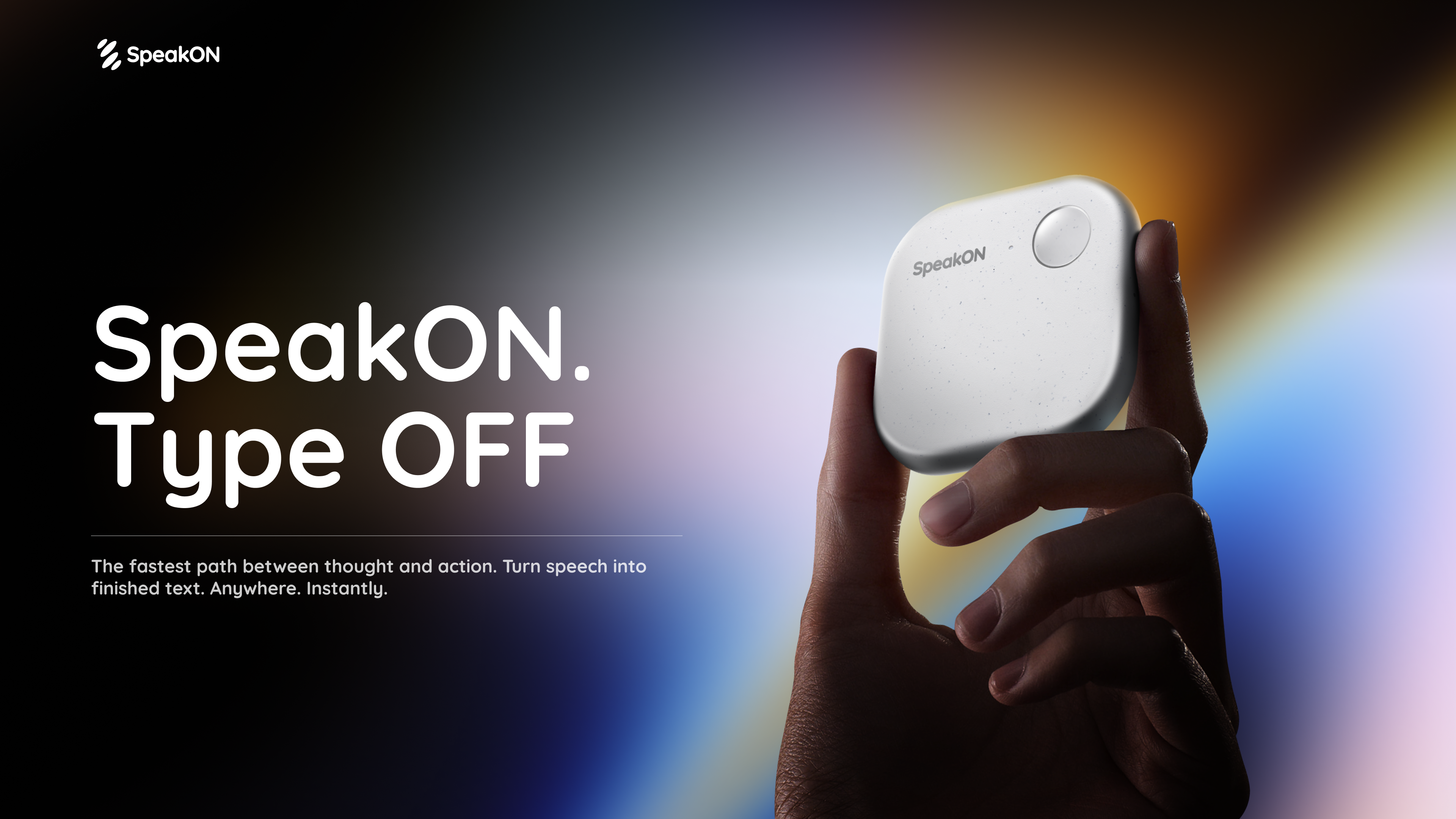
SpeakON Agent is a voice-first AI communicator that turns natural speech into real work. Rather than typing a request into an app, you speak it: the Agent understands your Notes, connects the tools you already use, and prepares Actions for you to review and confirm. The product is described on its page as a voice-first AI communicator built on a simple promise — speak naturally, and the Agent understands your intent, finds the right context, and executes the next steps you approved. SpeakON Agent pairs a SpeakON device that snaps onto your phone with the SpeakON AI Voice Keyboard app for iPhone, and it is aimed at people who want spoken thoughts to become tasks, messages, and reminders instead of staying as unstructured voice memos. The starting point for SpeakON Agent is the friction of typing. The product page frames the idea as "the last keystroke": the next workflow does not have to start with another keystroke. Creator videos featured on the page repeat the same theme in different words — ideas move faster than fingers, brains have too many tabs open, and repetitive messages get typed over and over. SpeakON's answer is to let people say what they need, review what the Agent prepares, and move it forward. Rather than replacing the tools people already use, the Agent works across the Notes they have written and the apps they have connected, so a single spoken request can become a scheduled meeting, a Slack announcement, an email draft, and a reminder. Voice input is the front door to the product. With the SpeakON hardware, you press the button, speak, and the device turns your voice into clean, ready-to-send text; creators on the page note that it tidies up messy sentences and changes the tone depending on whether you are writing an email or texting a friend. The SpeakON AI Voice Keyboard for iPhone extends the same voice-first approach to typing anywhere on the phone. Both pieces are described as a "press to speak" experience, and the page's overall message is "zero typing, just talk." For the Agent specifically, voice is how a request is handed over: one natural spoken request can contain several different actions, and the Agent is expected to make sense of all of them at once. SpeakON Agent starts with your Notes. The Agent turns your current Note into a task and can use relevant details from saved Notes and connected apps. That means the context for a request does not have to be retyped — it can come from the note you are looking at, or from earlier notes you have saved. The page illustrates this with examples: asking the Agent to book a one-hour product review with Devin in Room Berlin tomorrow at 10:30, send him the details on Slack and Gmail, and set a reminder 30 minutes before; or asking it to find customer feedback Notes from the past month and summarize the biggest issues. Notes therefore act as both the instruction and the source material the Agent works from. Connectors bring in context from the apps you already use. The page lists Gmail, Google Drive, Calendar, Slack, Reminders, Contacts, Notion, Evernote, and Obsidian, and states that more integrations are to come. In the worked example on the page, the Agent checks calendar availability, identifies Conference Room 203, locates Daniel from Marketing in Contacts, and pulls the source Note and product brief. Slack is used for the #productteam announcement, Gmail for the invitation to Daniel, and Reminders for the personal reminder to review the product brief. Because the Agent can reach into these tools, a single spoken request can be prepared across several apps rather than being copied and pasted between them. One request can contain multiple actions, and the page describes the Agent's flow in six stages. First you Request: speak naturally and give the Agent the full request. It then Understands, identifying the people, timing, and every action inside the request. It Finds Context — calendar availability, the room, Daniel's contact, and the relevant Notes. It Prepares the Task: the event, the Slack announcement, the invitation, and the reminder. You Review the email to Daniel before the Agent sends it. Finally, after you confirm, the Agent Completes the approved actions. The page's example shows four tasks identified from one request: scheduling the product discussion, notifying #productteam, emailing Daniel and adding him to the invite, and creating a reminder to review the product brief. You decide what happens next. The Agent moves things forward and checks with you when it needs your approval; you can review the details and make changes along the way. Messages stay unsent until approved, and only the actions you approved are completed. The page shows a Gmail draft waiting for review, with a voice edit option and a confirm step, before the meeting is scheduled, the team is notified, Daniel is invited, and the reminder is set. This review layer is central to how SpeakON Agent is positioned: the Agent does the preparation and the legwork, but the person speaking the request keeps control over what actually gets sent or scheduled. The page's "Agent In Action" section shows concrete scenarios. In "Move a Launch Forward," one request coordinates a launch check-in, invites Maya, posts the agenda in #launch, and sets a reminder to review the rollout checklist. In "Keep a Shipment Moving," the Agent finds the latest update on the Rotterdam shipment, summarizes the delay, drafts a customer email, notifies #operations, and sets a follow-up reminder. "Follow Up After a Showing" turns a property Note into client communication and a second viewing appointment, including a reminder to send the disclosure documents. "Prepare a Renewal Response" finds the latest renewal proposal, compares it with a previous Note, summarizes what changed, and prepares a reply. SpeakON Agent is presented for iPhone users who handle coordination, communication, and follow-up as part of their day — the scenarios on the page involve product launches, shipping and operations, real estate showings, and sales renewals. The experience runs on iOS through the SpeakON AI Voice Keyboard app, alongside the SpeakON device that snaps onto your phone. The page also references a Creator Challenge in which people follow SpeakON on social media, join its Discord community, and take part for a chance to win a SpeakON device or AI Agent credits. Media logos displayed on the page include USA Today, MakeUseOf, Tech Times, MarkTechPost, Gadget Flow, iLounge, Stuff, and How-To Geek. Taken together, SpeakON Agent is best understood as a voice-first layer over the work you already do on your phone. You speak a request in plain language; the Agent reads your Notes, gathers context from connected apps such as Calendar, Slack, Gmail, and Reminders, and prepares the resulting actions as drafts for your review. Nothing is sent until you approve it, and you can adjust details with a voice edit before confirming. The value proposition the page repeats is straightforward: less typing, fewer repetitive messages, and a way for ideas and instructions to move from speech to completed work without disappearing along the way.
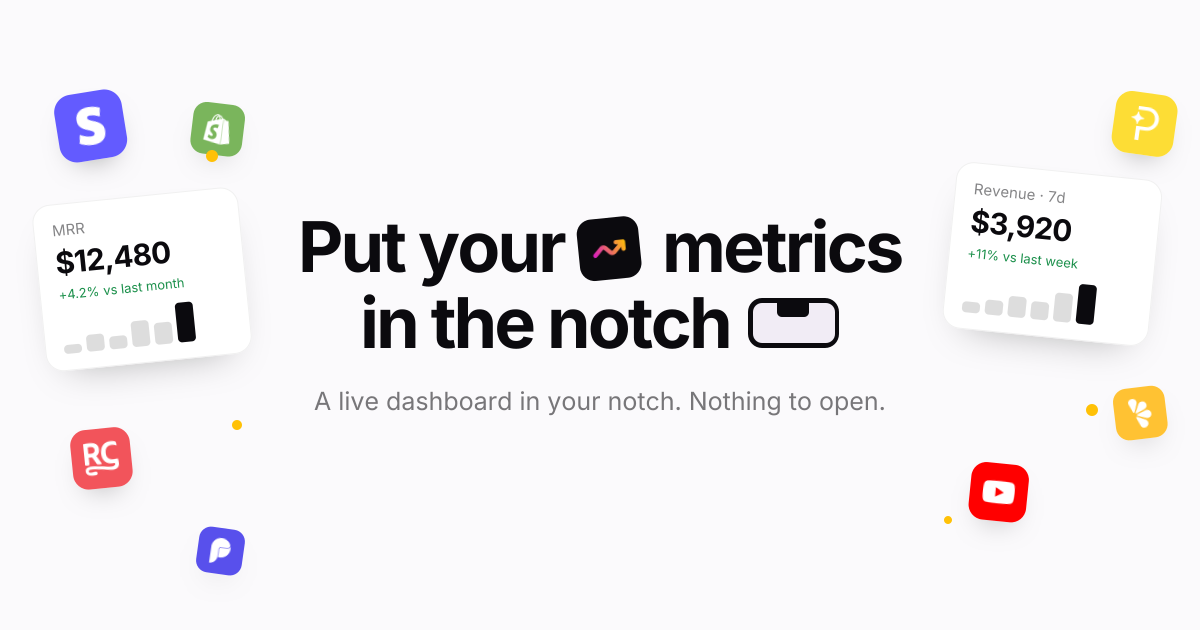
Notch Metrics is a native macOS app that puts your revenue, MRR and subscriber numbers into the MacBook notch. Instead of opening a billing dashboard or a spreadsheet, you look up at the camera housing and the figure is already there: the notch expands over whatever you are doing, shows the widgets you have arranged, and folds back when you leave. The product is built for people who run or build a software business and want the handful of numbers they check most often to sit permanently at the top of their screen: builders, founders and marketing teams who watch revenue, subscriptions and traffic through the day. Its stated purpose is simple: every number you check, in the notch. The problem it addresses is the distance between a question and an answer. Payment providers and analytics platforms each ship their own dashboard, so the numbers a founder checks most often sit behind separate logins and separate pages, and reaching them means leaving whatever you are doing. Notch Metrics takes the opposite approach and moves the figure to the one place on a MacBook that is always in view and never in the way. The site frames the payoff directly: you see who just paid without opening a dashboard, and you look up rather than navigating away. Because the notch is a physical part of the display that cannot be hidden behind another window, the number stays visible while you work in Finder, an editor, or anything else. The headline capability is every number at once. Revenue, subscriber counts and today's takings sit side by side in the expanded notch, and the app states that nine widgets can be open at a glance while the island still reads in a second. Each widget carries its own comparison: MRR shown with a +4.2% delta against last month, seven-day revenue with +11% against last week, active subscriptions with a week-over-week count. A glance therefore tells you not just the figure but the direction it is heading. Notch Metrics also shows lists, not only numbers: a recent-payments feed sits beside the headline figures, listing entries such as a Pro yearly plan or a Pro monthly plan, so the underlying events are visible alongside the totals. Widgets are arranged inside the notch itself. There are four tile sizes, from a single square up to the full width, and you drag to arrange them and resize them in place in the notch. The notch opens on hover: rest the pointer on the camera housing and it expands over whatever you are doing, and when you leave it folds back to the shape it had. Because the interaction is hover-driven, checking a number costs a fraction of a second. The app is described as quiet by default: a small native app written in Swift, with no dock icon, no window and no menu bar clutter while you work, and light on memory and on battery. Notch Metrics lists sixteen sources live. On the payments side that includes Stripe, Polar, Paddle, Dodo Payments, Lemon Squeezy, Shopify and RevenueCat; on the analytics and product side, Plausible, Google Analytics, Google Search Console, PostHog, Mixpanel and Amplitude; and alongside them GitHub, YouTube, OpenAI and Claude. Each source reports what makes sense for it: Stripe reports MRR and subscribers, Polar reports today's takings, Dodo Payments reports seven-day revenue and orders, RevenueCat reports trials and active subscriptions, GitHub reports stars and open issues. Payments, analytics and code therefore sit side by side on the same strip of glass. Connectors marked as on the way arrive without an app update, and you connect a source once on the web and every Mac you own picks it up. Provider keys are handled with unusual care for a Mac utility. A key is encrypted the moment you paste it, with a key of its own, and it stays on the server where no app on your Mac can read it. Your account, the integration and the provider are bound into the encryption, so a row copied anywhere else decrypts to nothing, and removing an integration deletes its encrypted key with it, leaving no second copy to clean up. Every plan also includes custom metrics authored by your own coding agent over MCP, which is the approach behind the product's Product Hunt tagline about using Claude Code to build analytics widgets for your notch. Under the hood the model is deliberately thin on the client. Notch Metrics' servers fetch and normalise each metric on a schedule and hand your Mac a number; the Mac receives a figure rather than a credential. That is why a subscription is per account rather than per machine: sign in on another Mac and your connections and layout are already there, with your widget arrangement synced between them. It is also why new connectors can appear without an app update, because the fetching work happens server-side. The macOS app itself is a small native Swift binary for Apple silicon, version 0.4.2, requiring macOS 14 or later, with signed and notarised updates for as long as you subscribe. The benefit the product claims is attention. The numbers you check most often are already on screen, so the check costs a glance instead of a context switch, and nothing has to be opened, closed or rearranged afterwards. Because the notch is quiet by default with no dock icon, no window and no menu bar clutter, the app adds visibility without adding desktop clutter, which is what makes it practical to leave running all day. Side-by-side placement means a founder can read revenue next to GitHub activity or traffic without reconciling two browser tabs, and the deltas attached to each widget turn a raw figure into a trend you can act on. Signing in on a second Mac restores the same connections and layout, so the view follows you between machines. The site names its audiences directly as builders, founders and marketing. A founder can keep MRR, subscriber count and a recent-payments feed in the notch and see the direction of the business each time they look up. An indie developer selling through several providers can place Stripe, Polar, Paddle, Dodo Payments and Lemon Squeezy widgets next to each other instead of visiting five dashboards. A builder can watch GitHub stars and open issues beside revenue. A marketer can keep Plausible, Google Analytics, PostHog or Google Search Console in the same strip as the money numbers. Teams that want a figure nobody ships can author a custom metric with their own coding agent over MCP. Notch Metrics is a paid macOS app with no free tier; the trial exists because each metric is fetched and normalised by the company's servers on a schedule, which costs money per account. The seven-day trial requires no card, and when it ends widgets stop updating but nothing is deleted. Monthly is $9 per month, cancel whenever; yearly is listed at $108 reduced to $49 per year, which works out at $4.08 a month billed once. Every plan includes every connector with no per-integration charge, as many widgets as fit in the notch and in list view, custom metrics over MCP, every Mac you sign in to with layout synced, and signed notarised updates while subscribed. Prices are in USD, tax may apply, and checkout and subscriptions run through Dodo Payments. It requires Apple silicon and macOS 14 or later. Notch Metrics makes a narrow promise and keeps it: put the numbers you check constantly in the one place you always look. By combining sixteen live sources, comparison deltas, payment lists, resizable widgets and hover-to-open behaviour in a quiet native Swift app with server-side encrypted keys, it turns a glance into a status check rather than a dashboard visit.
Savor is an Intention Layer™ — a calm app for thoughts and reminders, available free on iPhone and Android. It is built for the things that come up while life is already happening: a school flyer handed over on the way out the door, a bill with a due date, a restaurant someone mentioned, a text you meant to answer, or an idea you want to write down before it slips. Users capture something by speaking it, typing it, or snapping a photo, and Savor shapes it into a clear Savor Card describing what it is, when it matters, and what to do next. Cards live in three lanes — Now, Soon and Later — so what matters surfaces when it matters, and a timed notification or a daily reminder brings it back at the right moment. Most productivity tools are organised around output: streaks to maintain, dashboards to check, overdue counters, badges and scores. Savor's own comparison sets "most apps" — with their 27-day streaks, "5 tasks overdue" warnings and weekly productivity percentages — against its own approach: no streaks, no shame, no endless dashboards, no pressure. The problem it names is weight: some of the things people carry are big and some are small, but carrying all of them can be overwhelming. Rather than asking people to convert every passing thought into a task before they are ready, Savor gives each item a quiet place to land — clear enough to find again, gentle enough to leave alone until it matters — plus assistance moving it forward toward follow-through. Capture is deliberately low-friction. People can speak an item, type it, or scan a bill, letter or flyer with the camera. Photo capture is aimed specifically at paperwork: Savor reads the photo and creates a card from it, and the user can correct anything it missed. On iPhone, capture also works through Siri — saying "Add buy milk to Savor" creates the card without opening the app, and the card is there the next time Savor is opened. After capture, Savor understands and shapes the input into a Savor Card: the clear, plain-language version of what was captured, covering what it is, when it matters and what to do next. Any card can be edited, moved between lanes, or let go. Cards live in three lanes. By default Now holds today or overdue items, Soon holds the next two days, and Later holds everything after that — so "call the dentist tomorrow" lands in Soon while "buy milk" lands in Now. A card can be dragged to another lane or moved from the card itself, and what each lane means can be changed in Settings. Reminders are fully controlled by the user: Savor sends one notification at the time set on any timed card, plus a daily reminder to check Savor at 9:00 AM until it is changed or turned off. On a card with a date but no time, turning on Reminder brings it that day at the time shown beside it, or another time can be picked there. Settings holds the master switch, the daily reminder and quiet hours. Savor also supports moving an intention forward with other people. To delegate, the user opens a card and chooses "Hand this card to someone", or "Hand this piece to someone" on a subcard. The other person needs Savor and chooses Take it or Not now; once they take it, only they can change it and they receive its reminders, while the original owner sees a read-only copy with Take it back and can talk in the card's chat. Cards can be handed back and forth, and either person can resolve them. Take Action (Beta) helps explore options, build a plan or list, and draft words to use, with the user reviewing and adjusting the output. From a card, an item can also be added to the calendar so a date lives in both places. Savor's distinctive approach is the Intention Layer itself. Where a task manager tracks what needs to be done, an Intention Layer holds what a person means to do until it is ready to become a task. An intention can arrive as a partial thought — a question, a possibility, something the user is not ready to decide — and it keeps its thread as the user adds to it or changes direction. The loop is capture, shape, resurface: capture it now, shape it clearly, resurface it later, at which point the user can act, defer, delegate, finish or let it go. There is no public profile, feed, follower count, ranking or streak, and cards are private unless deliberately shared. The stated aim is to be used just enough — capture what matters, trust that it is held, and return to life. The intended outcome is less mental clutter and more space to live. Instead of holding dozens of small obligations in working memory, users hand them to a calm place and trust they are held until they become useful. Because lanes and reminders decide when something returns, people do not need to keep checking a system; because there are no streaks, badges or "don't break it now" messages, there is nothing to fall behind on. Delegation converts a private worry into a shared commitment with clear ownership, and the in-card chat keeps the context with the handoff rather than in a separate message thread. Adding a card to the calendar keeps a date visible in both places. Concrete scenarios described in the content: a school form or flyer that arrives during the workday — keep the original accessible, capture the next step, choose a reminder, and agree who owns the follow-up by handing the card on. A statement or bill can be photographed so the amount and due date are read and captured, with a reminder set for when it matters. A recommendation like a ramen place someone mentioned can be typed or spoken and parked in Later until it becomes relevant. Siri capture covers the moment of walking out the door. Take Action can help work through an unclear intention, build a list, or draft the words for a message, and handing a single step to someone turns a larger intention into shared progress. Savor is for people 13 and older, and teenagers get the same calm place to capture what is on their mind, with age-aware guardrails enforced around it. On a fresh install the app uses an Apple or Google Play age range where the store says a check is required; it never asks for a birth date or its own age question, and a store-reported under-13 range is blocked. When the store supplies a 13–17 range, model-written Take Action answers stay hidden until an output-safety check clears them, and answers that are flagged — or where the check cannot run — are withheld. Savor is free on iOS and Android while monetization is paused: no paid plan or upgrade is required, and product-limit counters do not block use or trigger an upgrade during the pause, though fair-use and service safeguards still apply. The privacy statements in the content are specific. Private cards, reminders, voice and photos are not sold or shared for advertising and are not used to train general-purpose AI models; voice and scans are turned into text only when the user chooses to capture, and product analytics contain no capture content. Take Action involves Anthropic's Claude Sonnet 5.5 for parts of the conversation and OpenAI's GPT-5.6 Luna for public-information research, with OpenAI's separate moderation service checking Take Action input for every account and, for a known teen account, checking the finished answer before it is shown. Limited advertising measurement is described separately in the full privacy policy at savorapp.ai/privacy. Savor's value proposition is stated plainly on its own site: less mental clutter, more space to live. It is not a traditional, list-first task manager. It is an Intention Layer that captures by voice, photo or text, shapes each item into a clear card, holds it in Now, Soon or Later, resurfaces it with reminders, and lets a card be handed to someone you trust — all without streaks, dashboards or pressure.
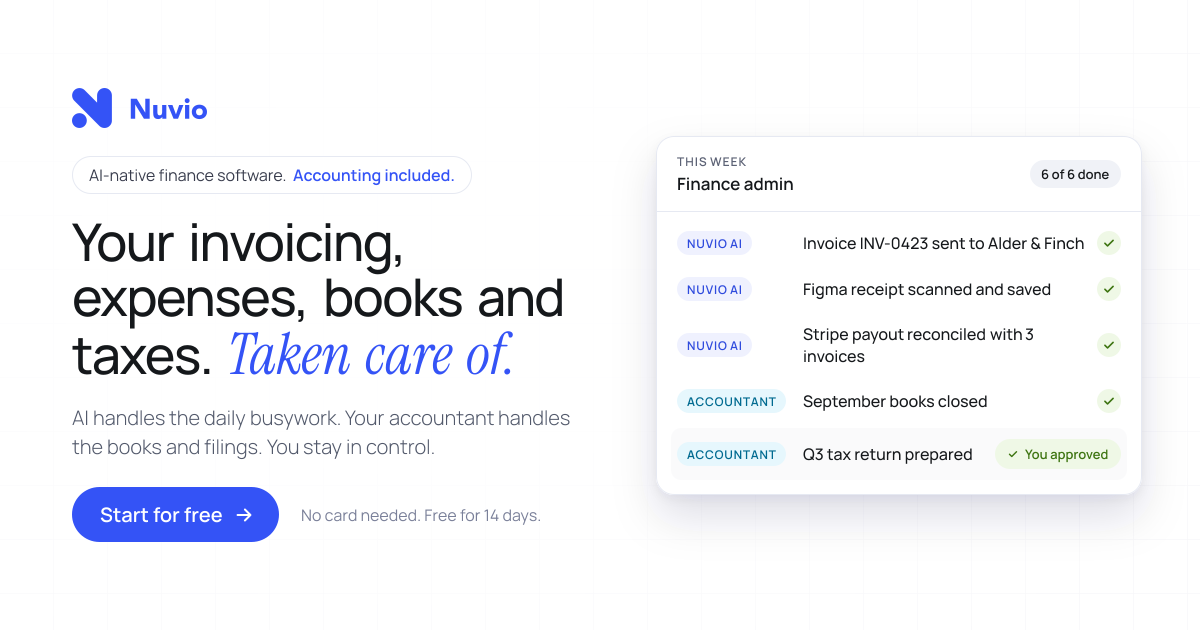
Nuvio is AI-native finance software for founders and small business owners, described on its homepage as your invoicing, expenses, books and taxes taken care of. It pairs an AI-driven workspace with accounting services: the software automates invoicing, receipt and invoice scanning, expense categorisation and bank reconciliation, while an accountant who already knows Nuvio looks after bookkeeping, year-end accounting and tax filings included in the plan. The product is positioned as one platform for finance and accounting rather than a tool you have to coordinate with a separate accountant. Nuvio states it is trusted by 1,200+ founders and small business owners and reports 60% less financial admin time on average. Users can start for free with no card needed for 14 days. The product is built around a specific problem: you started a business, not a second job managing its finances. Nuvio illustrates a founder's day broken up by finance admin interruptions, such as finding a receipt, exporting transactions or waiting for an answer, and notes that each task looks small but together they keep pulling the owner away from the business. A second coordination problem is described too: normally you have to find financial software, then find an accountant, then persuade them to work together. Nuvio aims to remove both kinds of friction by connecting the daily work, the answers and the accounting support in one place, so there is less for the owner to coordinate personally. Nuvio handles the recurring document work. You create and send invoices and track what is outstanding, and Nuvio follows up on overdue payments automatically. The site walks through an example invoice to Kestrel Labs: sent on Oct 3, past due with an alert on Oct 17, a follow-up sent by Nuvio on Oct 20, a second follow-up on Oct 27, and payment received on Oct 29. That means the owner does not have to keep every unpaid invoice in their head. On the expense side, Nuvio scans invoices and receipts and extracts the details, filling in fields such as supplier, invoice date, total amount, tax and tag, which the interface labels as AI-filled. Users review the records instead of typing them in from scratch, and expenses are categorised automatically. AI-powered reconciliation matches bank transactions with invoices and expenses, helping keep records reconciled without checking every line by hand. Nuvio shows this as a matching view in which bank transactions, including a Stripe payout, invoices from Kestrel Labs and Harbor & Pine, and an AWS expense, are paired against the corresponding invoices and expenses until all four transactions are reconciled. From there the workspace gives a running picture of the money: paid this month, outstanding, and the forecast low point, shown in the site example as $38,420 paid, $21,450 outstanding and a January forecast low of $31,200. The stated goal is that you can see what is paid, what is outstanding and where your cash is heading without assembling the picture yourself. Nuvio includes an AI finance assistant that answers questions in the user's own words rather than requiring report-building. The homepage suggests prompts such as which invoices are still unpaid, how expenses changed this month, and a request to show the cash flow forecast. In the example answer, the assistant lists four unpaid invoices totalling $21,450 with one overdue, breaks expenses down by category such as contractors, software and travel while comparing them month over month, and projects net flow and cash balance for the next four months. The same assistant can work with the user's own AI agents, so supported financial questions and tasks can be carried out from tools the user already uses; the page names ChatGPT, Claude, Grok Bot and Hermes. Accounting is included rather than sourced separately. Nuvio matches each customer with an accountant who already works in the platform, and the accountant takes care of bookkeeping, year-end accounting and tax filings as specified in the plan. Records reach the accountant's workflow directly, including invoices, categorised receipts, matched bank transactions and expenses, with no exports and no email threads. Setup follows three steps outlined on the site: connect bank accounts and bring in invoices, expenses and transactions in one sitting, with the example showing business checking, savings and company card accounts connected and 1,284 transactions imported; meet the matched accountant and confirm the accounting services included for your business; then get back to the business while Nuvio and the accountant handle the work. A weekly update summarises what was handled, such as receipts scanned, transactions reconciled, follow-ups sent and books kept up to date, and flags only what needs your decision, such as approving a tax return. The outcomes Nuvio emphasises are time and visibility. The site claims 60% less financial admin time on average and describes founders who stopped guessing and started seeing: analyses that used to take hours now take seconds, cash flow, income and expenses are viewable on a single page, financial data is visualised for readability, and users can filter and review income and expenses to take proactive action. Customers quoted include business owners, a general manager, a physiotherapist and an entrepreneur, and the page reports a 5.0 out of 5 rating from six customer reviews. The division of labour is stated plainly in three lines: the AI handles the daily busywork, the accountant handles the books and filings, and the owner stays in control. Typical use cases described on the site include sending an invoice and letting Nuvio chase it with escalating follow-ups until payment arrives; scanning or importing a supplier receipt so the supplier, date, total, tax and category are captured as an expense; letting the AI match a Stripe payout against several invoices and an AWS charge so the bank feed stays reconciled; asking in plain language which invoices are unpaid and how expenses changed month over month; checking a cash flow forecast before making a decision; and approving a prepared tax return or closing the books with the matched accountant. The product also suits owners who prefer to work from an AI agent rather than a dashboard. Nuvio is aimed at founders, owners and small business teams; the site cites 1,200+ founders and small business owners and quotes owners, general managers and practitioners at small companies. Its stated connections include bank accounts and cards for transaction import, plus AI agents such as ChatGPT, Claude, Grok Bot and Hermes. Pricing is subscription-based with accounting bundled in: users start for free with no card needed for 14 days, and the plan specifies the year-end services and tax filings included for the customer's country and business type, with that scope confirmed before subscribing. A 15-minute demo is also offered. In short, Nuvio positions itself as one place where daily financial admin is automated, financial questions get answered immediately, and the accounting and tax work is already covered by an accountant who knows the platform, so a founder can spend less time on the books and more on the business.
WhoIsCooking is a Mac app that shows the temperature of your chip and tells you which AI agent is heating your Mac. It lives in your notch, or in the menu bar if you prefer, and displays the hottest chip sensor reading next to overall CPU and GPU load. Under that headline it lists the agents and apps that are currently working, each with a CPU percentage and a note about what that agent is doing, such as Claude Code running ffmpeg and python, Codex CLI running a cargo build, Cursor acting as editor and agent, or Chrome with fourteen tabs open. It is made for people who run AI coding agents and other heavy developer work on an Apple Silicon MacBook and want to know at a glance what is cooking the machine. The problem it addresses is a familiar one for anyone using agentic coding tools: Claude Code, Codex and Cursor start builds, tests and renders that turn a MacBook into a stove. When several agents run at once, the machine gets hot and starts throttling, and it becomes hard to tell which of the many running processes is actually responsible. The usual system view shows dozens of cryptic processes rather than the agent sessions a developer actually thinks in, so people either wait for the heat to pass, kill work they still need, or simply accept a slow and noisy machine. WhoIsCooking closes that gap by naming the agent behind the heat and offering a way to cool the Mac without stopping the work. The primary readout is a temperature. WhoIsCooking shows the hottest chip sensor, for example 92°C, together with CPU and GPU percentages and a status line indicating that the machine is hot and throttling. This answers the first question most people have when a MacBook gets warm or a fan spins up: how hot is it really, and is it being pushed hard? Because the figure comes from the chip sensors rather than an estimate, it reflects the machine's actual thermal state. From that same view, a single button invites you to cool down your Mac. Instead of listing processes, WhoIsCooking groups work by agent. An agent session and everything it started, including builds, tests, dev servers and renders, appears as a single line rather than eighty cryptic processes. Each row carries the CPU percentage the agent is consuming, a short description of what it is running, and a cool-down control. The app recognises Claude Code, Codex CLI, Gemini CLI, Cursor, Aider, Copilot CLI, Ollama and LM Studio, and it also covers Xcode builds, ffmpeg, Docker and your browser. That means the list maps onto how a developer actually works: one line per agent rather than a wall of unrelated subprocesses. Cooling is the core action. One click moves busy work onto the Mac's efficiency cores. The job keeps running, a little slower, and the Mac drops about fourteen degrees; the site illustrates the same render at 64°C before and 50°C after. Because the work is moved between cores rather than suspended, the agent continues to make progress. A Full speed control puts the power back instantly whenever you want the power back, and quitting the app always restores full speed. WhoIsCooking is explicit that cooling is not killing. Nothing gets frozen or closed unless you ask for it. Your terminal and your apps stay usable the whole time, so a long build or a render can continue while you keep working in the same session. If you do want something gone, quitting a process is an explicit choice rather than a side effect of cooling. This separates it from approaches that pause or terminate workloads in order to reduce temperature. The app also watches for work that runs away. You get a nudge when an agent burns CPU for five minutes straight, or when it leaves dev servers running after its session ends. Those are the two cases where a machine keeps running hot long after the developer has walked away or moved on to something else, and the nudge points at the specific agent responsible so it can be dealt with. Underneath, WhoIsCooking reads the chip sensors every twenty seconds and only looks at processes while it is open or while the Mac is hot. Idle, it uses about 0% CPU and 14 MB of memory, so monitoring the temperature does not itself become another source of heat. It sits in the notch or the menu bar, appears on hover, and needs no account or cloud service: the reading and the control are local to your Mac. It runs on Apple Silicon Macs, M1 to M5, on macOS 14 or later. The temperature sensors it reads exist only on Apple Silicon, so on Intel Macs you can see CPU use but not temperature. The outcome is a cooler, quieter Mac without losing work. According to the site, cooling takes a machine from 64°C to 50°C on the same render, roughly fourteen degrees, while the job continues. Instead of guessing which process to kill, you can see the offending agent, cool it, and keep the session running. The runaway nudges catch the leftovers that would otherwise keep the machine warm, and Full speed returns the power in one click when you need it. All of this is visible from the notch, so checking costs a hover rather than a switch to another app. Concrete scenarios follow directly from the heat list the app displays. A developer running Claude Code that is executing ffmpeg and python at 184% can see that this single agent is the heat, cool it, and let the render finish on the efficiency cores. Someone running a Codex CLI cargo build at 91% can keep the build going while the Mac drops in temperature. A Cursor session acting as editor and agent at 62%, or a browser with fourteen tabs at 23%, shows up as its own row so the source of load is obvious. Local model users running Ollama or LM Studio, and anyone building with Xcode or running Docker containers, are also recognised in the same list. WhoIsCooking costs $5 as a one-time purchase with no subscription, and it requires an Apple Silicon Mac on macOS 14 or later. It is signed with an Apple Developer ID and notarized by Apple, so macOS opens it without warnings. The takeaway is simple: WhoIsCooking answers which AI agent is cooking your Mac, then cools it down without stopping its work, for a one-time $5 price on Apple Silicon hardware.
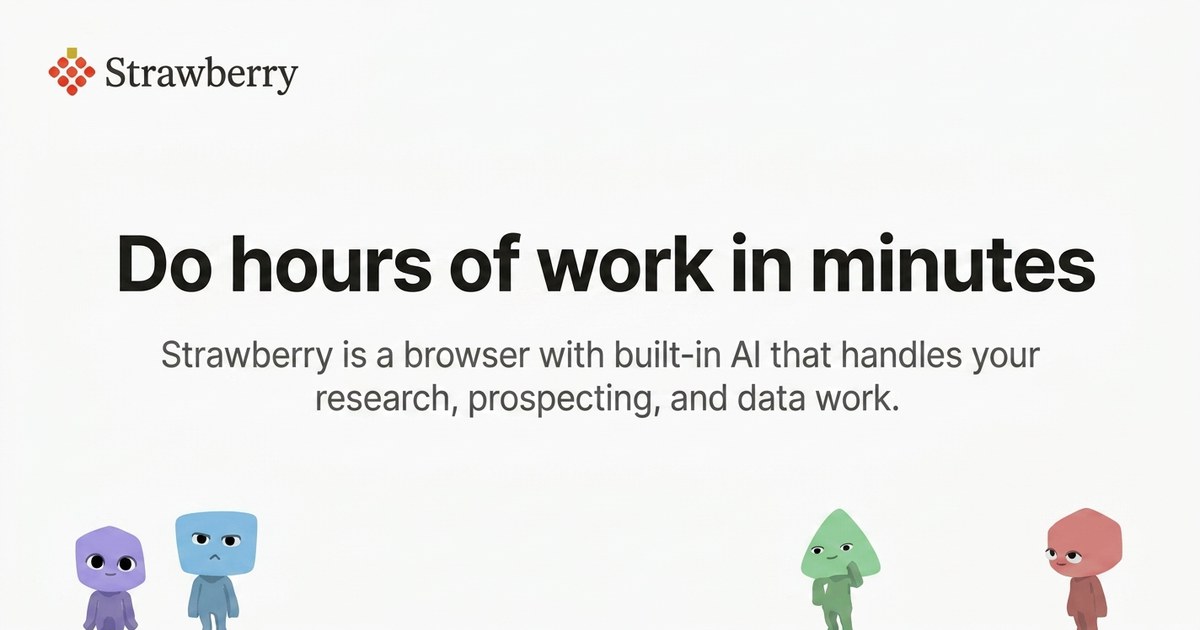
Strawberry is a desktop browser with built-in AI companions: AI teammates that work alongside you inside the accounts you are already signed into. Rather than opening a separate chatbot, you browse as usual while a companion researches, drafts, transcribes and clicks through repetitive work on your behalf. You can hire one of Strawberry's official companions or create your own, teach it your preferences and workflows, and share it with your whole team. The product is aimed at fast-growing companies and at people in sales, recruiting, marketing, consulting, executive and founder roles who want hours of browser work compressed into minutes. Most AI tools stall at the edge of real work. Strawberry's site points to three common frustrations: assistants that struggle to work in your tabs, tools that are limited to app connectors, and workflows where everyone works in isolation. A chatbot can answer a question about something you paste into it, but it cannot see the page you are on or take the next step in the tool you are already using. Because Strawberry is a browser, it has access to far more context than a chatbot. It understands what you are looking at and working on, which is what allows it to give better answers and, more importantly, to take actions on your behalf. The FAQ states it plainly: any work that can be done in a browser can be done with Strawberry. The core unit of Strawberry is the Companion. In Strawberry you can hire or create AI Companions; companions learn your preferences and workflows and can start working for you 24/7. Official companions ship with a defined job to be done. Sales Sally gets 100 qualified leads with outreach written in your voice and ready to send. Talent Theo returns 10 strong candidates, each researched and scored against what your team needs. Executive Ellis delivers a brief every morning, replies drafted in your voice and follow-ups that do not slip. Marketing Martin finds what worked for you, then produces posts in your voice for every channel. Consulting Cora turns every client call into a proposal and starts every kickoff with the research already done. If none of those fit, you can create a teammate with its own look, built around your process and schedule. Research is where the browser foundation pays off most visibly. Because a companion can use the web the way you do, Strawberry notes that there are 1.8 billion websites and that it can use them all, so companions can research hundreds of leads in parallel, source profiles on LinkedIn and pull results into the tools you already use. The site shows a companion filling a Google Sheet with a company shortlist and a fit rating while the user watches. Workflows illustrated on the site span Gmail, Slack, Google Calendar, Linear, HubSpot, Notion, LinkedIn and Google Sheets: a companion can add a lead to HubSpot, create a task in Linear, save meeting notes in Notion or queue a follow-up. The same capability covers sourcing candidates, updating CRMs and pulling data into sheets. Strawberry also covers the work that surrounds a meeting. Bring Strawberry with you into meetings and it takes notes, summarizes the transcript and extracts action items and follow-up tasks. It works with all video conferencing tools and does not require adding a meeting bot to the call. Separately, companions can create branded slide decks, posters, infographics and dashboards based on any source on the web, including sources behind login walls. Two further features make the companionship persistent rather than one-off. Work on Autopilot lets you set up recurring tasks, so if something can be done in a browser it can be automated. Superhuman Memory means Strawberry memorizes details, habits, people and projects so that every chat has full context, and useful knowledge and preferences carry into the next task so work builds on what came before. Strawberry describes its foundation as five layers coming together in one place. The Browser is where your everyday browser becomes the place to work with AI, use your tools and access your team's shared workspace. Tools connect the apps your work runs on so companions can help across them. Context brings project files, notes and reference material together so companions work from the right information. Memory carries knowledge and preferences into the next task. Team lets teammates and AI companions share work so everyone can contribute and build on what is already done. Getting started is designed to be quick: install the desktop app for free, bring your bookmarks, passwords and Chrome extensions over from your old browser, and meet your companion, exploring personalized use cases together. The outcome Strawberry sells is time. The Product Hunt listing frames it as an AI browser that saves your team more than 100 hours a week, doing hours of work in minutes. Users quoted on the site report easily 10+ hours saved, 270+ leads sourced with no manual work, and profiles that were 90% spot on. Beyond raw speed, the pitch is about momentum: research, outreach and data pulls are described as the work that used to kill momentum, and companions run in the background while you do other things. Because a companion can be shared with the whole team, the benefit compounds across people rather than staying with one power user. Concrete scenarios named on the site include sourcing very niche roles, where a recruiter at Zapier described using Strawberry for sourcing and called the Ashby connection the cherry on top. They include finding potential customers on LinkedIn and adding them to a Google Sheet, transcribing meetings and turning notes into tasks in Linear or records in HubSpot, producing channel-ready marketing posts in your voice, converting client calls into proposals for consulting engagements, and running routine browser work on a recurring schedule. The FAQ summarizes the range: it can research companies, source leads on LinkedIn, update CRMs, transcribe meetings, create slide decks, pull data into sheets, draft emails and run routine browser work. Strawberry is positioned for teams, with hundreds of teams already using it, including Lovable, Tandem Health and ElevenLabs, as well as for individuals in sales, marketing, recruiting, consulting and founder roles. It runs as a desktop app for macOS and Windows and lets you choose among the best search engines in the world, with Google Search as the default. Pricing is freemium. The free plan includes 500 credits per month, the Intern plan includes 6,000 credits at $20/month, Part-time includes 25,000 credits at $85/month and Full-time includes 75,000 credits at $250/month, with top-ups at $10 per 1,000 credits. Regular browsing does not use any credits; credits are used when chatting with companions or when companions are taking actions. On security, you choose per app and per action what companions may do without asking. Passwords, history and cookies are stored locally and encrypted on your device, and passwords are never exposed to Strawberry or LLM providers. Strawberry states that it meets SOC 2 requirements and GDPR, and that your data is not sold to advertisers, data brokers or anyone else. In short, Strawberry treats the browser as the place where AI can finally do real work: companions that live in your tabs, learn your context, act inside the accounts you are already signed into, and can be hired, created and shared across a team. The value proposition is straightforward: hours of research, outreach, note-taking and admin compressed into minutes, with you in the driver's seat on what runs automatically.