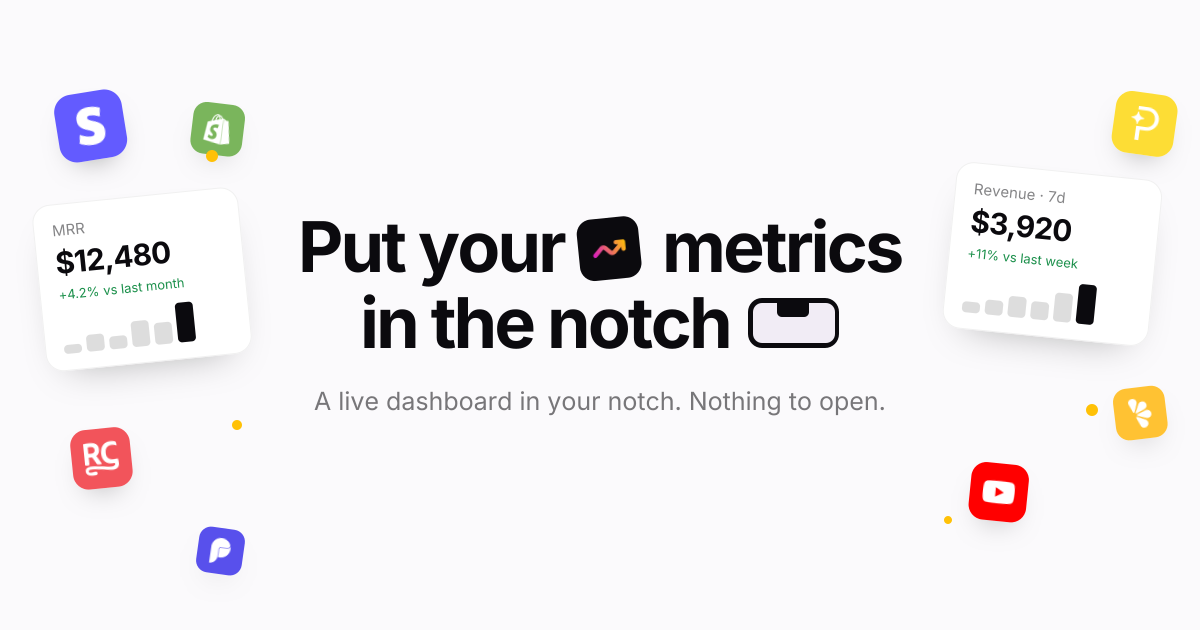
Notch Metrics is a native macOS app that puts your revenue, MRR and subscriber numbers into the MacBook notch. Instead of opening a billing dashboard or a spreadsheet, you look up at the camera housing and the figure is already there: the notch expands over whatever you are doing, shows the widgets you have arranged, and folds back when you leave. The product is built for people who run or build a software business and want the handful of numbers they check most often to sit permanently at the top of their screen: builders, founders and marketing teams who watch revenue, subscriptions and traffic through the day. Its stated purpose is simple: every number you check, in the notch.
The problem it addresses is the distance between a question and an answer. Payment providers and analytics platforms each ship their own dashboard, so the numbers a founder checks most often sit behind separate logins and separate pages, and reaching them means leaving whatever you are doing. Notch Metrics takes the opposite approach and moves the figure to the one place on a MacBook that is always in view and never in the way. The site frames the payoff directly: you see who just paid without opening a dashboard, and you look up rather than navigating away. Because the notch is a physical part of the display that cannot be hidden behind another window, the number stays visible while you work in Finder, an editor, or anything else.
The headline capability is every number at once. Revenue, subscriber counts and today's takings sit side by side in the expanded notch, and the app states that nine widgets can be open at a glance while the island still reads in a second. Each widget carries its own comparison: MRR shown with a +4.2% delta against last month, seven-day revenue with +11% against last week, active subscriptions with a week-over-week count. A glance therefore tells you not just the figure but the direction it is heading. Notch Metrics also shows lists, not only numbers: a recent-payments feed sits beside the headline figures, listing entries such as a Pro yearly plan or a Pro monthly plan, so the underlying events are visible alongside the totals.
Widgets are arranged inside the notch itself. There are four tile sizes, from a single square up to the full width, and you drag to arrange them and resize them in place in the notch. The notch opens on hover: rest the pointer on the camera housing and it expands over whatever you are doing, and when you leave it folds back to the shape it had. Because the interaction is hover-driven, checking a number costs a fraction of a second. The app is described as quiet by default: a small native app written in Swift, with no dock icon, no window and no menu bar clutter while you work, and light on memory and on battery.
Notch Metrics lists sixteen sources live. On the payments side that includes Stripe, Polar, Paddle, Dodo Payments, Lemon Squeezy, Shopify and RevenueCat; on the analytics and product side, Plausible, Google Analytics, Google Search Console, PostHog, Mixpanel and Amplitude; and alongside them GitHub, YouTube, OpenAI and Claude. Each source reports what makes sense for it: Stripe reports MRR and subscribers, Polar reports today's takings, Dodo Payments reports seven-day revenue and orders, RevenueCat reports trials and active subscriptions, GitHub reports stars and open issues. Payments, analytics and code therefore sit side by side on the same strip of glass. Connectors marked as on the way arrive without an app update, and you connect a source once on the web and every Mac you own picks it up.
Provider keys are handled with unusual care for a Mac utility. A key is encrypted the moment you paste it, with a key of its own, and it stays on the server where no app on your Mac can read it. Your account, the integration and the provider are bound into the encryption, so a row copied anywhere else decrypts to nothing, and removing an integration deletes its encrypted key with it, leaving no second copy to clean up. Every plan also includes custom metrics authored by your own coding agent over MCP, which is the approach behind the product's Product Hunt tagline about using Claude Code to build analytics widgets for your notch.
Under the hood the model is deliberately thin on the client. Notch Metrics' servers fetch and normalise each metric on a schedule and hand your Mac a number; the Mac receives a figure rather than a credential. That is why a subscription is per account rather than per machine: sign in on another Mac and your connections and layout are already there, with your widget arrangement synced between them. It is also why new connectors can appear without an app update, because the fetching work happens server-side. The macOS app itself is a small native Swift binary for Apple silicon, version 0.4.2, requiring macOS 14 or later, with signed and notarised updates for as long as you subscribe.
The benefit the product claims is attention. The numbers you check most often are already on screen, so the check costs a glance instead of a context switch, and nothing has to be opened, closed or rearranged afterwards. Because the notch is quiet by default with no dock icon, no window and no menu bar clutter, the app adds visibility without adding desktop clutter, which is what makes it practical to leave running all day. Side-by-side placement means a founder can read revenue next to GitHub activity or traffic without reconciling two browser tabs, and the deltas attached to each widget turn a raw figure into a trend you can act on. Signing in on a second Mac restores the same connections and layout, so the view follows you between machines.
The site names its audiences directly as builders, founders and marketing. A founder can keep MRR, subscriber count and a recent-payments feed in the notch and see the direction of the business each time they look up. An indie developer selling through several providers can place Stripe, Polar, Paddle, Dodo Payments and Lemon Squeezy widgets next to each other instead of visiting five dashboards. A builder can watch GitHub stars and open issues beside revenue. A marketer can keep Plausible, Google Analytics, PostHog or Google Search Console in the same strip as the money numbers. Teams that want a figure nobody ships can author a custom metric with their own coding agent over MCP.
Notch Metrics is a paid macOS app with no free tier; the trial exists because each metric is fetched and normalised by the company's servers on a schedule, which costs money per account. The seven-day trial requires no card, and when it ends widgets stop updating but nothing is deleted. Monthly is $9 per month, cancel whenever; yearly is listed at $108 reduced to $49 per year, which works out at $4.08 a month billed once. Every plan includes every connector with no per-integration charge, as many widgets as fit in the notch and in list view, custom metrics over MCP, every Mac you sign in to with layout synced, and signed notarised updates while subscribed. Prices are in USD, tax may apply, and checkout and subscriptions run through Dodo Payments. It requires Apple silicon and macOS 14 or later.
Notch Metrics makes a narrow promise and keeps it: put the numbers you check constantly in the one place you always look. By combining sixteen live sources, comparison deltas, payment lists, resizable widgets and hover-to-open behaviour in a quiet native Swift app with server-side encrypted keys, it turns a glance into a status check rather than a dashboard visit.
Publisher
A
admin
Launch Date2026-10-30
Platformdesktop
Pricingpaid
Tech Stack
#Swift#macOS#MCP