Category Focus/categories/developer-tools
Developer Tools AI Tools
Discover and compare the best developer tools AI tools and software. Browse 559+ curated tools with reviews and rankings.
Projects tracked
559
Sort mode
RECENT
Page
7
Discover and compare the best developer tools AI tools and software. Browse 559+ curated tools with reviews and rankings.
Projects tracked
559
Sort mode
RECENT
Page
7
CodeSpotlight is a plugin for IntelliJ IDEA that turns ordinary code selection into a customizable animated visual focus. Rather than leaving selected code with a flat highlight, the plugin surrounds the selection with glowing borders, moving lights, and smooth visual effects so that the code currently being discussed becomes the obvious center of attention on screen. It is designed for people who show code to an audience — coding YouTubers, tutors, instructors, course creators, livestreamers, and technical presenters — and for anyone who wants selected code to be impossible to miss. Its purpose is straightforward: select code, focus attention, and customize the look, all without leaving the editor or changing a single line of the source file. Presenting code is harder than it looks. A cursor alone is easy to lose on a busy screen, and the default selection highlight in a code editor is subtle by design — it is meant to support editing, not to survive a compressed video, a projector, or a livestream where viewers may be watching on a phone. As a result, viewers of technical tutorials, live coding sessions, screen recordings, and code demonstrations can struggle to follow which lines are being explained at any given moment. CodeSpotlight addresses that visibility gap. It keeps the developer's normal workflow intact while adding a configurable visual focus layer around the current selection, so the audience's eye is guided to the right place. According to the plugin's own overview, the goal is to help selected code remain visually easy to follow during presentations, technical tutorials, screen recordings, live coding, code demonstrations, reviews, and everyday development workflows. At its core, CodeSpotlight visually highlights selected code, including multi-line selections, which matters because real explanations often span a whole method, a loop, or a block rather than a single word. Crucially, the plugin preserves IntelliJ IDEA's normal selection and editing behavior: the text still behaves like ordinary IntelliJ IDEA code, and the plugin simply adds a configurable visual focus layer around the current selection. The animated effects are drawn as an overlay, so there is no need to modify source code, insert markers, or maintain a separate presentation copy of a file. For developers who present from their real project, that means the code they demonstrate is the same code they ship. CodeSpotlight offers multiple animation styles so the effect can match the tone and pace of a session. The free tier includes Traveling Border, Pulse, Breathing Glow, and Static Glow. CodeSpotlight Pro expands this with Travel + Pulse, Energy Sweep, Aurora, and Orbit, alongside everything available in the free tier. Traveling Border sends movement around the edge of the selection, which naturally draws the eye without covering the code itself. Pulse and Breathing Glow create rhythmic brightness changes that keep attention on a region while it is being explained. Static Glow provides a steady, non-moving highlight for situations where motion would be distracting. The additional Pro modes — Energy Sweep, Aurora, and Orbit — give presenters more distinctive looks to choose from when they want a signature style. Appearance controls let developers tune how the focus layer looks. The free tier ships with built-in color presets, and Pro adds custom primary and secondary colors for full control over the palette. Border thickness, glow radius, corner radius, and glow intensity can all be adjusted, so the effect can range from a thin outline to a soft, wide halo that frames the selection without obscuring it. These parameters matter because readability changes with context: a bright glow that works on a large monitor may need to be dialed down for a compressed recording, while a subtle outline may need to be strengthened for a projector. Because every control lives in the IDE settings, presenters can quickly match the effect to their recording setup, their editor theme, and their audience. Animation behavior is configurable as well. Users can choose the animation mode and speed, adjust moving light segments, and set the animation frames per second. Light trail controls add a trailing effect behind moving elements; the free tier covers a standard trail plus trail enablement, while Pro adds advanced trail length and intensity/fade controls. Moving light segments range from one in the free tier to one to four in Pro, which changes the density and feel of the motion — a single traveling light reads as a clean pointer, whereas several segments create a richer, more energetic look. The visual controls in the free tier include speed, glow intensity, border thickness, glow radius, corner radius, and animation FPS, and Pro includes everything from the free tier. To avoid re-tuning settings for every recording, CodeSpotlight supports saved presets: up to two in the free tier and unlimited presets with Pro. Presets make it practical to keep a distinct look for tutorials, another for livestreams, and another for client demos, and to switch between them rather than rebuilding the configuration each time. Two further Pro capabilities round out the package. Focus Mode, refined in version 1.0.1 with a darker selected-code surface and an unchanged surrounding editor, isolates attention on the current selection. Pro also includes the optional CodeSpotlight Dark editor color-scheme integration, so the surrounding editor can match the visual treatment. Configuration lives entirely inside the IDE. The workflow is: open Settings, go to Tools → Animated Selection (CodeSpotlight), enable animated selection, choose colors and animation mode, adjust the available visual parameters, then return to the editor and select code. Changes appear instantly, so there is no restart-and-check loop. The plugin's stated design principle is to stay out of the way — your code remains native IntelliJ IDEA code while the plugin adds a configurable visual focus layer around the current selection, and both appearance and animation settings are available directly inside IntelliJ IDEA. The plugin notes that everything can be customized from IntelliJ IDEA Settings with no code changes required. The plugin is explicitly aimed at situations where code is watched rather than just written. That includes technical presentations where a room needs to follow the active block, tutorials and course content where the explanation should track the highlighted lines, screen recordings where compression can wash out subtle selection highlights, live coding streams where viewers join mid-session, and code demonstrations and reviews where a reviewer wants to point at a specific region while discussing it. It also applies to everyday development workflows, since the same visual focus can make it easier for a developer to keep track of what they have selected in a large file, even when nobody else is watching. CodeSpotlight is compatible with IntelliJ IDEA, Android Studio, and 13 more IntelliJ-based products, and it is distributed through the JetBrains Marketplace. It is built for coding YouTubers, tutors, instructors, course creators, livestreamers, technical presenters, and developers who want to make their code impossible to miss. The plugin follows a free-plus-Pro model: animated selection highlighting, the four base animation modes, built-in color presets, one moving light segment, a standard light trail, core visual controls, up to two saved presets, and an optional CodeSpotlight Dark color-scheme integration are available without a paid plan. Some features require a paid subscription, and the Pro tier unlocks additional animation modes, custom primary and secondary colors, one to four moving light segments, advanced trail length and intensity/fade controls, Focus Mode, unlimited saved presets, and the included editor color scheme. Version 1.0.1 was released on 21 Sep 2026, and the plugin is published by the vendor CodeSpotlight. CodeSpotlight's value proposition is simple: make your selected code the visual focus. By combining animated highlighting, configurable appearance and animation controls, saved presets, and an optional Focus Mode inside IntelliJ IDEA, it makes code easier to follow for anyone watching — without altering the code itself. Select. Focus. Customize. Code.
GBrain is an AI memory and workspace product for teams that use several AI tools at once. The website describes it as one workspace the whole team prompts together, with one memory synced to every AI they use. The product is made up of four parts — Memory, Tools, Skills and Workspace — and the team is expected to use all four at once. GBrain is sold per workspace rather than per person, so the whole team can be invited in and share the same conversation and the same memory. It is priced at $99 for the first month and then $199 a month, billed monthly, and it can be stopped any time from the workspace's own billing page. The problem GBrain addresses is that AI tools tend to keep separate memories and separate configuration. The Product Hunt description explains the situation directly: GBrain gives you a memory and a set of connected accounts that every AI can reach. Without that, writing a note in one tool has no effect on another, and connecting an account such as Gmail has to be repeated for each tool, often with a key placed in a config file. GBrain's answer is to hold the memory and the connections in one place so that Claude Code, ChatGPT, Cursor and other AIs can all reach the same context, and so that a team does not have to re-establish the same setup for every assistant it uses. Memory is described as what the workspace knows about the team and the work, kept in files the team owns. The memory is a folder of markdown files that you can read, correct and take with you. Because the files are plain markdown, the team can inspect exactly what the workspace has learned rather than trusting an opaque store, and can correct anything that looks wrong. The company states that leaving takes the notes with you: everything the workspace has learned is plain markdown in a folder you can copy, and the open source parts are free to run yourself. That makes the memory both portable and auditable, which matters for a shared team asset that accumulates over time and is meant to outlive any single tool the team happens to be using. Tools are the accounts the workspace reaches, along with what each AI may do with them. The site says email, calendar and the web are connected once, and the Product Hunt description gives the concrete example that connecting Gmail once lets Cursor search it with no key in a config file. Because the connections live in the workspace rather than in each individual tool's configuration, a new AI does not have to be given its own credentials for services the team already connected. The permission model is part of the Tools concept: the workspace defines what each AI may do with the accounts it can reach, so access is decided once in the workspace rather than separately inside every assistant. Skills are the jobs the workspace knows how to run, on demand or on a schedule. The launch offer lists skills already installed, meaning a new workspace arrives with jobs ready to run rather than requiring the team to build them from scratch. Scheduled work is called out separately in the offer as work that runs while you sleep. This turns the memory and the connected tools into something that acts — a skill can use what the workspace knows and the accounts it can reach to carry out a job at a chosen time, without someone having to trigger it manually. An on-demand skill, by contrast, is run when the team asks for it. Workspace is the room a team works in, and the server underneath it. This is where the multiplayer aspect lives: the whole team is in one workspace, sharing the same conversation and the same memory, and adding the rest of the team costs nothing extra. The workspace also handles model choice — models from Anthropic and OpenAI can be switched any time — and the company states that it can run on your own inference or ours. Because the workspace sits on the company's servers, there is nothing to install: the site says you sign in and the workspace is running in about two minutes. The overall approach is to keep one shared memory and one set of connected accounts, then let every AI the team uses read from and write to that same store. Memory is held as a folder of markdown files; Tools hold the accounts and the permissions over them; Skills hold the jobs that can be run on demand or on a schedule; and the Workspace is the shared room and the server that ties it together. The company supports this with onboarding and support direct from the team, and the offer includes $100 of usage credit a month for AI and metered tools such as web search and page crawling. Practically, the benefits stated on the page are about teamwork, cost and portability. A single price covers the workspace and everyone invited into it, so adding the rest of the team costs nothing extra and no one works in a separate silo. The monthly $100 usage credit pays for the AI models the workspace thinks with and for metered tools such as web search and page crawling, and the workspace tells you before you run out rather than after. Because the memory is a markdown folder, knowledge built up in the workspace can be copied and taken along, and the open source parts can be run yourself. Several concrete workflows are described in the material. Writing a note in Claude Code means ChatGPT knows it, because both reach the same memory. Connecting Gmail once lets Cursor search it without a key in a config file. Scheduled skills run work while the team sleeps. An email, calendar and web connection made once serves every AI in the workspace. A team that signs in gets a running workspace in about two minutes, with onboarding and support direct from the company, and everyone can prompt together in the same room against the same memory while switching between Anthropic and OpenAI models as needed. GBrain is aimed at teams that share AI work rather than individuals working alone. The Product Hunt launch price is $99 for the first month and then $199 a month, billed monthly, and it can be stopped any time from the workspace's billing page. The price is per workspace, not per person, and covers everyone invited into it; it includes $100 of usage credit each month, with more purchasable from the billing page. The launch link stops selling that price on September 29, and a workspace started before then keeps the price it started on. The takeaway is straightforward: GBrain gives a team one place to keep what it knows and one place to connect the accounts it works with, then syncs both to every AI the team uses. The memory stays in markdown files the team owns and can take with it, models can be swapped between Anthropic and OpenAI, skills can run on demand or on a schedule, and the whole team shares one workspace at one price.
Solid gives AI agents their own computers, accounts, and budgets so that long-running, complex jobs can be handed over and finished without the user needing to supervise every step. You bring the goal and the ground rules; the agents work out the steps, check the result, and report back. The product is described as being built for complex, long-running work for you and your team, rather than being a personal assistant: agents can build apps, automate workflows, and tackle work you lack the time or expertise for. They pick and set up their own real machines, create accounts, and pay for services, and they use your apps either through APIs or by logging in like a person. Close your laptop, and Solid owns the job from start to finish. The context Solid addresses is the gap between a chat window and a completed piece of work. Conventional assistants stop when the conversation closes, and many agent products depend on prebuilt connectors, which means they only work with tools that someone has already integrated. Solid's premise is that the agent should instead handle the setup and the troubleshooting itself. As the site puts it, agents connect to any tool the job needs, build what is missing, and check the result, with no prebuilt connectors required. That matters because the real friction in delegating work is rarely the initial request — it is the tool access, the account sign-ups, the failed steps, and the loose ends that a person would otherwise have to chase. Solid is designed so that users describe a job in plain language and receive finished work they can review, ready to use or share. The first autonomy area is self-sufficiency. Solid's agents choose the tools and handle the setup, including for software you have never used, on the stated principle that if a person can use it, they can too. They operate their own devices, which the site lists as Windows and macOS computers, Linux servers, iPhones, and Android phones. They maintain their own accounts, such as Google and Apple accounts, and they can sign up for and pay for services within the budget and approval rules you define. Because they do not need a prebuilt connector, you are not limited to a connector list: agents can connect through an API, build a missing integration, or operate a website, desktop application, or phone app directly. This means a job can proceed even when the right tool was never officially integrated. Two further autonomy areas cover failure and learning. Self-healing: if a tool fails or their setup breaks, agents can investigate, make a repair, and check that the job runs again. When they need help, they explain what is blocking progress rather than silently stalling, and users can also talk to a real person on the Solid team. Self-improving: agents keep the fixes that worked and learn from team corrections, and those lessons change how they use tools and approach future jobs. Solid states that agents remember your team's instructions and feedback across jobs, so when you correct how something is done, they keep that lesson and apply it the next time it is relevant. The practical effect is that explanations do not have to be repeated every time, and the agent's approach to shared context improves over time. The fourth autonomy area is self-scaling. Agents can bring in help and manage it: they create more Solid agents or bring in agents such as Codex and Claude Code, divide the work across any tools the job needs, coordinate the team, and return one checked result. For users this means a large job does not have to be decomposed and managed by hand. The agent acts as the coordinator, parceling out portions of the work and collecting the outcomes into a single verified deliverable that a person can review. In one of the site's illustrations, a Solid agent gathers results from other agents working across business tools and hands one checked result to a person, which is the intended pattern for larger workloads. Overall, Solid works as a meta-agent: it can see and manage its own workspace within the access you give it, so you can ask what is running, why it is needed, or how much a job cost at any time, and it can break down the AI usage, machines, and purchases used for the job. The workflow begins with a plain-language description of the job; for example, asking for a dashboard update triggers a sequence in which the agent connects to Gmail and HubSpot, researches on LinkedIn, builds the dashboard, deploys it, and verifies the data. Agents keep working after you close your laptop, then message you with the result, ready to use or share, and they will ask when they need a decision. Boundaries are set by you: you choose what agents can access and which actions require approval, so you might let them research and draft while requiring approval before sending a message, buying a service, or deploying a change. The outcomes described are about delegation with control. Users can hand over work that they lack the time or expertise to do, while retaining oversight through access controls, budgets, approval rules, and the ability to review work along the way. Because agents check their own results and revise from feedback, and because they explain what is blocking progress when they cannot proceed, the user is not required to monitor every step. Because they remember team instructions, the cost of briefing does not have to be paid again for each job. And because the whole monthly payment becomes one balance for AI usage, machines, and purchases, there is no separate platform fee layered on top, which keeps cost accountability inside the budget and approval rules the user defines. Solid publishes a set of example workflows. In sales demos, agents turn customer meeting notes into a tested demo and return the hosted link in your conversation, following steps from reading the notes and mapping the buyer's workflow to building with sample data, hosting and testing the app, and returning the link and test results. In LinkedIn lead generation, agents research accounts using your ideal customer profile, show the evidence, draft outreach for approval, follow up on approved messages, book qualified meetings, and update the CRM. In AI product evaluation, agents build eval scenarios and success criteria, run them after each release or change, simulate users completing real tasks, judge outcomes against expected behavior, and report what passed, failed, and why. In production bug resolution, agents investigate the alert, reproduce the issue, assess impact, write and test a fix, open a pull request for engineer approval, and verify recovery after deployment. In customer support, agents read a stalled ticket, gather the full customer history, find the cause across systems, apply the fix within your policies, and confirm and record the resolution. A customer service resolution workflow is also listed among the finished-job examples. Solid says builders and operators at companies including Revolut, ElevenLabs, EY, British Airways, Stanford, Berkeley, NVIDIA, MIT, Swiggy, NYU, and the Government Digital Service use it, and the product is aimed at individuals and teams with complex, long-running work. Pricing has three monthly subscriptions: Starter at $40 per month for getting started with a focused task, a simple app, or a small workflow; Pro at $160 per month for regular work, active app building, and more room to test and iterate; and Max at $640 per month for heavier workloads, larger apps, and several projects running at once. The full monthly payment becomes one balance for AI usage, machines, and purchases your agents make, with no extra platform fee, and a trial starts with $20 on Solid. For developers, the Solid API lets you deploy always-on agents inside your product or as the product, keeping context, working across approved systems, building missing pieces, and carrying long-running jobs under the controls you set. For enterprises, you can set access, budgets, policies, and approvals across your workspace and run on Solid Cloud, in your own VPC, or on-premises, with availability depending on your setup. Taken together, Solid's proposition is that agents should own a job end to end rather than assist inside a single conversation. By giving agents their own machines, accounts, and budgets — and by adding self-healing, self-improvement, and the ability to scale with additional agents — Solid targets work that is too long-running and too multi-step for a chat-based assistant. The control layer is what makes the delegation practical: you set budgets, access, policies, and approvals, agents report what they used and what they need, and you get finished work delivered back to you.
gg-friggin-ez is a fast, free, drop-in multilingual profanity and toxicity screener for Node.js. It is powered by System 1 models such as TypeSafe AI's Jev and Laya, and it is built to catch leetspeak, ASCII drawings, character spacing, and romanized profanity across all languages, with native support explicitly called out for Kannada, Telugu, Tamil, Hindi, and Bengali. The project targets developers and engineering teams that need to screen user-generated text for profanity and toxicity in real time and at scale, and its stated goal is to be fast and cheap enough to run on every single message rather than only on a sampled fraction of traffic. The product grew out of a moderation problem the maker encountered while working in the real-money gaming industry, where chat moderation never had a good answer because existing options were too slow, too expensive, or too dumb to catch anything past a static keyword list. The maker frames the history simply. Pre-LLM approaches were fast but brittle, and traditional filters and ML/NLP models struggled with Romanized Indic text, slang, ASCII art, and creative evasion. Large language models were smart but too expensive to run at scale. System 1 models such as Jev and Laya changed the trade-off: they are single forward-pass decision engines built for real-time classification, offering sub-500ms end-to-end latency, deterministic output, and costs measured in pennies per million tokens. gg-friggin-ez was built around that shift, and it is designed for teams that need a real moderation answer rather than a keyword list. The headline capability is evasion-proof detection. According to the maker, the screener catches Romanized Indic profanity, leetspeak and ASCII-art evasion, and character-spacing tricks that are designed to slip past a keyword list. That is the genuinely hard version of the problem: not catching a plainly spelled swear word, but catching the many deliberately obfuscated ways people write the same word so that substring or keyword matching will not fire. The product also claims broad multilingual coverage across all languages, and it highlights native Indic support for Kannada, Telugu, Tamil, Hindi, and Bengali, which are languages where romanized and mixed-script input is common in chat and where static filters tend to be weakest. gg-friggin-ez converts its toxicity assessment into deterministic moderation actions: ALLOW, REVIEW, CENSOR, or BAN. Nothing happens silently. Every call returns the probability plus reasoning before a backend acts on anything, AUTO_BAN only fires at high confidence, and ambiguous content is routed to review instead of being instantly banned. Alongside the decision, the screener returns rich telemetry, including confidence scores, evasion detection flags, and a primary language classification, so a team can see not just what was flagged but why and in which language. The maker points to a Scunthorpe-style test case showing that a contextual model returns an ALLOW result for the sentence "I live in Scunthorpe", unlike substring matching, which can trip on innocent words. Performance and cost are central to the pitch. Moderation is described as sub-500ms, and the cost is stated as roughly $0.000042 per message when using Jev at $0.042 per million tokens, or $0 inference cost when self-hosting the open-source models. Those numbers matter at scale: a screener that costs a tiny fraction of a cent per message can be applied to every message in a chat stream rather than to a sample, which is precisely what makes real-time moderation practical in high-volume environments where a single stream may carry thousands of messages. gg-friggin-ez ships with TypeSafe AI's Jev as the default out-of-the-box engine, but the architecture is fully decoupled, so the pipeline can be pointed at your own System 1 models. Under the hood, the approach is to use System 1 models as single forward-pass decision engines, which is what produces the combination of real-time latency, deterministic output, and low inference cost. Instead of matching substrings, the model makes a contextual judgement and returns probability and reasoning that the surrounding application can act on, with the option to send uncertain cases to a human instead of taking an irreversible action. The stated benefits follow from those design choices. Because a false positive may still be routed to review rather than triggering an instant ban, the maker argues that recall matters more than precision for this problem: missing a toxic or profane message that is then viewed by potentially thousands of people on a livestream platform is worse than flagging something for a human to check. The maker also reports early benchmark evidence, 97.6% overall accuracy (41 of 42 cases) and 94.4% accuracy on Indic and romanized text across 14 languages, while noting that the 42-message sample (three per language) should be treated as early evidence rather than a rigorous study. In that set, no benign messages were auto-banned, and the closest thing to a false positive was one Bhojpuri line landing in review instead of an instant allow. Concrete use cases named in the content include chat moderation in real-money gaming, where wrongly muted or banned players carry their own support cost, and livestream platform chat, where a missed toxic message can be seen by thousands of viewers at once. More broadly, because the product is a Node.js package, it fits any backend that receives user-generated text and needs a moderation decision before it acts, with the option to route uncertain cases to human review rather than taking automatic action on ambiguous content. The primary audience is developers building chat or user-generated content systems in Node.js, especially teams operating in multilingual environments that include Indic languages. The package is installed with 'npm i gg-friggin-ez', the source lives on GitHub, and a demo is hosted on GitHub Pages. It is 100% free and open source, and the maker lists GitHub Copilot and Jev among the tools used by the launch team. Because the engine is pluggable, a team can start with the default Jev engine and later point the pipeline at self-hosted open-source models to reach $0 inference cost. In short, gg-friggin-ez packages an evasion-aware, multilingual, context-based profanity and toxicity screener into a free, drop-in Node.js package. Its value proposition is the combination of sub-500ms latency, ultra-low per-message cost, deterministic ALLOW/REVIEW/CENSOR/BAN actions, and telemetry that explains every decision, so that moderation can run on every message instead of a sample.
Grok 4.7 is SpaceXAI's most powerful model for coding and knowledge work. It is built to work longer on difficult tasks, to check its own work more carefully, and it comes with the company's best-calibrated safeguards to date. SpaceXAI states that it is served at the same price and speed as Grok 4.6 and that it is highly competitive in its class. The model is available today in Cursor and in Grok Build, and it can also be reached through the Grok API, third-party coding harnesses, and model routers and cloud platforms, so teams can adopt it inside the tools they already use. The context for the release is the growing demand for models that can stay productive across long, multi-step jobs rather than only short prompts. SpaceXAI highlights CursorBench 4.0, a benchmark that stresses longer-running coding tasks, and notes that Grok 4.7 sits at the frontier in price-performance there. A second theme is professional knowledge work: in GDPval and AA Briefcase, the model is asked to work on tasks done by professionals such as lawyers, nurses, and financial analysts. Grok 4.7 improves on Grok 4.6 on both benchmarks and performs comparably to other frontier models, addressing the gap between short-answer demos and the extended work real jobs require. Grok 4.7 uses a new, larger base model compared with Grok 4.6. It was trained with a longer reinforcement learning run on a harder mix of tasks, weighted toward problems that take many hours to complete. As a result, the model is better at verifying its own work and at managing longer context, two capabilities that matter when a single task spans many steps. SpaceXAI also trained Grok 4.7 to natively understand the Grok Bot harness, which makes it better at conversational tasks and general knowledge work alongside its coding strengths. Together these changes describe a model tuned for endurance rather than one-shot answers. Across benchmarks, SpaceXAI positions Grok 4.7 as strong in several distinct domains. On software engineering it scores 46.3% on CursorBench 4.0, 71.0% on DeepSWE v1.1, with an asterisk marking a high-effort score, and 37.6% on Terminal-Bench 4.0. On electrical engineering it reaches 64.0% on EEBench. For professional knowledge work, it scores 1,657 on AA Briefcase v1.1 and an Elo score of 1,735 on GDPval. It also records 19.6% on the Harvey Legal Agent Benchmark and 56.7% on HealthBench Professional. The announcement compares these figures with Grok 4.6, GPT-5.6 Sol, and Fable 5.1, and notes that Grok 4.7 is better at creating documents and presentations. Safety and cybersecurity receive a dedicated section in the announcement. Grok 4.7 was built with an entirely new safeguard stack, and SpaceXAI describes it as the strongest model it has tested on refusals and jailbreak resistance. In dual-use domains such as cybersecurity and biological work, the company says it leads on both utility for benign tasks and safe refusal on dangerous ones, topping LatchBio's biosafety benchmark at 62.4%. On HackerBench v0.3, SpaceXAI's benchmark for risky and malicious cyber tasks, the model allows only 3.3% of risky dual-use prompts through while rarely blocking legitimate security work, giving it the highest safety score on that benchmark. The company frames this balance as important for defenders, who need the model to be useful on legitimate security work. SpaceXAI has also started giving select cybersecurity partners invite-only access to Grok 4.7's red-team capabilities for defense research. This detail shows that the safeguard work is not only a matter of refusal behavior but also of controlled enablement, where trusted partners can use the model for defensive security research while risky dual-use prompts are largely rejected for everyone else. Combined with the stated jailbreak resistance and calibrated refusals, the release frames safety as a core part of the model's design rather than an afterthought layered on top. The overall approach behind Grok 4.7 can be summarized from the announcement's own description: a larger base model, a longer reinforcement learning run on a harder task mix, and explicit training to verify its own work and handle longer context. Native understanding of the Grok Bot harness is another part of that methodology, aimed at conversational and general knowledge work. The commercial angle is equally deliberate, with the model served at the same price and speed as Grok 4.6 while the company reports frontier-level price-performance on longer-running coding tasks. For teams needing more throughput, SpaceXAI also serves a fast variant with twice the output speed at twice the price. The stated benefits follow from those design choices. Because the model works longer on difficult tasks and checks its own work more carefully, users can delegate multi-step jobs with more confidence that intermediate steps will be verified. Because it manages longer context and understands the Grok Bot harness, it can carry conversational and knowledge-work tasks that span more material. SpaceXAI also reports improvements in creating documents and presentations, and in benchmarks modeled on the work of lawyers, nurses, and financial analysts. Finally, the price and speed parity with Grok 4.6 means the capability gains arrive without a corresponding increase in cost per token for standard usage. Concrete scenarios appear throughout the announcement. Coding is first, both in Cursor and in Grok Build, where the model can be tried for free, and through third-party coding harnesses. Longer-running coding tasks are the specific focus of CursorBench 4.0, where the model is positioned at the frontier in price-performance. Multi-hour terminal work is represented by Terminal-Bench 4.0. Professional knowledge work includes the tasks measured by GDPval and AA Briefcase, described as work done by lawyers, nurses, and financial analysts, as well as the Harvey Legal Agent Benchmark and HealthBench Professional. Cybersecurity defense is another scenario, including invite-only red-team access for select partners. Electrical engineering is covered by EEBench. Grok 4.7 targets developers and teams doing coding and knowledge work. It ships in Cursor and Grok Build on day one, and is also available through the Grok API, third-party coding harnesses, and model routers and cloud platforms. Pricing starts at $2 per million input tokens and $6 per million output tokens, with a fast variant at twice the output speed for twice the price. A free trial is offered through Grok Build at x.ai/build, and the announcement also includes a CLI install command. SpaceXAI points users to its Console for creating an API key and to docs.x.ai for documentation. In short, Grok 4.7 is presented as SpaceXAI's most capable model for coding and knowledge work, combining a larger base model and longer reinforcement learning with a new safeguard stack. It works longer on difficult tasks, verifies its own work more carefully, and is served at the same price and speed as Grok 4.6 while claiming a frontier position on price-performance for longer-running coding tasks. For developers and professionals who need a model that can stay on task, balance capability with safety, and fit into existing tools, that combination is the core value proposition.
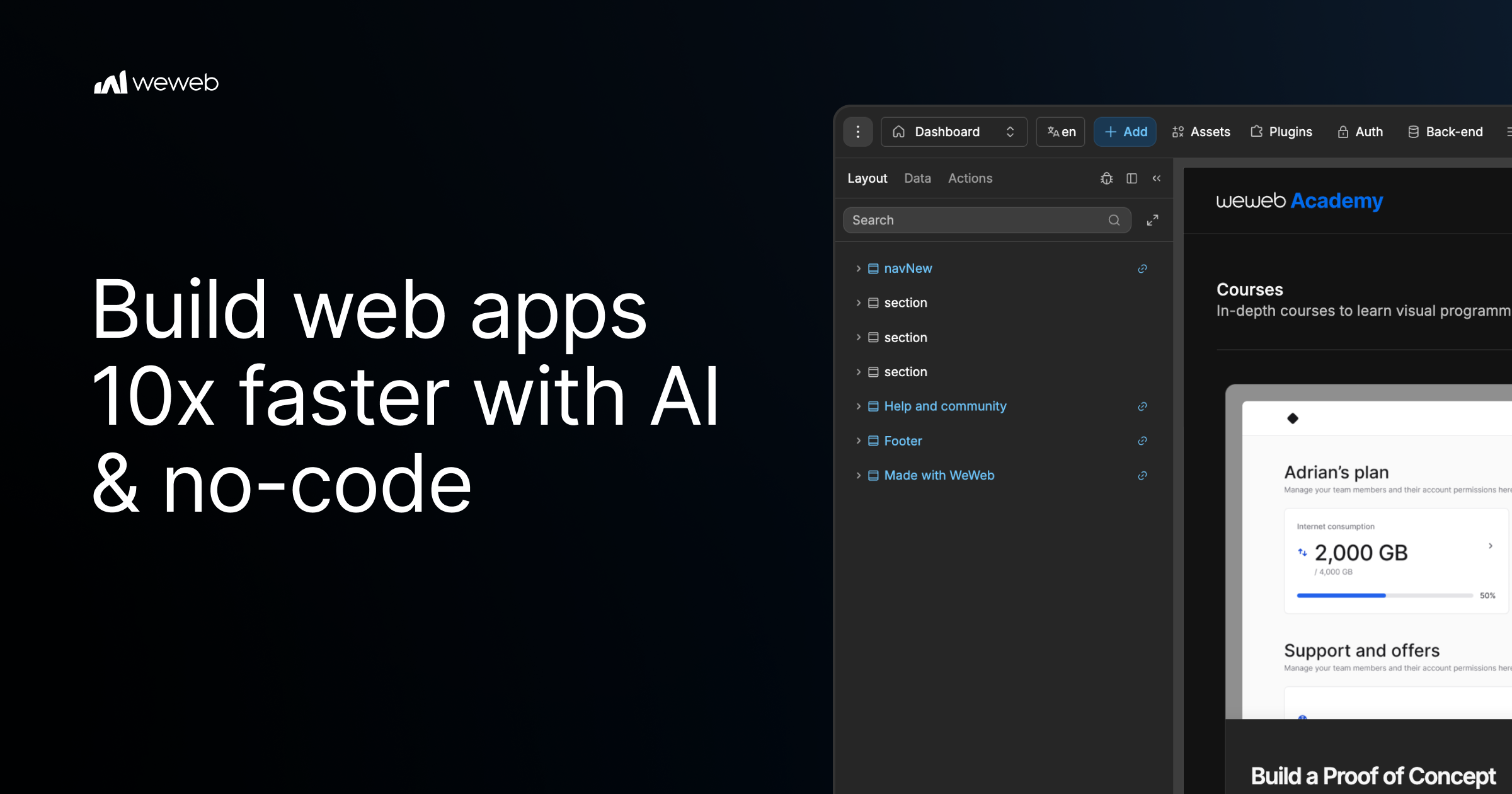
WeWeb MCP is a Model Context Protocol integration that connects the AI agent you already use to WeWeb, a visual no-code app builder. Point Claude Code, Cursor, Codex, Antigravity, ChatGPT, or any MCP-compatible agent at WeWeb and it builds the pages, workflows, data models, tables, auth, and integrations for a real WeWeb project. It is designed for teams and builders who want AI speed while staying in control: the agent runs on your account, your model, and your tokens, and every change it makes lands in a visual editor you can review and edit yourself. The tool turns briefs, designs, and app logic into a working project, and it uses no WeWeb credits. Agentic development, often described as vibe coding, can produce applications quickly, but it frequently leaves builders unsure about what actually changed inside their app. WeWeb MCP is positioned against that black-box experience. The product page promises the speed of vibe coding without the mystery of what changed, and it argues that moving fast should not create maintenance debt for a team or for your future self. Instead of generating an opaque codebase, the agent writes into a structured WeWeb project where every page, workflow, data model, and integration stays visible in a visual editor. That combination of AI generation and visual review is the core problem the product addresses. Any MCP-compatible agent can be connected, and the product page highlights several specific clients. Claude Code can plan and build in WeWeb using Claude's reasoning. Codex turns GPT-powered build plans into WeWeb apps. Antigravity builds with Gemini and Google models inside WeWeb, while Cursor lets you use Cursor's agent and your model of choice. ChatGPT is also listed as a supported agent. Because the integration runs on your account, your model, and your tokens, you are not locked into a vendor-supplied model, and the documentation link provided on the page covers installation of WeWeb MCP. The AI client section presents these agents side by side, emphasizing that you connect the agent you already use rather than adopting a new one. Getting started follows three documented steps. First, you add the server configuration to your MCP client settings, pasting a small JSON block that defines a weweb-ai server and runs it through npx with mcp-remote pointing at the WeWeb MCP endpoint. Second, you sign in to WeWeb and authorize access so the agent can call tools on your project. Third, you pick your project and build: you ask your agent to list workspaces and projects, switch to the right one, and then describe what you want. The page gives an example prompt asking the agent to list WeWeb workspaces, switch to a project, and help build a dashboard page. Control is a first-class part of the product. You decide how much of the app the AI can touch, letting the agent work across the full project or keeping it focused on one specific page, workflow, database, or design-system task. You also control what happens next: you review the agent's output inside WeWeb and then either keep prompting or edit the result yourself in the visual editor. This scoping means an agent can be granted broad access for large build-outs or narrow access when you only want a single change, and the review step keeps a human in the loop before changes are accepted. To avoid the generic AI look, including what the page calls purple gradients, WeWeb MCP lets you give the agent your visual rules before it builds. You can import the design rules that define your brand's design DNA from Figma, Google Stitch, Claude Design, or design.md into WeWeb. From there, you create a component system using shadcn, React references, or custom coded components to build reusable blocks with no-code properties. Starting from a brand design system means generated screens inherit your existing palette, components, and conventions rather than default styling, which reduces rework after generation and keeps output consistent with what your team already ships. The PRD to app workflow shows how product intent becomes a structured application. The agent reads a brief and moves from user journeys to screens, creating the pages, forms, states, and flows users need. It then moves from data to backend structure, mapping the database, fields, relationships, auth, storage, and backend workflows behind the app. Finally, it moves from business rules to integrations, where Slack alerts, email triggers, CRM updates, API calls, and approval flows become part of how the app works. Crucially, the first version is not the final word: you can keep working with your agent or open the visual editor to inspect, adjust, and shape the app yourself after generation. WeWeb MCP also works across a broader MCP stack. You can pair WeWeb with a backend MCP such as Xano, Supabase, or Airtable MCP, or with any APIs, to build the WeWeb frontend in context or bring data into the WeWeb backend. Product context can be turned into screens using docs, transcripts, websites, Figma files, or media assets to create onboarding, dashboards, and forms. A separate refactor workflow helps teams move fast without maintenance debt: the agent can find unused variables, outdated workflows, test components, and leftover build artifacts, and it can standardize naming across pages, components, workflows, API requests, tables, and fields. When the app is ready, WeWeb MCP supports going live on your terms. You can deploy in one click and launch on your custom domain while WeWeb handles hosting and infrastructure, or you can export the code and self-host it on your own infrastructure when you need full control. The product is free to start, and the page offers both a sign-up to start for free and a way to request a demo. It is marketed as agentic development for teams that want AI speed and visual control, and the page notes it is trusted by Fortune 500 companies such as PwC, La Poste, L'Oreal, JLL, Qonto, Decathlon, Carrefour, and Biwaki by BNP Paribas. Users report benefits that extend beyond speed. A digital project manager at PwC says adopting WeWeb revolutionized how the organization approaches application development, empowering teams to deliver more innovative, secure, and compliant solutions faster and more effectively. The CEO of Shunpo notes that no-code does not mean low-performance and that WeWeb makes it possible to build bigger things that were not possible with other tools. A CEO of ALOE Digital Solutions describes the platform as powerful, versatile, and intuitive after trying many no and low-code app builders. Together these outcomes point to AI-assisted building that remains maintainable, reviewable, and owned by the team that created it. The primary value proposition of WeWeb MCP is straightforward: your AI agent builds the app while you stay in control. You bring the agent, the model, and the tokens; WeWeb provides the project structure and the visual editor where every generated page, workflow, data model, and integration can be reviewed and changed. Design system import, PRD-to-app generation, backend MCP pairing, refactoring, and flexible deployment make the workflow useful from first prototype through launch. Because nothing is a black box, teams can adopt agentic development without giving up visibility, editability, or ownership of the applications they ship.
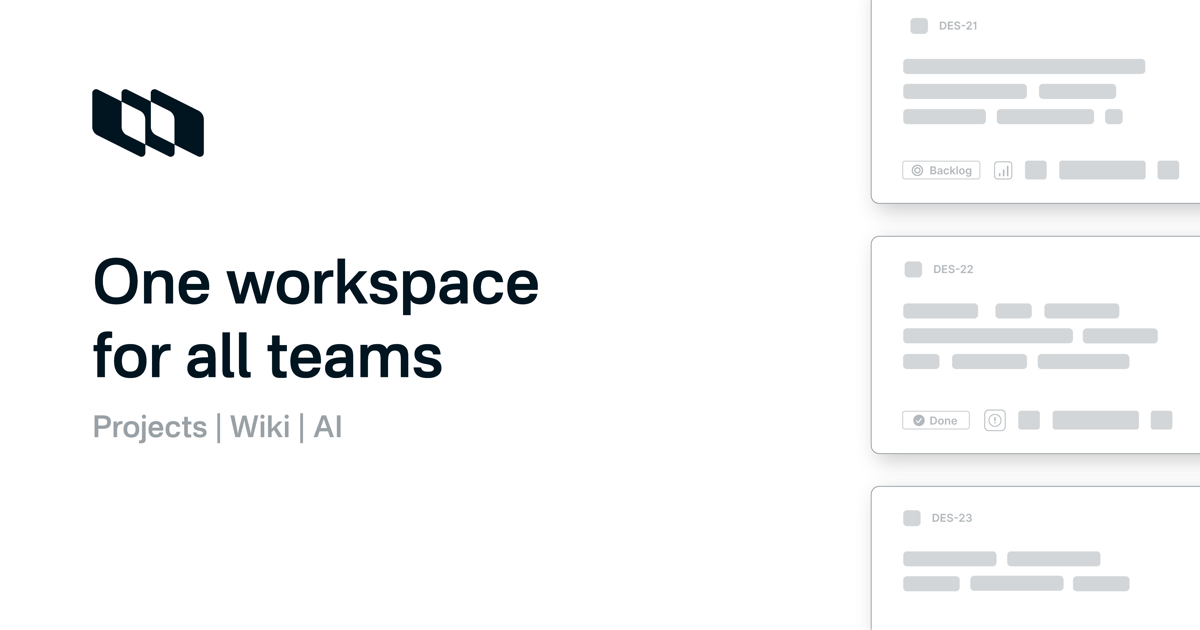
Plane Agents are AI teammates that join your Plane workspace as members. Instead of prompting a chatbot for a one-off answer, teams give an Agent a job: they assign it work items, mention it in conversations, trigger it when work changes, or run it on a schedule. Plane Agents take on repetitive, context-heavy workflows 24/7, responding to changes, coordinating next steps, and acting across Plane and the connected tools a team already uses. They triage requests, draft specs, run standups, flag delivery risks, and handle a lot more of the recurring work that keeps coming back across planning, delivery, reporting, and operations. Plane Agents are designed for the work that keeps coming back. Across planning, delivery, reporting, and operations, teams repeatedly collect progress, chase blockers, write specs, sort incoming requests, and watch for slipping timelines. That work is context-heavy: it depends on what changed, who is involved, and what the current state of a project is. Because it repeats, it is easy to let slide, and because it is context-heavy, it is expensive to do well by hand. Plane Agents take on that recurring load so the same coordination work does not have to be redone manually week after week. As Plane frames it, the work keeps coming, so put an Agent on it. Agents are built around four decisions. First, define what it owns: teams start from a template or create an Agent from scratch, giving it a name, a clear responsibility, and the outcome it should work toward. Second, give it a playbook: describe how the work should be done, what a good result looks like, and which boundaries it should follow, then add the right skills and choose the model behind it. Third, choose when it starts: an Agent can be brought into work through an assignment or a mention, or it can start automatically when work-item changes occur or on a schedule, with filters that decide exactly when it should run. Fourth, connect its working context: choose the Plane projects, trusted web sources, and connected tools the Agent can use, and decide which connected account it should work through. Plane also ships ready-made Agents for the work that keeps coming back across planning, delivery, reporting, and operations, which teams can then adapt to their own triggers and context. The Standup Agent collects progress, blockers, and next steps from the team and turns them into a concise update that highlights what matters most; it works on Slack, Gmail, and Projects, with skills in progress tracking and team summarization. The Delivery Risk Agent monitors work for stalls, blockers, dependencies, and slipping timelines so teams can identify and address delivery risks early; it works on Github, Slack, and Projects, with skills in risk detection and dependency tracking. The Spec Agent turns rough ideas and requests into structured requirements, identifies gaps, and asks the right questions to make the scope clear; it works on Figma, Wiki, and Pages, with skills in PRD writing and product clarity. The Request Triage Agent reviews incoming work, identifies duplicates, adds relevant context, and routes each request to the right team or workflow; it works on Slack, Projects, and Intake, with skills in request analysis and duplicate detection. The Customer Feedback Agent groups customer feedback into meaningful themes, surfaces recurring insights, and connects them to relevant issues, projects, or ongoing work; it works on Slack, Projects, and Wiki, with skills in feedback analysis and theme clustering. Agents show up when the work does. A team member can assign an Agent to a work item, and it receives the relevant context and starts working on the job. An Agent can be mentioned inside a work item conversation to ask for information, prepare, or take the next step. It can also be triggered from change: an Agent starts when work is created, updated, changes state, gets reassigned, or removed. Agents can connect work across tools, using selected connected tools and trusted work sources to get context. And recurring work can be put on a schedule, so reviews, reports, checks, and follow-ups run automatically on a fixed or custom schedule. In every case the Agent acts with context and returns the result in Plane. Control and visibility are part of the model rather than an afterthought. Teams set the boundaries: they choose each Agent's reach by selecting the Plane projects, trusted work sources, and connected tools available to it. They choose whose access it uses, giving connected tools access through a person's account or through a service account managed by the team. They can also see where credits go, tracking adoption, response and completion rate, average time to complete, and consumption by Agent. That means a team can see when an Agent starts, what it returns, and when it needs human input, which keeps automated work accountable and observable instead of opaque. The payoff is that recurring, context-heavy coordination stops consuming human attention. Standups become concise updates instead of a manual chase for status. Delivery risks surface early because stalls, blockers, dependencies, and slipping timelines are monitored continuously. Rough ideas turn into structured requirements with gaps identified before work begins. Incoming requests are deduplicated, enriched with context, and routed to the right team or workflow. Customer feedback is clustered into themes and connected to the issues and projects it relates to. Because Agents respond to changes and can run on schedules around the clock, they keep pace with work as it evolves rather than waiting for the next meeting to catch up. Concrete scenarios follow directly from the available Agents. A team can schedule a Standup Agent to collect progress, blockers, and next steps and publish a concise update highlighting what matters most. A Delivery Risk Agent can watch work for stalls, blockers, dependencies, and slipping timelines so a delivery lead sees risk early. A Spec Agent can take a rough request in Figma, a Wiki, or Pages and turn it into a structured spec, asking the right questions where scope is unclear. A Request Triage Agent can sit on intake and Slack, deduplicate incoming requests, add relevant context, and route each one. A Customer Feedback Agent can cluster feedback from Slack, Projects, and Wiki and connect recurring themes to existing issues and projects. More broadly, any review, report, check, or follow-up that repeats can be placed on a fixed or custom schedule. Plane Agents are aimed at teams that already run their work in Plane and want recurring coordination handled automatically. Plane states that more than 50,000 teams use the product, and the site names customers including Sony, Accenture, SSI, Texelis, Stark Bank, Aramco, Dolby, Mirador Therapeutics, Amazon, République Française, Government of Lithuania, and Power Integrations. Agents work with connected tools such as Slack, Gmail, Github, and Figma, alongside Plane Projects, Wiki, Pages, and Intake. Plane is available on the web, with downloads for Mac, Windows, iOS, and Android, and the site lists compliance with GDPR, HIPAA, ISO 27001, and SOC 2. Agents run on the AI credits included in every paid plan, and teams can get started free or book a demo. Plane Agents turn repetitive, context-heavy coordination into always-on teammate work. Rather than prompting for a one-off answer, you give an Agent a job: assign it work, mention it, trigger it when work changes, or put it on a schedule. It then acts with context across Plane and your connected tools, within boundaries and with visibility that the team controls.
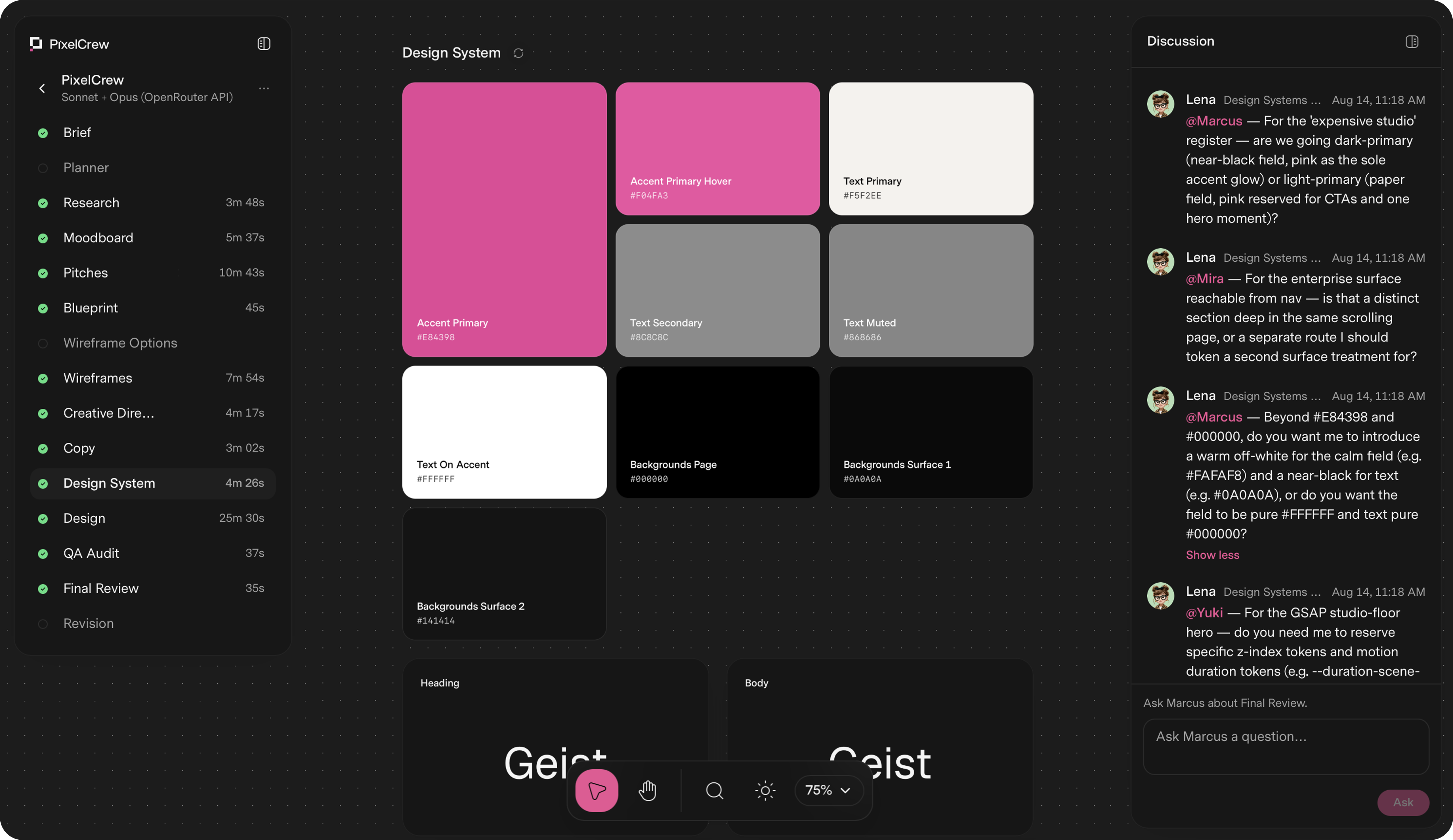
PixelCrew is a design platform built around a crew of specialized AI agents. You write a brief in free text — a landing page, a product dashboard, a design system, or a pitch deck — and the crew coordinates on it to ship production-quality design. Each agent has a named specialization, a defined scope, and a clear handoff, and together they work sequentially and with context, the way a real team does. What comes back is production-ready HTML and Tailwind, a complete design system, and the documentation your engineering team needs to ship or hand to any developer. The average delivery is 25–45 minutes. Most teams face the same trade-off: generic templates that look like everyone else's product, or bespoke design that takes weeks of studio time. PixelCrew's stated bigger picture is an internet where nothing feels generic, because bespoke costs minutes instead of weeks. Instead of prompting a single model for a one-shot page, a structured crew runs structured discovery, makes creative decisions, and builds the deliverable in a defined sequence. That means design decisions are grounded in research rather than assumptions, and every screen and edge case is resolved before anything reaches you. The crew is made up of named specialists. Elena is the Researcher and Strategy agent, and she is the first to run: she reads your brief and executes structured discovery, producing audience personas, a competitive analysis and gap mapping, jobs-to-be-done mapping, and an information architecture recommendation. She hands Marcus a validated research foundation, not assumptions, in the form of a research-brief output file. Marcus is the Director for Art Direction and runs second. He takes Elena's research and makes creative decisions about visual direction, brand language, and layout approach. He writes three distinct visual pitches, selects the strongest, and produces a full creative brief with palette, typography, layout direction, and section-by-section composition guidance, delivered as a creative brief document and moodboard. Mira is the Designer for UX Architecture and runs third. She takes Marcus's creative brief and builds the blueprint: wireframes, user flows, information architecture, and a section-by-section spec, output as wireframes.html, ux-flow.json, and a nav-spec. Every screen and every edge case is resolved, with all states resolved, and the build crew then turns that blueprint into production HTML. Because the handoffs are explicit and each agent works from the previous agent's document, the brief carries context forward instead of being reinterpreted at every step. After Mira, the build crew takes over. Copy and the design system take shape together: the crew writes the copy and assembles the design system — tokens, type scale, color, and components — so that design happens inside the system, not around it. Then every screen goes through a QA audit and a final review pass; issues get flagged, revised, and rechecked before anything reaches you. The documented final outputs include landing-page.html, design-system.json, tokens, components, and docs, alongside the research, creative brief, wireframe, copy, and QA report files generated along the way. PixelCrew's approach is best understood as a pipeline with a visible cast of agents: brief in, deliverable out. The crew runs in sequence, you provide context, the agents coordinate, and you receive production-quality output you can ship or hand to a developer. While it runs, you can watch the agents discuss decisions. The workflow is documented as seven steps: submit your brief, Elena maps the research, Marcus sets creative direction, Mira builds the wireframe, copy and the design system take shape, QA audit and final review, and finally you receive production output. That structure is what separates it from a single prompt-to-page tool: research, art direction, UX architecture, copy, design system, and QA are handled as distinct, connected stages. The benefits follow from that structure. You do not need to know how to prompt a model step by step, and you do not need a template — you describe what you need in free text and the agents read your intent. The outputs are files engineers can use directly, such as landing-page.html, design-system.json, tokens, components, and documentation, so the work can be shipped as-is or handed to any developer. Because research and creative decisions are validated and documented, and because a QA audit and review pass happen before delivery, you receive production-quality design rather than a rough draft. Concrete scenarios where PixelCrew is used come from the demonstration projects produced from written briefs. After Dark is a neighborhood coffee shop site for a business with no marketing team, briefed to feel like the room — dark, warm, unhurried — with menu, hours, and atmosphere shipped as production HTML. Modena Coupé is a luxury automotive landing page in an editorial register with full-bleed photography, serif display type, performance stats, and a request-information flow. MicroProject is a working task manager UI for small teams with list views, a project sidebar, shared lists, and overdue states, built on directly by the team. Geisha Porto is a coffee roastery and jazz listening lounge site with a product catalog including harvest data, a vinyl audio archive, and a rooftop terrace section in a Swiss editorial layout. The site notes that the business names and brands shown are illustrative and are not clients or endorsements. The stated brief types are landing pages, product dashboards, design systems, and pitch decks. PixelCrew is free while in alpha. You bring your own key: you create a key at openrouter.ai, paste it into PixelCrew once, and set your own spend limit. OpenRouter is the recommended path, and Anthropic and Google Gemini keys work too. A typical brief costs a few dollars in model usage, billed by your key provider rather than by PixelCrew, with no subscription, no markup, and no card on file. The alpha plan includes the full agent crew, unlimited briefs during alpha, HTML and Tailwind output, and support for landing pages, dashboards, and design systems. A Pro plan is coming soon with hosted keys, zero setup, no API key required, model costs included in one bill, a priority processing queue, brief history and versioning, and team seats. An Enterprise tier for teams that ship at scale is described with custom agent configuration, your design system baked in, SSO and security review, and invoice billing. PixelCrew's core value proposition is that a written brief becomes a production-quality deliverable in minutes, produced by a crew of specialized agents that research, decide, build, and review in sequence. You get production-ready HTML and Tailwind, a complete design system, and documentation you can hand to any developer, without templates, without a subscription during alpha, and without paying a markup on model usage.
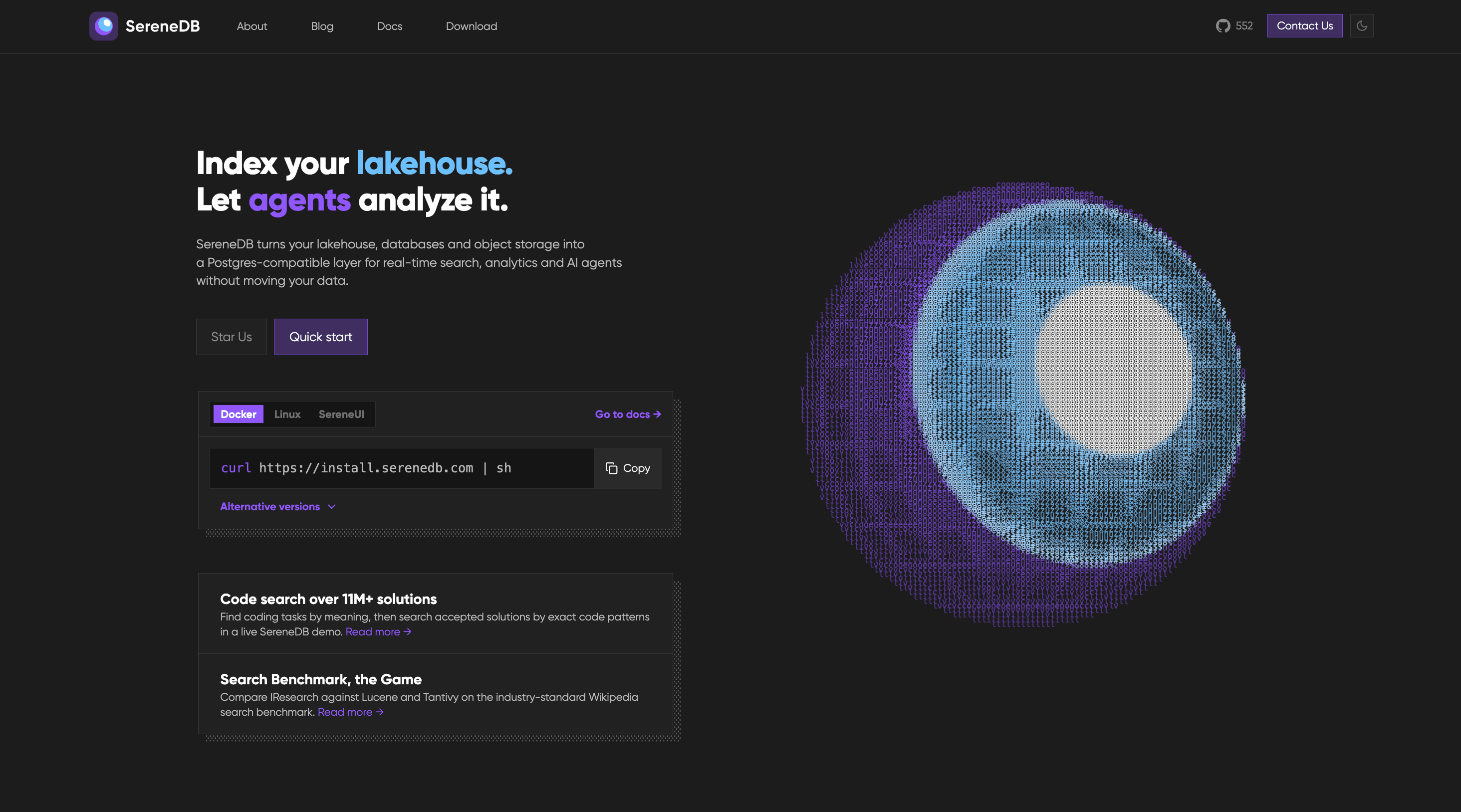
SereneDB is an open-source, real-time search analytics database that combines ultra-fast full-text search and fast analytics in a single engine. It is built for teams that need to search and analyze large volumes of data — such as logs, tables, files, and object storage — without running separate systems for search and analytics. The product offers a PostgreSQL-compatible frontend, so users can keep their existing SQL, drivers, and Elastic clients while working with full-text, vector, and hybrid search alongside relational data. According to the product's own description, it is the result of 12 years of development and is released under the Apache 2.0 license. The stated positioning is straightforward: one database that does ultra-fast full-text search and fast analytics in one engine, aimed at teams who would otherwise operate two systems. Traditionally, teams that need both search and analytics run two separate systems — for example, a search engine such as Elasticsearch alongside an analytical database such as ClickHouse — and move data between them with ETL pipelines. SereneDB's stated purpose is to remove that second system and the ETL between them by doing ultra-fast full-text search and fast analytics in one engine. The Product Hunt description says the company's public benchmark shows it outperforming Elasticsearch, ClickHouse, and Postgres search extensions, and indexing 1 billion logs in under 8 minutes at roughly 10x less disk usage. Apache 2.0 licensing, methodology, and raw results are public, so teams can evaluate those claims directly rather than taking them on faith. On the search side, SereneDB offers four related capabilities. Full-text search provides BM25 ranking over both tables and files, the classic relevance-ranking approach used for keyword search. Vector search is supported through ANN (approximate nearest neighbor) indexes that sit beside relational data, so semantic similarity lookups can live in the same database as structured records. Hybrid search combines BM25 and vector scores in a single query, letting teams blend keyword relevance and semantic similarity instead of choosing one or the other. Finally, Postgres search support means teams keep their existing drivers and their SQL rather than rewriting queries for a new search system. For analytics and data, SereneDB is designed to work on fresh data rather than overnight snapshots. Real-time analytics let users aggregate fresh data with no nightly job, which matters for dashboards and monitoring that need current numbers. As an OLAP database it performs columnar scans over billions of rows, the access pattern typical of large-scale analytical queries. Search over a data lake lets users index object storage in place instead of copying it into another system. And zero-ETL search lets queries run against remote sources where they live, further reducing the need to duplicate data or build synchronization pipelines. SereneDB also positions itself for AI and agent workloads. It is described as a database for AI agents, offering agent-ready SQL over every source, so agents can query data through SQL rather than through bespoke connectors. As a RAG database, it acts as the retrieval layer for grounded answers, supplying the context an AI application needs. Documentation search lets teams search over docs and knowledge bases, and the company's own blog describes how documentation content can be turned into tools for agents. Architecturally, SereneDB unifies search and analytics with a columnar engine, vectorized SQL execution, and hybrid storage behind a PostgreSQL-compatible frontend. That combination is what allows full-text, vector, and hybrid search to run next to analytical queries inside one engine. Compatibility is central to the approach: the database is Postgres- and Elastic-compatible, so teams keep their SQL, their drivers, and their Elastic clients. Installation is presented as straightforward — the quick-start command is a curl script — and the site lists Docker, Linux, and SereneUI as options, with documentation covering quick start, indexes, query syntax, statements, and clients. The stated benefits follow from that single-engine design. Teams can drop a second system and the ETL between it and their primary database, which simplifies the architecture and removes a class of data-synchronization problems. Because compatibility is preserved, there is no rewrite: existing SQL, drivers, and Elastic clients continue to work. The performance claims are significant — outperforming Elasticsearch, ClickHouse, and Postgres search extensions in the company's public benchmark, indexing 1 billion logs in under 8 minutes, and using roughly 10x less disk — which, if it holds for a given workload, translates into faster indexing and lower storage cost. Apache 2.0 licensing, together with public methodology and raw results, gives teams a way to verify the claims before committing. Aggregating fresh data without nightly jobs also means analytics reflect the current state rather than yesterday's snapshot. Concrete scenarios described by the product include both search workloads and analytics workloads over very large datasets. The company's published comparisons run 92 search and analytics queries over 100M, 1B, and 10B OpenTelemetry logs on a single instance, both against ClickHouse and against the Lucene world (Elasticsearch, OpenSearch, CrateDB) — clearly a log search-and-analytics scenario. Other described scenarios include building retrieval layers for RAG pipelines where an AI application needs grounded context; powering documentation and knowledge base search that can also be exposed to agents as tools; running real-time analytics on fresh data without waiting for a nightly batch job; searching over a data lake by indexing object storage in place; and querying remote data sources where they live instead of copying them first. SereneDB targets developers, data engineers, and platform teams who operate search and analytical infrastructure, as well as teams building AI agents that need SQL access to data. Integrations mentioned in the content include PostgreSQL drivers and Elastic clients, plus a documented LangChain integration for RAG. Because the database is Postgres- and Elastic-compatible, existing client libraries continue to work. The site lists Docker, Linux, and SereneUI as installation options, the quick start is a single curl command, and the documentation covers quick start, indexes, query syntax, statements, and clients. The project is open source under the Apache 2.0 license, with a public GitHub repository listed at 806 stars and public benchmarks; no commercial pricing plans are stated in the provided content. SereneDB's primary value proposition is consolidation: one database that performs ultra-fast full-text and vector search together with fast, real-time analytics behind a PostgreSQL-compatible frontend, so teams can eliminate a second system and the ETL between them. It is open source under Apache 2.0, and its benchmark methodology and raw results are public.
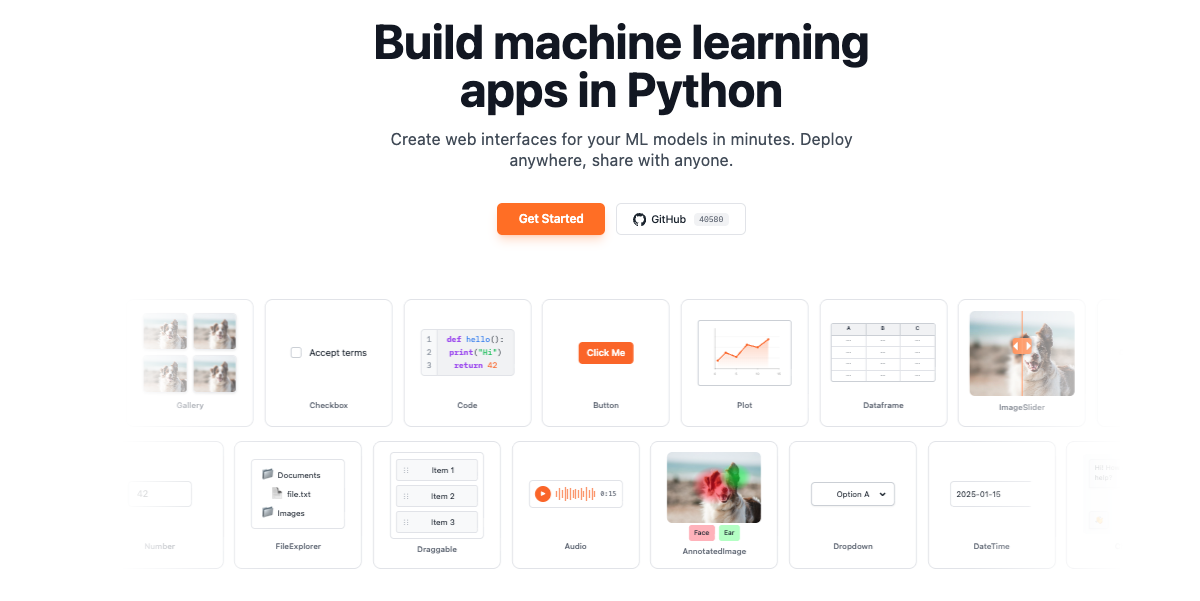
gr.Workflow is a visual, node-based AI pipeline builder built into Gradio. It lets you chain together Hugging Face Spaces, models, datasets, and your own Python functions on a drag-and-drop canvas. The simplest possible Workflow app is a single line of code: gr.Workflow().launch(). You then open the app, drag Spaces, models, and datasets from the sidebar onto the canvas, connect their ports, and hit Run. The guide describes gr.Workflow as already being a complete Gradio app that must be created at the top level and cannot be nested inside a gr.Blocks context. It is designed for people who want to assemble multi-step AI pipelines visually while keeping their own Python code available as callable nodes on the same canvas. Building an AI pipeline has traditionally meant writing glue code to move data between models and services, downloading weights, and rebuilding the entire pipeline whenever a better model appears. Gradio Workflow is presented as a way around that: pipelines are assembled from nodes on a visual canvas, intermediate inputs and outputs can be inspected, and better models can be swapped in without rebuilding the workflow. Because the nodes call hosted Spaces, models, and datasets, nothing has to be downloaded. The finished pipeline is not locked inside a private session either. It can be shared with a URL or run via a REST API, and its topology is stored in a portable workflow.json file that a coding agent can write or edit, which means workflows can also be created programmatically. On the canvas, a workflow is organized into three node collections, which the guide defines precisely. References are the inputs: uploaded files, editable text, and literal values. Operators are the processing steps: Spaces, models, datasets, and Python functions. Subjects are the outputs, the results being created. As you add, remove, or change nodes and edges, a workflow.json file is automatically created next to the Python script that created the Workflow; you can pass graph= if you want to save it somewhere else. That autosave behavior means the canvas and the file stay in sync without manual export. Node geometry is optional too: include x and y on every node to control how the graph is arranged the first time someone opens it, or leave them out and the canvas auto-arranges the layout instead. Your own Python code becomes part of the pipeline through bind=. Functions passed via bind= appear as callable nodes on the canvas, and Gradio inspects the function signature to auto-generate input and output ports. The guide gives the example of a summarize function that takes a string and returns a string; using a dictionary, for example bind={"My Summarizer": summarize}, gives the node an explicit name. Signature inference is intentionally simple. Parameters annotated as int or float become number ports, bool becomes boolean, and strings, unannotated parameters, and other annotations default to text. Gradio initially generates one output port for each bound function, and any media ports or multiple outputs must be defined explicitly in the workflow JSON. Bound functions can also be wired together in code with edges, a list of (from_fn, to_fn) tuples referring to functions in bind=, using fn_name.port_label to target a specific port when a node has multiple inputs or outputs. The guide notes that edges= only connects bound Python functions while generating a new workflow: it cannot create edges to Space, model, or dataset nodes, it is ignored when the workflow file already exists, and the file must be deleted to regenerate the initial topology. Workflows can also be loaded from disk. Passing a graph= path such as graph="workflow.json" loads a saved workflow topology; the canvas reads from that file on each page load and autosaves back to it whenever nodes or edges change, and if the file does not exist yet it is created on the first authorized edit. The guide is explicit that bind= does not automatically add or wire functions into an existing graph: to combine an existing graph with bound functions you either add the functions from the canvas Functions menu, or include an operator with "kind": "fn" whose "fn" value exactly matches a key passed through bind=. Layout remains flexible for viewers: the file's arrangement is only a starting point, each visitor is free to drag and resize cards, that arrangement is saved in the visitor's own browser rather than in the file, and workflow.json is never rewritten with it. Height is measured from the rendered card, and width is the default every viewer starts from, with a writer's resize becoming the new default the next time an edit is saved. Under the hood, the workflow JSON defines a schema_version, a name, the three node collections, and a list of edges that connect node IDs and port IDs with a stated type. Operators come in four kinds. A space node calls a Gradio Space on the Hub via gradio_client, configured with space_id and endpoint. A model node calls a Hugging Face model via InferenceClient, configured with model_id and a supported endpoint such as text_to_image, while pipeline_tag is also stored for discovery and compatibility with older graphs. A dataset node pulls one row from a Hub dataset per run, selected by the row_index input, configured with dataset_id, dataset_config, and dataset_split. An fn node calls a Python function whose fn value matches a key passed via bind=. Ports are typed so the canvas can validate connections, with support for image, audio, video, text, number, boolean, gallery, file, json, model3d, and any; any is a compatibility fallback that can connect to every port type, and file and any usually come from API schema inference rather than being offered as reference or subject templates in the canvas picker. Pipelines can also fan out: one reference can feed multiple operators simultaneously, and when you run the workflow in the interactive canvas, operators at the same dependency depth run in parallel. The guide adds that when the same workflow is invoked through its generated Gradio API, the server currently executes those branches sequentially. The benefits described in the guide follow directly from this design. Because nodes are wired on a canvas rather than buried in code, intermediate inputs and outputs can be inspected while a pipeline runs, which makes multi-step AI systems easier to debug and reason about. Because each operator is a separate node, a better model can be swapped in without rebuilding the workflow. Nothing needs to be downloaded, since the operators call hosted Spaces, models, and datasets. Shipping is flexible: share links and the ordinary local URL are run-only, while launch() also prints a private write-access URL for editing and saving the workflow, which the guide advises keeping private because edits affect the workflow seen by every visitor. Finally, the workflow.json file is both an autosave artifact and a programmable surface, so the same topology can be authored by hand, by a coding agent, or by bind= and edges= declarations in Python. The guide's fan-out example is a concrete, described workflow: a single product photo reference is fed into four FLUX Kontext branches, showing how one input can drive multiple image transforms at once. Text pipelines are demonstrated in the edges example, where a clean function that strips and lowercases text is wired into a tag function that prefixes the processed text. Model nodes such as black-forest-labs/FLUX.1-schnell with the text_to_image endpoint illustrate text-to-image generation inside a workflow, while dataset nodes make it possible to run a pipeline over a specific row of a Hub dataset, controlled by row_index. Because the same app can be shared with a URL or invoked through a generated Gradio API, the guide frames Workflows both as an interactive canvas for building and inspecting a pipeline and as a deployable app that others can run without editing it. The product is aimed at people building AI pipelines in Python: the guide's code samples are Python throughout, and the canvas is an extension of the Gradio app that the function nodes live in. Integrations called out in the content are the Hugging Face ecosystem, including Spaces on the Hub through gradio_client, models through InferenceClient, and Hub datasets, together with your own Python functions and the generated Gradio API. The relevant technology stack therefore includes Python, Gradio itself, gradio_client, InferenceClient, and REST access to the running app. The guide positions gr.Workflow as part of Gradio's Additional Features, sitting alongside the library's other tutorials and guides, and it must be created at the top level as its own app. No pricing or plan details are stated in the material reviewed here. In short, gr.Workflow brings a visual, node-based editing experience to AI pipelines without taking developers out of Python. You drag Spaces, models, datasets, and your own functions onto a canvas, connect typed ports, and run the result as a Gradio app that can be shared with a URL or called through a REST API. The topology is portable in workflow.json, editable by hand or by a coding agent, and free of downloads because the heavy lifting happens on hosted Hugging Face resources. The primary value proposition is straightforward: build, inspect, and iterate on multi-step AI pipelines visually, and swap in better models without rebuilding the workflow.