Category Focus/categories/developer-tools
Developer Tools AI Tools
Discover and compare the best developer tools AI tools and software. Browse 559+ curated tools with reviews and rankings.
Projects tracked
559
Sort mode
RECENT
Page
6
Discover and compare the best developer tools AI tools and software. Browse 559+ curated tools with reviews and rankings.
Projects tracked
559
Sort mode
RECENT
Page
6
Jango is a macOS application for testing multi-user applications with AI participants instead of people. It gives your app a cast of AI users, and each cast member gets its own isolated browser, its own account, a goal and a memory. You point Jango at your development URL and watch those participants sign in, navigate your app, fill forms and take actions in real time — from posting in a social feed, to placing test orders in a sandbox order book, to updating shared tasks. Jango is built for developers and teams who need to exercise the parts of an application that only appear when more than one person is involved, and it runs on macOS for both Apple silicon and Intel Macs. The problem Jango addresses is that a large class of application behaviour simply cannot be tested alone. Messaging and communities, marketplaces and order books, and teams and collaboration all depend on other people showing up, holding their own accounts and doing something at the same time as someone else. Coordinating a group of testers for every change is slow and impractical, particularly for solo developers who are building these features without a testing team. Even when testers are available, the context around a test — who the participants were, what they did and what the app showed — tends to be lost and has to be rebuilt the next day. Jango is designed to remove the wait and to keep that context instead of discarding it. At the centre of the product is the cast. Each participant receives its own account and an isolated browser session, so buyers, sellers, teammates and market participants can hold separate identities inside the same running application. You assign roles and goals — a buyer places a test order, a seller lists an item, a teammate updates a task — and the participants act through their own browsers to accomplish them. Cast members are not limited to chatting: they operate your web app the way a user would, navigating pages, clicking controls, filling forms, selecting options and uploading supplied images, with actions depending on the controls Jango can observe in your app. The product is explicit that these are AI participants acting through real browser sessions rather than real people, and that they help you exercise interactions and explore scenarios rather than replace research with real users. Setting up a scenario follows three explicit steps. First you give Jango a place to go: you add your development URL and test accounts, and each participant gets its own isolated browser. Next you choose who shows up, assigning roles and goals such as a buyer placing a test order, a seller listing an item or a teammate updating a task, and each participant acts through their own browser. Finally you join in and check both sides — you use your app alongside the participants, inspect their screens, pause when something breaks and save the cast for your next change. You can log into your app as yourself while the cast uses its assigned accounts, give directions to participants, pause them or take control of any user's screen. The documentation shows the same idea through the CLI, where a command can direct a participant, for example asking one participant to invite another to a group. Every run is designed to leave something useful behind. Jango keeps three kinds of context you would otherwise rebuild tomorrow: known identities (roles, relationships and encrypted login state), observed app controls (reusable hints with execution history) and run evidence (activity, observable checks and comparisons). A run can therefore leave behind a repeatable situation, a navigation hint backed by an actual action, and evidence that an expected message appeared. At the end of a session Jango produces a report containing actions, errors and screenshots, and paid plans add multi-user checks and saved checkpoints. Casts themselves can be saved, so the same participants, accounts and goals can be brought back for the next change to the app. Jango is meant to fit where you already build. You can use the dashboard, launch from your terminal with the Jango CLI, or give your coding assistant access through MCP, and the cast and its memory stay together across those entry points. For AI sessions you can connect OpenAI, Anthropic or Vercel AI Gateway. You can bring your own AI key — in which case your AI provider bills you directly and Jango charges no extra on any plan — or buy prepaid managed AI credits from Account settings, with no subscription needed. The application ships with Node.js and Chromium bundled, along with the browsers and tools Jango needs, so no separate Node or Playwright installation is required. Updates are handled automatically on macOS: Jango checks for and downloads them in the background and installs them when you restart immediately or quit later, saving your workspace before installation, with a manual Help → Check for updates option available as well. The outcome for users is being able to test the parts of an app that need other people without waiting for other people. Instead of scheduling testers, you define a cast once and reuse it: casts can be saved for the next change, and run evidence and checkpoints carry forward, so the situation you created becomes repeatable rather than something you rebuild each time. Because participants each have a separate browser and account, you can observe both sides of an interaction at once — a buyer and a seller, or a group of collaborators — pause when something breaks and inspect the exact screen where it happened. Jango states plainly what it does not replace: AI participants help you exercise interactions and explore scenarios, but they are not a substitute for research with real users. Jango's published use cases cover social app testing (invitations, conversations, community roles and shared activity, exercised alongside your own test account), chat app testing (messaging and group chat flows without coordinating a group of testers, by directing AI participants in separate browsers and joining the conversation yourself), collaboration testing (team invitations, shared tasks and role-based workflows in collaborative web apps without gathering a testing team), and order books and marketplaces (sandbox order books and marketplace workflows where separate AI participants navigate pages, fill forms and submit test orders). It also publishes a guide for the solo developer: a practical workflow for testing social and collaborative apps alone using separate accounts, purposeful scenarios, AI participants and checks across browsers. The homepage illustrates an order book scenario in which a buyer selects Buy, enters three units at $100 and submits a limit order, a seller offers two units at $99 and checks the resulting fill, and a market participant places another test order and reviews the updated book. Jango is aimed at developers and teams building multi-user web applications, and it is positioned especially for solo developers testing social and collaborative apps without a testing team. It is available for macOS on Apple silicon and Intel, with a separate build for each, and the version listed on the site is 1.1.1, signed with the company's Apple developer certificate and notarised by Apple. Pricing has three tiers. Free costs $0 and includes three participants per session, one project, your own AI key and managed AI credits at cost plus 20%. Pro costs $9 per month and is described as a founding price that stays the same for as long as you subscribe; it includes 12 participants per session, unlimited projects, multi-user checks and saved checkpoints, and managed AI credits at cost plus 10%. Enterprise is custom priced for larger casts, participant limits set with you, custom limits, invoiced billing, negotiated managed AI rates, support terms and direct support. Jango also documents its limits and data handling: use test accounts in apps you control, and note that canvas-only apps, popup sign-in flows and CAPTCHA may need a different integration. Your account keeps projects, evidence and browser checkpoints in the cloud, browsers run on your computer, sign-in credentials use your operating system's credential protection, relevant page text, goals and participant memories are sent to your selected AI provider, and browser destinations are restricted to your configured app origins. In short, Jango replaces the wait for other people with a reusable cast of AI participants that each hold their own browser and account, pursue the goals you give them inside your development URL, and leave behind evidence, memory and reports you can build on.
Wand is a software-building environment designed around the human voice. It is aimed at builders who think faster than they type, and its purpose is to let those builders think out loud instead of stopping to translate their ideas into prompts. The product takes natural speech and shapes it into work, which you then authorize as a build and review, all inside one quiet, generative environment. Rather than treating the keyboard as the primary instrument for creating software, Wand treats the voice as the input, with the intention that the distance between having an idea and having software narrows considerably. Its tagline, building software at the speed of thought, describes that intention directly: the thinking itself becomes the raw material for the build. The problem Wand sets out to solve is described in its own words: the keyboard is becoming the bottleneck. For people whose ideas arrive faster than their hands can type them, the act of writing a prompt becomes a translation step — a pause in which a fluid thought has to be converted into structured text before anything can happen. That pause interrupts momentum and forces ideas to be compressed before they are even fully formed. Wand's stated answer is to remove that translation step by capturing speech instead. Its description frames the shift as a broader change in how software gets made, closing with the claim that this is the post-keyboard era — a period in which speaking, rather than typing, is the way builders get their work started. The first thing Wand changes is how an idea is expressed. Instead of writing a prompt, you speak. Wand's description invites you to think out loud rather than stopping to translate your ideas into prompts. This matters because speaking is generally faster and less structured than typing: you can describe intent, context, and nuance in one continuous stream rather than assembling a carefully worded request. The product is explicitly designed to accept that looser, more conversational form of input. In practice this means the entry point to building software becomes conversation rather than composition, and the user is not required to pre-format their thinking before Wand can act on it. Wand also explicitly accommodates non-linear speech. Its description tells users they can ramble, react, and change their mind mid-sentence, and that Wand keeps up. This is a meaningful design decision: most input methods reward a single, well-formed request, whereas spoken thinking is naturally full of detours, corrections, and second thoughts. By keeping up with that unstructured flow, Wand removes the pressure to get the wording right the first time. A builder can start describing one approach, hear themselves say it, react to it, and pivot to a different one without abandoning the session or starting over. The conversation, in other words, can be as messy as thinking usually is. From that spoken thinking, Wand moves to producing work. The stated flow is to speak naturally, shape your thinking into work, authorize a build, and review it — all within one quiet, generative environment. The word authorize suggests a deliberate approval step: the builder remains in control of when the thinking becomes an actual build, rather than the tool acting without consent. The review step closes the loop, giving the user a chance to look at the result inside the same environment where the idea was spoken. Describing the environment as quiet is notable too: rather than scattering the work across a stack of noisy tools, Wand frames the whole cycle — speaking, shaping, authorizing, reviewing — as taking place in one focused, generative space. Wand's overall approach can be summarized as replacing typed prompts with spoken intent. The methodology is voice-first: you speak rather than type, you are allowed to be unstructured, and the product's job is to keep up and convert that thinking into software. Once the thinking has been shaped into work, the builder authorizes a build and then reviews it. That sequence — speak, shape, authorize, review — is the entire described workflow, and every part of it is presented as happening in a single generative environment rather than across multiple disconnected steps. The emphasis throughout is on removing the friction between thinking and building, so that the builder's own pace of thought, rather than their typing speed, sets the rhythm of the work. The benefits Wand points to follow directly from that approach. Because you no longer have to translate ideas into prompts, you do not have to stop in order to record them; the thinking itself is the input. Because you can ramble and change your mind mid-sentence, you are not punished for thinking in a non-linear way. And because the entire cycle happens in one quiet generative environment, the work stays in a single context instead of being split between brainstorming, prompting, building, and reviewing in separate places. The overall outcome Wand describes is software built at the speed of thought, by people who would otherwise be held back by how quickly they can type. The concrete scenarios Wand's description implies are all variations on a builder working through an idea out loud. One is starting a new piece of software by speaking about what it should do, rather than writing a specification or a prompt first. Another is working through an idea in a rambling, exploratory way — talking it out, reacting to your own description, and changing direction mid-sentence while Wand keeps up. A third is shaping that spoken thinking into work and then authorizing the build once you are satisfied with the direction. A fourth is reviewing the resulting build in the same quiet, generative environment where the idea began. Across all of these, the common thread is that the builder is speaking instead of typing from the very first moment of the process through to the review stage. Wand's stated audience is builders — specifically, builders who think faster than they type. That framing puts the product in the hands of people whose bottleneck is input speed rather than clarity of thought: makers and developers who already know what they want to create and lose time in the act of describing it. Wand is available on the web at wand.dance, where the site offers get started and sign in entry points, and it was launched on Product Hunt under the topics Productivity, Developer Tools, and Artificial Intelligence. Wand's value proposition rests on a simple observation: the keyboard is becoming the bottleneck, and speaking is a faster way to move an idea into software. By letting builders think out loud, ramble, and change their minds mid-sentence, and by turning that speech into work that can be authorized as a build and reviewed in one quiet generative environment, Wand aims to make the builder's thinking — not their typing — the thing that sets the pace. Its promise is software built at the speed of thought, in what it calls the post-keyboard era.
Quiver is an agentic developer marketing system built for technical founders, developer marketing teams and the agents working alongside them. It gives developer marketing the architecture engineers already expect: a source of truth, version history, explicit states, APIs, observability and feedback loops. The system connects product context, customer research, campaigns, content, tasks and performance in one controlled place, so everything a team learns, creates, ships and measures stays connected rather than scattering across chats, documents and separate tools. Quiver is offered in two forms: a managed hosted product with built-in tasks and managed team access, and a free, MIT-licensed self-hosted edition that teams run on their own infrastructure. Quiver starts from a blunt observation about how marketing usually arrives at a technical founder: as vibes and disconnected tactics. One chat holds the positioning, a document holds the plan, customer evidence lives somewhere else, content loses its history the moment it ships, and performance gets reported and then disappears before the next decision is made. The website frames the gap directly, noting that just posting more is not an architecture. The practical consequence is that each marketing cycle tends to restart from scratch rather than compound on what came before, because nothing preserves the evidence, the decisions and the results in one place. Quiver responds by giving the whole marketing operation state, structure and memory, so people and agents can work inside the same controlled system instead of rebuilding context every time. The foundation of Quiver is a set of primitives presented as the actual operating properties of the product rather than a metaphor painted over a chatbot. The first is a source of truth: positioning, ICP, messaging, customer language, proof points and hypotheses all live in one active product context that every agent can draw on. The second is version control for decisions: every change to context and artifacts is versioned and restorable, agents can propose updates, and a person decides what becomes true. The third is a state machine for production workflow: work moves through Draft, Review, Approved, Live and Archived, so finished work is not lost inside chat history. Together these primitives mean the same context and the same production discipline that engineers expect from their own systems are applied to marketing work. Two further primitives connect Quiver to the rest of a team's stack and to real outcomes. Interfaces: Quiver publishes approved content as structured JSON through a public Content API, and an MCP interface lets the agents a team already uses operate Quiver through a real tool surface. That combination allows Quiver to remain the source of truth while a company's own website keeps ownership of presentation. Observability: the plan, research, content, tasks and performance stay connected, so a team can trace what shipped and what happened next instead of treating reporting as a dead end. Feedback loops then close the cycle: outcomes are logged, what worked is captured, and proposed context changes are reviewed before that learning shapes the next cycle, with humans approving what enters the system. The runtime is organized around the idea that the system gets better because the work stays connected. Quiver does not train a mystery model on a company. Instead it preserves the evidence, decisions, shipped work and results that should inform what happens next, and keeps the team in control of what becomes part of the system. The work runs in four steps. First, give the system context: start with the product, audience, positioning, customer language, proof and hypotheses rather than a blank chat window. Second, operate the work: research, sessions, artifacts, content and tasks stay connected to the initiative they are meant to move forward. Third, ship through explicit states: review what agents create, approve what is true, and publish finished work without collapsing generation and production into one step. Fourth, feed results back in: measure the outcome, preserve the learning and improve the context and decisions behind the next cycle, with human approval at the point where proposals become truth. Viewed by function, Quiver describes itself in four ways. For your agents, it provides operators rather than chat tabs: agents get durable context, operational state and tools, and teams can use purpose-built Strategy, Create, Feedback, Analyze and Optimize sessions or connect an external agent through MCP, with the work landing in the system instead of disappearing with the conversation. For your content, it is infrastructure rather than a text box: content keeps its versions, publish state, SEO and social metadata, distribution history, repurposing lineage and metrics, and the Content API serves approved work as structured JSON. For your customer evidence, it is research that changes the system: calls, surveys, reviews and field notes become themes, Voice of Customer quotes, product signals and evidence for or against active hypotheses, and that language is then made available to the agents doing the next piece of work. For your results, it is a loop that actually closes: when work goes live, Quiver creates the reminder to measure it, teams log quantitative results and qualitative notes, synthesize what worked, and review proposed context updates before they affect future sessions. Getting started follows three bootstrap steps. First, initialize the context: paste your website or describe the product, and Quiver drafts the starting context, which you review and make your own by checking the assumptions. Second, connect your model: bring an Anthropic, OpenAI, Google, OpenRouter or any OpenAI-compatible account and choose the model that fits each job, with your provider account determining model cost and the policy governing model usage. Third, start operating: open a session, connect an MCP client or begin with research, knowing that every action starts from the same approved context and writes back to the same system. Several boundaries are stated explicitly. Quiver is not a replacement for a CMS, CRM or analytics tool; it describes itself as the context and decision layer around those systems, using its Content API, MCP interface and publishing workflows to preserve the reasoning, approvals and learning that individual tools often leave disconnected. It also differs from using a standalone model chat directly, because a standalone chat starts with only the context supplied to that conversation, whereas Quiver gives every session and connected agent the same approved, versioned source of truth and then connects the resulting work to campaigns, publishing states and results. It also distinguishes approved knowledge from assumptions: context and artifacts keep their version history and explicit state, and agent proposals do not silently become truth, because a person reviews and approves what enters the active context or moves from draft to live. On deployment, Quiver offers two paths. The Open Source edition is the self-hosted foundation for technical founders and startups comfortable owning the stack, priced at $0 forever with unlimited seats on your own infrastructure: you host the app and database, maintain the deployment and bring your own model account, and you deploy and expose the MCP server code yourself. The hosted editions are run for you. Founder costs $49 per month for up to three seats, or $490 per year billed annually with two months free, and is described as a ready-to-use shared system for a technical founder and up to two teammates. Team costs $99 per month with unlimited seats, or $990 per year billed annually with two months free, and is the expanding hosted team product with room for the whole company. Founder and Team differ only by seats. Hosted plans add built-in tasks, assignments and reminders, a ready-to-invite shared workspace, managed authentication, infrastructure and updates, and a ready-to-connect MCP endpoint with OAuth or scoped tokens. All hosted plans include a 14-day trial, card required, cancel any time. Across editions the same capability list applies: versioned product context with restore, Strategy, Create, Feedback, Analyze and Optimize modes, versioned artifacts with approval and publish states, campaigns linking sessions, research, content and results, customer research synthesis and a Voice of Customer library, hypothesis evidence tracking, a content calendar with SEO/social metadata and repurposing, distribution records and content metric history, a public Content API for approved content, performance synthesis and reviewed context proposals, and BYOK with per-job model selection. The takeaway Quiver reinforces throughout is simple: stop rebuilding the context. By keeping context, work, decisions and learning connected in one approved system, a developer marketing operation gains a system of record that both the human team and its agents can operate from, so each cycle improves the context and the decisions behind the next instead of starting over.
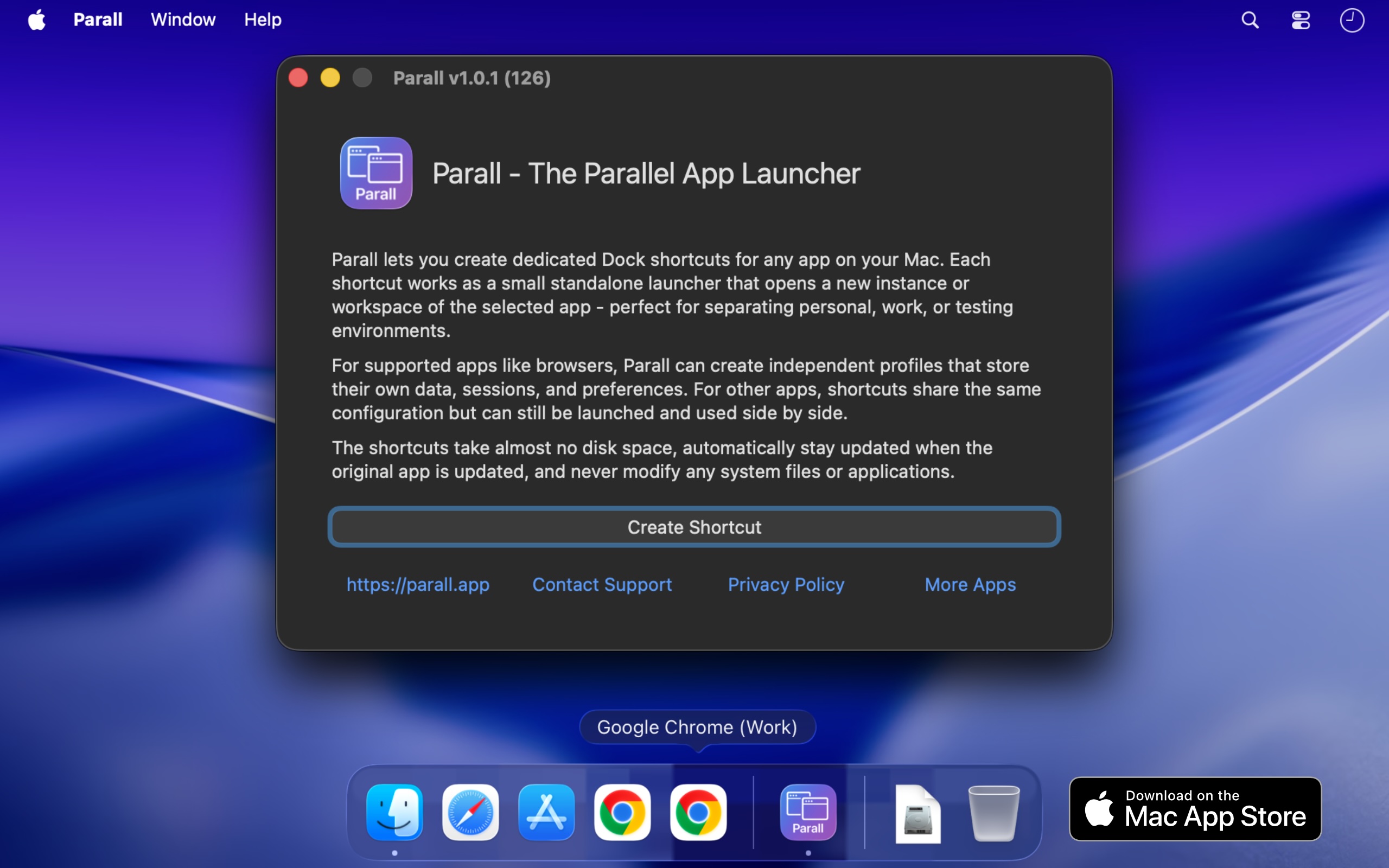
Parall is a native macOS utility that lets you run multiple independent instances of supported apps on the same Mac, each launching with its own name and Dock icon. Where the target app supports it, those instances can also use separate accounts, profiles, data folders, and storage locations. Beyond applications, Parall turns any website URL into a Web App Shortcut and can also create shortcuts that open files, folders, and command-line tools. It is built for Mac users who need genuinely separate workspaces for multiple accounts, browser profiles, client setups, or development environments, without logging in and out or changing how their existing apps work. The problem Parall addresses is built into how macOS handles running applications. macOS gives a regular app one usable running identity, so launching it again cannot reliably produce a separate instance with its own Dock icon and Spaces behavior. App data is stored wherever the app decides, which means accounts, profiles, and working data often cannot be moved to an external drive, cloud storage, or an easy-to-access folder. To use more than one account, users usually have to log out and log back in every time. Parall exists because there was no easy, polished way for regular users to run truly independent app instances, and it became the first tool of its kind designed specifically to solve that problem without copying or modifying the target app. Parall's central capability is separate instances with their own identity. You can run multiple supported instances side by side instead of being limited to one, give each instance its own data folder, account set, profile, or storage location, and pin each one with its own name and icon so macOS treats it like a distinct app. Supported families include Electron, Eclipse, Chrome, and Firefox based apps, including sandboxed apps, with named examples such as Slack, Notion, VS Code, Cursor, OBS, Dropbox, and Philips Hue Sync. Parall shortcuts are small macOS launcher app bundles that directly execute the installed target app's binary; they do not contain a copy of the target app, and they are not sandboxed by design because they must launch the original application directly. Parall also turns websites into native app-like shortcuts. Any URL can become a Web App Shortcut with its own Dock identity, and you can set custom data paths and web app storage paths for those shortcuts. Website shortcuts run on native WebKit, without Electron or a bundled Chrome engine. MS Teams and WhatsApp web apps are supported with notifications, unread badges, and an optional menu bar background mode, and version 2.4.4 enlarged the Web App catalogue, while 2.4.3 added full-screen Web App video support and 2.4.5 added Command-R page reload in web apps. This means a website can behave like an installed Mac app, with storage kept where you choose. Dock and menu bar control is another major feature group. Parall extracts icons from any app or file so shortcuts can use custom icons, draws labels on top of shortcut icons, and lets you name each shortcut individually. You can apply per-shortcut Dock effects and animations, override appearance with Follow System, Light, or Dark mode regardless of the macOS system setting, and add an optional menu bar icon for any shortcut while the target app is running. Menu bar icon appearance can be customized with scale, grayscale, and template mask options. For supported Chrome-based browsers, Parall controls full screen menu bar behavior, and it offers experimental control of Dock icon visibility. Advanced launch configuration rounds out the toolkit. You can run command-line tools from the Dock with custom arguments and environment variables, define custom environment variables per shortcut, override HOME for compatible apps with a containerized structure, and adjust advanced Info.plist parameter overrides for each shortcut for experienced users. File and folder shortcuts open in their default app, and Web App Shortcut mode, command shortcut mode, and file and folder shortcuts cover different launching needs. Parall's engine grew from research rather than a recipe. Its core could not be assembled from public documentation because the app behaviour it depends on is undocumented, so the developer spent years reverse engineering macOS app architecture, testing individual apps, and refining an engine around what actually works. Parall's compatibility profiles come from observing how each target app launches, stores data, handles separate processes, and interacts with the Dock, and the same work makes shortcuts function correctly when opened through Spotlight, Raycast, and Alfred. There are currently 124 compatibility records, and the app is verified and tested through macOS 27 Golden Gate, working from macOS 10.11 onward. Crucially, Parall never edits or freezes the target app, does not use private APIs, and does not inject or patch code, so the original app stays signed and its built-in updater keeps working; after an update, all shortcuts use the new version when restarted, which matters because app updates often patch security vulnerabilities. Privacy is a deliberate design choice. Parall works locally and offline, has no automatic telemetry, no background daemons, no Electron runtime, and no bundled Chrome engine, and it does not modify your system files or original apps. The result is a native, human-led tool that runs quietly on your Mac without phoning home or altering the software you already use. The benefits show up clearly in how people describe using it. Reviewers report running work and personal versions of apps side by side, keeping multiple clients signed in at once, giving each Chrome or Vivaldi profile its own Dock icon, and running several Claude desktop or Claude Code instances in parallel without logging in and out. Others use it for separate Cursor IDE logins and extensions for different client accounts, multiple OBS instances with separate data, separate Philips Hue Sync instances for different display setups, and multiple Emacs instances with different command-line arguments, environment variables, icons, and app names. One reviewer notes that setting it up took under a minute and then could be left alone, and another highlights using it on a shared family desktop to give different Chrome profiles their own Dock icons. Parall is aimed at Mac users who juggle multiple accounts across different apps: developers, freelancers and agencies working with several clients, people separating company and personal accounts, and anyone who wants an alternative to repeated logouts or fast user switching. It is distributed through the Mac App Store with Family Sharing, requires macOS 10.11 through macOS 27 Golden Gate, and includes a published compatibility table plus an option to ask about a specific app before purchasing. One reviewer describes it as the best $9.99 they had spent on an app. Parall is developed by Ihor July, a cybersecurity expert and reverse engineer who also builds DockLock Pro, App Trust Preview, LockLines, and App Archiver. In short, Parall gives macOS the missing control for running the same app as separate instances with separate data, accounts, and Dock identities, plus a way to turn any website into a Web App Shortcut, all through lightweight shortcuts that leave the original apps signed, updateable, and untouched.
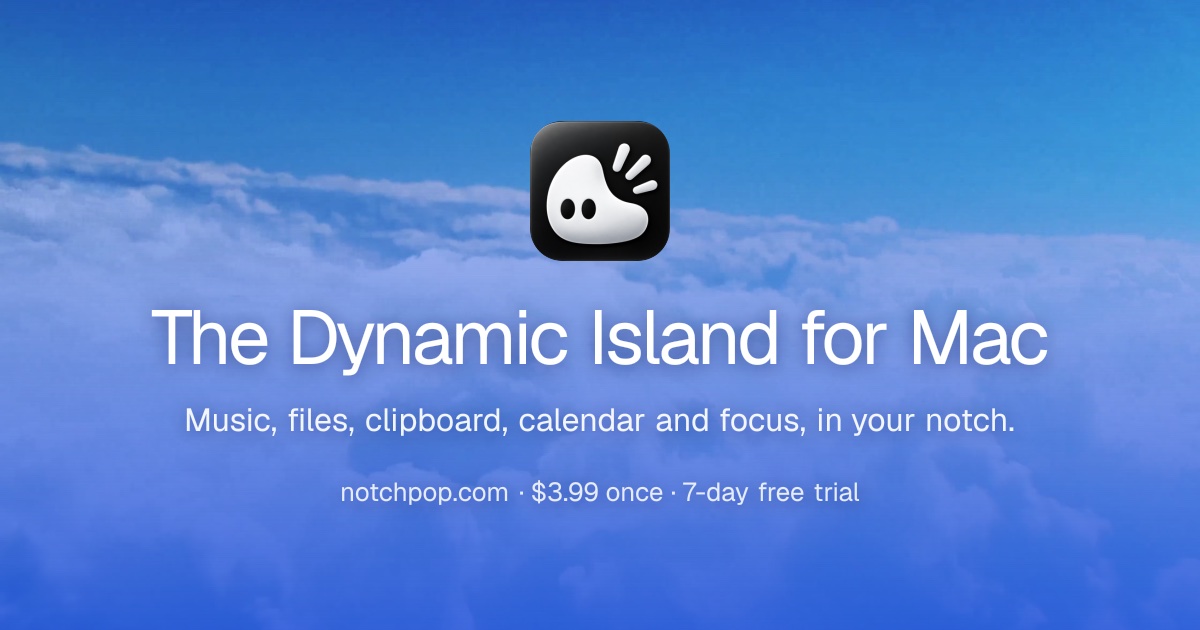
NotchPop is a native macOS productivity app that turns the black bar at the top of your Mac into a Dynamic Island-style surface. Clicking the notch opens a home screen for your whole day: media controls, a drop shelf for files, searchable clipboard history, focus timers, calendar and reminders, weather, Mac vitals, developer activity and live revenue. NotchPop is built for people who live in the top edge of their screen, including developers, indie makers, creators and anyone who wants their Mac to show them what matters without opening another window. Its stated purpose is to bring the file shelf, clipboard history, media island, focus timers, calendar and live activity into your notch or floating island, with or without a notch. The notch has always been a piece of hardware that takes up space without giving anything back. NotchPop's answer is to give that black rectangle a job. Rather than spreading information across menu bar apps, browser tabs, dashboards and separate utilities, NotchPop puts the things you glance at most into one place at the top of the screen. The site frames the problem around attention by asking what is going on in your notch. Instead of switching away to check a sale, a build, a timer or a clipboard item, you glance up. The app is designed so the notch stays black while you work and only grows into the ears beside the camera when something is worth a glance, then tucks back in once you are done. It also works on Macs without a notch: on an iMac, Mac mini, Mac Studio, external display or older MacBook, NotchPop becomes a floating island with the same tools and interactions. Media is the headline feature. Now playing shows artwork on the left and a visualizer in the artwork's own colour on the right, and it works with Spotify, Apple Music or a YouTube tab, meaning anything that plays. You can play, pause, skip and see artwork without leaving what you are in. Alongside media, NotchPop runs focus timers directly in the top edge: a 25 minute Pomodoro session, a countdown or a stopwatch ticks away beside the camera so you never open anything to check it. The site highlights that a running session stays on the top edge, meaning the thing you are actually working on keeps the screen, described as focus that never covers your work. Presets shown in the demo include a 5 minute coffee break, a 10 minute break, a 25 minute sprint and a hydration nudge. NotchPop includes a clipboard history of the last fifty things you copied. You can pin the ones you keep reaching for, search the rest, and copy any of them back with a click. The page shows examples including a URL, a colour value and a git command. Clipboard monitoring is off by default, transient or concealed items are ignored, and only items you pin are persisted, and the FAQ states that clipboard history and file conversion are processed locally rather than uploaded. Next to it is the file shelf: a shelf for files in transit. You drag anything to the notch from the desktop, then drop it wherever it needs to go. Together these two tools replace the small utilities many Mac users install separately. The rest of NotchPop is a set of live data modules. Today's revenue adds up sales from Stripe, Dodo, Polar or AdSense in the ear so the dashboard tab can stay closed. Live visitors shows who is on your site right now, from Google Analytics or DataFast. Dev servers counts every local server you have running in the ear and is one click from opening in your browser. Mac vitals puts CPU on one side and battery on the other, with a green bolt while it charges. There is hourly and weekly weather, calendar and reminders side by side, and live developer activity covering Claude, Codex and Cursor usage and streaks. Each module fetches its own live data straight from the provider, which the site contrasts with decorative numbers pretending to be real. NotchPop is a native Mac app built with Swift and SwiftUI. It follows macOS system behaviour and uses native frameworks for audio, calendar, Keychain storage and more, which is what allows it to sit at the top edge of the screen. The product is organised around extensions: over 20 native extensions ship inside NotchPop, each built like a full Mac app. You turn on what you want and turn off what you don't, whenever you want, and the extension set covers agents, music, file sharing, revenue, code generation tracking, messaging replies, audio control, meeting tools, weather and more. Permissions are requested by feature: Calendar for agenda and meeting alerts, Accessibility for WhatsApp replies and volume keys, Full Disk Access for new iMessage and WhatsApp messages, and Automation for media controls. You can use the rest of the app without enabling unrelated permissions. API keys are masked on screen and stored in your Mac's Keychain, never in a plain settings file. You can pin the tools you use, hide the ones you don't, reorder them and drag them exactly where you want them. The outcome NotchPop promises is a Mac that surfaces information instead of hiding it. Because the notch stays black while you work and only expands when something matters, the app is designed to stay useful without becoming busy, a stated goal in the FAQ. You stop opening dashboards just to check revenue, stop hunting for something you copied earlier, stop switching apps to control music, and stop keeping a timer window floating over the work you are trying to read. Everything is local-first: the site states that nothing leaves your Mac, and local-first data handling is listed as part of the purchase. The result is fewer windows, fewer menu bar icons and one consistent place to glance. Concrete scenarios run throughout the site. A developer starts a 25 minute focus session from the notch, watches Claude, Codex or Cursor progress in the ear, and opens a local dev server with one click without leaving the editor. An indie maker keeps an eye on Stripe, Polar, Dodo or AdSense revenue and Google Analytics or DataFast visitor counts without opening a dashboard. A writer drags a file onto the notch to hold it in transit, then drops it where it needs to go, and pulls a git command back out of clipboard history. Anyone on a call can use the Google Meet or Zoom extensions to join with one tap and see a meeting countdown. Someone replying to WhatsApp or iMessage does it from the notch instead of switching apps. And because NotchPop becomes a floating island on machines without a notch, the same workflows apply on an iMac, Mac mini, Mac Studio, external display or older MacBook. NotchPop is aimed at Mac users who want their top edge to be productive, reflected in the Product Hunt topics Mac, Productivity, YouTube and Menu Bar Apps. Integrations and extensions named on the site include Spotify, Apple Music, YouTube, LocalSend, Stripe, Polar.sh, Dodo Payments, Google AdSense, Google Analytics, DataFast, Claude Code, OpenAI Codex, Cursor AI, xAI Grok, iMessage, WhatsApp, Google Meet, Zoom and Live Weather, plus Finder Services, Audio Control, Clipboard History, Focus and Hydration, and Agents. The tech stack is Swift and SwiftUI with native macOS frameworks including Keychain. Requirements are macOS 14 Sonoma or newer. Pricing is a one-time purchase of $3.99 with a 7-day free trial, billed once with free updates forever, available for 1 Mac, 2 Macs or 5 Macs, and including every built-in tool, notch and floating-island modes, future app updates and local-first data handling. There is no subscription. NotchPop takes a piece of hardware that does nothing and turns it into the most glanceable surface on your Mac. It combines a media island, a file shelf, clipboard history, focus timers, calendar, weather, live revenue, analytics and developer activity into a single black bar at the top of the screen, works with or without a notch, keeps your data local, and costs $3.99 once. If you keep reaching for the top of your screen, NotchPop is designed to already be there.
AutonomyAI is a platform for Autonomous Product Delivery — an approach in which product managers and product designers build directly against a real production codebase instead of handing specifications to engineering. Its delivery layer, Fei Studio, connects to your repository, learns how your team writes code, and turns product ideas into production-ready product updates. The stated purpose is to turn product managers and product designers into product builders: the people who spec a change can also ship it, while engineers stay focused on what only they can build and simply approve the resulting pull request. AutonomyAI describes itself as the OS for building in production and positions Fei Studio as a second lane to production that runs alongside engineering. The company says it is trusted by 170+ product teams, and it offers a Playground where teams can sign up and try the workflow. AutonomyAI frames its product around a single observation: writing code got 10x faster, but shipping stayed the same speed. Every change still goes through engineering, so a product manager can spec a feature in an afternoon and then watch it wait in the backlog for a quarter. AI coding tools make engineers faster, but only engineers can ship, so the backlog keeps growing anyway. Meanwhile, app builders produce demos that cannot touch a real codebase, which means the work either gets redone from scratch or dies. AutonomyAI's contrast is that a coding agent — Claude Code, Cursor or any similar tool — starts from the same place but hands the work back to engineering, whereas Fei Studio hands engineers one click. In its own words, a coding agent writes the code and then waits for an engineer to pick it up, set up the environment, review and fix the code and ship it, and the result may still miss what the PM actually meant, sending round two back through the queue. Codebase ingestion is the first step of the workflow. Fei Studio plugs into your repository and models how your engineers write code — components, standards, design system, APIs, hooks and architecture — so that every task is built the way your team would build it, not from a generic AI template. The site states that you connect your git provider with no manual configuration, and that CSS, API, SSO and DB connections are all ingested. This understanding is described as taking under two minutes, and the model is self-updating as your codebase evolves. This matters because it is the difference between output that matches your product's look and feel automatically and output that needs manual setup; the comparison table lists "your product's look & feel" as auto-ingested and "reuses your existing components" as supported, against competitor tools that require a developer or cannot start from an existing codebase at all. Task execution turns ideas into production-ready product updates. Fei Studio takes raw product ideas — from prompts, PRDs, screenshots, tickets or Figma — and turns them into codebase-aligned variants and testable implementation options before generating production-ready output. It breaks ideas into structured plans based on your infrastructure, then translates those plans into real system changes and pull requests. The website describes the process as 36+ orchestrated steps per task with transparent output. Because the plans are built from your own infrastructure rather than a blank slate, the variants and options it produces are aligned to your codebase from the start, which is what allows the final output to be reviewable by engineering rather than a throwaway prototype. Production grade output is the third pillar. Every task produces production-ready code, a clean PR and full specs, all built to match your codebase, so engineering reviews and merges. Fei Studio generates production quality code to your standards, opens clean pull requests ready for engineering review, and includes full specs and change history for complete context. The comparison against other tools emphasizes the combination: output per task is code plus preview plus PR, and branches, commits and PRs are handled for you. Live preview of changes is included, so a non-technical teammate can see the rendered result before an engineer ever looks at the diff, while the code that reaches review is real production code rather than a prototype. The review step is deliberately lightweight — "your engineer clicks approve. That's the whole path." AutonomyAI's distinctive methodology is running the whole product loop as one system on your real codebase: discover, plan, build, ship, repeat. The newest piece is Discover Mode, which starts the loop before the ticket exists. It researches your analytics, tickets, customer calls and code to find what to build, and then the system plans, builds, verifies and hands your engineers a review-ready PR. After it ships, Fei Studio measures the result and proposes the next build. Critically, the Product Hunt description states that every merge makes it smarter — the system accumulates knowledge from the work that actually lands in production. The website also lists an Agent Knowledge Hub, which appears in the comparison table as something the competing coding tools and app builders do not offer. Fei Studio can also work inside any AI agent: a new MCP Server means Claude Code, Cursor or any MCP client can connect to it, so the delivery layer is available wherever your team already works. The stated outcome is delivery speed that finally matches the speed of code generation. Because product managers and designers have direct access to production, features no longer queue behind engineering capacity, and because output arrives as a clean PR with specs and change history, engineering keeps control of the merge. Engineers stop rebuilding from scratch, stop setting up environments for prototype handoffs and stop chasing misunderstood specs; they review and approve instead. AutonomyAI's own product team is the proof point it offers: the team opened 50+ PRs against its production codebase, writing zero code, and an engineer approved every merge. The headline for this is "Better Delivery, Built with Autonomy" — the promise that the people who spec a change are the people who ship it. AutonomyAI lists a broad set of use cases. Validate Product Ideas covers testing whether an idea is worth building. Improve Existing Features covers enhancing existing screens rather than starting from scratch. Turn Support Feedback Into Changes and Create Stakeholder Demos cover the path from customer signal to a demonstrable result. Accelerate Feature Delivery and Build Enterprise Customizations address delivery throughput and enterprise-specific requirements. Refactor Legacy Interfaces, Redesign Elements and Design System Alignment address modernizing and keeping consistency in existing UI. Prototype With Real Code and Explore UX Improvements cover hands-on experimentation. There are also role-based entry points: PMs can "ship features, not just specs," designers can "design in the real product," and engineers can "stop rebuilding from scratch." AutonomyAI is aimed at product teams — product managers, product designers and engineers working in the same delivery loop — with a separate Enterprise offering. The website names SolarEdge, SolarWinds, Augury, Salt, Taro, Deeto, Scytale, Symtrain, Plantwatchers, Allyable, i4, Midhub, Salesbrick, Commit, Lyncues, Trapica, Samplead, BlueBricks, MalamTeam, DeepSeas, IronVest, Mending, Nielsen, Simpology and Mesh VI among the 170+ product teams it says trust it. Integrations and inputs that are explicitly mentioned include your git provider, CSS, API, SSO and DB connections, plus PRDs, screenshots, tickets, Figma and prompts as task inputs. Fei Studio also connects to AI agents through its MCP Server, naming Claude Code and Cursor. Pricing is stated simply as per task, in contrast to the per seat plus usage, per credit and per subscription or per token models listed for the comparison tools; the comparison notes that competitor capabilities and pricing are as of September 2026. A Playground is available at studio.autonomyai.io/sign-up. In short, AutonomyAI's primary value proposition is that Autonomous Product Delivery closes the gap between fast code generation and slow shipping by running the entire product loop — discover, plan, build, ship, repeat — as one system on your real codebase, so product and design teams can build into production while engineers keep the final approval.
Maximem Synap is a memory and context management layer for AI agents, shipped as a developer SDK, a REST API, and a hosted MCP endpoint. You send Synap the conversation as it happens, and before your agent replies you ask what is known about this person; Synap returns a short, ranked set of facts, formatted and ready for the prompt. The product is aimed at teams building agents for customer support, sales, voice, healthcare, and multi-agent workflows, so that every conversation does not start from zero. Synap handles entity resolution, temporal reasoning, and multi-level scoping automatically, and the company states there is no vector database to run, no extraction pipeline to build, no retrieval ranker to tune, and no scoping logic to get right - those are the product. Reported accuracy is 92% on LongMemEval and 93.2% on LoCoMo, with in-conversation retrieval under 15ms at P75. Synap exists because agents forget, and the site treats that as an architecture problem rather than an interface nitpick. The listed symptoms are concrete: the agent re-asks for information the user already gave, recommends what the user already rejected, contradicts itself across sessions, or compensates by stuffing everything into the prompt, which produces slow replies and a blown token budget. The company frames these failures as tickets, refunds, and churn. It also argues that every alternative has been tried and each one stops short. A bigger context window runs into U-shaped attention, so models lose the middle; quality falls as the window fills and cost grows quadratically because history is replayed every turn. A vector database and RAG finds text that looks alike but has no view of what is current, no record of where a fact came from, and no idea that 'Acme' and 'Acme Corp' are one company. Agent skills steady a procedure but do not supply a fact - across 528 matched runs, the skill was steadying the procedure 65.7% of the time and supplying a missing fact 4.5% of the time. Summarising as you go compounds losses, and doing it properly means entity extraction, temporal reasoning, contradiction handling and validation, at which point you have built a memory system. Building it in-house is possible, but retrieval is the easy part; the months go into deciding what to keep, resolving entities, handling contradictions, and keeping tenants apart, then maintaining all of it forever. Every one of these workarounds is described as a stand-in for a missing layer. Synap treats memory as three layers rather than one bucket. Short-term memory is the current session, the working memory that most memory tools provide. Long-term memory persists across sessions, per person - the layer a user means when they say an agent remembers them. Organisational memory is shared across users and tenants: policies, product facts, and pricing, meaning company knowledge rather than personal knowledge. The company states that most memory tools give you the session and that the value sits in the two layers above it. Scoping enforces that structure: a request sees its own level and every level above it, never below and never sideways. The out-of-the-box hierarchy is Client, Customer, User - shared product knowledge visible to everyone, tenant-level policies, teams and shared projects, and the facts, preferences and episodes private to one person. One person's memory does not reach another person's session and one tenant's does not reach another tenant's. When three levels is not the right shape, teams can define a custom hierarchy at any depth with the names they already use, such as Hospital, Department, Clinician, Patient. On the read side, Synap focuses on anticipatory retrieval. Context is pre-fetched while the conversation is still going, so it is ready before the agent asks, at under 15ms at P75 in-conversation. That matters most for voice agents, which stay conversational instead of pausing mid-turn. Retrieval is also described as resilient: a bad day for one part of the system is not an outage, and retrieval nets across all stores. Agentic compaction keeps context lean as conversations grow, so cost does not balloon and quality does not rot; it keeps the signal, drops the noise, and tells you when it worked. Validation is part of the pitch, since compaction is reported rather than assumed. Together, these read-side capabilities are what the company presents as the difference between storing memory and actively managing context, and they are the reason a growing conversation does not automatically mean a growing prompt. On the write side, a conversation turn does not land in a database. It runs through a pipeline that turns raw dialogue into structured, scoped memory: asynchronous ingest, extraction of structure rather than raw text, and storage across vector, graph, and file stores - vectors for semantic similarity, a graph for entity relationships, and files for documents and raw material. The write call returns before any of that happens, so it never blocks the agent. What governs the pipeline is a custom context architecture generated for each agent, controlling extraction, scoping, retention and more, rather than a one-size schema. Structured capture and entity resolution mean that 'Sarah', 'Sarah Chen' and 'SC' resolve to one person automatically, and references such as 'my manager' are linked across sessions. Temporal awareness weights recent context higher than stale context. Conscious forgetting processes retractions and contradictions, and because a change never destroys the previous version, every memory can be traced back through provenance. Consolidation runs as background cycles on the stores in three tiers - meditation, a light pass every few hours; nap, a deeper pass once a day; and sleep during quiet hours for deep consolidation and conscious forgetting. Synap's distinctive approach is that it treats memory as an active context-management problem layered on top of storage, rather than a storage problem alone. It works in two calls: you record the conversation as it happens, and before your agent replies you fetch what is known, receiving formatted context ready for the prompt. Everything the pipeline does behind that write call is invisible to the agent - extraction, scoping, retention, and consolidation run behind it. The memory architecture itself is generated for your specific agent instead of being fitted to a universal memory model, which the company contrasts with approaches built on extracted facts plus embeddings or on a temporal knowledge graph. Reads mostly never leave your process because context is pre-fetched while the conversation is still going. The framework is described as native across 23 agent frameworks, with adapters that let developers install the SDK, configure an API key, and start managing context in a few lines of code. The stated outcomes are reliability, cost control, and speed. Agents remember every user across sessions, channels, and months rather than the last twenty turns, so they stop re-asking for information and stop recommending what was already rejected. They remember the organisation through shared policies, product knowledge, and team context made visible to the agents that should see them and isolated from the users and tenants that should not. Context stays lean as conversations grow, which means the token bill does not balloon and quality does not rot; compaction keeps signal over noise and reports when it worked. Context arriving before the agent asks keeps voice agents conversational. Accuracy is reported at 92% on LongMemEval - the benchmark that tests whether a memory system retrieves the right fact from a long conversation and holds that accuracy as the conversation grows - and 93.2% on LoCoMo, with the methodology published and the eval harness open source so teams can run it against any system they are evaluating. Synap is not limited to a fixed list of applications. The site names customer support and sales agents, voice concierges, healthcare assistants, and multi-agent workflows among the places teams run it today, with dedicated use-case pages for healthcare, customer support, sales, voice AI, and multi-agent systems. In support and sales, the relevant value is recall of what a customer said in earlier sessions so an agent does not reopen a resolved issue or contradict a previous answer. In voice, the value is latency: sub-15ms P75 in-conversation retrieval keeps a voice agent conversational instead of pausing to think. In healthcare, the scoping model and custom hierarchy matter - the site illustrates a Hospital, Department, Clinician, Patient shape. In multi-agent workflows, shared organisational context reaches the agents that should see it while per-user and per-tenant memories stay isolated. The primary audience is developers and teams building AI agents who need production-grade memory without building it themselves. Synap provides Python and TypeScript SDKs, a REST API usable from any language, a hosted MCP endpoint for no-code platforms, and a CLI. The documentation states that most developers are up and running in under five minutes. Native integrations cover 23 agent frameworks, including LangChain, LangGraph, LlamaIndex, OpenAI Agents, Pydantic AI, CrewAI, AutoGen, Google ADK, Haystack, Agno, Semantic Kernel, Microsoft Agent Framework, NeMo Agent Toolkit, LiveKit Agents, Pipecat, Claude Agent SDK, Mastra, Vercel AI SDK, Vercel eve, Strands Agents, CAMEL-AI, Smolagents, and deepagents. Security includes encryption in transit and at rest, strict tenant isolation, BYOK for model providers, and on-premise, self-hosted, and air-gapped options, with PII posture applied per kind of data and down to what an individual API key may see. Enterprise plans add VPC and private deployment, SSO and SAML, configurable RBAC, and custom SLAs. The free tier requires no credit card and supports Google or GitHub sign-in, and the SDK plus the benchmark eval harnesses are open source on GitHub. For teams whose agents need to remember, Maximem Synap packages the whole problem - what to keep, how to scope it, when to retrieve it, and when to let it go - into a memory and context layer with reported benchmark accuracy of 92% on LongMemEval and 93.2% on LoCoMo, in-conversation retrieval under 15ms at P75, and native coverage of 23 agent frameworks. It replaces the workarounds teams currently reach for, including larger context windows, vector RAG, agent skills, rolling summaries, or a homegrown system, with a two-call interface and background consolidation, so that every conversation no longer starts from zero.
Opaline is a team-wide, message-level analytics product for coding agent sessions, built specifically for teams that work with Claude Code and Codex. Its stated purpose is to track token cost, time, and skill usage for every single message across a team's sessions, so that the full history of how people use coding agents stops being a black box. The homepage frames this simply: pull back the curtain on your coding sessions, and turn teammate struggle into learning. Opaline is aimed at engineering teams rather than individual hobbyists — its product demo is populated with a team of three named members, a set of shared repositories, and the models those sessions run on. Rather than reporting only an aggregate monthly figure, it attributes activity down to the level of individual messages, sessions, agent runs, and the people behind them. Coding agents have become both a real line item and a real part of how software gets written, yet the way teams usually measure them is coarse. A provider dashboard typically shows an aggregate spend number with little context: which teammate generated it, which repository it belongs to, which model consumed it, or what actually happened inside the session. On a shared team account, that missing attribution makes it hard to hold any grounded conversation about usage. Opaline's answer is to treat agent sessions as an analytics problem, the same way product teams treat user behaviour. Where product analytics reveals how users move through an application, Opaline reveals how colleagues move through their coding agent sessions: where the spend lands, where sessions run long, and where the language exchanged between developer and agent starts to signal friction. The stated intent is that observable teammate struggle becomes learning rather than an invisible cost. The core of the product is the analytics dashboard, and the demo shows exactly what it reports. For a selected date range — the example covers August 1 to August 31, 2026, at a Daily granularity — Opaline surfaces headline figures: API Cost, Sessions, Agent runs, and Language signals. In the demo those read $3,200.99 in API cost, 85 sessions, 1,864 agent runs, and 385 language signals. Beneath the headline numbers sits an API Cost chart plotted daily and expressed in UTC, so cost can be read day by day and compared against when work actually happened. Sessions and agent runs indicate volume — how many conversations were held and how many individual agent executions occurred — independently of what they cost. Together these counters answer the first question any team lead asks: how much are we using, how much is it costing, and when is that happening. Opaline's defining characteristic is the resolution of its data: it tracks token cost, time, and skill usage for every single message, not merely per session or per month. That per-message granularity matters because a session is rarely uniform — it may open with a cheap planning exchange and then spend most of its budget on long, iterative back-and-forth. Message-level token cost shows where inside a conversation the spend actually accumulates. Time tracking shows how long those exchanges take, which is a different measure of effort from cost. Skill usage tracking captures which capabilities the agent drew on across messages. Because every message carries these attributes, the totals on the dashboard can be decomposed downward rather than taken on faith, and any aggregate figure can be traced back to the specific exchanges that produced it. Language signals are the most distinctive metric in the product, and they are what the product's tagline hints at: the ability to catch every "You're absolutely right" from the model and every blunt, frustrated reply from a teammate. Alongside cost and time, Opaline counts these signals — 385 of them in the demo period — turning the tone of a session into something measurable. The purpose is not surveillance for its own sake but the homepage's stated goal of turning teammate struggle into learning. Repeated friction, an agent that keeps agreeing without solving the problem, or a developer who has clearly hit a wall are all patterns that show up in language before they show up in a cost report. By counting and surfacing them next to spend and activity data, Opaline lets a team treat signs of struggle as something to act on — reviewing the session, sharing what worked, or adjusting how the agent is used. Opaline breaks usage down along three axes, each shown with both an absolute value and a share of the total. The Members view lists each teammate's API cost and percentage: in the demo Rafa at $1,175.59 (37%), Evren at $1,046.61 (33%), and Marc at $978.79 (31%), across a team of three. The Repositories view attributes the same cost to codebases — evrendom/rudel at $3,104.04 (97%) and opalinehq/athena at $96.95 (3%) across two repositories — which makes the concentration of spend immediately legible. The Models view shows which model consumed the budget: GPT 5.6 Sol at $2,051.43 (64%) and Fable 5 at $1,149.56 (36%), across two models. Read together, these three breakdowns answer who, where, and on what, and they make comparisons between members, repositories, and models concrete rather than anecdotal. Opaline is distributed as an open-source command-line tool. The site labels it MIT OSS, links to its repository at github.com/opalinehq/cli, and states that it can be launched with a single command: npx opaline@latest. That command is the entry point for collecting session data from a team's Claude Code and Codex usage, which then feeds the team-wide analytics view. The demo dashboard — explicitly labelled as a product demo — supports selecting a date range and a granularity such as Daily, and presents cost over time in UTC. Publishing the source under a permissive MIT licence means teams can inspect what the tool does and how it gathers data before running it. The overall approach is deliberately reminiscent of product analytics tooling: instrument the sessions, collect message-level events, then aggregate them into team, repository, and model views on a dashboard. The benefits follow directly from that structure. Teams gain attribution: instead of a single bill, they see cost split by member, repository, and model, so it is clear where usage is concentrated. They gain resolution: token cost, time, and skill usage attached to every message make it possible to understand why a session was expensive, not just that it was. They gain an early-warning layer through language signals, which surface frustration and unproductive loops that a cost report alone would never show. And they gain a shared vocabulary for discussing agent usage, because the dashboard's figures can be referenced in a team conversation rather than debated from impressions. The homepage's framing sums up the intended outcome: turning the struggle that appears inside sessions into something the team can learn from. Concrete scenarios follow from the demo layout. A team lead reviewing an unusually expensive month can open the Members view to see whether cost is distributed or concentrated on one person, then switch to Repositories to identify which codebase is driving it. An engineering manager can compare models in the Models view to see how budget splits between them. A developer who notices a high count of language signals can go back to the sessions behind them and examine where a conversation with the agent went sideways. A team onboarding new members can use the member and repository breakdowns to understand how agent usage spreads as more people adopt it. And because the figures are daily and expressed in UTC, they can be lined up against a sprint or a release window to see how cost tracks with periods of intense work. Opaline is built for teams rather than solo users: the demo is populated with three named members, shared repositories, and multiple models, and its tagline describes it as "PostHog for team Claude Code and Codex sessions." It is a developer tool first — installed and run from the command line via npx opaline@latest — so its natural audience is engineers, engineering leads, and platform or developer-experience teams already using Claude Code and Codex at work. The site lists it as MIT OSS with source on GitHub, and the site itself is generated with Astro. No pricing tiers or plan details are presented on the website, so the commercial model is not stated there; the distribution facts that are visible are the open-source licence, the CLI install command, and the hosted analytics dashboard the demo illustrates. Opaline's value proposition is narrow and clear: it makes a team's Claude Code and Codex sessions observable at the level of the individual message. By tracking token cost, time, and skill usage for every message, and by rolling those up into team-wide views of members, repositories, and models, it replaces a single opaque spend number with an attributed, explorable picture of how agents are actually being used. Language signals add a dimension that cost and timing cannot capture on their own, exposing the friction and struggle that precede wasted budget. Distributed as MIT open source and runnable with npx opaline@latest, it is aimed at engineering teams that have already adopted coding agents and now want to understand them. The promise is the one on the page: pull back the curtain, and turn teammate struggle into learning.
CtrlOps is a local-first desktop application for managing Linux servers from one screen with AI assistance. It brings an AI-assisted terminal, visual file management, real-time infrastructure monitoring, security auditing, access management, and single-click deployments together in a single app. The product is designed for developers, DevOps engineers, technical leads, founders, and non-terminal users who need to run one server or an entire fleet without juggling terminal tabs, remembering IP addresses, or opening separate SFTP clients. Its stated purpose is to give teams full visibility across all their servers in one place, in a tool intuitive enough for a non-terminal person to use, without making the team dependent on a single engineer to keep everything running. The founders built CtrlOps after running an IT service company. They were designers and product people at heart who understood interfaces and users, and every client they worked with had their own server. To check anything, even something as simple as why a server was slow by looking at memory and CPU, someone had to open a terminal, remember the right IP, find the right credentials, and log in separately, every single time, for every client. With a minimum of seven to ten projects and forty-plus servers running each month, there was no unified view and no quick way to know what was happening across the infrastructure without pulling in the one person on the team who knew how to navigate it all. Everything ran through him; if he was unavailable, the team was blind. CtrlOps was built to answer one question: why does managing Linux servers have to feel like this, and why is there no tool that gives full visibility across all servers, feels intuitive for a non-terminal person, and does not create dependency on a single engineer? They built it first for themselves, then made it for everyone. The AI terminal is the centerpiece of the app. Instead of memorizing command syntax, users describe what they need in plain English and CtrlOps translates it into the commands that will run against the selected server. Crucially, it is built as AI with a human in the loop: every command is shown for review and must be approved before it executes. For example, asking to clear disk space on prod-web surfaces a specific command such as sudo apt clean combined with journalctl --vacuum-size=200M, with Run and Edit options available. Web search and MCP servers are built into the terminal, along with one-click saved scripts. Reviewers repeatedly highlight the approval step as the reason they trust the tool: asking in plain English, seeing the exact command before it runs, and approving it is described as the whole game when AI touches live infrastructure. A related scripts feature lets users save, reuse, and run scripts directly from the panel, and one reviewer calls the playbook feature underrated because common fixes can be configured once and then triggered in a single click. The security audit capability runs twenty-five checks over SSH against a server and produces a hardening score. The interface summarizes results in a single line such as seventeen passed, five warnings, and zero failed. Beyond the score, CtrlOps generates a PDF audit report and provides fix commands for every issue found; those fixes wait for user approval before running. Separately, the access management feature scans an entire fleet to show who can log in to which server and who holds sudo privileges. When someone leaves a team, their access can be removed from every server at once rather than being revoked server by server. Any level of roles and access can be assigned without touching the terminal. This directly addresses the question the Product Hunt description opens with: do you actually know who has access to your servers right now? A reviewer in an HR role noted that offboarding, which previously required back-and-forth with the technical team, can now be checked and flagged in about two minutes. Multi-server management keeps the whole fleet in one app so users switch between servers by alias and no longer track IPs by hand. The interface shows entries such as prod-web at ubuntu@54.236.240.26 alongside auth-service and db-01, and reviewers single out named servers instead of IPs as a small but brilliant usability decision. Real-time infrastructure monitoring displays live CPU, memory, disk, and network metrics for every server, giving an at-a-glance view of what each machine is doing. The visual file manager lets users upload, download, and unzip in one click, replacing scp and separate SFTP clients; users can open a config file and edit it directly. Single-click deployment requires no scripts and no CI/CD setup: the user fills one form with a GitHub repository, environment variables, and a domain, and the app goes live with PM2, Nginx, and SSL handled automatically. The product also covers backups that prove they ran and makes every log file findable and searchable without SSH. CtrlOps connects to any server over SSH, so the provider does not matter. It is shown working with AWS, Google Cloud, Azure, DigitalOcean, and any VPS. The architecture is deliberately local-first: CtrlOps speaks SSH directly to your fleet, with no service in between to breach and no vendor lock-in, no cloud bridge, and no telemetry. No agent needs to be installed on the servers themselves, a detail reviewers say sold them immediately. Zero data sharing is the design principle: the app runs entirely on the user's machine, and SSH keys, server IPs, and credentials never touch a cloud. It needs only the user's SSH key, never AWS IAM credentials, a GCP service account, or Azure credentials. Sensitive data and SSH keys are stored only on the device, so servers can be managed without uploading secrets anywhere. The whole flow is human-approved: nothing runs before the user sees and approves it. The stated outcome is that the same servers require far less of the week: the work does not go away, it simply stops taking an afternoon. Users get every server in one window, deployments from GitHub in minutes, CPU, memory, and disk values at a glance, every log found for them, commands expressed in plain English, file movement by dragging, visibility into who can reach every server, faster onboarding of developers, and backups that prove they ran. Reviewers describe the practical results: doing in ten minutes what used to take an hour; catching two issues on a staging environment before they became outages; no longer stressing over deployments; and replacing a mess of SSH tabs and random bash scripts. One commenter argues the plain-English terminal lowers the barrier so developers can own their environment instead of depending on a single DevOps hero, describing it as a shift in team dynamics rather than just tooling. CtrlOps is used across a range of concrete scenarios. A UI/UX designer who does not write code and does not know DevOps used the AI terminal to be walked through deployment step by step and put a website live alone for the first time, after previously waiting on a friend to handle server work. A solo founder building a product used it to manage every deployment personally, eliminating hiring, favors, and waiting on someone else's calendar. A DevOps professional managing multiple client servers reports using the file manager more than the AI features, because editing a config inside one app removes a separate login and window. An HR team member uses SSH management to check and flag access removal within about two minutes of someone leaving. Teams also run it on staging environments before moving production over, and use it to onboard new developers quickly. CtrlOps reports being trusted by more than seven hundred engineers in over one hundred sixty countries and holds a 4.8 out of 5 rating on G2. It installs as a desktop application: a Mac build with separate downloads for Apple Silicon (M1 through M5) and Intel x64 (Core i5, i7, i9), a Windows build distributed through the Microsoft Store, and a Linux option. Pricing starts free, with a one-month free trial that requires no credit card; lifetime subscriptions are also available, as mentioned in a user review. The stack centers on direct SSH connections using ED25519 keys, with PM2, Nginx, and SSL handled during deployments, plus built-in web search and MCP servers in the AI terminal. CtrlOps takes the daily reality of managing Linux servers, logging in, checking resources, reading logs, moving files, controlling access, deploying apps, and hardening machines, and consolidates it into one local-first desktop app driven by an AI terminal that always asks permission first. Its core promise is visibility and control across an entire fleet without sacrificing privacy: your credentials never leave your machine, no agents are installed on your servers, and nothing runs without your approval.
Floot MCP is a connector that turns Claude, ChatGPT, or Cursor into an app-building environment. You add Floot to your AI, describe the product you want, and Floot builds the whole thing — backend, database, and hosting included. According to the website, you go from chat to a live app in minutes, with no git, no terminal, and no build credits required. Floot describes itself as a way to turn ideas into products without coding, all on one platform, and it gives your AI a ready-to-use workspace complete with a database, user logins, hosting, and a live URL, with nothing to install or configure. Most AI app builders come with hidden costs and hidden complexity. The website's comparison table contrasts Floot with "others" on four fronts: token cost, ease of use, all-in-one platform, and hosting. Floot uses flat plans rather than per-token pricing, while other tools are described on the page as pay-per-token, which "adds up fast." Floot says no technical background is needed, whereas others are described as a "headache for non-coders." It positions itself as an all-in-one platform with everything built-in, in contrast to tools that require many external services, and it claims hosting that "scales with you" versus limited hosting elsewhere. Because your existing Claude or ChatGPT subscription does the thinking, Floot does not charge based on AI usage. Credits apply only to the optional Floot agent and AI image generation. Step one is connecting Floot to Claude, ChatGPT, or Cursor as a connector. Once connected, you prompt your AI with what you want, and Floot handles the technical layer: git, terminals, and build credits never enter the picture. The product listing states there is nothing to install or configure, and the connector can also be added to Cursor and other tools. The site headline frames the promise directly: "Build apps in Claude. ChatGPT. Cursor. Get it live in minutes." This matters because the AI you already use does the reasoning and code generation, while Floot supplies the workspace that makes the output actually run — so the barrier to shipping is a conversation rather than a development environment. Floot includes the backend essentials by default. Your app can save information in a database, let users create accounts, and run recurring tasks automatically. The website's illustration shows a database with 1,204 records saved, 32 users signed up, and a recurring task running daily at 9:00 — each marked as set up, with the note that Floot handles all of this for you. Hosting is built in as well: the app is live at its own link, such as orderbook.app, and the platform says hosting scales with you. Because the database, authentication, and hosting arrive pre-wired rather than as separate services to buy and connect, you spend your time on the product instead of the plumbing. Publishing is one click. Your project goes live on the web and in the app stores, with the site showing a web address alongside App Store and Google Play. Emails and notifications are built in too — you can send emails, receipts, updates, and notifications from your app without setting up extra tools, and the on-page example shows a receipt being sent to a customer. Floot also makes apps easy for search engines like Google to understand and discover, with SEO essentials built in automatically; the site illustrates this with a bakery order tracker appearing as a top result for the query. Finally, Floot integrates your tools: Stripe payments, Google login, Zapier, and thousands of other services, with the platform guiding you through setup step by step. The workflow is deliberately linear, and the site lays it out in four steps. First, connect Floot to Claude, ChatGPT, or Cursor as a connector. Second, prompt your AI to build your project — the walkthrough uses an order book app live at orderbook.app with an "Order now" action. Third, keep refining until it is exactly what you want; the example shows a follow-up instruction as simple as "Make the headline bigger." Fourth, publish on both web and mobile. The published walkthrough is titled "How to use Floot MCP: a walkthrough of building and publishing a real app from a chat," and the section is headed "From chat to live app," promising "One conversation with your AI. A real app with a database, live at its own link." Updates keep coming from the same conversation, so shipping a change is a matter of describing it to the AI you already use rather than switching tools or redeploying by hand. The stated benefits follow from that design: a flat, predictable price instead of per-token billing that "adds up fast"; a workflow that needs no technical background; one platform instead of a stack of external services; and hosting that scales as your product grows. You get a real app with a database, live at its own link, and you can publish the same project to the web, iOS, and Android before continuing to iterate. Keeping updates in the same conversation means the gap between an idea and a change in production stays short. The company's own video content frames the result as "vibe coding has never been more efficient." Concrete scenarios appear throughout the site. A bakery builds an order tracker — the on-page example shows orderbook.app with the tagline "Fresh bread, daily," an order book where customers click "Order now," and a customer receiving a receipt by email. The same flow covers a storefront published to a web address and then to the App Store and Google Play. Recurring tasks suit anything that needs to run on a schedule, such as a job that runs daily at 9:00, while accounts and a database cover products where users sign up and data accumulates. Payment-driven apps connect Stripe, sign-in can use Google login, and automation can extend through Zapier. Each of these starts the same way: a prompt inside the AI. Floot is offered on flat plans rather than per-token charges, and credits apply only to the optional Floot agent and AI image generation. A launch promotion offered 30% off your first month on the Product Hunt launch page. Floot is backed by Y Combinator. Product Hunt lists it under Developer Tools, Artificial Intelligence, and No-Code, and the connector works with Claude, ChatGPT, and Cursor as well as other tools. Integration options named on the site include Stripe payments, Google login, and Zapier, along with thousands of other services. The takeaway is straightforward: Floot MCP lets you build and ship full-stack web and mobile apps from inside the AI chat you already use, with the database, logins, hosting, and live URL supplied for you. No git, no terminal, no build credits — just describe the app, refine it in conversation, and publish it to the web, iOS, and Android.