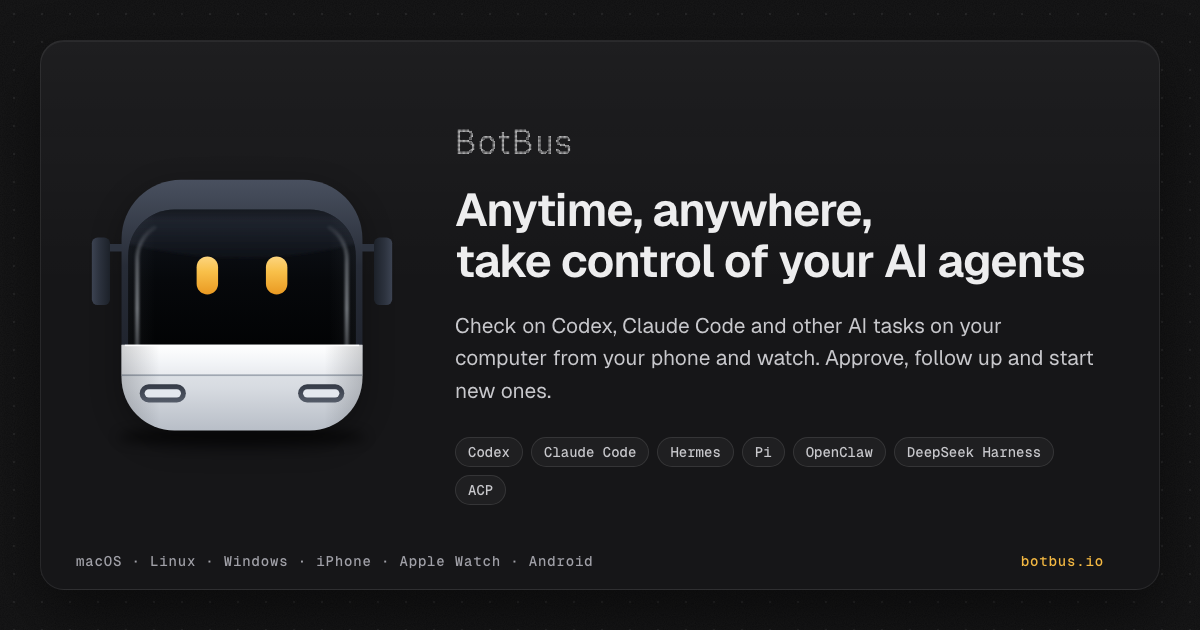
BotBus is an app for keeping tabs on the AI coding agents running on your computer from your phone and Apple Watch. On the computer it lives in the menu bar and automatically discovers local agents such as Codex and Claude Code; on your phone and watch you can follow task progress, approve, follow up, interrupt, and start new tasks. Tasks from all of your computers are gathered in one place, sorted by agent and project, so developers who run agents locally can stay in control without sitting at their desk. What you can do depends on the connector, the task's state and whether the computer is online.
Coding agents do not only write code; they pause. An agent may want to run a command such as a test suite, edit files, or ask a question before continuing, and it waits until someone answers. When that someone is away from the keyboard, the work stops, and a task that could have been finished in an hour sits idle until the developer returns. BotBus is built around that gap. Its promise is that you can step away from your computer and the work keeps moving: approvals, follow-ups and new instructions arrive on the device that is already in your pocket or on your wrist. The desktop app quietly discovers the agents already installed on the machine rather than asking you to configure them, and the phone app turns those agents into something you can supervise from anywhere.
Every computer at a glance. BotBus collects tasks from all of your paired computers and sorts them by agent and project, including the tasks you started at your desk. A device list shows online status and pending counts for each machine, and opening a single computer reveals its pending and running tasks alongside recent projects, so you can tell at a glance where attention is needed. New tasks, on the go. From your phone you pick a computer, a project and an agent, say one sentence, and the task starts. You can choose the model, or run the task in its own git worktree so parallel work stays isolated from your main checkout.
Approvals and questions in one tap. When an agent wants to run a command, edit files or ask you something, BotBus nudges you, and you answer with a tap on your phone or your watch. Auto-approve can be turned on for a project when you would rather not be asked. Beyond approvals, BotBus also supports following up and interrupting a running task, voice input for instructions or replies, sending photos from your phone, reviewing uncommitted changes, and switching the model and reasoning effort for a task. Watch sync means that once your watch has synced pairing from your phone it connects on its own, so common actions do not require pulling out your phone at all; the watch can show all devices, recent projects, approval requests and a task awaiting your reply with voice reply.
Control your computer's screen. On supported setups you can see your computer's screen live on your phone and tap, swipe or type on it. Input starts locked, and both the picture and your input are end-to-end encrypted. Screen control currently supports Mac. Results, straight to your phone. Screenshots, files and videos come back together with the task, and images and PDFs mentioned in the chat open with a tap, so you can inspect what an agent produced without transferring anything by hand. Preview web pages on your phone. When an agent starts a dev server, BotBus lets you preview the page it built on your phone, without going back to your computer.
BotBus works through a small desktop app plus a pairing flow. You install BotBus on your computer, where it lives in the menu bar, runs in the background and automatically discovers local agents. Choosing 'Pair a Phone' shows a QR code; scanning it pairs the phone, and the key never goes through the server, staying in each device's keychain instead. Content is encrypted with AES-256 on your device before it is sent, so the server only relays and briefly holds ciphertext and cannot decrypt your chats, commands or images. Pairings that idle for 30 days are cleared, and removing any single computer or phone disconnects it at once. The server still sees the little it needs to relay data: device IDs, online status, update times and data sizes. Developer previews, which share a web page from your computer to your phone, are proxied through the server and are not end-to-end encrypted. Viewing already-synced tasks does not require the computer to be online, but approving, following up, starting new tasks and interrupting do require the target computer to be online and supported by the connector.
The benefit is continuity. Instead of returning to the desk to unblock an agent, you answer the approval from your phone in a tap, or reply by voice from your watch. Instead of wondering whether a long job finished, you glance at a device list that shows pending counts across all your machines. Instead of waiting to see what an agent produced, the screenshots, files, videos, PDFs and dev-server previews arrive with the task. BotBus does not change how your agents work; it changes where you have to be while they work, so a commute, a meeting or an evening away does not mean downtime for your machine.
Typical scenarios follow the way developers actually work. A test suite fails and the agent asks to run a command; you are away from your desk, so you approve it from your phone and the run continues. You think of a small fix while commuting, so you pick the project and agent, say one sentence, and the task starts on the computer at home. You run several machines and want a single view of pending and running work, sorted by agent and project. You want to see the landing page an agent built before you get back, so you preview the dev server on your phone. You are traveling and need to take control of your Mac's screen directly. Or you are in a meeting, an approval arrives, and one tap on your watch, or a spoken reply, keeps the agent moving.
BotBus runs a desktop app on macOS, Linux and Windows and a mobile app for iOS and Android. The Mac app requires macOS 26 or later and is universal for Apple Silicon (arm64) and Intel (x86_64); the current download is BotBus for Mac 1.0.6 (build 33), 24.3 MB, released 2026-10-08, with a published SHA-256 for verification. Linux is a command-line version for servers and dev machines, covering mainstream x86_64 and aarch64 distros with or without systemd and installing without sudo; you scan a QR code in the terminal to pair. Windows 10 and 11 is ready to install, runs in the background after you sign in with a tray icon, needs no administrator rights, and requires Windows 11 on ARM PCs. On mobile, the iPhone and Apple Watch app requires iOS 26 / watchOS 26 or later and comes bundled with the watch app; Android 8.0 or later is available on Google Play or as a direct APK download. Built-in agent support covers Codex, Claude Code, Hermes, Pi, OpenClaw and DeepSeek Harness, and other agents that implement ACP (Agent Client Protocol), such as OpenCode, can connect as well.
BotBus turns the computer that runs your coding agents into something you can supervise from your pocket. By discovering local agents automatically, delivering approvals and questions to your phone or watch, and encrypting content end to end, it keeps the work moving while you are away from your desk.
Publisher
A
admin
Launch Date2026-10-09
Platformdesktop
Pricingfree