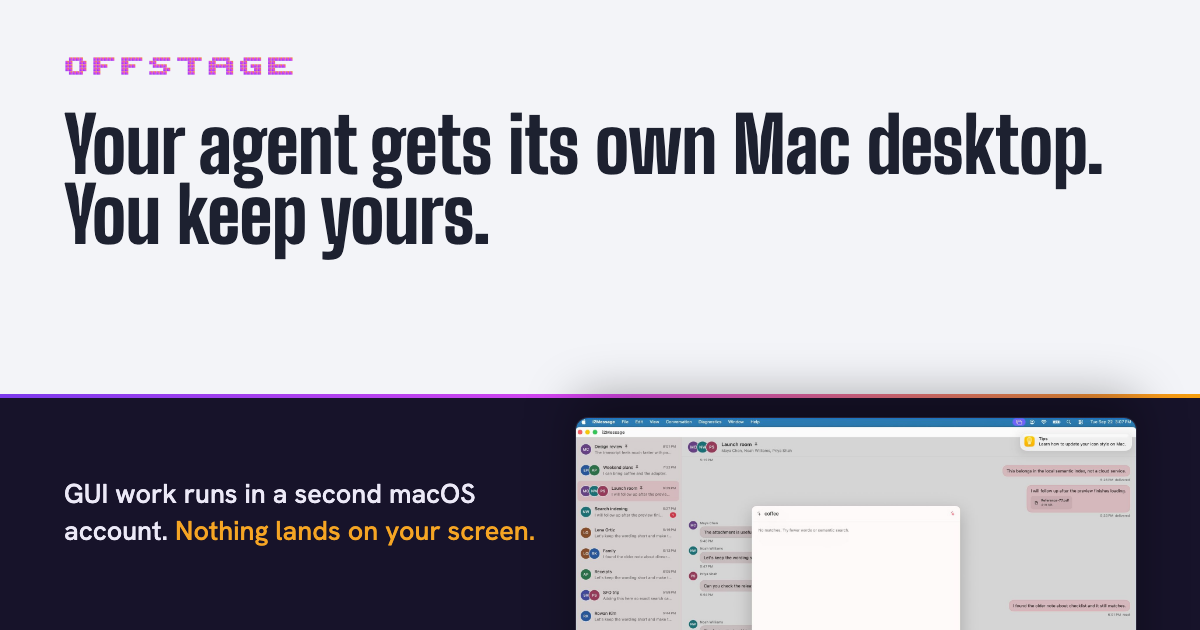
offstage is a free, open-source tool that gives a computer-use coding agent its own Mac desktop instead of your screen. It works with Claude Code, Codex and opencode, and it exists for one purpose: any command an agent runs that could open a window or take focus on your Mac is sent to a second, logged-in macOS account instead. Simulators, Xcode UI tests, osascript calls and the app your agent just built all open on that helper account's desktop, which sits behind yours. Your windows, keyboard and mouse stay yours the whole time. offstage ships as an MCP server and a CLI, is MIT licensed, and runs on Apple Silicon Macs with Node 20 or newer.
The problem it addresses is the collision between coding agents and your own computer. Agents increasingly do GUI work: they launch simulators, run Xcode UI tests, drive browsers and open the apps they just compiled. On a normal Mac all of that lands on the one screen you are using, taking focus, moving the mouse and covering your windows. offstage's answer is not to hide the GUI work but to give it a different desktop. Because the helper account is a real macOS account with its own desktop, window server and input, the agent can screenshot, decide and click in a place that never overlaps with what you are doing. The site states plainly why that second macOS account is the whole point: it has its own desktop, window server and input, and that is why offstage exists.
The core of the product is the helper account. One setup command creates an ordinary account called computeruse and builds a small Swift daemon for it. If the terminal has Full Disk Access, that daemon is granted Screen Recording and Accessibility automatically; if not, offstage tells you which two toggles to flip. It prints the entire root script before running it. After a single login through the menu bar user menu, the account stays logged in behind yours until the Mac restarts. offstage session status reports where things stand and exits 0 when the session is ready. Nothing here is a virtual machine: it is a second user account on the Mac you already have, with no guest OS and nothing to boot. The trade-off is that both accounts share the Mac's CPU, memory and disk. Storage is where the difference is stark, because the helper account takes about 3 GB of disk, where the macOS VM image the team measured was a 68.8 GB download.
offstage also decides where each command should go. The site describes it as reading every command before it runs and sending it to the cheapest place that keeps it off your display, and it defines four lanes. Commands such as xcodebuild test, xcrun simctl, XCUITests, open -a, osascript and a built .app run in the second macOS account. Commands that force a real browser window, including --headed, headless: false, cypress open, WebGL and GPU flags, run in a Linux container with a virtual display if Docker is installed; it is a real display, just not yours. Headless work such as npm test, vitest, headless Playwright and Puppeteer runs right where it is, because those never open a window and wrapping them would only cost time. Finally, installers, .pkg, .dmg and hdiutil are refused outright: both accounts share one machine, so offstage will not run them and no flag overrides that.
Agents connect through MCP. The site provides copy-paste configuration for Claude Code (claude mcp add offstage -- npx -y --package=@viraatdas/offstage@latest offstage-mcp), for Codex in ~/.codex/config.toml, and for opencode in opencode.json. Claude Code can also use offstage as a plugin. The MCP surface includes offstage_route, which tells the agent which lane a command gets, and offstage_run, which runs it there, alongside session tools: offstage_session_launch, which waits until the app registers and returns its pid, offstage_session_screenshot, offstage_session_input and offstage_session_quit. The documented GUI loop is launch, screenshot, decide, input, then screenshot again to confirm. Coordinates are points, not pixels, so a pixel coordinate has to be divided by the screenshot's scale. For anything that cannot use MCP, the CLI runs the same code path through offstage route -- and offstage run -- .
The reason offstage can promise your screen stays yours is the daemon. It posts input to its own session only, never to the global input stream that feeds your screen, and if its session is ever the one on the console it refuses to send input at all. In testing, the window server's own log showed every synthetic event landing in the helper session and none reaching the console. The site is equally explicit about files: the helper account is an ordinary second user, so it cannot write to your files, and it can read only what macOS lets any other local account read. If a run fails because the helper account cannot read your repository, offstage session share grants read-only access to one folder at a time, and unshare takes it back. Each run writes its output to its own artifacts folder. To make the behaviour stick, you paste a block of instructions into your agent, or into your project's AGENTS.md or CLAUDE.md, and the agent connects offstage itself so GUI work stays off your screen from then on.
Two things only the user can do, and the site's rules tell the agent to ask rather than work around them: sharing a repository folder with the helper account, and running offstage session setup --create, which needs sudo. The agent is also told to never re-run a skipped or refused command outside offstage to get past it, because that would put it back on your screen. The practical outcome is that you can keep using your Mac while an agent runs an entire GUI test suite somewhere else. Nothing boots, nothing is virtualised, and the agent's windows, cursor and focus live on a desktop that is not yours. A skipped status means nothing ran anywhere, and refused means the command will not run on any lane.
Concrete scenarios appear throughout the site. In one real pair of captures taken on a single Mac on 2026-09-22, Claude Code checks that the helper account is logged in, off your screen, with Screen Recording and Accessibility granted; a second Claude Code session is then testing a messaging app called i2Message on the computeruse desktop, with a search for the word coffee typed in through offstage_session_input. None of it appears on the console user's screen, and the console user was watching a video in a browser the whole time. Other workflows are the lanes themselves: running Xcode UI tests and simulators off-screen, driving a headed browser in a Docker container with a virtual display, leaving npm test or headless Playwright in place because they never open a window, and refusing installers so they never land on either account.
offstage is aimed at developers on Apple Silicon Macs who run coding agents and want their own machine left alone during GUI-heavy work: Xcode and simulator workflows, UI tests, browser automation, and any project where an agent builds an app that then needs to be clicked. The agents it supports explicitly are Claude Code, Codex and opencode, through MCP, with Claude Code also usable as a plugin; anything else that can run a shell command can use the offstage CLI, which runs the same code. Requirements are an Apple Silicon Mac and Node 20 or newer, with Docker optional for the container lane. Pricing is free: the project is MIT licensed and open source on GitHub.
The takeaway is that offstage solves a very specific, very annoying problem, an agent that needs a screen taking over the one you are using, by giving that agent a second, logged-in macOS account with its own desktop, window server and input. It routes each command to the cheapest place that keeps it off your display, refuses the commands that could touch the whole machine, and costs nothing but a folder share and one sudo command. Your agent gets its Mac desktop; you keep yours.
Publisher
A
admin
Launch Date2026-10-09
Platformdesktop
Pricingfree
Tech Stack
#Node.js#Swift#Docker#MCP