Category Focus/categories/automation
Automation AI Tools
Discover and compare the best automation AI tools and software. Browse 592+ curated tools with reviews and rankings.
Projects tracked
592
Sort mode
RECENT
Page
8
Discover and compare the best automation AI tools and software. Browse 592+ curated tools with reviews and rankings.
Projects tracked
592
Sort mode
RECENT
Page
8
PostSider is a social media publishing platform built for both humans and AI agents. It lets you schedule and publish content across more than 30 networks from a single calendar, or hand the keys to an AI agent that drafts, schedules and publishes on your behalf through MCP, a REST API or SDKs. The platform combines a drag-and-drop content calendar, a media library, analytics, team seats and approvals, agent access and automation in one place, so users do not have to juggle multiple tools to run their social presence. PostSider describes itself as being for agentic builders and their AI agents, solo founders and creators, and agencies running many brands and channels at once, plus everyone who wants to publish their content a different way. The problem PostSider addresses is that publishing to social media usually means opening each network separately, or stitching together per-platform integrations in code. PostSider's own positioning is that scheduling and publishing across more than 30 networks happens from one calendar, and that connecting an agent requires no per-platform glue code; the site uses the phrases "no glue code" and "no per-platform glue code, ever." It frames the choice as four ways to publish: the dashboard, the API, the SDK and MCP. For teams used to per-channel billing, the FAQ contrasts PostSider's flat tiers with per-channel pricing, noting that adding another network costs nothing until you cross a tier, which it says is usually cheaper than per-channel pricing beyond four channels. For people working by hand, PostSider centres on a drag-and-drop calendar that the site describes as "a calendar you actually enjoy." Users plan a whole month at a glance, drag posts across days and channels, duplicate a post to another network, and let the queue publish. The listed capabilities include drag and drop across days and channels, composing once and tailoring per platform, a media library with live previews, and queues with best-time scheduling. A "this week" view shows slots such as Monday on X at 9:00, Tuesday on Instagram at 12:00 and Facebook at 17:00, Wednesday and Thursday on LinkedIn at 8:30 and Friday on YouTube at 15:00. For agents, PostSider provides what it calls an agent bridge built on MCP. The bridge exposes publishing and analytics as tools that any MCP agent can call, so an agent can draft, schedule and publish. The site lists Claude, ChatGPT/Codex, Gemini, Cursor, OpenClaw, Hermes Agent and "+ any MCP agent" as compatible. Alongside this, typed REST API clients and SDKs let developers call the platform directly from their own pipelines. The same secure authentication is used for humans and agents, and one integration is meant to cover every network. The site documents 60 API requests per minute. PostSider says it supports more than 30 networks and that new networks are added all the time. Named on the page are X, Instagram, Facebook, LinkedIn, Bluesky, Mastodon, Lemmy, Farcaster, Nostr, YouTube, TikTok, Twitch, Discord, Telegram, Slack, WordPress, Medium, Dev.to, Hashnode, Ghost, Blogger, Write.as, Notion, Mataroa, Listmonk, Pinterest, Dribbble, Google Business, Whop and Moltbook. The stated approach is to publish the same content everywhere or fine-tune per channel, with one payload going to every network and tailoring per platform applied automatically. Analytics track reach and performance across every channel in one view, with advanced analytics and automated queues and sets on higher plans. On security, PostSider says it treats access like infrastructure. Every channel token is encrypted at rest with AES-256-GCM, requests are hardened and validated against SSRF and CSRF, rate limiting provides abuse and overage protection, and tokens are isolated per channel with least-privilege access. The same hardened core is said to protect humans and agents alike. Getting started is described as a three-step process. First, connect your channels: link 30+ networks in a click, with tokens encrypted and isolated per channel. Second, create it yourself or let your agent: compose in the editor, or let your MCP agent draft posts and fill the queue. Third, schedule and publish on autopilot: pick times or use best-time queues, and PostSider publishes everywhere for you. The site promises you can be "live in minutes," whether you publish yourself or hand the work to an agent. The benefits the site claims follow directly from that structure: one calendar instead of many tools, four ways to publish (dashboard, API, SDK, MCP), a single integration covering every network rather than per-platform glue code, and the ability to publish yourself or let an agent take the wheel. For teams, unlimited team members on the Team plan and above, approval workflows and multi-user roles mean publishing can be shared and reviewed without leaving the platform. Because the same authentication serves humans and agents, an agent can take on the same work a person would do in the calendar. Concrete workflows are shown on the site. In one example, Claude, connected via PostSider MCP, is given a photo and the instruction "Create me a post for Instagram with this photo"; the agent replies that it drafted the post with the photo and queued it for Tuesday at 12:00. Another workflow is a creator planning a whole month at a glance, dragging posts between days and channels and letting queues publish. Agencies use approvals, seats and shared queues across many brands and channels. Developers call the typed REST API and SDKs from their own pipelines at a documented 60 requests per minute. And teams switching tools connect their channels to PostSider in parallel, rebuild their posting slots, bring their queue over manually or via CSV import, run both tools for one overlap week, then cancel the old one. PostSider states plainly who it is for: agentic builders and their AI agents; creators, including solo founders; and agencies running many brands and channels at once with approvals, seats and shared queues, plus everyone who wants to publish their content a different way. Plans start with a 7-day full trial and no credit card. Standard is $20/month for 1 seat, 5 channels and 400 posts per month; Team is $35/month for unlimited team members, 10 channels and unlimited posts; Pro is $45/month for 30 channels with an AI post checker and rewrite, auto-plugs and first comments, CSV bulk import, snippets and templates, webhooks, priority publishing and an audit log; Ultimate is $90/month for 100 channels, custom OAuth apps and priority support. Every plan includes the calendar, the agent bridge and the API. The site also addresses switching: users coming from Buffer or Hootsuite can connect channels to PostSider in parallel, rebuild posting slots, bring their queue over manually or via CSV import, run both tools for one overlap week and then cancel the old one. Alongside the product, PostSider publishes free browser tools, including best time to post, a hashtag counter, a bio link preview, an image size cheat sheet, an engagement rate calculator and a fancy text generator, plus a blog published weekly. PostSider is built by one person, Lukasz Blania, a solo founder building from Poland under Lumi Zone, and support emails land with the person who wrote the code. In short, PostSider is a social media scheduling platform where the calendar serves humans and the MCP server, REST API and SDKs serve agents. It covers 30+ networks from one calendar, adds analytics, approvals and team seats, encrypts channel tokens with AES-256-GCM, and uses flat monthly pricing rather than per-channel billing. Whether you plan to publish yourself or let an agent draft and queue the work, the promise is the same: run your social media on autopilot from one place.
Cronhq is a distributed cron scheduler that fires webhooks on a schedule. You point Cronhq at a webhook URL, and it calls it at the times you define, retries it when it fails, and pages you when something breaks — and again the moment it recovers. It is designed for developers and engineering teams who need scheduled tasks to run exactly once, even when more than one server or worker is running the same schedule. Rather than maintaining crontab entries by hand across machines, you create a job through the API or the dashboard, and Cronhq takes care of execution, retries, logging, and alerting. The product's own promise is simple and direct: cron jobs that actually run. The problem Cronhq addresses is that cron jobs fail in silence. If two servers run the same crontab, the same billing job can fire twice, which means duplicate charges or duplicate records. If a job dies, nobody notices for weeks, because a missing run produces no error message, no alert, and no trace — there is simply nothing to see. Standard crontabs provide no coordination between workers that could prevent double execution, no retry logic, no durable execution history, and no alerting when a run stops happening. Teams are left to write their own locking, their own backoff, and their own monitoring, or to accept that some scheduled work will quietly stop running. Cronhq is built around one guarantee — exactly-once execution, enforced by Postgres locks rather than best-effort behavior — and then wraps the surrounding operational needs, such as retries, signed webhook delivery, heartbeat monitoring, and deduplicated alerts, into the same system. Cronhq's first capability area covers the integrity and observability of the calls it makes. Every request Cronhq sends carries an X-Cronhq-Signature header, computed as an HMAC-SHA256 over timestamp.body, along with an X-Cronhq-Timestamp header. Each job gets its own secret, and you can rotate that secret at any time with no downtime, so a leaked key does not force you to tear down and recreate the job. On the receiving end, this lets you verify that a scheduled call genuinely came from Cronhq before acting on it, which matters for anything that touches money, data, or infrastructure. Running alongside that is the heartbeat monitor: you ping a URL on every run, and if the expected window — the period plus a grace interval — is missed, Cronhq flips the monitor to DOWN and pages you once. Cronhq describes this as cron's inverse: proof of absence rather than proof of presence. The second capability group is about managing schedules as part of your codebase rather than as clicks in a UI. The Cronhq CLI installs with npm i -g cronhq, or runs directly with npx cronhq --help. Running npx cronhq sync reconciles a cronhq.yaml file in your repository — it creates, updates, and prunes jobs so your schedules live in version control and move through review like any other change. Running npx cronhq tail live-streams executions straight to your terminal, so you can watch a job's output without leaving your editor or shell. Inside the dashboard, a ⌘K command palette lets you type schedules in plain English: writing "every weekday at 9am" returns the valid cron expression 0 9 * * 1-5, with a plain-English preview so you can confirm the schedule is right before saving it. The third group covers what happens after a run fails. Retries are built in with backoff, configured as a max retry count and delay per job, so a transient failure gets a few more attempts at increasing intervals instead of being written off immediately. The terminal status and the last error always land in the job's history, which means the postmortem writes itself. Every execution is logged with its status, duration, HTTP code, and response body, newest first, searchable, and retained — the job's history belongs to you and stays available. Alerts are deduplicated to avoid noise: a failure alert fires on the third bad run in an hour, not on the first, and the recovery alert fires on the first success after a streak. That is a deliberate design choice illustrated in Cronhq's own diagrams, where repeated failures after an alert stay silent, and a recovery message such as "nightly-rollup recovered after 3 failures. Last 6 runs: all 2xx." closes the loop. Alerts can be wired to email or Slack. The mechanism behind Cronhq's central guarantee is a Postgres lock. Two workers can never fire the same scheduled execution: each run is claimed through a database lock before it proceeds, so a duplicate worker simply loses the race and does nothing. If a worker crashes mid-job, the lock expires and another worker picks the execution up. This is what makes the exactly-once claim structural rather than aspirational — the coordination lives in the database that both workers already trust, not in a best-effort in-memory flag. Around that core, Cronhq schedules, delivers, retries, records, and alerts, and the whole system is built in Rust on Postgres. It is MIT-licensed and self-hostable, running the same image Cronhq runs in production. For teams that rely on scheduled work, the outcome is that jobs stop disappearing without anyone noticing. Duplicate executions from racing workers are eliminated by the lock-based claim, so a nightly billing job fires once instead of twice. Transient failures are absorbed by retries with backoff, while permanent failures surface in a searchable execution history complete with HTTP codes and response bodies. Alerting is deliberately quiet: one page on the third failure in an hour and one on recovery, so the signal is that something is actually wrong rather than that a single run flaked. Heartbeat monitors extend the same coverage to jobs Cronhq does not run itself, turning a silent absence into a page. And because schedules can live in a cronhq.yaml file and reconcile through the CLI, they become reviewable artifacts in the repository rather than configuration that only exists in a dashboard. Scheduled webhooks are the core workflow: a nightly rollup job, a nightly digest, a metrics refresh, a queue drain, a cache warm, a cleanup job, or a health poll, each configured with a name, a cron schedule, a webhook URL, and a timezone such as America/New_York. Jobs that run elsewhere — on your own infrastructure or another provider — can still be covered by pointing a heartbeat monitor at an endpoint you ping on every run, so if the ping window is missed, you are paged. Teams that want their schedules under version control use npx cronhq sync against a cronhq.yaml file, and teams that prefer watching from a terminal use npx cronhq tail to live-stream executions. Anyone who needs to sanity-check a schedule quickly can type the schedule in English into the ⌘K command palette and get the cron expression back with a plain-English preview. Cronhq is aimed at developers, engineering teams, and anyone running scheduled work in a distributed system, and it is listed among Developer Tools, Open Source, SaaS, and GitHub topics. Delivery is by webhook, so it integrates with any HTTP endpoint, including your own API; alerts go to email or Slack. The stack is Rust on Postgres. Cronhq is MIT-licensed and self-hostable using the same image the hosted service runs, and it offers a free tier covering 5 jobs. Getting started takes four steps on one screen: sign up with an email to receive a one-time link that mints a 36-character API key starting with chq_, create a job with a schedule and URL, watch executions arrive in the log, and wire up email or Slack alerts. In short, Cronhq exists to make one promise true: cron jobs that actually run. It enforces exactly-once execution with Postgres locks, retries failures with backoff, signs every webhook with HMAC-SHA256, monitors jobs it does not run via heartbeat pings, and alerts once on failure and once on recovery. Built in Rust on Postgres, MIT-licensed and self-hostable, with a free tier of 5 jobs, it gives teams a scheduler that treats reliability as the starting point rather than an afterthought.
Sai is an AI robosecretary from Simular AI, described as the world's first robosecretary that works with a fleet of autonomous computers. Its purpose is to do your endless screen work, taking routine tasks off your plate so you can focus on other things. Each computer in the fleet navigates software the way you do: it reads the screen, clicks the button, and types in the form. Sai is built to get real work done across apps, websites, and desktop tools, and it is aimed at anyone who spends their day repeating the same clicks and keystrokes across the software they already use. Much of the software people depend on every day was never designed to be automated. Legacy desktop applications, internal portals, and tools that sit behind a login often have no API at all, which means conventional integration and automation platforms simply cannot reach them. The result is endless manual screen work: opening the same screens, copying the same values, filling in the same forms, and clicking through the same flows, hour after hour. That work is repetitive, it consumes attention, and it rarely stops. Sai's answer is to automate the computer interface itself, so the work gets done in the software as it already exists, without waiting for an API, a plugin, or a rebuild. The core of Sai is a fleet of autonomous computers that interact with software the way a human operator does. Each computer reads the screen to understand what is in front of it, clicks the button it needs, and types into the form it needs to fill. Sai has been trained to interact with the computer interface itself rather than with a fixed set of named integrations, which is why it can be put to work in software it has never seen before. This screen-level approach is what lets the system handle interfaces that were only ever meant for a person, turning ordinary clicking and typing into an automated, delegable workflow. Because Sai operates at the interface level, it automates software even when that software lacks an API. The examples given are legacy desktop apps, internal portals, and anything sitting behind a login — precisely the categories that are hardest to reach with traditional automation. Instead of asking for a connector or a developer-written script, Sai works with what is already on screen. For teams that have long been told their tools are not automatable, this removes the biggest blocker: if a person can log in and use the software, Sai can work in that software too. Sai supports Windows, macOS, and Linux, so the same robosecretary approach can be applied across the operating systems an organization already runs rather than forcing everything onto a single platform. It also reports a score of 73% on OSWorld, a benchmark for computer-use agents, giving a concrete, measurable signal of how well it performs on real desktop tasks. Combined with the fleet model, in which one commander can direct multiple autonomous computers, Sai is designed to scale routine screen work rather than handle only a single task at a time. The workflow Sai describes is deliberately simple: you sign in, and you start delegating. Sign-in is offered through Google, and from there you hand tasks to the fleet rather than performing them yourself. Sai commands the autonomous computers, each of which works inside real applications, websites, and desktop tools by reading the screen, clicking, and typing as needed. Because the fleet is made up of multiple computers, routine work can be taken off your plate in parallel rather than one task at a time. The result is an assistant whose unit of work is a computer session, not just a chat message. The benefit Sai promises is straightforward: routine work is taken off your plate. Instead of you reading the screen, clicking the button, and typing into the form, the fleet does it. That matters because the work being automated is the work that never appears on a priority list yet consumes the most hours. By operating software exactly as it is, Sai also avoids the long setup cycles that come with building bespoke integrations, and by supporting Windows, macOS, and Linux, it can fit into the environments people already use. The outcome is time returned, fewer repetitive screen tasks, and less dependence on whether a given tool happens to expose an API. Concrete scenarios follow directly from the capabilities described. Teams can use Sai to drive legacy desktop applications that have no modern interface or API. It can work inside internal portals, the behind-the-login systems that employees use daily but that no outside automation tool can reach. It can complete tasks in anything that sits behind a login where a human would normally sign in and click through screens. More broadly, it can handle work across apps, websites, and desktop tools, which means a single delegated task can span the mix of software a person actually uses during a working day. Sai is presented as a robosecretary for anyone with routine screen work to delegate, and its supported platforms are explicitly Windows, macOS, and Linux. Its maker is Simular AI, and the product is accessed by signing in, with Google sign-in supported, and by continuing through the product's Terms of Service and Privacy Policy. No pricing or plan details are stated in the available content, and aside from Google sign-in, no third-party integrations or technology stack details are disclosed. Sai's primary value proposition is simple to state: it is a robosecretary that runs an autonomous computer fleet so that routine screen work gets done without you doing it. By reading the screen, clicking, and typing the way a person would, Sai reaches legacy desktop apps, internal portals, and anything behind a login that APIs cannot touch, across Windows, macOS, and Linux. Sign in, start delegating, and let the fleet take the repetitive work off your plate.
Jev is a frontier model from TypeSafe AI's System One family that takes unstructured state as input and returns typed probabilistic decisions as output. Instead of generating text the way a conventional language model does, Jev answers with Choice, Score, and Noul results that carry calibrated probabilities your code can act on directly. That makes it a decision engine rather than a writing engine: the output is meant to be consumed by a program, not read by a person. The product is positioned for software automation, and it is described as being available to everyone at console.typesafe.ai with no waitlist. The problem Jev addresses is the mismatch between text generation and software decision-making. When an application needs an answer inside a code path, a generated paragraph of prose is not directly usable: something has to read it, interpret it, and convert it into something a program can branch on. That interpretation layer adds latency, cost, and ambiguity. Jev sidesteps it by returning typed answers and calibrated probabilities instead of text, so the result arrives in a shape that software can consume immediately. For teams already running comparable LLM workflows, the described gains are considerable: roughly 20-200x faster responses and 40-400x lower cost, with output tokens free. That combination matters most where decisions have to happen repeatedly, at volume, and inside automated systems where waiting on a text response is impractical. The core output formats named in the product description are Choice, Score, and Noul answers. These are the typed conclusions Jev returns in place of prose. A Choice answer is one of the explicitly named result types; a Score answer is another; and a Noul answer is the third. Because these results arrive as types rather than free-form sentences, the calling code does not have to guess at structure or parse language before it can use the result. This is the central design idea behind the product: the model's answer is already in a format that software automation can act on, so the integration between model and program is direct rather than mediated by an interpretation step. Alongside the typed answers, Jev returns calibrated probabilities. Calibration is what makes a probabilistic result useful in code: the probability attached to an answer is meant to reflect how likely that answer actually is, so a caller can use the probability rather than treating every model output as equally trustworthy. The description emphasises that these are probabilities your code can act on, which puts the decision about thresholds and behaviour in the application's hands. Instead of asking a language model a question and hoping the phrasing is stable enough to parse, a system can receive a typed answer with a probability attached and handle it programmatically as part of its normal logic. Performance comes from parallel sampling, the mechanism the description credits for Jev's response times of roughly 70-500ms. That latency band is the practical difference between a decision that can sit inside an interactive or high-throughput workflow and one that cannot. The same description quantifies the comparison against comparable LLM workflows: about 20-200x faster and 40-400x cheaper, with output tokens free. Those figures describe a different operating regime for the same class of decision task. Workloads that were previously constrained by per-call latency or per-token cost can be run more often, in more places, and closer to the moment the decision is actually needed. Overall, Jev's approach can be summarised as unstructured state in, typed probabilistic decisions out. It is a System One frontier model from TypeSafe AI, and the interface it offers is deliberately narrower than general text generation: it produces conclusions rather than commentary. That narrower contract is what allows the surrounding software to treat Jev as a component rather than a conversational partner. The model absorbs messy, unstructured input state and resolves it into one of the named answer forms, carrying a calibrated probability, delivered quickly enough and cheaply enough to be embedded in automated decision loops. The benefits described for users follow directly from those design choices. Speed means decisions can be made inside time-sensitive paths. Lower cost per decision means automation can be applied more broadly without the economics breaking down. Free output tokens remove a line item that scales with usage. Typed outputs with calibrated probabilities reduce the engineering work of interpreting model responses and make it practical to wire a decision directly into application logic. And availability without a waitlist means a team can evaluate the model by going to console.typesafe.ai and signing in rather than joining a queue. The use cases that follow from the description centre on software automation. Any workflow where a program needs to reach a decision from unstructured state and then act on that decision is a candidate: the caller supplies the state, Jev returns a typed Choice, Score, or Noul answer with a calibrated probability, and the surrounding code responds. The stated comparison class is comparable LLM workflows, which suggests the intended fit is where teams currently route decisions through a text-generating model and then interpret the output. Where a decision has to be made repeatedly at volume, the described latency and cost profile makes Jev a practical alternative to that pattern. Access is through the console at console.typesafe.ai, which is the official website for the product. The console supports signing in with Google, or alternatively requesting an email code instead of using a Google account, and continued use is governed by TypeSafe AI's terms of use and privacy policy. The target users are developers and engineering teams building software automation that depends on structured, probabilistic decisions rather than generated text. No pricing plan details, technology stack, or third-party integrations are stated in the available content. In summary, Jev is best understood as a decision model rather than a text model. It takes unstructured state and returns typed Choice, Score, and Noul answers with calibrated probabilities, uses parallel sampling to deliver responses in roughly 70-500ms, and is described as about 20-200x faster and 40-400x cheaper than comparable LLM workflows, with output tokens free. For software automation that needs decisions in a form code can act on, that combination of structure, calibration, speed, and cost is the primary value proposition.
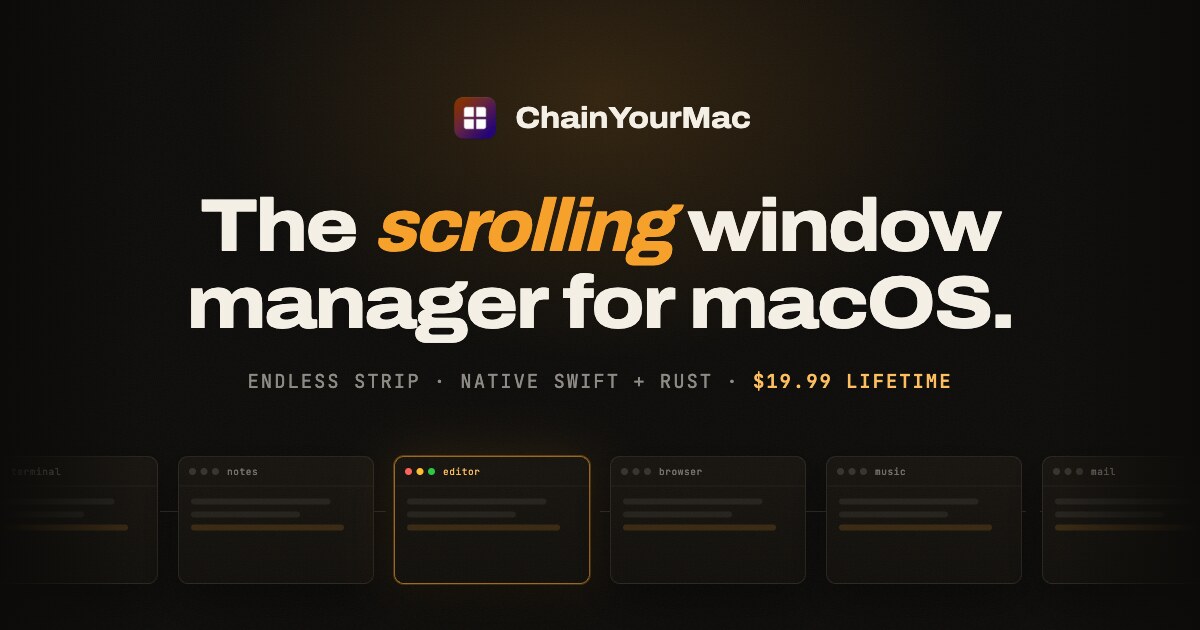
ChainYourMac is a native scrolling window manager for macOS that places every window as a column on a horizontal strip running past the edges of your display, instead of forcing windows into a fixed grid. It is built for Mac users who want the automation of a tiling window manager without the constant shrinking and reflowing of their workspace. New windows open right next to the one you are using, and every existing window keeps the width you gave it. The problem it addresses is familiar to anyone who has used a grid tiler such as yabai, Amethyst or AeroSpace. Those tools split the screen again every time an app opens, so everything keeps getting smaller. With three windows open, a grid gives each one roughly a third of the screen; ChainYourMac instead makes the strip longer, so each window is still half. Window snappers such as Rectangle and Magnet do not maintain a layout at all, because you invoke them window by window. ChainYourMac maintains a layout without the grid, giving you the automation of a tiling manager with the calm of never having your workspace reflow underneath you. The scrolling model was made beloved on Linux by PaperWM (GNOME) and Niri (Wayland), and ChainYourMac brings the same idea to macOS as a polished native app: a settings window instead of a config file, a trackpad swipe that follows your fingers, and no SIP changes. The core of the product is the strip itself. When you launch an app, its window slots in right next to the focused one, so nothing overlaps and nothing gets lost behind another window, because every window has its own place on the strip. The strip follows your focus: move focus from the keyboard or swipe the trackpad, and the strip scrolls just far enough to bring the window into view, on a spring animation that starts the moment you press the key. A trackpad swipe with three or four fingers moves the strip one-to-one with your fingers, then settles on the nearest column. Windows keep a width you choose: you can cycle a window through preset widths such as 25, 33, 50, 66 and 75 percent, nudge it wider or narrower, or set full width or centred with a single key each. Gaps between windows and at the screen edges are configurable down to zero, and windows size themselves around the Dock so nothing ends up underneath it. Stacks and tabbed columns let several windows share one column on the strip. You can stack a window into the column on its left or right, pop it back out, reorder inside the stack, and make any window taller or shorter. When each window in a stack deserves the full height, one shortcut flips the column between stacked and tabbed, turning the stack into tabs. Around the strip, several visual and layout controls are available: an optional focus border around the focused window and optional dimming for everything else, both of which stay off until you want them; centre modes that keep the focused column centred never, only when the strip overflows, or always; a strip minimap that appears while you navigate, shows where you are, then fades out; and drag-to-reorder, where dragging a window onto another column makes the strip rearrange around it. Multi-monitor and Spaces are handled per display. Every display has its own strip with its own focus and scroll position, windows never spill onto the screen next door, and one shortcut sends the focused window to the next display. Each macOS Space keeps a separate strip layout, so work and chat never get shuffled together. Per-app window rules let you float the apps that should not tile, or give an app a fixed slot on the strip. Session restore brings column order, widths and stacks back after a restart, and the app can launch at login so it begins tiling automatically. Native fullscreen is left alone: put a window into macOS fullscreen and ChainYourMac stays out of its way. Keyboard shortcuts cover every move, and new installs start with Option-based defaults on Vim keys or the arrows. You can move focus, move the focused window, send it to the next display, cycle width, set full width, centre the column, make a window taller or shorter, equalize heights, stack into the left or right column, pop out to either side, toggle a tabbed column, and float or unfloat. Every shortcut is rebindable, one action can have more than one binding, and the recorder works on AZERTY, QWERTZ and Dvorak layouts. Upgrading from an earlier version keeps your shortcuts exactly as they were, and actions that are new in version 2.0 stay unbound until you assign them. Automation is available through a chainyourmac:// URL scheme, Raycast script commands and a command-line tool, while new versions arrive through Sparkle, the standard Mac updater. Under the hood, ChainYourMac is a real Mac app: SwiftUI on top, Rust underneath. The window engine is written in Rust and runs as a small background process that sits idle until a window changes or you press a shortcut. Animation is a vsync-locked spring that starts the instant you press the key, and shortcuts are handled by the engine directly, so moving around the strip feels immediate. The app you see is native SwiftUI — a menu bar item and a settings window where every option has a control. There is no Electron, no web view and no config file to learn. It needs one permission, Accessibility, because that is how macOS lets any window manager move windows. Everything happens locally on your Mac; the app does not read your screen contents or send data anywhere. There is no account and no telemetry in the app. If the engine ever stops, the app restarts it, and the engine log shows what happened. The benefit is a workspace that stays predictable. Instead of your layout reflowing every time an app opens, the strip simply gets longer and each window keeps the size you gave it. Focus changes scroll the strip just far enough to bring the right window into view, and the spring animation starts the moment you press a key, so navigation feels immediate rather than abrupt. Settings apply instantly — change a gap, a width or a key and see it on screen straight away, with no Save button and no restart. Because column order, widths and stacks come back after a restart, and every display and every Space keeps a strip of its own, your work is still where you left it tomorrow. Concrete workflows show up throughout the app. In a development session you might keep Terminal, Code, a browser and logs side by side as columns; when another tool launches, it opens next to the focused window rather than resizing your editor. When you need to compare documents, you can stack several windows into one column or flip that column into tabs so each window gets the full height, and drag a window onto another column to rearrange the strip around it. At a desk with a MacBook and an external display, each screen keeps an independent strip, and a keystroke sends the focused window to the next display. Keyboard-first users can run the whole day on the Option-based defaults, on Vim keys or the arrows, and rebind anything that does not fit their layout. ChainYourMac requires macOS 13 Ventura or later and runs on Apple silicon (M1 or newer); Intel Macs are not supported. It is notarized by Apple and signed with a Developer ID, with no kernel extensions, no system modifications and no need to disable SIP, and it asks for the Accessibility permission only. Licensing is a one-time purchase with no subscription and no account: a lifetime license for 1 Mac at a launch price of $9.99, half off the regular $19.99, with free updates forever, plus 3-Mac ($24.99 launch), 5-Mac ($39.99 launch) and 20-Mac ($149.99 launch) lifetime licenses for teams. Checkout is on Gumroad, and you immediately receive a .dmg download and a license key by email. You can move your license to a new Mac whenever you like by deactivating it in the app first, and email support comes from the developer who built it. ChainYourMac takes the scrolling window model proven by PaperWM and Niri and delivers it as a native Mac app — windows on an endless strip, a trackpad swipe that follows your fingers, stacks and tabbed columns, per-display and per-Space layouts, and no SIP changes. It is, in its own words, about one simple shift: stop rearranging windows, start scrolling.
Creads is a team of AI agents that runs a brand's marketing on its own. According to the site, it is built to run your Meta ads, your Instagram, your growth on X, your TikTok and your LinkedIn, with agents that already know your brand. Those agents create the content, publish it and learn what works, so the user gets the outcome rather than the workflow. Creads is positioned as a full marketing team that runs itself, aimed at founders and marketing teams who want the function handled without assembling it themselves. The site frames the problem in terms of the work that fills a marketer's day. Running paid and organic across many platforms means writing copy, shooting and editing video, scheduling posts, launching campaigns and then reading the numbers. Creads describes an alternative to writing prompts and learning editing timelines: the closing message claims that competitors using AI video ads spend about 90 minutes, while a Creads user spends five. The site also argues that every other AI tool starts from zero, which motivates a system built to keep everything it learns on the way round. Setup is described as taking about five minutes from a link. You paste your URL and Creads reads your site, learning your brand: brand colours, typeface, tone of voice and the products found in your catalogue. This produces a Business DNA that every employee works from, and the FAQ notes that any correction you make in chat sticks, so the profile gets sharper the more you use it. You then hire the employees you need. The agents listed on the page are Il Direttore (Orchestrator), Marco (Ads), Gaia (Social), Elena (Intelligence), Luca (Copy) and Sofia (Video). After you connect your accounts, it runs. The first step of the loop is described as 'Ask, and it creates.' You tell Creads what you want in plain words — the site says no prompts and no brief are needed. It shoots the photos, writes the script and edits the UGC video in your brand's voice. The page shows a chat where the user asks to 'shoot my new drop' and the agent explains what it pulled from the brand, which angles it shot and why, then returns a set of generated product shots. The FAQ adds that no prompt writing or editing knowledge is required: you talk to it like a teammate — 'make it funnier', 'try a younger actor', 'three more variants' — and it redoes that piece while keeping the rest, with cuts, captions, music and export handled for you. Creads also lists content formats it can automate: UGC SAAS, Product Reveal, Instant Ad, Static Ad, UGC Unboxing, Styled Flat Lay and UGC Ad. The second step is 'It publishes itself.' The site states that Marco launches the ads and Gaia schedules the posts straight to Meta, TikTok and every platform you connect. Connections shown on the page include Instagram, Facebook, TikTok, LinkedIn, X, YouTube, Pinterest, Threads, Reddit, Google Business, Meta Ads, Google Ads and Shopify. Everything queued or shipped appears on a scheduled calendar, where the user can cancel anything before it goes live. The FAQ confirms that Creads does more than produce files: it schedules to Instagram, TikTok, LinkedIn, YouTube and the rest, and takes campaigns live on Meta and Google Ads. The third step is 'It learns and reports back.' Performance flows back into what the site calls the brand brain, so every next batch is sharper than the last. A Social Insights screen shows reach, impressions, engagements and video views across every connected account, with a comparison against the previous period, described as a check on whether the current numbers are better than last time. The FAQ describes individual agent memory: each employee keeps its own memory, so the one running your ads is not starting from zero every week. Creads is described as running the whole loop — creating, publishing and reading the results — and keeping everything it learns along the way. The fourth step is 'Then it runs itself, daily.' Any flow can be saved as an automation that repeats the whole loop every day on its own. The site lists two modes, set per automation: ask-first, where Creads prepares the work and waits for your yes, and autopilot, where it ships and tells you afterwards. Example automations shown on the page include a Best-performer recap, a Daily UGC reveal ad, a Meta CPC guardrail that runs every 15 minutes, Weekly carousel drafts, a Midnight reflection and a Competitor scan. An automations screen shows counts of running, auto and paused flows, along with their schedules and next run times. Creads describes its approach as running one continuous loop rather than producing isolated outputs. Because the same system creates, publishes and reads the results, the brand memory keeps accumulating: the site says every other AI tool starts from zero, while Creads keeps everything it learns on the way round and gets sharper every lap. The division of responsibility is explicit — Il Direttore orchestrates, Marco handles paid, Gaia handles organic, Elena reads the numbers, Sofia makes the video and Luca handles copy. Each agent does one job and works from the same Business DNA, so the output stays on brand. For outcomes, the site reports averages across accounts running Creads on autopilot, measured against their own 60 days before, with a note that individual results vary. The published figures are a 41% lower cost per acquisition in the first 60 days, 3.2x blended ROAS across the accounts it runs, and 8x more creative shipped every month. A 'Conversions by creative' table illustrates the reporting style, breaking results down by asset — for example a reel with a 'fluo' hook at 38 conversions for €412, an unboxing reel at 24 conversions for €287, and a static flat lay at 4 conversions for €96. The site presents three teams using Creads. Luca R., founder of a DTC skincare brand, launched his first ads without ever having run one: he pasted his domain and went to bed, and the ads agent read the brand, wrote four creatives, launched at €40 a day and paused the two that never got going. Sara M., head of content at a fashion label, and Andrea C., founder of a creative agency, are listed alongside him. The FAQ adds that agencies running several brands get separate employees, memory and voice per brand, plus one morning summary per brand instead of logging into eight dashboards. Creads targets founders and marketing teams — including agencies and multi-brand operators — who want marketing handled without hiring a full team or learning production tools. Integrations mentioned on the page span Instagram, Facebook, TikTok, LinkedIn, X, YouTube, Pinterest, Threads, Reddit, Google Business, Meta Ads, Google Ads and Shopify. On pricing, the FAQ describes a monthly plan with a credit allowance included, where generating, editing, publishing and launching all draw from the same balance; top-up packs never expire and stay yours even if you cancel, and new accounts start with free credits so you can run the whole loop before paying anything. The core promise, in the words of the site, is to stop writing prompts and start making ads: Creads gives a brand a team of AI agents that learns the brand from its own website, makes the content, publishes and launches it across connected platforms, learns from the results and can repeat the whole cycle daily. The value is framed as outcome over workflow — you get the finished ads and posts, not another tool to operate.
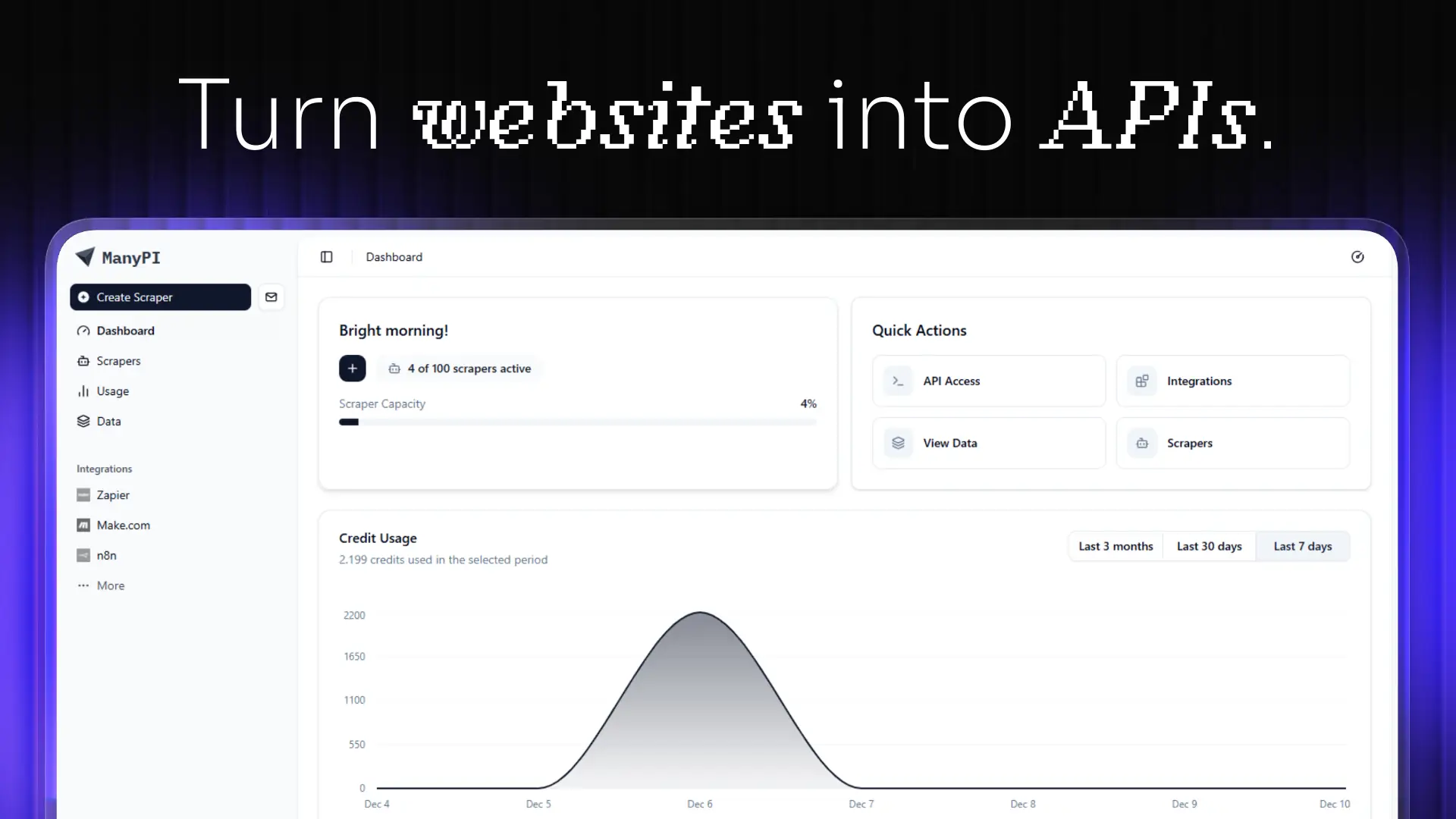
ManyPI is an AI sales agent for lead generation and cold email outreach. It is aimed at teams and founders who need a steady stream of new customers, and it works from a single sentence: you describe your ideal customer, and ManyPI finds matching companies and the people who sign on the live web. From there it verifies every email address, validates pain points and emotional buying triggers, and sends hyper-personalized outreach that turns those signals into sales. The product bundles the whole outbound workflow — lead generation, email verification, cold email campaigns, workflow automation, a CRM and pipeline, a unified inbox, an AI agent, web scraping, data analysis, and API access — into a single subscription rather than a stack of separate tools. Outbound sales is usually a chain of disconnected steps. A list gets built in one place, verified somewhere else, sequenced in a third tool, and then tracked manually in a spreadsheet or inbox. The ManyPI homepage frames the pain with the simple question "Up late, want more customers?", alongside three starting actions: find new leads, enrich a lead list, and send outreach. The problems this creates are familiar: unverified addresses bounce, duplicates creep in, and bounces can burn a sending domain. Replies scatter across inboxes, and the logic of what happens after a reply lives in someone's head. ManyPI's stated purpose is to close those gaps by running the whole flow — find, verify, validate, reach out, and follow up — inside one product, so that the signal from a prospect turns into a sales conversation instead of being lost between tools. Lead generation in ManyPI starts with a plain-language description of your ideal customer. The example shown on the site is "Marketing agencies in Berlin with 10–50 employees", and the product returns matching companies along with the people who sign. The site illustrates this with 1,284 companies matching a query and named results such as Northwind Studio in Berlin and Kranz & Partner in Hamburg. Email verification is the second step: every address is checked before you send, so that there are no bounces, no duplicates and no burned domain. Addresses come back verified and scored, for example Northwind Studio at 92 and Kranz & Partner at 87, while a low-scoring record such as Wide Net GmbH at 34 is dropped from the list. Verification therefore acts as a filter that protects deliverability and keeps the list clean before any message is sent. Cold email outreach is handled with multi-step campaigns sent from your own inboxes, with warmup running in the background and replies collected in one place. The site illustrates a three-touch sequence: an intro on day 0 marked as sent, a follow-up on day 3 also sent, and a last touch on day 7 queued — with a reply from Northwind Studio arriving two hours earlier. Workflow automation then picks up where sending stops. When a lead replies, ManyPI tags it and starts the next step, and the site notes there is no wiring to maintain. In practice this means the sequence, the tagging and the transition to the next action happen automatically once a reply lands, instead of someone manually moving a record and remembering what comes next. ManyPI also includes the surrounding infrastructure. CRM and pipeline, a unified inbox for replies, an AI agent, web scraping, data analysis, and API plus webhooks are all described as available in every plan. The unified inbox matters because replies from multi-step campaigns would otherwise be scattered across multiple sending accounts; the CRM and pipeline give those replies a place to live and move through; the AI agent is the component that does the finding, verifying and outreach work; web scraping and data analysis support the live-web research that produces the leads; and the API and webhooks let the rest of your stack react to what happens inside ManyPI. Integrations push verified leads straight into the CRM your team already runs on, with HubSpot and Salesforce listed alongside Claude and OpenAI. ManyPI also exposes its lead generation through an MCP server, which the site notes is now live. The endpoint is mcp.manypi.com/mcp, and it lets you ask for leads from Claude, ChatGPT, Gemini or any MCP client. The distinction the site makes is that the list lands in your table, not in the transcript, so results arrive as structured data rather than as chat text you would have to copy out. Taken together, the product works as one pipeline: describe your ideal customer, receive matched companies and the people who sign, have every address verified and scored, run multi-step cold email from your own inboxes, and let automation tag replies and trigger the next step, with results flowing into a CRM through built-in integrations, the API, or an MCP client. The stated benefits are revenue growth through better lead finding, cleaner sending through verification that prevents bounces and duplicates, outreach that is more relevant because it is based on validated pain points and emotional buying triggers, and less operational overhead because campaigns, replies, tagging and follow-up steps live in one place. The site positions the product as a single subscription that covers tools which would otherwise be bought separately, and it presents its lead-finding step as the reason teams are no longer searching manually for their next customer. It also states that more than 1,700 growing companies have joined. Concrete workflows appear throughout the site. A team can start by finding new leads, describing a customer profile such as marketing agencies in Berlin with 10–50 employees and receiving matched companies. Another team can enrich an existing lead list, sending it through verification and scoring so weak records are dropped before sending. A third workflow is sending outreach: building multi-step campaigns from your own inboxes, with warmup, and watching replies arrive in the unified inbox. A fourth is automation, where a reply triggers a tag and the next step without any wiring to maintain. Beyond that, verified leads can be pushed into HubSpot or Salesforce through integrations, and teams working inside Claude, ChatGPT, Gemini or another MCP client can request leads and have the list land in their table. ManyPI is aimed at organizations that need customers: sales teams, marketing and lead generation agencies, and founders or growing companies. The site displays logos of organizations using it, including Berkeley, Cornell University, Supercent, Codeway, Valsoft and others, and says 1,700+ growing companies have joined. Product Hunt topics associated with it are Sales, Email Marketing and Marketing. It is a web product accessed through app.manypi.com, with an API and webhooks as well as an MCP endpoint for programmatic and agent-driven access. Pricing starts with a free plan and paid plans from $25 per month, and the core toolkit — CRM and pipeline, unified inbox, AI agent, web scraping, data analysis, and API and webhooks — is stated to be included in every plan. The summary takeaway is straightforward: ManyPI is a single AI sales agent that replaces a fragmented outbound stack. It finds leads from a sentence, verifies and scores every address, validates buying signals, sends multi-step cold email from your own inboxes, and automates what happens after a reply — then pushes the results into the CRM your team already uses or into an AI client through its MCP server.
Minicart is a platform that lets makers, creators and resellers launch and run an online store by chatting with AI. Its central promise is simple: take a photo of what you make, answer a few quick questions, and Minicart builds a real website that you own, complete with a polished product listing, a pricing suggestion and a full storefront. From there, a team of AI teammates runs the store day to day. The product is aimed at people who want to sell online without learning ecommerce software — the site puts it as "if you can text, you can run a store." Everything is managed through a simple chat interface, with no code, no design work and nothing to configure, and the site stresses that nothing goes out without your say-so. Traditional ecommerce platforms ask a lot of a first-time seller. Building a store means choosing themes, writing listings, configuring payments, learning dashboards and app stacks, and often paying monthly fees plus listing fees on top. Marketplace sellers face a different problem: their storefront is a booth inside someone else's feed, so the brand, the domain and the customer relationship all belong to the platform. Minicart frames its purpose around both frustrations. The site describes its store as "a store that's actually yours" — your brand, your domain, your customers — rather than "a booth in someone else's marketplace." It also states that there are no listing fees, ever, and that Minicart only charges a small card fee when you actually make a sale, and that it only earns when you earn. The first capability is photo-to-store creation. You snap a picture of what you make and answer a few quick questions, and Minicart turns that photo into a polished product listing — title, description and pricing suggestion — and a full website, automatically. The site says one photo is enough to get started and that a store can be live in under 10 minutes. In the example shown on the page, the assistant takes a single candle photo and reports that it built four product photos from it and launched the store. The workflow is described as three steps: snap a photo, we build your store, then go live and sell. Your own domain and brand come with it, and the page repeats that there are no listing fees, ever. Second, Minicart handles sellers who are already selling elsewhere with one-click imports. You paste your Etsy shop link, your Shopify store link, or your eBay store or seller link, and Minicart pulls in your listings — titles, prices, photos and variations — and rebuilds them on a site you own. The site says a full catalog is imported in minutes, with no exporting, no copy-paste and no re-uploading photos. Crucially, the connection is described as read-only: Minicart states it never touches or pauses your existing store, so you can keep selling on the marketplace while you build. For Etsy users it highlights keeping the shop open and running while finally owning the customer list; for Shopify users it highlights being live in 10 minutes rather than weeks, dropping the monthly fees and app stack, and letting three AI teammates run the busywork; for eBay users it highlights importing listings in minutes while continuing to sell on eBay and owning the customer, not just the sale. Third, and at the heart of the product, are the three AI teammates who work 24/7. Sloane, the storefront teammate, builds your site, takes payments, tracks your sales and keeps your listings current. Milo, the marketing teammate, drafts lifestyle photos, social posts and discount codes that bring people in. Logan, the logistics teammate, ships orders, tracks inventory, handles refunds and drafts your customer replies. The page shows a day in the life: Sloane turning your photos into three products, Milo drafting Instagram posts for those three new products, Logan prepping a shipping label for an order and writing your reply to a customer question, and Sloane processing the day's payments and sending your payout. Each item is marked done or ready, reinforcing that the owner remains in control of everything the team produces. Fourth, everything is operated through chat, including bulk changes. The site describes the interface as "if you can text, you can run a store": you manage inventory, draft social posts and talk to customers by sending plain-language messages. A dedicated bulk editor lets you update everything at once — for example, "increase price of all red necklaces by $5" — and your team lines up the changes, figures out what is affected and shows you a list to review. Nothing changes until you confirm: you can check or uncheck anything you want to skip and then approve. The same pattern applies to inventory updates, such as reporting that you have made five new blue butterfly bracelets and 12 ruby necklaces and confirming the new stock numbers. The site states plainly that you are always in control and nothing goes out without your say-so. Fifth, Minicart emphasizes ownership and economics. The store lives on your own domain under your brand — the FAQ notes it runs on your own Minicart domain, for example yourstore.minicart.com, and that you can connect a custom domain you own. You can bring your own domain or grab a new one, and the store carries your name, colors and style from day one. Your customer list is yours to keep and grow rather than locked inside a marketplace, which the site ties to building repeat customers and a brand you can grow for years. There are no listing fees — list as much as you want — and Minicart says it only charges a small card fee when you actually make a sale. Taken together, the approach is to replace ecommerce software with a chat-driven AI team. Instead of learning a dashboard, you describe what you need in plain language, and the AI teammates figure out what is affected, do the work and present it for your review. Launch can start from a single photo or from an imported catalog, and operations continue as a running dialogue: turn photos into products, draft an Instagram post, create a promo code, prep a shipping label, write a customer reply, process payments and send a payout. The site summarizes this as "see it in action — watch how your simple text commands trigger a complex chain of storefront updates." The stated control model is consistent throughout: the team proposes, you approve. The promised outcomes are speed, control and ownership. Speed: a store live in 10 minutes, a full catalog imported in minutes, and 24/7 AI teammates rather than hiring help. Control: every action is reviewed and confirmed before it goes out, with a checklist you can edit before approving. Ownership: your own website, your own domain, your own brand and your customer emails. The site also stresses economics — no listing fees, ever, and paid plans that lower card rates. Real stores built with Minicart are showcased on the page: Butterfly Boutique, Fame City Card Co, Trammell's What The Flip, Treasured Tees and Things and Diecast Car Culture, described as selling trading cards, sneakers, boutique gifts and more, with owners who launched fast and run their business by chatting with their AI teammates. Concrete scenarios appear throughout the page. A maker photographs what they create and Minicart turns it into a listing and a live store, with one example showing a candle photo producing four product photos. A bracelet maker tells the team to create a 20% summer promo code for all bracelets and gets confirmation that all bracelets are now 20% off with code SUMMER20. A seller asks for an Instagram post for a blue butterfly bracelet. An owner says to increase the price of all red necklaces by $5 and reviews five affected items with their old and new prices. A seller reports new inventory — five blue butterfly bracelets and 12 ruby necklaces — and confirms the updated numbers. And existing marketplace sellers paste an Etsy, Shopify or eBay link and get their catalog rebuilt on a site they own. Minicart is built for makers, creators and resellers — including craft sellers, trading card and sneaker resellers, boutique gift shops and apparel sellers — who want to sell online without learning ecommerce software or managing a booth inside a marketplace. The FAQ emphasizes that no tech or design skills are required, that there is nothing to code, design or configure, and that the AI teammates handle the setup and the day-to-day. On pricing, the site states there is a generous free plan where there are no monthly fees to start selling, that paid plans lower Minicart's card rates, and that no credit card is required to start. A current promotion offers 45% off the Assistant plan plus a free custom domain. Minicart's core value proposition is to let anyone turn what they make into a store they own and then hand the busywork to AI. A photo or an imported catalog becomes a live website in minutes; Sloane, Milo and Logan keep it running around the clock; and every change is confirmed by you before it ships. For sellers tired of marketplace dependence and complicated ecommerce software, Minicart offers a simpler path: take a photo, review your team's work, and keep building your business.
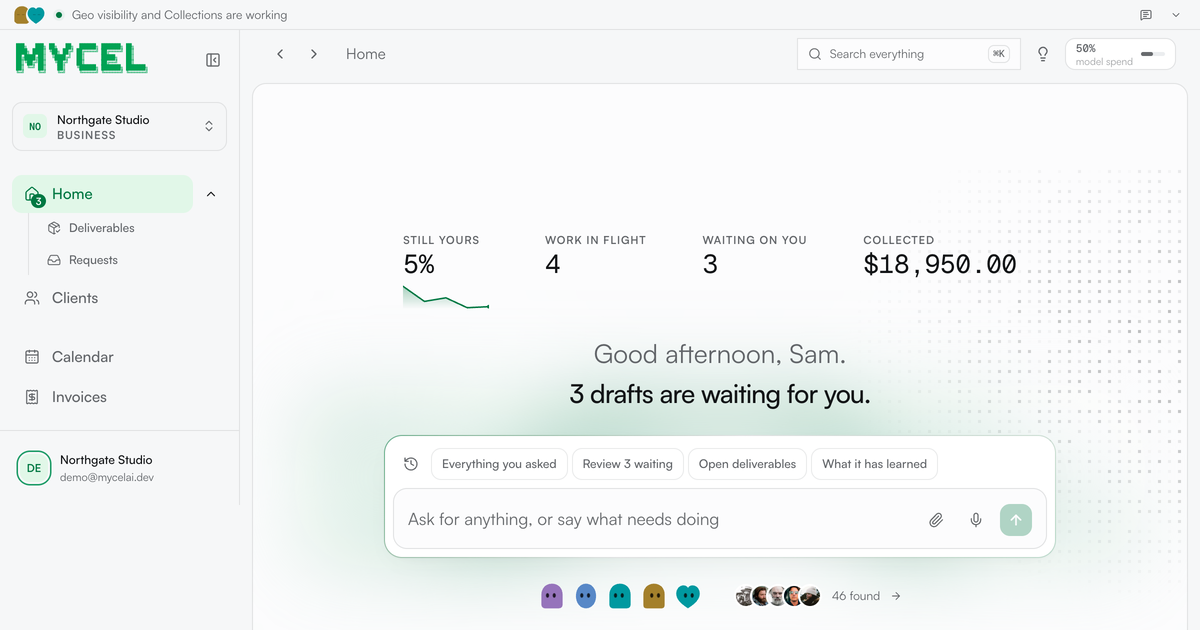
Mycel is an AI platform that runs the work a service business sells — its clients, its deliverables, its approvals and its invoices. You bring one past deliverable, anything you have already sent a client: a close, a proposal, a report or a shortlist. Mycel learns how your firm does it and drafts every future one, waiting for your approval before anything ships. It is built for service businesses whose work still crosses one desk — the agencies, bookkeepers, recruiters, GEO and web studios and contract desks where every draft waits on the same person. The framing Mycel uses is blunt: you are the last pair of eyes on everything, and that is what caps you. Every deliverable goes through you, every client asks for you by name, and every draft waits for a free afternoon that never comes. The alternatives the company prices against are telling. It compares its own Starter plan — twelve months, two businesses, three seats, nothing to negotiate, listed at $3,588 for a year — with an offshore contractor at roughly $1,200 a month, or about $14,400 a year, where the work still returns to your review every time, so the correction you made in March is one you make again in May. Hiring, it notes, costs $80,000 a year and six weeks of ramp, and the person hired still asks the questions you were trying to stop answering. Mycel's stated position is that it does not replace you; it makes you the only person who needs to look at the draft. Setup is described as an afternoon. You describe the service, upload one past deliverable and give it this week's work; from there the loop is fixed: it drafts, you approve, you send. The product types named on the site are ordinary service-business artifacts — a close, a proposal, a report, a shortlist — and the company's claim is that it learns how your firm does it rather than producing generic text. Early customers quoted on the site describe exactly that shift. Mailwarm (YC S20) says Mycel 'drafted a client report I would have lost an afternoon to. I changed maybe a fifth of it and sent it.' figr.so says 'the second draft is the part that got me. It came back written closer to how I actually write.' An SEO agency says it stopped rewriting the opening paragraph somewhere around the third draft. Nothing leaves the business without passing through the approval queue. Before approving you can edit the wording, and that edit becomes training — the correction is kept, which is why the company frames the system as compounding rather than static. Sending rules are configurable: on the demo business, a status update and a document reminder were allowed to go out without stopping for approval, while anything involving money, a commitment or a first approach still had to wait. The payoff is measured on a chart of how much of the work no longer needs you: the share of each draft rewritten by week ran at 94% on 11 August, 28% on 18 August, 44% on 25 August, 0% on 1 September and 5% in the latest week, with one week needing no changes at all. The headline the site draws from that is that drafts need 90% less editing than when you started. Feature-wise, Mycel groups its work into desks. GEO monitor answers 'when buyers ask ChatGPT' by reporting what the assistants tell your client's buyers, with Claude and Gemini shown as the assistants in play. Invoice chaser handles accounts receivable 'when it is late,' described as money in without you asking twice, and lists Gmail among its connections. Books keeper closes the month with a pack to send. GTM operator works the pipeline daily, generating new conversations with people who fit. Recruiting desk delivers a longlist screened in writing per search, using Gmail and Slack. Contract desk produces a redline ready for your signature per contract, using Notion and Gmail. The company's point is that bookkeeping, recruiting, GEO, legal, web, ops and contract desks all run the same loop across different trades — the judgment stays yours. Underneath sits a back-office surface covering clients, open engagements, deliverables in flight, invoices and requests. It shows what is owed, what has landed, what clients have signed off and what is overdue: on the demo data, 1,701 jobs run with 96 that did not finish and every one of them on the timeline, $29,150 owed with $18,950 landed in the last eight weeks, and nine deliverables accepted by clients in the same period. A 'worth doing next' list turns that data into specific, explainable prompts — an invoice 37 days overdue with $8,750 outstanding that has never been chased, with seven more overdue and unchased invoices worth $20,400 behind it; a client with four open requests that has never been given a way to see them, where the fix is to open their page, copy the portal link and send it; two engagements the client accepted but which were never invoiced; and an engagement that cannot start because the service declares no job that produces a deliverable. There is an audit view for who changed what, and scheduled runs such as opening engagements for clients that have none, starting ready engagements and a weekly GEO probe. The methodology is deliberately narrow at the front door. You bring one file, and Mycel drafts everything downstream of it. Each job runs in a disposable sandbox that never holds a credential, and nothing reaches a client until you approve it — a job here means one piece of work done: a message answered, a sync run, a document produced. The dashboard even names what the system will not do: on the demo business, Mycel does not build or maintain the clients' Webflow sites beyond the recommended commercial pages from the visibility work. When something cannot proceed, it says so rather than stalling silently. The benefits the site claims are framed as things you stop doing. Starter is sold as the point where you stop being the one who keeps it running; Growth as the point where you stop turning the next client away; Scale as the point where you stop waiting weeks for a procurement review. Across all of them the outcome is the same: you remain the only person who needs to look at the draft, the share of each draft you rewrite keeps falling, and the approvals, invoices and client requests that used to live in your head are held somewhere that tells you what is worth doing next. Concrete uses visible in the product include recurring client reporting — visibility reports on geo visibility and weekly reports on search presence — plus the collection work that follows: raising invoices, chasing collections and closing the books monthly. Client work in flight on the demo business includes a pricing page copy and query job, a four-practice listing audit, a competitor sweep, a reviews summary and local SEO positions across three towns. The pipeline desk runs outbound conversations daily, the recruiting desk screens candidates per search, and the contract desk returns a redline per contract ready for signature. Integration marks on the site include Gmail, Slack, Notion, Claude and Gemini, and setup steps include connecting LinkedIn to send, giving the work an address to send from and connecting a mailbox for the portal. Plans start with a 7-day free trial; during the Product Hunt launch, Starter is $149.50/month for three months and then $299/month, Growth is $449.50/month for three months and then $899/month, and Scale is quoted on request with no limit on businesses, people or jobs, AI capacity set to your volume and the option to run inside your own private cloud. Starter covers 2 businesses, 3 people and 2,000 jobs a month; Growth covers 10 businesses, 10 people and 10,000 jobs a month, works several inboxes at once, keeps every client's logins apart and adds priority support. Self-hosting is free forever under Apache-2.0 with nothing metered, run on your own servers with your own model key and installed with a single curl command on macOS, Linux or Windows. Mycel's value proposition reduces to one idea: bring one past deliverable, and every future one arrives drafted, corrected once, and held for your signature. The judgment stays with you; the repetition does not. If you are the bottleneck on recurring client work that still crosses one desk, Mycel is built to make you the only person who has to look.
Mise is a free meal planner from Robot Recipes that puts an entire meal on one timeline. You start with a recipe, build the rest of the menu, and tell Mise what time you want to eat, and it back-schedules every dish so the whole meal lands on the table hot at once. It is built for home cooks who prepare meals with more than one dish — a breakfast spread, a multi-course dinner, or a holiday table — and who want a single start time and one running order instead of juggling several recipes at once. Mise runs in the browser with no login and no app, and it includes a merged shopping list, a tools list, and a cooking mode you can leave open on the counter. Recipes are written to help you cook one dish, but meals are made of multiple dishes. That gap is the problem Mise is built around. If a main course, a side, and a dessert each have their own instructions and their own timing, the cook has to hold the whole schedule in their head: when to start each one, which steps need hands, which steps can run unattended in the oven or on a simmer, and how long something needs to rest. Getting every dish ready at the same moment is the hard part, and it is the part a single recipe page cannot help with. Mise exists so that the timing work happens before you start cooking rather than in the middle of it. Building the meal begins with a single dish. You search any recipe on Robot Recipes and that dish anchors the meal. From there, Mise's robots fill in the menu, suggesting dishes that go with your starting recipe. The same robots read each recipe's steps to work out how long each dish takes and which parts need your hands. This matters because the hands-on steps are what compete for your attention. By reading the recipes, Mise knows not only the total time a dish requires but also the shape of that time — how much of it is active work at the stove or counter and how much of it is unattended. That reading is what makes a combined schedule possible at all. Once the menu is set, you say when you want to eat. Mise takes that minute as the target and schedules every dish backwards from it, so each dish has a start time that reflects how long it needs and where it needs to land. Dishes are then nudged earlier so that two hands-on steps never collide. This is the core of the product: not a list of recipes, but a running order. The interface lets you set how many people you are serving and pick a serving time, offering suggested times based on your local time or letting you choose another time. When you change the serving count, every dish and the shopping list scale with it. The plan itself is displayed as a timeline that separates hands-on work from hands-free time, with hands-free categories labelled as oven, simmer, and rest. That distinction is what makes the schedule readable at a glance: you can see when you will be actively cooking and when you are free to do something else while a dish bakes, simmers, or rests. Mise also produces a list of the tools for the meal and shows what the timing depends on, so you know which piece of equipment a dish's schedule is built around. Separately, a combined shopping list is merged across every dish and scaled for your serving count, and you can tap items to check them off as you shop. When it is time to cook, Mise has a cooking mode built for the counter. It shows only what to do right now, so you are not scrolling through whole recipes while something is on the stove, and it lists what is up next. Cooking mode needs no connection once the page has loaded, keeps the screen awake where the browser allows it, and beeps when a step comes due. The page also reflects the current state of the meal, including dishes that are resting, in the oven, or simmering. Steps can be skipped or marked done with a what's-next control, and the instruction to the cook is simple: leave it open on the counter. Because a meal plan is only as useful as its shopping trip, Mise merges the ingredients for every dish into one shopping list and scales the quantities to the number of servings you selected. You can check items off as you go, which turns the list into a usable shopping workflow rather than a static page. The serving count is a single control that propagates through the whole plan, so if the number of people at the table changes, the dishes and the shopping list change with it. A tools section lists the equipment the meal's timing depends on, which helps you confirm you have what you need before you start. Under the hood, Mise follows a clear four-step approach. Start from one recipe, let the robots suggest dishes that go with it and read each recipe's steps, say when you want to eat so every dish can be scheduled backwards from that minute, and then cook from the timeline. The product is deliberately lightweight: no login, no app, and no ads in the way. A finished plan can be printed or saved as a PDF, and it can be shared with a copy link — anyone with that link can open the plan, and the plan is not listed anywhere. Mise is also candid that the timing is machine-generated: a disclaimer states that the meal plan and its timing were not created by humans and that cooking times vary with your oven, cookware, and ingredients, with reminders to check meat is cooked to a safe temperature and to watch for allergens. For users, the benefit is that the mental arithmetic of a multi-dish meal moves off your shoulders and into a schedule you can follow. Instead of asking whether the roast will be ready before the sides, you work from one prep list that includes ingredients, instructions, and reminders, with one start time and one running order. Concrete situations include getting a full breakfast on the table all at once, timing a dinner with a main and several sides, coordinating a holiday meal such as Thanksgiving, cooking for a specific number of servings, and running the whole thing from a phone or tablet left open on the counter. Sharing the copy link also makes it easy to hand the plan to whoever is cooking with you. Mise is a free tool on the web from Robot Recipes, with no login required and no app to install. It draws on the Robot Recipes recipe library, which is organised by course — main course, snack, appetizer, dessert, breakfast, side dish, lunch, dinner, soup, beverage, condiment, salad, vegetarian, seafood, brunch, sauce, bread, vegan, dip, charcuterie, sandwich, and gluten-free — and by cuisine, covering dozens of traditions from Indian and Vietnamese to Mexican, Italian, Korean, and beyond. The site also notes that it is an Amazon Associate and may earn commission from affiliate product links. The takeaway is straightforward: Mise is a meal planner and timing engine, not a recipe box. It answers the question recipes leave open — when do I start everything? — by back-scheduling each dish from the moment you want to eat so the whole meal is ready at once.