Category Focus/categories/automation
Automation AI Tools
Discover and compare the best automation AI tools and software. Browse 637+ curated tools with reviews and rankings.
Projects tracked
637
Sort mode
RECENT
Page
15
Wisry is an agentic ad-cloning platform built for ecommerce brands, described on its website as an 'Agentic AdClone for ecommerce.' Its core promise is simple to state and ambitious to deliver: AI agents run the whole play. They scan the Meta and TikTok ad libraries for the ads already winning in your market, clone them into your brand as static and video ads, and launch them to Meta and Google, optimized for ROAS. Wisry presents itself as a way to get 'Winning ads, without the guesswork,' and headlines its home page with the claim 'Launch high-ROAS ads, 10x faster.' The platform says it is trained on over $1B of ad spend, and that the strategist agent is backed by $1B+ in ad spend used to train it. The intended audience is ecommerce brands and the marketers, agencies and growth teams that run paid social for them. Onboarding begins with a single input: paste your store URL, and Wisry builds brand memory covering products, voice, visual identity and audience, so that every agent stays on-brand. From there the platform is meant to act as an autonomous ecommerce growth team. Paid social for ecommerce is a research-and-iteration problem as much as a creative problem. The Wisry site frames the status quo as slow and uncertain: marketers spend weeks on research, creative production and launch, and much of that effort is guesswork about which hooks, angles and formats will actually convert. Wisry's own customers describe the pain directly. One supplement brand says that in its category 'speed is everything' - it does not need more creative ideas, it needs to spot what is winning and replicate it before the window closes. An agency customer says the bottleneck 'was always research and iteration,' and that agentic research finds what is working across a market and turns it into output at a pace a manual team could not touch. Another customer, selling hardware to Tesla owners, notes that it operates in a niche audience 'where every ad dollar counts' and that it is no longer 'testing blindly' but scaling what is proven. Wisry's answer to this is to replace open-ended guessing with evidence pulled from ads that are already spending and converting in the market. The first group of capabilities is research and strategy. Wisry's flagship feature is agentic ad research: research agents read the ads already running in your market, cite what they found, and turn the winners into angles you can brief. The site shows this working against the Meta ad library and TikTok top ads, ranking the ads it finds - for example, a ranked set where the top three of nineteen are surfaced with details such as how long each ad has been live (64 days, 35 days, 23 days), how many variants sit behind the concept (17, 10 and 6), and impression counts in the millions. The reasoning shown is explicitly performance-based: the longest unbroken spend in the run, a format that survived a full test cycle, and the fastest variant ramp in the category. A strategist agent then turns that research into campaign concepts covering audience, hooks and messages, and attaches source citations behind every angle. Because Wisry builds brand memory from your store URL - products, voice, visual identity and audience - every agent in this chain stays on-brand rather than producing generic output. The second group is creative production. Wisry clones video ads: point it at a video ad that works and get your own version of it, matching the same structure and pacing while swapping in your product and your brand; the site illustrates this as 'Structure matched' across hook, proof and close. Static ad cloning follows the same logic: Wisry rebuilds a winning static in your palette, your type and your product shots, then fans it out into every placement you need. The site is explicit about what is kept and what is swapped - layout, headline structure and type are kept, while palette, product and type are swapped for your brand. On top of cloning, Wisry ships ad templates so campaigns start from formats with a track record instead of a blank canvas; templates include listicle, problem-solution, quiz, portrait, us-vs-them, seasonal, feature-benefit and how-to, arriving in feed (1:1 and 4:5), portrait (2:3), landscape (16:9) and story (9:16) sizes, and each one is sized and safe-area-checked for its placement, including Reels, Story and Feed. Finally, every generated cut opens in a real video editor inside Wisry, where you can retime scenes, restyle captions, swap a shot and re-render without leaving the platform. The third group is launch and optimization. Once creatives exist, an ads agent ships them to Meta and Google, watches performance, moves budget to winners, and keeps new creatives coming - a loop the site summarizes as 'launches, optimizes, repeats. 24/7.' This is what makes the system agentic rather than a one-off generator: the same platform that produced the ads from market evidence also handles distribution and budget allocation based on how those ads perform. Wisry describes its studio as shipping nine capabilities, all pointed at selling more of your products, with the two flagship features being the ones everything else is downstream of. The end-to-end loop is presented as a continuous cycle rather than a campaign: research feeds strategy, strategy feeds creative, creative feeds launch, and launch performance feeds the next round of iteration. Wisry's overall approach is deliberately end-to-end and evidence-first. The workflow is described in five steps: first, Wisry pulls your brand and products after you paste your store URL, building brand memory across products, voice, visual identity and audience; second, a research agent deep-analyzes your Meta and TikTok competitors' ads and content to find what is already converting; third, the strategist agent generates evidence-backed angles for your campaigns, including audience, hooks and messages with source citations; fourth, the agents copy winning creatives for your products, generating video and static ads from the best-performing ads and your chosen angles; and fifth, the ads agent launches, optimizes and repeats around the clock. The site summarizes the whole flow as 'Your store in. Winning ads out.' Under the hood, Wisry says it is orchestrated using leading models, listing Grok, Gemini, OpenAI, Claude, KlingAI and Nano Banana as the models involved. The distinguishing idea is that every angle is traceable to a real ad that is already winning, and every output stays inside the brand memory built at onboarding. The benefits Wisry claims are framed in performance and speed terms. The site advertises a +200% average boost in ad performance, $1B+ in ad spend used to train the strategist, a 10x faster path to launching a high-ROAS campaign, and a shift from weeks to minutes for research, creative and launch handled end to end. Customer quotes add concrete outcomes: a hardware brand selling to Tesla owners reports ROAS up 300% since starting and describes scaling what is proven instead of testing blindly; a supplement brand reports shipping winning variations 2x faster and describes the difference as reacting to trends versus riding them; and an agency says it has scaled client accounts much faster because agentic research finds what works across a market and turns it into output at a pace its team could not match manually. Concrete scenarios described in the content include a niche hardware brand that sells to Tesla owners and needs every ad dollar to count, scaling what already works in its account; a supplements brand operating in a fast-moving category that needs to spot winning creative and replicate it before the window closes; and an agency running ads for many clients, where research and iteration were the bottleneck and agentic cloning lets it scale client accounts faster. More generally, the product is built around the ecommerce advertising workflow of importing a store, researching a market's Meta and TikTok ads, generating evidence-backed angles, cloning winning static and video creatives into a brand's own palette, product shots and type, fanning them out across placements using templates, launching to Meta and Google, and then continuously moving budget toward the winners while new creatives are produced. Wisry is a paid product. The pricing section offers three commitment lengths with one payment up front, after which the plan continues month to month: 2 weeks at $49.50 (discounted to $34.65, saving 30%), 4 weeks at $99 (discounted to $49.50, saving 50%, marked Most Popular), and 8 weeks at $198 (discounted to $89.10, saving 55%). The site highlights a per-day cost of $3.53 at full price, reduced to $2.48, $1.77 and $1.60 per day at the three tiers, and the entry call to action is 'Get started for $49.50' with the note that this is one payment of $49.50 for 4 weeks, then $99/month, cancel anytime, secured by Stripe. Wisry runs in the browser as a web app. The site also notes a Product Hunt launch promotion offering up to 55% off. In short, Wisry's primary value proposition is that ecommerce advertisers no longer have to guess what creative will work. By researching the Meta and TikTok ads already winning in a market, converting that evidence into cited angles, cloning the strongest static and video creatives into a brand's own identity, launching them to Meta and Google, and then optimizing budget around performance around the clock, Wisry turns paid social from a slow, speculative process into a faster, evidence-driven loop - 'Winning ads, without the guesswork.'
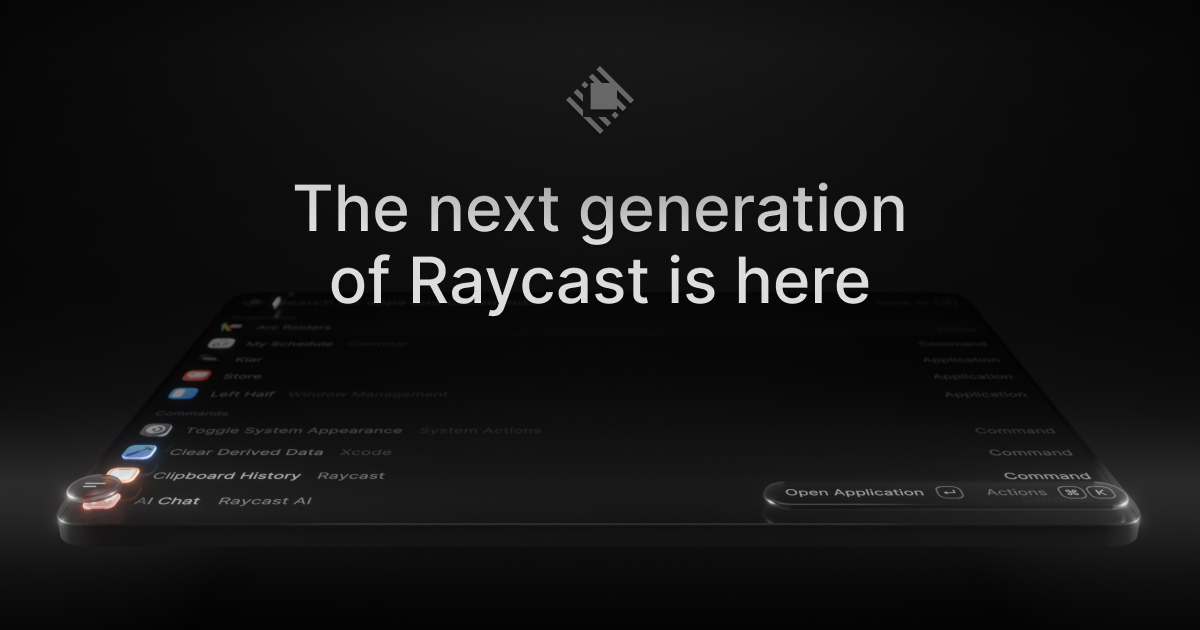
Raycast 2.0 is the next generation of Raycast, described by its creators as a new foundation, redesigned from the inside out. It is a launcher for macOS that acts as your shortcut to everything, and this release adds AI that can take action across your apps, Automations for recurring tasks, and Projects to keep ongoing work together. It is built for Mac users who want to move quickly across their desktop, combining a command launcher, file search, dictation, and an AI chat experience in one place. Raycast 2.0 is available to download now, and it requires macOS Tahoe and Apple Silicon. The update exists because Raycast chose to rebuild its launcher on a new foundation rather than continue patching the previous one. Raycast V1 was already described as the best Launcher, so the bar for 2.0 was high: the goal was to keep what people relied on while modernizing the interface, the hotkey handling, and the AI experience. That scope comes with trade-offs the team states openly. Raycast calls this a major update and tells users to expect frequent updates and occasional rough edges. On installation, the new Raycast will replace Raycast V1; there are just a handful of missing features, and those will be added soon. The most concrete risk of any rebuild is losing a carefully tuned setup, so 2.0 is designed to bring your configuration with you instead of asking you to start over from scratch. The core of the new release is a reworked AI experience built around two surfaces. Quick AI keeps you in the same Tab while adding more power, so you do not have to leave what you are doing to get an answer. AI Chat collects skills, agents, and memory in one place, giving AI work a persistent home inside the launcher rather than a one-off query box. Beyond answering questions, the AI in Raycast 2.0 can take action across your apps, which means the assistant is not limited to conversation alone. You can also connect your own ChatGPT or Claude account and put AI to work alongside the commands and extensions you use every day. Connecting your own account lets the AI you already use become part of the same surface as your launcher commands and extensions. Several changes target the everyday speed of the launcher itself. File Search now sits in Root, described as one less step to find your files, so files are reachable from the top level of your search instead of requiring extra navigation. File search is also faster in v2, and the FAQ lists quicklinks and snippets tagging among the additions in this release. Because root search is where queries begin, moving File Search there shortens the path between thinking of a file and opening it. Quicklinks and snippet tagging build on the same idea: your own shortcuts, snippets, and saved searches stay close at hand rather than buried inside menus, which matters for people who run the same workflows dozens of times a day. The look and feel of Raycast has been updated to feel right at home on macOS Tahoe, giving the v2 interface a refreshed appearance. The release also adds built-in dictation under the banner Type with your voice, so text can be entered by speaking without leaving the launcher. Settings have been reorganized, making the growing set of options easier to navigate as the product adds capabilities. In addition, you can configure inline, meaning hotkeys and aliases can be assigned directly from root search. That combination matters because a launcher is only fast when it is configured the way you actually work, and v2 places configuration and voice input on the same surface as search. Raycast 2.0 also treats the upgrade itself as a migration rather than a fresh start. During onboarding you are prompted to import or migrate your data from Raycast v1, and if you skip the step or want to rerun it later, you can use the documented commands. The Migrate from Raycast v1 command automatically migrates your data, and importing settings at this step also imports and migrates all of your shortcuts to Raycast v2 and disables them from working in Raycast v1, ensuring that your hotkeys do not conflict. Raycast calls this the recommended approach because some extra data is not imported with the manual route, including Clipboard History, Wrapped, and the Emoji picker. The alternative, Import Settings and Data, is a manual import from a .rayconfig file that you must export from Raycast v1. For people who build their own tools, custom extensions also need attention: to import correctly you must be on the latest version of Raycast V1, or at least v1.104.16, and if they did not import automatically you can run npx @raycast/api@latest dev, which is designed to pick up the new version if it is running. The benefits of Raycast 2.0 come from combining a faster launcher with AI that can act. Files are reachable in fewer steps, AI answers arrive in the same Tab through Quick AI, and longer AI work has a dedicated place in AI Chat with skills, agents, and memory. Built-in dictation offers a different way to input text when typing is slower than speaking. Because hotkeys and aliases can be assigned from root search and your existing shortcuts migrate from v1, the muscle memory you have already built keeps working in the new version. The result is a launcher that feels familiar on day one while offering more capability than before, which is exactly the balance the team set out to strike with a major rebuild. In practice, that shows up in concrete workflows. You can type a file name and open the result directly from root search instead of navigating to a separate file search view. You can ask Quick AI a question in the same Tab while staying in the flow of your current task, or move into AI Chat when a task needs skills, agents, and memory to be sustained over time. Ongoing work can be kept together in Projects, while Automations handle recurring tasks so they do not have to be triggered by hand. When writing is faster by voice, built-in dictation takes over, and when you want a command at your fingertips you can assign a hotkey or alias to it straight from root search. Upgrading is itself a workflow: import during onboarding, or run the migration commands afterwards. Raycast 2.0 is aimed at Mac users, and specifically at anyone running macOS Tahoe on Apple Silicon, since those are the stated minimum requirements. People already using Raycast V1 are the primary audience for the upgrade, and that includes extension developers, who need to be on Raycast V1 v1.104.16 or later for custom extensions to import correctly, or run the Raycast API dev command if they did not. Alongside the free download, Raycast offers Pro, Teams, and Enterprise plans, with pricing published on the Raycast site, plus an iOS app, a Windows page, and a browser extension in the wider Raycast family of products. AI in v2 can be used with your own ChatGPT or Claude account, letting you bring an existing AI subscription into the launcher. Taken together, Raycast 2.0 is a rebuild of a launcher that many Mac users already depend on, and the site sums it up directly: the launcher, relaunched. A new foundation, redesigned from the inside out, with AI that can take action across your apps, Automations for recurring tasks, Projects that keep ongoing work together, AI Chat with skills, agents, and memory, built-in dictation, faster file search in root, and a migration path that carries your settings, shortcuts, and extensions forward. The value proposition is the combination: more capability in the same fast surface you already know, without asking you to rebuild your setup from zero.
Viso Now is a self-building AI vision platform that turns images, video, and camera feeds into working computer vision applications. Rather than assembling a machine learning pipeline from scratch, users describe in plain language what they want to understand in their footage, and Viso Now builds the agentic vision logic and the custom live dashboards to go with it. The website positions the product around a single promise: bring a new AI vision application to life. It is designed for anyone who can describe a problem, from individuals who want a vision agent running in minutes to enterprises that need governed vision intelligence across many sites and cameras. The problem Viso Now addresses is the cost and complexity that traditionally surrounds computer vision. Building a vision application normally means model training, image annotation, ML engineering and ongoing model maintenance, which puts bespoke vision projects out of reach for most operational teams. Viso's own messaging states that isolated solutions are no longer enough and that not all computer vision is equal: single-purpose tools lease one outcome for one use case, while Viso positions its platform around multiple use cases across multiple locations. The site argues for flexible solutions with a lower total cost of ownership, complete control of your data, and the ability to customise outcomes and hit KPIs, and for handling today's challenges while preparing for tomorrow's opportunities. The core of Viso Now is prompt-driven building. A user describes the real-world situation they want AI to solve in plain language, with no model training and no annotation needed, and watches as Viso builds the application with them in real time. The site describes this as starting from a prompt, testing instantly, and turning ideas into vision agents. An 'Ask Viso to create a camera agent' flow sits directly in the product interface, where users work alongside the builder and refine the application until they are happy with the finished solution. Viso describes the underlying capability as visual general intelligence that applies to any use case, which is why the same engine can be pointed at very different operational questions without rebuilding anything from the ground up. Supporting that building process is a template gallery. Viso Now shows ready-made templates including Task-Aware PPE Check, Excavator Near-Miss Monitor, Hot Work Safety Check, Work-at-Height Safety Check, Clinical PPE Protocol Check, GMP Hygiene Check, Loading Dock Exclusion Zone, Front Desk Wait Tracking, Restricted Site Vehicle Alert, Hazardous Area PPE Check, Pipeline Integrity Scout, Visible Release Detection, Robot Cell Intrusion Detection, Production Area Access Check, 5S Shop Floor Audit, Emergency Exit Clearance, Reversing Vehicle Danger Zone and MEWP Fall Protection Check. Further templates cover Dock Turnaround Intelligence, Check-in Queue Orchestrator, HSE Workplace Audit, Commercial Vehicle Safety Screening, Dump Zone Safety Inspector, Abandoned Luggage Response, Handling Risk Assessment and Service Queue Pressure Analysis. Users can also feed the system their own media by clicking to upload or dragging a video in, with MP4, MOV, MKV, PNG and JPG supported, by capturing a photo, or by recording video, and they can choose between Fast, Balanced and In-Depth analysis modes depending on how much detail the task needs. Once an application behaves as intended, the workflow moves to deployment. Users iterate on the app until they are satisfied with the finished solution, then connect cameras or upload connectors to start using it immediately. Viso handles the end-to-end infrastructure behind the scenes, covering compute, visual analysis, governance, authentication and integrations, so teams do not have to stitch those layers together themselves. The platform produces custom live dashboards as part of the build, which turn what the camera agent observes into something an operator can actually monitor and act on rather than raw detections. Viso Now's distinctive approach is that the application builds itself. The website frames this as 'Your idea, the vision app builds itself' and 'If you can describe it, you can build it.' Instead of choosing from a fixed catalogue of detection types, users state the outcome they want and the platform constructs the agentic vision logic around that outcome. Build, refine, go live is the entire loop, and the security and infrastructure concerns are handled by the platform rather than by the user. The site summarises the free tier as dropping any video, describing what to build, and getting a working vision application in minutes, with no labelling, no training and no big team required. Viso reports concrete outcomes on its website. A customer story from a global manufacturer states that the company replaced four point solutions with one Viso deployment and that, by month three, near-miss incidents were down 54%, with the safety team spending zero hours rebuilding models. The same page cites 24/7 eyes on every camera that never blink and never tire, 10x faster AI vision versus other methods, and 90% less ML engineering effort with no labelling and maintenance. Elsewhere the site claims a 10x faster understanding of visual data to drive efficiency, automation and innovation, and an 85% reduction in time-to-value of computer vision applications. For teams, the practical benefit is speed: ideas become running vision agents without a dedicated ML function, and the same deployment keeps working as requirements change. The template library also shows the concrete scenarios the product is used for. In construction, Task-Aware PPE Check, Excavator Near-Miss Monitor, Hot Work Safety Check, Work-at-Height Safety Check and MEWP Fall Protection Check address worker safety and site hazards. In oil, gas and energy, Pipeline Integrity Scout, Visible Release Detection, Restricted Site Vehicle Alert and Hazardous Area PPE Check cover asset inspection and restricted zones. In manufacturing, Robot Cell Intrusion Detection, Production Area Access Check and 5S Shop Floor Audit support safety, access control and lean audits. In logistics and warehousing, Loading Dock Exclusion Zone, Dock Turnaround Intelligence, Dump Zone Safety Inspector and HSE Workplace Audit assess dock performance and workplace safety. Healthcare, food and beverage templates such as Clinical PPE Protocol Check and GMP Hygiene Check cover protocol and hygiene compliance, while Front Desk Wait Tracking, Service Queue Pressure Analysis, Check-in Queue Orchestrator, Abandoned Luggage Response and Commercial Vehicle Safety Screening serve hospitality, public venues and transport environments. Two products sit on one platform. Viso Now is the free entry point, marked 'Free · No Credit Card', offering a free forever tier with the ability to invite your team, prompt-to-agent building in minutes, visual general intelligence for any use case, and seamless connection to other systems. Viso Suite is the enterprise option, described as the complete operating system for enterprise vision intelligence: connect every camera across every site, build governed applications, and operate agentic workflows at scale, with support for 10,000+ cameras and hundreds of sites, full lifecycle from build to deploy to govern to scale, edge AI with on-prem or cloud support, and compliance with SOC 2, ISO 27001, GDPR and CCPA. Viso also states it is trusted by Fortune 500 companies and lists 136+ applications tuned for every industry. Viso Now's value proposition is straightforward: describe the real-world situation you want AI to solve, and the platform builds, refines and runs the vision application for you. No model training, no annotation, no code writing, and no large team, but with the same platform able to scale into governed enterprise deployments across thousands of cameras. It turns any camera into an analyst that can detect, inspect, alert and understand what is happening in the physical world.
Gsheet CRM is a CRM application built on top of the Google Sheet that a team already uses. Rather than importing customer rows into a separate database, it connects to one spreadsheet and turns it into a leads board with follow-ups, reports, a team and automations. Every feature in the product reads from and writes to that single connected sheet — the same rows and the same columns — so there is no copy of the data living anywhere else. It is designed for businesses that already run their customer list in a spreadsheet, from real estate agents and travel agencies to clinics, recruitment firms, insurance agents, car dealers, fitness studios, salons, trading and wholesale operations, cash-on-delivery e-commerce sellers and consultancies. Its main purpose is to give a spreadsheet-driven business the structure and visibility of a CRM without a migration project. Plenty of small businesses already keep their customers in a spreadsheet, and for good reason: it is flexible, familiar and free. The trouble is that a spreadsheet is not a CRM. Rows scroll out of view and follow-ups get forgotten. There is no shared board showing which leads are new, contacted or won, no reporting unless somebody builds formulas, and no way to give a team member access to their own leads without handing over the whole file. Most CRM products solve this by asking businesses to move everything into a new system — import wizards, field mapping, data migration and the loss of a file the team already understands. Gsheet CRM takes the opposite approach. It keeps the spreadsheet as the database, in the customer's own Google Drive, and layers CRM behaviour on top of it, so nothing is migrated and there is nothing to learn twice. The centrepiece is a leads board built on the user's own sheet. Customers can be dragged between stages such as New, Contacted and Won, and every change lands straight back in the spreadsheet — same rows, same columns, with no copy kept anywhere. Because the board and the sheet are the same data, a team can keep working in either place. Alongside the board sits a follow-up system: a reminder can be put on any customer, and overdue, today and this-week follow-ups are gathered in one place. That means a customer does not get forgotten simply because their row scrolled out of view. According to the product's Product Hunt listing, reminders run inside the sheet itself, so they fire even when the app is closed. Reporting is generated without formulas. The funnel, what is stuck, wins by month and who is handling what are all computed live from the sheet every time the reports are opened — nothing has to be built and nothing can break. This gives a manager a current picture of the pipeline without maintaining a separate dashboard. Around that sits team management with boundaries. People can be invited with roles and teams, and the account owner decides whether each person sees everyone's leads, their team's leads, or only their own, while managers always see everything. That combination means a spreadsheet-based business can bring on staff without simply sharing the file with everybody, which is usually the point at which a spreadsheet stops working as a sales tool. Gsheet CRM also supports linked lists. Properties, courses or packages can be kept in their own tabs and linked to leads, and viewings and payments then roll up onto the customer's card by themselves — so a record for a customer shows what they have viewed or bought without manual entry. On top of this are small automations that trigger when a lead is created or changes stage. Within a single sentence of configuration, a rule can set a follow-up, add a note, or hand the lead to whichever team member currently has the fewest open leads. These rules keep repetitive admin out of the team's day: assignments stay balanced, notes get logged, and follow-ups get scheduled automatically at the moment a lead moves. The setup process is deliberately short and the product describes it as working in three minutes, with no import wizards, no field mapping homework and no sales call. The user signs in with Google — one tap, with the product asking only to see their email address at that point — and then picks their type of business from roughly a dozen ready-made setups. Gsheet CRM then creates a working sheet in the user's own Drive, complete with stages, dropdowns and an example lead already in place. From there the user simply works the board: adding leads, dragging cards and setting follow-ups, and can open the spreadsheet at any time because it is the same data. Businesses that already have a sheet full of customers can start from a ready-made sheet and paste their rows in, with ids and formatting handled for them. Data ownership is treated as a core part of the design rather than a policy page. Gsheet CRM uses Google's narrowest Drive permission, which allows it to open only the single spreadsheet that has been connected and never the rest of the user's Drive. Rows, notes and numbers stay in the spreadsheet; the company's servers keep only the wiring — which columns mean what, and when follow-ups are due — not the customer list itself. If a user disconnects the app, every row stays exactly where it always was, in a Google Sheet they own that continues to work without the product. For businesses whose customer list is their most valuable asset, this answers the most common objection to adopting a CRM. The outcome for a user is a customer list that behaves like a CRM while remaining a spreadsheet. Follow-ups no longer slip because they are surfaced in one place and fire from inside the sheet. Managers get live visibility of the funnel, what is stuck, monthly wins and workload per person without building a single formula. Teams get access boundaries so more people can work the same pipeline without everyone seeing everything. Repetitive tasks — assigning a lead, logging a note, scheduling a follow-up — happen automatically. And nothing has to be migrated, so the switch costs a few minutes rather than a project, with the reassurance that leaving is equally easy and the data stays in the Drive. The product lists the kinds of businesses it is built for: real estate, travel agencies, clinics, education, recruitment, insurance, car dealers, fitness studios, salons, trading and wholesale, cash-on-delivery e-commerce and consultancies. A real estate agency, for example, could keep properties in a linked tab, drag buyers through New, Contacted and Won, and see viewings roll up onto each customer's card. A recruitment or insurance business could set a rule so each new lead is handed to whoever has the fewest open leads. A cash-on-delivery e-commerce seller could chase overdue follow-ups from a single list. For teams selling on WhatsApp, Gsheet CRM also runs inside Libromi Team Inbox, where the team sees each customer's card beside the conversation and new WhatsApp leads land on the same board. There are two plans, both including the board, follow-ups, reports and automations. Startup is listed at $20 per month, discounted to $10 per month, and covers 5 team members, 5,000 leads and 1 linked table. Growth is listed at $50 per month, discounted to $25 per month, and covers 25 team members, 50,000 leads and 5 linked tables, plus the developer side: API access and webhooks. A free trial is included and no card is required to start, and both plans can be billed monthly or yearly. The site advertises 50% off for the first 999 customers as a limited-time launch deal, with the price a customer joins at locked in for life. Gsheet CRM is a web product that connects directly to Google Sheets and Google Drive, and integrates with Libromi Team Inbox for WhatsApp. Gsheet CRM's proposition is simple to state and unusual in the CRM market: the spreadsheet stays the database, and the CRM is layered on top of it. That means a leads board, follow-ups that do not slip, live reports, team roles and boundaries, linked lists and one-sentence automations all operating on the rows a business already keeps — in its own Drive, under Google's narrowest permission, with nothing to migrate and nothing to learn twice. For spreadsheet-driven businesses that have outgrown their sheet but do not want to hand over their customer list, it offers the structure of a CRM without giving up ownership of the data.
Type is a shared workspace where your entire team can collaborate with Claude or Codex using the AI subscriptions you already pay for. Its stated purpose is to make a team's best AI work compound rather than scatter across individual accounts. The site describes sharing work from individual Claude or ChatGPT conversations into a central, collaborative space where people can collaborate on chats, docs, and apps together. Type is designed for the entire team, and the website specifically highlights marketing teams, along with operations and GTM teams, as the groups it helps get the most out of AI, with every ad, image, landing page, and analytics question grounded in the company's own context. The product addresses a set of problems that the website states directly. AI work currently lives inside individual Claude or ChatGPT conversations, which are not collaborative by default. Teams also risk being locked into a single model provider; Type states plainly, "Don't get locked into one model provider," and frames the goal as owning your data while renting the best intelligence. Rolling AI out across a group also raises trust and access questions, which Type answers with one integration gateway, enterprise grade security, and granular permissions by user, space, and role. Finally, teams need help getting good at using AI, something Type addresses through built-in best practices. Multiplayer AI is the first pillar described on the site. Type lets you share work from individual Claude or ChatGPT conversations into a central, collaborative space. From there, teams can collaborate on chats, docs, and apps, securely share access to integrations, and build a shared company brain made of context, memory, and skills that constantly self-improve. This turns isolated prompts and one-off answers into reusable, shared assets that the whole team can see, edit, and build on, which is the mechanism behind the claim that a team's best AI work compounds. The second pillar is "works where you do." Type can be used from Slack, email, or wherever your team already communicates. You can tag Type in any channel, email, or meeting, and everything syncs to Type's dedicated Desktop and Mobile apps. The site also states that Type works 24/7 in shared cloud computers. A worked example on the page shows a colleague asking in a Slack channel whether any creative assets exist for an upcoming photoshoot, a teammate tagging the Creative agent in that thread, and the agent responding with four brand images generated from recent creative and brand guidelines, followed by an "Open in Type" action. The third pillar is that Type is easy to use but powerful underneath, and it is designed for the entire team. The site says Type proactively finds, suggests, and does work. It is explicitly positioned as more than chat: teams can build custom dashboards, apps, and automations tailored to their business. A detailed example shows a user asking Type to combine the last 30 days of customer feedback from Zendesk, Slack, and Intercom into one dashboard so the success team can see the fastest-moving themes. Type reports connecting all three sources, deduplicating repeated conversations, and grouping 1,284 feedback items by theme and sentiment, then turning that analysis into an app with movement over time and source coverage. On request, it adds a daily refresh and ranks emerging themes by their change from the prior 30-day period, producing a live app called Feedback pulse that refreshes daily and highlights the three themes with the strongest movement, with a 68% positive sentiment split across the included channels. Model flexibility is another stated capability. Type makes it easy to switch between models, with prompts on the site to connect your Claude and connect your Codex. The framing is that you own your data and rent the best intelligence, so teams are not locked into one model provider. Connecting those models sits inside a single integration gateway for enterprise-grade security. That gateway lets teams connect integrations via OAuth, MCP, or API, and define granular permissions by user, space, and role. The page illustrates space-level permissions, asking "Who can use the Creative Space?" with options for specific people or all of a company, and shows API connection permissions that are either private to one user or usable by everyone in the organization. The site points to more than 900 integrations to explore. Alongside integrations, Type ships best practices built in, aimed at helping an entire team get great at using AI, and it surfaces a library of agent-style templates and their recent activity, including competitor research, generating ad creative for October's campaigns, brand voice content review, campaign artwork, social media campaign strategy for October, and launch video. The page also shows usage and cost views over time. The overall approach ties these pieces together. Type puts skills, files, and threads in one place that the whole team can see, connects tools once instead of per person, and lets a team use any model on top of that shared foundation. Work that happens in Slack, email, or meetings syncs back to Type's desktop and mobile apps, and shared cloud computers keep it running continuously. Because the workspace is grounded in the company's context, the resulting company brain gets smarter as the team works, and that shared context is what custom dashboards, apps, and automations are built on. The benefits stated on the site follow from that approach. Teams can collaborate on chats, docs, and apps instead of working alone, share access to integrations securely rather than passing around credentials, and let context, memory, and skills accumulate and self-improve over time. Type proactively finds, suggests, and does work, which reduces the need for every teammate to know exactly how to prompt. Because it works in Slack, email, and meetings, adoption does not require a new place for everyone to check. And because teams can build custom dashboards, apps, and automations, they can move beyond chat into purpose-built tools grounded in their own data. Concrete use cases appear throughout the page. A marketing lead asks Type to start a new product announcement email in Customer.io for September by duplicating the August email and updating the content based on the latest releases to Shopify. A brand team asks in Slack for creative assets to steer an upcoming photoshoot and receives four generated brand images built from recent creative and brand guidelines. A support or success team asks for the last 30 days of customer feedback from Zendesk, Slack, and Intercom to be combined into one dashboard, later asked to refresh daily and rank emerging themes by change versus the prior period. The template library shows additional workflows: competitor research, ad creative generation for a month's campaigns, brand voice content review, campaign artwork, social media campaign strategy, and launch video work. On audience and setup, the site says Type is designed for the entire team and specifically helps operations and GTM teams get the most out of AI, with marketing teams used as the headline example. Connections happen through one integration gateway via OAuth, MCP, or API, with permissions managed by user, space, and role, and more than 900 integrations available to explore. Type runs on the web, with dedicated Desktop and Mobile apps and shared cloud computers, and works from Slack, email, or wherever the team already communicates. The site offers a free way to get started through a "Get started for free" call to action. In short, Type is a shared AI workspace that compounds a team's best AI work. It connects tools once, lets teams use Claude, Codex, or other models, and keeps skills, files, and threads in one visible place, so custom apps and automations can be built on a company brain that gets smarter as the team works.
Muse by Meta is described as your personal AI agent that gets things done. According to the website, you give Muse a goal or an everyday task and it handles the rest, spanning areas such as finances and health to shopping and the people you care about. It is designed for people who want an agent that can take tasks and projects off their plate and turn long-term goals into real progress. The product is accessed through the Muse app or directly in WhatsApp, and it connects to apps you use daily. Its purpose is to act as a proactive, controllable assistant that works on your behalf while keeping you informed and in charge. Many everyday responsibilities are fragmented across messages, email, calendars, shopping, finances, health, and social apps. People already communicate constantly through messaging, so learning a new interface can be a barrier. Muse is designed around the way you already communicate, aiming to remove that learning curve. It also addresses trust: letting an agent act for you raises questions about permissions, visibility, and privacy. The website explains that Muse is built for privacy, safety, and security, and that these principles shape every part of the product. The problem it solves is therefore not just task automation but delegation with control, so users can let an agent handle work without losing oversight. A key foundation is Muse Secure VM, which runs on a persistent, isolated Linux virtual machine equipped with a full browser and enough storage, CPU, and memory to do the kinds of things you would do on your own computer. Because the VM is persistent rather than reset each time, the agent can maintain context and continue working across sessions, which is useful for multi-step tasks. Because it is isolated, the agent has its own dedicated environment rather than operating directly inside your personal device. The full browser lets it interact with web pages and services in a way that resembles human computer use, while the allocated resources support real work rather than only simple replies. Muse is designed around the way you already communicate. You chat with your agent in the same way you message other people, using the Muse app or directly in WhatsApp. The website stresses there is no learning curve, just tell Muse what you want to get done. This means users can delegate tasks in natural language, the same way they send a text to a friend or colleague. Voice notes, reactions, and shared photos appear in the product imagery, suggesting a familiar messaging-style interaction. For users who already spend much of their day in chat apps, this approach lowers the friction of adoption and makes the agent feel like another contact rather than a separate software tool. Muse emphasizes staying in control of what your agent does. You can approve actions your agent takes on your behalf before they happen, such as sending emails and making purchases. The product also provides a complete audit trail of everything your agent has done and what it is planning to do. This matters because autonomous agents can otherwise feel like a black box. By putting approvals and activity history at the center, Muse aims to let users grant delegation without giving up awareness. You can review intended actions, confirm sensitive steps, and understand the sequence of work the agent has carried out. This control layer is described as a core part of the experience rather than an afterthought. Muse states your data is kept secure and private. You can save your logins to a secure credential store that Muse cannot see, with 1Password integration coming soon. When shopping, a one-time card number is generated at checkout so your real card stays hidden from the merchant and your agent. Eligible purchases are covered by Link's purchase protections, described as a first for AI agents, and your conversations are not shared with Meta's ad systems. These measures address common concerns about giving an AI agent access to accounts, payment methods, and personal conversations. The credential store keeps secrets out of the agent's view, while the one-time card reduces exposure during transactions. The privacy commitments are presented as part of how the product is built to deserve trust. Muse proactively helps with your goals and suggests ideas. It helps you stay on top of things, takes tasks and projects off your plate, and turns long-term goals into real progress. The agent learns from conversations, reflects on what matters, and gets sharper, coming back with ideas built around what you actually need. Those ideas are ready to act on under your direction. This means Muse is not only reactive; it can surface relevant suggestions and keep momentum going on objectives that might otherwise stall. The combination of learning, reflection, and proactive outreach is intended to make the agent more useful over time while keeping the user in the decision-making role. Muse connects to your apps and builds its own tools. You can connect apps you use daily, like email, calendar, and Instagram. You decide what your agent can see and what it can do, so permissions are part of the setup. If a task needs a tool that does not exist, your agent builds it for you. This connector model means Muse can work across the services where tasks already live rather than forcing everything into a single new platform. It also extends the agent's reach beyond pre-built actions: when a workflow requires a missing capability, the agent can create a tool to bridge the gap, still under the user's direction and permissions. Overall, Muse works as a personal AI agent that receives goals or everyday tasks and then handles the rest. It combines a dedicated secure computer environment, messaging-based interaction, explicit approvals, audit trails, privacy safeguards, app connections, and proactive goal support. The user communicates naturally through the Muse app or WhatsApp, the agent operates in its isolated Linux VM with a full browser, and it can connect to daily apps to carry out work. Before sensitive actions like sending emails or making purchases, the user can approve what happens. A complete audit trail records what the agent has done and plans to do. The agent learns from conversations, reflects on what matters, and suggests ideas, while the user decides what it can see and do. The stated benefits include getting things done without doing every step manually, staying on top of responsibilities, taking tasks and projects off your plate, and turning long-term goals into real progress. Users gain a way to delegate everyday work while retaining control through approvals and audit trails. Privacy features are intended to reduce risk when sharing logins or shopping online. Because Muse can build tools and connect to apps, it can adapt to tasks that do not have an existing integration. The proactive element means users may receive useful ideas and suggestions built around their actual needs, ready to act on under their direction. Concrete scenarios mentioned include giving Muse a goal or an everyday task and letting it handle the rest. It can help with finances and health, shopping, and the people you care about. In shopping, a one-time card number is generated at checkout so your real card stays hidden from the merchant and your agent, and eligible purchases are covered by Link's purchase protections. It can send emails and make purchases with user approval. Users can connect email, calendar, and Instagram to let the agent work across daily apps. If a task requires a tool that does not exist, the agent builds it. Muse also supports long-term goals by helping users stay on top of things and suggesting ideas. Muse is for people who want a personal AI agent to handle tasks and goals, especially those who prefer messaging-style interaction through the Muse app or WhatsApp. It connects to daily apps such as email, calendar, and Instagram, and a 1Password integration is coming soon. Eligible purchases use Link's purchase protections. The website mentions downloading apps and logging in with a mobile number or email; SMS notifications may be received by using a mobile number. Pricing details are not stated in the provided content, and platform availability beyond the Muse app and WhatsApp is not explicitly detailed. Muse by Meta positions itself as a personal AI agent that gets things done. By combining a persistent, isolated Linux VM with a full browser, familiar messaging via the Muse app or WhatsApp, approvals and audit trails, privacy safeguards, app connectors, and proactive goal support, Muse aims to let users delegate everyday tasks and long-term objectives while staying in control. The core value proposition is an agent that works on your behalf, handles the rest, and keeps you informed and in charge.
Kraflio is a multi-platform AI content engine that learns your writing voice and generates publication-ready posts for LinkedIn, X, Instagram, Bluesky, YouTube and TikTok. AutoPost publishes to LinkedIn (personal profile and Company Page), X, Instagram and Bluesky via official APIs. It keeps a separate voice per platform, learns from your own writing samples, and nothing publishes without your approval. On-brand AI images, Instagram carousels, YouTube/TikTok link import, scheduling, analytics and a full Brand Kit are included on every plan — plans differ only in volume. Available on web, Telegram and Android.
An AI marketing optimization system based on Andrej Karpathy's autoresearch method. 12 fill-in-the-blank program.md templates cover cold email subject lines, landing page copy, pricing tiers, ad creative, and onboarding. Each template defines a change proposal, scoring rubric, and keep-or-revert decision rule with a hard cost-stop parameter. Compatible with Claude Code, Cursor, or any AI coding agent. Runs at $0 on local models via Ollama, ~$6/session hybrid, or ~$15/session at full API rates.

Wingbits AI is a platform that enables users to create AI agents for real-time monitoring of aircraft activity and receive alerts based on specific criteria. It is built on top of a proprietary global network of over 5,600 antennas across 120 countries, which generates terabytes of data daily from ADS-B signals. The main purpose is to allow users to extract insights from aviation data without needing a data science team or complex infrastructure. Key features include the ability to ask questions in plain English about current flights, such as "where is Air Force One right now?" or "Which private jets visited Davos last weekend?". Users can create agents that monitor for specific events like military aircraft in a region, private or government jets, GPS-jamming spikes, or tracking friends and family. These agents can send alerts to destinations like Slack, email, Telegram, or Teams the moment something relevant happens. The platform also provides scheduled reports or analysis on topics like competitor routes and can compare GPS jamming events across regions. The platform works by processing clean, deduplicated data from its real-time stream that ingests approximately 3TB of data daily with under 1-second latency. Agents query this cleaned data and can be configured with evaluation cadence and time windows. They have access to their own alert history to decide if enough has changed to warrant a new alert, helping to reduce alert fatigue. The system is designed to provide fewer, higher-confidence alerts by integrating context from other data sources like NOTAMs and weather alerts to interpret deviations. Benefits include gaining geopolitical or operational insights from aviation data without requiring coding, data processing, or managing infrastructure. Use cases are for reporters tracking unusual military activity, prediction markets, competitive analysts monitoring competitor routes, route planners, and aviation enthusiasts. It helps users monitor pattern shifts like unusual route behavior, repeated delays, or sudden volume changes that suggest a change from a normal baseline. The target users are reporters, prediction markets, competitive analysts, route planners, and aviation enthusiasts. The platform is built with technologies indicated by the "Built with" section including Framer, Linear, and Claude by Anthropic. It offers a no-code experience and is accessible via a web platform. The underlying data network is transparent about coverage quality, which is denser in regions like the US and Europe and growing in Latin America, Asia, and the Middle East.

Asteroid is a full-stack platform that enables both non-technical users and engineers to build, run, and optimize computer-use AI agents for browser, Linux, and Windows environments. The product focuses on repeatable, mission-critical workflows rather than one-off tasks, emphasizing reliability over breadth. It addresses the challenge of automating systems that lack APIs by leveraging advanced LLMs like Claude Opus 4.6+ to create reliable computer-use agents. The platform supports any interaction mode including visual computer use, structured DOM, or scripted execution across browser, Linux, and Windows desktop environments. It includes a meta-agent called Astro that builds and debugs agents automatically, writes scripts during execution, and makes repeat runs faster and cheaper. Each agent receives a persistent filesystem to store scripts, files, and memories for reuse across runs, along with session persistence to stay signed in and resume where left off. Additional features include dedicated email inboxes for 2FA and notifications, proxy support for stealth browsers and VPNs, live view and recordings with human-in-the-loop checkpoints, and API-first architecture with webhooks, MCPs, and SDKs. Asteroid operates on the principle that it's better to automate 50 complex browser portals extremely reliably than 1,000 at surface level. The platform combines frontier LLMs from OpenAI, Anthropic, Google, and others with enterprise-grade security including HIPAA and SOC II Type II certification. It provides comprehensive tooling for deployment at scale across critical industries, with built-in audit trails and compliance features essential for healthcare and insurance use cases. The platform is designed for production deployment across startups and enterprises, with over 150,000 executions completed last month alone. It handles complex scenarios including EHRs, benefits portals, insurance carriers, Citrix environments, desktop applications, and VPN-protected systems. The focus on repeatable workflows makes it particularly valuable for organizations with ongoing automation needs rather than one-time tasks. Primary use cases include healthcare interoperability challenges such as EHR and patient record extraction, voice-to-form clinical intake, health insurance enrollment, patient creation and scheduling. Insurance industry applications include policy management, quoting, renewals, endorsements, and claims submission. The platform also supports intelligent scraping across thousands of venue calendars and form filling for government portals, banking dashboards, and internal finance tools.