Category Focus/categories/marketing
Marketing AI Tools
Discover and compare the best marketing AI tools and software. Browse 207+ curated tools with reviews and rankings.
Projects tracked
207
Sort mode
RECENT
Page
4
Discover and compare the best marketing AI tools and software. Browse 207+ curated tools with reviews and rankings.
Projects tracked
207
Sort mode
RECENT
Page
4
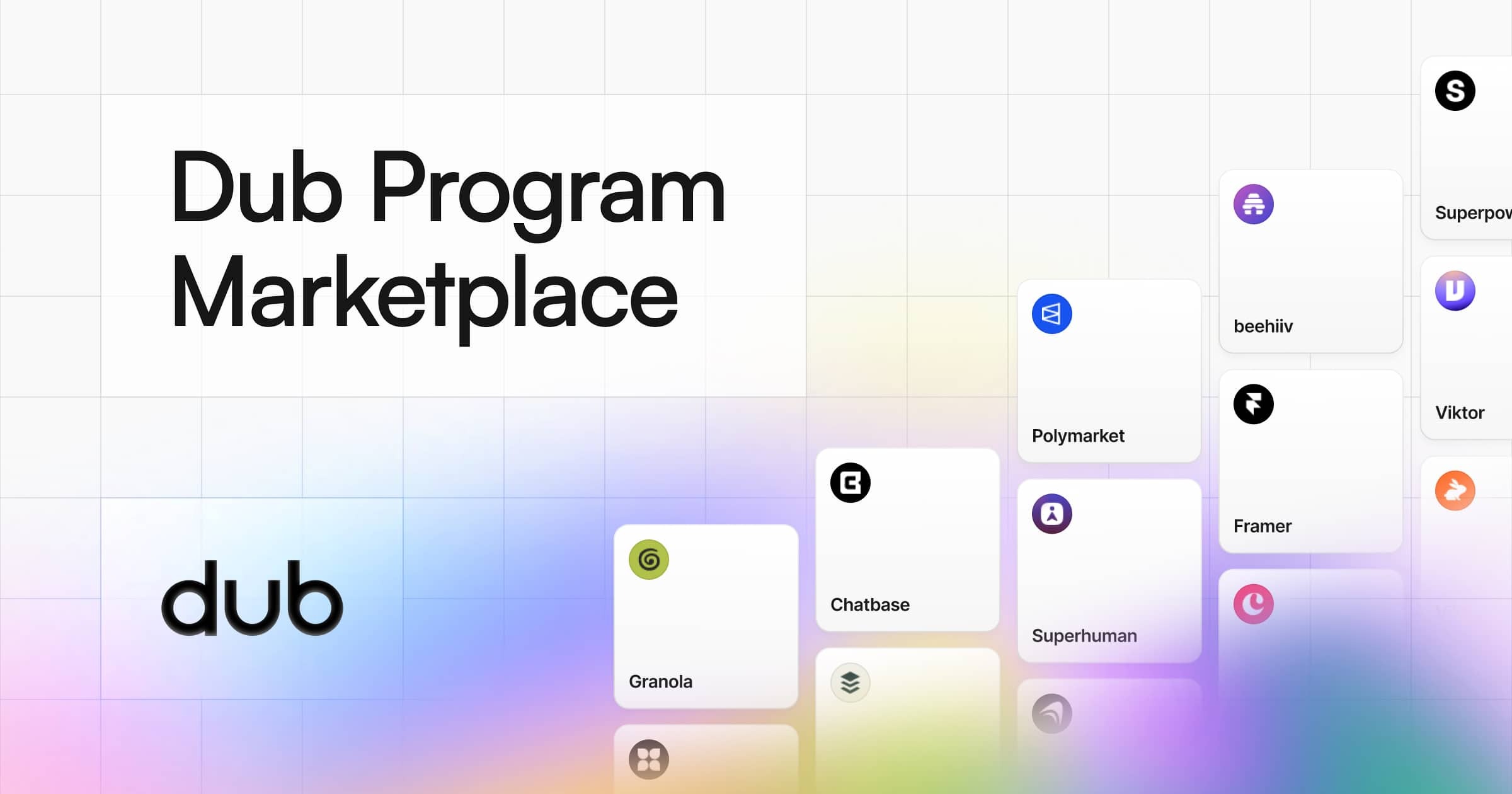
Dub Program Marketplace is a destination where you can browse and apply to the best SaaS affiliate programs and start monetizing your audience today. According to the marketplace, it lets partners explore the variety of SaaS affiliate programs available and begin monetizing their traffic or audience immediately. The marketplace features world-class companies such as Wispr Flow, Framer, Granola, Superhuman, and CodeRabbit, among many others. Every program listing presents the partner company's logo and name, a short description of what the company does, the reward structure it offers, and a link to the company's website, so prospective affiliates can understand a program before deciding to apply. The marketplace is part of Dub, which is described as the modern link attribution platform for short links, conversion tracking, and affiliate programs. Affiliate programs are one of the most common ways for creators, publishers, and website owners to earn revenue from an audience, but discovering programs, comparing their reward structures, and knowing which companies actually run partner programs can be time-consuming. Dub Program Marketplace consolidates SaaS affiliate programs into a single, browsable destination. Rather than searching company by company, visitors can explore programs that are already organized into categories and curated sections. The marketplace is headlined as offering the best SaaS affiliate programs in 2026 and is aimed at anyone who wants to turn their traffic or audience into income through affiliate partnerships. By presenting each program alongside its reward details, the marketplace makes it easier to evaluate which opportunities are worth applying to. The core of the marketplace is a collection of program listings. Each listing shows the partner company's logo and name, a concise description of the product or service, the reward structure, and a link to the company's website, along with a short call to action such as "View" for the specific program. This consistent presentation means that a visitor can quickly scan multiple programs and understand the essential facts of each one. For example, a listing for Superhuman describes it as the AI productivity suite that gives you superpowers everywhere you work, and states its reward as 35% per sale for 1 year. A listing for beehiiv describes it as access to the best tools available in email, helping your newsletter scale and monetize like never before, with rewards of 50% per sale for 1 year, up to $15,000 per customer. This level of detail helps affiliates compare programs at a glance before applying. Programs in the marketplace are organized into categories to help visitors find opportunities that match their audience. The categories displayed include AI, Fitness, Marketing, FinTech, DevTools, Support, Design, Ecommerce, Consumer, and Education, and each one has a dedicated view with a "View all" link. Within categories, visitors can explore representative programs; for instance, the AI category features Viktor.com, FLORA, Runable, Marblism, and CodeRabbit, while the Design category features Framer, LottieFiles, Betterpic, CleanShot, and Hedra. In addition to categories, the marketplace highlights other sections such as Most popular and New, each with its own "View all" link, so visitors can discover both established and recently added programs. Sorting options are exposed through links such as sortBy popularity and sortBy recency, allowing visitors to browse programs ordered by popularity or by how recently they were added. Reward structures in the marketplace vary widely, and each program's listing makes the terms explicit. Superhuman offers 35% per sale for 1 year, beehiiv offers 50% per sale for 1 year up to $15,000 per customer, Granola offers $20 per lead, Polymarket offers $10 when a referral makes their first deposit plus 20% revshare on their Perps trading fees, Framer offers 50% per sale for 1 year, and Runable offers 100% per sale for 4 months. Wispr Flow offers 25% per sale for 1 year and Viktor.com offers 15% per sale for 1 year. Other examples include CodeRabbit at $30 per lead, Marblism at 30% per sale for the customer's lifetime, and Weav at 30% per sale for 2 years, alongside models such as 15% per sale for 1 year for Privy and 25% per sale for the customer's lifetime for Superlist. Because these terms are shown directly on each listing, visitors can compare commission percentages, durations, and payout types across programs. Using the marketplace follows a straightforward flow. A visitor arrives at the marketplace, browses programs either through the curated sections or the category views, and reviews each listing's description, reward structure, and linked website. From there, the visitor can move to a program's dedicated page to apply. The marketplace is part of Dub, the modern link attribution platform for short links, conversion tracking, and affiliate programs, and Dub itself also appears as a program in the Marketing category with rewards of 30% per sale for 1 year. Dub's own description notes that it provides short links, conversion tracking, and affiliate program infrastructure, which is the same domain the marketplace serves for companies and partners. For creators, publishers, and marketers, the marketplace's main benefit is the ability to find and apply to SaaS affiliate programs from a single place and start monetizing their audience. Because programs are grouped by category and by popularity and recency, visitors can more easily find opportunities aligned with the topics their audience already cares about. Because reward terms are shown on each listing, visitors can make a more informed decision about which programs to pursue. Featured companies include names such as Wispr Flow, Framer, Granola, Superhuman, and CodeRabbit, which the marketplace presents as world-class companies, giving participants access to established brands to partner with. Concrete scenarios emerge from the categories and examples in the marketplace. A creator who runs an email newsletter and wants to earn from email-related tools can explore the email and marketing programs, such as beehiiv, which is built to help newsletters scale and monetize. A designer or design-focused content creator can browse the Design category and consider programs like Framer, a no-code website builder, or LottieFiles, CleanShot, and Hedra. A developer or technical writer can look at the DevTools category, which includes Fillout, Replo, Knock, Anything, and Zernio. Someone writing about artificial intelligence can explore the AI category, which lists Viktor.com, FLORA, Runable, Marblism, and CodeRabbit. People interested in finance and trading can review the FinTech category, which features TradeZella, Kick, Pinnacle Odds Dropper, Carry, and Papermark, and those covering health and fitness can browse the Fitness category, which includes Superpower, pliability, Rythm Health, Hundred Health, and MoldCo. In each case, the workflow is the same: browse the relevant category, review the reward terms on the listing, and apply to the program. The marketplace is aimed at affiliates, partners, creators, publishers, and anyone with traffic or an audience to monetize, since it invites visitors to "start monetizing your traffic/audience today." It serves both sides of an affiliate relationship: companies that want partners and individuals who want to earn from promoting SaaS products. Programs span many industries including AI, Fitness, Marketing, FinTech, DevTools, Support, Design, Ecommerce, Consumer, and Education. The marketplace states that it features world-class companies like Wispr Flow, Framer, Granola, Superhuman, and CodeRabbit, and more. The marketplace pages offer Log in and Sign Up actions for users who want to participate. No specific pricing, tech stack details, or integrations are stated in the provided content for the marketplace itself. Overall, Dub Program Marketplace is a central place to browse and apply to SaaS affiliate programs, organized into categories and curated sections such as Most popular and New, with each listing presenting the partner company's description, reward structure, and website. For anyone looking to turn their traffic or audience into income through affiliate partnerships, it offers a straightforward way to discover, compare, and apply to programs from a range of companies.
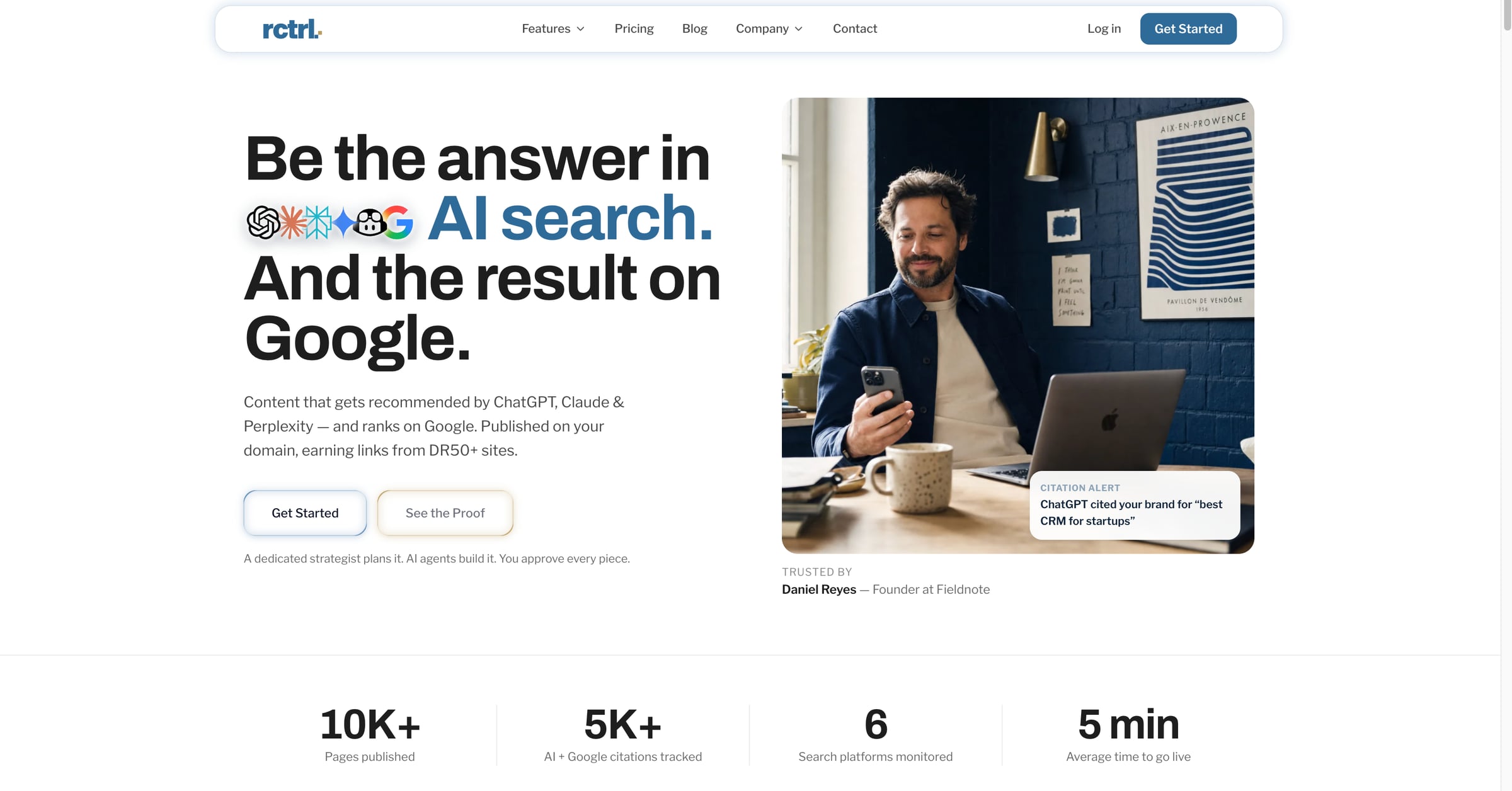
RankControl is an AI SEO platform that produces content designed to be recommended by AI search engines such as ChatGPT, Claude, Perplexity, Gemini and Grok, while also ranking on Google. The articles it creates publish as native posts on the customer's own domain, not on a subdomain, so the site keeps full SEO equity and earns links from high-DR sites. It combines content creation, AI visibility tracking, backlink earning and analytics in a single platform with one flat plan. The goal, as the site puts it, is to be the answer in AI search and the result on Google. Buyers now ask AI before they buy, and most brands are not even in the conversation. RankControl frames this as a gap: your competitors show up in AI answers and on Google, while many brands remain invisible to AI search even when they already rank on Google, because AI systems use different signals such as entity authority, citation patterns and content depth. The platform describes a shift from ten blue links, where ranking number one won the click, to AI answers that replace links, where citations replace rankings. Agencies, the site notes, burn months and thousands of dollars, cited at $5K+ per month, for results that arrive slowly. Discovery and setup are handled by Radar and the tracking layer. RankControl scans your tone, products and competitors so everything it produces reads like your brand, then tracks how ChatGPT, Perplexity, Claude, Gemini, Grok and Google AI Mode answer your market's questions. Radar surfaces every question in your market where AI names someone else, described on the site as answers where a competitor was named instead of you. It tracks up to ten competitors and ranks topics by opportunity, so you can see not only that you are missing from AI answers but why, and which gaps are worth closing first. The brand-learning component, Sounds Like You, learns voice, products and competitors from your site so content matches your brand from day one. Content creation is handled by Forge, which writes content AI trusts: 1,500 to 4,000+ word guides that are brand-matched and citation-optimized, built to answer the questions Radar found. RankControl supports 26 content formats, and sample articles shown on the site span explainers, listicles and statistics posts across travel, software, tech and coffee. Drafts go through an approval workflow where you review, comment and approve with one click; auto-publish is off by default. Articles then go live on your site as native posts through a five-minute plugin setup with no code changes. Content Refresh flags pages when rankings or citations slip and rewrites them on your approval. Visibility monitoring is covered by Sentinel, which runs weekly checks on every tracked query and competitor and sends a notification the moment something changes. Citation Signals tells you when an AI engine cites you or a competitor, turning every mention into something you can act on, and lets you search citations by platform, query or competitor in one click. Brand Perception rates every AI mention as positive, neutral or negative with the wording behind it. Citation Sources shows who the engines cite for your queries, whether that is you, your competitors, Reddit, YouTube or editorial sites. The Google AI Overviews view shows when Google's AI answer appears for your keywords and whether your page is one of its sources, while the AI Crawlers view shows which AI bots read which pages and alerts you the day one of them gets locked out. Analytics ties it together by showing which AI assistant sent each visitor, with traffic, crawls and rankings in one view. Growth is built around backlinks. RankControl drafts outreach emails with AI and supports link exchanges, with managed backlinks available as an add-on at $350 per month. Every new backlink is tracked as it lands, and rankings and citations are reported per published page, so you can see which articles are producing results. The platform also includes Link Control for tracking backlinks and managing outreach opportunities in one place, and Competitor Recon for tracking competitor citations across all AI models to find the gaps. As AI models begin recommending you, you can see exactly which answers name you and which models send the traffic, meaning the right people arrive already convinced. The methodology is a six-step playbook that runs from setup to traffic. In steps one and two you lock in your brand and spot the gaps; in steps three and four you draft, approve and publish on your own domain; in steps five and six you earn backlinks and compound your authority. Seven AI agents plan, build and publish the work, and the Agent Pipeline lets you watch every move with a full audit trail. Because AI models have memory, the more authoritative content you publish, the more they trust your brand. The site illustrates this compounding effect as first citations appearing around month one, trust compounding threefold by month three, and default answer status by month six. The stated outcomes are traffic from two channels at once. The homepage reports 10K+ pages published, 5K+ AI and Google citations tracked, 66 search platforms monitored, and an average time to go live of five minutes, along with a linked case study citing +375% traffic in 90 days. The comparison table positions RankControl at $400 per month all-inclusive against agencies at $5K+ per month and competitors at $800 to $2,200 per month, with time to results of 30 to 90 days, a full review workflow, every agent action logged, content hosted on your own domain, Google AI Overviews shown per keyword, and MCP, CLI and API access included. It positions the platform as saving $55K in year one versus agency retainers. Typical scenarios follow the product's own workflow. A marketing team starts a free trial, connects its CMS with the five-minute plugin, and lets RankControl scan the site to learn voice, products and competitors. Radar then lists market questions where competitors are named instead of the brand, and Forge drafts guides targeting those questions. The team reviews and approves drafts, the articles publish as native posts, and Sentinel plus Citation Signals notify them when an AI engine starts citing them. AI-drafted outreach emails go out to earn backlinks, and analytics show which AI assistant sent each visitor. Teams can also run the whole thing from their own AI agent through MCP, the CLI or the API. RankControl is positioned for marketing and SEO teams, and for brands that want AI visibility without paying agency retainers; the comparison repeatedly contrasts it with agencies and with competitors that are software only. It offers a 7-day free trial, one flat plan at $400 per month all-inclusive, an optional dedicated strategist at $1,500 per month, and managed backlinks at $350 per month. Integrations include Cloudflare, Google Search Console, Bing Webmaster, Gmail, Postiz, Buffer, Zapier, n8n, Make and Google Analytics, plus CMS publishing into WordPress, Shopify, Webflow, Ghost, Framer, Wix, Notion and headless Next.js sites via the Content API. MCP, CLI and API access is included, with 80+ tools and one command to connect. In short, RankControl is built on the premise that citations compound and competitors cannot easily catch up. Rather than stopping at telling you where you are mentioned, it runs the full lifecycle: create content that AI and Google recommend, publish it on your own domain, track visibility across ChatGPT, Perplexity, Claude, Gemini, Grok and Google AI Mode, earn backlinks, and measure what comes back. Being the answer, not just a ranking, is the value proposition it sells.
Naise AI is an AI teammate for marketing. From one brief, it runs social media management, image generation, influencer campaigns, PR media outreach, and market research across every channel, in any language and any market. The website states that the strategy stays with your team while Naise handles the repetitive execution work, so founders and lean teams get the output of a full marketing department without the overhead of building one. Naise AI is headquartered in Singapore and positions itself as going from a cold start to live campaigns quickly, with no waiting on asset approvals or agency onboarding. Much of the site is framed around the cost of doing marketing manually. Naise states that marketing managers spend 80% of their week on execution — drafting, scheduling, outreach, and reporting — leaving little time to drive strategy. Startup founders are described as needing the team they cannot afford to hire, doing the work they do not have time to do. The comparison table sets out the alternatives: human contractors cost $4K–$8K per role, are available business hours only, and take one to two weeks to hire; traditional agencies charge $10K+ monthly retainers and need two to four weeks of onboarding. Naise is listed as available 24/7, immediate to start, at fractional cost, executing in minutes and requiring no management. The site also distinguishes Naise from AI writing tools such as Jasper or Copy.ai, noting that writing tools produce text and hand it back to you, whereas Naise does the whole job: research, copy, visuals, creator outreach, scheduling, press pitching, and reporting. The Social Media Management agent builds data-driven content calendars on top of live market research. Before writing a single caption, Naise researches which formats drive the most engagement in your niche, finds your audience's optimal posting windows, and surfaces trending topics in real time. It then writes the copy, generates visuals, and schedules posts across Instagram, TikTok, Facebook, and LinkedIn, with captions localized per platform and auto-scheduled everywhere. Supporting tools are exposed individually too: trending topics and hooks, image generation, the content calendar and post scheduling, and live performance analytics that track engagement and growth across all channels at once, so a single brief produces both a plan and the assets to execute it. The Image Generation agent produces on-brand visuals at the speed of a prompt, with no designer and no brief-to-agency back-and-forth. It creates campaign key visuals, product shots, and story graphics locked to your brand guidelines — brand colors, fonts, and rules are applied automatically — and generates them at the correct spec for every platform, with multiple style variations per campaign for A/B testing. The Influencer Campaign agent covers the full lifecycle: discovery from a pool of 10M+ verified global creators matched by niche and reach, then automated outreach, negotiation, and contracting, then content approval and scheduled posting, finishing with live ROI tracking on reach, views, and conversions per creator and per campaign. Naise says this removes the agency middleman and the manual spreadsheets, and one testimonial describes checking campaign delivery in about ten minutes instead of going through every creator manually. The PR Media agent handles press coverage in any language and any market. It drafts localized press releases, distributes them to the right outlets without manual pitching, and monitors coverage and sentiment across every region in real time; one brief is said to cover the globe with no agency retainer. Supporting tools include targeted media lists that match outlets and journalists to your story, brand news and media monitoring that tracks every mention of your brand across the web, and hashtag campaign analysis that measures the reach and sentiment of campaign hashtags. The Market Research agent runs company-specific intelligence rather than generic reports: a brand audit that positions you against category leaders and surfaces clear gaps, competitor analysis that maps messaging and content playbooks in real time, and trend signals that feed directly into briefs and content calendars. A free audit reads your last 30 posts, analyses social media presence across channels, identifies competitors, and builds a brand profile, viewable after signing up with a verified email. Naise describes its approach as one brief flowing through different "flavors" of the same agent. The Product Hunt listing describes the setup as locking in brand guidelines with Persistent Memory, selecting a Prompt Playbook, and letting the platform handle the execution. Persistent Memory is highlighted by a customer testimonial as what sets Naise apart from generic AI tools: once guidelines are uploaded, brand voice and aesthetic stay locked in permanently, so large campaigns deploy with consistently on-brand messaging across every platform. Agencies can hold a separate brand voice and memory per client, batch-launch campaigns across all accounts in one session, and send white-label reports directly to clients. A 60-second walkthrough shows Naise taking a single brief and turning it into a live multi-channel campaign in under five minutes. The stated outcomes centre on time and cost. The site reports an average of 97 minutes from first prompt to live campaign, and the Product Hunt listing describes going from a cold start to live campaigns in under 24 hours while saving 40+ hours a week and cutting marketing costs. The comparison table claims total annual savings of up to $150K versus hiring a full in-house team, alongside 24/7 availability, immediate start, minutes-long execution, expert-level cross-channel coverage, and always-consistent output. Marketing managers are promised a full content calendar from a single brief and a live ROI dashboard for every running campaign, while agency clients receive white-label reports. Naise also lists SEO, AEO, GEO (answer engine and generative engine optimization), performance marketing, and predictive modelling as flavors shipping in upcoming releases. Naise publishes four role-based use cases. For marketing agencies, Naise acts as a silent operator for every client account so one team's output is multiplied across ten, with separate brand voice and memory per client, batch-launched campaigns, and white-label reports sent to clients. For marketing managers, it handles drafting, scheduling, outreach, and reporting so time goes to strategy, with a full content calendar from a single brief, captions localized per platform and auto-scheduled everywhere, and a live ROI dashboard. For startup founders, it is positioned as the team they cannot afford to hire: first campaign live in a matter of minutes, no marketing experience needed to start, and scaling as the team and budget grow. For e-commerce brands, every product launch becomes a full go-to-market campaign automatically, from launch-day key visuals to influencer seeding and press outreach, with AI-generated product visuals for every platform size, influencer seeding at scale, and localized product copy for global storefronts. Naise AI runs on the web. Content is written, localized, and scheduled for Instagram, TikTok, Facebook, and LinkedIn, with each caption adapted to the platform it goes out on; influencer discovery covers Instagram and TikTok creators, and PR coverage is tracked across news outlets in every market you target. The site says 1,000+ founders and marketers have joined and lists marketing leaders at 5-hour Energy, BenQ, Elixir Esports, Moonton, SKIN1004, T-Tracing, and ZOWIE. Pricing has three tiers, each running the full agent suite and starting with a 3-day free trial: Entry at $59.90 per month (currently shown at an early-access price of $39.90 for one month) with 2 campaigns; Middle at $119 per month, discounted to $88.80, with 6 campaigns and 3× AI usage capacity; and Advanced at $199 per month, discounted to $150, with 16 campaigns and 8× AI usage capacity. Every plan includes unlimited creator reach, unlimited outreach, AI trained on your brand voice, and PDF reports and exports, with yearly billing offering two months free and enterprise custom pricing on request. Naise AI's core proposition is simple: one AI teammate runs the marketing busywork across social, influencer, and PR in any language and any market, while your team keeps the strategy. For lean teams and founders, that means campaigns live in minutes rather than weeks, brand consistency enforced by persistent memory, and marketing output that scales without scaling headcount.
thestory.run is a web app that coaches employees to write their own LinkedIn posts. Its stated purpose is to be a writing coach for corporate influencers — the people whose job quietly includes LinkedIn, from founders and salespeople to recruiters, engineers and experts. The coach asks questions, helps a person find the story inside a rough thought, and hands them a structure to write into. It never writes the post, and it never rewrites your words. Most AI tools take over the writing; thestory.run flips that relationship so the person stays the writer and the tool stays the coach. The product opens with a blunt observation: "We stopped writing." Three problems are named. First, AI slop is real — the site cites that 81% of long-form posts on LinkedIn are likely AI-written, and argues the personality is gone even when the AI "has your voice." Second, people are too busy to think: it is not that you have nothing to say, it is that nobody asked you the right question about it. Third, people use AI wrong — let it write for you and you slowly lose your own voice and the ability to put a thought into words. The result, as the site puts it, is that writing goes from something you liked to one more task to get over with. thestory.run's stated belief is that AI is here to support humans, not replace them: leave the edits to AI, and you be the superstar. The core experience is one real session that runs from a messy thought to a finished post, in three steps: share a rough thought, talk it through, write it yourself. You drop in the raw thoughts and the coach helps you uncover the story behind them, making the point you do not see yet. It asks one question at a time — in the example shown, it answers an observation with "That's an interesting observation, I bet you've watched it play out somewhere specific. What did that look like?" — and then picks up on the honest line the writer had not said out loud. Once your thoughts are out, the coach lays out the arc that helps you tell the story. The example arc has three beats: open on the moment, name what's really going on, and the pivot. Then you write it, and the coach turns editor: it marks what carries the post and what to try. The marks shown include "Keep · your spine" (the whole post in six words, let it stand) and "Move · your opener" (sharper than the meeting scene, open on it). The coach can move your opener to the top reversibly, with an undo, and the framing the product uses is 100% you, 0% coach — the words on the page are the writer's. Between the posts, the coach keeps the week moving so you never have to guess what to do next. A weekly to-do shows the plan at a glance, such as one post on leadership and shaping a saved team culture idea. Daily reflections offer a nudge from your coach — for example, "What have you changed your mind about in remote work?" — with an answer link. A posting streak and activity calendar track momentum (the example shows five weeks in a row, with the message "Showing up is the whole game"), and achievement stickers such as "posted on every topic" keep you accountable without guilt. A "finish drafts while they're hot" area surfaces drafts with labels like leadership/fresh/nearly there, or culture/a few lines in, and asks whether you are ready to write this one. For teams, thestory.run treats corporate influencing as a team sport. Most people start alone, and bring the team when they are ready. A team sees who is posting, on which theme, and what is still uncovered — but drafts, ideas and coach conversations stay private to the writer, not their teammates, not their admin, not their boss. Three team features are described. Campaigns: an admin sets a theme and a window, such as a hiring push, a launch or a conference, and the coach folds it into everyone's week as something to draw on; nobody gets handed a post to write. The team calendar shows who is posting, on what, and which days nobody has taken, so the team spreads out instead of everyone publishing on Tuesday. Wins: people share what landed, if and when they want to, and colleagues cheer, because watching a colleague's post open a real door is what gets the next person writing. The unique approach is what the product calls the writing tool that refuses to write. The coach asks one question at a time, underlines the strong lines you already wrote, and offers a structure to write into rather than a draft to approve. Every word you publish is a word you wrote. There is exactly one exception, called cheat-mode, and you have to reach for it on purpose: activated on a piece you have already started, the coach writes the post from what you brought — your rough thought, your conversation, the lines you kept, the arc you agreed on, and a few of your own published posts so it can hear how you write. Cheat-mode spends one of a small monthly allowance: one cheat for every four posts in your plan, never more than three a month. The post is marked permanently as coach-written and does not count toward your progress. Publishing is also opt-in: the product posts to LinkedIn only if you ask it to, on a post you have already written and read, and it never publishes anything you have not pressed the button on; you can also publish by hand and simply tell the app it happened. The benefit the product promises is that what you publish sounds like you, because you wrote it. Testers quoted on the site describe writing with the coach as feeling like therapy, like writing in a notebook that helps you think better, and as a conversation style that moves one step at a time. One tester's complaint about writing with AI today — "90% of what AI writes, I rewrite it, because it's not how I would write" — is contrasted with a founder's reaction to her first coached draft: "Wow, I kinda wrote it in one breath. I didn't know I can do that." Other quotes say the tool makes people want to write again, helps them find the substance instead of "some blah blah," and offers guidance for people who feel they do not have the time or capacity to think freely. Concrete workflows described in the content include turning a messy observation into a finished post in one coaching session; keeping a weekly posting rhythm with a plan, daily reflections and a streak; rescuing drafts that are nearly there or only a few lines in; coordinating a team around a campaign window such as a hiring push, launch or conference so several people write on the same theme without anyone being handed words; and spreading posts across a week with the team calendar so days like Thursday are not left open. thestory.run is aimed at people who post under their own name at work — founders, salespeople, recruiters, engineers and experts — and at teams that want corporate influencing to work company-wide. It is free forever for teams of five people or fewer, with everything included: people, channels and every feature, no credit card, no trial clock, no feature gates. From the sixth person it becomes pay as you go at 1 euro per coaching session plus tax, and nothing else; prices are in euros, and checkout in over 150 countries lets you pay in your own currency, with Stripe doing the conversion at its own rate and a small currency fee. It is built by Swat.io GmbH in Vienna, Austria, operated under the GDPR and the Austrian Data Protection Act, and runs in the European Union, with the privacy policy and data processing agreement published on the site; privacy is enforced in the data layer rather than hidden in the interface. Swat.io is a social media management tool more than 18,000 people use, built by fifty people over fifteen years with no investors and behind social media for 1,700+ brands; it provides the content calendar, community management and insights, while thestory.run is the other half — the coach that helps a person find and write the post in the first place. The takeaway: thestory.run is built for teams whose people already have things to say but do not know how to say them. Instead of generating posts and leaving a human to edit the machine, it coaches each person to write in their own voice, keeps the week moving between posts, and lets teams coordinate themes without handing anyone words.
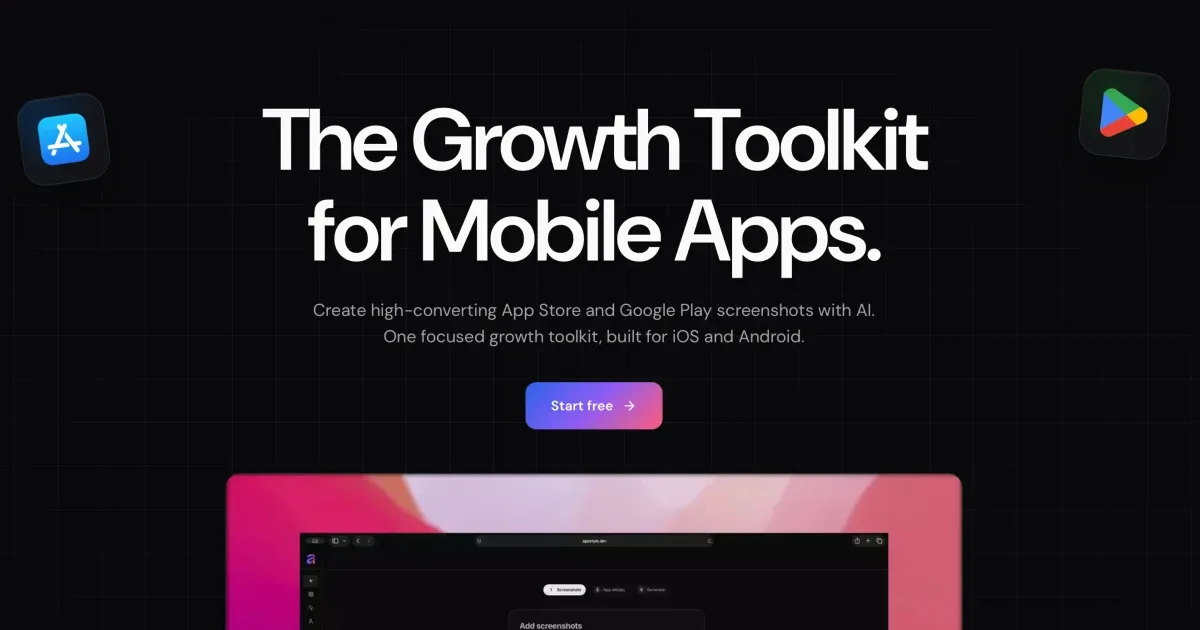
AppGrowthKit is an AI screenshot maker for the Apple App Store and Google Play. It generates App Store and Google Play screenshot sets from your real app screens, combining AI layouts and copy, localization, app icons, and store-ready export inside one workspace. Built for indie developers and teams, its core product is an AI screenshot maker: you upload your app screens, add device frames, headlines, and backgrounds, or let AI draft the layouts and copy for you, and then export store-ready assets for your Apple App Store and Google Play listings. The product positions itself as the place where polished App Store screenshots are created in minutes rather than hours, without design experience and without moving between multiple tools. The problem AppGrowthKit addresses is the fragmented store-asset workflow. Preparing a listing traditionally means stitching together several separate tools: the product itself names Figma, Canva, Fastlane Frameit, and a separate caption document as the pieces developers commonly combine just to produce a single screenshot set, followed by manual resizing and reformatting for App Store Connect and Google Play Console. General design canvases such as Figma and Canva are not store-export products, and template tools such as AppLaunchpad leave you adapting a library of templates rather than working from your real app screens. AppScreens is described as stronger at console upload automation, and AppLaunchFlow as a wider launch suite covering ASO copy, video, rank tracking, and store connections. AppGrowthKit is positioned as the focused screenshot and icon workspace that replaces the store-asset handoff between those tools, so the last mile of a launch stops being a design project. The primary feature group is the AI screenshot workflow. You drop in raw app screens and tell AppGrowthKit what your product does; AI then plans the layout, writes store copy, and applies backgrounds, device frames, and spacing directly on your canvas. The workflow is split into three explicit actions. Plan lets AI draft the layout, headlines, and style before anything changes on your canvas, so you review the direction first. Build applies edits across all of your screens from one prompt, which keeps a multi-screen set visually consistent without editing every screen individually. Chat lets you ask for ideas or feedback without touching your design. Because the draft lands on your canvas rather than in a locked template, you stay in control: you can review the draft, edit anything, and export when it looks right. A second feature group is AI localization for editable screenshot sets. You choose a market and let AI translate and adapt your editable screenshot copy. The stated behaviour is that your layouts, real app screens, and layers stay exactly where you put them, so every locale starts from a working master rather than a rebuild. Adapt generates natural localized titles, subtitles, and custom text for each market. Preserve keeps your layout, images, and editable layers intact across versions. Review lets you fine-tune each version in the canvas before exporting the final set. AppGrowthKit covers 42 App Store locales: you design the English master, pick a market, let AI adapt titles and captions for that locale, and then export each set in the sizes Apple and Google require. A third feature group is app icon generation. You describe the feeling, subject, and style you want, and AppGrowthKit AI generates several app-icon directions at once so you can compare a real set of options before choosing the one that belongs beside your screenshots. Describe starts with a simple prompt, which you can enhance when you want more art direction. Explore generates one, two, or four icon directions in a single pass. Download keeps the winners and saves the generated icons when you are ready. The product also lists Apple-ready icon exports as part of the app icon feature set, and publishes a free app icon size generator alongside the core editor. A fourth feature group is the layer-based design editor that turns raw screens into store-ready visuals. You upload your app screenshots, add polished layouts, and prepare assets for every store, layering text, backgrounds, and device frames on one canvas. Layers let you organize screenshots, frames, text, and backgrounds in a single workspace. Properties let you tune fonts, colors, spacing, and sizing without leaving the editor. Preview shows you store-ready output before you export. Custom fonts and gradients are listed as part of the screenshot feature set, and the editor is described as Figma-like with no locked grid. Device frames are handled as a dedicated capability. AppGrowthKit ships frames for iPhone 17, iPhone Air, and Pro Max, with every device frame scaled and ready to use. You pick from the latest iPhone, iPad, and Android frames, choose a finish, drop in your screenshot, and keep moving. Devices are described as kept up to date, colors let you match the frame finish to your app's look, and scale means a dropped-in screenshot is sized correctly every time. You can also use your own screenshots with these frames and customize colors, text, and layout. The export capability closes the loop. You download all your screenshots at once in the exact format Apple and Google require, with no resizing, reformatting, or second tool. Formats are built in for Apple and Google specs. Batch export pulls every screen in your project at once. Ship means you can download and upload straight to App Store Connect or Play Console. AppGrowthKit supports the Apple App Store and Google Play and exports store-ready screenshots for iPhone, iPad, and Android apps. Overall, the methodology is prompt-and-canvas rather than template-and-export. The fastest described path is to upload raw captures once, generate an AI draft, edit the first three screens, and export App Store and Google Play sizes from the same project, replacing the combination of Figma, Canva, Fastlane Frameit, and a separate caption document. AI drafts the plan before anything changes, one prompt applies edits across all screens, and chat provides ideas or feedback without touching the design, so the developer remains the decision-maker. The product states plainly that it is built for developers, not designers, and that no design experience is required: you can arrange screens and text with the layer editor, or describe your app and let AI draft layouts and copy you can fine-tune before export. Beyond the editor, AppGrowthKit publishes free tools for the rest of a launch, including an app icon size generator, an ASO character counter, and live App Store charts. The outcomes described for users centre on speed and control. Screenshots move from hours to minutes; consistent sets are produced without hand-editing each screen; localized versions start from a working master so layouts do not need rebuilding per market; and exports arrive in the exact formats and dimensions Apple and Google require, removing manual resizing or reformatting in another tool. Users can see store-ready output in preview before exporting, and can use their own screenshots, device frames, colors, and text until the listing looks the way they want. Concrete use cases described in the content include preparing a single app launch with Launch Pass and deciding on a subscription afterwards; running repeated launches, ongoing work, and iteration on Pro with 750 AI credits per month; comparing one, two, or four AI-generated app icon directions before picking one to sit beside the screenshots; localizing an App Store screenshot set into other languages by designing an English master, picking a market, and letting AI adapt titles and captions while layouts and app screens stay in place; producing store-ready iOS and Android screenshots quickly by uploading raw captures once, generating an AI draft, editing the first three screens, and exporting both stores' sizes from the same project; and using Grok Bot for competitor research and first-draft captions while AppGrowthKit places those words onto real app screens with device frames, localization, and exact store exports. On plans and audience, AppGrowthKit targets indie developers and teams. Launch Pass is a $9.99 one-time purchase for a single launch with unlimited projects, unlimited store exports, 250 AI credits, and support included. Pro is described as $8.33 per month billed at $99.99 per year (a 44% saving) and elsewhere as $14.99 per month, for repeated launches, ongoing work, and iteration, with 750 AI credits per month, unlimited projects, unlimited store exports, and support included. Both plans cover AI localization for editable screenshot sets, the design editor with layers, all device frames and models, custom fonts and gradients, AI app icon generation, and Apple-ready icon exports. The editor is focused on App Store and Google Play screenshots today, and AppGrowthKit states that is where it does its best work. In summary, AppGrowthKit's value proposition is a single AI screenshot and icon workspace for App Store and Google Play listings: upload real app screens, let AI draft layouts, headlines, and localized copy on an editable canvas, and export every size Apple and Google require in one click, built for developers and teams who want polished store assets without design software, manual resizing, or templates to fight with.
Jevtown is a social network where people write and 10,000 AI personas read. You post a text, a listing, a product or a headline, and within seconds the town reacts: most scroll past, some like, repost, block, write to the seller or buy. The purpose of the product is to let a writer see how an audience would respond before publishing anywhere that actually matters. Every reader is a computed persona with a name, an age, a job and a city, and the English-speaking town is described as having 10,002 residents. Jevtown is aimed at anyone who writes for an audience — someone drafting a social post, a seller writing a listing, a maker describing a product or a writer testing a headline — and it requires no sign-in to use. The problem Jevtown addresses is the uncertainty that comes before publishing. Once a post, a listing or a headline is out in the world, the reaction is already public: readers scroll past, or they stop, or they block, or they buy, and there is no way to take that back. Jevtown moves that moment of truth earlier. Instead of guessing how a piece of writing will land, you can watch a simulated town react to it in seconds and then decide whether the text is worth publishing at all. The product puts it plainly: a weak text dies for half a cent and a good one reaches everyone in 14 seconds. The same logic applies to a marketplace listing, where the difference between two ways of writing the same item can decide whether buyers write to the seller or smell a scam. Jevtown accepts four kinds of input, each selectable from a single composer: Post, Listing, Product and Headline. The composer allows up to 2,000 characters, shown as a live counter labelled 0 / 2000. When you submit, the English-speaking town reads it — 10,002 residents — and you will see who likes, reposts or blocks it. The site also demonstrates a Ukrainian town: the homepage opens with a saved example labelled "A saved example · the Ukrainian residents" alongside a 01 / 02 selector, and residents in the sample feed carry Ukrainian names and cities such as Dnipro and Zhytomyr. Each resident is identified by a first name, an age, an occupation and a city — for instance Zoe, 20, a student in New York, or Yurii, 56, a nurse in Zhytomyr — and their individual reactions are listed next to their profile. The core mechanic is a wave system that decides how far a piece of writing travels. A post first goes to the 600 residents it should matter to, and it reaches the next 1,500 only if more readers were glad than annoyed. From there it can keep climbing: the feed shows posts that were seen 600 times, 2,100 times, 5,100 times and up to 10,001 or 10,002 times. A listing in the saved example went into a second wave and reached 2,100 personas after readers responded well to it. This staged distribution means that a weak text stops early while a good one reaches everyone, and the counts of how many people saw, stopped, were glad, were sorry, reposted, clicked or bought are reported for each post. Every stage is measured in a small, consistent vocabulary of reactions. Readers can scroll past, stop, be glad, be sorry, repost the post, click a headline, write to the seller, smell a scam or buy the product. The saved iPhone listing shows the pattern: 2,100 saw it, 142 wrote to the seller and 6 smelled a scam, with a Replay control and a visibility setting offering "To the public feed" or "By link only". Because the residents are computed personas rather than anonymous visitors, Jevtown can break their behaviour down by interest, job, age, city and budget, and tell you who stopped, liked, reposted or blocked your text. In the sample feed you can see individual reactions attributed to named residents, such as Iryna, 37, a copywriter in Dnipro who bought it. Jevtown's unique approach is to make the audience itself the product. Beyond feed reactions, a listing or product can be tested with a price ladder: prices can be named in ₴, $, € or £, and every resident who stops at the product is asked for the highest of those prices they would pay. The result shows how many buyers each price gets and which one earns the most — described as a demand curve over a product's price ladder. For listings, Jevtown also reports the questions buyers would ask first. The whole experience runs on the web without sign-in, costs as little as half a cent for a text that dies early, and can show a finished result in 14 seconds. The public feed itself can be sorted by Latest or Travelled furthest, and at the time of writing displayed 148 texts seen 260,005 times. The benefit for a user is a decision made before publication instead of after. Instead of publishing and waiting, you get an immediate reading of whether the text connects and who it connects with: the people who stopped, the people who were glad, the people who reposted and the people who blocked. Sellers learn the questions buyers would ask first, which can be answered inside the listing itself, and they get a view of which price point earns the most. Headlines can be compared by how many people stopped and clicked versus how many were sorry. Because each experiment is cheap and fast, a writer can afford to test several versions of the same text and keep the one the town responds to. The clearest use case shown on the site is a marketplace listing. The same iPhone 13 listing is written two ways — one version offering full details and payment on inspection, the other demanding advance payment only — and the site shows how the town reacts to each, including the number of personas who wrote to the seller and the number who smelled a scam. Another use case is the headline: the feed shows headlines such as "New research solves cancer" that were seen 600 times, with hundreds of residents stopping and dozens clicking. Products can be tested with the price ladder to compare demand at different prices, and general posts — opinions, jokes, technical write-ups, ideas — can be run through the town to see whether the audience stops, is glad, reposts or simply scrolls past. Jevtown is for people who write for an audience and want a fast read on it before going public: sellers writing marketplace listings, marketers writing headlines, makers writing product descriptions and anyone posting to a social feed. The product runs in the browser, requires no sign-in and costs as little as half a cent for a text that dies early. The sample content on the site covers both an English-speaking town of 10,002 residents and a Ukrainian town, and prices for the price ladder can be expressed in hryvnia, dollars, euros or pounds. The site mentions no third-party integrations and does not describe a technical stack, so the experience appears to be entirely self-contained. Jevtown is a sandbox for writing in public without the consequences: a town of 10,000 computed residents who read your post, listing, product or headline in seconds and tell you — by scrolling past, stopping, liking, reposting, blocking, writing to the seller or buying — whether the text is worth publishing. A weak text dies for half a cent; a good one reaches everyone in 14 seconds.
PostSider is a social media publishing platform built for both humans and AI agents. It lets you schedule and publish content across more than 30 networks from a single calendar, or hand the keys to an AI agent that drafts, schedules and publishes on your behalf through MCP, a REST API or SDKs. The platform combines a drag-and-drop content calendar, a media library, analytics, team seats and approvals, agent access and automation in one place, so users do not have to juggle multiple tools to run their social presence. PostSider describes itself as being for agentic builders and their AI agents, solo founders and creators, and agencies running many brands and channels at once, plus everyone who wants to publish their content a different way. The problem PostSider addresses is that publishing to social media usually means opening each network separately, or stitching together per-platform integrations in code. PostSider's own positioning is that scheduling and publishing across more than 30 networks happens from one calendar, and that connecting an agent requires no per-platform glue code; the site uses the phrases "no glue code" and "no per-platform glue code, ever." It frames the choice as four ways to publish: the dashboard, the API, the SDK and MCP. For teams used to per-channel billing, the FAQ contrasts PostSider's flat tiers with per-channel pricing, noting that adding another network costs nothing until you cross a tier, which it says is usually cheaper than per-channel pricing beyond four channels. For people working by hand, PostSider centres on a drag-and-drop calendar that the site describes as "a calendar you actually enjoy." Users plan a whole month at a glance, drag posts across days and channels, duplicate a post to another network, and let the queue publish. The listed capabilities include drag and drop across days and channels, composing once and tailoring per platform, a media library with live previews, and queues with best-time scheduling. A "this week" view shows slots such as Monday on X at 9:00, Tuesday on Instagram at 12:00 and Facebook at 17:00, Wednesday and Thursday on LinkedIn at 8:30 and Friday on YouTube at 15:00. For agents, PostSider provides what it calls an agent bridge built on MCP. The bridge exposes publishing and analytics as tools that any MCP agent can call, so an agent can draft, schedule and publish. The site lists Claude, ChatGPT/Codex, Gemini, Cursor, OpenClaw, Hermes Agent and "+ any MCP agent" as compatible. Alongside this, typed REST API clients and SDKs let developers call the platform directly from their own pipelines. The same secure authentication is used for humans and agents, and one integration is meant to cover every network. The site documents 60 API requests per minute. PostSider says it supports more than 30 networks and that new networks are added all the time. Named on the page are X, Instagram, Facebook, LinkedIn, Bluesky, Mastodon, Lemmy, Farcaster, Nostr, YouTube, TikTok, Twitch, Discord, Telegram, Slack, WordPress, Medium, Dev.to, Hashnode, Ghost, Blogger, Write.as, Notion, Mataroa, Listmonk, Pinterest, Dribbble, Google Business, Whop and Moltbook. The stated approach is to publish the same content everywhere or fine-tune per channel, with one payload going to every network and tailoring per platform applied automatically. Analytics track reach and performance across every channel in one view, with advanced analytics and automated queues and sets on higher plans. On security, PostSider says it treats access like infrastructure. Every channel token is encrypted at rest with AES-256-GCM, requests are hardened and validated against SSRF and CSRF, rate limiting provides abuse and overage protection, and tokens are isolated per channel with least-privilege access. The same hardened core is said to protect humans and agents alike. Getting started is described as a three-step process. First, connect your channels: link 30+ networks in a click, with tokens encrypted and isolated per channel. Second, create it yourself or let your agent: compose in the editor, or let your MCP agent draft posts and fill the queue. Third, schedule and publish on autopilot: pick times or use best-time queues, and PostSider publishes everywhere for you. The site promises you can be "live in minutes," whether you publish yourself or hand the work to an agent. The benefits the site claims follow directly from that structure: one calendar instead of many tools, four ways to publish (dashboard, API, SDK, MCP), a single integration covering every network rather than per-platform glue code, and the ability to publish yourself or let an agent take the wheel. For teams, unlimited team members on the Team plan and above, approval workflows and multi-user roles mean publishing can be shared and reviewed without leaving the platform. Because the same authentication serves humans and agents, an agent can take on the same work a person would do in the calendar. Concrete workflows are shown on the site. In one example, Claude, connected via PostSider MCP, is given a photo and the instruction "Create me a post for Instagram with this photo"; the agent replies that it drafted the post with the photo and queued it for Tuesday at 12:00. Another workflow is a creator planning a whole month at a glance, dragging posts between days and channels and letting queues publish. Agencies use approvals, seats and shared queues across many brands and channels. Developers call the typed REST API and SDKs from their own pipelines at a documented 60 requests per minute. And teams switching tools connect their channels to PostSider in parallel, rebuild their posting slots, bring their queue over manually or via CSV import, run both tools for one overlap week, then cancel the old one. PostSider states plainly who it is for: agentic builders and their AI agents; creators, including solo founders; and agencies running many brands and channels at once with approvals, seats and shared queues, plus everyone who wants to publish their content a different way. Plans start with a 7-day full trial and no credit card. Standard is $20/month for 1 seat, 5 channels and 400 posts per month; Team is $35/month for unlimited team members, 10 channels and unlimited posts; Pro is $45/month for 30 channels with an AI post checker and rewrite, auto-plugs and first comments, CSV bulk import, snippets and templates, webhooks, priority publishing and an audit log; Ultimate is $90/month for 100 channels, custom OAuth apps and priority support. Every plan includes the calendar, the agent bridge and the API. The site also addresses switching: users coming from Buffer or Hootsuite can connect channels to PostSider in parallel, rebuild posting slots, bring their queue over manually or via CSV import, run both tools for one overlap week and then cancel the old one. Alongside the product, PostSider publishes free browser tools, including best time to post, a hashtag counter, a bio link preview, an image size cheat sheet, an engagement rate calculator and a fancy text generator, plus a blog published weekly. PostSider is built by one person, Lukasz Blania, a solo founder building from Poland under Lumi Zone, and support emails land with the person who wrote the code. In short, PostSider is a social media scheduling platform where the calendar serves humans and the MCP server, REST API and SDKs serve agents. It covers 30+ networks from one calendar, adds analytics, approvals and team seats, encrypts channel tokens with AES-256-GCM, and uses flat monthly pricing rather than per-channel billing. Whether you plan to publish yourself or let an agent draft and queue the work, the promise is the same: run your social media on autopilot from one place.
AI Creative Insights is a platform from Entropik — the team behind Decode — that tests creatives with Neuro AI to predict attention, emotion, and conversion impact before budget goes live. Users upload any ad, banner, OOH, or video creative, and the platform predicts how people will respond before media spend is committed. Its stated purpose is to predict creative winners before you spend, so that creative decisions are led by data instead of guesswork. The product sits alongside Entropik's other platform offerings — AI Moderator, Consumer Insights, and User Research — and is used on the web, with a sign-up entry point and a request-a-demo path for teams that want a walkthrough with the vendor. Decode frames the problem it addresses as a set of broken creative practices. Creative decisions, in the product's own comparison, are subjective and inconsistent; testing is slow and difficult to scale; media spend is inefficient because it is committed before anyone knows how a creative performs; insight depth is limited; and comparing creatives to one another is difficult. The product sets out a direct alternative for each of these: AI-led predictive creative evaluation instead of subjective judgement, instant AI-powered analysis at scale instead of slow and hard-to-scale testing, optimization of creatives before launch instead of inefficient media spend, creative performance scoring instead of limited insight depth, and benchmarking against category norms instead of difficult comparisons. The position the page takes is straightforward: creatives shouldn't be a gamble, and the data should lead. The first of the four key capabilities is Predictive Attention AI. It compares creatives and predicts attention, recall, and resonance before launch, letting teams test variations, forecast performance, and choose the version that drives maximum impact. The listed sub-capabilities are predicting performance, testing variants at scale, benchmarking against category, and getting second-by-second clarity. The value of this grouping is that instead of committing budget to a single creative and learning afterwards, a marketing team can evaluate several versions at once and see which one is expected to hold attention and land the message. This is the capability that most directly supports the promise of choosing the creative winner before spend begins. The second capability is Emotion Simulation, which is about understanding how people actually feel while watching a creative. It visualizes emotional highs and lows second by second and uncovers what triggers engagement or drop-offs. The sub-capabilities listed under it are measuring emotional response, tracking emotion flow, checking brand safety, and connecting emotion to intent. The usefulness here is diagnostic: a second-by-second emotion curve shows where attention and feeling rise, and equally where a viewer disengages, which is exactly the kind of moment-level feedback that is hard to obtain from traditional testing. Connecting emotion to intent extends that reading beyond how a creative feels into what it is likely to drive. The third capability is Visual Hierarchy Heatmaps. These show where people look first and what catches or loses attention, so layouts, storytelling, and branding can be optimized with evidence instead of assumptions. The page lists four things these heatmaps help with: seeing where people look, ensuring message visibility, removing distractions, and comparing layouts. For a creative or design team, this means the arrangement of a banner, a video frame, or an out-of-home layout can be judged on what is actually noticed rather than what was intended. If a brand mark or call to action is being overlooked, the heatmap surfaces that before the asset goes to media. The fourth capability is Prescriptive AI Suggestions. These are actionable recommendations that tell you exactly how to improve performance, including what to change, why it matters, and what impact it will drive. The supporting points are getting improvement recommendations, understanding why performance changes, prioritizing high-impact changes, and building clearer briefs. Rather than stopping at a score, the platform is described as closing the loop from diagnosis to action, and the brief-building point shows the output is intended to feed back into creative development, not just into a one-off decision. A distinct element of the platform is Synthetic Audience. Users can build reusable synthetic audiences, apply them across every AI Creative Insights evaluation, and compare predictions persona by persona before spending on media. The page shows an audience selector with example audiences such as Gen Z Shopper, Urban Professional, Family Buyer, and Value Buyer, together with a predicted score and sub-scores for Attention, Clarity, and CTA Focus. Fit is banded into Strong fit (75+), Moderate fit (55–74), and Weak fit (below 55). This makes it possible to see the same creative through different audience eyes and to identify which segments a creative fits before media is committed. Beyond the four headline capabilities, the page groups deeper creative intelligence into three areas. Attention Metrics track where users look first, how long they stay, and the journey their eyes follow, broken into first fixation (the exact element that grabs attention first), attention duration (how long users focus on key visual elements), and visual path and retention (the flow of eye movement and what holds attention longest). Engagement and Comprehension measures emotional impact, message clarity, and how well a creative drives brand recall and purchase intent, through emotion mapping, message clarity, and brand recall and purchase intent. Comparative Intelligence benchmarks performance against competitors, audiences, and past campaigns, through industry and competitor benchmarking, channel and demographic comparisons, and historical trends and performance insights. The workflow is described as running from upload to uplift in four steps: upload creative by dragging and dropping any format, AI analysis, optimize, and validate — with the stated aim of launching only high-performers. The intelligence behind every insight is attributed to a set of Entropik technologies named on the page: Facial Expression Analysis, Eye Gaze Tracking, and Voice Emotion Analysis. These are presented as Emotion, Behaviour, and Gen AI capabilities that let teams capture, interpret, and act on customer signals, and the platform is described as using facial coding and eye tracking to measure creative effectiveness, eliminating guesswork from every campaign. Reported outcomes on the page include 95% predictive attention accuracy, 32% testing cost reduction, 4X faster research timelines, and 40% CTR improvement. The platform says it is used by 150+ forward-thinking brands, and a set of testimonials speaks to different disciplines: a consultant citing versatile UI/UX analysis tools that help design teams make data-driven decisions more scientifically, a consumer science professional noting that facial coding uncovered emotional responses to packaging, a head of digital experience highlighting eye-tracking technology and AOI metrics, a brand manager who changed pack design based on platform recommendations, and a money-transfer and transactions experience head commenting on the support provided. Success stories referenced include a global fast-food brand that reduced media research timelines by 4X, a global beverage company using AI moderator-led qualitative research for RTD experience optimization, and a UK-based financial institution that optimized its digital onboarding experience using Decode by Entropik. Stated use cases include OOH Testing to maximize out-of-home advertising impact, Banner Testing to make every banner ad impossible to ignore, AI Creative Recommendations to let AI guide creative excellence, Creative Testing to transform creative development with AI-powered testing, and AD Testing to test ads before they go live. The page addresses research teams, marketing teams, product teams, and UX/design teams, and lists industries served as CPG, Technology & Software, Healthcare & Pharma, Financial Services, and Retail & E-Commerce. Teams can start through a sign-up link or request a demo with name, business email, contact number, and LinkedIn URL. In summary, AI Creative Insights by Decode turns creative evaluation into a predictive, evidence-led process: upload a creative, see predicted attention, emotion, and score by audience, understand what to change and why, and compare against category norms before media budget goes live.
Creads is a team of AI agents that runs a brand's marketing on its own. According to the site, it is built to run your Meta ads, your Instagram, your growth on X, your TikTok and your LinkedIn, with agents that already know your brand. Those agents create the content, publish it and learn what works, so the user gets the outcome rather than the workflow. Creads is positioned as a full marketing team that runs itself, aimed at founders and marketing teams who want the function handled without assembling it themselves. The site frames the problem in terms of the work that fills a marketer's day. Running paid and organic across many platforms means writing copy, shooting and editing video, scheduling posts, launching campaigns and then reading the numbers. Creads describes an alternative to writing prompts and learning editing timelines: the closing message claims that competitors using AI video ads spend about 90 minutes, while a Creads user spends five. The site also argues that every other AI tool starts from zero, which motivates a system built to keep everything it learns on the way round. Setup is described as taking about five minutes from a link. You paste your URL and Creads reads your site, learning your brand: brand colours, typeface, tone of voice and the products found in your catalogue. This produces a Business DNA that every employee works from, and the FAQ notes that any correction you make in chat sticks, so the profile gets sharper the more you use it. You then hire the employees you need. The agents listed on the page are Il Direttore (Orchestrator), Marco (Ads), Gaia (Social), Elena (Intelligence), Luca (Copy) and Sofia (Video). After you connect your accounts, it runs. The first step of the loop is described as 'Ask, and it creates.' You tell Creads what you want in plain words — the site says no prompts and no brief are needed. It shoots the photos, writes the script and edits the UGC video in your brand's voice. The page shows a chat where the user asks to 'shoot my new drop' and the agent explains what it pulled from the brand, which angles it shot and why, then returns a set of generated product shots. The FAQ adds that no prompt writing or editing knowledge is required: you talk to it like a teammate — 'make it funnier', 'try a younger actor', 'three more variants' — and it redoes that piece while keeping the rest, with cuts, captions, music and export handled for you. Creads also lists content formats it can automate: UGC SAAS, Product Reveal, Instant Ad, Static Ad, UGC Unboxing, Styled Flat Lay and UGC Ad. The second step is 'It publishes itself.' The site states that Marco launches the ads and Gaia schedules the posts straight to Meta, TikTok and every platform you connect. Connections shown on the page include Instagram, Facebook, TikTok, LinkedIn, X, YouTube, Pinterest, Threads, Reddit, Google Business, Meta Ads, Google Ads and Shopify. Everything queued or shipped appears on a scheduled calendar, where the user can cancel anything before it goes live. The FAQ confirms that Creads does more than produce files: it schedules to Instagram, TikTok, LinkedIn, YouTube and the rest, and takes campaigns live on Meta and Google Ads. The third step is 'It learns and reports back.' Performance flows back into what the site calls the brand brain, so every next batch is sharper than the last. A Social Insights screen shows reach, impressions, engagements and video views across every connected account, with a comparison against the previous period, described as a check on whether the current numbers are better than last time. The FAQ describes individual agent memory: each employee keeps its own memory, so the one running your ads is not starting from zero every week. Creads is described as running the whole loop — creating, publishing and reading the results — and keeping everything it learns along the way. The fourth step is 'Then it runs itself, daily.' Any flow can be saved as an automation that repeats the whole loop every day on its own. The site lists two modes, set per automation: ask-first, where Creads prepares the work and waits for your yes, and autopilot, where it ships and tells you afterwards. Example automations shown on the page include a Best-performer recap, a Daily UGC reveal ad, a Meta CPC guardrail that runs every 15 minutes, Weekly carousel drafts, a Midnight reflection and a Competitor scan. An automations screen shows counts of running, auto and paused flows, along with their schedules and next run times. Creads describes its approach as running one continuous loop rather than producing isolated outputs. Because the same system creates, publishes and reads the results, the brand memory keeps accumulating: the site says every other AI tool starts from zero, while Creads keeps everything it learns on the way round and gets sharper every lap. The division of responsibility is explicit — Il Direttore orchestrates, Marco handles paid, Gaia handles organic, Elena reads the numbers, Sofia makes the video and Luca handles copy. Each agent does one job and works from the same Business DNA, so the output stays on brand. For outcomes, the site reports averages across accounts running Creads on autopilot, measured against their own 60 days before, with a note that individual results vary. The published figures are a 41% lower cost per acquisition in the first 60 days, 3.2x blended ROAS across the accounts it runs, and 8x more creative shipped every month. A 'Conversions by creative' table illustrates the reporting style, breaking results down by asset — for example a reel with a 'fluo' hook at 38 conversions for €412, an unboxing reel at 24 conversions for €287, and a static flat lay at 4 conversions for €96. The site presents three teams using Creads. Luca R., founder of a DTC skincare brand, launched his first ads without ever having run one: he pasted his domain and went to bed, and the ads agent read the brand, wrote four creatives, launched at €40 a day and paused the two that never got going. Sara M., head of content at a fashion label, and Andrea C., founder of a creative agency, are listed alongside him. The FAQ adds that agencies running several brands get separate employees, memory and voice per brand, plus one morning summary per brand instead of logging into eight dashboards. Creads targets founders and marketing teams — including agencies and multi-brand operators — who want marketing handled without hiring a full team or learning production tools. Integrations mentioned on the page span Instagram, Facebook, TikTok, LinkedIn, X, YouTube, Pinterest, Threads, Reddit, Google Business, Meta Ads, Google Ads and Shopify. On pricing, the FAQ describes a monthly plan with a credit allowance included, where generating, editing, publishing and launching all draw from the same balance; top-up packs never expire and stay yours even if you cancel, and new accounts start with free credits so you can run the whole loop before paying anything. The core promise, in the words of the site, is to stop writing prompts and start making ads: Creads gives a brand a team of AI agents that learns the brand from its own website, makes the content, publishes and launches it across connected platforms, learns from the results and can repeat the whole cycle daily. The value is framed as outcome over workflow — you get the finished ads and posts, not another tool to operate.
ManyPI is an AI sales agent for lead generation and cold email outreach. It is aimed at teams and founders who need a steady stream of new customers, and it works from a single sentence: you describe your ideal customer, and ManyPI finds matching companies and the people who sign on the live web. From there it verifies every email address, validates pain points and emotional buying triggers, and sends hyper-personalized outreach that turns those signals into sales. The product bundles the whole outbound workflow — lead generation, email verification, cold email campaigns, workflow automation, a CRM and pipeline, a unified inbox, an AI agent, web scraping, data analysis, and API access — into a single subscription rather than a stack of separate tools. Outbound sales is usually a chain of disconnected steps. A list gets built in one place, verified somewhere else, sequenced in a third tool, and then tracked manually in a spreadsheet or inbox. The ManyPI homepage frames the pain with the simple question "Up late, want more customers?", alongside three starting actions: find new leads, enrich a lead list, and send outreach. The problems this creates are familiar: unverified addresses bounce, duplicates creep in, and bounces can burn a sending domain. Replies scatter across inboxes, and the logic of what happens after a reply lives in someone's head. ManyPI's stated purpose is to close those gaps by running the whole flow — find, verify, validate, reach out, and follow up — inside one product, so that the signal from a prospect turns into a sales conversation instead of being lost between tools. Lead generation in ManyPI starts with a plain-language description of your ideal customer. The example shown on the site is "Marketing agencies in Berlin with 10–50 employees", and the product returns matching companies along with the people who sign. The site illustrates this with 1,284 companies matching a query and named results such as Northwind Studio in Berlin and Kranz & Partner in Hamburg. Email verification is the second step: every address is checked before you send, so that there are no bounces, no duplicates and no burned domain. Addresses come back verified and scored, for example Northwind Studio at 92 and Kranz & Partner at 87, while a low-scoring record such as Wide Net GmbH at 34 is dropped from the list. Verification therefore acts as a filter that protects deliverability and keeps the list clean before any message is sent. Cold email outreach is handled with multi-step campaigns sent from your own inboxes, with warmup running in the background and replies collected in one place. The site illustrates a three-touch sequence: an intro on day 0 marked as sent, a follow-up on day 3 also sent, and a last touch on day 7 queued — with a reply from Northwind Studio arriving two hours earlier. Workflow automation then picks up where sending stops. When a lead replies, ManyPI tags it and starts the next step, and the site notes there is no wiring to maintain. In practice this means the sequence, the tagging and the transition to the next action happen automatically once a reply lands, instead of someone manually moving a record and remembering what comes next. ManyPI also includes the surrounding infrastructure. CRM and pipeline, a unified inbox for replies, an AI agent, web scraping, data analysis, and API plus webhooks are all described as available in every plan. The unified inbox matters because replies from multi-step campaigns would otherwise be scattered across multiple sending accounts; the CRM and pipeline give those replies a place to live and move through; the AI agent is the component that does the finding, verifying and outreach work; web scraping and data analysis support the live-web research that produces the leads; and the API and webhooks let the rest of your stack react to what happens inside ManyPI. Integrations push verified leads straight into the CRM your team already runs on, with HubSpot and Salesforce listed alongside Claude and OpenAI. ManyPI also exposes its lead generation through an MCP server, which the site notes is now live. The endpoint is mcp.manypi.com/mcp, and it lets you ask for leads from Claude, ChatGPT, Gemini or any MCP client. The distinction the site makes is that the list lands in your table, not in the transcript, so results arrive as structured data rather than as chat text you would have to copy out. Taken together, the product works as one pipeline: describe your ideal customer, receive matched companies and the people who sign, have every address verified and scored, run multi-step cold email from your own inboxes, and let automation tag replies and trigger the next step, with results flowing into a CRM through built-in integrations, the API, or an MCP client. The stated benefits are revenue growth through better lead finding, cleaner sending through verification that prevents bounces and duplicates, outreach that is more relevant because it is based on validated pain points and emotional buying triggers, and less operational overhead because campaigns, replies, tagging and follow-up steps live in one place. The site positions the product as a single subscription that covers tools which would otherwise be bought separately, and it presents its lead-finding step as the reason teams are no longer searching manually for their next customer. It also states that more than 1,700 growing companies have joined. Concrete workflows appear throughout the site. A team can start by finding new leads, describing a customer profile such as marketing agencies in Berlin with 10–50 employees and receiving matched companies. Another team can enrich an existing lead list, sending it through verification and scoring so weak records are dropped before sending. A third workflow is sending outreach: building multi-step campaigns from your own inboxes, with warmup, and watching replies arrive in the unified inbox. A fourth is automation, where a reply triggers a tag and the next step without any wiring to maintain. Beyond that, verified leads can be pushed into HubSpot or Salesforce through integrations, and teams working inside Claude, ChatGPT, Gemini or another MCP client can request leads and have the list land in their table. ManyPI is aimed at organizations that need customers: sales teams, marketing and lead generation agencies, and founders or growing companies. The site displays logos of organizations using it, including Berkeley, Cornell University, Supercent, Codeway, Valsoft and others, and says 1,700+ growing companies have joined. Product Hunt topics associated with it are Sales, Email Marketing and Marketing. It is a web product accessed through app.manypi.com, with an API and webhooks as well as an MCP endpoint for programmatic and agent-driven access. Pricing starts with a free plan and paid plans from $25 per month, and the core toolkit — CRM and pipeline, unified inbox, AI agent, web scraping, data analysis, and API and webhooks — is stated to be included in every plan. The summary takeaway is straightforward: ManyPI is a single AI sales agent that replaces a fragmented outbound stack. It finds leads from a sentence, verifies and scores every address, validates buying signals, sends multi-step cold email from your own inboxes, and automates what happens after a reply — then pushes the results into the CRM your team already uses or into an AI client through its MCP server.