Category Focus/categories/analytics
Analytics AI Tools
Discover and compare the best analytics AI tools and software. Browse 134+ curated tools with reviews and rankings.
Projects tracked
134
Sort mode
RECENT
Page
1
Discover and compare the best analytics AI tools and software. Browse 134+ curated tools with reviews and rankings.
Projects tracked
134
Sort mode
RECENT
Page
1
Winneradspy is a mobile ad creative intelligence platform built specifically for mobile app and game marketers. It tracks, scores, and explains competitor ad creatives running across Facebook, Instagram, and the Meta ad network. According to the product content, Winneradspy analyzes 20M+ competitor ad creatives across 200K+ apps, helping marketers discover proven winning ads in seconds and base strategy on real data. The platform identifies the winning and losing ad creatives of mobile apps and games, so users can search an app or developer and instantly browse its complete ad creative history, including install ads, video ads, banner ads, and more. Its stated purpose is to help teams find winning ads of mobile apps and games, understand what competitors are testing and scaling, and build better campaigns from those insights. The background context is that most ad spy tools were built for ecommerce dropshippers, while mobile app and game advertising has different needs. Winneradspy is built for mobile, where creative quality directly impacts cost per install. The content explains that when marketers need to know which mobile app ads are driving downloads right now, generic ad libraries do not cut it; they need a tool that speaks mobile. Manual competitor research through ad libraries is also slow and fragmented. Winneradspy positions itself as a mobile-focused alternative that goes beyond simply showing ads. It scores creatives and explains why they work, turning raw ad data into actionable creative intelligence. This matters because app marketers need to move from research to action faster, focus on creatives that are already proving themselves, and understand the patterns behind winning mobile ads rather than browsing generic inspiration. The Creative Library is a core feature. Winneradspy lets users search any app or developer and instantly browse their complete ad creative history, including install ads, video ads, banner ads, and more. The library can be filtered by platform, win rate, date, and format. This means users can see what competitors are testing, see what they keep running, and understand the pattern behind their campaigns. The usefulness is direct: instead of manually checking ad libraries and trying to remember what was seen before, a marketer can search a specific app or developer, review its creative history, and compare creatives by performance signals and format. This supports competitive research, creative briefing, and campaign planning because the user can look at actual mobile app and game ad creatives rather than generic examples. The content also describes the platform as a way to identify winning and losing ad creatives, so the library is not just a database of ads but a research surface for understanding what is working and what is not. Competitor Listening is another key capability. Users can paste any competitor's App Store or Google Play link, and Winneradspy monitors their ad activity around the clock. The platform alerts users the moment a competitor launches a new campaign, pauses a creative, or shifts their strategy. This allows users to spy on competitor ads passively, without checking anything manually. The benefit is time savings and faster awareness. Instead of repeatedly visiting competitor pages or ad libraries, a growth team or agency can receive alerts when something changes. This is especially useful for teams managing multiple mobile app clients, because competitor research can become messy when it is spread across manual checks. Competitor Listening keeps campaign changes in one place and helps users spot what competitors are testing. The content explicitly says it saves users hours every week by tracking new creatives and campaign changes without constant manual checking. Creative Scoring with the Winner Score is a distinguishing feature. Winneradspy analyzes millions of mobile app ad creatives every day and tags each one Winner or Loser with up to 99% accuracy. Every ad gets a 0–100 Winner Score that breaks down its hook, visuals, messaging, and CTA. The FAQ further states that each creative receives a 0 to 100 Winner Score based on five dimensions: hook, visuals, emotions, messaging, and CTA. This helps users understand not just whether an ad is winning, but which specific elements are driving its performance. The platform also uses a Learning tag in addition to Winner and Loser. To determine whether a competitor's mobile app ads are actively scaling or have already been dropped, Winneradspy analyzes signals including ad runtime, platform reach, creative reuse patterns, and engagement indicators. The value is that users do not just see what competitors are running; they understand why it works. This supports better creative decisions because teams can separate strong creatives from noise and focus research on ads that are already proving themselves. Winneradspy pulls ad creatives in real time from Meta Ads, Google Ads, the App Store, and Google Play, then scores each as Winner, Loser, or Learning. The platform tracks ad creatives running on Facebook, Instagram, and the wider Meta ad network, covering mobile app and mobile game campaigns worldwide. This real-time approach is important because the product content emphasizes finding what is proven in real time and what is actually working right now in a user's category and on the platforms that matter. The platform also supports querying ad insights through ChatGPT, Claude, or Gemini via MCP, according to the Product Hunt metadata. That gives users an additional way to access ad intelligence through AI tools, beyond browsing the library or receiving alerts. The combination of real-time data, scoring, and AI-accessible insights is presented as a way to move from raw ad data to actionable creative intelligence. Overall, Winneradspy works by combining a searchable creative library, competitor monitoring, AI-based creative scoring, and real-time ad data. A user can search any mobile app or game, see its advertising history, review creatives by platform, win rate, date, and format, and understand which ads are winners or losers. They can also paste a competitor's App Store or Google Play link to monitor activity and receive alerts when campaigns launch, pause, or shift. Each creative receives a Winner Score with a breakdown of hook, visuals, emotions, messaging, and CTA, so the user can understand the elements behind performance. The platform then supports the user in finding patterns, comparing competitors, and building creative briefs. The content describes this as going beyond generic ad libraries: the best ad spy tool for mobile is not the one with the biggest database, but the one that tells you what is actually working right now in your category on the platforms that matter. The benefits and outcomes stated in the content center on speed, focus, and understanding. Winneradspy helps users move from research to action much faster by finding proven creatives, comparing competitors, and spotting ideas worth testing in just a few minutes. The Winner Score helps separate strong creatives from the noise so research can focus on ads that are already proving themselves. Because Winneradspy does not just show ads but explains the hook, visuals, messaging, and CTA behind each winning creative, users get a clearer view of why an ad works. Competitor Listening saves time by tracking new creatives and campaign changes without manual checking. For agencies managing several mobile app clients, Winneradspy keeps competitor research in one place, helps spot what competitors are testing, and makes creative briefs faster to build. Users also describe it as a stronger starting point when planning a new campaign and as part of their creative research process for spotting winning patterns across mobile games. Concrete use cases from the content include searching a competitor app or developer to browse its complete ad creative history and review install ads, video ads, banner ads, and other formats. A user can filter the library by platform, win rate, date, and format to see what competitors are testing and what they keep running. Another use case is pasting a competitor's App Store or Google Play link into Competitor Listening and receiving alerts when they launch a new campaign, pause a creative, or shift strategy. Creative teams can use the Winner Score breakdown to understand which hooks, visuals, emotions, messaging, and CTAs are driving performance, then use those insights in creative briefs. Agencies can manage competitor research across multiple mobile app clients in one place. Growth teams and UA managers can query ad insights through ChatGPT, Claude, or Gemini via MCP. These workflows are all described or directly implied by the product content. Winneradspy is built for mobile app growth teams, mobile game UA managers, and performance marketers who need real competitive ad intelligence rather than generic inspiration. The content specifically addresses users running mobile app install ads who want to know exactly what is working in their market. It is also relevant to agencies managing several mobile app clients, based on the testimonial describing that workflow. The platform tracks Facebook, Instagram, and the wider Meta ad network, and it pulls creatives from Meta Ads, Google Ads, the App Store, and Google Play. The Product Hunt metadata mentions querying ad insights through ChatGPT, Claude, or Gemini via MCP. The website includes a Start for Free call to action and a Browse Creative Library action, but no detailed pricing tiers are provided in the content. In summary, Winneradspy is a mobile-focused ad creative intelligence platform that helps app and game marketers find winning ads, understand why they work, and monitor competitor activity in real time. Its combination of a searchable creative library, Competitor Listening alerts, Winner Score creative scoring, and real-time data from major ad and app platforms is designed to turn competitor ad insights into better mobile app campaigns. The core value proposition is clear: search any mobile app or game, see their winning ad creatives, understand why they work, and build better campaigns with data-backed creative intelligence.
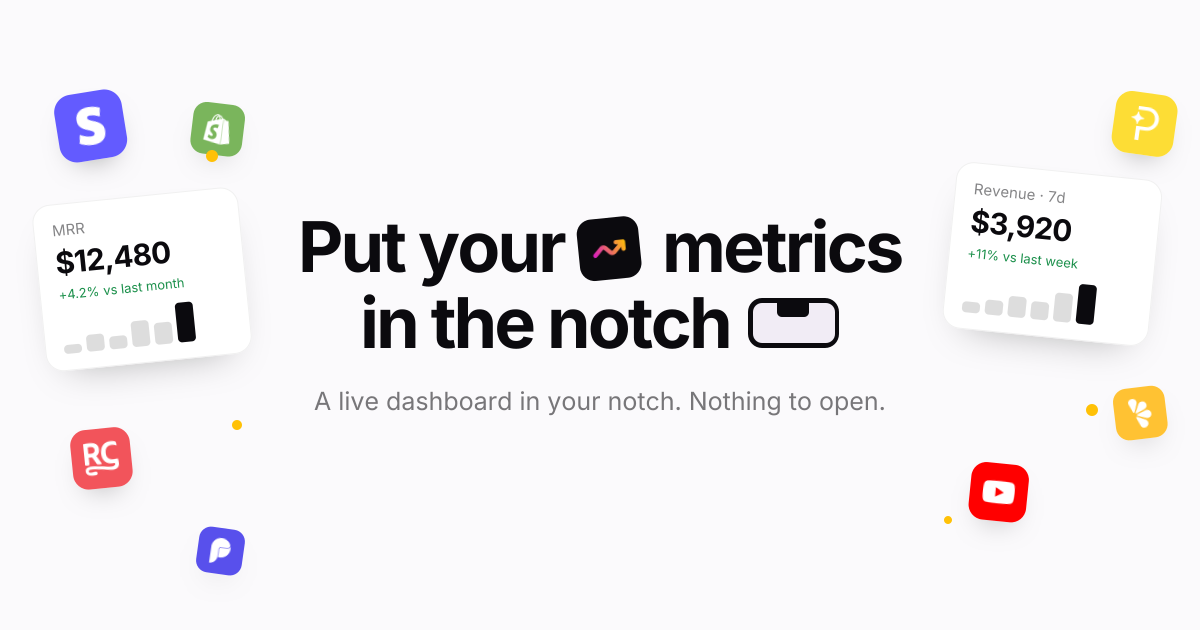
Notch Metrics is a native macOS app that puts your revenue, MRR and subscriber numbers into the MacBook notch. Instead of opening a billing dashboard or a spreadsheet, you look up at the camera housing and the figure is already there: the notch expands over whatever you are doing, shows the widgets you have arranged, and folds back when you leave. The product is built for people who run or build a software business and want the handful of numbers they check most often to sit permanently at the top of their screen: builders, founders and marketing teams who watch revenue, subscriptions and traffic through the day. Its stated purpose is simple: every number you check, in the notch. The problem it addresses is the distance between a question and an answer. Payment providers and analytics platforms each ship their own dashboard, so the numbers a founder checks most often sit behind separate logins and separate pages, and reaching them means leaving whatever you are doing. Notch Metrics takes the opposite approach and moves the figure to the one place on a MacBook that is always in view and never in the way. The site frames the payoff directly: you see who just paid without opening a dashboard, and you look up rather than navigating away. Because the notch is a physical part of the display that cannot be hidden behind another window, the number stays visible while you work in Finder, an editor, or anything else. The headline capability is every number at once. Revenue, subscriber counts and today's takings sit side by side in the expanded notch, and the app states that nine widgets can be open at a glance while the island still reads in a second. Each widget carries its own comparison: MRR shown with a +4.2% delta against last month, seven-day revenue with +11% against last week, active subscriptions with a week-over-week count. A glance therefore tells you not just the figure but the direction it is heading. Notch Metrics also shows lists, not only numbers: a recent-payments feed sits beside the headline figures, listing entries such as a Pro yearly plan or a Pro monthly plan, so the underlying events are visible alongside the totals. Widgets are arranged inside the notch itself. There are four tile sizes, from a single square up to the full width, and you drag to arrange them and resize them in place in the notch. The notch opens on hover: rest the pointer on the camera housing and it expands over whatever you are doing, and when you leave it folds back to the shape it had. Because the interaction is hover-driven, checking a number costs a fraction of a second. The app is described as quiet by default: a small native app written in Swift, with no dock icon, no window and no menu bar clutter while you work, and light on memory and on battery. Notch Metrics lists sixteen sources live. On the payments side that includes Stripe, Polar, Paddle, Dodo Payments, Lemon Squeezy, Shopify and RevenueCat; on the analytics and product side, Plausible, Google Analytics, Google Search Console, PostHog, Mixpanel and Amplitude; and alongside them GitHub, YouTube, OpenAI and Claude. Each source reports what makes sense for it: Stripe reports MRR and subscribers, Polar reports today's takings, Dodo Payments reports seven-day revenue and orders, RevenueCat reports trials and active subscriptions, GitHub reports stars and open issues. Payments, analytics and code therefore sit side by side on the same strip of glass. Connectors marked as on the way arrive without an app update, and you connect a source once on the web and every Mac you own picks it up. Provider keys are handled with unusual care for a Mac utility. A key is encrypted the moment you paste it, with a key of its own, and it stays on the server where no app on your Mac can read it. Your account, the integration and the provider are bound into the encryption, so a row copied anywhere else decrypts to nothing, and removing an integration deletes its encrypted key with it, leaving no second copy to clean up. Every plan also includes custom metrics authored by your own coding agent over MCP, which is the approach behind the product's Product Hunt tagline about using Claude Code to build analytics widgets for your notch. Under the hood the model is deliberately thin on the client. Notch Metrics' servers fetch and normalise each metric on a schedule and hand your Mac a number; the Mac receives a figure rather than a credential. That is why a subscription is per account rather than per machine: sign in on another Mac and your connections and layout are already there, with your widget arrangement synced between them. It is also why new connectors can appear without an app update, because the fetching work happens server-side. The macOS app itself is a small native Swift binary for Apple silicon, version 0.4.2, requiring macOS 14 or later, with signed and notarised updates for as long as you subscribe. The benefit the product claims is attention. The numbers you check most often are already on screen, so the check costs a glance instead of a context switch, and nothing has to be opened, closed or rearranged afterwards. Because the notch is quiet by default with no dock icon, no window and no menu bar clutter, the app adds visibility without adding desktop clutter, which is what makes it practical to leave running all day. Side-by-side placement means a founder can read revenue next to GitHub activity or traffic without reconciling two browser tabs, and the deltas attached to each widget turn a raw figure into a trend you can act on. Signing in on a second Mac restores the same connections and layout, so the view follows you between machines. The site names its audiences directly as builders, founders and marketing. A founder can keep MRR, subscriber count and a recent-payments feed in the notch and see the direction of the business each time they look up. An indie developer selling through several providers can place Stripe, Polar, Paddle, Dodo Payments and Lemon Squeezy widgets next to each other instead of visiting five dashboards. A builder can watch GitHub stars and open issues beside revenue. A marketer can keep Plausible, Google Analytics, PostHog or Google Search Console in the same strip as the money numbers. Teams that want a figure nobody ships can author a custom metric with their own coding agent over MCP. Notch Metrics is a paid macOS app with no free tier; the trial exists because each metric is fetched and normalised by the company's servers on a schedule, which costs money per account. The seven-day trial requires no card, and when it ends widgets stop updating but nothing is deleted. Monthly is $9 per month, cancel whenever; yearly is listed at $108 reduced to $49 per year, which works out at $4.08 a month billed once. Every plan includes every connector with no per-integration charge, as many widgets as fit in the notch and in list view, custom metrics over MCP, every Mac you sign in to with layout synced, and signed notarised updates while subscribed. Prices are in USD, tax may apply, and checkout and subscriptions run through Dodo Payments. It requires Apple silicon and macOS 14 or later. Notch Metrics makes a narrow promise and keeps it: put the numbers you check constantly in the one place you always look. By combining sixteen live sources, comparison deltas, payment lists, resizable widgets and hover-to-open behaviour in a quiet native Swift app with server-side encrypted keys, it turns a glance into a status check rather than a dashboard visit.
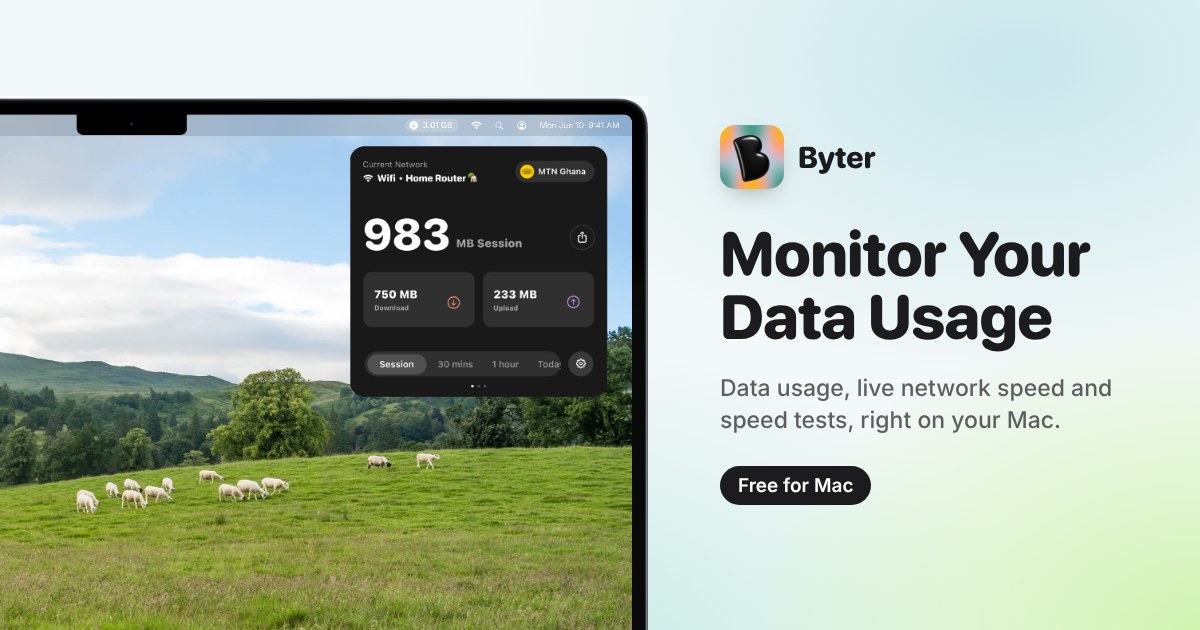
Byter is a free Mac menu bar app that measures and displays how much internet data you use, and on which connection. It runs in the macOS menu bar and keeps a separate running total for every Wi-Fi network you join, every phone hotspot you tether to, and every wired connection you plug in. The app's stated purpose is straightforward: to let you know exactly how much data you use, on every network. Alongside the usage totals, Byter shows live speed, offers a one-click speed test, and presents usage charts that range from daily to yearly. It is built for Mac users who want a clear, at-a-glance answer to how much data their machine is actually consuming, without accounts or advertising. The problem Byter addresses is that data consumption on a laptop is usually invisible and unattributed. A Mac can connect to home Wi-Fi, a work network, a coffee shop network, a phone hotspot and a wired connection, all in the same week, and the device itself does not break down how much of your usage belongs to each one. That matters most when some of those connections are metered. Byter's own framing of the problem is that it lets you know exactly what your hotspot bundle went on, which is the kind of question a single, combined usage figure cannot answer. By attributing usage to individual networks, the app turns an opaque total into something you can actually reason about, and it does so continuously in the background rather than only when you remember to check. The core of the product is separate usage tracking for every Wi-Fi network, phone hotspot and wired connection. Rather than pooling all traffic into one counter, Byter maintains an individual record per network, so the total for a hotel Wi-Fi network is kept apart from the total for a tethered phone. This is what makes the app useful in metered situations: when a hotspot has a limited allowance, the relevant number is the hotspot's own total, not the machine's lifetime traffic. The same separation applies to wired connections, so a desk setup that uses Ethernet is accounted for distinctly from wireless sessions. Each connection keeps its own figure, and the result is a per-connection picture of where data actually went. Byter also reports live speed and includes a one-click speed test. Live speed gives a continuous read on how fast the current connection is running at any given moment, while the speed test provides a deliberate check that can be triggered with a single click when you want a defined measurement rather than a running readout. The product is described as letting you see how your connection performs over time, which ties the speed information back to the same per-network structure the app uses for usage. Together, usage totals and speed readings answer two different questions about a connection: how much has been consumed, and how well it is currently performing. Having both in the same menu bar app means you do not need a separate tool to check whether a slow session is a speed problem or simply a lot of traffic. Usage history is presented in charts that span from daily to yearly views. Short ranges show what a day or a week looks like, while the longer ranges make trends visible across months, which is useful for spotting a slow, steady increase rather than a single heavy session. Byter also provides gentle alerts when usage spikes. Rather than waiting until a data allowance is exhausted, a spike alert surfaces the change in consumption as it happens, giving you the chance to see what triggered it while the session is still fresh. Charts and alerts work together: the alert tells you something changed, and the history shows the shape of that change over the selected period, from a single day out to a full year. How the product works overall is defined by two design choices that Byter states explicitly. First, it is a menu bar app, meaning the information lives in the macOS menu bar rather than in a separate window you have to open and manage; the current figure is available where you already look for system status. Second, everything stays on your device. There is no account to create, no sign-in, and no advertising. That combination means the app can be used continuously without adding a login workflow or an ad surface, and nothing about your usage needs to leave the machine to be counted. The privacy posture is not a separate add-on feature but is part of how the product is described from the outset. The benefits follow directly from those mechanics. Because usage is split per network, you can attribute consumption to the connection that caused it instead of guessing from a combined total, which is precisely the hotspot-bundle question Byter sets out to answer. Because speed is shown live and can be tested on demand, a slow connection can be identified as slow rather than merely assumed. Because charts extend to a yearly view, patterns are visible over time rather than only in the moment. Because alerts fire on spikes, unexpected consumption is flagged early. And because everything stays on the device with no account and no ads, using the app does not require handing over data or managing credentials, which keeps the overhead of monitoring close to zero. Concrete scenarios follow the same lines. Someone tethering a Mac to a phone hotspot can look at the hotspot's own usage record to see what the bundle was spent on, rather than inferring it from a carrier statement. A user on a metered or limited Wi-Fi network can keep an eye on that network's total specifically, separate from everything else the machine has done. A user who wants to know how a connection is performing can run the one-click speed test and compare it against the live speed readout. Anyone who notices an unexplained jump in consumption can use the daily-to-yearly charts to locate when it happened, prompted by the gentle spike alert, and a Mac that moves between several networks keeps each one's totals distinct. Byter is aimed at Mac users who want visibility into their data usage, particularly where connections are metered or limited. On the platform side, it requires macOS 14 Sonoma or later and runs on both Apple silicon and Intel Macs; a Windows version is described as on the way. The app is available in 11 languages. Pricing is free, described both as a free Mac menu bar app and as free for Mac, with no account, no ads and nothing stored off the device. Installation is handled through getbyter.com, where the download is offered for Mac users. Taken together, Byter's value proposition is narrow and clear: it tells you how much data you use, on every network, on a Mac. Per-network tracking makes metered connections legible, live speed and a one-click speed test make connection quality measurable, daily-to-yearly charts and spike alerts make consumption visible over time, and on-device processing with no account and no ads keeps the whole thing lightweight. For a Mac user who has ever wondered what a hotspot bundle was actually spent on, that combination is the entire point of the app.
AgentValley is a free, open-source Mac app that lives in the black notch at the top of a MacBook screen and shows every Claude Code agent at a glance. It is built only for Claude Code and only for the Mac, and the makers state it plainly: every agent, sub-agents too, gets its own row and its own little programmer, so you can see who is working, on which model, and who needs you without leaving your app. The app presents each session as a card and each sub-agent as a row under it, grouping sessions by project whichever terminal they run in. It is aimed at Mac-based developers who run Claude Code and want a single, always-visible place to watch their agents work. The problem it addresses is spelled out on the site: each agent reports in its own terminal, line by line, and running a few sessions at once means you end up switching windows just to check on them. Because Claude Code conversations live in separate terminal windows or tabs, a question or a permission prompt can sit unanswered for a long time. The site illustrates this with a comic about an agent that asks to run npm install a minute after a developer leaves for lunch and then waits the whole hour for an answer, and another strip about an Explore agent that needed 214 tool uses to find a file in the very folder that was already open. AgentValley exists to surface that state, who is working, which model they are on, and who is waiting for you, without hunting through windows. Every agent gets a row. In the panel, a Claude Code session becomes a card, and the sub-agents a session starts get rows underneath it. Each row shows the task, the model doing the work and the latest step, for example Read index.tsx or Grep PaymentIntent, and sub-agent rows count their steps too. Sessions appear in one list grouped by project, whichever terminal they run in, and worktrees count as their project. The app deliberately avoids guessed progress bars: if an agent has written nothing for two minutes it is marked quiet, because it may be waiting for you in its terminal or stuck. Each agent is also given a pixel-art mascot drawn from the early days of computing; one of the crew runs your session and phones the others for help, and each project gets a regular, the same one of the crew, every session. Know the moment one needs you. When an agent asks a question or waits for permission, a red count appears beside the notch, and opening the panel lets you read the question or the command. From there you can jump to its app in one click: with Go to the session's tab enabled, Terminal and iTerm2 open the exact tab, and Ghostty does too unless two sessions run in the same folder. With a plugin that you install yourself, you can answer Claude Code from the notch with Allow once or Deny, and the app never answers for you, because Allow happens only when you choose it. Sounds are on from the start: whoever runs the session plays a few notes on their own instrument and says what it needs, a command, an edit, a question or a plan, and a plain chime is available in Settings, along with a single switch that turns sound off. See what each project cost. History opens from the chart button at the top of the panel; you pick a day, a week or a month and can go back to any earlier one, choosing a day for its hours or a project for its sessions. Costs are calculated at API prices, which the glossary defines as what Anthropic charges for each token used without a Claude plan, and the record is kept on your Mac even after Claude Code clears its own old files. The sample history shown on the site breaks a month down by model, Opus, Sonnet and Haiku, and by project, and separates a session's own main agent from its sub-agents so you can see where the spend went. Hand the month over as a PDF. Export PDF writes a statement of work: every project for you, or one project for your team or a client. The report repeats the totals at API prices, draws a bar for each day, and records who did the work and what each model cost. Also in the panel are plan limits, your Claude 5-hour and weekly limits with the time left until reset, off until you turn it on, and token use for the last 5 hours and today with a 12-hour chart. A keyboard shortcut, Ctrl-Option-Command-A, opens the panel from any app; arrows pick and Return jumps. The crew shows up in your terminal too. Claude Code's status line gets the face of whoever runs the session, along with the model, your plan and your limits, and each sub-agent row under the prompt gets its own face, its model and the step it is on. In the terminal the characters hold still: until your first prompt only a coffee waits on standby, and when a limit runs out they go fishing, or take the van for the weekly one. One command from the app's settings sets this up, and with the app closed your limits still show. The crew travels as a font and has been seen in Terminal, iTerm2, Ghostty and Cursor. How it works: it reads, it doesn't touch. AgentValley reads ~/.claude/projects and ~/.claude/sessions, the files Claude Code writes as it works, and looks at Claude Code's processes and each project's .git to show which app and branch a session is in. It reads your Claude Code login from the Keychain only when you turn on Plan limits, and sends it only to api.anthropic.com. It asks GitHub once a day whether there is a new version, and that check can be turned off in Settings. Besides its own settings and updates, it writes only inside ~/Library/Application Support/AgentValley, and nothing in ~/.claude changes unless you put the crew in your terminal. You start that yourself with a command from the app's settings, which sets the status line in ~/.claude/settings.json and adds the font to ~/Library/Fonts, adding one line to Ghostty's config if you use Ghostty; the command that takes the crew out undoes all of it. The only hooks are the plugin's two, and you install the plugin yourself. The outcome is fewer context switches and fewer stalled agents. Instead of cycling through terminal windows to see how things are going, you glance at the notch: working agents show their task, model and latest step, quiet agents are called out, and anything waiting on you raises a red count that you can act on from the panel. Because sub-agents get their own rows, long searches and plans stay visible while they run rather than appearing as silence. Because costs are recorded at API prices on your own machine, you keep a durable record of what each project consumed, even after Claude Code has cleared its own files. Workflows described on the site include running several Claude Code sessions at once across projects such as a web shop, an API, a mobile app and docs, each with its own card; stepping away from the keyboard and being called back by a sound when an agent needs a command, an edit, a question or a plan; answering a permission prompt with Allow once or Deny straight from the notch and then jumping to the exact terminal tab; checking a month of spend by model and by project; and exporting a statement of work for a client or for a team. AgentValley is free and open source, with the code public on GitHub. It needs macOS 15 or later and Claude Code, and it is made for MacBooks with a notch. The download is a DMG, and it can also be installed with Homebrew using the cask morsechimwai/tap/agent-valley. The app is signed and checked by Apple. The site also publishes The Valley Funnies, free comics about working with Claude Code, and asks for sponsorship of the crew. In short, AgentValley turns the MacBook notch into a status board for Claude Code: every agent and sub-agent in one place, with the model, the current step and a clear signal when one of them needs you, plus a local history of what the work cost. It is free, open source and read-only by design, so the main thing it changes is how quickly you notice.
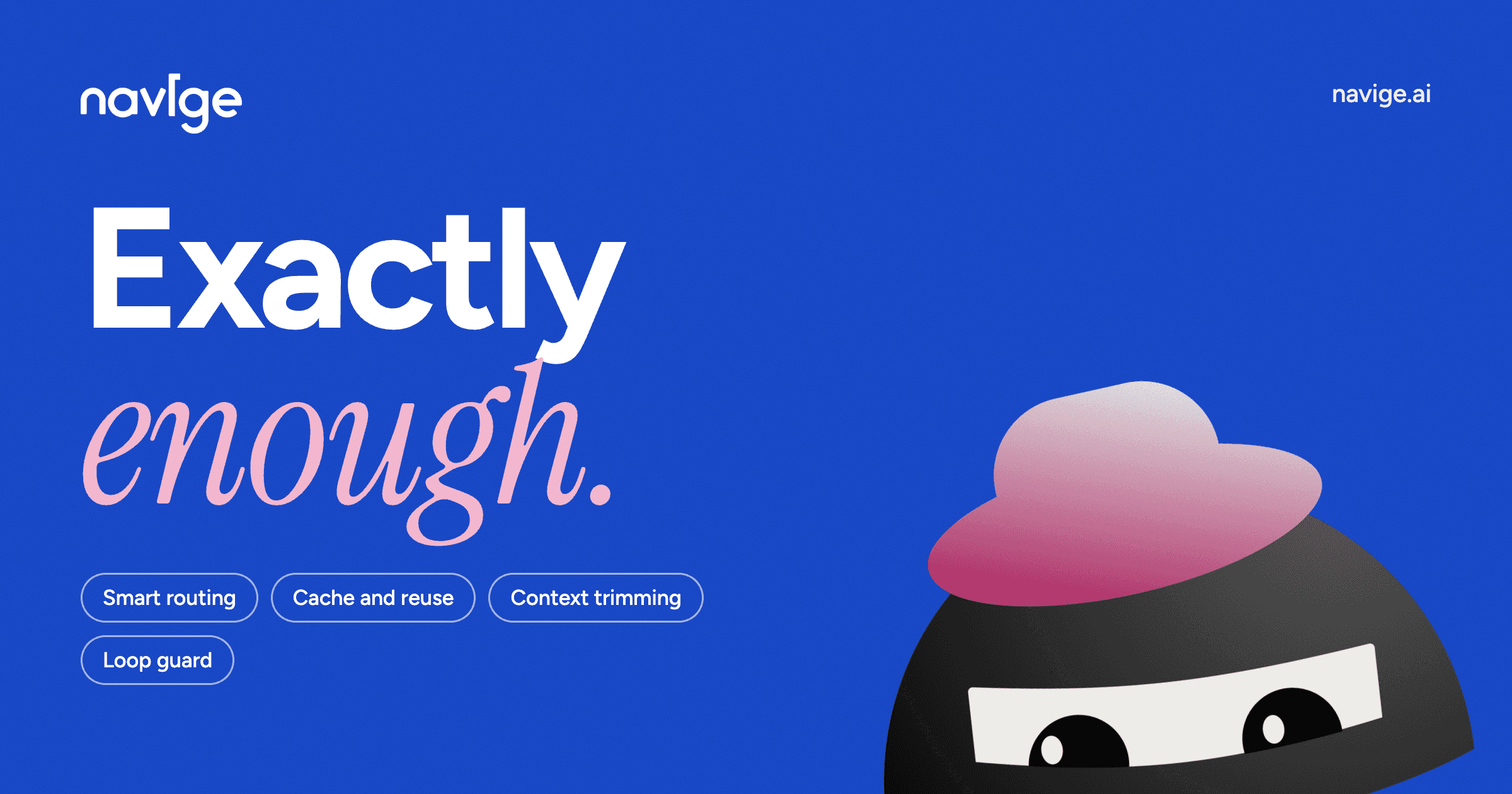
Navige is a cost-control layer for AI agents that sits between your agents and everything they pay for. On one side are the agents themselves and the tools and frameworks they run on; on the other side are the models and metered services those agents call. Navige plugs into both and routes every call through one governed layer so that, in the company's words, every run gets cheaper and faster, with the same result. The product is built for teams that run AI agents in production and want to manage programmatic AI spend — the money spent on models, agent traffic and metered AI tools — rather than only reviewing it after the fact. Most cost tooling for AI agents works backwards. As Navige puts it, everyone else shows you what the run cost after it has run; Navige changes the step before it runs. The company frames the underlying problem as a set of familiar failure patterns: runs that never finish, where agents keep running without producing an output; big model, small task, where a step is answered by a larger model than its outcome required; chasing, not remembering, where the same work is redone instead of reused; one budget, many agents, where spend is not governed centrally; and misread, then paid for, where an error is only discovered after the call has been billed. The stated consequence is that the bill is decided before the dashboard sees it — by the time cost reporting catches up, the money has already been spent. Navige lightens every run in four stated ways. The first is cache and reuse, described as never pay twice: when a verified answer is still valid, Navige reuses it instead of paying for another model or tool call. The second is context trimming and tool payload capping, described as only pay for what's used: oversized tool results are limited and accumulated history is trimmed before the next request is sent to the model. Together these two controls target both halves of token spend — the context a model is asked to read and the output it is asked to produce — by removing repeated work and excess context rather than by degrading the answer. The third control is a loop and failure guard, described as stopping runaway jobs: repeated failures are blocked before another call adds to the bill, which addresses the 'runs that never finish' pattern directly. The fourth is smart routing, described as the right model, once it's earned: Navige chooses the model based on the task complexity. Routing is deliberately conservative — if Navige is unsure, it keeps your chosen model — so the substitution only happens where the system is confident the outcome will hold. Governance is built into the same layer. Users can set budgets, catch runaway loops and approve sensitive actions. Tool calls are checked against your rules before they run, not flagged afterwards, which means the guardrail acts at the moment of decision rather than in a post-hoc report. Costs and savings are visible by job, with estimates clearly labelled so that projected figures are never confused with measured ones. Changes can be previewed before the controls are switched on, so teams can see what a policy would do before it takes effect. The Watchtower tier is described as free forever. Architecturally, Navige is a middle layer rather than a replacement. Your agents, frameworks, keys and providers stay exactly as they are; you change one line of config and both ends are plugged in once. On the tools and frameworks side this covers LangChain, LangGraph, CrewAI, OpenAI Agents, MCP and Agentforce. On the models side it covers Anthropic, OpenAI, Google, AWS Bedrock, Mistral and Meta Llama, with the site summarising it as 'Claude, GPT, Gemini or Bedrock. One line of config, any framework.' Because the layer sits in the path of every call, the bill is influenced as work runs rather than reconstructed afterwards. Navige calls this approach Sufficiency Intelligence: 'Sufficiency isn't about using less AI. It's about using exactly enough.' That framing matters because the product is explicitly not a discount: it does not propose a cheaper answer to the same question, it proposes the same answer reached at the level it needed, and where a step needs a frontier model, sufficiency keeps it there. The promised outcome is straightforward: the same result with smaller bills, plus faster runs. Because the four controls act before a call is made, savings arrive during the run instead of appearing as a retrospective insight. Because routing defers to your chosen model when it is unsure, and because measurement checks results as well as cost, the spend-versus-quality trade-off is handled explicitly: a step that got cheaper and started being wrong is reported as a failure, never as an opportunity taken. Users also gain visibility — cost and savings broken out by job, with estimates labelled — and control, through budgets, approvals and rules that are enforced before execution. The most direct use case is repetitive agent work: the same conclusion reached the same way many times, where a verified answer can be reused rather than recomputed. Navige's own calculator treats repetitive work as carrying the most opportunity and complex work the least. A second scenario is the multi-agent environment, where several agents touch the same work and share one budget; a governed layer makes that budget observable and enforceable. A third is agents that use premium models by default or send large prompts and context, where smart routing and context trimming apply. A fourth is agents that make paid tool, search or data API calls, where a still-valid held answer can replace another paid call. Before committing, teams can run the sufficiency calculator, which asks for monthly programmatic AI spend and the kind of work involved and returns an estimated opportunity range broken into overspecified intelligence, repeated or unnecessary execution, excess context and output, and tools and APIs. Once connected, Navige leaves a slice of your jobs running untouched and compares the two so the difference is observed rather than assumed. The documented workflow is 'Plug in your agents. Switch on when you trust.' Navige's stated audience is teams running AI agents at scale: the site reports 51+ agents connected and $9K+ in AI spend managed, priced to the millionth of a dollar and updated live, with tool calls governed against rules before they run. The supported integration surface spans agent frameworks and orchestration tools — LangChain, LangGraph, CrewAI, OpenAI Agents, MCP and Agentforce — and model providers — Anthropic, OpenAI, Google, AWS Bedrock, Mistral and Meta Llama. Teams that do not see their platform are invited to say so. On pricing, the Watchtower tier is described as free forever, with dedicated pricing and enterprise pages for the other options; the site also notes that the spend figure entered into the calculator covers models, agent traffic and metered AI tools while excluding employee seat licences. The takeaway is that Navige treats AI agent cost as something to be governed during execution rather than audited afterwards. By sitting between agents and the models and tools they pay for, and by applying caching, context trimming, loop guards and smart routing under user-defined budgets and approvals, it aims to deliver the same output at a lower bill — using exactly enough intelligence for each step.
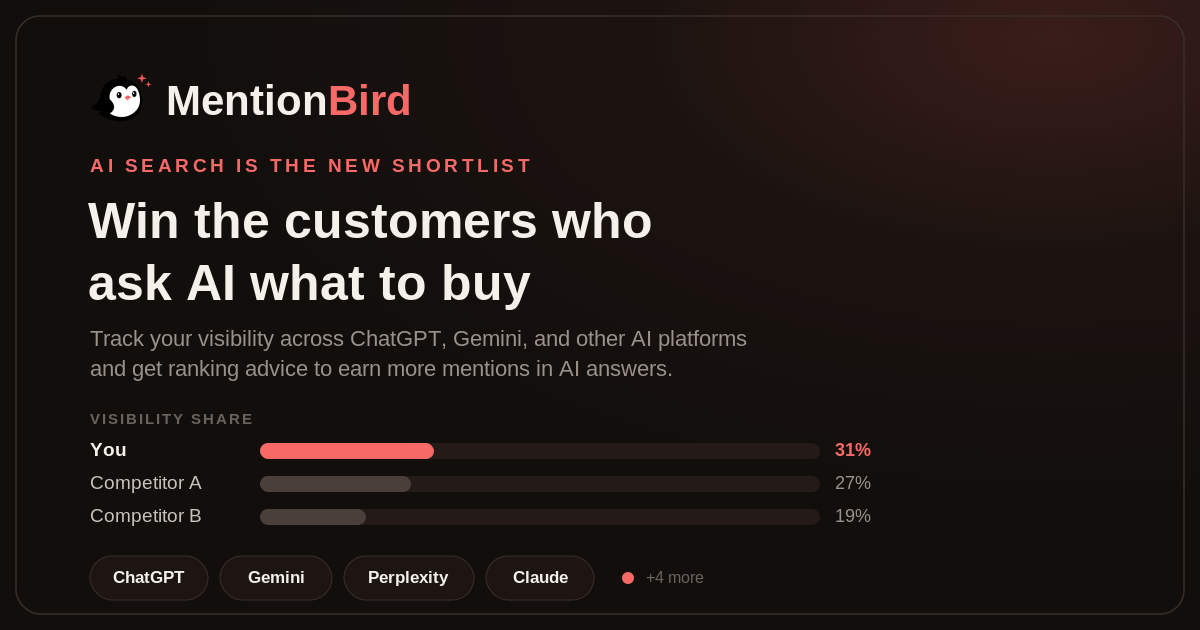
MentionBird is an AI visibility platform that tracks what AI assistants say when buyers ask them what to buy. It monitors the prompts that matter to a business across ChatGPT, Perplexity, Gemini, and Claude, as well as Google AI Overviews, Grok, Microsoft Copilot, and DeepSeek, and shows which sources each model cites when it answers. From there, MentionBird produces a per-prompt plan to get a brand into those sources. The product is aimed at marketing and SEO teams, founders, e-commerce stores, SaaS companies, and agencies that want their brand to be named in AI answers rather than only ranked in Google. The problem MentionBird addresses is that the shortlist for a purchase now forms inside the AI answer. Buyers no longer start with ten blue links; they ask AI, get two or three brand names, and shop from that list. If AI does not say your name, you were never in the running, and you would never know it. MentionBird's own launch story makes the point bluntly: the team took the top three Product Hunt launches and asked ChatGPT, Gemini and Claude the exact questions their buyers ask, such as 'Best browser for Claude Code?' and 'How do I track agent run costs?'. The result was nine answers and zero mentions, which means AI sent those buyers elsewhere. AI search pulls from pages it trusts, including listicles, Reddit threads, comparisons and YouTube videos, and if a brand is not there, it is not in the answer. Tracking the right prompts is the starting point. Users add the questions buyers actually ask, such as 'Best running shoes for daily use', 'Best marathon shoes for men', 'Best running shoes for flat feet' and 'Most comfortable shoes for long runs', and MentionBird keeps them in one workspace as prompts ready to track. The product guidance is to start with the prompts customers might use when searching for products or services like yours, which for most brands means tracking 20 to 50 real questions. A focused set of pre-purchase questions is described as more valuable than hundreds of broad prompts, and users can add, label or regroup prompts at any time as they learn what matters. Once prompts are tracked, MentionBird shows exactly which sources AI cites for each one. For a tracked prompt, the interface lists the sources AI checks and marks each as cited or not cited, covering domains such as runnersworld.com, runrepeat.com, YouTube shoe reviews and zappos.com listings, or verywellfit.com, rei.com expert advice, YouTube channels and fleetfeet.com. This matters because every prompt has its own set of sources: AI answers are built from a small set of pages, reviews and videos that the model trusts for that specific question. Sources decide the shortlist, so getting into them means getting recommended, while staying out means your competitor takes the customer. Seeing per-prompt citation status turns an opaque AI answer into a concrete list of places where a brand must earn a mention. AI Ranking Advice converts that list into work. Choose any tracked prompt, or customer question, and MentionBird reviews the answers, the named brands and the cited sources, then recommends practical steps while showing the effort required for each one. Advice is rated by impact and effort, for example 'Get featured in trusted running shoe roundups' marked medium effort and high impact because it targets the most-cited sources, 'Publish a guide to daily running shoes' marked medium effort to answer the questions buyers ask before choosing, and 'Add fit and durability details to product pages' marked low effort to give AI clearer product facts to quote. Recommendations may include better product pages, clearer product details, comparison guides, videos, or mentions from trusted websites. MentionBird also proves whether the plan is working. Every plan a team executes shows up in the numbers through daily checks across the supported AI platforms, with AI visibility data checked and updated once every 24 hours. Tracking is prompt by prompt: cited, not cited, or no brand named yet, and that gap is yours to take. It reports share of AI recommendations against each competitor week over week, and every score change is traced back to the exact prompt, model or citation that caused it. Example reporting shows brands such as Nike at 31 percent visibility share and up four points, Adidas at 27 percent and unchanged, Puma at 19 percent and down three points, and New Balance at 12 percent and up one point. The methodology is deliberately action-oriented. Other tools chart AI mentions and tell you when you dropped, leaving the 'now what?' to you; MentionBird is built around the question of what to do to get mentioned for a specific prompt. Its three steps are: pick the prompts that bring you customers, track exactly which sources AI cites for each one, and get ranking advice to win those sources. Setup requires no code, plugins or tracking tags: users add their brand, prompts and competitors, and MentionBird then checks AI answers without making any changes to the website, with setup taking only a few minutes. Unlike SEO rank trackers that report a webpage's position in Google search results for keywords, MentionBird tracks brand mentions across AI answers and the sources behind them. The payoff is visibility that turns into consideration. Because AI answers influence sales by shaping which brands buyers consider, and a buyer may visit only the brands included in the answer, appearing in those answers is directly relevant to revenue. If a brand is missing, a competitor may reach that buyer first. MentionBird's customers report discovering that they win category questions but lose comparison questions, that they were invisible on the exact questions engineering buyers ask about automating environment provisioning, and that AI was recommending an ATS to every buyer who asked while never naming theirs. One customer reports being in 83 percent of 'alternatives to the category leader' answers after MentionBird found the gap and told them exactly what to fix first. Another notes that having 3,300+ reviews was not enough while AI still failed to recommend them. Concrete use cases include e-commerce and retail brands competing on product-category prompts, such as running shoes or apparel, where being cited in trusted roundups, review sites and YouTube reviews determines whether AI names the brand. Software companies use it to find the questions where they are invisible among engineering or business buyers and then publish content that answers them. Agencies manage several clients in one workspace, while marketing and SEO teams track their brands and products and compare their visibility with competitors. Mentions of AI ranking advice also point to comparison guides and clearer product pages as fixes. Beyond those, MentionBird states it supports e-commerce stores, software companies, healthcare providers, law firms, financial services, real estate, travel and education, as well as home services, automotive companies and local businesses, meaning any business whose customers research online. MentionBird is designed for teams whose buyers ask AI what to buy, including marketing and SEO teams, founders, and agencies. Competitors can be added so a brand's AI mentions can be compared with theirs, and businesses managing several brands or product lines can keep them in one workspace, using tags to organize prompts by brand, product or project. Subscription plans can be changed at any time, with upgrades applying immediately and downgrades beginning with the next billing period, while saved prompts, labels and past data remain available. During the Product Hunt launch, code PH19 gives Starter at $19/mo for three months, and a free AI visibility report is available to start. MentionBird's core proposition is simple: AI search is the new shortlist. MentionBird shows which sources AI trusts for the prompts that drive sales, why competitors get recommended, and what to fix to win the mention, then proves the plan worked with daily tracking. For brands that suspect AI is sending their buyers elsewhere, it replaces guesswork with a prompt-by-prompt picture of the gap and a ranked set of actions to close it.
Kudos is a free financial companion that streamlines your purchases and returns the value back to you. It is built around a simple promise: set up once and earn forever. The product pairs the Kudos app with a free browser extension so that, wherever you shop, Kudos automatically maximizes your card offers and benefits, lowers your bills, and keeps finding new ways to save. According to the website, Kudos works at more than 2 million stores and supports more than 3,000 credit cards. It is used by 500,000+ members who want to take control of their finances today, and it holds a 4.8 star rating across 10,000+ reviews. Most money apps show you charts. Kudos does the work instead. The problem the product targets is that value embedded in your wallet routinely goes unclaimed: most people don't know their cards come with personalized offers they have to turn on by hand, benefits expire before they are used, bills quietly creep upward, and forgotten subscriptions keep charging month after month. Kudos states that its AI finds money you're missing and gets it back — activating card offers that are worth roughly $800 a year in early testing, calling providers to lower your bills at about $216 a year per negotiation, and cancelling subscriptions you forgot at around $247 a year each. You keep 100% of the savings. One testimonial describes the AI calling a cellphone company within 12 hours of subscribing and reducing a bill from $420 to $315 a month with no plan changes. The first feature group centers on card-linked offers and earning at checkout. Visit your issuer portal — Amex, Chase, BofA, Wells Fargo, Citi — with Kudos installed, and it automatically activates hundreds of offers across all your cards with no manual clicking required. Kudos auto-activates every offer worth $750+ a year and reminds you when to use them. The free browser extension then stacks rewards, benefits, and offers automatically: it picks the best card, autofills card details, applies offers, and stacks cash back at checkout. Because the offers are activated in the background and surfaced when you shop, members report that they actually use them instead of forgetting, earning cash back on purchases they were already making. The second group is benefits tracking and card guidance. Kudos tracks every benefit across all your cards and makes sure you use them before they expire, which the site frames as taking back +$3,000 in missed benefits every year. For in-store shopping, the Cheatsheet shows the best card to use based on your location, so you never miss a reward. Personalized card discovery tools include Dream Wallet, Card Explore, Test Drive, and Approval Odds, and a Test Drive feature helps members select the right card for their setup. Kudos also analyzes your transaction history and proactively finds personalized ways to earn more rewards and save money, so you understand your spending and get more from every purchase. The third group is the AI concierge and conversational layer. Kudos AI connects the dots across your cards, bills, and spending to answer questions, uncover hidden opportunities, and take action to save you money — you can ask your wallet anything. On the bills side, Kudos AI cancels unused subscriptions, negotiates your bills, and handles the calls to save you money in minutes. For recurring subscriptions, Kudos automatically detects them across all your connected cards and helps you decide what is worth keeping; Premium members can tap "Cancel for Me" and Kudos handles the entire cancellation process — phone calls, live chat, emails — while you get real-time status updates until it is done. By comparison, the site notes that Rocket Money takes up to 10 days and up to 50% of savings, while Kudos takes no cut. Kudos follows a four-step flow the website lays out as Activate, Connect, Automate, and Earn & Save. First you download Kudos and securely connect your cards. Next, Kudos learns how you spend in order to find ways for you to earn and save. Then it automates the work — activating offers, negotiating bills, and using the best card. Finally, you watch your savings pile up and keep more of what you earn. The learning step is what makes the automation personal: because Kudos understands your card mix and your transaction history, the recommendations it surfaces at checkout and the actions it takes on your behalf are tailored to your spending rather than generic advice. The outcomes the site reports are concrete. The average member earns over $3,000 per year with Kudos Premium, and on average Premium members earn an additional $754/year and save $324/year. A member dashboard shows one number for everything Kudos has earned or saved you, along with your wins and your next best money move. Members describe the product as surfacing useful actions instead of just charts, saving them time and helping them earn and save without constant checking — a personal finance experience without the busywork. Concrete workflows include online checkout, where the extension picks the best card, autofills details, applies activated offers, and stacks cash back; in-store shopping, where the Cheatsheet tells you which card to use based on your location; a benefits review, where Kudos tracks credits across your cards and reminds you before they expire; subscription cleanup, where Kudos detects recurring charges and cancels the ones you don't want; bill negotiation, where the AI calls providers such as a cellphone company on your behalf; and card selection, where Test Drive and Approval Odds help you decide whether a particular card fits your setup. Kudos is aimed at people who have multiple credit cards, or who aren't sure which card fits their setup, and at anyone who wants to stop leaving money on the table without doing manual work. The product integrates with Plaid for secure account connections and supports offers from Amex, Chase, BofA, Wells Fargo, and Citi, plus Boost Cash Back at 15,000 partner stores. Security is presented prominently: Plaid connection with user control over what is shared, Zero-Knowledge Architecture so sensitive data is encrypted on your device and invisible to anyone, SOC 2 (Type 1) compliance from independent audits, and 256-bit bank-level encryption. Pricing includes a free tier plus Premium options — a VIP Lifetime access plan at $190 total ($240 total list, with a $50 limited-time promotion) and a yearly subscription at $141.99 yearly. Premium includes an Automated Benefits Tracker, AI negotiations to lower bills, auto-activate card-linked offers, 2 years of transaction history and dashboards, a 500 Boost welcome bonus (lifetime only), earning 1.25x more Boost at 15,000 partner stores, welcome bonus tracking with smart reminders, and early access to new autopilot features. Lifetime access covers one account for the lifetime of the product. The takeaway is simple: Kudos turns a passive wallet into an active one. Instead of asking you to study charts, it activates your card offers automatically, keeps your benefits from expiring, negotiates your bills, cancels what you no longer want, and tells you the best card to use — set up once, put your wallet to work forever, and keep 100% of what it saves you.
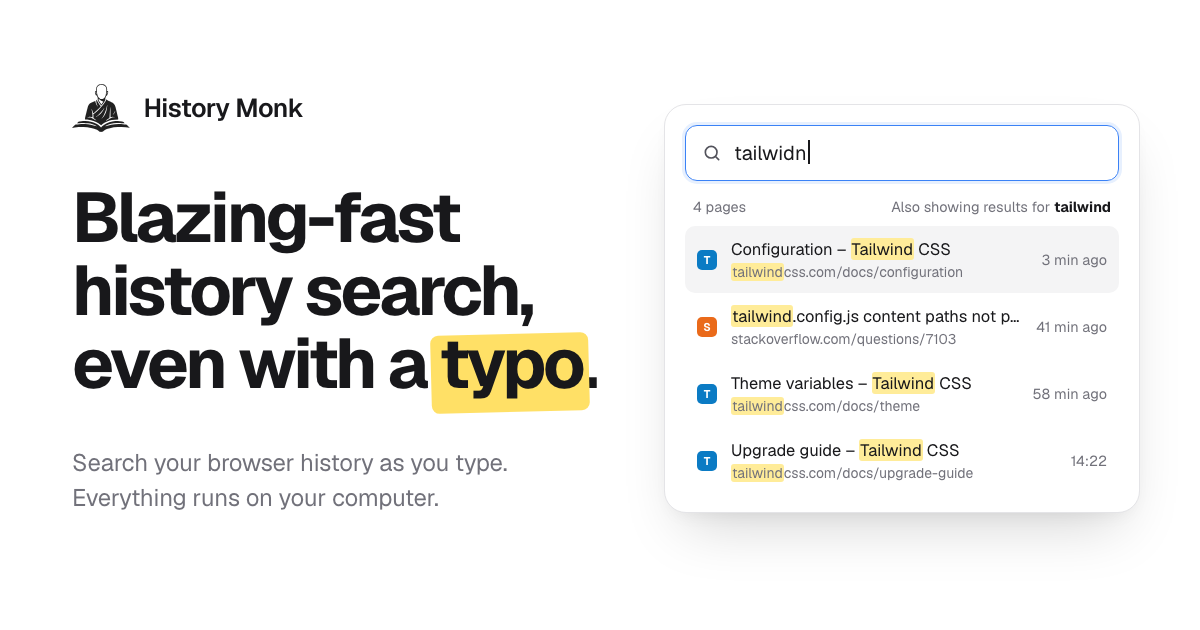
History Monk is a browser extension that replaces your browser's built-in history page with a fully searchable one. Instead of scrolling through days of visits, you type a few letters and the page you want shows up as you type — even with a typo. It works in Chrome, Edge and Opera, where it takes over the built-in history page so the History menu and its shortcut open History Monk, and in Firefox 140 and later, where you open your browsing history from the toolbar button or with Alt+Shift+H. It is made for anyone who spends the day in a browser and needs to find, reopen, export or clear out pages they have visited, and the whole thing runs on your own computer. Browser history pages were designed to record visits, not to help you find them again. They show a long chronological list with a single search box that only matches exact strings, so a half-remembered title or a misspelled word returns nothing useful. At the same time, the history fills up with search result pages, sign-in screens, duplicate URLs and links you clicked once and never needed again. History Monk addresses both sides of that problem: fast, forgiving search across everything you have visited, and a set of cleanup tools that sort the junk into groups you can review and remove. Because everything happens locally, tidying up your history does not mean handing your browsing data to a third party. Search is the centre of the product. History Monk is ready to search 80 milliseconds after it opens, and results update with every letter you press — no Enter key, no waiting for a page to load. It is built to stay fast on large archives, with the page citing 100,000 pages searched with no lag. Typo correction works against the words in your own browsing history, so typing “plannig” still finds the planning doc. When a word is not enough, 11+ power filters let you narrow things down: require two words in any order (“tailwind config”), match an exact phrase in quotes (“release notes”), restrict to one site with site:github.com, exclude one with -site:youtube.com, match the page title with title:invoice or the address with url:/pull/, and combine several of them in a single query. Date and time filters such as after:yesterday, a specific date like 2026-08-01 and before:17:30 limit results to a window, visits:>10 finds pages you opened more than ten times, a regular expression such as /issues\/\d+/ can be mixed with anything above, and sort:new orders results by best match, newest or most visited. A selected: filter can show only the rows you have ticked. Recently closed keeps every tab and window you close, newest first, so the last tab you closed sits on top and can be reopened with one click. The same list is searchable: type a word and only matching closed tabs stay. In Chrome, the Devices view lists the tabs open on your other signed-in computers and phones, grouped by device with the time each tab was last used, and you can search across all of them and open a page on the machine you are using. It uses the Chrome sync account you already have, with no extra account, and the product notes that Firefox does not share other devices' tabs with extensions. A third view, By group, keeps a search together with the pages you opened from it, one card per search — Google, Bing, DuckDuckGo, YouTube and dozens more are recognised with no setup. From a card you can reopen every page in a new tab group or delete the search and its pages in two clicks, while pages you also visited at other times stay. Sites turns cleanup into a bulk operation. You tick the sites you want gone — shift-click to select a range, Ctrl+A to tick every site — and delete every page from them, including older visits that are not visible on screen. You can also right-click any page or link and choose “Delete all history of this site”. Deleting a site always asks first, and sites on your protected list can never be removed. Export takes what you filtered and writes it out: search or filter first, then export just those results or a whole Cleanup group as CSV for Excel and Google Sheets, JSON ready for your own scripts, or an HTML page you can search and sort offline. Every file uses the same five columns — title, URL, site, last visited and visit count — and is created in your browser and saved to Downloads, with nothing uploaded. Cleanup itself sorts your history into 24 groups of likely junk, covering search result pages, duplicate pages that differ only by tracking parameters or a fragment, sign-in and OAuth callback pages, shortened links, links with tracking parameters, pages visited once and never again, untitled or failed pages, social feeds and video, AI chat conversations, meeting and call links, preview and staging sites, cart and checkout pages and more. You see every page in a group before anything is deleted, every delete waits for a second click to confirm, protected sites are never touched, and there are one-click deletes for the last hour, day or week. Timeline lays your browsing history out one day at a time, newest first, with a new session starting after 30 minutes of quiet and the gap showing how long you were away. Analytics shows how you really browse: a weekday-by-hour heatmap of your history, a focus score, streaks, rising and fading sites, and the terms you search for most — and clicking any cell opens those pages. The weekly digest condenses the last seven days into one card with pages, top sites, your busiest hour and late-night share, which you can copy as an image or text. Keyboard users can open History Monk from any tab with Alt+Shift+H, jump to search with /, move with the arrow keys, open with Enter and open in the background with Ctrl+Enter. The interface can be made your own with 28 themes taken from official palettes — Nord, Dracula, Catppuccin, Solarized, Rosé Pine and 23 more — plus 8 languages (English, Español, Français, Deutsch, Português, 日本語, 简体中文 and हिन्दी), a 12- or 24-hour clock, date order, row density and text size. Under the hood, History Monk reads your browsing history through the browser's history API and searches it inside the extension page, so search, Analytics and Cleanup all run locally. There is no account to sign up for and no third-party trackers or analytics. In Chrome and Edge, site icons come from the browser's icon cache, so showing results makes no web requests, and the only network requests the extension makes are to verify a license key and to look up the current price. It has no content scripts, so it never runs inside the pages you visit and only does work while its history page is open. Two settings-like features give you control over what appears: hidden sites stay out of search, Sites, Analytics and Cleanup without the underlying history being touched, while protected sites stay in your browsing history and cannot be deleted from any view. The practical payoff is time. A page you half-remember turns into a few keystrokes instead of a scroll through days of visits, and a typo no longer costs you a second attempt. Closing a tab by mistake becomes one click rather than a hunt. Research that started on a phone can be picked up on a laptop through the Devices view. Instead of manually picking through thousands of entries, you review a cleanup group, confirm, and remove hundreds of junk pages at once — and you can still export exactly the pages you filtered before you clear anything. Because everything stays on your machine, tidying up does not trade privacy for convenience. Typical workflows come straight from the product's own examples. You remember the Lisbon flight you looked at yesterday, type a few letters and it appears. You searched for cheap flights to Lisbon and opened three results; the By group card lets you open those pages again in a new tab group or delete the search and its pages together. You are shopping for a surprise and want a single site's history gone, so you tick it in Sites or right-click and choose to delete all history of that site. You have been researching Tailwind grid gap and want to see where the time went, so you open Timeline or the Analytics heatmap and click a cell to reopen those pages. You want a record of the GitHub pull requests you read this week, so you filter with site:github.com and export CSV, JSON or HTML. Or you simply want the junk gone: you open Cleanup, look through the search result, duplicate and sign-in groups, and clear them out. History Monk is aimed at people who treat the browser as their workspace: developers and designers moving between documentation, repositories and design files, researchers running many searches in a sitting, and anyone who wants a private, searchable record of where they have been. It is available for Chrome, Edge and Opera — where it replaces the built-in history page — and for Firefox 140 and later, and in Chrome it can also show tabs from other devices signed in to the same sync account. It is free for 7 days with no account; when the trial ends it keeps working for 3 opens a day, and a license removes that limit and enables deleting from Cleanup. The extension's only outbound requests are to verify a license key and to look up the current price. History Monk takes the browser's weakest tool — the history page — and rebuilds it around search you can trust, filters that narrow fast, one-click recovery of closed tabs, bulk deletion by site, exports in three formats, and a cleanup system that never deletes without showing you what is going. All of it runs on your computer, which is the point: the wise search once, and History Monk remembers the rest.
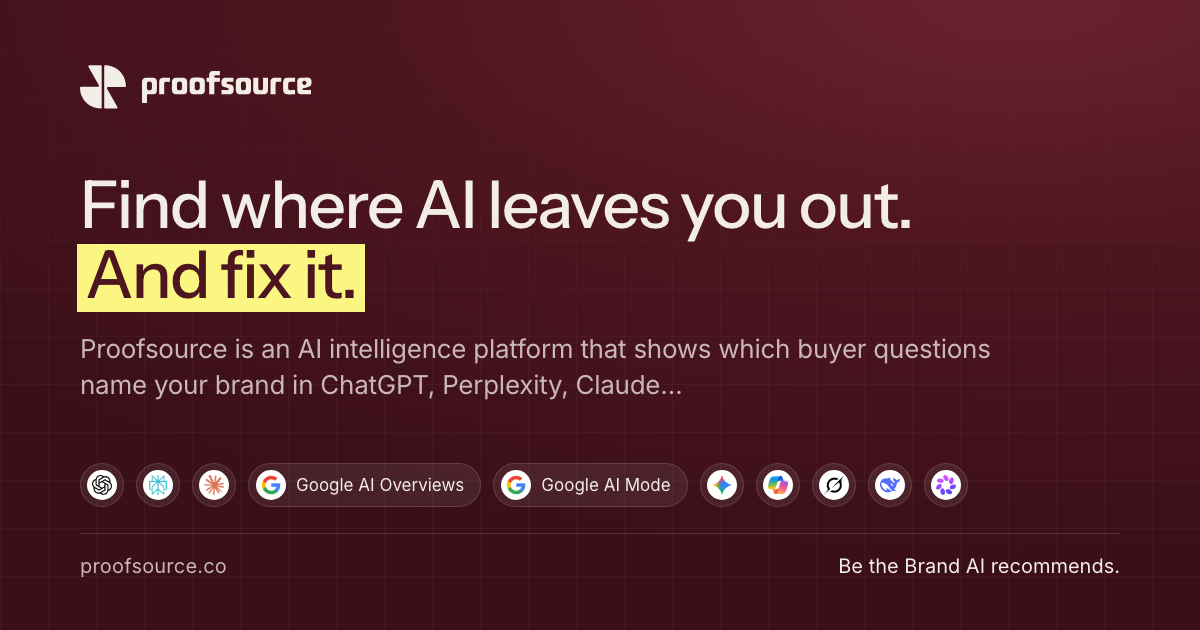
Proofsource is an AI intelligence platform that shows whether ChatGPT, Perplexity, Claude and Google AI Overviews name your brand when buyers ask category questions, who those engines name instead, which sources they cite, and what to fix. It is built for the teams that own the shortlist: growth and brand leaders, writers and search teams, agencies running many brands, and founders or small businesses. Its stated purpose is simple and direct — be the brand AI recommends. Rather than measuring blue links or ranking positions on a search results page, Proofsource measures the answer itself: whether your brand appears inside it, where it appears, and which other brands appear alongside it. Buyers now ask AI for a shortlist. An answer engine names three to five brands and moves on. If your brand is not one of them, there is no second page to rank on and no click to measure, so the loss is invisible in conventional reporting. Proofsource says most brands never see this shortlist. Its own measurement illustrates how contested the space is: across 947 citations, four engines and a scan dated 4 October 2026, 43.5% of the sources AI cited for category questions were comparison pages — listicles, alternatives and versus pages. In the same research, 387 different websites were cited across just 80 answers, meaning a brand's own site is one voice among hundreds. A separate finding reported on the site states that only 1 of 4 engines described a brand-new company correctly, with the other three answering from what they already believed. New research highlighted on the homepage notes that 0.8% of AI citations point to the brand's own website. The first feature group is visibility measurement. Proofsource asks each engine the questions your buyers ask and records whether you are named, in what position, and next to whom. It reports mention rate, share of voice and average position per engine, and every number carries a 95% confidence range, described in the product as a 95% Wilson interval, so a bad day never looks like a trend. Answers are kept in full, both as text and as a screenshot, so the evidence behind a number can be revisited. In the Tesla example shown on the site, 53 of 100 answers named Tesla overall, split as 16 of 25 on ChatGPT, 16 of 25 on Google AI Overviews, 11 of 25 on Claude and 10 of 25 on Perplexity. Second, Proofsource shows who AI names instead of you. Every brand the engines name for your questions lands on one leaderboard, ranked by answers per engine, including brands you never thought of as competitors. You can add any of them to tracking with one click, and the platform highlights the questions where each competitor beats you. The Tesla example lists Rivian at 13 answers, SunPower at 13, Ford at 10 and Enphase Energy at 9, alongside Tesla at 53. This matters because a shortlist loss is usually a competitive loss, and the leaderboard makes the set of rivals that answer engines actually consider — not the set you assume — explicit and trackable. Third, Proofsource shows the pages AI trusts in your category. Because answers are built from sources, the platform lists every page the engines cite for your questions, which of those pages mention you, and which are open to a pitch, a listing or a correction. It surfaces cited domains alongside the exact pages, the listicles that leave you out, and the pages on your own site that engines read versus the ones they skip. In the Tesla example, youtube.com was cited in 29 answers, en.wikipedia.org in 24, reddit.com in 20 and tesla.com in 17, with the platform noting whether each source names the brand, partly names it, or is the brand's own site. Fourth, Proofsource catches what AI gets wrong about you. Engines answer from what they already believe, so the platform asks about your brand by name, reads the answers, and flags wrong prices, old features and mixed-up identities, along with the source behind each claim. It reports wrong claims together with the page that caused them, runs profile checks on the sites engines lean on, and checks crawler access — whether GPTBot, ClaudeBot and PerplexityBot can read you at all. One illustrative claim check on the site shows an engine stating that plans start at a price the brand retired last year and that the free tier includes unlimited seats, flagging it as wrong on both counts, pointing to a 2024 review page as the likely source, and suggesting an update to the pricing page plus a request for the reviewer to refresh. Fifth, and central to the product, Proofsource does not stop at a score. It keeps going through a loop it describes as Know, Act, Prove, Repeat: what the engines say, why they say it, what to change, and whether the change worked. It ranks the gaps behind each lost answer by likely lift against effort, names the page or source to change, and drafts the fix from your own content for you to approve. After approval, its agents publish the change, verify that the answers have changed, and learn from every change. The workflow starts from your website and reaches first answers in minutes. You tell Proofsource your site; it reads it, works out your category and your competitors, and drafts the buyer questions worth tracking, with you approving every one. It then asks 25 questions on ChatGPT, Perplexity, Claude and Google AI Overviews, and keeps every answer with its sources and a screenshot. You receive the shortlist and the fixes: where you are named, who is named instead, which sources decided it, and the gaps worth closing first. On paid plans answers are checked every day, because AI answers shift from day to day and a weekly snapshot can miss the day a competitor enters your shortlist. The free trial runs two scans, today and tomorrow. The site links to a published methodology page describing how it measures AI answers. Proofsource is positioned for every team that owns the shortlist. Growth and brand leaders get one number for AI visibility they can defend in a board meeting, with the questions, engines and confidence range behind it. Writers and search teams get the questions they lose, the pages the engines cite instead, and drafts grounded in their own site — the site frames the shift as "search taught you to rank; this shows you how to be quoted." Agencies running many brands get unlimited brands on one account, a weekly report per client, and a roll-up of who is winning and losing across their book. Founders and small businesses use the free trial to see in minutes whether ChatGPT recommends them and then fix the one page that matters most. Engines tracked on every plan are ChatGPT, Perplexity, Claude and Google AI Overviews; the site also displays Google AI Mode, Gemini, Microsoft Copilot, Grok, DeepSeek and Meta AI logos, and the FAQ states that Grok and DeepSeek are available as add-ons on Custom plans. Pricing is free to start: 200 answers, 25 questions on every engine, top AI engines, two days, no card. After that, you choose how many questions each brand tracks, and custom plans start at $64 per brand per month, with the final price discussed on a demo call. Proofsource also publishes side-by-side comparison pages against Profound, Otterly.AI, Peec AI, Semrush, Ahrefs, Scrunch, SE Ranking, Rankscale and AthenaHQ, covering engines covered, sampling cadence, statistics, fixes and price, with sources for every claim about another product. The FAQ clarifies that Proofsource is not ProveSource, the social-proof popup tool, and explains how it differs from SEO rank tracking: rank trackers measure blue links, while answer engines write one answer and name a few brands. The takeaway Proofsource reinforces throughout its site is that the shortlist is being written right now — answer engines are deciding, question by question, which brands get named. By measuring those answers across the major engines, showing who is named instead and which sources decided it, and then drafting, publishing and verifying the fixes, Proofsource turns AI visibility from an invisible loss into a measurable, actionable loop.
Pheebs is an open-source AI telemetry tool created by Eversynced that measures how engineers and teams actually work with AI coding agents. It sits quietly inside Claude Code, Cursor, and Codex via hooks, capturing lightweight interaction signals: the shape of the session, not its contents. The people it is built for are the ones who need an honest proficiency read rather than a guess — engineering leaders, platform teams, and the developers themselves. Its purpose is measurement: turning the ordinary activity of agent sessions into signals about model choice, verification habits, context management, orchestration, and the dollars that model choices are costing. The problem Pheebs addresses is a visibility gap that opens up precisely when a team starts moving fast. AI coding agents arrive, adoption climbs, and nobody can say what changed. Six observations illustrate the questions the tool was built to answer: model spend that buys nothing, such as a bigger model than the work needed; where AI code ships unchallenged; whether AI output gets verified at all; rework hiding inside the speedup, where follow-up prompts are fixing something the AI broke; and whether the enablement investment landed — for example, a review skill used weekly by 78% of engineers while a migration skill never caught on. The final observation frames the stakes: nobody on the team runs tests inside the agent loop, which is a missing harness rather than a skills gap. Distinguishing a structural gap from a coaching gap is the core problem Pheebs exists to solve. Pheebs captures data by hooking into the agents themselves. It works with three coding agents — Claude Code, Cursor, and Codex — and records seventeen event types that run from session_started through to artifact_found. Hooks fire on session starts and ends, prompt submissions, skill and slash-command expansions, sub-agent spawns, tool calls and failures, compaction, and background tasks. Typical recorded fields are deliberately small: a session_started event carries a codebase such as acme/checkout and a model such as opus; a prompt_submitted event carries a character count and, when the prompt intent classifier is enabled, an intent label such as task or debug; a tool_use_completed event carries the tool name and its duration, with recognized commands summarized as a tool_intent such as test_run. Claude Code and Codex additionally export native OpenTelemetry metrics and logs through the Pheebs proxy, while Cursor is covered by hooks alone. The design constraint behind all of this is that Pheebs captures interaction patterns, not content. It never records source code or file contents. It never records file paths or directory structures — a repo is reduced to org/repo from the git remote. It never records prompt text; a prompt becomes a character count. It never records raw command strings, since a command like npm test is read in process and recorded as tool_intent: test_run. It never stores your name or your email: the developer is the id behind your Pheebs token, stamped by the backend, or a truncated hash of your git email when no token is set, and your GitHub handle is never looked up. The only route in the backend contract that receives raw text at all is POST /classify-prompt, which takes one prompt in and returns one label out. The backend contract also includes POST /ingest for one event envelope per request, POST /validate-token to resolve a token to an identity and its consent flags, POST /otel/v1/{signal} as an OTLP passthrough so no observability credential ever ships in the client, and an optional GET /insights for what one developer can see about their own work. On top of those signals sits a documented proficiency model. It assesses six competencies: Models, covering model choice, effort settings, plan mode, and autonomy modes; Artifacts, the reusable configuration that shapes the agent, such as skills, sub-agents, slash commands, and context files; MCP, live connections to external systems like tickets, databases, browsers, and documentation; Evals, verification wired into the agent loop through tests, typecheck, lint, build, and review passes; Context management, deliberate use of the context window including compaction and the save, resume, clear lifecycle; and Orchestration, running more than one agent at a time via sub-agents, parallel work, worktrees, hooks, and plugins. Each practice is classified as Unobserved, Adopted, or Recurring — Recurring meaning it showed up in at least 3 of the last 4 active weeks — and the coverage index summarizes, per engineer, the share of applicable practices at Recurring. Five judgement signals sit alongside the competency model. On the output side, verification coverage measures the share of AI edits followed by a verification action such as a test run, typecheck, lint, build, or a check against a spec; pushback rate measures how often the engineer challenges AI output instead of accepting it; the refinement-to-repair ratio separates follow-up prompts that refine intent from those that repair breakage; and wholesale-accept rate captures sessions with no pushback, no repair, and no verification, weighted by lines changed — described as the composite red flag of polished output with no questions asked. On the input side, model-fit rate measures the share of sessions whose model class matched the size of the work. Pheebs follows three stated principles here: tasks are sized, so every task prompt gets a scope from a one-file change to open-ended design and a session is judged on its hardest prompt; misses count both ways, because an over-provisioned session burns budget silently while an under-powered one shows up as repair prompts; and Pheebs is an audit, not a router — it never intercepts a prompt or switches a model on anyone's behalf, it reads the gap and prices it, and the decision stays yours. The overall pipeline has five steps. A hook fires. Lightweight fields are extracted — event type, durations, counts, models, trigger types — with prompt text reduced to a character count and an optional intent label. Identity and repo are resolved from the Pheebs token or a truncated git email hash, and from org/repo on the git remote. Every event is logged locally in a JSONL log, and with a token set it is also sent to the backend. OpenTelemetry rides along for Claude Code and Codex. Sending requires both settings to be present: pheebs config set base-url and pheebs config set token. Both need to be set or nothing is posted, and unsetting either one stops sending — the local JSONL stays the durable copy either way. Pheebs also states there are four routes to any backend: self-hosted, or managed by Eversynced. Two deployment shapes are described. In the self-hosted model you run the backend and hold the data: telemetry goes from developers' machines to your infrastructure and Eversynced never sees it. That option includes the full client for all three agents under Apache-2.0, a documented contract and a reference backend in the repo, raw JSONL you can query with whatever you already use, and no account, no key, and no requests. In the managed model, the same open-source client points at a backend Eversynced operates, with the proficiency model rendered as reports and dashboards — the AI Enablement Assessment, a 30-day telemetry sprint ending in an executive debrief and a plan for the gaps. The benefits the content states are visibility rather than surveillance: knowing which models are in play, whether AI output gets verified, whether enablement investments landed, and what the model-fit gap costs. The reporting built on top includes a practice adoption funnel, with one bar per competency split by how many engineers have not acted on it, acted on it once, or acted on it week after week; a practice heatmap putting every engineer against every competency, where a cold column means the team is missing the setup and practice for it and a cold row calls for coaching; a per-engineer view showing how much of each competency has become habit; and a signals table showing the five judgement signals per engineer against a team median. The dollar view prices the gap: in the illustrative example, a savings opportunity of $9,960 against $32,400 of list-price spend, described as 31% and an API list-price equivalent estimated upper bound, with models used and work as sized split across Frontier, Large, Medium, and Small classes. Decisions and figures come from complete sessions only, with coverage reported as complete, incomplete, no telemetry, and unpriced. The quickstart is three commands: npm install -g pheebs, pheebs init for interactive setup across all three agents, and pheebs doctor to check the wiring. Eversynced states that every Eversynced engineer is instrumented with Pheebs; it powers the measurement layer of their AI delivery framework, and the reporting built on top of it ships with the AI Enablement Assessment run for client teams. The product is therefore aimed at teams adopting AI coding agents who want evidence about how those agents are actually being used in their codebase. In short, Pheebs turns the day-to-day shape of AI coding sessions — model choices, prompts reduced to counts, tool calls, verification, compaction, and orchestration — into an honest, legible read on proficiency, adoption, and cost, while keeping the code, the prompts, and the identity of the developer out of the dataset.