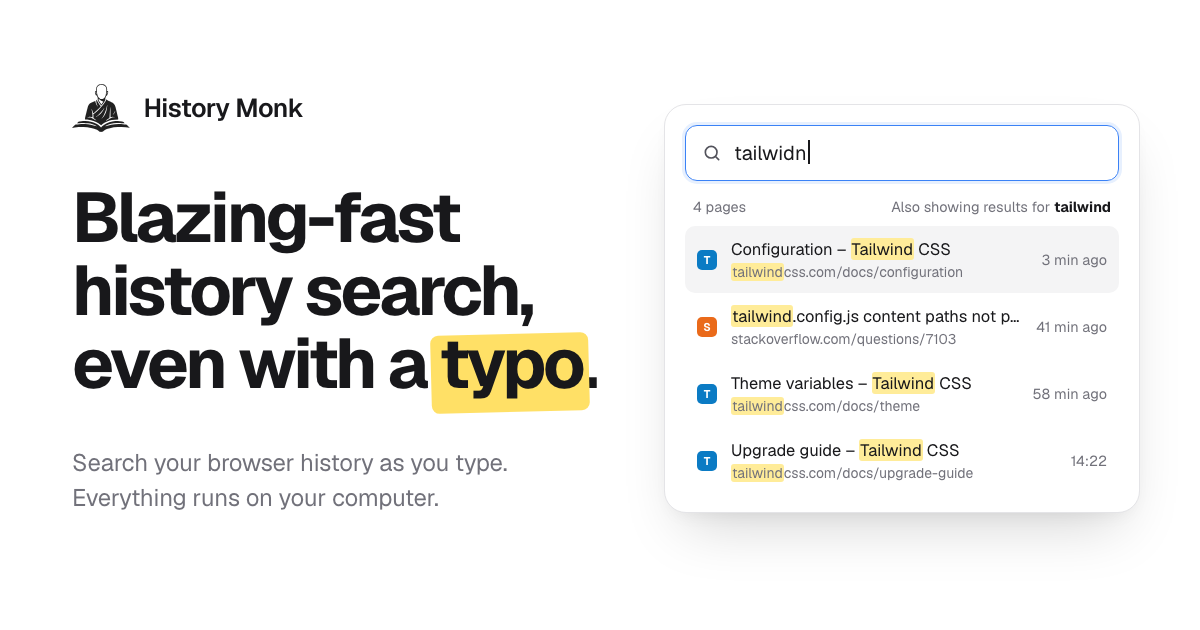
History Monk is a browser extension that replaces your browser's built-in history page with a fully searchable one. Instead of scrolling through days of visits, you type a few letters and the page you want shows up as you type — even with a typo. It works in Chrome, Edge and Opera, where it takes over the built-in history page so the History menu and its shortcut open History Monk, and in Firefox 140 and later, where you open your browsing history from the toolbar button or with Alt+Shift+H. It is made for anyone who spends the day in a browser and needs to find, reopen, export or clear out pages they have visited, and the whole thing runs on your own computer.
Browser history pages were designed to record visits, not to help you find them again. They show a long chronological list with a single search box that only matches exact strings, so a half-remembered title or a misspelled word returns nothing useful. At the same time, the history fills up with search result pages, sign-in screens, duplicate URLs and links you clicked once and never needed again. History Monk addresses both sides of that problem: fast, forgiving search across everything you have visited, and a set of cleanup tools that sort the junk into groups you can review and remove. Because everything happens locally, tidying up your history does not mean handing your browsing data to a third party.
Search is the centre of the product. History Monk is ready to search 80 milliseconds after it opens, and results update with every letter you press — no Enter key, no waiting for a page to load. It is built to stay fast on large archives, with the page citing 100,000 pages searched with no lag. Typo correction works against the words in your own browsing history, so typing “plannig” still finds the planning doc. When a word is not enough, 11+ power filters let you narrow things down: require two words in any order (“tailwind config”), match an exact phrase in quotes (“release notes”), restrict to one site with site:github.com, exclude one with -site:youtube.com, match the page title with title:invoice or the address with url:/pull/, and combine several of them in a single query. Date and time filters such as after:yesterday, a specific date like 2026-08-01 and before:17:30 limit results to a window, visits:>10 finds pages you opened more than ten times, a regular expression such as /issues\/\d+/ can be mixed with anything above, and sort:new orders results by best match, newest or most visited. A selected: filter can show only the rows you have ticked.
Recently closed keeps every tab and window you close, newest first, so the last tab you closed sits on top and can be reopened with one click. The same list is searchable: type a word and only matching closed tabs stay. In Chrome, the Devices view lists the tabs open on your other signed-in computers and phones, grouped by device with the time each tab was last used, and you can search across all of them and open a page on the machine you are using. It uses the Chrome sync account you already have, with no extra account, and the product notes that Firefox does not share other devices' tabs with extensions. A third view, By group, keeps a search together with the pages you opened from it, one card per search — Google, Bing, DuckDuckGo, YouTube and dozens more are recognised with no setup. From a card you can reopen every page in a new tab group or delete the search and its pages in two clicks, while pages you also visited at other times stay.
Sites turns cleanup into a bulk operation. You tick the sites you want gone — shift-click to select a range, Ctrl+A to tick every site — and delete every page from them, including older visits that are not visible on screen. You can also right-click any page or link and choose “Delete all history of this site”. Deleting a site always asks first, and sites on your protected list can never be removed. Export takes what you filtered and writes it out: search or filter first, then export just those results or a whole Cleanup group as CSV for Excel and Google Sheets, JSON ready for your own scripts, or an HTML page you can search and sort offline. Every file uses the same five columns — title, URL, site, last visited and visit count — and is created in your browser and saved to Downloads, with nothing uploaded. Cleanup itself sorts your history into 24 groups of likely junk, covering search result pages, duplicate pages that differ only by tracking parameters or a fragment, sign-in and OAuth callback pages, shortened links, links with tracking parameters, pages visited once and never again, untitled or failed pages, social feeds and video, AI chat conversations, meeting and call links, preview and staging sites, cart and checkout pages and more. You see every page in a group before anything is deleted, every delete waits for a second click to confirm, protected sites are never touched, and there are one-click deletes for the last hour, day or week.
Timeline lays your browsing history out one day at a time, newest first, with a new session starting after 30 minutes of quiet and the gap showing how long you were away. Analytics shows how you really browse: a weekday-by-hour heatmap of your history, a focus score, streaks, rising and fading sites, and the terms you search for most — and clicking any cell opens those pages. The weekly digest condenses the last seven days into one card with pages, top sites, your busiest hour and late-night share, which you can copy as an image or text. Keyboard users can open History Monk from any tab with Alt+Shift+H, jump to search with /, move with the arrow keys, open with Enter and open in the background with Ctrl+Enter. The interface can be made your own with 28 themes taken from official palettes — Nord, Dracula, Catppuccin, Solarized, Rosé Pine and 23 more — plus 8 languages (English, Español, Français, Deutsch, Português, 日本語, 简体中文 and हिन्दी), a 12- or 24-hour clock, date order, row density and text size.
Under the hood, History Monk reads your browsing history through the browser's history API and searches it inside the extension page, so search, Analytics and Cleanup all run locally. There is no account to sign up for and no third-party trackers or analytics. In Chrome and Edge, site icons come from the browser's icon cache, so showing results makes no web requests, and the only network requests the extension makes are to verify a license key and to look up the current price. It has no content scripts, so it never runs inside the pages you visit and only does work while its history page is open. Two settings-like features give you control over what appears: hidden sites stay out of search, Sites, Analytics and Cleanup without the underlying history being touched, while protected sites stay in your browsing history and cannot be deleted from any view.
The practical payoff is time. A page you half-remember turns into a few keystrokes instead of a scroll through days of visits, and a typo no longer costs you a second attempt. Closing a tab by mistake becomes one click rather than a hunt. Research that started on a phone can be picked up on a laptop through the Devices view. Instead of manually picking through thousands of entries, you review a cleanup group, confirm, and remove hundreds of junk pages at once — and you can still export exactly the pages you filtered before you clear anything. Because everything stays on your machine, tidying up does not trade privacy for convenience.
Typical workflows come straight from the product's own examples. You remember the Lisbon flight you looked at yesterday, type a few letters and it appears. You searched for cheap flights to Lisbon and opened three results; the By group card lets you open those pages again in a new tab group or delete the search and its pages together. You are shopping for a surprise and want a single site's history gone, so you tick it in Sites or right-click and choose to delete all history of that site. You have been researching Tailwind grid gap and want to see where the time went, so you open Timeline or the Analytics heatmap and click a cell to reopen those pages. You want a record of the GitHub pull requests you read this week, so you filter with site:github.com and export CSV, JSON or HTML. Or you simply want the junk gone: you open Cleanup, look through the search result, duplicate and sign-in groups, and clear them out.
History Monk is aimed at people who treat the browser as their workspace: developers and designers moving between documentation, repositories and design files, researchers running many searches in a sitting, and anyone who wants a private, searchable record of where they have been. It is available for Chrome, Edge and Opera — where it replaces the built-in history page — and for Firefox 140 and later, and in Chrome it can also show tabs from other devices signed in to the same sync account. It is free for 7 days with no account; when the trial ends it keeps working for 3 opens a day, and a license removes that limit and enables deleting from Cleanup. The extension's only outbound requests are to verify a license key and to look up the current price.
History Monk takes the browser's weakest tool — the history page — and rebuilds it around search you can trust, filters that narrow fast, one-click recovery of closed tabs, bulk deletion by site, exports in three formats, and a cleanup system that never deletes without showing you what is going. All of it runs on your computer, which is the point: the wise search once, and History Monk remembers the rest.
Publisher
A
admin
Launch Date2026-10-11
Platformweb
Pricingfreemium