Category Focus/categories/video
Video AI Tools
Discover and compare the best video AI tools and software. Browse 112+ curated tools with reviews and rankings.
Projects tracked
112
Sort mode
RECENT
Page
3
Discover and compare the best video AI tools and software. Browse 112+ curated tools with reviews and rankings.
Projects tracked
112
Sort mode
RECENT
Page
3
The 101 Plays Itself is a browser-based musical instrument built on a live public Caltrans traffic camera pointed at the US-101 in Studio City, Los Angeles. The page streams that camera and plays it: every car that crosses the line becomes a note, and the music is being made in your browser as the traffic goes past. It is for anyone who wants to hear a real freeway composing in real time. There is nothing to install and nothing pre-recorded, and the timestamp burned into the top of the picture is the real one. The project was built by Jay Judah in Los Angeles in 2026, and detection and synthesis run entirely in the browser, with no server, no samples and no recordings. Public traffic cameras exist as infrastructure. Caltrans operates the video network on the 101, and the camera used here, CAM 618 at Moorpark St, is a public feed used under Caltrans' conditions of use. The 101 Plays Itself takes that monitoring footage and listens to it instead of watching it: the road surface itself becomes the score, the five lanes become a musical staff, and the traffic that happens to be there determines what is heard. That means the piece changes with the hour. Come back at three in the morning, the page notes, and you will hear an almost empty freeway. The Drive covered the project as a strangely beautiful bit of infrastructure music, and kottke.org featured it simply as "a musical instrument." NBC4 Los Angeles featured it on The News Zone, framing it as a local LA freeway, a public Caltrans camera, and real traffic composing the score in real time. Underneath the picture, ten sampling patches are laid onto the road surface, two in each of the five lanes. They are not rectangles: each one is a slice of its own lane, leaning and narrowing with distance exactly as the lane does, so the detection region follows the perspective of the tarmac rather than sitting in a fixed box over it. The browser reads those patches fifteen times a second and watches for the road to stop looking like the road. When a patch no longer resembles empty asphalt, that is a car, and that is a note. Because the patches are shaped to the lane they belong to, detection tracks the geometry of the road itself. The patches also measure the vehicles. A vehicle trips one patch and then the other, and the gap between them gives its speed; together the patches form a real speed trap 13.4 metres long. How long a vehicle covers a patch gives its length, which is how the page tells a truck from a car and hands it a different voice. The instrumentation is therefore not decorative: speed and size are read off the road and fed into the music. The page surfaces those readings as live figures, showing notes played, passing speed, notes per minute, a truck count and which of the five lanes are active. On top of the detection sits an instrument rack with sixteen voices, described on the page as: Theremin, gliding and breathing; Glass, inharmonic bells; Rhodes, a warm electric piano; Strings, bowed, slow and swelling; Choir, vowels and distant; Flute, breath and air; Vibraphone, metallic and trembling; Handpan, warm steel and hollow; Gamelan, beating bronze; Harp, plucked and ringing; Music Box, tiny, brittle and sweet; Marimba, woody and struck; Kalimba, a round thumb piano; Organ with cathedral drawbars; Sub Bass, felt more than heard; and Drum Kit, where the lanes become the kit. You tap any pad to start a voice, and the page invites you to stack as many as you like. The unusual part is where all of this happens. Detection and synthesis run entirely in the browser: there is no server, no samples and no recordings, so the notes you hear are generated from what the camera sees at that moment rather than triggered from a library of prepared sounds. Lane geometry was solved offline from an earlier recording of the same camera, which is why the sampling patches can sit correctly on the road surface in perspective. The page also exposes its own state, with a status line reading things like live, 5 lanes, speed trap 13.4 m, night, tail lights and sun -21°, alongside a note that the sound is synthesised live from what the camera sees. The result is a piece of music that cannot be played the same way twice, because the score is whatever traffic is on the 101 at that minute. Nothing is pre-recorded, so a listening session is genuinely live and tied to the real timestamp on the picture. That also makes the experience time-sensitive: the character of the sound follows the density of the freeway, the mix of cars and trucks, and the light. Because everything runs client-side, there is nothing to install and nothing to sign up for. You open the page, turn your sound up and start listening. There are several clear ways to use it. The most direct is simply to listen live: open the page, press Start listening, and hear the southbound 101 at Moorpark St play itself, with a prompt to turn your sound up. You can also treat it as an instrument and perform with it, stacking Theremin, Glass, Rhodes, Drum Kit or any of the other pads so passing traffic triggers a chosen palette instead of the default. An interactive map shows every camera the page can play, with the lit pin marking the one you are listening to and a tap switching to another; listed cameras include US-101 Southbound at Moorpark St in Studio City, US-101 Northbound at SR-170/Tujunga in North Hollywood, and US-101 Northbound at Balboa Blvd in Encino. When the feed is unavailable, a three-minute recording of the same freeway stands in. The audience is broad and largely self-selecting: music makers and synth enthusiasts who want an unusual instrument, listeners drawn to generative and ambient sound, and anyone curious about Los Angeles infrastructure or the 101 itself. Coverage from kottke.org, The Drive and NBC4 Los Angeles' The News Zone suggests interest from both music and local-news readers. On the technical side, the site uses Leaflet for its interactive map with OpenStreetMap tiles, the video comes from Caltrans CAM 618, and detection and synthesis happen in the browser. The page is a free, open browser experience with no account or download described anywhere on the site. In short, The 101 Plays Itself is a public traffic camera turned into a playable room: five lanes of the US-101, ten sampling patches reading speed and vehicle length off the tarmac, sixteen stackable voices, and a browser synthesising the whole thing as real cars cross the line, this minute.
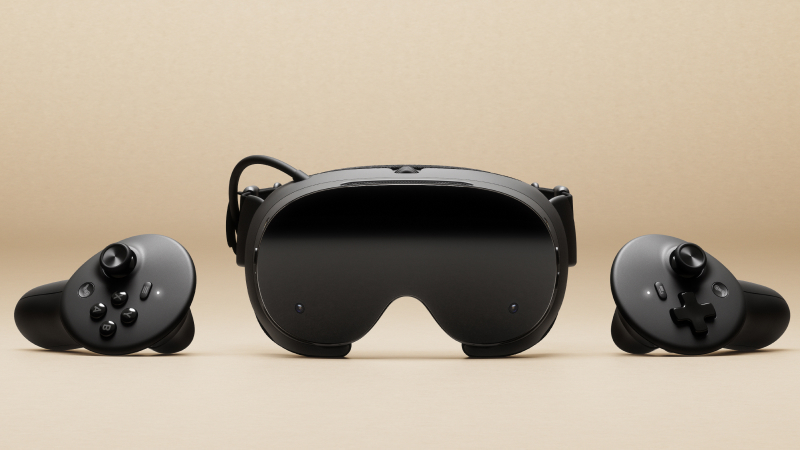
Steam Frame is a wireless VR headset from Valve built to bring a user's Steam library into virtual reality. Valve's Steam hardware page describes it as "wireless, comfortable, lightweight VR for your Steam library," under the headline "Your games in every dimension." It is aimed at Steam users who want to play their existing games in VR without a cable tying them to a computer. Steam Frame can stream a whole library from a PC, a Steam Deck, or a Steam Machine, and it can also run standalone titles on its own. It ships with Steam Frame Controllers that work both as VR wands and as a full gamepad. Most VR headsets force a choice: a tethered PC connection that limits movement, or a standalone device that cannot access a large existing games library. Steam Frame is positioned against that trade-off. Its Product Hunt listing describes it as a "wireless SteamOS headset that streams your whole library from a PC, Deck, or Machine, and runs standalone titles too." That combination matters for players who have built libraries on Steam over years and do not want to repurchase titles for a new platform. It also matters for people who own a Steam Deck or a Steam Machine, because those devices can act as the source of the stream. Valve specifically notes that dual radios plus an included adapter keep streaming stable, which targets one of the central difficulties of wireless VR. The headset's display is specified at 2160 x 2160 LCD per eye, with a refresh rate range of 72Hz to 144Hz, and 144Hz marked as experimental. A per-eye resolution of 2160 x 2160 means the panels are high-density, which supports a sharp image across the field of view. A refresh range starting at 72Hz gives flexibility for less demanding content, while the top of the range targets smoother motion and reduced blur in fast-moving games. The refresh rate ceiling is listed as experimental, so Valve is signalling that 144Hz is not presented in the same way as the lower rates. Tracking is handled by inside-out cameras, meaning the headset tracks itself using cameras on the device rather than external base stations. Steam Frame runs on a 4 nm Snapdragon 8 Gen 3 chipset on the ARM64 architecture, paired with 16GB of unified LPDDR5X RAM. That combination is what makes standalone play possible: the headset has its own processor and memory rather than relying entirely on a connected PC. Storage is listed at 256GB of UFS, with a microSD card slot available for expansion, so users are not locked to the built-in capacity. Power comes from a rechargeable 21.6 Wh Li-ion battery. Valve notes that a power supply is not included, which is worth planning for at purchase. Together these components let the device operate as a self-contained computer as well as a streaming client. Connectivity is a central part of the design. The headset supports Wi-Fi 7 in a 2x2 configuration with dual radios, and a wireless adapter is included in the box that operates on Wi-Fi 6E. Valve states that the dual radios plus the included adapter keep streaming stable, which is the key mechanism behind a wireless experience sourced from a PC, Deck, or Machine. Bluetooth 5.4 is also supported. Because the adapter is bundled rather than sold separately, the wireless link between the headset and the source device is accounted for out of the box. Dual radios mean the headset is not limited to a single radio path for its wireless traffic, which supports the streaming use case the product is built around. Audio is handled by dual speaker drivers per ear and a dual microphone array, so both output and voice input are built into the headset without requiring additional accessories. The included Steam Frame Controllers are described as offering full 6-DOF and gamepad controls. Product Hunt summarises the same point by saying the controllers work as VR wands and as a full gamepad. 6-DOF means the controllers are tracked in six degrees of freedom, supporting motion input in VR, while the gamepad layout means the same hardware can be used for traditional gamepad-style play. That dual role reduces the need to swap accessories between VR sessions and non-VR sessions. Steam Frame works in two modes. In the streaming mode, the headset receives games over a wireless connection from a PC, a Steam Deck, or a Steam Machine, using Wi-Fi 7 with dual radios and the bundled Wi-Fi 6E adapter for the link. In standalone mode, the headset runs titles itself on SteamOS 3, using the Snapdragon 8 Gen 3 processor, 16GB of unified memory, and its internal storage. Tracking is handled by inside-out cameras. The controllers connect as full 6-DOF, gamepad-capable devices. Valve frames the overall proposition as your games in every dimension, with the headset acting as the display and interface for a library that already exists. The stated benefits follow directly from that design. Users get a wireless headset, described by Valve as comfortable and lightweight, rather than a tethered setup. They can reach their existing Steam library from whichever device they already own, whether that is a PC, a Steam Deck, or a Steam Machine. Streaming stability is supported by dual radios and an included adapter rather than left to the user to solve. Standalone capability means the headset still works for titles that run on it directly when a source device is not in use. Storage can be expanded through microSD. And the controllers cover both VR interaction and standard gamepad play, so one pair of controllers serves both kinds of content. Concrete scenarios the product is built for include playing Steam library games wirelessly in VR while the source PC, Deck, or Machine sits elsewhere in the home, streaming from a Steam Deck that is already a portable SteamOS device, and streaming from a Steam Machine. Standalone play covers titles that run directly on the headset without a source device. When playing non-VR content, the controllers can be used in their full gamepad mode, while VR content uses them as 6-DOF wands. The 256GB Kit bundles Half-Life: Alyx, giving buyers a VR title to start with. The included wireless adapter also removes the need to source a separate streaming adapter. Steam Frame is aimed at Steam users, particularly those with a PC, Steam Deck, or Steam Machine that can act as a streaming source, and at players who want a wireless VR headset that can also run titles standalone. It is available in two models, both sold as kits: a 256GB Kit at $1,059 and a 1TB Kit at $1,299. Both include the wireless adapter, the Steam Frame Controllers, and Half-Life: Alyx. Valve notes that a power supply is not included. At the time of writing, buyers join a waitlist by selecting a model, signing in, and being notified if units become available. Product Hunt lists the product under Virtual Reality, Hardware, and Games. Steam Frame's core value proposition is straightforward: a wireless VR headset that turns an existing Steam library into VR content. It does this by streaming from a PC, Steam Deck, or Steam Machine with dual radios and a bundled adapter for stability, while also running standalone titles on SteamOS 3. With a Snapdragon 8 Gen 3 processor, 16GB of unified memory, expandable storage, a 2160 x 2160 per-eye display, inside-out tracking, and controllers that double as VR wands and a full gamepad, it is designed to serve both VR and non-VR gaming from a single device.
Lumiko is a browser recorder delivered as a Chrome extension that captures your screen and edits the footage while you work. The website describes it as the ultimate browser recorder: screen capture with automatic cursor zoom and panning, a webcam overlay included, and a screen recording editor built in. It is made for people who record demos, walkthroughs, tutorials, and other screen-based videos and want them to look polished without the effort of manual video editing. According to the site, Lumiko records your screen and edits the footage while you work, tracking your cursor and clicks and then building smooth zoom and pan moves over them automatically. Everything from recording to export happens in the browser. Traditional screen recording is a two-step chore. First you capture the screen, then you spend time in a separate editor adding zoom and pan keyframes so viewers can actually follow the details of what you are showing. That manual keyframing is slow and fiddly, and the result is often static footage that loses the viewer's attention. Lumiko's approach is to analyze the cursor and clicks recorded during your session and turn those movements into automatic camera moves. The site frames this as footage that effectively edits itself: the tracking information gathered while you work becomes smooth zoom and pan animation, removing the keyframe step entirely. Because the zoom is driven by where you actually clicked and moved, it points at the parts of the screen that mattered at the moment they mattered, which is precisely the work a human editor would otherwise have to reconstruct by hand. The recording core is deliberately unrestricted. Unlimited recording lets you capture your entire screen with zero time limits, and audio recording captures system audio and microphone voiceovers together, so narration and on-screen sound stay in one file. The headline capability is Magic Auto-Zoom, also described as Auto Zoom & Pan: Lumiko analyzes your cursor and clicks and then creates smooth cinematic zoom with silky-smooth pans that guide viewer focus automatically based on your clicks, with no manual keyframes required. On top of that, click effects such as Ripple, Orb, or Pressure animations can be applied to every mouse click, giving each interaction a visible cue that helps a viewer track the flow of a demo. Smart Blur addresses the risk of recording a screen that contains things it should not contain. You draw a box and Lumiko instantly obscures sensitive information such as API keys, emails, passwords, and revenue dashboards. Because screen recordings frequently pass over credentials in a terminal, customer emails in an inbox, or internal dashboards, this automated privacy blur removes a manual editing step that would otherwise be needed before a video can be shared. The site lists Smart Blur as part of the Free tier, framed as "Smart Blur & Webcam" under the promise to "hide sensitive info and add a draggable camera overlay," and it also appears as a Pro feature, so the ability to hide sensitive data is not gated behind the paid upgrade. The Instant Editor is a lightning-fast, browser-based timeline editor. It lets you split clips, delete mistakes, trim dead space with the timeline scissors, and drag to reorder segments seamlessly. The same editor handles presentation: beautiful backgrounds can be a preset gradient, a solid color, a transparent background, or a high-res Unsplash image, and you can upload your own company brand assets or logo to make your video pop. Multiple aspect ratios let you export the exact same video in 16:9 for YouTube, 9:16 for Shorts and TikTok, or 1:1 for LinkedIn using intelligent auto-framing. A webcam overlay adds a draggable, resizable circular face-cam with a premium drop-shadow that stays perfectly synced with your screen to add a personal touch to demos. Export options run from 720p and 1080p up to 1440p and 4K, in one click with zero render queue. Lumiko works locally. Recording and export processing happen in the browser, and the site states that recordings are not uploaded, viewed, or retained, and that there is no account and no upload queue. Rendering is hardware-accelerated and local, so your video never goes to the cloud; the company says exports in 4K happen instantly with zero waiting queues. The extension is built on Chrome Manifest V3 and requests the activeTab, storage, desktopCapture, and scripting permissions, with no tracking. The workflow is therefore straightforward: record the screen and audio, let the auto-zoom engine build the camera moves from your cursor and clicks, refine the result on the browser timeline, then export at the resolution and aspect ratio you need. The payoff is speed and polish without a rendering pipeline. Instead of keyframing zoom by hand, creators get cinematic pans and zooms derived from the cursor and click data they already produced while demonstrating a product or explaining a process. Trimming, splitting, and reordering happen instantly in the browser rather than in a queue, and the free tier covers unlimited recording, auto-zoom, Smart Blur, custom backgrounds, and exports up to 1440p. Pro removes the "Made with Lumiko" watermark for clean, white-labeled exports and unlocks full 4K rendering, which matters when video is delivered to clients or published on a brand channel where a third-party badge would be out of place. Concrete scenarios implied by the site include demo videos and product walkthroughs where click effects and auto-zoom direct attention to the right control at the right moment; tutorials and educational recordings where a screen share plus microphone voiceover need to stay in sync in a single file; and client-facing videos where white-labeled exports and custom brand backgrounds are required. Social publishing is a natural fit because one recording can be exported in 16:9 for YouTube, 9:16 for Shorts and TikTok, and 1:1 for LinkedIn with intelligent auto-framing, avoiding a re-record for each channel. Recordings of environments containing credentials, emails, or revenue dashboards are covered by Smart Blur, and talking-head style demos use the draggable webcam overlay. Lumiko targets makers: its footer reads "Built for makers," and the feature set points at product teams, developers, founders, marketers, teachers, and anyone else producing screen-based video. It runs as a Chrome extension on Manifest V3 and processes everything locally in the browser. Pricing is free to start: the Free tier is $0 forever with no sign-up required and includes unlimited recording, the auto-zoom engine, Smart Blur and webcam overlay, and exports up to 1440p. Pro is offered as a lifetime license rather than a subscription; the feature section lists Pro at $29 lifetime, while the pricing section and FAQ present it at $9 one-time, forever, including no watermark, 4K Ultra-HD exports, and up to 3 device activations. Lumiko's value proposition is a screen recorder whose footage edits itself with auto zoom and pan, backed by a browser editor, privacy blur, webcam overlay, backgrounds, click effects, and local 4K rendering. Combined with a free tier and a one-time Pro upgrade, it is aimed at makers who want professional-looking screen videos without keyframes, subscriptions, or cloud uploads.
DemoTV is a 24/7, audience-ranked television channel for product demos, built for people who want to discover independent products by watching them in action. The station streams short demos continuously, and the audience decides which products occupy Channels 1, 2 and 3 by backing the demo they would actually try. Anyone with a product can submit a short demo for free, and founders can embed a demo on their own website, recruit testers and collect product feedback. As the site states, "Audience Elo decides the rank — airtime never buys rank," so the top of the board reflects viewer preference rather than advertising spend. Product discovery is crowded, and the usual signals — paid placements, sponsored slots and banner inventory — are hard for a viewer to separate from genuine popularity. DemoTV addresses that by splitting the two ideas apart completely. Ranking is produced only by viewers backing the demo they would try in head-to-head battles, while any commercial placement is clearly labelled and confined to exposure. In the site's own words, "money buys exposure, completed views and clicks, never the ranking." For viewers this means a leaderboard they can read at face value; for makers it means the path to Channels 1-3 runs through the quality of the demo itself rather than the size of a budget. Channel Battle is the central mechanic. Two products for the same job are shown side by side — for example an app builder versus another app builder — and viewers are asked simply to "Watch both. Back the one you'd try — no sign-up." The pick is cast without creating an account, and that pick feeds the audience rank. Because the battles are head to head and paired by category, the comparison is like for like. Wins and battles are counted per demo and shown alongside an audience score, so a listing might display an audience score with a running tally of wins and battles. The station explains that Channels 1-3 are the current top three, that Rank 1 is the demo viewers picked most, and that airtime never buys either. Filling the channel is deliberately simple for makers. Submitting a demo is free and needs no card: a YouTube link or an MP4 upload is enough, with an optional MP4 capped at 40MB, and every submission is reviewed before it goes live. The submission flow has four steps — website details, video, visitor action, then review — and after station approval the maker gets a private dashboard holding one embed code for their website. That widget is included with an approved listing and carries the video, an optional try link and a button the maker chooses, such as Visit website, Start free, Join waitlist, Book a demo or Claim offer. From the dashboard makers can also request testers, cap reveals and copy the embed, while details like video start automatically only when a viewer presses play. Discovery on the station runs through a demo directory that lists all broadcasts, paged ten at a time and sortable by audience rank or newest. Demos are filed under categories that also determine which battles they join, spanning groups such as AI agents, AI app builders, video generation, chat assistants, computer use, developer tools, design and no-code, data and analytics, marketing and sales, productivity, infra and APIs, games, crypto and web3, crypto wallets, crypto infra, robotics and hardware, fintech and payments, security and privacy, education, consumer and social, climate and energy, and other. Category leaderboards highlight positions such as first place in a given category, and the site displays aggregate station numbers — live demos, audience backings, views and visitors — only once live demos exist. Paid reach on DemoTV is explicitly separated from ranking. Makers who want more visibility can buy labelled airtime after claiming their listing; airtime units add promoted placements across the reel and the directory and never change a demo's audience score or channel. Advertisers can also become featured partners through labelled homepage cards, described as $39 for 30 days with labelled placement that never buys Channel rank, or take a Launch Week labelled 7-day sponsorship. There is also Demo Studio, priced at $79, where a maker pastes their site and receives automated production with station QA before air and maker approval, while rank stays audience-only. Optional viewer thank-yous let a maker offer a backer code, a time-boxed free week or a discount, shown with a one-line pitch; the site notes that this never moves Elo and that battle buttons will not show it. Makers are also told they pay only if they want extra reach, and that none of these options buy Channel rank. The wider methodology is consistent throughout: everything is audience-only until a maker chooses to pay, and payment is confined to exposure, completed views and clicks. Airtime is bought in units, with larger unit counts adding more promoted placements and the price shown at checkout. Advertising on the reel is clearly labelled, and the site repeats that paid airtime never touches the rank. Claiming a listing is free and does not by itself approve a claim, and signing in alone is not enough. Community safety is handled through a report flow listing reasons such as scam or misleading, spam, malware or unsafe link, adult or offensive content, impersonating another product, broken video or link, and something else, with reports going to the DemoTV team for review. Contact for takedowns and press is handled by email, and viewers are offered an optional first-party analytics choice that connects a visit with signup and purchase results, with no ad trackers or search terms and a statement that the choice does not affect the site. For viewers, the benefit is a ranked channel of product demos that can be watched and compared without signing up, where the ordering reflects what other people said they would try. For makers, the benefit is a free route to being seen, a free embeddable widget that puts the demo on their own site, and a dashboard for recruiting testers and collecting feedback. Because the ranking is audience-driven, smaller products can climb the board on the strength of the demo rather than the size of a media budget, and because paid placements are labelled, viewers can trust what the rank means. The station frames this as demo quality driving the possibility: what the board has counted grows only as live demos accumulate. Concrete workflows on DemoTV follow a few clear patterns. A viewer browses the directory or the TV view, presses play on a channel, then enters a Channel Battle, watches both demos and backs the one they would try, with no sign-up required. A founder pastes their project URL, submits a title and tagline, chooses the category whose battles the demo will join, adds a YouTube link or MP4, and waits for review. A maker without a video yet can commission one through Demo Studio. Once approved, the maker claims the company, takes the embed code and places the widget on their website with a chosen button and destination. From the dashboard the maker can request testers and cap reveals, and separately buy airtime units, a Featured partner card or a Launch Week sponsorship if they want extra reach. DemoTV runs on the web at demotv.lol and reaches makers and viewers through an embeddable widget, a submission form and a private dashboard. Its audience includes founders and small teams submitting demos, companies that already have a listing and want to claim it, advertisers buying labelled placements, and viewers looking for new products to try. Pricing is straightforward: submission and review are free with no card needed, claiming a listing is free, and paid options are optional — labelled airtime, Featured partners at $39 for 30 days, Demo Studio at $79, and Launch Week labelled seven-day sponsorship — none of which buy Channel rank. Maker contact, takedowns and press are handled through the station's contact address. The takeaway is that DemoTV turns product demos into a ranked channel where the audience, not the advertiser, decides what sits on Channels 1-3. Free submission, a free embeddable widget, tester recruitment and feedback tools give makers the means to be discovered, while clearly labelled airtime gives them a way to buy exposure without ever buying the rank.
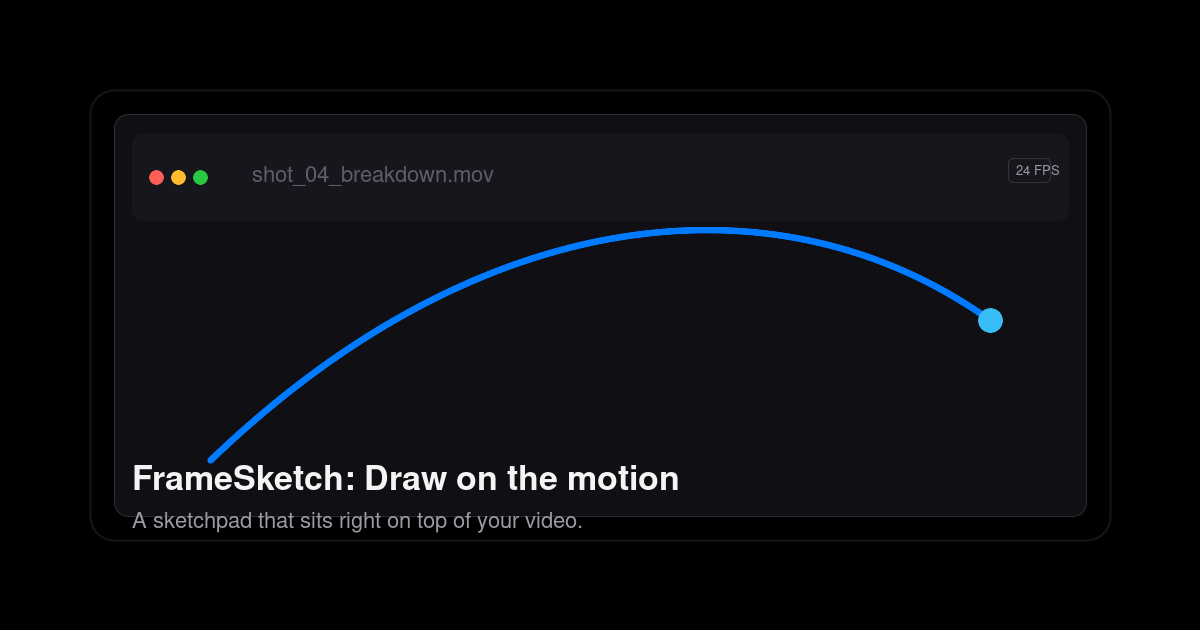
FrameSketch is a video annotation tool that lets animators sketch directly on top of their footage. You drop in a video, step through it frame by frame, and draw right on the canvas — arcs, breakdowns, poses, sticky notes — with every line fixed exactly where you left it. It is built for animators, VFX artists, and motion designers who need to mark up motion rather than describe it in words or rebuild stills in another application. FrameSketch runs in the browser and as a PWA, is free to use, and keeps your footage on your own device. Annotation is the whole point, and FrameSketch keeps that workflow short. Rather than opening a full animation suite, juggling plugins, or working through export settings, you open a file, draw, and get back to the shot. The site positions it as the opposite of animation-suite bloat: no plugins, no export roulette, and no timeline lag, and no project-browser rabbit holes when you want to get back into work in progress. Review is part of the problem it solves too — the tools you reach for mid-review are built in, so a shot review does not turn into a detour through several other applications. And because footage can be private or simply huge, FrameSketch never uploads it: local-first by default, with optional cloud sync that only ever carries annotations. The core of FrameSketch is frame-accurate annotation. You can walk footage frame by frame, scrub to a section, and see the frame number as you step through it. Lines land on the exact frame you drew them on, so the canvas never drifts away from the video beneath it, and stepping forward or back keeps each drawing locked to its frame. The frame-by-frame timeline lets you mark a stretch of footage and play just that range on a loop, which is useful for studying a cycle or a specific beat repeatedly. Onion skin completes the picture: you can peek at the frames before and after the current one and tune the ghosting until it feels right, which supports exactly the kind of spacing and breakdown judgement animators make when checking arcs. Drawing itself is designed to feel immediate. FrameSketch is pressure sensitive, so pen input translates into the stroke, and the editor offers four pens drawn from one palette. Strokes stay put: each line is fixed the moment you lift the pen, so your marks remain exactly as drawn, frame after frame, instead of shifting under the video. Annotations live on real layers — you can stack strokes, shapes, and notes, reorder them, hide them, and dial in each layer's opacity independently. That makes it possible to keep a rough pass separate from a corrected pass, or keep notes distinct from drawing, without flattening everything into a single image. FrameSketch also bundles the collaboration and alignment tools a shot review needs. Sticky notes and comment markers can be pinned right on the frame, then moved, resized, recolored, and edited at any time — so feedback sits on the exact moment it refers to instead of in a separate document. Grids, rulers, and guides help you line marks up by eye: grids can be rectangular or isometric and drawn as dots or lines, and you can drag guides out of the rulers to align your marks where you need them. Pan and zoom let you move into the detail of a shot and back out again while your annotations stay exactly where you left them. Scenes and backgrounds round this out: one project can hold many scenes, and every scene sits on a solid background layer, so you can hide or dim the video whenever you want to look at your lines on their own. FrameSketch works in three steps. First you drop in a video — any local file, read straight from your machine, with nothing leaving it and nothing re-encoded. The file picker lists what your platform can really play: MP4 with H.264, which is recommended and plays everywhere; MOV, a QuickTime container whose H.264 content plays everywhere; M4V, the same H.264 core as MP4; and WebM, the open VP8/VP9 codec that plays on Windows, Linux, and Chromium (on macOS, the site suggests using MP4 or MOV instead). Anything else can be converted once to H.264 MP4 and will then play anywhere. Second, you draw on the frames, with each line fixed the moment you lift the pen. Third, you share the project: a single small .fsk file holds every stroke, so you can email it, open it, and keep going. FrameSketch runs entirely on your machine, and cloud sync is optional — it only carries annotations, never footage. The result is a review loop that stays quick and private. Because each line is fixed to its frame and the canvas never drifts, you can trust what you see when you come back to a shot later. Because a whole project is only a few hundred kilobytes, projects are small enough to email, stash, or version rather than shipping heavy media around. Because your footage stays on your machine, you can annotate client material or unreleased shots without uploading them anywhere. And because cloud sync only carries annotations, you can let annotations follow you across devices — or turn the cloud off entirely and keep everything local. Concretely, animators use FrameSketch to mark up arcs and poses over reference footage: drawing the line of action, blocking breakdowns, and checking the spacing between keys with onion skin. VFX artists and motion designers can annotate a shot frame by frame, pinning notes and comment markers to the exact frames a review refers to, then loop a marked range to study the motion repeatedly. For shot review, sticky notes and comment markers on real layers keep feedback in the same place as the drawing, and the .fsk file makes it possible to hand the annotated project to someone else and let them continue from the same strokes. Alignment-heavy work benefits from the rectangular or isometric grids and guides dragged out of the rulers, and anyone working with confidential or unreleased footage can annotate locally without ever uploading the video. FrameSketch is aimed squarely at animators, and the site also names VFX artists and motion designers — the people who think frame by frame and reach for a pen mid-review. It is free to use, and the site says your first arc takes about ten seconds. It works in the browser and as a PWA via app.framesketch.xyz, and desktop apps for Windows and Linux are stated as coming soon. Cloud sync is an optional toggle that carries annotations only. FrameSketch's promise is simple: the motion is right there, so draw on it. It replaces describing a pose or compiling screenshots with direct annotation on the footage — frame-accurate, pressure sensitive, layered, and local-first. Free to use, with tiny .fsk project files that travel easily and footage that never leaves your device, it gives animators a fast, private way to mark up motion and pass the notes along.
Wisry is an agentic ad-cloning platform built for ecommerce brands, described on its website as an 'Agentic AdClone for ecommerce.' Its core promise is simple to state and ambitious to deliver: AI agents run the whole play. They scan the Meta and TikTok ad libraries for the ads already winning in your market, clone them into your brand as static and video ads, and launch them to Meta and Google, optimized for ROAS. Wisry presents itself as a way to get 'Winning ads, without the guesswork,' and headlines its home page with the claim 'Launch high-ROAS ads, 10x faster.' The platform says it is trained on over $1B of ad spend, and that the strategist agent is backed by $1B+ in ad spend used to train it. The intended audience is ecommerce brands and the marketers, agencies and growth teams that run paid social for them. Onboarding begins with a single input: paste your store URL, and Wisry builds brand memory covering products, voice, visual identity and audience, so that every agent stays on-brand. From there the platform is meant to act as an autonomous ecommerce growth team. Paid social for ecommerce is a research-and-iteration problem as much as a creative problem. The Wisry site frames the status quo as slow and uncertain: marketers spend weeks on research, creative production and launch, and much of that effort is guesswork about which hooks, angles and formats will actually convert. Wisry's own customers describe the pain directly. One supplement brand says that in its category 'speed is everything' - it does not need more creative ideas, it needs to spot what is winning and replicate it before the window closes. An agency customer says the bottleneck 'was always research and iteration,' and that agentic research finds what is working across a market and turns it into output at a pace a manual team could not touch. Another customer, selling hardware to Tesla owners, notes that it operates in a niche audience 'where every ad dollar counts' and that it is no longer 'testing blindly' but scaling what is proven. Wisry's answer to this is to replace open-ended guessing with evidence pulled from ads that are already spending and converting in the market. The first group of capabilities is research and strategy. Wisry's flagship feature is agentic ad research: research agents read the ads already running in your market, cite what they found, and turn the winners into angles you can brief. The site shows this working against the Meta ad library and TikTok top ads, ranking the ads it finds - for example, a ranked set where the top three of nineteen are surfaced with details such as how long each ad has been live (64 days, 35 days, 23 days), how many variants sit behind the concept (17, 10 and 6), and impression counts in the millions. The reasoning shown is explicitly performance-based: the longest unbroken spend in the run, a format that survived a full test cycle, and the fastest variant ramp in the category. A strategist agent then turns that research into campaign concepts covering audience, hooks and messages, and attaches source citations behind every angle. Because Wisry builds brand memory from your store URL - products, voice, visual identity and audience - every agent in this chain stays on-brand rather than producing generic output. The second group is creative production. Wisry clones video ads: point it at a video ad that works and get your own version of it, matching the same structure and pacing while swapping in your product and your brand; the site illustrates this as 'Structure matched' across hook, proof and close. Static ad cloning follows the same logic: Wisry rebuilds a winning static in your palette, your type and your product shots, then fans it out into every placement you need. The site is explicit about what is kept and what is swapped - layout, headline structure and type are kept, while palette, product and type are swapped for your brand. On top of cloning, Wisry ships ad templates so campaigns start from formats with a track record instead of a blank canvas; templates include listicle, problem-solution, quiz, portrait, us-vs-them, seasonal, feature-benefit and how-to, arriving in feed (1:1 and 4:5), portrait (2:3), landscape (16:9) and story (9:16) sizes, and each one is sized and safe-area-checked for its placement, including Reels, Story and Feed. Finally, every generated cut opens in a real video editor inside Wisry, where you can retime scenes, restyle captions, swap a shot and re-render without leaving the platform. The third group is launch and optimization. Once creatives exist, an ads agent ships them to Meta and Google, watches performance, moves budget to winners, and keeps new creatives coming - a loop the site summarizes as 'launches, optimizes, repeats. 24/7.' This is what makes the system agentic rather than a one-off generator: the same platform that produced the ads from market evidence also handles distribution and budget allocation based on how those ads perform. Wisry describes its studio as shipping nine capabilities, all pointed at selling more of your products, with the two flagship features being the ones everything else is downstream of. The end-to-end loop is presented as a continuous cycle rather than a campaign: research feeds strategy, strategy feeds creative, creative feeds launch, and launch performance feeds the next round of iteration. Wisry's overall approach is deliberately end-to-end and evidence-first. The workflow is described in five steps: first, Wisry pulls your brand and products after you paste your store URL, building brand memory across products, voice, visual identity and audience; second, a research agent deep-analyzes your Meta and TikTok competitors' ads and content to find what is already converting; third, the strategist agent generates evidence-backed angles for your campaigns, including audience, hooks and messages with source citations; fourth, the agents copy winning creatives for your products, generating video and static ads from the best-performing ads and your chosen angles; and fifth, the ads agent launches, optimizes and repeats around the clock. The site summarizes the whole flow as 'Your store in. Winning ads out.' Under the hood, Wisry says it is orchestrated using leading models, listing Grok, Gemini, OpenAI, Claude, KlingAI and Nano Banana as the models involved. The distinguishing idea is that every angle is traceable to a real ad that is already winning, and every output stays inside the brand memory built at onboarding. The benefits Wisry claims are framed in performance and speed terms. The site advertises a +200% average boost in ad performance, $1B+ in ad spend used to train the strategist, a 10x faster path to launching a high-ROAS campaign, and a shift from weeks to minutes for research, creative and launch handled end to end. Customer quotes add concrete outcomes: a hardware brand selling to Tesla owners reports ROAS up 300% since starting and describes scaling what is proven instead of testing blindly; a supplement brand reports shipping winning variations 2x faster and describes the difference as reacting to trends versus riding them; and an agency says it has scaled client accounts much faster because agentic research finds what works across a market and turns it into output at a pace its team could not match manually. Concrete scenarios described in the content include a niche hardware brand that sells to Tesla owners and needs every ad dollar to count, scaling what already works in its account; a supplements brand operating in a fast-moving category that needs to spot winning creative and replicate it before the window closes; and an agency running ads for many clients, where research and iteration were the bottleneck and agentic cloning lets it scale client accounts faster. More generally, the product is built around the ecommerce advertising workflow of importing a store, researching a market's Meta and TikTok ads, generating evidence-backed angles, cloning winning static and video creatives into a brand's own palette, product shots and type, fanning them out across placements using templates, launching to Meta and Google, and then continuously moving budget toward the winners while new creatives are produced. Wisry is a paid product. The pricing section offers three commitment lengths with one payment up front, after which the plan continues month to month: 2 weeks at $49.50 (discounted to $34.65, saving 30%), 4 weeks at $99 (discounted to $49.50, saving 50%, marked Most Popular), and 8 weeks at $198 (discounted to $89.10, saving 55%). The site highlights a per-day cost of $3.53 at full price, reduced to $2.48, $1.77 and $1.60 per day at the three tiers, and the entry call to action is 'Get started for $49.50' with the note that this is one payment of $49.50 for 4 weeks, then $99/month, cancel anytime, secured by Stripe. Wisry runs in the browser as a web app. The site also notes a Product Hunt launch promotion offering up to 55% off. In short, Wisry's primary value proposition is that ecommerce advertisers no longer have to guess what creative will work. By researching the Meta and TikTok ads already winning in a market, converting that evidence into cited angles, cloning the strongest static and video creatives into a brand's own identity, launching them to Meta and Google, and then optimizing budget around performance around the clock, Wisry turns paid social from a slow, speculative process into a faster, evidence-driven loop - 'Winning ads, without the guesswork.'
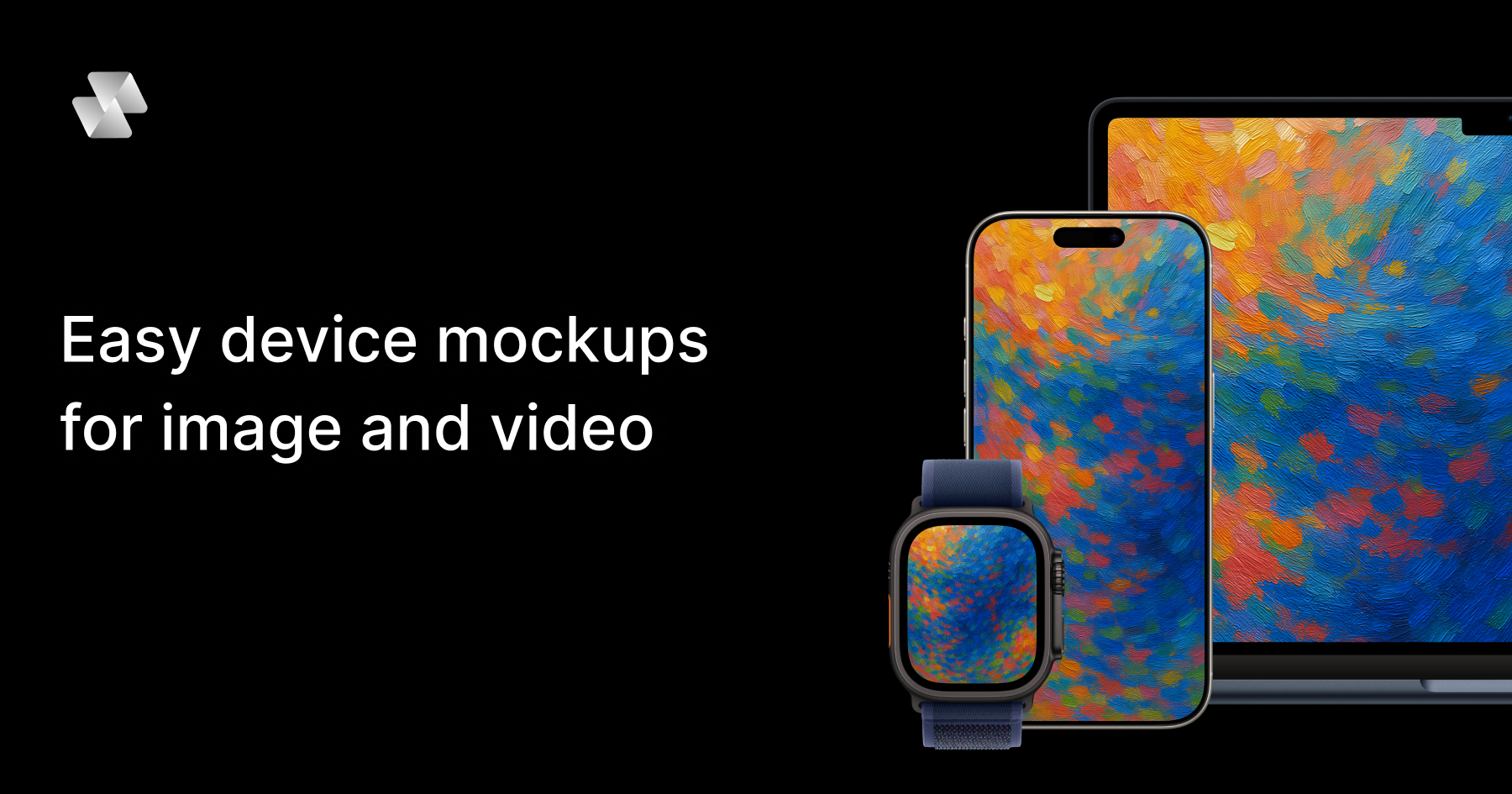
Mock Magic is a browser-based device mockup generator that creates video and image mockups for apps, websites, and digital products. You upload a screenshot or a screen recording, pick a device frame, and export the finished mockup in seconds. The tool is built around a simple editor and a library of 54+ device variants, including the latest iPhones, Android phones, iPads, MacBooks, desktop monitors, and smartwatches. Image mockups are free and unlimited, while video mockups are offered as a premium feature for paid subscribers. Mock Magic is aimed at designers, developers, freelancers, and marketing teams who need polished, presentation-ready device mockups without opening heavy design software — no Photoshop and no After Effects, and nothing to install. Presenting an app, a website, or a digital product usually means placing screenshots inside a realistic device frame so viewers can instantly understand how the product looks in context. Most mockup tools stop at images, which means anyone who needs motion — an app promo video, a social media clip, or an animated hero section — has to move into a video editor or animation tool. Mock Magic addresses that gap by turning a screen recording into a polished device video, in your brand colors, in the browser, in seconds. It also addresses consistency: when several people produce mockups for an App Store listing, a website, or social channels, saved presets make every mockup match the same device, background, and brand treatment instead of drifting apart. Mock Magic supports 54+ device variants so the frame always matches the content being shown. The library covers the latest iPhones (including iPhone 17 Pro), Android phones, iPads, MacBooks, desktop monitors, Apple Watch and other smartwatches, and it is constantly updated with new devices. Dedicated device pages exist for iPhone mockups, MacBook mockups, iPad mockups, Android mockups, desktop mockups, and smartwatch mockups. Alongside the individual devices, the device compositions feature lets you choose from a wide range of devices and layout templates, so you can place a single device on a canvas or build a multi-device composition that shows the same interface across a phone, a tablet, and a laptop. Backgrounds are optional but highly configurable. You can highlight your design with solid or gradient backgrounds, choose custom background colors with a color picker, or upload your own background images. This matters because a mockup is often the first visual a viewer sees on an App Store listing, a landing page, or a slide, and the background is what ties the device frame into the surrounding brand design. Custom backgrounds are saved to your account for easy reuse in future mockups, which keeps repeated work consistent and removes the need to re-upload the same asset every time. Mock Magic offers a wide variety of templates to suit different mockup needs, including templates with different orientations, single-device layouts, and multi-device compositions. Some templates are included in the free plan, while premium templates with advanced layouts and features are available exclusively for Pro subscribers. Verified input formats include PNG, JPG, and SVG for images, plus MP4 and WebM for videos, and all mockups can be downloaded in high resolution. You can also save your device selection, background choice, and template preference as default settings, so every time you create a new mockup your preferred options are automatically selected — saving time and ensuring consistency across projects. The workflow itself is deliberately simple. Open the editor in your browser, upload an image or a video, select a device frame, pick a template or composition, then optionally set a brand color using a hex code or add your own background. From there you download the finished mockup. Because the editor runs entirely in the browser, there is nothing to install and no heavyweight creative suite involved. The most distinctive part of the approach is the preset: you save your setup once — device, background, brand color, template — and reuse it, so a screen recording becomes a branded device video in one repeatable step rather than a fresh design job every time. The benefits follow directly from that workflow. Teams get professional-looking mockups with minimal effort, since templates and compositions remove the need to hand-place frames. Brand consistency is maintained because saved settings and saved custom backgrounds are reused automatically. Output quality stays high because every mockup is exported in high resolution, whether it is a still image or a video. And because video is handled natively rather than as an afterthought, marketing and app teams can produce moving device mockups — app promo videos among them — without leaving the same simple editor they already use for images. Concrete uses named for device mockups include App Store screenshots, social media posts, landing page hero images, pitch decks, and app promo videos. In practice that means a designer preparing a store listing can drop App Store screenshots into iPhone and iPad frames with a branded gradient background; a marketer can record a short screen capture of a product flow and export it as an MP4 device video for a social post; a founder can generate a laptop and phone composition for a pitch deck hero slide; and a developer can produce a high-resolution desktop monitor mockup for a website landing page. Teams that repeat any of these tasks regularly benefit most from saving presets, because the second mockup and every one after it matches the first. Mock Magic is explicitly described as working for designers, developers, freelancers, and marketing teams. It is browser-based, so the only platform requirement is a web browser, and it is free to start: the Free plan includes a long list of devices, background colors and gradients, high quality export, the ability to save your selection, and unlimited video mockups, while the Pro plan is priced at €7.99 per month. According to the FAQ, you can generate unlimited free image mockups, and video mockups are available as a premium feature for paid subscribers. Supported input formats are PNG, JPG, and SVG for images, and MP4 and WebM for videos. Mock Magic's core value proposition is speed and consistency: a screenshot or screen recording goes in, a polished, branded device mockup comes out — image or video — entirely in the browser, with presets that keep every mockup for your app store, website, or socials matching the one before it.
Diiverge is a web platform that turns a single picture into an explorable world you can play. Start with any photo, painting or screenshot and it becomes a point-and-click adventure: click anything in the frame, choose what happens to it, and AI generates the next scene together with a short film of the moment in between. Each world is called a volume, and a volume is a persistent adventure that grows as people explore it. Every path a visitor takes is saved, so anyone arriving later can walk the same route, and the volume's map shows all the branches taken so far. A picture is usually a finished thing: you look at it, and that is the end of the interaction. Diiverge treats one image as a starting point instead, asking what would happen if you could reach into the frame and act on what is there. The picture already holds a scene, objects and a mood, but there is normally no way to interact with any of it or to see a consequence. Diiverge adds that layer, namely interaction, consequence, and a record of both. Because generating a new scene costs real money, each volume of the series comes with a fixed number of free scenes and stops growing once they are used up, unless sponsors add more. That constraint shapes the experience: playing and replaying are free, while new generation is limited and shared. Interaction starts with the frame. Glowing dots mark what you can interact with, so it is clear at a glance which things in the picture are live. Behind the scenes, a segmentation model cuts the things in the frame out and makes them clickable, and a vision model decides what each thing is and what it might do. Because the choices come from a model that has looked at the image's contents, the options offered relate to the actual objects in the scene rather than a fixed script. You click something in the picture, and the choices presented to you follow from what that thing has been identified as. Once you choose what happens, Diiverge generates two outputs. An image model paints the chosen event's aftermath as the next frame, so the world moves forward visually, and a video model renders the moment between the two frames as film, so the transition itself plays as a short movie. The result is an experience that alternates between still scenes you can inspect and click, and moving moments that show how the change unfolded. A judge model reads the story so far and cuts any choice that breaks its continuity, which means every branch stays consistent with what has already happened in that world. Nothing you do is thrown away. A scene you carve becomes part of the volume for good. Every path anyone takes is saved, so each world grows as visitors explore it, and the next visitor can walk the same path you did. The volume's map shows every branch taken so far, giving a view of the story as it accumulates, and a shared link lands on the exact scene it points to. Because the scenes already exist once they have been made, replaying scenes others have already carved needs nothing at all. The studio is where you build your own adventure. It turns any photo, painting or screenshot into an explorable world of your own: upload a picture, make it a world, click anything in it, choose what happens, and watch the moment play as film. The workflow is deliberately small, since you sign in with your email, buy scenes in packs, and share the link when you are ready. Until you share it, your adventure stays private. When you do share, others can follow the paths you have made, so a personal picture can become something other people explore and extend. The public side of Diiverge is organised as a series of volumes, each a world grown from one picture. A volume starts as a single seeded image and becomes a persistent point-and-click adventure. Two volumes are shown on the site. Volume II, The Crystal Pass, is presented as the latest, opened five days earlier with 2,831 scenes so far. Volume I, The Lantern Cove, is listed in the earlier volumes section with 3,033 scenes. Because generation costs real money, each volume comes with a fixed number of free scenes and stops growing once they run out, and sponsors add more for everyone. For players, the practical benefits are straightforward. Playing is free, and replaying scenes others have already carved costs nothing at all, so exploring an existing world has no threshold. Your own choices are not lost work: a scene you carve stays in the volume permanently and can be followed by later visitors, which means the world reflects everyone who has walked through it. The map turns that accumulated activity into something visible, and shared links make it easy to point someone at a precise moment. For creators, the studio offers a way to turn a picture they already own into a shareable, explorable world, kept private until they decide otherwise. The use cases described on the site are concrete. Someone can play a public volume for free, clicking through a world such as The Crystal Pass or The Lantern Cove and branching as they go. A visitor can follow a path another player already carved, walking the same route through the volume. They can consult the volume's map to see every branch taken so far. They can open a shared link that lands on the exact scene it points to. A creator can take a photo, painting or screenshot into the studio, buy scene packs, and build their own adventure before sharing the link. And a sponsor can add scenes to a chosen volume of the series so that everyone gets more to explore. Diiverge is built for people who want to play visual, branching adventures in a browser, and for people who want to make one from a picture they already have, such as a photo, painting or screenshot, without handling the technical machinery behind scene generation. Access is through the web, with email sign-in for the studio. Playing the public volumes is free, and replaying already-carved scenes is free as well. The studio works with scene packs that are bought, and sponsorships start from $25, adding about 2 scenes per dollar to the volume chosen; sponsored scenes never expire and the sponsor's name goes on the volume's frames. In short, Diiverge's promise is that one picture is enough to begin a world. The seeded image becomes a point-and-click adventure, and clicking anything in the frame, choosing what happens, and watching AI paint the next frame and render the moment as film turns a static picture into a sequence of scenes. Because every path is saved, the world keeps growing after you leave, and the map and shared links carry that growth forward to the next visitor. Play the public volumes for free, or take a picture into the studio and make one of your own.
Viral Sonar scans Instagram every morning and surfaces the Reels that are blowing up in your niche right now. Not the ones with the biggest view counts — our own algorithm detects the ones that are actually taking off, before everyone else piles in. Each reel comes with a breakdown of its format: hook, structure, pacing and why it works, so you can replicate it the same day. It also tracks the audio waves moving between accounts in your niche before they saturate. One scan every morning. No agency, no guessing.
SubtitleGenerator helps creators generate, fix, translate, style and export subtitles in one browser. It flags uncertain words for review and correction, with all 33 caption styles included free. Pro and Max add full-track translation, HD exports without a watermark, additional subtitle formats, custom fonts and saved brand styles. Your original video stays in your browser.