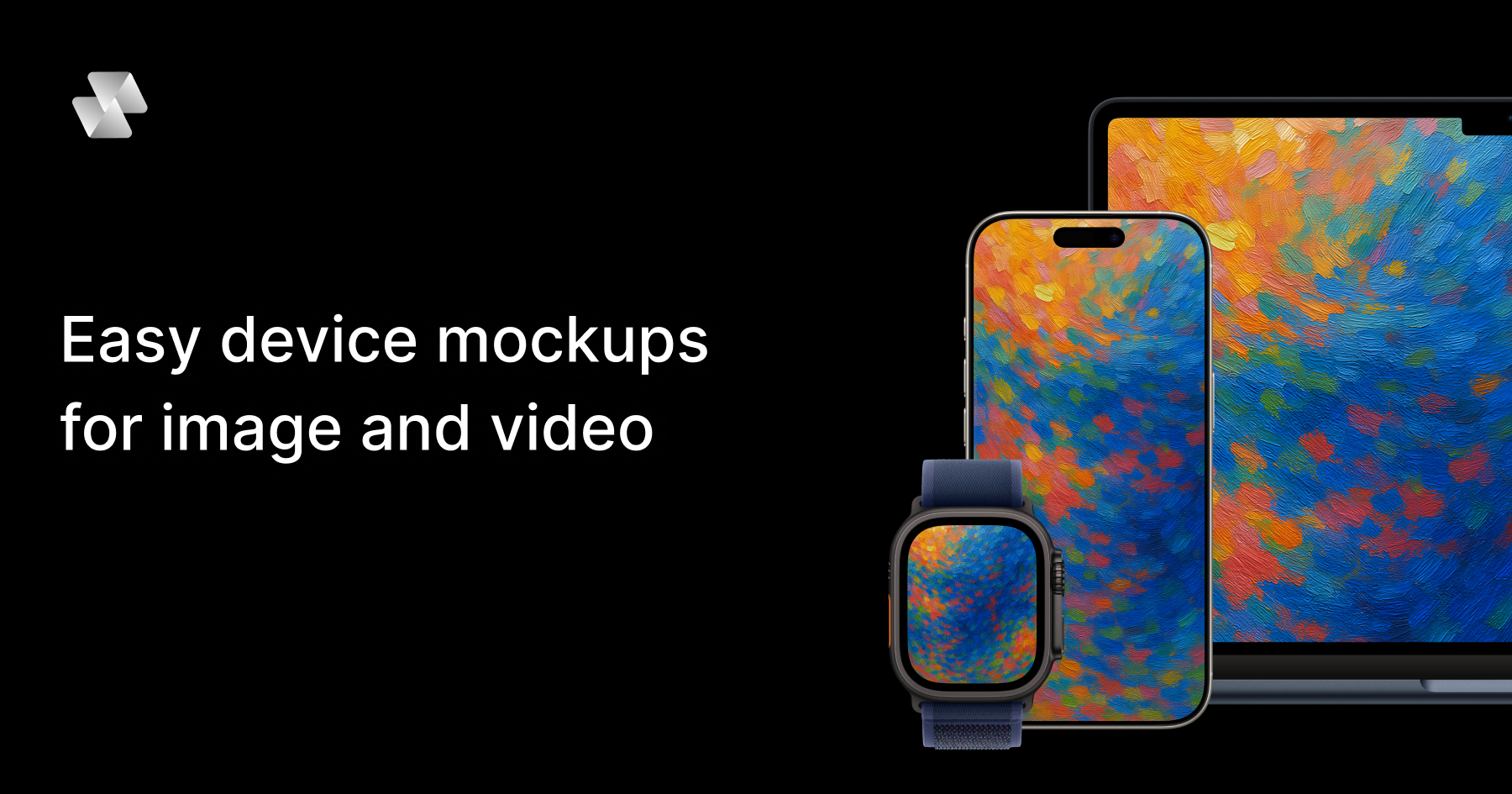
Mock Magic is a browser-based device mockup generator that creates video and image mockups for apps, websites, and digital products. You upload a screenshot or a screen recording, pick a device frame, and export the finished mockup in seconds. The tool is built around a simple editor and a library of 54+ device variants, including the latest iPhones, Android phones, iPads, MacBooks, desktop monitors, and smartwatches. Image mockups are free and unlimited, while video mockups are offered as a premium feature for paid subscribers. Mock Magic is aimed at designers, developers, freelancers, and marketing teams who need polished, presentation-ready device mockups without opening heavy design software — no Photoshop and no After Effects, and nothing to install.
Presenting an app, a website, or a digital product usually means placing screenshots inside a realistic device frame so viewers can instantly understand how the product looks in context. Most mockup tools stop at images, which means anyone who needs motion — an app promo video, a social media clip, or an animated hero section — has to move into a video editor or animation tool. Mock Magic addresses that gap by turning a screen recording into a polished device video, in your brand colors, in the browser, in seconds. It also addresses consistency: when several people produce mockups for an App Store listing, a website, or social channels, saved presets make every mockup match the same device, background, and brand treatment instead of drifting apart.
Mock Magic supports 54+ device variants so the frame always matches the content being shown. The library covers the latest iPhones (including iPhone 17 Pro), Android phones, iPads, MacBooks, desktop monitors, Apple Watch and other smartwatches, and it is constantly updated with new devices. Dedicated device pages exist for iPhone mockups, MacBook mockups, iPad mockups, Android mockups, desktop mockups, and smartwatch mockups. Alongside the individual devices, the device compositions feature lets you choose from a wide range of devices and layout templates, so you can place a single device on a canvas or build a multi-device composition that shows the same interface across a phone, a tablet, and a laptop.
Backgrounds are optional but highly configurable. You can highlight your design with solid or gradient backgrounds, choose custom background colors with a color picker, or upload your own background images. This matters because a mockup is often the first visual a viewer sees on an App Store listing, a landing page, or a slide, and the background is what ties the device frame into the surrounding brand design. Custom backgrounds are saved to your account for easy reuse in future mockups, which keeps repeated work consistent and removes the need to re-upload the same asset every time.
Mock Magic offers a wide variety of templates to suit different mockup needs, including templates with different orientations, single-device layouts, and multi-device compositions. Some templates are included in the free plan, while premium templates with advanced layouts and features are available exclusively for Pro subscribers. Verified input formats include PNG, JPG, and SVG for images, plus MP4 and WebM for videos, and all mockups can be downloaded in high resolution. You can also save your device selection, background choice, and template preference as default settings, so every time you create a new mockup your preferred options are automatically selected — saving time and ensuring consistency across projects.
The workflow itself is deliberately simple. Open the editor in your browser, upload an image or a video, select a device frame, pick a template or composition, then optionally set a brand color using a hex code or add your own background. From there you download the finished mockup. Because the editor runs entirely in the browser, there is nothing to install and no heavyweight creative suite involved. The most distinctive part of the approach is the preset: you save your setup once — device, background, brand color, template — and reuse it, so a screen recording becomes a branded device video in one repeatable step rather than a fresh design job every time.
The benefits follow directly from that workflow. Teams get professional-looking mockups with minimal effort, since templates and compositions remove the need to hand-place frames. Brand consistency is maintained because saved settings and saved custom backgrounds are reused automatically. Output quality stays high because every mockup is exported in high resolution, whether it is a still image or a video. And because video is handled natively rather than as an afterthought, marketing and app teams can produce moving device mockups — app promo videos among them — without leaving the same simple editor they already use for images.
Concrete uses named for device mockups include App Store screenshots, social media posts, landing page hero images, pitch decks, and app promo videos. In practice that means a designer preparing a store listing can drop App Store screenshots into iPhone and iPad frames with a branded gradient background; a marketer can record a short screen capture of a product flow and export it as an MP4 device video for a social post; a founder can generate a laptop and phone composition for a pitch deck hero slide; and a developer can produce a high-resolution desktop monitor mockup for a website landing page. Teams that repeat any of these tasks regularly benefit most from saving presets, because the second mockup and every one after it matches the first.
Mock Magic is explicitly described as working for designers, developers, freelancers, and marketing teams. It is browser-based, so the only platform requirement is a web browser, and it is free to start: the Free plan includes a long list of devices, background colors and gradients, high quality export, the ability to save your selection, and unlimited video mockups, while the Pro plan is priced at €7.99 per month. According to the FAQ, you can generate unlimited free image mockups, and video mockups are available as a premium feature for paid subscribers. Supported input formats are PNG, JPG, and SVG for images, and MP4 and WebM for videos.
Mock Magic's core value proposition is speed and consistency: a screenshot or screen recording goes in, a polished, branded device mockup comes out — image or video — entirely in the browser, with presets that keep every mockup for your app store, website, or socials matching the one before it.
Publisher
A
admin
Launch Date2026-09-11
Platformweb
Pricingfreemium
Traffic Insights
Month2026-09
Estimated Visits19.9K
MoM Visits GrowthN/A
Avg Time on Site-
MoM Time GrowthN/A
Global Rank#5,262,513
Bounce Rate-
Updated 2026-09-11