Category Focus/categories/automation
Automation AI Tools
Discover and compare the best automation AI tools and software. Browse 592+ curated tools with reviews and rankings.
Projects tracked
592
Sort mode
RECENT
Page
7
Discover and compare the best automation AI tools and software. Browse 592+ curated tools with reviews and rankings.
Projects tracked
592
Sort mode
RECENT
Page
7
Solid gives AI agents their own computers, accounts, and budgets so that long-running, complex jobs can be handed over and finished without the user needing to supervise every step. You bring the goal and the ground rules; the agents work out the steps, check the result, and report back. The product is described as being built for complex, long-running work for you and your team, rather than being a personal assistant: agents can build apps, automate workflows, and tackle work you lack the time or expertise for. They pick and set up their own real machines, create accounts, and pay for services, and they use your apps either through APIs or by logging in like a person. Close your laptop, and Solid owns the job from start to finish. The context Solid addresses is the gap between a chat window and a completed piece of work. Conventional assistants stop when the conversation closes, and many agent products depend on prebuilt connectors, which means they only work with tools that someone has already integrated. Solid's premise is that the agent should instead handle the setup and the troubleshooting itself. As the site puts it, agents connect to any tool the job needs, build what is missing, and check the result, with no prebuilt connectors required. That matters because the real friction in delegating work is rarely the initial request — it is the tool access, the account sign-ups, the failed steps, and the loose ends that a person would otherwise have to chase. Solid is designed so that users describe a job in plain language and receive finished work they can review, ready to use or share. The first autonomy area is self-sufficiency. Solid's agents choose the tools and handle the setup, including for software you have never used, on the stated principle that if a person can use it, they can too. They operate their own devices, which the site lists as Windows and macOS computers, Linux servers, iPhones, and Android phones. They maintain their own accounts, such as Google and Apple accounts, and they can sign up for and pay for services within the budget and approval rules you define. Because they do not need a prebuilt connector, you are not limited to a connector list: agents can connect through an API, build a missing integration, or operate a website, desktop application, or phone app directly. This means a job can proceed even when the right tool was never officially integrated. Two further autonomy areas cover failure and learning. Self-healing: if a tool fails or their setup breaks, agents can investigate, make a repair, and check that the job runs again. When they need help, they explain what is blocking progress rather than silently stalling, and users can also talk to a real person on the Solid team. Self-improving: agents keep the fixes that worked and learn from team corrections, and those lessons change how they use tools and approach future jobs. Solid states that agents remember your team's instructions and feedback across jobs, so when you correct how something is done, they keep that lesson and apply it the next time it is relevant. The practical effect is that explanations do not have to be repeated every time, and the agent's approach to shared context improves over time. The fourth autonomy area is self-scaling. Agents can bring in help and manage it: they create more Solid agents or bring in agents such as Codex and Claude Code, divide the work across any tools the job needs, coordinate the team, and return one checked result. For users this means a large job does not have to be decomposed and managed by hand. The agent acts as the coordinator, parceling out portions of the work and collecting the outcomes into a single verified deliverable that a person can review. In one of the site's illustrations, a Solid agent gathers results from other agents working across business tools and hands one checked result to a person, which is the intended pattern for larger workloads. Overall, Solid works as a meta-agent: it can see and manage its own workspace within the access you give it, so you can ask what is running, why it is needed, or how much a job cost at any time, and it can break down the AI usage, machines, and purchases used for the job. The workflow begins with a plain-language description of the job; for example, asking for a dashboard update triggers a sequence in which the agent connects to Gmail and HubSpot, researches on LinkedIn, builds the dashboard, deploys it, and verifies the data. Agents keep working after you close your laptop, then message you with the result, ready to use or share, and they will ask when they need a decision. Boundaries are set by you: you choose what agents can access and which actions require approval, so you might let them research and draft while requiring approval before sending a message, buying a service, or deploying a change. The outcomes described are about delegation with control. Users can hand over work that they lack the time or expertise to do, while retaining oversight through access controls, budgets, approval rules, and the ability to review work along the way. Because agents check their own results and revise from feedback, and because they explain what is blocking progress when they cannot proceed, the user is not required to monitor every step. Because they remember team instructions, the cost of briefing does not have to be paid again for each job. And because the whole monthly payment becomes one balance for AI usage, machines, and purchases, there is no separate platform fee layered on top, which keeps cost accountability inside the budget and approval rules the user defines. Solid publishes a set of example workflows. In sales demos, agents turn customer meeting notes into a tested demo and return the hosted link in your conversation, following steps from reading the notes and mapping the buyer's workflow to building with sample data, hosting and testing the app, and returning the link and test results. In LinkedIn lead generation, agents research accounts using your ideal customer profile, show the evidence, draft outreach for approval, follow up on approved messages, book qualified meetings, and update the CRM. In AI product evaluation, agents build eval scenarios and success criteria, run them after each release or change, simulate users completing real tasks, judge outcomes against expected behavior, and report what passed, failed, and why. In production bug resolution, agents investigate the alert, reproduce the issue, assess impact, write and test a fix, open a pull request for engineer approval, and verify recovery after deployment. In customer support, agents read a stalled ticket, gather the full customer history, find the cause across systems, apply the fix within your policies, and confirm and record the resolution. A customer service resolution workflow is also listed among the finished-job examples. Solid says builders and operators at companies including Revolut, ElevenLabs, EY, British Airways, Stanford, Berkeley, NVIDIA, MIT, Swiggy, NYU, and the Government Digital Service use it, and the product is aimed at individuals and teams with complex, long-running work. Pricing has three monthly subscriptions: Starter at $40 per month for getting started with a focused task, a simple app, or a small workflow; Pro at $160 per month for regular work, active app building, and more room to test and iterate; and Max at $640 per month for heavier workloads, larger apps, and several projects running at once. The full monthly payment becomes one balance for AI usage, machines, and purchases your agents make, with no extra platform fee, and a trial starts with $20 on Solid. For developers, the Solid API lets you deploy always-on agents inside your product or as the product, keeping context, working across approved systems, building missing pieces, and carrying long-running jobs under the controls you set. For enterprises, you can set access, budgets, policies, and approvals across your workspace and run on Solid Cloud, in your own VPC, or on-premises, with availability depending on your setup. Taken together, Solid's proposition is that agents should own a job end to end rather than assist inside a single conversation. By giving agents their own machines, accounts, and budgets — and by adding self-healing, self-improvement, and the ability to scale with additional agents — Solid targets work that is too long-running and too multi-step for a chat-based assistant. The control layer is what makes the delegation practical: you set budgets, access, policies, and approvals, agents report what they used and what they need, and you get finished work delivered back to you.
Fez is a desktop app for Mac where several AI agents work together as members of one workspace, and the room itself does the managing. Each agent is its own member with its own identity, model and skills, and rather than switching between separate assistants you talk in a channel. The room decides who takes a message, whether the work is done, and whether you need to read the reply at all. It is an early-stage app for macOS on Apple silicon, MIT licensed, built on nostr and on Jev, a judgment model created by TypeSafe. Fez is aimed at people who want a team of agents to behave like teammates in a shared room rather than like tools waiting to be dispatched. Most agent apps give you one assistant. Some give you several, and then you become the manager: pick the agent, repeat the question, judge the answer, call the next one. That management work — routing, checking, and deciding whether a message even deserves a response — is exactly the overhead that makes multi-agent setups tiring. Fez takes that job away from the user and hands it to the room. Instead of you choosing which agent should respond, the room reads the message and picks the agent, or nobody. Instead of you checking whether the answer is complete, the room checks it against what you asked. Instead of you deciding whether a thanks needs a full reply, the room decides, and a thanks gets a reaction rather than a paragraph, with no turn and no cost. The routing engine is a judgment model called Jev, built by TypeSafe. Every message in a Fez channel goes to Jev. It does not write; it decides. For each message it produces a calibrated probability in under a second and at a fraction of a cent, which means chat models only run when there is real work to do. The app's own demo surfaces three sequential judgments: who takes it (a probability of 0.95 in the example, with the room picking the agent or nobody), is it done (0.94, where the answer is checked against what you asked and signed off silently), and does it need a reply (0.08, where a small acknowledgement is enough). Fez published routing results from one pass with three agents against frozen fixtures: 96 of 97 routed to the right agent, a 184 ms median decision, and $0.002 for the whole run — figures the app explicitly notes are not a universal guarantee. The roster is where the agents live. Fez ships with @fez, the guide, described as docile and helpful: it knows its way around, and when you mention @fez in a channel it brings in the teammate the work belongs to. The published roster also lists @drift and @quill. Each agent is its own member with its own identity, its own model, and its own skills, so a channel can hold several agents at once without them collapsing into one voice. The recorded demo follows two agents, two models, two keys and one thread over seven minutes. Because each agent is a member with a distinct identity rather than an option in a dropdown, the conversation reads like a room with participants who have their own lanes. Identity in Fez is not an account. On first launch the app generates a keypair, and every agent has one too. Every message is signed by the key that posted it, and because nobody issued the keys, nobody can suspend them. Everything lives on a nostr relay rather than inside the app: you can run one on your laptop or on a server, and Fez is simply a window onto it. The relay, not the client, keeps the record — the app sums up the interaction model as mentioning an agent with @, pressing Enter to have it answer, and pressing Esc while the relay remembers. Fez's approach is to make the room, not the user, the manager. A message arrives, Jev judges it, and based on that judgment the room either assigns it to an agent, marks it done, downgrades it to a reaction, or lets it pass. Chat models are invoked only when the judgment says there is work worth doing, which keeps cost and latency down. The app frames this as three questions asked in sequence: who takes it, is it done, and does it need a reply. The guide agent @fez sits at the front door, so a question can be asked of @fez and the work is handed to whichever teammate owns it. Underneath, keys and signed messages keep authorship clear, and the nostr relay keeps the record outside the app. For users, the benefit is that multi-agent work stops requiring a human dispatcher. You no longer have to pick the agent, repeat the question, judge the answer and call the next one, because the room handles routing, verification and the decision about whether a reply is warranted. Serving the judgment from Jev keeps decisions under a second and at a fraction of a cent, so lightweight messages don't need to spin up a chat model. And because identity is a self-generated keypair stored against a relay you can host yourself, there is no account to create and no central party who can suspend your identity. Concrete use cases follow the app's own framing. You ask a question in a channel and let the room decide which agent, if any, should take it. You mention @fez and it brings in the right teammate for the work. You run several agents with different models in one thread, as in the recorded demo of two agents, two models and two keys in seven minutes. You send a low-stakes message such as a thank-you, and the room answers with a reaction instead of spending a turn. You self-host a nostr relay on a laptop or a server and use Fez as the window onto that shared conversation record. Fez is a Mac app for Apple silicon, downloaded as fez-macos-arm64.dmg from its GitHub releases. It is released under the MIT license with all code on GitHub, and the project tags itself as Mac, open source and artificial intelligence, built on nostr and Jev. Updates are distributed as new releases with notes on what changed. There is no stated pricing beyond the free download of an MIT-licensed app, and no account system — the only setup is a keypair generated on first launch and a nostr relay to point at. The audience the content speaks to is people who want to keep their agent conversations in a shared room on infrastructure they control rather than on a hosted account. Fez's core idea is simple and specific: agents belong in a room, and the room should do the managing. By routing messages through a fast, cheap judgment model, checking whether work is done, and deciding whether a reply is even needed, it removes the dispatcher role from the user. With keypair identities, signed messages and nostr relay storage, the whole conversation stays legible and portable — a chat room where a team of agents works, and the room does the managing.
gg-friggin-ez is a fast, free, drop-in multilingual profanity and toxicity screener for Node.js. It is powered by System 1 models such as TypeSafe AI's Jev and Laya, and it is built to catch leetspeak, ASCII drawings, character spacing, and romanized profanity across all languages, with native support explicitly called out for Kannada, Telugu, Tamil, Hindi, and Bengali. The project targets developers and engineering teams that need to screen user-generated text for profanity and toxicity in real time and at scale, and its stated goal is to be fast and cheap enough to run on every single message rather than only on a sampled fraction of traffic. The product grew out of a moderation problem the maker encountered while working in the real-money gaming industry, where chat moderation never had a good answer because existing options were too slow, too expensive, or too dumb to catch anything past a static keyword list. The maker frames the history simply. Pre-LLM approaches were fast but brittle, and traditional filters and ML/NLP models struggled with Romanized Indic text, slang, ASCII art, and creative evasion. Large language models were smart but too expensive to run at scale. System 1 models such as Jev and Laya changed the trade-off: they are single forward-pass decision engines built for real-time classification, offering sub-500ms end-to-end latency, deterministic output, and costs measured in pennies per million tokens. gg-friggin-ez was built around that shift, and it is designed for teams that need a real moderation answer rather than a keyword list. The headline capability is evasion-proof detection. According to the maker, the screener catches Romanized Indic profanity, leetspeak and ASCII-art evasion, and character-spacing tricks that are designed to slip past a keyword list. That is the genuinely hard version of the problem: not catching a plainly spelled swear word, but catching the many deliberately obfuscated ways people write the same word so that substring or keyword matching will not fire. The product also claims broad multilingual coverage across all languages, and it highlights native Indic support for Kannada, Telugu, Tamil, Hindi, and Bengali, which are languages where romanized and mixed-script input is common in chat and where static filters tend to be weakest. gg-friggin-ez converts its toxicity assessment into deterministic moderation actions: ALLOW, REVIEW, CENSOR, or BAN. Nothing happens silently. Every call returns the probability plus reasoning before a backend acts on anything, AUTO_BAN only fires at high confidence, and ambiguous content is routed to review instead of being instantly banned. Alongside the decision, the screener returns rich telemetry, including confidence scores, evasion detection flags, and a primary language classification, so a team can see not just what was flagged but why and in which language. The maker points to a Scunthorpe-style test case showing that a contextual model returns an ALLOW result for the sentence "I live in Scunthorpe", unlike substring matching, which can trip on innocent words. Performance and cost are central to the pitch. Moderation is described as sub-500ms, and the cost is stated as roughly $0.000042 per message when using Jev at $0.042 per million tokens, or $0 inference cost when self-hosting the open-source models. Those numbers matter at scale: a screener that costs a tiny fraction of a cent per message can be applied to every message in a chat stream rather than to a sample, which is precisely what makes real-time moderation practical in high-volume environments where a single stream may carry thousands of messages. gg-friggin-ez ships with TypeSafe AI's Jev as the default out-of-the-box engine, but the architecture is fully decoupled, so the pipeline can be pointed at your own System 1 models. Under the hood, the approach is to use System 1 models as single forward-pass decision engines, which is what produces the combination of real-time latency, deterministic output, and low inference cost. Instead of matching substrings, the model makes a contextual judgement and returns probability and reasoning that the surrounding application can act on, with the option to send uncertain cases to a human instead of taking an irreversible action. The stated benefits follow from those design choices. Because a false positive may still be routed to review rather than triggering an instant ban, the maker argues that recall matters more than precision for this problem: missing a toxic or profane message that is then viewed by potentially thousands of people on a livestream platform is worse than flagging something for a human to check. The maker also reports early benchmark evidence, 97.6% overall accuracy (41 of 42 cases) and 94.4% accuracy on Indic and romanized text across 14 languages, while noting that the 42-message sample (three per language) should be treated as early evidence rather than a rigorous study. In that set, no benign messages were auto-banned, and the closest thing to a false positive was one Bhojpuri line landing in review instead of an instant allow. Concrete use cases named in the content include chat moderation in real-money gaming, where wrongly muted or banned players carry their own support cost, and livestream platform chat, where a missed toxic message can be seen by thousands of viewers at once. More broadly, because the product is a Node.js package, it fits any backend that receives user-generated text and needs a moderation decision before it acts, with the option to route uncertain cases to human review rather than taking automatic action on ambiguous content. The primary audience is developers building chat or user-generated content systems in Node.js, especially teams operating in multilingual environments that include Indic languages. The package is installed with 'npm i gg-friggin-ez', the source lives on GitHub, and a demo is hosted on GitHub Pages. It is 100% free and open source, and the maker lists GitHub Copilot and Jev among the tools used by the launch team. Because the engine is pluggable, a team can start with the default Jev engine and later point the pipeline at self-hosted open-source models to reach $0 inference cost. In short, gg-friggin-ez packages an evasion-aware, multilingual, context-based profanity and toxicity screener into a free, drop-in Node.js package. Its value proposition is the combination of sub-500ms latency, ultra-low per-message cost, deterministic ALLOW/REVIEW/CENSOR/BAN actions, and telemetry that explains every decision, so that moderation can run on every message instead of a sample.
Hola AI is an AI voicemail app and AI call assistant that answers your missed calls, talks to callers naturally, filters spam, and sends you a clear summary in seconds. It is designed for busy professionals and anyone who cannot pick up every call but still wants to stay reachable. The product records and transcribes conversations, helps you understand why someone called, and gives you the context you need before calling back. Hola AI works with your existing number, so you do not need a new number; your unanswered calls are simply forwarded to Hola AI, which takes over when you cannot pick up. It is available as a mobile app on the App Store and Google Play, and it can send summaries via app, SMS, or email. Traditional voicemail is passive and robotic. It records every cold pitch, robocall, and telemarketer, leaving you to guess who called until you listen through minutes of static audio. As the website puts it, old voicemail “records everything and filters nothing.” That means important calls can be buried under junk, and you waste time replaying unclear audio just to find out whether a message matters. Hola AI was built to change that experience by being proactive and human: it listens and talks like a human, filters the noise, understands intent, and sends you only what is worth your attention. Instead of treating every call the same, it separates real opportunities from spam and gives you an actionable summary you can skim instantly. One core feature group is human-like call answering and automatic spam filtering. Hola AI answers calls like a human, even when your phone is off or in flight mode. It talks to your callers, understands why they called, and makes them feel heard instead of ignored. At the same time, it filters spam automatically, so you no longer waste time on robocalls or cold pitches. Hola AI filters out junk before it reaches you. This combination means you can stay reachable without picking up every call, and you only receive messages that are worth your attention. The comparison table on the website highlights that Hola AI talks like a human while traditional voicemail just records sound, and Hola AI filters junk automatically while traditional voicemail records spam too. Another feature group is instant summaries and call context. You get a concise summary of who called, why, and how important it is. This is actionable text rather than long audio, so you can understand the purpose of a call in seconds. Hola AI can send the summary via app, SMS, or email. It also captures intent and next steps, and it records and transcribes conversations. That means you can read why someone called and what they need before you decide whether to call back. Instead of replaying and guessing, you can skim and act instantly. For professionals who are in meetings, with clients, or otherwise unavailable, this makes it possible to triage calls quickly and respond to the most important ones first. Hola AI also offers multiple personalities and strong privacy controls. You can personalise how it responds and choose how it sounds: sharp for work, warm for friends, or witty with spam. This lets you match the tone to the caller and the context, so callers get an appropriate experience. On the privacy side, all recordings and transcripts are encrypted and stored safely. The website states that recordings and transcripts stay encrypted end-to-end, and you have full control: you can delete any call or wipe everything anytime from the app. Hola AI also works with your existing number. You do not need a new number; your unanswered calls are simply forwarded to Hola AI, which takes over when you cannot pick up. The overall approach is to upgrade voicemail from a passive recording system into an active AI call assistant. When you cannot answer, Hola AI answers like a human, even when your phone is off or in flight mode. It talks to your callers, understands why they called, filters spam, and sends you a short summary via app, SMS, or email. The website’s comparison table contrasts this with traditional voicemail across several dimensions: how it responds, spam filtering, what you receive, tone and personality, your effort, availability, and call context. Hola AI responds by talking like a human; it filters junk automatically; it sends a short text summary; it offers customisable tone based on caller; it lets you skim and act instantly; it works in flight mode or when the phone is off; and it captures intent and next steps. This methodology is what allows Hola AI to be proactive instead of passive. The benefits for users are directly tied to staying reachable without picking up every call. You can skip spam and still catch every opportunity. You never miss an important call again, because Hola AI handles the greeting and sends you a summary instantly. You avoid replaying long, unclear audio and instead get a short summary you can read in seconds. You can filter out robocalls and cold pitches automatically, so your time is spent on real conversations. You can personalise the tone so work calls, friends, and spam are handled differently. You get privacy and security through end-to-end encryption and the ability to delete recordings or transcripts at any time. And because Hola AI works even when your phone is off or in flight mode, your availability is no longer limited by whether your phone is on. Real-world use cases appear throughout the website. A legal partner used to miss urgent calls when in court; now Hola AI handles the greeting and sends a text summary instantly, which the user calls a life-saver. A freelance creative uses the “Witty” personality for spam; it wastes telemarketers’ time while the user focuses on work. A real estate agent showing houses cannot talk, so Hola AI asks the right questions, and the agent can see exactly who is a serious lead by reading the summary. More broadly, Hola AI is for anyone who wants to skip spam and catch opportunities, for people whose phone is off or in flight mode, and for users who want to keep their existing number and simply forward unanswered calls. It also works as an AI call assistant that handles calls for you when you want more than voicemail. Hola AI is trusted by busy professionals, including legal partners, freelance creatives, and real estate agents, according to the testimonials on the website. It is available as an app on the App Store and Google Play, and summaries can arrive via app, SMS, or email. The product works with your existing number, so no new number is required. The website footer notes that it is powered by ElevenLabs Grants. Pricing is subscription-based: new customers get a limited-time 50% off offer at $4.99 per month for the first 6 months, then $9.99 per month. The site also mentions saving 17% more annually, and you can cancel anytime. The offer is described as limited-time, and the website encourages users to install the app, connect their number, and watch it in action. In summary, Hola AI replaces old, passive voicemail with a proactive AI voicemail assistant that answers calls, filters spam, and sends instant summaries. Its primary value proposition is that you never miss an important call again while avoiding the time waste of robocalls, cold pitches, and long audio messages. By talking to callers naturally, capturing context, and delivering actionable text summaries, Hola AI helps busy professionals stay reachable on their own terms, with privacy controls and an existing-number setup that make it easy to adopt.
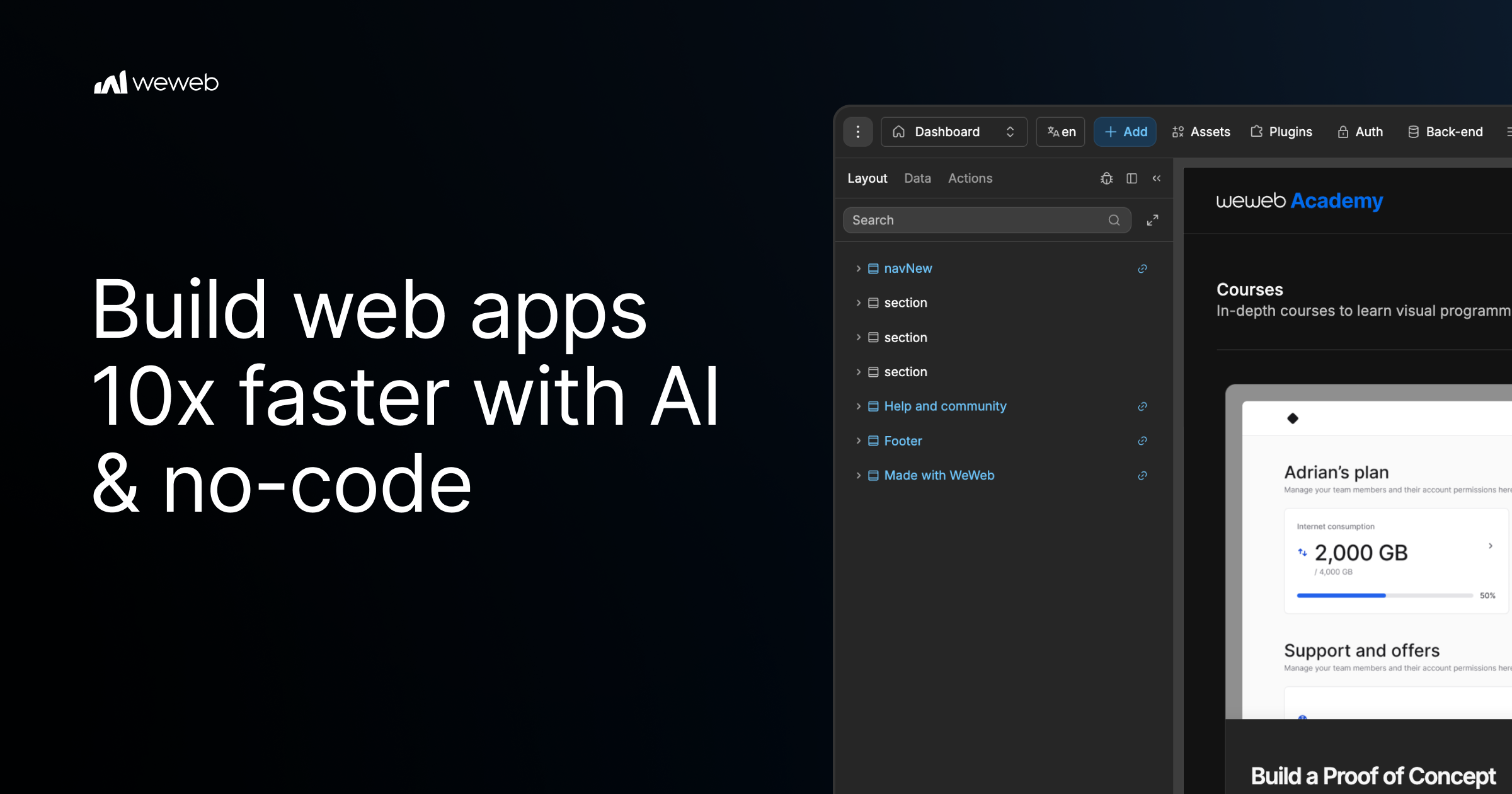
WeWeb MCP is a Model Context Protocol integration that connects the AI agent you already use to WeWeb, a visual no-code app builder. Point Claude Code, Cursor, Codex, Antigravity, ChatGPT, or any MCP-compatible agent at WeWeb and it builds the pages, workflows, data models, tables, auth, and integrations for a real WeWeb project. It is designed for teams and builders who want AI speed while staying in control: the agent runs on your account, your model, and your tokens, and every change it makes lands in a visual editor you can review and edit yourself. The tool turns briefs, designs, and app logic into a working project, and it uses no WeWeb credits. Agentic development, often described as vibe coding, can produce applications quickly, but it frequently leaves builders unsure about what actually changed inside their app. WeWeb MCP is positioned against that black-box experience. The product page promises the speed of vibe coding without the mystery of what changed, and it argues that moving fast should not create maintenance debt for a team or for your future self. Instead of generating an opaque codebase, the agent writes into a structured WeWeb project where every page, workflow, data model, and integration stays visible in a visual editor. That combination of AI generation and visual review is the core problem the product addresses. Any MCP-compatible agent can be connected, and the product page highlights several specific clients. Claude Code can plan and build in WeWeb using Claude's reasoning. Codex turns GPT-powered build plans into WeWeb apps. Antigravity builds with Gemini and Google models inside WeWeb, while Cursor lets you use Cursor's agent and your model of choice. ChatGPT is also listed as a supported agent. Because the integration runs on your account, your model, and your tokens, you are not locked into a vendor-supplied model, and the documentation link provided on the page covers installation of WeWeb MCP. The AI client section presents these agents side by side, emphasizing that you connect the agent you already use rather than adopting a new one. Getting started follows three documented steps. First, you add the server configuration to your MCP client settings, pasting a small JSON block that defines a weweb-ai server and runs it through npx with mcp-remote pointing at the WeWeb MCP endpoint. Second, you sign in to WeWeb and authorize access so the agent can call tools on your project. Third, you pick your project and build: you ask your agent to list workspaces and projects, switch to the right one, and then describe what you want. The page gives an example prompt asking the agent to list WeWeb workspaces, switch to a project, and help build a dashboard page. Control is a first-class part of the product. You decide how much of the app the AI can touch, letting the agent work across the full project or keeping it focused on one specific page, workflow, database, or design-system task. You also control what happens next: you review the agent's output inside WeWeb and then either keep prompting or edit the result yourself in the visual editor. This scoping means an agent can be granted broad access for large build-outs or narrow access when you only want a single change, and the review step keeps a human in the loop before changes are accepted. To avoid the generic AI look, including what the page calls purple gradients, WeWeb MCP lets you give the agent your visual rules before it builds. You can import the design rules that define your brand's design DNA from Figma, Google Stitch, Claude Design, or design.md into WeWeb. From there, you create a component system using shadcn, React references, or custom coded components to build reusable blocks with no-code properties. Starting from a brand design system means generated screens inherit your existing palette, components, and conventions rather than default styling, which reduces rework after generation and keeps output consistent with what your team already ships. The PRD to app workflow shows how product intent becomes a structured application. The agent reads a brief and moves from user journeys to screens, creating the pages, forms, states, and flows users need. It then moves from data to backend structure, mapping the database, fields, relationships, auth, storage, and backend workflows behind the app. Finally, it moves from business rules to integrations, where Slack alerts, email triggers, CRM updates, API calls, and approval flows become part of how the app works. Crucially, the first version is not the final word: you can keep working with your agent or open the visual editor to inspect, adjust, and shape the app yourself after generation. WeWeb MCP also works across a broader MCP stack. You can pair WeWeb with a backend MCP such as Xano, Supabase, or Airtable MCP, or with any APIs, to build the WeWeb frontend in context or bring data into the WeWeb backend. Product context can be turned into screens using docs, transcripts, websites, Figma files, or media assets to create onboarding, dashboards, and forms. A separate refactor workflow helps teams move fast without maintenance debt: the agent can find unused variables, outdated workflows, test components, and leftover build artifacts, and it can standardize naming across pages, components, workflows, API requests, tables, and fields. When the app is ready, WeWeb MCP supports going live on your terms. You can deploy in one click and launch on your custom domain while WeWeb handles hosting and infrastructure, or you can export the code and self-host it on your own infrastructure when you need full control. The product is free to start, and the page offers both a sign-up to start for free and a way to request a demo. It is marketed as agentic development for teams that want AI speed and visual control, and the page notes it is trusted by Fortune 500 companies such as PwC, La Poste, L'Oreal, JLL, Qonto, Decathlon, Carrefour, and Biwaki by BNP Paribas. Users report benefits that extend beyond speed. A digital project manager at PwC says adopting WeWeb revolutionized how the organization approaches application development, empowering teams to deliver more innovative, secure, and compliant solutions faster and more effectively. The CEO of Shunpo notes that no-code does not mean low-performance and that WeWeb makes it possible to build bigger things that were not possible with other tools. A CEO of ALOE Digital Solutions describes the platform as powerful, versatile, and intuitive after trying many no and low-code app builders. Together these outcomes point to AI-assisted building that remains maintainable, reviewable, and owned by the team that created it. The primary value proposition of WeWeb MCP is straightforward: your AI agent builds the app while you stay in control. You bring the agent, the model, and the tokens; WeWeb provides the project structure and the visual editor where every generated page, workflow, data model, and integration can be reviewed and changed. Design system import, PRD-to-app generation, backend MCP pairing, refactoring, and flexible deployment make the workflow useful from first prototype through launch. Because nothing is a black box, teams can adopt agentic development without giving up visibility, editability, or ownership of the applications they ship.
Plane Agents are AI teammates that join your Plane workspace as members. Instead of prompting a chatbot for a one-off answer, teams give an Agent a job: they assign it work items, mention it in conversations, trigger it when work changes, or run it on a schedule. Plane Agents take on repetitive, context-heavy workflows 24/7, responding to changes, coordinating next steps, and acting across Plane and the connected tools a team already uses. They triage requests, draft specs, run standups, flag delivery risks, and handle a lot more of the recurring work that keeps coming back across planning, delivery, reporting, and operations. Plane Agents are designed for the work that keeps coming back. Across planning, delivery, reporting, and operations, teams repeatedly collect progress, chase blockers, write specs, sort incoming requests, and watch for slipping timelines. That work is context-heavy: it depends on what changed, who is involved, and what the current state of a project is. Because it repeats, it is easy to let slide, and because it is context-heavy, it is expensive to do well by hand. Plane Agents take on that recurring load so the same coordination work does not have to be redone manually week after week. As Plane frames it, the work keeps coming, so put an Agent on it. Agents are built around four decisions. First, define what it owns: teams start from a template or create an Agent from scratch, giving it a name, a clear responsibility, and the outcome it should work toward. Second, give it a playbook: describe how the work should be done, what a good result looks like, and which boundaries it should follow, then add the right skills and choose the model behind it. Third, choose when it starts: an Agent can be brought into work through an assignment or a mention, or it can start automatically when work-item changes occur or on a schedule, with filters that decide exactly when it should run. Fourth, connect its working context: choose the Plane projects, trusted web sources, and connected tools the Agent can use, and decide which connected account it should work through. Plane also ships ready-made Agents for the work that keeps coming back across planning, delivery, reporting, and operations, which teams can then adapt to their own triggers and context. The Standup Agent collects progress, blockers, and next steps from the team and turns them into a concise update that highlights what matters most; it works on Slack, Gmail, and Projects, with skills in progress tracking and team summarization. The Delivery Risk Agent monitors work for stalls, blockers, dependencies, and slipping timelines so teams can identify and address delivery risks early; it works on Github, Slack, and Projects, with skills in risk detection and dependency tracking. The Spec Agent turns rough ideas and requests into structured requirements, identifies gaps, and asks the right questions to make the scope clear; it works on Figma, Wiki, and Pages, with skills in PRD writing and product clarity. The Request Triage Agent reviews incoming work, identifies duplicates, adds relevant context, and routes each request to the right team or workflow; it works on Slack, Projects, and Intake, with skills in request analysis and duplicate detection. The Customer Feedback Agent groups customer feedback into meaningful themes, surfaces recurring insights, and connects them to relevant issues, projects, or ongoing work; it works on Slack, Projects, and Wiki, with skills in feedback analysis and theme clustering. Agents show up when the work does. A team member can assign an Agent to a work item, and it receives the relevant context and starts working on the job. An Agent can be mentioned inside a work item conversation to ask for information, prepare, or take the next step. It can also be triggered from change: an Agent starts when work is created, updated, changes state, gets reassigned, or removed. Agents can connect work across tools, using selected connected tools and trusted work sources to get context. And recurring work can be put on a schedule, so reviews, reports, checks, and follow-ups run automatically on a fixed or custom schedule. In every case the Agent acts with context and returns the result in Plane. Control and visibility are part of the model rather than an afterthought. Teams set the boundaries: they choose each Agent's reach by selecting the Plane projects, trusted work sources, and connected tools available to it. They choose whose access it uses, giving connected tools access through a person's account or through a service account managed by the team. They can also see where credits go, tracking adoption, response and completion rate, average time to complete, and consumption by Agent. That means a team can see when an Agent starts, what it returns, and when it needs human input, which keeps automated work accountable and observable instead of opaque. The payoff is that recurring, context-heavy coordination stops consuming human attention. Standups become concise updates instead of a manual chase for status. Delivery risks surface early because stalls, blockers, dependencies, and slipping timelines are monitored continuously. Rough ideas turn into structured requirements with gaps identified before work begins. Incoming requests are deduplicated, enriched with context, and routed to the right team or workflow. Customer feedback is clustered into themes and connected to the issues and projects it relates to. Because Agents respond to changes and can run on schedules around the clock, they keep pace with work as it evolves rather than waiting for the next meeting to catch up. Concrete scenarios follow directly from the available Agents. A team can schedule a Standup Agent to collect progress, blockers, and next steps and publish a concise update highlighting what matters most. A Delivery Risk Agent can watch work for stalls, blockers, dependencies, and slipping timelines so a delivery lead sees risk early. A Spec Agent can take a rough request in Figma, a Wiki, or Pages and turn it into a structured spec, asking the right questions where scope is unclear. A Request Triage Agent can sit on intake and Slack, deduplicate incoming requests, add relevant context, and route each one. A Customer Feedback Agent can cluster feedback from Slack, Projects, and Wiki and connect recurring themes to existing issues and projects. More broadly, any review, report, check, or follow-up that repeats can be placed on a fixed or custom schedule. Plane Agents are aimed at teams that already run their work in Plane and want recurring coordination handled automatically. Plane states that more than 50,000 teams use the product, and the site names customers including Sony, Accenture, SSI, Texelis, Stark Bank, Aramco, Dolby, Mirador Therapeutics, Amazon, République Française, Government of Lithuania, and Power Integrations. Agents work with connected tools such as Slack, Gmail, Github, and Figma, alongside Plane Projects, Wiki, Pages, and Intake. Plane is available on the web, with downloads for Mac, Windows, iOS, and Android, and the site lists compliance with GDPR, HIPAA, ISO 27001, and SOC 2. Agents run on the AI credits included in every paid plan, and teams can get started free or book a demo. Plane Agents turn repetitive, context-heavy coordination into always-on teammate work. Rather than prompting for a one-off answer, you give an Agent a job: assign it work, mention it, trigger it when work changes, or put it on a schedule. It then acts with context across Plane and your connected tools, within boundaries and with visibility that the team controls.
Anomalo Analyst is a team of AI agents that monitor your data around the clock and give you insights on anything that is happening in the data and why it matters. According to Anomalo, you connect your data warehouse or data lake and start getting data insights without writing SQL queries or refreshing dashboards. The product is built for data teams and for the people who depend on them: instead of asking analysts to hunt for what changed, Anomalo Analyst proactively publishes a continuous feed of trends, anomalies, and shifts, then lets anyone dig deeper with plain-language follow-up questions. Its stated purpose is captured in the product's own framing — your data is always talking, and Anomalo Analyst makes sure you do not miss what it is saying. Data changes constantly, and the volume of that change is the problem Anomalo Analyst addresses. In most organizations the burden falls on people to notice what moved: someone has to write a query, wait on a dashboard to refresh, or file a ticket with a data team and wait for an answer. Anomalo's messaging is explicit that most AI tools ask you to find the insight, while Anomalo Analyst finds it for you. The traditional approach means meaningful business changes can go unnoticed until someone happens to ask the right question, and raw alerts from monitoring systems often add noise rather than clarity — an alert is not the same thing as an explanation of what happened and why it matters. Anomalo also says the product helps distinguish real business changes from broken data, because a genuine shift and a data problem can look identical until someone checks. Detection starts with statistical modeling rather than LLMs. Anomalo states that its statistical modeling, not LLMs, scans every table for meaningful changes such as new values that appeared, trends that reversed, or drift that occurred, and more, then ranks every change with a magnitude score. That ranking gives the AI agent a prioritized list of real changes rather than an undifferentiated pile of events. Because the scanning is statistical and automated, it runs across every table rather than only the handful of metrics someone remembered to instrument, and the magnitude score lets the system separate small fluctuations from changes large enough to be worth a person's attention. Once changes are ranked, a team of specialized AI agents takes over: they monitor the data, detect what has changed, decide what matters, and write up the finding in an analyst-grade report, so what reaches you is a polished insight rather than a raw alert. The AI agent investigates the ranked changes, digs into historical context, and writes a report revealing what happened, what the data shows, and why it matters. A dedicated verification agent then reads every report line by line and checks each claim against the data before it reaches you — hallucinations get caught and corrected, not published. That verification step matters because the report is meant to be trusted as a written finding: Anomalo says it helps you tell a real change apart from broken data, and it checks each claim against the data rather than publishing unverified model output. Insights are proactively published to you. Anomalo describes a news feed of everything meaningful that changed in your data, delivered to your homepage and your inbox, all without prompting, plus a personalized digest of what actually changed — the trends, anomalies, and shifts that matter to your work — so you can be the most insightful person on your team without logging in. When an insight catches your eye, you dive deeper with follow-up questions and analyses in natural language instead of filing a ticket. Anomalo states the product gets smarter the more you use it: giving feedback when an insight was useful, or noting that you look at your data differently, is saved to memory, making every insight and conversation sharper. Findings can also be shared — any insight or analyst conversation can be shared with a link, and recipients can view it immediately after signing in, with no warehouse access needed. The overall flow is deliberately short. You connect your data platform and select the tables you care about; Anomalo Analyst analyzes and profiles your tables automatically and asks a few quick questions to personalize your insights; the AI agents learn from your data's history and watch your tables every day for meaningful changes; and you can dive deeper into any change or insight at any time with natural-language follow-ups. Anomalo describes onboarding as telling it what you care about, having it find the right tables and start monitoring, and going from signup to your first insight in minutes. The distinguishing methodology, in the company's own words, is that most AI tools ask you to find the insight while Anomalo Analyst finds it for you — the system does the monitoring, the prioritization, the contextual explanation, and the verification, and delivers the finished insight rather than a raw alert. Anomalo frames the benefit around being informed without effort: you show up informed, you know before anyone asks, and you can be the one with the answer. A continuous feed of trends, anomalies, and shifts arrives without writing a query, waiting on a dashboard, or filing a ticket with your data team. Because every claim in a report is verified against the data before publication, the insights you act on have been checked. And because a dedicated verification agent exists specifically to catch and correct hallucinations, the workflow is designed so the reader does not have to independently re-check the numbers in a report before using it. Concrete scenarios follow from the described workflow. A data team connects its warehouse and lets Anomalo Analyst profile and monitor the tables they care about, then reviews a continuous feed of what shifted. A person preparing for a meeting checks their personalized digest and arrives already aware of the trend that reversed or the new value that appeared. Someone who sees an insight they do not fully understand asks a follow-up question in plain language rather than opening a ticket. When an insight is relevant to a manager or teammate, it is shared as a link the recipient can open immediately after signing in — even without warehouse access. Over time, feedback on which insights were useful, and how the user looks at their data, is saved to memory so subsequent insights and conversations are sharper. Anomalo Analyst is presented for data teams and for anyone who needs to know what is happening in the data. The site says it is trusted by data teams and shows organizations including Aritzia, Atlassian, Block, Buzz, Casey's, Discover, Equifax, Evidation, Faire, Fandom, HomeToGo, Lebara, and Notion. On the data side, Anomalo describes connecting a data warehouse or data lake, and the Product Hunt listing names Snowflake, Databricks, or BigQuery. Access is via the web, and the call to action throughout is Start for Free, alongside links to request a demo to see autonomous agents in action. That is the core value proposition Anomalo Analyst reinforces at every step: your data is always talking, and a team of AI agents monitoring it around the clock means you do not miss what it is saying. Detection runs on statistical modeling, explanations arrive as analyst-grade reports with each claim verified against the data, delivery happens proactively to your feed and inbox, and investigation happens in plain language rather than in tickets. For data teams and the people around them, the outcome Anomalo promises is simple and specific: you show up informed, and you are the one with the answer.
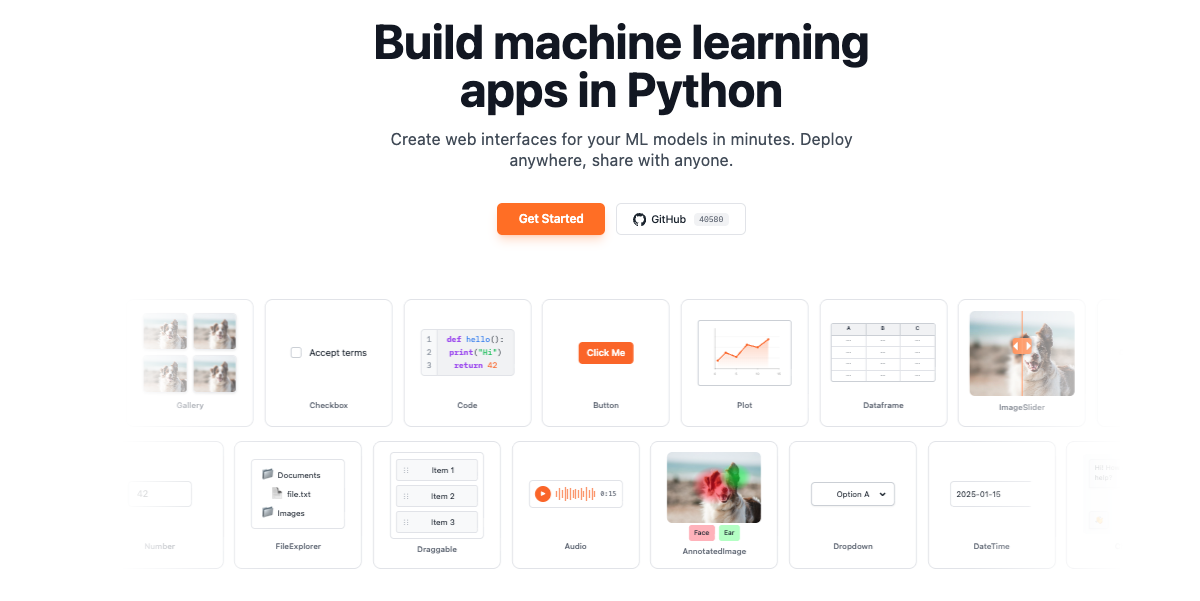
gr.Workflow is a visual, node-based AI pipeline builder built into Gradio. It lets you chain together Hugging Face Spaces, models, datasets, and your own Python functions on a drag-and-drop canvas. The simplest possible Workflow app is a single line of code: gr.Workflow().launch(). You then open the app, drag Spaces, models, and datasets from the sidebar onto the canvas, connect their ports, and hit Run. The guide describes gr.Workflow as already being a complete Gradio app that must be created at the top level and cannot be nested inside a gr.Blocks context. It is designed for people who want to assemble multi-step AI pipelines visually while keeping their own Python code available as callable nodes on the same canvas. Building an AI pipeline has traditionally meant writing glue code to move data between models and services, downloading weights, and rebuilding the entire pipeline whenever a better model appears. Gradio Workflow is presented as a way around that: pipelines are assembled from nodes on a visual canvas, intermediate inputs and outputs can be inspected, and better models can be swapped in without rebuilding the workflow. Because the nodes call hosted Spaces, models, and datasets, nothing has to be downloaded. The finished pipeline is not locked inside a private session either. It can be shared with a URL or run via a REST API, and its topology is stored in a portable workflow.json file that a coding agent can write or edit, which means workflows can also be created programmatically. On the canvas, a workflow is organized into three node collections, which the guide defines precisely. References are the inputs: uploaded files, editable text, and literal values. Operators are the processing steps: Spaces, models, datasets, and Python functions. Subjects are the outputs, the results being created. As you add, remove, or change nodes and edges, a workflow.json file is automatically created next to the Python script that created the Workflow; you can pass graph= if you want to save it somewhere else. That autosave behavior means the canvas and the file stay in sync without manual export. Node geometry is optional too: include x and y on every node to control how the graph is arranged the first time someone opens it, or leave them out and the canvas auto-arranges the layout instead. Your own Python code becomes part of the pipeline through bind=. Functions passed via bind= appear as callable nodes on the canvas, and Gradio inspects the function signature to auto-generate input and output ports. The guide gives the example of a summarize function that takes a string and returns a string; using a dictionary, for example bind={"My Summarizer": summarize}, gives the node an explicit name. Signature inference is intentionally simple. Parameters annotated as int or float become number ports, bool becomes boolean, and strings, unannotated parameters, and other annotations default to text. Gradio initially generates one output port for each bound function, and any media ports or multiple outputs must be defined explicitly in the workflow JSON. Bound functions can also be wired together in code with edges, a list of (from_fn, to_fn) tuples referring to functions in bind=, using fn_name.port_label to target a specific port when a node has multiple inputs or outputs. The guide notes that edges= only connects bound Python functions while generating a new workflow: it cannot create edges to Space, model, or dataset nodes, it is ignored when the workflow file already exists, and the file must be deleted to regenerate the initial topology. Workflows can also be loaded from disk. Passing a graph= path such as graph="workflow.json" loads a saved workflow topology; the canvas reads from that file on each page load and autosaves back to it whenever nodes or edges change, and if the file does not exist yet it is created on the first authorized edit. The guide is explicit that bind= does not automatically add or wire functions into an existing graph: to combine an existing graph with bound functions you either add the functions from the canvas Functions menu, or include an operator with "kind": "fn" whose "fn" value exactly matches a key passed through bind=. Layout remains flexible for viewers: the file's arrangement is only a starting point, each visitor is free to drag and resize cards, that arrangement is saved in the visitor's own browser rather than in the file, and workflow.json is never rewritten with it. Height is measured from the rendered card, and width is the default every viewer starts from, with a writer's resize becoming the new default the next time an edit is saved. Under the hood, the workflow JSON defines a schema_version, a name, the three node collections, and a list of edges that connect node IDs and port IDs with a stated type. Operators come in four kinds. A space node calls a Gradio Space on the Hub via gradio_client, configured with space_id and endpoint. A model node calls a Hugging Face model via InferenceClient, configured with model_id and a supported endpoint such as text_to_image, while pipeline_tag is also stored for discovery and compatibility with older graphs. A dataset node pulls one row from a Hub dataset per run, selected by the row_index input, configured with dataset_id, dataset_config, and dataset_split. An fn node calls a Python function whose fn value matches a key passed via bind=. Ports are typed so the canvas can validate connections, with support for image, audio, video, text, number, boolean, gallery, file, json, model3d, and any; any is a compatibility fallback that can connect to every port type, and file and any usually come from API schema inference rather than being offered as reference or subject templates in the canvas picker. Pipelines can also fan out: one reference can feed multiple operators simultaneously, and when you run the workflow in the interactive canvas, operators at the same dependency depth run in parallel. The guide adds that when the same workflow is invoked through its generated Gradio API, the server currently executes those branches sequentially. The benefits described in the guide follow directly from this design. Because nodes are wired on a canvas rather than buried in code, intermediate inputs and outputs can be inspected while a pipeline runs, which makes multi-step AI systems easier to debug and reason about. Because each operator is a separate node, a better model can be swapped in without rebuilding the workflow. Nothing needs to be downloaded, since the operators call hosted Spaces, models, and datasets. Shipping is flexible: share links and the ordinary local URL are run-only, while launch() also prints a private write-access URL for editing and saving the workflow, which the guide advises keeping private because edits affect the workflow seen by every visitor. Finally, the workflow.json file is both an autosave artifact and a programmable surface, so the same topology can be authored by hand, by a coding agent, or by bind= and edges= declarations in Python. The guide's fan-out example is a concrete, described workflow: a single product photo reference is fed into four FLUX Kontext branches, showing how one input can drive multiple image transforms at once. Text pipelines are demonstrated in the edges example, where a clean function that strips and lowercases text is wired into a tag function that prefixes the processed text. Model nodes such as black-forest-labs/FLUX.1-schnell with the text_to_image endpoint illustrate text-to-image generation inside a workflow, while dataset nodes make it possible to run a pipeline over a specific row of a Hub dataset, controlled by row_index. Because the same app can be shared with a URL or invoked through a generated Gradio API, the guide frames Workflows both as an interactive canvas for building and inspecting a pipeline and as a deployable app that others can run without editing it. The product is aimed at people building AI pipelines in Python: the guide's code samples are Python throughout, and the canvas is an extension of the Gradio app that the function nodes live in. Integrations called out in the content are the Hugging Face ecosystem, including Spaces on the Hub through gradio_client, models through InferenceClient, and Hub datasets, together with your own Python functions and the generated Gradio API. The relevant technology stack therefore includes Python, Gradio itself, gradio_client, InferenceClient, and REST access to the running app. The guide positions gr.Workflow as part of Gradio's Additional Features, sitting alongside the library's other tutorials and guides, and it must be created at the top level as its own app. No pricing or plan details are stated in the material reviewed here. In short, gr.Workflow brings a visual, node-based editing experience to AI pipelines without taking developers out of Python. You drag Spaces, models, datasets, and your own functions onto a canvas, connect typed ports, and run the result as a Gradio app that can be shared with a URL or called through a REST API. The topology is portable in workflow.json, editable by hand or by a coding agent, and free of downloads because the heavy lifting happens on hosted Hugging Face resources. The primary value proposition is straightforward: build, inspect, and iterate on multi-step AI pipelines visually, and swap in better models without rebuilding the workflow.
slop-grader is a rule-based command line tool that evaluates documents against custom rulesets and produces document scores and line-by-line flags to guide auto-fixing with an AI agent. It is built for anyone who writes, edits, or reviews text and wants that work checked against an explicit, repeatable standard rather than a vague impression. The tool is open source, runs locally in a terminal, and is designed around the idea that you curate a ruleset for your own use case and then reuse it as a powerful way to grade text consistently. Rather than rewriting a document for you, slop-grader grades it, tells you which lines failed which rules, and hands off instructions that an AI agent can act on to produce sharper copy. The context behind slop-grader is the flood of AI-generated writing. Text produced quickly by large language models tends to be padded with filler, stacked with buzzwords, and vague about what it actually promises. Reviewing that text by hand is slow, subjective, and inconsistent: two readers can disagree about whether the same paragraph is clear, and nobody notices a slow drift in tone across a long document until a reader finally complains. slop-grader takes a different position by making each check explicit. Instead of asking whether a document reads well, you express what you care about as a rule, and the tool answers that rule for every line it reviews. The result is a score plus a list of specific lines that need attention, which makes the standard applied to a document visible and repeatable. The heart of the product is the ruleset. Rules are written in plain language and can be anything you are able to phrase as a question. Some rules are evaluated line by line, such as "Does this line make a promise that requires a legal disclaimer?" Others are evaluated across the entire document, such as "Does the opening earn the reader's next 30 seconds?" That flexibility means the same tool can cover very different jobs: SEO checks on a page, legal clause review, tone of address, or keeping a formal or informal register consistent. A concrete example given by the maker is German address: keeping "Du" versus "Sie" consistent throughout a document. Because rules are yours to define, words that are buzzwords in one industry but completely normal in another are handled by simply writing the rule that fits your use case. slop-grader also ships with built-in rules, so you do not have to start from nothing. The included checks cover English grammar, German grammar, and AI filler detection. The maker notes that once you have built a curated ruleset for your use case, the tool becomes very powerful, and there is a built-in skill in the repository for creating custom rules, published as a SKILL markdown file on GitHub. That skill is intended to help you author the plain-language rules your workflow needs, whether they concern promises and disclaimers, openings that hold attention, SEO conditions, legal clauses, or tone of address. The output format is deliberately practical. slop-grader produces document scores and a list of flagged lines together with instructions that you can paste directly into an AI agent to fix the document. The tool flags its outputs as prompts so that agents can draft the fixes. This matters because a line-level flag makes it much easier to see exactly what needs fixing instead of rewriting an entire document from scratch. One product detail worth knowing is that when a rule fires on a line, the tool does not explain why it thinks the rule was violated. The maker's suggested workaround is to create separate rules for each check; the AI agent receiving the output is then very good at inferring the underlying problem from the flagged lines. Under the hood, slop-grader runs on Jev, available at typesafe.ai, which is described as a new AI model that is different from an LLM. Jev is a so-called System One model specialized in answering structured questions. That specialization is what makes the rule-by-rule approach practical: every rule is matched against every line separately, and because of the model's design that evaluation stays both cheap and fast. Checking a document takes seconds and costs less than a cent. Because evaluation happens on a remote model, the maker notes that text is evaluated on an external AI server, which is a relevant consideration when you decide what to run through the tool. The practical benefits follow directly from that design. Grading is consistent because the same rules are applied to every document and every line, so the standard does not drift between reviewers or between sessions. Feedback is precise because it arrives as flagged lines rather than a general verdict, which narrows the editing work to the specific places that broke a rule. The pipeline is fast and inexpensive enough that running a full check on a document takes seconds and costs less than a cent, so it can be part of a regular workflow rather than an occasional deep review. And because the output is written as instructions for an agent, the handoff from "this line is wrong" to "here is a sharper version" is automated rather than manual. Day-to-day, the maker describes using slop-grader to catch AI filler in launch copy, to strip buzzwords from landing pages, and to score narrative flow in launch emails. Those examples show the range: launch copy is checked for filler, landing pages are checked for buzzword density, and launch emails are graded on whether the narrative flows. Beyond those, the ruleset model supports SEO checks on content, review of legal clauses and disclaimers, and tone-of-address enforcement such as keeping German "Du" versus "Sie" consistent across a document. In each case the workflow is the same: run the document through your ruleset, read the score and the flagged lines, then paste the flagged output and instructions into an AI agent so it can draft the fixes. Getting started has a few stated requirements. You need Node.js installed on your machine, and you need an account with either TypeSafe or OpenRouter, since the evaluation runs on Jev. The tool is open source and is distributed as a CLI, and it is listed as free. The project lives on GitHub, and the maker has also published a skill for creating custom rules in the repository. It was launched on Product Hunt and is categorized as a command line tool, with topics covering writing, advertising, artificial intelligence, and GitHub. Text is evaluated on an external AI server, which users should factor into what documents they submit. The takeaway is that slop-grader reframes text review as a linting problem for prose. By turning what you care about into plain-language questions, evaluating them line by line and document-wide with a fast, low-cost structured-question model, and emitting flagged lines alongside agent-ready instructions, it replaces subjective rewriting with a score, a precise list of problem lines, and a clear path to an automated fix.
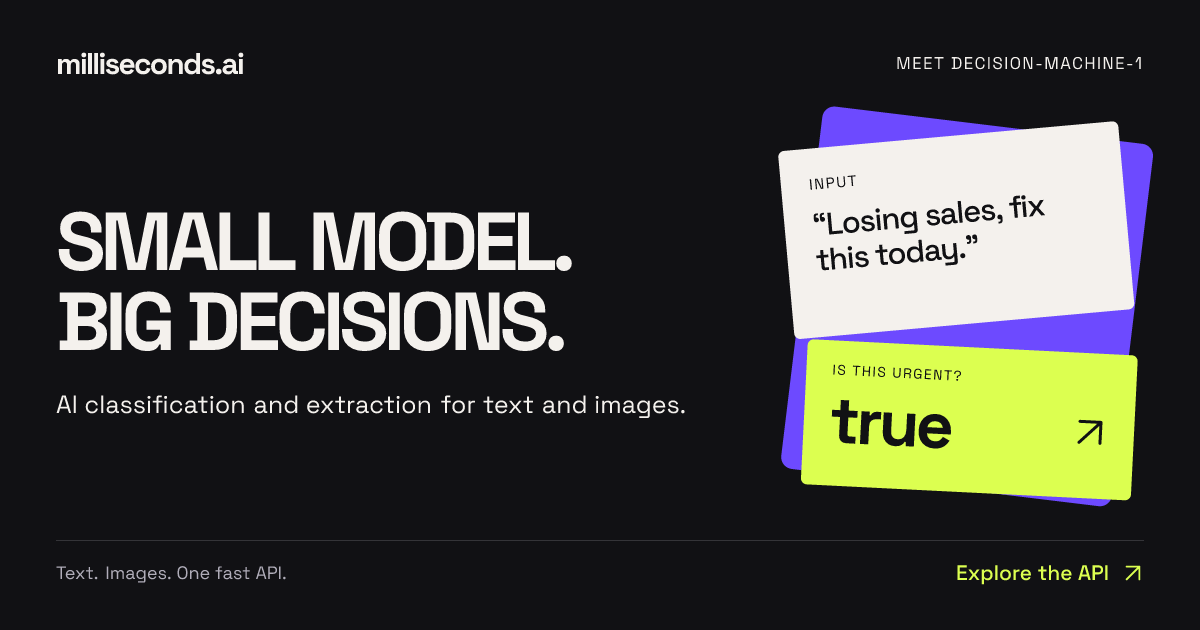
Milliseconds.ai is an API that turns text and images into decisions. You send text or an image, and the platform returns labels, fields, scores, or yes/no answers as structured data. The product is built around a small model the team calls decision-machine-1, and it is designed specifically for the parts of an application that need an answer rather than a conversation. The company describes the service as delivering "AI decisions, classification and extraction via a simple API." It is available through REST endpoints, SDKs, and a CLI, so developers can call it from TypeScript, Python, or the terminal and receive typed responses. Typical jobs described on the site include routing emails, reading invoice fields, and checking returns against a policy, as well as more playful applications such as building a hot-dog identification empire. The landing page frames the product with the line "Small model. Big decisions." and the supporting idea "Enough words. Try it, stat!" — the emphasis being on delivering the decision itself rather than a long piece of generated prose. The problem Milliseconds.ai addresses is the gap between general language models and the small, concrete decisions applications need to make on every request. The website contrasts a typical verbose model reply — "Certainly! Let's delve into a comprehensive overview of this invoice and its many fascinating details…" — with what a system actually needs: just the fields, invoice number, vendor, total, and currency, ready for the next step. The product exists for "the parts of your app that need an answer," where the goal is not open-ended conversation but a label, a score, a boolean, or a set of validated fields. The framing "Less blah. More done." captures this directly: instead of parsing free-form text after the fact, an application can receive structured data it can immediately act on. This matters because routing, prioritization, validation, and record writing all depend on machine-readable outputs rather than paragraphs of explanation. The site summarizes this as "Very small decisions. Very real work." The platform exposes a set of purpose-built decision endpoints. The yes/no endpoint answers a boolean question about a piece of text — for example, flagging messages that need a faster response — and returns both the boolean answer and a probability of urgency, so an application can raise a ticket's priority. The classify endpoint assigns a label from a set of choices: given support queues, it can return a label such as "billing" along with a probability (0.74 in the recorded example) and a confidence value, plus scores for the other candidate labels such as shipping, technical, and other. The rate endpoint turns subjective input like customer frustration into a sortable score on a defined scale; the example returns a reported score of 1.998 on a 0–3 scale, a level, a confidence figure, and per-level scores across calm, annoyed, angry, and furious. The answer endpoint locates a specific span of text in response to a question — for example, finding the shipment destination in a status update — and returns the answer text together with a probability and start and end source offsets, so an application can show where the answer came from. Extraction and entity recognition form a second group of capabilities. The extract endpoint maps unstructured text to the fields in your records. In the recorded invoice example, it returns a structured object with invoice_number, vendor, total, and currency — four fields described as ready for validation before writing a record. The entities endpoint identifies people, organizations, and references in a document; the claim-note example returns four typed entities (a person name, an organization, a claim id, and a date), each with a type, the matched text, and a probability score, described on the site as "typed values for search and record matching." Together these endpoints cover two of the most common document-intake needs: pulling out defined fields, and recognizing the named things inside free text. A third capability is verification. The verify endpoint checks a proposed value against source text. In the documented example it compares a proposed deductible against policy text and returns matches: false with a probability of 0.00, because the source says $500 while the proposed value is $1,000, and it returns the found value ["$500"]. This lets a workflow confirm that a value is actually supported by the source document before it is accepted — the kind of check required in insurance or finance processes where an extracted number must be traceable back to the text it came from. Overall, the product follows a simple INPUT → DECISION → ACTION model. Text or an image goes in; the model produces a decision in the form of a label, a score, a boolean, a text span, a set of fields, or a list of entities; the application then acts on that structured output. Every response is designed to be consumed by code: boolean answers with probabilities, labels with probability and confidence, scores with per-level breakdowns, answers with source offsets, extracted fields as key-value data, and entities with type, text, and probability. The site notes that uncertainty is surfaced rather than hidden — for instance, "nearly tied levels signal uncertainty," so a queue-ranking system can keep that ambiguity visible. Developers integrate through REST endpoints, TypeScript or Python SDKs, or the CLI and receive typed responses. There is also a path for coding agents: installing skills that teach an agent which API to call and how to evaluate results. The benefits described on the site centre on speed, structure, and cost. Because the model is small and purpose-built, responses arrive as data rather than prose, removing the parsing step between a model call and an application action. Because outputs are structured and include probabilities and confidence, applications can make ranking, routing, and validation decisions with a stated level of certainty. Cost is a headline benefit: production usage is priced at $0.04 per million input tokens, with no charge for output tokens, and free test keys include 125M free input tokens per month with no card required. The website frames the economics as "Big ideas. Small bill." and repeats the free allowance as "Free free free — yours to build with." The site presents several concrete scenarios. Support triage combines the pieces: "A label selects the queue. A score sets priority. A boolean flags urgency." Document intake works as a pipeline: "Extract fields, check values against the source, then validate before writing a record." In the Invoice Desk demo, invoice text is turned into a vendor, invoice number, and total, which are then compared with the purchase order so a team can see what needs attention — the example record matches PO-208. In the Sales Intake demo, an inbound message is separated from support tickets and vendor pitches, given a suggested destination of Sales because it is a demo request with budget stated and a near-term start, and the budget, timing, and need are surfaced for follow-up. In the Private Share demo, names and emails are found in a transcript so personal details can be redacted while the bug report stays useful — detected details are reviewed before sharing, with a toggle between the original and the redacted version. Other stated examples include checking returns against a policy, routing emails, and identifying hot dogs. Milliseconds.ai is aimed at developers and teams building applications that need classification, extraction, and decisions at the point of request — the people who would otherwise wire a general-purpose model into a workflow and then parse its output. The website addresses them directly: "You bring the idea. Build something fast." Integration options explicitly named are the REST API, the TypeScript SDK, the Python SDK, the CLI, and skills for coding agents. Pricing is split between a free tier of 125M free input tokens per month on test keys with no card required, and production at $0.04 per million input tokens with output tokens free. Demos let visitors try working apps and inspect their results, token usage, and inference cost, and visitors can try requests on the site without an API key. In summary, Milliseconds.ai takes the small, repetitive decisions that applications make — is this urgent, which queue does this belong to, how frustrated is this customer, where is the shipment going, what are the invoice fields, who and what are mentioned here, does this value match the source — and returns them as structured, probability-bearing data through one fast API. The combination of a small purpose-built model, typed structured outputs, built-in verification, coding-agent skills, and a free tier with inexpensive production pricing is what the product offers to teams that need answers rather than conversation.