Category Focus/categories/automation
Automation AI Tools
Discover and compare the best automation AI tools and software. Browse 592+ curated tools with reviews and rankings.
Projects tracked
592
Sort mode
RECENT
Page
6
Discover and compare the best automation AI tools and software. Browse 592+ curated tools with reviews and rankings.
Projects tracked
592
Sort mode
RECENT
Page
6
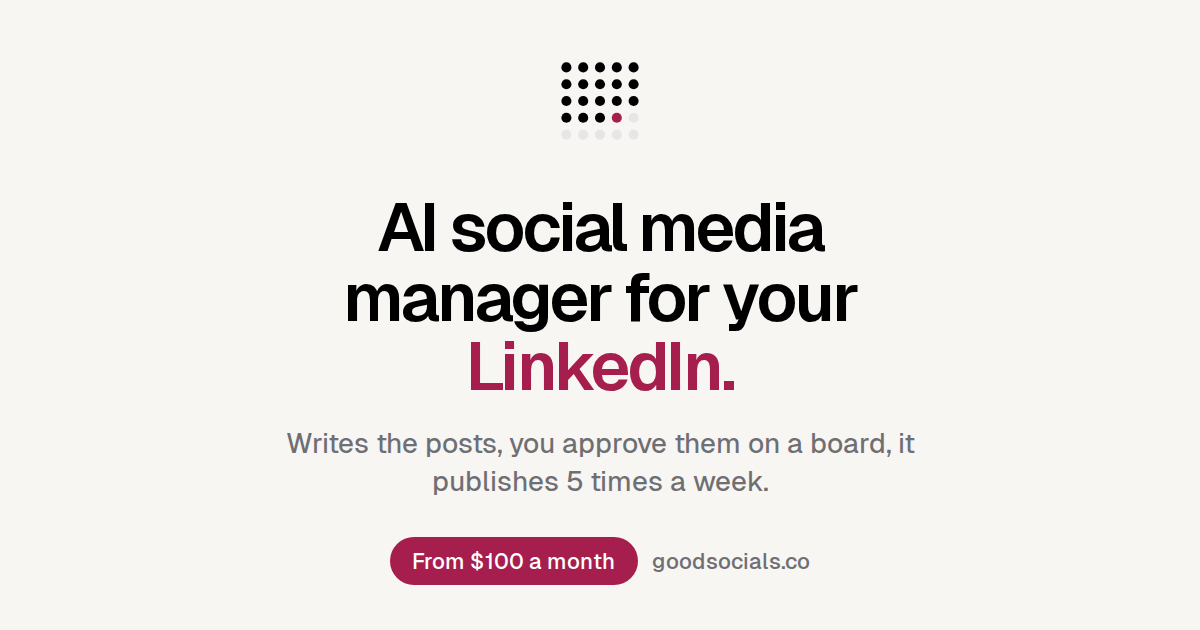
GoodSocials is an AI social media manager for LinkedIn. It writes high quality LinkedIn posts from deep research or from your own data, you approve them on a board, and it schedules them so you post regularly — five times a week, close to daily. The example board on the site is set up for TimeTuna.com, a scheduling service, with the stated goal of inbound leads. Signing in with LinkedIn and pasting your website fills a board with seven posts in 90 seconds. GoodSocials says it is built for the person whose name is on the profile, and it is positioned around only authentic content: research, deep dives and your numbers, nothing else. The problem GoodSocials addresses is cadence and cost. A social media manager costs around $3,000 a month. Against that, GoodSocials notes that a manager posts most weeks, needs about a week of onboarding before first drafts arrive, and stops when you are on holiday — while the product posts every weekday, delivers first drafts in 90 seconds, and posts what you queued while you are away. The cadence section frames the issue bluntly: three posts in your last three months versus twenty posts next month, with the promise that profile views, followers and inbound leads follow a steady month. There is also an explicit quality argument running through the marketing, which is built around avoiding 'AI slop', cringe openings and clichés such as 'nobody talks about this' or 'it's not X, it's Y'. Every post GoodSocials writes is one of three kinds: market research, deep dive, or your numbers. Market research posts draw on comparisons of the market — for example, one card reports that of 12 scheduling tools compared that month, 9 put round-robin behind a paid tier and two moved it there last quarter. Deep dives go further into a single source: one card codes the most frequent week-one question from 1,200 support threads and notes it points somewhere the roadmap had not looked; another reviews Iyengar & Lepper (2000) and Scheibehenne et al. (2010) to explain why a product shows three slots, weighing one famous jam study against a meta-analysis of 50 experiments. Your numbers posts report figures read from your own connected tools, such as failed deploys per release falling about 62% after one CI rule on a small sample of 11 releases, or 31% of August signups choosing annual, up from 19% in July. The claim is that the content comes from research, deep dives or your numbers — nothing else. GoodSocials is also explicit about what it will not write. The site shows a rejected example: 'Nobody talks about this, but scheduling is broken. I spent 10 years in SaaS. Here is what I learned: It's not about the tool. It's about the mindset. Agree?' The stated rules are no cringe, no 'no one talks about this', and no 'it's not X, it's Y'. What it writes instead is grounded in a specific number with the source attached — for example a post reporting that reschedules fell from 18% in May to 7% in August after one change, with n = 9,412 meetings, an acknowledgement that seasonality could explain part of it, a holdout running in October, and a next question about no-shows. That stylistic discipline is the differentiator the site leads with. You stay in control through an approval board. Posts arrive as cards, you review and revise them, and only approved items are scheduled. Cards display the posting time, such as 'Publishes Tue 09:00', and the board reflects a weekday cadence of five posts a week. The pipeline shown on each card is: reads your tools, writes the post, draws the image, you approve, publishes. The cadence section states the product takes you from three posts in your last three months to twenty posts next month, and the aim is to show up every weekday because the rest — profile views, followers and inbound leads — follows a steady month. Correcting the output is a first-class feature, described as 'Correct it once. Every post after follows.' The mechanism has three steps. First, you leave a note on a card, such as 'Open on the number, not a question.' Second, that note rewrites the card and becomes a rule in your voice; rules accumulate under a VOICE heading, with examples like 'Reports, does not sell' and 'Opens on the number.' Third, every next post follows the accumulated rules. The site illustrates the compounding effect with a timeline: Week 1, one rule; Week 4, two rules; Week 12, five rules, every one from a note of yours. The Pro plan also lists three brand principles that learn from every revision. GoodSocials works from your own data by reading your tools. The example board lists connected data sources: PostHog, Stripe, GitHub, Plausible and Notion, all connected read only. Those sources feed the 'your numbers' post type, which is why a card can quote reschedule rates, signup mix or deploy frequency with the tool named underneath it. Images are generated as part of the workflow, since the pipeline includes 'draws the image', and the Pro plan includes up to 200 generated images a month. The site also notes what is coming next: Codex, Claude Code and Grok bot integrations. The overall approach is a repeating loop rather than a one-off generation. You sign in with LinkedIn and paste your website; the board fills with seven posts in 90 seconds, with 7 days free and then $100 a month. Each post then runs through the same five-step pipeline: it reads your tools, writes the post, draws the image, you approve, and it publishes at a scheduled time such as Tuesday 09:00. Research and deep dives come from outside sources with citations, while your numbers posts come from connected analytics. Because approval happens before publishing, and because corrections become persistent voice rules, the system is designed to improve week over week instead of resetting each time. The outcomes GoodSocials claims follow from the cadence: profile views, followers and inbound leads follow a steady month of showing up every weekday. The comparison table against a $3,000 a month manager lists the concrete differences — posts every weekday rather than most weeks, first drafts in 90 seconds rather than after a week of onboarding, and posting what you queued when you are on holiday rather than stopping. The board is full in 90 seconds, so there is no long ramp before the first post appears. And because every correction becomes a rule, the site argues the output moves closer to your voice over time, which is the basis for its 'only authentic content' positioning. GoodSocials is built, in its own words, for the person whose name is on the profile: founders, consultants, operators and agencies. The site maps each group to the kind of data it writes from — founders to Stripe numbers, consultants to Notion-based client work and engagement patterns, operators to GitHub and engineering numbers, and agencies to each client's own data. Pricing has three tiers with 7 days free on each and no setup fee. Pro is $100 a month for one LinkedIn profile, including three brand principles that learn from every revision and up to 200 generated images a month. Agency is $1,000 a month for up to 10 profiles with one board per client, where each client authorises their own profile so you never hold a password, and GoodSocials emails you before a client's access runs out. Consultancy is $2,000 a month, where Pasha, the founder, sets up your themes, principles and sources with you and holds a call with you every week. Plans can be changed or cancelled from the pricing page or settings. In short, GoodSocials is a LinkedIn posting system that combines deep research and your own product data with a human approval board and a voice that improves from every correction. Its value proposition is showing up every weekday with content drawn from real research or real numbers, at $100 a month instead of the $3,000 a month a social media manager costs.
Jango is a macOS application for testing multi-user applications with AI participants instead of people. It gives your app a cast of AI users, and each cast member gets its own isolated browser, its own account, a goal and a memory. You point Jango at your development URL and watch those participants sign in, navigate your app, fill forms and take actions in real time — from posting in a social feed, to placing test orders in a sandbox order book, to updating shared tasks. Jango is built for developers and teams who need to exercise the parts of an application that only appear when more than one person is involved, and it runs on macOS for both Apple silicon and Intel Macs. The problem Jango addresses is that a large class of application behaviour simply cannot be tested alone. Messaging and communities, marketplaces and order books, and teams and collaboration all depend on other people showing up, holding their own accounts and doing something at the same time as someone else. Coordinating a group of testers for every change is slow and impractical, particularly for solo developers who are building these features without a testing team. Even when testers are available, the context around a test — who the participants were, what they did and what the app showed — tends to be lost and has to be rebuilt the next day. Jango is designed to remove the wait and to keep that context instead of discarding it. At the centre of the product is the cast. Each participant receives its own account and an isolated browser session, so buyers, sellers, teammates and market participants can hold separate identities inside the same running application. You assign roles and goals — a buyer places a test order, a seller lists an item, a teammate updates a task — and the participants act through their own browsers to accomplish them. Cast members are not limited to chatting: they operate your web app the way a user would, navigating pages, clicking controls, filling forms, selecting options and uploading supplied images, with actions depending on the controls Jango can observe in your app. The product is explicit that these are AI participants acting through real browser sessions rather than real people, and that they help you exercise interactions and explore scenarios rather than replace research with real users. Setting up a scenario follows three explicit steps. First you give Jango a place to go: you add your development URL and test accounts, and each participant gets its own isolated browser. Next you choose who shows up, assigning roles and goals such as a buyer placing a test order, a seller listing an item or a teammate updating a task, and each participant acts through their own browser. Finally you join in and check both sides — you use your app alongside the participants, inspect their screens, pause when something breaks and save the cast for your next change. You can log into your app as yourself while the cast uses its assigned accounts, give directions to participants, pause them or take control of any user's screen. The documentation shows the same idea through the CLI, where a command can direct a participant, for example asking one participant to invite another to a group. Every run is designed to leave something useful behind. Jango keeps three kinds of context you would otherwise rebuild tomorrow: known identities (roles, relationships and encrypted login state), observed app controls (reusable hints with execution history) and run evidence (activity, observable checks and comparisons). A run can therefore leave behind a repeatable situation, a navigation hint backed by an actual action, and evidence that an expected message appeared. At the end of a session Jango produces a report containing actions, errors and screenshots, and paid plans add multi-user checks and saved checkpoints. Casts themselves can be saved, so the same participants, accounts and goals can be brought back for the next change to the app. Jango is meant to fit where you already build. You can use the dashboard, launch from your terminal with the Jango CLI, or give your coding assistant access through MCP, and the cast and its memory stay together across those entry points. For AI sessions you can connect OpenAI, Anthropic or Vercel AI Gateway. You can bring your own AI key — in which case your AI provider bills you directly and Jango charges no extra on any plan — or buy prepaid managed AI credits from Account settings, with no subscription needed. The application ships with Node.js and Chromium bundled, along with the browsers and tools Jango needs, so no separate Node or Playwright installation is required. Updates are handled automatically on macOS: Jango checks for and downloads them in the background and installs them when you restart immediately or quit later, saving your workspace before installation, with a manual Help → Check for updates option available as well. The outcome for users is being able to test the parts of an app that need other people without waiting for other people. Instead of scheduling testers, you define a cast once and reuse it: casts can be saved for the next change, and run evidence and checkpoints carry forward, so the situation you created becomes repeatable rather than something you rebuild each time. Because participants each have a separate browser and account, you can observe both sides of an interaction at once — a buyer and a seller, or a group of collaborators — pause when something breaks and inspect the exact screen where it happened. Jango states plainly what it does not replace: AI participants help you exercise interactions and explore scenarios, but they are not a substitute for research with real users. Jango's published use cases cover social app testing (invitations, conversations, community roles and shared activity, exercised alongside your own test account), chat app testing (messaging and group chat flows without coordinating a group of testers, by directing AI participants in separate browsers and joining the conversation yourself), collaboration testing (team invitations, shared tasks and role-based workflows in collaborative web apps without gathering a testing team), and order books and marketplaces (sandbox order books and marketplace workflows where separate AI participants navigate pages, fill forms and submit test orders). It also publishes a guide for the solo developer: a practical workflow for testing social and collaborative apps alone using separate accounts, purposeful scenarios, AI participants and checks across browsers. The homepage illustrates an order book scenario in which a buyer selects Buy, enters three units at $100 and submits a limit order, a seller offers two units at $99 and checks the resulting fill, and a market participant places another test order and reviews the updated book. Jango is aimed at developers and teams building multi-user web applications, and it is positioned especially for solo developers testing social and collaborative apps without a testing team. It is available for macOS on Apple silicon and Intel, with a separate build for each, and the version listed on the site is 1.1.1, signed with the company's Apple developer certificate and notarised by Apple. Pricing has three tiers. Free costs $0 and includes three participants per session, one project, your own AI key and managed AI credits at cost plus 20%. Pro costs $9 per month and is described as a founding price that stays the same for as long as you subscribe; it includes 12 participants per session, unlimited projects, multi-user checks and saved checkpoints, and managed AI credits at cost plus 10%. Enterprise is custom priced for larger casts, participant limits set with you, custom limits, invoiced billing, negotiated managed AI rates, support terms and direct support. Jango also documents its limits and data handling: use test accounts in apps you control, and note that canvas-only apps, popup sign-in flows and CAPTCHA may need a different integration. Your account keeps projects, evidence and browser checkpoints in the cloud, browsers run on your computer, sign-in credentials use your operating system's credential protection, relevant page text, goals and participant memories are sent to your selected AI provider, and browser destinations are restricted to your configured app origins. In short, Jango replaces the wait for other people with a reusable cast of AI participants that each hold their own browser and account, pursue the goals you give them inside your development URL, and leave behind evidence, memory and reports you can build on.
Quiver is an agentic developer marketing system built for technical founders, developer marketing teams and the agents working alongside them. It gives developer marketing the architecture engineers already expect: a source of truth, version history, explicit states, APIs, observability and feedback loops. The system connects product context, customer research, campaigns, content, tasks and performance in one controlled place, so everything a team learns, creates, ships and measures stays connected rather than scattering across chats, documents and separate tools. Quiver is offered in two forms: a managed hosted product with built-in tasks and managed team access, and a free, MIT-licensed self-hosted edition that teams run on their own infrastructure. Quiver starts from a blunt observation about how marketing usually arrives at a technical founder: as vibes and disconnected tactics. One chat holds the positioning, a document holds the plan, customer evidence lives somewhere else, content loses its history the moment it ships, and performance gets reported and then disappears before the next decision is made. The website frames the gap directly, noting that just posting more is not an architecture. The practical consequence is that each marketing cycle tends to restart from scratch rather than compound on what came before, because nothing preserves the evidence, the decisions and the results in one place. Quiver responds by giving the whole marketing operation state, structure and memory, so people and agents can work inside the same controlled system instead of rebuilding context every time. The foundation of Quiver is a set of primitives presented as the actual operating properties of the product rather than a metaphor painted over a chatbot. The first is a source of truth: positioning, ICP, messaging, customer language, proof points and hypotheses all live in one active product context that every agent can draw on. The second is version control for decisions: every change to context and artifacts is versioned and restorable, agents can propose updates, and a person decides what becomes true. The third is a state machine for production workflow: work moves through Draft, Review, Approved, Live and Archived, so finished work is not lost inside chat history. Together these primitives mean the same context and the same production discipline that engineers expect from their own systems are applied to marketing work. Two further primitives connect Quiver to the rest of a team's stack and to real outcomes. Interfaces: Quiver publishes approved content as structured JSON through a public Content API, and an MCP interface lets the agents a team already uses operate Quiver through a real tool surface. That combination allows Quiver to remain the source of truth while a company's own website keeps ownership of presentation. Observability: the plan, research, content, tasks and performance stay connected, so a team can trace what shipped and what happened next instead of treating reporting as a dead end. Feedback loops then close the cycle: outcomes are logged, what worked is captured, and proposed context changes are reviewed before that learning shapes the next cycle, with humans approving what enters the system. The runtime is organized around the idea that the system gets better because the work stays connected. Quiver does not train a mystery model on a company. Instead it preserves the evidence, decisions, shipped work and results that should inform what happens next, and keeps the team in control of what becomes part of the system. The work runs in four steps. First, give the system context: start with the product, audience, positioning, customer language, proof and hypotheses rather than a blank chat window. Second, operate the work: research, sessions, artifacts, content and tasks stay connected to the initiative they are meant to move forward. Third, ship through explicit states: review what agents create, approve what is true, and publish finished work without collapsing generation and production into one step. Fourth, feed results back in: measure the outcome, preserve the learning and improve the context and decisions behind the next cycle, with human approval at the point where proposals become truth. Viewed by function, Quiver describes itself in four ways. For your agents, it provides operators rather than chat tabs: agents get durable context, operational state and tools, and teams can use purpose-built Strategy, Create, Feedback, Analyze and Optimize sessions or connect an external agent through MCP, with the work landing in the system instead of disappearing with the conversation. For your content, it is infrastructure rather than a text box: content keeps its versions, publish state, SEO and social metadata, distribution history, repurposing lineage and metrics, and the Content API serves approved work as structured JSON. For your customer evidence, it is research that changes the system: calls, surveys, reviews and field notes become themes, Voice of Customer quotes, product signals and evidence for or against active hypotheses, and that language is then made available to the agents doing the next piece of work. For your results, it is a loop that actually closes: when work goes live, Quiver creates the reminder to measure it, teams log quantitative results and qualitative notes, synthesize what worked, and review proposed context updates before they affect future sessions. Getting started follows three bootstrap steps. First, initialize the context: paste your website or describe the product, and Quiver drafts the starting context, which you review and make your own by checking the assumptions. Second, connect your model: bring an Anthropic, OpenAI, Google, OpenRouter or any OpenAI-compatible account and choose the model that fits each job, with your provider account determining model cost and the policy governing model usage. Third, start operating: open a session, connect an MCP client or begin with research, knowing that every action starts from the same approved context and writes back to the same system. Several boundaries are stated explicitly. Quiver is not a replacement for a CMS, CRM or analytics tool; it describes itself as the context and decision layer around those systems, using its Content API, MCP interface and publishing workflows to preserve the reasoning, approvals and learning that individual tools often leave disconnected. It also differs from using a standalone model chat directly, because a standalone chat starts with only the context supplied to that conversation, whereas Quiver gives every session and connected agent the same approved, versioned source of truth and then connects the resulting work to campaigns, publishing states and results. It also distinguishes approved knowledge from assumptions: context and artifacts keep their version history and explicit state, and agent proposals do not silently become truth, because a person reviews and approves what enters the active context or moves from draft to live. On deployment, Quiver offers two paths. The Open Source edition is the self-hosted foundation for technical founders and startups comfortable owning the stack, priced at $0 forever with unlimited seats on your own infrastructure: you host the app and database, maintain the deployment and bring your own model account, and you deploy and expose the MCP server code yourself. The hosted editions are run for you. Founder costs $49 per month for up to three seats, or $490 per year billed annually with two months free, and is described as a ready-to-use shared system for a technical founder and up to two teammates. Team costs $99 per month with unlimited seats, or $990 per year billed annually with two months free, and is the expanding hosted team product with room for the whole company. Founder and Team differ only by seats. Hosted plans add built-in tasks, assignments and reminders, a ready-to-invite shared workspace, managed authentication, infrastructure and updates, and a ready-to-connect MCP endpoint with OAuth or scoped tokens. All hosted plans include a 14-day trial, card required, cancel any time. Across editions the same capability list applies: versioned product context with restore, Strategy, Create, Feedback, Analyze and Optimize modes, versioned artifacts with approval and publish states, campaigns linking sessions, research, content and results, customer research synthesis and a Voice of Customer library, hypothesis evidence tracking, a content calendar with SEO/social metadata and repurposing, distribution records and content metric history, a public Content API for approved content, performance synthesis and reviewed context proposals, and BYOK with per-job model selection. The takeaway Quiver reinforces throughout is simple: stop rebuilding the context. By keeping context, work, decisions and learning connected in one approved system, a developer marketing operation gains a system of record that both the human team and its agents can operate from, so each cycle improves the context and the decisions behind the next instead of starting over.
IntellAgents.io is a single AI agent platform for customer communication. It answers inbound calls, places outbound calls, and handles conversations across WhatsApp, Instagram, Facebook, Telegram, and a website widget — all live 24/7, in over 36 languages, drawing from one knowledge base that a business sets up once. The system is built for companies that want every customer request answered promptly without staffing a round-the-clock support desk, and it covers both AI agents and human operators in the same system. The product is positioned around a specific, common failure: missed calls and slow replies. As the site puts it, most businesses juggle a different tool for every channel — one for phone support, another for WhatsApp, another for the website chatbot. That fragmentation means leads wait, messages sit unanswered overnight, and context is scattered across tools. IntellAgents replaces all of it with one AI agent that covers the phone line, the social inboxes, and the website at the same time, so a customer writing in French at 1:30 AM gets the same quality of answer as someone calling during business hours. The stated goal is simple: stop losing customers to missed calls and slow replies. Call handling is the core of the platform. The Inbound Call Handling capability means the AI answers every customer call instantly, 24/7 — no queue and no missed calls. Phone numbers and SIP support make it a complete voice agent for your line: it answers every inbound call and can place outbound ones too. A 24/7 hour availability promise means agents handle every inquiry around the clock, across every time zone, without fatigue. Language coverage spans over 36 languages, so the AI communicates fluently with customers without needing a translator; the platform's plans offer three languages on Starter, up to five on Pro, and unlimited languages on Business. Beyond voice, IntellAgents connects the messaging channels where customers already are. Facebook Messenger conversations are handled without anyone watching the inbox. Instagram DMs are answered the moment they arrive, day or night. Telegram is supported through your own Telegram bot, connected in a couple of clicks. WhatsApp Business gets two-way conversations answered automatically. On the website, a single snippet drops in a widget where visitors can either type to the agent or start a live voice call with it without leaving the page. Connecting a channel takes a couple of clicks — no developer and no separate bot to train for each one. A unified knowledge base sits behind all of it. All conversations — calls, DMs, comments — feed into a single unified source, and updating once reflects everywhere. Chat Summaries are generated instantly after every interaction, giving a clear and concise record so your team always knows exactly what happened. Escalation Workflows detect when a human touch is needed and route the conversation to the right person instantly with full context. Every escalation, follow-up, complaint, or callback can be logged as a ticket mid-call on a Requests board, where tickets move across New, Triage, In Progress, and Resolved and are tagged with the channel they arrived on. It works the same whether the request came in on phone, chat, or email, so nothing falls through the cracks. The platform's defining approach is unification. IntellAgents unifies AI agents, human operators, customer history, and escalation workflows into one system. AI resolves requests instantly, and when a human is needed, the conversation hands off with full context so the team never starts from zero. Rather than deploying a separate bot per channel, businesses configure the agent once against a single knowledge base and let it operate everywhere their customers are — from the first phone call to the last DM. The stated outcome is straightforward: cut support costs and never miss a lead. One AI system handles calls, messages, and follow-ups across every channel automatically, reducing support costs, responding instantly, and freeing the team to focus on what matters most. The AI agent service can answer common questions, qualify leads, book appointments, and support customers 24/7, and it can transfer the customer to a real person when needed. Plan descriptions frame the value in terms of headcount: Starter handles up to 60% of repetitive calls automatically, Pro is positioned as replacing one to two support agents on repeat queries across all channels, and Business as replacing three to five support agents with full call and chat automation at scale. The site lists industry starting points that suggest where the product is applied: Restaurant, Dental Clinic, Orders & E-commerce, Salon & Spa, Auto Service, Call Center, Bank, IT Company, and Telecom, plus a Custom Board option. A typical scenario is an overnight social inbox: a customer asks in Spanish at 11:42 PM whether the business is open tomorrow and gets an answer; a question in Russian at 4:07 AM about consultation pricing is answered too; an Instagram DM at 2:15 AM about north-side delivery is handled; a Facebook question in French at 1:30 AM about weekend delivery is answered. During a call, an agent can log an escalation, follow-up, complaint, or callback as a ticket without leaving the conversation. Pricing is published in monthly and annual terms, with annual saving 20%. A social-channels-only option is listed at $20/mo with approximately 3,000 AI replies included per month. The Starter plan is $45/mo with 200 minutes per month, $0.12/min after that, and 7,500 AI replies per month, including inbound calls 24/7, basic FAQ responses, call summaries, one knowledge base, three languages, and basic human handoff. Pro is $149/mo with 700 minutes, 25,000 AI replies, inbound and outbound calls, Instagram, Facebook, WhatsApp and Telegram, a unified knowledge base, human handoff and escalation, up to five languages, and follow-up workflows. Business is $449/mo with 2,000 minutes, 75,000 AI replies, task creation and CRM sync, advanced call routing, unlimited languages, priority support, and advanced analytics. Enterprise offers a custom setup with unlimited minutes, multi-agent setup, custom workflows, branded voice, CRM/API integrations, advanced routing, and dedicated support. Extra minutes are billed at $0.12/min on all plans, and no credit card is required to start. In short, IntellAgents.io brings the phone line, the social inboxes, and the website widget under one AI agent driven by a single knowledge base. By answering every call and every message 24/7 in the customer's own language, escalating to people only when it matters, and logging every request on one board, it lets a business respond instantly across every channel without adding headcount.
AutonomyAI is a platform for Autonomous Product Delivery — an approach in which product managers and product designers build directly against a real production codebase instead of handing specifications to engineering. Its delivery layer, Fei Studio, connects to your repository, learns how your team writes code, and turns product ideas into production-ready product updates. The stated purpose is to turn product managers and product designers into product builders: the people who spec a change can also ship it, while engineers stay focused on what only they can build and simply approve the resulting pull request. AutonomyAI describes itself as the OS for building in production and positions Fei Studio as a second lane to production that runs alongside engineering. The company says it is trusted by 170+ product teams, and it offers a Playground where teams can sign up and try the workflow. AutonomyAI frames its product around a single observation: writing code got 10x faster, but shipping stayed the same speed. Every change still goes through engineering, so a product manager can spec a feature in an afternoon and then watch it wait in the backlog for a quarter. AI coding tools make engineers faster, but only engineers can ship, so the backlog keeps growing anyway. Meanwhile, app builders produce demos that cannot touch a real codebase, which means the work either gets redone from scratch or dies. AutonomyAI's contrast is that a coding agent — Claude Code, Cursor or any similar tool — starts from the same place but hands the work back to engineering, whereas Fei Studio hands engineers one click. In its own words, a coding agent writes the code and then waits for an engineer to pick it up, set up the environment, review and fix the code and ship it, and the result may still miss what the PM actually meant, sending round two back through the queue. Codebase ingestion is the first step of the workflow. Fei Studio plugs into your repository and models how your engineers write code — components, standards, design system, APIs, hooks and architecture — so that every task is built the way your team would build it, not from a generic AI template. The site states that you connect your git provider with no manual configuration, and that CSS, API, SSO and DB connections are all ingested. This understanding is described as taking under two minutes, and the model is self-updating as your codebase evolves. This matters because it is the difference between output that matches your product's look and feel automatically and output that needs manual setup; the comparison table lists "your product's look & feel" as auto-ingested and "reuses your existing components" as supported, against competitor tools that require a developer or cannot start from an existing codebase at all. Task execution turns ideas into production-ready product updates. Fei Studio takes raw product ideas — from prompts, PRDs, screenshots, tickets or Figma — and turns them into codebase-aligned variants and testable implementation options before generating production-ready output. It breaks ideas into structured plans based on your infrastructure, then translates those plans into real system changes and pull requests. The website describes the process as 36+ orchestrated steps per task with transparent output. Because the plans are built from your own infrastructure rather than a blank slate, the variants and options it produces are aligned to your codebase from the start, which is what allows the final output to be reviewable by engineering rather than a throwaway prototype. Production grade output is the third pillar. Every task produces production-ready code, a clean PR and full specs, all built to match your codebase, so engineering reviews and merges. Fei Studio generates production quality code to your standards, opens clean pull requests ready for engineering review, and includes full specs and change history for complete context. The comparison against other tools emphasizes the combination: output per task is code plus preview plus PR, and branches, commits and PRs are handled for you. Live preview of changes is included, so a non-technical teammate can see the rendered result before an engineer ever looks at the diff, while the code that reaches review is real production code rather than a prototype. The review step is deliberately lightweight — "your engineer clicks approve. That's the whole path." AutonomyAI's distinctive methodology is running the whole product loop as one system on your real codebase: discover, plan, build, ship, repeat. The newest piece is Discover Mode, which starts the loop before the ticket exists. It researches your analytics, tickets, customer calls and code to find what to build, and then the system plans, builds, verifies and hands your engineers a review-ready PR. After it ships, Fei Studio measures the result and proposes the next build. Critically, the Product Hunt description states that every merge makes it smarter — the system accumulates knowledge from the work that actually lands in production. The website also lists an Agent Knowledge Hub, which appears in the comparison table as something the competing coding tools and app builders do not offer. Fei Studio can also work inside any AI agent: a new MCP Server means Claude Code, Cursor or any MCP client can connect to it, so the delivery layer is available wherever your team already works. The stated outcome is delivery speed that finally matches the speed of code generation. Because product managers and designers have direct access to production, features no longer queue behind engineering capacity, and because output arrives as a clean PR with specs and change history, engineering keeps control of the merge. Engineers stop rebuilding from scratch, stop setting up environments for prototype handoffs and stop chasing misunderstood specs; they review and approve instead. AutonomyAI's own product team is the proof point it offers: the team opened 50+ PRs against its production codebase, writing zero code, and an engineer approved every merge. The headline for this is "Better Delivery, Built with Autonomy" — the promise that the people who spec a change are the people who ship it. AutonomyAI lists a broad set of use cases. Validate Product Ideas covers testing whether an idea is worth building. Improve Existing Features covers enhancing existing screens rather than starting from scratch. Turn Support Feedback Into Changes and Create Stakeholder Demos cover the path from customer signal to a demonstrable result. Accelerate Feature Delivery and Build Enterprise Customizations address delivery throughput and enterprise-specific requirements. Refactor Legacy Interfaces, Redesign Elements and Design System Alignment address modernizing and keeping consistency in existing UI. Prototype With Real Code and Explore UX Improvements cover hands-on experimentation. There are also role-based entry points: PMs can "ship features, not just specs," designers can "design in the real product," and engineers can "stop rebuilding from scratch." AutonomyAI is aimed at product teams — product managers, product designers and engineers working in the same delivery loop — with a separate Enterprise offering. The website names SolarEdge, SolarWinds, Augury, Salt, Taro, Deeto, Scytale, Symtrain, Plantwatchers, Allyable, i4, Midhub, Salesbrick, Commit, Lyncues, Trapica, Samplead, BlueBricks, MalamTeam, DeepSeas, IronVest, Mending, Nielsen, Simpology and Mesh VI among the 170+ product teams it says trust it. Integrations and inputs that are explicitly mentioned include your git provider, CSS, API, SSO and DB connections, plus PRDs, screenshots, tickets, Figma and prompts as task inputs. Fei Studio also connects to AI agents through its MCP Server, naming Claude Code and Cursor. Pricing is stated simply as per task, in contrast to the per seat plus usage, per credit and per subscription or per token models listed for the comparison tools; the comparison notes that competitor capabilities and pricing are as of September 2026. A Playground is available at studio.autonomyai.io/sign-up. In short, AutonomyAI's primary value proposition is that Autonomous Product Delivery closes the gap between fast code generation and slow shipping by running the entire product loop — discover, plan, build, ship, repeat — as one system on your real codebase, so product and design teams can build into production while engineers keep the final approval.
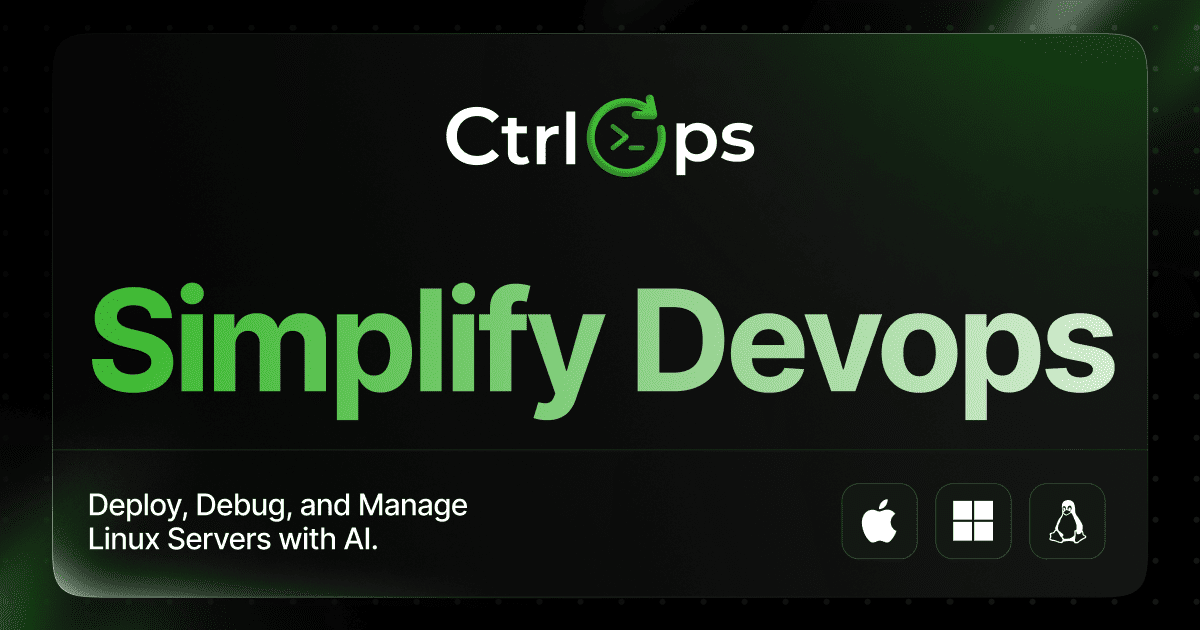
CtrlOps is a local-first desktop application for managing Linux servers from one screen with AI assistance. It brings an AI-assisted terminal, visual file management, real-time infrastructure monitoring, security auditing, access management, and single-click deployments together in a single app. The product is designed for developers, DevOps engineers, technical leads, founders, and non-terminal users who need to run one server or an entire fleet without juggling terminal tabs, remembering IP addresses, or opening separate SFTP clients. Its stated purpose is to give teams full visibility across all their servers in one place, in a tool intuitive enough for a non-terminal person to use, without making the team dependent on a single engineer to keep everything running. The founders built CtrlOps after running an IT service company. They were designers and product people at heart who understood interfaces and users, and every client they worked with had their own server. To check anything, even something as simple as why a server was slow by looking at memory and CPU, someone had to open a terminal, remember the right IP, find the right credentials, and log in separately, every single time, for every client. With a minimum of seven to ten projects and forty-plus servers running each month, there was no unified view and no quick way to know what was happening across the infrastructure without pulling in the one person on the team who knew how to navigate it all. Everything ran through him; if he was unavailable, the team was blind. CtrlOps was built to answer one question: why does managing Linux servers have to feel like this, and why is there no tool that gives full visibility across all servers, feels intuitive for a non-terminal person, and does not create dependency on a single engineer? They built it first for themselves, then made it for everyone. The AI terminal is the centerpiece of the app. Instead of memorizing command syntax, users describe what they need in plain English and CtrlOps translates it into the commands that will run against the selected server. Crucially, it is built as AI with a human in the loop: every command is shown for review and must be approved before it executes. For example, asking to clear disk space on prod-web surfaces a specific command such as sudo apt clean combined with journalctl --vacuum-size=200M, with Run and Edit options available. Web search and MCP servers are built into the terminal, along with one-click saved scripts. Reviewers repeatedly highlight the approval step as the reason they trust the tool: asking in plain English, seeing the exact command before it runs, and approving it is described as the whole game when AI touches live infrastructure. A related scripts feature lets users save, reuse, and run scripts directly from the panel, and one reviewer calls the playbook feature underrated because common fixes can be configured once and then triggered in a single click. The security audit capability runs twenty-five checks over SSH against a server and produces a hardening score. The interface summarizes results in a single line such as seventeen passed, five warnings, and zero failed. Beyond the score, CtrlOps generates a PDF audit report and provides fix commands for every issue found; those fixes wait for user approval before running. Separately, the access management feature scans an entire fleet to show who can log in to which server and who holds sudo privileges. When someone leaves a team, their access can be removed from every server at once rather than being revoked server by server. Any level of roles and access can be assigned without touching the terminal. This directly addresses the question the Product Hunt description opens with: do you actually know who has access to your servers right now? A reviewer in an HR role noted that offboarding, which previously required back-and-forth with the technical team, can now be checked and flagged in about two minutes. Multi-server management keeps the whole fleet in one app so users switch between servers by alias and no longer track IPs by hand. The interface shows entries such as prod-web at ubuntu@54.236.240.26 alongside auth-service and db-01, and reviewers single out named servers instead of IPs as a small but brilliant usability decision. Real-time infrastructure monitoring displays live CPU, memory, disk, and network metrics for every server, giving an at-a-glance view of what each machine is doing. The visual file manager lets users upload, download, and unzip in one click, replacing scp and separate SFTP clients; users can open a config file and edit it directly. Single-click deployment requires no scripts and no CI/CD setup: the user fills one form with a GitHub repository, environment variables, and a domain, and the app goes live with PM2, Nginx, and SSL handled automatically. The product also covers backups that prove they ran and makes every log file findable and searchable without SSH. CtrlOps connects to any server over SSH, so the provider does not matter. It is shown working with AWS, Google Cloud, Azure, DigitalOcean, and any VPS. The architecture is deliberately local-first: CtrlOps speaks SSH directly to your fleet, with no service in between to breach and no vendor lock-in, no cloud bridge, and no telemetry. No agent needs to be installed on the servers themselves, a detail reviewers say sold them immediately. Zero data sharing is the design principle: the app runs entirely on the user's machine, and SSH keys, server IPs, and credentials never touch a cloud. It needs only the user's SSH key, never AWS IAM credentials, a GCP service account, or Azure credentials. Sensitive data and SSH keys are stored only on the device, so servers can be managed without uploading secrets anywhere. The whole flow is human-approved: nothing runs before the user sees and approves it. The stated outcome is that the same servers require far less of the week: the work does not go away, it simply stops taking an afternoon. Users get every server in one window, deployments from GitHub in minutes, CPU, memory, and disk values at a glance, every log found for them, commands expressed in plain English, file movement by dragging, visibility into who can reach every server, faster onboarding of developers, and backups that prove they ran. Reviewers describe the practical results: doing in ten minutes what used to take an hour; catching two issues on a staging environment before they became outages; no longer stressing over deployments; and replacing a mess of SSH tabs and random bash scripts. One commenter argues the plain-English terminal lowers the barrier so developers can own their environment instead of depending on a single DevOps hero, describing it as a shift in team dynamics rather than just tooling. CtrlOps is used across a range of concrete scenarios. A UI/UX designer who does not write code and does not know DevOps used the AI terminal to be walked through deployment step by step and put a website live alone for the first time, after previously waiting on a friend to handle server work. A solo founder building a product used it to manage every deployment personally, eliminating hiring, favors, and waiting on someone else's calendar. A DevOps professional managing multiple client servers reports using the file manager more than the AI features, because editing a config inside one app removes a separate login and window. An HR team member uses SSH management to check and flag access removal within about two minutes of someone leaving. Teams also run it on staging environments before moving production over, and use it to onboard new developers quickly. CtrlOps reports being trusted by more than seven hundred engineers in over one hundred sixty countries and holds a 4.8 out of 5 rating on G2. It installs as a desktop application: a Mac build with separate downloads for Apple Silicon (M1 through M5) and Intel x64 (Core i5, i7, i9), a Windows build distributed through the Microsoft Store, and a Linux option. Pricing starts free, with a one-month free trial that requires no credit card; lifetime subscriptions are also available, as mentioned in a user review. The stack centers on direct SSH connections using ED25519 keys, with PM2, Nginx, and SSL handled during deployments, plus built-in web search and MCP servers in the AI terminal. CtrlOps takes the daily reality of managing Linux servers, logging in, checking resources, reading logs, moving files, controlling access, deploying apps, and hardening machines, and consolidates it into one local-first desktop app driven by an AI terminal that always asks permission first. Its core promise is visibility and control across an entire fleet without sacrificing privacy: your credentials never leave your machine, no agents are installed on your servers, and nothing runs without your approval.
GBrain is an AI memory and workspace product for teams that use several AI tools at once. The website describes it as one workspace the whole team prompts together, with one memory synced to every AI they use. The product is made up of four parts — Memory, Tools, Skills and Workspace — and the team is expected to use all four at once. GBrain is sold per workspace rather than per person, so the whole team can be invited in and share the same conversation and the same memory. It is priced at $99 for the first month and then $199 a month, billed monthly, and it can be stopped any time from the workspace's own billing page. The problem GBrain addresses is that AI tools tend to keep separate memories and separate configuration. The Product Hunt description explains the situation directly: GBrain gives you a memory and a set of connected accounts that every AI can reach. Without that, writing a note in one tool has no effect on another, and connecting an account such as Gmail has to be repeated for each tool, often with a key placed in a config file. GBrain's answer is to hold the memory and the connections in one place so that Claude Code, ChatGPT, Cursor and other AIs can all reach the same context, and so that a team does not have to re-establish the same setup for every assistant it uses. Memory is described as what the workspace knows about the team and the work, kept in files the team owns. The memory is a folder of markdown files that you can read, correct and take with you. Because the files are plain markdown, the team can inspect exactly what the workspace has learned rather than trusting an opaque store, and can correct anything that looks wrong. The company states that leaving takes the notes with you: everything the workspace has learned is plain markdown in a folder you can copy, and the open source parts are free to run yourself. That makes the memory both portable and auditable, which matters for a shared team asset that accumulates over time and is meant to outlive any single tool the team happens to be using. Tools are the accounts the workspace reaches, along with what each AI may do with them. The site says email, calendar and the web are connected once, and the Product Hunt description gives the concrete example that connecting Gmail once lets Cursor search it with no key in a config file. Because the connections live in the workspace rather than in each individual tool's configuration, a new AI does not have to be given its own credentials for services the team already connected. The permission model is part of the Tools concept: the workspace defines what each AI may do with the accounts it can reach, so access is decided once in the workspace rather than separately inside every assistant. Skills are the jobs the workspace knows how to run, on demand or on a schedule. The launch offer lists skills already installed, meaning a new workspace arrives with jobs ready to run rather than requiring the team to build them from scratch. Scheduled work is called out separately in the offer as work that runs while you sleep. This turns the memory and the connected tools into something that acts — a skill can use what the workspace knows and the accounts it can reach to carry out a job at a chosen time, without someone having to trigger it manually. An on-demand skill, by contrast, is run when the team asks for it. Workspace is the room a team works in, and the server underneath it. This is where the multiplayer aspect lives: the whole team is in one workspace, sharing the same conversation and the same memory, and adding the rest of the team costs nothing extra. The workspace also handles model choice — models from Anthropic and OpenAI can be switched any time — and the company states that it can run on your own inference or ours. Because the workspace sits on the company's servers, there is nothing to install: the site says you sign in and the workspace is running in about two minutes. The overall approach is to keep one shared memory and one set of connected accounts, then let every AI the team uses read from and write to that same store. Memory is held as a folder of markdown files; Tools hold the accounts and the permissions over them; Skills hold the jobs that can be run on demand or on a schedule; and the Workspace is the shared room and the server that ties it together. The company supports this with onboarding and support direct from the team, and the offer includes $100 of usage credit a month for AI and metered tools such as web search and page crawling. Practically, the benefits stated on the page are about teamwork, cost and portability. A single price covers the workspace and everyone invited into it, so adding the rest of the team costs nothing extra and no one works in a separate silo. The monthly $100 usage credit pays for the AI models the workspace thinks with and for metered tools such as web search and page crawling, and the workspace tells you before you run out rather than after. Because the memory is a markdown folder, knowledge built up in the workspace can be copied and taken along, and the open source parts can be run yourself. Several concrete workflows are described in the material. Writing a note in Claude Code means ChatGPT knows it, because both reach the same memory. Connecting Gmail once lets Cursor search it without a key in a config file. Scheduled skills run work while the team sleeps. An email, calendar and web connection made once serves every AI in the workspace. A team that signs in gets a running workspace in about two minutes, with onboarding and support direct from the company, and everyone can prompt together in the same room against the same memory while switching between Anthropic and OpenAI models as needed. GBrain is aimed at teams that share AI work rather than individuals working alone. The Product Hunt launch price is $99 for the first month and then $199 a month, billed monthly, and it can be stopped any time from the workspace's billing page. The price is per workspace, not per person, and covers everyone invited into it; it includes $100 of usage credit each month, with more purchasable from the billing page. The launch link stops selling that price on September 29, and a workspace started before then keeps the price it started on. The takeaway is straightforward: GBrain gives a team one place to keep what it knows and one place to connect the accounts it works with, then syncs both to every AI the team uses. The memory stays in markdown files the team owns and can take with it, models can be swapped between Anthropic and OpenAI, skills can run on demand or on a schedule, and the whole team shares one workspace at one price.
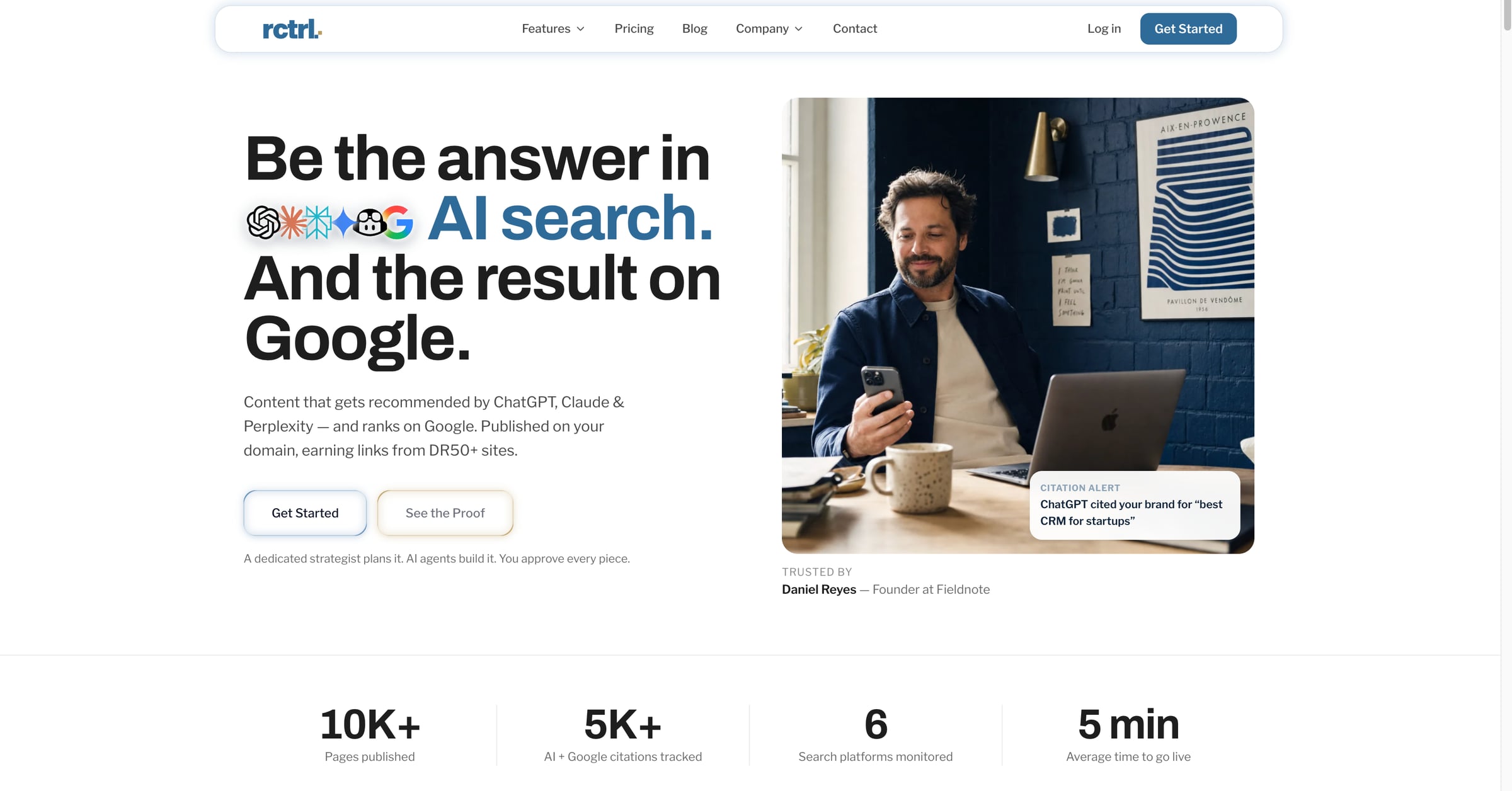
RankControl is an AI SEO platform that produces content designed to be recommended by AI search engines such as ChatGPT, Claude, Perplexity, Gemini and Grok, while also ranking on Google. The articles it creates publish as native posts on the customer's own domain, not on a subdomain, so the site keeps full SEO equity and earns links from high-DR sites. It combines content creation, AI visibility tracking, backlink earning and analytics in a single platform with one flat plan. The goal, as the site puts it, is to be the answer in AI search and the result on Google. Buyers now ask AI before they buy, and most brands are not even in the conversation. RankControl frames this as a gap: your competitors show up in AI answers and on Google, while many brands remain invisible to AI search even when they already rank on Google, because AI systems use different signals such as entity authority, citation patterns and content depth. The platform describes a shift from ten blue links, where ranking number one won the click, to AI answers that replace links, where citations replace rankings. Agencies, the site notes, burn months and thousands of dollars, cited at $5K+ per month, for results that arrive slowly. Discovery and setup are handled by Radar and the tracking layer. RankControl scans your tone, products and competitors so everything it produces reads like your brand, then tracks how ChatGPT, Perplexity, Claude, Gemini, Grok and Google AI Mode answer your market's questions. Radar surfaces every question in your market where AI names someone else, described on the site as answers where a competitor was named instead of you. It tracks up to ten competitors and ranks topics by opportunity, so you can see not only that you are missing from AI answers but why, and which gaps are worth closing first. The brand-learning component, Sounds Like You, learns voice, products and competitors from your site so content matches your brand from day one. Content creation is handled by Forge, which writes content AI trusts: 1,500 to 4,000+ word guides that are brand-matched and citation-optimized, built to answer the questions Radar found. RankControl supports 26 content formats, and sample articles shown on the site span explainers, listicles and statistics posts across travel, software, tech and coffee. Drafts go through an approval workflow where you review, comment and approve with one click; auto-publish is off by default. Articles then go live on your site as native posts through a five-minute plugin setup with no code changes. Content Refresh flags pages when rankings or citations slip and rewrites them on your approval. Visibility monitoring is covered by Sentinel, which runs weekly checks on every tracked query and competitor and sends a notification the moment something changes. Citation Signals tells you when an AI engine cites you or a competitor, turning every mention into something you can act on, and lets you search citations by platform, query or competitor in one click. Brand Perception rates every AI mention as positive, neutral or negative with the wording behind it. Citation Sources shows who the engines cite for your queries, whether that is you, your competitors, Reddit, YouTube or editorial sites. The Google AI Overviews view shows when Google's AI answer appears for your keywords and whether your page is one of its sources, while the AI Crawlers view shows which AI bots read which pages and alerts you the day one of them gets locked out. Analytics ties it together by showing which AI assistant sent each visitor, with traffic, crawls and rankings in one view. Growth is built around backlinks. RankControl drafts outreach emails with AI and supports link exchanges, with managed backlinks available as an add-on at $350 per month. Every new backlink is tracked as it lands, and rankings and citations are reported per published page, so you can see which articles are producing results. The platform also includes Link Control for tracking backlinks and managing outreach opportunities in one place, and Competitor Recon for tracking competitor citations across all AI models to find the gaps. As AI models begin recommending you, you can see exactly which answers name you and which models send the traffic, meaning the right people arrive already convinced. The methodology is a six-step playbook that runs from setup to traffic. In steps one and two you lock in your brand and spot the gaps; in steps three and four you draft, approve and publish on your own domain; in steps five and six you earn backlinks and compound your authority. Seven AI agents plan, build and publish the work, and the Agent Pipeline lets you watch every move with a full audit trail. Because AI models have memory, the more authoritative content you publish, the more they trust your brand. The site illustrates this compounding effect as first citations appearing around month one, trust compounding threefold by month three, and default answer status by month six. The stated outcomes are traffic from two channels at once. The homepage reports 10K+ pages published, 5K+ AI and Google citations tracked, 66 search platforms monitored, and an average time to go live of five minutes, along with a linked case study citing +375% traffic in 90 days. The comparison table positions RankControl at $400 per month all-inclusive against agencies at $5K+ per month and competitors at $800 to $2,200 per month, with time to results of 30 to 90 days, a full review workflow, every agent action logged, content hosted on your own domain, Google AI Overviews shown per keyword, and MCP, CLI and API access included. It positions the platform as saving $55K in year one versus agency retainers. Typical scenarios follow the product's own workflow. A marketing team starts a free trial, connects its CMS with the five-minute plugin, and lets RankControl scan the site to learn voice, products and competitors. Radar then lists market questions where competitors are named instead of the brand, and Forge drafts guides targeting those questions. The team reviews and approves drafts, the articles publish as native posts, and Sentinel plus Citation Signals notify them when an AI engine starts citing them. AI-drafted outreach emails go out to earn backlinks, and analytics show which AI assistant sent each visitor. Teams can also run the whole thing from their own AI agent through MCP, the CLI or the API. RankControl is positioned for marketing and SEO teams, and for brands that want AI visibility without paying agency retainers; the comparison repeatedly contrasts it with agencies and with competitors that are software only. It offers a 7-day free trial, one flat plan at $400 per month all-inclusive, an optional dedicated strategist at $1,500 per month, and managed backlinks at $350 per month. Integrations include Cloudflare, Google Search Console, Bing Webmaster, Gmail, Postiz, Buffer, Zapier, n8n, Make and Google Analytics, plus CMS publishing into WordPress, Shopify, Webflow, Ghost, Framer, Wix, Notion and headless Next.js sites via the Content API. MCP, CLI and API access is included, with 80+ tools and one command to connect. In short, RankControl is built on the premise that citations compound and competitors cannot easily catch up. Rather than stopping at telling you where you are mentioned, it runs the full lifecycle: create content that AI and Google recommend, publish it on your own domain, track visibility across ChatGPT, Perplexity, Claude, Gemini, Grok and Google AI Mode, earn backlinks, and measure what comes back. Being the answer, not just a ranking, is the value proposition it sells.
ToneBird is a socially fluent AI reply assistant for Mac and Windows that helps you answer messages without getting stuck on words. It understands your relationships, what you have already said, and where you left off, then drafts the next reply in your voice directly inside Gmail, Slack, WhatsApp, iMessage, Discord, WeChat, Lark, Google Chat, X, Reddit, LinkedIn, Instagram and other apps you already type in. Instead of leaving the conversation, building a giant prompt, explaining the backstory and bringing the output back, ToneBird works beside the reply box. You open a reply, choose the wording that fits, tweak it if needed, and insert it into the conversation before reviewing and sending it yourself. Replying well sounds simple until context is involved. A client asks for the price you agreed on weeks ago, your manager asks for an update on something that already slipped once, or a customer pushes back on a renewal increase you have discussed before. A good answer depends on the relationship, the history and the commitments, and the apps people type in rarely keep that context available at the moment of writing. Generic AI assistants can produce fluent text, but they start from a blank page, so the person writing has to re-explain who they are talking to and what happened previously. ToneBird is built on the idea that the right reply starts with the context, and that the context already lives in your conversations and your files. Relationship memory is the core of the product. ToneBird uses your earlier conversations when drafting a reply, including the date you promised to confirm or the request a person made after a deadline slipped. It also pulls in facts from your files: when a client asks for the agreed price, ToneBird can find it in your connected proposal and include it in the draft. The interface shows a "Knowledge Recalled" panel, so you can see what the assistant remembered for that specific reply, such as a checkpoint that was requested, a scope change from last quarter, or a previously reported issue. You retain control over what is kept: facts and writing preferences learned from the conversation are surfaced for review, and you choose what to save. ToneBird also adapts wording to the person you are replying to. A client waiting on a deadline needs a different reply from a teammate checking in, and the assistant uses your past conversations with each person to adjust the phrasing. For any message, ToneBird can produce several options so you can compare three replies, then tweak the one you want before inserting it. Tweak controls include More Precise, Warmer and Add Humor, and there are context switches for Internal or external replies plus sliders for Directness, Formality and Warmth. Saved preferences such as "keep replies concise" carry into later conversations, so you skip the introduction and start from your own style. ToneBird is designed to follow you across apps and languages rather than pulling you into another tool. It works beside readable reply fields in apps such as Gmail, Slack, WhatsApp, iMessage, Discord, WeChat, Lark and X. When a message arrives in another language, ToneBird can draft the reply and show a translation, as in the example where a customer writes in Spanish and the assistant produces a Spanish answer with an English translation underneath. Beyond replying, ToneBird turns the conversation into follow-up work: when you and another person agree on a time, it prepares the event in Apple Calendar or Google Calendar from your chat, and a follow-up list gathers promised quotes, unanswered questions and dates to confirm in one place, marked by the app they came from. ToneBird also lists English, Español, 中文 and 日本語 among its available languages. The overall workflow is deliberately short. You click the orb, or press Option twice on Mac or Ctrl twice on Windows, while you are in a reply field. ToneBird reads the thread, recalls relevant context from your relationships and files, and shows suggestions; you click the arrows or use the left and right arrow keys to move between replies, tweak the wording, and then insert it into the reply box. Inserting is not sending. ToneBird does not send messages for you: the draft goes into the reply box, and you review it and use the app's own send button, so the final decision always stays with you. The benefits follow from that approach. You do not have to be stuck on words again, and you do not have to postpone a reply because you cannot face reconstructing the context. Promises, prices and dates that would otherwise require digging through old threads or documents are brought forward automatically, which reduces the risk of contradicting yourself or repeating an issue that was already raised. Because the assistant keeps your voice intact rather than making every reply sound generically "better", the person on the other side of the conversation experiences a consistent version of you, whether they are a customer, a manager or a teammate. Follow-ups that would normally be forgotten become visible tasks, and scheduling happens from the conversation itself instead of in a separate calendar app. Concrete scenarios show how this plays out. In Slack, a manager asks for a launch plan by Friday after a previous slip; ToneBird drafts a reply that commits to a core plan by Friday with a checkpoint later that day. In WhatsApp, a customer says a renewal increase is hard to approve; ToneBird recalls that the scope changed last quarter and drafts a reply that offers to work through the renewal over coffee near the customer's office, with proposed times. In Gmail, a customer writes in Spanish about a repeated export problem; ToneBird drafts a Spanish reply apologising and committing to check workspace permissions and send findings before 4 PM, with an English translation. When the customer later confirms Thursday at 4, ToneBird prepares a 30-minute proposal review event that can be added to Apple Calendar or Google Calendar, and the resulting task list reminds you to send a revised quote or confirm a delivery date. ToneBird is for people whose work happens in email and chat apps, including customer-facing and sales conversations, client renewals, manager and teammate updates, and anyone who needs to reply across several apps and sometimes several languages in the same day. It runs as a downloadable app for Mac and Windows, chosen on the download page, and it works beside readable reply fields in supported apps, though support depends on the app and some fields may not be readable. Your tone profile, person cards, learned corrections and usage counts live on your device, and you can export or delete them any time in Settings. On data handling, the model provider receives the context and instructions needed for your reply: with a managed model ToneBird forwards the request, and with your own model key writing requests go directly to that provider. Pricing starts free, and scales through Standard at $9.90 per month with 100 uses every day and 100 contacts, Pro at $39.90 per month with 1,000 uses every day and 1,000 contacts, and Enterprise with custom pricing for your team; billing is monthly or annual, with about 20 percent saved annually. ToneBird's primary value is that it turns the context you already have into the reply you need next. It remembers your relationships, retrieves relevant facts from past conversations and connected documents, adapts the wording to the person and keeps your voice intact, all inside the apps where the conversation is already happening. You pick a suggestion, tweak it, insert it, and send it yourself. Free to start and with room to grow, ToneBird is aimed at anyone who wants to stop being stuck on words without handing over control of what gets sent.
Naise AI is an AI teammate for marketing. From one brief, it runs social media management, image generation, influencer campaigns, PR media outreach, and market research across every channel, in any language and any market. The website states that the strategy stays with your team while Naise handles the repetitive execution work, so founders and lean teams get the output of a full marketing department without the overhead of building one. Naise AI is headquartered in Singapore and positions itself as going from a cold start to live campaigns quickly, with no waiting on asset approvals or agency onboarding. Much of the site is framed around the cost of doing marketing manually. Naise states that marketing managers spend 80% of their week on execution — drafting, scheduling, outreach, and reporting — leaving little time to drive strategy. Startup founders are described as needing the team they cannot afford to hire, doing the work they do not have time to do. The comparison table sets out the alternatives: human contractors cost $4K–$8K per role, are available business hours only, and take one to two weeks to hire; traditional agencies charge $10K+ monthly retainers and need two to four weeks of onboarding. Naise is listed as available 24/7, immediate to start, at fractional cost, executing in minutes and requiring no management. The site also distinguishes Naise from AI writing tools such as Jasper or Copy.ai, noting that writing tools produce text and hand it back to you, whereas Naise does the whole job: research, copy, visuals, creator outreach, scheduling, press pitching, and reporting. The Social Media Management agent builds data-driven content calendars on top of live market research. Before writing a single caption, Naise researches which formats drive the most engagement in your niche, finds your audience's optimal posting windows, and surfaces trending topics in real time. It then writes the copy, generates visuals, and schedules posts across Instagram, TikTok, Facebook, and LinkedIn, with captions localized per platform and auto-scheduled everywhere. Supporting tools are exposed individually too: trending topics and hooks, image generation, the content calendar and post scheduling, and live performance analytics that track engagement and growth across all channels at once, so a single brief produces both a plan and the assets to execute it. The Image Generation agent produces on-brand visuals at the speed of a prompt, with no designer and no brief-to-agency back-and-forth. It creates campaign key visuals, product shots, and story graphics locked to your brand guidelines — brand colors, fonts, and rules are applied automatically — and generates them at the correct spec for every platform, with multiple style variations per campaign for A/B testing. The Influencer Campaign agent covers the full lifecycle: discovery from a pool of 10M+ verified global creators matched by niche and reach, then automated outreach, negotiation, and contracting, then content approval and scheduled posting, finishing with live ROI tracking on reach, views, and conversions per creator and per campaign. Naise says this removes the agency middleman and the manual spreadsheets, and one testimonial describes checking campaign delivery in about ten minutes instead of going through every creator manually. The PR Media agent handles press coverage in any language and any market. It drafts localized press releases, distributes them to the right outlets without manual pitching, and monitors coverage and sentiment across every region in real time; one brief is said to cover the globe with no agency retainer. Supporting tools include targeted media lists that match outlets and journalists to your story, brand news and media monitoring that tracks every mention of your brand across the web, and hashtag campaign analysis that measures the reach and sentiment of campaign hashtags. The Market Research agent runs company-specific intelligence rather than generic reports: a brand audit that positions you against category leaders and surfaces clear gaps, competitor analysis that maps messaging and content playbooks in real time, and trend signals that feed directly into briefs and content calendars. A free audit reads your last 30 posts, analyses social media presence across channels, identifies competitors, and builds a brand profile, viewable after signing up with a verified email. Naise describes its approach as one brief flowing through different "flavors" of the same agent. The Product Hunt listing describes the setup as locking in brand guidelines with Persistent Memory, selecting a Prompt Playbook, and letting the platform handle the execution. Persistent Memory is highlighted by a customer testimonial as what sets Naise apart from generic AI tools: once guidelines are uploaded, brand voice and aesthetic stay locked in permanently, so large campaigns deploy with consistently on-brand messaging across every platform. Agencies can hold a separate brand voice and memory per client, batch-launch campaigns across all accounts in one session, and send white-label reports directly to clients. A 60-second walkthrough shows Naise taking a single brief and turning it into a live multi-channel campaign in under five minutes. The stated outcomes centre on time and cost. The site reports an average of 97 minutes from first prompt to live campaign, and the Product Hunt listing describes going from a cold start to live campaigns in under 24 hours while saving 40+ hours a week and cutting marketing costs. The comparison table claims total annual savings of up to $150K versus hiring a full in-house team, alongside 24/7 availability, immediate start, minutes-long execution, expert-level cross-channel coverage, and always-consistent output. Marketing managers are promised a full content calendar from a single brief and a live ROI dashboard for every running campaign, while agency clients receive white-label reports. Naise also lists SEO, AEO, GEO (answer engine and generative engine optimization), performance marketing, and predictive modelling as flavors shipping in upcoming releases. Naise publishes four role-based use cases. For marketing agencies, Naise acts as a silent operator for every client account so one team's output is multiplied across ten, with separate brand voice and memory per client, batch-launched campaigns, and white-label reports sent to clients. For marketing managers, it handles drafting, scheduling, outreach, and reporting so time goes to strategy, with a full content calendar from a single brief, captions localized per platform and auto-scheduled everywhere, and a live ROI dashboard. For startup founders, it is positioned as the team they cannot afford to hire: first campaign live in a matter of minutes, no marketing experience needed to start, and scaling as the team and budget grow. For e-commerce brands, every product launch becomes a full go-to-market campaign automatically, from launch-day key visuals to influencer seeding and press outreach, with AI-generated product visuals for every platform size, influencer seeding at scale, and localized product copy for global storefronts. Naise AI runs on the web. Content is written, localized, and scheduled for Instagram, TikTok, Facebook, and LinkedIn, with each caption adapted to the platform it goes out on; influencer discovery covers Instagram and TikTok creators, and PR coverage is tracked across news outlets in every market you target. The site says 1,000+ founders and marketers have joined and lists marketing leaders at 5-hour Energy, BenQ, Elixir Esports, Moonton, SKIN1004, T-Tracing, and ZOWIE. Pricing has three tiers, each running the full agent suite and starting with a 3-day free trial: Entry at $59.90 per month (currently shown at an early-access price of $39.90 for one month) with 2 campaigns; Middle at $119 per month, discounted to $88.80, with 6 campaigns and 3× AI usage capacity; and Advanced at $199 per month, discounted to $150, with 16 campaigns and 8× AI usage capacity. Every plan includes unlimited creator reach, unlimited outreach, AI trained on your brand voice, and PDF reports and exports, with yearly billing offering two months free and enterprise custom pricing on request. Naise AI's core proposition is simple: one AI teammate runs the marketing busywork across social, influencer, and PR in any language and any market, while your team keeps the strategy. For lean teams and founders, that means campaigns live in minutes rather than weeks, brand consistency enforced by persistent memory, and marketing output that scales without scaling headcount.