Category Focus/categories/video
Video AI Tools
Discover and compare the best video AI tools and software. Browse 122+ curated tools with reviews and rankings.
Projects tracked
122
Sort mode
RECENT
Page
1
Discover and compare the best video AI tools and software. Browse 122+ curated tools with reviews and rankings.
Projects tracked
122
Sort mode
RECENT
Page
1
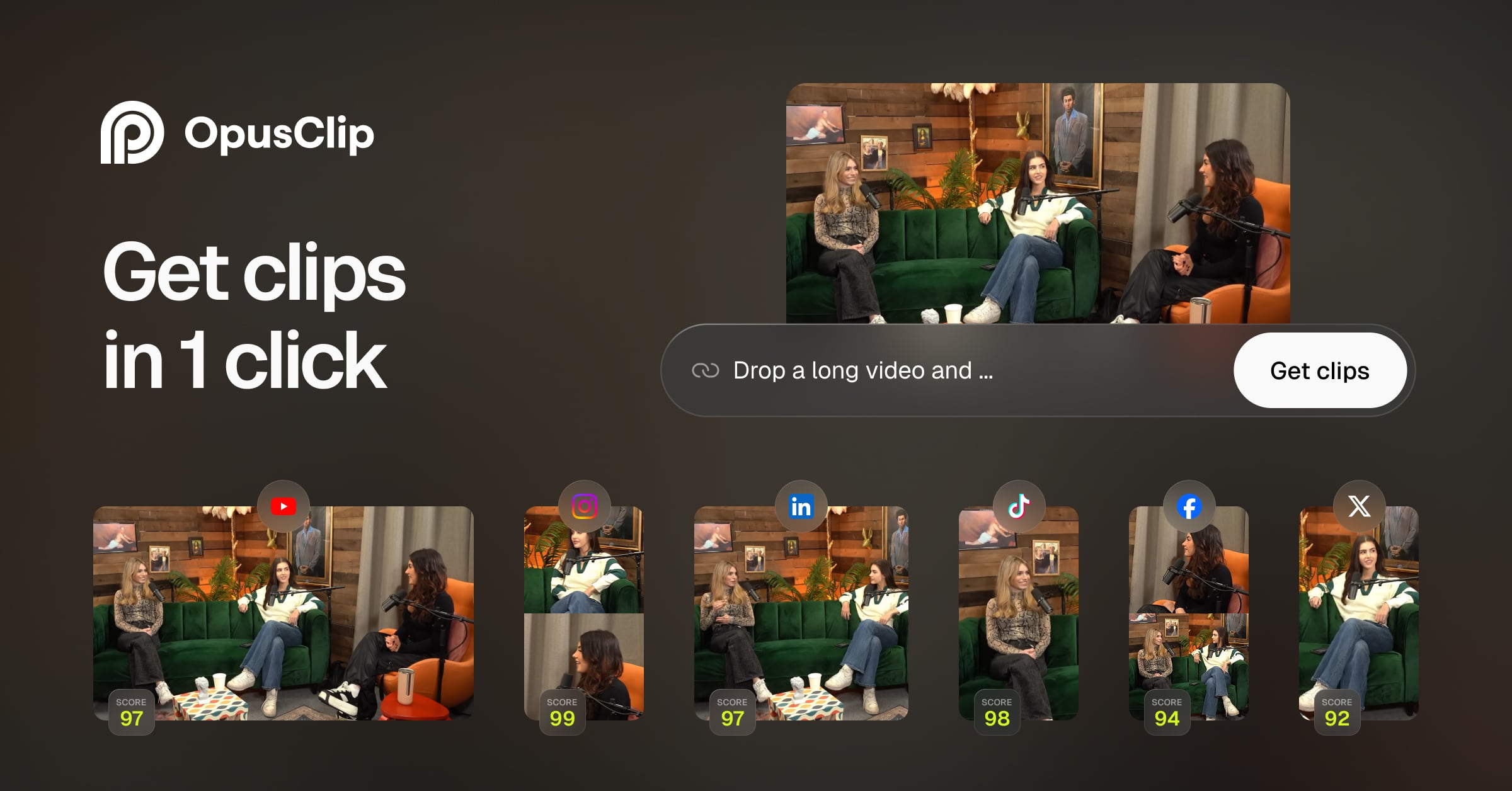
OpusClip 4.0 is an AI video editing tool that takes a raw take and turns it into finished, ready-to-publish video content. In the company's own words, it "edits your whole video, from raw take to every format you post." You drop in raw footage or paste a link, switch on what you want applied — speech cleanup, captions, B-roll and more — and a finished video comes back. The product is built for people who now have to make video content, from founders and operators to a dentist answering patient FAQs on camera every week or someone teaching their 3,000 followers how to make high-protein meals. Its stated purpose is to give a "team of one" some of the range that media companies get from a room full of editors. The background explains why the product changed shape. OpusClip was originally built to "slice a clean fish": people brought finished videos, such as a podcast episode that was already edited or a keynote someone had cleaned up, and OpusClip found the best moments and turned them into clips. That worked — scroll your feed for a few minutes and there's a good chance you'll see a clip that came through OpusClip. But what people bring has changed. More and more, it is a raw take that nobody has had time to edit. As the company puts it, "the edit is where things stall." Founders film in one take because they know they'll never get around to cutting it, and post it as is; many already have their next good video on their phone, filmed weeks ago and never edited. For a while, OpusClip kept making clipping better and left the hardest part — the edit itself — to the user. OpusClip 4.0 takes that on. Auto-edit is the headline capability. Built for talking videos, it lets you drop in raw footage or paste a link and then switch on speech cleanup, captions, B-roll and more. What comes back is a finished video rather than a rough cut. For the audience the product describes — founders and operators who say they almost never enjoy editing — this removes the step that previously stalled their content. Instead of posting a single unedited take because cutting it would never happen, a creator can hand over the raw recording and receive something publishable, with clean speech, on-screen captions and B-roll already applied. Every format addresses the reality that one video is rarely enough. A single edit can become whatever you need that week: 60 to 90 second highlight clips, a 3 to 5 minute extended cut, or a quick lo-fi update. Recipes make that repeatable. Most people make the same kind of video over and over, so you can save your own setup as a Recipe — or start from one of OpusClip's — and your next video gets edited the same way. This matters for consistency: once you have found a look and structure that works for your audience, you don't have to rebuild it from scratch each time you record. Viral Hook and Motion Graphics cover two tasks that, according to the company, editors spend hours on. Viral Hook gives your first few seconds a hook style drawn from a template library, targeting the opening moment that decides whether a viewer keeps watching. Motion Graphics turns what you say into animated icons, numbers and charts on screen, so spoken points become visual elements automatically. AI Producer extends editing into tools people already use: if you work in ChatGPT or Claude, you can edit from there with the OpusClip plugin — show it a style you like and it edits your footage to match. Taken together, the product's approach is to own the entire path from raw recording to finished, formatted output. Clipping isn't going anywhere — it's still what OpusClip is best known for and is still getting better — but it is now one part of the platform. The method is style-driven and repeatable: you supply the footage (or a link), you choose the treatments to apply, you can preserve a setup as a Recipe, and you can demonstrate a preferred style to the AI Producer plugin rather than describing it in detail. One edit then fans out into multiple formats, so the same source material serves the different places you post. The intended benefits follow directly from that. A solo creator gets a wider range of output without hiring editors, matching the observation that people who stay top of mind post often in a lot of formats — something media companies achieve with a room full of editors and a founder with a phone and a packed calendar usually cannot. Time previously spent on cutting, captioning, hook writing and motion graphics is redirected into recording. Content that would otherwise sit unedited on a phone can be shipped. Concrete scenarios appear throughout the announcement. A founder recording a two-minute product update on their phone between meetings is the person the team kept picturing. A dentist answering patient FAQs on camera every week is another fit, as is someone teaching their 3,000 followers how to make high-protein meals. The original workflow still applies: an already-edited podcast episode or a cleaned-up keynote can be mined for the best moments and turned into clips. On top of that, a single recording can be delivered as a 60 to 90 second highlight clip, a 3 to 5 minute extended cut, or a quick lo-fi update, and the same Recipe can be reused the next time that format is needed. OpusClip 4.0 runs through a web dashboard at clip.opus.pro, where you can sign in, sign up for free, or paste a link or upload footage. Pricing information in the announcement includes a Free Forever Plan described as letting you create and post one short video every day for free, plus a Pro monthly plan for which new users are offered 40% off the first month. The wider Opus platform also includes OpusSearch, which uses AI to surface the exact clip you need from hours of footage in seconds, and Agent Opus, which the site describes as running the entire video pipeline — research, scriptwriting, storyboarding, motion, voice and edit. The company says OpusClip is used by more than 20 million creators and brands. In short, OpusClip 4.0's value proposition is that the edit no longer has to be the bottleneck. One raw take goes in, and finished videos in the formats you actually post come out — cleaned up, captioned, styled with hooks and motion graphics, and repeatable through Recipes, so a team of one can publish like a much larger operation.
Videco is an AI content studio and video hosting workspace built for marketing teams. Its purpose is to turn every video into a content campaign: teams upload product demos, webinars, interviews, and other recordings, and Videco helps them find the best moments inside those files, turn them into branded short-form videos, share personalized landing pages, capture leads, and host everything in one workspace. The product combines two ways of working in a single place — an AI-assisted creation side that repurposes long-form recordings into clips and copy, and a hosting side that delivers video through a customizable player, watch pages, and embeds. As the site describes it, teams can create more from the videos they already have, or simply keep video hosting simple: upload once, create more, share anywhere. The problem Videco addresses is stated directly on its site: most teams already have the footage, but the hard part is finding what is worth posting. Valuable videos sit unused after they are published, and repurposing one recording traditionally means pulling together an editor, a transcription tool, and several separate apps. Videco's positioning is that a team should not need an editor, a transcription tool, and several separate apps just to repurpose one recording, and that clips should ship without a full edit stack. By keeping moment discovery, clip creation, branding, hosting, sharing, and measurement in one workspace, Videco keeps the source video and the assets created from it connected instead of scattered across tools. Content Studio is the creation side of Videco. A team uploads a demo, webinar, interview, or other recording, and the AI finds standout moments — useful insights, product benefits, and segments that can stand on their own. From that one source, Content Studio generates short clips, blog drafts, and social posts automatically. The short clips are vertical, with captions and framing suggested from the recording, ready to polish and post. Blog and long-form copy become article outlines and posts that match what was actually said on camera, and social posts and hooks, including LinkedIn threads, are generated alongside the clips in the same project. Editing is designed so teams do not have to start over. Users trim clips, refine captions, adjust framing, and preview the result in one focused editing experience, then review, make final adjustments, and export for their preferred channels. A brand kit keeps every clip on-brand: the team's colors, logo, caption styling, and motion templates create a consistent look, and motion design options give videos a polished presentation. For client-facing work, client review links let a team send content packs for approval on a magic link, so clients can approve or request changes without logging in. The hosting side gives videos somewhere to live and be delivered. Teams upload, organize, and manage videos without building their own media infrastructure. A player that fits the brand can be embedded anywhere, and public watch pages ship schema.org VideoObject JSON-LD automatically so search engines can understand hosted demos, webinars, and product videos without bolting on a separate SEO stack. Search-friendly metadata — title, description, thumbnail, and duration — flows from the video already managed in Videco, and structured data lives on watch pages so embeds stay lightweight for the site layout. Analytics help teams monitor video engagement and understand how people interact with their hosted content. Landing pages and leads extend a share link beyond simple playback. Instead of a bare watch page, teams can build a personalized landing page on their /v/ link with merge tags such as {{name}}, CTAs, Calendly or Cal.com embeds, and a lead form. Personalized URLs pass name, company, or rep in the query string and reflect it in headlines and copy automatically; a scheduling embed can be revealed after a watch threshold and closed with an end card. Every submission lands in a Leads inbox, where users filter by video, see URL context on each row, and export CSV for a CRM or outreach stack. The link itself stays the same Videco share slug, so the enhanced page can be toggled on when it is ready to publish. Videco describes its approach as Repurpose, Refine, Brand, Host, Share, Measure. A recording is uploaded once and stays in the library as the source; moments are pulled out of it; clips are refined and branded; exports are produced; the source and the resulting assets are organized together; and hosting, watch pages, and analytics deliver and measure the result. The site frames this as one recording producing multiple posts: long-form video stays in the Videco library while vertical short-form exports are created from it, without rebuilding a separate stack. The stated benefits are practical. Teams stop letting valuable videos sit unused after publication, and long-form recordings become short, focused content an audience can actually watch and engage with. Teams avoid needing an editor, a transcription tool, and several separate apps, and clips ship without a full edit stack. Content stays consistent because brand colors, logo, caption styling, and motion templates are applied in the same place the video is edited. Hosting and delivery come with search-friendly structured data built in, and lead capture is attached to the same link people watch on, so a viewer can move from watching to booking or submitting a form. Because everything lives in one workspace, the source and its derivative assets stay connected. Concrete workflows follow that structure. A marketing team takes an existing webinar, finds the moments worth sharing, exports vertical clips with captions, and pairs them with social posts and a blog draft from the same source. A product team turns a demo recording into short clips for launch content while the full demo stays hosted and embeddable. A sales or outreach motion uses a personalized /v/ landing page that reflects the prospect's name or company, reveals a Calendly embed after a watch threshold, and captures a form submission into the Leads inbox for CSV export. Developers and product teams host, embed, share, and deliver video through a player and API, and public watch pages carry VideoObject markup for search. Videco serves two audiences in one workspace: marketing teams that want to turn existing recordings into short-form content, keep it on-brand, and prepare their next campaign, and developers and product teams that need to host, embed, share, and deliver video through a player and API designed for their workflow. It still works as straightforward video hosting on its own for teams that only need a library and player. The site lists video API and developer tools alongside hosting, player, motion and captions, analytics, and Content Studio, and promotionally mentions 30% off paid plans with a code. In short, Videco's primary value proposition is that existing recordings can do more. Upload once, create clips, blog drafts, and social posts, apply consistent branding, host and embed the result, personalize the share link with lead capture, and measure viewing — all inside one workspace rather than a stack of separate tools.
Riverside Agents is a team of AI specialists built only for video, designed to take on the production work around a recording so the person in charge can stay in the director's chair. The team is made up of four named agents — Producer, Editor, Clipper and Marketer — that cover prep, editing, clipping and publishing. Riverside frames the product around a simple shift: where a creator or business team used to be the whole team, they now act as the director while the agents handle the prep, editing, clipping and publishing. Users choose how much to hand off or do by hand, and nothing is published until they approve it. The agents work natively inside Riverside's own tools, which are built for conversations and talking head videos. The problem the product addresses is the sheer number of separate jobs involved in publishing video consistently. Preparing a session, running the recording, editing the episode, finding the moments worth sharing, writing captions and scheduling posts all traditionally fall on the same person. Riverside describes the old reality bluntly: "You used to be the whole team." General-purpose AI assistants, the site argues, do a bit of everything, which means they are not specialized for video and do not have direct access to your recordings or to video production tools. Riverside Agents are presented as the alternative — specialists that only do video, each running on proprietary AI built for its one job, working natively inside Riverside so they can reach your recordings and the platform's production tools directly. That focus is also positioned as a speed advantage: the site states you can edit, clip and publish full episodes without hitting your AI usage limit halfway through. The Producer preps the session and helps you run it. In the site's example, a user asks the Producer to prepare them for an interview with a guest about growing a design studio past 20 people. The Producer returns a plan with eight questions spanning from first client to first hire, plus three talking points to come back to if the conversation drifts. It also preps the studio itself — loading a saved two-person layout, loading the brand kit and pinning the script — and reports back that the studio is set and ready to check. The Producer is described as the agent that "runs your show," with the stated outcome that you walk in ready and confident because your questions, script and studio are already prepared. The Editor turns a raw recording into a standout episode. According to the FAQ, it tightens the pacing, cleans up the audio, switches layouts, and adds your branding and captions, then suggests what would take the episode further, such as B-roll or motion graphics. It also handles pause and filler-word cleanup and builds rough cuts. In the on-page examples the Editor reports that it tightened the intro so you get to the guest faster, and when a user types "Tighten the open," it replies that it cut 21 seconds of preamble in about a minute. Users retain the final say on every change, and the site notes that if you do know your way around an edit, you can direct every detail. The Clipper finds your best moments and cuts them for social. It produces vertical clips from a finished recording — the site shows two finished vertical video clips made from a recording and a Clipper message reporting that it made two clips from Episode 42, or found two clips that will land with the audience. A phone lock-screen example shows a Clipper notification reading "I cut 4 clips. Jump in to review them." The stated outcome for creators is that the agents cut clips, write captions and fill your calendar, so you stay consistent without the grind, and that the agents can also find the best moments in old recordings and turn them into new posts so you can repurpose your back catalog. The Marketer writes your captions and schedules every post. It drafts your posts, captions and newsletter, and fills your calendar with scheduled posts — the site's example shows the Marketer reporting that two posts are scheduled. Critically, nothing gets published until you approve it; the agents draft the content, but publishing waits on your sign-off. You can step in at any point, change anything, or keep any step manual. For businesses, the agents can also support webinar prep: sharing a brief lets the agents build the registration page, invites, run of show and Q&A. The overall approach is that the agents do not wait to be asked. The moment you stop recording, they come back with how to edit it and which clips to cut, so the work keeps moving without you having to initiate each step. Interaction is conversational — you tell the team what you want in plain words and it suggests the edits, clips and posts that get you there. Everything the agents do on web they also do on mobile, so you can review clips, approve posts or tweak an edit on the go. The site also emphasizes that edits come back at the speed you work, so you are not waiting between rounds, and that each agent runs on proprietary AI built for its specific job rather than a general-purpose model. The benefits stated on the page follow from that structure. Creators walk in ready to record rather than scrambling to prep; they get studio-level edits with suggested cuts, B-roll and motion graphics that make the show look polished; they post consistently because clips, captions and the calendar are handled; and they can repurpose old recordings into new posts. For businesses, the agents enable producing videos at scale without a video team — record once and turn it into on-brand videos for every channel — capturing customer testimonials from customer interviews as polished testimonials and quotes, keeping every recording on brand through the brand kit, and keeping every channel active. The FAQ adds that no editing experience is required, since you can simply describe what you want in plain words. Concrete use cases named on the site include podcast and interview prep, where the Producer generates questions, talking points and a pre-configured studio; episode editing, where the Editor tightens pacing, cleans audio, switches layouts and adds branding and captions; social clipping, where the Clipper produces vertical clips from the best moments; and publishing, where the Marketer writes captions and schedules posts. For creators the page also lists repurposing a back catalog of old recordings into new posts. For businesses it lists webinar preparation with a registration page, invites, run of show and Q&A; producing videos at scale for every channel; capturing customer testimonials from interviews; keeping every recording on brand; and showing up on every channel with clips and posts from each recording. Riverside Agents are included in every Riverside plan, and Riverside can be tried free for 14 days. What the agents can do depends on your plan, the same as the rest of Riverside, and features that run on AI credits — such as video enhancement — still use credits when an agent applies them. The product is presented for creators and businesses alike: podcasters, video creators, marketers and teams without a dedicated video team who record conversations and talking-head videos. It sits natively alongside Riverside's recording, editing, clipping and publishing tools rather than acting as a separate add-on. In summary, Riverside Agents positions itself as the first team of AI agents built only for video, covering prep, editing, clipping and publishing while keeping the user in the director's chair. The value proposition is specialization plus control: proprietary agents focused on one job each, working inside the tools built for conversations and talking head videos, returning results fast and publishing nothing without approval.
Screen Studio is a screen recorder built for macOS that handles the hard parts of screen recording for you: zooms, motion, sound, and framing. Instead of handing you a raw capture and leaving the polish to you, it produces recordings where every demo and tutorial comes out looking finished, with the promise of beautiful screen recordings in minutes. The app is downloaded directly for Mac, and the site recommends macOS 13.1 or later. Before you even have the app on the machine you are recording on, you can ask Screen Studio to email you a link that you open once you are back on your Mac, so getting started does not depend on remembering a URL. Raw screen recordings are rarely good enough to publish as they are. The moment you capture a workflow, the interesting detail is usually too small to read, the pointer jumps around, the frame is awkward, and the audio and framing need work before anyone would want to watch it. Those are the tasks most recorders leave to a separate video editor. Screen Studio is positioned around the idea that the recorder itself should handle zooms, motion, sound, and framing, so the output is polished without a second tool or a second pass. Focus and zoom is framed on the site as the answer to detail that stays too small to read: you pick the parts worth a closer look, and Screen Studio animates every zoom and lays out the frame for you. Zoom is the core of the product. The Focus and Zoom section leads with the promise that nothing stays too small to read, and the workflow is to pick the parts of the recording worth a closer look while Screen Studio animates every zoom and lays out the frame automatically. There are two zoom styles to choose from, Classic zoom and Loupe zoom, and every animation is created automatically rather than keyframed by hand, so each zoom is balanced for you. Screen Studio 4.0 introduces Glass Loupe, described as a zoom that magnifies one detail, so a specific field, a line of code, or a small control can fill the frame. The 4.0 release also delivers sharper zooms, which matters because a zoom that magnifies a small region depends entirely on how clean the source pixels are. Screen Studio 4.0 adds a set of editing and privacy capabilities. Edit by transcript lets you edit your video the way you edit text, turning the transcript into the editing surface instead of a timeline. Split screen is available, including for vertical video, so two views can share the frame rather than a single full-screen capture. Camera cutout places you in the video without your background, so a presenter can appear over the recording. Privacy is handled by hiding sensitive data and faces automatically, which removes the manual step of blurring or covering information before a recording is shared. These features sit alongside the existing animation and framing work rather than replacing it. Capture and output are covered by the capabilities the site lists around the recorder: recording iOS devices such as iPhone and iPad on a Mac over USB, recording the webcam on Mac, and recording system audio on Mac. Presentation details are also part of the toolset. You can show keyboard shortcuts, increase cursor size, apply cursor motion blur, hide the static mouse cursor, loop the cursor position, and create loopable screen recordings. Framing and background details include hiding desktop icons, changing the screen recording wallpaper, and adding iPhone or iPad frames. On the output side, the site mentions vertical video and social media video formats, exporting video to GIF, transcript generation, ProRes, and exports that are up to 4x faster in version 4.0. Overall the product works as a single path from capture to finished video. You record the screen on a Mac, the recorder captures the motion and the sound, and the editor turns the raw take into something watchable: zooms are added where detail needs to be legible and animated automatically, the frame is laid out for you, the cursor is smoothed and styled, and the video is edited through the transcript or through split screen and camera arrangements. Export options then determine how the finished piece is delivered, from ProRes for quality to GIF for quick sharing. The through-line is that the decisions people usually make manually, frame by frame, are made for them. The stated benefit is time and consistency. Recordings come out polished, and they come out in minutes rather than after a long editing session. Sharper zooms and faster exports in 4.0 shorten the loop between recording and publishing, while automatic hiding of sensitive data and faces reduces the risk of publishing something that should not be public. Because zoom, motion, sound, and framing are handled, the person recording does not need video editing skills to produce a demo or a tutorial that looks deliberate. Automatic animation of every zoom also means the result stays consistent from one recording to the next. Screen Studio lists product demos, courses, tutorials, and social posts as the things people make with it. For product demos, it means walking through a feature and zooming into the interface detail viewers need to see. For courses and tutorials, it means recording lessons, showing keyboard shortcuts, and framing the capture so the material is readable. For social posts, it means vertical video and social media video for platforms such as TikTok, YouTube, and Instagram, which the site references as tutorial destinations. The showcase collects published posts from companies including Stripe, Notion, GitHub, Shopify, Framer, Supabase, Sentry, and Webflow, showing recordings being used in public product and developer communication. Screen Studio is made for macOS users who publish screen recordings: product marketers, developer advocates, educators, designers, and founders creating demos and tutorials. The site says thousands of people use it for product demos, courses, tutorials, and social posts, and it displays the logos of companies where it is used, including Salesforce, Amazon, Adobe, Vercel, Google, Figma, Microsoft, Shopify, Stripe, GitHub, Notion, and many others. The product is distributed as a Mac download with macOS 13.1 or later recommended, and the site positions it as an alternative to other recording tools such as Loom and Tella. In short, Screen Studio is a macOS screen recorder whose value proposition is that the hard parts of screen recording, namely zooms, motion, sound, and framing, are handled for you. Version 4.0 builds on that with Glass Loupe, split screen for vertical video, edit by transcript, camera cutout, automatic hiding of sensitive data and faces, sharper zooms, ProRes, and up to 4x faster exports, so a single recording pass can become a finished demo, lesson, or social video.
Raindance Maker is an AI video generator that turns two separate photos into a Raindance AI video set on a seaside pier. You upload one photo for each of the template's two roles, and the tool recasts the viral pier performance with those people. Photo 1 replaces the person seated at the start, while Photo 2 replaces the person who walks in and takes the close-ups. The template supplies the scene, camera moves and performance, so no filming or prompt writing is needed. You choose the duration, the model and the resolution, check the exact credit cost, and then download a finished 4:3 MP4 that includes the reference soundtrack. The product addresses a specific problem: the Raindance AI trend places two people into a sunny seaside pier performance set to "Raindance" by Dave featuring Tems, but recreating that scene normally requires filming yourself or writing prompts for a general video model. According to the site, the pier clips are fan-made AI videos, not footage from the official music video, and "Raindance" itself is not an AI song. Raindance Maker uses a prepared two-person reference, so you can make your version from separate photos without filming the scene. The site also notes it is an independent video tool with no affiliation to the artists or the creators of the reference clip. The core workflow is built around two clearly defined roles. Photo 1 replaces the person seated at the beginning of the clip, and Photo 2 replaces the person who walks in and appears in most of the close-ups. Those roles stay tied to the photos when the camera cuts or the performers change position. The generator labels each role beside the preview and offers a swap control if you want to exchange the photos. You upload one clear person per image in JPG, PNG or WebP format, up to 20 MB each, with a shorter edge of at least 300 px and an image ratio between 0.4 and 2.5. The site recommends a photo with visible eyes, hair and facial detail for the close-up role, and a waist-up or full-body photo to give more information about clothing and proportions, while avoiding faces hidden by hands, dark sunglasses or heavy filters. Settings give you control over length, model and resolution. Available durations are 5, 10, 15 or 30 seconds, with 30 seconds limited to Seedance 2.5. Two models are offered: Seedance 2.5, described as best quality, which supports 480p (640 × 480), 720p (960 × 720) and 1080p (1440 × 1080) and up to 30 seconds; and MiniMax H3, which renders 720p and up to 15 seconds for fewer credits. The default is Seedance 2.5 at 10 seconds and 720p. The generator updates the credit total before you submit, and uploading a photo or changing a setting does not start a paid generation. The 30-second template holds the reference's final frame for about two seconds, and every video is one generation with nothing stitched together. Sound is handled automatically. The finished video includes the soundtrack from the selected reference clip, so you do not need to find an audio file or line it up in an editor. The site is explicit that the download includes the soundtrack from the selected template reference and does not generate a new song or clone your voice. Mouth movement can still differ from the reference, and faces, hair, hands, clothing and lip sync can vary, especially across cuts, so the site advises listening to the result and reviewing both people through the whole clip before sharing. Beyond the pier template, the site mentions more trend templates on the same site, including Hotel Lobby, Alors on Danse, Smalltown Boy and APT. Raindance Maker also publishes supporting guides covering the Raindance AI trend, a step-by-step how-to with photo tips, models, posting to TikTok and troubleshooting, a page on whether Raindance AI is free, and an explainer on the Raindance song by Dave and Tems. Example remakes shown on the page include Shrek & Lord Farquaad, Gru & Vector, and Ronald McDonald & Colonel Sanders, each running 29 seconds with the original soundtrack, while the generator itself offers 5, 10, 15 or 30 seconds. In terms of approach, Raindance Maker relies on a prepared reference rather than free-form prompting. The site states that the template already contains the role instructions and reference performance, so users choose two photos, review the settings and generate. A reference clip supplies the scene, camera moves and soundtrack for the template; the page preview shows the first 10 seconds, and the generator can preview your selected duration. Your two photos replace its performers, and the site notes the preview is not a result made from your photos. Exact likeness is not guaranteed, and the generator updates the credit total before submission so costs are visible ahead of time. Benefits described on the site center on speed and simplicity: the template supplies the scene and performance, so no filming or prompt writing is needed, and the soundtrack is included so there is no separate audio step. The site emphasizes seeing credits before generating, with the total depending on duration, model and resolution. If a generation task fails, its charged credits are returned. Free accounts receive a moving raindancemaker.com watermark, and any purchase unlocks the saved clean original, including videos you have already made. Uploaded photos are used to make your video and are not added to the public examples on the page, and generation history and downloads require an account. Use cases described include a duet with your partner: using separate photos to put both of you into the same seaside scene, even if the photos were taken in different places. Another is a clip for your best friend, where you choose who gets the seated role and who gets the close-ups and then make a video to send to each other. The site also describes a new take on the same template by trying a different pair of authorized photos while keeping the reference performance, with the advice to review each take rather than assuming the same model will reproduce every detail. It further suggests shooting settings and framing similar to a vertical post and warns to avoid cropping out a performer when preparing a vertical post. Pricing uses site credits shared with the other tools on the site, and the total is shown before generation. A 5-second video starts at 49 credits. For a 10-second video, Seedance 2.5 costs 97 credits at 480p, 219 credits at 720p and 388 credits at 1080p; MiniMax H3 costs 97 credits at 720p. Three plans are listed: Starter at $9/mo with 240 credits per month (about 2 ten-second MiniMax H3 720p videos) for trying the trend; Pro at $29/mo with 780 credits per month (about 8 such videos) for regular creators, adding all lengths up to 15 seconds and priority support; and Enterprise at $99/mo with 2,650 credits per month (about 27 such videos) for agencies and pages, including dedicated support and custom integrations. All plans include watermark-free videos, including ones already made, and refunded failed videos. Eligible new accounts currently receive 5 credits, which may not cover a video in every model, and signup credits expire after 7 days. The tool runs in the browser, including on a phone, with no separate editing app required. In summary, Raindance Maker packages the viral Raindance AI pier trend into a guided two-photo workflow: assign the seated and close-up roles, pick duration, model and resolution, review the credit cost, and download a 4:3 MP4 with the reference soundtrack. Its primary value is letting people join the trend from photos they already have, without filming the scene or writing prompts.
Genie 4 is Google DeepMind's most realistic and interactive world model yet, described by the team as a new generation of world simulation. Rather than producing a finished video clip, it builds a world that you can walk through with your keyboard and steer with text while it runs. Text and image prompts generate photorealistic environments, and natural language lets you change those environments live: describe landscapes and events, move the camera, add new characters, or change the weather, then see what happens next. It is positioned for creators, game developers, and AI researchers who want to explore what interactive generated worlds can do, and it is currently offered as a research preview with an open waitlist. Genie 4 addresses a gap that becomes obvious once you compare it with ordinary video generation. A video generator hands you a finished clip: you write a prompt, you wait, and you receive a fixed piece of footage that plays the same way every time. Genie 4 instead builds a world you walk through and steer as it runs, which turns generation into something you can explore and revise rather than something you simply watch. Keeping such a world believable while it is being changed is the hard part. Appearance and behavior have to stay anchored in reality, and the simulation has to hold together from one moment to the next as prompts arrive. Genie 4 is presented as a response to both of those challenges, combining realism with the coherence and continuity a live, interactive world demands. The headline capability is shaping worlds in real time with natural language. You create and change worlds live by describing them: landscapes and events, camera moves, new characters, or a change in the weather. Each instruction is applied while the world is running, so the result is visible immediately as the scene continues to unfold around you. Because the interaction is conversational rather than a one-shot prompt field, you can iterate in the moment: set something in motion, watch how it plays out, then adjust it again. The page pairs this live control with keyboard-driven navigation, so you can move through the generated world yourself instead of only watching a rendered clip. For anyone used to waiting on a batch render, the shift is significant: direction happens continuously, while the simulation is alive and responding. Genie 4 also generates realistic interactive environments rather than static backdrops. In the worlds it produces, objects collide, water flows, and trees sway in the wind. Generated characters do not merely appear; they move and behave naturally within the scene. Those behaviors are what make a world feel inhabitable rather than painted. When you add a character or set an event in motion, the environment responds in ways that read as physical: things bump into each other, liquid moves as liquid, foliage reacts to air. This is the difference between a world you can look at and a world you can test, poke, and move through. It is also what makes the output useful for anyone trying to understand how a scene will behave, not just how it will look in a single frame. Beyond the visuals, Genie 4 generates native audio and live dialogue, so the worlds it builds carry sound as well as imagery, and characters can speak within the simulation as it runs. The model incorporates and builds on capabilities from the Gemini family. Gemini Omni anchors simulations in real-world appearance and behavior, which is how the worlds stay grounded in believable materials and motion. Other Gemini models provide the complex reasoning needed to help maintain a simulation's coherence and continuity over time. That division of labor matters for an interactive world: realism and consistency are separate problems, and both have to be solved simultaneously while a user is actively changing the scene. Bringing native audio and live dialogue into the same system extends that coherence past the visual layer and into how a world sounds and how its characters communicate. Taken together, the workflow Genie 4 describes is simple on the surface and technically demanding underneath. You start from a text prompt or an image prompt, and the model generates a photorealistic world. You then walk through that world with your keyboard while issuing natural-language instructions that reshape it live. Behind the scenes, Gemini models work to keep the simulation grounded and continuous. The page shows this loop in action across a wide range of prompts, and it also links to supporting material through sections on capabilities, future applications, limitations, and responsibility, along with a blog post announcing the model. The emphasis throughout is on interaction as the core of the experience: the world is not delivered to you, it runs with you. The benefits follow directly from that design. Creators get a way to explore an idea spatially, walking through a concept instead of describing it and waiting for a clip. Game developers can see environments in motion, with collisions, flowing water, swaying foliage, and characters behaving naturally, which is closer to how a playable space actually feels. AI researchers get a research preview of a world model they can interrogate interactively, changing conditions on the fly and observing what the simulation does next. Because the model handles realism through Gemini Omni and continuity through other Gemini models, users can focus on direction and observation rather than on manually reconciling a scene that keeps drifting. The result is a faster loop between an idea and a world you can stand inside. The prompts shown on the page illustrate the range of scenarios the model is demonstrated with. A crowned crane walks across snow beneath a clear dusk gradient sky in a natural, documentary style. A fully three-dimensional stained-glass landscape is generated as an explorable crystal world with translucent colored glass, dark lead outlines, and volumetric depth. A first-person, documentary-style skier speeds down an alpine course with motion blur, snow spray, and a subtle game-inspired interface layer. A top-down aerial view frames a still wooden rowboat on a dark pond ringed with lily pads and pink water lilies. Live-action-style footage follows an extravagantly dressed man backstage at an eccentric musical theatre. Other examples include a sunlit meadow with a stream of pink satin fabric winding through it, a watermelon on a stone plinth in slow motion, a first-person hot air balloon view over Antarctica, and underwater wildlife photography of pink axolotls in a clear freshwater river. Across these examples, the same pattern holds: rich environments, natural motion, and the ability to keep exploring. Genie 4 is built for creators, game developers, and AI researchers. Its technical foundation is the Gemini family, including Gemini Omni for grounding simulations in real-world appearance and behavior and other Gemini models for the reasoning that maintains coherence and continuity. Access is currently framed as a research preview, and the page invites visitors to join a waitlist. The site's navigation also flags dedicated sections on future applications, limitations, and responsibility, signaling that the model is being introduced with an explicit account of what it can and cannot yet do. No pricing or plan details are stated in the provided content, and the model is presented primarily as an interactive research release rather than a packaged commercial product. The takeaway is that Genie 4 reframes what a generative world model is for. Instead of handing you a finished clip, it hands you a living world you can walk through, steer with text, and change as it runs, complete with physics, natural character behavior, native audio, and live dialogue, all held together by Gemini. For creators, game developers, and researchers, that means exploration replaces waiting, and a prompt becomes something you can step into and reshape in real time.
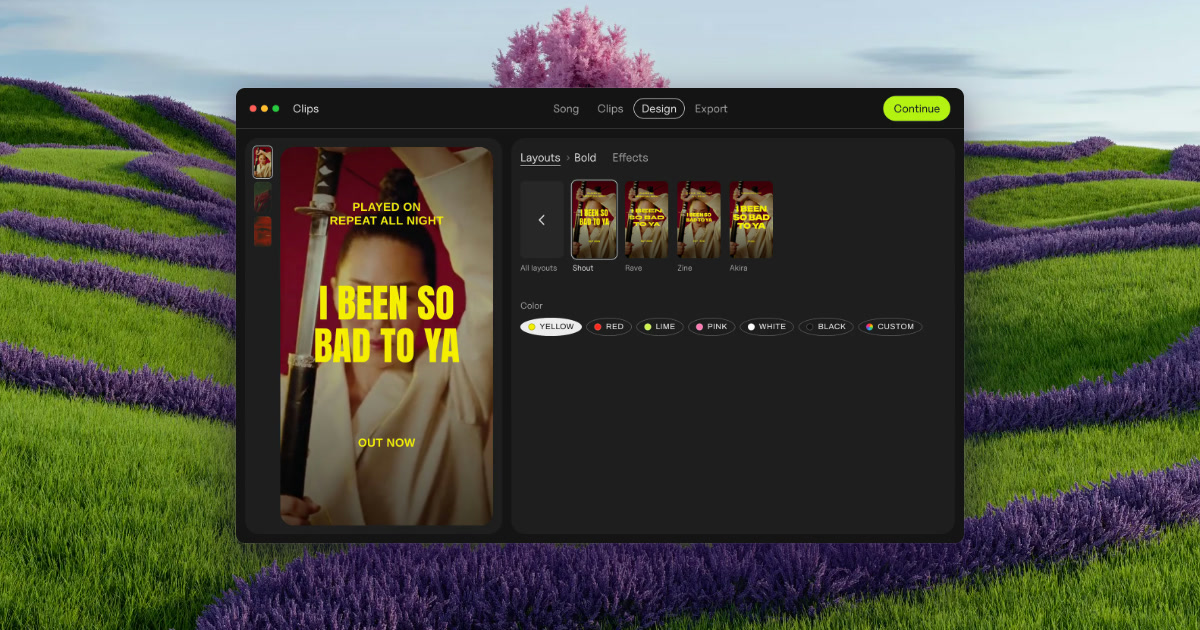
Clips by Plastic is a lyric and lip-sync video maker for Mac, built for music artists who want to promote a finished song with vertical video ads. You drop in a song and Clips finds its tempo and every part — verses, pre-chorus, chorus and bridge — then cuts each part and its catchiest snippets into its own vertical video, on the beat, with the lyrics synced word by word. From there you choose a layout, add a hook line on top, pick one of 54 effects, and export every part on every backdrop at once. The files come out named by song, part and backdrop, ready to upload to Ads Manager. Clips is aimed at artists promoting their own releases, and at labels and studios making videos for a roster or for clients. The problem Clips was built around is stated plainly on its own site: making fifteen videos takes all evening, so you cut two and pray. Rather than guessing which section of a track is the part that actually sells it, Clips lets an artist produce a video for every part of the song and then test them. The site describes the workflow as test first, then spend: run every part for a week with a few dollars a day each, let strangers pick the winner, and put your budget behind the part that wins. In the site's own worked example, the intro beat the chorus on cost per result, which is exactly the kind of finding a guess would have missed. The app was built by Kai Williams, a music artist with 30K monthly listeners on Spotify, who says he built Clips while promoting his album because cutting the same song fifteen ways was eating the time he wanted for music. The first step is dropping in a finished song. Clips finds the tempo — shown in the interface as BPM, for example 124 BPM on a three-minute-fifty-two-second track — and detects every part of the arrangement, listed as Verse 1, Pre, Chorus, Verse 2, Chorus and Bridge in the site's example. Each detected part then becomes one clip, cut on the beat; the product's own illustration shows a Chorus of 16 beats, cut on the beat. You then pick the parts you want to turn into videos, so a single song can yield a whole set of separate vertical clips instead of one long edit. There is no timeline to work on, which is the point of the design: the arrangement and cutting work that would normally consume an evening is done for you once the song is imported. The next step is the lyrics. Clips syncs the words to the music and can present them either word by word or line by line, both on the beat, and the interface exposes a simple Word / Line switch for that choice. You can also add a hook line on top — a short phrase that sits above the lyric treatment throughout the clip, shown in the site's mockups as a repeating line over the synced lyrics. Combined with a layout choice, this is what gives each clip its shape: a vertical frame, a lyric treatment that moves with the music rather than against it, and a hook that carries the catchiest fragment of the song. Because the sync is handled automatically, the artist does not have to hand-time individual words against a waveform. Clips ships 54 effects to give each batch a look that matches the release rather than a template. The site names a set of them — Paper, Glow, Vertigo, Riso, Xerox, Tape, Bitmap, Lines, Heatwave, Drift and Negative — and describes the concept as the same chorus rendered 54 different ways. A Strength control, set by dragging, determines how strong the effect is applied, with values like 3 shown in the interface. Effects are applied on the beat, tied to the detected BPM, so visual changes land with the music. On top of that, backdrops can come from your own footage or photos: Clips animates stills, and the site notes that one phone clip is enough for a batch, or you can download free high-quality vertical videos from Pexels that match the mood of the song. The fourth step is export, and it is where the batch approach shows. Clips exports every part of the song on every backdrop at once — the site's headline claim is 15 ads at once — with a progress indicator counting up from 0 of 15 videos cut. Output is vertical video at 1080 × 1920, or square at 1080 × 1080. Each file is named by song, part and backdrop so that the batch is identifiable and ready for Ads Manager without renaming by hand. The site frames the whole journey as ads in minutes, from a finished song to a full batch, with no timeline involved at any stage. The overall approach is a fixed four-step pipeline rather than a general-purpose editor: drop your song, pick the parts, add your hook, export. Everything runs locally — Clips works offline and your unreleased song never leaves your Mac, which the site answers directly when asked whether an unreleased song is uploaded anywhere. There is no cloud round-trip and no subscription machinery: the site promises no subscription, no credits and no caps. That combination of an offline Mac app and a batch pipeline is what separates Clips from a video editor, where the same job is done by hand, and from cloud-based ad makers, as set out in the product's comparison table. The stated outcome for users is speed and evidence. Instead of spending an evening cutting a couple of videos and hoping, an artist gets a full set of on-beat, lyric-synced vertical ads in one export and can then let performance data decide where the money goes. The site's example week shows cost per result for each part — intro, verse 1, pre, chorus, verse 2, bridge — with the intro winning at $0.21 and the chorus landing at $0.63, and the conclusion that you should put your budget behind the winner. Because every part and every backdrop is exported in one pass, testing more variants costs almost nothing in extra time, which is the core benefit the product is selling. Concrete use cases named on the site include launching a release by uploading the whole batch to Ads Manager on day one and letting it run through day six, then keeping the winner on day seven. Artists without footage are covered: photos work, Clips animates stills, and a single phone clip is enough for a batch. Artists between releases can use the free version, which does not expire, to try the app on an old song. Labels and studios can produce videos for the artists they manage, sign or work for under the Label / Studio license, which covers client and commercial work. Pricing is straightforward. The free version costs $0, includes every feature and unlimited exports, adds a small Clips tag on exports, and has no time limit. The Artist license is $99 paid once, removes the Clips tag, covers up to 3 of your own Macs and includes free updates. The Label / Studio license is $299 once, covers up to 10 Macs for your team, allows client and commercial work, and adds priority email support. A bundle with the DOT app is $125 once and unlocks both apps for up to 3 of your own Macs with free updates. A 30-day refund is offered with no questions, and the license key comes with the receipt. Requirements are macOS 13 or later on Apple silicon or Intel, with lyric sync best on macOS 26; Clips is Mac only today. In short, Clips turns one finished song into a batch of on-beat, lyric-synced vertical videos in minutes, so an artist can test every part of the release and spend behind the one that actually sells it — offline, paid once, with no subscription.
CutBay is an AI video agent that turns ideas, documents, links, and media assets into share-ready videos through a chat interface. Rather than building a video piece by piece on a timeline, users describe the video they want to make, upload their assets, and the agent helps shape the idea into a finished result. The product is aimed at marketers, ecommerce teams, educators, and businesses that need professional video content but do not want to learn complex editing software. Its stated purpose is simple: professional video creation, as easy as having a conversation, with no editing skills required. Traditional video production asks a lot of the person doing it. Timelines must be assembled clip by clip, visuals sourced, voiceovers recorded, subtitles timed, and every change rippled through the project by hand. That work carries a learning curve and requires complicated tools, which puts polished video out of reach for many teams and slows down the people who can use those tools. CutBay's answer is to remove manual timeline editing from the process. Instead of operating software, users describe an outcome in natural language, and the AI video agent takes on the planning, scripting, visuals, voiceovers, subtitles, and editing work behind that request. This matters because video is now a routine format for campaigns, product pages, lessons, and internal communication, and the bottleneck is usually production effort rather than ideas. CutBay's most distinctive capability is that a video does not have to start from a blank timeline — it can start from almost any input the user already has. The site groups these into several entry points. Ideas and prompts are the simplest: describe the idea and the AI finds related stock resources or generates AI images to auto-compose the video. Presentations can be turned into videos with animated charts and graphs, narrations, and captions. Links let CutBay extract information and images from blogs, news pages, Amazon product URLs, or landing pages and turn them into professional-looking videos. Documents — including docs, PDFs, spreadsheets, and online documents — can be repurposed into clear, engaging video content. Finally, users can upload their own clips, images, and brand assets and transform them into publish-ready videos. The value is that existing material becomes reusable in a new format without a rebuild from scratch. Smart templates sit alongside those inputs and give each video a starting structure. The template library is organized around video creation needs such as marketing advertisements, science popularization, brand stories, and data visualization, and the site describes them as smart templates for any video creation. Templates matter for consistency and speed: instead of deciding layout, pacing, and visual treatment from nothing, users begin from a structure designed for the type of video they are making, then let the agent adapt it to their content. Combined with the automation workflow, this is how CutBay moves from a rough idea to something that looks finished without a designer or editor stepping in at every stage. Editing happens in the same conversational surface as creation. CutBay describes this as editing videos as easily as sending messages: the user tells the AI what to change and watches the video update instantly. The site is explicit that this means no complicated tools, no learning curve, and chatting with AI in natural language. Because refinement is conversational, a first draft is not a final commitment — a user can ask for a different visual, a rewrite, a caption change, or another pass, and the agent applies it. This is where the agent framing matters: planning, scripting, visuals, voiceovers, subtitles, and editing are handled within one continuous loop rather than across separate tools, so the conversation becomes the editing environment. For footage that already features a person on camera, CutBay includes a talking head video capability. It automatically removes filler words, silence, and retakes from talking head footage, then enriches the result with captions, B-roll, and motion graphics. That combination addresses the tedious part of editing spoken content — trimming dead air and mistakes — and the polish part — layering in the supporting visuals that keep viewers engaged. Underneath everything is the AI video creation workflow the site describes as reimagining the way videos are created: from a simple idea to a complete video, the AI video agent handles the entire creative process. Users do not orchestrate individual steps; they state intent and the workflow carries it through. The stated outcomes are speed, accessibility, and consistency. CutBay promises professional videos in minutes, and it explicitly removes the editing-skills barrier — no editing skills required — so team members who are not editors can produce video themselves. Because the same agent manages planning through final edit, the output stays coherent rather than being stitched from unrelated parts. Chat-based refinement lowers the cost of iteration: changes are requests, not rebuilds, so teams can respond to feedback and produce variations without starting over. And because videos can be built from documents, links, presentations, and existing brand assets, content a team already owns keeps working in a new format. The site maps its use cases to four groups. Marketers use CutBay for high-impact campaigns, ads, social media content, and marketing report presentations. Ecommerce teams turn product materials or URLs into conversion-focused videos for showcases, special offers, launches, and reviews — an Amazon product URL, for instance, can be turned into a product video. Educators transform lessons, tutorials, and explainers into engaging videos that make learning easier and more memorable, with presentations becoming narrated videos with animated charts, graphs, and captions. Business teams make corporate presentations, pitch decks, onboarding videos, recruiting materials, and internal communications with less effort. Across all four, the pattern is the same: an existing asset or a short description goes in, and a share-ready video comes out. CutBay is built for teams and businesses rather than professional editors — marketers, ecommerce sellers, educators, and business communicators are named explicitly — and it is delivered as an online tool that runs in the browser. The site invites new users to start for free, and notes that no editing skills are required to begin. Its outputs are described as share-ready and publish-ready videos, and it supports inputs ranging from a plain-language idea to uploaded brand assets, presentations, documents, spreadsheets, PDFs, blogs, news pages, product URLs, and landing pages. CutBay is a product of PearlMountain. CutBay's proposition is that video creation should feel like a conversation rather than a software project. By combining an AI video agent that plans, scripts, sources visuals, adds voiceovers and subtitles, and edits, with chat-based refinement and smart templates, it compresses the distance between an idea or an existing document and a finished video. For marketers, ecommerce teams, educators, and businesses that need professional video without a production workflow, that is the core value: turn anything into a video, then shape it simply by saying what you want.
SuperCMO Skills is an open-source collection of agent skills that empower any AI agent — Claude, Claude Code, Cursor, Codex, Hermes and other supported hosts — to generate end-to-end marketing campaigns, including UGC videos, ad videos, product photography and more. The project positions itself as the open-source alternative to closed AI marketing agents. Instead of prompting a video tool from a blank page, you hand the agent a product photo and a brief: it extracts the product details, selects the optimal AI image and video models, casts AI actors, and edits the generated content into finished, campaign-ready assets. It can produce videos of any length while maintaining actor and product consistency, and it runs inside the coding agents teams already use. The familiar problem is that producing ad creative is slow, expensive and fragmented. Brands juggle separate tools for scripting, casting, storyboards, rendering and editing, and each hand-off loses context. SuperCMO's answer is to let an AI agent drive the whole marketing production pipeline from a single starting point. The README states that starting from your product is faster than describing a video from a blank prompt, because the agent can analyze an actual product photo rather than guess from text. The project also sets itself up as the open-source alternative to closed AI marketing agents, and it is licensed Apache-2.0, so the skills can be inspected, used and contributed to openly by the community behind the repository. Installing SuperCMO is designed to be a one-command step. The published command is npx --yes @supercmo/skills@0.1.27 --all, which installs into every detected host and requires uv to be available. Cursor users can run it inside their project with --cursor --project-dir . so the skills land in that project too. A dedicated supercmo-setup skill completes configuration; you can run it directly or simply ask your agent to set you up. During setup you choose how model calls are paid for: bring your own model keys, or sign in and pay per use with SuperCMO's. The repository ships plugin manifests for several hosts (.claude-plugin, .codex-plugin, .supercmo-plugin), a gemini-extension.json, and MCP configuration files such as .mcp.json and server.json, alongside an npx installer package. The skills cover a range of creative formats. UGC video is the flagship: you can ask for something like a get ready with me reel that is snappy and very Gen Z for a t-shirt, attaching the product photo. Cartoon video ads are supported too, for example a cartoon video ad in stylized 3D style promoting a tumbler, described as fun and entertaining, and the repository includes a 30-second cartoon ad sample. Product ad videos are another format, such as making an ad video for an energy drink from a product photo. The Product Hunt description adds image ads and product photos to that list, alongside UGC videos, ad videos and cartoon ads. For every one of these, the agent selects the optimal AI image and video models rather than forcing a single model, and stitches generated clips into finished, campaign-ready assets. Control is built into the workflow rather than bolted on. The README emphasizes that you stay in charge all along: you approve the creator, the concept and the script before anything renders, and you can change any part along the way. The Product Hunt description says the agent checks in with you at every step, and nothing expensive renders until you approve. Every generation also supports a dry_run option, which returns the exact request without making an API call, so you can preview before spending. Consistency is handled through storyboards and anchor references, so the same actor and the same product are maintained across every clip, whether the final video is short or as long as you asked for. The overall approach is a production pipeline rather than a single prompt — a full production studio inside Claude. You provide a product photo and a high-level or detailed brief, and the agent plans the video, writes the script, generates the AI actor, creates storyboards, generates the video clips, stitches them together and delivers the final video. When starting from a product photo, the sequence is explicit: upload the photo and a short brief; the agent analyzes the product, picks the format, casts the creator and writes the script; it then shows you the concept and waits for approval before spending a cent; once approved it generates the storyboards, renders each clip, stitches them together and hands back the finished video. The repository organizes this set of skills as a marketing production pipeline and documents how the skills work together. The outcome is described as more than a random clip. What comes back is a finished, scroll-stopping video delivered at the length you asked for and ready to post, built around consistent actors and products. Because the agent works from your own product photo, the creative reflects the real item rather than a text approximation. Because approvals gate the expensive steps, you do not pay for renders you did not want, and the dry_run option lets you inspect the exact request first. And because the skills are open source under Apache-2.0 with bring-your-own-keys support, teams can run them with their own model accounts instead of being locked into one vendor's workflow. The hosted version removes setup entirely for people who would rather not manage installs or keys. Concrete workflows described in the content include creating a get ready with me UGC reel for a t-shirt with a snappy, very Gen Z tone; making a 30-second unboxing UGC ad for a product from an attached photo; producing a fun, entertaining stylized 3D cartoon video ad for a tumbler; and generating an ad video for an energy drink. The hosted SuperCMO adds a publishing workflow: connect your accounts, approve a post, and it goes out to Instagram (Business account), a Facebook Page, LinkedIn (your profile), YouTube or Reddit, with a calendar holding your scheduled posts and recurring tasks so you can edit or cancel them. A dry_run pass fits any of these when you want to see the exact request before committing budget. SuperCMO is aimed at marketers, founders and small teams who already work inside AI coding agents such as Claude Code, Cursor, Codex or Hermes and want campaign-ready creative without assembling a production stack. The hosted version runs the same skills in the browser with no setup, no keys to manage, and a private workspace per brand — a sandbox where the agent runs code and keeps your files. Publishing integrations named in the content are Instagram Business accounts, Facebook Pages, LinkedIn profiles, YouTube and Reddit. The project ships as an npm package (@supercmo/skills), requires uv, and includes MCP configuration; it is licensed Apache-2.0, publishes a telemetry document, and has its own security and trust, contributing and community sections. In short, SuperCMO Skills turns a general-purpose AI agent into an AI CMO that can plan, script, cast, render and stitch marketing videos and images from a product photo and a brief — openly licensed, approval-gated, and available either as skills you install into your own agent or as a hosted product in the browser.
Framefields is an open-source, code-first video engine built for coding agents and engineers. It ships as a single npm package that an agent drives with TypeScript to make motion graphics, type, charts, 3D scenes and audio, check its own rendered frames, and export MP4 video rendered on the GPU. The project calls itself the video engine for coding agents and positions itself against bulky creative suites: instead of assembling a timeline by hand in a desktop application, you write a composition as code, preview it in a local WebGPU player, inspect individual frames, and render the finished film deterministically, frame by frame, from the command line or from inside an agent's workflow. Installation is offered through Claude Code with a plugin command, and through Codex, Cursor, Gemini CLI and other agents with a skills command. The obvious alternative is to record a headless browser: lay out a DOM page, animate it with CSS or JavaScript, and screenshot each frame. Framefields documents why that approach struggles. In a headless browser a frame is captured by laying out the DOM and then taking a screenshot, whereas Framefields renders straight to a GPU texture. Timing in a headless browser depends on wall-clock timers that can drift, while Framefields keys everything to the frame number. Text in a browser is rasterised on the CPU, while Framefields evaluates glyph curves per pixel. Memory per worker is listed at 200–400 MB for Framefields versus 2–4 GB for headless Chromium. And 3D, effects and vision come in the package rather than having to be brought in separately. The stated goal is deterministic, frame-accurate output with no Chromium and no browser overhead, so a render produces the same frames every time it runs. The package covers type that stays sharp. Glyph outlines are solved per pixel on the GPU, so text is crisp from 10 px to 10,000 px, and it can be animated letter by letter with After Effects-style selectors and typewriter timing. That makes kinetic typography and large-scale titles practical in code, without the rasterisation softness that appears when huge text is scaled up in a browser. 3D lives in the same frame as 2D: a camera lines up 1:1 with 2D pixels, and the engine supports physically based materials, image-based light, shadows, bloom, ambient occlusion and skinned models loaded from OBJ, FBX, glTF, STL, PLY and VOX. Because the 3D camera and the 2D coordinate space are aligned, type, charts and graphics can be composed directly against 3D content rather than being layered on in a separate pass. More than 50 effects are included: curves, levels, selective colour, 3D LUTs, halftone, film grain, mesh warp, liquify, glass, track mattes and scene transitions. The site illustrates a handful of them — a portrait rendered as a CMYK halftone print, a portrait remapped to black, grey and yellow with GradientMap, hair twirled into a swirl with Liquify, and a zoom blur radiating from the face. Vision runs on the device: detection, segmentation, pose and person mattes through ONNX, which lets a composition pin graphics to a tracked object, cut a subject out of footage, or reframe 16:9 to 9:16 without sending frames to a remote service. Having tracking and mattes inside the same package means the compositing step happens in the same render as everything else. A live preview ships with the package. A local WebGPU player runs the composition itself rather than playing back a proxy, so you can scrub, step frame by frame, and pin notes on the picture for your agent to apply — closing the loop between what the agent rendered and what you want changed. Sound sits on the same clock: soundtrack layers placed to the frame, procedural sound effects on a beat grid, and signals taken from the audio that can drive any property. Charts and Lottie are first-class citizens — line, bar, scatter, candlestick and pie charts are ordinary layers, and Lottie and dotLottie files composite on the GPU with everything else. Finally, the engine includes tests for motion: render a grid of frames to check easing and transitions at a glance, and assert on pixels or frame-to-frame change in Vitest. The overall workflow is code-first and agent-first. You install the package, write a composition — the site's example is a file called film.ts, which can be opened in full — and render it. The site reports that 255 frames at 1920×1080 rendered from film.ts in 2.6 seconds on an Apple M1 Pro with framefields@2.1.1 from npm, and it offers the resulting MP4 for download. Because the composition is code, an agent can write it, run it, look at the rendered frames, and revise. That loop is the product's central idea, summarised as video your coding agent can write, check and ship. Nothing depends on a headless browser, a desktop application or a wall-clock animation timeline; each frame is captured against the frame number and rendered straight to a GPU texture, which is what makes the output deterministic. The stated benefits follow from that design: deterministic, frame-accurate output; much lower memory per worker, listed at 200–400 MB versus 2–4 GB for headless Chromium; crisp type at any scale because curves are evaluated per pixel; 3D, effects and vision available in the package instead of assembled from separate tools; and hardware-accelerated MP4 export directly from TypeScript. The project also frames the package as a replacement for bulky creative suites, with motion graphics, Photoshop-grade VFX, 3D scenes and audio DSP arriving as one npm dependency rather than a stack of applications. Rendering speed is illustrated by the 2.6-second, 255-frame example on an M1 Pro. The repository's examples folder holds longer films built with the engine, each linked to a YouTube video: the Framefields launch film, a Mac keyboard built from 3D primitives, a film called Full Circle, and a dancer that is tracked and composited. Those illustrate the range — brand and launch motion graphics, purely procedural 3D scenes, and footage-driven compositing that depends on the ONNX vision pipeline. The site also names concrete tasks: reframing 16:9 to 9:16, pinning graphics to a tracked object, cutting a subject out, animating charts as ordinary layers, placing sound effects on a beat grid, and rendering frame grids in Vitest to check easing and transitions before committing to a longer render. The product is aimed at AI coding agents and the engineers who operate them: it advertises itself as the video engine built for coding agents, and installs into Claude Code with /plugin install framefields and into Codex, Cursor, Gemini CLI and others with npx skills add gatewai-dev/framefields. The tech named on the site includes TypeScript, native WebGPU in Node.js, ONNX for on-device vision, Vitest for pixel and frame-to-frame assertions, and Lottie and dotLottie support; the package is distributed on npm, with framefields@2.1.1 cited as the version used in the demo render. The project is described as open-source and links to its GitHub repository at gatewai-dev/framefields, where the examples live. The provided content does not list pricing tiers or a paid plan. Framefields makes video something a coding agent can produce end to end: write the composition in TypeScript, preview and annotate it in a local WebGPU player, check frames and assert on motion in Vitest, and render hardware-accelerated MP4 on the GPU without a headless browser or a desktop creative suite.