Category Focus/categories/image
Image AI Tools
Discover and compare the best image AI tools and software. Browse 74+ curated tools with reviews and rankings.
Projects tracked
74
Sort mode
RECENT
Page
1
Discover and compare the best image AI tools and software. Browse 74+ curated tools with reviews and rankings.
Projects tracked
74
Sort mode
RECENT
Page
1
magpie is a visual library app that brings everything you save into one place. Its own summary is direct: everything you've saved, in one visual library. Rather than leaving references scattered across apps, magpie gathers your saves from Instagram, X, TikTok, Reddit, Pinterest, Cosmos, Are.na, GitHub and your browser's bookmarks, and presents them as a single browsable collection of images, video saves and links. Each save is tagged by AI, so the library can be searched by what is actually in it, or by colour, rather than by the caption someone wrote or the account that posted it. The stated purpose is simple: give people who collect visual references a permanent, searchable home for them. It is built for anyone who saves things they intend to use later — designers, art directors, studios and other creatives working with visual references — rather than for people who save casually and never come back. The problem magpie addresses is familiar to anyone who collects references: your saves live in many different places. A poster might be saved on Instagram, a type treatment on Cosmos, a photograph on Are.na, a video on TikTok, and a repository on GitHub, with the rest arriving through browser bookmarks. Each of those platforms has its own way of organising and finding things, and none of them knows about the others. The content also has a habit of disappearing — posts get deleted, accounts go away, and the thing you saved is no longer there when you need it. magpie's answer is to keep everything you have saved, even when the post is gone, and to make the whole collection findable from one place instead of five. Capture is built around the places you already save from. The product lists Instagram, X, TikTok, Reddit, Pinterest, Cosmos, Are.na, GitHub and your browser's bookmarks as sources, and its browser support covers Chrome, Safari and Firefox. The site also describes being able to paste a link anywhere, so a reference can be added without first navigating back to the app. Everything you save lands in the same library. In the sample library shown on the site, that library holds 265 saves — a mixed set of brand identities, packaging, editorial photography, motion work, film stills and travel imagery, each shown with the domain it came from, such as instagram.com or cosmos.so. The AI layer is what makes that mixed collection searchable. Because saves are tagged by AI based on what is in them, you can search by meaning instead of by the words attached to a post — the site's example is a search for somewhere by the sea, which surfaces images of coastlines, beaches and water without relying on captions. The same tagging supports searching by colour, so you can pull together the saves that are mostly one particular blue. Combined with the promise that saves are kept even when the post is gone, the tagging is what turns a pile of bookmarks into a reference library you can actually query later. Search is presented as a single bar that doubles as an input for requests. It reads find, or ask, and is available from a keyboard shortcut (⌘K) as well as on screen. The asking side goes beyond retrieval: in the sample shown on the site, the request references for a calm hardware launch returns saves that magpie has picked, each with a reason attached, and then makes a project of them. So the same bar can either find a specific thing you remember saving or assemble a reasoned starting point for something you are about to work on. Browsing the library is flexible. The interface supports rows and cells as layout options, with grid and canvas views alongside them, plus simple zoom controls for moving between an overview of many saves and a closer look at a few. Saves can be grouped into collections — the site shows an Instagram collection of posters and prints — and video saves open and play directly inside magpie rather than sending you back to the source. Between the search bar, the AI projects and the collection views, the library can be read at several levels: everything at once, a themed subset, or a set assembled for a particular brief. The outcome magpie is built around is continuity. Because your saves are kept even when the post is gone, a reference you found two years ago is still there when a project needs it, which is not true of a bookmark pointing at a deleted account. Because everything lands in one library instead of several, you search once rather than repeating the same search across Instagram, Pinterest, Are.na and your bookmarks. And because the AI tags by content and colour, you can search for what a save looks like rather than for what you remembered typing when you saved it. Concrete uses appear throughout the product's own material. One example is finding a reference by mood: a search for somewhere by the sea, or browsing the saves that are mostly one of a particular blue. Another is assembling references for a brief by asking for them — references for a calm hardware launch — and receiving a set of saves with a stated reason for each, organised as a project. Another is reviewing a themed collection, such as posters and prints saved from Instagram, or opening a video save and letting it play in place. Another is adding to the library while browsing, either by saving from a supported platform or by pasting a link wherever you happen to be. magpie is presented as an app you download for Mac, with a free way to start, and it works alongside the browsers its users already save from — Chrome, Safari and Firefox. Its natural audience is people whose work depends on visual reference: designers collecting identities, packaging and typography; art directors gathering campaign and editorial imagery; studios building mood and direction; and anyone who treats saves as raw material for future projects rather than as a private archive to scroll once. Taken together, magpie's value proposition is that the things you save should be treated as a library, not as a feed. One visual library collects them, AI tagging makes them searchable by meaning and colour, and the saves are kept even when the original post is gone — so the references you gathered stay usable long after you saved them.
AI Manga Translator is an online tool at aimangatranslate.org that translates the text inside manga, manhwa and manhua page images and returns a translated page image. It detects speech bubbles and captions, erases the original lettering, and places the translation back on the artwork, so readers see the dialogue beside the panels instead of copying lines into a separate translator. It is built for readers of Japanese manga, Korean manhwa and Chinese comic images who want to follow a page in their own reading language, and for people who already have a chapter as image files or a CBZ/ZIP archive. The product covers single pages, batches of up to 20 images, whole chapters in archive form, image URLs, and images already loaded on a webpage through a Chrome extension. A single page translation is included with no credit card required, so a reader can judge the result before committing to a chapter. Reading a translated page usually means leaving the page. A reader takes a screenshot, copies a line, translates it somewhere else, then hunts for the same spot on the page again — all just to find out what happens next. The site describes this friction directly: copying dialogue line by line, losing track of who said what, and repeating the same steps for every page of a chapter. Short replies are especially awkward, because the speaker, the expression and the previous panel may explain more than the words alone. Unfamiliar characters should not mean more typing, and a reader should not have to crop every speech bubble by hand. Keeping the translation on the artwork preserves the context — character, expression and panel order — that gives a line its meaning, and the aim stated on the site is to reduce the manual work between seeing a page and understanding it. The single page translator is the entry point. You upload a complete PNG, JPG, JPEG or WebP page up to 15 MB, choose the language you want to read in, and receive a translated image with the dialogue placed back on the page. You can review the text and the artwork before downloading, and you can inspect a local preview of your file before signing in — starting the translation itself requires an account. The site suggests choosing a page with ordinary speech bubbles and enough dialogue to tell whether the translation is useful, rather than a cover with a single title, and using a page you know first so you can check important lines against the original. The website tools offer 133 reading languages, with English, Simplified Chinese, Japanese, Korean, Spanish, French, German and Portuguese listed among the choices. For longer material there are dedicated workflows. The batch translator accepts up to 20 separate image files at 15 MB each, processes them in queue order, and lets you download completed pages as separate images; you can open a finished translation while later pages are still processing, so you start reading before the batch finishes. If a page fails, it shows its own error message and can be retried without losing the pages already completed. The CBZ translator takes one CBZ or ZIP archive of up to 100 MB containing up to 50 supported images (15 MB per image, 200 MB extracted total), sorts numbered filenames naturally, and exports an ordered CBZ or ZIP once all selected pages finish. Original archive metadata is not retained. The manga URL translator lets you paste links and import up to 20 pages without saving files first, which suits chapters that already live online. For pages you are already reading in a browser, the Chrome extension works in Chrome and compatible Chromium desktop browsers. You install it, sign in to the website account, choose a language, and translate accessible images already loaded on the page using your credits; installation is free, translation consumes credits and requires an internet connection. The extension offers 25 languages, a smaller set than the website tools. A separate Manga Cleaner handles relettering rather than translation: it removes bubble text or all detected text from up to 20 images at 15 MB each and exports PNG, WebP or a ZIP, so another tool or an editor can place new lettering. The translator itself returns images and previews; the site states plainly that it does not include an editable glossary, an OCR correction screen or human proofreading, and that dialogue and lettering cannot be edited inside the app. Under the hood, the service detects speech bubbles and captions, erases the original lettering, and letters the translation back into those bubbles while aiming to keep the panel art and layout intact. The site is candid that fine details and text over busy backgrounds may change, and that AI can misread names, miss context, or struggle with vertical text and stylized sound effects, so a translated image is something to review rather than a guarantee that every word is unchanged. Access is credit-based: each page costs 1 credit, failed pages are refunded automatically, and one-time credit packs never expire with no subscription involved. Downloads require a purchased credit pack starting at USD 4.99. Source images and translated results are stored in the signed-in account's history, so returning to completed work does not depend on keeping an unfinished local queue open. The practical benefit is continuity of reading. Instead of juggling screenshots and separate results, you keep the page, the characters and the panel order in front of you while checking a translated version beside the original. Batch and archive workflows remove the repeated setup — you choose pages and one target language once, then read results as they finish. Because completed pages persist and failed pages are refunded and retryable, a long chapter does not have to be restarted from the beginning. For readers who only need to understand one difficult conversation, the single page tool keeps the effort to a single upload; for readers working through a chapter, the queue and archive tools keep the pages in order. Typical situations the site describes include reaching the latest raw manga chapter and needing to follow the dialogue without typing out unfamiliar characters; working through a Korean manhwa or Chinese manhua page where the artwork and colour carry as much meaning as the words; translating a whole chapter supplied as separate images or a CBZ/ZIP and getting the pages back in order; translating pages on a manga website in Chrome without downloading them first; and removing original text from pages so they can be relettered for another audience. The site also recommends testing a representative page first, because automatic translation can miss names, context and stylized lettering, and checking vertical dialogue and small background text as well as the large bubbles. The product is aimed at individual readers of raw manga, manhwa, manhua and comics, and at anyone preparing pages who needs the source lettering removed — while the site notes that a finished edition for other readers still requires your own review and image editing. It runs in the browser with no install for the main tools, plus an optional Chrome extension for desktop Chromium browsers. Pricing is one-time credit packs rather than a subscription: 1 credit per page, failed tasks refunded, packs that do not expire, downloads requiring a purchased pack, and trial credits or free-account limits that vary with the current account offer. Sign-in is required to translate and to keep results in history. The site is equally clear about what it does not do: there is no direct PDF, CBR/RAR or EPUB import, no text editor for correcting or re-lettering translations after generation, and no offline processing or unlimited free use without an account. Documents and archives need to be organised into page files first, very long strips should be prepared as readable image sections, and only content you own or have permission to process should be uploaded — the site asks users to check the privacy policy before uploading confidential work. Taken together, AI Manga Translator is a page-level reading aid: it keeps the scene in view, returns the translation inside the bubbles where it belongs, and scales from a single stuck page to a queued chapter or an exported CBZ/ZIP, with a clear per-page credit model and automatic refunds for failed pages. The advice running through the whole site is the same — begin with one page, judge how it reads in your chosen language, and move to the chapter queue when that workflow suits the material in front of you.
Raindance Maker is an AI video generator that turns two separate photos into a Raindance AI video set on a seaside pier. You upload one photo for each of the template's two roles, and the tool recasts the viral pier performance with those people. Photo 1 replaces the person seated at the start, while Photo 2 replaces the person who walks in and takes the close-ups. The template supplies the scene, camera moves and performance, so no filming or prompt writing is needed. You choose the duration, the model and the resolution, check the exact credit cost, and then download a finished 4:3 MP4 that includes the reference soundtrack. The product addresses a specific problem: the Raindance AI trend places two people into a sunny seaside pier performance set to "Raindance" by Dave featuring Tems, but recreating that scene normally requires filming yourself or writing prompts for a general video model. According to the site, the pier clips are fan-made AI videos, not footage from the official music video, and "Raindance" itself is not an AI song. Raindance Maker uses a prepared two-person reference, so you can make your version from separate photos without filming the scene. The site also notes it is an independent video tool with no affiliation to the artists or the creators of the reference clip. The core workflow is built around two clearly defined roles. Photo 1 replaces the person seated at the beginning of the clip, and Photo 2 replaces the person who walks in and appears in most of the close-ups. Those roles stay tied to the photos when the camera cuts or the performers change position. The generator labels each role beside the preview and offers a swap control if you want to exchange the photos. You upload one clear person per image in JPG, PNG or WebP format, up to 20 MB each, with a shorter edge of at least 300 px and an image ratio between 0.4 and 2.5. The site recommends a photo with visible eyes, hair and facial detail for the close-up role, and a waist-up or full-body photo to give more information about clothing and proportions, while avoiding faces hidden by hands, dark sunglasses or heavy filters. Settings give you control over length, model and resolution. Available durations are 5, 10, 15 or 30 seconds, with 30 seconds limited to Seedance 2.5. Two models are offered: Seedance 2.5, described as best quality, which supports 480p (640 × 480), 720p (960 × 720) and 1080p (1440 × 1080) and up to 30 seconds; and MiniMax H3, which renders 720p and up to 15 seconds for fewer credits. The default is Seedance 2.5 at 10 seconds and 720p. The generator updates the credit total before you submit, and uploading a photo or changing a setting does not start a paid generation. The 30-second template holds the reference's final frame for about two seconds, and every video is one generation with nothing stitched together. Sound is handled automatically. The finished video includes the soundtrack from the selected reference clip, so you do not need to find an audio file or line it up in an editor. The site is explicit that the download includes the soundtrack from the selected template reference and does not generate a new song or clone your voice. Mouth movement can still differ from the reference, and faces, hair, hands, clothing and lip sync can vary, especially across cuts, so the site advises listening to the result and reviewing both people through the whole clip before sharing. Beyond the pier template, the site mentions more trend templates on the same site, including Hotel Lobby, Alors on Danse, Smalltown Boy and APT. Raindance Maker also publishes supporting guides covering the Raindance AI trend, a step-by-step how-to with photo tips, models, posting to TikTok and troubleshooting, a page on whether Raindance AI is free, and an explainer on the Raindance song by Dave and Tems. Example remakes shown on the page include Shrek & Lord Farquaad, Gru & Vector, and Ronald McDonald & Colonel Sanders, each running 29 seconds with the original soundtrack, while the generator itself offers 5, 10, 15 or 30 seconds. In terms of approach, Raindance Maker relies on a prepared reference rather than free-form prompting. The site states that the template already contains the role instructions and reference performance, so users choose two photos, review the settings and generate. A reference clip supplies the scene, camera moves and soundtrack for the template; the page preview shows the first 10 seconds, and the generator can preview your selected duration. Your two photos replace its performers, and the site notes the preview is not a result made from your photos. Exact likeness is not guaranteed, and the generator updates the credit total before submission so costs are visible ahead of time. Benefits described on the site center on speed and simplicity: the template supplies the scene and performance, so no filming or prompt writing is needed, and the soundtrack is included so there is no separate audio step. The site emphasizes seeing credits before generating, with the total depending on duration, model and resolution. If a generation task fails, its charged credits are returned. Free accounts receive a moving raindancemaker.com watermark, and any purchase unlocks the saved clean original, including videos you have already made. Uploaded photos are used to make your video and are not added to the public examples on the page, and generation history and downloads require an account. Use cases described include a duet with your partner: using separate photos to put both of you into the same seaside scene, even if the photos were taken in different places. Another is a clip for your best friend, where you choose who gets the seated role and who gets the close-ups and then make a video to send to each other. The site also describes a new take on the same template by trying a different pair of authorized photos while keeping the reference performance, with the advice to review each take rather than assuming the same model will reproduce every detail. It further suggests shooting settings and framing similar to a vertical post and warns to avoid cropping out a performer when preparing a vertical post. Pricing uses site credits shared with the other tools on the site, and the total is shown before generation. A 5-second video starts at 49 credits. For a 10-second video, Seedance 2.5 costs 97 credits at 480p, 219 credits at 720p and 388 credits at 1080p; MiniMax H3 costs 97 credits at 720p. Three plans are listed: Starter at $9/mo with 240 credits per month (about 2 ten-second MiniMax H3 720p videos) for trying the trend; Pro at $29/mo with 780 credits per month (about 8 such videos) for regular creators, adding all lengths up to 15 seconds and priority support; and Enterprise at $99/mo with 2,650 credits per month (about 27 such videos) for agencies and pages, including dedicated support and custom integrations. All plans include watermark-free videos, including ones already made, and refunded failed videos. Eligible new accounts currently receive 5 credits, which may not cover a video in every model, and signup credits expire after 7 days. The tool runs in the browser, including on a phone, with no separate editing app required. In summary, Raindance Maker packages the viral Raindance AI pier trend into a guided two-photo workflow: assign the seated and close-up roles, pick duration, model and resolution, review the credit cost, and download a 4:3 MP4 with the reference soundtrack. Its primary value is letting people join the trend from photos they already have, without filming the scene or writing prompts.
Genie 4 is Google DeepMind's most realistic and interactive world model yet, described by the team as a new generation of world simulation. Rather than producing a finished video clip, it builds a world that you can walk through with your keyboard and steer with text while it runs. Text and image prompts generate photorealistic environments, and natural language lets you change those environments live: describe landscapes and events, move the camera, add new characters, or change the weather, then see what happens next. It is positioned for creators, game developers, and AI researchers who want to explore what interactive generated worlds can do, and it is currently offered as a research preview with an open waitlist. Genie 4 addresses a gap that becomes obvious once you compare it with ordinary video generation. A video generator hands you a finished clip: you write a prompt, you wait, and you receive a fixed piece of footage that plays the same way every time. Genie 4 instead builds a world you walk through and steer as it runs, which turns generation into something you can explore and revise rather than something you simply watch. Keeping such a world believable while it is being changed is the hard part. Appearance and behavior have to stay anchored in reality, and the simulation has to hold together from one moment to the next as prompts arrive. Genie 4 is presented as a response to both of those challenges, combining realism with the coherence and continuity a live, interactive world demands. The headline capability is shaping worlds in real time with natural language. You create and change worlds live by describing them: landscapes and events, camera moves, new characters, or a change in the weather. Each instruction is applied while the world is running, so the result is visible immediately as the scene continues to unfold around you. Because the interaction is conversational rather than a one-shot prompt field, you can iterate in the moment: set something in motion, watch how it plays out, then adjust it again. The page pairs this live control with keyboard-driven navigation, so you can move through the generated world yourself instead of only watching a rendered clip. For anyone used to waiting on a batch render, the shift is significant: direction happens continuously, while the simulation is alive and responding. Genie 4 also generates realistic interactive environments rather than static backdrops. In the worlds it produces, objects collide, water flows, and trees sway in the wind. Generated characters do not merely appear; they move and behave naturally within the scene. Those behaviors are what make a world feel inhabitable rather than painted. When you add a character or set an event in motion, the environment responds in ways that read as physical: things bump into each other, liquid moves as liquid, foliage reacts to air. This is the difference between a world you can look at and a world you can test, poke, and move through. It is also what makes the output useful for anyone trying to understand how a scene will behave, not just how it will look in a single frame. Beyond the visuals, Genie 4 generates native audio and live dialogue, so the worlds it builds carry sound as well as imagery, and characters can speak within the simulation as it runs. The model incorporates and builds on capabilities from the Gemini family. Gemini Omni anchors simulations in real-world appearance and behavior, which is how the worlds stay grounded in believable materials and motion. Other Gemini models provide the complex reasoning needed to help maintain a simulation's coherence and continuity over time. That division of labor matters for an interactive world: realism and consistency are separate problems, and both have to be solved simultaneously while a user is actively changing the scene. Bringing native audio and live dialogue into the same system extends that coherence past the visual layer and into how a world sounds and how its characters communicate. Taken together, the workflow Genie 4 describes is simple on the surface and technically demanding underneath. You start from a text prompt or an image prompt, and the model generates a photorealistic world. You then walk through that world with your keyboard while issuing natural-language instructions that reshape it live. Behind the scenes, Gemini models work to keep the simulation grounded and continuous. The page shows this loop in action across a wide range of prompts, and it also links to supporting material through sections on capabilities, future applications, limitations, and responsibility, along with a blog post announcing the model. The emphasis throughout is on interaction as the core of the experience: the world is not delivered to you, it runs with you. The benefits follow directly from that design. Creators get a way to explore an idea spatially, walking through a concept instead of describing it and waiting for a clip. Game developers can see environments in motion, with collisions, flowing water, swaying foliage, and characters behaving naturally, which is closer to how a playable space actually feels. AI researchers get a research preview of a world model they can interrogate interactively, changing conditions on the fly and observing what the simulation does next. Because the model handles realism through Gemini Omni and continuity through other Gemini models, users can focus on direction and observation rather than on manually reconciling a scene that keeps drifting. The result is a faster loop between an idea and a world you can stand inside. The prompts shown on the page illustrate the range of scenarios the model is demonstrated with. A crowned crane walks across snow beneath a clear dusk gradient sky in a natural, documentary style. A fully three-dimensional stained-glass landscape is generated as an explorable crystal world with translucent colored glass, dark lead outlines, and volumetric depth. A first-person, documentary-style skier speeds down an alpine course with motion blur, snow spray, and a subtle game-inspired interface layer. A top-down aerial view frames a still wooden rowboat on a dark pond ringed with lily pads and pink water lilies. Live-action-style footage follows an extravagantly dressed man backstage at an eccentric musical theatre. Other examples include a sunlit meadow with a stream of pink satin fabric winding through it, a watermelon on a stone plinth in slow motion, a first-person hot air balloon view over Antarctica, and underwater wildlife photography of pink axolotls in a clear freshwater river. Across these examples, the same pattern holds: rich environments, natural motion, and the ability to keep exploring. Genie 4 is built for creators, game developers, and AI researchers. Its technical foundation is the Gemini family, including Gemini Omni for grounding simulations in real-world appearance and behavior and other Gemini models for the reasoning that maintains coherence and continuity. Access is currently framed as a research preview, and the page invites visitors to join a waitlist. The site's navigation also flags dedicated sections on future applications, limitations, and responsibility, signaling that the model is being introduced with an explicit account of what it can and cannot yet do. No pricing or plan details are stated in the provided content, and the model is presented primarily as an interactive research release rather than a packaged commercial product. The takeaway is that Genie 4 reframes what a generative world model is for. Instead of handing you a finished clip, it hands you a living world you can walk through, steer with text, and change as it runs, complete with physics, natural character behavior, native audio, and live dialogue, all held together by Gemini. For creators, game developers, and researchers, that means exploration replaces waiting, and a prompt becomes something you can step into and reshape in real time.
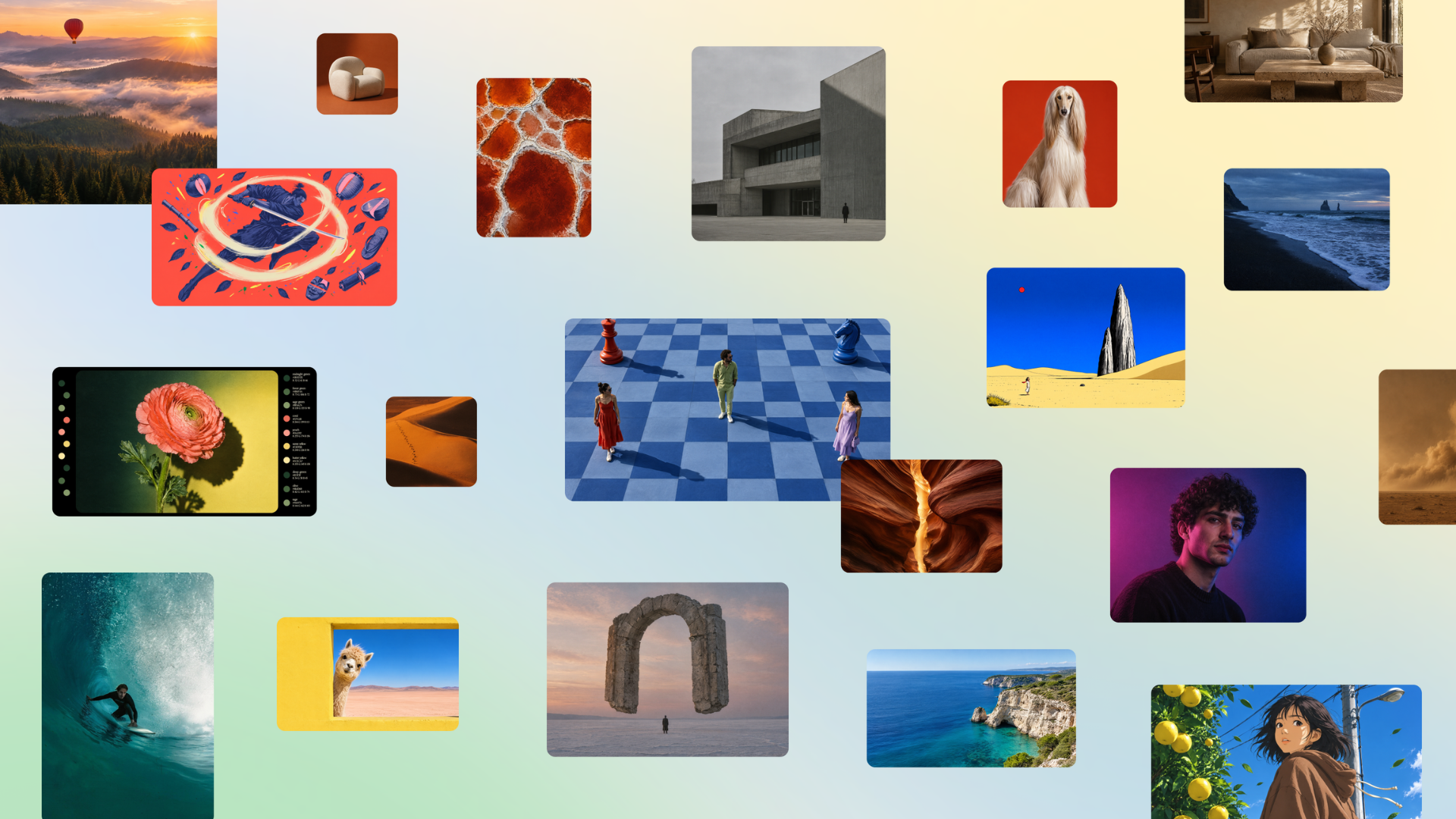
Canva Craft is Canva's first state-of-the-art image generation model, developed and trained from scratch by Canva Research, Canva's in-house AI lab. Built specifically for design, it turns prompts into images that work as designs rather than as flat pictures, producing compositions with deliberate hierarchy, alignment, spacing, crisp edges and text that lands where it should. Craft is available to all Canva users globally through Dream Lab inside Canva, and to developers and product teams through Canva's Public API. It is intended for everyone from first-time creators to professional designers, as well as marketers and product teams who need visuals they can edit, refine and reuse. Most image generation models are trained primarily on photographs and generate pixels directly from a prompt. That approach can produce attractive pictures, but it offers little control over how an image is structured, where objects sit, how text reads, or whether the result can be pulled apart and edited afterwards. Canva Craft was designed around a different assumption: that a great deal of visual output is not photography but design work such as posters, social posts, presentations, infographics and menus, where layout, hierarchy and typography matter as much as the imagery itself. The context is significant in scale, with more than a quarter of a billion people using Canva to create over 400 designs every second, and Canva states that delivering frontier-level performance at that scale required breakthroughs in both compute efficiency and inference speed. Craft's core answer to this is a two-stage architecture that separates compositional planning from image rendering. In the first stage, an image planning model interprets the prompt and writes a detailed plan of the composition: which elements appear, their spatial relationships, relative scale, visual hierarchy, and any text that needs to appear in the image. In the second stage, a dedicated image rendering model translates that plan into a high-fidelity image at up to 2K resolution across more than 30 aspect ratios. Because the model reasons about the structure of an image before generating it, it can produce complex layouts with greater accuracy, including legible text, precise object placement and consistent visual relationships. Craft gives users direct control over what ends up in the frame. Canva describes shaping images your way by treating the whole image as an intentional composition of layered elements, and perfecting every detail, with the example of asking for a purple sky, long shadows and a lone tree and getting all three with the emphasis where you wanted it. Output size is flexible too: users can choose from more than 30 aspect ratios or enter their own, to create everything from social posts or stories to posters or banners. Prompts can be written in any language, and Craft can create text in 55 languages, which makes it practical for multilingual campaigns and localized assets. That same structure enables granular editing. Because composition is explicitly modelled, Craft allows targeted changes to individual elements without unnecessarily altering everything else. Craft outputs are particularly well suited to Canva's Magic Layers, which can transform generated images into fully editable design elements. JSON boundary boxing makes it easier than ever to convert images into editable layers with Magic Layers, with more accurate and faster results. Canva also states that this architecture provides the technical foundation for more advanced editing and reference-image capabilities coming in future releases. Craft's training places a much greater emphasis on design than on photographs. Its training data includes millions of human-made templates from Canva's content library, spanning professionally designed posters, social posts, presentations, infographics, menus and typography-rich layouts. Unlike flat images, these templates teach the model exactly how layout, hierarchy and typography fit together, giving it a deeper understanding of the principles behind effective design rather than simply what finished images look like. Following pre-training, Craft was optimised through supervised fine-tuning and reinforcement learning, incorporating feedback from Canva's professional designers to improve instruction following, typography accuracy and overall visual quality. For internal evaluations, Canva's professional designers worked alongside dozens of researchers to assess more than 25,000 pairs of images in head-to-head comparisons with leading models, and when automated evaluations and human judgments differed, Canva sided with the designer. Performance work underpins the model's availability at scale. Through advanced model distillation, Canva reduced the number of inference steps required by Craft to a fraction of the original model, and it developed a custom inference engine optimised for the planning stage, making Craft an order of magnitude faster than its first internal version. These advances underpin Craft-fast and Craft-ultrafast, two upcoming variants designed to deliver high-quality image generation at a fraction of the cost of leading frontier models. On DesignArena, the largest crowdsourced assessor of AI design, Craft debuted as the fourth most advanced image generation model, ranking first globally for People & Portraits out of 87 models and for Landscapes & Nature out of 85 models, second for Abstract & Patterns and fourth for Products. Access is broad. Canva Craft is available starting today to all Canva users globally; to begin, users open Dream Lab in the bottom left panel. Craft is also available via the Public API and the Canva MCP Server, representing Canva's push to develop AI models that extend the reach of its technology beyond its core product. Developers and product teams can build Craft into their own tools, such as marketing platforms, e-commerce sites, ad builders and print services, and Canva notes the API is also the quickest way to test Craft on your own prompts and compare it with other models. Canva MCP, coming soon, connects Craft to AI assistants and automated workflows so agents can create images ready to use in a design, meaning an assistant can make a launch graphic, a product shot or a social post as one step in a bigger task. Safety is built into every stage of how Canva develops and deploys AI. Models undergo continuous testing and rigorous safety evaluations to identify and mitigate potential risks, and alongside visual quality Canva evaluates brand safety, cultural context and the potential for harmful content before release. Like all AI products on Canva, Craft is backed by Canva Shield, Canva's comprehensive approach to AI safety, which includes robust input and output moderation, privacy and safety controls, and reporting tools that allow people to flag potentially harmful or misleading content. The model is built to support a wide range of creative work. For social content and marketing assets it produces posters, social posts, flyers, presentation visuals and ads with layouts, hierarchy and text that are ready to use. For lifestyle and editorial photography it generates realistic scenes featuring people, places, food, travel and everyday moments. For illustration and digital art it covers flat, vector, painterly and hand-drawn styles. For people and characters it handles portraits, groups and fashion, including complex scenes that stay coherent. For nature and environment imagery it produces landscapes, cityscapes, interiors and architecture, and for creative and conceptual work it builds imaginative compositions that bring real and stylised elements together. The outcomes Canva describes are precision and control. Users get photorealistic images that bring together the fine detail, depth and soft transitions of real-world imagery with the thoughtful composition of design: deliberate hierarchy, alignment, spacing, crisp edges and text that lands where it should. Because generated images can become editable layers, the output feeds directly into a design workflow instead of ending as a static file, and because composition is planned first, users can make targeted adjustments rather than regenerating everything. The result is more flexibility for first-time creators and professional designers alike to bring their imagination to life. Craft's target users span marketers, creators and designers who need images that work as designs, along with developers and product teams building marketing platforms, e-commerce sites, ad builders and print services through the Public API. This first version is described as just the start: faster Craft models are already on the way, and Canva plans to keep raising the bar on quality, detail and control to improve things like fine print and technical drawings. In summary, Canva Craft's primary value proposition is that it generates design-ready images rather than mere pictures. By planning composition and typography before rendering, training on millions of human-made Canva templates, and producing 2K output in more than 30 aspect ratios with text in 55 languages, it delivers the precision, consistency and editability that design work demands, available inside Canva through Dream Lab and to developers through the Public API.
Mega Jell-EEZ Peelable Mango is a fun and flavorful jelly candy made for mango lovers. Its peelable design adds an enjoyable way to eat the soft, chewy candy while delivering a sweet and fruity mango flavor in every bite. The playful texture and easy-to-peel format make it a fun choice for candy lovers, parties, sharing, and everyday snacking. Perfect for retailers and wholesale buyers looking to add an eye-catching mango treat to their candy selection. Visit us for more information!
Redlamp is a native, open-source RAW photo editor for the Mac, built from scratch in Swift and Metal for Apple Silicon. It is currently at pre-alpha version 0.2.6 and requires macOS 26. Redlamp keeps the panels, sliders and keyboard shortcuts that photographers already know from Lightroom — including panel order, slider names, ranges, defaults and single-key shortcuts — and rebuilds everything underneath as a native, GPU-first application. It is an editor rather than a catalog: it opens folders of photos and keeps edits in small sidecar files right next to the originals. It is aimed at photographers who edit on a Mac and want Lightroom's familiar workflow without a subscription and without a cloud. The application is licensed under MPL-2.0, is free with no subscription, and runs its AI features on device. Lightroom defined how millions of photographers edit, but it is a cross-platform application that does not feel at home on a Mac, and it is tied to a subscription and a cloud. Redlamp was created to keep the workflow photographers already know and rebuild everything underneath as a native, open-source application. The name comes from the darkroom safelight: a red lamp is the one light you can work by without fogging the paper. The stated idea behind the product is that you can see and shape your photo freely, and the original is never harmed. Redlamp is Mac-first: one platform-neutral engine powers the application, with the Mac editor coming first and iPad and iPhone stated to follow from the same engine. Redlamp's Develop module covers the core of a RAW editing workflow: Basic, Tone Curve, Color Mixer, Color Grading, Detail and Effects. It carries over Lightroom Classic's shortcuts as 83 actions on 87 key bindings, and adjustments can be found by name or by the words people use. The command palette, opened with ⌘K, searches every action, every Develop slider and every picker — including white balance, treatment, Base Looks, recipes, Before/After, snapshots and history — with each action's shortcut shown beside it. Choosing a slider or picker does not close the palette; it turns into that control over the photo. Pressing Return shrinks the palette to a slider bar, where the arrow keys step the value, Shift moves ten times as far, Option adjusts more finely, and typing a name and value such as 'exposure 0.7' or 'temp 5600k' sets the slider directly. Moving through a picker previews each choice on the photo before it is applied. Masking is part of the architecture rather than an afterthought. Every edit is a layer: its own adjustments plus a mask built from components that add, subtract and intersect, as in Lightroom. Linear and radial gradients are drawn and adjusted directly on the photo, with 15 local adjustments including Texture, Clarity and Dehaze, a red mask overlay and a full mask list. Masks are evaluated per pixel inside the same GPU kernel, so 16 of them cost well under a millisecond. On the colour side, the pipeline is linear and scene-referred with a proper camera white-balance model. Temperature and Tint use Robertson's method with the camera's matrix. The Color Mixer works in OKLCh so hues move the way the eye expects, colour grading offers 3-way and individual wheels with Blending and Balance, and the tone curve is available in parametric and point modes. Some looks are measured against cameras' own renderings — Standard v3 sits within ΔE 3.26 of the camera's Provia. The Detail panel handles noise and sharpening with awareness of each photo's own noise, read from the DNG or measured from the raw data when the file opens. Luminance and Color noise reduction use Lightroom's controls, sharpening is noise-aware so the photo's grain passes through untouched, and Texture, Clarity and Dehaze are available globally and inside masks. Highlight reconstruction rebuilds clipped photosites. Recipes bring presets, profiles and LUTs into one open format: 39 bundled recipes in eight groups, the ability to type in a Fujifilm-style camera recipe card exactly as it is written, camera controls such as Dynamic Range, Color Chrome and white-balance shift, and import and export of .redrecipe, .cube and HaldCLUT files. A separate Stack workspace offers one-click focus stacking: Redlamp spots a focus bracket in a folder and offers to merge it, and frames are stacked as demosaiced camera RGB before any edit, so every Develop slider still works on the result. Auto, Smooth and Detail strategies are available, along with a depth map and retouching from any frame. Redlamp's own RAW pipeline treats LibRaw purely as an unpacker. Black levels, white balance, demosaicing and colour all happen inside Redlamp, on the GPU. Bayer sensors use the Menon demosaic by directional filtering with a posteriori decision, X-Trans is supported, hot pixels are repaired before demosaicing, and row and column banding is measured in the sensor's masked optical-black margins and subtracted with the black level. DNG gain maps are applied before demosaicing, and photosites that clipped are rebuilt from their bright unclipped neighbours. The demosaiced image is cached as a full mip pyramid so every zoom level samples the right resolution. A single fused Metal kernel applies every per-pixel adjustment, frames are delivered as IOSurfaces without a copy, and rendering never waits on the main thread. Latest-wins scheduling collapses a burst of slider events to the newest one. Responsiveness is a central design goal. Interactive renders at Fit take 0.6 to 3 milliseconds on Apple Silicon, a full 26 MP frame at 1:1 renders in about 13 milliseconds, a full-resolution export render takes 45 milliseconds, and opening a raw file takes 70 to 250 milliseconds; these figures were measured on an Apple M1 Ultra with a Release build. Because rendering and the UI are strictly separated, the interface never waits on the engine, the disk or the GPU. Exports rest between tiles when the Mac runs hot, and previews take priority over exports. AI features run on device, so photos are never uploaded. Edits are saved to small sidecar files next to each photo and the original stays exactly as it was shot, which protects a photographer's archive. Photos are supported in Sony ARW, Canon CR3, Nikon NEF, Fujifilm RAF, Apple ProRAW and Pixel DNG, plus JPEG, HEIC, TIFF and PNG. Concrete workflows follow Lightroom's habits. A photographer can add folders with the plus button, ⌘O or by dropping them on the window; folders are remembered by bookmark, so a folder that is renamed or moved is followed. The filmstrip follows the disk by itself, so photos copied in, deleted, renamed or rewritten appear, leave or update in place. Focus stacks are looked for one folder at a time in the background and remembered. Before and after comparison is available in three layouts and is cached so edits never re-render it, and the histogram can be dragged across to adjust Blacks, Shadows, Exposure, Highlights or Whites. Photographers can apply a recipe, hover to preview it, then adjust its Amount, save the current edit as a recipe with a settings checklist, and import Lightroom develop presets with a report of what came across exactly, approximately or not at all. On-device AI masks include Subject, Background, People and Sky, using Apple Vision's built-in models with nothing to download, plus Objects, Depth Range, and Landscape categories such as water, vegetation, mountains, architecture, ground and snow. Models are listed in Settings with their size and licence, are removed from there too, and photos are never uploaded. Redlamp is free with no subscription, supports development through Ko-fi, and is licensed MPL-2.0, compatible with the App Store, with algorithms implemented clean-room from papers. It is built with Swift and Metal, runs on macOS 26 on Apple Silicon, and is currently a pre-alpha release, with iPad and iPhone to follow from the same engine. It is a single macOS desktop application, not a web service. Redlamp's promise is simple: Lightroom's workflow, native to your Mac, open source. It gives photographers the panels, sliders and shortcuts they already know, renders every change within a frame, keeps edits in sidecar files beside the originals and never touches the raw files themselves, and does all of it without a subscription or a cloud. For Mac photographers who want a fast, native RAW editor built in Swift and Metal, with serious colour science, GPU-first masking, one-click focus stacking and on-device AI masks, Redlamp offers an open, free alternative at the pre-alpha stage of its development.
Scumble is a free, open-source desktop editor built specifically for AI inpainting. Rather than assembling a mask in one tool, running a generation workflow in another and then pulling the result back into an image editor, Scumble keeps the whole loop in a single application: you select part of a picture, say what belongs there, and the result lands as its own colour-matched layer. The original image is never touched, so the edit stays non-destructive. Scumble is aimed at people who inpaint regularly — swapping an object out, removing something unwanted, or adding something new to an existing picture — and who prefer to run the generation step themselves, either through their own ComfyUI installation or through their own provider API keys. It is an editor, not a service. The product began as a weekend project, and the maker's own reason for building it is the problem it solves. Doing a lot of inpainting meant repeating the same routine over and over: build a mask here, run a workflow there, pull everything back into an image editor, fix the edges, and repeat. Each hop between tools costs time and breaks concentration, and the final edge-fixing step is the part that decides whether an edit looks believable. Scumble was built to remove those hops by putting selection, generation and layer-based compositing in one place, so the edit you describe is the edit you get, already sitting on its own layer next to the original picture. Scumble gives you three ways to define what should change: you can select by painting a mask, by pointing at an object, or by typing what it is. Whichever route you take, every result comes back as its own layer that is colour-matched to its surroundings. That colour matching is deliberate: it means a new object, a removed sign or a replaced detail blends into the existing image instead of sitting on top of it with a visible seam. Because the result is a layer, the original stays untouched underneath and you can adjust or discard the edit without redoing the whole image. Community reaction to this approach noted that the layer-based style makes AI edits feel more like normal photo editing rather than a full regeneration of the picture. Scumble does not ship its own image model. Instead it runs on your own ComfyUI — local, remote or Comfy Cloud — or on your own API keys for services including FLUX 3, FLUX.2, GPT Image, Nano Banana, Seedream, Qwen and Ideogram, with the promise of more. That means the choice of model and the cost of generation stay with you: you pay the providers directly and Scumble takes no cut. The project is honest about its maturity on this front — it is at version 0.1.x and moving fast, and not every API provider has been tested live yet, so support for a given provider may still be rough. The API path is built with privacy in mind. Through an API, only the area around your selection leaves your machine, and the answer comes back at full resolution. Your original image is not uploaded wholesale, and what comes back is not a downscaled preview that you then have to upscale yourself. Scumble also keeps no account, sends no telemetry, and stores your API keys in the system's credential store rather than inside the app. Combined with the fact that you supply your own keys and pay providers directly, the result is an editing tool that does not sit in the middle of your data or your billing. Two prompt-level features give you more control over what the model produces. With boxes in the prompt you can draw where things go and describe each box — for example placing an object in a specific part of the frame and describing it there — a capability listed as working with FLUX 3 Image and Ideogram 4. Reference images can also be named inside a prompt, so a request such as "put their cup from @img1 on the sill" pulls a specific existing image into the edit. Together these let you direct an edit spatially and keep particular objects consistent between generations instead of describing everything from scratch in words. Scumble also exposes an MCP server with 105 tools, which means Claude Code or any other MCP client can drive the editor directly. For people who work with AI agents, that turns Scumble into something that can be operated programmatically: an assistant can select an area, request an inpaint and receive the result as a layer without a human dragging a mask each time. It is the same inpainting engine, exposed to the tooling that agents already speak, rather than a separate product bolted on the side. For finishing work, Scumble includes 46 film looks that apply as layers, a set of retouch tools, and export to PSD, ORA and TIFF. It handles pictures of 15,000 pixels and more. The export formats matter because they let an AI edit be finished elsewhere: as one commenter put it, if an AI edit is almost right it is useful to be able to complete it in another editor instead of generating again. Film looks as layers and retouch tools mean the generated result can be graded and cleaned up inside Scumble, keeping the last step of the workflow in the same place as the first. Scumble is free and open source under GPL-3.0. Windows comes first: it is available in the Microsoft Store, signed by Microsoft, and there is also a GitHub installer and a portable zip. Linux builds come out of CI, though the maker notes he has not run them himself yet, and a Mac version is planned. The project is at version 0.1.x and changing quickly, so features and provider support are still moving. Tutorials are published under the title "two sceptics, one editor" at denrakeiw.com/scumble/videos. One workflow question that comes up is how Scumble copes with larger selections or edits where the surrounding lighting and shadows need to change along with the new object. The maker's answer is candid: the AI only sees the area being edited and does not really understand what the surrounding area looks like. The new FLUX 3 model can edit areas up to 4K, which already makes the selection pretty large, and the suggested workflow is to first inpaint a larger area with FLUX 3 and then refine the details. That ordering — broad pass first, detail pass second — is a practical way to work within how inpainting models actually see an image. In short, Scumble takes the repetitive, multi-tool inpainting routine and collapses it into one free desktop editor: select by painting, pointing or typing, describe what belongs there, and receive a colour-matched layer while your original stays untouched. It runs on your own ComfyUI or your own API keys, keeps only the area around your selection away from your machine when using an API, stores keys in the system credential store and charges nothing on top of what providers charge you. With an MCP server, box prompts, named reference images, film looks and PSD/ORA/TIFF export, it is an open-source option for people who want control of the model and the data.
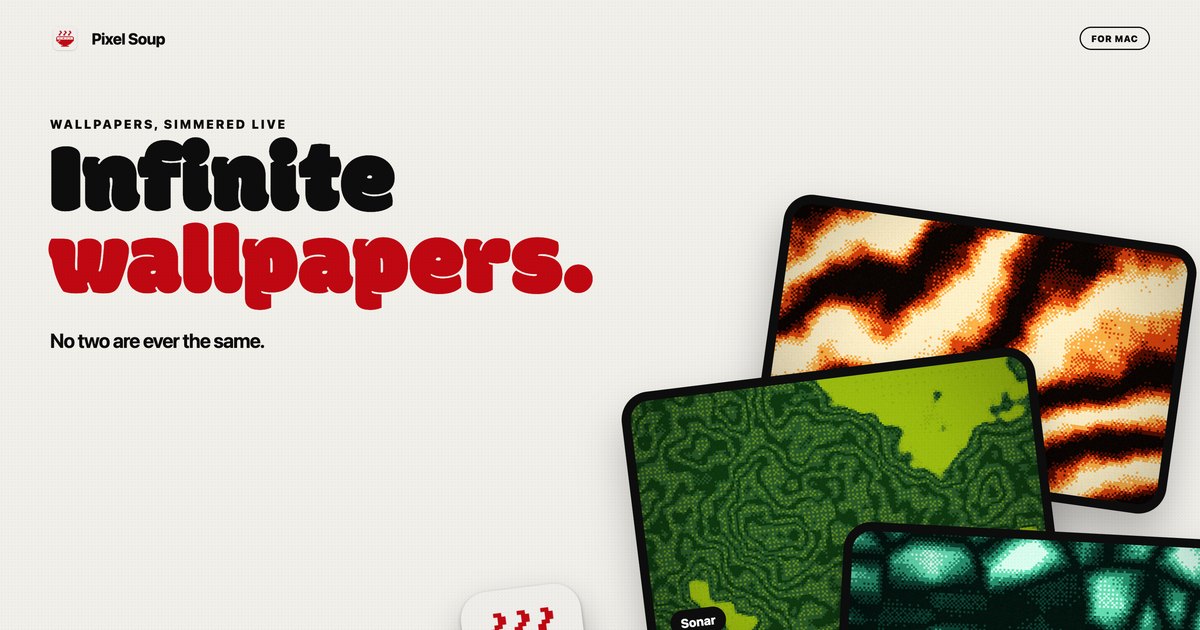
Pixel Soup is a Mac app that makes your desktop wallpaper for you. Instead of downloading a static image, you pick a shape, a palette and a dither style, and the app draws the wallpaper live on your own GPU. The result is a dithered, gently moving backdrop that sits behind your icons, or a single frozen frame that becomes your desktop picture. You can also drop in a photo and Pixel Soup dithers that instead, and it can pull a palette out of a photo for you. The editor opens from a small handle that sits on the edge of your screen, so there is no Dock icon and no window in the way. It is built for Mac users who want a wallpaper that no two people will ever have the same of. Most wallpapers are files you download, resize and then live with. Pixel Soup starts from a different premise: the wallpaper is generated rather than supplied. Because each wallpaper is a combination of a shape, a palette, a dither and a seed, the source material is effectively endless, and every one of those permutations keeps moving. The problem it addresses is the flatness of a fixed image: a still photograph looks the same at every glance, and animated wallpapers often come with a cost in battery life. Pixel Soup keeps generation local and low-cost, drawing frames at a low frame rate on the GPU, pausing when windows cover the desktop, and slowing further in Low Power Mode, so an animated desktop does not have to mean a drained battery. The first ingredient is the shape. Pixel Soup ships with a set of generative shapes named Flow, Mesh, Plasma, Ripple, Aurora, Cells, Topo, Whorl, Sonar, Mosh and Weave, and you can browse them all to see how each one looks. Alternatively, you can point the app at your own photo and use that as the source instead. The editor shows twelve shape tiles alongside a live preview and sliders, so you can see what a change does before you press Apply. Because the shapes are generative, the same shape with a different seed produces a different result, which is what allows the app to claim more than a hundred thousand combinations before you touch a single dial. The second ingredient is the dither. Pixel Soup offers Smooth, Poster, Bayer 4 and 8, Noise, Halftone, Lines, Diamond, ASCII and Benday dots, each with its own visual character, and there is a page explaining what each one looks like. Beyond choosing a style, you set the pixel size and how many colours the wallpaper is allowed to use. Dithering is what gives these wallpapers their texture: the shapes are generated, then reduced to a limited palette through a pattern, which is why the results read as retro, printed or screen-like rather than photographic. Controlling pixel size and colour count means you can move from fine-grained subtlety to large, chunky dots and blocks, depending on the mood you want on your desktop. Colour comes next. There are twelve palettes built in, or you can build your own from up to five colours; if you would rather not choose, pointing the app at a photo makes it pull a palette out for you. Pixel Soup can also keep the desktop surprising on its own: it can serve a fresh wallpaper every hour or every day, and if you preferred the last one, a Previous control brings it back. When you land on something you want to keep, Export saves it as a PNG at the resolution of this display, at 6K, as an iPhone size, or as a 2048 square, and exported wallpapers are yours to use anywhere, including commercially. Pixel Soup's approach is to make the wallpaper on the machine that displays it. Everything is drawn by the GPU, sandboxed on your Mac, with no account, no analytics and nothing about you leaving the computer. The app lives behind a small handle on the edge of the screen rather than in the Dock, so opening the editor is a click and closing it leaves no window behind. Because generation is local and procedural, the same shape, palette, dither and seed can be frozen as a still frame, kept moving, or allowed to drift at a speed you choose. It is one app doing the drawing, the dithering, the palette work and the export, rather than a gallery of pre-made images to scroll through. The practical benefits follow from that. You get wallpapers that are not shared with anyone else, because they are generated rather than downloaded. You can freeze any frame if you want a still, so an animated setup is optional rather than forced. Multiple displays are handled: every display gets the wallpaper at its own resolution, and plugging a display in or out sorts itself out. And an animated background does not have to be a battery decision, since Pixel Soup draws at a low frame rate, pauses when windows cover the desktop, slows in Low Power Mode, and costs nothing once a still wallpaper is set. A licence also covers up to three of your Macs. In day-to-day use, Pixel Soup fits a few clear scenarios. Someone who wants a moving desktop can shuffle through combinations until something stops them and keep that one. Someone who works with photos can drop one in and get a dithered version of it, with a palette pulled from the image itself. Someone who likes variety can let the app serve a new wallpaper every hour or every day and step back with Previous if they liked the last one better. Designers and anyone who needs an asset can export a PNG at 6K, at an iPhone size or as a 2048 square, and use it anywhere, including commercially. And on a Mac with more than one display, each screen gets the wallpaper at its own resolution. Pixel Soup runs on macOS 14 Sonoma or later, on both Apple silicon and Intel, and the build is universal and notarized. There is no account and no tracking. The download from the site is the full app, free for three days with no account and no card required. After that, a licence is a single payment of $9.99, currently discounted to $4.99 for launch week, and it is good for up to three of your Macs; updates are included. Licences are sold through Dodo Payments, which handles your receipt and any tax. The same app is coming to the Mac App Store at the same price, but without the trial, and the App Store version updates through the App Store. Refunds are available within 14 days, no questions asked. Pixel Soup's core proposition is simple: a Mac that makes its own dithered wallpapers, still or moving, with no account, no tracking and no subscription. Pick a shape, a palette and a dither, press Apply, and the desktop is yours — and unlike a downloaded image, no two are ever the same.
Pexo is an AI video agent that turns your ideas into videos through natural conversation. It is built so that anyone can simply talk to Pexo and create publish-ready videos instantly, without needing advanced AI video generator skills. You start by telling Pexo what video you want to create, and you can begin from a URL, PDF, image, video, audio, or just your own idea. Pexo describes itself as one agent for every kind of video, built for product teams and marketers who need clear, polished visual storytelling and feature explanation, as well as for anyone producing content for social platforms. Rather than operating a tool, you direct a single agent from the first idea all the way through to a finished, on-brand video. Pexo's core premise addresses a specific gap described on its own website: most AI video generators are tools you operate. With them, you write prompts, pick a model, and edit the output yourself, then assemble the pieces into something usable. That workflow assumes you already know which model fits which shot, how to prompt it, and how to stitch the results together. Pexo flips that model by acting as an agent rather than a tool. You just describe what you want in plain language. It figures out the approach, chooses the right model for you, and delivers a finished video, not a short clip. You can still review the plan and adjust as it goes, so creative control is preserved without requiring technical skill, and the result is a complete video rather than a collection of raw generated fragments. You can begin a project from almost any starting material. Pexo's text to video feature lets you describe your idea in plain language and have it turned into a finished video. Image to video takes an uploaded image and animates it into a moving video. URL to video lets you paste a product or page link and receive a finished video. Audio to video turns a song, podcast, or voice note into a visual video. Script to video accepts a written script and Pexo produces the full video from it. The homepage lists URL, PDF, image, video, audio, or your idea as valid starting points, and it offers example requests such as creating a mascot launch video, a collage-style explainer, an AI avatar video, a SaaS launch video, a kinetic typography explainer, a brand launch video, an educational explainer, an infographic product animation, an app demo, an explanation of a service, social ads, a cinematic short film, a live-action instructional video, or an animation. This range means the same agent can handle a one-minute launch video for a website with dynamic motion graphics just as easily as a short social ad. Beyond assembling clips, Pexo handles the full production layer. It delivers polished videos complete with voiceover, music, motion graphics, captions, subtitles, narration, and transitions. Its image generation feature lets you describe any scene and receive a high-quality image in seconds. Its music generation feature lets you describe a mood or genre and Pexo composes original music instantly. Its AI avatar feature provides a lifelike AI avatar that speaks your script in any language. Pexo also supports a wide catalogue of video styles and formats, including kinetic typography, 2.5D animation, whiteboard animation, paper animation, line art, animated explainer videos, motion graphics, app launch videos, talking head videos, music videos, anime, UGC ads, product ads, product videos, YouTube Shorts, AI dancing videos, AI kissing videos, and ASMR videos. The output is platform-ready, made for TikTok, YouTube, Instagram, X, and more, so you can post anywhere without extra editing. A central part of how Pexo works is its model routing. Pexo works with what the site calls the world's leading AI models. Pexo understands your request, selects the right model, and routes each step for the best result. The models named on the site include Seedance 2.0, Happy Horse 1.0, GPT-Image 2, Nano Banana, and Kling AI 3.0, alongside logos for Hailuo AI, Pika, Midjourney, Kling AI, GPT Image, Veo, Seedance, Luma AI, MiniMax, and Runway. Because Pexo chooses the model per task rather than asking you to choose, you are not required to understand the differences between generation engines or to re-prompt when one model performs better than another on a particular shot. This is what allows a single conversational request to become a finished video assembled from multiple model outputs. The end-to-end workflow follows four stages. First, start with an idea: share a link, image, audio clip, or reference, and tell Pexo what you want to create. Second, Pexo plans it all: it works with you to develop the script, scenes, shots, and creative direction. Third, chat to refine the video: you mark what you want to fix and make changes through conversation, just like commenting in a Google Doc. Fourth, get a ready-to-post video: Pexo delivers a polished video complete with voiceover, music, motion graphics, and more. Underpinning these stages are four capabilities the site uses to differentiate Pexo from other AI video generators. Pexo understands your intent, reading context, references, and creative direction beyond prompts. It plans the creative work, building storyboards, selecting references, and structuring the video. It delivers finished content, creating complete videos with narration, music, subtitles, and transitions. And it improves through feedback, applying revisions naturally without restarting from scratch. For users, those capabilities translate into concrete outcomes described on the site. Pexo turns product photos into scroll-stopping video ads in minutes, replacing hours of editing with an upload-and-go flow. It lets people who are not technical describe what they want, pick a style, and get a polished video ad ready for Instagram and TikTok. Testimonials state that the videos look professional, match the user's brand perfectly, and avoid awkward AI artifacts. One reviewer reports generating five to ten product videos a week, where the same work previously cost around $500 per video from freelancers and is now handled in minutes. Another describes Pexo as the first true AI video agent, one that suggests directions and ships a full ad ready to post. Use cases are broad and explicitly listed. Pexo can be used for product ads, social posts, explainers, launch videos, and personal memories. It can create short-form social videos, product demos, brand ads, story videos, and publish-ready clips. A typical request might be a one-minute launch video for a website with dynamic motion graphics, a SaaS or brand launch video, an educational or collage-style explainer, an app demo, an infographic product animation, or social ads. Because Pexo produces platform-ready output, the finished videos are intended for publishing directly to TikTok, YouTube, Instagram, X, and similar channels without additional editing. The primary audience described on the site is product teams and marketers who need clear, polished visual storytelling and feature explanation. The site also addresses non-technical creators who are not techy at all but still want a polished video ad, and sellers who produce product videos at volume. Pexo runs as a web product at pexo.ai, and the site invites visitors to start for free. Its approach of understanding natural-language requests plus added links, images, music, notes, or references means anyone who can describe a video idea can use it, regardless of editing or prompting experience. Pexo's takeaway value proposition is simple: it is an AI video agent, not just another generator. You describe in plain language what you want, Pexo plans the story, chooses the right model for each task, and delivers a finished, on-brand video you can post.