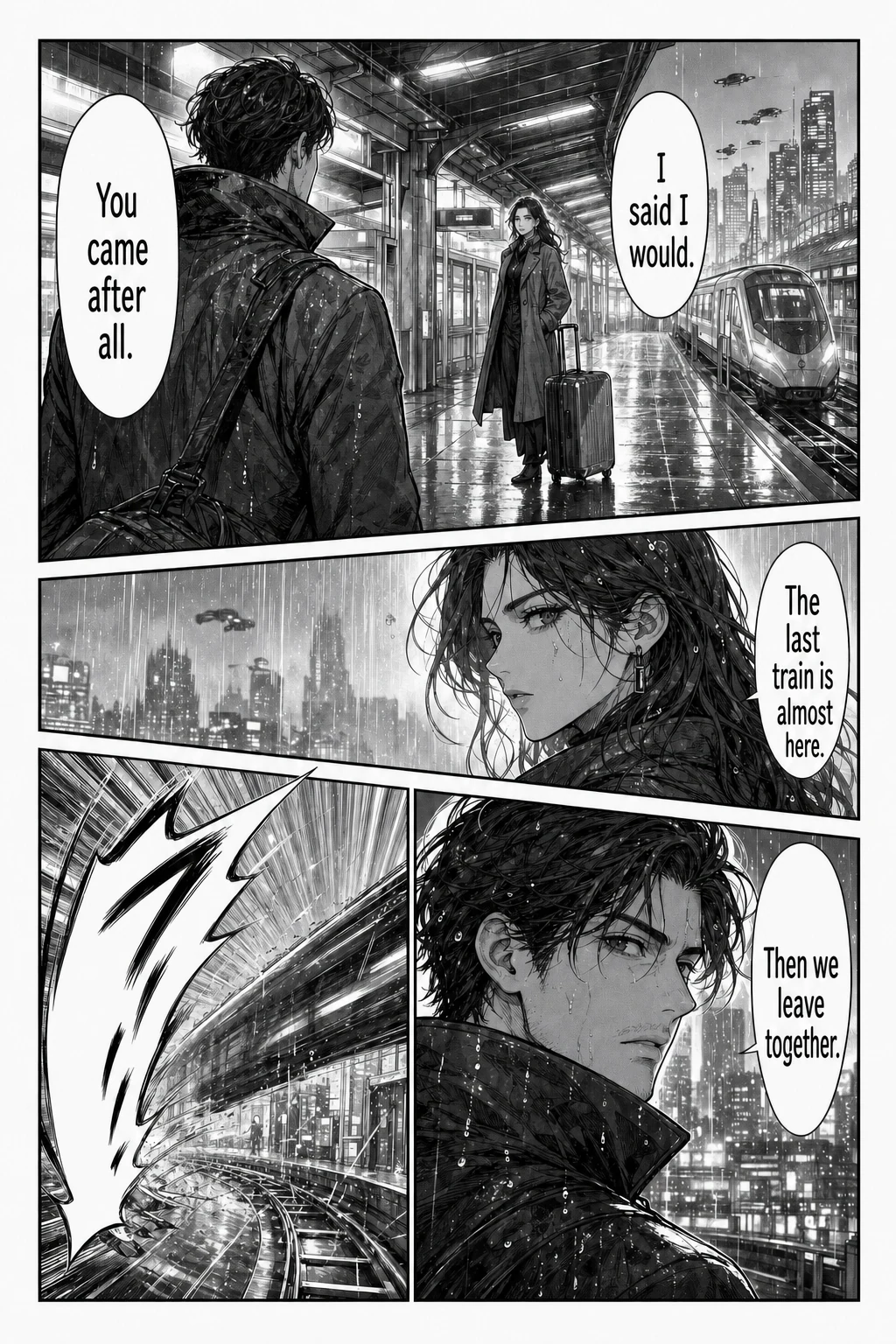
AI Manga Translator is an online tool at aimangatranslate.org that translates the text inside manga, manhwa and manhua page images and returns a translated page image. It detects speech bubbles and captions, erases the original lettering, and places the translation back on the artwork, so readers see the dialogue beside the panels instead of copying lines into a separate translator. It is built for readers of Japanese manga, Korean manhwa and Chinese comic images who want to follow a page in their own reading language, and for people who already have a chapter as image files or a CBZ/ZIP archive. The product covers single pages, batches of up to 20 images, whole chapters in archive form, image URLs, and images already loaded on a webpage through a Chrome extension. A single page translation is included with no credit card required, so a reader can judge the result before committing to a chapter.
Reading a translated page usually means leaving the page. A reader takes a screenshot, copies a line, translates it somewhere else, then hunts for the same spot on the page again — all just to find out what happens next. The site describes this friction directly: copying dialogue line by line, losing track of who said what, and repeating the same steps for every page of a chapter. Short replies are especially awkward, because the speaker, the expression and the previous panel may explain more than the words alone. Unfamiliar characters should not mean more typing, and a reader should not have to crop every speech bubble by hand. Keeping the translation on the artwork preserves the context — character, expression and panel order — that gives a line its meaning, and the aim stated on the site is to reduce the manual work between seeing a page and understanding it.
The single page translator is the entry point. You upload a complete PNG, JPG, JPEG or WebP page up to 15 MB, choose the language you want to read in, and receive a translated image with the dialogue placed back on the page. You can review the text and the artwork before downloading, and you can inspect a local preview of your file before signing in — starting the translation itself requires an account. The site suggests choosing a page with ordinary speech bubbles and enough dialogue to tell whether the translation is useful, rather than a cover with a single title, and using a page you know first so you can check important lines against the original. The website tools offer 133 reading languages, with English, Simplified Chinese, Japanese, Korean, Spanish, French, German and Portuguese listed among the choices.
For longer material there are dedicated workflows. The batch translator accepts up to 20 separate image files at 15 MB each, processes them in queue order, and lets you download completed pages as separate images; you can open a finished translation while later pages are still processing, so you start reading before the batch finishes. If a page fails, it shows its own error message and can be retried without losing the pages already completed. The CBZ translator takes one CBZ or ZIP archive of up to 100 MB containing up to 50 supported images (15 MB per image, 200 MB extracted total), sorts numbered filenames naturally, and exports an ordered CBZ or ZIP once all selected pages finish. Original archive metadata is not retained. The manga URL translator lets you paste links and import up to 20 pages without saving files first, which suits chapters that already live online.
For pages you are already reading in a browser, the Chrome extension works in Chrome and compatible Chromium desktop browsers. You install it, sign in to the website account, choose a language, and translate accessible images already loaded on the page using your credits; installation is free, translation consumes credits and requires an internet connection. The extension offers 25 languages, a smaller set than the website tools. A separate Manga Cleaner handles relettering rather than translation: it removes bubble text or all detected text from up to 20 images at 15 MB each and exports PNG, WebP or a ZIP, so another tool or an editor can place new lettering. The translator itself returns images and previews; the site states plainly that it does not include an editable glossary, an OCR correction screen or human proofreading, and that dialogue and lettering cannot be edited inside the app.
Under the hood, the service detects speech bubbles and captions, erases the original lettering, and letters the translation back into those bubbles while aiming to keep the panel art and layout intact. The site is candid that fine details and text over busy backgrounds may change, and that AI can misread names, miss context, or struggle with vertical text and stylized sound effects, so a translated image is something to review rather than a guarantee that every word is unchanged. Access is credit-based: each page costs 1 credit, failed pages are refunded automatically, and one-time credit packs never expire with no subscription involved. Downloads require a purchased credit pack starting at USD 4.99. Source images and translated results are stored in the signed-in account's history, so returning to completed work does not depend on keeping an unfinished local queue open.
The practical benefit is continuity of reading. Instead of juggling screenshots and separate results, you keep the page, the characters and the panel order in front of you while checking a translated version beside the original. Batch and archive workflows remove the repeated setup — you choose pages and one target language once, then read results as they finish. Because completed pages persist and failed pages are refunded and retryable, a long chapter does not have to be restarted from the beginning. For readers who only need to understand one difficult conversation, the single page tool keeps the effort to a single upload; for readers working through a chapter, the queue and archive tools keep the pages in order.
Typical situations the site describes include reaching the latest raw manga chapter and needing to follow the dialogue without typing out unfamiliar characters; working through a Korean manhwa or Chinese manhua page where the artwork and colour carry as much meaning as the words; translating a whole chapter supplied as separate images or a CBZ/ZIP and getting the pages back in order; translating pages on a manga website in Chrome without downloading them first; and removing original text from pages so they can be relettered for another audience. The site also recommends testing a representative page first, because automatic translation can miss names, context and stylized lettering, and checking vertical dialogue and small background text as well as the large bubbles.
The product is aimed at individual readers of raw manga, manhwa, manhua and comics, and at anyone preparing pages who needs the source lettering removed — while the site notes that a finished edition for other readers still requires your own review and image editing. It runs in the browser with no install for the main tools, plus an optional Chrome extension for desktop Chromium browsers. Pricing is one-time credit packs rather than a subscription: 1 credit per page, failed tasks refunded, packs that do not expire, downloads requiring a purchased pack, and trial credits or free-account limits that vary with the current account offer. Sign-in is required to translate and to keep results in history.
The site is equally clear about what it does not do: there is no direct PDF, CBR/RAR or EPUB import, no text editor for correcting or re-lettering translations after generation, and no offline processing or unlimited free use without an account. Documents and archives need to be organised into page files first, very long strips should be prepared as readable image sections, and only content you own or have permission to process should be uploaded — the site asks users to check the privacy policy before uploading confidential work.
Taken together, AI Manga Translator is a page-level reading aid: it keeps the scene in view, returns the translation inside the bubbles where it belongs, and scales from a single stuck page to a queued chapter or an exported CBZ/ZIP, with a clear per-page credit model and automatic refunds for failed pages. The advice running through the whole site is the same — begin with one page, judge how it reads in your chosen language, and move to the chapter queue when that workflow suits the material in front of you.
Publisher
A
admin
Launch Date2026-11-02
Platformweb
Pricingpaid