Category Focus/categories/developer-tools
Developer Tools AI Tools
Discover and compare the best developer tools AI tools and software. Browse 559+ curated tools with reviews and rankings.
Projects tracked
559
Sort mode
RECENT
Page
8
Discover and compare the best developer tools AI tools and software. Browse 559+ curated tools with reviews and rankings.
Projects tracked
559
Sort mode
RECENT
Page
8
slop-grader is a rule-based command line tool that evaluates documents against custom rulesets and produces document scores and line-by-line flags to guide auto-fixing with an AI agent. It is built for anyone who writes, edits, or reviews text and wants that work checked against an explicit, repeatable standard rather than a vague impression. The tool is open source, runs locally in a terminal, and is designed around the idea that you curate a ruleset for your own use case and then reuse it as a powerful way to grade text consistently. Rather than rewriting a document for you, slop-grader grades it, tells you which lines failed which rules, and hands off instructions that an AI agent can act on to produce sharper copy. The context behind slop-grader is the flood of AI-generated writing. Text produced quickly by large language models tends to be padded with filler, stacked with buzzwords, and vague about what it actually promises. Reviewing that text by hand is slow, subjective, and inconsistent: two readers can disagree about whether the same paragraph is clear, and nobody notices a slow drift in tone across a long document until a reader finally complains. slop-grader takes a different position by making each check explicit. Instead of asking whether a document reads well, you express what you care about as a rule, and the tool answers that rule for every line it reviews. The result is a score plus a list of specific lines that need attention, which makes the standard applied to a document visible and repeatable. The heart of the product is the ruleset. Rules are written in plain language and can be anything you are able to phrase as a question. Some rules are evaluated line by line, such as "Does this line make a promise that requires a legal disclaimer?" Others are evaluated across the entire document, such as "Does the opening earn the reader's next 30 seconds?" That flexibility means the same tool can cover very different jobs: SEO checks on a page, legal clause review, tone of address, or keeping a formal or informal register consistent. A concrete example given by the maker is German address: keeping "Du" versus "Sie" consistent throughout a document. Because rules are yours to define, words that are buzzwords in one industry but completely normal in another are handled by simply writing the rule that fits your use case. slop-grader also ships with built-in rules, so you do not have to start from nothing. The included checks cover English grammar, German grammar, and AI filler detection. The maker notes that once you have built a curated ruleset for your use case, the tool becomes very powerful, and there is a built-in skill in the repository for creating custom rules, published as a SKILL markdown file on GitHub. That skill is intended to help you author the plain-language rules your workflow needs, whether they concern promises and disclaimers, openings that hold attention, SEO conditions, legal clauses, or tone of address. The output format is deliberately practical. slop-grader produces document scores and a list of flagged lines together with instructions that you can paste directly into an AI agent to fix the document. The tool flags its outputs as prompts so that agents can draft the fixes. This matters because a line-level flag makes it much easier to see exactly what needs fixing instead of rewriting an entire document from scratch. One product detail worth knowing is that when a rule fires on a line, the tool does not explain why it thinks the rule was violated. The maker's suggested workaround is to create separate rules for each check; the AI agent receiving the output is then very good at inferring the underlying problem from the flagged lines. Under the hood, slop-grader runs on Jev, available at typesafe.ai, which is described as a new AI model that is different from an LLM. Jev is a so-called System One model specialized in answering structured questions. That specialization is what makes the rule-by-rule approach practical: every rule is matched against every line separately, and because of the model's design that evaluation stays both cheap and fast. Checking a document takes seconds and costs less than a cent. Because evaluation happens on a remote model, the maker notes that text is evaluated on an external AI server, which is a relevant consideration when you decide what to run through the tool. The practical benefits follow directly from that design. Grading is consistent because the same rules are applied to every document and every line, so the standard does not drift between reviewers or between sessions. Feedback is precise because it arrives as flagged lines rather than a general verdict, which narrows the editing work to the specific places that broke a rule. The pipeline is fast and inexpensive enough that running a full check on a document takes seconds and costs less than a cent, so it can be part of a regular workflow rather than an occasional deep review. And because the output is written as instructions for an agent, the handoff from "this line is wrong" to "here is a sharper version" is automated rather than manual. Day-to-day, the maker describes using slop-grader to catch AI filler in launch copy, to strip buzzwords from landing pages, and to score narrative flow in launch emails. Those examples show the range: launch copy is checked for filler, landing pages are checked for buzzword density, and launch emails are graded on whether the narrative flows. Beyond those, the ruleset model supports SEO checks on content, review of legal clauses and disclaimers, and tone-of-address enforcement such as keeping German "Du" versus "Sie" consistent across a document. In each case the workflow is the same: run the document through your ruleset, read the score and the flagged lines, then paste the flagged output and instructions into an AI agent so it can draft the fixes. Getting started has a few stated requirements. You need Node.js installed on your machine, and you need an account with either TypeSafe or OpenRouter, since the evaluation runs on Jev. The tool is open source and is distributed as a CLI, and it is listed as free. The project lives on GitHub, and the maker has also published a skill for creating custom rules in the repository. It was launched on Product Hunt and is categorized as a command line tool, with topics covering writing, advertising, artificial intelligence, and GitHub. Text is evaluated on an external AI server, which users should factor into what documents they submit. The takeaway is that slop-grader reframes text review as a linting problem for prose. By turning what you care about into plain-language questions, evaluating them line by line and document-wide with a fast, low-cost structured-question model, and emitting flagged lines alongside agent-ready instructions, it replaces subjective rewriting with a score, a precise list of problem lines, and a clear path to an automated fix.
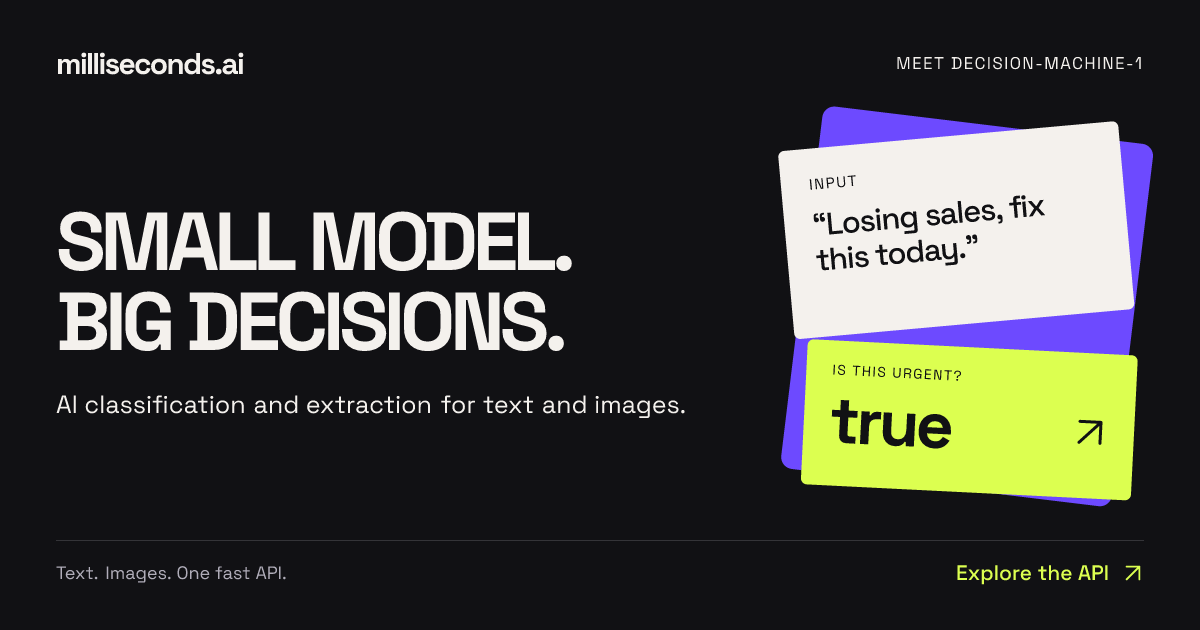
Milliseconds.ai is an API that turns text and images into decisions. You send text or an image, and the platform returns labels, fields, scores, or yes/no answers as structured data. The product is built around a small model the team calls decision-machine-1, and it is designed specifically for the parts of an application that need an answer rather than a conversation. The company describes the service as delivering "AI decisions, classification and extraction via a simple API." It is available through REST endpoints, SDKs, and a CLI, so developers can call it from TypeScript, Python, or the terminal and receive typed responses. Typical jobs described on the site include routing emails, reading invoice fields, and checking returns against a policy, as well as more playful applications such as building a hot-dog identification empire. The landing page frames the product with the line "Small model. Big decisions." and the supporting idea "Enough words. Try it, stat!" — the emphasis being on delivering the decision itself rather than a long piece of generated prose. The problem Milliseconds.ai addresses is the gap between general language models and the small, concrete decisions applications need to make on every request. The website contrasts a typical verbose model reply — "Certainly! Let's delve into a comprehensive overview of this invoice and its many fascinating details…" — with what a system actually needs: just the fields, invoice number, vendor, total, and currency, ready for the next step. The product exists for "the parts of your app that need an answer," where the goal is not open-ended conversation but a label, a score, a boolean, or a set of validated fields. The framing "Less blah. More done." captures this directly: instead of parsing free-form text after the fact, an application can receive structured data it can immediately act on. This matters because routing, prioritization, validation, and record writing all depend on machine-readable outputs rather than paragraphs of explanation. The site summarizes this as "Very small decisions. Very real work." The platform exposes a set of purpose-built decision endpoints. The yes/no endpoint answers a boolean question about a piece of text — for example, flagging messages that need a faster response — and returns both the boolean answer and a probability of urgency, so an application can raise a ticket's priority. The classify endpoint assigns a label from a set of choices: given support queues, it can return a label such as "billing" along with a probability (0.74 in the recorded example) and a confidence value, plus scores for the other candidate labels such as shipping, technical, and other. The rate endpoint turns subjective input like customer frustration into a sortable score on a defined scale; the example returns a reported score of 1.998 on a 0–3 scale, a level, a confidence figure, and per-level scores across calm, annoyed, angry, and furious. The answer endpoint locates a specific span of text in response to a question — for example, finding the shipment destination in a status update — and returns the answer text together with a probability and start and end source offsets, so an application can show where the answer came from. Extraction and entity recognition form a second group of capabilities. The extract endpoint maps unstructured text to the fields in your records. In the recorded invoice example, it returns a structured object with invoice_number, vendor, total, and currency — four fields described as ready for validation before writing a record. The entities endpoint identifies people, organizations, and references in a document; the claim-note example returns four typed entities (a person name, an organization, a claim id, and a date), each with a type, the matched text, and a probability score, described on the site as "typed values for search and record matching." Together these endpoints cover two of the most common document-intake needs: pulling out defined fields, and recognizing the named things inside free text. A third capability is verification. The verify endpoint checks a proposed value against source text. In the documented example it compares a proposed deductible against policy text and returns matches: false with a probability of 0.00, because the source says $500 while the proposed value is $1,000, and it returns the found value ["$500"]. This lets a workflow confirm that a value is actually supported by the source document before it is accepted — the kind of check required in insurance or finance processes where an extracted number must be traceable back to the text it came from. Overall, the product follows a simple INPUT → DECISION → ACTION model. Text or an image goes in; the model produces a decision in the form of a label, a score, a boolean, a text span, a set of fields, or a list of entities; the application then acts on that structured output. Every response is designed to be consumed by code: boolean answers with probabilities, labels with probability and confidence, scores with per-level breakdowns, answers with source offsets, extracted fields as key-value data, and entities with type, text, and probability. The site notes that uncertainty is surfaced rather than hidden — for instance, "nearly tied levels signal uncertainty," so a queue-ranking system can keep that ambiguity visible. Developers integrate through REST endpoints, TypeScript or Python SDKs, or the CLI and receive typed responses. There is also a path for coding agents: installing skills that teach an agent which API to call and how to evaluate results. The benefits described on the site centre on speed, structure, and cost. Because the model is small and purpose-built, responses arrive as data rather than prose, removing the parsing step between a model call and an application action. Because outputs are structured and include probabilities and confidence, applications can make ranking, routing, and validation decisions with a stated level of certainty. Cost is a headline benefit: production usage is priced at $0.04 per million input tokens, with no charge for output tokens, and free test keys include 125M free input tokens per month with no card required. The website frames the economics as "Big ideas. Small bill." and repeats the free allowance as "Free free free — yours to build with." The site presents several concrete scenarios. Support triage combines the pieces: "A label selects the queue. A score sets priority. A boolean flags urgency." Document intake works as a pipeline: "Extract fields, check values against the source, then validate before writing a record." In the Invoice Desk demo, invoice text is turned into a vendor, invoice number, and total, which are then compared with the purchase order so a team can see what needs attention — the example record matches PO-208. In the Sales Intake demo, an inbound message is separated from support tickets and vendor pitches, given a suggested destination of Sales because it is a demo request with budget stated and a near-term start, and the budget, timing, and need are surfaced for follow-up. In the Private Share demo, names and emails are found in a transcript so personal details can be redacted while the bug report stays useful — detected details are reviewed before sharing, with a toggle between the original and the redacted version. Other stated examples include checking returns against a policy, routing emails, and identifying hot dogs. Milliseconds.ai is aimed at developers and teams building applications that need classification, extraction, and decisions at the point of request — the people who would otherwise wire a general-purpose model into a workflow and then parse its output. The website addresses them directly: "You bring the idea. Build something fast." Integration options explicitly named are the REST API, the TypeScript SDK, the Python SDK, the CLI, and skills for coding agents. Pricing is split between a free tier of 125M free input tokens per month on test keys with no card required, and production at $0.04 per million input tokens with output tokens free. Demos let visitors try working apps and inspect their results, token usage, and inference cost, and visitors can try requests on the site without an API key. In summary, Milliseconds.ai takes the small, repetitive decisions that applications make — is this urgent, which queue does this belong to, how frustrated is this customer, where is the shipment going, what are the invoice fields, who and what are mentioned here, does this value match the source — and returns them as structured, probability-bearing data through one fast API. The combination of a small purpose-built model, typed structured outputs, built-in verification, coding-agent skills, and a free tier with inexpensive production pricing is what the product offers to teams that need answers rather than conversation.
Cronhq is a distributed cron scheduler that fires webhooks on a schedule. You point Cronhq at a webhook URL, and it calls it at the times you define, retries it when it fails, and pages you when something breaks — and again the moment it recovers. It is designed for developers and engineering teams who need scheduled tasks to run exactly once, even when more than one server or worker is running the same schedule. Rather than maintaining crontab entries by hand across machines, you create a job through the API or the dashboard, and Cronhq takes care of execution, retries, logging, and alerting. The product's own promise is simple and direct: cron jobs that actually run. The problem Cronhq addresses is that cron jobs fail in silence. If two servers run the same crontab, the same billing job can fire twice, which means duplicate charges or duplicate records. If a job dies, nobody notices for weeks, because a missing run produces no error message, no alert, and no trace — there is simply nothing to see. Standard crontabs provide no coordination between workers that could prevent double execution, no retry logic, no durable execution history, and no alerting when a run stops happening. Teams are left to write their own locking, their own backoff, and their own monitoring, or to accept that some scheduled work will quietly stop running. Cronhq is built around one guarantee — exactly-once execution, enforced by Postgres locks rather than best-effort behavior — and then wraps the surrounding operational needs, such as retries, signed webhook delivery, heartbeat monitoring, and deduplicated alerts, into the same system. Cronhq's first capability area covers the integrity and observability of the calls it makes. Every request Cronhq sends carries an X-Cronhq-Signature header, computed as an HMAC-SHA256 over timestamp.body, along with an X-Cronhq-Timestamp header. Each job gets its own secret, and you can rotate that secret at any time with no downtime, so a leaked key does not force you to tear down and recreate the job. On the receiving end, this lets you verify that a scheduled call genuinely came from Cronhq before acting on it, which matters for anything that touches money, data, or infrastructure. Running alongside that is the heartbeat monitor: you ping a URL on every run, and if the expected window — the period plus a grace interval — is missed, Cronhq flips the monitor to DOWN and pages you once. Cronhq describes this as cron's inverse: proof of absence rather than proof of presence. The second capability group is about managing schedules as part of your codebase rather than as clicks in a UI. The Cronhq CLI installs with npm i -g cronhq, or runs directly with npx cronhq --help. Running npx cronhq sync reconciles a cronhq.yaml file in your repository — it creates, updates, and prunes jobs so your schedules live in version control and move through review like any other change. Running npx cronhq tail live-streams executions straight to your terminal, so you can watch a job's output without leaving your editor or shell. Inside the dashboard, a ⌘K command palette lets you type schedules in plain English: writing "every weekday at 9am" returns the valid cron expression 0 9 * * 1-5, with a plain-English preview so you can confirm the schedule is right before saving it. The third group covers what happens after a run fails. Retries are built in with backoff, configured as a max retry count and delay per job, so a transient failure gets a few more attempts at increasing intervals instead of being written off immediately. The terminal status and the last error always land in the job's history, which means the postmortem writes itself. Every execution is logged with its status, duration, HTTP code, and response body, newest first, searchable, and retained — the job's history belongs to you and stays available. Alerts are deduplicated to avoid noise: a failure alert fires on the third bad run in an hour, not on the first, and the recovery alert fires on the first success after a streak. That is a deliberate design choice illustrated in Cronhq's own diagrams, where repeated failures after an alert stay silent, and a recovery message such as "nightly-rollup recovered after 3 failures. Last 6 runs: all 2xx." closes the loop. Alerts can be wired to email or Slack. The mechanism behind Cronhq's central guarantee is a Postgres lock. Two workers can never fire the same scheduled execution: each run is claimed through a database lock before it proceeds, so a duplicate worker simply loses the race and does nothing. If a worker crashes mid-job, the lock expires and another worker picks the execution up. This is what makes the exactly-once claim structural rather than aspirational — the coordination lives in the database that both workers already trust, not in a best-effort in-memory flag. Around that core, Cronhq schedules, delivers, retries, records, and alerts, and the whole system is built in Rust on Postgres. It is MIT-licensed and self-hostable, running the same image Cronhq runs in production. For teams that rely on scheduled work, the outcome is that jobs stop disappearing without anyone noticing. Duplicate executions from racing workers are eliminated by the lock-based claim, so a nightly billing job fires once instead of twice. Transient failures are absorbed by retries with backoff, while permanent failures surface in a searchable execution history complete with HTTP codes and response bodies. Alerting is deliberately quiet: one page on the third failure in an hour and one on recovery, so the signal is that something is actually wrong rather than that a single run flaked. Heartbeat monitors extend the same coverage to jobs Cronhq does not run itself, turning a silent absence into a page. And because schedules can live in a cronhq.yaml file and reconcile through the CLI, they become reviewable artifacts in the repository rather than configuration that only exists in a dashboard. Scheduled webhooks are the core workflow: a nightly rollup job, a nightly digest, a metrics refresh, a queue drain, a cache warm, a cleanup job, or a health poll, each configured with a name, a cron schedule, a webhook URL, and a timezone such as America/New_York. Jobs that run elsewhere — on your own infrastructure or another provider — can still be covered by pointing a heartbeat monitor at an endpoint you ping on every run, so if the ping window is missed, you are paged. Teams that want their schedules under version control use npx cronhq sync against a cronhq.yaml file, and teams that prefer watching from a terminal use npx cronhq tail to live-stream executions. Anyone who needs to sanity-check a schedule quickly can type the schedule in English into the ⌘K command palette and get the cron expression back with a plain-English preview. Cronhq is aimed at developers, engineering teams, and anyone running scheduled work in a distributed system, and it is listed among Developer Tools, Open Source, SaaS, and GitHub topics. Delivery is by webhook, so it integrates with any HTTP endpoint, including your own API; alerts go to email or Slack. The stack is Rust on Postgres. Cronhq is MIT-licensed and self-hostable using the same image the hosted service runs, and it offers a free tier covering 5 jobs. Getting started takes four steps on one screen: sign up with an email to receive a one-time link that mints a 36-character API key starting with chq_, create a job with a schedule and URL, watch executions arrive in the log, and wire up email or Slack alerts. In short, Cronhq exists to make one promise true: cron jobs that actually run. It enforces exactly-once execution with Postgres locks, retries failures with backoff, signs every webhook with HMAC-SHA256, monitors jobs it does not run via heartbeat pings, and alerts once on failure and once on recovery. Built in Rust on Postgres, MIT-licensed and self-hostable, with a free tier of 5 jobs, it gives teams a scheduler that treats reliability as the starting point rather than an afterthought.
Jev is a frontier model from TypeSafe AI's System One family that takes unstructured state as input and returns typed probabilistic decisions as output. Instead of generating text the way a conventional language model does, Jev answers with Choice, Score, and Noul results that carry calibrated probabilities your code can act on directly. That makes it a decision engine rather than a writing engine: the output is meant to be consumed by a program, not read by a person. The product is positioned for software automation, and it is described as being available to everyone at console.typesafe.ai with no waitlist. The problem Jev addresses is the mismatch between text generation and software decision-making. When an application needs an answer inside a code path, a generated paragraph of prose is not directly usable: something has to read it, interpret it, and convert it into something a program can branch on. That interpretation layer adds latency, cost, and ambiguity. Jev sidesteps it by returning typed answers and calibrated probabilities instead of text, so the result arrives in a shape that software can consume immediately. For teams already running comparable LLM workflows, the described gains are considerable: roughly 20-200x faster responses and 40-400x lower cost, with output tokens free. That combination matters most where decisions have to happen repeatedly, at volume, and inside automated systems where waiting on a text response is impractical. The core output formats named in the product description are Choice, Score, and Noul answers. These are the typed conclusions Jev returns in place of prose. A Choice answer is one of the explicitly named result types; a Score answer is another; and a Noul answer is the third. Because these results arrive as types rather than free-form sentences, the calling code does not have to guess at structure or parse language before it can use the result. This is the central design idea behind the product: the model's answer is already in a format that software automation can act on, so the integration between model and program is direct rather than mediated by an interpretation step. Alongside the typed answers, Jev returns calibrated probabilities. Calibration is what makes a probabilistic result useful in code: the probability attached to an answer is meant to reflect how likely that answer actually is, so a caller can use the probability rather than treating every model output as equally trustworthy. The description emphasises that these are probabilities your code can act on, which puts the decision about thresholds and behaviour in the application's hands. Instead of asking a language model a question and hoping the phrasing is stable enough to parse, a system can receive a typed answer with a probability attached and handle it programmatically as part of its normal logic. Performance comes from parallel sampling, the mechanism the description credits for Jev's response times of roughly 70-500ms. That latency band is the practical difference between a decision that can sit inside an interactive or high-throughput workflow and one that cannot. The same description quantifies the comparison against comparable LLM workflows: about 20-200x faster and 40-400x cheaper, with output tokens free. Those figures describe a different operating regime for the same class of decision task. Workloads that were previously constrained by per-call latency or per-token cost can be run more often, in more places, and closer to the moment the decision is actually needed. Overall, Jev's approach can be summarised as unstructured state in, typed probabilistic decisions out. It is a System One frontier model from TypeSafe AI, and the interface it offers is deliberately narrower than general text generation: it produces conclusions rather than commentary. That narrower contract is what allows the surrounding software to treat Jev as a component rather than a conversational partner. The model absorbs messy, unstructured input state and resolves it into one of the named answer forms, carrying a calibrated probability, delivered quickly enough and cheaply enough to be embedded in automated decision loops. The benefits described for users follow directly from those design choices. Speed means decisions can be made inside time-sensitive paths. Lower cost per decision means automation can be applied more broadly without the economics breaking down. Free output tokens remove a line item that scales with usage. Typed outputs with calibrated probabilities reduce the engineering work of interpreting model responses and make it practical to wire a decision directly into application logic. And availability without a waitlist means a team can evaluate the model by going to console.typesafe.ai and signing in rather than joining a queue. The use cases that follow from the description centre on software automation. Any workflow where a program needs to reach a decision from unstructured state and then act on that decision is a candidate: the caller supplies the state, Jev returns a typed Choice, Score, or Noul answer with a calibrated probability, and the surrounding code responds. The stated comparison class is comparable LLM workflows, which suggests the intended fit is where teams currently route decisions through a text-generating model and then interpret the output. Where a decision has to be made repeatedly at volume, the described latency and cost profile makes Jev a practical alternative to that pattern. Access is through the console at console.typesafe.ai, which is the official website for the product. The console supports signing in with Google, or alternatively requesting an email code instead of using a Google account, and continued use is governed by TypeSafe AI's terms of use and privacy policy. The target users are developers and engineering teams building software automation that depends on structured, probabilistic decisions rather than generated text. No pricing plan details, technology stack, or third-party integrations are stated in the available content. In summary, Jev is best understood as a decision model rather than a text model. It takes unstructured state and returns typed Choice, Score, and Noul answers with calibrated probabilities, uses parallel sampling to deliver responses in roughly 70-500ms, and is described as about 20-200x faster and 40-400x cheaper than comparable LLM workflows, with output tokens free. For software automation that needs decisions in a form code can act on, that combination of structure, calibration, speed, and cost is the primary value proposition.
Termphin is an SSH client for phones whose central promise is simple: never lose an SSH session again. Your shell stays alive on the server through locked screens and network drops, so instead of watching a connection die you reconnect and pick up right where you left off. Around that idea it bundles a full remote-work toolbox — an integrated SFTP client with a syntax-highlighted editor and remote image previews, an SSH key manager, a snippet runner, port forwarding, ProxyJump bastion chains and multi-tab sessions — plus a terminal renderer that draws htop, vim and other full-screen programs cleanly. It is built for people who manage remote servers from a phone, including those who run long AI coding agents such as Claude Code, Codex and OpenCode, and it is free with no ads and no in-app purchases. The problem Termphin addresses is structural to mobile SSH. When an app is suspended — the screen locks, the phone goes in a pocket, signal is lost, or you switch from Wi-Fi to mobile data — the connection drops, and with it the remote shell and anything running inside it. A deploy three quarters of the way through, a database migration, a build, a long-running task started by an AI coding agent: all of it dies with the socket. Because most clients run the terminal entirely inside the app, being scheduled out of the foreground is enough to kill the session. On top of that, full-screen terminal programs frequently render badly on mobile clients, showing broken box characters, mangled spinners and unreadable diff views, which makes tools like htop and vim impractical to use. Termphin attacks both problems at once: the shell lives on the server rather than in the app, and the renderer is written to draw terminal output properly. The core mechanism is a lightweight server helper. Termphin describes a tiny open-source Rust agent that runs on the server and holds the remote shell open. The shell runs on the server, not in the app — that is the phrasing the site uses to describe the approach — so even if you lock your phone or lose signal, your jobs keep running. When you come back, the agent reattaches you to the same screen instead of leaving you at a fresh prompt. Termphin also maintains the connection while the app is backgrounded or locked, and if the connection does drop or you switch networks, the agent keeps the remote shell alive and reattaches you seamlessly on reconnect. For basic sessions, shell detection is automatic and no helper is required. Rendering is handled directly by Flutter rather than in a web view, which the site presents as the reason htop, vim and other TUIs render without broken box characters. Spinners, progress bars and diff views render cleanly without mangled characters — the detail that makes AI agent output readable on a small screen. Appearance is configurable too: Termphin ships with 14 color schemes and lets you fine-tune font size, line height and padding against a live terminal preview, so you can size text comfortably for a phone screen without guessing. The toolbox covers the everyday work around a shell. Integrated SFTP puts a complete file client beside the terminal: browse remote files, edit them in a syntax-highlighted editor, preview images one tab away, and transfer files with resumable transfers. One-tap SFTP upload lets you upload a file from your phone and paste its remote server path straight into your prompt. Snippets let you save recurring commands once and trigger them instantly across your infrastructure, through a search-and-run palette, execution history with exit codes, and a customizable action dock. Machines are organized by saving host, user and credentials once, then tagging, searching and connecting in one tap, with fast search and tags, ProxyJump bastion chains and multi-tab concurrent sessions. SSH tunnels let you open local and remote port forwards per session or save them with profiles. Security is built around a device-bound key vault. SSH keys and profiles are sealed with AES-256-GCM on your phone and protected behind your phone's PIN or fingerprint. You can generate ed25519 and RSA keys, lock the app with biometric PIN and fingerprint, and use host key pinning on connect. Connections go directly to your server with host key verification, and the only data ever sent is opt-in anonymous crash analytics. Interactive keyboard prompts for two-factor authentication codes (TOTP) and PAM passwords are fully supported. Overall the product works as a split between phone and server. The client handles presentation, configuration and local secrets; the server-side agent handles continuity. That division is what makes reattachment possible: when the app is suspended the remote shell simply keeps running under the agent, and returning to the app is a reattach rather than a new login. The benefits follow from that design. Long jobs finish even when the phone is locked, so you can start something and pocket the phone instead of babysitting a progress bar. Sessions resume on the same screen, which preserves scrollback, running processes and the state of an interactive program. Clean TUI rendering means command-line tools that assume a real terminal are actually usable from a phone. And because keys and profiles live in an encrypted, biometric-gated vault on the device, that convenience does not come at the cost of exposing credentials. It is free — no ads, no in-app purchases. Concrete scenarios the content describes include starting a 10-minute Claude Code or OpenCode task and pocketing your phone while the agent runs on your server and the session never aborts; running deploys, image builds, registry pushes and database migrations where the output stream matters and the process must not be interrupted; reaching a server behind a bastion by pointing a profile at a jump host so traffic remains encrypted end-to-end between the phone and the target server; uploading a file from the phone over SFTP and pasting its remote path into a prompt; running saved snippets across infrastructure from a search-and-run palette; and using full-screen tools like htop and vim on a phone with correct character rendering. Termphin runs on Android and is available on Google Play. The download section states that Termphin is free to use, with no ads and no in-app purchases. It works with any server reachable over standard SSH — Linux, macOS, BSD and Windows — with automatic shell detection. Both the terminal renderer (terminal_view) and the server helper (termphin-agent) are open source on GitHub, and an engineering blog documents how it is built and why, covering topics such as SFTP throughput and why SSH sessions die when the screen locks. The takeaway is that Termphin reframes mobile SSH around continuity rather than connectivity: the shell belongs on the server, the phone is just a window onto it, and a small open-source agent keeps that window's contents alive. Combined with a proper TUI renderer, an SFTP client, snippets, tunnels and a device-bound key vault, it turns a phone into something you can genuinely run long remote work from — and it does so for free.
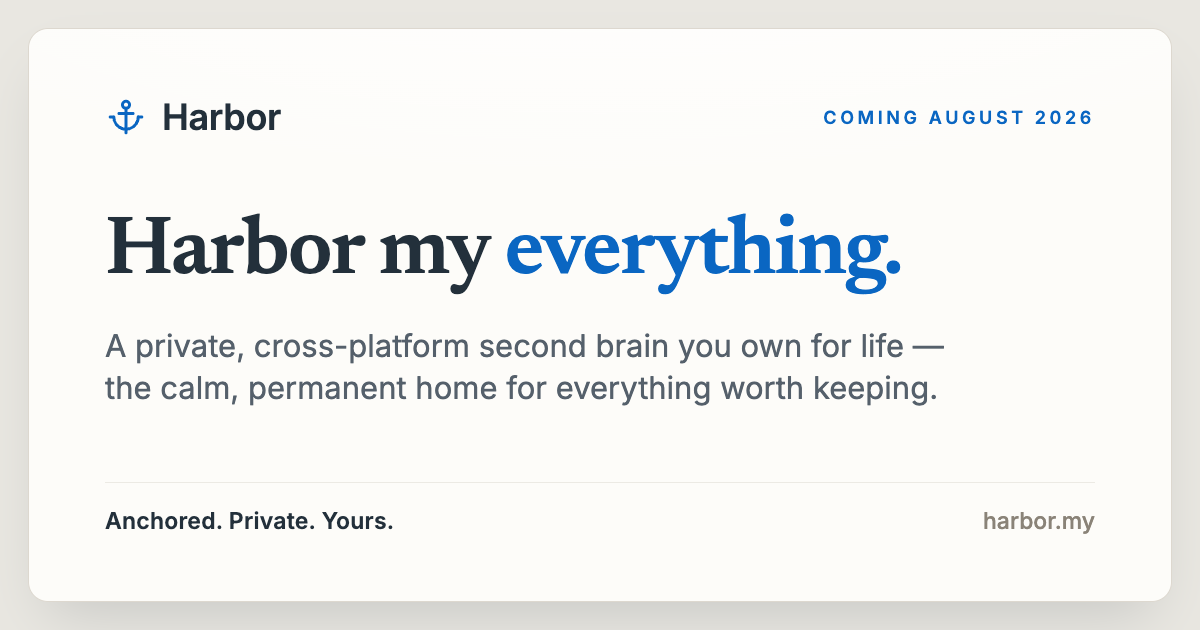
Harbor is a private notes app and second brain built as a genuine Evernote alternative: one place to capture notes, documents, scans, and recordings, keep them searchable, and own them for life. It is aimed at anyone who wants a single private home for everything they capture, on every device they use. Harbor describes itself as "Anchored • Private • Yours," and the product is organised around three ideas — save anything in any form, find anything even inside your files, and decide what stays private with optional zero-knowledge encryption. Everything you save syncs the moment you save it, across every device you own. Harbor is positioned as a direct response to a broken promise. In its own words, "Evernote promised to be your second brain. Then it broke the promise." Prices doubled, the free plan was gutted, the app got slow, and data got harder to leave with. Harbor picks up the original idea — one private place for everything, forever — and commits to it in writing. That commitment shows up as promises on the page: no price increase for three years, then capped at 10% a year, and a policy of never holding your data hostage, so that if you stop paying your account goes read-only and you can still export and delete everything. Capture is the first pillar. Harbor lets you save anything, in any form: notes, scans, photos, audio, handwriting, and web clips. The content illustrates this with a couple sorting mail and scanning documents together at a sunlit table, with the scanned document then captured and saved in Harbor. The point is that whether what you want to keep arrives as a typed note, a photographed page, a scanned PDF, a recording, or a handwritten sheet, Harbor gives it a home. Because capture lives in the same place as everything else, you are not scattering memories across separate apps for scanning, recording, and writing. Find is the second pillar, and it is what makes that captured material useful. Harbor reads the words inside your photos, scanned PDFs, and even your handwriting, so a two-word search surfaces the exact page. Your recordings become searchable transcripts, too. The page shows a worked example: searching the word "receipt" returns seven results, including a Monroe County business tax receipt stored as county_tax_receipt_2026.pdf and an OCR-indexed F-250 brake job scan stored as f250_brake_invoice_2023.pdf. That means the search box reaches material that would normally be invisible — text baked into images, invoices, and scanned paperwork — instead of stopping at filenames and typed titles. Privacy is the third pillar. Harbor lets you decide what is private. You can turn on zero-knowledge encryption for any note or notebook, and only you hold the key. The guidance is to lock down the sensitive stuff and keep everything else fully searchable and AI-ready. On the security side, Harbor lists zero-knowledge encryption and privacy by principle, and states plainly that your data is never sold, mined, or shared: "Your brain, not a company's." Optional rather than all-or-nothing encryption matters because it lets you protect documents such as tax records or personal notes without giving up search and AI features on the rest of your library. Harbor also runs everywhere you are, even offline. The apps are described as genuinely native — fast and light, "not a web page in a wrapper." Everything works with no signal and syncs the moment you're back. The platforms listed are Mac, Windows, iPhone, iPad, Android, and Web. Independently, Harbor offers the Web Clipper: you can clip an article, a full page, a bookmark, or a screenshot, mark it up, and then drop it straight into the right notebook without ever leaving the page. The clipper supports Simplified article, Full page, Bookmark, and Screenshot capture modes and runs in Chrome, Edge, Firefox, and Safari. The bring-your-own-AI approach is a defining feature rather than an add-on. Harbor points out that you already pay for ChatGPT or Claude, so you can connect one to Harbor to search, add, and organize your notes — instead of paying Harbor for a weaker AI baked in. The connection is opened through API, CLI, and MCP, and your keys and data stay yours, with the ability to revoke access anytime. In Harbor's framing: "We don't build AI into Harbor — we open the door to yours." Beyond capture and search, Harbor gathers the rest of a second brain in one place. Notes and notebooks are simple — no Markdown, no clever-tag gymnastics. Tasks and reminders sit right next to your notes, with due dates, recurrence, and priority. Templates let you start faster with ready-made note structures you build once. Version history saves every change, with one-click restore, so you never lose an edit. Public links let you share any note read-only, with no account needed to view it. Passkeys and 2FA let you sign in your way — passkeys, Apple, Google, and full device control. Import and export bring Evernote in and let you take everything out anytime, in the open. And security is treated as a principle: zero-knowledge encryption and privacy that never sells your data. The "Own it for life" promise is central to how Harbor is sold. Stop paying and your memories don't vanish — your account goes read-only and you can still export everything. A real API, MCP, and one-click export mean you can leave anytime, because Harbor says it wants you to stay because Harbor is great, not because you're stuck. The written promises are: price locked (no increase for 3 years, then capped at 10% a year), never held hostage, yours to leave with, and personal — never enterprise. Harbor also states there is no gutted free tier and no surprise doubling, and that its price is one it promises to keep fair. Switching from Evernote is handled with one-step import that brings your notebooks, tags, checklists, attachments, and clips — nothing left behind. Pricing is deliberately simple: one plan, one fair price, plus a free plan to start with no credit card. Harbor Unlimited costs $8.25 per month on annual billing ($99 billed yearly, cancel anytime), and monthly and annual options are offered with an annual discount of 17%. The plan includes unlimited notes, notebooks and devices; OCR search, all apps and the Web Clipper; optional zero-knowledge encryption; API, CLI and MCP to bring your own AI; and import and export anytime. Harbor's unique approach is to open the door to the AI you already use rather than build a weaker one in. You connect ChatGPT, Claude, Cursor and your tools to Harbor through API, CLI and MCP, and those tools can search, add, and organize your notes. Because your keys and data stay yours and access can be revoked anytime, the AI connection does not compromise the privacy model — and because only the content you choose to encrypt is locked, everything else remains fully searchable and AI-ready. Harbor is downloadable for Mac (Universal .dmg), Windows (Installer .exe), iPhone and iPad (App Store), Android (Google Play), and the Web Clipper (Chrome, Firefox and more). The benefits follow directly from those choices. You get one private library where scanned paperwork, recordings, photos and handwritten pages are all searchable by their contents, so you can retrieve the exact page with a two-word search. You get the ability to encrypt individual notes or notebooks while leaving the rest searchable and AI-ready, rather than choosing between privacy and convenience. You get native apps that keep working offline and sync when you are back, so you can capture on a phone in the field and find it on a desktop later. And you get the freedom to leave — full export on every plan, plus a real API, CLI and MCP. Concrete workflows described in the content include capturing a scanned business or tax receipt and later finding it by searching for "receipt," along with an OCR-indexed invoice for a brake job stored next to it. Another is clipping a news article — such as a Bloomberg article on China's GDP growth — annotating it and dropping it into the right notebook from the page itself. A third is connecting ChatGPT or Claude to Harbor so it can search, add and organize notes. A fourth is locking sensitive notes and notebooks behind zero-knowledge encryption while keeping the rest of the library open to search. A fifth is switching from Evernote in one step, carrying notebooks, tags, checklists, attachments and clips across, and exporting everything later if you choose to leave. Harbor is for people who want a private, cross-platform second brain and are wary of subscription apps that raise prices, gut free tiers, or trap their data. It is explicitly personal, not enterprise: your data is never sold, mined, or shared. It supports Mac, Windows, iPhone, iPad, Android and web, with a CLI, API and MCP for connecting the AI tools you already have. Pricing starts on a free plan with no credit card, and Harbor Unlimited is $8.25 per month billed yearly at $99, cancel anytime, with unlimited notes, notebooks and devices, OCR search, all apps and the Web Clipper, optional zero-knowledge encryption, API, CLI and MCP, and import and export anytime. The takeaway is that Harbor's primary value is ownership. It is a private notes app and Evernote alternative you own for life: capture anything in any form, find anything even inside your files with OCR and transcripts, encrypt only what needs encrypting, work natively offline across every device, connect the AI you already pay for, and export everything whenever you like — all backed by promises put in writing, including a price locked for three years and then capped at 10% a year.
LucentraCode is an AI coding command-line interface built for developers who want to work with powerful frontier models without constantly worrying about usage limits or expensive subscriptions. It runs directly from the terminal: you install it globally and then launch the runtime, and it requires Node.js v20 or higher. The product is available on Linux, Windows, and macOS. Within the CLI you can choose from models such as GPT-6 Astra, GPT-5.6 Sol, Claude, Gemini, Grok, and Kimi, and use them for real development work — debugging, building features, refactoring, testing, and working across larger codebases. The problem LucentraCode sets out to address is the friction that comes with coding assistants built around tight quota windows. Its website frames the core pain directly: developers who are forced to stop and wait for a quota window to reset lose their flow. Competing tools that offer premium models often require jumping to a $100–$200 per month tier, and many products layer confusing rolling windows and multiple reset timers on top of that. LucentraCode positions itself against this model by offering frontier models on a $20 plan, eliminating rolling timers entirely, and replacing multiple meters with a single monthly usage pool. The headline promise on the site is "Built for Flow State. No 5-Hour Resets." — the idea being that a developer should be able to keep working for as long as the work requires rather than as long as the quota allows. The first pillar of the product is the removal of the five-hour reset cycle. LucentraCode advertises a session quota timer that is "uncapped (no 5h limit)", zero mid-execution lockouts, and a continuous flow state that is "guaranteed active". In practical terms, this means a coding session is not interrupted by a quota window rolling over while you are in the middle of a task. For a developer running an agent through a multi-step refactor or a test-and-fix loop, that difference matters: a lockout in the middle of an execution breaks context and forces you to restart the work. LucentraCode's stated design goal is that you can code for long sessions without being forced to stop and wait for a quota window to reset. The second pillar is access to frontier models on an accessible plan. The website states that premium models like GPT-6 Astra are available "without jumping straight to a $100–$200 tier", and it contrasts a competitor requirement of roughly $100–$200 per month with a LucentraCode plan at $20 per month that covers all models. The displayed model list for the Operator plan includes claude-opus-5, claude-opus-4.8, and gpt-6-astra, plus everything available in the Ordinary plan, while the Obsessed plan adds claude-fable-5.1 and claude-fable-5 on top of everything in Operator. The site also references models such as Claude 3.7 Sonnet, Opus 5, GLM 5.3, and Fable 5.1 among its examples of premium intelligence. The Product Hunt listing names GPT-6 Astra, GPT-5.6 Sol, Claude, Gemini, Grok, and Kimi among the models you can choose from. The third pillar is Smart Auto, the routing layer that decides which model handles which part of the work. According to the site, cheap models handle search, tests, and routine work, while stronger models handle implementation, architecture, and review. The stated reason is allowance efficiency: by spending premium intelligence only where it matters, the monthly allowance goes much further, and LucentraCode claims this results in 3x–5x more code shipped. For a developer, this means not having to manually decide which model to invoke for every step — routine operations are handled by efficient models and the heavier reasoning is reserved for the tasks that actually need it. The site presents this as "Smart Auto spends premium intelligence where it matters." The fourth pillar is billing simplicity: one simple monthly usage pool. Instead of confusing rolling windows or multiple reset timers, LucentraCode uses a single monthly meter described as a "single unified balance" with zero rolling timers and windows, letting you spend usage when you actually need it. The site summarizes this as "Single Monthly Allowance — zero artificial lockouts" and "Usage Freedom — spend when you need it." Underneath these promises is the product's overall approach: autonomous AI coding agents combined with multi-model routing architectures, running as a terminal-native CLI. The website itself is presented as a 3D cyberpunk CLI developer portfolio — an interactive 3D macOS terminal with realistic window controls, Matrix rain, a multi-agent demonstration, and CLI commands — while the site metadata describes Rust AST parsers among the technical components. The workflow is deliberately terminal-first: install globally, launch the runtime, and issue commands from the same environment where you already write and ship code. The benefits LucentraCode advertises follow directly from those pillars. Developers get longer uninterrupted sessions because there are no five-hour resets and, per the site, zero mid-execution lockouts. They get access to premium frontier reasoning without a $100–$200 monthly commitment, since the entry plan is listed at $20 per month. They get more output per unit of allowance thanks to Smart Auto's routing, which the site quantifies as 3x–5x more code shipped. And they get a single, predictable meter to reason about instead of juggling rolling windows. The site's framing is that this combination produces a "continuous flow state" in which a developer is not babysitting an agent or watching a clock. The use cases named in the product's own descriptions are concrete and ordinary parts of a developer's day. LucentraCode is intended for debugging, for building features, for refactoring, and for testing. It is also aimed at work that spans larger codebases, where an agent needs to move between many files and where switching models mid-task would be disruptive. The no-five-hour-reset messaging implies a workflow in which a developer stays in a single long session — running tests, applying fixes, running them again — rather than fragmenting work around quota windows. The "search, tests and routine work" versus "implementation, architecture and review" split described for Smart Auto also maps to a practical loop: let a fast model search the codebase and run tests, and let a frontier reasoning model implement the fix and review the result. LucentraCode targets working developers, particularly those who spend long sessions in the terminal and who want premium models without a premium-tier subscription. The site describes the Operator plan as "a higher-capacity runtime for serious builders — more models, real workflows, and enough room to actually ship larger systems", and the Obsessed plan as "the most powerful runtime we offer — flagship frontier models, unbounded reasoning, nothing held back." Pricing shown is $20 per month for Operator and $40 per month for Obsessed, with the site noting that international pricing is being displayed and that the Ordinary entry tier is available in India only, detected from the visitor's location. Operator is listed at 5X usage compared with the ordinary plan, and Obsessed at 2.5X more usage than Operator. The page states it is a pricing preview and that availability and billing details will be announced at launch, with full plan details at the platform dashboard. Technically the runtime requires Node.js v20 or higher and installs through npm, and the site lists support for Linux, Windows, and macOS. In short, LucentraCode's value proposition is "Code without the Clock". It is a terminal-native AI coding CLI that pairs frontier models with Smart Auto routing so that a single monthly usage pool stretches further, removes the five-hour reset cycle that interrupts long sessions, and prices access to premium intelligence at $20 per month rather than the $100–$200 tiers its marketing contrasts against. For developers whose work is judged by what ships, the pitch is simple: fewer clocks, fewer lockouts, and more of the session spent building.
Ruby UTCP is the Ruby implementation of UTCP 1.1, the Universal Tool Calling Protocol. It gives Ruby applications and AI agents a standard way to discover and call tools over native protocols, so a single library can connect to whatever interface a tool already exposes. Developers describe the tools they want in a simple JSON manifest and call those native APIs directly instead of standing up an intermediary wrapper server. The project is open source and MIT licensed, and it is built specifically for the Ruby ecosystem, which makes it relevant to Ruby developers who are creating AI agents and tool-powered applications and who want one consistent, standard approach to tool calling rather than a new integration pattern for every service. UTCP positions itself as a lightweight alternative to MCP, the protocol many teams reach for by default when connecting language models to external tools. The stated problem with the MCP route is its reliance on a heavy client and server architecture: for Ruby developers it usually means running a separate server process before anything can be called. UTCP describes this overhead as a "wrapper tax", an extra layer that adds latency and integration work on top of the tool itself. Ruby UTCP removes that layer by using a simple JSON manifest to connect to native APIs, so the call travels to the transport the tool already speaks rather than through an added wrapper. The project's broader pitch is that tool calling should be direct, scalable and secure from the start, rather than something that requires extra infrastructure to be stood up first. The most visible capability of Ruby UTCP is its transport coverage: it supports 12 native transports in a single open-source library, including HTTP, CLI, WebSocket, gRPC, GraphQL, MCP and WebRTC. That breadth matters because tool calling in practice is rarely uniform; one tool may be a REST endpoint, another a command-line program, another a GraphQL service, and another an existing MCP server. Supporting them all inside one Ruby library means teams do not have to write separate glue code for each protocol they want to reach. Keeping twelve transports consistent in one library is a large surface area, and community feedback notes that the documentation covers each transport well individually. Alongside transports, Ruby UTCP covers the mechanics that tool calling requires in production. It provides tool discovery so applications and agents can find out what tools are available and how to call them. It supports authentication, so protected tools can be called with credentials in place. It supports OpenAPI discovery, which lets tools described by OpenAPI specifications be discovered for use. Streaming is supported as well, so the library is not limited to simple request-and-response patterns on transports that stream. Together these capabilities mean the library handles discovery, access and data delivery rather than leaving each of them to be rebuilt for every integration a team wants to add. CodeMode is the piece of Ruby UTCP aimed at orchestration: it enables programmable multi-tool workflows written as compact Ruby code rather than long chains of individual calls. Instead of wiring tools together through repeated manual steps, developers can express a workflow in Ruby and have the tools invoked as part of it. The maker of Ruby UTCP specifically asked the community for feedback on the API and on CodeMode, which suggests these are the areas where the project is actively looking to learn from real usage. An earlier UTCP launch, Code Mode, framed the same idea around reducing token usage, with the stated goal of slashing MCP token usage by 68%. CodeMode in Ruby UTCP is therefore presented as the way to move from single tool calls to coordinated, multi-tool behaviour. How Ruby UTCP works overall is defined by the manifest-first approach that UTCP introduced. Rather than deploying a wrapper server that translates a protocol into an API, the developer describes tools in a single JSON manifest and the library calls the native protocols directly. The protocol itself has been through iterations: UTCP 1.0.0 brought a lean core, protocol plugins and a cleaner configuration so teams could scale tool usage without wrestling with glue code, and Ruby UTCP brings the newer UTCP 1.1 to Ruby with those ideas carried forward. In the 1.0.0 framing, the protocol itself is a plug-in protocol that lets apps call tools the same way whether they are HTTP APIs, CLIs or other transports. Ruby UTCP follows that model, keeping the standard consistent while individual transports are connected through the implementation. The benefits that follow from this approach are the ones the project itself emphasises. Removing the wrapper server means lower latency, because calls are not routed through an additional translating layer. It also means less infrastructure to run: a reviewer comparing the two approaches noted that in Ruby, MCP usually means running a separate server process, while UTCP's manifest-based approach skips that layer and calls the native transport directly, which felt lighter for a simple integration. A single library that spans twelve transports reduces the glue code a team has to maintain and keeps tool usage consistent across different kinds of services, so teams can scale how their apps and agents use tools rather than rebuilding the same plumbing repeatedly. Concrete scenarios follow from those capabilities. A Ruby developer building an AI agent can give it a manifest of tools and let it discover and call them, whether those tools are HTTP APIs, CLIs, WebSocket services or others among the twelve supported transports. A team that wants a simple integration without standing up a wrapper server can use one JSON manifest and call the native API directly. Developers orchestrating several tools in sequence can use CodeMode to express that workflow in compact Ruby code. Teams evaluating tool-calling options for Ruby can compare Ruby UTCP with the MCP approach and pick the one that avoids running a separate server process for simple integrations. The wider UTCP ecosystem also shows the pattern in practice: a project called Hexis announced that it uses UTCP behind the scenes for tool calling, providing Git-backed AI skills, tools and knowledge that any agent can use. Ruby UTCP is aimed at Ruby developers creating AI agents and tool-powered applications, and at teams deciding between UTCP and MCP for their tool-calling layer. It is open source under the MIT licence and is listed as free, with the code on GitHub and documentation on the project site. The transports it supports are the integration surface: HTTP, CLI, WebSocket, gRPC, GraphQL, MCP and WebRTC among the twelve, plus OpenAPI discovery for tools described by OpenAPI specifications. Ruby UTCP is the fourth launch from UTCP, following the original UTCP protocol, UTCP Agent for building tool-calling agents in four lines of code, and Code Mode. Community feedback asks for a single decision guide to help newcomers pick the right transport for their use case when evaluating UTCP against MCP. Summary: Ruby UTCP brings the UTCP 1.1 standard to Ruby as an open-source, MIT-licensed library that lets apps and AI agents discover and call tools directly over twelve native transports. By replacing wrapper servers with a JSON manifest, it removes the wrapper tax, lowers latency and reduces glue code, while streaming, authentication, OpenAPI discovery and CodeMode cover the rest of the tool-calling workflow. For Ruby teams building agents and tool-powered applications, it offers a lighter, standard-based route to tool calling.
Bolt Forge is an agent inside Bolt.new, the AI app builder, that runs on open-source AI models only. It launches on September 14, 2026 as a research preview and appears as a third agent in the agent picker alongside the Standard and Max agents that Bolt users already work with. Every individual Pro plan receives up to 50X more usage at no extra cost through October 14, 2026, which lets builders draft, test, tear down and rebuild without rationing prompts. Forge is designed for people who arrive at Bolt with an idea and the skill to see it through, and who want room to experiment widely before spending premium credits on polished production work. Price has decided who gets to build with AI at speed and scale. Builders arrive at Bolt with an idea and the skill to see it through, then ration prompts like fuel: every brainstorm, every rough draft, every dead end burns credits priced for polished work. The drafting phase of building, the part where you need room to wander, is exactly the part usage caps punish. Forge removes that penalty. The allocation is big enough to draft, test, tear down and rebuild, and it is where builders can test a big idea, play around with new concepts and experiment as far outside the box as they want to go. A second motivation sits on the model side. AI inference costs have dropped 280x in 18 months (Stanford HAI AI Index, 2025), and that collapse is what makes an allocation this size possible. Open-source models also improve when they see how real software gets built, the one thing that cannot be scraped. Opted-in Forge sessions provide it, with consent. Builders get room, and open models get better. Forge runs open models that builders can see and select. As of September 2026 that means GLM 5.3 Flash and GLM 5.3 alongside it, with Kimi K3 and DeepSeek v4 Pro as experimental options. The lineup will evolve, and when a new open model drops, Forge is the first place in Bolt it lands. Bolt documents two honest caveats. These models are experimental inside Bolt, so the guidance is to duplicate a project before switching a serious build into Forge and to keep complex production work in Standard or Max. The models also do not all cost the same to run: Kimi K3 and DeepSeek v4 Pro burn through usage faster than the GLM pair, so starting on the default and reaching for the heavier options when the work calls for it is the recommended path. Forge also cannot take PDF uploads yet. Capability was tested before shipping. The Forge lineup ran through the Bolt Build Index, Bolt.new's own benchmark for how well a model completes real Bolt projects, and came out at 91% of the top paid model's score (Claude Opus 5) as of September 2026. In raw numbers, Forge's open models score 92.2 against 101.0 for the top paid model in Bolt.new. The trade-off is nine points; the payoff is up to 50X more usage at no extra cost on every individual Pro plan. Bolt runs Forge on its own reserved hardware instead of paying a provider per request. A fixed, predictable cost means more of what a builder pays goes to building instead of markup. Forge projects run in the browser on WebContainers, the technology StackBlitz built and Bolt runs on, so no server is rented for every build. Builds stay fast and costs stay low. Between the reserved hardware and the browser runtime, the cost structure is the reason Forge's price works. Every individual Pro plan includes the Forge allocation at no extra cost through October 14: up to 50X more usage, drawn from a single monthly bar that resets on the renewal date. Every Pro tier gets the same allowance, Forge usage is separate from Standard and Max usage, and there are no daily limits. When the bar hits 100%, Bolt switches the builder back to Standard rather than charging an overage, so there is no daily math and no surprise pause mid-project. Training in Forge is opt-in: a one-tap consent screen spells out the trade in plain language before anyone builds in Forge. The shared data is prompts, code, project files and configuration, the tool calls Bolt makes, and edit histories including the fix traces Bolt creates. Bolt de-identifies shared sessions before anything leaves its infrastructure, stripping secrets, sensitive data and personal information as a rule, and validating the pipeline against seeded test data. The sessions go into datasets that Bolt licenses to AI developers under a data license agreement. Arcee AI, a U.S. open-model lab behind the Apache 2.0-licensed Trinity model family, is the first. Bolt has partnered with Arcee to help train a trillion-parameter-class model, and sessions builders share during the preview window, September 14 to October 14, 2026, feed the first training run, which begins in October. A data license agreement governs every transfer, StackBlitz may be paid for the datasets it licenses, and those datasets may go to other AI developers as well as Arcee. What makes the corpus valuable is what is in it: the models learn from the work people do in Forge and only there, starting projects, making edits, connecting databases and fixing errors. A model that has seen the job gets it right in fewer tries. The workflow is five steps from start to finish. First, pick Forge in the agent picker, where it appears as a third agent next to Standard and Max on every individual Pro plan. Second, opt in with one tap after a consent screen that spells out the trade in plain language. Third, build, drawing Forge usage from one monthly bar with no daily limits and a hard stop at 100%. Fourth, Bolt de-identifies shared sessions before anything leaves its infrastructure. Fifth, the sessions go into datasets that Bolt licenses to AI developers, starting with Arcee AI. Switching back to Standard or Max stops Forge from collecting anything new, and builders who want Bolt to stop using Forge content it has already collected can email privacy@stackblitz.com. The benefits are framed as what the trade buys. Brainstorms, MVPs and experiments stop competing with production work for premium credits. Builders get 91% of the top paid model's Bolt Build Index score, included with Pro at no extra cost. Usage is readable at a glance: one monthly bar, no daily limits, and a hard stop instead of an overage bill. And builders get a hand in what comes next, because their sessions teach open models how real software is actually built. In practice that means scenarios such as drafting and tearing down an MVP, exploring new concepts outside the box, running throwaway experiments while premium agents stay reserved for production work, and contributing consented build sessions that feed the next generation of open models. Forge is aimed at individual Pro builders in Bolt.new. Teams and Enterprise workspaces are excluded from Forge, and from AI training and dataset licensing. Sessions from the EEA, the UK and Switzerland are not used for training or datasets, so builders in those regions get the Forge allocation without the trade. Pro is $25 a month billed yearly and includes up to 50X Forge usage at no extra cost with no access code required. Builders not on Pro can join the Bolt Lite waitlist, with codes going out in waves and the first seats opening by September 21, 2026; Bolt Lite costs $9 a month and anyone on it when sign-ups close on October 14, 2026 keeps the plan at that price. Forge is a third agent beside Standard and Max, so premium agents, allocations and privacy settings stay exactly as they are, and builders can switch between agents at any time. After October 14, 2026 the research preview window closes, but Forge keeps going as an open-model lab: the up-to-50X allocation on Pro and the first training-data window with Arcee AI both run from September 14 to October 14, and what comes next depends on what the preview shows. Forge is experimental inside Bolt, so serious production work belongs in Standard or Max. The takeaway is the trade at the centre of the product: builders trade de-identified, opted-in build sessions for up to 50X more usage on open-source models that score 91% of Bolt's top paid model. Builders get room, and open models get better.
FATHER is a macOS web-monitoring app built as mission control for Vercel sites and deployments. It is designed for teams that ship on Vercel and need one place to watch the whole fleet instead of checking multiple dashboards by hand. Once you connect your Vercel account, the dashboard fills itself with deployments, uptime and speed metrics, live. Product Hunt describes it as a Mac dashboard for site traffic, deploys, uptime and SEO, while the developer's site frames it as a mission-control dashboard for your sites and deployments, built for teams shipping on Vercel. FATHER watches the fleet so you don't have to, and its stated goal is to make sure you know a site is down before your clients do. It runs as a universal app on Apple Silicon and Intel Macs. The underlying problem FATHER addresses is visibility. When a team ships on Vercel, the signals that matter — whether a build succeeded, whether traffic is arriving, whether a site is up, how fast it responds, how it ranks in search — are spread across the Vercel dashboard, Search Console, Bing, and other tools. Watching all of those manually means someone has to remember to look, and by the time a human notices a failed build or an outage, a client has usually already noticed it first. The product's framing is blunt about this: you should know a site is down before your clients do. Failing builds, expired SSL certificates, lapsing domain renewals and failing GitHub checks are all things that can take a site down or break it quietly, and each one lives in a different place. FATHER pulls those signals into a single Mac dashboard and pushes alerts to you when something needs your attention, rather than waiting for you to go looking. FATHER's data foundation is the Vercel API. Deploy tracking, speed metrics and uptime metrics all come from that API, which is why connecting your account token makes your projects appear automatically — there is no manual configuration of each project required to get started. Product Hunt's description notes that connecting your account makes every project fill in live with traffic, deploys, uptime and PageSpeed scores. Sites that are hosted somewhere other than Vercel can still be added manually, which gives them basic status checks alongside the Vercel projects. That combination means the app can act as one dashboard even for a mixed portfolio, while the deepest data — live deployments, speed and uptime from Vercel — applies to the projects actually running on Vercel. Because the connection is made with an account token, setup is a one-time linking step rather than an ongoing sync task. The dashboard's core view is the fleet at a glance: the status, uptime and response of every site on one screen. Instead of opening a hosting panel and reading project by project, you see the whole set at once and can spot the one that is off. Deploy tracking sits alongside that view and works live from Vercel, letting you watch builds progress as they run and catch failures the moment they land. The menu bar carries the same signal outside the window. The F shows a dot while builds are running and turns red when something needs you, so the state of the fleet is legible from the top of the screen without the dashboard being open. Together these three pieces cover the everyday loop of shipping: watch the build, confirm the site is up, and notice immediately when either stops being true. Alerts that find you are a deliberate part of the design: notifications fire even when the dashboard is closed. Product Hunt's description is specific about the failure case — when a build fails, the menu-bar F turns red and a notification fires, even with the window closed, so you know a site is down before your clients do. Beyond deploys and uptime, FATHER aggregates SEO signals: Search Console and Bing show clicks, rankings and indexing, which is the search-side view of how each site is performing. Operational housekeeping is covered too. SSL and domain renewals get a countdown, so a certificate or domain that is about to lapse shows up as something with a deadline rather than a surprise, and failing GitHub checks get flagged. Between them, these features put the search picture and the maintenance picture in the same place as the deploy and uptime picture. The overall approach is a single Mac app that acts as a reading layer over services you already use. You connect your Vercel account with a token; the app pulls deploy, speed and uptime data through the Vercel API and fills the dashboard automatically. Vercel-hosted projects appear on their own, and non-Vercel sites can be added manually for basic status checks. Search Console and Bing supply the SEO data, so ranking and indexing information lands next to hosting information. Alerts are delivered through system notifications and through the menu-bar item, which is what allows them to reach you when the dashboard window is not open. Tokens stay on your Mac, which the product presents as the security posture for the connection. FATHER is part of a suite of four apps that share the same set of themes, and it is sold as a one-time purchase rather than a subscription. The outcome FATHER aims for is fewer surprises. Because builds, uptime, response, traffic, PageSpeed scores, search clicks, rankings, indexing, SSL and domain deadlines and GitHub checks are all surfaced in one dashboard and through notifications, the things that normally get discovered late — a failed deploy, a site that has gone down, a certificate about to expire — get discovered as they happen. That is directly tied to the product's stated promise of knowing a site is down before clients do, which matters most for teams whose sites are the work they have delivered to someone else. Running in the menu bar means the status of the fleet is available at a glance throughout the day without opening anything, and the red F is a persistent, low-effort signal that something needs attention. The one-time purchase and the fact that tokens stay on your Mac keep the model straightforward: you buy the app, connect your account, and the data is read from services you already have. Concrete use cases follow from how the app is built. A studio or agency that ships client sites on Vercel can keep the whole portfolio on one screen and rely on notifications to learn about a failed build or an outage without polling hosting panels. A developer mid-deploy can watch the build progress live from Vercel and see the menu-bar F hold a dot while it runs, then turn red if it fails. A site owner tracking search performance can read Search Console and Bing clicks, rankings and indexing next to uptime and response, without switching tools. Anyone responsible for maintenance can use the SSL and domain countdown to act before a renewal lapses. Teams that also host sites outside Vercel can add those manually for basic status checks and keep them in the same fleet view. And because notifications fire with the dashboard closed, the app works as a background watch rather than a window you have to remember to open. FATHER is aimed at teams shipping on Vercel — the Product Hunt description describes it as being for teams, and the site repeats that framing. It is a macOS application and universal, running on both Apple Silicon and Intel Macs, with no other platforms listed. Its integrations are the services it reads: the Vercel API for deploy tracking and for speed and uptime metrics, Google Search Console and Bing for clicks, rankings and indexing, and GitHub, whose failing checks get flagged. Pricing is a one-time $7.99, or $22.99 for the full suite of all four apps from the same studio; no subscription is mentioned. The app ships with the same set of themes as the rest of the suite, and the tokens for the connection stay on your Mac. FATHER's value proposition is one screen and one alert channel for everything that can go wrong with a Vercel-hosted site. It does not ask you to change how you ship; it connects to the services you already run on and reads them back to you live — deployments, uptime, speed, traffic, search performance, renewals and checks — with a menu-bar indicator and notifications that reach you whether or not the dashboard is open. For teams whose clients depend on the sites they ship, that turns monitoring from something you remember to do into something that finds you first.