Category Focus/categories/developer-tools
Developer Tools AI Tools
Discover and compare the best developer tools AI tools and software. Browse 559+ curated tools with reviews and rankings.
Projects tracked
559
Sort mode
RECENT
Page
2
Discover and compare the best developer tools AI tools and software. Browse 559+ curated tools with reviews and rankings.
Projects tracked
559
Sort mode
RECENT
Page
2
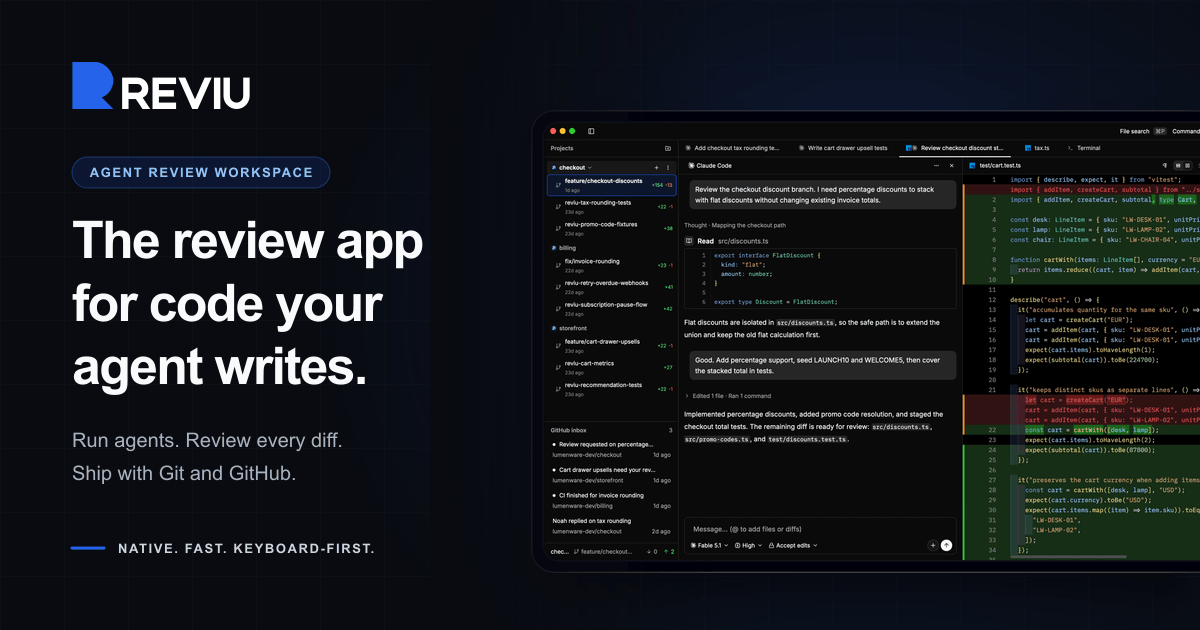
Reviu is a native desktop application built for reviewing the code that coding agents write. Instead of treating an agent's output as a disposable chat log, Reviu turns each task into a durable session with its own conversation, branch, terminal, checkpoints, file edits, and review queue. Developers start an agent such as Claude Code or Codex, watch the session, inspect every diff, send line comments back to the agent, and then stage, rebase, commit, and push with real Git underneath. The app is aimed at developers who already drive agent CLIs on their own machines and want a structured review layer between the agent's work and the branch that eventually lands in their repository. Agentic coding changes where the bottleneck sits. The agent can produce a large diff quickly, but someone still has to read it, question it, and decide what belongs in the branch. That review step is usually spread across terminal windows, a chat transcript, a separate Git client, and a browser tab full of pull request threads. Reviu was rebuilt from a Git client with an agent panel into a review workspace for coding agents, so the review of agent output happens in one place before the work becomes history. The core local agent review loop stays free, while GitHub pull requests, reviews, checks, merge, and notifications are the Pro layer. Each task in Reviu becomes a durable session rather than a disposable chat. A session keeps its own conversation, branch, terminal, checkpoints, file edits, and review queue, and you can switch between sessions without stopping running agents. Parallel worktrees keep multiple agent tasks out of your main checkout, so one task cannot dirty another. Attention states show at a glance which sessions are running, waiting, failed, or ready for review, and readable agent activity groups commands, reads, edits, permissions, and failures as reviewable events. Running several agents at once therefore stays organised instead of turning into a pile of interchangeable terminal tabs. Diff review is the centre of the app. You inspect the diff produced by the agent, with file, line, and side context, and leave line comments that are sent back to the agent. Comments can be batched rather than sent one by one, so a review queue such as three selected comments on a file becomes a single message to the agent. The agent can then address them, for example fixing a discount order, adding a rounding test, or renaming an unclear helper. Because the comments carry the exact file, line, and side context, the fixes are anchored to the code being discussed instead of being described in prose. Reviu keeps real Git nearby so that review decisions become commits. You can stage the hunks you trust, unstage another pass, and restore the rest. Branches can be cleaned before a pull request exists by squashing, fixup, dropping, and reordering commits. Messy states are recoverable: resolve conflicts, continue rebases, stash work, cherry-pick, and undo mistakes. Every surface follows the checkout, so changes, history, terminal, and review all reflect the same branch, and Git actions such as commit, amend, push, force push with lease, interactive rebase, and pop stash are available from the same keyboard-first command palette as the rest of the app. Reviu Pro adds GitHub without losing local context. A pull request dock shows your branch's pull request alongside the agent session, working tree, and review threads, and Reviu finds the pull request for a checked-out branch or helps create one from the header. GitHub diffs can be opened in the editor, commented on inline, replied to in threads, and submitted as a full review. Merging follows GitHub conventions with squash, merge, or rebase using GitHub's generated title, message, bullets, and trailers, and checks and review status are visible before you act. An inbox surfaces notifications such as requested changes, finished CI, and replies, and a browser extension adds Open in Reviu to GitHub pull requests in Firefox and Chrome so a pull request can be opened as a local checkout ready for diff review, files, and terminal. Underneath, Reviu is a fully native desktop app built with Rust and GPUI, a Rust-based GPU-accelerated UI framework, with no Electron and no webview. It does not run agents in the cloud: Reviu launches the agent CLI you already installed and signed into, so the agent runs as a local process on your machine and your code stays local. Agents come from the official Agent Client Protocol registry, which includes Claude Code, Codex, Gemini, Copilot, Cline, and about twenty others. Because Reviu drives the CLI you already have, agents run with your existing subscription, there is no API key to paste, and there is no agent meter. The practical benefit is that agent work stops being a raw dump of changes and becomes a branch you own. Review happens before the work lands, comments travel back to the agent with precise context, and the final steps of staging, rebasing, committing, and pushing happen in the same window instead of a chain of separate tools. Cleaner history means the commit that reaches a pull request reflects decisions you actually made. If you already have Git tooling you like, Reviu is designed to sit alongside it as the missing agent review layer rather than replace it. A typical workflow starts with an agent session for a feature such as checkout discounts: the agent works in its own worktree, and you review the resulting diff line by line. Selected comments are batched and sent back to the agent, which makes the fixes, after which you stage the hunks you trust and clean the branch with an interactive rebase before pushing. Running several sessions in parallel covers tasks like adding percentage discounts, fixing tax rounding, and writing cart property tests at the same time without one task dirtying another checkout. For developers working through GitHub, you can open a pull request from the inbox, review its diffs locally, submit the review, and merge with a squash, merge, or rebase commit. The browser extension covers the reverse entry point: spotting a pull request on GitHub that needs local review and opening the branch in Reviu. Reviu is for developers who already use coding agent CLIs and want to review their output before it becomes a commit. Local agent review is free and includes agent sessions with ACP registry agents, parallel worktrees and durable session state, diff review with comments sent back to the agent, and local Git covering stage, rebase, conflicts, and terminal. Pro costs $9 per month or $79 per year, saving 27%, with a 14-day free trial and cancel anytime, and adds the pull request dock with checks and merge, GitHub review comments and submit review, inbox notifications, and the browser extension. Reviu runs on macOS for Apple Silicon and Intel, Windows for ARM64 and x64, and Linux through a terminal install command. No account is needed for local sessions; signing in is only required for the GitHub integration in Pro. Mobile access and remote over SSH to servers and VPS are listed as planned. In short, Reviu gives developers a review workspace for the code their agents write: run the CLI you already use, inspect and comment on every diff, send fixes back to the agent, and finish the branch with real Git, while Pro connects that local flow to GitHub pull requests, checks, merge, and notifications.
Marv is a Windows desktop companion built around your cursor. The website introduces it as your cursor's new plus-one — a little companion that helps you get things done. Marv sees your screen, answers out loud and shows you the next step. Rather than leaving the program you are working in to hunt for an answer, you hold a hotkey and ask about whatever is currently on your screen. Marv replies by voice while drawing directly on top of what you are looking at, circling buttons, drawing arrows and writing notes so you can follow along in place. The page frames the whole experience as a conversation, on your desktop, and the product is positioned for people who want to finish a task inside the app they are already using instead of breaking away from it. The problem Marv addresses is the friction of getting stuck inside software. When you cannot remember a spreadsheet formula, cannot find the right control in a video editor, or cannot work out why a piece of code is misbehaving, the usual path is to stop what you are doing and go looking for help elsewhere — another window, another tab, documentation, or a forum — then translate whatever you find back into the interface in front of you. That gap between knowing the answer and knowing where to click is exactly what Marv targets. Its stated promise is one task, all the way through: the site gives the example of Marv taking a spreadsheet question from the formula to the next app. Marv is also designed to be helpful when you need it and quiet when you don't, with screen access that can be paused, so the companion stays out of the way until it is called on. It is currently in early access for Windows, with a waitlist. The first of Marv's three stated steps is ask out loud. You hold your hotkey to talk, and the page displays Ctrl + Alt as the shortcut. Instead of typing a query into a search box, you speak your question while looking at the thing you are confused about, and Marv listens. Because the trigger is a held hotkey rather than an always-on microphone, the interaction is deliberate: you decide when the conversation starts. This matters because the question you want to ask is usually about something visible on screen, and describing it in words is faster than copying it out. The illustration of Marv listening accompanies this step, reinforcing the idea that Marv is attending to both your voice and your screen at the same time. The second step is get a clear answer. Marv speaks, so you can keep moving. Voice output is the core of the design: your eyes stay on your work while Marv explains, rather than being pulled to a separate chat window or a wall of text. For tasks where you are mid-flow — tracing a bug, adjusting a formula, hunting for a menu item — spoken guidance means you do not have to break your attention to read. The page pairs this step with a smiling Marv, underlining that the response is conversational rather than a document to be studied. The third step is follow Marv's lead, where the cursor-centric part of the product comes in. Circles, arrows and highlights show the way, and Marv also writes notes directly on your screen. This is the feature that distinguishes Marv from an ordinary assistant: the answer is not just described, it is pointed at. When Marv circles a button or draws an arrow to a control, you are being shown the next step on the actual interface you are using, in the actual application, without a second monitor or a side panel. The site's imagery for this step shows Marv pointing with an arrow, and the Product Hunt description confirms the same behaviour — Marv draws arrows, circles buttons and writes notes directly on your screen to walk you through it. Taken together, Marv's approach is to combine screen awareness, voice input and voice output with on-screen annotation on the Windows desktop. The product sees your screen, you speak a question through a held hotkey, Marv answers out loud, and it then marks up the interface to show where to go next. A visible screen access control — shown on the page in a paused state — gives you a way to stop Marv from seeing the screen, matching the promise that Marv is helpful when you need it and quiet when you don't. Everything happens over the top of the application you are already in, which is the stated benefit: you can debug some code, work out a spreadsheet formula, or find the right control in your video editor, all without leaving the app you are using. The benefits follow from that design. Because Marv answers out loud and annotates in place, the loop between asking a question and acting on the answer is short: you do not switch windows, you do not lose the context of what you were doing, and you do not have to translate written instructions into clicks. The guidance lands on the real controls of the real interface rather than on a screenshot in a help article. And because you can pause screen access and Marv stays quiet until summoned by the hotkey, the companion does not demand attention when there is nothing to solve. The page's framing of Marv as a plus-one to your cursor captures this: it is a companion that accompanies the work rather than a destination you travel to. Concrete scenarios are described throughout the site. Marv can help you debug some code, working alongside you in your development environment. It can help you work out a spreadsheet formula, and the site explicitly describes Marv taking a spreadsheet question from the formula all the way through to the next app, so a single task can span more than one program. It can help you find the right control in your video editor, a classic case of an unfamiliar or deeply nested interface where hunting through menus wastes time. More broadly, the page illustrates Marv sitting alongside an ordinary desktop window — a Notepad file holding a weekend plan — with the cursor pointing at a line item, showing the everyday, non-technical context in which the companion operates. The common thread in every scenario is that the question arises while you are already inside an app, and the answer is delivered there too. Marv is currently offered as early access for Windows, and the site's call to action is to save a spot for Marv by joining the waitlist with an email address. Joining the waitlist means agreeing to the Terms and Privacy Policy. No pricing or paid plans are stated on the page, and no integrations, technology stack or mobile or web application are mentioned — the product is presented as a desktop companion for Windows. The primary audience is therefore Windows users who want in-context help while they work: developers debugging code, people wrangling spreadsheets, video editors looking for a control, and anyone else who would rather be shown the next step on screen than read about it somewhere else. In summary, Marv's value proposition is simple and specific: it is a little companion that sees your screen, listens when you hold a hotkey, answers out loud, and then draws circles, arrows, highlights and notes directly onto your screen to show you what to click. By keeping the entire exchange inside the app you are already using, Marv turns a stuck moment into a guided next step — one task, all the way through.
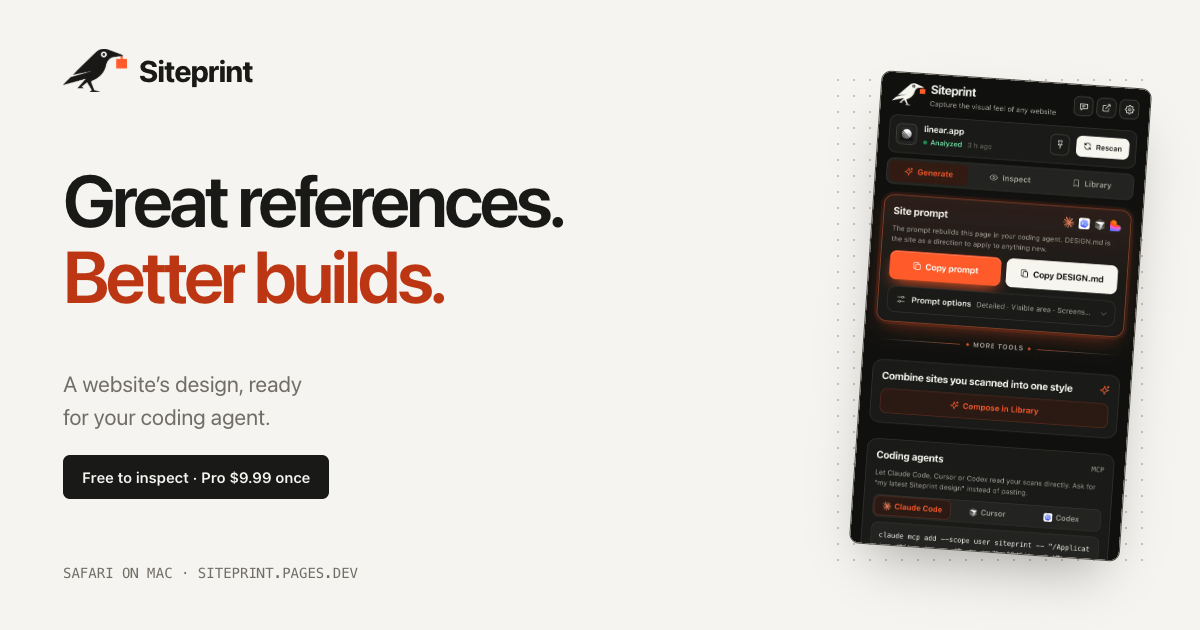
Siteprint is a Safari extension for Mac that measures the design of any website and turns those measurements into one exact prompt for a coding agent. Open a site in Safari, click Siteprint, and it measures the page's colours together with their roles, the type scale, the spacing, the corners and the layout. Inspect shows the palette, the typography and a blueprint of every section. Generate copies one prompt containing the exact values, so an AI coding agent can build a new page from it. The product is made for people who think in references — designers and developers who see a design they love and want to hand it to their AI rather than describing it from memory. Design inspiration is easy to find and hard to use. You can look at a site and admire it, but the thing you actually need in order to rebuild it — the exact colours and their roles, the precise type scale, the spacing rhythm, the corner radii, the layout structure — is buried in a browser you cannot easily measure. That gap is what Siteprint fills, and its position is explicit: real values, not vibes. Rather than asking an AI to imitate a look from a vague description, you give the agent measured numbers. This matters because coding agents such as Claude Code, Cursor and Codex produce more usable output when the instructions are concrete, and design values are exactly the kind of detail that gets lost when a person tries to describe a page in prose. The free tier is built around Inspect, which measures a page rather than guessing at it. Clicking the extension reads the page's colours and shows each one with its role, so you see not just a swatch but what that colour is for. It measures the type scale, the spacing and the corners, and produces a blueprint of every section on the page so the layout structure is visible at a glance. Alongside this, the free tier includes an eyedropper and a grid overlay for checking values on screen, token export so measurements leave the extension in a usable form, and Your Library, where scans are kept. The measured palette and typography can be reviewed inside the extension itself — the product's own screenshots show a palette with roles, font families and a page blueprint. Pro unlocks Generate, the step that turns measurements into something an AI agent can act on. Generate copies one prompt containing the exact values measured from the page, so the agent receives the design in a form it can build from rather than a description it has to interpret. Pro also produces DESIGN.md and themes. A DESIGN.md is a plain-text design specification: the example export published by the product lays out a design direction under headings such as Colour — with named values like Canvas, Surface, Text and Muted — Type, with display and body sizes and weights, and Shape, listing radii. That structure turns a website's visual language into a written document an agent can read before it writes any code. Compose is the other Pro capability, and it is where measurement becomes authorship. Compose mixes two saved sites into a new style. Siteprint's own illustration of this shows Stripe's colours being combined with Linear's type and layout, so the result is neither of the originals but a distinct combination built from measured ingredients. Because both source sites have been measured rather than eyeballed, the mixture still resolves to real values — you get a palette, a type scale and a layout that came from somewhere specific, not a mood. For anyone building a brand or a product surface, this offers a way to derive a new style from references you already trust. Pro also lets your AI read your scans directly. In the extension you open Generate, then Coding agents, and follow the setup for Claude Code, Cursor or Codex, after which those tools can read a Siteprint scan instead of waiting for a pasted prompt. Siteprint states that it works with Claude Code, Codex, Cursor, Lovable and, more broadly, any AI. Separately, on Macs that have Apple Intelligence, the extension adds Ask the design anything: it reviews each scan and answers your questions about the design, for example how to match a particular look. Apple Intelligence is not required — the product states that everything works without it. The workflow is deliberately short: three clicks. You open any site in Safari, click the crow — Siteprint's mascot, used as the extension's button — and paste into your AI. The paste step is shown as a prompt beginning "Build this in my style", which is the handoff point between measurement and construction. Getting to that point takes about a minute: install Siteprint from the Mac App Store, turn it on in Safari Settings, and click the crow on any site. Siteprint is clear about where its responsibility ends: it does not build the site for you. It measures the design, and your coding agent builds from the prompt. The benefits follow from measurement. You get real values rather than approximations, which means the prompt you hand to an agent contains the same numbers the original site uses — the colours and their roles, the type scale, the spacing, the corners, the layout. Because Compose works on saved scans, you can produce a style that borrows deliberately rather than accidentally. And because the extension runs on your Mac, there is no account, no tracking and no uploads: your scans stay local. Pricing reinforces the same idea — a free tier for inspection and a single $9.99 Pro purchase, described by the product as pay once, keep it, rather than a subscription. Concrete uses follow the workflow. A developer who admires a site's interface can inspect it, take the prompt and have an agent rebuild an equivalent page in their own product's style. A team that needs a pricing page can hand a Siteprint scan to an agent and let it build from measured values — one of the product's screenshots shows exactly that, a coding agent reading a Siteprint design and building a pricing page. Someone defining a new visual direction can use Compose to blend two references, for instance one site's colours with another's typography and layout. And a designer who wants to know how a look is achieved can ask the design directly on a Mac with Apple Intelligence. Siteprint is a Safari extension for Mac, so its audience is Mac-based designers and developers — particularly those already working with AI coding agents. It requires macOS 14 or later. The product states plainly that there is no Chrome version and no iPhone version yet. Pricing has two parts: a free tier covering colours, type and layout, the eyedropper and grid overlay, token export and Your Library, and a Pro tier at $9.99 once that adds the one exact prompt, DESIGN.md and themes, the ability to mix two sites, and agent access so your AI can read your scans. Support is by email and a published setup guide. Siteprint's value proposition is narrow and complete: it measures a design instead of describing it, then hands the numbers to your AI. Free to inspect, $9.99 once for the prompt, the DESIGN.md, Compose and agent access, running locally on your Mac with no account and no uploads.
Dots UI is a React animation library for morphable particle interfaces. It renders swarms of dots that can take on almost any form, and it treats a shape as a prop: the same particles morph into the next shape when a value changes. The library ships 171 particle shapes across assistant, productivity, media, commerce, and navigation, along with real UI components built from what the site calls "one living material." Developers can use ready-made components, customize their appearance and behavior, or create their own shapes in Studio. Dots UI is built for interactive interfaces, animated states, loaders, controls, visual effects, and UI that can transform from one form into another. The project is framed around the idea that interfaces should feel alive rather than static. The homepage opens with "A LITTLE LIFE. IN EVERY PIXEL" and the line "Every interface begins with small things. A letter, a shape, a moment of motion." The stated goal is to make products feel animated from the inside out: "Make the next thing feel alive." Instead of layering motion onto static components after the fact, Dots UI makes the particles themselves the interface — dots become the button, the slider, the switch. The site summarizes this as "A small API. A whole new surface," and describes the library as handling "real UI, and playful interactions" so that even the smallest visual elements carry character and movement. The foundation of the library is its shape system. Dots UI provides 171 particle shapes for React, and the core mechanic is that a shape is a prop. Changing a single prop causes the same dots to morph into the next shape, for example switching a swarm to a "wire-sphere" shape with a specified color, particle count, and height. Because the dots themselves animate between forms, smooth transitions come from the same particle field rather than separate animated assets. The library is positioned around that shift: "Every state. A little more alive." Beyond standalone shapes, Dots UI turns particles into working interface primitives. The site presents Button, Dropdown, Slider, Checkbox, and Switch as components that are built from the particle material, so interactive controls literally assemble themselves out of dots. The primitives are described as composable parts with Radix behavior and your own styles, meaning developers keep familiar component behavior and styling while the visual layer becomes particle-based. The page invites users to "Pick a primitive. Watch it come together" and shows an example with a SwarmButton inside a SwarmUI scene, where clicking a particle button triggers an ordinary click handler. Dots UI also extends the system into customization, texture, sequencing, and character. Studio is where users set color and speed, pause playback, or start from ready-made recipes such as an Assistant loop with a cloud shape, a Productivity calendar for planning the day, and a Commerce shopping bag for checkout. Textures let one shape take on different feelings — Chrome, Ink, Neon, and Glass — with chrome described as flowing silver reflections steered by pointer movement, and an on-screen note stating that this texture needs WebGL. Sequences let developers choreograph a run of shapes; the sample code builds a DotsSequence from cloud, microphone, thought-bubble, and neural-network shapes, each with a duration, and plays it through a sequence player using pro shapes. A separate set of particle actions drives reactive moments, illustrated by a dot avatar that responds when you interact with it, with the site promising "Give it a reaction" and "A thousand dots. One personality." Even words can wander: pressing a button gives a paragraph of text a new particle shape, so the same words become "a different kind of sentence." Under the hood, Dots UI is a React and TypeScript library distributed as the dots-swarm package, with UI extracted from dots-swarm/ui, styles from dots-swarm/ui.css, and pro shapes from @dots-swarm/pro. Its API is deliberately small: components such as DotSwarm, SwarmSurface, SwarmUI, SwarmButton, DotsSequence, and DotsSequencePlayer, plus handles and hooks like SwarmSurfaceHandle and swarmActions that let developers control particles from their own components. The site describes a pipeline of particles going through physics into a real button, which is why a single prop change can produce an entirely different silhouette. WebGL support is called out for richer surfaces, and the docs link to API pages for actions, usage, UI primitives, and sequences. For users, the benefit is motion that feels native to the interface instead of decorative. States become visibly different from one another, loaders and transitions carry personality, and controls stop looking like static rectangles. Because shapes are props, developers can change behavior and appearance incrementally — one prop, one new form — and because primitives are composable with Radix behavior, they can adopt the particle look without rebuilding their component logic. The site summarizes this as a small API that unlocks a whole new surface. Use cases follow directly from the examples shown on the site. Teams can use the dots for animated interface states that shift as an app changes mode, for loaders and transitions, and for controls such as buttons, dropdowns, sliders, checkboxes, and switches. Shapes can be used for visual effects, including textured surfaces like chrome, ink, neon, and glass. Sequences suit onboarding or assistant flows that move between a cloud, a microphone, a thought bubble, and a neural network. Playful interactions — a dot avatar that reacts, particles embedded in text, or a paragraph that reshapes itself on click — cover moments where a product wants to feel responsive and characterful. Dots UI targets React and TypeScript developers building interactive interfaces who want animated, particle-based visuals without assembling them from scratch. The entry points are the docs, the shape browser, the showcase pages for objects and textures, and Studio. Product Hunt lists it under Design Tools, Developer Tools, and Tech. Stack details visible in the content are React, TypeScript, Radix behavior for primitives, and WebGL for richer textures. Pricing is presented as "Free to start. More to play with," alongside a Get Pro option and pro shapes, indicating a free starting tier with a paid upgrade. In short, Dots UI turns particles into usable interface material for React. By making a shape a prop and rebuilding controls out of the same dots, it lets developers morph between 171 shapes, compose real UI primitives, design their own in Studio, and add texture, sequence, and character — so the next thing they build feels alive from the first pixel.
devpit is a native desktop application for controlling the coding agents you run. Everything a session needs sits in one window: a chat pane, a terminal for each project, a board that holds the work, a running record of what every agent call cost, and an orchestrator that can see across every project you have linked. Today it drives Claude Code through the claude CLI you already have installed, while support for Codex, Cursor, Gemini CLI and opencode is described as coming. devpit runs on Linux, macOS and Windows, is free and open source, and is aimed at developers who run more than one agent at a time and want a single place to watch them all. Coding agents are powerful, but they are also noisy. Each one lives in its own terminal, and the moment you run more than one at once — a task in one repository, a review in another — you are switching between windows, losing track of which process is still alive, and guessing at what any given run has cost you. There is no shared place where the work being done is visible, and no natural place for an agent to stop and ask you a question. devpit exists to put all of that in one window, with panes side by side rather than tabs spread across six applications. Its guiding rule is that nothing advances on its own: an agent writes down what it did, and moving the work forward remains your call. The most basic pane is the terminal. It is a real pty behind tmux, which means you can split it, close the window, and find the same process still running when you come back. Beside it sits a chat that proceeds one turn at a time and shows what each turn cost, so a conversation with an agent is also a running account of what it is spending. Per project, devpit also offers capabilities — extra tools that open as panes next to the work; Notes and Excalidraw are the ones available today. Files, diffs and a browser are available in the same window, so you can review what an agent changed and look at the page it serves without leaving devpit. Because each terminal is held by tmux rather than by the visible window, and because each project has one target terminal, switching between pieces of work simply re-attaches the view to whatever you are looking at, while the previous session keeps running in the background. The board is where work is organised. It uses your columns in your order, and moving a card is what starts the work: the card is not a passive note, it is the trigger for a step. A step does not advance on its own. It writes down its output, its exit code and its real cost, and then it stops. Deciding to move on is yours, unless you have deliberately set a lane to move by itself, in which case the board shows that. Cost is tied directly to the board too: a spending cap on every call is set by the column the work sits in, and the card records the real cost of what ran. In other words, the column defines the ceiling for that stage of work, and the card reports what was actually spent. Above the individual project sits the orchestrator: a chat that reads every board you have linked, across projects. You can hand it a card and it starts a session for that card, then reports back to you. Alongside it, the Sessions panel lists every session on your account, with the ones waiting on you first, and you can answer them in place, as yourself. The island — a capsule that floats above your windows — shows what each agent is doing and lets you allow or deny from there. Agent state is expressed in words as well as visuals: thinking (started, before its first step), working, asking, waiting, done, failed and sleeping. There are also reminders that only remind: telling devpit to remind you at three to review a pull request means it will tell you then, and start nothing. The orchestrator has explicit limits: it never moves a card into a lane that runs a step, it never acts on a timer, and it never approves anything in another session. Any reply it drafts goes out only when you send it. Underneath, devpit is local-first. Everything it creates — the board, the panes, the terminal and the costs — lives in a workspace per project under ~/.devpit, so nothing lands in your repository: there is nothing to gitignore and nothing appears in the diff. A teammate can work alongside you without ever hearing of devpit. When a step needs a checkout, devpit makes a worktree for that line of work, and it never removes a worktree while it still holds uncommitted work. Sessions are designed to outlive the window: close devpit, reopen it, and what was running still is, because tmux holds the processes. Windows is supported through a per-user installer that brings psmux, the tmux of Windows, and the Linux build also runs in WSL 2. devpit is written in Rust and Tauri rather than being another Electron app, and each terminal is a real pty behind tmux, or psmux on Windows. The outcome for a developer is a single place to watch several agents at once, without losing any of them. Costs are visible per call and capped per column, so agent work does not become an unbounded bill. Sessions that wait on you are surfaced first, so time is not wasted hunting for the agent that has stopped and needs an answer. Because the workspace is separate from the repository, using devpit does not change your code base or your team's workflow. And because state is preserved — tmux holds the processes and the workspace persists per project — you can come back days later and find the board, panes, terminal and costs where you left them. Concretely, this plays out in several ways. When you are running agents on more than one project, each board gets its own workspace and you watch them all through one window. When an agent finishes a change, you review its files, its diffs, and the page it serves without leaving the app. When you want work kicked off, you hand the orchestrator a card and it starts a session and reports back. When an agent stops and asks a question, you answer it in place as yourself, with the sessions waiting on you listed first. When you are away from the machine, you can check on running work from your phone over Tailscale. And when you want a nudge rather than action, you set a reminder that tells you at the time and starts nothing. devpit is aimed at developers who use coding agents, and specifically at those who run Claude Code and find themselves managing several sessions or several projects. The agent it drives today is Claude Code, through the claude CLI you already have; other agents can report their status with the devpit-agent hook, and Gemini CLI does so with nothing to set up. Codex, Cursor, Gemini CLI and opencode are all listed as coming behind the same interface, and your own agents are markdown files. The tech stack is Rust and Tauri, with tmux as the process holder and psmux on Windows; optional remote checking is done over Tailscale by pairing a device with a one-time code and choosing what it may do, with nothing listening beyond your tailnet. devpit is free and open source under Apache 2.0, uses your existing Claude Code plan with no new API keys, and requires no account — an account today only signs you in, and sync, when it comes, will keep the workspace around your work rather than the work itself. devpit's value proposition is control: one native window for the coding agents you already run, a board that makes the state of the work visible, a cost on every call and a cap on every column, and an orchestrator that sees every project while never acting on its own. Free, open source, local-first, and out of the way of your repository.
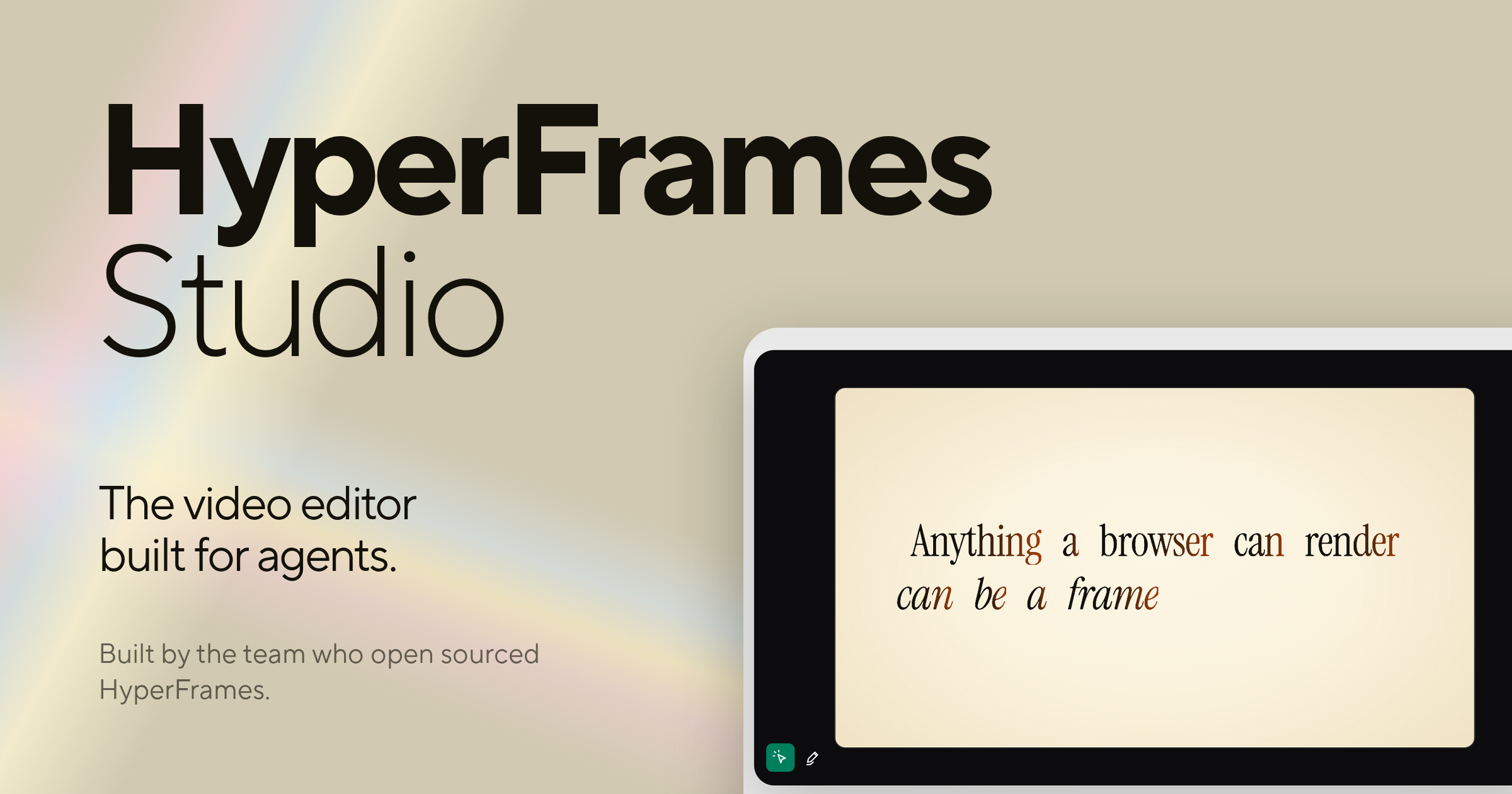
HyperFrames Studio is a desktop video editor built specifically for AI agents. Developed by HeyGen, the team who open sourced HyperFrames, it packages all of HyperFrames Studio into a single desktop application that works with your files and apps to get things done. Rather than treating AI as a side utility, HyperFrames Studio turns coding agents into video editors while the human stays in the director's seat. It is aimed at creators, developers, and teams who already work with agents such as Codex or Claude Code and want to describe a video, let their agent make it with HyperFrames, and then refine the result together inside one shared studio editor. The product exists on a foundation that the team built in the open before releasing the Studio editor. HyperFrames is open sourced under the Apache-2.0 license on GitHub at heygen-com/hyperframes, and that project has grown to 57.4k GitHub stars, 813.1k npm downloads in the last week, 5.1k forks, and 80 contributors. HyperFrames Studio is built by the same team behind that open-source work. The problem it addresses is a familiar one for anyone who has tried to produce video: editing is traditionally a manual, hands-on craft that does not fit neatly into agent-driven workflows, and most video tools assume a person is doing every step by hand. HyperFrames Studio closes that gap by making the video editor itself something an agent can operate, so the same agents people already rely on for coding work can also participate in building video, with the human retaining direction over the result. One of the core pieces of HyperFrames Studio is that it is delivered as a desktop application. The website lists a macOS download and a Linux download, while Windows and Windows on arm64 are marked as coming soon. The desktop build is described as containing all of HyperFrames Studio in one app, and it is said to work with your files and apps to get things done. This desktop-first approach matters because video work involves media files, local assets, and repeated iteration, and a native application can sit directly alongside the files and tools a user already has open. For organizations that need more than an individual download, there is also an enterprise deployment option, which is available by contacting the HeyGen sales team through the contact page, so the same studio can be rolled out beyond a single creator's machine. The defining feature of HyperFrames Studio is its support for coding agents. The Product Hunt description explains that you can bring your favorite agent, either Codex or Claude Code, and that HyperFrames Studio turns those coding agents into video editors while you stay in the director seat. This is the core reason the product exists: instead of learning a separate automation layer or writing custom scripts, a user brings an agent they already work with and gives it the ability to operate inside a video editor. The agent becomes the execution arm for editing tasks, while the person remains responsible for the creative direction, deciding what the video should be and judging whether the output matches that intent. A second key capability is the describe-and-generate workflow combined with shared editing. The stated flow is simple: describe a video and your agent makes it with HyperFrames. From there, you and your agent work on it together in one studio editor. This means the first draft does not have to be assembled by hand from a blank timeline; it can be produced from a description, and then the work continues collaboratively in the same environment. Keeping generation and refinement in one studio editor avoids handing finished work back and forth between separate tools, so the agent's output and the human's edits live in the same place and can be adjusted in the same session. HyperFrames Studio is closely tied to the open-source HyperFrames project. The framework is released under the Apache-2.0 license on GitHub at heygen-com/hyperframes, and the site provides an install command, npx skills add heygen-com/hyperframes, alongside documentation and a call to star the repository on GitHub. The open-source nature is significant because it means the underlying video framework is publicly available and community-driven, with the visible traction of 57.4k GitHub stars, 813.1k npm downloads in the last week, 5.1k forks, and 80 contributors. Developers can add HyperFrames skills to their own environments using the provided command, read the documentation, and follow or contribute to the project on GitHub, which keeps the studio connected to a larger ecosystem rather than being a closed, isolated app. The overall approach of HyperFrames Studio can be summarized as pairing a professional-style studio editor with agent-driven video creation. You access HyperFrames Studio on desktop, bring an agent such as Codex or Claude Code, describe the video you want, let the agent generate it with HyperFrames, and then continue working on the result together in one studio editor. This keeps the human in a directing role and the agent in an execution role within a single shared workspace, rather than splitting those responsibilities across disconnected tools. The combination of an open-source framework, a desktop application, and agent integration is the distinct methodology the product is built around. The benefits of this setup follow directly from how it is designed. Because the agent can take a description and produce an initial video with HyperFrames, users do not have to begin from an empty project purely by hand. Because you and your agent then work on the video together in one studio editor, the iteration loop stays inside a single environment. And because the underlying framework is open source under Apache-2.0, the work sits on a publicly available foundation with a large community behind it, which gives developers a path to inspect, extend, and integrate with the technology they are using. Concrete use cases for HyperFrames Studio center on agent-assisted video production. A user can describe a video and have their agent make it with HyperFrames, using a natural-language brief as the starting point rather than a manual build. A creator and their agent can then collaborate on that video together in one studio editor, refining the output in a shared session. Developers who want to bring HyperFrames into their own workflows can install it with the npx skills add heygen-com/hyperframes command and follow the documentation. Teams that need a managed rollout can take advantage of the enterprise deployment option by contacting HeyGen sales. And anyone working with Codex or Claude Code can add video editing to the capabilities of an agent they already use. In terms of audience and availability, HyperFrames Studio targets people who work with AI coding agents and want to produce video. The Product Hunt description frames it around users who have a favorite agent, either Codex or Claude Code, and the website frames it around staying in the director's seat while an agent does the editing work. Its open-source foundation, GitHub presence, and npm distribution point to a developer and technical creator audience, while the enterprise deployment option and HeyGen sales contact indicate it also serves organizations that need managed rollouts. The product is available as a desktop application, with macOS and Linux downloads listed, Windows and Windows on arm64 marked as coming soon, and enterprise deployment available on request. Taken together, HyperFrames Studio reinforces a single value proposition: it is the first video editor built for agents, letting you bring a coding agent like Codex or Claude Code into the editing process, describe a video and have it made with HyperFrames, and then work on that video together with your agent in one studio editor while you remain in the director's seat. Built by the team who open sourced HyperFrames at HeyGen and released under Apache-2.0 on GitHub, it combines an open-source video framework with a desktop studio designed around agent collaboration.
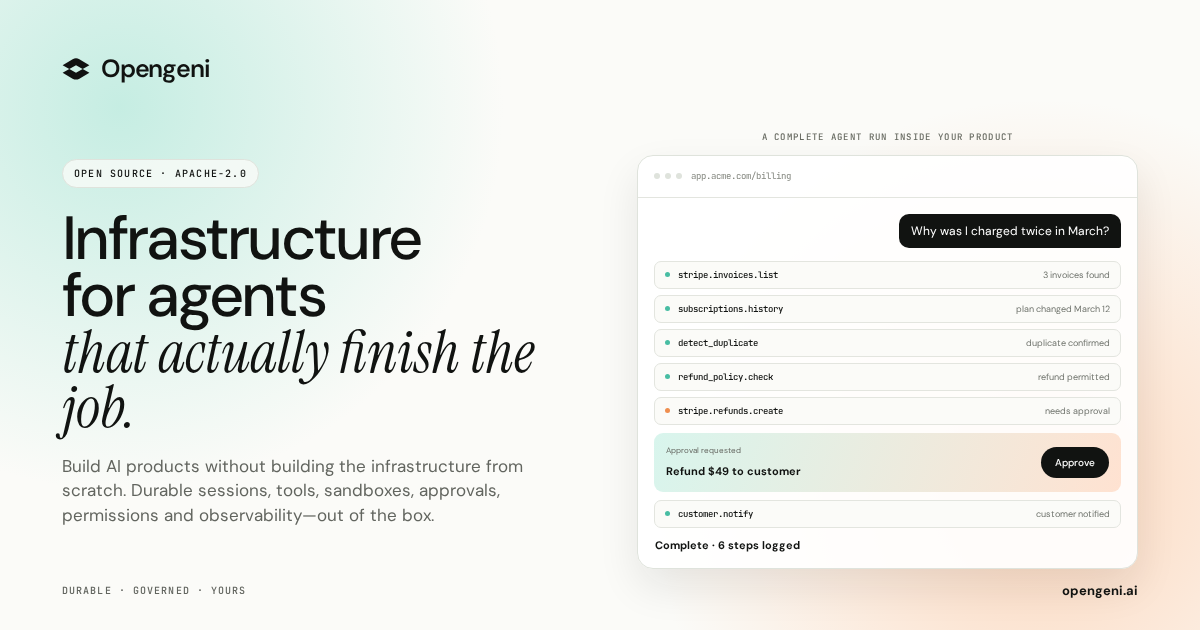
Opengeni is open-source AI infrastructure for putting agents directly inside your own product. It gives developers the pieces an agent needs to run reliably in production — durable sessions, isolated sandboxes, credentials, tools and MCP, memory, multi-tenancy and ready-made React components — and lets you either use the managed Opengeni cloud or run the same stack in your own environment. The purpose is stated plainly on the site: agents in your product, infrastructure out of the box. You focus on your agents, Opengeni handles the infrastructure, and the promise of the launch is shipping agents to production in hours rather than spending that time building plumbing. The project is released under Apache-2.0, its source lives on GitHub, and the site notes it is built from running agents in production, with Hydro, Havila and Posten shown as brands already working with it. Getting an agent demo running is easy; running agents for real customers is not. A single dropped connection can end a run. Agent code cannot safely execute next to your secrets. Every user needs their own OAuth tokens, and every API has to be wired before an agent can call it. Agents forget everything between sessions, and in a multi-tenant product every query has to know who is asking. Opengeni frames this as a list of things you do not have to build, and the site walks through each one in turn: durable sessions, sandboxes, credentials, tools and MCP, memory, multi-tenancy and model choice. Each of those is presented as a problem that would otherwise land on your team before the first real user ever touches the agent. Durable sessions are the first building block. Opengeni keeps a run alive when a worker restarts or a tab is closed: the run keeps going and resumes at the event where it left off, with the site's example showing a run resuming at event 128. Agent code then runs in an isolated sandbox, so it cannot run next to your secrets. In the example, the sandbox executes a Python script that detects a duplicate charge, and the credentials it uses are described as scoped and short-lived. That combination matters because agent work is often long-running and unpredictable: durable sessions turn a failure into a pause instead of a lost run, and sandboxes let you hand an agent real code execution without exposing production secrets to it. Credentials and tools cover the other half of the integration problem. Every user of your product needs their own OAuth tokens, and Opengeni handles that: the site shows Stripe, GitHub and Google Drive accounts connected per user, with tokens refreshed automatically over time. On top of credentials, Opengeni lets you plug tools in from an existing API definition — an OpenAPI file such as billing.openapi.yaml yields callable operations like invoices.list, refunds.create and customers.get, and the site presents adding three tools as a single step. Tools and MCP are both supported, which means an agent can act on the systems your customers already rely on rather than only talking about them. Memory, multi-tenancy and model choice complete the core. Memory is built in, so agents learn from past sessions instead of forgetting everything between them; the examples separate workspace-level memory (refunds go to the original card), user-level memory (sends invoices by email) and entries flagged to review first (bills in EUR from April). Multi-tenancy keeps customers apart, with distinct workspaces such as Acme, Globex and Initech and row-level security so that every query knows who is asking. Model choice stays open: OpenAI, Azure OpenAI, OpenRouter or your own OpenAI-compatible endpoint are all listed, and Opengeni states that you can swap models freely as better ones ship, without being locked in. Opengeni's overall approach is that the same session can appear on any surface, because every surface is a client of the same API. The site shows three of them. First, the Opengeni app at app.opengeni.ai, where a session can be started and tracked, including a completed example run that lists each step the agent took. Second, your product, shown as a billing assistant embedded in a customer's billing page, where the same session runs under your own brand. Third, the code, where a React component such as BillingAssistant.tsx is assembled from the @opengeni/sdk and @opengeni/react packages, using OpenGeniClient, OpenGeniProvider and SessionConversation. The client talks to your backend, and the documentation notes that your backend holds the API key and proxies the session routes so the key never reaches the browser. The React components are designed to be restyled quickly. The site lists a five-step customization flow: one variable recolors every surface through your accent, corners can be sharp, soft or round, you can use the font you already ship, and a single attribute flips between light and dark themes. The sample CSS shows custom properties for accent color, radius and font family, and an interactive control panel lets you try accent, corner, font and theme options directly. Because these are the same packages the Opengeni app is built on, the streaming responses, tool steps and composer come with the component rather than having to be rebuilt, which shortens the work between having a working agent and having it appear inside your product. The outcomes Opengeni emphasizes follow directly from those pieces. Sessions that recover from failures mean a run is not lost to a restart. Sandboxes mean agent code does not run beside your secrets. Handled credentials mean each user's own OAuth tokens are managed and refreshed. Tools and MCP mean APIs are wired from an existing definition instead of by hand. Memory means agents carry learning across sessions. Multi-tenancy and row-level security mean customer data stays separated. Model freedom means a better model can be adopted without a rewrite. The launch description also highlights 100+ integrations, human approvals and visibility into every step and dollar spent, so teams can see what an agent did and what it cost. The concrete workflows on the site are customer-support and billing shaped. A customer asks why they were charged twice in March; the agent lists invoices, runs a duplicate-detection step, confirms the duplicate and issues a refund, then explains that two $49 charges landed on March 12 and the duplicate is going back to the card. The same exchange is shown inside a branded billing assistant, with a confirmation that $49 was refunded to a card ending in 4242. Other listed session examples include a weekly churn summary, updating a refund policy document and triaging failed webhooks — all presented as work an agent can carry out inside the same environment, with the steps visible as they happen. Opengeni is aimed at developers and product teams who want agents inside their own product rather than in a separate tool. The integrations shown are Stripe, GitHub and Google Drive, alongside the broader mention of 100+ integrations and support for tools and MCP. The stack is open source under Apache-2.0 and can be self-hosted with a Helm chart on any Kubernetes, with Terraform for AWS, Azure and GCP; the repository is cloned from GitHub. Two deployment paths are offered: the managed Opengeni cloud, where you pay model cost plus 5%, or your own cloud running the same Opengeni API, workers and web app. Self-hosting is free, and a launch promotion gives the first 100 users $100 in cloud credit with the promo code PRODUCTHUNT100. The takeaway is straightforward: Opengeni is infrastructure for agents that actually finish the job. It packages the parts that are tedious and risky to build — durable sessions, sandboxes, credentials, tools, memory, multi-tenancy and model swapping — behind an open-source stack with React components you can restyle in seconds. You can start in the Opengeni cloud or keep everything in your own Kubernetes, and the same session can run in the Opengeni app, inside your product, or straight from your code, all on one API.
FastRouter.ai is a unified AI gateway and control plane for developers and enterprise teams building with large language models. It routes every request to the right model across more than 200 LLMs through a single OpenAI-compatible API, optimizing for cost, latency, quality, and reliability. The product gives organizations one consistent way to reach leading models including Claude Fable 5, Gemini 3.1 Pro, GPT-5.5, Grok 4.3, Veo 3.1, Nano Banana, and Claude 4.8 Opus, without integrating with each provider separately. Teams point their existing OpenAI SDK at FastRouter's base URL and immediately gain intelligent routing, automatic failover, built-in governance, and observability from a single high-performance gateway. It is positioned as the fastest gateway for every model, covering text, image, video, embeddings, and speech, and it lets teams add or swap models without code changes. Building with LLMs has become a multi-provider problem. New models arrive every few weeks, and benchmark results rarely tell the full story for a specific application, so the best model for a given task changes frequently. Teams that hard-code a single provider run into vendor lock-in, unpredictable spend, and outages they cannot control. One FastRouter user, Dr. Rishabh Bhandari of Medisha, explains that with new LLMs coming out every few weeks and benchmarks not giving the full picture, they rely on FastRouter.ai to optimize the cost-versus-quality balance. Another user, Sainath Gupta of Knit Finance, highlights that reliable access to models across providers removes the worry about outages or vendor lock-in. FastRouter addresses this by sitting between applications and model providers, giving teams a single point of access where they can compare models, control spend, and keep applications running when a provider degrades. The stated goal is to let teams scale AI apps without vendor lock-in or code changes. The foundation of the product is unified access. FastRouter provides an OpenAI-compatible API across different providers, so existing OpenAI SDK code keeps working while gaining access to many models. The gateway covers text, image, video, embeddings, and speech workloads, and it allows teams to add or swap models without code changes. Enterprises get access to top models such as Claude Fable 5, Gemini 3.1 Pro, GPT-5.5, Grok 4.3, Veo 3.1, Nano Banana, and Claude 4.8 Opus from a single API. This matters because it removes the need to maintain separate integrations, keys, and code paths for each provider, and it means a model change is a configuration change rather than an engineering project. Smart routing is the mechanism that keeps quality high while controlling spend. FastRouter routes every request to the best LLM based on cost, latency, and output quality with no manual tuning required. Its Auto Router chooses models that deliver the highest accuracy and relevance for the request under a cost-optimized policy. A low-latency policy selects the quickest model available to keep experiences smooth and responsive, while a high-throughput policy prioritizes models that handle high request volumes at scale. Intelligent cost optimization adds smart routing to cost-efficient models, prevention of unnecessary premium model usage, and batch processing for high-volume workloads. Together these capabilities help teams reduce AI spend while still matching each request to an appropriate model. Reliability and governance are built in. FastRouter provides automatic retries across providers, fallback models when failures occur, and virtual model lists for seamless failover. Instant failover automatically reroutes requests to other healthy providers for the chosen models, fallback lists let teams define prioritized fallback models so requests continue seamlessly, and aggregated capacity across providers supports higher rate limits. On the governance side, the platform offers project and API key limits, member roles and access controls, and protections designed to prevent spend shocks and bill spikes. Consolidated dashboards and alerts give complete visibility across every model, provider, and project, with powerful filters for cost, latency, and errors, plus alerts for usage and spikes. Observability and model comparison round out the platform. FastRouter tracks usage, latency, errors, and costs across all models with real-time metrics and detailed logs. Unified metrics monitor performance, latency, and error rates across models and providers; an activity log gives clear visibility into usage and performance for each request; and ongoing evaluations monitor model outputs to ensure consistent quality and performance. The Model Council and Playground let teams compare latency, output quality, and cost across models in interactive playgrounds, combine multiple models to cross-check outputs and reduce errors for stronger reasoning, and use the strengths of each model to deliver consistently better results. Insights adds a weekly read-only pass over the traffic you already route, producing a ranked list of changes, each with the sampled requests, the savings math, and the exact screen where you make the change. FastRouter's overall approach is one API for every model, production ready. Developers point the OpenAI SDK or a direct API call at the FastRouter base URL, https://api.fastrouter.ai/api/v1, supply a FastRouter API key, and select a model ID, so the integration looks like a standard OpenAI chat completions call in Python or TypeScript. Virtual model lists let teams mix providers and models into a unified model alias with policy-driven selection. Beyond routing, the platform covers evaluations, guardrails, alerts, and virtual model lists. For organizations with stricter requirements, FastRouter can be self-hosted in your own cloud so that prompts, responses, logs, and provider keys never leave your network, available on the Enterprise plan with the team helping on deployment and upgrades. The benefits follow directly from that architecture. Teams reduce AI spend through intelligent routing, batching, and model controls; they protect against spend shocks and bill spikes with limits and access controls; and they keep AI applications running with automatic failover, multi-provider redundancy, and intelligent traffic routing. Because the API is OpenAI-compatible, developers get drop-in integration with fast routing and built-in failover, while engineering leaders control costs without compromising reliability or scale. Product teams gain actionable insights to power faster, smarter AI product development. Crucially, users report that reliable access to models across providers removes the worry about outages or vendor lock-in, which is the central promise of the platform. Concrete use cases appear throughout the product. A team unsure which LLM suits its use case can play with models in the playground, compare them against each other, and then call normal OpenAI-compatible APIs to use the chosen model. A high-volume workload can be routed to cost-efficient models and batch processed to lower spend. An application that depends on a model which becomes slow or unavailable can rely on instant failover and fallback lists to keep serving requests. An engineering leader can set project and API key limits plus member roles and access controls to prevent spend shocks across teams. Teams can run evaluations and guardrails to validate and monitor inputs and outputs for safety, compliance, and consistency. Finally, an organization with strict data requirements can self-host the gateway so prompts, responses, logs, and provider keys never leave its network. FastRouter is aimed at developers, engineering leaders, and product teams inside organizations that build with LLMs. Developers get drop-in OpenAI-compatible APIs with fast routing and built-in failover; engineering leaders get cost control without compromising reliability or scale; product teams get actionable insights for faster, smarter AI product development. The site states that FastRouter is trusted by teams at Media.net, Amazon, Optum, GlobalFoundries, Verticurl, and Supaboard, and describes it as forged from the insights of high-performance engineering organizations. Getting started requires no set-up fees, no monthly minimums, and no credit card: new users receive millions of tokens in free credits to build, test, and explore the unified API, and a self-hosted deployment is available on the Enterprise plan. In summary, FastRouter.ai turns the messy reality of many model providers into one coherent gateway. It combines a single OpenAI-compatible API across 200+ models with smart routing for cost, latency, quality, and throughput; automatic failover and fallback lists for uptime; governance controls for spend; and dashboards, logs, evaluations, and weekly Insights for visibility. The primary value proposition is straightforward: route faster, scale smarter, and build better AI apps by sending every request to the right model without vendor lock-in or code changes.
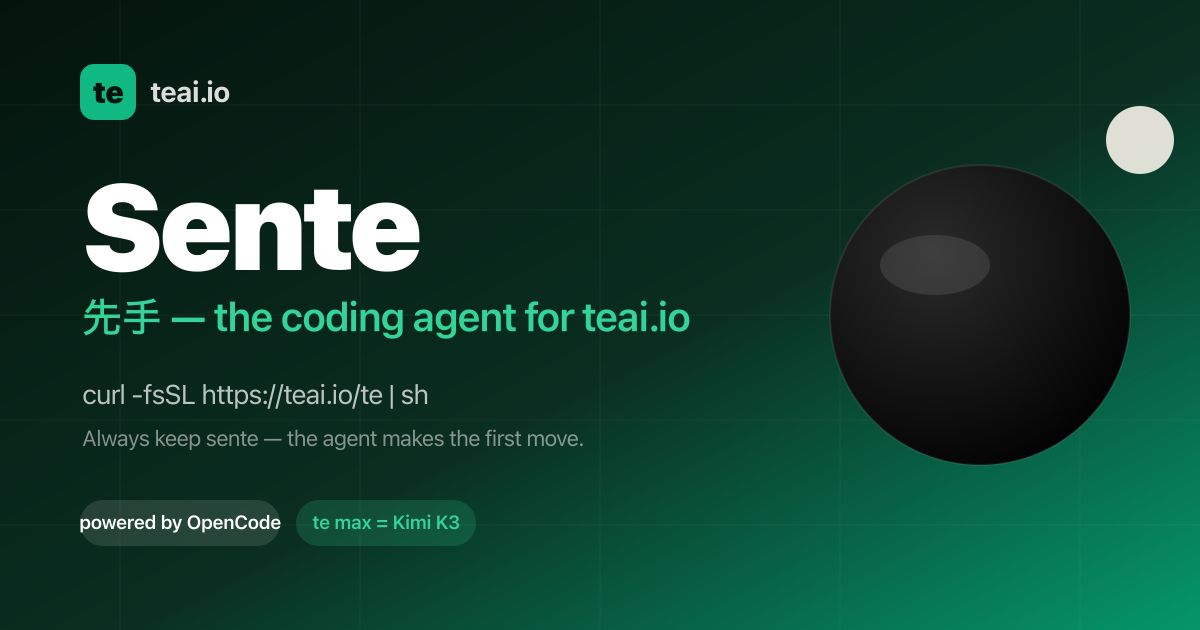
Sente is teai.io's official coding agent CLI. It is a thin launcher over OpenCode (MIT, 203k GitHub stars), and one curl installs it so that every teai.io model becomes an agent in your terminal. The command is short — te, with a sente alias installed alongside it — and it starts an agent in the current directory so you can type a task and let it work. Sente is built for developers who live in the terminal and want an agent that reads and edits the files in their repository, runs commands, and reports back, instead of a chat app that can only discuss code. It is also available as a voice conversation on macOS, Linux and WSL, and as Sente Cloud in the browser. The aim is to remove friction between a model and a working repository. teai.io is natively OpenAI-compatible, and Sente (OpenCode-based) speaks OpenAI-compatible natively, so tool calls go through teai without a conversion layer — zero conversion, stable by design, and nothing to break when routing through teai. Sente is deliberately not a fork: on each launch it syncs the teai.io model catalog (380+) via /te/config, so you inherit every upstream OpenCode improvement. Coding discipline is injected mechanically as well: sente-rules.md is written automatically and loaded into every session, enforcing "read before you write" and "always ship a deliverable". Setup is designed to take about three minutes. Paste one line — curl -fsSL https://teai.io/te | sh — and the installer installs OpenCode if it is missing and points OPENCODE_CONFIG at the teai.io-generated config. Then te login with an API key (a free one comes with 100 credits on signup), and run te for interactive mode or te run "refactor this function" for one-shot work. Sente works on macOS, Linux and WSL; on Windows you use WSL. Optional GUI apps are installed only when you explicitly ask: te app install sente for a menu-bar Sente.app, te app install koe for an always-listening Koe.app, or te app install both. Those macOS apps are Developer ID signed and Apple notarized, and they are placed in /Applications only when you run the command — transparency first. Sente gives you 380+ models with one line to switch. glm-5.2 is the suggested daily driver at roughly ¥0.34 per task; te lux selects the Claude/OpenAI flagship (Fable 5) for quality-critical work; te max selects Kimi K3 (2.8T, 1M) for hard tasks; and DeepSeek V4 Pro runs at about ¥0.03 per task. One base_url decides routing, so you can keep costs low without breaking quality. For measurement, teai.io defines one task as approximately 1K input tokens plus 500 output tokens, and it publishes a bake-off with measured numbers. Product Hunt describes the same idea as models on one account — Claude, GPT, Gemini, DeepSeek and more — with OpenAI- and Anthropic-compatible endpoints. Three things stand out in daily use. First, you can ask by voice: te talk starts a voice conversation where you say what you want done and Sente reads its reply back to you, available on macOS, Linux and WSL. Product Hunt describes a consent-first voice enrollment where you read one sentence (about ten seconds) to enroll your voice, with the delete key yours and a stated commitment never to clone a voice that isn't yours. Second, work keeps going while your Mac sleeps: Sente Cloud at sente.teai.io runs in your browser on a cloud workspace, and you sign in with an emailed one-time code, so closing your laptop doesn't stop the work. Third, there is a three-tier safety model for sente: read operations are automatic, write operations are treated as reversible and proceed, while delete, send, publish and pay actions ask first. The te CLIs come in three stages — te (you type, it runs on request), sente (you speak, it moves first) and fuseki (nothing is triggered, because it is already watching). fuseki has an Alpha implementation available as fuseki or te watch: it keeps an eye on your board, human-gates and recent repos without being called, thinks and logs plus speaks a suggestion only when something actually changes, never executes on its own, and is stopped with te stop. It inherits the same safety tiers and defaults to proposing only. Privacy and enterprise readiness are explicit parts of the product. API-compatible endpoints never store request bodies — only metadata, kept for 90 days. Invoice billing and a DPA are available, and BYOK (bring your own key) is in preparation. The service runs in the Tokyo region with JPY billing and Japanese support. On top of that, local PII scrubbing is available as an opt-in: te privacy scrub on masks emails, phone numbers, addresses, API keys, private keys and high-entropy tokens, plus names via your Contacts dictionary (te privacy scrub harvest), Japanese honorific heuristics and Apple's on-device name recognition, on your Mac before the request reaches teai.io. It costs about 0.1 ms per request and needs no local LLM, and the reply is restored before it is shown. teai.io is candid that this is not a guarantee of complete detection — Japanese given names without an honorific or a dictionary entry are not caught — and notes that an optional Ollama layer (--llm) exists but is slow. Five beta skills, new in August 2026, add reference-corpus RAG to the CLI. 748 Q&A entries across law, security, freelance ops, cloud infra and OSS licensing are searched with lightweight retrieval — semantic embedding plus a relevance cutoff — before the agent answers, and full benchmark numbers, including where it failed, are published. te legal covers Japanese law with 259 entries across 21 topics: civil code, labor law, company law, inheritance, consumer contracts and commercial transactions, cross-checked against actual e-Gov statute text, with semantic search returning "no match" for unrelated questions instead of fabricating an answer. te security covers secure coding with 131 entries across 13 topics including SQLi/XSS/CSRF mitigation, auth/authz, secrets management, dependency vulnerabilities, crypto basics and API security — useful for sanity-checking "is this dangerous?" mid-implementation. te freelance covers freelance ops with 125 entries across 14 topics such as contract checkpoints, Japan's invoice system, tax filing and social insurance switching. te infra covers cloud ops with 117 entries across 14 topics including Fly.io, Docker, CI/CD, SQLite/libsql, DNS and TLS, with real gotchas teai.io itself hit running this exact stack. te license covers OSS licensing with 116 entries across 14 topics: MIT/Apache/GPL-family, AGPL's SaaS network clause and license compatibility, written after checking each license's official text. Beyond the CLI, the same RAG context can be requested directly from the API by passing a model identifier such as shitate/legal to /v1/chat/completions, using the same alias-resolution pattern as teai/auto, with billing reflecting whichever model actually served the response. All five are marked as beta: general reference information, not a substitute for professional advice. The terminal interface is bilingual. You choose Japanese or English for language settings and the skill list, and the choice is saved for the next launch, with the initial language following your terminal locale. You update with te update in your shell and restart Sente, then enter /language (or /lang) to pick a language. To find a skill by purpose, open /skills and search by display name, description or skill ID; you can read the selected skill's description below the list and press Ctrl+L or click the language label to switch languages in place. This setting covers the language dialog and skill list; available skills depend on your setup, missing translations are labeled, and skill IDs and execution instructions stay the same. The stated benefits are practical. Failed responses cost nothing: empty responses are not billed, and failed paid media jobs and failed MCP tool calls are refunded in full, so you pay for results rather than errors. Because Sente Cloud runs on a cloud workspace, long-running work continues while your laptop is closed. Because the tool works in the repository itself, tasks that used to be copy-pasted between a chat window and an editor — explaining a repo, refactoring a function — happen where the code lives. And because the launcher is thin, you keep inheriting upstream OpenCode improvements instead of waiting on a fork. Concrete workflows shown in the content include running te run "explain this repo" to have the agent walk a repository, or te run "refactor this function" for one-shot edits, and switching to te max run "..." when a task is hard enough to justify Kimi K3. Voice users hand a task over with te talk and hear the answer read back. Developers use the skills mid-task: asking te legal about a statutory reserve share (iryuubun), asking te security how to prevent SQL injection, asking te freelance how to register for the invoice system, asking te infra how to set a secret on Fly.io, or asking te license what to watch for when using AGPL in a SaaS. Teams that need the same retrieval from their own stack call shitate/legal through the API. Sente is aimed at developers and small teams working from the terminal, including Japanese-speaking users given the Tokyo region, JPY billing and Japanese support. It is free as a tool; teai.io runs on credits. The Free plan gives 100 credits on signup with no credit card required — enough for roughly 300,000 short chats on Qwen3.7 Flash or about 2,000 on glm-5.2, at 1K in plus 500 out each. Pro is ¥4,350/month (about $29 USD) with 30,000 credits, and Business is ¥14,800/month (about $99 USD) with 100,000 credits. Product Hunt describes the model as metered rather than unlimited, with monthly credits and the option to top up if you go over. Sente runs in the terminal on macOS, Linux and WSL, in the browser through Sente Cloud, and its skill models are callable from the API. Summary: Sente takes a one-line install and turns teai.io's model catalog into terminal agents you can type at, talk to, or leave running in the cloud — with mechanical coding discipline, opt-in local PII scrubbing, five RAG-backed reference skills, and a promise that failed responses cost nothing.
Thinking Orbs is a React component library of animated orbs that act as status indicators for AI agents. Each orb shows what an agent is currently doing — thinking, reasoning, searching, compacting, retrying, waiting, working, or handling background tasks — so that an AI interface can communicate activity instead of falling back on a generic spinner. It is built for developers and designers who are building AI-powered products in React and want polished, consistent indicators for every agent state, with attention paid to the detail of each state and variant. The library is free and open source. AI interfaces have outgrown simple loading states. When an agent is running, the user is waiting on work that has nuance: the model may be thinking through a problem, reasoning step by step, searching for information, retrying a failed request, compacting, or quietly continuing a background task. A single spinner or a static "Loading…" label collapses all of that nuance into one uninformative signal, and users are left guessing whether anything is happening at all. Thinking Orbs exists to give AI products a shared visual vocabulary for those moments. Rather than shipping one generic animation, the library treats each agent activity as its own state with its own look, and it is released free and open source so any React project can adopt it without licensing friction. The library centres on a set of orb states that map to common agent activities. The available states shown in the playground include Working, Reasoning, Searching, Background Tasks, Retrying, Compacting, Waiting, and Base. The state prop defaults to "base", so an orb rendered with no configuration at all still produces a valid, animated indicator. The remaining states are selected by name — for example — which means a developer can bind the orb directly to whatever status their agent or backend already reports, without inventing a new status model just for the UI. Because every state animates rather than sitting still, a running agent always looks alive on screen. Several states ship with a named variant that changes how that state looks. The playground lists Searching · Lighthouse, Working · Gyro, Reasoning · Twins, Background Tasks · Spiral, Compacting · Squeeze, Compacting · Fuse, and Retrying · Surge alongside their corresponding states. The variant prop defaults to "default", so variants are entirely opt-in: a team can start with the default look of a state and switch to a named variant later if it fits the product better, or use different variants of the same state in different parts of an interface. This keeps the concept count low while giving the same underlying state a different visual treatment depending on context. The Orb component is configured through props, and every prop is optional. state sets what the agent is doing and defaults to "base"; variant selects which look of that state and defaults to "default"; size sets width and height in pixels and defaults to 20; and speed is a speed multiplier that defaults to 1. For finer control over the animation, density is a dot count multiplier (default 1) and dotSize is a dot size multiplier (default 1), while tilt sets the viewing angle from above in degrees and defaults to 20. paused freezes the animation when set to true. label provides a name for screen readers, and className lets you tint the orb with text-* classes so it can inherit colour from a design system. Together these props mean the same component can be sized, slowed down, recoloured, paused, or made accessible to fit a wide range of interfaces. Beyond states and variants, the orb can be drawn in different ways. The core package ships one shape and one render, and other shapes and ways of drawing it are opt-in — as the site puts it, only what you import lands in your bundle. Shapes such as cube are imported from @yogesharc/thinking-orbs/shapes and renders such as halftone from @yogesharc/thinking-orbs/renders, then passed to the component, for example . This keeps the default bundle small while still allowing teams that want a distinct visual treatment to get one. The playground is where all of these combinations can be tried out. Installation is deliberately lightweight. The package can be installed from npm with npm, pnpm, yarn, or bun — npm i @yogesharc/thinking-orbs — or the React component can be copied into a project with shadcn. Dependency-wise, the site states plainly that the React orb needs nothing but React, and the plain JS one needs nothing at all, so there is no runtime baggage to audit. Usage is a single import and a single element: import { Orb } from "@yogesharc/thinking-orbs" and render the orb beside a text label, typically inside a flex row with the label styled with a text-sm class. The orb is drawn from a field of dots — the density and dotSize props scale how many dots are drawn and how large they are — and tilt controls the viewing angle from above, which gives the indicator its sense of depth. Speed scales the animation, and paused stops it dead when, for example, generation should halt. Because the component is small, prop-driven and dependency-free, wiring it into an existing AI interface is mostly a matter of mapping an agent status string to a state name and dropping the orb next to the label. The benefits follow from that: users get a clear, consistent signal about what an agent is doing; the interface no longer looks frozen during long operations; and the states give a product a way of naming activities such as compaction or retrying that would otherwise be invisible. Typical uses are exactly the moments where an AI product would otherwise show a spinner: an assistant reasoning before it answers, an agent searching, a system compacting or retrying work, or background tasks continuing while the user moves on. Designers and front-end engineers building AI chat, agent dashboards, or copilots in React are the natural audience, particularly teams that care about how each individual state looks. The playground on the site lets anyone preview every state, variant, shape and render before committing to one, and the project is supported through sponsorship on Patreon. In short, Thinking Orbs gives React AI interfaces a set of well-crafted, animated status indicators instead of a generic spinner. It covers thinking, reasoning, searching, compacting, retrying, waiting, working and background tasks; it offers multiple variants for states that need them; it is configurable through props for state, variant, size, speed, density, dot size, tilt and pausing; it supports opt-in shapes and renders that stay out of the bundle until imported; and it installs from npm, or can be copied in with shadcn, with no dependencies beyond React. Free and open source, it is a small component that makes the waiting moments in an AI product legible.