Category Focus/categories/research
Research AI Tools
Discover and compare the best research AI tools and software. Browse 58+ curated tools with reviews and rankings.
Projects tracked
58
Sort mode
RECENT
Page
2
Discover and compare the best research AI tools and software. Browse 58+ curated tools with reviews and rankings.
Projects tracked
58
Sort mode
RECENT
Page
2
Web Search Agents by Nimble are self-learning agents that become experts at your specific research task. They are described as expert web crawling and research agents built for a specific domain — company enrichment, regulations research, and similar areas — and they self-learn your use case in order to go deeper into the sources that matter most to you. The stated goal is to give your AI deeper and more relevant web context, and to automate web research with higher accuracy and less tokens. The product is aimed at agent builders and teams that need reliable web search and retrieval as part of an AI workflow; Nimble says you can get started by giving your AI an agent onboarding document, and the page offers both a free start-building path and a demo booking. The background problem is that ordinary web search and generic benchmarks do not reflect the queries agent builders actually run. Nimble explains that it evaluates web search by domain because that lets agent builders judge solutions against queries that resemble their own, not generic benchmarks. It also points to inefficiencies in common retrieval approaches: redundant searches and the need to parse raw pages with an LLM inflate token costs, and many tools cannot reach the subpages that hold the most useful detail. Nimble positions auditable search methodology and tight control as the answer, alongside accuracy that compounds over time instead of resetting with every query. Web Search Agents adapt to your use case and self-improve. Their first stated capability is compounding domain knowledge: the agent accumulates web context over time to master your domain. Because that context builds up rather than being discarded between runs, accuracy compounds over time through a Proprietary Index and Memory that gets smarter with every query. For teams running the same class of research repeatedly — company enrichment, regulatory lookups, market analysis, or product intelligence — this means the agent is not starting from zero each time, and the sources it favors reflect what has already proven relevant to the specific task. Because the memory gets smarter with every query, the value of the agent grows with usage rather than staying static, which is what Nimble means by compounding accuracy over time. Full governance and control is another core capability. Nimble provides auditable Search Plans that show exactly what was searched, where, and why, which gives teams a record of the retrieval methodology rather than an opaque answer. Users also get full control over search methodology, with data retrieved within the scope and guardrails defined for the search plan. On cost, Nimble says the agents cut token costs by retrieving exactly what is needed — no redundant searches and no parsing raw pages with an LLM. Combined with the Proprietary Index and Memory, the stated result is higher accuracy at a fraction of the token cost, which matters both for teams paying per-token and for teams that need repeatable, defensible research output. Web Search Agents also combine web search with domain crawling to provide deep web access for your sources, reaching subpages that other tools can't. Three workflow-level capabilities are highlighted on the site: executing hyper-specific research workflows, where the agents crawl the web with surgical accuracy; building and enriching datasets, where you define your schema to get consistent results every run; and monitoring for changes on the web in beta, which continuously tracks any data point on any webpage in real time. Domain-specific benchmark pages cover Market Analysis, Real Estate, Social Media Monitoring, Travel & Hospitality, Company Research, Finance, Product Intelligence, and GTM, and Nimble invites teams whose domain is not listed to contact the company to see how the agents adapt to their use case. How the product works is described as a self-learning loop. The agents adapt to your use case and self-improve, accumulating domain knowledge, applying a search plan with defined scope and guardrails, and returning results shaped to the schema you define. Nimble states that Web Search Agents can master any domain. The published benchmarks note that independent evaluations completed tasks such as reports, enrichment, and discovery, each graded fact-by-fact by an independent AI judge against a gold standard built without any contestant's input, with Web Search Agents, exa, parallel, and in several cases OpenAI and GPT-5.6 involved in the evaluation process. The stated benefits center on accuracy, cost, and control. Nimble says it delivers higher accuracy at a fraction of the token cost, and that accuracy compounds over time rather than staying flat. Teams gain full governance and control through auditable Search Plans that show what was searched, where, and why, plus the ability to keep retrieval inside the scope and guardrails of a defined plan. Retrieving exactly what is needed — instead of running redundant searches or sending raw pages through an LLM — reduces token spend. Deep access to subpages means the web context returned is deeper and more relevant to the specific research task, and dataset building with a defined schema means results stay consistent from run to run. Nimble lists concrete things you can build with Web Search Agents. Company research and due diligence, with a cookbook for audit-grade company diligence from one prompt. Researching case laws and regulations. Enriching your dependencies with health indicators. Finding assortment gaps on the digital shelf. Finding where products are sold in order to enforce MAP compliance, through monitoring MAP violations across sellers. Discovering businesses that match an ideal customer profile by mapping any market from an ICP prompt. Tracking analyst earnings predictions against actuals, including earnings guidance. And building a dataset of job candidates, described as building a targeted influencer list. The product targets agent builders and teams doing domain-specific web research and retrieval. Native integrations shown on the page include Anthropic, GPT, LangChain, and Vercel, and Nimble names Databricks, Qudo, Uber, LG, TripAdvisor, Semrush, Coca-Cola, L'Oréal, Microsoft, Rox, and Browserbase among the organizations displayed as trusted by the product. Security and compliance measures stated on the page include zero data retention, flexible PII masking, audit logs, data encryption in transit, and no training, with CCPA, GDPR, and AICPA SOC 2 badges displayed. On pricing, the page offers an option to start building for free alongside sign-up and demo booking, and describes talking through use cases to see how Nimble delivers higher accuracy at a fraction of the token cost. Overall, Web Search Agents by Nimble is positioned as a specialized web search layer for AI agents: self-learning, auditable, and cost-aware. It adapts to a specific domain, compounds knowledge over time, reaches the subpages other tools miss, and returns results that fit a schema you define. For teams whose AI depends on accurate, relevant web context, the primary value proposition is expert-level web search at lower token cost, with full visibility into how each search was run.
Naverny Borshchu is a web application and interactive map devoted to Ukrainian borshch. It gathers bowls of borshch served in Ukraine into a single place so that anyone can find a spot, see how its borshch was rated, and contribute a discovery of their own. The project describes itself as 'the map of Ukraine's best borshch' and as 'a web app for borshch lovers', with the goal of helping people 'find your perfect Borshch'. According to its Product Hunt listing, the map holds 278 bowls across 31 cities, 103 of which are already rated by people who actually ate them, while the other 175 still carry no score. The website states that more than 100 bowls of borshch have been tasted and that over 800 borshch lovers are on board. Eating borshch is a deeply rooted Ukrainian tradition, and opinions about which bowl is best are as strong as they are personal. Traditionally, those opinions live in conversations, social posts and word of mouth, which makes them hard to compare or to use when choosing where to eat. Naverny Borshchu answers that by putting borshch on a shared map and giving every bowl the same set of criteria, so ratings from different people in different cities can sit side by side. The team states its mission as bringing people together around a love of borshch and keeping the culture of tasting it alive in places all over the world. It shares stories, flavors and discoveries - from well-known restaurants to hidden spots where great borshch turns up when you least expect it - and describes the project as building a place where borshch stirs a real feeling of being Ukrainian. The core of the product is an interactive map of borshch across Ukraine. From the 'Find borshch' button on the homepage, visitors open the map and look for bowls by location, including a 'Find borshch near me' call to action. Each entry is tied to a place where the borshch is served, so the map doubles as a discovery tool for a single city or for a trip across the country. Entries also carry a meat type: chicken, pork, veal, meat-free or other. That filter matters because borshch is cooked differently from kitchen to kitchen, and a guest who wants a meat-free bowl or a rich veal broth can narrow the map to the options that suit them. The interface shows a rating alongside each bowl, with scores such as 8.5 or 4.5 visible in the previews. Naverny Borshchu rates every bowl on seven criteria rather than a single vague star score. The first is meatiness - how much meat there is and how well it is cooked. The second is beetiness - how clearly the beet comes through in amount, color and aroma. The third is saltiness - how well the salt is balanced, neither bland nor oversalted. The fourth is thickness - how rich and hearty the borshch is, 'the spoon stands up', or thinner. The fifth is aftertaste - whether a pleasant and full-bodied taste lingers after the tasting. The sixth is presentation - whether it looks appetizing and neat, and what comes on the side. The seventh is overall - how much the taster liked the borshch as a whole. Because the same seven questions are asked about every bowl, the resulting ratings are comparable across cities and restaurants, and the overview shows values such as 7/10 for meatiness. Beyond finding and rating, Naverny Borshchu invites people to add borshch that is not on the map yet: 'Discover new borshch and put them on the map.' This is where the discoverer mechanic comes in. Of the 278 bowls listed, 103 already have a score and 175 still have no score, and the team explains that whoever tastes one of those unrated bowls first stays on it as its discoverer. That gives early tasters a visible role in building the map rather than only consuming it. A separate section, the Borshch Index, puts price into the picture. For Kyiv it shows 202 UAH per serving and 56.1 UAH per 100 g, expressed as x10.2 versus a homemade pot. The index gives a way to judge value alongside taste, comparing what a restaurant bowl costs with the cost of cooking borshch at home. The site sums the workflow up in three steps: Find, Add, Rate. Find means locating borshch across Ukraine on an interactive map. Add means discovering new borshch and putting those places on the map. Rate means scoring a bowl against the seven criteria and sharing what you found. Those three actions describe the whole loop the product is built around: a visitor opens the map, picks a spot, eats the borshch, and then returns a rating that helps the next person decide. Because unrated bowls outnumber rated ones, the loop is still open - every new tasting either adds a score to an existing place or introduces a place that was not on the map before. The practical benefit is a single, consistent source of answers to a common question: where should I eat borshch? Instead of collecting scattered opinions, a user sees scores built from the same seven criteria and can weigh meatiness, beetiness, saltiness, thickness, aftertaste, presentation and overall liking for themselves. Ratings come from people who actually ate the bowl, as the project states, which ties the score to first-hand experience. The map format makes the answer geographic as well as qualitative, so it works whether someone is choosing between two places in their own neighborhood or planning where to eat while traveling. Price information from the Borshch Index adds a second dimension, letting a diner balance taste against cost per serving or per 100 g. The discoverer mechanic gives contributors a reason to be early. Several concrete scenarios follow from how the product is described. A person in Kyiv can open the map, filter by meat type and pick a nearby place whose borshch scored well on the criteria they care about. A traveler moving between Ukrainian cities can use the map to see which of the 31 cities covered have bowls listed and what those bowls were rated. Someone who has just eaten a bowl can rate it on the seven criteria and share the result, adding a score where there was none. A taster who finds borshch in a place that is not yet listed can add it and become its discoverer. A cost-conscious diner can consult the Borshch Index for Kyiv, which shows 202 UAH per serving and 56.1 UAH per 100 g against the price of a homemade pot. Members of the community can also follow the project's Instagram account to see stories, flavors and discoveries from the team and other tasters. Naverny Borshchu is aimed at people who love borshch and at anyone looking for a good bowl in Ukraine, whether locals or visitors. It is free to use, and the team states plainly that it is open source, with no ads and no affiliate links, so listings are not paid placements. It runs as a web app reached through the website and its map subdomain, with a mobile-friendly interface. The project is run by a named team of stakeholders, project and compliance managers, backend and frontend developers, and designers, and it is reachable by email and through LinkedIn and Instagram. It launched on Product Hunt on 13 September, where it gathered 18 votes and 15 comments. Beyond the product itself, the site collects Instagram posts from the community, positioning the map as part of a wider conversation about borshch. In short, Naverny Borshchu turns a famously opinionated food into structured, comparable data on a map. It lets anyone find borshch across Ukraine, add places that were missing, and rate bowls on seven clearly defined criteria, while the Borshch Index adds price context and the discoverer rule rewards early tasters. Free, open source and free of ads or affiliate links, it is a community project with a cultural mission: to bring people together around a love of borshch and keep the culture of tasting it alive in places all over the world.
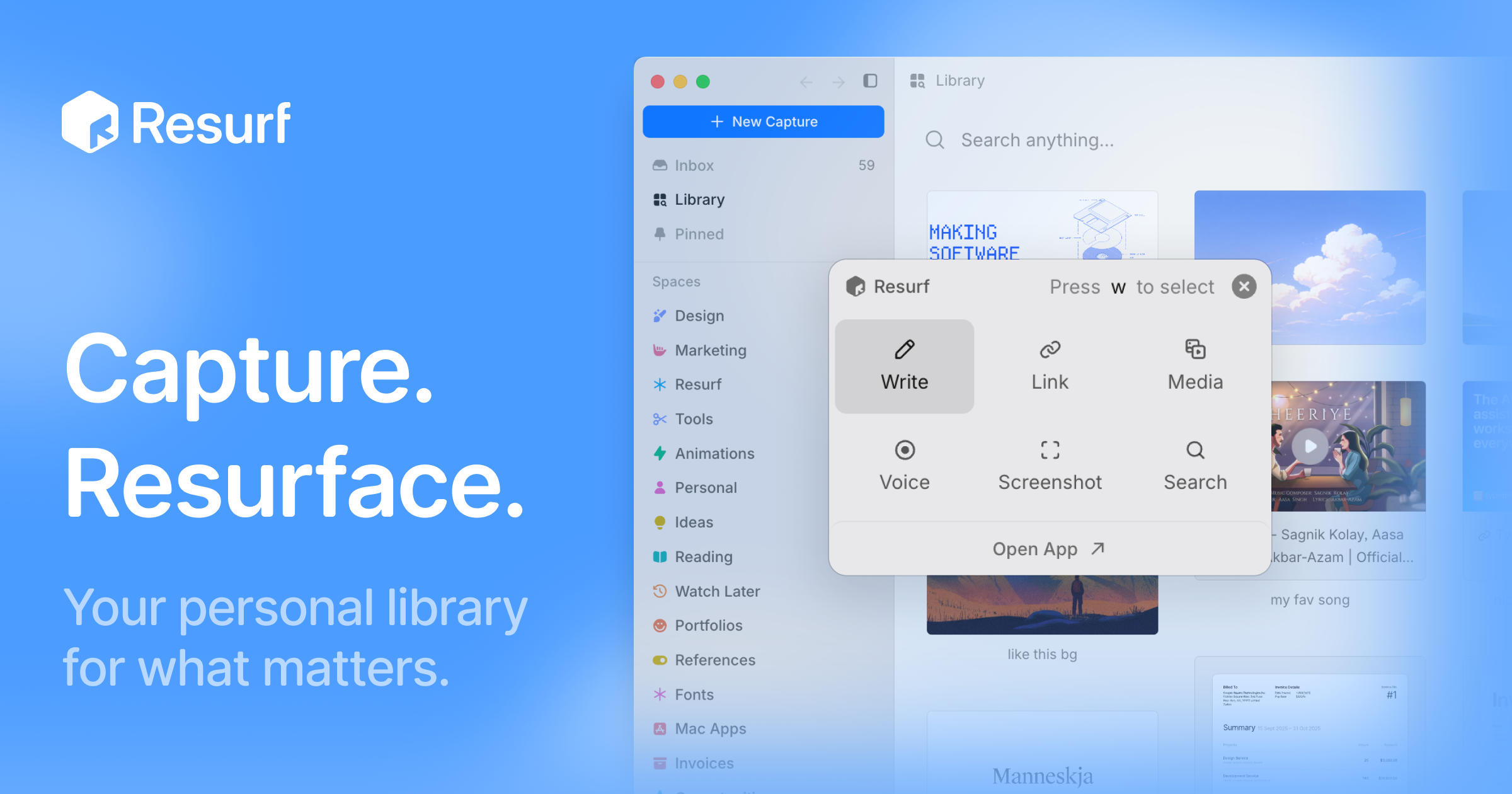
Resurf is a personal context library for the things you like, care about, and work on. It is a fully local app for Mac, iPhone, and iPad where you save notes, links, images, PDFs, and documents into one place. Once your material is saved, Resurf lets you find what you need and hand off that context to AI through MCP or the CLI on Mac. The app is written entirely in native Swift, so it runs natively on every device it supports, and your library lives on your device. No Resurf account is required, the app works offline, and if you want your library on more than one device you can opt into private sync through your own iCloud. The core promise, in the words of the site, is a library that gets more useful every time you save — fully local, private by default, and designed to stay out of your way. Most people accumulate context constantly: articles worth reading, PDFs to revisit, images that inform design work, voice notes jotted down before an idea disappears, links saved for later. That material usually scatters across apps and rarely gets revisited. Resurf's answer is a save-first workflow. Its Inbox First model is built around saving now and organizing later, so capturing something never requires deciding where it belongs while you are in the middle of something else. Quick Capture is described as capturing without switching context, Voice Memos exist so you can record thoughts before they disappear, and AI Summaries are opt-in so you can revisit articles, links, and PDFs faster. The problem Resurf addresses is not a lack of tools for saving things, but the gap between saving and actually using what you saved. Capture is deliberately broad. Resurf accepts articles, PDFs, images, audio, video, code, tweets, GitHub links, YouTube links, and notes, and the product states that every format renders natively rather than landing in the library as an opaque attachment. Capture happens with the keyboard shortcut ⌘⇧C, so you can grab something without leaving what you are doing, and it works from Mac, Chrome, and iPhone into one library. A dedicated Chrome extension is available, and the site shows a Substack article being saved with a #reading tag. The result is a single destination for everything you collect, rather than separate bookmark lists, screenshot folders, and note files spread across services. Organization happens after capture, not during it. Inbox First means every new item lands in an inbox where you can sort it when convenient. Spaces and Tags organize around projects, research, and ideas — the site shows Research and Writing spaces alongside tags such as #ml, #philosophy, and #ideas — so related material can be grouped by project while lightweight tags cut across those groups. The Visual Library lets you browse what you saved the way you remember it, presenting captures in a browsable grid rather than a text list. Instant Search, triggered with ⌘K, finds notes, links, PDFs, images, and files fast; the site's example shows a search for typography notes returning 24 captures from the last six months. Reading and writing get their own surfaces. The View surface is an article reader with highlights and a properties panel, and Highlight & Annotate lets you keep your thoughts beside the source, so an article or PDF carries your own notes with it. The site's example shows a paper PDF marked as worth revisiting. The Notes surface is a rich-text editor with a formatting toolbar and highlights, so you can write alongside what you have collected. Voice Memos let you record thoughts before they disappear, and the recorded audio joins the same library as everything else, keeping spoken ideas inside the searchable collection instead of in a separate recording app. AI is opt-in throughout. AI Summaries help you revisit articles, links, and PDFs faster, with a TL;DR shown for a thirty-second read. Bring Your Own AI lets you use your own AI key — the site shows an OpenAI key field and a GPT-5 model reference — or hand off saved context to AI agents through MCP or the CLI on Mac. Ask Your Library lets you ask questions across the context you saved, with the example question of what was saved about typography. An Assistant pane can sit open beside a Space so you can work with the material you collected, and the site notes that Resurf connects to agents through MCP or the CLI. Overall, Resurf is organized around five surfaces that make up one library: capture, organize, view, write, and ask, exposed as Library, Inbox, View, Notes, and Assistant. These are described as the five places you will actually spend your time in Resurf. Architecturally, the library sits at ~/Library/Resurf, your data stays on your Mac, the app works offline, and no account is required. The app is 100% native Swift, built for Mac (Apple Silicon and Intel), iPhone, and iPad, and sync is optional and private through your own iCloud. The benefits follow directly from that design. Because everything lands in one searchable place, you spend less time hunting across apps. Because search is instant and the library is visual, you recognize saved items the way you remember them. Because everything is local and works offline, your library remains accessible and private by default. Because capture is a single shortcut and organization is deferred, saving something costs almost nothing in the moment — which is what allows the library to compound, getting more useful every time you save. Concrete workflows show how this plays out. A reader saves articles and Substack posts with a #reading tag as they browse, lets them pile up in the inbox, and later revisits them faster using opt-in AI Summaries or by asking their library what they previously saved about a topic. A researcher or writer opens a Space for a project, adds tags such as #ml or #philosophy, and keeps the Assistant pane open beside that Space while working. A designer captures typography references from Chrome, Mac, or iPhone into the same library and later searches for typography notes. Someone reading a PDF highlights passages and attaches notes so their thinking stays next to the source. A voice memo catches an idea mid-walk. And anyone using AI agents hands their saved context over through MCP or the CLI on Mac. Resurf is intended for people on Mac, iPhone, and iPad who collect context for their work and interests and want it to stay local. Downloading for Mac is free to try, and the app requires macOS 14.3 or later on Apple Silicon or Intel; it is free on iPhone and iPad, with a separate purchase license option. A Chrome extension is available for capture in the browser, and AI integrations include MCP and a CLI on Mac, plus support for your own AI key. Everything described here is opt-in or local by default, and no Resurf account is required to use the library. Taken together, Resurf's value proposition is a private, on-device library for everything you save, combined with instant search and an explicit path for handing that saved context to AI. It stays out of your way at capture time, organizes later, and gets more useful with every item you add.
Search for a term or analyze an entry without wasting time on technical definitions. FlashAmazIQ™ converts acronyms, metrics, identifiers, and reports into clear explanations. Understand what each data point represents, how it is calculated, and what information still needs confirmation. The system organizes findings and displays their provenance without fabricating private metrics. The experience is designed to take you from initial comprehension to a better-informed human decision.
Build or Skip is a product research and market validation tool for builders, indie hackers, and SaaS teams. It helps users compare product ideas with estimated monthly orders, growth, and repeat activity before committing to a build. Instead of relying only on inspiration, builders can watch demand signals, spot products with momentum, and decide what to build, what to monitor, and what to skip.
AudienceCue helps creators, marketers, researchers, and agencies download public YouTube comments and turn them into cited AI reports. Paste a supported video, Short, live-video page, channel, playlist, or list of URLs. Keep the returned comments and available public replies in CSV, JSON, TXT, or XLSX, then generate a report whose findings stay tied to source evidence. Share a read-only report or export it as HTML, Markdown, or JSON. AudienceCue does not post replies, moderate comments, or take actions on a YouTube channel.
AI Animal Identifier helps users identify animals from photos with fast AI visual recognition, species suggestions, and useful educational details.
AI Attractiveness Test is a free web tool that analyzes a face photo and returns an AI-powered attractiveness score with clear, privacy-conscious results.
How Old Do I Look is a free AI age detection tool that analyzes a face photo and estimates apparent age with a fast, privacy-conscious web experience.
YouTube Comments Exporter is designed to streamline the process of gathering and analyzing comments from public YouTube videos. It is intended for content creators, marketers, researchers, and anyone who needs to understand audience feedback, identify product ideas, or conduct market research without the manual effort of collecting comments. The core problem this tool addresses is the time-consuming and tedious nature of manually extracting and organizing comments from YouTube videos. Each comment represents a potential source of valuable insights, but manually sifting through them can take hours, leading to missed opportunities for engagement and product improvement. A key feature is the ability to extract comments from any public YouTube video quickly. Users can simply provide a YouTube URL, and the tool will fetch the comments, saving significant time compared to manual collection. This ensures that valuable feedback is captured efficiently. The tool offers flexible export options, allowing users to download comments in multiple formats, including CSV, Excel, and JSON. This versatility makes it easy to integrate the data into existing workflows or analyze it using preferred tools. The export process is designed to be reliable, even for videos with thousands of comments, by automatically handling pagination. Furthermore, the exporter preserves the crucial reply structure of comment threads. It includes fields like 'Is Reply', 'Parent Comment ID', and 'Reply Count' in CSV/Excel exports, and maintains the hierarchy in JSON, ensuring that the context of conversations is not lost. This is vital for understanding the nuances of customer feedback and product ideas. Filtering capabilities are integrated into the export process. Users can apply filters to refine the data before downloading, reducing the amount of unnecessary information and focusing on the most relevant comments. This allows for a more targeted analysis of audience sentiment and specific inquiries. The product works by utilizing the official YouTube Data API, ensuring a stable and reliable connection without relying on frontend scraping, which can be prone to breaking. It handles large comment sections through automatic pagination, fetching comments in batches to maintain process integrity and manage API quotas effectively. Users benefit from gaining quick access to audience insights, saving hours of manual work, and making data-driven decisions. By understanding what their audience is thinking, users can improve their content, products, and overall engagement strategies. Specific use cases include market research by analyzing competitor video comments, gathering customer feedback to identify feature requests or pain points, and building datasets for AI or machine learning projects. It's also useful for content planning by understanding what topics resonate with viewers. The product is free to use and is available as a web application. The team behind the tool is actively considering future enhancements such as background jobs, resumable exports, progress tracking, caching for large exports, and AI-powered sentiment analysis columns. In summary, YouTube Comments Exporter provides a fast, reliable, and user-friendly solution for extracting and analyzing YouTube comments, empowering users to leverage audience feedback for growth and improvement without manual effort.
.jpg)