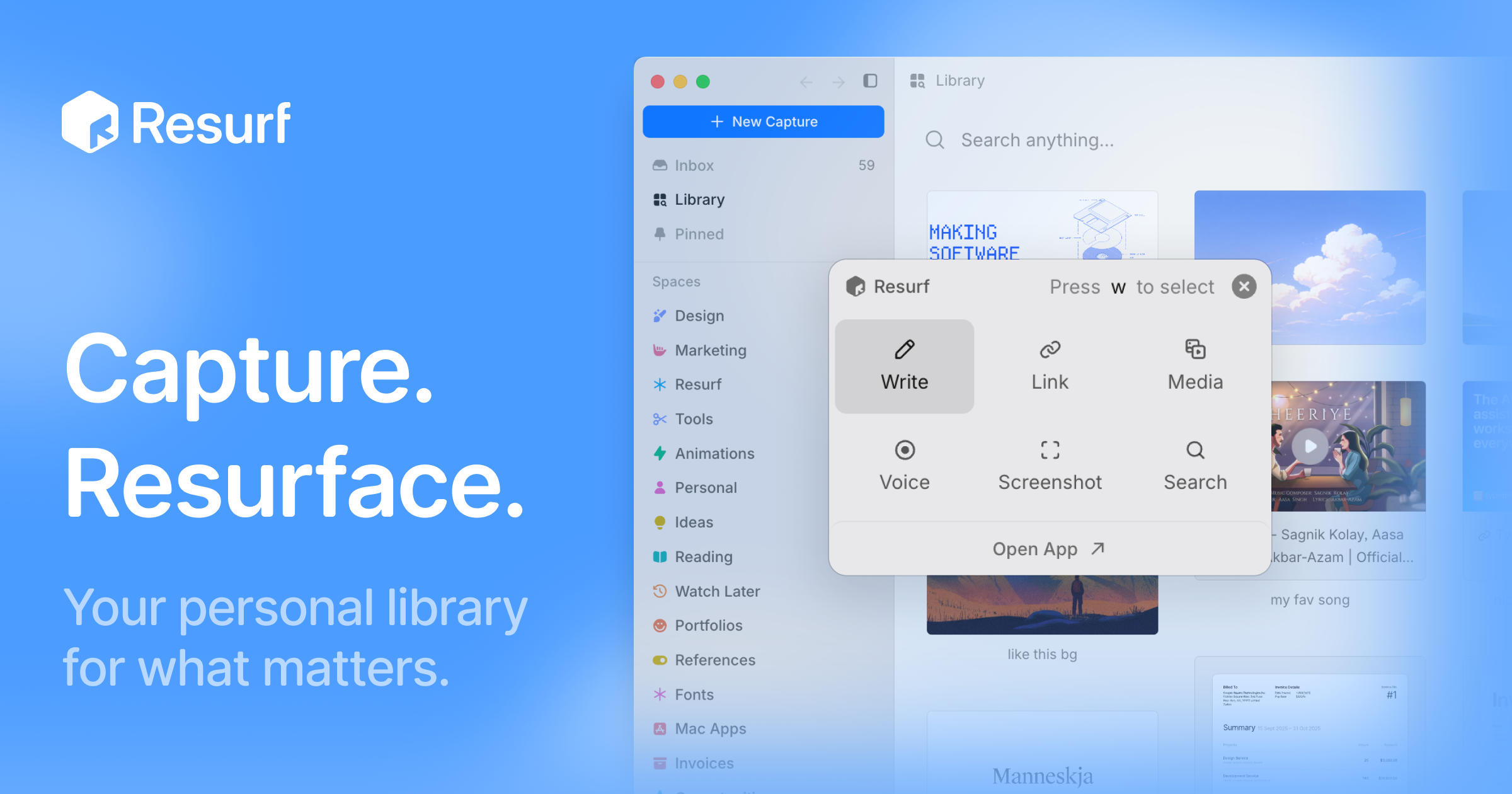
Resurf is a personal context library for the things you like, care about, and work on. It is a fully local app for Mac, iPhone, and iPad where you save notes, links, images, PDFs, and documents into one place. Once your material is saved, Resurf lets you find what you need and hand off that context to AI through MCP or the CLI on Mac. The app is written entirely in native Swift, so it runs natively on every device it supports, and your library lives on your device. No Resurf account is required, the app works offline, and if you want your library on more than one device you can opt into private sync through your own iCloud. The core promise, in the words of the site, is a library that gets more useful every time you save — fully local, private by default, and designed to stay out of your way.
Most people accumulate context constantly: articles worth reading, PDFs to revisit, images that inform design work, voice notes jotted down before an idea disappears, links saved for later. That material usually scatters across apps and rarely gets revisited. Resurf's answer is a save-first workflow. Its Inbox First model is built around saving now and organizing later, so capturing something never requires deciding where it belongs while you are in the middle of something else. Quick Capture is described as capturing without switching context, Voice Memos exist so you can record thoughts before they disappear, and AI Summaries are opt-in so you can revisit articles, links, and PDFs faster. The problem Resurf addresses is not a lack of tools for saving things, but the gap between saving and actually using what you saved.
Capture is deliberately broad. Resurf accepts articles, PDFs, images, audio, video, code, tweets, GitHub links, YouTube links, and notes, and the product states that every format renders natively rather than landing in the library as an opaque attachment. Capture happens with the keyboard shortcut ⌘⇧C, so you can grab something without leaving what you are doing, and it works from Mac, Chrome, and iPhone into one library. A dedicated Chrome extension is available, and the site shows a Substack article being saved with a #reading tag. The result is a single destination for everything you collect, rather than separate bookmark lists, screenshot folders, and note files spread across services.
Organization happens after capture, not during it. Inbox First means every new item lands in an inbox where you can sort it when convenient. Spaces and Tags organize around projects, research, and ideas — the site shows Research and Writing spaces alongside tags such as #ml, #philosophy, and #ideas — so related material can be grouped by project while lightweight tags cut across those groups. The Visual Library lets you browse what you saved the way you remember it, presenting captures in a browsable grid rather than a text list. Instant Search, triggered with ⌘K, finds notes, links, PDFs, images, and files fast; the site's example shows a search for typography notes returning 24 captures from the last six months.
Reading and writing get their own surfaces. The View surface is an article reader with highlights and a properties panel, and Highlight & Annotate lets you keep your thoughts beside the source, so an article or PDF carries your own notes with it. The site's example shows a paper PDF marked as worth revisiting. The Notes surface is a rich-text editor with a formatting toolbar and highlights, so you can write alongside what you have collected. Voice Memos let you record thoughts before they disappear, and the recorded audio joins the same library as everything else, keeping spoken ideas inside the searchable collection instead of in a separate recording app.
AI is opt-in throughout. AI Summaries help you revisit articles, links, and PDFs faster, with a TL;DR shown for a thirty-second read. Bring Your Own AI lets you use your own AI key — the site shows an OpenAI key field and a GPT-5 model reference — or hand off saved context to AI agents through MCP or the CLI on Mac. Ask Your Library lets you ask questions across the context you saved, with the example question of what was saved about typography. An Assistant pane can sit open beside a Space so you can work with the material you collected, and the site notes that Resurf connects to agents through MCP or the CLI.
Overall, Resurf is organized around five surfaces that make up one library: capture, organize, view, write, and ask, exposed as Library, Inbox, View, Notes, and Assistant. These are described as the five places you will actually spend your time in Resurf. Architecturally, the library sits at ~/Library/Resurf, your data stays on your Mac, the app works offline, and no account is required. The app is 100% native Swift, built for Mac (Apple Silicon and Intel), iPhone, and iPad, and sync is optional and private through your own iCloud.
The benefits follow directly from that design. Because everything lands in one searchable place, you spend less time hunting across apps. Because search is instant and the library is visual, you recognize saved items the way you remember them. Because everything is local and works offline, your library remains accessible and private by default. Because capture is a single shortcut and organization is deferred, saving something costs almost nothing in the moment — which is what allows the library to compound, getting more useful every time you save.
Concrete workflows show how this plays out. A reader saves articles and Substack posts with a #reading tag as they browse, lets them pile up in the inbox, and later revisits them faster using opt-in AI Summaries or by asking their library what they previously saved about a topic. A researcher or writer opens a Space for a project, adds tags such as #ml or #philosophy, and keeps the Assistant pane open beside that Space while working. A designer captures typography references from Chrome, Mac, or iPhone into the same library and later searches for typography notes. Someone reading a PDF highlights passages and attaches notes so their thinking stays next to the source. A voice memo catches an idea mid-walk. And anyone using AI agents hands their saved context over through MCP or the CLI on Mac.
Resurf is intended for people on Mac, iPhone, and iPad who collect context for their work and interests and want it to stay local. Downloading for Mac is free to try, and the app requires macOS 14.3 or later on Apple Silicon or Intel; it is free on iPhone and iPad, with a separate purchase license option. A Chrome extension is available for capture in the browser, and AI integrations include MCP and a CLI on Mac, plus support for your own AI key. Everything described here is opt-in or local by default, and no Resurf account is required to use the library.
Taken together, Resurf's value proposition is a private, on-device library for everything you save, combined with instant search and an explicit path for handing that saved context to AI. It stays out of your way at capture time, organizes later, and gets more useful with every item you add.
Publisher
A
admin
Launch Date2026-09-14
Platformdesktop
Pricingfreemium
Tech Stack
#Swift#iCloud#MCP#CLI