Category Focus/categories/developer-tools
Developer Tools AI Tools
Discover and compare the best developer tools AI tools and software. Browse 559+ curated tools with reviews and rankings.
Projects tracked
559
Sort mode
RECENT
Page
3
Discover and compare the best developer tools AI tools and software. Browse 559+ curated tools with reviews and rankings.
Projects tracked
559
Sort mode
RECENT
Page
3
Octri.dev is a platform that takes an OpenAPI specification as its single input and generates four connected products: a documentation site, client SDKs in ten programming languages, an MCP server that exposes your API as tools for AI agents, and production monitoring that reports errors from wherever those SDKs run. It is built for developers and teams who publish APIs and want documentation, client libraries, agent integrations, and observability to stay in sync without manual effort. The problem Octri addresses is what happens after an SDK leaves your control. As the site puts it, "Everyone else stops at 'here's your SDK.' That's the moment your code leaves your visibility. It runs on someone else's machine, fails on someone else's machine, and you hear about it in a support ticket three days later." Without Octri, an API team may spend three days with something still broken in production, receiving angry support tickets. With Octri, the same team can ship a fix in nine minutes with zero support tickets because the SDKs themselves report errors back. This visibility gap is the core motivation behind the monitoring that is built into every generated SDK. The first product is API Studio, a documentation generator. Octri reads your OpenAPI spec and AI writes a first draft for every endpoint. You then edit the documentation like a document, so nobody on the team has to open the YAML. The generated docs include three-column endpoint pages with schema trees that open a level at a time, a live "try it" playground on every endpoint, MDX guides alongside the generated reference, and your own domain on every tier including the free plan. You can rename methods, exclude endpoints, and publish when it reads right. Docs changes are stored per page, so a new spec revision only disturbs the endpoints that actually changed. The second product is SDK Studio, which generates idiomatic client libraries in ten languages: TypeScript, Python, Go, Java, Dart, Ruby, PHP, Rust, Swift, and Kotlin. Each SDK is generated from the same OpenAPI document and published to the registry its users already install from: npm for TypeScript, PyPI for Python, Maven Central for Java and Kotlin, crates.io for Rust, RubyGems for Ruby, Packagist for PHP, pub.dev for Dart, and git tags for Go and Swift. SDK Studio provides per-language configuration for namespaces, pagination, idempotency, and code style. You can rename methods, exclude endpoints, pick your HTTP engine (fetch or axios for TypeScript, OkHttp or Ktor for Kotlin, standard library HTTP for Go), and choose folder structure. Custom hooks you write are compiled into the client. Auto-publish handles releases, and build history shows exactly what shipped and when. The SDKs are "configured, not forked," meaning you tune them to your house style without maintaining separate versions. The third product is Monitoring, which offers two ways to get visibility. You can flip it on and the telemetry compiles into your generated SDKs, so every client reports its own production errors back to you. Alternatively, you can drop the standalone package straight into your backend. Either way, there is no agent to deploy and nothing to instrument. Monitoring includes several capabilities: Logs, which let you query structured events directly by level, route, status code, or release; Issues, which group errors by fingerprint, each with the function and file that threw it; Traces, which show one request end to end across client, server, cache, database, and queue, with the slow span called out; a Service map that shows every service, the calls between them, and the error rate on each edge; N+1 query detection that finds the same query fired in a loop and counts it across traces; Uptime synthetic probes on a schedule with run history; and Alerts that fire on burn rate and regressions, so a single stray 500 never wakes anyone. Security is built in: credentials and identifiers are redacted client side before an event leaves your process, then again at ingest, and personal context waits on your app's consent under a pre-signed GDPR Article 28 DPA. Monitoring is off by default and switches on from the dashboard. The fourth product is the MCP server. MCP is described as "how an agent reaches something it was never trained on." Without it, Claude or Cursor might integrate your API from memory, hallucinating endpoints and parameters. With Octri's MCP server, one command turns your project into a server that these agents connect to. The agent can then list your real endpoints and call them. The MCP server includes seven documentation tools to search, read, and navigate your docs, and one callable tool per endpoint so the agent can hit your API for real. It is curated by SDK Studio, so your exclusion list becomes the agent's permission list. Installation is one line: npx @octri/mcp, with nothing to host. Octri also offers an OpenAPI audit tool. You paste your OpenAPI URL or upload a spec file in JSON or YAML, and you get a score out of ten on the same rules the SDK Studio runs. The audit checks fourteen rules, showing every missing schema, undeclared path parameter, and awkward method name before anyone generates a client from it. Example check results include operationIds being unique, every path placeholder having a parameter, a server URL being declared, authentication being described, shared models living in components and being referenced, request bodies being documented, and successful responses declaring a schema. The audit runs across operations and returns a readiness score, helping teams prepare their spec for code generation. How does Octri work overall? The platform is built on one source underneath all four products. According to the site, "Change one. All four follow." If you deprecate an endpoint in API Studio, the SDKs mark the method, the agent tools stop offering it, and monitoring shows you who still calls it. Add a language, cut a release, or push a new spec: the same synchronization happens. There is never a second place to go and update. The workflow from spec to shipped can be done in an afternoon: connect your spec by uploading a file or linking a GitHub repo (Postman and AsyncAPI are translated), review the AI-written draft for every endpoint and edit anything, pick your languages and configure the SDKs while flipping on monitoring, then push to repository. Every spec change reruns the whole pipeline, keeping docs, SDKs, agent tools, and monitoring in sync. GitHub sync regenerates everything on every merge. Benefits for users center on speed and visibility. The site contrasts a three-day cycle where something is still broken in production and support tickets pile up with a nine-minute cycle where a fix is shipped and nobody notices. Because every SDK reports its own production errors, integration failures reach the API team before users file tickets. The monitoring traces errors to a commit, so teams can see what broke and why. The MCP server stops agents from hallucinating your API and lets them call real endpoints. The docs site gives readers a polished reference they actually finish. SDKs ship in ten languages and publish themselves to registries, reducing maintenance burden. The migration importer reads existing config and brings it across, including navigation, custom pages, SDK settings, endpoint overrides, and theme, so teams do not start from a blank project. The platform aims to keep everything in sync from one spec, eliminating the need to update multiple places when the API changes. Use cases for Octri include: API-first teams who want to generate and maintain client SDKs across multiple languages from a single OpenAPI spec; developer documentation teams who need polished reference docs with editing, guides, and a playground; platform teams who want to give AI agents like Claude and Cursor reliable access to their API via MCP; backend teams who need production observability for SDKs and APIs, including error grouping, tracing, and alerts; teams preparing their OpenAPI spec for code generation who use the audit to find missing schemas and other issues; and teams migrating from another docs or SDK tool who want to bring their configuration with them. Target users range from indie developers shipping real APIs on the Starter plan, to growing teams shipping fast on Growth, to scaling products that need more on Business, and enterprises needing unlimited scale with SLA guarantees. Pricing is combined for docs, SDKs, and monitoring, with extra SDK languages as a flat add-on. The Free plan costs $0/mo and includes 1 SDK language, 50 API endpoints, 100 one-time AI credits, 100 MB monitoring ingress per month, GitHub sync, custom domain, and registry auto-publish. Starter is $49/mo plus tax with 2 SDK languages, 100 endpoints, 1,000 AI credits per month, and 1 GB monitoring ingress. Growth is $99/mo plus tax with 4 SDK languages, 300 endpoints, 2,500 AI credits, 5 GB ingress, versioning, and custom code and components. Business is $249/mo plus tax with all 10 SDK languages, 600 endpoints, 5,000 AI credits, 20 GB ingress, white-label, and SDK CDN hosting. Enterprise offers custom pricing with unlimited scale, SLA guarantees, SSO/SAML, dedicated support, and the option to run the generator and docs renderer in your own infrastructure. Additional SDK languages are $50/mo each on plans where they are not included, and annual billing saves 15%. In summary, Octri.dev turns one OpenAPI spec into a complete ecosystem: documentation, SDKs in ten languages, an MCP server for AI agents, and production monitoring that reports errors from the SDKs themselves. It is designed for any team that ships an API and wants to keep docs, clients, agent tools, and observability synchronized from a single source of truth, reducing the time from spec change to shipped update to an afternoon.
opensend.cc is an open source email platform that runs on your own server. It is described as the self-hosted Resend alternative: a platform you deploy yourself, that sends email through your own AWS account, so your domain, your data and your sender reputation stay yours. The project is built by Kamal Panara and released under the Apache-2.0 license. Instead of renting an email API, you get the whole platform on your infrastructure: a REST API and SDK, SMTP, React templates, broadcasts, automations, audiences, webhooks and logs. One command installs it, and there is no per-email pricing and no feature gates. The product is aimed at developers and teams who want to send transactional and broadcast email without handing their sending infrastructure, contact data or reputation to a hosted vendor. The project grew out of a practical problem. Kamal Panara runs Panara Studios, an app agency that has shipped products for clients in more than 10 countries since 2021. Every app the agency built needed transactional email, and hosted email APIs charged per send while hiding the stack behind them. That combination — metered pricing plus an opaque, rented dependency at the centre of every application — is what opensend.cc was created to replace. The site sums the philosophy up directly: you send through your own AWS account, you pay Amazon to send, and you pay opensend.cc nothing. The result is that the infrastructure behind your email — the domain you send from, the database of contacts, the suppression list and the sending reputation — remains on hardware you control rather than inside a third-party service. On the sending side, opensend.cc exposes an API that is compatible with Resend. You can point a Resend-style SDK at your own opensend.cc URL and keep your application code, and the site notes that teams already on Resend only need to change two lines. A single POST request sends an email and returns a message identifier such as em_9f2, as shown in the landing page example that posts to /emails and receives a 201 response. The API supports scoped keys, batch send and idempotent retries, all with requests going to your own server rather than a hosted endpoint. Because the API surface mirrors the one developers already know, adopting it does not require rewriting an existing email integration; it requires changing where the requests are pointed. Delivery is handled through AWS SES by default, and plain SMTP is available for frameworks and plugins that already use it. opensend.cc can send through AWS SES or any SMTP relay, and the product shows you the DKIM, SPF and DMARC records you need to publish for your domain, with guided deliverability setup in the dashboard. Because sending runs through your own SES account, your SES reputation stays yours and is not shared with other customers — a meaningful difference from hosted providers where many senders share infrastructure. The site frames this as one of the core questions people ask before leaving Resend: whether their emails will actually reach the inbox. The answer offered is ownership of the sending reputation and guided DNS configuration for the domain you send from. Templates are written in React. You build emails as React components, preview them in the dashboard and send them by name, so email markup lives alongside the rest of an application's code. Contacts and audiences are first-class objects: you store contacts, group them into audiences and keep consent in your own Convex database rather than a vendor's. Broadcasts let you send product updates and newsletters to an audience, and they use the same SES pipeline as transactional mail, so there is one sending path for both kinds of email rather than two separate systems to configure and monitor. Together these features cover the common lifecycle of application email: a template defines the message, an audience defines the recipients, and a broadcast sends it. Webhooks deliver signed events for deliveries, bounces and complaints, and opensend.cc posts them to your endpoints with retries, so your application can react to what actually happened to a message. Logs and analytics make every message, event and error searchable from the dashboard, and bounces and complaints feed the suppression list automatically — the underlying data model includes domains, api_keys, emails and suppression. Test mode provides keys that accept everything and deliver nothing, which lets you wire up CI and staging environments without emailing real users. These capabilities are listed on the landing page alongside the surfaces they ship on, so you can see at a glance whether a feature is available on the API, on SMTP or in the dashboard. The overall approach is a self-hosted stack with nothing rented. opensend.cc is one Docker Compose file, running Next.js for the dashboard and API, self-hosted Convex as the database, Better Auth for accounts and AWS SES or any SMTP relay for delivery. The one-line installer pulls prebuilt images and starts Next.js, Convex and Better Auth with Docker Compose. From there the flow is four steps: run one command on your server, sign in on your instance with Better Auth, add your domain and connect AWS SES, then create an API key and send your first email. A shorter three-step framing describes the same journey as deploy, connect SES and send. Detailed documentation covers Docker Compose, AWS SES, Convex and Better Auth step by step. The outcome for a user is straightforward ownership. Your domains, data and accounts stay on your infrastructure, which the site describes as running your email API on your own server and paying Amazon rather than the vendor. Costs become the VPS and AWS SES usage, plus optional sponsorship tiers, instead of per-email pricing. Because there are no feature gates, every capability — templates, audiences, broadcasts, webhooks, logs — is available in the free self-hosted build. Sender reputation is not shared with other customers, and contacts and consent records remain in your own Convex database. For teams that have been billed per send by a hosted API, the result is predictable infrastructure cost and a stack they can inspect, modify and self-manage. Several concrete scenarios follow from the feature set. Transactional email is the primary one: any application that needs to send password resets, receipts or notifications can POST to the API with curl, a Resend SDK or plain SMTP and see the message in the logs. Newsletters and product updates are handled through broadcasts, which send to an audience over the same SES pipeline used for transactional mail. CI and staging workflows use test-mode keys that accept everything and deliver nothing, so automated pipelines never email real users. Teams migrating from Resend change the base URL on their SDK and keep their existing code. Finally, new installs use the guided DKIM, SPF and DMARC records to set up deliverability for their sending domain. opensend.cc is built for developers and technical teams who own their application infrastructure and want their email layer to match. The stack it runs on is explicit — Next.js, Convex, Better Auth, AWS SES and Docker Compose — and the documentation is written for people comfortable running a server and deploying containers. Pricing has two tracks. Self-host is open source and free forever under Apache-2.0: you get the full source code, the Next.js dashboard and API, self-hosted Convex and Better Auth, AWS SES or any SMTP relay, the Resend-compatible REST API and SMTP, templates, audiences, broadcasts, webhooks and logs, plus community support on GitHub — and you cover your own server and AWS SES costs. Cloud is a managed option, described as the same API with the servers run for you, currently marked coming soon with a waitlist. Sponsorship tiers, including Gold at $249/mo, are also offered; sponsors decide what ships next, get their issues fixed first and keep the project free. The primary value proposition is simple: send like Resend, own the stack. opensend.cc gives you a Resend-compatible REST API and SMTP, React templates, audiences, broadcasts, webhooks and searchable logs, deployed with one Docker Compose command onto infrastructure you control, with AWS SES or any SMTP relay doing the delivery. You pay Amazon to send and opensend.cc nothing, while your domains, contacts and sender reputation stay yours.
Firetower is an open-source, self-hosted control plane for coding agents. Give it a machine you can SSH into and a repository, and it picks a host, cuts a branch, makes a worktree, starts tmux, launches the agent and keeps it running. Then it does the part that actually costs you time: it tells you the moment the agent stops being useful without you. It is built for developers and engineering teams who want to run agents such as Claude Code and Codex on infrastructure they control, and it is described as self-hosted with no account. Firetower installs in about five minutes with a single curl command and offers clients for macOS, Windows, iOS and Android, so the same work can be attached to from a browser or a phone. The problem Firetower targets is where the agent runs. In a typical setup the agent lives in a terminal on the laptop you started it from, so closing the lid, crashing the app or losing a connection either kills the run or leaves it orphaned with no clear picture of what changed. Firetower argues that the agent should not run on the device you happen to be holding. Because the agent runs on your own server rather than on the device that started it, every device can pick up exactly where another left off. The work survives the failure of any single part, and the repository, the diffs and the agent sessions stay on infrastructure you control rather than inside a vendor's cloud. Firetower folds the entire workflow into one place: you start from your issues and Linear tickets, the agent runs your worktrees, you preview and annotate, then you commit and open a PR. Firetower reads from your trackers as you look, and starting a ticket opens a workspace. The ticket list shows an ID, a title, the project, the assignee, how long ago it was updated and a status column that can already show that an agent is starting — for example adding a dark mode toggle, fixing an invite link on mobile, or rate-limiting a webhook receiver. Workspaces are scoped per repository and per user, a command palette (⌘K) sits over the interface, and the product offers twelve ticket sources to pick from. Firetower runs remotely and keeps going when you close your laptop, and a pause control is available. The site walks through three failure cases. If your laptop closes or the app crashes, nothing happens to the agent, because it never ran on the laptop — open Firetower on any other device and the conversation is exactly where you left it. If the Firetower server goes down, the workers keep running: each agent is on its own machine in its own worktree, and when the server comes back it catches up on everything that happened while it was away. If a worker dies, the worktree is still there, your branch and every file the agent changed are on that machine, and Firetower still knows about them — restart the worker and carry on. How it fits together: Firetower reaches each machine over SSH and starts a worker there. The agents run on that machine — in tmux, on their own worktree — which is why closing your laptop costs nothing and why the app itself never has to be the thing that is busy. The apps (desktop on macOS and Windows, mobile on iOS and Android) talk to a Firetower control plane over HTTPS. The control plane is one compose file on a server you already own, and it dials out to workers over SSH. Workers are authoritative: they write what happened to their own log before reporting it, and when the control plane comes back it asks for everything since the last thing it saw, so a reconnect is a replay rather than a guess. The worker never opens a port — it reads frames from stdin and writes them to stdout — so who dials is a transport detail: a child process, a container exec, or SSH. Firetower is written in Rust and presented as small by design: a small core, no accumulating terminal daemons, and workspace memory ceilings where the host supports them, built for work that keeps running. The site compares its resource profile against an alternative. On desktop it reports roughly 50 MB for the Firetower app, against a reported ~1.5 GB idle for the Orca app plus daemon, which it describes as 30× more efficient. For an agent worker it reports 5 MB with the agent CLI separate, against a reported ~500 MB per agent, described as 100× more efficient. For the server it reports a 200 MB control plane, against a reported ~1 GB after restart, described as 5× more efficient. The benefit is straightforward: agent work continues whether or not you are watching, and your attention is requested only when an agent has stopped and needs you. Because each agent runs in its own worktree on its own machine, one broken run does not take the rest with it, and a dead worker does not lose the branch or the files it changed. Because sessions live on the server, you can start something at a desk and check on it later from a phone without losing state. And because the control plane self-hosts from a single compose file with no account, teams can keep the code, the credentials and the diffs on servers they already own, behind whatever firewall rules they already have. Concrete workflows follow directly from the way Firetower is described. You can open your GitHub issues or Linear tickets in Firetower, start a ticket and have a workspace open with an agent already running against the right repository. You can start a long agent run on a Mac Studio or a Hetzner VM and close your laptop, checking the diff later from an iPhone or Android device. You can run several agents at once across different machines and repositories — for example Claude Code on one repository and Codex on another — and watch the inbox for the sessions that are waiting on you. You can annotate an agent's output, then commit and open a pull request. And if a server restarts or a worker dies, you can restart the worker on its existing worktree and carry on rather than starting over. Firetower is aimed at developers, engineering teams and anyone already running coding agents who wants them off their laptop. The integrations named in the content are GitHub and Linear for tickets; the trackers are read as you look, and the product is listed under Product Hunt topics including Open Source, Software Engineering, Developer Tools and GitHub. Clients are available for macOS, Windows, iOS and Android, and the site also describes attaching from a browser or a phone. The stack described on the site includes Rust, SSH, tmux, git worktrees and a compose file, in a self-hosted deployment with no account and an install command of curl -fsSL https://usefiretower.com/install.sh | sh. The takeaway: Firetower turns scattered, laptop-bound agent sessions into something that behaves like infrastructure. Give it a server you can SSH into and a repository, and it handles the branch, the worktree, the tmux session and the launch — then stays quiet until an agent actually needs you, across every device you use.
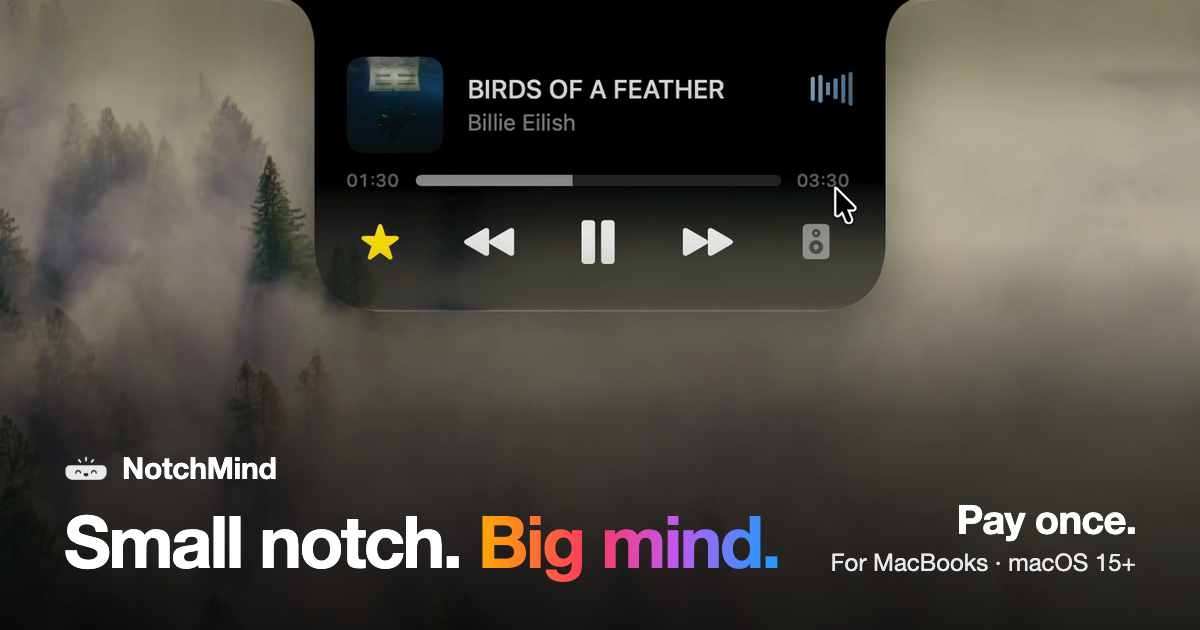
NotchMind is a native macOS app that turns the MacBook notch into a home for your music, files, clipboard history, timers, downloads and 28 everyday tools. Move your pointer to the top of the screen and the notch opens, bringing everything you reach for into the one spot your eyes already go. It is built for MacBooks with a notch, requires Apple silicon and macOS 15 or later, and is sold as a one-time purchase rather than a subscription. The tagline sums up the idea: small notch, big mind. The product addresses a piece of everyday friction that Mac users know well: the controls and status updates people reach for most often — what is playing, a file they want to park for later, a download in progress, something they just copied, the next meeting on the calendar — normally live in separate apps, browser tabs and menus. NotchMind collects them in the notch instead, so rather than switching context you hover at the top of the screen and the information comes to you. The site frames this as "everything, one hover away," and notes that every clip in the product tour is a real recording. For music and media, NotchMind shows what is playing and lets you skip a track or pause it without switching apps, and you can switch speakers from the same place. The Music tool covers now playing, skip, pause, lyrics and speaker switching. A Lock screen tool keeps now playing and lyrics visible on your lock screen, and a Camera mirror tool lets you check yourself before joining a call. Because the controls live in the notch rather than in a separate window, playback stays available while you work in another application. For files, the app provides a set of tools that operate from the notch itself. The File Tray lets you drag files up to park them and drag them out anywhere later. AirDrop lets you drop a file on the notch to send it in one move. Downloads shows progress filling the notch while a file downloads, so you know when it is done without opening your browser. The File Converter handles PNG, JPEG, HEIC, PDF, ZIP and more, running on your Mac, so you can pick a file and pick a format in place. Screenshots and recordings can be grabbed, dragged or deleted from the notch. Clipboard handling is a core part of the product. Clipboard history keeps up to 500 things you copied, with one click to paste again. Clipboard actions recognize what you copied and offer the right tools: copy a color and get tools to preview and convert it, copy JSON and format it in one click, and links, emails, paths and commands are recognized too — all on your Mac. Secret Guard watches for a copied password or API key, keeps it on your Mac and clears it in a tap. For the rhythm of your day, the Timer gives you a countdown that stays at the top of your screen; you set it on the ruler and start. Reminders let you type what to remember and when, such as "in 30m," and NotchMind reminds you on time. Calendar shows your next meeting before it starts. Weather shows today and the next few days in °C or °F, with no app or tab needed. Notifications surface banners from Slack, WhatsApp, Chrome and other apps, Messages and Mail show new messages and email with the sender's name, and the Inbox (beta) ranks the emails most likely to need a reply on your Mac. For your Mac itself, Volume and brightness changes appear in the notch instead of over your work. Battery covers charging and low-battery alerts. AirPods and Bluetooth show your headphones and their battery the moment they connect, and Drives lets you see a drive plug in and eject it from the notch. System stats present live CPU and memory graphs, while Focus, Wi-Fi and VPN keep you aware of Focus changes, Wi-Fi status and your VPN connections. Small moments are surfaced too: plugging in power shows your battery level, and connecting headphones or changing volume appears briefly before the notch gets out of the way. For makers, the app includes a dedicated set of tools. Developer tools format JSON, encode Base64 and URLs, and make UUIDs, along with colors and timestamps. AI usage tracks tokens used by Codex and Claude Code, today and this month. Revenue shows your Dodo Payments sales right in the notch, and Site traffic reports visitors from Plausible or Umami. All 28 tools come with every license, and you can use all of them or switch off the ones you don't need. Visually, NotchMind offers four finishes you can change any time in Settings: Black, a solid black like the notch itself; Semi, glass with a soft tint; Liquid Glass, clear glass that bends your wallpaper just like the rest of macOS; and Glass Dark, glass with a deeper tint. The site presents these as "pick your finish," with the default experiences for plugging in, connecting AirPods, changing volume and spotting drives all rendered live in the notch. NotchMind is explicit about how it handles your data: your Mac comes first. Clipboard actions, Secret Guard checks and text recognition in images run on your Mac, and there is no account to create. The optional Smart Mode is off by default; if you turn it on, short text snippets are classified by NotchMind's server using TypeSafe Jev, and files and screenshots are never uploaded. Clipboard history, clipboard actions, Secret Guard and file conversion all stay local. Pricing is a one-time purchase: one license unlocks the whole app, with no subscription, no account and no automatic renewal. The site lists US$5.99 one time for 2 Macs as a launch price for the first 50 customers, US$15.99 after that, and "from US$9.99 one time" depending on how many Macs you choose (1 Mac, 2 Macs or 5 Macs). Every license includes all 28 tools from day one, all 1.x updates, and a 14-day window to ask for a refund. There is no free trial; instead, purchases carry a 14-day money-back guarantee. After payment, the page shows your license key and the download, and Dodo Payments also emails the key and receipt; you install NotchMind, open it and paste the key into Settings → License. One license works on 2 of your Macs at the same time, and you can deactivate it in Settings → License on the old Mac to move it. Typical use cases follow directly from the tool set: keeping music and lyrics reachable while you work in another app, dragging a file up to the notch to park it or AirDrop it in one move, watching a download complete without leaving the browser window, copying a color or a block of JSON and getting the right tool automatically, setting a visible timer or typing "in 30m" for a reminder, and checking AI token usage, sales or site traffic from the notch. It is aimed at MacBook users with Apple silicon running macOS 15 or later who want the little things of their day in one place. NotchMind's core value proposition is simple: the notch is already where your eyes go, so it becomes the place where your music, files, clipboard, timers, downloads and system updates live — native, private by default, and paid for once.
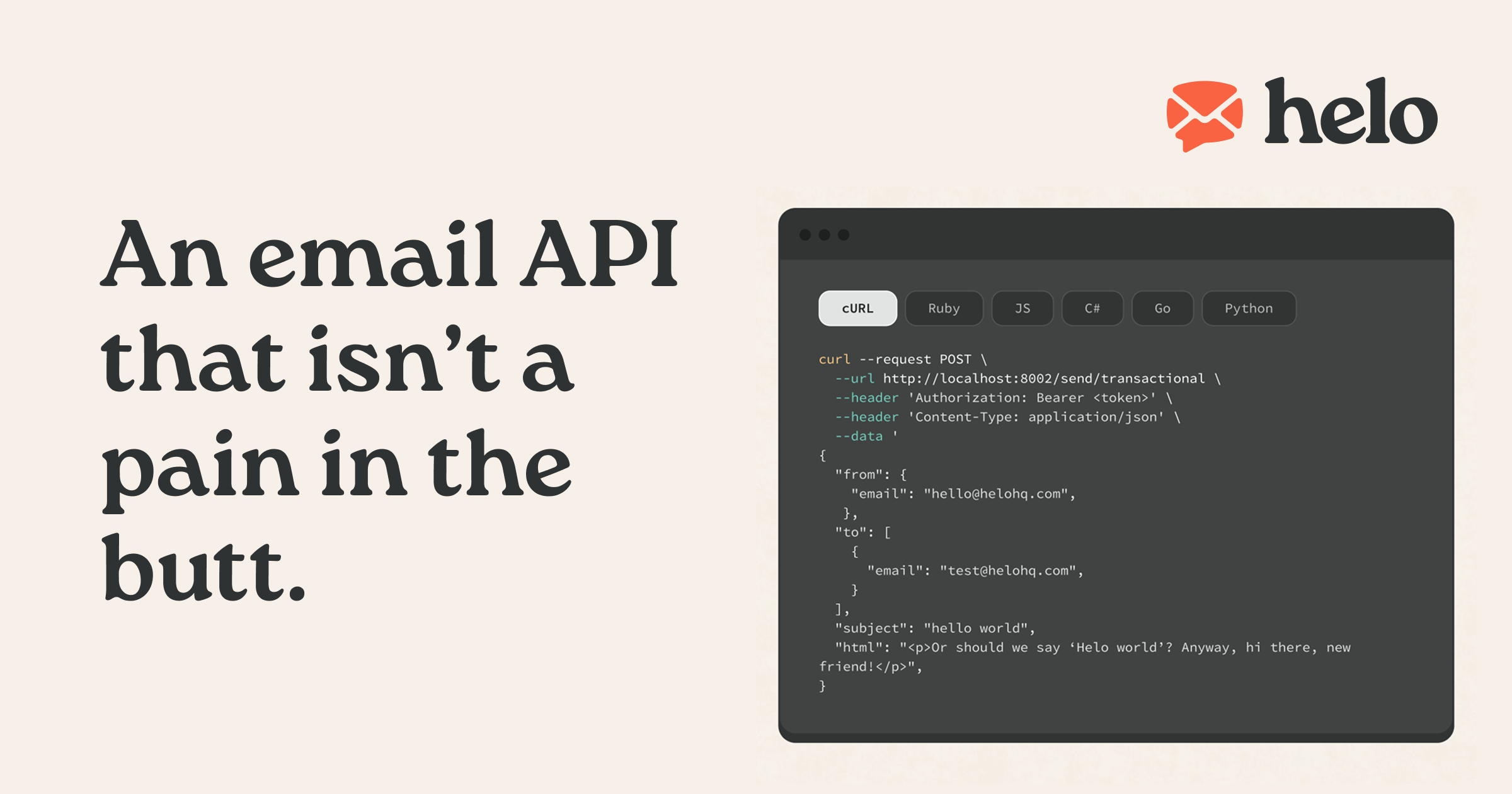
Helo is an email delivery service offering an email API and SMTP for sending email, positioned as "an email API that actually delivers." It is built for developers and for platforms that send email on behalf of their own customers. The core purpose is simple and stated plainly: Helo obsesses over getting your emails to the inbox so you don't have to. It is created by a team of self-described email nerds with years of experience in the industry, who describe themselves as intentionally lean, independent by conviction, and focused on one thing: building a modern email API you'll genuinely enjoy using, and that is affordable too. Email delivery is framed as the product's central concern rather than a side feature of a larger platform. On the surface, sending email looks simple: you send an email and the recipient receives it. Helo's own framing is that the deeper you dig, the more you realize it is a complicated thing to do well, and most people didn't get into building products to think about email. Helo positions itself against an industry it describes as full of giant corporations chasing revenue targets and startups eyeing their exit strategy, where being a customer isn't always fun. The company states that it is independent, has no investors, holds no board meetings, and has no outside influences other than what its customers want. It explicitly rejects growth-at-all-costs playbooks in favor of a product people love and a sustainable company built to last. The first stated reason to choose Helo is deliverability. Deliverability is described as the number one priority, and the team says it does everything it can to ensure emails reach inboxes as fast as possible. For anyone whose product depends on messages arriving — password resets, receipts, notifications, or marketing sends — inbox placement is the difference between a working workflow and a broken one, so Helo treats reliable, fast inbox reach as the foundation of the service rather than one feature among many. The second stated reason is speed of integration. Whether you call the powerful API or send with SMTP, Helo says you will be up and running in no time, and the product includes SDKs in popular languages. This matters because switching or adding an email provider usually means touching authentication, message construction, and error handling in application code. By offering both REST API and SMTP paths plus SDKs, Helo aims to let developers integrate email sending in minutes rather than weeks. The third stated reason is isolation for optimized deliverability. Helo's example is direct: your password reset email shouldn't suffer because you just sent a newsletter. Helo makes separation of transactional and promotional email a piece of cake, and multi-tenant environments are fully supported. In practice this means different categories of mail don't share a single reputation context, and tenants can be kept apart from one another, protecting the important, time-sensitive messages from the consequences of high-volume sends. Helo also addresses a specific and harder case: platforms that send email on behalf of their users. The company notes that when you run such a platform, email sending gets a whole lot more complicated, because one spammy customer can tank your sender reputation — you fix it, and another problem appears. Helo is built to keep that "email sending hydra" from growing back. It provides fully isolated email sending for each of your customers, catches spammers before they can ruin your sender reputation, and makes it easy for your customers to send email using their own domains. The platform documentation is available for sending for platforms. On the fundamentals, Helo covers what a developer-facing email service is expected to cover. It offers a REST API and SMTP, SDKs in popular languages, and separate transactional and broadcast infrastructure. For platforms, it keeps stats, unsubscribes, and credentials separate per tenant, which supports clean reporting and correct handling of preferences and access for each customer. Pricing is usage-based and starts at just $0.00035 per email with all features included. The pricing philosophy is stated as a benefit in itself: you pay for what you use, you don't pay for the things you don't use, and that's it — with outstanding support always included. Because all features are included under usage-based pricing, users are not pushed into higher tiers to unlock capabilities, which is a meaningful contrast with the tiered plans common in the email space. The primary benefit Helo claims for users is inbox delivery that is fast and reliable, achieved through a deliverability-first approach, isolation of sending streams, and multi-tenant support. A second benefit is fast time to value: with an API, SMTP, and SDKs, you can integrate sending in minutes. A third benefit is protection of sender reputation, so that bad senders are contained before they drag down deliverability and one customer's behavior doesn't damage the platform as a whole. A fourth benefit is cost predictability and fairness — you pay only for what you use, at a per-email rate starting at $0.00035, with all features and outstanding support included. Concrete scenarios follow directly from the described capabilities. A developer needs to send a password reset email and does not want it to suffer because a newsletter was just sent, so transactional and promotional sending are separated. A platform wants each of its customers to send email using their own domains, with fully isolated sending per customer. A multi-tenant product needs stats, unsubscribes, and credentials kept separate per tenant so each customer's activity and preferences are handled independently. A team wants to send a broadcast while keeping transactional infrastructure distinct. And a developer who wants to get started quickly can call the API or use SMTP with SDKs in popular languages. The target users are developers and platforms that send email on behalf of their customers, along with teams that care about deliverability and affordable, fair pricing. The technical surface includes a REST API, SMTP, and SDKs in popular languages, via a web application at app.helohq.com with documentation at docs.helohq.com. Pricing is usage-based and starts at $0.00035 per email, with all features included and no payment for what you don't use. Helo is presented as independent, with no investors or board meetings. Taken together, Helo's value proposition is an email API and SMTP service that treats inbox delivery as the product. It combines deliverability focus, fast integration through API, SMTP, and SDKs, isolated sending for transactional and promotional mail and for multi-tenant platforms, and usage-based pricing starting at $0.00035 per email with all features included. For developers and platforms that send on behalf of their customers, that combination is the reason Helo says it is an email API that actually delivers.
Yedric.ai is an embeddable AI agent that turns a SaaS application into an AI-native product. Rather than adding a chatbot that only answers questions and points users at a help document, Yedric lets users describe what they want in plain language and then carries the request through to completion using the product's own documentation, APIs, and existing tools. It is aimed at SaaS and Shopify app developers who want their users to control the product conversationally, and at the end users themselves, who should not have to learn where every feature lives. According to the Product Hunt listing, developers can make an existing product AI-native in under 30 minutes instead of building and maintaining their own agent experience. The problem Yedric addresses is a familiar one in software: features exist, but users cannot find them or do not know how to combine them. Most AI chat widgets stop at answering a question, which leaves the user to read a guide and perform the steps themselves. Yedric is built on tool calling instead. The product's own team decides which actions the assistant is allowed to take, and the assistant takes them rather than describing them. The site frames this as turning intent into action: users ask for outcomes, and Yedric gets them there. That difference matters because support conversations and onboarding flows often fail not when the answer is missing, but when the user still has to act on it themselves after the answer arrives. The core capability is action, not conversation. Yedric connects to a product's APIs so it can execute real operations inside the application. A demonstration on the site shows a user asking Yedric to create a 20% discount for customers who bought a product in the last 30 days. Yedric reports that it is finding those customers and creating the code, then shows the results: 214 matching customers found and a discount code named SAVE20 created. From that result the user can continue the same conversation, for example by asking Yedric to notify those customers or to extend the offer to 60 days. This illustrates the pattern Yedric is designed around: a natural-language request is resolved into a sequence of concrete actions inside the app, and the user stays in control of what happens next. Yedric is supplied with the product knowledge it needs to understand the application. The site states that you can give Yedric documentation, PDFs, files, and URLs so it knows how the app works. On top of that knowledge, the assistant is context-aware page by page: it understands where users are and what they are doing. The examples given are a user on the new-order screen asking to create a draft order, a user on the products screen asking for a bulk price update, and a user on the billing settings screen asking why they were charged. Matching the assistant's understanding to the page the user is already on means the request does not have to be re-explained and the executed action is relevant to the screen in front of them. Because Yedric can take real actions in a production app, the platform includes several safeguards. The site describes secure-by-default authentication through JWT, API keys, signed sessions, and Shopify-specific flows, and states that secure mode binds sessions to users so no credentials leak to the client. Observability is built in as well: teams can see what users ask, what Yedric does, and where things go wrong. On the model side, Yedric supports bringing your own API keys for OpenAI, Anthropic, Gemini, and any compatible model, with providers paid directly and no platform markup. Together these pieces are intended to make it safe to allow an assistant to operate inside a live application while still giving the owning team visibility and control. The overall method is summarised by the site as intent in, action out. You connect Yedric to your APIs so it can act rather than only explain how. The illustrated flow shows a user asking Yedric to set up a birthday discount, which the assistant resolves into a chain of tool calls: create a discount code, tag the customer's birthday, and trigger a flow through MCP, in this case klaviyo.trigger_flow. This shows how a single sentence can be mapped onto several capabilities the product already has, including third-party tools exposed through MCP. The knowledge sources, the page context, and the permitted tools all feed into that resolution, so the assistant works with your docs, your APIs, and your app's own tools. The site presents two main outcome areas. The first is onboarding: teams using Yedric see users complete setup instead of abandoning it halfway, without support tickets or lost activations. A dashboard figure shown on the page reports 2,430 conversations in a month, up 66% versus the prior month. The second is support: Yedric answers the question and, if there is an action to take, performs it, giving users a 24/7 guru without having to read a guide and do it themselves. The page reports 281 hours 52 minutes saved for a team, with the figure trending from 3 hours in a prior month. Beneath both outcomes is the idea stated in the page headline: better UX for users, better products for you. Concrete use cases appear throughout the site as example user requests. Users have asked Yedric to put something into a spreadsheet, to fix a disconnected integration, to recommend the best billing plan for their usage, to turn off email notifications, to check whether all products are configured correctly, and to change a logo color to a specific hex value. In each case the request is an outcome rather than a navigation instruction. The page-context examples add more: creating a draft order from the new-order screen, performing bulk price updates from the products screen, and answering billing questions from the billing settings screen. The Shopify discount example shows a longer workflow that includes finding matching customers, generating a code, and optionally notifying those customers or extending the offer. Yedric targets SaaS and app developers, particularly those building on Shopify. The site displays logos of Shopify apps already using it: MESA, Infinite Options, Smile, Tracktor, and Uploadery. Integration points described in the content include your APIs and your app's own tools, MCP for third-party flows such as Klaviyo, documentation, PDFs, files and URLs as knowledge sources, and the model providers OpenAI, Anthropic, and Gemini through your own API keys. Security integrations include JWT, API keys, signed sessions, and Shopify-specific flows. Pricing is stated simply on the site: 100% free, with no credit card required to get started. Yedric.ai's value proposition is that it converts a product's existing capabilities into something a user can simply ask for. By combining tool calling against your APIs with your own documentation, page-level context, secure session handling, observability, and bring-your-own-model keys, it lets an app take real actions from a natural-language request instead of stopping at an explanation. For development teams, that means an AI-native experience can be added to an existing product quickly rather than built and maintained from scratch, while users get an assistant that understands what they want and helps them get it done.
Monospace from Directus is a governed API layer positioned between enterprise data and everyone who builds on it. Its core promise is captured in two lines from the product itself: it is the governed API layer for every app, person, and agent, and it brings all your data into one space. The product lets you connect any data source, after which your developers, business teams, and AI agents receive live, read-write access to that data. Critically, this access is delivered without copying or moving any of the underlying data, so the systems of record stay exactly where they are while the people and tools that need them gain a single, governed way in. The problem Monospace addresses is rooted in legacy infrastructure. As the product explains, your oldest databases were not built with AI or modern applications in mind. Those systems hold valuable data, but they were designed for a different era of software and a different set of consumers. Exposing them to contemporary applications, to business users who want self-service access, or to AI agents that expect programmatic, read-write interaction has traditionally meant rebuilding, migrating, or duplicating those databases. Monospace avoids that entire class of work by generating interfaces directly from the databases as they are. That approach matters because it preserves existing investments in data infrastructure while unlocking the data for modern consumers. The first capability is broad connectivity. Monospace connects to any data source, which means the value of the product is not limited to a single database technology or a single vendor's ecosystem. Rather than forcing organizations to standardize or migrate before they can build on their data, Monospace meets the data where it already lives. This is useful because real enterprises run on a patchwork of systems accumulated over years or decades, and the cost of consolidating them is often prohibitive. By accepting any data source as a starting point, Monospace lowers the barrier to giving modern applications, teams, and agents access to data that would otherwise remain locked inside the systems that hold it. The second capability is live, read-write access. Once a data source is connected, the people and tools that build on it are not limited to read-only reporting or exports. Developers, business teams, and AI agents all get read-write access to the connected data. Read-write access is what makes the layer useful for real workloads rather than just observation: applications can create and update records, business teams can work with data directly, and AI agents can act on the data rather than merely describe it. The emphasis on live access reinforces that Monospace is not a snapshot or a sync engine; it reflects the state of the underlying data source as it changes. The third capability is the governance layer itself. All of these consumers — developers, business teams, and AI agents — operate under the same granular permissions model. That single model is what makes Monospace a governed API layer rather than simply an access layer. Granular permissions mean access can be scoped precisely to what each consumer needs, and because every consumer class is governed by the same model, organizations do not have to maintain separate access regimes for their human users and their automated agents. Combined with the fact that no data is copied or moved, this means governance is applied at the point of access rather than through duplicated datasets that each carry their own risk of drift, staleness, and inconsistent permissions. Monospace's distinctive approach is real-time introspection. Instead of requiring a data model to be redefined, exported, or rebuilt in a new system, Monospace generates interfaces directly from existing databases, as they are. It does this by introspecting the schema and queries in real time. In practical terms, that means the structure of the database — its tables, fields, relationships, and the queries used against it — is read by Monospace and used to produce the interface that developers, business teams, and AI agents then use. Because the introspection happens in real time, the generated interface stays aligned with the database rather than drifting from it as the schema evolves. This is the mechanism behind the product's central claim: your oldest databases do not need to be rebuilt, because Monospace generates the interface on top of them instead. The benefits follow directly from those capabilities. First, organizations avoid the cost, risk, and downtime of rebuilding legacy databases for modern applications or AI. Second, because no data is copied or moved, there is no duplicated dataset to keep in sync, and the system of record remains the single source of truth. Third, a single granular permissions model simplifies governance across every class of consumer — human and automated alike. Fourth, the combination of connecting any data source with live read-write access means the data an organization already owns becomes immediately usable by the applications, teams, and agents that need it, rather than being trapped behind a migration project. Together these outcomes turn existing, sometimes aging data infrastructure into a foundation that modern consumers can build on. Concrete scenarios follow from how the product describes itself. One is giving AI agents live, read-write access to enterprise data: rather than working from copies or stale extracts, an agent can operate against the real data under the same permissions model as everyone else. Another is enabling business teams to work directly with data that lives in systems they would otherwise need engineering help to reach, with granular permissions keeping that access appropriately scoped. A third is equipping developers to build modern applications on top of databases that were never designed for them, without a rebuild, generating interfaces straight from the existing schema and queries. A fourth is unifying access across multiple data sources: because Monospace connects any data source, organizations that run several systems can expose them through one governed layer, in one space, rather than building a separate integration for each. Monospace is explicitly built for three audiences: developers, business teams, and AI agents. The mention of enterprise data and of governance indicates the product is aimed at organizations, and it comes from Directus, an established name in data and developer tooling. Its positioning as an API layer confirms that it is consumed programmatically. The website lists no pricing tiers in the available content, and no technology stack or integration list is stated, so those details should be confirmed directly with the vendor. What is stated is the shape of the product: an API layer, governed, connecting any data source, serving developers, business teams, and agents alike. Monospace from Directus takes a clear position on a common enterprise problem: the data you already have should be usable by the apps, people, and agents of today without being rebuilt for them. By sitting between enterprise data and everyone who builds on it, connecting any data source, granting live read-write access under one granular permissions model, and generating interfaces by introspecting schemas and queries in real time — all without copying or moving data — Monospace turns existing databases into a governed foundation for modern development, self-service access, and AI. All your data. One space.
Openship is an open source, self-hostable deployment platform that runs on Openship Cloud or on servers you own. Push your code and Openship handles builds, deployments, domains, SSL, monitoring, backups, secrets, and the services your apps depend on. It is designed for developers and teams who want to ship web applications without giving up control of the runtime they run on. The platform detects the stack you already use — Next.js, Node, Python, Go, Rust, Docker, Postgres, Redis, Rails, Laravel, Django or Bun — so you can deploy anything and own everything. Most deployment platforms force a trade-off. Fully managed platforms are convenient but managed-only: there is no version you can host yourself, and migrating means redeploying from source. Self-hosting alternatives let you bring your own servers, but their cloud hosts only the control panel — you still run and pay for every server, and a control-plane box often has to stay up around the clock. Legacy self-host tools ask you to hand-write Docker or Compose files and cannot take on an application that is already running. Openship was built to remove that trade-off: no proprietary runtime, no vendor lock-in, no exit tax. Remove the platform from your own servers and your apps keep running. Deployment starts with a push. Every commit builds and ships, with branch environments included, and every pull request gets its own preview URL that is automatically torn down on merge. Builds run on your machine or in the cloud rather than on your production server, so production stays focused on serving traffic, and each build comes out as an immutable, versioned artifact. Openship auto-detects the framework, language, package manager and commands, and its smart fixes diagnose and patch common failures such as missing imports and version drift. Because every deploy is immutable, you can revert to any previous version in one click. Once running, services scale horizontally on traffic and back down when idle, with health checks, weighted routing, sticky sessions and load balancing built in. Live monitoring charts CPU, memory, network and disk with real-time alerts, while streaming logs tail across services and replicas with search, filter and persistence. Scheduled cron-like jobs support retries, per-run visibility and per-run logs, and deploys use rolling restarts, blue-green changes and connection draining for zero downtime. On the connectivity side, unlimited apex domains and subdomains are supported including wildcards, Let's Encrypt SSL is issued and auto-renewed by default, DNS records are managed visually, and traffic is routed through a global edge with anycast IPs. Private networking keeps services on an isolated network with no exposed ports, and WebSockets get first-class support with persistent connections and sticky routing. Openship also ships the services applications depend on: PostgreSQL versions 14 through 17 with daily backups, point-in-time recovery and scheduled upgrades; Redis in cache or persistent mode with cluster mode, pub/sub and streams; MongoDB and MySQL with replica sets, sharding and automated upgrades; S3-compatible object storage with signed URLs, lifecycle rules and replication; a mail server for transactional email from your domain; and a CDN that accelerates static assets and invalidates cache on deploy. You operate all of it from a single CLI binary covering deploy, logs, secrets, domains and rollbacks, a web dashboard for visual deploys, metrics, billing and team access, a native Mac and Windows desktop app, or an MCP server that lets AI agents such as Claude and Cursor drive deployments through authenticated standard tools. A secrets vault keeps values encrypted at rest, scoped per environment and rotatable without redeploying, and an audit log records every action for compliance. Security defaults include a default-deny firewall with per-service policies, per-route rate limiting, production security headers such as HSTS, CSP, COOP and COEP, edge-level DDoS mitigation, TLS everywhere and encrypted backups. For teams, workspaces isolate projects, servers and members across multiple organizations, roles run from owner to a restricted role that starts with zero access, permissions can be granted down to individual projects and resources, invitations use expiring links, and every join, role change and removal is recorded and exportable. The deploy path is deliberately explicit. A git push, a CLI command, the desktop app or an AI agent over MCP triggers a build; the image builds on your machine (or in the cloud), runs your tests and is tagged as an immutable, versioned artifact. That image then streams to the target over plain SSH and starts as a fresh container on an isolated private network — no agent, no daemon, nothing installed on your box. On the server, managed Postgres, Redis, mail and object storage join the app on that private network, reachable by your app but never by the internet. Your domains resolve to the edge, which terminates free auto-renewing SSL and hands each incoming request to the new container, swapping traffic with zero downtime. The version you were running stays warm, so one click puts it back with no rebuild, no waiting and no lost state. Connecting, building, shipping, routing and operating are the same steps whether you target Openship Cloud, your own VPS, or a homelab. The outcome is control without losing convenience. On your own servers, removing a project deletes Openship's record and nothing else — containers, data and configuration keep serving traffic, and Openship can pick them back up later. A running app can be moved with its volumes and certificates to another machine and traffic cut over once it checks out. If a server already runs containers, Openship picks them up without rebuilding or restarting anything, and if you already run Traefik, nginx or Caddy on ports 80 and 443, that proxy carries on and the switch is reversible in one step. Configuration lives in openship.json in your repository — build, environment, domains, services and resources — so it is reviewed in a pull request like the rest of your code. Email from your own domain is included rather than bolted on, traffic rules and request logs are built in, and access control and audit are available on every plan. Typical scenarios include deploying a Next.js, Node, Python, Go or Rust application straight from a repository to a VPS from Hetzner, DigitalOcean, AWS or bare metal; giving every pull request a disposable preview URL; and running a hybrid setup where the cloud absorbs bursts while sensitive data stays on machines you own, or production runs locally while previews are managed. Teams use the built-in mail server to send transactional email from their own domain with unlimited sending domains, and they move workloads between Openship Cloud and self-hosted boxes in one click when priorities change. Developers also drive deployments from the desktop app while their folder or repo goes straight to the machine that will run it, or from an AI agent over MCP. Openship targets developers, platform teams and organizations that want self-hosted or hybrid deployment without writing Docker and Compose by hand. It works with any Linux box, any provider and any region, adds nodes as you grow, and fans out across regions. Stacks it detects include Next.js, Node, Python, Go, Rust, Docker, Postgres, Redis, Rails, Laravel, Django and Bun, with databases, mail and storage provided as standard images. There are three plans: Openship Cloud, a fully managed option from $5 per month with managed builds and application runtimes, HTTPS domains, static site hosting and credit usage tracking; self-hosted, which is free and open source under Apache-2.0 with no billing; and hybrid, one Cloud subscription plus unlimited self-hosted boxes. The dashboard, CLI, agents and infrastructure adapters are open source and auditable. Openship packages a complete deployment platform — builds, edge routing, SSL, managed services, mail, security, teams and rollbacks — into something you can run on Openship Cloud or entirely on your own hardware. Deploy anything, own everything, and move between cloud and self-hosted without changing how you deploy.
Macaly Cloud is an infrastructure and skills layer for your own AI agent. Add it to Claude, ChatGPT or Grok Bot — the product also works in Claude Code, Codex and Grok Bot — and you can build apps and websites with a database, hosting, a domain and 70+ other skills without leaving the chat or terminal you already use. It is made for people who already pay for an AI subscription and want the code their agent writes to become something real and live on the internet, instead of managing a stack of separate services themselves. Anyone who has tried vibe coding outside a single tool runs into the same wall. Tools such as Lovable and Base44 charge AI credits for every message, so when you already have Claude, ChatGPT or Grok Bot, paying for a second AI subscription makes no sense. The do-it-yourself route is no cheaper: hosting at around $20 a month, a database at around $25 a month, a domain at $15 a year, plus a Saturday spent on CI/CD and a Sunday on environment variables. That adds up to two bills, two AI agents, two subscriptions, charged twice — and the project still needs a database, user accounts, SEO metadata and API keys before it can go live. Macaly Cloud exists to remove that collection of separate purchases and configuration work, packaging the parts a project needs into the agent workflow you are already using. The database is one of the clearest examples. Normally it is a separate service with its own subscription; with Macaly Cloud it is created the moment the code needs it, and it is tested by your agent first. The result is a managed Postgres database sitting behind the app, without the database bill that usually comes with it. Hosting, previews and a live address work the same way. Elsewhere you would buy a hosting plan and spend a weekend configuring it; here every change produces a preview link, and one message puts it live on your own macaly.app address at no cost. A custom domain is described as the one thing nobody can hand out for free: you can buy one through Macaly or connect one you already own, and Macaly handles the records and the certificate. User accounts are provided out of the box, without you having to build authentication — described on the site as the thing every platform charges for and every DIY builder gets wrong. Google sign-in, email or one-time codes are available without extra development work, which means a project that needs real users does not stall on login screens and password resets. SEO is included in every build as well: metadata, server-side rendering and favicons, indexable from day one, with no plugin sold as an upsell. That matters because sites built inside chat tools or vibe coding platforms often ship without the technical foundations search engines need, and fixing that afterwards is tedious. AI features can also become features of your own app without API keys. Chatbots, summaries, image and video generation, even voice, all of them are part of your project with nothing to sign up for and no separate bill. On top of that, Macaly Cloud ships 70+ skills your agent can pick up mid-conversation, including email, analytics, payments, voice, plus connections to the tools you already use. Because the agent picks skills up as the conversation continues, the project can grow in scope — from a page to a signup flow to a paid product — without you leaving the chat to wire up another vendor. The workflow itself is deliberately short and is described in three steps. First you connect: one click and a sign-in is the whole setup. Then you ask: you say what you want and your agent builds it. Then you publish: you say publish and it is on the internet. Macaly Cloud is not a replacement for the model writing the code — Claude, ChatGPT or Grok Bot writes the code, while Macaly Cloud provides everything needed to make the project real. You keep working in the chat or the terminal you already use, describing what you want to build, and the agent builds the app, wires up the database and puts it online. Because the infrastructure and the skills arrive as one service, users keep the AI subscription they already pay for instead of adding a second one. On the comparison the site draws, message credits, coding, database, hosting, domain, previews, publishing, debugging and agent skills are all listed at $0.00 within Macaly Cloud, leaving only the bill you already pay. The source code and all of the data remain yours, and you can export them at any time. Everything is hosted on European infrastructure, in Frankfurt and Ireland, and Macaly states that it is GDPR compliant and never uses your content to train AI models. Concrete scenarios follow directly from those capabilities. A landing page can be described in the chat and published to a macaly.app address in the same conversation. A signup form can be built together with user accounts, using Google sign-in, email or one-time codes, without building authentication from scratch. An app that needs to store data gets a managed Postgres database created when the code needs it. A tool that summarises or generates content can include chatbots, summaries, image and video generation or voice as features of the app itself, without API keys. A site that needs to be found can ship with metadata, server-side rendering and favicons from the first build. And when something needs to change — put it back how it was, or rebuild a page — that happens through another message in the same chat. Macaly Cloud is aimed at anyone who already has a Claude, ChatGPT or Grok Bot subscription and wants to turn what the agent writes into a live project. That includes individual builders, teams and agencies; the site notes that teams, agencies and anything bigger than the standard plan are handled by a person rather than a form, reachable at hi@macaly.com for a custom plan. The tech stack is handled for you: your agent builds on a modern web stack with React and Next.js on the front end and a managed Postgres database behind it, and you never have to pick, install or configure any of it. Pricing is free until October 1st, including a database with a free base allowance, hosting, previews, a macaly.app address, SEO, analytics and 70+ other skills, with some skills possibly still using Macaly AI credits. From October 1st, Macaly Cloud becomes a standalone plan at $10 a month, which covers the infrastructure. In short, Macaly Cloud turns the AI subscription you already pay for into a build-and-publish platform. Claude, ChatGPT or Grok Bot writes the code; Macaly Cloud supplies the database, hosting, previews, domain, user accounts, SEO, AI features and 70+ skills that make the project real, and it does so inside the chat you are already using — for free until October 1st, then $10 a month.
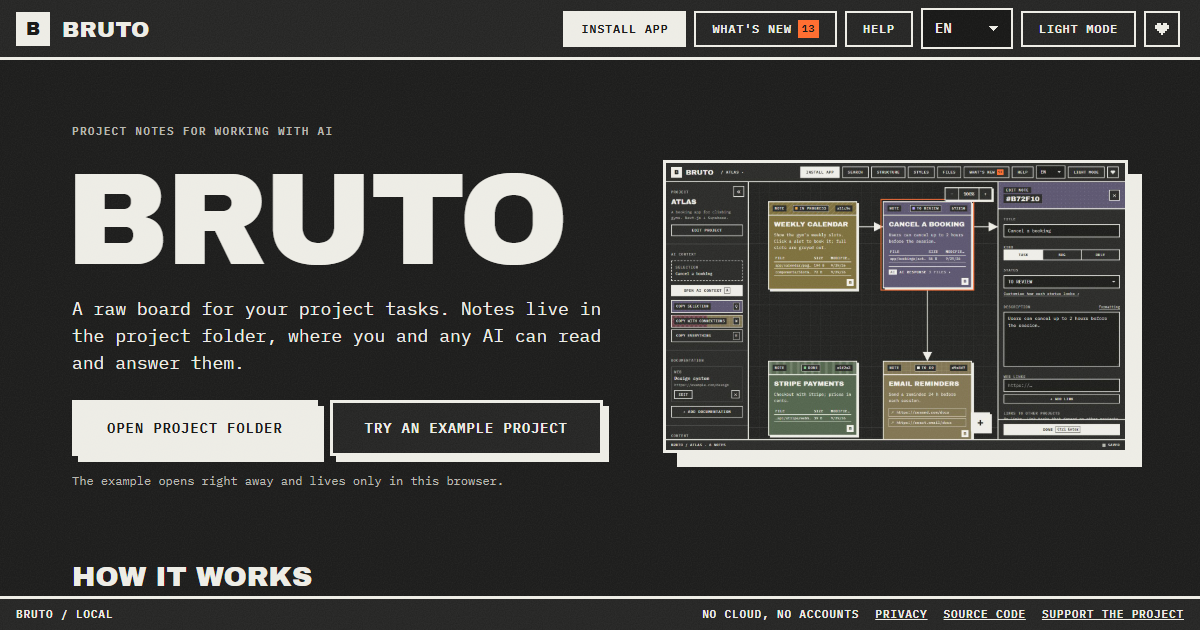
Bruto is a free, open-source task board for working on projects with AI. It describes itself as a raw, brutalist board for your project tasks, and its defining trait is where those tasks are stored: notes live in the project folder, inside a .bruto/workspace.json file, where both you and any AI can read and answer them. You begin by opening your project folder, and Bruto creates that workspace file — nothing leaves your computer. From there you write tasks, each note holding a description, files, links, screenshots and a status, connect them to show how they relate, and then hand them to an AI. It is built for people who code alongside assistants such as Claude Code, Cursor or ChatGPT and want a single board that the human and the model can both see. The problem Bruto addresses is the gap between the place work is planned and the place an AI can actually see it. Tasks usually sit in a separate hosted tracker while the AI sits inside the repository, so context has to be retyped, pasted and reformatted every time a model is asked to help. Bruto removes that translation step by putting the board in the project folder itself. Because the notes are files next to the code, an AI with access to your files can read them directly, and you can copy exactly the context a model needs with a single key. Nothing is sent to a server, there are no accounts, and the notes never leave your folders, which matters for private or client code. The core capability is the way context is handed to the AI. With the Q, W and E keys you copy the current selection, the selection together with everything it points to, or the whole project, and it comes out as clean Markdown with instructions for the model. A preview shows exactly what will be copied and how many tokens it amounts to, so you can inspect the payload before pasting it into Claude, ChatGPT, Gemini or DeepSeek. A global context carries your stack and decisions into every copy, which keeps the model aligned with the project's conventions instead of forcing you to restate them each time. Bruto is still a real board. Notes carry a status, files, links and screenshots; you drag them, connect them with arrows to show relationships, and edit many at once. A note can also be a rule rather than a task — for example, "run the tests before finishing". Standing rules go into every copy you make, and the AI applies them on each task until you close the rule, which is a way to encode project policy once instead of repeating it inside every prompt. The structure view shows where the work is: folders appear as blocks marked with the notes that point at them. When Bruto recognises the project, it draws it for what it actually is, showing screens with their components, API resources with their endpoints, and tables with their keys and policies. Recognised stacks include web frameworks such as React, Vue, Svelte, Next.js, Nuxt, SvelteKit, Astro and Angular; API frameworks such as .NET, NestJS, Express, Fastify, FastAPI, Flask and Spring; and databases and data tools such as Oracle PL/SQL, PostgreSQL, Supabase, SQL, Prisma and Drizzle. Notes can also reach across projects: a note can block, or wait on, a note in another project, so front-end, API and database boards all show the dependency and one click takes you to the other board. Agents can work the board directly. With the MCP server, Claude Code and other agents list and read notes, mark the note they are working on and answer it, without touching the JSON by hand. If the AI can edit files, it answers inside the note and marks it for review; whatever the AI answers stays in the note, and if something is still wrong you write what and mark it "Changes requested", sending it back with all of its context. To coexist safely with other tools, every save reads the file first and merges what changed elsewhere, note by note. A broken file is never overwritten and there is always a backup. Finding things is covered by Ctrl+F, which searches by text, path or id and filters by status and by what a note contains — files, an AI response, images or a link. The interface is keyboard first: every action has a shortcut, notes are reachable with Tab, and everything has a name for screen readers. Bruto ships in nine languages and two themes, can be installed as an app, works offline and tells you when a new version is out. It is local only — no server and no accounts, just anonymous usage stats and no cookies — so your notes never leave your folders. Setting up an agent is one line in AGENTS.md or CLAUDE.md, or a single command to add Bruto as an MCP server. Concrete workflows look like this. You open your project folder in Bruto and write a note describing a task, attaching the relevant files, links and screenshots. You press one key to copy the task with everything it points to, paste it into Claude, ChatGPT, Gemini or DeepSeek, and paste the answer back — or, if the assistant can edit files, it answers inside the note and marks it for review. If the answer is not right, you write what is wrong, mark the note "Changes requested", and it goes back with all of its context intact. On a bigger effort, a note in the front-end board can wait on a note in the API or database board, and one click moves you between them. Anyone can try it first with an example project that opens right away and lives only in the browser. Bruto is aimed at developers and small teams who build with AI assistants and want the task list, the code and the model to share one place. It suits people working in repositories that use React, Vue, Svelte, Next.js, Nuxt, SvelteKit, Astro, Angular, .NET, NestJS, Express, Fastify, FastAPI, Flask, Spring, Oracle PL/SQL, PostgreSQL, Supabase, SQL, Prisma or Drizzle, because Bruto recognises those stacks and draws them in the structure view. It works with Claude, ChatGPT, Gemini and DeepSeek through copy and paste, with Claude Code and other agents over MCP, and with any agent that can read files via one line in AGENTS.md or CLAUDE.md. Bruto is free and open source, and opening your folders needs Chrome, Edge, Brave or Opera on a computer. The outcome for users is one shared source of truth for human and machine. Because the tasks live in the repo, the AI works from the same notes you do, so there is less re-explaining, less copy-pasting and less drift between the plan and the code. The context preview and its token count make each hand-off deliberate rather than guesswork, standing rules keep conventions enforced automatically, and cross-project links keep front-end, API and database work visibly connected. Merge-safe saving means Bruto can sit alongside other tools that touch the same file without one silently overwriting the other, and the local-only design keeps sensitive code out of third-party servers. In short, Bruto is a task board that stops treating the AI as an outside party. By keeping tasks in the project folder, copying model-ready context with one key, letting agents answer inside the notes they were given, and enforcing standing rules on every pass, it turns planning and prompting into a single loop. It is free, open source, needs no account and runs locally, so the board you plan on is the same one your AI works from.