Category Focus/categories/code-assistant
Code Assistant AI Tools
Discover and compare the best code assistant AI tools and software. Browse 94+ curated tools with reviews and rankings.
Projects tracked
94
Sort mode
RECENT
Page
1
Discover and compare the best code assistant AI tools and software. Browse 94+ curated tools with reviews and rankings.
Projects tracked
94
Sort mode
RECENT
Page
1
Gemini 4 Carbon is Google's next frontier model, described by the company as its strongest model with state-of-the-art cybersecurity and long horizon capabilities. Announced on October 28, 2026 by Koray Kavukcuoglu, SVP of Google DeepMind and Chief AI Architect at Google, Carbon builds on Gemini 4 Argon, which launched only two weeks earlier, and is designed to take on much harder, long-horizon engineering problems through sustained agentic workflows. The model is aimed first at cyber defenders, and then at developers, businesses, and consumers as access is phased in through Google's product surfaces. Its stated purpose is to deliver meaningful leaps in software engineering and cybersecurity defense without compromising on safety or reliability, and it ranks #1 on the recently updated v5.0 of the Artificial Analysis Intelligence Index at 59. The launch reflects a deliberate effort to push the frontier forward while keeping safeguards in step. Google says its researchers and models are working hand in hand to advance capabilities faster while strengthening safeguards in tandem, and that the rollout is intentionally cautious: the company is engaged in the U.S. government's voluntary process for pre-release model testing, is starting by making Carbon available to a subset of cyber defenders, and will gradually phase access to additional trusted partners through the Fairwind Program while gathering feedback and iterating on guardrails. The underlying problem Carbon targets is that modern engineering and security work is not a single prompt. Root-causing and patching subtle bugs across large codebases and low-level systems, finding real vulnerabilities buried in real-world software, deciding which findings are actually exploitable, and fixing root causes all require sustained, multi-step effort. Carbon's headline capability is cybersecurity defense across the full lifecycle of vulnerability detection, validation, and remediation. On external benchmarks evaluated without guardrails, it achieves a state-of-the-art 88.2% on SEC-bench Pro for autonomously uncovering complex flaws buried in real-world software, sets a new state-of-the-art 54.8% on the ExploitGym exploitation benchmark that defenders use to check which vulnerabilities are exploitable and therefore worth remediating first, and reaches 71.0% on Collinear's CWE-bench for turning validated findings directly into working code fixes at the root cause. Google also reports internal benchmarks showing more than a 2x uplift in success rate for generating secure code over Argon, a Chrome team report that Carbon performed more than 10X better than another lab's large frontier model when generating high quality patches, and Wiz observing Carbon leading on benchmarks for web penetration testing, a core capability for Wiz's Scan for Good initiative. Beyond security, Carbon shows significant gains across coding and agentic tasks, as well as scientific tasks, full-stack web development, and multimodal understanding, areas Google focused on based on user feedback. With improved quality of output and artifacts in web development, Carbon jumps +89 elo points to land at #4 with a score of 1768 on WebDev Arena. Internally, teams have seen Carbon run for days to persist through dead ends and tackle complex, multi-step engineering tasks such as root-causing and patching subtle bugs across large codebases and low-level systems. This persistence is the practical expression of the long horizon claim: the model is built to keep working through a multi-step plan rather than stopping at the first obstacle. Safety and security behavior is another explicit feature group. Gemini 4 Carbon builds on the same multi-layered safety and security stack as Argon, combining model training, real-time misuse defenses, prompt-injection resilience, and chain-of-thought monitoring, and Google trained Carbon to respond to complex or high-pressure tasks in the right way. The reported results are concrete: successful cheating on Terminal-Bench 4.0 dropped to 0.0% with attempts to cheat falling to 0.4% while overall accuracy improved; high-severity misalignment alerts in live coding environments with internal teams dropped by almost 80%; unsupported claims were cut by approximately 2x over Argon; overreach fell by 26% and under-service by 29%; and on Gray Swan's Indirect Prompt Injection Benchmark, Carbon achieves a 0.0% attack success rate, resisting every evaluated attack attempt, compared with Argon's previously low 0.7%. Carbon's approach combines capability training with behavioral shaping. Rather than guessing or forcing a path forward when instructions are ambiguous, Carbon retrieves the relevant sources and surfaces discrepancies to the user before acting. Instead of fabricating or hedging around missing evidence, it puts methodological caveats directly into the deliverable or withholds blocked actions with a clear list of what remains required. And it is trained to follow through on multi-step plans end-to-end while respecting project constraints and staying strictly within scope, which is what produces the simultaneous reduction in overreach and under-service. The model is being matured in real environments, with feedback from the initial cohort of cyber defenders feeding into guardrail iteration before broader release. For users, the stated outcomes are more reliable execution of long, multi-step work; secure code generation at materially higher success rates; faster triage of vulnerabilities because exploitability can be checked rather than assumed; patches that address root causes instead of symptoms; and a collaborative experience in which the model raises discrepancies rather than silently choosing a path. In security terms, the benefit is coverage across detection, validation, and remediation rather than strength at only one stage of the defense lifecycle. Concrete scenarios described in the announcement include autonomously uncovering complex flaws buried in real-world software; validating risk through exploitation so defenders can prioritize which vulnerabilities to remediate first or at all; converting validated findings into working code fixes; root-causing and patching subtle bugs across large codebases and low-level systems over runs that can last for days; generating secure code and high quality patches in live engineering environments; and web penetration testing, the capability Wiz highlights in its Scan for Good initiative. Initial access is limited to a subset of cyber defenders, with additional trusted partners phased in through the Fairwind Program. Google says Carbon will come to developers, businesses, and consumers via its product surfaces as soon as possible. Gemini 4 Carbon launches at the same introductory price as Argon: $2 per million input tokens and $10 per million output tokens, with cached input tokens priced at 95% off the input token price. After the introductory period expires, $4 per 1M input tokens and $20 per 1M output tokens will apply. Taken together, Gemini 4 Carbon is positioned as a frontier model whose differentiators are sustained long-horizon execution, state-of-the-art cybersecurity performance across detection, validation, and remediation, and measurable improvements in alignment behavior such as honesty, scope discipline, and prompt-injection resistance, released deliberately to cyber defenders first before reaching developers, businesses, and consumers.
shim-cli is an open-source command-line tool that runs on your machine next to Claude Code, Codex, Copilot CLI and VS Code. Its purpose is to show developers what their coding agent actually sends to the model, to find secrets and personal data in that traffic, and to mask those values wherever the client allows a hook to rewrite content. The tool is distributed under Apache-2.0 at version 1.2.1, runs on macOS and Linux, and requires Python 3.10 or newer. It is aimed at developers who use AI coding agents on real codebases and want a local, inspectable layer between the agent and the model rather than a hosted service. AI coding agents read files, run commands and send tool results to remote models, which means API keys, database URIs, customer records and personal identifiers can leave a developer's machine as a side effect of ordinary work. That exposure is hard to see: the agent's request is assembled behind the scenes, and few clients offer a way to inspect or redact it. shim-cli addresses that gap by attaching to the agent itself. It does not require an account, an API key or a network call to shim, and it adds no telemetry, so the inspection happens entirely locally. The product's own framing is deliberately modest: it narrows exposure and is not a data-loss prevention boundary. At the core is a detector that scans the content an agent sends. It recognizes email addresses, phone numbers, credit cards, IBANs, Turkish national IDs, Turkish tax IDs, API keys and secrets, passwords in config and commands, database URIs, IP addresses, MAC addresses and US SSNs, with Turkish licence plates available as an opt-in. IBANs and Turkish IDs are verified by checksum, so a mistyped number is not reported as a finding. Users can also add their own project names or host formats as patterns, extending the detector to identifiers specific to their environment. A `shim demo` command runs the detector on a made-up sentence and shows the before and after, without installing anything, so the behaviour can be evaluated before any change is made. Masking is delivered through a native hook installed into the agent. In Claude Code, when the agent reads a file or a tool result holding a key, an IBAN or an email, the model receives a placeholder such as `` instead of the value. The masking happens before the model reads the content. In Copilot CLI the prompt the model receives is replaced with the redacted text, so the original values never reach it. Codex reports what it found in the prompt and lets it through by default, with an enforce mode that blocks it instead. VS Code reports, and with enforcement on it can stop a prompt or deny a tool call before it runs, though a tool result that has already reached the model is only reported. Visibility is the second half of the product. `shim watch -- claude` runs a local proxy for one command and reports tokens, spend and every secret or personal value that went past. It changes nothing, writes no request to disk and leaves nothing behind. `shim audit` reads the Claude Code session history already stored on disk and counts what reached the model, broken down by kind, by project and by the way it came in, for example a value found in a .env file, in a failed Bash command or in the user's own prompt. It prints no values, keeps nothing and sends nothing. At the end of a turn in Claude Code, a summary shows counts of masked values and flagged items such as an instruction override or hidden text, along with median and p95 overhead. Overall the approach is local instrumentation rather than a gateway in the cloud. shim-cli is installed with uv (`uv tool install --python 3.12 --compile-bytecode shim`) or pipx, which adds shim to ~/.local/bin. `shim install ` previews the hook change with `--dry-run` and then writes it, while `shim doctor ` checks the result and reports any check that is not passing along with a code and a fix. Claude Code can alternatively be connected through the Claude Code marketplace plugin, and users are told to pick one method, not both. Codex requires a trust step in /hooks before the hook runs. VS Code is configured only through a cloned plugin added to `chat.pluginLocations` in user settings.json. The project publishes measurements from its released build: more than 2,300 tests run on every release, a median hook cost of 70 ms including interpreter start, and 727 detector cases graded on exact output. The session summary quoted in the documentation shows 62 ms median and 119 ms p95 overhead. These numbers make the cost of running the hook concrete, since it sits in the path of every file read and tool result. The code is on GitHub under Apache-2.0 and can be read, tested and contributed to. Because shim-cli runs locally and requires no account, the people using it keep control of the inspection. Nothing is uploaded to shim, and the audit output deliberately avoids printing the values it counts. The tool is transparent about its boundaries: a prompt typed into Claude Code or Codex is not masked because neither client lets a hook rewrite it, Codex and Copilot CLI tool traffic is not inspected at all, VS Code masks nothing, and shell commands and file writes in Claude Code are reported or denied rather than masked. Windows is not supported, WSL is not yet verified, and detection is best-effort. A typical use is a developer working in a repository that contains a .env file. They run `shim audit` first to see what past Claude Code sessions already sent, then install the Claude Code hook so subsequent file reads deliver placeholders instead of credentials. A team reviewing an agent session can run `shim watch -- claude` on a single command to see the token count, the spend and the categories of sensitive values involved, without persisting a request. Before rolling anything out, a developer runs `shim demo` to see the detector's output on a made-up sentence, and `shim doctor` afterwards to confirm the hook is wired correctly. Organisations that need the same detection in front of their own product's AI calls can look at the AI Gateway on Enterprise, which adds audit, budgets and roles. shim-cli is for developers and teams using Claude Code, Codex, Copilot CLI or VS Code who want local visibility into what their coding agent sends. It is free and open source under Apache-2.0, with the whole CLI on GitHub. The only stated requirements are macOS or Linux and Python 3.10 or newer; the package is installed with uv or pipx, and the VS Code route needs a git clone of the release tag. In short, shim-cli makes the agent's outbound content inspectable and, where the client permits it, masks secrets and personal data before the model sees them, while showing what a Claude Code session sent and cost. It is a narrow, local, open-source tool that measures its own overhead and states plainly what it does not cover.
Tiden is an intent verification platform for coding agents. It verifies that your agents built what you actually asked for, and it keeps your specifications versioned beside the code. Tiden is built for engineering teams that ship agent-written code every day, and it works beside Claude Code, Cursor, Codex and Copilot. The product reads your code and writes down each spec, keeps your intent as requirements that branch and merge like code, and checks every change against that record rather than against the session that produced it. A verdict comes from tests run in your own environment, and no model grades the diff. You decide what merges. Coding speed went up. Delivery failed to keep pace. Agents write features in minutes, and then someone, usually you, spends the day checking them. The problem is not that the pipeline stops running; it is that the pipeline cannot tell you whether the agent built the right thing. Most checks run inside the session that wrote the code, so the tests agree with it by construction. Put another way, green tests only prove the agent agreed with itself. Tiden exists to close that gap, giving teams a way to show that agent-written code actually does what was asked before it reaches production, and to keep that proof attached to the code as it evolves. Tiden maps what your product does. It reads your code and writes down each spec, then marks the ones that no test proves. The website shows a product snapshot in which Tiden summarises components and specs, for example components such as web (TypeScript, 1,204 files), api (Go, 2,318 files) and billing (Go, 396 files), alongside connected sources such as Jira with 312 issues and error tracking across 3 environments. Each spec is labelled either as proven by a test or as having no test yet; the example given is TIDEN-377, "Billing tier caps volume", marked with no test. The snapshot reports how many specs sit under each area, including Web App, Public API, Billing, Reporters, Search and Auth, so a team can see at a glance where proven coverage exists and where it does not. Mapping the codebase this way turns implicit knowledge about product behaviour into an explicit, inspectable record. Each promise is proven by a test. When an agent starts a session, it begins from a working contract, and the session cannot close while a promise is open. The website illustrates this with an intent called rate-limit-public-api, whose task is to add rate limiting to the public API, worked on by Claude Code. The session moves through four states, Started, Coding, Settle and Close, and carries a list of promises. In the example, "Free returns 429 above 60 requests a minute" is running with 2 tests passed, "Every 429 carries Retry-After in seconds" is running with 1 test passed, and "Pro returns 429 above 600" is still open, so the interface reports that it cannot close yet because 1 promise is open. Attaching promises to a session this way means an agent cannot quietly declare work finished while something remains unproven. The spec changes with the code. Because green tests only prove the agent agreed with itself, Tiden drafts the update on every merge, even ones that skip Tiden. The example shows a Git change to api/public/v1/limiter.go, where a TODO comment about rate limits is replaced by an Allow function that consults the tier limits for a workspace key. Beside that diff, Tiden shows what the code was supposed to do: the spec TIDEN-377, "Billing tier caps volume", moves from the previous line "Unlimited for all tiers" to a new set of statements, that free returns 429 above 60 requests per minute, that Pro returns 429 above 600, and that every 429 carries Retry-After in seconds. In this way the record of intent stays current even when a change arrives outside the normal flow, so the documentation of what the product promises does not drift away from what the code does. You review what was promised and proven. Each branch shows what changed and what proves it, while code review itself stays with your reviewer. On a branch such as intent/rate-limit-public-api heading into main, Tiden reports a pass with 3 of 3 promises delivered and 0 open, listing the spec (TIDEN-377, 3 lines) and the tests that were added: free_tier_returns_429_above_60, retry_after_header_in_seconds and pro_tier_returns_429_above_600, all running and passed. When merging into main, the choices presented are to merge, to ask for a test, or to accept the risk. Release level reporting gives one verdict per release, part by part, with coverage and component figures, for example release 2.6.0 in production reporting 205 of 205 coverage and 12 of 12 components, plus per component status such as Web App pass, Public API pass and Billing pass with risk indicators. Errors in production point back to the release, and a warning such as a feature flag warning on Search, first seen in 2.5.0 with no test covering it, can be fixed with the agent, which adds the missing test. Tiden's approach differs from checks that happen inside the generating session. Because most checks run inside the session that wrote the code, those tests agree with the code by construction. Tiden instead keeps your intent as requirements that branch and merge like code, effectively versioning specifications alongside the software, and checks every change against that record rather than against the session that produced it. The verdict comes from tests run in your environment, and no model grades the diff. The system is built around an explicit, versioned record of what the product is supposed to do, proven by tests, updated when code changes, and traceable back to releases in production. The stated outcome is straightforward: ship agent code you can prove is right. Teams get an account of what was promised and what proved it, so review focuses on what changed and what backs it rather than on re-deriving whether the agent built the right thing. Because a session cannot close while a promise is open, work is not quietly finished without tests. Because a verdict is issued per release, part by part, and production errors point back to the release, failures can be connected to a specific change instead of being hunted down manually. And because the record lives outside the session, merges that skip Tiden still cause an update to the spec to be drafted, keeping intent and reality aligned. Concrete scenarios appear throughout the site. A team adding rate limiting to a public API can watch an agent work through that intent, see which promises are proven by tests and which remain open, and decide whether the branch is ready. A reviewer can look at a branch and see its promises, the tests added and the spec lines that changed before choosing to merge, ask for a test, or accept the risk. A release owner can read one verdict per release with coverage and component counts, and trace a production error back to the release that introduced it. When a coverage gap appears, such as a feature flag warning first seen in an earlier release with no test covering it, the gap can be routed to the agent, which fixes it and adds the missing test. Onboarding onto an existing codebase follows the same path: connect GitHub, and Tiden maps the rest. Tiden is aimed at engineering teams that ship agent-written code every day. It works beside Claude Code, Cursor, Codex and Copilot, and connects to the tools teams already use: GitHub, Jira, Linear, Notion and Azure DevOps. The recommended starting point is to connect GitHub, after which Tiden maps the rest of the product. Installation is available through a shell script served from tiden.ai, and the product offers a free trial alongside a separate pricing page. Tests that produce a verdict run in your environment, which is where the evidence is generated. In short, Tiden treats intent as something to be written down, versioned and proven, not something to be re-checked by hand after every agent session. It maps what your product does, marks what is unproven, holds a session contract open until each promise is proven by a test, drafts spec updates on every merge, reports one verdict per release part by part, and traces production errors back to a release. For teams whose coding agents now write the code, it is a way to verify that the code does what was actually asked for.
OpenCode is an open source AI coding agent that helps you write code in your terminal, IDE, or desktop. It is offered as a terminal-based interface, a desktop app, a web app, and an IDE extension, so the agent can follow developers into the environment they already work in rather than forcing them into a single tool. Free models are included, and users can also connect any model from any provider, including Claude, GPT, Gemini and more, which means one agent can be pointed at many different models over time. For developers, the appeal of an agent that writes code is obvious, but the practical questions are usually about lock-in, cost, and privacy. OpenCode answers those questions by being open source, by including free models while still allowing any model from any provider, and by stating that it does not store any of your code or context data so that it can operate in privacy sensitive environments. The FAQ on the site reflects those same concerns, with questions about how to use OpenCode, whether extra AI subscriptions are required, whether existing subscriptions can be used, whether it can only be used in the terminal, how much it costs, and what happens with data and privacy. Together, these choices are meant to let teams adopt an AI coding agent without committing to one vendor's model catalog or handing over code and context they would rather keep local. Model choice sits at the center of OpenCode. The agent connects to 75+ LLM providers through Models.dev, including local models, so a developer can select a hosted model from a major provider or run a model locally on their own hardware. Beyond the providers it supports directly, OpenCode also lets you log in with GitHub to use your Copilot account, and log in with OpenAI to use your ChatGPT Plus or Pro account. That means existing AI subscriptions can be brought into the agent instead of requiring a separate purchase, and teams can standardize on OpenCode as the interface while individual developers use whichever underlying model and account they already have. OpenCode is deliberately editor- and platform-agnostic. It is available as a terminal interface, a desktop app, a web app, and an IDE extension, which means the same agent experience can be used from a command line, from a dedicated desktop application, or from inside an editor. Because the agent is available across those surfaces, a developer can move between them as a task changes, and the choice of editor is not a constraint on whether OpenCode can be used on a given project. The website lists several installation routes, including curl, npm, bun, brew, paru, and yay, with a single install command shown as curl -fsSL https://opencode.ai/v2/install | bash. Documentation is linked directly from the site, so setup and usage details are a click away rather than buried in the product. Within a session, several features are designed to make the agent more useful across a real project. OpenCode is LSP enabled, meaning it automatically loads the right LSPs for the LLM, so the model is given language-aware context instead of working blind against a codebase. Multi-session support lets you start multiple agents in parallel on the same project, so separate tasks can progress at the same time rather than queuing behind one another. Share links let you share a link to any session for reference or to debug, turning an agent session into something a teammate can inspect and discuss. Privacy is treated as a first-class concern. OpenCode states that it does not store any of your code or context data, so that it can operate in privacy sensitive environments, and it links to a dedicated enterprise page for more detail on that approach. Local models are also part of the picture, since the 75+ providers OpenCode connects to through Models.dev include local models, which matters for developers who want the model itself to run on their own machines. For model reliability, the project also offers Zen, which gives access to a handpicked set of AI models that OpenCode has tested and benchmarked specifically for coding agents. The stated goal is to remove the worry about inconsistent performance and quality across providers by letting developers use validated models that work. The project's scale is part of what it offers users. The website reports over 208,000 GitHub stars, 950 contributors, and over 13,000 commits, and states that OpenCode is used and trusted by over 16 million developers every month. For anyone evaluating an agent, those numbers suggest a large, active open source project behind the tool. Because OpenCode is open source, developers can inspect how it works, and the site's FAQ answers the questions people typically ask before adopting it: what OpenCode is, how to use it, whether extra AI subscriptions are needed, whether existing subscriptions can be reused, whether the terminal is the only option, what it costs, how data and privacy are handled, and whether it is open source. The practical use cases follow directly from those features. A developer can run OpenCode from the terminal for everyday coding tasks, or from a desktop app or IDE extension when a graphical workflow is preferable. Multi-session support suits projects where several tasks can be investigated in parallel, such as fixing one area of a codebase while another agent works elsewhere. Share links are useful when a session needs to be handed to a colleague for reference or debugging. Privacy-first operation is relevant for teams working in privacy sensitive environments, and Zen's validated models help when consistent behavior matters more than experimenting with every provider. OpenCode is aimed at developers and teams who want an AI coding agent that they can inspect, extend, and run in the environments they already use. Its integrations are broad: 75+ LLM providers through Models.dev, including local models; GitHub login for Copilot accounts; OpenAI login for ChatGPT Plus or Pro accounts; and a terminal interface, desktop app, web app, and IDE extension for access. Free models are included, and the Product Hunt listing lists the product under the Open Source, Developer Tools, GitHub, and Development topics. The website also invites visitors to join a waitlist to be the first to know when new products are released. Overall, OpenCode's value proposition is straightforward: an open source AI coding agent that works where you work, connects to the models you already have access to — including free models, 75+ providers through Models.dev, and local models — and is designed so that it does not store your code or context data. With LSP awareness, parallel multi-session agents, shareable sessions, and a model lineup validated through Zen, it gives developers a flexible, privacy-conscious way to bring agentic coding into their daily workflow without being tied to a single provider.
EmbeddingGemma 2 is an open, lightweight multimodal embedding model from Google DeepMind that natively maps combinations of text, images, audio, and video into a unified embedding space. Described as the most capable model for on-device multimodal embeddings, it lets developers organize, search, and connect information directly on consumer hardware. Rather than sending data to the cloud, it is designed to run locally, so a single query can search across multiple media types at once. It is aimed at developers who want to power smarter on-device search tools and privacy-first retrieval augmented generation (RAG) pipelines, and it expands on the original EmbeddingGemma by moving beyond text alone. The original EmbeddingGemma was introduced to provide a lightweight option for high-quality text embeddings, helping apps organize, search, and connect information directly on consumer hardware. The developer community's response blew past expectations: EmbeddingGemma has surpassed more than 20 million downloads, and builders have used it to power smarter on-device search tools and privacy-first retrieval augmented generation (RAG) pipelines. However, information on modern devices is rarely purely text. EmbeddingGemma 2 responds by expanding beyond text to unify code, images, video, and audio in a shared embedding space. It can help find a specific video clip from a voice memo, or search through hours of audio recordings based on a text query, all processed by a single, natively multimodal model. EmbeddingGemma 2 is best-in-class for its size. It achieves leading scores among sub-1B multimodal embedders across benchmarks such as MTEB (Massive Text Embedding Benchmark) Code and MAEB (Massive Audio Embedding Benchmark), while matching or outperforming many larger models across text, vision, and audio tasks. The model is also modular by design: it requires as little as 270M parameters for text-only workloads, with optional vision (170M) and audio (300M) encoders available for full multimodal support. This modularity means developers can adopt only the capabilities they need rather than paying the cost of the full multimodal model, which is especially valuable when deployment targets have limited resources. Storage efficiency is another core feature. Using Matryoshka Representation Learning (MRL), developers can dynamically truncate output vectors from 768 dimensions down to 512, 256, or 128 dimensions. This provides up to 6x storage reduction for local vector databases and memory usage, which matters greatly on devices where space and memory are constrained. Combined with optimizations for on-device performance, EmbeddingGemma 2 runs efficiently within tight resource constraints. With quantization, on a Google Pixel 11 Pro, it requires as little as ~191MB active RAM for text-only weights and ~567MB for the full multimodal model. EmbeddingGemma 2 is also extended context ready. It features an 8K token context window, which is 4x larger than EmbeddingGemma 1, allowing it to process up to 5.5 minutes of audio, 29 images, 58 video frames, or interleaved combinations thereof directly on local hardware. On quality, EmbeddingGemma 2 matches the strong multilingual text performance of EmbeddingGemma while delivering a significant 9.92-point improvement on code performance in MTEB Code, rising from 68.76 to 78.68, making it well-suited for local codebase indexing, semantic code search, and coding agent retrieval. Across image, video, documents, and audio, it sets a new standard in quality-per-parameter for sub-1B models and even outperforms some specialist models more than twice its size. The distinctive approach behind EmbeddingGemma 2 is that it is built from the same technology as Gemini Embedding models and runs on the Gemma 4 architecture. Released under a commercially permissive Apache 2.0 license, it has 740 million parameters, making it optimal for on-device inference. Because EmbeddingGemma 2 is built on Gemma 4 and shares its text tokenizer and audio encoder, developers can run both models together in a unified pipeline with a lower combined total memory footprint. This design enables on-device RAG pipelines that understand complex multimodal data, letting an embedding model handle retrieval while a generative model handles reasoning within the same resource budget. The benefits for users flow directly from running embeddings locally. Generating embeddings on-device helps ensure data privacy, reduces pipeline latency, and empowers developers to build cross-modal search and retrieval that works entirely offline. Because nothing needs to be sent to a remote service, sensitive data stays on the device, and pipelines avoid network round trips that would otherwise add delay. Developers also gain the ability to pair EmbeddingGemma 2 with generative models such as Gemma 4 to build on-device RAG pipelines that understand complex multimodal data, all within the resource limits of consumer hardware. Concrete use cases are demonstrated in the Google AI Edge Gallery. Instant Media Search lets you use text or an image to find the top matches in your media library based on semantic similarity. Video Moments Finder lets you locate specific moments in video using text or audio queries. In the Google AI Edge Foresight app, EmbeddingGemma 2 handles local file retrieval while Gemma 4 provides contextual reasoning. And the MediaPipe Decision Task API allows developers to create real-time decision engines that leverage multimodal context for classification, routing, and predictive capabilities. EmbeddingGemma 2 is built for developers and builders working on on-device applications. Model weights are available on Hugging Face and Kaggle, with Gemini Enterprise Agent Platform Model Garden availability coming soon, and the LiteRT Community on Hugging Face offers models optimized for on-device use. For deployment, Google AI Edge MediaPipe provides turnkey embedding, retrieval, and decision tasks, while LiteRT supports custom model integration. Developers can build for the browser with transformers.js or WebGPU. The model works with familiar tools including transformers, sentence-transformers, MLX, vLLM, llama.cpp, SGLang, Ollama, and LMStudio, and embedding vectors can be stored with Qdrant. Fine-tuning guidance is available from Unsloth. It is released under the Apache 2.0 license, and resources include a developer guide, documentation, and guides for inference and fine-tuning. In summary, EmbeddingGemma 2 brings best-in-class, natively multimodal embeddings to on-device hardware under an open, commercially permissive license. By unifying text, code, images, video, and audio in a shared space, scaling from as little as 270M parameters up to a 740M-parameter multimodal model, and supporting flexible vector truncation, it enables private, low-latency, offline search and retrieval augmented generation pipelines that developers can run directly on consumer devices.
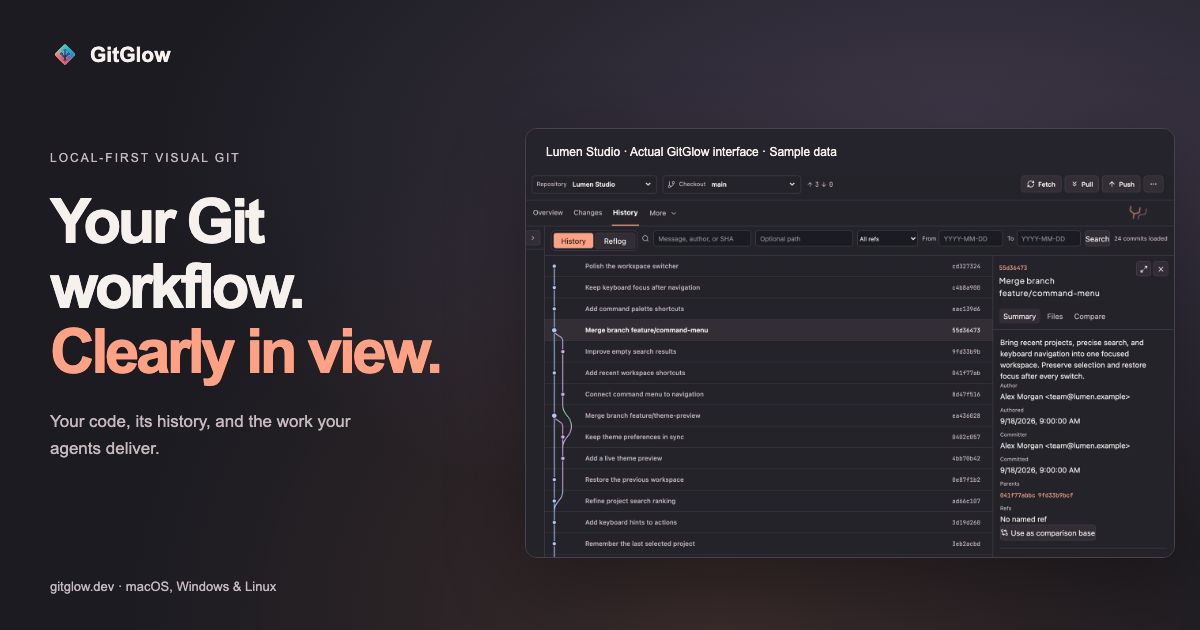
GitGlow is a local-first visual Git workbench for independent developers who want to understand exactly what will ship. It combines precise staging, clear commit history, conflict resolution, a checkout-aware terminal, coding-agent review, and release preparation into a single desktop application for macOS, Windows, and Linux. Instead of juggling a command line, a hosted Git client, and separate tools for watching AI coding agents, developers can open a clone and work through one calm workspace where their own changes and their agents' work sit side by side. The product's stated purpose is simple: review the diff, stage precisely, and ship with confidence. Its tagline, "Review your code and your agents' changes before you ship," captures that intent. Modern development workflows have two sources of change that are hard to reconcile: your own edits and the edits produced by coding agents. Agents can touch many files quickly, which makes it difficult to know what was actually changed, which files were reviewed, and whether earlier verification still applies after a later edit. At the same time, Git tooling often splits the work across several applications — one for staging and history, another for resolving conflicts, another terminal, and yet another for observing agent runs. GitGlow addresses that fragmentation by tying every piece of work back to the checkout it belongs to. Review marks, check results, and agent activity are anchored to real Git state, so a developer can tell the difference between what was inspected, what was tested, and what is still current. Staging is the heart of GitGlow's daily loop. The product lets you review files, hunks, or selected lines before composing a commit, so you can stage only what belongs in that change. This is described as a free capability for a local repository, meaning the precise staging workflow is available without a GitGlow account in a private local clone. From there, GitGlow shows how the work connects: you can explore real repository topology, compare revisions, and trace the history of a file or a line. Core history is free and history editing is a Pro capability. The same workspace covers blame and reflog, and it keeps branches and refs legible by supporting branches, remotes, stashes, tags, and trusted worktrees. Daily branch actions are free, while managed worktrees are part of Pro. GitGlow also keeps your shell beside the diff. A checkout-aware terminal lets you run Git, tests, and installed agent CLIs in terminal tabs that understand which checkout is active, with terminal tabs in the active checkout included on the Free plan. Conflict handling is framed around resolving the real operation: GitGlow explains the roles involved in merge, rebase, cherry-pick, and revert conflicts, and continuation and recovery are free. Moving between repositories is designed to be safe — GitGlow keeps registrations, context, and workspaces without flattening local data. One active repository or checkout is free, while concurrency across checkouts and workspaces is a Pro feature. Pro also adds multi-repository fetch, which fetches selected repositories together and reports clear per-repository results. Pro adds a layer that answers a question Git alone does not: did I actually review and verify this? Review confidence lets you mark files reviewed and run an explicit check with a timeout and cancellation. Results stay tied to the checkout that was tested, and later edits bring files back to your attention and make earlier results stale — so a passing check never silently applies to code that has since changed. The GitHub connection, also Pro, lets you review authorized GitHub repositories, pull requests, issues, workflows, and checks. Release Workspace brings checks, merged work, notes, and tags into one guarded sequence. Release publication is available only through Release Workspace, after a fresh guarded preview and explicit final confirmation. Agent work becomes reviewable in Agent Observatory, which follows authentic provider and Git signals across live, observed, and managed runs. Basic observation is free; managed controls are Pro. Observed and managed runs can carry repository, checkout, event, and attributed-file context into the same Changes workflow, so you can open the exact files an agent changed. The Activity Tape lets you search or replay sanitized operational detail in context, with the latest Replay free and advanced retention on Pro. GitGlow never exposes or stores hidden reasoning; an encrypted local flight recorder can retain sanitized provider-visible plans and commentary, commands, bounded output and tests, approvals, collaboration, relative paths, statistics, and safe text diff hunks, while excluding raw prompts, full transcripts, final replies, credentials, absolute paths, binary or oversized bodies, and contents or hunks from secret-prone files. MCP support gives agents bounded Git context through a packaged MCP sidecar: reads are free, and Pro can preview an allow-listed Git or GitHub action, but every MCP-originated write waits for native approval in Agent Observatory while the desktop app is open. GitGlow excludes arbitrary shell or Git commands, destructive cleanup, history editing, force pushes, and PR merges. Insights round out the picture with activity, commits, graphs, trends, complexity, work types, rhythm, sessions, and exports, and Indie Log turns evidence into a work log — written manually, or as a managed analysis-only report pack built from selected sources. The unifying idea behind GitGlow is that agent context is connected to the checkout. Rather than treating agent activity as a separate stream of logs, GitGlow attributes runs to the repository, checkout, events, and files they touched, then surfaces them inside the same review workflow used for human changes. Everything is local-first: local status, diffs, history, repository paths, previews, and audit records stay on your device. Optional GitHub, agent-provider, billing, and consented analytics connections have separate, explicit data boundaries — if you connect GitHub, GitGlow sends only the GitHub requests needed for installed repositories through the GitGlow API, and tokens never enter the desktop webview or MCP responses. Observed sessions started elsewhere remain owned by their originating desktop or CLI client; GitGlow monitors supported hook events and independent Git changes but hides message, approval, and interrupt controls unless the provider exposes a supported channel. Runs launched by GitGlow are Managed and can expose those controls. For users, the outcome is a workflow where confidence is earned rather than assumed. Precise staging produces cleaner commits; checkout-aware checks mean verification results have a clear scope; review freshness prevents shipping on the strength of a stale test run; and agent observability means AI-generated changes arrive as reviewable diffs with attributed files rather than opaque output. The Activity Tape and Replay provide a way to return to the moment that matters when something needs to be explained or investigated. Because everyday local work — staging, commits, branches, conflicts, history, blame, and reflog — is free and requires no account, developers can adopt GitGlow without a subscription and add Pro capabilities only when they need concurrent workspaces, managed agents, GitHub integration, or release tooling. Concrete scenarios include preparing a first reviewed commit after installing GitGlow and opening a clone; running the daily Git loop of reviewing changes, working with refs, resolving conflicts, and inspecting history; connecting supported agent clients, reviewing events, and opening the exact changed files an agent touched; and catching up across a workspace by fetching several selected repositories together and reading per-repository results. Developers working with coding agents can use Review confidence to mark files reviewed, run tests in a checkout-aware terminal, and let later edits pull those files back into view. When a release is due, Release Workspace gathers checks, merged work, notes, and tags into one guarded sequence that must be previewed and confirmed. GitGlow's own documentation suggests a four-step path: start with one repository, run the daily Git loop, understand agent work, and find every control through searchable reference documentation. GitGlow is aimed at independent developers who work locally and want a calmer, more accountable Git workflow, including those who use coding agents such as Codex or Claude and need to review what those agents changed. Pricing is simple: the Free tier works with a private local clone with no account and includes one active repository or checkout, precise staging, commits, branches, sync, merge, conflict resolution, stashes, tags, topology history, compare, blame, reflog, basic observation, the latest Replay, manual Indie Log, analytics, export, read-only MCP, and terminal tabs in the active checkout. Pro is €2.99/month or €29/year and adds concurrent terminal sessions, review freshness, verification tied to checkout state, multi-repository fetch, guarded history editing, concurrent workspaces, managed agents, advanced Observatory review and Replays, GitHub integration, Release Workspace, managed Indie Log, and MCP writes. AI provider subscriptions and API usage are separate, and existing subscriptions retain their current terms. Desktop builds are published for macOS, Windows x64, and Linux x86_64/aarch64; version 2.0.5 has been manually checked on macOS while the Windows and Linux packages are build-validated for architecture, version, payloads, sidecars, and checksums without runtime claims. Agent tooling is exposed through a packaged MCP sidecar, and the product's own comparison notes that GitKraken covers a broader provider ecosystem and shared cloud workspaces while both products include an embedded terminal. GitGlow's value proposition is straightforward: it turns Git and coding-agent activity into one reviewable, checkout-anchored workspace. By combining precise staging, legible history, conflict resolution, a checkout-aware terminal, review marks with freshness, GitHub checks, release preparation, and bounded agent observability in a local-first desktop app, it lets developers answer the question that matters before shipping — what exactly am I about to release, and have I actually verified it?
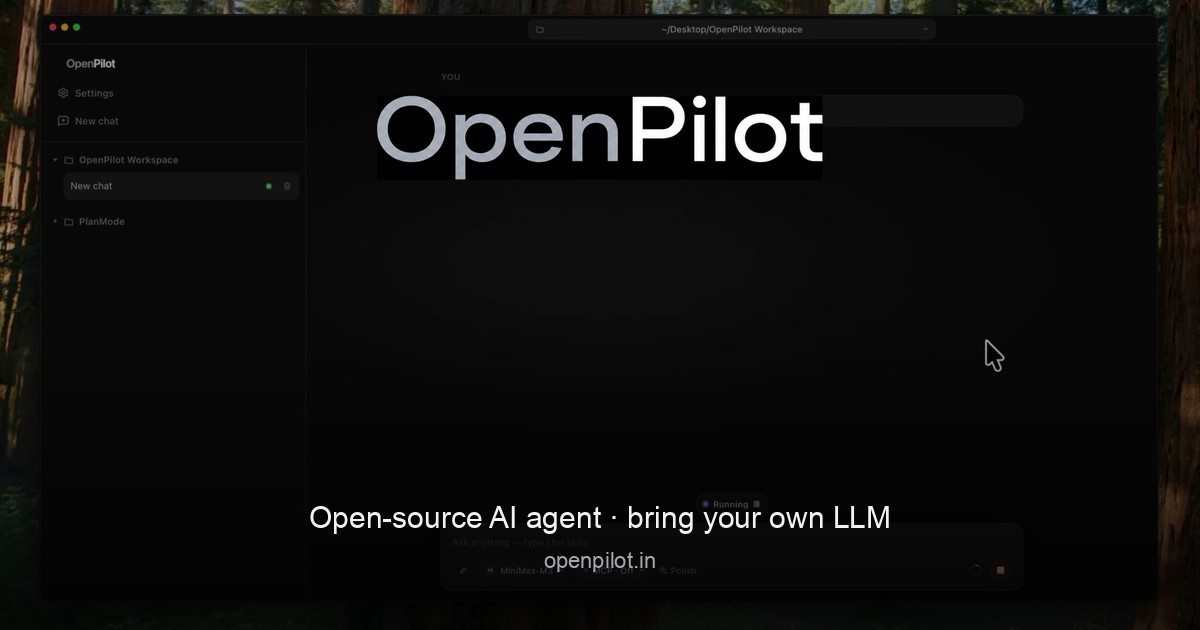
OpenPilot is an open-source desktop AI agent that runs locally and works with any large language model you choose. Instead of shipping a fixed, hosted model or forcing you through a vendor login, OpenPilot acts as a harness: you point it at any OpenAI-compatible API endpoint, add an API key, and the agent can then create files, scaffold projects, run real terminal commands, search the live web, and ship complete projects. It is built for people who want the agent itself—not the platform tax that usually comes with it—and who refuse to be locked into a single model provider. It is designed to be an agent that actually does the work, wiring filesystem tools, a live shell, web research, MCP, skills, and memory to the model you chose. The problem OpenPilot addresses is vendor lock-in. Most AI agents today tie you to one provider's account, one set of models, and one billing relationship, which means swapping models or moving to a local server requires rewriting your workflow. OpenPilot's answer is a harness, not a hosted model marketplace. There is no OpenPilot account and no vendor login required. You bring an OpenAI-compatible endpoint and API key—whether that is OpenAI, OpenRouter, a local server such as Ollama or LM Studio, or your own custom gateway—and your usage stays local to your keys. That makes the tool portable across the models you already pay for and keeps you in control of where your data and your spend go. The agent's filesystem tools are the foundation of its work. OpenPilot reads, writes, edits, greps, and globs across your workspace, so the agent can inspect a repository, understand its structure, and modify files in place. You can ask for a full project and watch the file tree fill in—for example package.json, src/index.ts, and src/routes/users.ts—and then refine the result with follow-up edits rather than starting over. Alongside file tools, the shell is a first-class capability. OpenPilot runs real terminal commands such as installing dependencies, starting servers, and running tests, streaming stdout back into the chat so you can see exactly what happened. This is not a pretend snippet; it is an actual shell connected to your machine, and you approve sensitive actions before they run. Because you explicitly open a workspace by pointing at a folder, the filesystem and shell access the agent receives is scoped to that workspace. When the answers you need live outside the repository, OpenPilot performs live web research. Using TinyFish, the agent searches and fetches pages in real time—for example looking up documentation, an API reference, or a specific error message—and then grounds its answer in what it actually read, returning a cited answer alongside the fix. The agent also supports skills and long-term memory. You can drop reusable playbooks into the workspace as skills, and persist preferences in a file such as AGENTS.md, including instructions like preferring TypeScript strict mode, using pnpm in a particular repository, or never committing .env files. OpenPilot loads these into context automatically and can update its memory when you ask, so preferences carry across sessions instead of being retyped every time you start working. For teams that need more than the built-in tools, OpenPilot connects to Model Context Protocol (MCP) servers, which can be flipped on per chat. MCP lets you extend the agent with the systems you already run—databases, browsers, or internal APIs—configured through an mcp.json file and enabled only when a conversation needs them. On the model side, configuration is deliberately simple: paste a base URL, an API key, and a model id, and you are connected. Each model can have its own custom base URL and key, so you can swap providers without rewriting your workflow. OpenPilot also shows session and lifetime token usage in-app, giving you visibility into consumption across the endpoints you use, both cloud APIs and local OpenAI-compatible servers. OpenPilot's overall approach is a three-step workflow. First, add a model by pasting your base URL, API key, and model id—no account with OpenPilot is required. Second, open a workspace by pointing the app at a folder; the agent then receives filesystem and shell access there. Third, describe the outcome you want: ask it to build, fix, research, or automate something, and then review the tool trail as it works. That tool trail is central to how OpenPilot operates. Rather than presenting an answer as a black box, the agent surfaces the sequence of tool calls it makes—file writes, edits, commands, searches—so you can follow along and intervene where needed. The benefits follow directly from that design. Because the agent runs locally as a desktop application and uses your own keys, there is no vendor login and no locked-in models; you keep usage local to your keys and stay portable across providers. Swapping models does not require rewriting your workflow, so the same working habits carry across a cloud API, a local server, or a custom gateway. Token tracking in-app makes spend visible at both the session and lifetime level. Skills and memory reduce repetition by carrying your preferences and playbooks into context automatically, and MCP support means the agent can reach the systems you already rely on. For developers who want an AI agent that works on real files and real terminals, OpenPilot delivers that capability without the platform tax. Concrete scenarios described in the content include scaffolding an entire project from a prompt and then iterating in place with follow-ups; installing dependencies, starting servers, and running a test suite such as npm test with the results streamed back into the chat; researching documentation, APIs, or errors that live outside the repo and receiving a cited answer plus a fix; and automating build, fix, or research tasks by simply describing the desired outcome. Users running local models through Ollama or LM Studio can keep everything on their own machine, while those using OpenAI, OpenRouter, or a custom gateway can move between cloud providers as needed. MCP connections extend these same workflows to databases, browsers, and internal APIs when extra tools are required. OpenPilot is aimed at developers and builders—people who want the agent rather than the platform tax and who refuse vendor lock-in. It ships as a local Electron desktop application under the MIT license, and pricing is free. Windows is available now with a 64-bit installer and a portable executable, requiring Windows 10 or later (x64); macOS builds for Apple silicon and Intel are releasing soon. The model layer is bring-your-own, using any OpenAI-compatible endpoint, including OpenAI, OpenRouter, local Ollama or LM Studio servers, or a custom base URL gateway. In short, OpenPilot is an open-source desktop AI agent that puts you in control of the model, the keys, and the machine. Own the harness, bring the model, and let the agent do the work—without vendor lock-in.
Clippo is a visual orchestration canvas for Windows that turns software development into a command room where you act as the tech lead and your AI coding agents work together in parallel. Instead of wrestling with dozens of lost terminal tabs or repeatedly copy-pasting the same briefings, Clippo gives you an infinite canvas where you assemble your AI dev team, delegate tasks, and monitor code progress in real time, arranging your workspace however you like. It is built for developers who already use AI coding agents day to day and want a single screen to coordinate them, watch what they are doing, and keep every piece of project context in one place. The problem Clippo addresses is fragmentation. When you run several AI coding agents at once, each one typically lives in its own terminal tab, and the moment you switch between them you lose sight of which agent is still coding and which one has finished. Briefings get copied and pasted again and again, and context that was explained to one agent is not available to the next. Clippo replaces that scattered, tab-driven workflow with a spatial one: agents, notes, browsers, and editors are all placed on one canvas and connected to each other, so the state of your project is visible at a glance rather than buried in a list of windows. Clippo's core capability is running your AI dev team in parallel. You can assign agents to different fronts at the same time — one building the backend API, another writing test suites, and another refactoring the frontend — and see everyone working side by side on a single screen. Because the agents are laid out visually, you know instantly who is coding and who is done without switching windows. This parallel approach matters because development work naturally splits into independent tracks, and keeping those tracks visible next to each other makes it far easier to spot a stalled agent or an overlapping change before it becomes a problem. The Project binder keeps your agents aligned through a structured set of notes placed directly on the canvas. It has three parts. Project captures the overall architecture, stack guidelines, and team conventions. Plan holds a step-by-step implementation roadmap for you to review before execution begins. Walkthrough produces an executive delivery report with diff summaries and verification checklists. The binder is not just documentation — you connect a cable from any note to a terminal, and the agent absorbs that context immediately, with no re-prompting needed. That single mechanism means architecture decisions, conventions, and roadmaps are shared with every agent you link, keeping a multi-agent effort pointed in the same direction. ClipSurf is an embedded browser that lives on the canvas and serves as web browsing and eyes for any agent. It is available to both you and your agents, and it is particularly valuable for terminal agents and CLI models that do not have built-in web access. With ClipSurf those agents can browse documentation, research solutions online, and test the local web app they just built, live in front of you. Getting external information into an agent normally means copying links and pasted text; ClipSurf removes that step and lets the agent look things up directly, while you watch the same view it is working from. Persistent memory with local AI addresses one of the most costly parts of working with coding agents: losing context between sessions. Clippo keeps a local memory that learns your project over time, storing architectural decisions, solved pitfalls, and coding standards. A lightweight local model retrieves relevant memories on demand, which cuts token usage and keeps context across sessions. The practical effect is that an agent starting a new session does not begin from zero — the decisions you already made and the problems you already solved are available to it, and because retrieval is local, that recall does not come with a token cost for re-explaining the project each time. Clippo IDE is a visual code editor built into the canvas, designed for inspecting and polishing code before Git. You can browse project files, review agent-generated code with syntax highlighting, inspect Git diffs, and make quick edits before committing with a single keystroke. Because the IDE sits on the same canvas as the agents, reviewing their output does not mean leaving the orchestration view. The point is control: agent-generated code is checked, adjusted, and only then committed, so you stay in full control of your repository rather than trusting output blindly. Clippo is built to be lightweight, fast, and 100% private. There are no bloated web wrappers that eat up your RAM; Clippo opens fast, stays light, and leaves your CPU and memory free for compiling and development. Your files, notes, and prompts never leave your PC, with zero account creation, zero login, and zero tracking. For developers working on proprietary code, that on-device design removes the friction and risk of sending project material to a third-party service just to coordinate the tools building it. Overall, Clippo works as a visual orchestration layer that sits alongside the AI tools you already use rather than replacing them. It is compatible with Claude Code, OpenAI Codex, Gemini CLI, OpenCode, Aider, Copilot CLI, and local engines like Ollama and LM Studio, and WSL and Docker are supported out of the box. The methodology is node-based: you place terminals, notes, browsers, and editors on an infinite canvas and link them with cables, so context flows from a note into an agent, and agents run in parallel on separate fronts of the same project. Everything — unlimited terminals, notes, Clippo IDEs, ClipSurfs, and Spaces — lives inside the workspace you arrange yourself. The benefits Clippo claims follow from that structure. You stop drowning in terminal tabs and stop copy-pasting briefings, because one canvas shows every agent's progress at once. You save tokens, because on-device memory recalls project context instead of forcing you to restate it. You keep your CPU and memory for compiling and development, because the app stays light. And you retain full control of your repository, because nothing is committed before you review it in the built-in IDE. The outcome is a workflow where you step up as tech lead of your own AI engineering team rather than acting as a dispatcher between disconnected windows. Concrete scenarios include splitting a feature across agents — one on the backend API, one writing test suites, one refactoring the frontend — while you watch all three on one screen. Another is giving a CLI model without web access the ability to browse docs and research a solution through ClipSurf, then test the local web app it just built in the same embedded browser. A third is reviewing agent-generated code, inspecting Git diffs, and making a quick edit before committing. Persistent memory supports ongoing projects where sessions restart regularly, and the Clippo Pro add-on covers developers working across multiple projects at once using unlimited workspaces. Clippo is aimed at developers who use AI coding agents such as Claude Code, OpenAI Codex, Gemini CLI, OpenCode, Aider, or Copilot CLI, and at anyone running local engines like Ollama or LM Studio. It runs on Windows 11, version 22H2 or higher, on x64. The free plan includes a complete workspace with unlimited terminals, notes, Clippo IDEs, ClipSurfs, and Spaces inside it. To work across multiple projects at once, the Clippo Pro add-on unlocks unlimited workspaces through a one-time purchase from the Microsoft Store. The app offers in-app purchases and is developed by Thiago Grião. Clippo's primary value proposition is simple: it gives Windows developers a visual command room for AI agents, turning a scattered collection of terminal tabs into one infinite canvas where agents run in parallel, project context is shared through linked notes, memory persists locally to cut token usage, and code is inspected before it ever reaches Git.
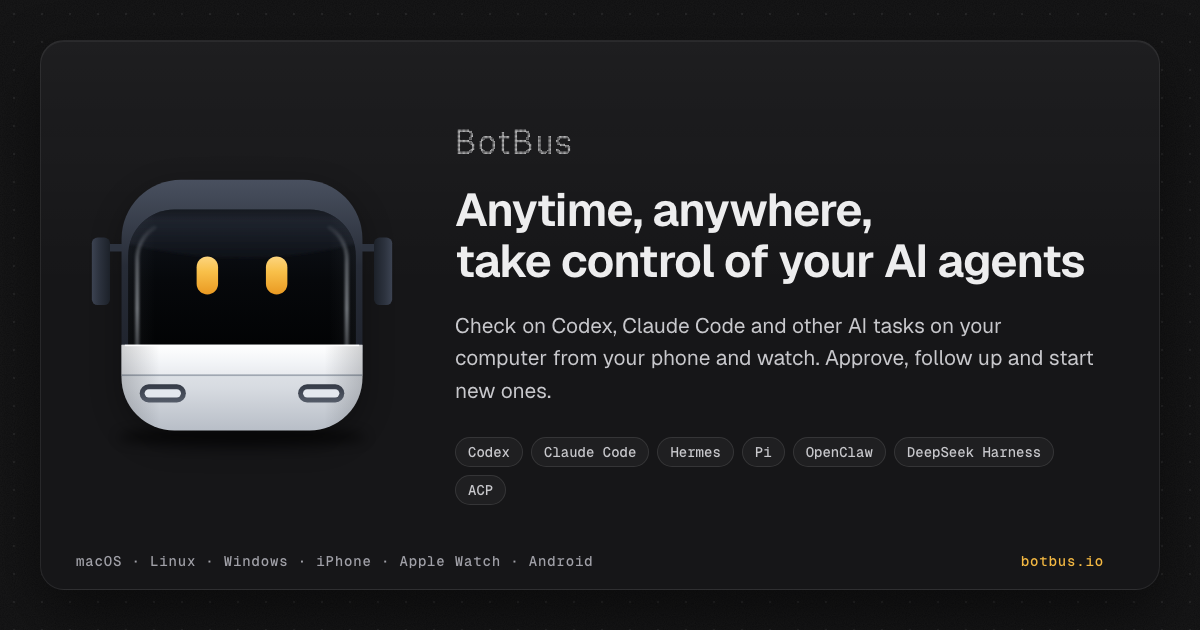
BotBus is an app for keeping tabs on the AI coding agents running on your computer from your phone and Apple Watch. On the computer it lives in the menu bar and automatically discovers local agents such as Codex and Claude Code; on your phone and watch you can follow task progress, approve, follow up, interrupt, and start new tasks. Tasks from all of your computers are gathered in one place, sorted by agent and project, so developers who run agents locally can stay in control without sitting at their desk. What you can do depends on the connector, the task's state and whether the computer is online. Coding agents do not only write code; they pause. An agent may want to run a command such as a test suite, edit files, or ask a question before continuing, and it waits until someone answers. When that someone is away from the keyboard, the work stops, and a task that could have been finished in an hour sits idle until the developer returns. BotBus is built around that gap. Its promise is that you can step away from your computer and the work keeps moving: approvals, follow-ups and new instructions arrive on the device that is already in your pocket or on your wrist. The desktop app quietly discovers the agents already installed on the machine rather than asking you to configure them, and the phone app turns those agents into something you can supervise from anywhere. Every computer at a glance. BotBus collects tasks from all of your paired computers and sorts them by agent and project, including the tasks you started at your desk. A device list shows online status and pending counts for each machine, and opening a single computer reveals its pending and running tasks alongside recent projects, so you can tell at a glance where attention is needed. New tasks, on the go. From your phone you pick a computer, a project and an agent, say one sentence, and the task starts. You can choose the model, or run the task in its own git worktree so parallel work stays isolated from your main checkout. Approvals and questions in one tap. When an agent wants to run a command, edit files or ask you something, BotBus nudges you, and you answer with a tap on your phone or your watch. Auto-approve can be turned on for a project when you would rather not be asked. Beyond approvals, BotBus also supports following up and interrupting a running task, voice input for instructions or replies, sending photos from your phone, reviewing uncommitted changes, and switching the model and reasoning effort for a task. Watch sync means that once your watch has synced pairing from your phone it connects on its own, so common actions do not require pulling out your phone at all; the watch can show all devices, recent projects, approval requests and a task awaiting your reply with voice reply. Control your computer's screen. On supported setups you can see your computer's screen live on your phone and tap, swipe or type on it. Input starts locked, and both the picture and your input are end-to-end encrypted. Screen control currently supports Mac. Results, straight to your phone. Screenshots, files and videos come back together with the task, and images and PDFs mentioned in the chat open with a tap, so you can inspect what an agent produced without transferring anything by hand. Preview web pages on your phone. When an agent starts a dev server, BotBus lets you preview the page it built on your phone, without going back to your computer. BotBus works through a small desktop app plus a pairing flow. You install BotBus on your computer, where it lives in the menu bar, runs in the background and automatically discovers local agents. Choosing 'Pair a Phone' shows a QR code; scanning it pairs the phone, and the key never goes through the server, staying in each device's keychain instead. Content is encrypted with AES-256 on your device before it is sent, so the server only relays and briefly holds ciphertext and cannot decrypt your chats, commands or images. Pairings that idle for 30 days are cleared, and removing any single computer or phone disconnects it at once. The server still sees the little it needs to relay data: device IDs, online status, update times and data sizes. Developer previews, which share a web page from your computer to your phone, are proxied through the server and are not end-to-end encrypted. Viewing already-synced tasks does not require the computer to be online, but approving, following up, starting new tasks and interrupting do require the target computer to be online and supported by the connector. The benefit is continuity. Instead of returning to the desk to unblock an agent, you answer the approval from your phone in a tap, or reply by voice from your watch. Instead of wondering whether a long job finished, you glance at a device list that shows pending counts across all your machines. Instead of waiting to see what an agent produced, the screenshots, files, videos, PDFs and dev-server previews arrive with the task. BotBus does not change how your agents work; it changes where you have to be while they work, so a commute, a meeting or an evening away does not mean downtime for your machine. Typical scenarios follow the way developers actually work. A test suite fails and the agent asks to run a command; you are away from your desk, so you approve it from your phone and the run continues. You think of a small fix while commuting, so you pick the project and agent, say one sentence, and the task starts on the computer at home. You run several machines and want a single view of pending and running work, sorted by agent and project. You want to see the landing page an agent built before you get back, so you preview the dev server on your phone. You are traveling and need to take control of your Mac's screen directly. Or you are in a meeting, an approval arrives, and one tap on your watch, or a spoken reply, keeps the agent moving. BotBus runs a desktop app on macOS, Linux and Windows and a mobile app for iOS and Android. The Mac app requires macOS 26 or later and is universal for Apple Silicon (arm64) and Intel (x86_64); the current download is BotBus for Mac 1.0.6 (build 33), 24.3 MB, released 2026-10-08, with a published SHA-256 for verification. Linux is a command-line version for servers and dev machines, covering mainstream x86_64 and aarch64 distros with or without systemd and installing without sudo; you scan a QR code in the terminal to pair. Windows 10 and 11 is ready to install, runs in the background after you sign in with a tray icon, needs no administrator rights, and requires Windows 11 on ARM PCs. On mobile, the iPhone and Apple Watch app requires iOS 26 / watchOS 26 or later and comes bundled with the watch app; Android 8.0 or later is available on Google Play or as a direct APK download. Built-in agent support covers Codex, Claude Code, Hermes, Pi, OpenClaw and DeepSeek Harness, and other agents that implement ACP (Agent Client Protocol), such as OpenCode, can connect as well. BotBus turns the computer that runs your coding agents into something you can supervise from your pocket. By discovering local agents automatically, delivering approvals and questions to your phone or watch, and encrypting content end to end, it keeps the work moving while you are away from your desk.
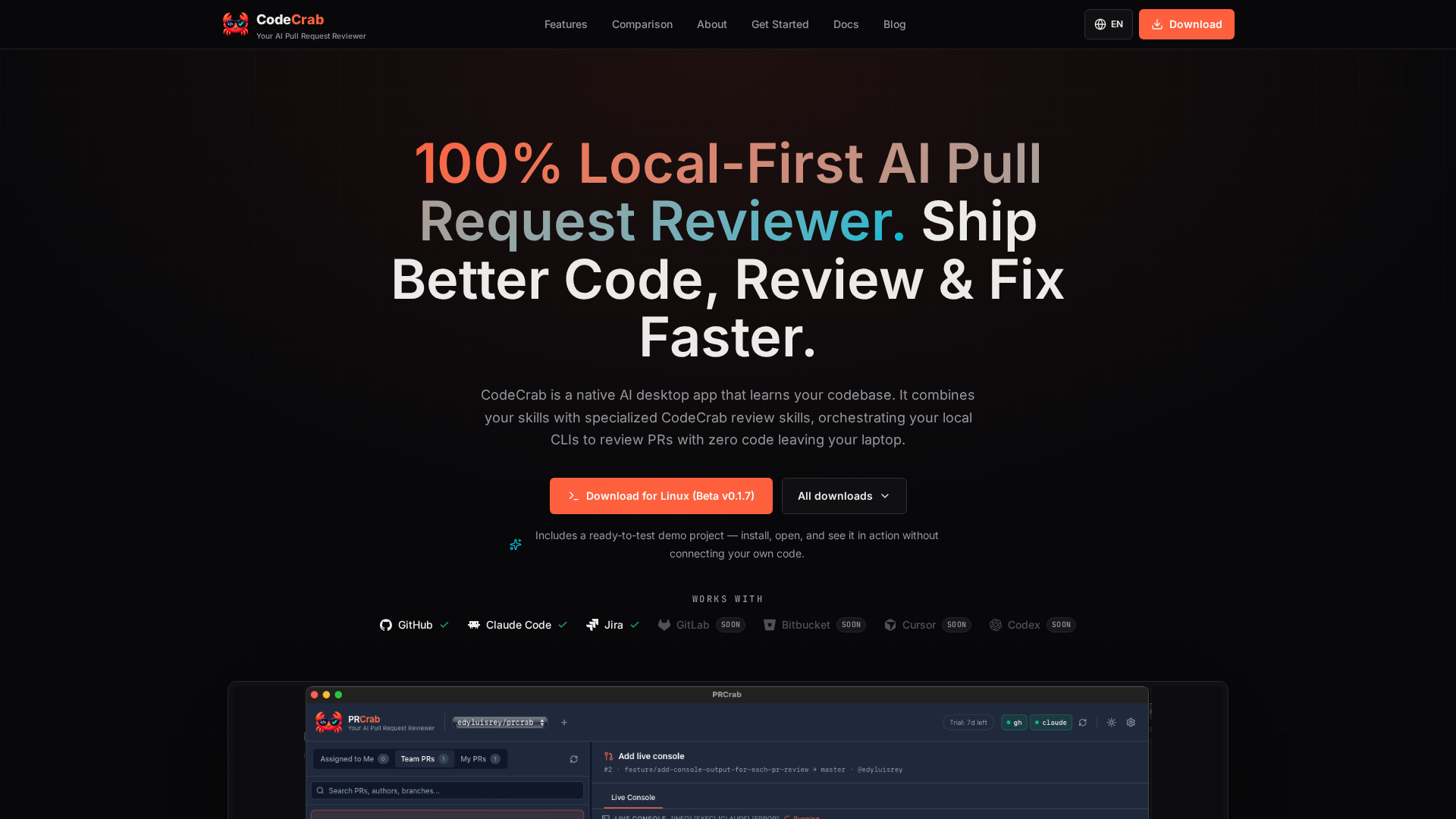
CodeCrab is a native desktop application that reviews pull requests in seconds by orchestrating the local command-line AI tools already installed on your machine. It is built for software engineers who want fast, deep reviews of both their teammates' pull requests and their own work, and it is designed around a simple promise: your code never leaves your laptop. CodeCrab learns your codebase, combines your existing skills with its own specialized CodeCrab review skills, and maps AI observations directly onto the changed lines so reviewers can catch bugs, risky patterns, and regressions before they approve. The product is currently available as a free public beta that runs 100% on your machine. Modern engineering teams are writing code faster than they can review it. As AI tooling generates code at unprecedented speeds, the primary bottleneck has shifted from writing code to reviewing pull requests efficiently. In practice, that means senior engineers spend hours walking through diffs, and reviewers often lack the full context of the repository behind a change. At the same time, many teams work on sensitive or regulated codebases where uploading source code to a third-party cloud review service is simply not an option. CodeCrab was built by Edy, a software engineer with more than 14 years of experience, including years building systems at Google and Pinterest, initially as a personal tool to perform deep, Staff-level code reviews quickly without uploading sensitive private code to third-party servers. The first core workflow is pull request code review. You open any pull request from your colleagues, and CodeCrab walks through the diff with you. It maps AI observations directly onto the changed lines, so you can spot bugs, risky patterns, and regressions fast, before you hit "Approve". Crucially, CodeCrab reviews against your entire local repository rather than only the diff: it uses full codebase context, including your types and your test suite. That means observations are grounded in how the change actually fits into the project, not just in the isolated lines that changed. The whole process is 100% local-first, so CodeCrab can catch logic bugs and regressions without uploading a single line to the cloud. The live review interface combines a file tree, a diff viewer, and inline AI observations in one native desktop window. The second workflow covers your own pull requests. When a teammate leaves an observation on your PR, CodeCrab runs a deep investigation for you. It digs through the code around every comment, connects that code with your project's context, and helps you understand as precisely as possible what the observation really means and what the correct solution looks like. The investigation of every reviewer observation on the diff is deep and read-only, so nothing is modified while CodeCrab is reasoning about the feedback. Once you understand the finding, CodeCrab supports an assisted fix on your local branch, verified against your own test suite. A third, closely related workflow happens before the pull request even exists: pre-push code review of local changes. While you are still working locally, CodeCrab reviews your in-progress changes in read-only mode before anyone sees the diff, detects errors early, investigates each finding as deeply as needed, and helps you apply the right fix while the context is still fresh. CodeCrab is built to plug into the workflow you already have rather than replace it. You connect any repository, and CodeCrab learns its rules and patterns, building a per-repository review profile that powers specialized review agents and custom skills. Those profiles make reviews tuned to your codebase instead of generic best practices. Your own skills and CodeCrab's agents work together: you can reuse your existing local skills, combine them with CodeCrab's, and extend as far as you need. The app integrates with your local skills, Claude Code, and Jira, and it works with GitHub and GitLab today, with Bitbucket, Cursor, and Codex listed as coming soon. Repositories, skills, models, and language are all configurable, so experienced engineers can enforce their own standards without abandoning their existing setup. Privacy is the foundation of the product. CodeCrab uses a 100% on-device architecture with zero code uploads: your source code never leaves your laptop or passes through external cloud databases, which makes it suitable for strict corporate environments where no code may be sent to third-party AI clouds. Control is equally deliberate. CodeCrab is read-only by default and never commits, pushes, or posts public GitHub comments without your explicit permission. When you do want to apply a change, CodeCrab generates verified code patches as 1-click local fixes, and it runs your native test suite (cargo test, pytest, npm test) before applying them, so the patch is checked against the project's own tests rather than trusted blindly. Instead of requiring org-wide OAuth admin permissions, CodeCrab uses your own CLI login (gh). The distinctive approach is tool orchestration on the client side. Rather than locking you into a vendor's fixed model wrapper, CodeCrab orchestrates your local command-line tools, so it can use your local Claude Code and Cursor setups. It connects directly to the AI subscriptions you already pay for, giving you full model and cost control: you choose which AI models to run and control exactly how much you spend on code reviews, with zero server markups or hidden fees. Execution is transparent through a live execution console that shows real-time stdout and stderr, in contrast to an opaque cloud pipeline. The difference from cloud review bots is not the model, it is where your source code ends up: with CodeCrab everything stays client-side and runs as an instant local native application, while cloud SaaS bots upload and process code on vendor servers and run queued background jobs. The headline benefit is speed without loss of depth. CodeCrab is described as instant and lightweight, with blazing-fast native desktop performance, minimal RAM consumption, and instant startup, so reviews happen in seconds instead of waiting on a queue. Engineers get early bug detection for logic flaws, security risks, and regressions directly on the diff, plus 1-click local fixes that produce verified code patches ready to apply to a local branch. Precision diff navigation with clear changed-file tracking, inline observation badges, and clean multi-file diff inspection keeps large changes manageable. Together these outcomes shorten the loop between noticing a problem and having a reviewed, verified fix, and they let teams ship cleaner, higher-quality code while keeping full control over cost and data. Concrete workflows include reviewing a teammate's pull request before approving it, where CodeCrab walks the diff and places observations on the changed lines so you can catch risky patterns and regressions with full repository context. Another is turning feedback on your own PR into a solution: CodeCrab investigates each reviewer observation deeply, explains what it means, and assists with a local fix verified against your test suite. A third is pre-push review, where you analyze in-progress local changes and apply fixes before the pull request is ever created, so the PR you open ships cleaner code. Teams working in regulated or security-sensitive environments use CodeCrab because reviews happen entirely on-device with no code uploads. Engineers who already pay for tools such as Claude Code or Cursor can reuse those subscriptions for reviews rather than paying for an additional cloud service. The bundled ready-to-test demo project lets anyone install, open, and see CodeCrab in action without connecting their own code. CodeCrab is aimed at software engineers and engineering teams who review code daily, particularly those who want deep, Staff-level reviews quickly and cannot or will not upload sensitive private code to third-party servers. It complements existing setups instead of replacing them: it integrates with GitHub, Claude Code, Jira, and GitLab, with Bitbucket, Cursor, and Codex listed as coming soon, and it plugs into local custom skills. Reviews run against your local repository and your own test suites, with example commands including cargo test, pytest, and npm test. GitHub access uses your own gh CLI login rather than org-wide OAuth permissions. The app ships as a native desktop application, currently downloadable for Linux as Beta v0.1.7, and CodeCrab is in free public beta with no code leaving your laptop. CodeCrab's promise is straightforward: faster, deeper pull request reviews with total privacy. By learning your codebase, orchestrating the local AI tools and subscriptions you already own, and keeping every line of code on your machine, it turns review from a bottleneck into a fast, controlled, read-only step in your engineering workflow.