Category Focus/categories/automation
Automation AI Tools
Discover and compare the best automation AI tools and software. Browse 637+ curated tools with reviews and rankings.
Projects tracked
637
Sort mode
RECENT
Page
14
Naoma AI Demo Agent V2 is an AI video sales agent that gives every prospect a live, personalized product demo the moment they want one. Instead of asking visitors to fill in a book-a-demo form and wait for a rep, Naoma starts the demo instantly, walks the prospect through the live product, answers their questions, qualifies them and books the meeting. It is built for B2B SaaS teams that want to run more demos without hiring more reps, and it works on a website, inside an app, or in outbound emails. Naoma speaks 33 languages, runs 24/7, and writes every session back into the CRM so no conversation is lost. The problem Naoma targets is the gap between buyer interest and buyer access. A typical book-a-demo button converts only 1-2% of website visitors; everyone else leaves without ever seeing the product. Demos also tend to be constrained by business hours, time zones and the languages a sales team can realistically staff, which means a prospect researching at 11:42 PM, 3:15 AM or 5:07 AM may simply never get a demo at all. Long enterprise buying cycles make the gap worse, because a single opportunity often involves multiple decision-makers across marketing, operations, IT, procurement and management, each with different priorities, KPIs and questions. Naoma's premise is that a demo should be available immediately, in the buyer's language, whenever the buyer is ready - not whenever a rep happens to be free. Naoma's core capability is the automated demo itself. When a visitor requests a demonstration, there is no scheduling and no waiting: the demo starts immediately, and Naoma states that demos can start in 10 seconds. The AI agent handles discovery, tailors the session to the prospect's needs, industry and role, shows the features that matter to that person, and answers questions as they come up. After the session it qualifies the prospect and routes them onward: qualified leads go straight to the CRM, high-intent buyers can be sent to checkout, and Naoma can book a meeting with the sales team, all without a manual handoff. In practice each demo ends in one of three outcomes - meeting booked, qualified, or disqualified - so the sales team receives a pre-qualified list rather than raw traffic. Hyper-personalization is what makes each demo feel relevant rather than generic. Naoma learns the product from the material the company already has: sales scripts, demo recordings, the knowledge base, sales presentations and the demo environment itself. Because it is trained on those sources, it can handle complex technical questions and adapt the conversation to the context of the specific visitor. This is what allows the same agent to demo a deep, feature-rich platform credibly without a human rep driving the screen, and it is why teams describe the experience as doing discovery for them. Language coverage is a headline feature. Naoma speaks 33 languages, on the principle that buyers prefer to explore a product in their native language, which removes friction and helps every prospect understand the product and its value in the language they think in. The website illustrates this with named agent personas such as Alexandra Chen (VP of Sales) in English, Carlos Rodriguez (Head of Customer Success) in Spanish and Sophie Martin (Product Marketing Director) in French. Teams can also choose the face of their demos: the signature Naoma agent, a branded mascot, an animated avatar, or a static realistic avatar generated from a real photo, so the demo experience fits the brand and stays memorable. Beyond revenue, Naoma captures intelligence that buyers do not usually volunteer to a rep: competitors, objections, questions and feature requests. The company frames this as intel for sales, marketing and product teams, not just a source of pipeline. Because every session runs through the agent, the objections and questions raised during demos are recorded systematically, which gives marketing and product a view of what buyers actually ask and resist. Naoma also remembers returning visitors and picks up where they left off, so a prospect who starts exploring and comes back later continues the same thread instead of starting over. Naoma describes its workflow in four automated steps. First, a prospect on the website or in the app requests a demo - no scheduling and no waiting, the demo starts immediately. Second, the AI sales agent runs a live, personalized demo tailored to the prospect's needs, industry and role, handling discovery, showing relevant features and answering questions. Third, qualified leads are routed straight to the CRM, with the option to book a meeting with the sales team or send high-intent buyers to checkout, with no manual handoff. Fourth, the agent surfaces buyer insights, including competitors, objections, questions and feature requests, for sales, marketing and product. End-user feedback from live demos is used to benchmark quality: 89% of end users mention how human the experience feels, 77% praise how it handles interruptions, and fewer than 2% of sessions hit any technical issue. The stated outcome for customers is more demos from the same traffic and the same budget. Naoma reports that typical visitor-to-demo conversion is 1-2%, while visitor-to-AI-demo conversion with Naoma reaches 6-20%. The company also positions the product around running 5x more demos without hiring more reps. Because the agent operates 24/7 and in 33 languages, prospects get demos at peak buying moments across every time zone rather than waiting for a reply. Reviewers on G2 describe the practical effect: prospects learn about the platform whenever it is convenient for them, discovery is effectively done for the sales team, and reps can focus on higher-value conversations. Naoma holds a 4.9 rating on G2 and states that 50,000+ demos have been run for B2B SaaS teams. Concrete use cases come from published case studies. Hoteza, a web-based guest engagement platform for hotels, placed Naoma behind a "Get AI demo now" button so leads arriving across every time zone and language get an interactive demo immediately; the company reports that since April, 57 hotels explored the product this way and one regional partner signed after going through the AI demo. AiSDR uses Naoma to run personalized demos of its AI sales development platform for website visitors. UXPressia uses it to demo journey maps, personas and an AI persona builder for visitors who might not discover the platform's depth in a self-serve trial. App Radar uses it to qualify visitors and surface larger accounts worth routing into a sales-assisted funnel. Mellow uses it to reduce demos run with prospects who are not the right fit, and Hoteza and Mellow both cite that same qualification goal. Naoma is aimed at B2B SaaS teams - its customer logos include Yesim, Mellow, Runwayer, MarketOwl, Magify, UXPRESSIA, AiSDR, Hoteza and App Radar - and G2 reviewers span small businesses, mid-market companies and enterprise buyers. The product routes into a CRM, a calendar or checkout, and the site points to a knowledge base covering pricing, setup, security, CRM integrations and multilingual demos. On the security side, Naoma states that it is GDPR compliant and protects both customer data and their customers' information with enterprise-grade security. Naoma has also been recognized publicly, including Product Hunt daily and monthly top-post badges, Tekpon's Top Demo Automation Software Q1 2026 and a Global Startup Award from The Ventures, alongside press coverage of a $440k pre-seed round. Prospects can start a demo directly from the website, teams can build an agent in Naoma's app, and the company offers an ROI calculator. Naoma AI Demo Agent V2 is a purpose-built AI video sales agent for instant, personalized product demos. By replacing the book-a-demo form with an agent that demos, qualifies and routes in real time across 33 languages, it turns existing website traffic into booked, qualified meetings without adding sales headcount - and it feeds the objections, questions and competitor mentions back to the teams that need them.
LinkFlick is a macOS menu bar app that switches your Apple Magic Mouse, Magic Keyboard, and Magic Trackpad between any two Macs in one click. It is built for people who move between multiple Macs during the day — a personal MacBook and a work MacBook, or a laptop and a desktop at home — and who want their Magic peripherals to come with them. LinkFlick flicks the devices over Bluetooth instead of asking you to re-pair them by hand, and it does so without iCloud, without an Apple ID, and without digging through menus. The app was built out of a specific frustration: re-pairing a Magic Keyboard and Mouse every time its maker moved between a MacBook and a work MacBook. Those two machines ran on different Apple IDs, so Universal Control was never going to work for that setup, and manual Bluetooth re-pairing was the only option left. That meant digging through menus and repeating the same tedious routine several times a day. LinkFlick replaces that routine with a single, explicit action that moves the physical hardware to the other Mac. LinkFlick lives in your menu bar, designed to stay out of your way and ready whenever you need to switch. It connects all your trusted Macs into a cluster that is instantly available for a switch, showing which machines are online and which devices are currently attached where. With one click you move your keyboard, mouse, and trackpad to the other Mac — no cables, no dongles, just a seamless hand-off of your controls. You can also trigger the switch with a customizable hotkey, or simply tell Siri to flick devices. Because control is explicit, there is no cursor drifting off the screen by accident, and the interaction feels like a native part of macOS. Unusually, LinkFlick moves the physical hardware rather than just the cursor. It re-pairs peripherals at the Bluetooth layer, so the destination Mac sees a real Magic device, not a bridged input stream. That native approach means there is no iCloud dependency, no network relay, and no limit imposed by a bridging layer. It also means no Apple ID is required: LinkFlick works between any two Macs on the same network, whether they are personal or work machines, and even when they are signed into completely different accounts. LinkFlick simply does not care which account each Mac uses. LinkFlick supports every Magic peripheral — Magic Keyboard, Magic Mouse, and Magic Trackpad — across both 1st and 2nd generation hardware, handling the hand-off so macOS does not have to. Support is intentionally limited to Apple's Magic peripherals, because those devices enter Bluetooth discovery mode automatically after unpairing. That behaviour is what allows LinkFlick to perform a silent re-pair on the other Mac without PIN codes or confirmation dialogs. Third-party devices such as Logitech or Razer are not supported. The menu bar interface also displays battery levels for your devices, and it nags you before your Magic Mouse battery dies. Under the hood, LinkFlick uses Bonjour to discover your Macs on the local subnet, so no cloud servers are involved and nothing is sent outside your home or office network. Both Macs must be on the same network — Wi-Fi and Ethernet both work — and LinkFlick must be running on each Mac you want to transfer devices between. The app runs as a lightweight menu bar extra and uses almost no resources when idle. It requires Bluetooth access to re-pair devices and Local Network access to discover other Macs via Bonjour; it does not need administrator privileges and does not read your keyboard input. Transfers typically take 5 to 15 seconds, depending on how quickly macOS processes the Bluetooth pairing request internally — by the time you turn to face the other screen, the device is usually ready. If the destination Mac is off or asleep, your devices simply stay connected to the current Mac, and as soon as the other Mac wakes and LinkFlick reconnects, it reappears in the Flick List ready for the next transfer. LinkFlick also senses your power and display status, so work starts the moment you plug in. When you connect power, LinkFlick wakes up and checks where your devices need to be. If your Magic Keyboard, Mouse, and Trackpad are still on another Mac, you get a gentle nudge that one tap resolves. The app then hands off each device silently in the background, with no pairing screens and no interruptions, so everything follows you. By the time you sit down and open your editor, your mouse is already where you left off. The outcome is that your workflow follows you between machines. Rather than stopping to reconnect hardware, you continue exactly where you left off, with your Magic devices simply present on whichever Mac you are using. Because switching happens in the background and takes only seconds, the interruption is minimal, and because the app sits in the menu bar with explicit controls, switching stays deliberate rather than accidental. There is also less battery anxiety, since device battery levels are visible and low battery warnings arrive before a mouse dies mid-task. Typical use cases include a personal MacBook paired with a work MacBook that use different Apple IDs, where Universal Control cannot help but LinkFlick can. Others use it to move a keyboard, mouse, and trackpad between a MacBook Pro and a Mac mini on the same desk, or between any two Macs on one local network. Power users with a full multi-Mac setup can connect up to five Macs under the Pro plan. The plug-in workflow suits people who dock or connect power and external displays when they sit down, since the devices follow automatically. And when the other Mac is asleep, devices remain usable on the current Mac until it returns. LinkFlick is available as a 14-day free trial with no credit card required, and pricing is a one-time purchase with free updates and no subscription. The Personal plan costs $14.99 and supports up to 3 Macs, which is described as perfect for working between a laptop and a desktop at home. The Pro plan costs $19.99 and supports up to 5 Macs for power users and full multi-Mac setups. Both plans include auto device discovery, instant switching, battery level display, trusted peers, and no cloud or account requirement. System requirements are macOS 14 Sonoma or later, with all Macs on the same local network. LinkFlick's core value proposition is simple: it removes the friction of sharing Magic peripherals between Macs. It does that natively at the Bluetooth layer, without iCloud, without an Apple ID, and without re-pairing, so switching Macs becomes a single click in the menu bar rather than a routine chore.
Work Life Panda is a task manager and a calendar combined into a single app, built so that everything you have to do and everywhere you have to be live in one calm place. Instead of starting with an empty list and asking you to rebuild your life inside it, it starts with the life you already have: you connect the calendar you already use and your week is simply there, and you capture the rest in a sentence with an AI that runs on your device rather than in the cloud. Tasks, events, calendars, notes, files and a chat on every item come together in one connected workspace, on iPhone, iPad, Android and the web, so your personal and family life, or the groups and small teams you plan with, can be coordinated from the same source of truth. Most task apps start empty and ask you to rebuild your life inside them. The reality of a normal week is more scattered than that: your week lives in a calendar, your to-dos live in a list, and your plans live in a group chat. That split means plans get duplicated, decisions get buried in messaging threads, and people end up asking where something was decided. Work Life Panda's answer is to start full rather than empty. It connects the calendar you already keep, brings the invitations already sitting in your email onto your schedule, and then gives each task and each event its own place to be discussed, planned and tracked. The result is described as one evolving operating layer for life rather than another isolated to-do app. Calendar connection is the foundation. Work Life Panda connects to the calendar you already use, with Google, Apple iCloud and Microsoft Outlook all syncing both ways, plus Fastmail and Zoho, and you can also follow any calendar published as a link. The important detail is that it stays your calendar rather than becoming a copy: change something in either place and both stay right. There is nothing to import and nothing to retype, because the week you already have simply appears inside the app. For anyone who has created a new tool only to abandon it during setup, or duplicated events between systems, this single connection removes the setup tax that usually kills a productivity app before it has a chance to help you. A related capability takes the effort out of getting plans out of your inbox. Invitations in your email become events: a booking lands in your inbox and the event lands on your calendar. Connect an iCloud or Outlook mailbox and the invitations already sitting in it become events on their own, with no forwarding and no copying. The marketing content notes that Gmail is waiting on Google's security review. This matters because confirmations, invitations and bookings are the raw material of a busy week, and they usually arrive somewhere other than the place you plan from. Pulling them into the calendar automatically means the thing you have to attend is already on your schedule when you go to plan around it. Panda AI handles capture. You turn a sentence or your voice into a task, and the AI that does the work runs on your device, not in the cloud, so your data stays with you. Because the processing is local, it also works with no internet, which means a thought captured on a plane, in a tunnel or anywhere else without a signal can still become structured around your schedule. The stated aim is to keep control while safe local AI automates the busy steps, smoothing the mechanical parts of planning without handing your life to an opaque cloud service. For people who are cautious about where their personal plans and family details are processed, running the AI on the device is the difference between trusting a tool with your life and not. Every task and every event carries its own chat. The conversation lives on the thing it is about, so you discuss and decide on the item itself, assign and hand off work, and see what moved, with files, people and tracked history attached to the item. Because the discussion is attached to the task or event rather than living in a separate messaging thread, nobody has to ask where it was decided. Shared spaces extend this to other people: share one with your partner, your family or your team, and connect a calendar into a shared space so everyone sees it. That turns a plan into something a group can actually operate from, rather than a chat thread that slowly loses the detail. Beyond tasks and events, the app is described as more than a task app, an evolving operating layer for life with several connected pieces. Notes stay connected, so you can capture ideas, lists, meeting notes or family context without losing the connection to what needs doing. People, roles, kids and rewards can be managed from the same core workflow, covering shared responsibilities, family routines, kids and reward systems. Birthdays, anniversaries and other important dates are kept in one place so the personal moments that matter do not slip through the cracks. Each of these is not a separate module you have to reconcile later, but a view onto the same connected workspace. The unifying methodology is a single connected workspace with one source of truth. Everything begins from the life you already have rather than a blank template; every item carries its own chat so context stays with the work; and the same product experience follows you across iOS, Android and web so your life does not split just because your devices change. On iPhone and iPad you capture, plan, collaborate and stay on top of life from the device already in your hand. On Android you keep the same connected workflow with the same shared model, collaboration and AI-assisted experience. In the browser you get a larger workspace for planning, reviewing and coordinating. Instead of scattering your life across separate tools, the app is where the calendar, the tasks, the notes, the people and the conversations about them meet. The benefits follow from that consolidation. Your to-dos and your whole schedule sit together, so you can see what you have to do in the context of everywhere you have to be. Invitations in your email become events, so attendance does not depend on manual copying. Capture in a sentence or by voice means the gap between having a thought and having it tracked is short enough that you actually do it. Private on-device AI means that convenience does not cost you control of your data, and offline operation means it works regardless of connectivity. A chat on every item means decisions stay attached to what they affect, and shared spaces mean the people you plan with see the same picture. The use cases described are grouped into two broad kinds of life. For personal and family life, Work Life Panda is a calmer home base covering chores, kids, plans, reminders, notes and birthdays, captured in a sentence and kept in one private place on every device you already own, with no shared wall tablet required. For teams and business, it is for trips, clubs, shared houses, side projects and small teams, giving the plan a real home where tasks, events, files and the conversation about them live together instead of being scattered across a chat thread and three tools. In both cases the mechanics are the same: connect a calendar, capture what needs doing, and discuss it on the item with the people involved. Work Life Panda works on iPhone, iPad, Android and the web, so it covers phone, tablet and desktop with the same source of truth. It syncs both ways with Google, Apple iCloud and Microsoft Outlook calendars, plus Fastmail and Zoho, and can follow any calendar published as a link. Email event import is available through iCloud and Outlook mailboxes, with Gmail pending Google's security review. The app is completely free during early access, including every Pro feature, and the content states that early members always get the best pricing later, with a direct line to shape what comes next from inside the app. The takeaway is simple: Work Life Panda does not ask you to rebuild your life in a new tool. It starts with the calendar and schedule you already have, adds a real task manager alongside it, keeps a chat on every task and event so decisions stay with the work, and runs its AI on your device so all of it stays private. Every task, every calendar, one app.
QApilot MCP for Android is a Model Context Protocol (MCP) server and CLI that lets developers automate tests on real Android devices and emulators from inside an AI coding client such as Claude, Cursor, or any MCP-compatible AI client. Rather than writing Appium code, users describe a test flow in plain English, and the AI agent builds a structured plan that QApilot executes step by step on the connected device. It is intended for mobile QA engineers, Android developers, and release teams who want Android test automation to run from the tools they already work in. The guide positions QApilot MCP around a simple premise: Android UI automation should not require hand-written Appium code. Test authors describe what they want to verify in ordinary language, and the system handles the mechanics of driving the device. The documentation also points out that step titles are generated automatically with a maximum of 50 characters and no XPath, so reports and the dashboard always stay readable. Before installation, the guide stresses that five prerequisites must be in place: Node.js 18+ (from nodejs.org or nvm), Java JDK 11+ (required by Appium, with JAVA_HOME set in the shell profile), the Android SDK or Studio (which installs adb and platform-tools, with ANDROID_HOME pointing to the SDK path), a USB device with USB debugging enabled or an AVD emulator verified with adb devices, and Appium 2.19.0 installed globally with the UIAutomator2 driver. Installation follows a documented sequence. The CLI is installed globally from the distribution package with a single npm command, then verified by running the server in stdio mode, where the server starts and waits for input without errors. Appium setup is described as a one-time task using pinned versions: Appium 2.19.0 and the UiAutomator2 Android driver 4.2.6, followed by starting the Appium server with the flags shown for chromedriver autodownload, adb shell access, the /wd/hub base path, and CORS, and confirming the device is visible through adb devices. The guide warns that other Appium or driver versions may break the MCP server and recommends keeping Appium running in a separate terminal before starting any test session. Connecting an AI client is done by pasting an MCP configuration block for Claude Desktop, Cursor, or OpenAI Codex, after which QApilot Mobile MCP appears in the client's connected tools list. Restarting the AI client is required after saving the configuration. Once connected, users register and log in through conversation. An account can be created by asking the AI to sign up with an email address; an activation link arrives by email and the login credentials follow. If environment credentials are set in the configuration, the client logs in automatically on first use; otherwise credentials can be supplied in a prompt. Users then create a project to hold their tests and launch their app by giving the Android package ID, with the default project and device selected automatically. From there, test steps are recorded by describing them: the AI builds a structured plan and executes each step on the device in real time. The guide shows example prompts for search flows, login flows with screenshots, navigation and assertions, scrolling and filtering, and form submission. A live preview returns a URL on every app launch call so the device screen can be watched in the browser as steps execute. After a successful run, the recorded steps can be pushed to QApilot as a saved test case for future replay, and only happy-path steps are saved; failures are excluded, and a failed step should be fixed and a passed report generated first. Saved test cases can be replayed one by one, in batches of IDs, or from an Excel sheet such as regression_suite.xlsx, with execution status checked on demand. Every session should end with a report, generated even on failure because it clears execution state so the next test can start cleanly. Reports capture step results, screenshots, errors, and timing, and are written to a dated session folder containing output.json and report.yaml, plus a scenario.feature Gherkin file when the session passes. The server also exposes a cache for XPaths and skills learned per app, with tools to fetch cache context for the current app and summarize what is cached for a given package, along with usage reporting for tokens and API consumption. The overall workflow is agent-led. The AI client lays out the test steps, and QApilot runs them: it finds the elements, waits for the screen to settle, retries when something moves, and caches what it learns so repeat runs are faster. Every passing run saves a Gherkin feature file and becomes a replayable test case, tying prompt-driven testing to a durable regression asset. The MCP server communicates over the Model Context Protocol, exposing dedicated tools for every capability, including account signup and login, project listing and selection, device listing and selection, app listing and launching, session start and stop, plan submission and execution, single manual actions such as tap, type and swipe, execution state, session status and info, preview URLs, accepting steps, replaying test cases, running Excel suites, generating reports, cache inspection, and usage tracking. For users, the benefits described are practical: no Appium code to write, test flows expressed in plain English, execution on real devices and emulators, readable auto-generated step titles, and replayable test cases that accumulate over time. Because caching is retained between runs, repeated executions are faster, and because reports include screenshots, errors and timing, failures are easier to inspect. The preview URL lets teams watch a run from the beginning, and the Excel-driven execution path supports regression batches without rewriting anything by hand. The documented use cases are drawn from everyday mobile app testing. A search flow can be tested by tapping Search, typing a search term such as Honda City, selecting the first result, and verifying the car detail page loads. A login flow can enter an email and password and screenshot the home screen. Navigation and assertions can go to a comparison screen, add two cars, and confirm the compare button is visible. A scroll-and-filter scenario can scroll the filters page, select Petrol as the fuel type, and apply the filter. Form submission scenarios can fill an enquiry form with a name, phone number and city, then submit. Saved suites can then be replayed individually, in sequence, or in bulk from an Excel regression sheet, with status checks in between. QApilot MCP for Android is aimed at mobile QA engineers, Android developers, and teams that already work inside AI coding agents such as Claude, Cursor, or OpenAI Codex, as well as any MCP-compatible client. It integrates with Appium 2.19.0 and the UiAutomator2 driver, the Android SDK and adb, and runs on Node.js 18+ with Java JDK 11+. A Slack community is available for questions, prompts, and setup help. The guide does not state pricing or plan details. In short, QApilot MCP for Android turns an AI coding agent into an Android test automation driver: describe the flow in plain English, let the agent plan it, and let QApilot execute, preview, accept, replay and report on it, with caching that makes the next run faster.
Youkti is an outbound revenue system that turns account knowledge and relationship data into revenue. In its own words, it is "the outbound system of thinking and action": it keeps a memory of every account, conversation, and deal, then tells a sales team the exact next move — which deal is slipping, which dormant account just fired a signal, and what to prepare for tomorrow's meeting. It is built for account executives, RevOps teams, outbound reps, and sales leaders who want to win more new logos, move more pipeline, and reactivate dormant accounts. The stated promise is intelligent outbound, live signals, and a complete memory of every account, surfaced through command surfaces tuned to each role. The problem Youkti addresses is not a shortage of sales data but a shortage of attention and timing. Deals slip out of the pipeline before anyone notices they have stalled, dormant accounts quietly launch new initiatives, and buying committees change shape without the account team knowing. Sales teams are left doing manual updates, digging for context, guessing at next steps, and missing follow-ups. Battlecards go stale, competitive context arrives too late, and CRM records drift out of accuracy unless someone maintains them by hand. Youkti positions itself against that fragmentation, and even frames its automatic CRM sync as an alternative to spending $100K+ on Salesforce Data Cloud 360 and implementations. The first layer of the product is ARYA, described as a conversational GTM builder rather than a static workflow. You tell ARYA what you want in plain English and it builds the entire flow through conversation: signal triggers, persona matching, outreach rules, and cadence. The configuration updates live as you talk, with no drag-and-drop and no if-else logic — conversation in, config out. A visible flow runs Signal, Signal Filter, Persona Match, then Auto-Sequence. Signal triggers can include Funding Raised and Hiring Surge; target personas can be VP Sales, CRO, Head of Sales, VP Marketing, and CMO. Outreach rules can branch, for example: if Funding Raised AND Hiring Surge, use an aggressive tone, a cadence every 3–4 days, and 5 emails; if Funding Raised OR Hiring Surge, use a consultative tone, a weekly cadence, and 3 emails. The interface shows a live config review that updates as you chat with ARYA, and the product describes itself as a system that learns itself. The second layer is execution through a daily cockpit. Every morning reps open one screen where accounts are prioritized, signals are overlaid, personas are matched, and sequence hooks are written — one click pushes the sequence. A sample dashboard shows 15K accounts, 892 active signals, 609 plays for the day with 61 marked high priority, 165 live sequences, and meetings tracked for the day, with tabs for Queue, Insights, Alerts, Pipeline, and Cards. Each account row shows the account and domain, the signal and why it fired now, the matched personas, the sequence hook with its step count and duration, and a push button. Once an account is pushed, it enters an Account Journey. Youkti tracks status, engagement, replies, and meetings, and surfaces the next step automatically. There are no manual updates, no digging, no guessing, and no missed follow-ups. Journeys include auto-tracked engagement, health scoring, and AI-generated next steps, with account states such as Growing, Stable, Needs Attention, and At Risk. In a sample journey, Storylane is shown with 10 emails sent, 10 replies, and 3 meetings and a recommended next step of reaching out with a relevant case study; Intuit shows 5 emails with 5 replies and a suggestion to push for a meeting; WinSupply is shown with 16 emails, 16 replies, and 22 meetings. A deep dive view gives account intelligence with deal context and next actions. Clicking into any account reveals next actions with reasoning, the latest meeting brief with talking points, stakeholder maps, a full timeline, signals, and talk tracks. The system recommends and the user decides. In the Storylane example, the board shows emails sent, replies, meetings, and LinkedIn activity, plus seven next actions such as engaging on a product update, checking in after trial onboarding, re-engaging after 25 days of inactivity, and discussing tech stack changes, alongside a dated meeting brief and a timeline. Behind this sits an intelligence layer that scores every account on readiness, ICP fit, budget, timeline, and sales cycle, then generates deal actions, strategic approach, entry points, key messages, and email templates — described as a 6-step account-based campaign in 1 click. The scorecard example shows readiness 9/10, ICP fit 8/10, high budget backed by a $250M Series F, a 1–3 month timeline for pilot approval, a 3–5 month sales cycle, high ROI potential, a high effort level, and a best timing recommendation, along with concrete next steps. Signals are monitored across the entire TAM — funding, hiring, leadership changes, lawsuits, competitive moves, and tech stack swaps — and when one fires, the system provides analysis, reasoning, and a timing window rather than just an alert. It provides confidence scoring with reasoning, a "Why It Matters" explanation for every signal, and timing guidance such as "Next 2-4 weeks." Youkti then generates complete multi-step sequences with A/B variants, each tied to specific signals and account context. Campaign strategy, messaging angles, subject lines, and email bodies are grounded in account intelligence rather than templates. A sample sequence shows 6 total steps, 12 total emails, and a 16-day duration, where Variant A leverages a customer award and Variant B focuses on an ARR milestone and tech-stack consolidation. The selected variant can be pushed to Lemlist, Outreach, or any SEP with one click, with no copy-paste. The platform module list covers Prospects & Lists for building, distributing, and tracking prospect lists at scale; Account Intelligence for 100+ parameters of contextual company intelligence in under 60 seconds with a single click; Outreach Automation for messaging angles, follow-ups, and outreach guidance tied to real signals; Competitive Intelligence for tracking competitors, comparisons, and real-time changes affecting active deals; Sales Enablement for centralizing decks, case studies, and battlecards; CRM Enrichment for automatically updating accounts, contacts, and activity; ARYA, the AI GTM agent; Account Journey for personalized, adaptive multi-touch engagement; and Execution Analytics for tracking outbound execution across every rep, account, and play. Integrations span email and calendar (Gmail, Google Calendar, Outlook, Exchange, Office 365), data (Snowflake, AWS, OneDrive, SharePoint, Google Drive), CRM (Salesforce, HubSpot, Zoho CRM, Pipedrive, Freshsales), prospecting data providers (LinkedIn Sales Navigator, Apollo.io, Lusha, Cognism, Clearbit, People Data Labs, ZoomInfo, Full Enrich, Kipplo, Prospeo, BetterContact, Clay, Bitscale), sales engagement (Outreach, Salesloft, Apollo.io, HubSpot Sales), and signals (Google Analytics, rB2B, SEMrush, Ahrefs, Hotjar). Youkti states that other tools sync with your CRM while Youkti syncs automatically. Outcomes described on the site include NeoSOFT generating $50K+ pipeline growth, Samvidh increasing revenue 20% QoQ, and Deeploop increasing selling time by 3× with Youkti. The homepage says Youkti is trusted by high-performing teams including NeoSOFT, Samvidh Tech, Deeploop, and T-Hub, and that signal-based discovery spans 100M+ companies. Contact data, buying signals, and intent are described as free, with no card and no meter, and the product promises execution from day one rather than after weeks of setup, with a demo available. Concrete use cases shown in the product include protecting an at-risk deal such as Westbridge Industrial, an $180K ARR manufacturing account awaiting board approval for 16 days with a suggested meeting; prioritizing a high-intent account such as Northfield Systems, a Series B SaaS company with a new CRO, nine open sales leadership roles, new funding, and a 96/100 ICP score; reactivating a dormant account such as Crestview Health, last contacted 94 days ago, after a digital transformation initiative launched; opening an expansion opportunity such as Brookstone Manufacturing, with a renewal in 60 days and two business units engaged; and preparing for a strategic meeting such as Everline Retail, where a CIO joined tomorrow's meeting, triggering stakeholder map review, security question resolution, and talking point preparation. Youkti is aimed at leaders, AEs, and outbound reps, each getting a command surface tuned to their job: leaders and RevOps get intelligence on deals at risk, top competitors, and client objections; AEs and sales leaders get actions and preparation for strategic conversations; reps and GTM teams get outbound execution. The core takeaway is that Youkti turns account knowledge, relationship data, and live signals into specific revenue actions — telling each seller exactly what to do next, for every deal, every account, and every stage from first signal to last touch.
TIM PG is a Windows utility designed to make the use of artificial intelligence safer by protecting sensitive information before it ever leaves your computer's local environment. Presented on timsoft365.com under the heading Privacy Guard, it is described as providing intelligent data protection and security for the safe use of artificial intelligence. The product is built for anyone who wants to use large language models and other AI tools in their daily work but cannot risk exposing personal or confidential data to those tools. Its core promise is simple: you keep working the way you already work, while TIM PG handles the protection of sensitive text and documents in the background. The rapid adoption of AI assistants and large language models has created a new kind of privacy problem. To get useful answers, people routinely paste emails, contracts, reports and other documents into AI tools. Much of that content contains personal data and confidential business information, and once it is submitted to a service it is out of the user's control. TIM PG addresses this problem directly. Instead of asking users to stop using AI, or to manually rewrite every prompt, it removes the sensitive parts automatically before the text is pasted, and puts them back afterwards. The result, according to the product, is secure local data privacy for your workflows — without giving up the productivity gains of AI. The central capability of TIM PG is automatic masking of personal data from your clipboard. As you copy text, the utility detects the sensitive elements and replaces them with masked equivalents before you paste that text into a large language model. The AI then works with the anonymized version of the content, so the model never receives the original personal data. When the AI returns its response, TIM PG seamlessly restores the sensitive data back into it, so the answer you read looks exactly as it would have if you had pasted the original text. This round trip happens without the user having to learn a new workflow or remember to anonymize anything manually, which is what makes it practical for everyday use. Beyond the clipboard, TIM PG includes document anonymization for PDF and Office files. Documents are among the most common carriers of sensitive information — contracts, invoices, reports, spreadsheets and presentations regularly contain names, addresses, identifiers and other personal data. By anonymizing these files, TIM PG allows users to work with their real documents in AI-assisted processes while keeping the underlying personal data protected. The feature extends the same protection model that applies to clipboard text to the files people handle most often in business settings, so users are not limited to protecting only short snippets of text. The product also introduces Smart Bubble technology, which protects text segments locally on your PC. Rather than sending content to a remote service for processing, the protection is carried out on the machine itself. This is consistent with the product's overall design: TIM PG is described as strictly offline and 100% AI-free. It does not rely on cloud processing to decide what is sensitive or to perform the masking. For users in regulated industries or in organizations with strict data-handling policies, that local-only approach is a significant distinction, because it means the sensitive data never travels to a third party as part of the protection process itself. What makes TIM PG distinctive is its architecture rather than any single feature. It is a strictly offline utility that runs on Windows and is explicitly described as 100% AI-free. The anonymization and restoration logic runs locally, with no cloud component, which the product summarizes as no cloud, no leaked data. This stands in contrast to approaches that ask users to trust a remote anonymization service, or that depend on a hosted model to redact text. TIM PG instead sits between the user and the AI tool, intercepting the content on the way out, masking it, and then reversing the process on the way back. The user continues to interact with their chosen LLM as usual; the protection layer is simply present in the middle. The benefits follow from that design. Users can continue using AI tools for drafting, summarizing, analysis and research without manually stripping out names, contact details or other sensitive content first. Because the original data is restored into the AI's response, the output remains directly useful rather than being filled with placeholders that have to be re-matched by hand. And because everything runs offline with no cloud dependency, organizations gain a way to adopt AI assistance that is compatible with data privacy expectations. The stated outcome is straightforward: secure local data privacy for your workflows, with no leaked data. Typical scenarios center on the everyday task of pasting text into an AI tool. A user might copy a customer email or a case note into a large language model to get a summary or a drafted reply; TIM PG masks the personal data first and restores it in the returned draft. The same pattern applies to document anonymization: a PDF or Office file containing sensitive material can be prepared for AI-assisted review while the personal data stays protected. More broadly, the product fits any workflow where a person or team wants the assistance of an AI model but needs to keep the underlying information private — a common situation in business operations, administration and any role that handles personal data. TIM PG is a Windows utility, so it is aimed at desktop users rather than mobile or browser-based users. The site presents it as the Privacy Guard component of a wider product family: TIM, described as a next-generation business platform for business operations, and TIM TL, a set of smart helper tools for daily business processes. The company behind these products emphasizes its expertise and trust, stating that its expert team provides decades of development and IT security background to guarantee business stability. The timsoft365.com site also offers a way to watch a demo of TIM PG and to request a consultation. No pricing or technology stack details are stated in the available content. TIM PG is best understood as a privacy layer for AI adoption. It does not try to stop people from using large language models; it makes that use safer by masking sensitive data before it is pasted and restoring it afterwards, entirely on the local machine. With clipboard protection, PDF and Office document anonymization, Smart Bubble segment protection, and a strictly offline, 100% AI-free design, it offers a practical route to the productivity of AI without the exposure of cloud-based data handling.
Spaces is a desktop app that gives a team one shared space per project, where the people on the team and their AI agents work side by side in the same place. Chats, files, and routines live in the space rather than in one person's private thread, so context survives from one day to the next and is visible to everyone who is in the space. It is aimed at teams that already pay for an AI model and want that model's work to end up somewhere shared instead of scattered across separate laptops. The app installs like any other desktop program, is free to start, and needs no account until you want to bring other people in. The problem Spaces is built around is described plainly on the site: five people, five private chat histories. Everyone on the team has their own AI thread and none of them can see each other's. The project's context is scattered across browser tabs on separate laptops, so every new question starts by re-explaining the job. The result, in the site's own words, is that each person gets faster while the team does not. That is the gap Spaces targets. Individual AI assistants are useful, but the reasoning, drafts, decisions, and files they produce tend to stay inside a single person's chat. By making the project — not the person — the thing that holds context, Spaces lets the standing knowledge of a project accumulate in one shared location instead of being rebuilt from scratch each time someone asks a question. The core of the product is the shared space itself: one project, one conversation. Chats and files live in the space, not in one person's thread, so a decision made on Monday is still there on Thursday for everyone. The site shows a Product Launch space as an example, managed by a Launch Lead, with a Copywriter and a Researcher also working in it. Its chat list includes "Press list for launch week" with the Launch Lead, "Waitlist copy" with the Launch Lead, and "Battery claims vs launch brief" with the Researcher, each showing when it was worked on. Alongside Chats, the space carries Files, so the documents a project depends on sit next to the conversations about them rather than in someone's downloads folder. Specialists are how Spaces replaces a single general assistant with a small team of agents. The site's instruction is to hire agents, not one assistant: a researcher, a copywriter, a launch lead. Each agent keeps its own notes, and anyone in the space can put any of them to work. Each specialist gets its own instructions, memory, and tools, which is what allows it to research, draft, work through your inbox, or run a report. In the interface, agents are added and managed from an Agents panel that distinguishes Agents, Skills, and Tools, and the space lists who is in it under a line such as "Managed by Launch Lead · Also Copywriter · Researcher." The practical effect is that a task goes to the specialist suited to it, and the specialist's own accumulated context stays attached to that agent rather than being lost between sessions. Routines are the part of Spaces that keeps working when nobody is watching. A routine is described as something that runs on a schedule — check-ins, follow-ups, reminders — and the space shows them in a Routines panel with their state and timing. The example space lists three routines: a "Launch morning brief" that runs daily at 9:00 AM, a "Friday recap" that runs Fridays at 4:00 PM, and a "Waitlist follow-up" that is currently paused. Each entry shows when it will next run or when it last ran. The point of routines, as the site frames it, is that the space does the standing work and pings someone only when it needs a decision, so recurring project chores like morning briefs, follow-ups, and weekly recaps stop depending on someone remembering to ask. Spaces does not sell AI usage. You connect the ChatGPT, Claude, or Gemini account you already pay for, and Spaces becomes the place those models do the work — you are buying the space, not another subscription for tokens. The Providers panel shows Anthropic's Claude and OpenAI's ChatGPT as connected, with Google's Gemini through Google AI Studio available to add, and Ollama available to run a model on the computer itself. Keys stay on the machine, and you can switch provider per agent at any time, so one specialist can run on one model and another on a different one. The site is explicit that Spaces is not a reseller: the AI account belongs to the user, and the app is the workspace that account operates in. The architecture is deliberately split between the local machine and the cloud. Each person's agents, API keys, and connected accounts stay on their own computer and never go to the cloud. What the cloud carries for a shared space is the space itself — the chats, files, and routines — and nothing else. Shared-space content is encrypted at rest with a per-space key held in Google Cloud KMS, and only members of the space receive that key. Anyone who uses Spaces alone can keep everything on their own machine, because a cloud space is only needed when other people have to work in the same project. The built-in browser lets agents use the real web rather than a cached or limited view of it. They can research, click through pages, and stay signed in, and because the browser lives inside the app, the agent sees the page the user sees. The site illustrates this with a research example: a Launch brief and a Supplier spec at example.com/solar-backpack, with the space's Files containing "Solar backpack — claims" listing a 65W peak panel, a 20,000 mAh pack, and a weatherproof shell, alongside an instruction not to claim the product "charges a laptop in an hour." The scenario shows an agent reading a live supplier page and checking its claims against the brief and the files already in the space. A space starts as yours. Inviting someone turns it into a shared space that both people work in: the same chats, the same files, the same routines, with their agents alongside yours. The site defines a cloud space as a project space that lives in the cloud instead of only on your machine, so other people can work in it — and notes that you do not need one to use Spaces by yourself. Pricing is split across three options. Spaces itself is free: the full desktop app, unlimited spaces on your computer, specialists, routines, and playbooks, and your own AI keys with no account needed. Spaces Cloud is the paid tier for teams, priced at $10.99 per year per person, described as $0.92 a month and, in the FAQ, as $1.49 a month, and it adds spaces that live in the cloud plus shared chats, files, and routines, and the ability to invite anyone who has a seat, while keys and agents stay local. Enterprise is a conversation rather than a checkout: Spaces inside your own cloud, data that never leaves it, and help with the whole setup. Everyone who works in a shared space needs their own seat, because each person runs their own agents, so a team of five is $55 a year in total; anyone who only works alone stays free, and cancelling leaves the desktop app free on your own computer. Getting started follows three steps the site lays out. First, download Spaces — it is free and no account is needed, and it installs like any other desktop app. Second, connect your AI by pasting the ChatGPT, Claude, or Gemini key you already have; one provider is enough to begin. Third, open a space: name the project, put a specialist to work, and the space starts holding the context. Spaces runs as a desktop app on Apple silicon Macs and Windows PCs. The examples on the site point to a few concrete ways teams use it. A product launch is run from a single Product Launch space, where a Launch Lead, Copywriter, and Researcher share a press list, waitlist copy, and checks of battery claims against the launch brief. Research work happens in the built-in browser, with agents reading live pages such as a supplier spec and comparing them against files in the space. Routine work is scheduled rather than requested: a morning brief at 9:00 AM, a Friday recap at 4:00 PM, and a waitlist follow-up that can be paused and resumed. Teams that need everything inside their own infrastructure can run Spaces inside their own cloud through the enterprise option. Taken together, Spaces is a place where a project's chats, files, and scheduled work live together, and where each person's AI agents contribute into that shared context instead of into private threads. It keeps the AI accounts and keys people already pay for, keeps their agents on their own machines, and charges only for bringing other people into the same space. The value proposition is simple: the team, not just the individual, gets to benefit from the AI work being done.
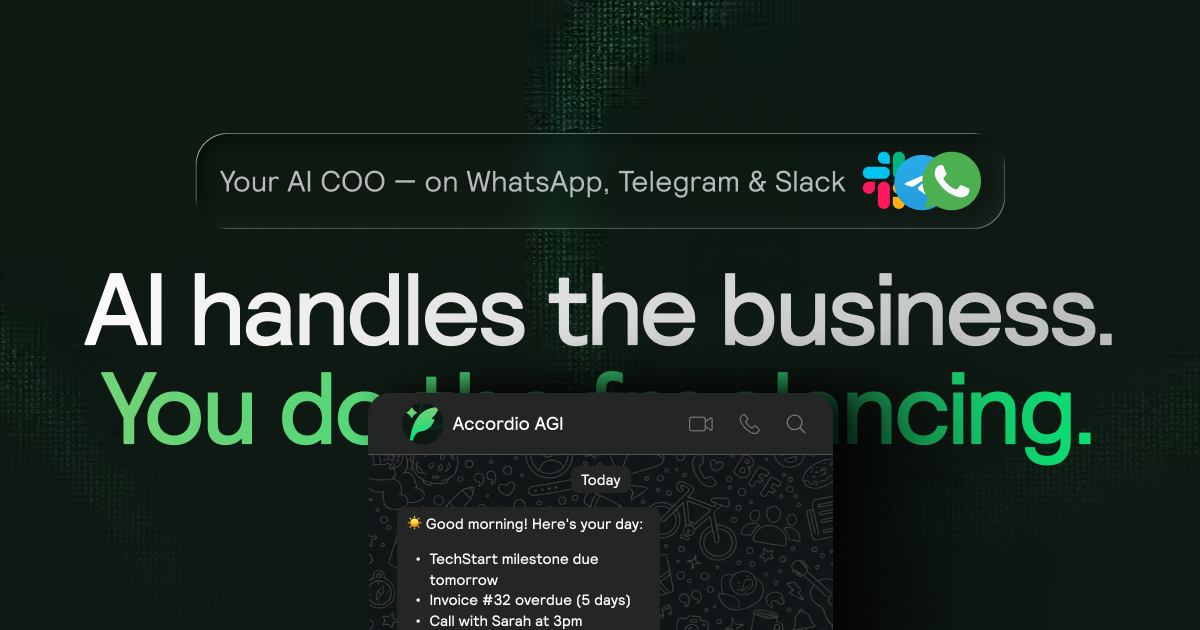
Accordio is an AI back office built for people who run a business alone. It tracks your time, drafts contracts, proposals and invoices, gets them signed and collects the money, and it does all of it from a chat message rather than a dashboard. You connect it to Claude with a single URL, or text it on WhatsApp, Telegram or Slack. The product is aimed at consultants, designers, developers, coaches, founders, fractional CXOs and agencies of one who need the admin handled without hiring anyone. Most solo operators do not lose money because of their craft; they lose it to the paperwork around it. Hours go untracked, contracts are sent late, invoices sit unpaid and receipts pile up until tax season. Roma Bors, Founder at Deduxer, states the problem directly: he lost 50 thousand dollars to clients who never paid, so he built the app that makes sure it never happens again. Accordio exists to close that gap. Instead of subscribing to an e-signature tool, an invoicing app, a time tracker and a contract template library, the whole office ships inside one product that already knows your hours, your clients and what you are owed, so it never has to ask you for context before it acts. Time tracking is the foundation of the product. A Mac app tracks the day on its own, so you can ask what you worked on today and see what is still unbilled without ever starting a timer, while manual timers remain available when you want them. The tracker keeps a full history and produces client-ready timesheets, and it breaks the work day down into focus, meetings and breaks so you can see where the hours actually went. The tracker is open source on GitHub and free forever, and Claude and ChatGPT can both read and log your time. Billable hours convert into an invoice in one click, which is the real point: hours captured at the moment they happen do not get lost or forgotten at the end of the month. Documents are the second pillar. Describe a project and Accordio returns a complete contract with the right clauses and payment terms; an AI advisor flags gaps before you send it, and clients sign without creating an account. Those e-signatures are legally binding and meet the US ESIGN Act and EU eIDAS rules, with a timestamp, IP address and a full audit trail behind every signature. Proposals follow the same flow: Accordio drafts the scope and price, sends the proposal and tracks opens, and when the client says yes the proposal turns into a contract and an invoice without retyping anything. Forms and questionnaires capture leads and intake, and an estimate widget can be embedded on your website. Pitch decks round out the document set, and 12 themes, your own logo and colours and editable clauses mean clients see your brand rather than Accordio's. Existing contracts can be imported from Google Docs and elsewhere and become editable, signable documents. Invoicing and payments are where Accordio is most differentiated. An invoice can be generated from a project, from tracked time or from a contract milestone, and every invoice carries a pay page with your bank details configured for the US, EU and UK. Bank transfer payments carry no fees and no commission, and if you want to accept cards you add your own payment link and it appears on every invoice. Connect your bank through Plaid and incoming deposits are matched to open invoices on their own; when a match is unclear, Accordio asks you rather than guessing. Overdue invoices are chased automatically with payment reminders, and the accounting layer keeps expenses, a profit and loss report and a tax report ready so your books never need a bookkeeper. Snap a receipt and it is categorised, marked deductible and filed to the right report, with bank reconciliation happening continuously in the background. Around the paperwork sit the meeting, inbox and notification features. Booking links let clients find a slot on your calendar without back-and-forth email, and a meeting recorder auto-joins calls, transcribes everything and extracts action items so you can stay present instead of taking notes. Meeting briefs arrive before calls, and follow-ups are drafted afterwards. Accordio also manages your inbox: it reads new mail, drafts replies in your voice and flags the messages that need you. Proactive alerts push morning briefings, overdue reminders and deadline warnings before you even ask for them, and each client gets a branded portal with their contracts, invoices and files behind a magic link, so there is no password and no signup for them. The delivery mechanism for all of this is the MCP connector. Accordio speaks MCP, so pasting a single URL into Claude, through Settings, then Connectors, then add custom connector, gives Claude 30 tools covering your hours, clients, unbilled totals, invoices, contracts, calendar and tasks. Claude can see your business and act on it: ask what you promised a client on Tuesday's call and it answers from the recording. It can draft the contract, log the hours and prepare the invoice, while sending, signing and payments stay in the app, so Claude proposes and you approve. The connector is free forever and also works in Claude Code, Codex and ChatGPT, and the same assistant is reachable by plain text on WhatsApp, Telegram and Slack. Setup is described as a two-minute job with nothing to migrate, and the product is also available in the browser and as a Mac menubar app. The benefit is that the admin stops being a separate job. Because Accordio already holds the invoice, the contract and the hours, it does not ask you for context when you give it an instruction; it just does the work. You open one product instead of four subscriptions, and it replaces an e-signature tool, an invoicing app, a time tracker and contract templates with a single place. Payments arrive without chasing, receipts file themselves, calls are followed up and mornings start with a briefing rather than a backlog. The tracker stays free forever, so time tracking and asking an AI about your hours never carries a cost, and the paid tier adds the money documents and the agent that sends and chases them. Concrete workflows show how this plays out. A consultant asks who still owes them and Accordio reports that a client is 12 days late on a 2,400 dollar invoice and offers to send the reminder. A designer describes a retainer and gets a draft on their usual terms, sent to the client for signature. A solo operator asks Accordio to bill the hours for last week and it invoices 14.5 tracked hours, sends the invoice and attaches bank details. Someone asks for 30 minutes with a contact next week, Accordio sends the booking link, and the accepted slot lands on the calendar. A receipt for a software subscription is messaged in and filed under expenses, matched to the card charge. For founders, the pattern is broader: customer contracts described and signed, each customer billed on their own cadence with deposits matching themselves, books kept without a bookkeeper, and every call recorded with action items filed and follow-ups drafted. Accordio is built for people who run a business alone: consultants, designers, developers, coaches, founders, fractional CXOs and agencies of one, with dedicated solutions for software companies. It integrates with Google Workspace, Slack, Notion, Asana, Trello, Linear, GitHub, Figma, Zoom and more, and the site references Gmail, Google Calendar, Google Drive and 160+ apps, with bank connections handled through Plaid. Pricing is simple: the Mac time tracker, timers, time entries, clients, projects and the Claude and ChatGPT connector are free forever with unlimited clients and projects, while the Legend plan costs 39 dollars a month, or 29 dollars a month billed yearly at 348 dollars a year, and includes every feature, unlimited e-signatures, zero commission and 10,000 AI credits a month. There is a 14-day free trial with no credit card, and if it ends, nothing is deleted. Accordio's core proposition is that the assistant you already talk to should be able to run the admin around your work. Track time, create and sign contracts, send invoices, get paid, and let one message do the rest.
Cadenya is a hosted agent runtime that layers tools, agents, and objectives on top of the APIs you already run. It is explicitly not a framework you bolt into your application stack; instead, Cadenya runs the agentic loop for you. You connect your MCP servers, OpenAPI specs, and existing endpoints through a single tool layer that agents can use, then define an agent, shape its abilities, and run objectives against it. The product is positioned for developers and teams who want to bring agentic possibilities to life in software they already operate, testing safely and improving quickly without rebuilding the stack that supports them. The problem Cadenya addresses is the cost of adopting agentic capabilities inside a system that already works. Building agents typically means invasive change: framework glue inside the application, wrapper layers around APIs, and hand-built machinery for streaming, approvals, retries, context limits, and visibility into what an agent actually did. Cadenya's answer is a hosted loop that handles those concerns out of the box. The product states that it handles context compaction, tool approvals, webhooks and SSE streaming, embeddable widgets, and SDKs in four languages. A frequently asked question on the site answers directly that you do not need to rewrite your APIs: connect MCP servers, OpenAPI specs, and existing endpoints through a single tool layer, and agents can use them as they are. That preserves existing infrastructure investment while new agentic behaviour is layered on top, which matters because teams can iterate on agent behaviour without destabilising the services their business already depends on. The first layer is the tool layer, and the product's guidance is to start with your stack. You connect MCP servers, OpenAPI specs, and existing endpoints through a single tool layer agents can use. Because connection is based on specifications developers already know, existing services become available to agents as they are. Tools can be assigned to an agent individually, organised as tool sets, and combined with sub-agents. In the interface example shown on the site, a shipment-exceptions agent carries assignments such as a reroute shipment tool, an update ETA tool, a Dispatch API tool set, and a Customs Broker sub-agent, alongside memory layers such as a Carrier Playbook covering SLA policies. This layer is what lets an agent reach into real systems rather than only producing text. Experimentation is handled through variations. The interface shows a Default variation and Canary variations, each tied to a specific model, such as Anthropic Claude Sonnet as the default and OpenAI GPT-5.5 or GPT-5.2 as canaries, with a creation timestamp. A variation also carries its own system prompt, its own assignments, and its own memory layers. The product's stated goal for this area is to let you iterate without uprooting: swap models, evolve behaviours, and expand capabilities while retaining infrastructure. It also frames the runtime as a way to evolve with what is next, so you can adopt frontier models fast, test behaviours and compare approaches, and add functionality rather than complexity. Practically, that means model and behaviour changes are configuration inside the runtime rather than a rewrite of the surrounding application. Cost and context are managed through the token usage layer. Cadenya provides live token metering so teams can stay on top of costs, and describes reducing waste through progressive discovery, with efficiency improving as agents adapt. Progressive tool discovery can be enabled, with a maximum number of tools per search set between 1 and 10 (5 shown in the example), search hints of up to 5 terms, and a rerank threshold between 0.0 and 10 that can be left blank to skip reranking. The mechanism is described precisely: tool schemas stay out of the context window until the agent asks for them, and only names ride along, so every request gets smaller. That matters for agents with many connected tools, where schema bloat would otherwise consume context and budget before the agent does any work. Cadenya is also built to power real-time services. Webhooks and SSE push live updates, and the product states it makes it easy to wire agent events into your applications. The webhook delivery view on the site lists event types including assistant message, tool_result, tool_approval_requested, sub_agent_spawned, context_window_compacted, and timed_out, each with an HTTP status and target URL. Around this, the product provides tool approvals: approval-gated tools pause the agent and deliver a tool_approval_requested event so a person or system can approve before anything runs. It also ships embeddable widgets, described as a feature called Widgets that can be dropped into any frontend to enable agentic features like conversations and, per the product, so much more. Observation closes the loop. Cadenya is designed to let you monitor outcomes and understand how behaviours take shape in the real world, with the stated goal that clear visibility means your agents show their worth. Every objective keeps its trail: tool calls, webhook deliveries, token usage, and the feedback people leave on the outcome. The feedback view shows comments scored by sentiment, attributed to a variation and an objective, such as a reroute completed before an SLA breach, a customs hold caught with a proactive ETA update, a reroute that notified the recipient twice, a hold that occurred when a reroute was available, and a correctly escalated frozen-goods lane. Those scored outcomes are what make comparison between variations meaningful. Overall the product works as a hosted agentic loop in three steps: define an agent, shape abilities, and run objectives. Inference is model-agnostic. You point Cadenya at OpenRouter or any OpenAI-compatible endpoint and it uses that for inference. Each new account comes with $5 in credits on OpenRouter pre-configured; after that you provide your own LLM provider credentials. Agents can dispatch sub-agents, and the model configuration for sub-agents can be changed to be best suited for the job, which the product describes as giving the most efficient token usage and outcome. The runtime itself is described as unified: you add functionality, not complexity. The benefits follow from that design. Because the loop is hosted rather than embedded, teams can experiment safely and improve quickly. Because APIs are not rewritten, capabilities expand while infrastructure is retained. Because variations, memory layers, and assignments sit in configuration, frontier models can be adopted fast and behaviours compared rather than guessed at. Because events flow through webhooks and SSE, downstream services react immediately instead of polling. Because token metering and progressive tool discovery are built in, spend is visible and requests stay smaller. And because every objective keeps a trail of tool calls, webhook deliveries, token usage, and human feedback, improvement is grounded in recorded outcomes rather than impressions. Concrete scenarios appear throughout the product's own material. The site's worked example is a freight and logistics agent named for Meridian, a shipment-exceptions agent instructed to reroute a stalled delivery via a dispatch API, with assignments covering rerouting, ETA updates, a Dispatch API tool set, and a Customs Broker sub-agent, and memory layers holding a Carrier Playbook and SLA policies. Feedback entries describe rerouting before an SLA breach, catching a customs hold and updating the ETA proactively, and escalating a frozen-goods lane. Other described workflows include dropping Widgets into a frontend for conversations, pushing agent events into applications via webhooks and SSE so downstream services react immediately, gating tool calls behind approvals, and dispatching sub-agents for parts of a job. On integrations, Cadenya connects MCP servers, OpenAPI specs, and existing endpoints through a single tool layer, uses OpenRouter or any OpenAI-compatible endpoint for inference, and delivers webhooks and SSE streams to endpoints you provide. It ships SDKs in four languages and embeddable widgets for frontends. The site notes that each new account includes $5 in credits on OpenRouter pre-configured, after which you supply your own LLM provider credentials, and states that you can email support@cadenya.com to get a free month. Getting started is described as a few steps, the first of which is signing up, with sign-up available at app.cadenya.com and API documentation linked from the site. Cadenya's core promise is that you can bring agentic possibilities to life on the stack you already run. It converts agent development from a rebuild project into a hosted runtime you configure, connect, observe, and improve, with the surrounding concerns of context, approvals, streaming, cost, and feedback handled as part of the loop.
sizeless is an AI-powered workflow for civil engineering that delivers precise 3D digital twins of open trenches and house connections, directly for GIS and CAD. The company describes its core promise simply: it turns a smartphone video of an open trench into the documentation utilities and contractors are legally required to produce — a 3D model, CAD/BIM plans, and the quantities they bill from. The product is aimed at network operators, civil engineering teams, district heating projects, and pipeline construction work, and it replaces a process that today takes months and a surveyor with one that the company says is completed in hours, from a video the crew films themselves. Underground infrastructure work has a documentation problem that is both expensive and time-sensitive. Once a trench is backfilled, the evidence of what was actually installed — pipe routes, couplings, house entries, third-party utilities crossing the excavation — is gone. Historically, capturing that evidence required waiting for separate surveying appointments before the trench could be closed, which delayed backfill, delayed billing, and delayed cash flow. Where documentation was handled manually, teams relied on manual sketches and created data silos that were hard to audit. Basement areas and other below-grade spaces made matters worse because GPS is not available there, so conventional positioning-based capture methods struggle. sizeless targets exactly these pain points by making documentation a by-product of work the crew already performs on site. The capture side of the workflow centres on SiteScan, the sizeless iPhone app. Field teams use a guided iPhone Pro workflow to capture properties, trenches, and technical rooms in minutes. The company emphasises that this requires no special hardware and no specialist training: the existing project team carries out the capture as part of the job. Because capture happens directly at the excavation, technicians can document house connections independently via smartphone, and trenches are backfilled immediately after the video is taken rather than waiting for a separate surveying appointment. SiteScan is distributed through the App Store, where it is listed as the Sizeless iPhone app. A single smartphone scan produces every deliverable the team already works with, described on the site as "one capture, every output". Those outputs fall into three families: 3D point cloud, 2D CAD, and BIM/GIS. The centimeter-accurate point cloud is a high-resolution 3D reconstruction of the scanned space and serves as the objective basis for earthwork volumes, dimensions, and audit trails. From it, sizeless generates industry-standard 2D CAD as-built plans in DWG and DXF for revision documentation, with the company noting that couplings and pipes are quickly identified and that measurement extraction is simplified. On the 3D side, sizeless produces digital twins of the pipe route including house entries, with seamless integration into GIS systems for future-proof planning and maintenance. Beyond the deliverables themselves, sizeless positions three core benefits for network operators. Quality and audit-proof documentation is provided as continuous 3D evidence that includes third-party utilities and house entries, and that works without GPS in basement areas. This eliminates manual sketches and data silos, and means construction errors can be identified before backfilling rather than after. Process autonomy means technicians document house connections independently via smartphone, so existing internal or external teams can handle a higher project volume through efficient workflows. Accelerated construction and billing follows from immediate backfill after the video: complete documentation is available weeks earlier, described by the company as "72h docs", enabling faster billing and cash flow. The workflow is presented as four steps. Step 01, trench capture, is standardized capture via iPhone Pro directly at the excavation — no special hardware and no extra appointments, carried out by the existing project team. Step 02, 3D point cloud, uses algorithms developed at ETH Zurich to generate a high-resolution 3D point cloud of the open trench, which the company describes as centimeter-accurate. Step 03, 2D CAD as-built plan, produces industry-standard as-built plans in DWG/DXF for revision documentation. Step 04, 3D model and GIS, creates digital twins of the pipe route including house entries and integrates them into GIS systems. The differentiator is therefore spatial AI for underground infrastructure: reconstruction algorithms combined with a capture method that needs nothing more than a phone the crew already carries. For the people doing the work, the outcomes stated on the site are concrete. Trenches can be backfilled immediately because no separate surveying appointment is needed, and complete documentation is available weeks earlier than the traditional route, which supports faster billing and cash flow. Documentation becomes audit-proof and GIS-ready, with continuous 3D evidence replacing manual sketches and disconnected data silos. Errors surfaced in the record can be addressed before backfilling. Because no specialists are required, technicians can work independently and teams can take on higher project volume. The site summarises the outcome as 72h docs, DWG/DXF output, and instant backfill. Several concrete scenarios appear in the material. Trench documentation during civil engineering works: a crew films an open trench with an iPhone Pro and the trench is backfilled immediately afterwards. House connection documentation: technicians document house connections independently via smartphone, including house entries, and those entries are captured in the 3D twin. District heating projects: the workflow is explicitly named for civil engineering, district heating, and house connections. Pipeline construction: automated as-built documentation is described for pipeline construction, where pipes and couplings must be identified for revision documentation. Network operation and maintenance: the resulting digital twins integrate into GIS systems for future-proof planning and maintenance of the pipe network. Property and technical room scanning is also mentioned as something the SiteScan app captures. sizeless is built for network operators and for the civil engineering, district heating, and pipeline construction teams that build and maintain underground infrastructure. The company states that it was founded by engineers from ETH Zurich and UC Berkeley and that it is backed by Y Combinator, ETH Zurich, UC Berkeley, Cambridge, and MIT. Integration points named in the content are GIS systems, CAD and BIM workflows, and industry-standard DWG/DXF file formats, alongside the SiteScan iOS app. The site's primary calls to action are booking a demo, seeing it in action, and requesting an in-person demo with a full name, email address, company name, and preferred demo date. Taken together, sizeless reframes as-built documentation as something a construction crew produces as it works rather than something a surveyor delivers afterwards. The combination of a guided iPhone Pro capture workflow, ETH Zurich-developed reconstruction algorithms, and outputs that drop into existing CAD, BIM, and GIS tools means the trench can be closed immediately, the documentation arrives in hours instead of months, and the resulting record is a continuous, audit-proof 3D twin that supports both billing today and planning tomorrow.