Category Focus/categories/api
API AI Tools
Discover and compare the best api AI tools and software. Browse 120+ curated tools with reviews and rankings.
Projects tracked
120
Sort mode
RECENT
Page
4
Discover and compare the best api AI tools and software. Browse 120+ curated tools with reviews and rankings.
Projects tracked
120
Sort mode
RECENT
Page
4
gg-friggin-ez is a fast, free, drop-in multilingual profanity and toxicity screener for Node.js. It is powered by System 1 models such as TypeSafe AI's Jev and Laya, and it is built to catch leetspeak, ASCII drawings, character spacing, and romanized profanity across all languages, with native support explicitly called out for Kannada, Telugu, Tamil, Hindi, and Bengali. The project targets developers and engineering teams that need to screen user-generated text for profanity and toxicity in real time and at scale, and its stated goal is to be fast and cheap enough to run on every single message rather than only on a sampled fraction of traffic. The product grew out of a moderation problem the maker encountered while working in the real-money gaming industry, where chat moderation never had a good answer because existing options were too slow, too expensive, or too dumb to catch anything past a static keyword list. The maker frames the history simply. Pre-LLM approaches were fast but brittle, and traditional filters and ML/NLP models struggled with Romanized Indic text, slang, ASCII art, and creative evasion. Large language models were smart but too expensive to run at scale. System 1 models such as Jev and Laya changed the trade-off: they are single forward-pass decision engines built for real-time classification, offering sub-500ms end-to-end latency, deterministic output, and costs measured in pennies per million tokens. gg-friggin-ez was built around that shift, and it is designed for teams that need a real moderation answer rather than a keyword list. The headline capability is evasion-proof detection. According to the maker, the screener catches Romanized Indic profanity, leetspeak and ASCII-art evasion, and character-spacing tricks that are designed to slip past a keyword list. That is the genuinely hard version of the problem: not catching a plainly spelled swear word, but catching the many deliberately obfuscated ways people write the same word so that substring or keyword matching will not fire. The product also claims broad multilingual coverage across all languages, and it highlights native Indic support for Kannada, Telugu, Tamil, Hindi, and Bengali, which are languages where romanized and mixed-script input is common in chat and where static filters tend to be weakest. gg-friggin-ez converts its toxicity assessment into deterministic moderation actions: ALLOW, REVIEW, CENSOR, or BAN. Nothing happens silently. Every call returns the probability plus reasoning before a backend acts on anything, AUTO_BAN only fires at high confidence, and ambiguous content is routed to review instead of being instantly banned. Alongside the decision, the screener returns rich telemetry, including confidence scores, evasion detection flags, and a primary language classification, so a team can see not just what was flagged but why and in which language. The maker points to a Scunthorpe-style test case showing that a contextual model returns an ALLOW result for the sentence "I live in Scunthorpe", unlike substring matching, which can trip on innocent words. Performance and cost are central to the pitch. Moderation is described as sub-500ms, and the cost is stated as roughly $0.000042 per message when using Jev at $0.042 per million tokens, or $0 inference cost when self-hosting the open-source models. Those numbers matter at scale: a screener that costs a tiny fraction of a cent per message can be applied to every message in a chat stream rather than to a sample, which is precisely what makes real-time moderation practical in high-volume environments where a single stream may carry thousands of messages. gg-friggin-ez ships with TypeSafe AI's Jev as the default out-of-the-box engine, but the architecture is fully decoupled, so the pipeline can be pointed at your own System 1 models. Under the hood, the approach is to use System 1 models as single forward-pass decision engines, which is what produces the combination of real-time latency, deterministic output, and low inference cost. Instead of matching substrings, the model makes a contextual judgement and returns probability and reasoning that the surrounding application can act on, with the option to send uncertain cases to a human instead of taking an irreversible action. The stated benefits follow from those design choices. Because a false positive may still be routed to review rather than triggering an instant ban, the maker argues that recall matters more than precision for this problem: missing a toxic or profane message that is then viewed by potentially thousands of people on a livestream platform is worse than flagging something for a human to check. The maker also reports early benchmark evidence, 97.6% overall accuracy (41 of 42 cases) and 94.4% accuracy on Indic and romanized text across 14 languages, while noting that the 42-message sample (three per language) should be treated as early evidence rather than a rigorous study. In that set, no benign messages were auto-banned, and the closest thing to a false positive was one Bhojpuri line landing in review instead of an instant allow. Concrete use cases named in the content include chat moderation in real-money gaming, where wrongly muted or banned players carry their own support cost, and livestream platform chat, where a missed toxic message can be seen by thousands of viewers at once. More broadly, because the product is a Node.js package, it fits any backend that receives user-generated text and needs a moderation decision before it acts, with the option to route uncertain cases to human review rather than taking automatic action on ambiguous content. The primary audience is developers building chat or user-generated content systems in Node.js, especially teams operating in multilingual environments that include Indic languages. The package is installed with 'npm i gg-friggin-ez', the source lives on GitHub, and a demo is hosted on GitHub Pages. It is 100% free and open source, and the maker lists GitHub Copilot and Jev among the tools used by the launch team. Because the engine is pluggable, a team can start with the default Jev engine and later point the pipeline at self-hosted open-source models to reach $0 inference cost. In short, gg-friggin-ez packages an evasion-aware, multilingual, context-based profanity and toxicity screener into a free, drop-in Node.js package. Its value proposition is the combination of sub-500ms latency, ultra-low per-message cost, deterministic ALLOW/REVIEW/CENSOR/BAN actions, and telemetry that explains every decision, so that moderation can run on every message instead of a sample.
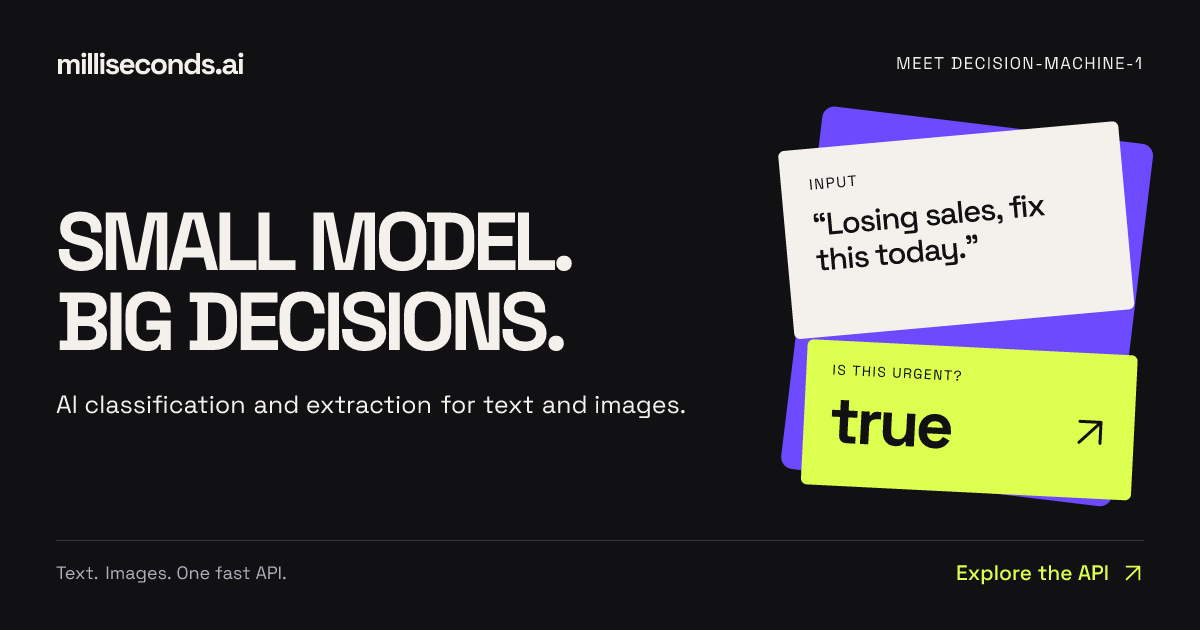
Milliseconds.ai is an API that turns text and images into decisions. You send text or an image, and the platform returns labels, fields, scores, or yes/no answers as structured data. The product is built around a small model the team calls decision-machine-1, and it is designed specifically for the parts of an application that need an answer rather than a conversation. The company describes the service as delivering "AI decisions, classification and extraction via a simple API." It is available through REST endpoints, SDKs, and a CLI, so developers can call it from TypeScript, Python, or the terminal and receive typed responses. Typical jobs described on the site include routing emails, reading invoice fields, and checking returns against a policy, as well as more playful applications such as building a hot-dog identification empire. The landing page frames the product with the line "Small model. Big decisions." and the supporting idea "Enough words. Try it, stat!" — the emphasis being on delivering the decision itself rather than a long piece of generated prose. The problem Milliseconds.ai addresses is the gap between general language models and the small, concrete decisions applications need to make on every request. The website contrasts a typical verbose model reply — "Certainly! Let's delve into a comprehensive overview of this invoice and its many fascinating details…" — with what a system actually needs: just the fields, invoice number, vendor, total, and currency, ready for the next step. The product exists for "the parts of your app that need an answer," where the goal is not open-ended conversation but a label, a score, a boolean, or a set of validated fields. The framing "Less blah. More done." captures this directly: instead of parsing free-form text after the fact, an application can receive structured data it can immediately act on. This matters because routing, prioritization, validation, and record writing all depend on machine-readable outputs rather than paragraphs of explanation. The site summarizes this as "Very small decisions. Very real work." The platform exposes a set of purpose-built decision endpoints. The yes/no endpoint answers a boolean question about a piece of text — for example, flagging messages that need a faster response — and returns both the boolean answer and a probability of urgency, so an application can raise a ticket's priority. The classify endpoint assigns a label from a set of choices: given support queues, it can return a label such as "billing" along with a probability (0.74 in the recorded example) and a confidence value, plus scores for the other candidate labels such as shipping, technical, and other. The rate endpoint turns subjective input like customer frustration into a sortable score on a defined scale; the example returns a reported score of 1.998 on a 0–3 scale, a level, a confidence figure, and per-level scores across calm, annoyed, angry, and furious. The answer endpoint locates a specific span of text in response to a question — for example, finding the shipment destination in a status update — and returns the answer text together with a probability and start and end source offsets, so an application can show where the answer came from. Extraction and entity recognition form a second group of capabilities. The extract endpoint maps unstructured text to the fields in your records. In the recorded invoice example, it returns a structured object with invoice_number, vendor, total, and currency — four fields described as ready for validation before writing a record. The entities endpoint identifies people, organizations, and references in a document; the claim-note example returns four typed entities (a person name, an organization, a claim id, and a date), each with a type, the matched text, and a probability score, described on the site as "typed values for search and record matching." Together these endpoints cover two of the most common document-intake needs: pulling out defined fields, and recognizing the named things inside free text. A third capability is verification. The verify endpoint checks a proposed value against source text. In the documented example it compares a proposed deductible against policy text and returns matches: false with a probability of 0.00, because the source says $500 while the proposed value is $1,000, and it returns the found value ["$500"]. This lets a workflow confirm that a value is actually supported by the source document before it is accepted — the kind of check required in insurance or finance processes where an extracted number must be traceable back to the text it came from. Overall, the product follows a simple INPUT → DECISION → ACTION model. Text or an image goes in; the model produces a decision in the form of a label, a score, a boolean, a text span, a set of fields, or a list of entities; the application then acts on that structured output. Every response is designed to be consumed by code: boolean answers with probabilities, labels with probability and confidence, scores with per-level breakdowns, answers with source offsets, extracted fields as key-value data, and entities with type, text, and probability. The site notes that uncertainty is surfaced rather than hidden — for instance, "nearly tied levels signal uncertainty," so a queue-ranking system can keep that ambiguity visible. Developers integrate through REST endpoints, TypeScript or Python SDKs, or the CLI and receive typed responses. There is also a path for coding agents: installing skills that teach an agent which API to call and how to evaluate results. The benefits described on the site centre on speed, structure, and cost. Because the model is small and purpose-built, responses arrive as data rather than prose, removing the parsing step between a model call and an application action. Because outputs are structured and include probabilities and confidence, applications can make ranking, routing, and validation decisions with a stated level of certainty. Cost is a headline benefit: production usage is priced at $0.04 per million input tokens, with no charge for output tokens, and free test keys include 125M free input tokens per month with no card required. The website frames the economics as "Big ideas. Small bill." and repeats the free allowance as "Free free free — yours to build with." The site presents several concrete scenarios. Support triage combines the pieces: "A label selects the queue. A score sets priority. A boolean flags urgency." Document intake works as a pipeline: "Extract fields, check values against the source, then validate before writing a record." In the Invoice Desk demo, invoice text is turned into a vendor, invoice number, and total, which are then compared with the purchase order so a team can see what needs attention — the example record matches PO-208. In the Sales Intake demo, an inbound message is separated from support tickets and vendor pitches, given a suggested destination of Sales because it is a demo request with budget stated and a near-term start, and the budget, timing, and need are surfaced for follow-up. In the Private Share demo, names and emails are found in a transcript so personal details can be redacted while the bug report stays useful — detected details are reviewed before sharing, with a toggle between the original and the redacted version. Other stated examples include checking returns against a policy, routing emails, and identifying hot dogs. Milliseconds.ai is aimed at developers and teams building applications that need classification, extraction, and decisions at the point of request — the people who would otherwise wire a general-purpose model into a workflow and then parse its output. The website addresses them directly: "You bring the idea. Build something fast." Integration options explicitly named are the REST API, the TypeScript SDK, the Python SDK, the CLI, and skills for coding agents. Pricing is split between a free tier of 125M free input tokens per month on test keys with no card required, and production at $0.04 per million input tokens with output tokens free. Demos let visitors try working apps and inspect their results, token usage, and inference cost, and visitors can try requests on the site without an API key. In summary, Milliseconds.ai takes the small, repetitive decisions that applications make — is this urgent, which queue does this belong to, how frustrated is this customer, where is the shipment going, what are the invoice fields, who and what are mentioned here, does this value match the source — and returns them as structured, probability-bearing data through one fast API. The combination of a small purpose-built model, typed structured outputs, built-in verification, coding-agent skills, and a free tier with inexpensive production pricing is what the product offers to teams that need answers rather than conversation.
PostSider is a social media publishing platform built for both humans and AI agents. It lets you schedule and publish content across more than 30 networks from a single calendar, or hand the keys to an AI agent that drafts, schedules and publishes on your behalf through MCP, a REST API or SDKs. The platform combines a drag-and-drop content calendar, a media library, analytics, team seats and approvals, agent access and automation in one place, so users do not have to juggle multiple tools to run their social presence. PostSider describes itself as being for agentic builders and their AI agents, solo founders and creators, and agencies running many brands and channels at once, plus everyone who wants to publish their content a different way. The problem PostSider addresses is that publishing to social media usually means opening each network separately, or stitching together per-platform integrations in code. PostSider's own positioning is that scheduling and publishing across more than 30 networks happens from one calendar, and that connecting an agent requires no per-platform glue code; the site uses the phrases "no glue code" and "no per-platform glue code, ever." It frames the choice as four ways to publish: the dashboard, the API, the SDK and MCP. For teams used to per-channel billing, the FAQ contrasts PostSider's flat tiers with per-channel pricing, noting that adding another network costs nothing until you cross a tier, which it says is usually cheaper than per-channel pricing beyond four channels. For people working by hand, PostSider centres on a drag-and-drop calendar that the site describes as "a calendar you actually enjoy." Users plan a whole month at a glance, drag posts across days and channels, duplicate a post to another network, and let the queue publish. The listed capabilities include drag and drop across days and channels, composing once and tailoring per platform, a media library with live previews, and queues with best-time scheduling. A "this week" view shows slots such as Monday on X at 9:00, Tuesday on Instagram at 12:00 and Facebook at 17:00, Wednesday and Thursday on LinkedIn at 8:30 and Friday on YouTube at 15:00. For agents, PostSider provides what it calls an agent bridge built on MCP. The bridge exposes publishing and analytics as tools that any MCP agent can call, so an agent can draft, schedule and publish. The site lists Claude, ChatGPT/Codex, Gemini, Cursor, OpenClaw, Hermes Agent and "+ any MCP agent" as compatible. Alongside this, typed REST API clients and SDKs let developers call the platform directly from their own pipelines. The same secure authentication is used for humans and agents, and one integration is meant to cover every network. The site documents 60 API requests per minute. PostSider says it supports more than 30 networks and that new networks are added all the time. Named on the page are X, Instagram, Facebook, LinkedIn, Bluesky, Mastodon, Lemmy, Farcaster, Nostr, YouTube, TikTok, Twitch, Discord, Telegram, Slack, WordPress, Medium, Dev.to, Hashnode, Ghost, Blogger, Write.as, Notion, Mataroa, Listmonk, Pinterest, Dribbble, Google Business, Whop and Moltbook. The stated approach is to publish the same content everywhere or fine-tune per channel, with one payload going to every network and tailoring per platform applied automatically. Analytics track reach and performance across every channel in one view, with advanced analytics and automated queues and sets on higher plans. On security, PostSider says it treats access like infrastructure. Every channel token is encrypted at rest with AES-256-GCM, requests are hardened and validated against SSRF and CSRF, rate limiting provides abuse and overage protection, and tokens are isolated per channel with least-privilege access. The same hardened core is said to protect humans and agents alike. Getting started is described as a three-step process. First, connect your channels: link 30+ networks in a click, with tokens encrypted and isolated per channel. Second, create it yourself or let your agent: compose in the editor, or let your MCP agent draft posts and fill the queue. Third, schedule and publish on autopilot: pick times or use best-time queues, and PostSider publishes everywhere for you. The site promises you can be "live in minutes," whether you publish yourself or hand the work to an agent. The benefits the site claims follow directly from that structure: one calendar instead of many tools, four ways to publish (dashboard, API, SDK, MCP), a single integration covering every network rather than per-platform glue code, and the ability to publish yourself or let an agent take the wheel. For teams, unlimited team members on the Team plan and above, approval workflows and multi-user roles mean publishing can be shared and reviewed without leaving the platform. Because the same authentication serves humans and agents, an agent can take on the same work a person would do in the calendar. Concrete workflows are shown on the site. In one example, Claude, connected via PostSider MCP, is given a photo and the instruction "Create me a post for Instagram with this photo"; the agent replies that it drafted the post with the photo and queued it for Tuesday at 12:00. Another workflow is a creator planning a whole month at a glance, dragging posts between days and channels and letting queues publish. Agencies use approvals, seats and shared queues across many brands and channels. Developers call the typed REST API and SDKs from their own pipelines at a documented 60 requests per minute. And teams switching tools connect their channels to PostSider in parallel, rebuild their posting slots, bring their queue over manually or via CSV import, run both tools for one overlap week, then cancel the old one. PostSider states plainly who it is for: agentic builders and their AI agents; creators, including solo founders; and agencies running many brands and channels at once with approvals, seats and shared queues, plus everyone who wants to publish their content a different way. Plans start with a 7-day full trial and no credit card. Standard is $20/month for 1 seat, 5 channels and 400 posts per month; Team is $35/month for unlimited team members, 10 channels and unlimited posts; Pro is $45/month for 30 channels with an AI post checker and rewrite, auto-plugs and first comments, CSV bulk import, snippets and templates, webhooks, priority publishing and an audit log; Ultimate is $90/month for 100 channels, custom OAuth apps and priority support. Every plan includes the calendar, the agent bridge and the API. The site also addresses switching: users coming from Buffer or Hootsuite can connect channels to PostSider in parallel, rebuild posting slots, bring their queue over manually or via CSV import, run both tools for one overlap week and then cancel the old one. Alongside the product, PostSider publishes free browser tools, including best time to post, a hashtag counter, a bio link preview, an image size cheat sheet, an engagement rate calculator and a fancy text generator, plus a blog published weekly. PostSider is built by one person, Lukasz Blania, a solo founder building from Poland under Lumi Zone, and support emails land with the person who wrote the code. In short, PostSider is a social media scheduling platform where the calendar serves humans and the MCP server, REST API and SDKs serve agents. It covers 30+ networks from one calendar, adds analytics, approvals and team seats, encrypts channel tokens with AES-256-GCM, and uses flat monthly pricing rather than per-channel billing. Whether you plan to publish yourself or let an agent draft and queue the work, the promise is the same: run your social media on autopilot from one place.
Jev is a frontier model from TypeSafe AI's System One family that takes unstructured state as input and returns typed probabilistic decisions as output. Instead of generating text the way a conventional language model does, Jev answers with Choice, Score, and Noul results that carry calibrated probabilities your code can act on directly. That makes it a decision engine rather than a writing engine: the output is meant to be consumed by a program, not read by a person. The product is positioned for software automation, and it is described as being available to everyone at console.typesafe.ai with no waitlist. The problem Jev addresses is the mismatch between text generation and software decision-making. When an application needs an answer inside a code path, a generated paragraph of prose is not directly usable: something has to read it, interpret it, and convert it into something a program can branch on. That interpretation layer adds latency, cost, and ambiguity. Jev sidesteps it by returning typed answers and calibrated probabilities instead of text, so the result arrives in a shape that software can consume immediately. For teams already running comparable LLM workflows, the described gains are considerable: roughly 20-200x faster responses and 40-400x lower cost, with output tokens free. That combination matters most where decisions have to happen repeatedly, at volume, and inside automated systems where waiting on a text response is impractical. The core output formats named in the product description are Choice, Score, and Noul answers. These are the typed conclusions Jev returns in place of prose. A Choice answer is one of the explicitly named result types; a Score answer is another; and a Noul answer is the third. Because these results arrive as types rather than free-form sentences, the calling code does not have to guess at structure or parse language before it can use the result. This is the central design idea behind the product: the model's answer is already in a format that software automation can act on, so the integration between model and program is direct rather than mediated by an interpretation step. Alongside the typed answers, Jev returns calibrated probabilities. Calibration is what makes a probabilistic result useful in code: the probability attached to an answer is meant to reflect how likely that answer actually is, so a caller can use the probability rather than treating every model output as equally trustworthy. The description emphasises that these are probabilities your code can act on, which puts the decision about thresholds and behaviour in the application's hands. Instead of asking a language model a question and hoping the phrasing is stable enough to parse, a system can receive a typed answer with a probability attached and handle it programmatically as part of its normal logic. Performance comes from parallel sampling, the mechanism the description credits for Jev's response times of roughly 70-500ms. That latency band is the practical difference between a decision that can sit inside an interactive or high-throughput workflow and one that cannot. The same description quantifies the comparison against comparable LLM workflows: about 20-200x faster and 40-400x cheaper, with output tokens free. Those figures describe a different operating regime for the same class of decision task. Workloads that were previously constrained by per-call latency or per-token cost can be run more often, in more places, and closer to the moment the decision is actually needed. Overall, Jev's approach can be summarised as unstructured state in, typed probabilistic decisions out. It is a System One frontier model from TypeSafe AI, and the interface it offers is deliberately narrower than general text generation: it produces conclusions rather than commentary. That narrower contract is what allows the surrounding software to treat Jev as a component rather than a conversational partner. The model absorbs messy, unstructured input state and resolves it into one of the named answer forms, carrying a calibrated probability, delivered quickly enough and cheaply enough to be embedded in automated decision loops. The benefits described for users follow directly from those design choices. Speed means decisions can be made inside time-sensitive paths. Lower cost per decision means automation can be applied more broadly without the economics breaking down. Free output tokens remove a line item that scales with usage. Typed outputs with calibrated probabilities reduce the engineering work of interpreting model responses and make it practical to wire a decision directly into application logic. And availability without a waitlist means a team can evaluate the model by going to console.typesafe.ai and signing in rather than joining a queue. The use cases that follow from the description centre on software automation. Any workflow where a program needs to reach a decision from unstructured state and then act on that decision is a candidate: the caller supplies the state, Jev returns a typed Choice, Score, or Noul answer with a calibrated probability, and the surrounding code responds. The stated comparison class is comparable LLM workflows, which suggests the intended fit is where teams currently route decisions through a text-generating model and then interpret the output. Where a decision has to be made repeatedly at volume, the described latency and cost profile makes Jev a practical alternative to that pattern. Access is through the console at console.typesafe.ai, which is the official website for the product. The console supports signing in with Google, or alternatively requesting an email code instead of using a Google account, and continued use is governed by TypeSafe AI's terms of use and privacy policy. The target users are developers and engineering teams building software automation that depends on structured, probabilistic decisions rather than generated text. No pricing plan details, technology stack, or third-party integrations are stated in the available content. In summary, Jev is best understood as a decision model rather than a text model. It takes unstructured state and returns typed Choice, Score, and Noul answers with calibrated probabilities, uses parallel sampling to deliver responses in roughly 70-500ms, and is described as about 20-200x faster and 40-400x cheaper than comparable LLM workflows, with output tokens free. For software automation that needs decisions in a form code can act on, that combination of structure, calibration, speed, and cost is the primary value proposition.
VoiceCap is an AI notetaker for meetings, whether they happen in the room or on a call. It records or ingests a meeting, transcribes it with speaker identification, and turns it into summaries, decisions and action items that a team and its AI assistants can search. The product supports 100+ languages, detects the language automatically, and writes the summary and action items in the language you pick, so the output matches the language the meeting was actually held in. Every meeting becomes a searchable record of what was decided and who owns it. VoiceCap is an EU company, recordings and transcripts are stored in the EU, and the free plan includes 300 free minutes with no card required. The problem VoiceCap addresses is stated plainly by its makers: most AI notetakers are strong in English and mediocre in everything else. For teams that work in Lithuanian, German or any of the many languages spoken across Europe, an English-first transcription tool produces summaries that are subtly wrong and action items that nobody fully trusts. VoiceCap was built the other way around. Transcription covers 100+ languages, and the summary, decisions and action items are written in the same language as the conversation, so a meeting held in one language does not have to be understood in another. Beyond language, the second problem is memory: a decision agreed in a call is easy to lose, and the person who owned it is easy to forget. VoiceCap keeps every meeting as part of a shared, searchable archive so that what was agreed and who is responsible stays retrievable long after the call ends. There are three ways into VoiceCap. First, you can record in the room: open VoiceCap and press record, or use the iOS and Android apps to record an in-person meeting. Second, you can upload a file — audio or video from any recorder — in MP3, M4A, WAV, MP4 or MOV, with speakers separated in the output. Third, an AI note taker can join your online meeting on Zoom, Google Meet, Microsoft Teams or Webex. If you connect your calendar, those calls are recorded automatically, and scheduling shown in the product lists upcoming meetings as 'will record', whether it is a weekly client sync on Google Meet or a vendor review on Teams. Everything is stored in the EU. The point of offering all three routes is that teams do not standardise on one meeting tool: some conversations are around a table, some are on a video platform, and some arrive as a recording after the fact. Once a meeting is captured, VoiceCap's AI transcribes it with speaker identification in minutes rather than hours, using what the product describes as industry-leading accuracy across European languages. Language handling is automatic: the product covers 100+ languages and detects which one is being spoken. From the transcript, VoiceCap produces a set of structured outputs. The summary is written in the language you pick. Decisions are pulled out of the conversation, linked to the second they were said, and made searchable across all meetings. Action items carry an owner and a due date. A meeting page shows the transcript with speakers separated and timestamped, a summary, the decisions, the action items and the project the meeting belongs to, following the product's promise that 'one meeting in' yields 'everything below out'. Everything can be exported as Markdown or plain text and shared with your team. In a sample kick-off meeting of 47 minutes with three speakers, the summary captured that a two-phase plan was agreed, with phase one starting on 1 October and phase-two budget needing sign-off by the end of September. Meetings sort themselves into projects based on what was said, so the archive organises itself instead of waiting for someone to file it. Search runs across transcripts, summaries and decisions at once, and every hit links to the second in the recording where it was said — so a search result is not just a match, it is the moment itself. Sharing is controlled at the meeting level: keep a meeting private to yourself, share it with a group, open it to the whole workspace, or create a link that requires sign-in and expires in 30 days. Access is managed through roles. Owners and admins run the workspace, members record and share meetings, and viewers can only read. Viewers are free and unlimited on every plan, which means a team can give read access to stakeholders without paying for each of them. VoiceCap frames this as answering two questions for a team at once: who sees what, and what was decided. VoiceCap also exposes your meeting archive to AI assistants. You can add VoiceCap as an MCP server, after which Claude, ChatGPT or any MCP client can answer questions from your meetings, with links back to the moment in the recording. The connection is read-only and scoped: the assistant sees only what you can see. In the product's own example, asking Claude 'What did we promise Northwind in the last three calls?' returns the open commitments with the meeting and timestamp each came from. On the trust side, VoiceCap is an EU company and your data is stored in EU data centers. Where processing involves providers outside the EU, EU Standard Contractual Clauses and appropriate safeguards keep it GDPR compliant. Audio, transcripts and summaries are encrypted in transit and at rest, covering every copy from the moment you upload a recording to the moment you delete it. Your audio and transcripts are never used to train AI models — the AI providers used process a meeting only to return its transcript and summary. Deletion is permanent rather than a hidden archive, and configurable retention periods are on the way. The product describes its own method as four steps: Record, Upload, Transcribe, Act. Capture happens through the in-room recorder, a file upload or a meeting bot; transcription with speaker identification follows automatically; and then you act on the result — reviewing AI summaries and action items, searching the archive, exporting as Markdown or plain text, and sharing with your team. VoiceCap summarises the flow as 'One meeting in. Everything below out.' The distinguishing choices in that pipeline are the language-first approach, with transcription and output in the same language across 100+ languages, and the archive-first design, where search, projects, decisions and AI access all operate on the collected set of meetings rather than on one file at a time. For users, the stated outcomes follow from those choices. Note-taking stops being a manual job: summaries, decisions and action items are produced for you in minutes. Nothing agreed in a meeting depends on someone's memory, because every decision is linked to the second it was said and searchable across all meetings. Multilingual teams get output in the language of the meeting instead of an English approximation. Meeting history becomes shared company memory rather than a private folder of recordings, while permissions and roles decide who reads what. And the privacy posture — EU storage, encryption, no training on your data, permanent deletion — is presented as something teams can rely on rather than something they have to take on faith. Concrete scenarios appear throughout the product content. An in-person board meeting can be recorded with the iOS or Android app. A weekly client sync on Google Meet or a vendor review on Microsoft Teams can be joined automatically by the note taker once the calendar is connected. A recorded file can be uploaded after the fact and transcribed with speakers separated. A kick-off meeting, such as the sample website redesign proposal with three speakers over 47 minutes, produces a summary with the agreed phases and deadlines, individual decisions linking back to the exact second, and action items with owners. Later, someone can ask Claude or ChatGPT what the team promised a client across the last three calls and get the open commitments with sources. Sharing covers private meetings, group access, workspace-wide access and time-limited sign-in links, which suits situations where a client or executive needs read access to one meeting rather than the whole archive. VoiceCap is aimed at teams and at people who are in meetings most days of the week. Because viewers are free and unlimited, the model suits organisations where a small number of people record and a larger number read. Payment is per capture seat: the Free plan costs €0 forever and includes 300 minutes, one capture seat, unlimited free viewers, meeting bots for Meet, Zoom, Teams and Webex, auto-record from Google and Outlook calendars, AI summaries, decisions and action items, 100+ languages detected automatically, and MCP access from Claude and ChatGPT. Pro is €29 plus VAT per capture seat per month with 1,000 minutes per seat each month, plus the ability to add and drop seats and advanced permissions including groups, roles and share links. Business is €49 plus VAT per capture seat per month with unlimited recording and transcription, owner oversight of every meeting and priority support; SSO, SCIM, retention and audit logs are listed as coming soon. Integrations mentioned include Zoom, Google Meet, Microsoft Teams, Webex, Google and Outlook calendars, Claude, ChatGPT and any MCP client. Browser recording and upload, speaker separation, search across transcripts and decisions, sharing with people and groups, Markdown and text exports, original recording storage and EU/GDPR compliance apply on every plan. VoiceCap's core proposition is narrower and more specific than a general meeting assistant: it is the AI notetaker that works in your language, not just in English. It captures meetings in the room, on a call or from a file; transcribes them in 100+ languages with speaker identification; distils them into summaries, decisions and action items; stores everything in a searchable EU-hosted archive with granular sharing and roles; and lets Claude, ChatGPT or any MCP client query that archive read-only. For teams that meet in more than one language and want a durable record of what was decided and who owns it, that combination — language coverage, a searchable company memory, and EU data handling with no training on your data — is the product's primary value.
Ruby UTCP is the Ruby implementation of UTCP 1.1, the Universal Tool Calling Protocol. It gives Ruby applications and AI agents a standard way to discover and call tools over native protocols, so a single library can connect to whatever interface a tool already exposes. Developers describe the tools they want in a simple JSON manifest and call those native APIs directly instead of standing up an intermediary wrapper server. The project is open source and MIT licensed, and it is built specifically for the Ruby ecosystem, which makes it relevant to Ruby developers who are creating AI agents and tool-powered applications and who want one consistent, standard approach to tool calling rather than a new integration pattern for every service. UTCP positions itself as a lightweight alternative to MCP, the protocol many teams reach for by default when connecting language models to external tools. The stated problem with the MCP route is its reliance on a heavy client and server architecture: for Ruby developers it usually means running a separate server process before anything can be called. UTCP describes this overhead as a "wrapper tax", an extra layer that adds latency and integration work on top of the tool itself. Ruby UTCP removes that layer by using a simple JSON manifest to connect to native APIs, so the call travels to the transport the tool already speaks rather than through an added wrapper. The project's broader pitch is that tool calling should be direct, scalable and secure from the start, rather than something that requires extra infrastructure to be stood up first. The most visible capability of Ruby UTCP is its transport coverage: it supports 12 native transports in a single open-source library, including HTTP, CLI, WebSocket, gRPC, GraphQL, MCP and WebRTC. That breadth matters because tool calling in practice is rarely uniform; one tool may be a REST endpoint, another a command-line program, another a GraphQL service, and another an existing MCP server. Supporting them all inside one Ruby library means teams do not have to write separate glue code for each protocol they want to reach. Keeping twelve transports consistent in one library is a large surface area, and community feedback notes that the documentation covers each transport well individually. Alongside transports, Ruby UTCP covers the mechanics that tool calling requires in production. It provides tool discovery so applications and agents can find out what tools are available and how to call them. It supports authentication, so protected tools can be called with credentials in place. It supports OpenAPI discovery, which lets tools described by OpenAPI specifications be discovered for use. Streaming is supported as well, so the library is not limited to simple request-and-response patterns on transports that stream. Together these capabilities mean the library handles discovery, access and data delivery rather than leaving each of them to be rebuilt for every integration a team wants to add. CodeMode is the piece of Ruby UTCP aimed at orchestration: it enables programmable multi-tool workflows written as compact Ruby code rather than long chains of individual calls. Instead of wiring tools together through repeated manual steps, developers can express a workflow in Ruby and have the tools invoked as part of it. The maker of Ruby UTCP specifically asked the community for feedback on the API and on CodeMode, which suggests these are the areas where the project is actively looking to learn from real usage. An earlier UTCP launch, Code Mode, framed the same idea around reducing token usage, with the stated goal of slashing MCP token usage by 68%. CodeMode in Ruby UTCP is therefore presented as the way to move from single tool calls to coordinated, multi-tool behaviour. How Ruby UTCP works overall is defined by the manifest-first approach that UTCP introduced. Rather than deploying a wrapper server that translates a protocol into an API, the developer describes tools in a single JSON manifest and the library calls the native protocols directly. The protocol itself has been through iterations: UTCP 1.0.0 brought a lean core, protocol plugins and a cleaner configuration so teams could scale tool usage without wrestling with glue code, and Ruby UTCP brings the newer UTCP 1.1 to Ruby with those ideas carried forward. In the 1.0.0 framing, the protocol itself is a plug-in protocol that lets apps call tools the same way whether they are HTTP APIs, CLIs or other transports. Ruby UTCP follows that model, keeping the standard consistent while individual transports are connected through the implementation. The benefits that follow from this approach are the ones the project itself emphasises. Removing the wrapper server means lower latency, because calls are not routed through an additional translating layer. It also means less infrastructure to run: a reviewer comparing the two approaches noted that in Ruby, MCP usually means running a separate server process, while UTCP's manifest-based approach skips that layer and calls the native transport directly, which felt lighter for a simple integration. A single library that spans twelve transports reduces the glue code a team has to maintain and keeps tool usage consistent across different kinds of services, so teams can scale how their apps and agents use tools rather than rebuilding the same plumbing repeatedly. Concrete scenarios follow from those capabilities. A Ruby developer building an AI agent can give it a manifest of tools and let it discover and call them, whether those tools are HTTP APIs, CLIs, WebSocket services or others among the twelve supported transports. A team that wants a simple integration without standing up a wrapper server can use one JSON manifest and call the native API directly. Developers orchestrating several tools in sequence can use CodeMode to express that workflow in compact Ruby code. Teams evaluating tool-calling options for Ruby can compare Ruby UTCP with the MCP approach and pick the one that avoids running a separate server process for simple integrations. The wider UTCP ecosystem also shows the pattern in practice: a project called Hexis announced that it uses UTCP behind the scenes for tool calling, providing Git-backed AI skills, tools and knowledge that any agent can use. Ruby UTCP is aimed at Ruby developers creating AI agents and tool-powered applications, and at teams deciding between UTCP and MCP for their tool-calling layer. It is open source under the MIT licence and is listed as free, with the code on GitHub and documentation on the project site. The transports it supports are the integration surface: HTTP, CLI, WebSocket, gRPC, GraphQL, MCP and WebRTC among the twelve, plus OpenAPI discovery for tools described by OpenAPI specifications. Ruby UTCP is the fourth launch from UTCP, following the original UTCP protocol, UTCP Agent for building tool-calling agents in four lines of code, and Code Mode. Community feedback asks for a single decision guide to help newcomers pick the right transport for their use case when evaluating UTCP against MCP. Summary: Ruby UTCP brings the UTCP 1.1 standard to Ruby as an open-source, MIT-licensed library that lets apps and AI agents discover and call tools directly over twelve native transports. By replacing wrapper servers with a JSON manifest, it removes the wrapper tax, lowers latency and reduces glue code, while streaming, authentication, OpenAPI discovery and CodeMode cover the rest of the tool-calling workflow. For Ruby teams building agents and tool-powered applications, it offers a lighter, standard-based route to tool calling.
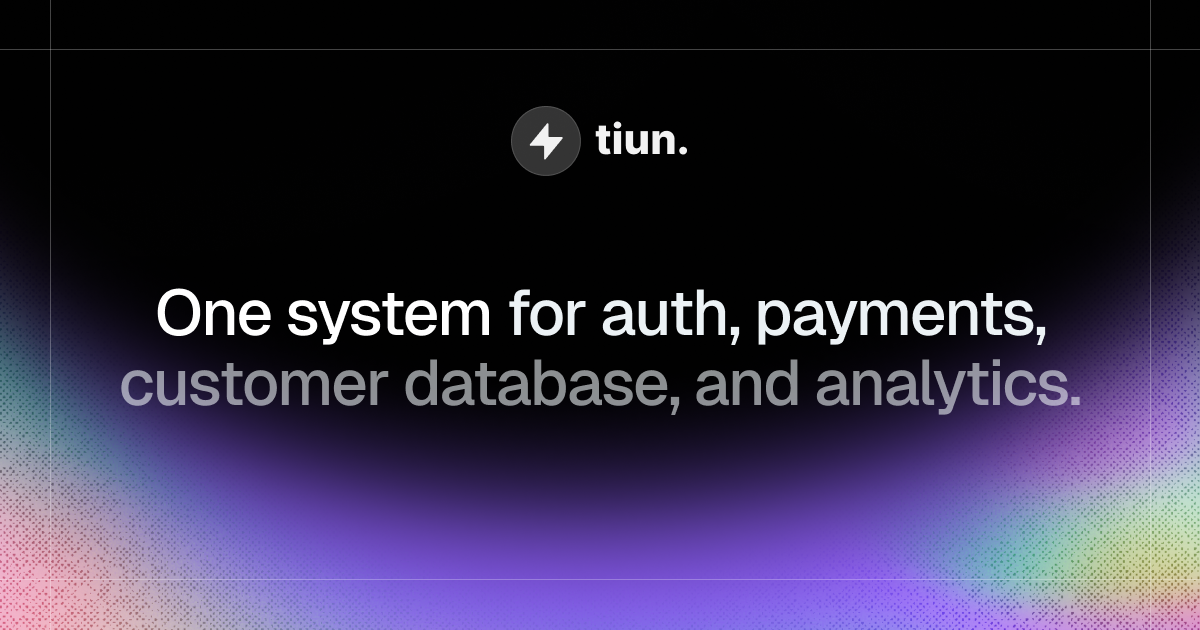
tiun. is an AI-native backend built for AI and SaaS companies, giving builders one system for authentication, payments, customer database, and analytics. According to the website, tiun gives AI and SaaS companies the backend they need to ship, scale, and grow their business in one unified platform, replacing a patchwork of single-purpose services with an ecosystem of services that are designed to work together from the start. The product is aimed at builders — developers and founders — who want to launch paid products quickly, and its public materials state that with one install command you can launch a paid product the same day you start building. The problem tiun addresses is the hidden complexity created by single-purpose tools. The website states that using separate services for auth, billing, customer data, and analytics creates multiple accounts, scattered data, and costs that compound as you scale. Builders are left maintaining business logic just to keep systems in sync, which makes the insights they need harder to reach. tiun describes itself as the backend powering the AI engineering era, and its stated approach is to remove that glue work: no webhook logic and no business logic to handle, because the services are designed to work together. This matters because every hour spent wiring up sync logic between disconnected tools is an hour not spent building the product itself, and because scattered data hides the very signals — who signs up, who pays, and how the product is used — that a company needs in order to price and grow. Authentication is the first of the core service groups. tiun provides sign up, login, and logout as simple and secure user authentication that is ready to use out of the box. It also ships User Button and User Profile components, which give users a dropdown menu to access their account so they can manage their profile and security settings without custom UI work. Multifactor authentication is supported through SMS passcodes, email, and social SSO. Together these pieces cover the account lifecycle that a paid product needs on day one, from creating an account to protecting it with a second factor or a social identity provider, and they remove the need for a builder to assemble and maintain that surface area themselves. Payments and billing form the second group, and tiun's stated promise is that you can start billing without writing payment code or wrangling webhooks. Users can create products and billing plans and accept one-time payments, subscriptions, and usage-based billing from day one. Checkout components are pre-built and ready to drop in as an overlay, so users never leave your page during the purchase flow. tiun also acts as your Merchant of Record: it processes your payments, pays out monthly, and includes tax compliance and chargebacks. The website compares transaction fees, showing tiun transaction fees of 2.9% + $0.30 and a total of roughly 3.4% + $0.30 in its example for international transactions. Because billing sits inside the same platform as the customer database, subscription state does not have to be reconciled across separate services. The customer database is the third group, and tiun states that every user, transaction, and session is stored in one place, with no syncing between tools. User management keeps each customer's subscription status up to date and stored with their user data, so builders do not have to build or maintain complex synchronization logic. Advanced event and session tracking records how users move through your product: every login, purchase, and product interaction is logged at the profile level. The platform also handles transactional emails for key user actions such as confirmations, password resets, and purchases, and it gives customers an invoice history where they can access, view, and download receipts and invoices from their user profile. Users can manage their own plans — upgrading, downgrading, or cancelling directly, with no support ticket required — and Data APIs provide one queryable API built on a consistent model, kept in sync and ready to plug into your stack. AI Analytics turns that shared data into something the whole team can act on. Because all data lives in one place, tiun says you can finally see the full picture: who is signing up, who is paying, how they use your product, where they get value, and how to price your product. The company frames this as one system that your entire team — business, engineering, product, and marketing — can work with, rather than a set of disconnected dashboards. For a SaaS or AI company this is significant because pricing, product, and go-to-market decisions all depend on the same underlying facts about customers, and having them in a single system reduces the friction of getting answers. Integration is handled through skills and the Model Context Protocol. The stated workflow is to install tiun's skills, connect the MCP, and let the AI agent do the hard work. The command shown on the site is npx skills add https://mcp.tiun.business, with deeper instructions in tiun's documentation. A customer testimonial on the site, from David Becker, founding member at Braintonic, describes trying the MCP integration and finding that it worked so well there was no backend, no webhooks, and no custom logic. Another, from Ferdinand Meyer, founder at moss, says he tried integrating tiun for a side project and it worked like a charm, calling it an absolute no brainer for future solo builders and founders. This agent-first installation is tiun's distinctive approach: rather than asking a developer to hand-wire several services together, it exposes the whole backend to an AI agent that performs the setup. The benefits follow from consolidation. Builders get a single system instead of multiple accounts and scattered data, and they avoid the compounding costs the site associates with maintaining several tools. The Product Hunt summary states the practical outcome plainly: one system for auth, payments, customer data, and analytics, one command to install, and the ability to launch a paid product the same day you start building. Because subscription status, events, sessions, and transactions live together, the insights needed to price and grow a product are reachable without extra integration work. The website also presents a case study: Res Publica increased their user base by 21% in the last 12 months by introducing usage-based billing with tiun, with Martin Stedler, CEO at Res Publica, Cicero, quoted alongside it. Concrete use cases described in the content include solo builders and founders starting a side project who need authentication and billing without building a backend, and new AI or SaaS products that need to launch a paid offering on the same day that development begins. Usage-based billing is a stated scenario: the Res Publica case study describes a company that grew its user base after introducing usage-based billing with tiun. Teams are another: business, engineering, product, and marketing functions are each named as groups that can work with the same unified system and the analytics it produces. Companies that want to accept one-time payments, subscriptions, or usage-based billing from day one, and that want tax compliance and chargebacks handled through a Merchant of Record arrangement, are also directly addressed by the payments offering. tiun is positioned for AI and SaaS companies and for builders generally — developers, founders, and operators who would otherwise assemble separate tools. The site notes that the company is supported by investors, founders, and operators. On integration, the platform connects through the Model Context Protocol and skills installed with a single command, and it is presented alongside a section labelled "INTEGRATE tiun with," although no specific third-party integrations are named in the content provided. Pricing information points to a dedicated pricing page and a "why tiun" comparison page; the visible fee example is 2.9% + $0.30 in transaction fees, with a total of roughly 3.4% + $0.30 for international transactions. Access starts with a "Try for free" action that leads to my.tiun.business, and documentation lives at docs.tiun.io. Taken together, tiun's value proposition is a single, AI-native backend that removes the seams between authentication, payments, customer data, and analytics. By installing skills and connecting MCP, builders let an agent wire up the backend, so there is no webhook logic and no business logic to maintain. The result, as the site puts it, is one system for auth, payments, customer database, and analytics — one that an entire team can work with, and that lets a builder launch a paid product the same day they start building.
Web Search Agents by Nimble are self-learning agents that become experts at your specific research task. They are described as expert web crawling and research agents built for a specific domain — company enrichment, regulations research, and similar areas — and they self-learn your use case in order to go deeper into the sources that matter most to you. The stated goal is to give your AI deeper and more relevant web context, and to automate web research with higher accuracy and less tokens. The product is aimed at agent builders and teams that need reliable web search and retrieval as part of an AI workflow; Nimble says you can get started by giving your AI an agent onboarding document, and the page offers both a free start-building path and a demo booking. The background problem is that ordinary web search and generic benchmarks do not reflect the queries agent builders actually run. Nimble explains that it evaluates web search by domain because that lets agent builders judge solutions against queries that resemble their own, not generic benchmarks. It also points to inefficiencies in common retrieval approaches: redundant searches and the need to parse raw pages with an LLM inflate token costs, and many tools cannot reach the subpages that hold the most useful detail. Nimble positions auditable search methodology and tight control as the answer, alongside accuracy that compounds over time instead of resetting with every query. Web Search Agents adapt to your use case and self-improve. Their first stated capability is compounding domain knowledge: the agent accumulates web context over time to master your domain. Because that context builds up rather than being discarded between runs, accuracy compounds over time through a Proprietary Index and Memory that gets smarter with every query. For teams running the same class of research repeatedly — company enrichment, regulatory lookups, market analysis, or product intelligence — this means the agent is not starting from zero each time, and the sources it favors reflect what has already proven relevant to the specific task. Because the memory gets smarter with every query, the value of the agent grows with usage rather than staying static, which is what Nimble means by compounding accuracy over time. Full governance and control is another core capability. Nimble provides auditable Search Plans that show exactly what was searched, where, and why, which gives teams a record of the retrieval methodology rather than an opaque answer. Users also get full control over search methodology, with data retrieved within the scope and guardrails defined for the search plan. On cost, Nimble says the agents cut token costs by retrieving exactly what is needed — no redundant searches and no parsing raw pages with an LLM. Combined with the Proprietary Index and Memory, the stated result is higher accuracy at a fraction of the token cost, which matters both for teams paying per-token and for teams that need repeatable, defensible research output. Web Search Agents also combine web search with domain crawling to provide deep web access for your sources, reaching subpages that other tools can't. Three workflow-level capabilities are highlighted on the site: executing hyper-specific research workflows, where the agents crawl the web with surgical accuracy; building and enriching datasets, where you define your schema to get consistent results every run; and monitoring for changes on the web in beta, which continuously tracks any data point on any webpage in real time. Domain-specific benchmark pages cover Market Analysis, Real Estate, Social Media Monitoring, Travel & Hospitality, Company Research, Finance, Product Intelligence, and GTM, and Nimble invites teams whose domain is not listed to contact the company to see how the agents adapt to their use case. How the product works is described as a self-learning loop. The agents adapt to your use case and self-improve, accumulating domain knowledge, applying a search plan with defined scope and guardrails, and returning results shaped to the schema you define. Nimble states that Web Search Agents can master any domain. The published benchmarks note that independent evaluations completed tasks such as reports, enrichment, and discovery, each graded fact-by-fact by an independent AI judge against a gold standard built without any contestant's input, with Web Search Agents, exa, parallel, and in several cases OpenAI and GPT-5.6 involved in the evaluation process. The stated benefits center on accuracy, cost, and control. Nimble says it delivers higher accuracy at a fraction of the token cost, and that accuracy compounds over time rather than staying flat. Teams gain full governance and control through auditable Search Plans that show what was searched, where, and why, plus the ability to keep retrieval inside the scope and guardrails of a defined plan. Retrieving exactly what is needed — instead of running redundant searches or sending raw pages through an LLM — reduces token spend. Deep access to subpages means the web context returned is deeper and more relevant to the specific research task, and dataset building with a defined schema means results stay consistent from run to run. Nimble lists concrete things you can build with Web Search Agents. Company research and due diligence, with a cookbook for audit-grade company diligence from one prompt. Researching case laws and regulations. Enriching your dependencies with health indicators. Finding assortment gaps on the digital shelf. Finding where products are sold in order to enforce MAP compliance, through monitoring MAP violations across sellers. Discovering businesses that match an ideal customer profile by mapping any market from an ICP prompt. Tracking analyst earnings predictions against actuals, including earnings guidance. And building a dataset of job candidates, described as building a targeted influencer list. The product targets agent builders and teams doing domain-specific web research and retrieval. Native integrations shown on the page include Anthropic, GPT, LangChain, and Vercel, and Nimble names Databricks, Qudo, Uber, LG, TripAdvisor, Semrush, Coca-Cola, L'Oréal, Microsoft, Rox, and Browserbase among the organizations displayed as trusted by the product. Security and compliance measures stated on the page include zero data retention, flexible PII masking, audit logs, data encryption in transit, and no training, with CCPA, GDPR, and AICPA SOC 2 badges displayed. On pricing, the page offers an option to start building for free alongside sign-up and demo booking, and describes talking through use cases to see how Nimble delivers higher accuracy at a fraction of the token cost. Overall, Web Search Agents by Nimble is positioned as a specialized web search layer for AI agents: self-learning, auditable, and cost-aware. It adapts to a specific domain, compounds knowledge over time, reaches the subpages other tools miss, and returns results that fit a schema you define. For teams whose AI depends on accurate, relevant web context, the primary value proposition is expert-level web search at lower token cost, with full visibility into how each search was run.
Accordio is an AI back office built for people who run a business alone. It tracks your time, drafts contracts, proposals and invoices, gets them signed and collects the money, and it does all of it from a chat message rather than a dashboard. You connect it to Claude with a single URL, or text it on WhatsApp, Telegram or Slack. The product is aimed at consultants, designers, developers, coaches, founders, fractional CXOs and agencies of one who need the admin handled without hiring anyone. Most solo operators do not lose money because of their craft; they lose it to the paperwork around it. Hours go untracked, contracts are sent late, invoices sit unpaid and receipts pile up until tax season. Roma Bors, Founder at Deduxer, states the problem directly: he lost 50 thousand dollars to clients who never paid, so he built the app that makes sure it never happens again. Accordio exists to close that gap. Instead of subscribing to an e-signature tool, an invoicing app, a time tracker and a contract template library, the whole office ships inside one product that already knows your hours, your clients and what you are owed, so it never has to ask you for context before it acts. Time tracking is the foundation of the product. A Mac app tracks the day on its own, so you can ask what you worked on today and see what is still unbilled without ever starting a timer, while manual timers remain available when you want them. The tracker keeps a full history and produces client-ready timesheets, and it breaks the work day down into focus, meetings and breaks so you can see where the hours actually went. The tracker is open source on GitHub and free forever, and Claude and ChatGPT can both read and log your time. Billable hours convert into an invoice in one click, which is the real point: hours captured at the moment they happen do not get lost or forgotten at the end of the month. Documents are the second pillar. Describe a project and Accordio returns a complete contract with the right clauses and payment terms; an AI advisor flags gaps before you send it, and clients sign without creating an account. Those e-signatures are legally binding and meet the US ESIGN Act and EU eIDAS rules, with a timestamp, IP address and a full audit trail behind every signature. Proposals follow the same flow: Accordio drafts the scope and price, sends the proposal and tracks opens, and when the client says yes the proposal turns into a contract and an invoice without retyping anything. Forms and questionnaires capture leads and intake, and an estimate widget can be embedded on your website. Pitch decks round out the document set, and 12 themes, your own logo and colours and editable clauses mean clients see your brand rather than Accordio's. Existing contracts can be imported from Google Docs and elsewhere and become editable, signable documents. Invoicing and payments are where Accordio is most differentiated. An invoice can be generated from a project, from tracked time or from a contract milestone, and every invoice carries a pay page with your bank details configured for the US, EU and UK. Bank transfer payments carry no fees and no commission, and if you want to accept cards you add your own payment link and it appears on every invoice. Connect your bank through Plaid and incoming deposits are matched to open invoices on their own; when a match is unclear, Accordio asks you rather than guessing. Overdue invoices are chased automatically with payment reminders, and the accounting layer keeps expenses, a profit and loss report and a tax report ready so your books never need a bookkeeper. Snap a receipt and it is categorised, marked deductible and filed to the right report, with bank reconciliation happening continuously in the background. Around the paperwork sit the meeting, inbox and notification features. Booking links let clients find a slot on your calendar without back-and-forth email, and a meeting recorder auto-joins calls, transcribes everything and extracts action items so you can stay present instead of taking notes. Meeting briefs arrive before calls, and follow-ups are drafted afterwards. Accordio also manages your inbox: it reads new mail, drafts replies in your voice and flags the messages that need you. Proactive alerts push morning briefings, overdue reminders and deadline warnings before you even ask for them, and each client gets a branded portal with their contracts, invoices and files behind a magic link, so there is no password and no signup for them. The delivery mechanism for all of this is the MCP connector. Accordio speaks MCP, so pasting a single URL into Claude, through Settings, then Connectors, then add custom connector, gives Claude 30 tools covering your hours, clients, unbilled totals, invoices, contracts, calendar and tasks. Claude can see your business and act on it: ask what you promised a client on Tuesday's call and it answers from the recording. It can draft the contract, log the hours and prepare the invoice, while sending, signing and payments stay in the app, so Claude proposes and you approve. The connector is free forever and also works in Claude Code, Codex and ChatGPT, and the same assistant is reachable by plain text on WhatsApp, Telegram and Slack. Setup is described as a two-minute job with nothing to migrate, and the product is also available in the browser and as a Mac menubar app. The benefit is that the admin stops being a separate job. Because Accordio already holds the invoice, the contract and the hours, it does not ask you for context when you give it an instruction; it just does the work. You open one product instead of four subscriptions, and it replaces an e-signature tool, an invoicing app, a time tracker and contract templates with a single place. Payments arrive without chasing, receipts file themselves, calls are followed up and mornings start with a briefing rather than a backlog. The tracker stays free forever, so time tracking and asking an AI about your hours never carries a cost, and the paid tier adds the money documents and the agent that sends and chases them. Concrete workflows show how this plays out. A consultant asks who still owes them and Accordio reports that a client is 12 days late on a 2,400 dollar invoice and offers to send the reminder. A designer describes a retainer and gets a draft on their usual terms, sent to the client for signature. A solo operator asks Accordio to bill the hours for last week and it invoices 14.5 tracked hours, sends the invoice and attaches bank details. Someone asks for 30 minutes with a contact next week, Accordio sends the booking link, and the accepted slot lands on the calendar. A receipt for a software subscription is messaged in and filed under expenses, matched to the card charge. For founders, the pattern is broader: customer contracts described and signed, each customer billed on their own cadence with deposits matching themselves, books kept without a bookkeeper, and every call recorded with action items filed and follow-ups drafted. Accordio is built for people who run a business alone: consultants, designers, developers, coaches, founders, fractional CXOs and agencies of one, with dedicated solutions for software companies. It integrates with Google Workspace, Slack, Notion, Asana, Trello, Linear, GitHub, Figma, Zoom and more, and the site references Gmail, Google Calendar, Google Drive and 160+ apps, with bank connections handled through Plaid. Pricing is simple: the Mac time tracker, timers, time entries, clients, projects and the Claude and ChatGPT connector are free forever with unlimited clients and projects, while the Legend plan costs 39 dollars a month, or 29 dollars a month billed yearly at 348 dollars a year, and includes every feature, unlimited e-signatures, zero commission and 10,000 AI credits a month. There is a 14-day free trial with no credit card, and if it ends, nothing is deleted. Accordio's core proposition is that the assistant you already talk to should be able to run the admin around your work. Track time, create and sign contracts, send invoices, get paid, and let one message do the rest.
Cadenya is a hosted agent runtime that layers tools, agents, and objectives on top of the APIs you already run. It is explicitly not a framework you bolt into your application stack; instead, Cadenya runs the agentic loop for you. You connect your MCP servers, OpenAPI specs, and existing endpoints through a single tool layer that agents can use, then define an agent, shape its abilities, and run objectives against it. The product is positioned for developers and teams who want to bring agentic possibilities to life in software they already operate, testing safely and improving quickly without rebuilding the stack that supports them. The problem Cadenya addresses is the cost of adopting agentic capabilities inside a system that already works. Building agents typically means invasive change: framework glue inside the application, wrapper layers around APIs, and hand-built machinery for streaming, approvals, retries, context limits, and visibility into what an agent actually did. Cadenya's answer is a hosted loop that handles those concerns out of the box. The product states that it handles context compaction, tool approvals, webhooks and SSE streaming, embeddable widgets, and SDKs in four languages. A frequently asked question on the site answers directly that you do not need to rewrite your APIs: connect MCP servers, OpenAPI specs, and existing endpoints through a single tool layer, and agents can use them as they are. That preserves existing infrastructure investment while new agentic behaviour is layered on top, which matters because teams can iterate on agent behaviour without destabilising the services their business already depends on. The first layer is the tool layer, and the product's guidance is to start with your stack. You connect MCP servers, OpenAPI specs, and existing endpoints through a single tool layer agents can use. Because connection is based on specifications developers already know, existing services become available to agents as they are. Tools can be assigned to an agent individually, organised as tool sets, and combined with sub-agents. In the interface example shown on the site, a shipment-exceptions agent carries assignments such as a reroute shipment tool, an update ETA tool, a Dispatch API tool set, and a Customs Broker sub-agent, alongside memory layers such as a Carrier Playbook covering SLA policies. This layer is what lets an agent reach into real systems rather than only producing text. Experimentation is handled through variations. The interface shows a Default variation and Canary variations, each tied to a specific model, such as Anthropic Claude Sonnet as the default and OpenAI GPT-5.5 or GPT-5.2 as canaries, with a creation timestamp. A variation also carries its own system prompt, its own assignments, and its own memory layers. The product's stated goal for this area is to let you iterate without uprooting: swap models, evolve behaviours, and expand capabilities while retaining infrastructure. It also frames the runtime as a way to evolve with what is next, so you can adopt frontier models fast, test behaviours and compare approaches, and add functionality rather than complexity. Practically, that means model and behaviour changes are configuration inside the runtime rather than a rewrite of the surrounding application. Cost and context are managed through the token usage layer. Cadenya provides live token metering so teams can stay on top of costs, and describes reducing waste through progressive discovery, with efficiency improving as agents adapt. Progressive tool discovery can be enabled, with a maximum number of tools per search set between 1 and 10 (5 shown in the example), search hints of up to 5 terms, and a rerank threshold between 0.0 and 10 that can be left blank to skip reranking. The mechanism is described precisely: tool schemas stay out of the context window until the agent asks for them, and only names ride along, so every request gets smaller. That matters for agents with many connected tools, where schema bloat would otherwise consume context and budget before the agent does any work. Cadenya is also built to power real-time services. Webhooks and SSE push live updates, and the product states it makes it easy to wire agent events into your applications. The webhook delivery view on the site lists event types including assistant message, tool_result, tool_approval_requested, sub_agent_spawned, context_window_compacted, and timed_out, each with an HTTP status and target URL. Around this, the product provides tool approvals: approval-gated tools pause the agent and deliver a tool_approval_requested event so a person or system can approve before anything runs. It also ships embeddable widgets, described as a feature called Widgets that can be dropped into any frontend to enable agentic features like conversations and, per the product, so much more. Observation closes the loop. Cadenya is designed to let you monitor outcomes and understand how behaviours take shape in the real world, with the stated goal that clear visibility means your agents show their worth. Every objective keeps its trail: tool calls, webhook deliveries, token usage, and the feedback people leave on the outcome. The feedback view shows comments scored by sentiment, attributed to a variation and an objective, such as a reroute completed before an SLA breach, a customs hold caught with a proactive ETA update, a reroute that notified the recipient twice, a hold that occurred when a reroute was available, and a correctly escalated frozen-goods lane. Those scored outcomes are what make comparison between variations meaningful. Overall the product works as a hosted agentic loop in three steps: define an agent, shape abilities, and run objectives. Inference is model-agnostic. You point Cadenya at OpenRouter or any OpenAI-compatible endpoint and it uses that for inference. Each new account comes with $5 in credits on OpenRouter pre-configured; after that you provide your own LLM provider credentials. Agents can dispatch sub-agents, and the model configuration for sub-agents can be changed to be best suited for the job, which the product describes as giving the most efficient token usage and outcome. The runtime itself is described as unified: you add functionality, not complexity. The benefits follow from that design. Because the loop is hosted rather than embedded, teams can experiment safely and improve quickly. Because APIs are not rewritten, capabilities expand while infrastructure is retained. Because variations, memory layers, and assignments sit in configuration, frontier models can be adopted fast and behaviours compared rather than guessed at. Because events flow through webhooks and SSE, downstream services react immediately instead of polling. Because token metering and progressive tool discovery are built in, spend is visible and requests stay smaller. And because every objective keeps a trail of tool calls, webhook deliveries, token usage, and human feedback, improvement is grounded in recorded outcomes rather than impressions. Concrete scenarios appear throughout the product's own material. The site's worked example is a freight and logistics agent named for Meridian, a shipment-exceptions agent instructed to reroute a stalled delivery via a dispatch API, with assignments covering rerouting, ETA updates, a Dispatch API tool set, and a Customs Broker sub-agent, and memory layers holding a Carrier Playbook and SLA policies. Feedback entries describe rerouting before an SLA breach, catching a customs hold and updating the ETA proactively, and escalating a frozen-goods lane. Other described workflows include dropping Widgets into a frontend for conversations, pushing agent events into applications via webhooks and SSE so downstream services react immediately, gating tool calls behind approvals, and dispatching sub-agents for parts of a job. On integrations, Cadenya connects MCP servers, OpenAPI specs, and existing endpoints through a single tool layer, uses OpenRouter or any OpenAI-compatible endpoint for inference, and delivers webhooks and SSE streams to endpoints you provide. It ships SDKs in four languages and embeddable widgets for frontends. The site notes that each new account includes $5 in credits on OpenRouter pre-configured, after which you supply your own LLM provider credentials, and states that you can email support@cadenya.com to get a free month. Getting started is described as a few steps, the first of which is signing up, with sign-up available at app.cadenya.com and API documentation linked from the site. Cadenya's core promise is that you can bring agentic possibilities to life on the stack you already run. It converts agent development from a rebuild project into a hosted runtime you configure, connect, observe, and improve, with the surrounding concerns of context, approvals, streaming, cost, and feedback handled as part of the loop.