Category Focus/categories/research
Research AI Tools
Discover and compare the best research AI tools and software. Browse 62+ curated tools with reviews and rankings.
Projects tracked
62
Sort mode
RECENT
Page
1
Discover and compare the best research AI tools and software. Browse 62+ curated tools with reviews and rankings.
Projects tracked
62
Sort mode
RECENT
Page
1
The Brains is a directory of MCP servers built from the public thinking of founders, CEOs and investors. Each entry, called a brain, packages one person's talks, essays, interviews and posts into a searchable server that you can add to an AI client. The site describes the collection as "the smartest brains on earth, in an MCP," and at the time of writing lists 39 brains backed by 8,154 cited sources. You use it by asking a question inside Claude, Cursor, ChatGPT or Codex, such as how Pieter Levels prices a product or what Paul Graham says about fundraising, and the brain answers from that person's own recorded material. The problem it addresses is one of access. The most useful operator advice is rarely in a single document. It is spread across hours of podcast audio, long essay archives, interview transcripts and years of social posts, and finding the specific passage where someone explained a pricing decision or a hiring rule means searching several platforms by hand. General purpose AI assistants smooth those distinctions away: they blend sources, and often they do not tell you where an answer came from. The Brains keeps the material organized per person and keeps the attribution attached to each answer, so you can check the reasoning against the original talk, essay or post rather than trusting a summary. Each brain is presented as its own server with a short profile. The listing shows the person's role and a one-line description of what they built, how many installs the brain has, how many talks and essays and posts are included, and when the brain was last updated. Alex Hormozi's brain, for example, is described as the co-founder of Acquisition.com who built Gym Launch by licensing his gym playbook, with 85 installs, 28 talks and essays, 248 posts and an update seven days prior. Jason Cohen's listing notes 221 talks and essays and 300 posts, while Paul Graham's shows 45 talks and essays and 370 posts. Those counts matter because they tell you how much material sits behind an answer before you install anything. Citation is the defining capability. The site states that every answer cites the talk, essay or post it came from, and the Product Hunt description adds that each answer quotes the source with a link. That means a reply is not just a synthesized opinion but a pointer back to the exact piece of public thinking being drawn on. If you are quoting a founder in a memo, comparing two operators' views on the same topic, or checking whether you remembered a piece of advice correctly, the citation is what makes the answer usable. The description on the site is blunt about this: "Every answer cited." Brains plug into assistants people already use. The site names Claude, Cursor and ChatGPT as the clients you add a brain to, and the Product Hunt description also lists Codex. Setup is described as a single URL per brain, or one URL that covers all of them, so you can install one person's thinking or the whole collection. Because the product is delivered as MCP servers rather than as a standalone chat app, it works inside the tools where founders already draft code, write documents and ask research questions, instead of adding another tab to check. The directory is built for browsing. A search box lets you look up founders or topics, with "pricing" offered as an example query. Filters separate the brains into groups: all, indie hackers (29), AI builders (16), CEOs (16), investors (7), marketers (26), operators (11), health (2) and thinkers (1). Sorting options include most installed, most sources, recently updated and A to Z. The combination lets you narrow by the kind of operator you want to hear from, then order the results by the brains with the deepest archives or the freshest material. Every profile also ships with a suggested question, which shows the kind of thing the brain is good for. Naval Ravikant's reads "I'm a well-paid consultant. How do I stop trading hours for money?"; Marc Lou's asks "What is the smallest version of my startup I could launch this week?"; Greg Isenberg's asks "I can build an app in a weekend. How do I get people to care about it?" These prompts double as examples of scope: the brains are aimed at concrete operating questions, not general trivia. A consumer example sits alongside them, such as Andrew Huberman's question about what to do in the morning and evening to fall asleep easier. Two lightweight community flows sit at the end of the directory. A "Who should be next?" section invites visitors to request a founder, CEO or investor by email, with the note that the most-requested brains get built first. A separate "Are you on here?" section invites the people who have been turned into brains to claim their entry, verify it, fix anything the builders got wrong and add sources. The Product Hunt listing describes the project as unofficial and not affiliated with the people featured, which is why the claim flow exists. The approach is deliberate about scale and boundaries. Rather than training one large model on everything, The Brains builds a separate server per person from material that is already public, and routes each question to the brain you chose. The Product Hunt description says the project is free and open source under the MIT license, with 37 brains at the time of that listing, while the site's own counter shows 39 brains and 8,154 cited sources. The result sits somewhere between a search engine and a panel of advisors: narrow enough that an answer belongs to one person, broad enough that the collection covers indie hacking, AI building, executive leadership, investing, marketing, operations, health and philosophy. For users, the payoff is traceability and speed. Instead of listening to a two-hour interview to find one passage about raising prices, you ask the question and follow the citation if you want the full context. Because answers carry quotes and links, they can be dropped into a decision memo, a board update or a research doc without losing the thread back to the source. And because the collection spans dozens of people, comparing how different operators answer the same question becomes a matter of switching brains rather than rebuilding a research process from scratch. The suggested questions sketch the use cases. Founders use the brains for pricing and offer decisions (Alex Hormozi, Rob Walling), for deciding whether an idea has demand before building (Pieter Levels, Tibo Louis-Lucas, Yahia Bakour), and for launching the smallest possible version of a product (Marc Lou). Marketers ask about growing a LinkedIn audience from zero (Justin Welsh, Ruben Hassid), organic short-form video downloads (Jack Friks), influencer conversion (Blake Anderson, Zach Yadegari) and cold outreach replies (Romàn Czerny). Investors and executives ask Jason Calacanis how to make first angel investments, Alexandr Wang how to keep the hiring bar high, and Shaan Puri how to position a product in a crowded market. The audience is founders, indie hackers, solo operators, marketers, investors and anyone who treats public operator writing as a working reference. Categories like indie hackers and AI builders make that explicit. The integrations are the AI clients named on the site and in the listing: Claude, Cursor, ChatGPT and Codex. Pricing is stated as free, the code is open source under MIT, and the project is described as unofficial and unaffiliated with the people whose material it indexes. In short, The Brains turns public founder and investor material into individually installable MCP servers that answer questions with citations. It is free, open source and built for people who want a specific person's reasoning rather than a blended summary, delivered inside the AI tools they already use.
HireKey is a recruiter-informed AI job search copilot built for tech job seekers who want to apply strategically and interview with confidence. The platform brings an entire job search into one workspace, guiding candidates through a simple sequence: find your fit, apply, practice, and keep moving. It helps you assess how well a role matches your documented experience, tailor your resume to a specific opportunity, prepare your answers out loud with an interactive AI voice coach, and track every application through to the final decision. Instead of scattering notes, resumes, and reminders across different tools, HireKey keeps the whole search together in one place, informed by the perspective of the people on the other side of the hiring process. Many job seekers describe the same frustrating pattern: sending applications and hearing nothing. It is difficult to tell whether the problem is the role, the resume, the way experience is explained, or simply the competition. Typical ATS resume checkers reduce a candidate to a single score, and a high score does not reliably lead to interviews because an algorithm cannot predict an employer's decision. HireKey was created to answer the questions that actually stall a search: Is this role worth pursuing? Does my resume show what I can do? Can I explain my experience clearly? And what is next for each application? The goal is to help people decide where to focus their effort with a clearer reason, rather than investing more time in applications that were never going to move forward. The first pillar is role-fit analysis, which answers the question "Is this role worth pursuing?" HireKey compares your resume with the job description and shows the experience you can support, the parts that need a clearer explanation, and the areas where there may be a genuine gap. Crucially, it separates two things that are usually blended together: your actual fit for the role and the way your resume is worded. That distinction lets you understand your strengths and gaps, and decide whether to apply, improve your materials, or move on with a clearer reason. A free resume checker is also available without an account; it reviews a resume on its own for positioning, evidence, scan visibility, and seniority signals, processing the file on your device. Role-fit analysis in the full app goes further by comparing your documented experience with a specific job description. Resume tailoring is the second pillar, aimed at candidates who ask whether their resume really shows what they can do. HireKey turns vague bullets into a clearer account of what you actually did, and brings the experience that matters for the specific role to the front. You review the original and tailored wording side by side, see what changed and why each rewrite is clearer, and keep the final say over every change. The tailoring is grounded in your experience and is meant to make real experience clearer and more relevant. It is not intended to invent qualifications, results, or responsibilities, or to turn a contributing role into ownership you did not have. Cover letter drafting works the same way: it produces a draft grounded in your background and the job so you can connect your experience to the opportunity and give it your own voice before sending. Interview preparation is the third pillar, and it is where HireKey moves beyond the resume. You work through your answers in a live audio conversation with an AI voice coach, on your own schedule. You can choose questions for a recruiter phone screen or a hiring-manager conversation, or add your own. Because the coach responds to your answers with follow-up questions, practice resembles a real conversation rather than a static list of prompts. You receive feedback during practice and a debrief on what to improve afterwards. For candidates who prefer to prepare on paper, role-specific questions and answer guidance can be saved as a PDF and reviewed offline. This out-loud practice targets the question many job seekers find hardest to answer: can I explain my experience clearly when it counts? The fourth pillar is the job application tracker, which keeps every opportunity in one place from the first application to the final interview. Applications are organized by stage in either a table or a Kanban view, with columns for Not Applied, Applied, Phone Screen, Interview, Offer, Rejected, and Withdrawn. Stages, deadlines, notes, and follow-ups stay together, and each opportunity remains connected to the preparation you have done for it, so your next step does not live in another spreadsheet. Two further workspace tools round out the search. Company research briefs build context before an interview and help you turn what you learn into more specific questions and a clearer reason for your interest, while cover letter drafts help you make your case for a particular role. What makes HireKey different is that it is recruiter-informed. The product combines AI with ten years of tech recruiting experience at Microsoft, Amazon, and Stripe, so the guidance reflects how hiring is actually evaluated rather than only how a resume parses. It considers the experience you have documented, the role's requirements, seniority, scope, and evidence of impact, and then explains which gaps need clearer communication and which ones require actual experience. It deliberately avoids presenting a single score as an answer, because a score or recommendation cannot predict an employer's decision. The workflow reinforces this: find your fit, apply, practice, and keep moving, with each step feeding the next so preparation stays connected to the opportunities you are actually pursuing. The benefits are practical. Candidates can see where they stand before investing hours in an application, present their experience more clearly and with less risk of understating their contribution, and arrive at interviews having already said their answers out loud. Getting real-time feedback and a post-practice debrief means improvement happens before the interview rather than after a rejection. Keeping applications, notes, and deadlines in a single tracker removes the anxiety of wondering what comes next and which follow-up is overdue. Because everything is connected, the research you do, the resume you tailor, and the practice you complete all support the same opportunity, and every change to your resume remains under your control. Concrete scenarios show how this plays out. A candidate who finds an appealing job posting runs role-fit analysis first to decide whether the role is worth pursuing, then uses resume tailoring to bring the relevant experience forward before applying. Someone preparing for a recruiter screen selects recruiter-screen questions and rehearses out loud with the AI voice coach, using follow-up questions to expose weak spots, then saves the question set and guidance as a PDF. A candidate juggling many active applications moves each one through the Kanban board from Applied to Phone Screen and Interview, keeping notes, deadlines, and follow-ups with the opportunity. Before a hiring-manager conversation, they generate a company research brief and convert the findings into specific questions. Those who are not hearing back start with the free resume checker to test whether their resume clearly supports the roles they are targeting. HireKey is built for professionals applying to competitive roles, including engineers, product managers, designers, data professionals, marketers, sales professionals, and operators. A free plan provides five resume tailoring sessions, five interview practice sessions, two live voice coaching sessions, five cover letters, and five company research briefs per month, plus unlimited job application tracking in the dashboard. Premium is $39 per month and raises those allowances to fifty resume tailoring sessions, fifty interview practice sessions, and ten live voice coaching sessions, with unlimited cover letters, unlimited company research briefs, unlimited tracking, and access to Pipeline Intelligence and Application Insights. Additional credits are available for Premium members, including a five-session voice pack and a fifteen-session resume tailoring pack, each priced at $9.99. Sign-up happens in the HireKey web app after onboarding. The takeaway is simple: your job search does not have to be a series of blind applications. HireKey gives tech candidates a single, recruiter-informed workspace to understand their fit, tell their experience more clearly, practice the conversation out loud, and keep every opportunity moving. You have already done the work; HireKey helps make that experience count.
put·here is a local-first spatial workbench for macOS, described by its maker as a place to put things down and make sense of them later. It is aimed at anyone whose thinking does not arrive pre-sorted: instead of demanding a title, a folder, or a tag the moment something is saved, it offers a canvas where text, links, pictures, and files land wherever you drop them. Capture happens by pasting, dragging, or pressing ⌃⌥P from any app, and stepping back lets the whole canvas read at a glance. The product frames its purpose in three moves — collect, connect, and try — gathering links, notes, images, and files, connecting your thinking, and optionally letting AI research the next question with sources. Most note apps want an answer the moment you save something: a title, a folder, a tag. The maker's own story describes the alternative that most people actually live with — thoughts going wherever was closest, such as a chat file-transfer tool, the desktop, or a temporary note, until weeks later everything still existed only in theory. The deeper problem put·here targets is that a question can be scattered across twelve tabs, a few notes, and a screenshot, and that ideas show up before they have a shape. Rather than forcing structure prematurely, put·here keeps scattered material in one space with positions, groups, and drawn connections, so the thread between things is preserved until it is needed. It also matters that this happens locally: the app is local first, needs no account, and does not require you to know where anything belongs. Capture in put·here is deliberately undemanding. Text, links, pictures, and files can be pasted, dragged in, or sent from any app with the ⌃⌥P keyboard shortcut. Cards sit on an open canvas rather than in a list, and every canvas remembers its position and zoom, so a workspace looks the same when you return to it. Because items stay where they were dropped, spatial arrangement itself becomes a memory aid — the maker notes that letting positions leave a clue is part of the point. Working cards have tabs, and the writing page uses block editing, so a card can hold more developed material once a thought starts taking shape. Tidying exists too, but it is always your choice: you decide when to tidy the canvas, and the change is undoable. Tidying is labelled Beta and described as more accurate in the current release. The second half of the premise is connection. put·here keeps not just what you found but the thread between things: positions, groups, and the connections you draw yourself. Connections are drawn by you, and relationship labels are optional, which keeps the graph honest to what you actually intended rather than what an algorithm guessed. AI can help with grouping, but only under your control: you start AI grouping, you can undo it, and the groups you made yourself are kept. This matters because the value of a research pile rarely comes from any single item — it comes from the relationship between a question, a PDF chapter, a reading link, and a half-formed idea. Making those relationships explicit, and visible on a canvas, is what lets a scattered question be picked up again later. AI in put·here is optional and framed as research rather than autocomplete. You right-click a question card and choose "Hand it to AI". The AI then reads your material, researches the web, and brings findings back with their sources, in a workspace of its own — the copy is explicit that AI works in its space while you stay in charge of yours. The flow is shown as three steps: question, research, evidence. An example workspace asks "Can I see an eigenvector?", tells the AI to use saved linear algebra notes to find a visual explanation while keeping the sources, and lists the starting material as a chapter from a linear algebra PDF. Crucially, AI does not change your main canvas on its own; it creates source and finding cards in a separate workspace, leaving your own arrangement intact. Built-in put·here AI includes a monthly free allowance shown in Settings, and you can alternatively bring your own API key or run a local model. Storage is where put·here diverges most from typical note apps. Every canvas maps to a real Finder folder. Notes are plain Markdown, and images and files keep their original formats, so nothing is locked in a proprietary database. Even if put·here is removed, what was saved stays yours — a claim the product states directly. Housekeeping also respects the filesystem: deleted items go to Recently Deleted and then to Finder Trash. Because canvases are folders, the same files can be viewed through Finder as an ordinary directory (an example shows still-thinking.md, linear-algebra.pdf, and reading-trail.webloc) or through the canvas as a spatial arrangement. It is described as the same files, a different way to see them. Each canvas additionally remembers its own position and zoom, so layout is part of the workspace rather than something rebuilt each time. The overall approach is spatial and local-first rather than hierarchical. Instead of a filing tree that must be decided upfront, put·here treats placement as a lightweight form of meaning: drop something where it feels right, and let the canvas carry the context until the shape of the idea becomes clear. Capture is frictionless and multi-source; organization is deferred; connections are user-drawn; research is handed off, on request, to an AI that returns sourced findings in a separate area. Everything rests on ordinary files on the Mac. The privacy model follows from that: AI sends only the text its feature needs, built-in AI relays it through the company's server, your own key connects directly to your provider, and a local model processes everything on your Mac. Built-in AI uses an anonymous device ID to count the free allowance, and the app includes no behavioral analytics. Publishing, phone capture, previews, and update checks have their own separate data flows described in the privacy policy. Practically, the benefit is that you can save something without first deciding what it is. Thoughts arrive before they have a shape, and put·here accommodates that instead of fighting it. Keeping a question in one place — with its tabs, notes, and screenshots together — means it can be resumed rather than reconstructed. Connections you draw yourself preserve the reasoning behind a pile of material. AI research that returns sources lets findings be checked rather than taken on trust. And because everything is stored as real files in real folders, your notes stay yours: notes as plain Markdown, images and files in their original formats, and no account required to get started. Updates download in the background and install when you quit, a behaviour introduced from version 0.12.0 and switchable in Settings. put·here names three broad situations on its own site: exploring a product direction, researching an open question, and learning a difficult concept. A product direction is a typical example — ideas, competitor links, and reference screenshots can be spread across a canvas while the shape of the thing is still unclear. Researching an open question suits the AI flow, where a question card is handed to AI together with your saved material, and findings come back as sourced cards in a separate workspace; the site's worked example uses linear algebra notes to answer "Can I see an eigenvector?" Learning a difficult concept is supported by collecting a PDF chapter, a weekend reading link, and a note of the question itself — the sample canvas includes a note titled "Why don't eigenvectors turn?", an idea described as still taking shape, a PDF of Linear Algebra Chapter 2, and a reading item about learning, memory, and drawing things out. Sharing is possible through an export share bundle; hosted publishing to a link requires an invitation code and is not part of the standard download experience. put·here is a Mac app — version 0.13.2, requiring macOS 14 or later, running on both Intel and Apple silicon, a 19 MB download notarized by Apple. That makes it suited to Mac users who keep research material, design references, reading notes, or unresolved questions, and who prefer local storage over a hosted account. There is no account and no subscription required for the current release: 0.13.2 is free to download with no account, and AI is optional. Built-in put·here AI carries a free monthly allowance shown in Settings; alternatively you can supply your own API key, where your provider may charge for usage, or use a local model. The site links to a manual covering the AI, disk storage, and privacy, plus a full privacy policy. There is no stated third-party integration list beyond that, and phone capture is mentioned only as having its own data flow. put·here's value proposition is captured in its own line: put it here, make sense of it later. It gives Mac users a spatial, local-first place to collect notes, links, images, and files without deciding where they belong, to connect ideas manually, and to run sourced AI research when a question needs answering. Because every canvas is a real folder of plain files on your Mac, the workspace stays yours — free to start, no account, and no need to know where it belongs.
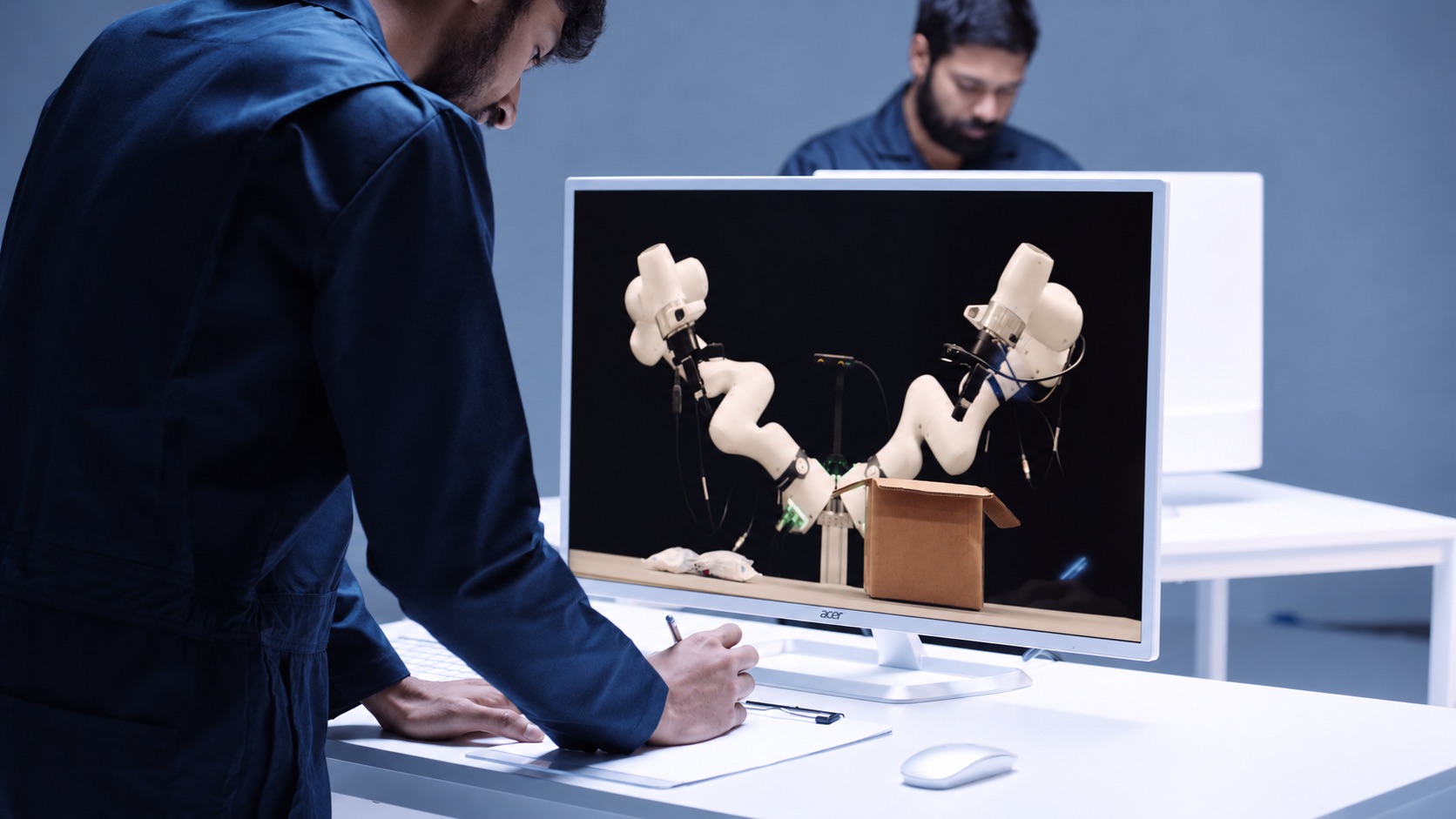
Odyssey-3 is Odyssey's most powerful foundation world model yet, described as a learned dynamical system implemented as an autoregressive diffusion transformer that predicts how objects move and interact through space and how situations evolve over time. It generates embodied environments from a prompt and predicts in real time how those environments change as a person or an agent takes actions or introduces events, using previous observations together with the latest inputs. The model is built for physical AI developers — teams building robots, humanoids, self-driving cars, drones, and other autonomous systems — who want to explore how foundation world models can accelerate their work. A research preview is available now, letting users prompt an environment, act within it, and observe how the world model responds, while developers interested in building with Odyssey-3 can get in touch for API access. The starting point for Odyssey-3 is a problem the founding team lived with for a decade. They spent that decade building driverless cars, where predicting the world was essential to determining what a car should do next. They founded Odyssey to pursue that idea far beyond the roads — to build a general-purpose technology that could bring learned world knowledge to all machines and tasks. With Odyssey-3, they believe this idea is now being realized. Physical accuracy is central to that goal, because a foundation model for physical intelligence must learn to predict how the world actually behaves rather than simply producing plausible-looking video. Odyssey-3 learns representations of physics, dynamics, and cause-and-effect from a broad dataset of visual observations, and developers use that knowledge both to simulate environments and to train policies for different physical systems. The first capability is real-time environment generation. Odyssey-3 generates embodied environments from a prompt and predicts in real time how they change as a person or an agent takes actions or introduces events, using previous observations and the latest inputs. You can move through the environment or introduce an event during generation and observe how the model responds. Today's preview provides first-person and third-person navigation alongside independent camera movement, giving you different ways to interact with and inspect the model's predictions. Physical accuracy is measured against public benchmarks. Odyssey-3 Pro sets a new state of the art on Physics-IQ Verified's video-to-video benchmark, achieving 66.1, the highest reported score. Physics-IQ tests physical behavior across fluid dynamics, optics, solid mechanics, magnetism, and thermodynamics, asking models to continue videos of real physical experiments and comparing their predictions with what actually happened. Odyssey-3 Pro also scores 54.7 in image-to-video, while Odyssey-3 improves the measured tradeoff between physical accuracy and generation cost, making it possible to generate more simulations within the same compute budget. On WorldMark, which measures control-following, visual quality, and world memory, Odyssey-3 ranks first in first-person stylized, third-person real, and third-person stylized environments, using the benchmark's own captions and the mean of its 13 reported metric scores. Odyssey-3 adapts to physical systems. Its learned world knowledge can be applied to different systems by training an action decoder or policy on paired observations and actions. These learned components translate that knowledge into the controls required by a particular machine, letting developers adapt the foundation to a new body or task. With only tens of hours of robot demonstrations, Odyssey-3 completed manipulation tasks and showed recovery behaviors absent from those demonstrations, including reorienting a gripper after a missed grasp and retrieving a dropped object in an unusual position. Flexion has built humanoid control policies on Odyssey-3 whose performance exceeded the tested VLA baselines under environmental changes and continued to perform tasks under lighting changes that caused those baselines to fail. Odyssey-3 was also adapted to drive a car on real roads in India, training a driving policy on just 20 hours of driving data while keeping the Odyssey-3 backbone frozen; the policy uses the model's visual representations to predict waypoints ahead of the car, allowing it to drive in closed loop. The model can additionally be adapted to generate observations for particular sensor arrangements — in an early experiment using the front three cameras of an autonomous-driving dataset, an Odyssey-3 training checkpoint produced driving sequences with three camera views generated together after just 100 training steps. Odyssey-3 can also help train agents. An agent is an AI system that pursues a goal by observing its surroundings, choosing actions, and using what happens to decide what to do next. A world model can provide the environment in which those decisions are made, giving a way to study how an agent responds to changing conditions and whether it can complete a task inside a world whose behavior is learned. In the task-completion demonstration, an agent receives a natural-language goal and pursues it inside Odyssey-3, observing the generated world as it works toward the task. How Odyssey-3 was built is described in the launch material. Its training data combines internet video with time-localized, schema-verified event annotations, gameplay recordings with time-aligned keyboard and mouse inputs, and simulated rigid-body interactions with captions and metadata. Together, these sources connect diverse observations with descriptions of what happens and, where available, the actions that produced it. The stated design goal was to enable dynamic, open-ended interactions with an environment that responds as the user acts. Odyssey-3 is built as a multi-step video diffusion transformer, using temporally resolved prompts and controls to guide how the world unfolds. It is then extended autoregressively through teacher forcing and causal masking, training it to continue from preceding observations and predict future states conditioned on action inputs. Finally, a post-training pipeline that combines distribution-matching and adversarial distillation produces a distilled variant of Odyssey-3 — a few-step model capable of real-time interaction. The measured results point to concrete benefits for users. Because physical accuracy and generation cost are traded off more efficiently, developers can generate more simulations within the same compute budget. Because the model can be adapted with small amounts of data — tens of hours of robot demonstrations, or 20 hours of driving data with a frozen backbone — developers can bring learned world knowledge to a new machine or task without training a world model from scratch. Because the distilled variant is a few-step model capable of real-time interaction, environments respond as the user acts rather than only after generation is complete. And because the model can provide the environment in which agents pursue natural-language goals, it offers a way to study agent behavior in worlds whose behavior is learned. Odyssey-3 appears in several concrete scenarios in the launch material. For robot arms, prompts such as "Pour the cereal into the bowl" and "Close the screwbox" were used with the model to perform manipulation. For humanoids, Flexion built control policies on Odyssey-3 and ran tasks such as "Open the blue container and take out the cardboard box" and "Move the plate to the center of the table and place the mug on top of it." For vehicles, prompts like "Take the first roundabout exit" and "Drive along the road" were used while the adapted policy drove autonomously on real roads in India. For multi-sensor data, Odyssey-3 generated driving sequences with three camera views produced together for an autonomous-driving dataset. For agents, an agent receives a natural-language goal and pursues it inside the generated world. And in the research preview, a user prompts an environment, navigates it in first or third person, and introduces events to see how the model responds. Odyssey-3 is aimed at physical AI developers — teams developing a robot, humanoid, self-driving car, drone, or any other autonomous system — as well as researchers studying world models and anyone who wants to try the research preview. Developers who want to build with Odyssey-3 are invited to get in touch for API access. The research preview, offered as "Try Odyssey-3 Flash," is available now through experience.odyssey.systems. Published evaluation details describe two model sizes: Odyssey-3 at 832×480 and Odyssey-3 Pro at 1280×720. The launch material presents Odyssey-3 as available today as a research preview, with API access offered on request; no pricing or plan details are published in the provided content. Taken together, Odyssey-3's primary value proposition is that it brings learned world knowledge to physical AI: a foundation world model that generates interactive environments from a prompt, predicts in real time how they evolve as someone acts, advances the reported state of the art in physical accuracy on Physics-IQ Verified, and can be adapted to control robot arms, humanoids, and vehicles or to serve as the environment in which agents learn and are evaluated.
Pilot5 Legal is an adversarial intelligence platform for legal teams. It takes a legal question and has five independent frontier AI models analyse it separately, challenge one another's reasoning, and converge on a structured recommendation — while the strongest opposing view stays on the record. The product covers five legal workflows: reviewing separation agreements against statutory requirements, understanding unfamiliar contracts clause by clause, pressure-testing settlement positions, retrieving enacted statutory text, and applying a firm's approved playbook to future reviews. It is built for lawyers who need answers that can survive challenge, not merely fluent answers, and every result carries its sources, its dissent, and the reasoning behind the conclusion. Every review is scoped to United States law. The product's own framing of the problem is direct: a fluent answer is easy to produce, but a defensible one needs the source, the opposing view, and a record of how the conclusion was reached. Single-answer AI tools typically deliver a confident paragraph and leave out the challenge, the authority behind the claim, and the uncertainty attached to it. For legal work that will be reviewed, negotiated, or tested, that omission matters. Pilot5 Legal is positioned as 'a different standard of answer', designed for work that will be challenged. Its designers state that Pilot5 adds primary-source research, citation verification, contract analysis, and transparent reasoning designed to help lawyers inspect, challenge, and verify AI output. The tool's premise is that the lawyer remains the decision-maker and the reviewer of record, and that the record itself is part of the product. The defining difference is that Pilot5's models do not merely answer — they answer one another. Five models first form positions without seeing one another (blind first analysis). They then engage in anonymous cross-critique, where they challenge assumptions and answer objections, followed by reasoned revision under pressure, and finally synthesis plus a minority report. The final view follows that argument rather than being an average of five first drafts. In the completed Chapter 7 preference dispute shown on the site, the panel moves from a question — litigate the $1.2M preference claim or settle? — through rounds of cross-examination. The Engineer's initial position recommends building and litigating only after a six-week forensic payment audit, otherwise settling at 35 to 45 cents; the Contrarian challenges the legal premise by arguing not to assume the affirmative defences; the Counsel challenges both positions and reframes the dispute around what the payment record can prove; the Architect revises to make payment timing, new-value offsets, and defence cost the settlement gates rather than a fixed dollar anchor. The sharpest remaining disagreement is sent to a separate tie-breaker round. The five perspectives are deliberately distinct. The Architect supplies structure, benchmarks, and operational logic. The Counsel brings evidence, nuance, and legal clarity. The Strategist weighs long-range value and trade-offs. The Engineer tests feasibility and failure conditions. The Contrarian is mandated to present the strongest case against consensus — the model required to argue against you before the panel converges. The site presents an interactive product walkthrough of a completed deliberation in four stages: Analyze, where five models form independent positions on the same question; Challenge, where each model tests the reasoning and assumptions of the others; Resolve, where a tie-breaker addresses the panel's sharpest disagreement; and Synthesise, where the final view preserves sources, limits, and dissent. Users can open every round of a completed Chapter 7 preference dispute, from independent analysis to final synthesis, and expand the walkthrough to full screen. Five legal workflows are offered, each a focused tool for a specific task. Statutory review checks a separation agreement against selected statutory requirements and shows the provision behind each finding, delivering an annotated agreement in Word so the lawyer can see exactly which requirement supports each flag. Contract understanding helps a lawyer get oriented in an unfamiliar contract by producing a clause-by-clause map, quoting the source wording verbatim, and identifying skipped material — so nothing is silently dropped from the analysis. Both workflows keep the underlying text intact rather than paraphrasing it, which supports the product's claim that every claim should have a path back to the text. Settlement range pressure-tests both sides' positions and exposes a settlement range that costs each side something. It produces five independent positions, checks statutory claims, and preserves dissent, so the lawyer can see what each side must give up rather than only what their own client wants. Statutory authority lookup retrieves the enacted text: a lawyer pastes a citation and gets the publisher's own words without a generative model involved, with up to 25 citations handled, the official source and retrieval date attached, no generated text, and unresolved citations left unresolved. Firm playbook makes a firm's position repeatable by adding approved firm positions to the statutory baseline used in future reviews; human approval is required, the statutory baseline remains, and approved positions are reused in future reviews. Three principles govern the quality of every answer. First, source: primary law is fetched from the publisher's text and analytical inference is marked separately, so confidence never masquerades as authority. Second, challenge: five independent perspectives analyse the question before they can influence one another, and the strongest dissent stays visible. Third, record: every source, finding, challenge, and limitation travels with the outcome, and the lawyer remains the decision-maker and the reviewer of record. The site summarises the principle as 'the record is the product'. Claims keep their sources, with authority and inference visibly separate; silence never means clearance, so unresolved and unexamined issues remain explicit; dissent remains visible, with the strongest opposing view travelling with the result; and human decisions remain on record, so accepted, rejected, and overridden findings carry into the review output. Security is treated as a requirement for client work. Client matters are never a training asset: no cross-account use and no model training. Data is encrypted with AES-256 at rest across tables, WAL, and backups, and encryption cannot be disabled. There is a right to erasure with hard delete across all tables, and retention is published per data class. Data flows through zero-retention routing, where frontier models run on no-retention endpoints and models without one are excluded; pseudonymization happens before inference, with identifiers tokenized and then re-identified in the response; and transport uses TLS 1.3, AES-256-GCM, and forward secrecy. Firms can require a Zero Data Retention mode with ephemeral processing and no outcome logging, disclosure of every sub-processor with role, region, and transfer basis, in-region deployment with BYOK and sovereign hosting on demand, and a DPA (Art. 28) under NDA. Every review is scoped to United States law, no other jurisdiction is consulted, and that disclosure travels with every deliberation record. The stated benefit is an answer a lawyer can defend. Rather than a single confident draft, a team gets a structured recommendation with a preserved opposing view, checkable citations that link to publisher text, visible limits, and an inspectable record of how the panel arrived at its conclusion. The adverse case is argued as part of the work, so weaknesses surface before the matter is committed to. The authority can be checked, and anything unresolved stays unresolved rather than being smoothed over. The limits remain visible: sources, inference, dissent, and scope all remain available for review. Because accepted, rejected, and overridden findings carry into the review output, the product supports a review trail rather than replacing reviewer judgement. The workflows map to concrete matters. Reviewing a separation agreement for what it omits, against selected statutory requirements, with the provision behind each finding. Getting oriented in an unfamiliar contract through a clause-by-clause map that keeps the source wording verbatim, and spotting material that was skipped. Deciding whether to litigate or settle a claim — the site's example is a Chapter 7 trustee demanding $1.2M from a supplier client under 11 U.S.C. §547(b) — by pressure-testing both positions and exposing a settlement range. Retrieving the enacted text of a statute from a citation without a generative model. And making a firm's approved positions repeatable across future statutory reviews. The site's own framing of cost puts a statutory review at roughly fifty cents and pressure-testing a settlement position at about four dollars in credits. Pilot5 Legal is aimed at lawyers, legal teams, and firms with client matters and confidentiality duties, from occasional individual matters through busy practitioners to small legal teams and firms or legal departments. Deliberations can be run from MCP setup inside tools including Claude, ChatGPT, Cursor, Perplexity, Mistral · Le Chat, and Microsoft Copilot Studio, and data can be brought in from sources such as Slack, GitHub, Notion, Google Drive, Jira, Confluence, Linear, GitLab, Stripe, Zendesk, Sentry, PostgreSQL, Zotero, Finnhub, EODHD, Twelve Data, Indian Kanoon, OpenCorporates, Docket Alarm, UniCourt, Clio, SharePoint, and NetDocuments. Every plan includes all five legal workflows; authority lookup and firm playbook are free, while contract understanding is 0.2 credits, statutory review 0.5 credits, and settlement range about 4 credits. Paid plans run from Starter at $29/month for 30 credits up to Business at $999/month for 1,750 credits, with unused credits rolling over for 12 months. Pilot5 shows the credit estimate before a paid run and refunds any unused reserve when it completes, with no daily caps or feature-gated plans. Pilot5 Legal's primary value proposition is adversarial rigour applied to legal questions: five independent models that argue with each other, one mandated to argue against you, the strongest dissent preserved, sources separated from inference, and a recommendation that arrives with its reasoning attached. For work that will be challenged, it offers a defensible answer rather than a fluent one.
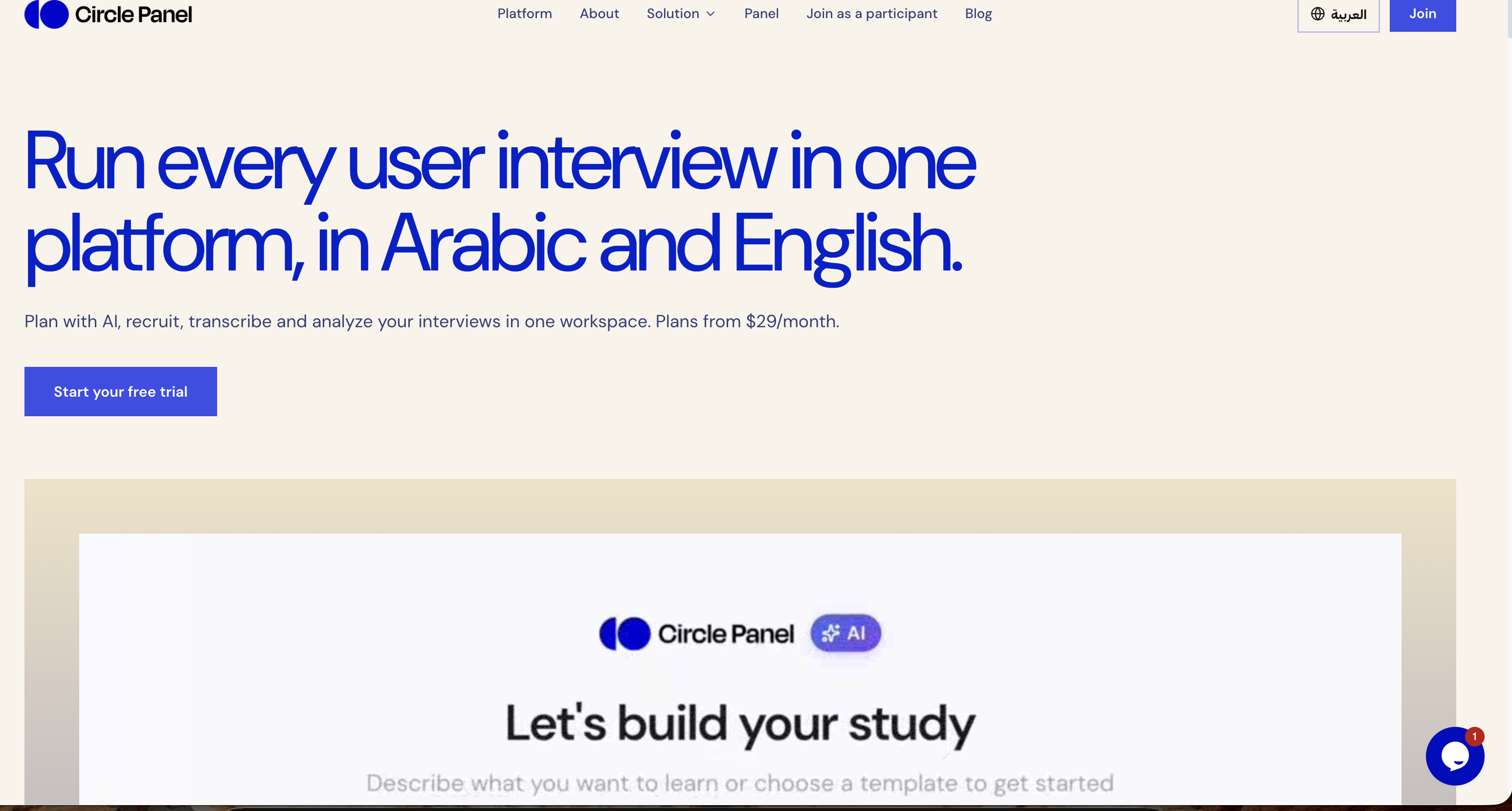
Circle Panel is an AI-native user research platform that keeps an entire user interview study inside a single workspace. Teams describe what they want to learn, and the platform carries the work through study design, participant recruitment, scheduling, interviewing, live transcription, analysis and sharing. Its stated promise is to turn raw sessions into decision-ready insight, and to do so in Arabic and English. It is built for everyone who talks to users — product managers, designers, researchers and market research teams — so that no matter the role, the platform fits into an existing workflow and lets people focus on insights rather than logistics. The problem Circle Panel addresses is fragmentation. Running qualitative research normally means paying for a separate tool at every step: a booking link, a call recorder, a transcription app and a note-taking document, plus whatever is used to store the results. Circle Panel folds those stages into a single flow so that no stage of a study needs a subscription of its own. The site names the kinds of tools it replaces directly — Notion, calendars, Calendly, Miro, Zoom, Otter and forms — and frames the alternative as juggling a stack of disconnected products across every study, from scheduling to synthesis. The first step in the workflow is designing the study. Instead of assembling a brief, a discussion guide and a screener by hand, a researcher describes what they want to learn in plain language. Circle Panel's AI then pulls proven frameworks from a knowledge base spanning 100 industries and drafts the study goals, the discussion guide and the screener questions. The result is a complete research study that is ready to launch or refine as you like. The site states that setup takes around 30 seconds, which matters because the bottleneck in research is usually the administrative work that happens before the first conversation. Reaching the right people comes next. Teams can share a branded booking link with their own users or tap the built-in participant panel. Participants book their own slots, and screener questions filter them automatically against the study criteria, so there are no spreadsheets and no back-and-forth. For market research, the platform offers access to verified segments across MENA in Arabic or English without the team having to build a panel first. Incentives are handled inside the platform, which removes another manual step from the recruitment process. Once sessions begin, Circle Panel supports interviewing at scale. Every interview runs with a structured, AI-generated guide so the conversation stays consistent across participants. Live transcription captures every word in Arabic and English, including code-switching within a single session, meaning a participant can move between both languages and the transcript keeps up. Because transcription happens live, the moderator can stay present in the conversation instead of taking notes, and the text is available for analysis as soon as the session ends. After the interviews, the platform turns sessions into findings. AI groups patterns across sessions, pulls out the strongest quotes and ranks findings by frequency, turning hours of analysis into minutes. This is the synthesis layer that research teams usually do by hand with notes and spreadsheets: clustering similar observations, hunting for representative quotes and judging which themes come up most often. Circle Panel also saves every study to a searchable repository so that past findings, personas and reports resurface automatically when you plan your next study, turning one-off projects into cumulative knowledge. Circle Panel describes its approach as five steps from question to insight: design the study, reach the right people, interview at scale, turn sessions into findings, and build on what you learn. AI handles the setup, screening and synthesis so the researcher can stay focused on the conversation, with enterprise-grade controls at every step. Each stage feeds the next — the screener comes from the study design, the AI guide drives the interview, the live transcript feeds the analysis, and the findings are stored in the repository that informs the following study. That continuity is the platform's central methodology: one workspace rather than a chain of handoffs between separate tools. The stated benefits follow from that continuity. Product managers get actionable findings the moment a session ends, ready to shape the next sprint rather than the one after it. Designers can put a prototype in front of real users this week and watch exactly where they hesitate. Researchers get screening, scheduling and transcription in one place so their time goes to the analysis. Market research teams get reach into verified MENA segments in Arabic or English without building a panel first. Across roles, the outcome is less time switching between tools and more time on research, with no stage of a study requiring its own subscription. Concrete scenarios named on the site include running regular studies as a solo researcher, running continuous discovery at scale as a research team, and running a full research operations platform as an organization. A designer can recruit a participant, have them book a slot and observe a prototype test through the same workspace. A product manager can end a session and find ranked themes and quotes ready for the next sprint. A researcher can screen and schedule participants without spreadsheets, then let the platform transcribe the calls. A market research team can reach verified Arabic- or English-speaking segments across MENA. The platform is positioned for industries including healthcare, fintech, e-commerce and travel, and its blog covers interview technique, AI-assisted qualitative synthesis, participant recruitment, research repositories and discussion guide templates. Circle Panel lists four audiences explicitly: product managers, designers, researchers and market research teams — summed up as everyone who talks to users. Pricing starts at $29 per month for Starter, aimed at solo researchers running regular studies, with 20 AI credits per month, 2 active studies, 10 sessions per month and 3 seats. Pro at $49 per month is for research teams running continuous discovery at scale, with 50 AI credits per month, unlimited studies, 25 sessions per month, 10 seats, plus AI debrief, themes and insight ranking. Business at $119 per month is for organizations that need the full research operations platform, with 100 AI credits per month, unlimited studies, 50 sessions per month, unlimited seats, everything in Pro and priority support. Every paid plan starts with a 14-day free trial with no card needed, annual billing saves 20%, and prices are shown in local currency where available. On data handling, sessions are encrypted in transit and at rest, and enterprise plans add SSO/SAML, audit logs, a 99.9% uptime SLA and Arabic data residency in the MENA region. Circle Panel's core value proposition is consolidation plus AI leverage: plan, recruit, interview, analyze and share user research in one place, in Arabic and English, with AI handling the setup, screening and synthesis. By folding the separate booking, recording, transcription and note-taking tools of a typical study into one workspace, it aims to shorten the distance between a research question and a decision-ready answer — from around 30-second study setup to insight ranking and a reusable repository of everything learned.
Would you pay? is a free web tool where indie makers put their startup in front of real people who swipe right if they'd pay for it and left if they wouldn't. Instead of chasing likes, upvotes or polite encouragement, makers get one blunt signal: the share of strangers who say they would actually pay. The deck currently holds 102 indie startups and has collected 6,499 swipes. Anyone can start swiping without creating an account, and makers can add their own startup to the deck for free. The product is built for indie founders, side-project builders and small teams who want to know whether their pitch earns a yes before they spend more months building. It targets the earliest stage of a product, when the pitch, the idea and the positioning are still cheap to change. Most side projects fail quietly: months of building, then nobody pays. The signals usually available to makers — likes, upvotes, encouraging comments — are cheap to give and say very little about whether anyone would open their wallet. A like costs the giver nothing; a buying decision costs money. Would you pay? was built around that gap. It replaces soft engagement with a harder question asked directly to a stranger who looks at a card for a few seconds: would you pay for this? The site is explicit that the answer is intent rather than a sale, but it is a harder yes than a like, and first impressions decide whether someone clicks through at all. That makes the deck a fast way to see whether a pitch works before more code gets written. The core experience is a swipe deck of indie startup cards. Each card shows a screenshot of the product plus its name and a short pitch line — for example theslot.today, described as "One ad slot a day. The price drops until someone claims it.", or Sweep, "See what you actually cleaned." Visitors open the deck and their first card appears in about a second. No signup and no account are needed to swipe. The rule is stated in three steps: swipe right if you'd pay, left if you wouldn't, and makers see who'd actually pay. Swiping right is not a purchase and nothing is charged; it records first-impression intent. Because the deck is made of indie startups rather than polished enterprise products, cards are judged on their pitch and their screenshot, the same way a visitor to a landing page would judge them. Makers get a results view that goes beyond a single number. They see the share of people who'd pay, whether those people are developers, founders or marketers, and how many clicked through to their site. To keep the signal honest, the percentage only appears after 10 swipes, so one or two early votes cannot skew the figure. The full breakdown is private and shown only to the maker. Because the deck asks a paying question rather than a liking question, the audience breakdown matters: a founder who learns that developers say they'd pay while marketers do not has learned something concrete about who the product is really for. Click-through data adds a second layer, showing how many people were interested enough to leave the deck and visit the site after seeing the card. Adding a startup is free and the card goes into the deck right away. For makers who want answers faster, there is an optional $19 Boost. Boost puts a card at the front of the deck for 24 hours so that nearly every new swiper sees it first. Up to five cards can be boosted at the same time, and those cards share the front position in random order. A guarantee is attached: if a card does not reach 100 swipes within 24 hours, the platform keeps boosting it for free until it does. Crucially, swipes stay honest — people still swipe right only if they'd pay. As the site puts it, Boost gets you answers faster, it does not buy yes votes. Access is deliberately low-friction on both sides. Swipers never register; they open the deck and start judging. Makers log in with a one-time email link and no password, which reduces the account step to a single click from an inbox. Results are private to the maker, but each startup also has a public share page showing the headline percentage once it passes 10 swipes, so the result is ready to post on X. That split between the private full breakdown and the public headline number is the product's overall approach: the maker sees the detail — the share who'd pay, who those people are, and the click-throughs — while the public sees a clean, shareable figure. Underneath it all is one methodology: ask strangers the paying question instead of the liking question, and only report the number once enough opinions have accumulated for it to mean something. The benefit is a decision signal that arrives in hours instead of months. A maker learns whether the pitch earns a yes, which kinds of people say yes, and how many were moved enough to click through to the site. Together those three things tell a founder whether to keep building, change the positioning, or aim at a different audience — all before further engineering time is spent. Because the question is asked in a swipe deck, the audience is not the maker's friends or followers who are inclined to be nice; it is people with no relationship to the maker and nothing to gain from a polite answer. And because the site states plainly that "I'd pay" is intent, not a sale, the number is positioned as evidence about the pitch rather than as revenue. It is a first filter, not a forecast. Concrete workflows follow from that. A maker submits a startup, the card enters the deck immediately, and the results page begins filling in once 10 swipes are reached: the share who'd pay, the breakdown by developers, founders and marketers, and the number of click-throughs to the site. If they need answers quickly, they can pay $19 for a Boost, putting the card at the front of the deck for 24 hours and holding the platform to 100 swipes. Once the headline percentage is live, the maker can post the public share page on X. On the other side, a visitor with no account can open the deck, see a card such as theslot.today or Sweep within about a second, and swipe right or left based on whether they would pay. Would you pay? is aimed at indie makers: the deck is made of indie startups, and the maker-side product serves founders, side-project builders and small teams who want demand evidence before building more. Product Hunt lists it under Marketing, SaaS and Startup Lessons, which matches its use as a pre-launch validation tool rather than a finished product. The people answering the questions are described in the maker results as developers, founders and marketers, since respondents are broken down into those categories. Pricing is straightforward: swiping is free and account-free; adding a startup and seeing results is free, with the card going into the deck right away; and the only paid option mentioned is the $19 Boost, which buys faster responses for 24 hours rather than different answers. In short, Would you pay? turns startup validation into a swipe. Right if you'd pay, left if you wouldn't, and the maker gets a percentage, an audience breakdown and click-throughs instead of likes — free, fast, and based on a harder yes than any social signal can offer.
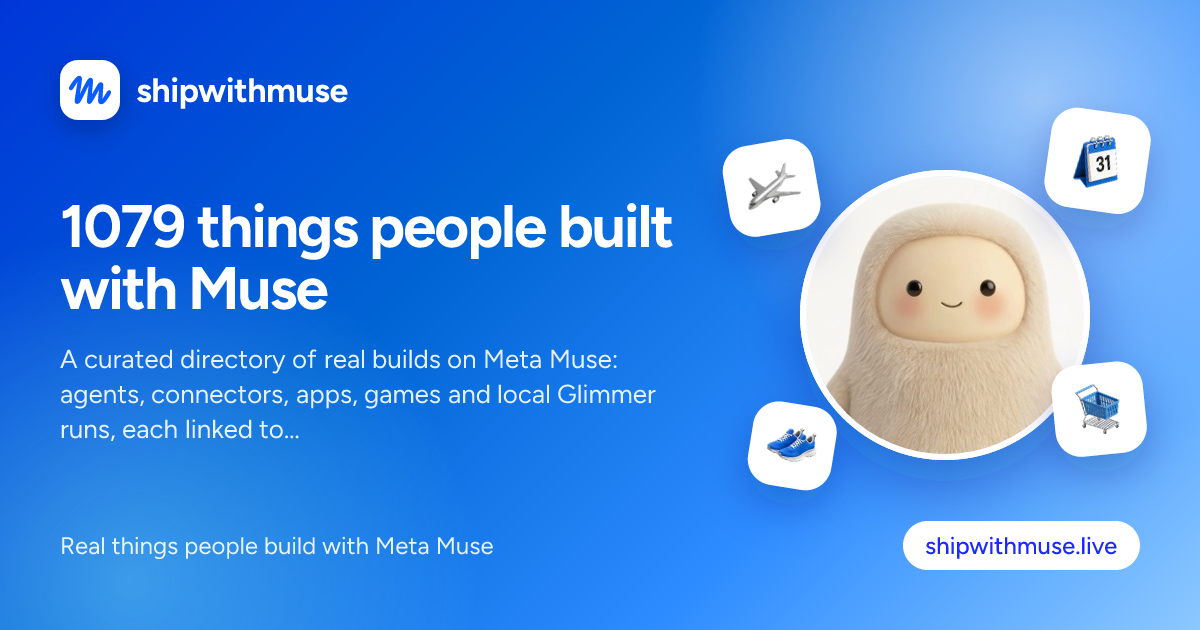
ShipWithMuse is a curated catalog of what people are building with Meta Muse. It currently indexes 1,079 real builds — experiments, tools, connectors, skills and use cases — across 27 pages of results, with newly submitted entries featured at the top of the homepage. Visitors can search and browse by category, source and build type, and every entry links back to its original post, repository, video or site. The catalog spans the whole Muse ecosystem as documented by its community: Muse Code and the Muse Code CLI, the Muse Spark model family, the open Muse Glimmer model, Muse connectors and MCP integrations, the Meta Model API, and the Muse personal agent. Its main purpose is to make it easy to see what Muse can actually do, and to point readers at the public source behind each build. The problem the catalog addresses is dispersion. Builds made with Meta Muse appear as X posts, Reddit threads, GitHub repositories, YouTube videos, blog resources and written guides, each published by a different author on a different platform. Following the ecosystem means reading many sources, and older but still useful examples are easy to lose. ShipWithMuse collects those scattered entries in one place and keeps a consistent structure around them, so a connector demo, a benchmark write-up and a game prototype can all be found through the same browse and filter interface. Because every entry links back to its original source, readers are not asked to trust a summary: they can open the repository, watch the video, read the thread or visit the site and evaluate the build themselves. Builds in the catalog are grouped by type, and the counts are published on the site: X posts (462), Reddit posts (124), GitHub (143), Videos (61), Sites (33), Skills (110), Resources (137) and Guides (9). This breakdown matters because different visitors want different formats. Someone who wants working code will head for GitHub entries such as muse-fileapi, a dependency-free local HTTP service exposed through Cloudflare Tunnel that lets Muse, through a custom connector, list, read and write files in whitelisted directories using two-phase writes and an audit log. The same audience might look at TerMuse, which shows a Muse agent's live terminal and an interactive browser of the machine it is working on, side by side, so the user can watch and type or click in the same session. Someone who prefers a walkthrough can watch videos, such as Greg Isenberg explaining how a Muse connector works, or read a resource like QAInsights' hands-on first look at Muse Code CLI commands, syntax and setup. Skills and guides round out the catalog for readers who want reusable building blocks or step-by-step material. Entries are also organised by category, covering Coding & dev tools, Connectors & MCP, Games & 3D, Benchmarks & research, Local & open models, Apps & websites, Errands & personal agent, Business & commerce and Agents & automation. Category browsing makes the breadth of the ecosystem visible. Coding & dev tools includes the public release of Muse Spark 1.3 max, described as delivering significantly stronger coding and agentic performance, and a procedurally generated Minecraft world produced in a single HTML file for ten cents of development cost. Connectors & MCP includes a Browserbase plugin for Muse Code installed through the plugin marketplace, and a Stackademic resource on connector architecture, connector action design and prompt-injection risk. Games & 3D includes a browser driving demo with different daytimes and vehicle physics built with Three.js, and famous paintings rebuilt in Three.js from a four-line prompt. Benchmarks & research collects model comparisons and evaluation write-ups, while Errands & personal agent gathers practical personal-assistant stories. A "Star picks" filter narrows the catalog to editorially highlighted entries, and the site also marks standout posts with a pick marker as they appear in the feed. Star picks range from a Linear connector built by Muse in under a minute, where Muse takes an API key and builds a connector that can list teams, search and create issues and update their status, to a privacy teardown of the Muse apps documenting shipped tools for iMessage, WhatsApp, Mail, screen control, background sync and a bundled Chrome extension. Other picks include Muse Voice Transcribe, described by Mark Zuckerberg as MSL's first real-time audio perception model and state of the art in streaming speech-to-text, handling speaker diarization and endpointing natively in a single model. Builds can be added through a Submit yours page, and newly submitted entries are featured on the homepage — an example being multi-agent workflows in Muse Code, where a workflow splits a task across several focused agents, carries intermediate work between stages and returns one result. The catalog also carries a sponsored placement the same size as a post, shown every 12 builds on every catalog page and priced at $100 per week. ShipWithMuse works as an editorial directory rather than an automated feed. Entries are curated by Mohith Kumar Chaluvadi, credited on the site as the curator, and the catalog describes itself as a curated directory of real builds on Meta Muse, each linked to its public source. Each listing combines a title, a short factual summary, the author's handle and image, a category label, a build type and a link to the original public location. Select entries carry the Star pick marker, and a dedicated filter shows star picks only. That combination — human curation, consistent metadata and direct outbound links — is the site's basic method: it organises public work without reproducing it, so the people who made each build remain the ones the reader ends up visiting. The practical benefit is faster orientation. Instead of assembling a picture of the Muse ecosystem from scattered posts, a visitor can see how many builds exist, which formats they take and which categories they fall into. Benchmark-focused readers can find comparison write-ups in one place, including a test of 105 planted bugs across two real repositories that placed Muse Spark 1.3 (max) level with Fable 5.1 (high) at 33 and ahead of Grok 4.6 (xhigh) and Opus 5 (max) at 27, along with Spark 1.1 scoring 51 on the Artificial Analysis Intelligence Index and Spark 1.3 taking first place on Website Arena with an Elo of 1362. Builder-focused readers get working examples to study, and newcomers get guides, courses and resources such as a three-hour freeCodeCamp course on building apps and agent workflows with Muse Spark and the Muse Code CLI. Because every entry points at the original source, the catalog also sends credit and traffic back to the people who published the work. Concrete scenarios show how the catalog is used. A developer deciding what to build next can read multi-agent workflow descriptions and plugin installation commands, then start from a similar pattern. A team evaluating models can compare benchmark and research entries before committing to an API. Someone writing a connector can study a Linear connector built from an API key and verified with an identity check, or a local file connector exposing whitelisted directories with two-phase writes and an audit log. Game and 3D developers can look at self-playing one-file games, a Three.js driving demo and a Muse Code workflow that drives the Unity CLI to port a Mini Golf game to other platforms and convert it to VR. Personal agent stories illustrate practical errands: filing an Alaska flight claim from an email and two Lyft receipts, saving $603 a year on car insurance after a policy review, or finding $1,750 in unclaimed property. The catalog serves developers and builders working with Meta Muse tools, including Muse Code, Muse Spark and the open Muse Glimmer model, as well as readers who simply want to follow what the ecosystem is producing. The builds it links to touch a wide set of integrations and platforms mentioned across the entries — Linear, Shopify Catalog, Browserbase, Instagram, Unity, Three.js, Reddit, GitHub and YouTube among them. Details of those integrations belong to the individual builds rather than to ShipWithMuse itself. On the site's own commercial side, advertising is explicit: a sponsored slot the same size as a post, placed between the builds Muse developers come to read and shown every 12 builds on every catalog page, at $100 per week. The catalog itself is browsable through pages such as All 1,079, the individual type filters and Star picks. ShipWithMuse's value proposition is simple: it is the place to see what people are actually building with Meta Muse. By curating 1,079 real builds, organising them by type and category, marking standouts as star picks and linking every one back to its original post, repo, video or site, it turns a scattered stream of announcements, benchmarks and experiments into a browsable catalog. For developers choosing what to build, teams comparing models and anyone curious about the Muse ecosystem, it offers a fast, grounded starting point — and a place to submit the next build so others can find it.
OpenScience is an open-source AI workbench for scientific research, described by its creators as an open-source AI co-scientist. It provides one workspace for literature, code, experiments, compute, and results, replacing the usual scatter of tools a researcher juggles during a project. The agent reads papers, writes code, and runs experiments alongside the user, working inside notebooks and a terminal rather than in a single chat window. It is model agnostic: free models are included, and users can bring Claude, GPT, Gemini, or any other provider. OpenScience is free and open source, and it is backed by Synthetic Sciences and Y Combinator. Scientific research work is fragmented by nature. A single question can require reading a stack of papers, locating measurements in a public database, writing scripts to analyze a structure, running those scripts somewhere with enough compute, and then plotting and interpreting the output. Each of those steps lives in a different tool, and long-running jobs in particular tend to break the flow of an investigation. General-purpose AI assistants help with pieces of that work but were not built around the scientific stack: they do not natively treat databases such as UniProt or PDB as tools, they do not schedule jobs onto a Slurm or PBS cluster, and their performance can vary depending on which model or provider route a request happens to take. OpenScience is positioned against exactly that problem, offering one workspace that spans literature, code, experiments, compute, and results, plus a set of models the team has tested and benchmarked specifically for scientific agents so that behaviour stays consistent across routes. At the core is an agent that reads papers, writes code, and runs experiments with the user. It operates in notebooks and in a terminal, which matters because scientific work rarely fits inside a chat interface: notebooks are where analysis lives, and the terminal is where environments, scripts, and job submission live. The agent can execute the code it writes and return concrete artefacts rather than suggestions. In the example published on the site, it loads a research-lookup skill, searches two sources, reads a file, runs a Python script against a PDB structure, and produces a 1200 by 900 PNG plot comparing predicted and measured values. The interface shows Copy, Undo, and Fork controls along with an Explore agent, so a researcher can branch a line of work, revert it, or run investigation threads in parallel without starting over. OpenScience is model agnostic. Free models are included, and users can supply their own keys for any provider, including Claude, GPT, and Gemini. One option described on the site is using 30+ models through a single wallet, which removes the need to maintain separate provider accounts. Users who already pay for ChatGPT Plus or Pro can sign in with OpenAI and use the subscription they already have, and a local model can be run instead where that is preferred. For a curated route, Ace gives a handpicked set of models that OpenScience has tested and benchmarked for scientific agents, plus managed search and memory, all behind one Wallet. The stated aim is to avoid provider accounts and to avoid inconsistent performance across different routes. Scientific databases are exposed to the agent as tools rather than as something a user has to query manually. The site names UniProt, PDB, ChEMBL, PubChem, and arXiv, and says there are 37 more, putting more than forty data sources within reach of a single research session. Alongside those, OpenScience bundles 371 skills across biology, chemistry, physics, machine learning, and writing, with a curated research core. Skills act as prepared capabilities the agent loads when a task calls for them; in the published demo, the agent loads a research-lookup skill before it searches sources and reads files. The combination is useful because it lets the agent ground its reasoning in real measurements and structures, for example by scoring the same set of mutants that an external measurement set covers, rather than working only from what a language model happens to recall. Compute is managed rather than left to the user. OpenScience builds environments and scales on demand, and it can run work on a laptop, on a cluster, or on GPUs. Long jobs are sent to Modal, to the user's own servers, or to a Slurm/PBS cluster, so a researcher can keep working while an experiment runs elsewhere. Internally the agent spends time on tasks and decides what to do next, as the demo shows with a working timer and a short reasoning step before it searches and cross-checks data. For experiment-driven work, Autoresearch takes a metric as input, runs experiments, logs every one of them, and keeps hill-climbing, so an optimisation or parameter search can proceed without manual babysitting. Multi-session support lets several agents run in parallel on the same project, which suits investigations with separate threads of analysis or comparison. The overall approach is to put an agentic loop on top of a real scientific toolchain rather than a chat window. A session starts with a task description; the agent reasons about it, loads any skills it needs, consults databases and files, writes and runs code, and returns results with the artefacts attached. When a question calls for measurement, the agent finds the comparison set, scores the same mutants the same way, and plots predicted against measured values: the published example reports a correlation of r = 0.71 across n = 26 mutants and names the three substitutions that are stabilising under both prediction and measurement. Because the work happens in notebooks and a terminal with managed compute behind it, the same environment can carry a task from literature lookup through job execution to a finished figure. The team also publishes benchmark results to show where the agent stands: 75.7% on Terminal-Bench Science, 71.4% on Terminal-Bench 4.0 (science), 82.2 on BiomniBench-DA, and 47.3% pass@3 on OpenScience Bench, which measures end-to-end research. The stated benefit is a single workspace in which literature, code, experiments, compute, and results live together, so a researcher spends time on the question rather than on moving data between tools. Reading papers, writing code, and running experiments are handled by one agent that can also schedule the heavy jobs. Model choice becomes a configuration detail rather than a blocker: free models are available immediately, the user's own keys work for any provider, a ChatGPT Plus or Pro subscription can be reused, or a local model can be run. Because scientific databases are available as tools, answers can be checked against real records within the same session. And because experiments are logged and the Autoresearch loop keeps climbing toward a metric, iterative work retains a record of what was tried. On the team's own measurements, the agent leads every scientific benchmark they have run. Concrete scenarios appear throughout the site. The most fully described is a protein stability scan: the user asks which T4 lysozyme point mutants are predicted to be stabilising and asks for a comparison against ProTherm measurements. The agent identifies ProTherm as the comparison set, scores the same 26 mutants on the 2LZM structure, cross-checks the entries, and plots predicted against measured ΔΔG. The example also shows the follow-ups such a workflow implies, such as running the three candidates through FoldX for an independent estimate or drafting the methods paragraph with the ProTherm citation. Other stated uses include reading and searching literature, running code in notebooks and a terminal, sending long jobs to Modal, personal servers, or a Slurm/PBS cluster, running several agents in parallel on the same project, and using Autoresearch to iterate against a chosen metric with every experiment logged. OpenScience is aimed at researchers and scientists who write code as part of their work, across the fields its bundled skills cover: biology, chemistry, physics, machine learning, and writing. The project is backed by Synthetic Sciences and Y Combinator, and its Product Hunt topics are Open Source, Artificial Intelligence, and Science. Integrations named in the content include scientific databases such as UniProt, PDB, ChEMBL, PubChem, arXiv and 37 more; model providers such as Claude, GPT, and Gemini; OpenAI sign-in for ChatGPT Plus or Pro subscribers; local models; the Ace model catalogue; and compute targets including Modal, the user's own servers, and Slurm/PBS clusters. Installation is shown as a shell one-liner: curl -fsSL https://openscience.sh/install | bash. The software is free and open source with free models included, and documentation is published at openscience.sh/docs. OpenScience's value proposition is straightforward: an open-source, model-agnostic AI workbench that treats scientific research as a full workflow rather than a chat. It reads papers, writes and runs code, operates in notebooks and a terminal, reaches more than forty scientific databases as tools, brings 371 bundled skills, and manages compute from a laptop to a cluster or GPUs. Autoresearch turns a metric into a logged, iterative experiment loop, multi-session support allows parallel agents on one project, and free models or any provider, including Claude, GPT, Gemini, a ChatGPT subscription, or a local model, can drive it. The result, according to the team's benchmark reports, is an AI co-scientist that leads the scientific benchmarks they have run.
Cuey is a Chrome extension that compares any AI answer against more than 30 models — including ChatGPT, Claude, Gemini, Grok and DeepSeek — and shows what those models agree on, what they disagree on, and what your model missed. It runs inside the AI tool you already use and displays results side by side in a clean sidebar instead of a separate application. Cuey is aimed at people who use AI for everyday work and want a second opinion before acting on a single model's output. Its stated purpose is to catch a confident-sounding wrong answer before it burns you, without copy-pasting between tabs or repeating yourself. AI gives you wrong answers in the same confident tone as right ones, which makes it hard to tell a reliable response from a plausible-sounding mistake. Cuey's own framing of the problem is that different models have different strengths: one may reason through a problem better, another may write stronger ad copy, and another may have real-time internet access. Because those differences exist, a single answer is only one model's perspective. When models agree, you can move forward with more confidence; when they do not, you know to look closer. Cuey exists so that this check happens without the manual work of opening tabs, pasting prompts and re-reading several answers yourself. The core of Cuey is cross-checking. You can cross-check an answer against 30+ models with a daily free limit, and Cuey works inside all seven major AI model providers it names. Rather than asking you to trust a single response, it puts responses next to each other so divergence is visible. Where models diverge, Cuey surfaces that disagreement and, per its own description, shows why it matters. This makes the differences between models something you can inspect directly instead of something you have to guess at. Side-by-side model comparison is free, and no account is required to start. Cuey also lets you send one prompt to multiple models at once. Instead of retyping the same question into ChatGPT, then Claude, then Gemini, you enter the prompt in your AI tool and let Cuey run it across your selected models. Results appear in Cuey's sidebar, which you open from the sidebar icon, so you can see where the models agree and disagree without leaving your current page. The extension is designed to work directly inside your AI tool, so there is no separate app to learn — a deliberate choice to keep the comparison step inside the workflow you already have, rather than turning it into a separate research task with its own interface and its own learning curve. A second capability is carrying memory across AI tools. Cuey lets you import your chat history and memories from ChatGPT, Claude and Gemini, then carry that context, along with your preferences and history, across supported models. The problem it addresses is that your history should not be trapped inside one AI tool: without this, switching models means starting from zero. With Cuey, your context follows you when you move between models, so switching providers does not require you to re-explain who you are, what you are working on, or what you have already decided. The extension accesses the page content needed to provide model comparison and context features in order to do this. How Cuey works overall is deliberately low-friction. There are no API keys to obtain and nothing to configure. You click Add to Chrome to install the extension, open your preferred AI tool, enter a prompt and let Cuey run it across your selected models, then open the Cuey sidebar icon to see where the models agree and disagree. The whole setup is described as taking 30 seconds, and it is free to install with no account required to start. Because Cuey is not a replacement for the AI you already use, it runs alongside it — the product's own example is that if you already have ChatGPT Plus, Cuey gives you a second opinion from three other models without needing another subscription. The benefits Cuey claims are mostly about removing friction and reducing risk. No copy-pasting and no tab-switching means the comparison is not a manual chore you are likely to skip. No extra subscriptions means the second opinion does not require paying for another AI plan. No guessing means the decision about whether an answer is trustworthy is based on what several models actually said rather than on gut feel. Because answers are shown side by side in the tool you are already using, the check fits into the moment before you act on an AI response, which is exactly when an error is most expensive. The result is a faster, more informed decision about whether to use an answer as-is, revise it, or ask again. Concrete uses follow directly from those capabilities. If you have an answer you are about to act on, you can cross-check it against other models and see whether they land in the same place. If you are choosing between models for a particular kind of task — reasoning, ad copy or anything requiring real-time internet access — the side-by-side view shows which model produced the stronger output. If you are working in more than one AI tool, you can import your history and memories so that context carries over instead of being rebuilt from scratch each time you switch. And because Cuey supports multiple languages, users who work in languages other than English can run the same comparison on the same answers. Cuey is built by Llama Valley Inc, whose stated mission is to make AI easier to use and more useful for everyday work. The free tier includes side-by-side comparison, cross-checking against 30+ models with a daily free limit, multi-language support, and operation inside all seven major AI model providers Cuey names. The extension's Chrome Web Store listing notes that in-app purchases are offered, and it lists eight languages: German, English, Spanish, French, Italian, Portuguese (Brazil), Chinese (China) and Japanese. On privacy, Cuey states that it does not sell your data ever, and that it accesses the page content needed to provide model comparison and context features. Cuey's value proposition is narrow and specific: give any AI answer a second opinion before you act on it. By comparing responses from ChatGPT, Claude, Gemini, Grok, DeepSeek and 30+ other models side by side inside the tool you already use, it turns the question of whether an answer can be trusted into something you can see rather than something you have to assume. Free to install, requiring no account and no API keys, it adds a comparison step to everyday AI work without adding another subscription, another app or another tab.