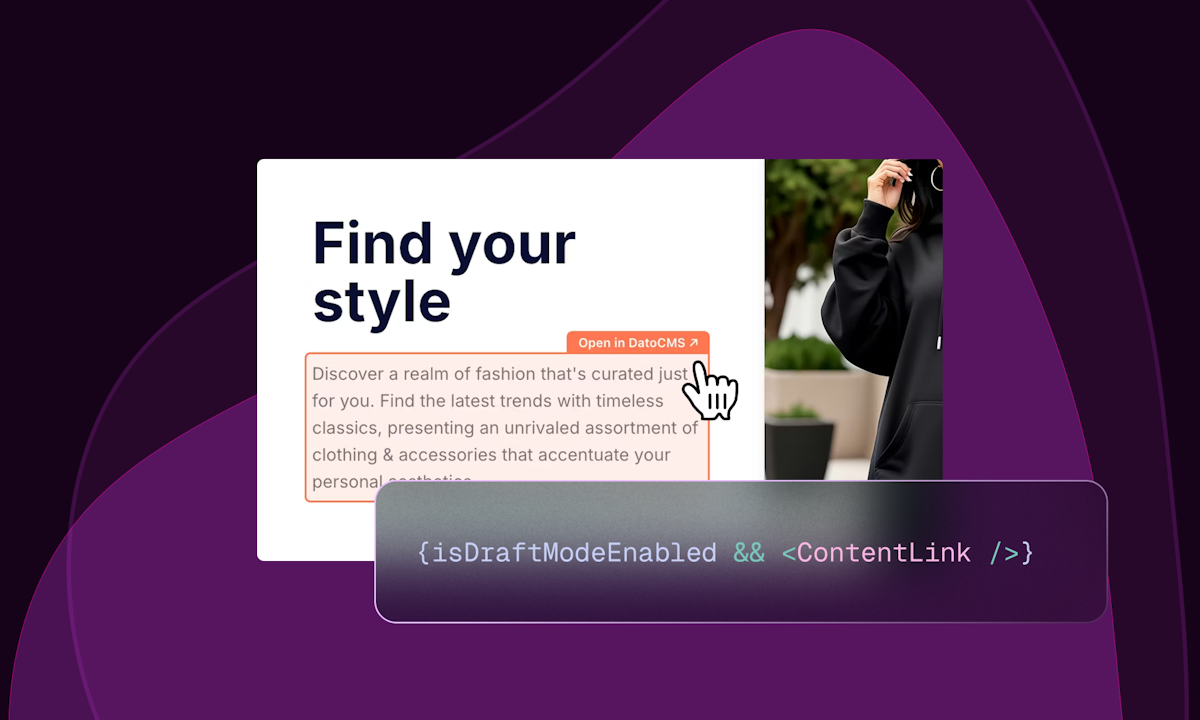
Visual Editing lets content editors click directly on any element of your website to edit it in DatoCMS. Combined with draft mode and real-time updates, making changes is a breeze without hunting through record forms.
Visual Editing by DatoCMS is a feature designed specifically for content editors working within a headless CMS environment, enabling them to interact directly with the live or draft version of a website to make content modifications in a visually intuitive manner. This tool is built for teams that need to manage and update digital content efficiently across various platforms without requiring deep technical knowledge, allowing editors to see changes in context as they edit. By integrating seamlessly with DatoCMS's existing content management infrastructure, Visual Editing bridges the gap between traditional CMS interfaces and modern headless architectures, providing a user-friendly editing experience that reduces reliance on developers for simple content updates. The primary purpose is to streamline the content editing workflow, making it faster and more accurate by letting editors click on text, images, or other elements directly on the webpage to edit them, thus eliminating the need to hunt through backend forms and reducing errors.
Many organizations struggle with legacy content management systems that force content teams to work in siloed, non-visual interfaces, leading to inefficiencies and out-of-sync content across different digital channels. Editors often face the tedious task of navigating complex record forms and guessing how changes will appear on the frontend, which slows down publishing and increases the risk of mistakes. This disconnect between content entry and presentation can result in inconsistent brand messaging, poor customer experiences, and increased dependency on IT support for even minor updates. Visual Editing addresses these pain points by providing a direct, in-context editing environment that mirrors the final user interface, allowing editors to work more autonomously and confidently.
The core feature of Visual Editing is its ability to let editors click on any element of the website directly within the DatoCMS interface to edit it, which works by overlaying editable regions on top of the live or draft site preview. This is combined with draft mode, allowing editors to make and review changes without immediately publishing them, and real-time updates that reflect edits instantly in the preview. The system identifies content blocks tied to DatoCMS records and makes them interactive, so clicking a headline or paragraph opens the corresponding field in the CMS for editing. This direct manipulation reduces the cognitive load of switching between backend forms and frontend views, ensuring that what editors see is exactly what will be published, thereby minimizing errors and speeding up the content iteration process.
Publisher
A
admin
Launch Date2026-02-12
Platformweb
Pricingfreemium
Tech Stack
#GraphQL#Next.js#Astro#Svelte#Vue
Domain Authority
Ahrefs DR73/100
Traffic Insights
Month2026-01
Estimated Visits122.5K
MoM Visits Growth-19.7%