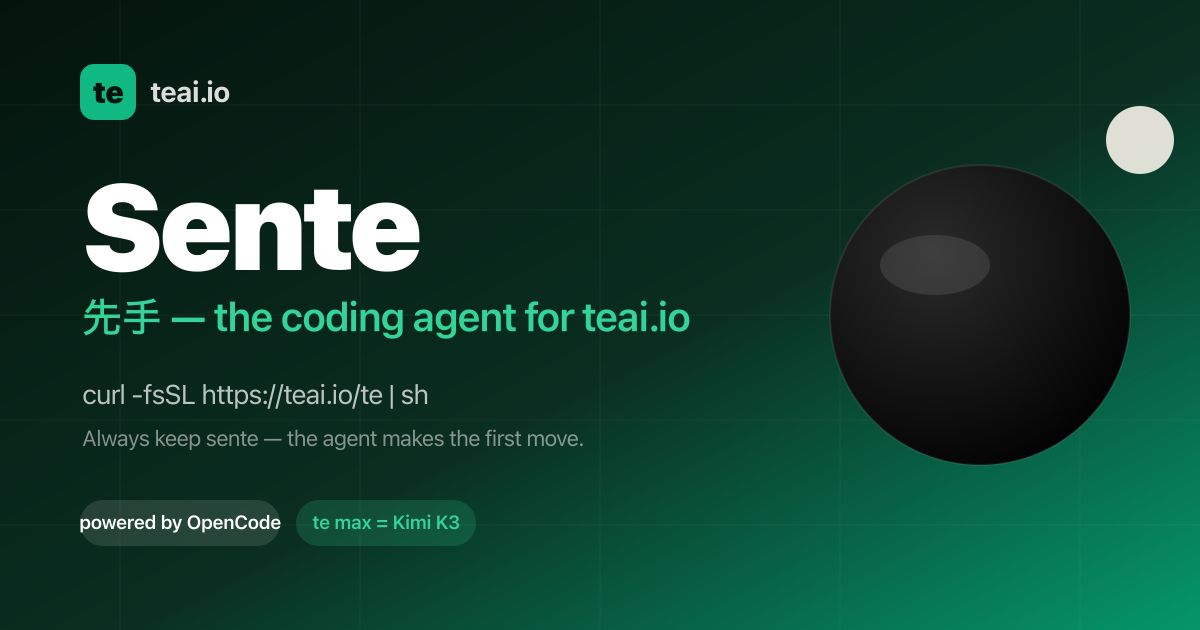
Sente is teai.io's official coding agent CLI. It is a thin launcher over OpenCode (MIT, 203k GitHub stars), and one curl installs it so that every teai.io model becomes an agent in your terminal. The command is short — te, with a sente alias installed alongside it — and it starts an agent in the current directory so you can type a task and let it work. Sente is built for developers who live in the terminal and want an agent that reads and edits the files in their repository, runs commands, and reports back, instead of a chat app that can only discuss code. It is also available as a voice conversation on macOS, Linux and WSL, and as Sente Cloud in the browser.
The aim is to remove friction between a model and a working repository. teai.io is natively OpenAI-compatible, and Sente (OpenCode-based) speaks OpenAI-compatible natively, so tool calls go through teai without a conversion layer — zero conversion, stable by design, and nothing to break when routing through teai. Sente is deliberately not a fork: on each launch it syncs the teai.io model catalog (380+) via /te/config, so you inherit every upstream OpenCode improvement. Coding discipline is injected mechanically as well: sente-rules.md is written automatically and loaded into every session, enforcing "read before you write" and "always ship a deliverable".
Setup is designed to take about three minutes. Paste one line — curl -fsSL https://teai.io/te | sh — and the installer installs OpenCode if it is missing and points OPENCODE_CONFIG at the teai.io-generated config. Then te login with an API key (a free one comes with 100 credits on signup), and run te for interactive mode or te run "refactor this function" for one-shot work. Sente works on macOS, Linux and WSL; on Windows you use WSL. Optional GUI apps are installed only when you explicitly ask: te app install sente for a menu-bar Sente.app, te app install koe for an always-listening Koe.app, or te app install both. Those macOS apps are Developer ID signed and Apple notarized, and they are placed in /Applications only when you run the command — transparency first.
Sente gives you 380+ models with one line to switch. glm-5.2 is the suggested daily driver at roughly ¥0.34 per task; te lux selects the Claude/OpenAI flagship (Fable 5) for quality-critical work; te max selects Kimi K3 (2.8T, 1M) for hard tasks; and DeepSeek V4 Pro runs at about ¥0.03 per task. One base_url decides routing, so you can keep costs low without breaking quality. For measurement, teai.io defines one task as approximately 1K input tokens plus 500 output tokens, and it publishes a bake-off with measured numbers. Product Hunt describes the same idea as models on one account — Claude, GPT, Gemini, DeepSeek and more — with OpenAI- and Anthropic-compatible endpoints.
Three things stand out in daily use. First, you can ask by voice: te talk starts a voice conversation where you say what you want done and Sente reads its reply back to you, available on macOS, Linux and WSL. Product Hunt describes a consent-first voice enrollment where you read one sentence (about ten seconds) to enroll your voice, with the delete key yours and a stated commitment never to clone a voice that isn't yours. Second, work keeps going while your Mac sleeps: Sente Cloud at sente.teai.io runs in your browser on a cloud workspace, and you sign in with an emailed one-time code, so closing your laptop doesn't stop the work. Third, there is a three-tier safety model for sente: read operations are automatic, write operations are treated as reversible and proceed, while delete, send, publish and pay actions ask first. The te CLIs come in three stages — te (you type, it runs on request), sente (you speak, it moves first) and fuseki (nothing is triggered, because it is already watching). fuseki has an Alpha implementation available as fuseki or te watch: it keeps an eye on your board, human-gates and recent repos without being called, thinks and logs plus speaks a suggestion only when something actually changes, never executes on its own, and is stopped with te stop. It inherits the same safety tiers and defaults to proposing only.
Privacy and enterprise readiness are explicit parts of the product. API-compatible endpoints never store request bodies — only metadata, kept for 90 days. Invoice billing and a DPA are available, and BYOK (bring your own key) is in preparation. The service runs in the Tokyo region with JPY billing and Japanese support. On top of that, local PII scrubbing is available as an opt-in: te privacy scrub on masks emails, phone numbers, addresses, API keys, private keys and high-entropy tokens, plus names via your Contacts dictionary (te privacy scrub harvest), Japanese honorific heuristics and Apple's on-device name recognition, on your Mac before the request reaches teai.io. It costs about 0.1 ms per request and needs no local LLM, and the reply is restored before it is shown. teai.io is candid that this is not a guarantee of complete detection — Japanese given names without an honorific or a dictionary entry are not caught — and notes that an optional Ollama layer (--llm) exists but is slow.
Five beta skills, new in August 2026, add reference-corpus RAG to the CLI. 748 Q&A entries across law, security, freelance ops, cloud infra and OSS licensing are searched with lightweight retrieval — semantic embedding plus a relevance cutoff — before the agent answers, and full benchmark numbers, including where it failed, are published. te legal covers Japanese law with 259 entries across 21 topics: civil code, labor law, company law, inheritance, consumer contracts and commercial transactions, cross-checked against actual e-Gov statute text, with semantic search returning "no match" for unrelated questions instead of fabricating an answer. te security covers secure coding with 131 entries across 13 topics including SQLi/XSS/CSRF mitigation, auth/authz, secrets management, dependency vulnerabilities, crypto basics and API security — useful for sanity-checking "is this dangerous?" mid-implementation. te freelance covers freelance ops with 125 entries across 14 topics such as contract checkpoints, Japan's invoice system, tax filing and social insurance switching. te infra covers cloud ops with 117 entries across 14 topics including Fly.io, Docker, CI/CD, SQLite/libsql, DNS and TLS, with real gotchas teai.io itself hit running this exact stack. te license covers OSS licensing with 116 entries across 14 topics: MIT/Apache/GPL-family, AGPL's SaaS network clause and license compatibility, written after checking each license's official text. Beyond the CLI, the same RAG context can be requested directly from the API by passing a model identifier such as shitate/legal to /v1/chat/completions, using the same alias-resolution pattern as teai/auto, with billing reflecting whichever model actually served the response. All five are marked as beta: general reference information, not a substitute for professional advice.
The terminal interface is bilingual. You choose Japanese or English for language settings and the skill list, and the choice is saved for the next launch, with the initial language following your terminal locale. You update with te update in your shell and restart Sente, then enter /language (or /lang) to pick a language. To find a skill by purpose, open /skills and search by display name, description or skill ID; you can read the selected skill's description below the list and press Ctrl+L or click the language label to switch languages in place. This setting covers the language dialog and skill list; available skills depend on your setup, missing translations are labeled, and skill IDs and execution instructions stay the same.
The stated benefits are practical. Failed responses cost nothing: empty responses are not billed, and failed paid media jobs and failed MCP tool calls are refunded in full, so you pay for results rather than errors. Because Sente Cloud runs on a cloud workspace, long-running work continues while your laptop is closed. Because the tool works in the repository itself, tasks that used to be copy-pasted between a chat window and an editor — explaining a repo, refactoring a function — happen where the code lives. And because the launcher is thin, you keep inheriting upstream OpenCode improvements instead of waiting on a fork.
Concrete workflows shown in the content include running te run "explain this repo" to have the agent walk a repository, or te run "refactor this function" for one-shot edits, and switching to te max run "..." when a task is hard enough to justify Kimi K3. Voice users hand a task over with te talk and hear the answer read back. Developers use the skills mid-task: asking te legal about a statutory reserve share (iryuubun), asking te security how to prevent SQL injection, asking te freelance how to register for the invoice system, asking te infra how to set a secret on Fly.io, or asking te license what to watch for when using AGPL in a SaaS. Teams that need the same retrieval from their own stack call shitate/legal through the API.
Sente is aimed at developers and small teams working from the terminal, including Japanese-speaking users given the Tokyo region, JPY billing and Japanese support. It is free as a tool; teai.io runs on credits. The Free plan gives 100 credits on signup with no credit card required — enough for roughly 300,000 short chats on Qwen3.7 Flash or about 2,000 on glm-5.2, at 1K in plus 500 out each. Pro is ¥4,350/month (about $29 USD) with 30,000 credits, and Business is ¥14,800/month (about $99 USD) with 100,000 credits. Product Hunt describes the model as metered rather than unlimited, with monthly credits and the option to top up if you go over. Sente runs in the terminal on macOS, Linux and WSL, in the browser through Sente Cloud, and its skill models are callable from the API.
Summary: Sente takes a one-line install and turns teai.io's model catalog into terminal agents you can type at, talk to, or leave running in the cloud — with mechanical coding discipline, opt-in local PII scrubbing, five RAG-backed reference skills, and a promise that failed responses cost nothing.
Publisher
A
admin
Launch Date2026-10-05
Platformweb
Pricingfreemium
Tech Stack
#OpenCode#OpenAI-compatible API#Anthropic-compatible API#RAG (semantic embedding + relevance cutoff)#Ollama (optional)
Traffic Insights
Month2026-10
Estimated Visits1.4K
MoM Visits GrowthN/A
Avg Time on Site-