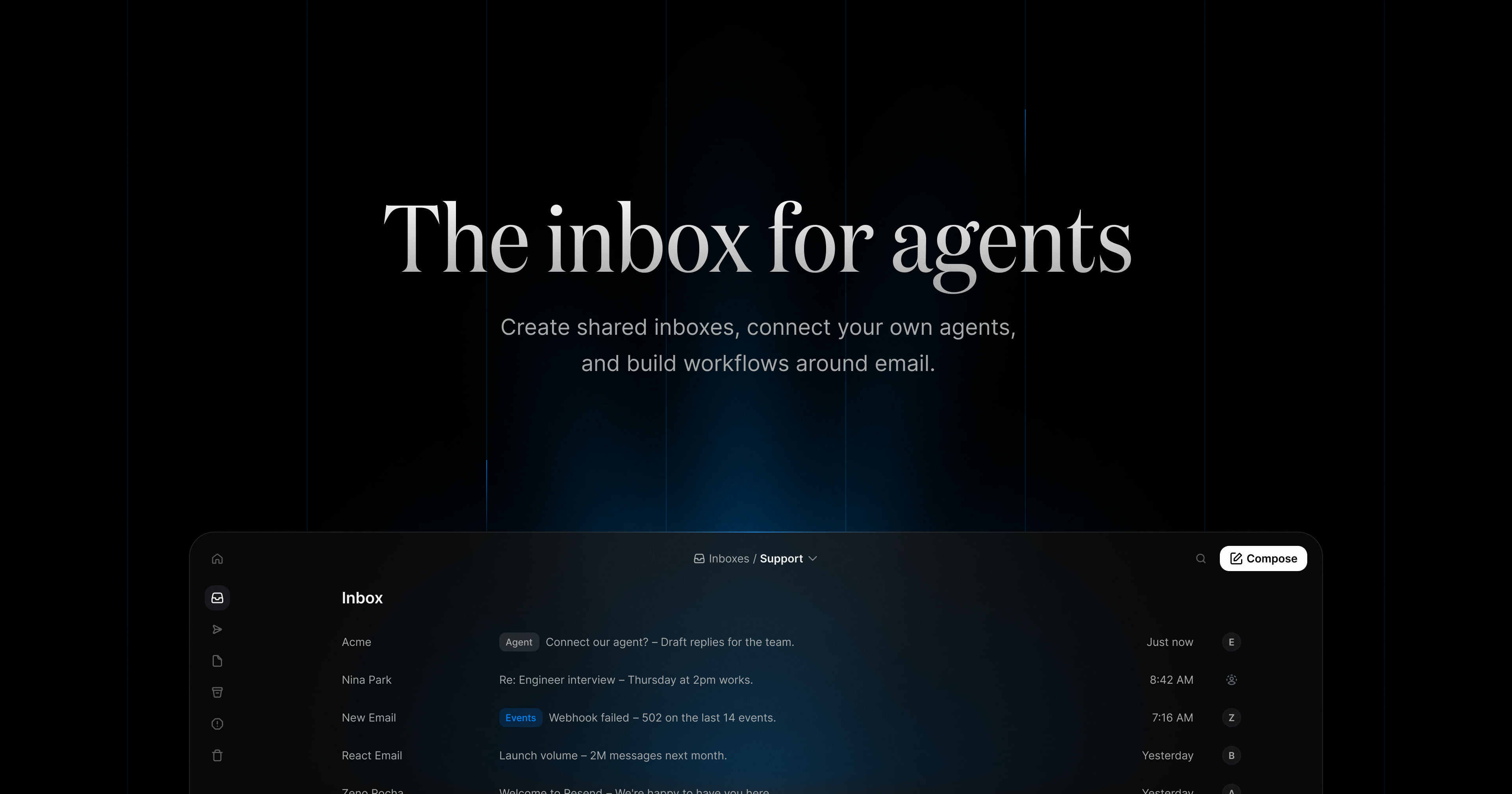
Resend Inboxes is described on its product page as "the inbox for agents." It lets you create shared inboxes, connect your own agents, and build workflows around email. The product is built for developers and teams who want to handle real email inside their own product or process rather than in a separate tool: you can create inboxes programmatically, receive email, and work with conversations through the Inbox API, while a web inbox view lets a team read threads, assign conversations, and pick up where someone else left off. Agents can also be connected to an inbox and given access to conversations, messages, and the tools they need to work with email.
The page frames the inbox as the place where work arrives from many directions at once — bounce-rate alerts from support, replies to recruiting threads, incident notifications, launch-volume questions from ops, DNS verification notes, receipts nobody is monitoring. Those messages need a home that a team can share and a program can reach. Resend Inboxes addresses that by combining an email inbox with an API: the same conversations that a person reads in the inbox view are exposed to code and to agents. Instead of building email handling from scratch, a team starts with an inbox that already supports threads, labels, read state, and assignment, and connects it to whatever needs to send, receive, or respond to that mail.
The API-first side of the product covers three core operations. Creating an inbox is a single POST: you give your app a dedicated email address and it starts receiving messages in one call, with fields such as the email address, an inbox name, and a from name. Receiving email is a GET: you list conversations as they arrive, then fetch a specific thread and the emails inside it, with a query parameter available on the threads endpoint for search. Replying to a thread is a POST: you can send a reply on an existing thread from your app, an agent, or an automated workflow, and a drafts endpoint (POST /inboxes/:inbox_id/drafts) lets drafts be created programmatically. Responses shown on the page include message objects carrying from, labels, subject, received_at, and read, plus inbox fields such as inbox_id and folder.
Inboxes is described as agent-ready: you connect the agents you already use through MCP or skills, giving them access to conversations, messages, and the tools they need to work with email. The page names Claude Code, Cursor, Codex, Grok, and Gemini as agents you can connect. This means an agent can be a participant in the inbox rather than an outside script — it can read what has arrived, work with the thread, and take action on the message based on what it has been told to do. Connecting through MCP or skills keeps the agent in the same environment the team already uses, so an agent's work on email happens alongside the rest of its work rather than in a separate integration.
The shared-inbox layer is what makes the product a team tool. Inboxes can be shared across a team, conversations can be assigned to specific people, and anyone can pick up where someone else left off. The screenshots on the page show inbox lists organized by purpose — a support inbox of incoming threads, a recruiting inbox where applications sit in groups such as Design, Engineering, Marketing, Success, and Ops — with subjects, senders, relative times, and labels next to each conversation. That structure keeps the ownership of each thread visible instead of letting messages pile up in an address no one owns, and it gives agents the same organized view of the work that humans have.
Agentic workflows put routine email work on autopilot. You give an agent instructions, and it handles routine email work triggered by webhooks while the team stays in control. The page's examples of instructions include keeping the inbox organized by labeling and triaging new emails, drafting replies, and assigning anything that needs attention; triaging incoming support email, labeling by urgency, and drafting a reply once there is enough context; labeling anything urgent, forwarding invoices to finance, and drafting follow-ups; and labeling candidate conversations, archiving stale threads, and drafting a short next step for the team. The page also shows an "available actions" area for the agent, with an "all actions" view, which indicates the agent operates within a defined set of actions rather than doing anything it likes.
Overall, the product combines three layers that are usually separate: an inbox UI, an API, and an agent runtime hook. The inbox is created through the API with a dedicated address; inbound mail lands in it as threads; messages carry labels, subjects, timestamps, and read state; and both humans and agents work on the same threads. Teams assign and share; agents follow instructions and use available actions; and everything can also be driven from code through endpoints for creating inboxes, listing and searching threads, replying, and creating drafts. The page's phrasing — create shared inboxes, connect your own agents, build workflows around email — describes that combination as a single product rather than a set of unrelated tools.
The stated benefits follow from that structure. Conversations arrive in one place instead of scattered across personal mailboxes, so nothing sits unassigned. Replies can go out faster because agents draft them and humans review. Routine work — labeling, triage, forwarding invoices, archiving stale threads — happens without someone manually doing it, while the team keeps control over what the agent is allowed to do. Developers avoid building inbox infrastructure themselves, because the inbox, threads, and replies are already exposed as API calls they can call from an app or workflow. The page also positions Resend as delivering mission-critical email for some of the fastest growing teams, with Inboxes extending that into the receiving and replying side of the conversation.
The page lists six use cases. For agents, each AI agent gets its own address to receive tasks, approvals, and updates. For support, support email is routed into the product and threads are fetched through the API. For executive assistants, an agent sorts incoming requests, drafts replies, and keeps threads moving. For recruiting, teams and agents share an inbox to track every candidate conversation. For on-call, alerts are collected in one inbox and each one is assigned so nothing sits unassigned. For notifications, receipts, alerts, and updates are sent to one address for the app to process.
Pricing on the page starts at $0 / mo, and the free starting point includes up to 3 inboxes, sending and receiving 3,000 emails, connecting your own agents, and no credit card required. A "View pricing" link points to Resend's pricing page under a pay-as-you-go inboxes section, so the entry point is free and further plans are listed there. The technical entry point is a Node.js example using the Resend SDK — constructing a client with an API key and calling resend.inboxes.create with an email address, name, and from name — alongside links to the API reference documentation and a signup flow.
Resend Inboxes is best understood as an inbox built for both code and colleagues. It gives developers an API to create inboxes, receive email, and reply to threads; gives teams a shared place to assign and continue conversations; and gives agents a way in through MCP or skills, with instructions and actions that let them triage, label, draft, and route mail while the team stays in control. The value proposition on the page is straightforward: create shared inboxes, connect your own agents, and build workflows around email.
Publisher
A
admin
Launch Date2026-10-23
Platformweb
Pricingfreemium
Tech Stack
#Node.js#MCP#REST API