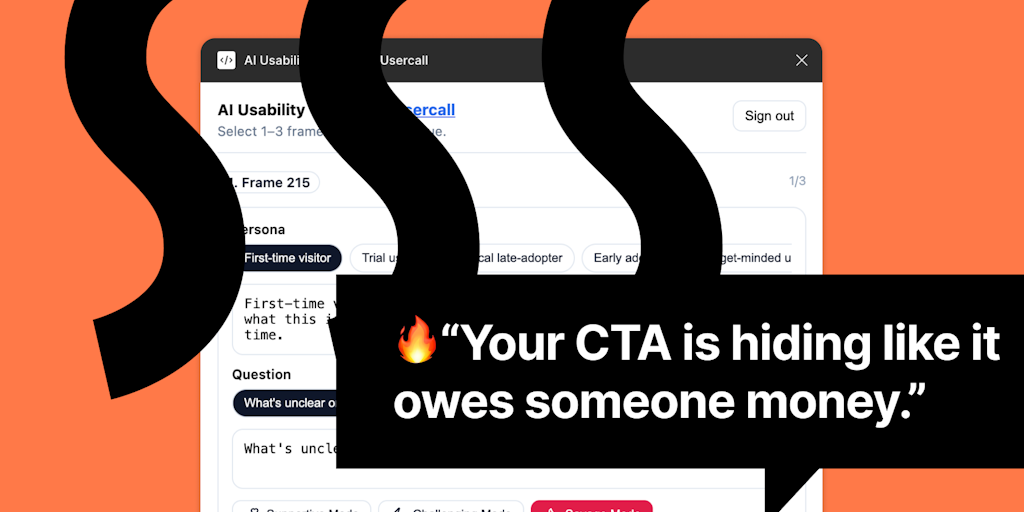
UI Roast for Figma provides brutally honest AI usability feedback directly inside Figma. It exposes uncomfortable truths about your designs and tells you exactly how to fix them before shipping or talking to real users.
UI Roast is an AI usability testing plugin for Figma that puts instant, brutally honest UX critique directly into the hands of designers inside their familiar canvas. Built for fast-moving sprints and iterative design teams, the plugin uses artificial intelligence to evaluate your frames, identify friction points, and give actionable feedback in seconds. Instead of waiting for scheduled user tests or relying on subjective opinions, UI Roast lets you simulate the perspective of a target user persona and ask a key question about your design. The result is a detailed roast that exposes uncomfortable truths about confusing flows, misleading calls-to-action, onboarding hurdles, and risky assumptions baked into the prototype. This feedback loop is designed to replace guesswork with evidence, enabling teams to iterate with confidence and reduce the risk of shipping a broken experience. By embedding AI usability testing inside Figma, UI Roast shortens the path from idea to validated interface, making it an essential quality checkpoint for designers, product managers, and developers who need to move fast without sacrificing usability.
Designers often ship interfaces that feel intuitive to them but confuse real users, leading to late-stage rework and missed business goals. The pain point is the gap between craft and comprehension: a button that looks obvious to its creator may be invisible to a first-time visitor, and a flow that feels logical can lose half the users before they reach the goal. Traditional usability testing, while valuable, introduces delays, requires recruiting, and often arrives too late in the sprint to matter. UI Roast solves this by giving every designer an immediate, AI-powered usability gut check. It acts like a no-nonsense colleague who points out where users will stumble, highlighting the exact elements that break the experience. This matters because the cost of fixing a confusing flow after launch is exponentially higher than catching it during the earliest wireframe stage. By surfacing problems while you are still pushing pixels, the plugin prevents the cycle of shipping, observing, and patching, and instead builds quality into the design from the start.
The first major feature group revolves around the three-step feedback workflow: select your frames, choose a persona, and ask your key question. Within Figma, you simply highlight one or more frames that represent a user flow or screen you want to test. Then you pick from a set of predefined personas—such as a first-time visitor, a power user, or a specific customer segment—which tells the AI what perspective to adopt. Finally, you pose a single question that focuses the evaluation, for example, "Can the user complete a purchase in under two minutes?" or "Will a new user understand this onboarding screen?" The AI processes the visual layout, copy, hierarchy, and interaction cues within the frames, and returns a candid roast that flags problems with concrete references to the design elements. This feature is useful because it turns abstract usability principles into contextual, actionable critique tied directly to your own work, eliminating the need to translate generic guidelines into your specific interface. The speed—feedback in seconds—keeps the design momentum going without forcing you to switch tools or wait for external input.
Publisher
A
admin
Launch Date2026-02-27
Platformweb
Pricingfree
Domain Authority
Ahrefs DR92/100
Traffic Insights
Month2026-01
Estimated Visits84.7M
MoM Visits Growth+2.9%(+2.4M)
Avg Time on Site12m 15s