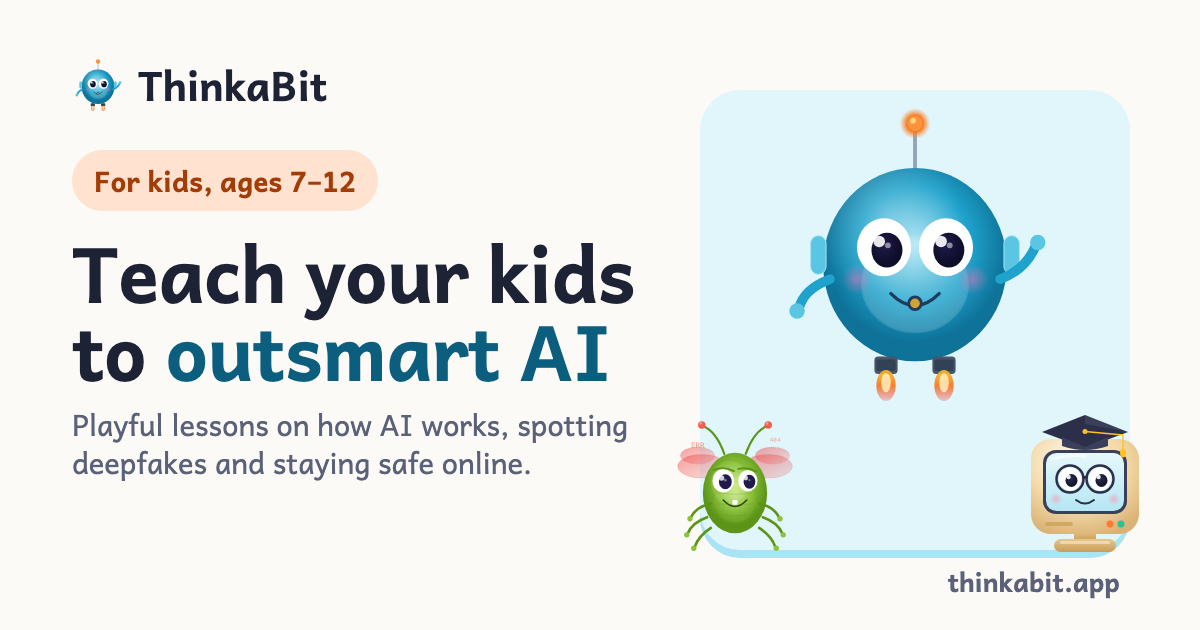
ThinkaBit is an AI literacy app and game designed for children aged 7–12. On an island made up of five worlds, kids teach Sparky — a round, cerulean-blue robot pet with an orange antenna — by answering short questions, and Sparky learns from those answers the same way AI learns from examples. Along the way a mischievous bug called Glitch tries to sneak in fakes, and Professor Pixel, a cream-coloured retro computer with glasses and a mortarboard, explains in a line or two what just happened. The app's stated purpose is playful AI literacy: playful lessons on how AI works, spotting deepfakes and staying safe online, with no ads and no tracking, free to start.
The lesson plan behind ThinkaBit is built around the basics of AI literacy: how algorithms make decisions, what data apps collect, why AI can be biased or wrong, how to stay safe online, and how to spot deepfakes and AI-generated images. Rather than explaining these ideas in the abstract, the app turns each one into something a child can try. It also offers a separate two-minute family quiz — ten rounds of tricky pictures, sneaky messages and made-up headlines — so a grown-up and a child can test together whether they can spot the fake. ThinkaBit teaches children about AI; it does not put them in front of a chatbot. Lessons and activities run inside the app and are guided by its characters.
The game world is one island made up of five worlds, and each place on the map teaches a different skill. Algorithm Alley covers how AI works, letting children learn how algorithms sort, search and make decisions by building their own. Data Dunes deals with data and privacy, showing how data is collected, used and sometimes misused, and how to protect your own. Ethics Engine explores fairness and bias — tricky questions about AI fairness, bias, and what machines should never decide. Firewall Fort builds cybersecurity skills, including passwords, phishing and how to stay safe online. Deepfake Den is where children learn to identify AI-generated images, audio and video, and it is where Glitch hides out. The Product Hunt listing describes eight missions framed as detective cases to crack.
Three characters carry the lessons. Sparky is the pet you teach: a little robot that learns from your child's answers, and if you teach Sparky well, Sparky gets it right — described in the app as exactly how AI learns, from the examples it is given. Glitch is the trickster, a cheeky bug who posts fakes and slips bad examples into Sparky's training; not evil, just mischievous, and spotting Glitch's tricks is how kids learn to spot fakes online. Professor Pixel is the coach, an old computer with glasses and a mortarboard who explains what just happened after each answer, in a line or two. Children can also pick their Sparky from five colours — Cerulean, Mint, Sunflower, Bubblegum and Lilac — free from the start.
A dedicated area for grown-ups keeps parents in control. The Learning Dashboard shows exactly what a child is learning and how they are progressing across all five worlds. Progress Reports track skills, streaks, completed lessons and time spent learning. Content Controls keep material age-appropriate and curated for 7–12 year olds, with no surprises and no inappropriate material. Settings, profiles and purchases sit behind a PIN and a parental gate, so kids cannot change them. On privacy, ThinkaBit states that it is built from the ground up to meet COPPA (US) and GDPR (EU), that it keeps only what a child needs to learn, and that there are no ads ever, no data selling, no creepy tracking, a parent's consent, and the ability to delete data anytime.
ThinkaBit's approach is that kids learn how AI works by teaching it themselves. The flow has three steps. In step one the child meets Sparky and plays three quick questions, with no sign-up needed to try it. In step two a grown-up saves the progress: you create the account, give consent and set a PIN, and what the child just played is kept. In step three the child teaches Sparky bit by bit through short lessons across the five worlds, with Sparky learning from the child's answers and Glitch keeping everyone on their toes. Alongside the lessons, children get daily quests, a Fake or Fact activity, streaks and XP, and Workshop creations, with daily Workshop creations on the Family plan.
The outcome the app describes is a child who understands the basics of AI literacy and can apply them: recognising how algorithms make decisions, noticing what data an app collects, questioning whether AI can be biased or wrong, staying safer online and spotting deepfakes and AI-generated images. Because the explanation comes from Professor Pixel immediately after each answer, the feedback is short and attached to the moment of learning rather than delivered as a separate lecture. Parents get visibility through dashboards and reports, and because the app carries no ads, no tracking and no data selling — and is built to meet COPPA and GDPR — families can use it without the usual trade-offs of a free children's app.
Typical use looks like short sessions: a child opens the app, works through daily quests, and plays lessons in whichever world they are exploring, teaching Sparky with each answer. A family might sit down together for the two-minute quiz, working through ten rounds of tricky pictures, sneaky messages and made-up headlines to see whether they can spot the fake. A parent can check the dashboard to see progress across the five worlds, review skills, streaks and time spent learning, or set up profiles for up to five children on the Family plan. The Workshop gives children daily creations to try, and the free plan offers three Workshop creations as a taster.
ThinkaBit is designed for children aged 7–12, with lessons, characters and reading level built for that range. It runs on iPhone, iPad and Android phones and tablets, downloaded from the App Store or Google Play, and can be installed on as many devices as you like, on the free plan too, signing in with the same account on each. The app and its lessons are in English, Dutch, German, French, Spanish, Romanian, Italian and Polish — the first lessons of every world are translated and the rest show in English until they are; it follows the device language or a grown-up can pick one in the Grown-ups area. The free plan includes one child profile, the first unit of every world, daily quests, Fake or Fact, streaks and XP, three Workshop creations and a basic progress view for grown-ups. The Family plan is $3.99/month or $24.99/year with up to five child profiles, all five worlds and every lesson, daily Workshop creations and full progress reports, with a 7-day free trial for eligible new subscribers; a launch offer of $14.99 for the first year was listed at launch.
In short, ThinkaBit turns AI literacy into a game a child can play: teach Sparky, catch Glitch's fakes, and let Professor Pixel explain the lesson in a line or two, all inside an ad-free, tracking-free app built for 7–12 year olds and the grown-ups who manage it.
Publisher
A
admin
Launch Date2026-11-17
Platformmobile
Pricingfreemium