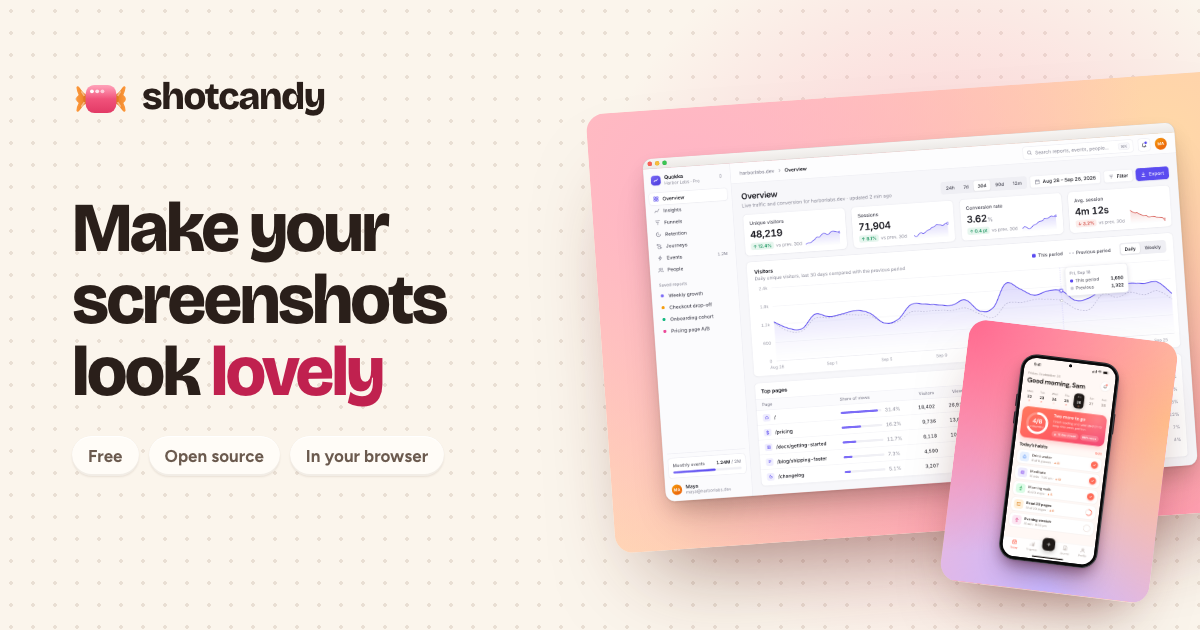
Shotcandy is a free, open-source screenshot beautifier that transforms plain screenshots into beautiful, share-ready images and videos in seconds, right in your browser. It is designed for anyone who needs to make screenshots look lovely and professional before sharing them, whether for social media, marketing materials, design portfolios, or developer documentation. The core promise is simple: paste a screenshot, and Shotcandy will make it look lovely in one step. Users can paste an image directly using Ctrl+V, drop an image anywhere on the interface, or choose a file from their device. There is also a sample image available to try. The product runs entirely in the browser, meaning there is no account required and no upload to a server. This makes it accessible and private for quick, everyday use.
The problem Shotcandy addresses is that raw screenshots often look unpolished and out of place when shared online or included in presentations, documentation, or marketing assets. A plain screenshot may capture the necessary information but lacks visual appeal, which can reduce engagement and perceived professionalism. Beautifying screenshots usually requires design skills, specialized software, or multiple steps. Shotcandy simplifies this by providing a one-step, browser-based solution that requires no installation, no account, and no upload. This matters for users who frequently share screenshots—such as social media managers, marketers, designers, and developers—because it saves time and effort while producing a polished result. The fact that images never leave the browser also addresses privacy concerns, making it suitable for sensitive content.
Shotcandy offers multiple ways to bring a screenshot into the tool. Users can press Ctrl+V to paste an image directly from the clipboard, drag and drop an image anywhere on the page, or use the Choose file button to select an image from their device. There is also a Try a sample option for users who want to see how the tool works without providing their own image. This flexibility ensures that users can start beautifying a screenshot with minimal friction, regardless of their workflow. The interface is designed to be simple and intuitive, with the primary action being to get an image into the tool so it can be transformed.
The central feature of Shotcandy is its ability to make a screenshot look lovely in one step. After a screenshot is pasted, dropped, or selected, the tool automatically applies beautification to produce a share-ready image or video. The description emphasizes that the process is fast—in seconds—and that the result is something lovely. This one-step approach means users do not need to manually adjust settings or apply multiple filters; the tool handles the beautification automatically. The output is designed to be share-ready, meaning it can be posted directly to social media, included in marketing materials, or added to documentation without further editing. The product also supports creating videos, not just static images, from screenshots.
Shotcandy operates entirely in the browser, and the website explicitly states, Your image never leaves this browser. No account, no upload. This means users can beautify sensitive screenshots without worrying about them being transmitted to a server. No account is required, so there is no sign-up barrier. The product is free to use and open source, which appeals to users who value transparency, community contributions, and cost-free tools. Being open source also means the code can be inspected, modified, and improved by the community. These characteristics make Shotcandy accessible to a wide audience, from individual users to teams, without any financial or privacy trade-offs.
Shotcandy offers beautification styles such as macOS window frames, browser mockups, device mockups, and Open Graph images. These styles help screenshots look more polished and contextually appropriate. For example, a macOS window frame gives a screenshot the appearance of an application window on a Mac, while a browser mockup places it within a browser interface. Device mockups show the screenshot on a phone, tablet, or laptop screen. Open Graph images are designed for link previews on social media and messaging platforms, ensuring that shared links look attractive. These styles are part of what makes the screenshots share-ready and visually appealing.
Shotcandy's unique approach is its combination of simplicity, speed, and privacy. Unlike traditional image editors that require installation, accounts, or uploads, Shotcandy runs entirely in the browser and processes images locally. The workflow is straightforward: bring an image in via paste, drag-and-drop, or file selection, and the tool beautifies it in one step. There is no need to configure complex settings or learn a new interface. The browser-based nature means it works across operating systems without installation. The emphasis on no upload and no account differentiates it from cloud-based screenshot beautifiers that may collect data or require registration. The open-source model further builds trust and allows for community-driven improvements.
Users of Shotcandy benefit from time savings, as they can transform a plain screenshot into a polished image or video in seconds. The one-step process reduces the effort typically associated with beautifying screenshots, making it accessible even to those without design skills. The output is share-ready, which means users can immediately use the beautified image in social media posts, marketing campaigns, presentations, or documentation. Privacy is a key benefit: because images never leave the browser, users can safely beautify screenshots containing sensitive information. The tool is free and open source, so there are no costs or licensing concerns. No account is needed, lowering the barrier to entry. Overall, Shotcandy helps users present themselves and their work more professionally with minimal effort.
Based on the product's topics and description, Shotcandy is useful for a variety of scenarios. Social media managers can beautify screenshots for posts and stories, making them more engaging. Marketers can create polished images for campaigns, landing pages, and Open Graph previews. Designers can present UI screenshots in beautiful mockups for portfolios or client presentations. Developers can enhance screenshots for GitHub READMEs, documentation, and issue reports. Content creators can turn screenshots into share-ready videos for tutorials or product demos. Anyone who frequently shares screenshots can use Shotcandy to avoid sharing raw, unappealing images. The Try a sample feature also makes it easy for new users to explore these use cases without committing their own image.
Shotcandy targets designers, social media managers, marketers, and developers, as indicated by its Product Hunt topics: Design Tools, Social Media, Marketing, and GitHub. It is suitable for individuals and teams who need to beautify screenshots quickly and privately. No integrations are mentioned in the provided content. The tech stack is not specified, but the product runs entirely in the browser, implying web technologies. Pricing is free, and the product is open source. There are no paid plans mentioned. The tool is available on the web at shotcandy.app.
In summary, Shotcandy is a free, open-source, browser-based screenshot beautifier that turns plain screenshots into beautiful, share-ready images and videos in seconds. Its one-step process, privacy-first design with no upload and no account, and support for beautification styles like macOS window frames, browser mockups, device mockups, and Open Graph images make it a practical tool for designers, marketers, social media managers, and developers. By eliminating the need for installations, accounts, and uploads, Shotcandy delivers a fast and secure way to make screenshots look lovely.
Publisher
A
admin
Launch Date2026-09-29
Platformweb
Pricingfree