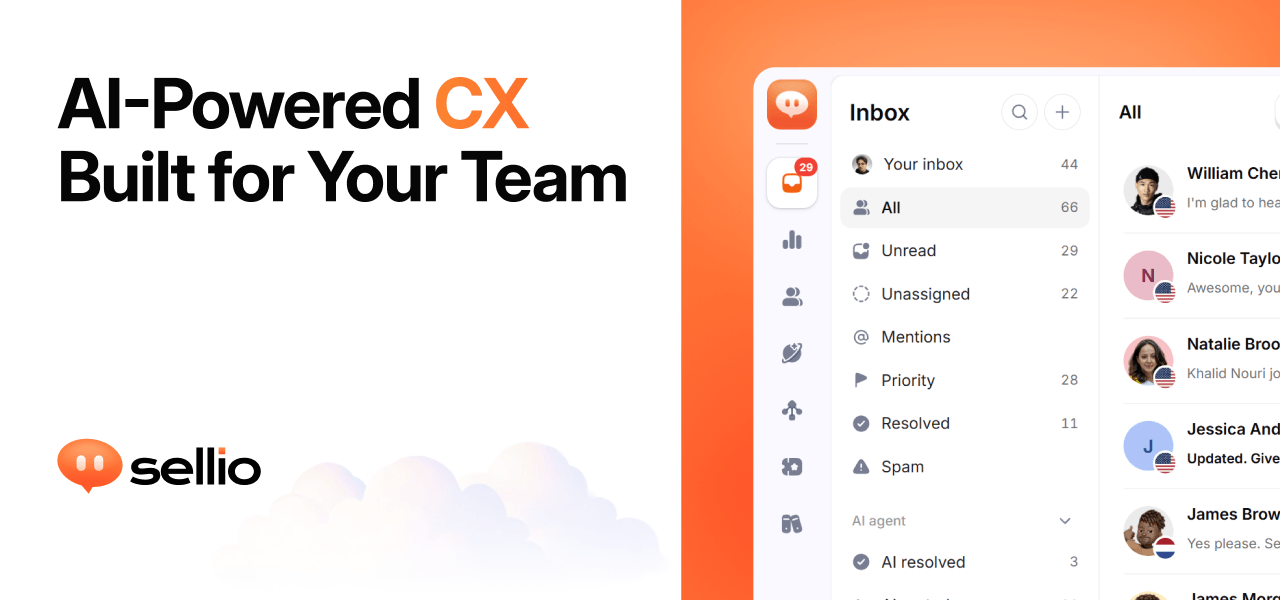
Sellio is an AI customer support platform that puts every customer conversation into one shared inbox. Website chat, WhatsApp, Instagram, Telegram, and email all land in the same place, so a support team works from a single thread rather than switching between tools. On top of the inbox, Sellio adds tickets for work that continues after a chat, an AI agent that can be switched on when a team is ready, and analytics that show how each conversation ended and how it felt. It is aimed at the kinds of teams that answer customers all day: stores and ecommerce businesses, hotels, SaaS companies, local businesses, help desk teams, and agencies. The website describes the product simply as AI customer support in one inbox, with one line added to your site to get started.
Support conversations rarely stay in one place. A customer asks something through a website chat widget, follows up on Instagram, sends a complaint by email, and messages on WhatsApp, and each of those threads normally lives in a different tool with its own history. When a conversation is split like that, handoffs lose context, customers repeat themselves, and replies get missed. Sellio frames this as a problem that looks the same in every industry: missed replies look the same whether you run a store, a hotel, or a SaaS product. The shared inbox is the response, one place where every channel lands, every reply and note stays with the thread, and the next step is always clear to whoever picks it up.
The core of Sellio is the shared inbox. It is built around clear threads with next steps: every reply, internal note, and handoff stays attached to the same conversation, so anyone on the team can see what was said and what should happen next. Teams work the inbox together rather than forwarding messages around, and because every channel is in one place, an agent does not have to remember which app a customer used. When a conversation turns into work that continues beyond the chat, Sellio lets the team raise a ticket from the thread, assign it, and keep the full history attached, so context survives the move from chat to task.
The AI agent is optional and separate from the free chat and inbox. Sellio emphasises that you add it when you decide you are ready: you point the agent at your site, docs, and FAQs so its answers stay grounded in what you actually ship, rather than in whatever a general model happens to know. The agent's first job is the first reply on website chat, which is where many conversations begin. Where the AI cannot finish, it hands off to a person without losing context, so the human sees the same thread the AI saw. The website also highlights staying in control of cost as part of how the agent is positioned, and its FAQ addresses both how the AI learns about your product and whether a person can take over from the AI.
Analytics in Sellio are meant to show what to fix next. The product follows every conversation through to how it ended and how it felt, and places automation, resolution, and CX rates beside each other in one funnel, so a team can see performance and customer experience together instead of in separate reports. Topics are drawn from real chats, which surfaces what customers actually ask about rather than what a team assumes they ask about. Sellio also presents response time that improves and CSAT that explains itself as part of the same picture, connecting speed, satisfaction, and outcomes in one view.
Getting started is deliberately light. Sellio is installed by adding one line or one script tag to a site, which produces an on-brand chat widget; the site notes that website chat and the shared inbox are free, and that no credit card is required to start. AI is only switched on when a team chooses to switch it on, so a business can run a human support inbox first and layer automation on later. New conversations can be mirrored into Slack, Discord, and Microsoft Teams, so teammates who do not sit in the inbox still see what is happening. The overall approach is staged: inbox and chat first, other channels and AI as the team needs them.
The stated benefit is fewer missed replies. Because every channel lands in one inbox and every thread keeps its history, handoffs happen without losing context and customers do not have to repeat themselves. Teams get a clear next step on each conversation, an AI agent that answers from their own documentation, and a funnel that shows how conversations ended and how customers felt. Cost stays controllable: the free plan covers web chat and the shared inbox with no trial clock and no credit card, and paid plans are only needed for more seats, channels, AI agents, and AI credits.
Sellio lists the industries and situations it fits. Ecommerce teams can run live chat on Shopify in the same inbox as WhatsApp, Instagram, and email. Hospitality businesses such as hotels can put WhatsApp, Instagram, and website chat in one inbox for front desk and operations. SaaS companies can start with website chat and place every other channel beside it for the whole team. Local businesses can add a live chat bubble to their site along with the channels their neighbourhood already uses. Help desk teams can raise work from a conversation, assign it, and keep the full history, and agencies can run a shared inbox that several people assign, note, and resolve together.
On channels and integrations, the website says website chat, WhatsApp, Instagram, Telegram, and email land in one inbox, while Slack, Discord, and Microsoft Teams can mirror new conversations for the team. Logos shown on the page include Stripe, ClickUp, Zoom, Salesforce, Discord, Telegram, Trello, GitLab, WhatsApp, Messenger, Jira, Linear, Shopify, Notion, Microsoft Teams, Zapier, Instagram, Asana, Slack, HubSpot, and GitHub, with the note that six integrations are available now and the rest are on the way. Pricing is straightforward: website chat and the shared inbox are free, while email and messaging channels start on Mini. The Free plan includes two seats, one channel, and one API key, with one AI agent and five AI conversations, and nothing expires; more seats, channels, AI agents, and AI credits come from the paid plans.
Sellio's proposition is that support does not have to be scattered or complicated to set up. One inbox holds the conversations, one script tag puts chat on the site, tickets carry work forward, an optional AI agent answers from your own docs and hands off when a person is needed, and analytics show what happened and how it felt. Teams can start on the free plan without a credit card and stay there, adding channels, agents, and AI credits only when the workload grows.
Publisher
A
admin
Launch Date2026-10-05
Platformweb
Pricingfreemium