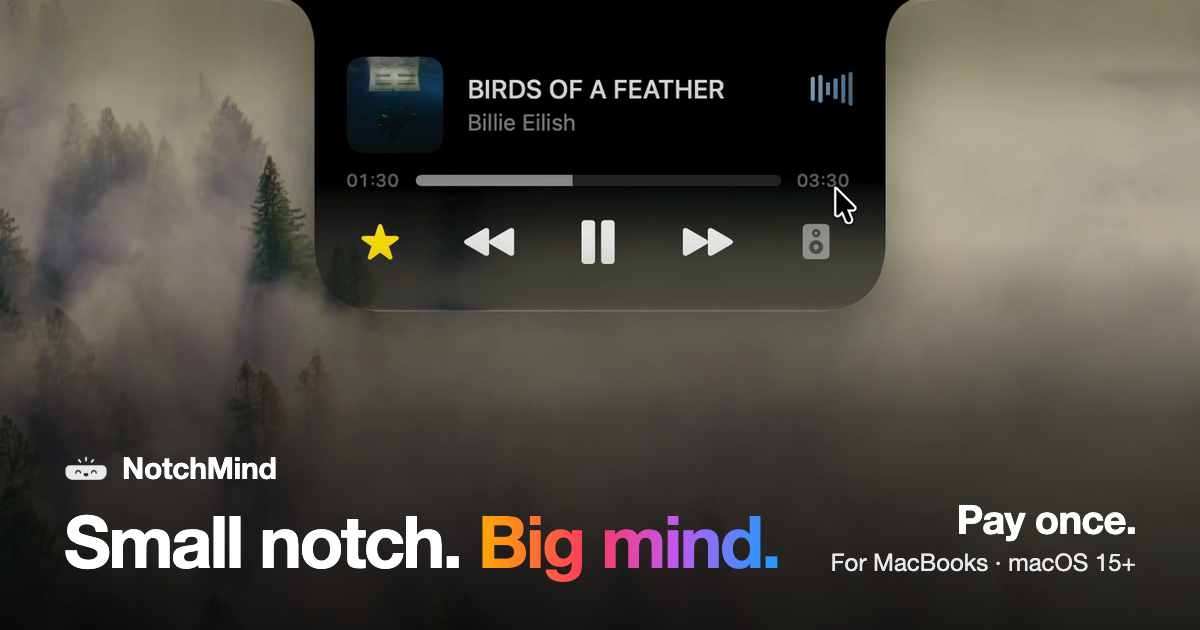
NotchMind is a native macOS app that turns the MacBook notch into a home for your music, files, clipboard history, timers, downloads and 28 everyday tools. Move your pointer to the top of the screen and the notch opens, bringing everything you reach for into the one spot your eyes already go. It is built for MacBooks with a notch, requires Apple silicon and macOS 15 or later, and is sold as a one-time purchase rather than a subscription. The tagline sums up the idea: small notch, big mind.
The product addresses a piece of everyday friction that Mac users know well: the controls and status updates people reach for most often — what is playing, a file they want to park for later, a download in progress, something they just copied, the next meeting on the calendar — normally live in separate apps, browser tabs and menus. NotchMind collects them in the notch instead, so rather than switching context you hover at the top of the screen and the information comes to you. The site frames this as "everything, one hover away," and notes that every clip in the product tour is a real recording.
For music and media, NotchMind shows what is playing and lets you skip a track or pause it without switching apps, and you can switch speakers from the same place. The Music tool covers now playing, skip, pause, lyrics and speaker switching. A Lock screen tool keeps now playing and lyrics visible on your lock screen, and a Camera mirror tool lets you check yourself before joining a call. Because the controls live in the notch rather than in a separate window, playback stays available while you work in another application.
For files, the app provides a set of tools that operate from the notch itself. The File Tray lets you drag files up to park them and drag them out anywhere later. AirDrop lets you drop a file on the notch to send it in one move. Downloads shows progress filling the notch while a file downloads, so you know when it is done without opening your browser. The File Converter handles PNG, JPEG, HEIC, PDF, ZIP and more, running on your Mac, so you can pick a file and pick a format in place. Screenshots and recordings can be grabbed, dragged or deleted from the notch.
Clipboard handling is a core part of the product. Clipboard history keeps up to 500 things you copied, with one click to paste again. Clipboard actions recognize what you copied and offer the right tools: copy a color and get tools to preview and convert it, copy JSON and format it in one click, and links, emails, paths and commands are recognized too — all on your Mac. Secret Guard watches for a copied password or API key, keeps it on your Mac and clears it in a tap.
For the rhythm of your day, the Timer gives you a countdown that stays at the top of your screen; you set it on the ruler and start. Reminders let you type what to remember and when, such as "in 30m," and NotchMind reminds you on time. Calendar shows your next meeting before it starts. Weather shows today and the next few days in °C or °F, with no app or tab needed. Notifications surface banners from Slack, WhatsApp, Chrome and other apps, Messages and Mail show new messages and email with the sender's name, and the Inbox (beta) ranks the emails most likely to need a reply on your Mac.
For your Mac itself, Volume and brightness changes appear in the notch instead of over your work. Battery covers charging and low-battery alerts. AirPods and Bluetooth show your headphones and their battery the moment they connect, and Drives lets you see a drive plug in and eject it from the notch. System stats present live CPU and memory graphs, while Focus, Wi-Fi and VPN keep you aware of Focus changes, Wi-Fi status and your VPN connections. Small moments are surfaced too: plugging in power shows your battery level, and connecting headphones or changing volume appears briefly before the notch gets out of the way.
For makers, the app includes a dedicated set of tools. Developer tools format JSON, encode Base64 and URLs, and make UUIDs, along with colors and timestamps. AI usage tracks tokens used by Codex and Claude Code, today and this month. Revenue shows your Dodo Payments sales right in the notch, and Site traffic reports visitors from Plausible or Umami. All 28 tools come with every license, and you can use all of them or switch off the ones you don't need.
Visually, NotchMind offers four finishes you can change any time in Settings: Black, a solid black like the notch itself; Semi, glass with a soft tint; Liquid Glass, clear glass that bends your wallpaper just like the rest of macOS; and Glass Dark, glass with a deeper tint. The site presents these as "pick your finish," with the default experiences for plugging in, connecting AirPods, changing volume and spotting drives all rendered live in the notch.
NotchMind is explicit about how it handles your data: your Mac comes first. Clipboard actions, Secret Guard checks and text recognition in images run on your Mac, and there is no account to create. The optional Smart Mode is off by default; if you turn it on, short text snippets are classified by NotchMind's server using TypeSafe Jev, and files and screenshots are never uploaded. Clipboard history, clipboard actions, Secret Guard and file conversion all stay local.
Pricing is a one-time purchase: one license unlocks the whole app, with no subscription, no account and no automatic renewal. The site lists US$5.99 one time for 2 Macs as a launch price for the first 50 customers, US$15.99 after that, and "from US$9.99 one time" depending on how many Macs you choose (1 Mac, 2 Macs or 5 Macs). Every license includes all 28 tools from day one, all 1.x updates, and a 14-day window to ask for a refund. There is no free trial; instead, purchases carry a 14-day money-back guarantee. After payment, the page shows your license key and the download, and Dodo Payments also emails the key and receipt; you install NotchMind, open it and paste the key into Settings → License. One license works on 2 of your Macs at the same time, and you can deactivate it in Settings → License on the old Mac to move it.
Typical use cases follow directly from the tool set: keeping music and lyrics reachable while you work in another app, dragging a file up to the notch to park it or AirDrop it in one move, watching a download complete without leaving the browser window, copying a color or a block of JSON and getting the right tool automatically, setting a visible timer or typing "in 30m" for a reminder, and checking AI token usage, sales or site traffic from the notch. It is aimed at MacBook users with Apple silicon running macOS 15 or later who want the little things of their day in one place.
NotchMind's core value proposition is simple: the notch is already where your eyes go, so it becomes the place where your music, files, clipboard, timers, downloads and system updates live — native, private by default, and paid for once.
Publisher
A
admin
Launch Date2026-10-02
Platformdesktop
Pricingpaid