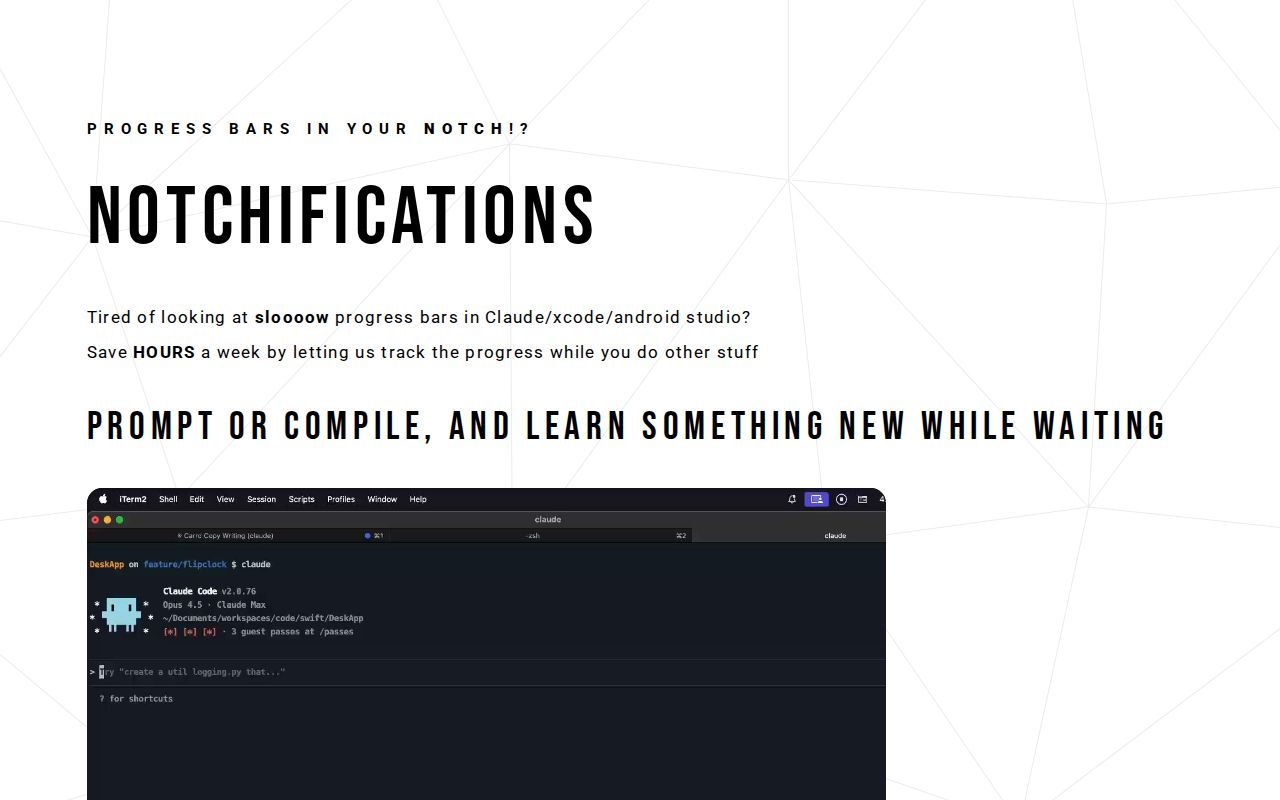

Notchification is a specialized application designed to transform the way developers interact with slow progress bars during compilation and build processes in tools like Xcode, Android Studio, and Claude Code CLI. It serves as a lightweight menu bar app that displays animated progress bars directly within the notch area of a MacBook, allowing users to track build progress in the background without interrupting their workflow. The primary purpose is to save developers significant time each week by eliminating the need to constantly check on running tasks, thereby increasing productivity and reducing frustration. This tool is specifically aimed at developers who frequently engage in coding, compiling, and building projects, offering a seamless way to monitor progress while focusing on other important work. By integrating directly into the MacBook's hardware feature, Notchification provides a unique and efficient solution to a common pain point in software development environments.
Developers often face the tedious and time-consuming challenge of monitoring slow progress bars during compilation and build processes in integrated development environments (IDEs) such as Xcode and Android Studio. These progress bars can lead to significant downtime, where developers are forced to wait or repeatedly check the status, disrupting their focus and workflow. This constant context switching not only wastes hours each week but also contributes to decreased productivity and increased frustration. The problem is exacerbated by the fact that compilation times can be lengthy, especially for large projects, leaving developers staring at screens instead of engaging in meaningful work. Notchification addresses this issue by providing a background tracking solution that allows developers to continue with other tasks while being notified of progress completion, effectively turning wasted waiting time into productive periods.
The first major feature group of Notchification is its animated progress bar that lives directly in the MacBook's notch. This feature works by monitoring build processes in supported tools and displaying a sleek, real-time progress indicator within the notch area, which is typically unused space on the screen. By leveraging this hardware feature, the app provides a non-intrusive yet visible way to track progress without occupying valuable screen real estate or requiring window switching. This matters because it allows developers to keep an eye on compilation status peripherally, reducing the need to alt-tab or minimize windows, thereby maintaining focus on primary tasks. The progress bar is designed to be lightweight and efficient, ensuring it does not impact system performance or distract from other applications, making it an ideal companion for intensive development work.
admin
Another key feature is the confetti celebration that triggers when tasks complete successfully. This feature works by detecting the end of a build process and automatically displaying a fun, visual celebration in the form of confetti animations, which can be seen directly through the notch interface. It matters because it injects a sense of achievement and positivity into the workflow, turning the mundane completion of a task into an enjoyable moment. This not only increases user satisfaction but also helps reduce drowsiness and monotony associated with long compilation times, as highlighted in the content. By adding an element of fun, Notchification makes the development process more engaging and less tedious, encouraging developers to stay motivated and productive throughout their workday.
Notchification also functions as a lightweight menu bar app with no dock icon, ensuring minimal distractions and a clean user experience. This capability means the app runs discreetly in the background without cluttering the dock or taking up unnecessary system resources, allowing it to operate seamlessly alongside other applications. The app is designed to be unobtrusive, so users can install it and forget about it until they need to track a build, making it an effortless addition to any developer's toolkit. Furthermore, it supports tracking progress from multiple tools, providing versatility across different development environments and workflows. This broad compatibility ensures that developers using various IDEs or command-line interfaces can benefit from the same time-saving and focus-enhancing features, making Notchification a valuable tool for a wide range of programming tasks.
The product works overall by integrating with the user's development environment to monitor build processes and display progress information in the MacBook's notch. Technically, it likely uses system-level APIs or hooks to detect when tools like Xcode, Android Studio, or Claude Code CLI initiate compilation, then tracks the progress in real-time. The app renders an animated progress bar within the notch area using custom graphics that are optimized for performance and visibility. Upon task completion, it triggers celebratory animations like confetti to provide immediate feedback. This approach ensures that developers receive timely updates without interrupting their workflow, as the notifications are subtle yet accessible. The lightweight nature of the app means it consumes minimal resources, allowing it to run continuously without affecting system performance or battery life.
Benefits and measurable outcomes for users include saving hours per week by reducing time spent monitoring progress bars, as emphasized in the content with claims of saving 'HOURS' weekly. Users gain increased productivity by being able to focus on other tasks while builds run in the background, leading to more efficient workdays. The app also enhances fun and reduces drowsiness by incorporating celebratory elements like confetti, which can improve morale and engagement during long coding sessions. Additionally, Notchification helps decrease context switching, allowing developers to maintain deep focus and potentially complete projects faster. These outcomes translate into tangible time savings and a more enjoyable development experience, making it a worthwhile investment for anyone tired of slow progress bars.
Concrete use cases include tracking compilation progress in Xcode while a developer writes documentation or responds to emails, allowing them to multitask effectively. Another example is monitoring Android Studio builds during testing phases, where the developer can review code or plan next steps without constant checks. In workflows involving Claude Code CLI, users can run prompts or compilations and use the waiting time to learn something new, as suggested in the content. For team environments, developers can share their screen without distracting progress bars, maintaining professionalism during meetings. These use cases demonstrate how Notchification integrates into real-world scenarios, providing practical solutions that streamline development processes and enhance overall workflow efficiency.
Target users are primarily developers who use MacBooks and work with tools like Xcode, Android Studio, and Claude Code CLI for coding and compilation tasks. The app is designed for individuals or teams seeking to optimize their productivity and reduce frustration caused by slow build processes. Integrations are explicitly mentioned with Xcode, Android Studio, and Claude Code CLI, indicating compatibility with these specific development environments. The tech stack is implied to be macOS-based, leveraging the MacBook's notch hardware, though exact details are not specified. Pricing plans are suggested to be affordable, with the content noting it's 'cheap as hell,' but no specific pricing tiers or structures are provided, leaving this information for users to explore on the website.
In summary, Notchification offers a unique and effective solution for developers by transforming the MacBook's notch into a functional progress tracker, saving time and increasing fun during compilation tasks. Its key value lies in eliminating the need to constantly monitor slow progress bars, allowing users to focus on more important work while staying informed through subtle notifications. By integrating celebratory elements and maintaining a lightweight design, it addresses both productivity and morale challenges in software development. This tool is ideal for anyone looking to streamline their workflow and reclaim hours lost to waiting, making it a compelling addition to any developer's toolkit on macOS.
Notchification targets developers who use MacBooks and work with tools like Xcode, Android Studio, and Claude Code CLI for coding and compilation tasks. It is ideal for individuals or teams seeking to optimize productivity by reducing time spent monitoring slow progress bars. The app appeals to those tired of constant context switching and wanting to reclaim hours lost to waiting, while also adding fun to their workflow with celebratory notifications. Users typically engage in software development, building, and testing, and value efficient, non-intrusive tools that integrate seamlessly into their existing environments.