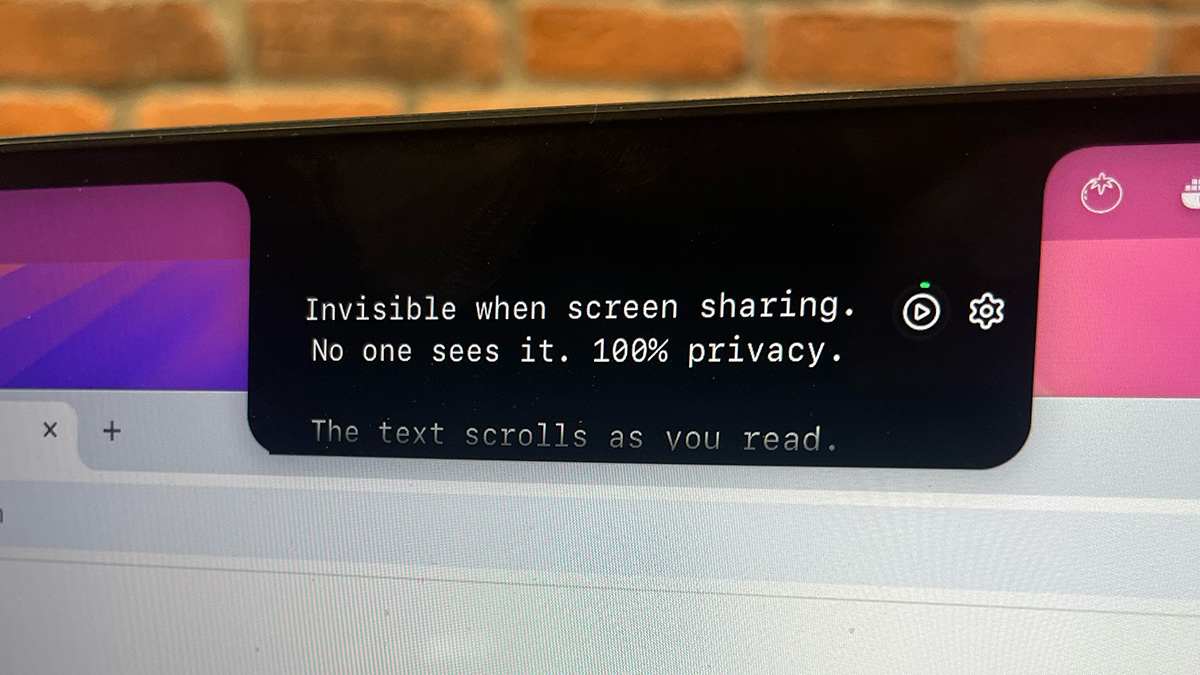
Notchie is a Mac teleprompter that hides in your notch and stays invisible during screen sharing. It allows you to read scripts naturally during video calls while maintaining eye contact with your camera.
Notchie is a specialized teleprompter application designed exclusively for Mac users, cleverly utilizing the notch area of MacBook displays to provide a discreet script-reading tool that remains completely invisible during screen sharing on video conferencing platforms. This innovative solution targets professionals, creators, founders, and salespeople who need to deliver polished presentations, client calls, sales demos, and recorded content without appearing to read from a script, thereby maintaining natural eye contact and enhancing credibility. The primary purpose is to eliminate the common pitfalls of forgetting key points, sounding robotic, or breaking eye contact during high-stakes communications, transforming users into confident and compelling speakers who can focus on delivery rather than memorization.
Many professionals spend hours preparing for important presentations, client meetings, or content recordings, only to experience mental blocks, awkward pauses, or noticeable eye movements away from the camera when pressure mounts. This not only makes them appear unprepared or unprofessional but can also cost deals, promotions, or opportunities as their credibility diminishes the moment an audience suspects they are reading from a script. Traditional methods like printed notes or on-screen documents often lead to distracting behavior, while conventional teleprompters can be cumbersome, expensive, and require users to match a fixed scrolling rhythm, resulting in unnatural delivery that defeats the purpose of using such aids in the first place.
One of Notchie's standout features is its voice-sync scrolling technology, which listens to the user's voice and adjusts the text scroll in real-time, allowing for natural variations in speaking pace, intentional pauses for emphasis, and spontaneous speed changes without losing place. This adaptive approach ensures the teleprompter follows the user's rhythm rather than forcing the user to conform to a preset speed, eliminating the robotic delivery associated with traditional teleprompters and enabling a more authentic and engaging presentation style that feels unrehearsed yet precise.
Another critical feature is its complete invisibility during screen sharing across all major video conferencing and streaming applications, including Zoom, Google Meet, Microsoft Teams, and OBS. Notchie achieves this by leveraging a special macOS rendering layer that screen capture tools cannot detect, ensuring that the script remains a private aid visible only to the user while the audience sees nothing but the presenter's confident, camera-focused delivery, thus preserving the illusion of spontaneity and thorough preparation.
Publisher
A
admin
Launch Date2025-12-31
Platformdesktop
Pricingpaid
Tech Stack
#macOS
Domain Authority
Ahrefs DR7/100
Traffic Insights
Month2026-01
Estimated Visits3.6K
MoM Visits Growth+296.1%(+2.7K)
Avg Time on Site