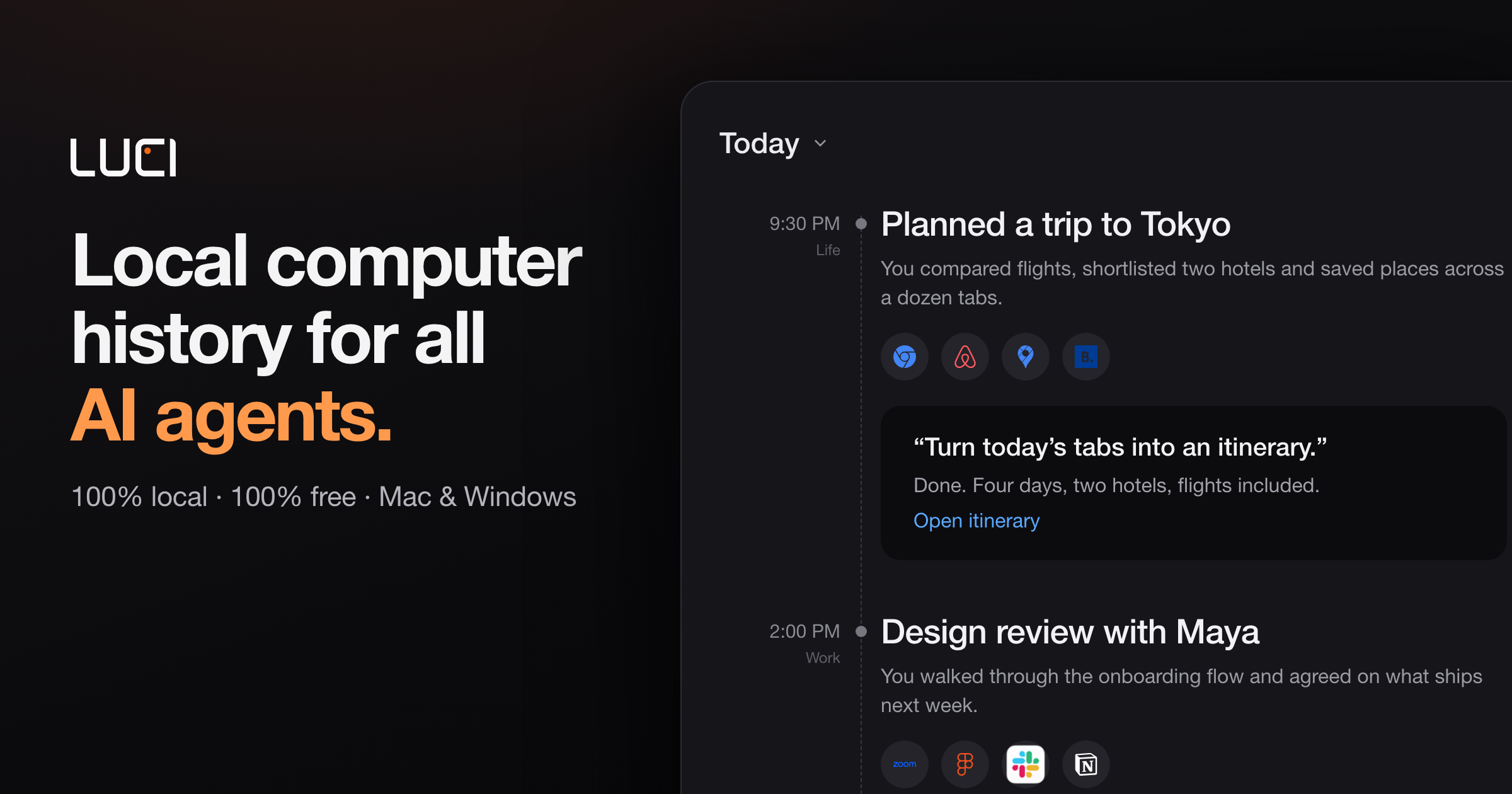
LUCI is a desktop memory layer that remembers your whole day on the computer and hands that memory to the AI agents you already use. It captures meetings, code, email, and everything in between — your screen history and your meeting transcripts — and stores it locally on your machine. Rather than being a standalone assistant, LUCI acts as a shared record that agents such as Claude Code, Cursor, Codex, and Gemini can draw on when you ask them for help. It runs on Mac and Windows, is free to download, and is built for anyone whose workday spans many apps, calls, and conversations that no single chat window can hold.
The problem LUCI addresses is the repeated loss of context. Context windows reset between sessions, so agents forget what you were doing, what you decided, and what you already looked at. People end up copy-pasting error traces, Figma specs, client constraints, and meeting decisions back into their tools, or spending Friday afternoons reconstructing decisions from scattered calls and threads. Connector-based approaches add another layer of friction, because each tool needs its own OAuth flow, API keys, and configuration to stay in sync — and internal tools and private docs rarely have connectors at all. LUCI takes a different route: it reads directly from your screen and your calls, so every app you open is already part of the record.
LUCI builds a chronology of your day, laying it out end to end so you can walk back to any moment instead of trying to remember it. Its visual memory reads and understands what is on screen, on your device, and keeps it findable — so the page you forgot to bookmark, or the reference you scrolled past on Tuesday, can be described later and found again. Alongside the screen, LUCI captures voice and transcripts: every word, yours and theirs, in meetings and calls, attached to the day it happened. On-device transcription is included, so meeting transcripts are produced on your machine rather than in the cloud.
Once the day is captured, your agent distills it. LUCI turns the raw day into a short written record — a daily report and summary — and files it in your Life folder as plain files. The product surfaces tracked days, total samples, average capture hours per day, and meetings logged, with each day summarized in a sentence or two alongside the people, projects, and organizations involved. Search and insights let you ask in plain English across screen and meetings, and see where the day actually went. Because a day's report is a readable file rather than a locked database entry, it stays useful and portable over time.
Privacy is handled on-device. LUCI uses local models — Phi, Qwen, Llama, and DeepSeek are named — and you can pick one, switch whenever you like, and your memory stays where it is. Zero-leak redaction blacks out cards, keys, and passwords before anything is saved, so secrets never touch the record. Retention is yours to set: keep a week or keep a year, and deleting a day removes it entirely. The site states that everything LUCI remembers lives on your machine, encrypted at rest, with no cloud copy, and that LUCI is GDPR compliant and SOC 2 Type 2 certified.
The core mechanism is the Agent Bridge. LUCI connects itself to your agents, with nothing to set up, nothing to paste, and no per-agent configuration to keep in sync — add a new agent tomorrow and your memory is already there. There are zero connectors: no OAuth, no API keys, and nothing to configure, because LUCI reads directly from your screen and your calls. That means every app you open is already supported, including internal tools and private docs. The agents and tools named on the site include Claude Code, Cursor, Codex, Gemini, Copilot, Windsurf, Zed, opencode, Amp, Cline, Kilo Code, Warp, VS Code, and Grok, plus any agent you install next.
The outcome is continuity. Agents can resolve "this" and "that" across sessions, letting you pick up where you left off and jump straight to the right source. A staff software engineer reports no longer copy-pasting error traces and Figma specs into Cursor, because the agent queries LUCI for what was on screen five minutes ago. A head of product says an agent now distills the whole week into the project log in seconds. A founder describes an agent that writes the Life folder each evening with an honest summary of where time actually went. A principal AI engineer notes that although context windows reset between sessions, LUCI remembers — so Codex can recall why a specific architecture pattern was chosen three weeks earlier.
The site frames four questions you will ask on day one: ask about whatever is in front of you on screen; catch up on a call and get every word, yours and theirs, without taking notes; recap your week as your agent distills the day into plain files in your Life folder; and search what you saw by describing it the way you would to a colleague. In practice this covers recalling a decision from a call, finding a page you forgot to bookmark, pulling the exact constraints a client mentioned into a proposal draft, and tracing the exact thread, screen, and decision behind a support ticket.
LUCI is built for anyone whose day does not fit in a chat window: developers who resolve references across sessions, founders who want an agent personalized to them and an honest picture of their week, researchers who need everything read and watched to stay findable weeks later, consultants whose calls are written up without manual notes, designers who revisit a reference by describing it, and support and ops teams who need the context behind a ticket without asking three people. Applications shown in the interface include Slack, Notion, Linear, Zoom, Google Meet, Microsoft Teams, Gmail, Chrome, Figma, YouTube, and Discord. LUCI is free for Mac and Windows, and daily summaries are produced with Microsoft Foundry Local.
LUCI's value proposition is straightforward: your whole day on the computer, remembered on your machine, fully local, free, and handed to whichever agent you ask.
Publisher
A
admin
Launch Date2026-09-30
Platformdesktop
Pricingfree
Tech Stack
#Microsoft Foundry Local#Phi#Qwen#Llama#DeepSeek