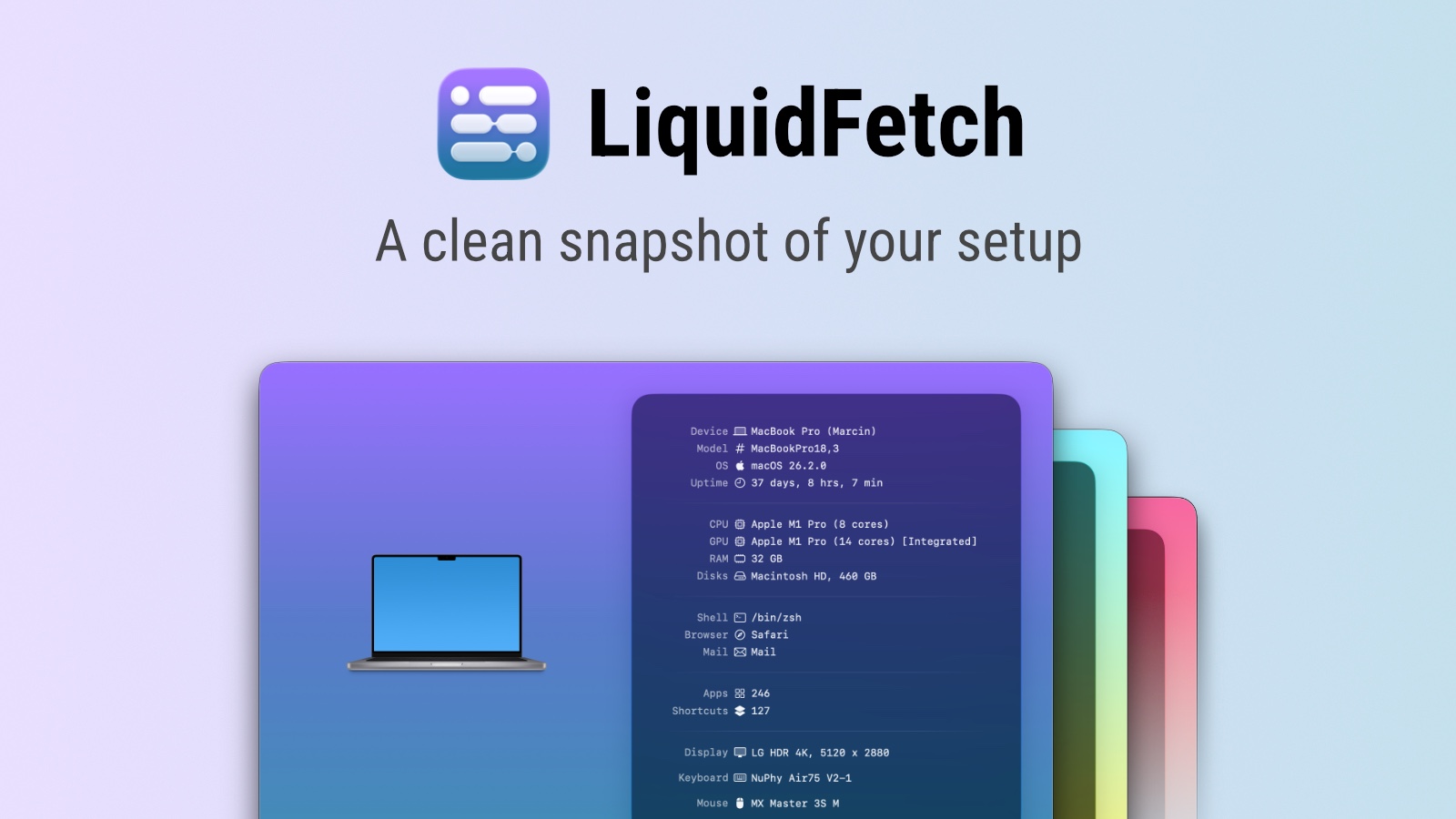
LiquidFetch is a native macOS app that presents your system information in a beautiful, visual way. It's perfect for creating screenshots or simply admiring your computer setup.
LiquidFetch is a native macOS application designed to visually display your computer's system information in an aesthetically pleasing and easily digestible format. The app is tailored for users who want to showcase their computer setup, whether for creating professional screenshots, sharing their configuration with others, or simply appreciating the technical details of their machine in a more engaging way. It serves as a tool for both practical documentation and visual admiration, transforming raw system data into an attractive presentation that highlights the components and specifications of your Mac.
Many computer enthusiasts, professionals, and users who take pride in their setups often struggle to present their system information in a visually appealing manner. Standard system profilers and information tools provide data in plain, text-heavy lists or technical reports that are functional but not designed for sharing or display. This creates a gap for users who want to capture and share their system's specifications in a format that is both informative and visually striking, suitable for forums, social media, or personal archives where presentation matters as much as the content itself.
The app's primary feature is its ability to gather and present comprehensive system information, including details about the processor, memory, storage, graphics, network, and operating system. It extracts this data directly from macOS and formats it into a cohesive visual layout that is both detailed and elegant. This process ensures that users get an accurate and up-to-date snapshot of their system's hardware and software configuration without needing to manually compile information from multiple sources or use separate diagnostic tools.
Another significant feature is the customizable visual presentation, which allows users to adjust the appearance of the information display to match their preferences or the context in which it will be used. The app provides various themes, layouts, and styling options to create a screenshot that fits the desired aesthetic, whether minimalist, detailed, or branded. This flexibility means that the output can be tailored for different purposes, from a clean reference card to a detailed showcase piece that highlights high-end components and specifications.
LiquidFetch also includes functionality for easy capture and sharing, enabling users to quickly generate high-quality screenshots of their system information with a single click or keyboard shortcut. The app integrates seamlessly with macOS's screenshot tools and supports direct sharing to various platforms or saving in multiple image formats. This streamlined workflow removes the friction typically associated with documenting system specs, making it simple to create and distribute visual representations of your computer's configuration whenever needed.
Publisher
A
admin
Launch Date2026-01-31
Platformdesktop
Pricingfree
Domain Authority
Ahrefs DR51/100
Traffic Insights
Month2026-01
Estimated Visits27.1K
MoM Visits Growth+6.7%(+1.7K)
Avg Time on Site36s