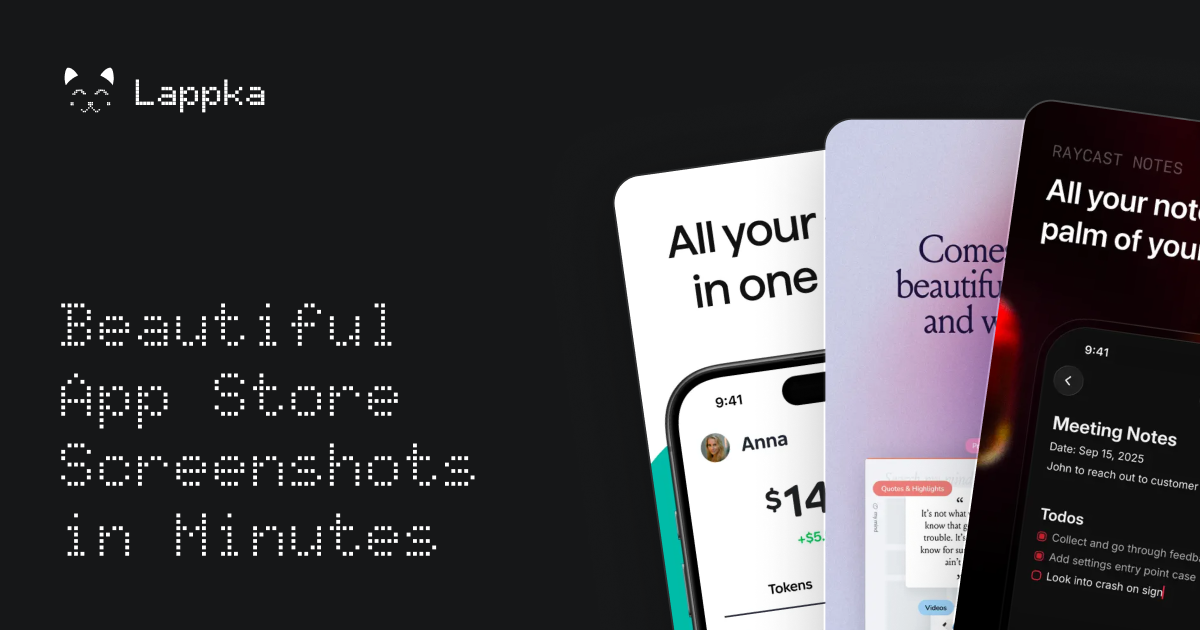
Lappka is an AI-powered App Store screenshot generator that turns raw app screens into a complete, conversion-focused screenshot story for an App Store listing. It is aimed at mobile makers — independent developers, solo builders, and small teams — who have an app built and now need to communicate what it does before a visitor decides to download. The product covers the whole screenshot workflow in one place: planning copy with AI, choosing and customizing editable templates, designing every detail, localizing the copy for other markets, previewing the full set the way App Store visitors will see it, and exporting store-ready screenshots. Its stated purpose is simple: your app is built, and Lappka helps you tell its story.
A store listing has limited room to explain an app, and screenshots carry much of that explanation. Lappka starts from the idea that screenshots should be treated as a story rather than a set of unrelated images: there is a message to communicate, an order in which to say it, and copy that has to stay clear on every screen. Turning raw app screens into that story usually involves separate decisions about layout, wording, sequence, and language, and doing it again for each market multiplies the work. Lappka brings those decisions into a single tool where AI handles the starting strategy and copy, while the maker keeps control over what ships.
The AI layer is Lappka AI, which uses your app context and your product screens to help decide what to communicate, how to order the story, and how to make every line of copy clearer. That means the AI is not only writing headlines; it is helping plan the narrative of the screenshot set and improving the wording of each line as the story develops. Because the output stays editable, the AI acts as a starting point rather than a finished product — the landing page puts it plainly: AI gets you started, you decide what ships.
Templates give the story a visual structure from the beginning. Lappka offers screenshot templates inspired by visual patterns from leading apps, with named sets shown on the landing page such as Joi, Moment, Canvas, and Boldonse. The template previews use consistent screen roles across sets — opening promise, feature depth, proof, motivation, and closing call-to-action frames — which suggests a template is a sequence of screenshot positions rather than a single style. Starting from a template means the App Store conventions are already in place, so the maker begins from a design that feels at home on the store instead of from a blank canvas.
From that starting point, an advanced editing tool lets you perfect every detail. The editor supports custom backgrounds, font pairs, and device frames, which are the three customization areas the landing page highlights under the idea that AI gets you started while you decide what ships. Custom backgrounds let a screenshot set match a brand's look, font pairs control how typography is paired across the story, and device frames place product screens into realistic hardware mockups. The advanced editing tool is listed on every plan, including the free one, so full control over the design is not gated behind a subscription.
Localization takes the same story to every market. Lappka lets you translate your screenshot copy with AI, replace product screens for individual locales, and review every language without rebuilding the design from scratch. This addresses a common friction point: a localized screenshot set traditionally means maintaining separate design work per language, and any change to the visual story has to be repeated everywhere. With Lappka, the design stays shared while the copy and, where needed, the product screens change per locale. Localization for any language is included in the Plus and Pro plans.
Preview closes the loop before export. You can review the complete screenshot order, catch weak transitions, and export store-ready assets when every screen is in the right place. Looking at the whole sequence — rather than a single screenshot — is how you find places where the story loses momentum or where one screen does not connect to the next. Once the order holds up, the screenshots are exported as assets intended for the App Store, and unlimited exports are listed on every plan, including Free.
The overall method follows four visible steps: plan the story, choose a template and describe your app, design, and then export. Planning begins with the AI copy strategy; the template step pairs a visual set with a description of the app so the AI has context to work from; design is where every detail is edited; and the final step combines localization, preview, and export. That linear flow mirrors how a screenshot set is actually produced — decide the message, give it a shape, refine it, then ship it — and keeps each stage inside one project.
The benefits described on the site are practical. AI removes the blank-page problem by proposing what to communicate and how to order it; templates remove the need to invent a store-ready layout; the editor removes dependence on separate design tools; localization removes the need to rebuild a story per language; and previewing reduces the risk of publishing a set with a weak flow. Every plan includes Lappka AI copy strategy, the advanced editor, professionally designed templates, App Store-ready screenshots, and unlimited exports, so the core outcome — exportable screenshots that tell the app's story — is available from the free tier.
Concrete use cases follow from those plans. An independent developer shipping multiple apps would use Plus for AI copy strategy, localization in any language, unlimited projects, and unlimited exports across a portfolio. A small team producing more localized stories would use Pro for its monthly fish credits, pro designed templates, and priority support. A solo developer creating a first screenshot story can start free with 20 fish granted once, one project, the advanced editing tool, and unlimited exports. Anyone expanding into new markets uses the localization workflow to translate copy with AI and swap product screens per locale while keeping the design intact.
Lappka is delivered as a web app at lappka.store, and its titles describe it as an iPhone App Store screenshot generator, so the App Store is the focus of the workflow. Pricing is tiered: Free at $0 with 20 fish granted once and one project; Plus at $10 per month billed monthly with 100 fish monthly, unlimited projects, localization for any language, and priority support; and Pro at $20 per month billed monthly with 300 fish monthly and the same feature set for small teams. Yearly billing is offered with a stated saving of 40%. Fish are the product's usage credits, granted once on the Free plan and monthly on paid plans; the site's FAQ includes questions about what fish are and whether chatting with Lappka AI uses them.
Lappka's value proposition is direct: your app is built, and now you need to tell its story on the App Store. By combining AI copy strategy, editable templates, an advanced editor, localization, preview, and export in one workflow, it takes a maker from raw app screens to a finished, store-ready screenshot set — with AI providing the starting point and the maker deciding what ships.
Publisher
A
admin
Launch Date2026-09-20
Platformweb
Pricingfreemium